
JH-120Y - Air conditioner Vevor - Free user manual and instructions
Find the device manual for free JH-120Y Vevor in PDF.
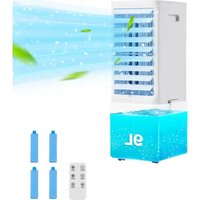


| Brand | Vevor |
| Model | JH-120Y |
| Product Type | Portable Evaporative Air Cooler |
| Voltage (EU) | 220-240 V ~ 50 Hz |
| Voltage (North America) | 120 V ~ 60 Hz |
| Power | 60 W |
| Use Area | EU (220-240 V) / NA (120 V) |
| Main Functions | Cooling, humidification, ventilation |
| Fan Speeds | 3 (Low, Medium, High) |
| Wind Modes | Normal, Natural, Sleep |
| Oscillation | Yes, left-right |
| Timer | 1 to 12 hours |
| Water Tank | With Max/Min level indicator |
| Ice Packs Included | 2 refrigerant gel packs |
| Water Pump | Removable installation for water circulation |
| Air Filter | Washable, regular cleaning recommended |
| Humid Curtain (pad) | Washable, replace if worn |
| Controls | Electronic touch panel and remote control |
| Safety | Auto shut-off if tank empty (Cool function) |
| Certifications | CE, FCC |
| Maintenance | Clean filter, humid curtain and tank regularly |
| Included Accessories | Remote control, ice packs, water pump (disassembled) |
| Country of Manufacture | China (Shanghai) |
Frequently Asked Questions - JH-120Y Vevor
User questions about JH-120Y Vevor
0 question about this device. Answer the ones you know or ask your own.
Ask a new question about this device
Download the instructions for your Air conditioner in PDF format for free! Find your manual JH-120Y - Vevor and take your electronic device back in hand. On this page are published all the documents necessary for the use of your device. JH-120Y by Vevor.
USER MANUAL JH-120Y Vevor
Technical Support and E-Warranty Certificate www.vevor.com/support
PORTABLE EVAPORATIVE COOLER
MODEL: JH-120Y
We continue to be committed to provide you tools with competitive price. "Save Half", "Half Price" or any other similar expressions used by us only represents an estimate of savings you might benefit from buying certain tools with us compared to the major top brands and does not necessarily mean to cover all categories of tools offered by us. You are kindly reminded to verify carefully when you are placing an order with us if you are actually saving half in comparison with the top major brands.
MODEL: JH-120Y
NEED HELP? CONTACT US!
Have product questions? Need technical support? Please feel free to contact us:
Technical Support and E-Warranty Certificate www.vevor.com/support
This is the original instruction. Please read all manual instructions carefully before operating. VEVOR reserves a clear interpretation of the user manual. The appearance of the product shall be subject to the product you received. Please forgive us that we won't inform you if there are any technology or software updates on our product.
IMPORTANT SAFEGUARDS

WARNING: Read and understand this entire manual before
operating or servicing this product. Failure to follow these warnings and instructions can cause personal injury or damage to valuable property. Avoid children using the product. And this product is not a toy. Do not let children play with it.
CORRECT DISPOSAL
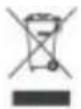
This product is subject to the provision of European Directive 2012/19. The symbol showing a wheelie bin crossed through indicates that the product requires separate refuse collection in the European Union. This applies to the product and all accessories marked with this symbol. Products marked as such may not be discarded with normal domestic waste, but must be taken to a collection point for recycling electrical and electronic devices.
FCC Information:
CAUTION: Changes or modifications not expressly approved by the party responsible for compliance could void the user's authority to operate the equipment!
This device complies with Part 15 of the FCC Rules. Operation is subject to the following two conditions:
1) This product may cause harmful interference. 2) This product must accept any interference received, including interference that may cause undesired operation.
WARNING: Changes or modifications to this product not expressly
approved by the party responsible for compliance could void the user's authority to operate the product.
Note: This product has been tested and found to comply with the limits for a Class B digital device, pursuant to Part 15 of the FCC Rules. These limits are designed to provide reasonable protection against harmful interference in a residential installation.
This product generates, uses and can radiate radio frequency energy and, if not installed and used in accordance with the instructions, may cause harmful interference to radio communications. However, there is no guarantee that interference will not occur in a particular installation. If this product does cause harmful interference to radio or television
reception, which can be determined by turning the product off and on, the user is encouraged to try to correct the interference by one or more of the following measures.
Reorient or relocate the receiving antenna. - Increase the distance between the product and receiver. - Connect the product to an outlet on a circuit different from that to which the receiver is connected. - Consult the dealer or an experienced radio/TV technician for help.
SETUP precautions
- Do not let the wind inlet be too close to the wall, curtain, etc., as this will block the air flow and affect the wind effect.
- When using it for the first time, please check if your voltage is in accordance with the nameplate for the air cooler.
- Before use, please check if the power cord and plug are broken. Do not let the power plug be twisted and turned in order to avoid poor contact.
- If the power cord is damaged, it must be replaced by the manufacturer,
service agent or similarly qualified persons in order to avoid a hazard.
- Do not cover the outlet and keep the air fan away from the socket. Choose a socket that can handle more than 10A current and do not use the same socket with other machines.
- When the air cooler is working, absolutely forbid inserting hands or foreign objects into the network (especially pay attention to children).
- This appliance can be used by children aged from 8 years and above and persons with reduced physical, sensory or mental capabilities or lack of experience and knowledge if they have been given supervision or instruction concerning use of the appliance in a safe way and understand the hazards involved. Children shall not play with the appliance. Cleaning and user maintenance shall not be made by children without supervision.
- Please turn off the power before pulling out the plug. Do not pull the power cord; pull the power plug instead to avoid short-circuit and electric shock.
- Do not pull the power plug with wet hands to avoid the risk of electric shock.
- Please pull the plug away from the socket when you do not use the appliance.
- Please do not place the working air cooler on a declining or unstable position.
- Please do not operate the air cooler outdoors, or around bath, shower, or pool.
- At all times, the water level display of the water tank must be below "Max". While the water level display of the water tank must be above "Min." when the air cooler is with cooling (humidifying) function.
- After the water tank is filled with clean water, please do not lean (or bump) the air cooler when moving it.
- Please do not put anything on the air cooler.
- Must not cover the outlet and inlet of the air cooler.
TECHNICAL PARAMETERS
| Model Number | Voltage/Frequency | Power | Area |
| JH-120Y | AC120V/60Hz | 60W | NA |
| JH-120Y | AC220-240V/50Hz | 60W | EU |
PRODUCT DIAGRAM
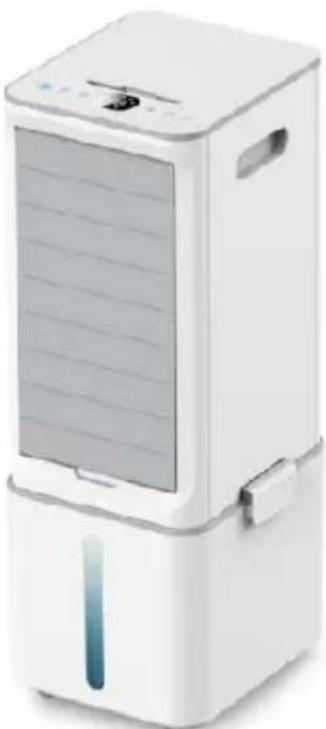
- Product overall appearance
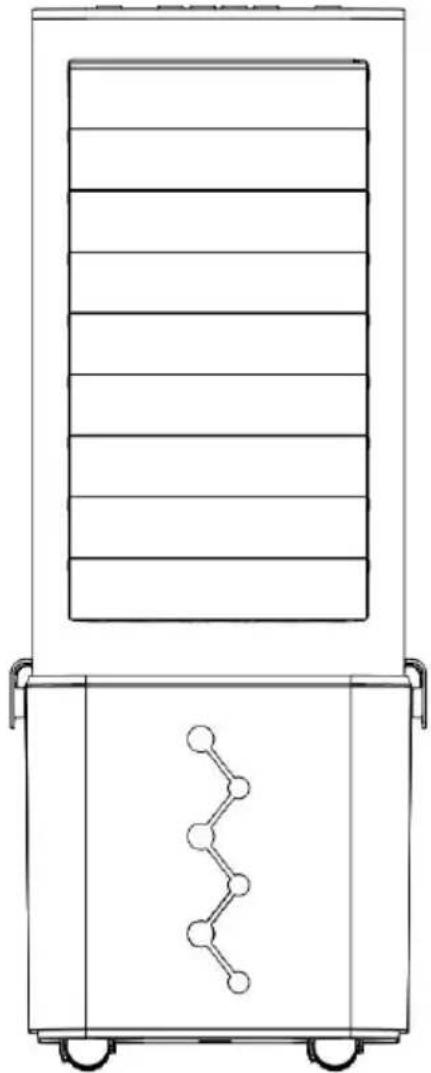
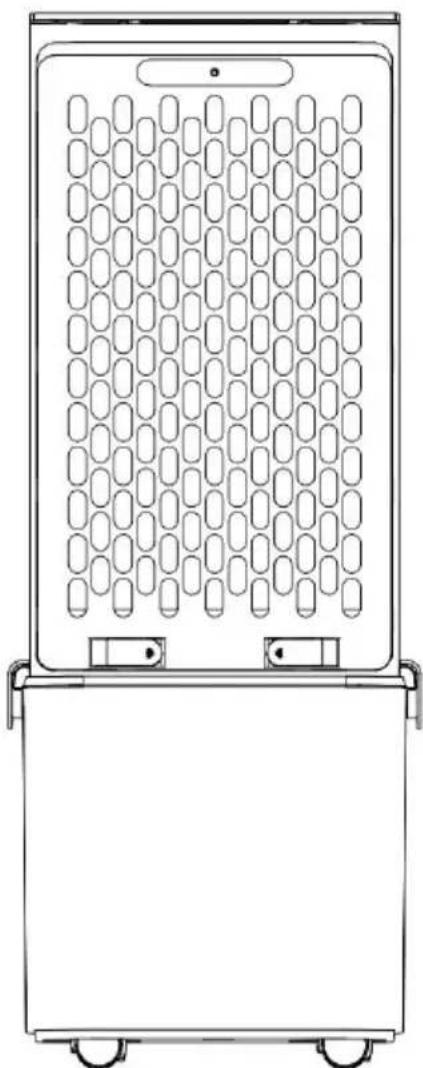
2. Electronic touch function control panel
Control panel Remote control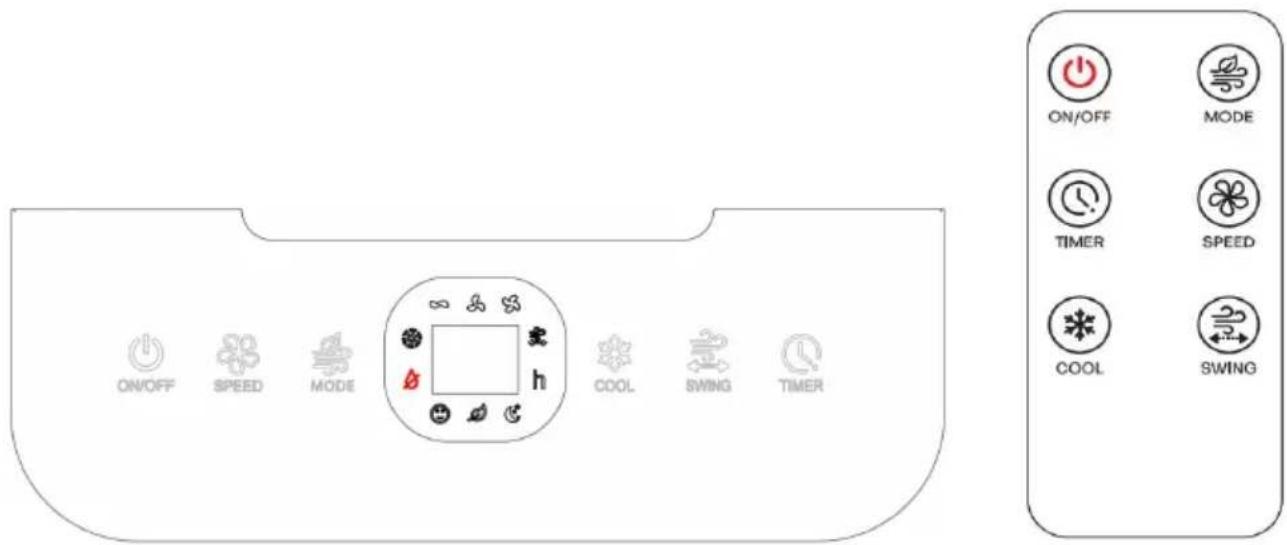
The remote control key and the control panel key functions are identical; the icons and operation methods are identical.
3. ON/OFF (Speed) button
- After plugging in the power cord, the buzzer responds with a sound, and the power light indicator is on. When other icon buttons are touched, the icon lights briefly and then automatically turns off.
- Touch this icon button of " ", the air cooler is working at low speed. The icon " " lights up, and it works in normal " " wind mode and ambient temperature display.
- Touch this icon button of " ". The air cooler is working at medium speed. The icon " " lights up.
- Touch this icon button of " ". The air cooler is working at high speed. The icon " " lights up.
- Touch this icon button of " ". The air cooler can be cycled between low speed, medium speed, and high speed.
4. Cool button
- Touch this icon button of “ ”, the wind will be cooled if you have ice box, The cold air indicator icon “ ” lights up.

Warning: When the water level of the water tank is too low c
is no water, the cold air function is prohibited.
NEVER activate this function without water in the tank.
5. Swing button
- Touch this icon button of “ ”, the blades will be left and right swi The swing indicator icon “ ” lights up.
6. Timer button
- Touch this icon button of “ ”, set the time by pressing the timer I to select a desired timing level, the range is between 1-12 hours, the middle digital display has the corresponding digital display,The
corresponding indicator icon” lights up.
7. Mode button
- Touch this icon button of “ ”, you can choose your desired wind in
as per the following sequence: Normal -Natural -Sleep
Warning: During the refrigeration process of the upper water cooling fan, it is forbidden to lift the handle to move the product, which may cause it to enter the electrical components, damage the product or cause dangerous situations
Installation Guideline
Water Pump and Water Pump Knob Installation Diagram
- Take out the water pump knob and water pump hand screw from the accessories. Place the water pump knob onto the corresponding installation column of the water tank as shown in Figure 1 below. Then insert the hand screw through the knob and tighten it clockwise.
- The hand-screw locking effect is shown in Figure 2 below.
- Then snap the water pump into the corresponding slot of the water tank as shown in Figure 3 below, paying attention to the direction. Finally, as shown in Figure 4 below, rotate the water pump knob to secure the water pump, and the installation is complete.
Figure 1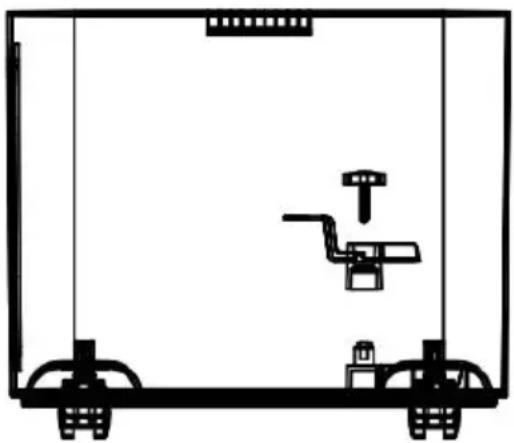
Figure 2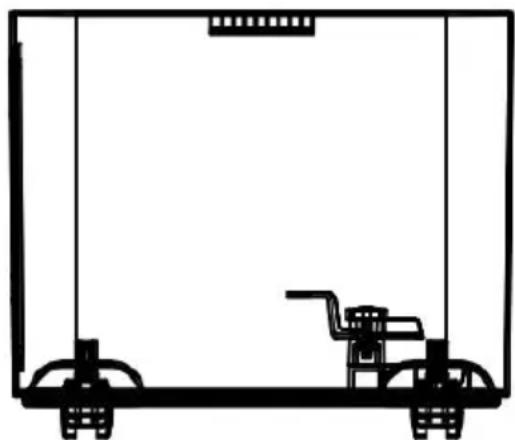
Figure 3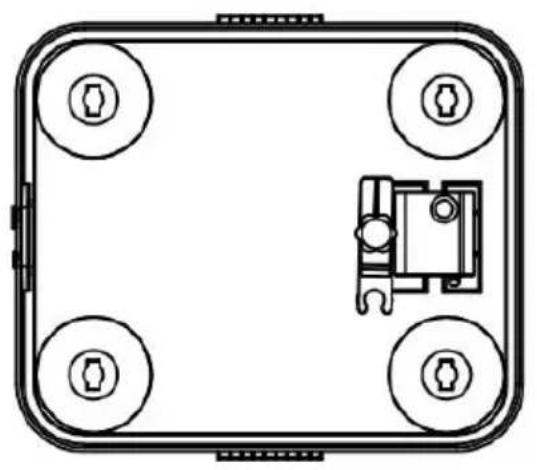
Figure 4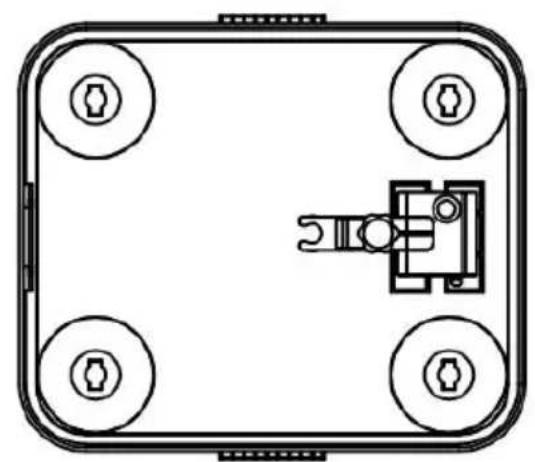
How to Inject Water into the Water Tank (see pictures below)
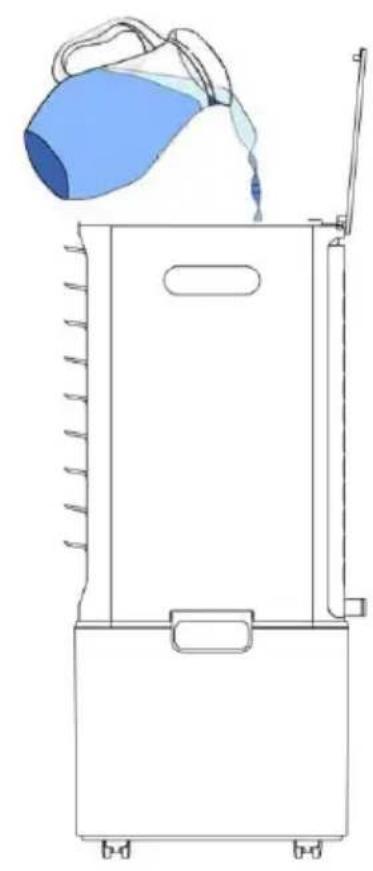
- First, lift up the two side buckles on the water tank behind the cooler, then remove the entire body from the water tank. You can take the water tank separately and add water to it, or use a container to add water to the water tank, and then reattach it after adding water.
- To add water from the upper water tank, open the cover of the upper water tank and add water directly. Be careful not to add water too quickly, as this may cause water to overflow onto the external electrical components of the upper water tank, resulting in a dangerous situation. Please monitor the water level display while injecting water.
- The water level in the water tank must be below the "max." mark when water is injected.
- The water level of the water tank must be more than "min." when air cooling with cooling and humidifying.
- The frozen ice boxes (or ices) are put into the water tank when ice is used to get cooler wind.
Warning: The water level of the water tank is less than "MAX" after ice (or ices) is put into the water tank.
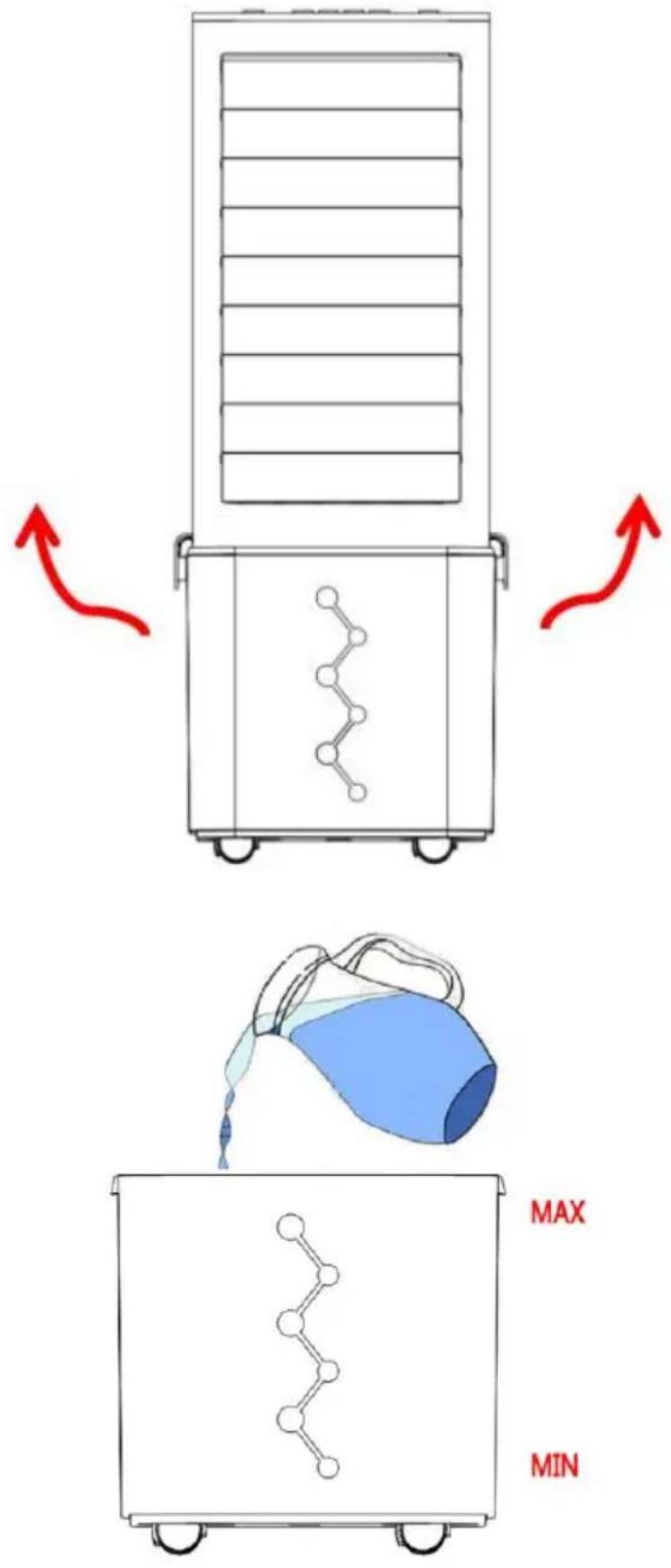
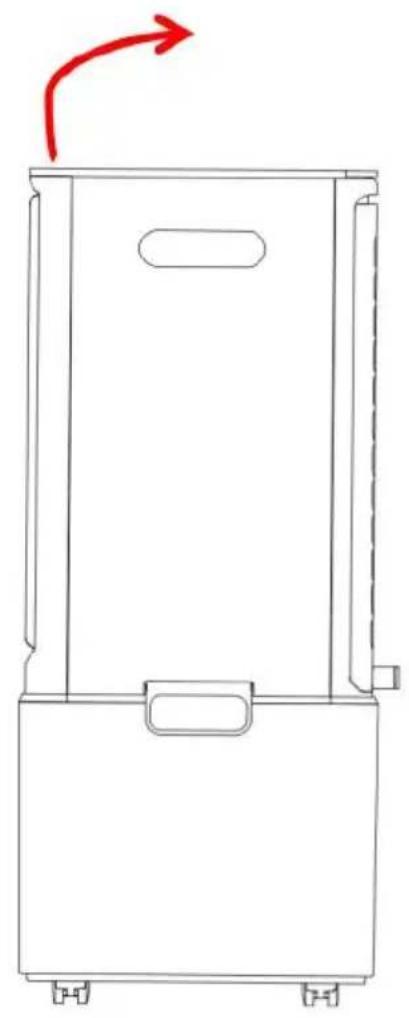
How to use ice boxes
Ice boxes can store cool and slowly absorb the air cooling from water. Ice boxes can make the temperature of the water in the water tank less than the surrounding. So an air cooler with frozen ice boxes can blow cooler wind.
- Put ice boxes in the fridge. After ice boxes are frozen successfully, take the boxes out of the fridge.
- Remove the gusset plate of the water tank and remove the body, then put the frozen ice box into the water tank.
- Open the flip plate of the upper water tank and put the ice crystal directly into the upper water tank.
- One piece air cooler is with two pieces of ice boxes in order that they can make them continuously.
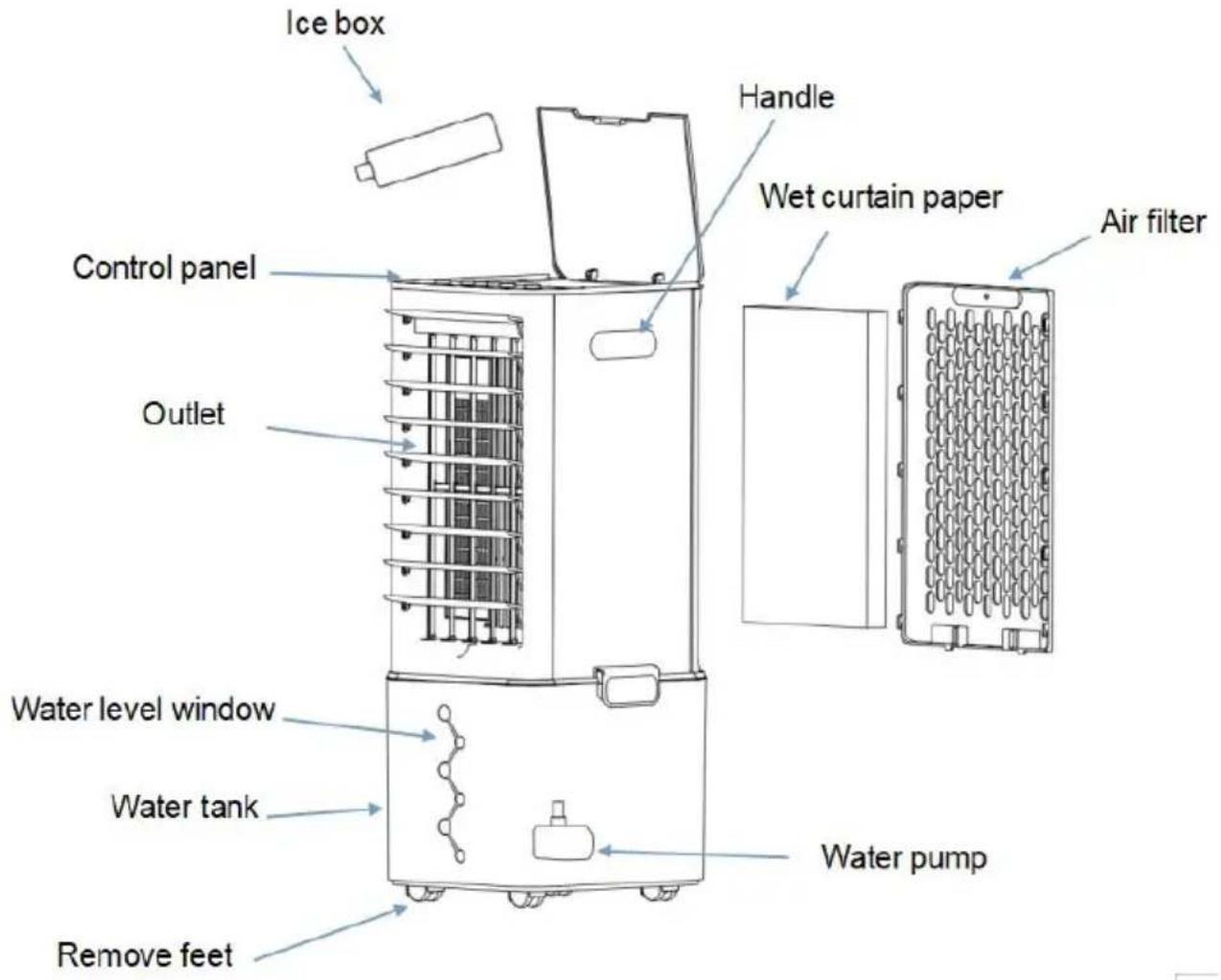
Figure 1 Figure 2 Figure 3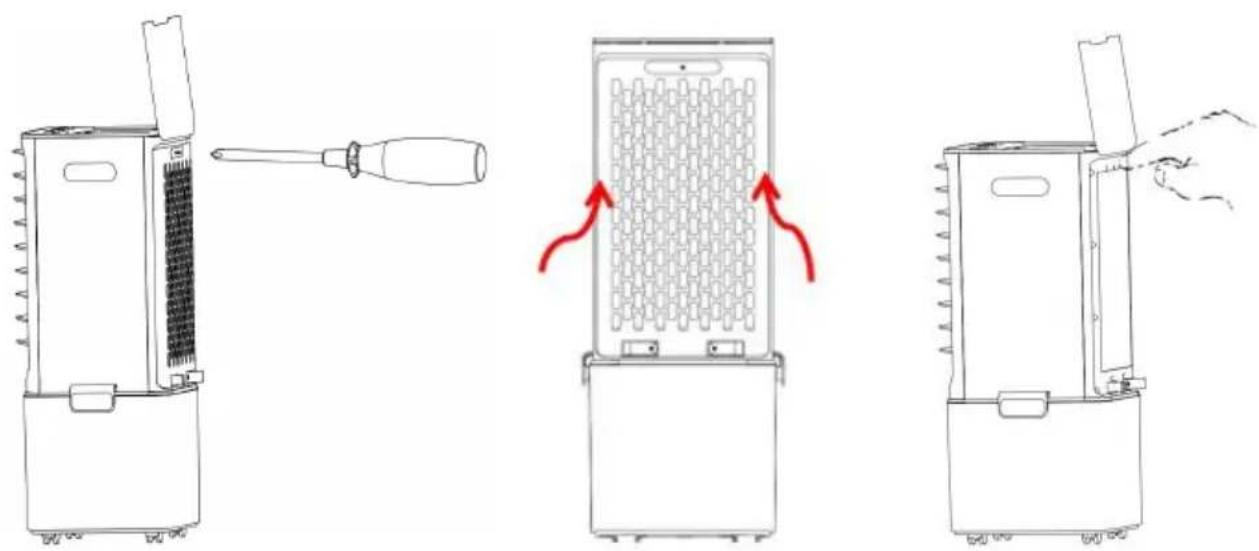
- How to take out the water curtain and water tank:
- Use a screwdriver to unscrew the fixing screw of the air inlet filter.
- Slide the filter up from the body, remove the buckle, and take out the inlet filter.
- With two fingers, buckle from the upper part of the wet curtain, and take out the wet curtain downwards and backwards.
- Clean air filter:
Pull off the plug, and pull the holder of the air filter by hand while it is taken apart. Then clean the air filter with neutral cleaner and a soft brush, then clean it with clean fresh water. Later, take the air filter back to the air cooler.
Clean the wet curtain paper:
Pull off the plug, and take the air filter off, and take the wet curtain out of the air cooler. And clean the wet curtain paper with fresh water after cleaning with cleaner and a soft brush, later put it back into the air cooler.
Important:
In order to avoid leaks, the wet curtain paper must be installed smoothly.
- Clean water tank:
Pull off the plug, and take the water tank out while wiping off much of the water tank with a towel with a little cleaner, and then clean the water tank with water, and later put it back into the air cooler.
- Clean the housing:
Wipe off the housing with a neutral cleaner and a soft cloth.
Important:
When cleaning the air cooler, the user must unplug the device and cut off the power supply, and ensure that no part of the control panel comes into contact with water.
Manufacturer: Shanghai Xinmu Ye You Xiang Gong Si
Address: Room 1602A-1609, No. 11, Lane 803, Shuangcheng Road, Baoshan District, Shanghai 200000, China.
Imported to Australia: SIHAO PTY LTD. 1 ROKEVA STREET, EASTWOOD NSW 2122, Australia
Imported to USA: Sanven Technology Ltd. Suite 250, 9166 Anaheim Place, Rancho Cucamonga, CA 91730
YH CONSULTING LIMITED.
C/O YH Consulting Limited, Office 147,
Centurion House, London Road,
Staines-upon-Thames, Surrey, TW18 4AX
E-CrossStu GmbH
Mainzer Landstr. 69,
60329 Frankfurt am Main.
VEVOR
TOUGH TOOLS, HALF PRICE
Technical Support and E-Warranty Certificate www.vevor.com/support
VEVOR®
TOUGH TOOLS, HALF PRICE
Technical Assistance and Electronic Warranty Certificate www.vevor.com/support
PORTABLE EVAPORATIVE COOLER
MODEL: JH-120Y
PRODUCT DIAGRAM
A/S YH Consulting Limited Office 147,
Centurion House, London Road,
Staines-upon-Thames, Surrey, TW18 4AX
E-CrossStu GmbH
Mainzer Landstr.69,
C/O YH Consulting Limited Office 147,
Centurion House, London Road,
Staines-upon-Thames, Surrey, TW18 4AX
E-CrossStu GmbH
Mainzer Landstr.69,
60329 Frankfurt am Main.
VEVOR
TOUGH TOOLS, HALF PRICE
Imported in AUS: SIHAO PTY LTD. 1 ROKEVA STREET EASTWOOD
New South Wales 2122 Australia
C/O YH Consulting Limited Office 147,
Centurion House, London Road,
Staines-upon-Thames, Surrey, TW18 4AX
E-CrossStu GmbH
Mainzer Landstr.69,
60329 Frankfurt am Main.
VEVOR
TOUGH TOOLS, HALF PRICE
PRODUCT DIAGRAM
Centurion House, London Road,
Staines-upon-Thames, Surrey, TW18 4AX
E-CrossStu GmbH
Mainzer Landstr.69,
C/O YH Consulting Limited Biuro 147,
Centurion House, London Road,
Staines-upon-Thames, Surrey, TW18 4AX
E-CrossStu GmbH
Mainzer Landstr.69,
60329 Frankfurt am Main.
VEVOR
TOUGH TOOLS, HALF PRICE
NEED HELP? CONTACT US!
C/O YH Consulting Limited Office 147, Centurion House, London Road, Staines-upon-Thames, Surrey, TW18 4AX
warranty certificate www.vevor.com/support
VEVOR®
TOUGH TOOLS, HALF PRICE
installation guidelines
C/O YH Consulting Limited Office 147,
Centurion House, London Road,
Staines-upon-Thames, Surrey, TW18 4AX

E-CrossStu GmbH
Mainzer Landstr.69,
60329 Frankfurt am Main.
VEVOR
TOUGH TOOLS, HALF PRICE
- PORTABLE EVAPORATIVE COOLER
- NEED HELP? CONTACT US
- TECHNICAL SUPPORT AND E-WARRANTY CERTIFICATE WWW.VEVOR.COM/SUPPORT
- IMPORTANT SAFEGUARDS
- CORRECT DISPOSAL
- FCC INFORMATION
- SETUP PRECAUTIONS
- TECHNICAL PARAMETERS
- PRODUCT DIAGRAM
- ELECTRONIC TOUCH FUNCTION CONTROL PANEL
- ON/OFF (SPEED) BUTTON
- COOL BUTTON
- SWING BUTTON
- TIMER BUTTON
- MODE BUTTON
- INSTALLATION GUIDELINE
- WATER PUMP AND WATER PUMP KNOB INSTALLATION DIAGRAM
- HOW TO INJECT WATER INTO THE WATER TANK (SEE PICTURES BELOW)
- HOW TO USE ICE BOXES
- IMPORTANT
- VEVOR
- VEVOR®
- TOUGH TOOLS, HALF PRICE
- INSTALLATION GUIDELINES
Brand : Vevor
Model : JH-120Y
Category : Air conditioner