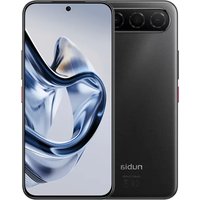
Air - Smartphone Nubia - Free user manual and instructions
Find the device manual for free Air Nubia in PDF.


| Product type | Smartphone |
| Brand | Nubia |
| Model | Air |
| Dimensions | 160 x 75 x 8 mm |
| Weight | 190 g |
| Battery | Lithium-ion battery 4500 mAh |
| Display | AMOLED 6.5 inches, resolution 2400 x 1080 |
| Processor | Octa-core 2.2 GHz |
| RAM | 8 GB |
| Internal storage | 128 GB |
| Rear camera | Dual sensor: 64 MP + 8 MP |
| Front camera | 16 MP |
| Operating system | Android 13 |
| Connectivity | 5G, Wi-Fi 6, Bluetooth 5.2, NFC |
| Sensors | Fingerprint (under screen), accelerometer, gyroscope, proximity, compass |
| Maintenance and cleaning | Clean with a soft dry cloth. Avoid chemical products. |
| Safety | Do not immerse in water. Use an original charger. Avoid extreme temperatures. |
| Spare parts and repairability | Battery and screen replaceable by an authorized professional. |
| General information | User manual available in PDF at notice-facile.com. |
Frequently Asked Questions - Air Nubia
User questions about Air Nubia
0 question about this device. Answer the ones you know or ask your own.
Ask a new question about this device
Download the instructions for your Smartphone in PDF format for free! Find your manual Air - Nubia and take your electronic device back in hand. On this page are published all the documents necessary for the use of your device. Air by Nubia.
USER MANUAL Air Nubia
Kratke upute (hr)....186
Snelstartgids (nl)....492
Getting to Know Your Phone
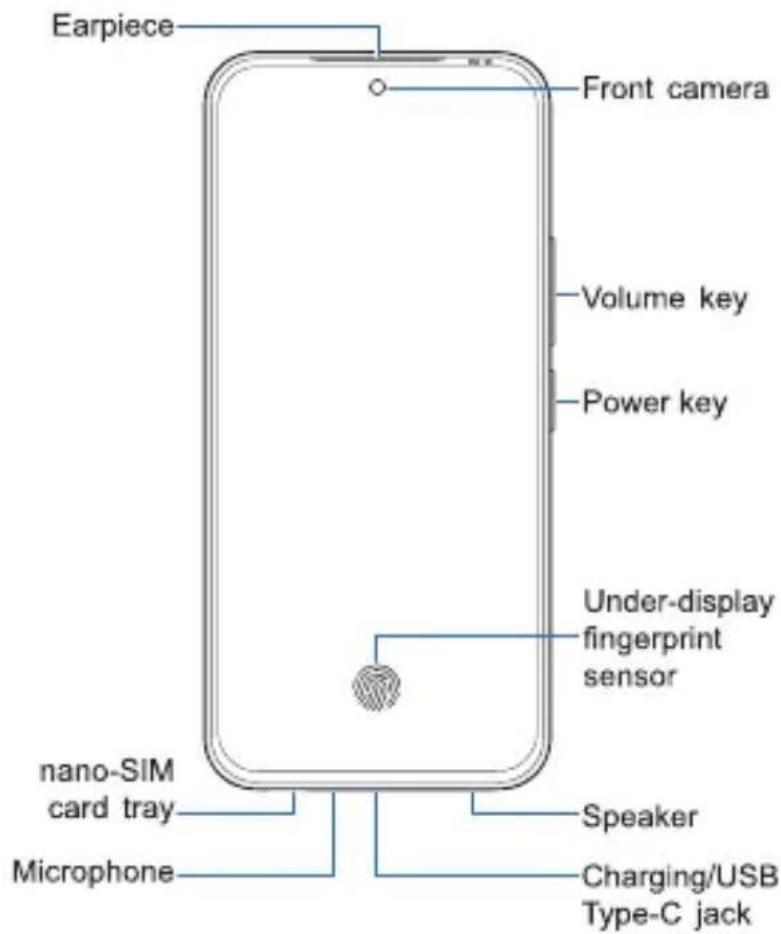

Front view: The earpiece and the front camera are one below the other at the top center. The Volume key and the Power key are one below the other on the top right side. On the bottom side from left to right are the nano-SIM card tray, the microphone, the charging/USB Type-C jack and the speaker. The Under-display fingerprint sensor is at the bottom center of the screen.
Back view: The back cameras are horizontally aligned at the upper center of the back panel. On the right side of the cameras are the flash and the hole for pressure vent. Below the cameras and the pressure vent is the NFC area.
Your phone supports 2.4 GHz and 5 GHz Wi-Fi.
Setting Up Your Phone
NOTE:
For users who are blind or have low vision, please ask someone to help with the SIM card insertion and initial system setup.
The nano-SIM card(s) can be installed or removed while the phone is turned on.
WARNING!
To avoid damage to the phone, do not use any other kind of SIM cards, or any non-standard nano-SIM card cut from a SIM card. You can get a standard nano-SIM card from your service provider.
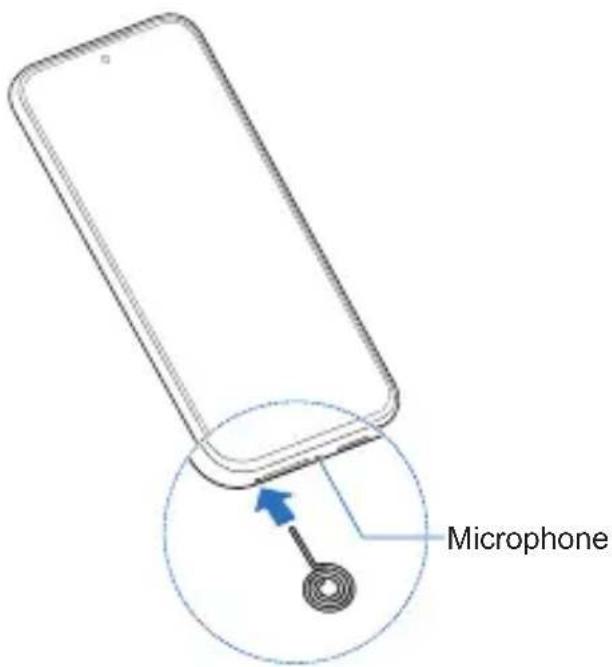
- Insert the tip of the tray eject tool into the hole on the left of the card tray.
NOTE:
Please use the tray eject tool included in the box. Otherwise the card tray may not be ejected.
CAUTION:
Be careful not to insert the tray eject tool into the microphone on the right of the card tray.
CAUTION:
Never replace the included tray eject tool with sharp objects. Ensure that the tray eject tool is perpendicular to the hole. Otherwise, the phone may be damaged.
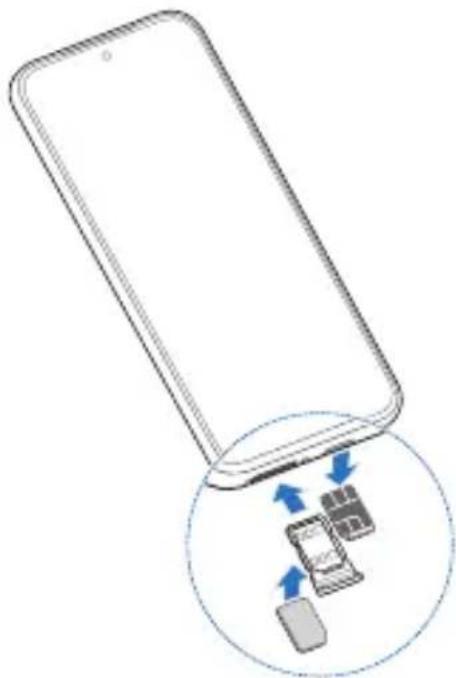
- Pull out the card tray and place the nano-SIM card(s) on either side of the tray, as shown. Carefully slide the tray back into place.
natural_image
Illustration of a smartphone with an inset showing a device interacting with it (no text or symbols present)NOTE:
If two nano-SIM cards are installed, both cards can connect to the 5G, 4G, 3G, or 2G network, and either card can be used for mobile data.
Charging the Phone
Your phone's battery should have enough power for the phone to turn on, find a signal, and make a few calls. You should fully charge the battery as soon as possible.
NOTE:
The power delivered by the charger must be between min 5 Watts required by this device, and max 32 Watts in order to achieve the maximum charging speed. And this device supports USB PD fast charging.

WARNING!
Use only compatible chargers and USB Type-C cables. The use of incompatible accessories could damage your phone or cause the battery to explode.

WARNING!
To remove or replace the battery, contact an authorized service provider or follow the repair instructions. If the phone is not properly disassembled, it may cause personal injury and damage to the battery and phone.
- Connect the adapter to the charging jack.

natural_image
Line drawing of a smartphone with a blue arrow pointing to its cable (no text or symbols)-
Connect the charger to a standard AC power outlet.
-
Disconnect the charger when the battery is fully charged.

NOTE:
If the battery is extremely low, you may be unable to power on the phone even when it is being charged. In this case, try again after charging the phone for at least 20 minutes. Contact the customer service if you still cannot power on the phone after prolonged charging.
Powering On/Off Your Phone
Make sure the battery is charged before powering on.
Press and hold the Power key to turn on your phone.
To power off, press and hold the Power key until the power off/restart menu appears, touch ⏻ Power off and then ⏻ Power off again.
NOTE:
If the screen freezes or takes too long to respond, try pressing and holding the Power key for over 10 seconds to restart the phone.
Waking Up Your Phone
Your phone automatically goes into sleep mode when it is not in use for some time. The display is turned off to save power and the keys are locked to prevent accidental operations.
You can wake up your phone by turning on the display and unlocking the keys.
-
Press the Power key to turn the screen on.
-
Swipe up on the screen.
NOTE:
If you have set a face verification, a fingerprint, an unlock pattern, a PIN or a password for your phone, you'll need to use your face or fingerprint, draw the pattern, or enter the PIN/password to unlock your screen.
Accessibility
Your phone provides accessibility options and services including display, interaction controls, captions, audio, downloaded apps options, etc.
To access the accessibility features, open Settings, touch Features, and then touch Accessibility.
The main accessibility features include the following:
Display
Text and display: Adjust font size and weight, select your preferred display size, and use high contrast text.
Color correction: Color correction and grayscale settings help your phone compensate for color blindness.
Color inversion: Reverse the color on the screen and apply to everything including media and images.
Dark mode: Turn the screen to dark with white text on a black background, relieving eye irritation caused by screen glare at night.
Remove animations: Reduce animation effects on the screen to help you focus.
Large mouse pointer: Make the mouse pointer bigger when you use an external mouse.
Extra dim: Dim your screen beyond your phone's minimum brightness so it's more comfortable to read.
Magnification: Magnify the screen and zoom in on a specific area.
Interaction controls
Accessibility Menu: Control your phone via a large on-screen menu. You can lock your phone, control volume and brightness, take screenshots, and more.
Touch & hold delay: Set the recognition time for touching and holding the screen.
Time to take action: Choose how long to show temporary messages that ask you to take action, but are visible only temporarily.
Autoclick: When using a mouse with your phone, set the cursor to take action automatically when the cursor stops moving for a certain amount of time.
Power button ends call: Press the Power key to end a call, making it faster and easier to hang up.
Auto rotate screen: Automatically rotate the screen when you move the phone between portrait position and landscape position.
Captions: Detect speech on the phone and automatically generate captions. You can customize caption size and style to make them easier to read.
Audio
Audio description: Let you hear a description of what's happening on screen in supported videos.
Flash notifications: Flash the camera flashlight or the screen to alert you of an incoming notification or alarm.
Audio adjustment: Make both left and right audio channels get played back simultaneously when playing audio. Or balance the left and right channel volumes.
Text-to-speech output: Convert text input and play audio aloud. You can choose preferred speech synthesis engine, language, speech rate, and pitch.
Select to Speak: Select specific items on your screen and hear them read or described aloud.
Switch Access: Let you interact with your phone using one or more external switches or using facial gestures. This feature can be helpful if you can't interact directly with your phone.
TalkBack: Provide spoken feedback so that you can use the phone without looking at the screen. Instead of typical touch interactions, you can navigate the phone through TalkBack gestures.
NOTE:
The accessibility features may differ from your phone and may change with phone software updates. Please refer to your actual phone.
Ingress Protection
This mobile phone has undergone rigorous laboratory testing and meets the IP68 and IP69 ratings of the international standard IEC 60529, demonstrating excellent dust and water resistance.
IPX8 indicates that the phone can maintain its protective performance in still freshwater at a depth of 1.5 meters for a duration of no less than 30 minutes.
IPX9K indicates that the phone can maintain its protective function under the following conditions: a distance of 100 mm from the water jet nozzle, water temperature of 85°C, water pressure of 10,000 kPa, with water jets applied at four angles (0°, 30°, 60°, 90°), each for 30 seconds, totaling 120 seconds.
Please note and understand the following key disclaimers:
-
The IP ratings were achieved under controlled laboratory conditions. Actual usage environments are complex and variable (e.g., water flow speed, water pressure, water quality, water temperature, impacts, drops, etc.) and may exceed test conditions, so the same level of protection cannot be guaranteed in all real-world scenarios.
-
Water and dust resistance are not permanent. Daily wear and tear, drops, compression, exposure to chemicals (e.g., detergents, solvents, seawater, pool water), extreme temperatures, device aging, or repairs (including unauthorized repairs) may degrade or compromise the sealing performance.
-
Usage limitations:
Do not intentionally expose the device beyond the specified depth and duration for IP68, or immerse it in flowing water or seawater for extended periods.
Do not use the device for prolonged periods in steamy environments such as saunas or steam rooms.
Avoid exposing the device to non-pure freshwater substances like soapy water, shampoo, shower gel, detergent, perfume, lotion, oils, acidic liquids, or saltwater (seawater/pool water), as these may corrode the sealing components.
Do not connect the charger or other accessories if the device is not completely dry. Connecting accessories or chargers while the multifunctional port is still wet may damage the device.
If the device has been dropped, physically damaged, or undergone unofficial repairs, its water and dust resistance may be severely compromised.
- Users are responsible for understanding the limitations of the IP ratings and taking reasonable precautions in daily use to avoid exposing the device to liquid or dust environments that may exceed its protective capabilities.
LEGAL INFORMATION
Copyright © 2025 ZTE CORPORATION.
All rights reserved.
No part of this publication may be quoted, reproduced, translated or used in any form or by any means, electronic or mechanical, including photocopying and microfilm, without the prior written permission of ZTE Corporation.
Notice
ZTE Corporation reserves the right to make modifications on print errors or update specifications in this guide without prior notice.
We offer self-service for our smart device users. Please visit the ZTE official website (at
https://ztedevices.com) for more information on the full quick start guide, user manual, self-service and supported product models. Information on the website takes precedence.
Disclaimer
ZTE Corporation expressly disclaims any liability for faults and damages caused by unauthorized modifications of the software.
Images and screenshots used in this guide may differ from the actual product. Content in this guide may differ from the actual product or software.
Trademarks
ZTE and the ZTE logos are trademarks of ZTE Corporation.
nubia and the nubia logos are trademarks of Nubia Technology Co., Ltd.
Android ^™ is a trademark of Google LLC.
The Bluetooth ^® word mark and logos are registered trademarks owned by the Bluetooth SIG, Inc. and any use of such marks by ZTE Corporation is under license.

FOR DTS PATENTS, SEE
HTTP://XPERI.COM/DTS-PATENTS/. MANUFACTURED UNDER LICENSE FROM DTS, INC. AND ITS
AFFILIATES. DTS, THE DTS LOGO, AND DTS AUDIO PROCESSING ARE REGISTERED TRADEMARKS OR
TRADEMARKS OF DTS, INC. AND ITS AFFILIATES IN THE UNITED STATES AND/OR OTHER COUNTRIES.
© DTS, INC. AND ITS AFFILIATES. ALL RIGHTS RESERVED.
Other trademarks and trade names are those of their respective owners.
Product Safety Information
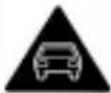 | Don't make or receive phone calls while driving. Never text while driving. |
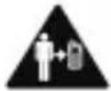 | Keep your phone at least 5 mm away from your body while making calls. |
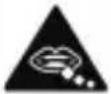 | Small parts may cause choking. |
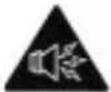 | Your phone can produce a loud sound. |
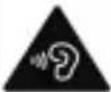 | To prevent possible hearing damage, do not listen at high volume levels for long periods. Exercise caution when holding your phone near your ear while the loudspeaker is in use. |
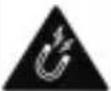 | Avoid contact with anything magnetic. |
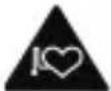 | Keep away from pacemakers and other electronic medical devices. |
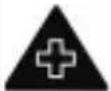 | Turn off when asked to in hospitals and medical facilities. |
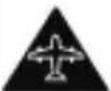 | Turn off when told to on aircraft and at airports. |
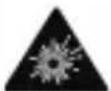 | Turn off when near explosive materials or liquids. |
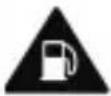 | Don't use at gas stations. |
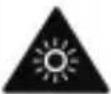 | Your phone may produce a bright or flashing light. |
 | Don't dispose of your phone in fire. |
 | Avoid extreme temperatures. |
 | Avoid contact with liquids. Keep your phone dry. |
 | To disassemble your phone, contact an authorized service provider or follow the repair instructions. |
 | Only use compatible accessories. |
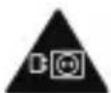 | For pluggable equipment, the socket-outlet shall be installed near the equipment and shall be easily accessible. |
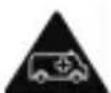 | Don't rely on your phone as a primary device for emergency communications. |
Specific Absorption Rate (SAR)
Your mobile device is a radio transmitter and receiver. It is designed not to exceed the limits for exposure to radio waves recommended by international guidelines. These guidelines were developed by the independent scientific organization ICNIRP and include safety margins designed to assure the protection of all persons, regardless of age and health.
The guidelines use a unit of measurement known as Specific Absorption Rate, or SAR. The SAR limit for mobile devices is 2 W/kg and the highest SAR value for this device when tested at the head was 1.654 W/kg*, and when tested at the body was 1.631 W/kg* with 5 mm distance. The limb (0 mm) SAR limit for mobile devices is 4 W/kg. The highest SAR value for this device when tested at the body with 0 mm distance was 3.438 W/kg*. As mobile devices offer a range of functions, they can be used in other positions, such as on the body as described in the user manual**.
As SAR is measured utilizing the device's highest transmitting power, the actual SAR of this device while operating is typically below that indicated above. This is due to automatic changes to the power level of the device to ensure it only uses the minimum power required to communicate with the network.
* The tests are carried out in accordance with EN 50360, EN 50566, EN 50663, EN 62209-1 and EN 62209-2.
** Please see body worn operation in the user manual.
Enquiring the E-label
Open Settings, touch About phone, and then touch E-labelling Information.
Specification
| EUT tested radios application | GSM 850/900/1800/1900WCDMA Band 1/2/5/8LTE Band 1/2/3/4/5/7/8/20/28/38/40/415G NR Band 1/3/7/8/20/28/38/40/41/71/77/78802.11a/b/g/n/acBluetooth BR+EDRBluetooth LE |
| Maximum RF output power | GSM 850: 33.00 dBmGSM 900: 33.50 dBmGSM 1800/1900: 30.00 dBmWCDMA Band 1/2: 24.00 dBmWCDMA Band 5/8: 24.50 dBmFDD LTE Band 1/2/3/4/5/8/20/28: 24.50 dBmFDD LTE Band 7: 24.00 dBmTDD LTE Band 38/41: 24.00 dBmTDD LTE Band 40: 24.50 dBmFDD NR Band 1/3/7/28: 24.00 dBmFDD NR Band 8/20: 24.50 dBmTDD NR Band 38/40/41/71: 24.00 dBmTDD NR Band 77/78: 27.50 dBm802.11b/g/n (2.4 G): 15.96 dBm(EIRP)802.11a/n/ac (5 G): 12.53 dBm(EIRP)Bluetooth BR/EDR: 6.70 dBm(EIRP)Bluetooth LE: 0.37 dBm (EIRP)NFC: <42 dBμA/m@10m |
CE Caution
Battery Caution
There is a risk of explosion if battery is replaced by an incorrect type.
Dispose of used batteries according to the instructions.
Do not dispose of a battery into fire or a hot oven, or mechanically crush or cut a battery. Doing so can result in an explosion.
Leaving a battery in an extremely high temperature surrounding environment can result in an explosion or the leakage of flammable liquid or gas.
A battery subjected to extremely low air pressure may result in an explosion or the leakage of flammable liquid or gas.
Proper Use
As described in this guide, your device can be used only in right location. If possible, please do not touch the antenna area on your device.
Do not expose your device to extreme temperatures lower than -10 °C and higher than +40 °C.
Charge your device only between 0 °C and +40 °C.
Disposal of Your Old Appliance
natural_image
Symbol of a trash bin crossed with a diagonal line and a horizontal bar below (no text or labels)-
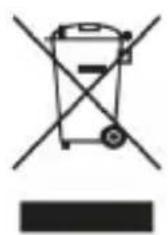
When this crossed-out wheeled bin symbol is attached to a product, it means the product is covered by the European Directive 2012/19/EU.
-
All electrical and electronic products should be disposed of separately from the municipal waste stream via designated collection facilities appointed by the government or the local authorities.
-
The correct disposal of your old appliance will help prevent potential negative consequences for the environment and human health.
For this product's recycling information based on WEEE directive, please send an e-mail to weee@zte.com.cn
EU DECLARATION OF CONFORMITY
CE
Hereby, ZTE Corporation declares that the radio equipment type Z2468N is in compliance with Directive 2014/53/EU.
The full text of the EU declaration of conformity is available at the following Internet address: https://certification.ztedevices.com
The device is restricted to indoor use only when operating in the 5150 to 5250 MHz frequency range.
 | AT BE BG HR CY CZ DK | |||||
| EE FI FR DE EL HU IE | ||||||
| IT LV LT LU MT NL PL | ||||||
| PT RO SK SI ES SE UK(NI) | ||||||
| NO IS LI CH TR | ||||||
ErP Conformity
If the packaging box includes a charger, it conforms to the Energy-related Product Directive (ErP) 2009/125/EC of the European Parliament and the Council.
The detailed ErP information is available on ZTE website https://certification.ztedevices.com.
UK PSTI Statements of Compliance
Hereby, ZTE Corporation declares that Z2468N is in compliance with The Product Security and Telecommunications Infrastructure (Security Requirements for Relevant Connectable Products) Regulations 2023.
The full text of the UK PSTI Statements of Compliance is available at the following Internet address: https://certification.ztedevices.com
Kurzanleitung (de)
natural_image
Illustration of a smartphone with an inset showing a device being transferred, no text or symbols present.HINWEIS:
natural_image
Line drawing of a smartphone with a blue arrow pointing to its cable (no text or symbols)Copyright © 2025 ZTE CORPORATION.
natural_image
Illustration of a smartphone with an inset showing a device inside (no text or symbols)NOT:
natural_image
Line drawing of a smartphone with a blue arrow pointing to its edge (no text or symbols)Telif Hakkı © 2025 ZTE CORPORATION.
natural_image
Symbol of a trash bin crossed with a diagonal line and a horizontal bar below (no text or labels)natural_image
Illustration of a smartphone with an inset showing a device inside (no text or symbols)NOTA:
natural_image
Line drawing of a smartphone with a blue arrow pointing to its edge (no text or symbols)Copyright © 2025 ZTE CORPORATION.
natural_image
Symbol of a trash bin crossed with a diagonal line and a solid black rectangle below (no text or labels)natural_image
Illustration of a smartphone with an inset showing a device inside (no text or symbols)OPOMBA:
natural_image
Line drawing of a smartphone with a blue arrow pointing to its side panel (no text or symbols)natural_image
Simple line drawing of a trash bin with crossed lines indicating no waste or plastic (no text or symbols)natural_image
Illustration of a smartphone with an inset showing a device inside (no text or symbols)
NAPOMENA:
natural_image
Line drawing of a smartphone with a blue arrow pointing to its cable (no text or symbols)natural_image
Symbol of a trash bin crossed with a diagonal line and a horizontal bar below (no text or labels)natural_image
Illustration of a smartphone with an inset showing a device inside (no text or symbols)
NAPOMENA:
Ako su instalirane dvije nano-SIM kartice, obje kartice se mogu spojiti na 5G, 4G, 3G ili 2G mrežu, a bilo koja od njih se može koristiti za mobilne podatke.
Punjenje telefona
Baterija vašeg telefona trebala bi imati dovoljno energije da se telefon uključi, pronađe signal i obavi nekoliko poziva. Bateriju morate potpuno napuniti što je prije moguće.

NAPOMENA:
natural_image
Line drawing of a smartphone with a blue arrow pointing to its cable (no text or symbols)-
Priključite punjač u standardnu utičnicu za naizmjeničnu struju.
-
Isključite punjač kad je baterija potpuno napunjena.
NAPOMENA:
https://certification.ztedevices.com
natural_image
Illustration of a smartphone with an inset showing a device inside (no text or symbols)MEGJEGYZÉS:
natural_image
Line drawing of a smartphone with a blue arrow pointing to its edge (no text or symbols)Copyright © 2025 ZTE CORPORATION.
Minden jog fenntartva.
natural_image
Symbol of a trash bin crossed with a diagonal line and a horizontal bar below (no text or labels)natural_image
Illustration of a smartphone with an inset showing a device interacting with it (no text or symbols present)POZNÁMKA:
natural_image
Line drawing of a smartphone with a blue arrow pointing to its cable (no text or symbols)
- Setting Up Your Phone
- NOTE:
- WARNING!
- CAUTION:
- Charging the Phone
- Powering On/Off Your Phone
- Waking Up Your Phone
- Accessibility
- Display
- Interaction controls
- Audio
- Ingress Protection
- Please note and understand the following key disclaimers:
- LEGAL INFORMATION
- All rights reserved.
- Notice
- Disclaimer
- Trademarks
- Product Safety Information
- Specific Absorption Rate (SAR)
- Enquiring the E-label
- CE Caution
- Battery Caution
- Proper Use
- Disposal of Your Old Appliance
- EU DECLARATION OF CONFORMITY
- ErP Conformity
- UK PSTI Statements of Compliance
- HINWEIS:
- NOT:
- NOTA:
- OPOMBA:
- NAPOMENA:
- Punjenje telefona
- MEGJEGYZÉS:
- Minden jog fenntartva.
- POZNÁMKA:
Brand : Nubia
Model : Air
Category : Smartphone