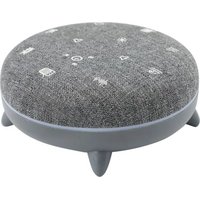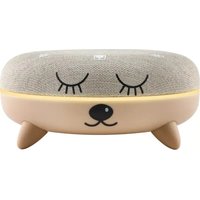
Zen Box Kid - Air diffuser TERRAILLON - Free user manual and instructions
Find the device manual for free Zen Box Kid TERRAILLON in PDF.


User questions about Zen Box Kid TERRAILLON
0 question about this device. Answer the ones you know or ask your own.
Ask a new question about this device
Download the instructions for your Air diffuser in PDF format for free! Find your manual Zen Box Kid - TERRAILLON and take your electronic device back in hand. On this page are published all the documents necessary for the use of your device. Zen Box Kid by TERRAILLON.
USER MANUAL Zen Box Kid TERRAILLON
MANUEL D'UTILISATION – INSTRUCTION MANUAL
ZEN BOX KID
text_image
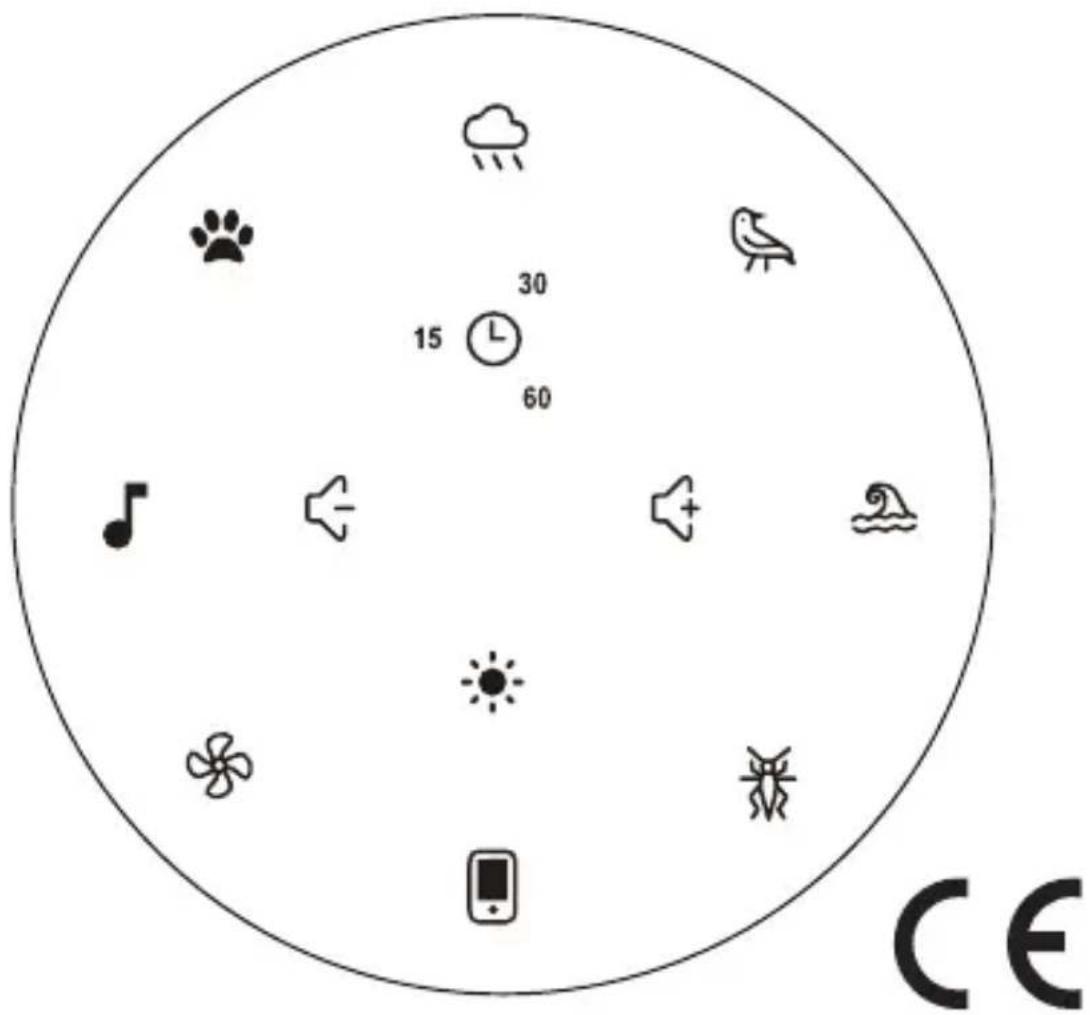
Circular diagram with icons representing weather, weather conditions, and digital signals including paw, bird, music note, speaker, sun, flower, bird, cloud, and a smartphone.Terraillon®
www.terraillon.com
ZEN BOX KID
FR Appareil à sons apaisants
NOTICE D'UTILISATION 3
EN Soothing sound device
USER MANUAL 11
DE Gerät mit beruhigenden Tönen
BEDIENUNGSANLEITUNG ....19
NL Kalmerend geluidsapparaat
GEBRUIKSAANWIJZING 27
IT Dispositivo sonoro rilassante
LIBRETTO DI ISTRUZIONI 35
ES Dispositivo de sonido relajante
INSTRUCCIONES DE USO 43
SV Lugnande Ijudenhet
BRUKSANVISNING 51
Terraillon.
FR
Cher(e) Client(e),
text_image
QR code image containing encoded data, no visible human-readable textCONSIGNES DE SÉCURITÉ
CHARGEMENT DU PRODUIT
natural_image
Circular diagram with abstract symbols and arrows, no readable text or labelsCHOISIR UNE DURÉE
natural_image
Circular diagram with various symbols and a central dot, no readable text or labelsSÉLECTIONNER UNE LUMIÈRE D'AMBIANCE
natural_image
Circular diagram with abstract symbols and a central star-like pattern (no text or labels)Terraillon.
FR
DIFFUSER VOTRE PROPRE MUSIQUE
natural_image
Circular diagram with abstract symbols and a central cross (no text or labels)Thank you for purchasing this product. To be completely satisfied with your product, we recommend reading this user manual carefully.
If you have any difficulties or need more information, you can find our help centre by scanning the QR code opposite with your smartphone. If you cannot find the answer to your question, you can also contact our After Sales Service: support.uk@terraillon.com
text_image
QR code image containing encoded data, no visible human-readable textSAFETY INSTRUCTIONS
Before using the product, please read the "SAFETY INFORMATION" manual carefully.
Warnings / safety:
WE RECOMMEND THAT YOU READ THE INSTRUCTIONS CAREFULLY BEFORE USING OR HANDLING THE PRODUCT, TO ENSURE THE BEST USE OF THE PRODUCT FOR YOUR CHILD'S SAFETY.
EN
THIS INFORMATION IS IMPORTANT AND SHOULD BE KEPT FOR FUTURE USE.
WARNINGS!
This product is not a toy. Never use the appliance for any purpose other than that for which it was designed. Any other use must be considered dangerous and inappropriate.
Do not allow children to play with it.
Use under parental supervision.
Place the product on a fixed surface to ensure sufficient stability.
The battery must only be charged by adults or by children aged over 8.
Check the battery charging cable regularly for damage to the cable, USB and USB-C plugs or any other part.
If any damage is found, the cable should no longer be used.
For indoor use only.
CAUTION: to avoid the risk of suffocation and strangulation, keep the packaging and charging cable out of the reach of babies and young children.
Terraillon.
- Carefully plug the USB-C connector into the USB-C charging port of the device.
- Plug the USB connector of the charging cable into a USB port on your computer or USB charger.
- The LED turns red when the device is charging. When the battery is charged, the light goes out and charging stops automatically.
- The rechargeable battery of the device should be charged for approximately ± 2.5 hours before using the device for the first time.
- Unplug the charging cable from the device, which is now ready for use.
- If the battery level is low, you will hear two beep every 10 seconds, indicating that the battery needs to be re-charged.
Push the "on/off" switch to the "on" position to turn the product on : there will be a "beep" sound and four colours will light up (white, green, blue, and red).
Push the "on/off" switch to the "off" position to save the battery and/or switch Zen Box Kid off.
EN
SELECT A SOOTHING SOUND
You can use the product while it is charging, but we recommend waiting until it is fully charged before using it.
Once the product is charged, press one of the seven sounds below:

flowchart
graph TD
    A["Sound of rain"] --> B["Birdsong"]
    B --> C["Sound of the waves"]
    C --> D["Crickets singing"]
    D --> E["Fan white noise"]
    E --> F["Lullaby"]
    F --> G["Cat purring"]
    G --> A
Terraillon.
EN
MANAGE THE VOLUME
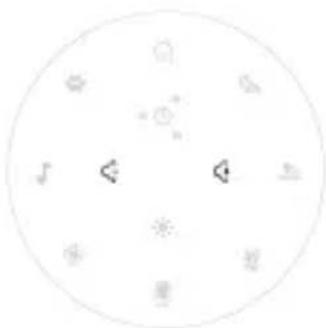
Use the 🔊 or 🔒 buttons to adjust the volume of your selected sound.
natural_image
Circular diagram with icons and arrows, no readable text or symbolsSELECT A DURATION
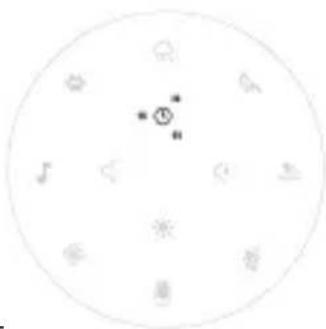
You can choose how long to play one of the soothing sounds. Preset sound programmes lasting 15, 30 or 60 minutes are available. Press Ⓛ to choose the programme length of your choice. A white circular arc indicates the length of your selected programme. If you do not select one of the three preset programmes, the sound will play continuously until you press it again to stop it. You can activate the preset 15-30-60-minute programme at any time. When the programme finishes, the product switches off automatically (sound and light).
natural_image
Circular diagram with various symbols and a central dot, no readable text or labelsSELECT LED LIGHTS
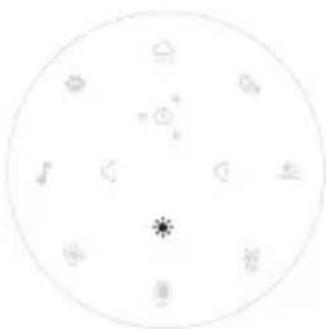
You can select a mood light.
Press the ⚙ button to get the different possible colours available: white, green, blue, red, light blue, yellow, purple, light purple.
natural_image
Circular diagram with abstract symbols and a central star-like pattern (no text or labels)Terraillon.
EN
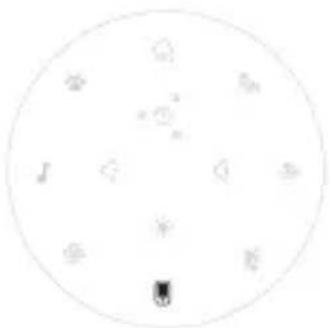
In order to stream your own natural sounds and/or music:
natural_image
Circular diagram with abstract symbols and no readable text or labels- Switch the product on
- Press and hold the icon: the product can now be paired. The icon will flash
white, indicating that the product is trying to connect to a smartphone/tablet.
-
Turn on Bluetooth on the device that you would like to pair and start to try to pair your Zen Box Kid, while keeping your Zen Box Kid within one metre of the device that you would like to sync Zen Box Kid will be displayed under the name "Terraillon ZENBOX KID" Simply select it in order to pair it.
-
A "beep" will indicate that the pairing process is complete and the flashing white light around the mobile phone icon will go solid.
-
When listening to your music, you can use the volume buttons as follows:

- Press the button: play the music on the playlist however you want.
- Press and hold: turn the music volume up or down.
- Press and hold the 📁 icon in order to deactivate the streaming function.
Terraillon.
EN
- Press and hold the 📁. icon in order to reactivate the streaming function. The product that was previously paired with Zen Box Kid will be automatically reconnected.
TECHNICAL SPECIFICATION
| Product Name | Zen Box Kid |
| Battery type and capacity | Li-Ion, 1200 mAh |
| Charging interface USB-C | |
| Charging time about 2,5 hours | |
| Power input DC 5V, 1A max | |
| RF band (GHz) 2.40 to 2.48 | |
| E.I.R.P ≤ 0 dBm | |
| Maximum wireless range 10 m | |
| Speaker 4 Ω, 5W | |
| Dimensions (cm) Diameter 12, height 5.5 | |
| Weight 250 g |
EN
WARRANTY
This product is guaranteed against defects in materials and workmanship. During the warranty period, such defects will be serviced free of charge (proof of purchase must be presented for warranty claims). This warranty does not cover damage resulting from accidents, improper use or negligence. If you have a complaint, first contact the store where you made your purchase.
ENVIRONMENTAL PROTECTION
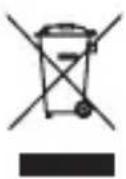
When the product is no longer usable, please take it to a collection point for the recycling of waste electrical and electronic equipment.
Terraillon.
DE
text_image
QR code image containing encoded data, no visible human-readable textSICHERHEITSHINWEISE
natural_image
Circular diagram with icons and arrows, no readable text or symbolsDAUER WÄHLEN
natural_image
Circular diagram with abstract symbols and a central dot (no text or labels)LED-LAMPEN WÄHLEN
natural_image
Circular diagram with geometric symbols and a central asterisk (no text or labels)Terraillon.
DE
natural_image
Circular diagram with scattered symbols and a small black square at the bottom (no text or labels)Verbindung zu
DE
text_image
QR code image containing encoded data, no visible human-readable textVEILIGHEIDSINSTRUCTIES
HET APPARAAT OPLADEN
natural_image
Circular diagram with icons representing weather, sunlight, and other symbols (no text or labels)EEN TIJDSDUUR SELECTEREN
natural_image
Circular diagram with icons and a central symbol (no text or labels)DE LEDVERLICHTING SELECTEREN
natural_image
Circular diagram with abstract symbols and a central star-like pattern (no text or labels)Terraillon.
NL
JE EIGEN MUZIEK STREAMEN
natural_image
Circular diagram with scattered geometric shapes and symbols (no readable text or labels)text_image
QR code image containing encoded data, no visible human-readable textnatural_image
Circular diagram with abstract symbols and arrows, no readable text or labelsnatural_image
Circular diagram with various symbols and a central crosshair (no text or labels)natural_image
Circular diagram with abstract symbols and a central asterisk (no text or labels)Terraillon.
IT
RIPRODURRE IN STREAMING LA PROPRIA MUSICA
natural_image
Circular diagram with abstract symbols and a central symbol (no text or labels)text_image
QR code image containing encoded data, no visible human-readable textflowchart
graph TD
    A["Sonido de la lluvia"] --> B["Ronroneo de gato"]
    B --> C["Nana"]
    C --> D["Ruido blanco del ventilador"]
    D --> E["Grillos cantando"]
    E --> F["Sonido de las olas"]
    F --> G["Canto de los pájaros"]
    G --> H["Cloud with rain"]
    H --> I["Sunlight with bird"]
    I --> J["Windmill icon"]
    J --> K["Windmill icon"]
    K --> L["Windmill icon"]
    L --> M["Windmill icon"]
    M --> N["Windmill icon"]
    N --> O["Windmill icon"]
    O --> P["Windmill icon"]
    P --> Q["Windmill icon"]
    Q --> R["Windmill icon"]
    R --> S["Windmill icon"]
    S --> T["Windmill icon"]
    T --> U["Windmill icon"]
    U --> V["Windmill icon"]
    V --> W["Windmill icon"]
    W --> X["Windmill icon"]
    X --> Y["Windmill icon"]
    Y --> Z["Windmill icon"]
    Z --> AA["Windmill icon"]
    AA --> AB["Windmill icon"]
    AB --> AC["Windmill icon"]
    AC --> AD["Windmill icon"]
    AD --> AE["Windmill icon"]
    AE --> AF["Windmill icon"]
    AF --> AG["Windmill icon"]
    AG --> AH["Windmill icon"]
    AH --> AI["Windmill icon"]
    AI --> AJ["Windmill icon"]
    AJ --> AK["Windmill icon"]
    AK --> AL["Windmill icon"]
    AL --> AM["Windmill icon"]
    AM --> AN["Windmill icon"]
    AN --> AO["Windmill icon"]
    AO --> AP["Windmill icon"]
    AP --> AQ["Windmill icon"]
    AQ --> AR["Windmill icon"]
    AR --> AS["Windmill icon"]
    AS --> AT["Windmill icon"]
    AT --> AU["Windmill icon"]
    AU --> AV["Windmill icon"]
    AV --> AW["Windmill icon"]
    AW --> AX["Windmill icon"]
    AX --> AY["Windmill icon"]
Terraillon.
ES
AJUSTE DEL VOLUMEN
natural_image
Circular diagram with icons representing weather, sunlight, and wind (no text or labels)natural_image
Circular diagram with icons representing weather symbols (no text or labels)natural_image
Circular diagram with abstract symbols and a central star-like pattern (no text or labels)natural_image
Circular diagram with abstract symbols and no readable text or labelstext_image
QR code image containing encoded data, no visible human-readable textSÄKERHETSANVISNINGAR
natural_image
Circular diagram with icons representing weather, sunlight, and other symbols (no text or labels)VÄLJ VARAKTIGHET
natural_image
Circular diagram with various symbols and a central dot, no readable text or labelsVÄLJ LED-LAMPOR
natural_image
Circular diagram with abstract symbols and a central star-like pattern (no text or labels)Terraillon.
SV
natural_image
Circular diagram with abstract symbols and a central black square (no text or labels)SV
TEKNISKA SPECIFIKATIONER
Terraillon SAS France & Headquarters
1, rue Ernest Gouin
78290 Croissy-sur-Seine – France
Quarry Bay – Hong Kong
Tel: +852 (0)2960 7200
customerservice@terraillon-asia.com