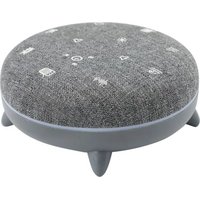
Zen Box - Air diffuser TERRAILLON - Free user manual and instructions
Find the device manual for free Zen Box TERRAILLON in PDF.


| Product Type | Ambient diffuser with Bluetooth speaker |
| Brand | Terraillon |
| Model | Zen Box |
| Dimensions | Diameter 12 cm, height 5.5 cm |
| Weight | 250 g |
| Battery Type | Li-Ion, 1200 mAh |
| Charging Port | USB-C |
| Charging Time | Approximately 2.5 hours |
| Power Supply | DC 5V, 1A max |
| RF Band | 2.40 to 2.48 GHz |
| RF Power (E.I.R.P) | ≤ 0 dBm |
| Wireless Range | 10 m |
| Speaker | 4 Ω, 5 W |
| Soothing Sounds | 7 sounds: TV white noise, radio white noise, waves, river, rain and thunder, fireplace, cicadas chirping |
| Bluetooth Function | Audio streaming from smartphone/tablet |
| Ambient Light | 8 colors: white, green, blue, red, light blue, yellow, purple, light purple |
| Timer | 30, 60 or 90 minutes |
| Cleaning | Wipe with a soft, dry cloth. Do not use abrasive products. |
| Warranty | Warranty against defects in materials and workmanship (proof of purchase required) |
| Recycling | Do not dispose of with household waste. Take to an e-waste collection point. |
Frequently Asked Questions - Zen Box TERRAILLON
User questions about Zen Box TERRAILLON
0 question about this device. Answer the ones you know or ask your own.
Ask a new question about this device
Download the instructions for your Air diffuser in PDF format for free! Find your manual Zen Box - TERRAILLON and take your electronic device back in hand. On this page are published all the documents necessary for the use of your device. Zen Box by TERRAILLON.
USER MANUAL Zen Box TERRAILLON
MANUEL D'UTILISATION – INSTRUCTION MANUAL
ZEN BOX
CE
Terraillon®
www.terraillon.com
ZEN BOX
FR Appareil à sons apaisants
NOTICE D'UTILISATION .... 3
EN Soothing sound device
USER MANUAL 10
DE Gerät mit beruhigenden Tönen
BEDIENUNGSANLEITUNG 17
NL Kalmerend geluidsapparaat
GEBRUIKSAANWIJZING 24
IT Dispositivo sonoro rilassante
LIBRETTO DI ISTRUZIONI 31
ES Dispositivo de sonido relajante
INSTRUCCIONES DE USO 38
SV Lugnande Ijudenhet
BRUKSANVISNING 45
2
Terraillon.
FR
Cher(e) Client(e),
CONSIGNES DE SÉCURITÉ
CHARGEMENT DU PRODUIT
CHOISIR UNE DURÉE
SÉLECTIONNER UNE LUMIÈRE D'AMBIANCE
Thank you for purchasing this product. To be completely satisfied with your product, we recommend reading this user manual carefully.
If you have any difficulties or need more information, you can find our help centre by scanning the QR code opposite with your smartphone. If you cannot find the answer to your question, you can also contact our After Sales Service: support.uk@terraillon.com

SAFETY INSTRUCTIONS
Before using the product, please read the "SAFETY INFORMATION" manual carefully.
EN
CHARGING THE DEVICE
- Carefully plug the USB-C connector into the USB-C charging port of the device.
- Plug the USB connector of the charging cable into a USB port on your computer or USB charger.
- The LED turns red when the device is charging. When the battery is charged, the light goes out and charging stops automatically.
- The rechargeable battery of the device should be charged for approximately ± 2.5 hours before using the device for the first time.
- Unplug the charging cable from the device, which is now ready for use.
- If the battery level is low, you will hear two beep every 10 seconds, indicating that the battery needs to be re-charged.
USING THE PRODUCT
Push the "on/off" switch to the "on" position to turn the product on 📄: there will be a "beep" sound and four colours will light up (white, green, blue, and red).
Push the "on/off" switch to the "off" position to save the battery and/or switch Zen Box off 📄.
Terraillon.
EN
SELECT A SOOTHING SOUND
You can use the product while it is charging, but we recommend waiting until it is fully charged before using it.
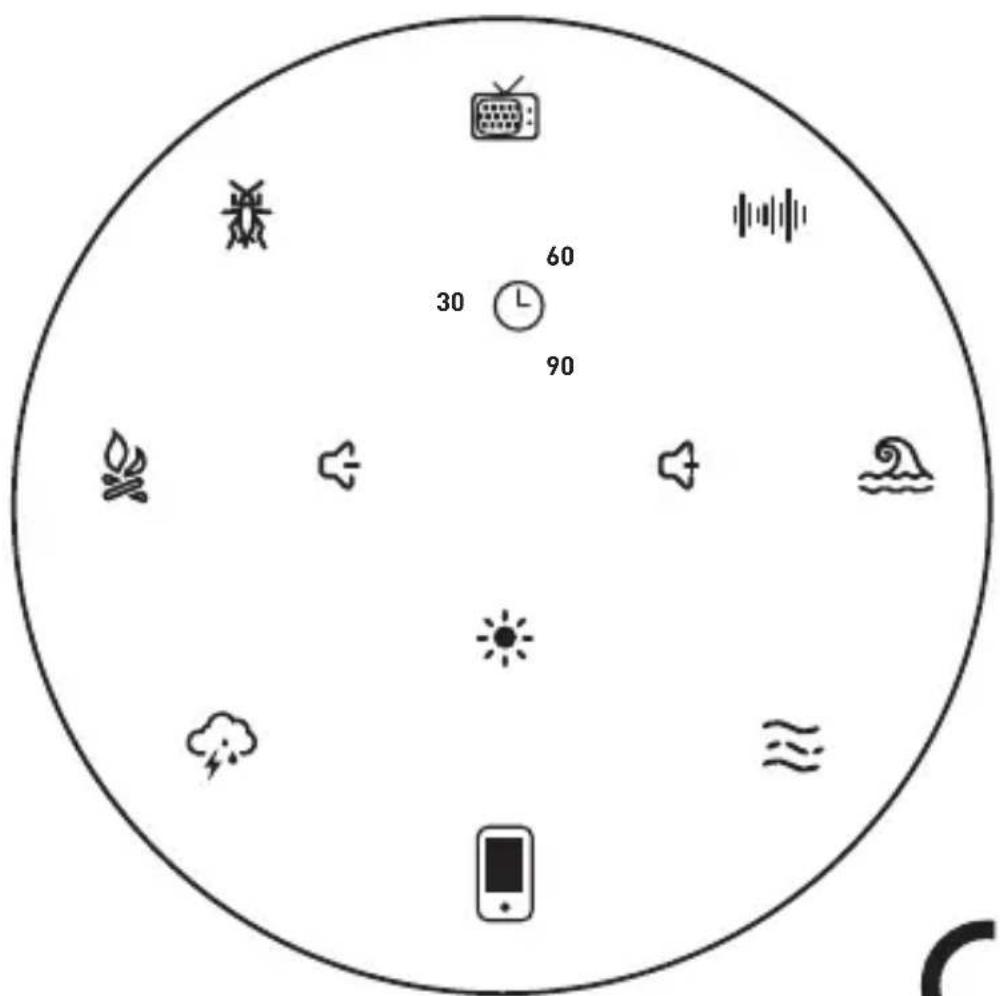
Once the product is charged, press one of the seven sounds below:
![graph TD A["TV white noise"] --> B["Cicada song"] B --> C["Fireplace"] C --> D["Rainstorm"] D --> E["River"] E --> F["Waves"] F --> G["Radio white noise"] G --> H["TV white noise"] H --> I["Fireplace"] I --> J["Rainstorm"] J --> K["Waves"] K --> L["River"] L --> M["TV white noise"] M --> N["Cicada s…](/content/2026/04/733792/images/7e7b6ddaacf325943ed6c899ca647aaaacb2e9513cf43e4731f9be5b05455d7d.jpg)
12
Terraillon.
EN
MANAGE THE VOLUME
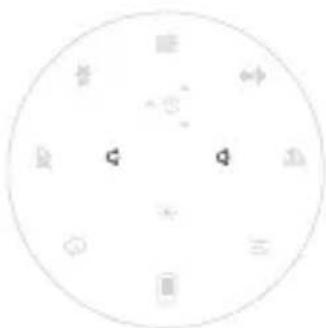
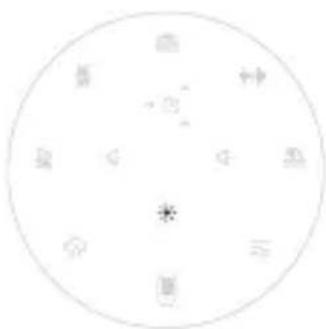
Use the 🔊 or 🔒 buttons to adjust the volume of your selected sound.
SELECT A DURATION
You can choose how long to play one of the soothing sounds. Preset sound programmes lasting 30, 60 or 90 minutes are available. Press Ⓛ to choose the programme length of your choice. A white circular arc indicates the length of your selected programme. If you do not
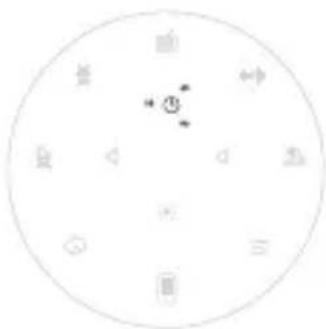
select one of the three preset programmes, the sound will play continuously until you press it again to stop it. You can activate the preset 30-60-90-minute programme at any time. When the programme finishes, the product switches off automatically (sound and light).
SELECT LED LIGHTS
You can select a mood light.
Press the ⚙ button to get the different possible colours available: white, green, blue, red, light blue, yellow, purple, light purple.
Terraillon.
EN
In order to stream your own natural sounds and/or music:
- Switch the product on
- Press and hold the icon: the product can now be paired. The icon will flash
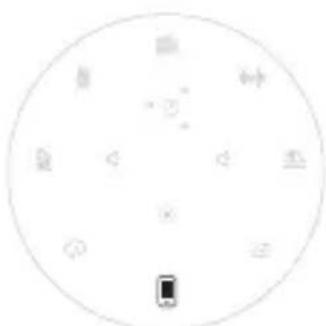
white, indicating that the product is trying to connect to a smartphone/tablet.
-
Turn on Bluetooth on the device that you would like to pair and start to try to pair your Zen Box, while keeping your Zen Box within one metre of the device that you would like to sync. Zen Box will be displayed under the name "Terraillon ZENBOX". Simply select it in order to pair it.
-
A "beep" will indicate that the pairing process is complete and the flashing white light around the mobile phone icon will go solid.
-
When listening to your music, you can use the volume buttons as follows:

- Press the button: play the music on the playlist however you want.
-
Press and hold: turn the music volume up or down.
-
Press and hold the icon in order to deactivate the streaming function.
Terraillon.
EN
- Press and hold the icon in order to reactivate the streaming function. The product that was previously paired with Zen Box will be automatically reconnected.
TECHNICAL SPECIFICATION
Product Name Zen Box
Battery type and capacity Li-Ion, 1200 mAh
Charging interface USB-C
Charging time about 2,5 hours
Power input DC 5V, 1A max
RF band (GHz) 2.40 to 2.48
E.I.R.P ≤ 0 dBm
Maximum wireless range 10 m
Speaker 4 Ω, 5W
Dimensions (cm) Diameter 12, height 5.5
Weight 250 g
Terraillon.
EN
WARRANTY
This product is guaranteed against defects in materials and workmanship. During the warranty period, such defects will be serviced free of charge (proof of purchase must be presented for warranty claims). This warranty does not cover damage resulting from accidents, improper use or negligence. If you have a complaint, first contact the store where you made your purchase.
ENVIRONMENTAL PROTECTION
When the product is no longer usable, please take it to a collection point for the recycling of waste electrical and electronic equipment.
DE
SICHERHEITSHINWEISE
DAUER WÄHLEN
Verbindung zu
DE
VEILIGHEIDSINSTRUCTIES
HET APPARAAT OPLADEN
EEN TIJDSDUUR SELECTEREN
Terraillon.
NL
JE EIGEN MUZIEK STREAMEN
SÄKERHETSANVISNINGAR
VÄLJ VARAKTIGHET
VÄLJ LED-LAMPOR
Terraillon.
SV

Terraillon SAS France & Headquarters
1, rue Ernest Gouin
78290 Croissy-sur-Seine – France
Quarry Bay – Hong Kong
Tel: +852 (0)2960 7200
customerservice@terraillon-asia.com
Terraillon Corp USA


- MANUEL D'UTILISATION – INSTRUCTION MANUAL
- ZEN BOX
- TERRAILLON®
- FR
- CONSIGNES DE SÉCURITÉ
- CHARGEMENT DU PRODUIT
- CHOISIR UNE DURÉE
- SÉLECTIONNER UNE LUMIÈRE D'AMBIANCE
- SAFETY INSTRUCTIONS
- EN
- CHARGING THE DEVICE
- USING THE PRODUCT
- SELECT A SOOTHING SOUND
- MANAGE THE VOLUME
- SELECT A DURATION
- SELECT LED LIGHTS
- TERRAILLON
- TECHNICAL SPECIFICATION
- WARRANTY
- ENVIRONMENTAL PROTECTION
- DE
- SICHERHEITSHINWEISE
- DAUER WÄHLEN
- VEILIGHEIDSINSTRUCTIES
- HET APPARAAT OPLADEN
- EEN TIJDSDUUR SELECTEREN
- NL
- JE EIGEN MUZIEK STREAMEN
- SÄKERHETSANVISNINGAR
- VÄLJ VARAKTIGHET
- VÄLJ LED-LAMPOR
- SV
- TERRAILLON SAS FRANCE & HEADQUARTERS
- TERRAILLON CORP USA
Brand : TERRAILLON
Model : Zen Box
Category : Air diffuser