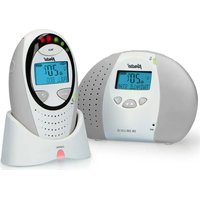
DB-188 LUX - Baby monitors ALECTO - Free user manual and instructions
Find the device manual for free DB-188 LUX ALECTO in PDF.


| Product type | Baby monitor |
| Brand | Alecto |
| Model | DB-188 LUX |
| Parent unit power supply | 2 rechargeable NiMH AAA 1.2V 750mAh or more; charger adapter 6V DC 450mA |
| Baby unit power supply | 9V DC 500mA adapter or 4 rechargeable NiMH AA 1.2V 1300mAh or more |
| Operating frequency | 1880‑1900 MHz (DECT) |
| Indoor range | Up to 50 m |
| Outdoor range | Up to 300 m |
| Main functions | ECO mode, Full ECO, nightlight, lullabies (5), talk-back, volume alarm, temperature alarm, timer, link control, noise indicator light |
| Recommended operating temperature | 10 °C to 40 °C |
| Storage temperature | 0 °C to 60 °C |
| Maintenance | Clean with a damp cloth; do not use chemical products |
| Warranty | 24 months |
| Certification | Conforms to Directive 2014/53/EU (declaration of conformity available online) |
Frequently Asked Questions - DB-188 LUX ALECTO
User questions about DB-188 LUX ALECTO
0 question about this device. Answer the ones you know or ask your own.
Ask a new question about this device
Download the instructions for your Baby monitors in PDF format for free! Find your manual DB-188 LUX - ALECTO and take your electronic device back in hand. On this page are published all the documents necessary for the use of your device. DB-188 LUX by ALECTO.
USER MANUAL DB-188 LUX ALECTO
starten/stoppen:
4.18 INSTELLINGEN RESET:
Volume baby-unit: level 3
Timerfunctie: uit
Manufacturers name and address : Vtech Telecommunications LTD, 23/F., Tai Ping Industrial Centre, Block 1, 57 Ting Kok Road, Tai Po, Hong Kong.
Model Identifier : S005BNV0900050
Average active efficiency:78.8 %
Efficiency at low 10% load : -
No load Power consumption : 0.07 W
Information Power Adapter Parent Unit:
Manufacturers name and address : Vtech Telecommunications LTD, 23/F., Tai Ping Industrial Centre, Block 1, 57 Ting Kok Road, Tai Po, Hong Kong.
Model Identifier : S003ATV0600045
Average active efficiency:76.4 %
Efficiency at low 10% load : -
No load Power consumption : 0.03 W
Zendvermogen: 250mW max.
9 INHOUDSOPGAVE....27
10 GARANTIE 28
10 GARANTIE
démarrer/arrêter :
4.18 PROGRAMMATION D'EFFACAGE :
Manufacturers name and address : Vtech Telecommunications LTD, 23/F., Tai Ping Industrial Centre, Block 1, 57 Ting Kok Road, Tai Po, Hong Kong.
Model Identifier : S005BNV0900050
Average active efficiency:78.8 %
Efficiency at low 10% load : -
No load Power consumption : 0.07 W
Information Power Adapter Parent Unit:
Manufacturers name and address : Vtech Telecommunications LTD, 23/F., Tai Ping Industrial Centre, Block 1, 57 Ting Kok Road, Tai Po, Hong Kong.
Model Identifier : S003ATV0600045
Average active efficiency:76.4 %
Efficiency at low 10% load : -
No load Power consumption : 0.03 W
4.16 INDICATION PILES.... 19
4.17 L'ATTACHE POUR CEINTURE....20
4.18 PROGRAMMATION D'EFFACAGE 21
5 INSTRUCTIONS (SECURITE) GENERAL ET CONSEILS
5.1 GENERAL 22
5.2 L'UTILISATION DE PLUSIEURS BABY-PHONES....22
5.3 AFFICHAGE DE LA TEMPERATURE....23
5.4 LA PORTEE....23
5.5 CONSOMMATION DES PILES....23
5.6 ENTRETIEN 23
5.7 L'ALIMENTATION....24
5.8 ENVIRONNEMENT 24
6 DECLARATION DE CONFORMITE 24
7 TABLE DES PERTURBATIONS 25
Ein/Ausschalten:
5.7 STROMVERSORGUNG:
Netzteile:
Manufacturers name and address : Vtech Telecommunications LTD, 23/F., Tai Ping Industrial Centre, Block 1, 57 Ting Kok Road, Tai Po, Hong Kong.
Model Identifier : S005BNV0900050
Average active efficiency:78.8 %
Efficiency at low 10% load : -
No load Power consumption : 0.07 W
Information Power Adapter Parent Unit:
Manufacturers name and address : Vtech Telecommunications LTD, 23/F., Tai Ping Industrial Centre, Block 1, 57 Ting Kok Road, Tai Po, Hong Kong.
Model Identifier : S003ATV0600045
Average active efficiency:76.4 %
Efficiency at low 10% load : -
No load Power consumption : 0.03 W
4.7 GERÄUSCHALARM 11
4.8 SCHLAFLIEDER 11
5.1 ALLGEMEINES....22
5.2 VERWENDUNG VON MEHREREN BABY PHONES.....22
5.3 TEMPERATURANZEIGE 23
Depending on the purchased version, the LCD language might not be English on start-up. Please see chapter 4.3 on page 8 how to change the language of your DB-188 LUX.
1 ECO MODE
This Alecto DB-188 LUX babyphone is equipped with an unique ECO mode. Already in normal operation mode, the baby-unit stops transmission when the baby is not crying. In Full Eco mode it even suppresses the controlling signals between the baby-unit and the parent unit, so no transmitting at all.
Next to the Full eco mode, you can set the output power. In case you are at home with your baby not far away, you can set the babyphone in half range mode, with low transmitting power and reduced power consumption. In case the baby is not close to you, you may switch to full range.
Attention: once the baby produces noise, the baby-unit is activated and contacts the parent unit. This causes a small delay which means that short sounds from the baby may not be heard by you. In case you really want to hear all sounds from the baby room, you must set the sensitivity to maximum (see chapter 4.6); with this setting the baby-unit is constantly active.
2 OVERVIEW
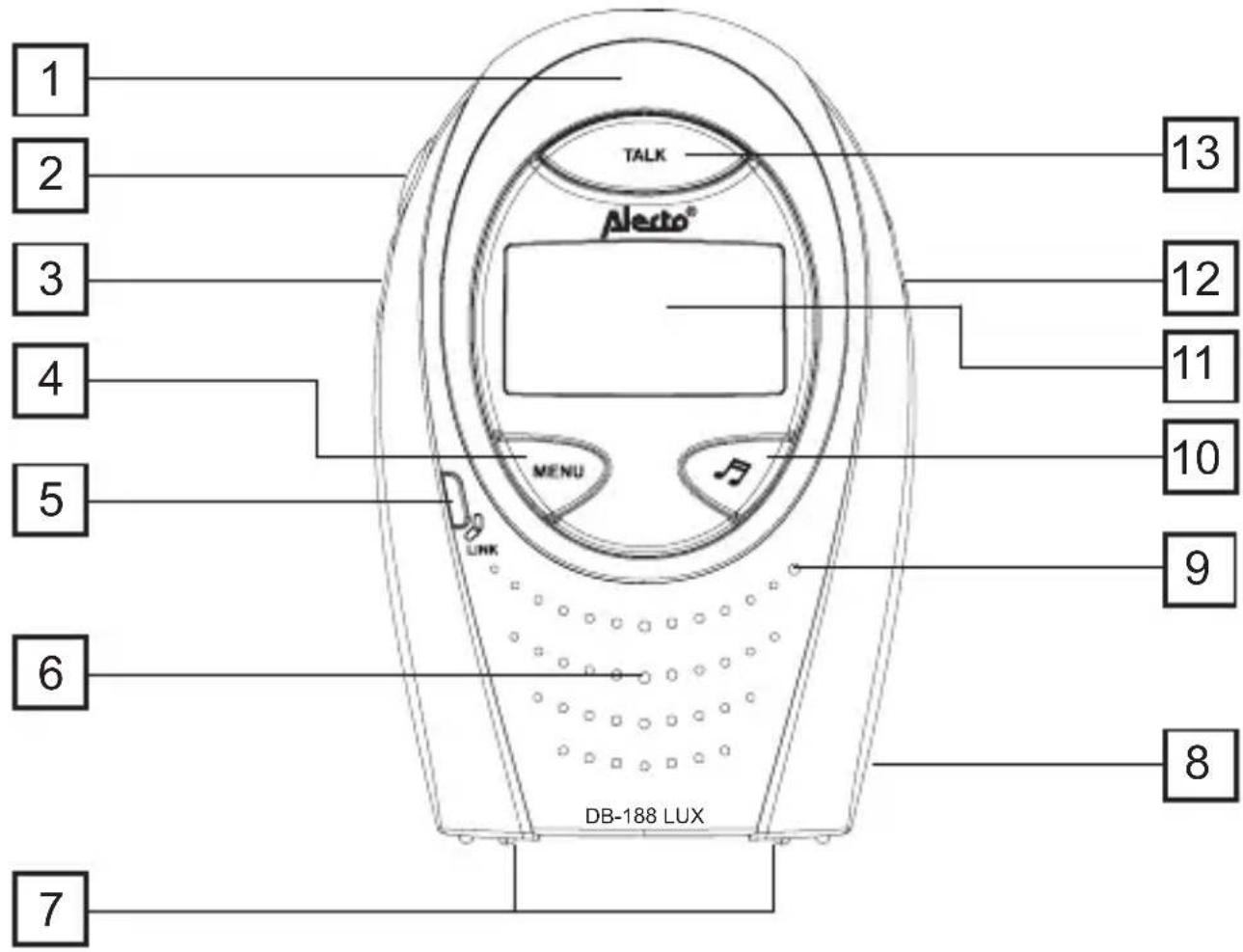
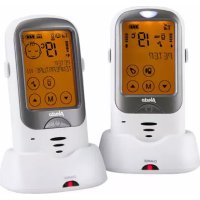
2.1 OVERVIEW PARENT UNIT:
- sound indication LED's
- volume up; up button when programming
- volume down; down button when programming
- button MENU/OK
- link-check ( ). see below
-
loudspeaker
-
charge contacts
- battery compartment
- microphone
- start/stop lullaby
- display (see paragraph 2.3)
- power on/off
- talk back
Link check

- flashes when there is no link between baby unit and parent unit or parent unit is out of range with the baby unit.
• on steadily when linked to the baby unit - in the full eco mode this lamp only lights when the parent unit actual receives noise from the baby unit; in idle state this lamp is OFF during FULL ECO mode
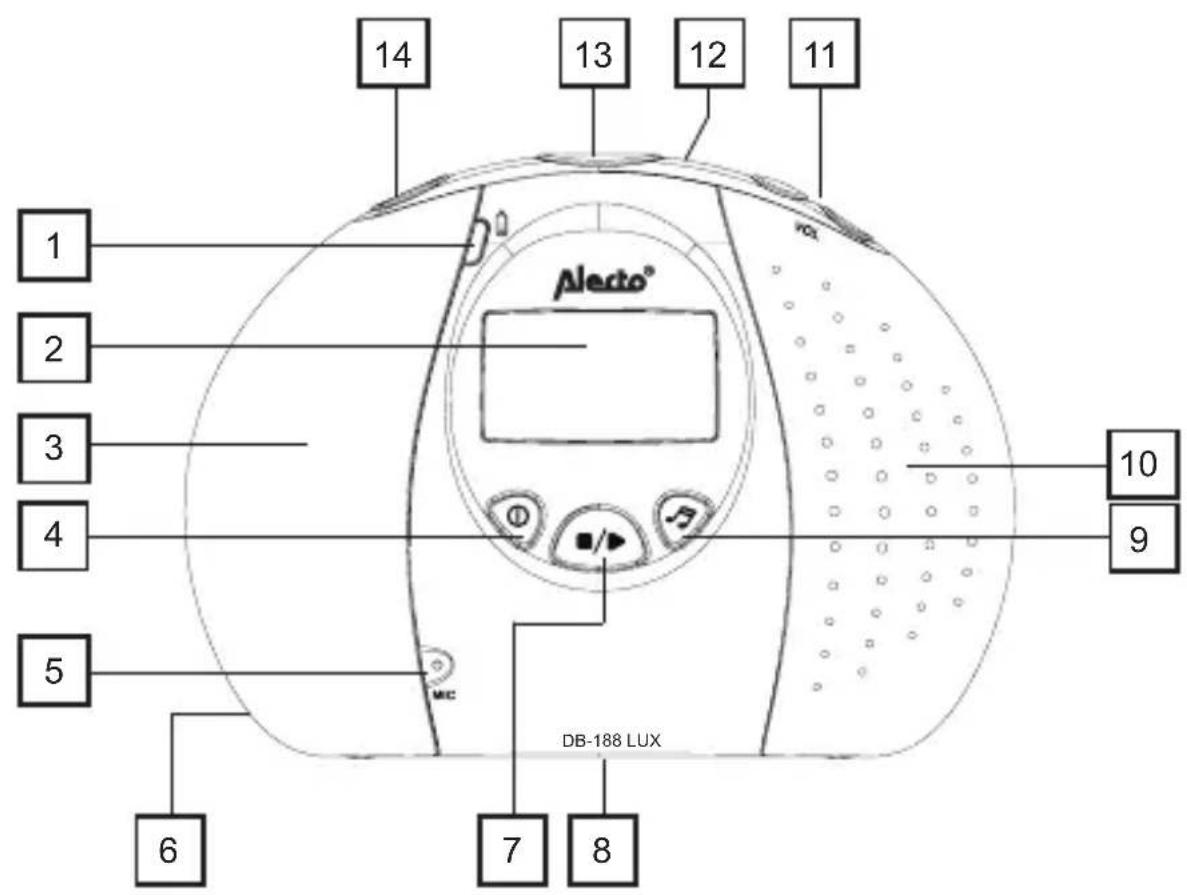
2.2 OVERVIEW BABY UNIT:
-
battery indication: see below
-
display (see paragraph 2.3)
-
built-in nightlight (not visible when switched-off
-
power on/off
-
microphone
-
DC input for power adapter
-
start-stop lullaby
-
battery compartment (backside)
-
selection lullaby
-
loudspeaker
-
volume up/down
-
temperature sensor (back-side)
-
page (to page the parent unit)
-
nightlight on/off
battery indication

- lights when batteries are installed and the power adapter is connected to indicate that batteries are being charged (does NOT goes off when batteries are fully charged)
2.3 OVERVIEW DISPLAY:
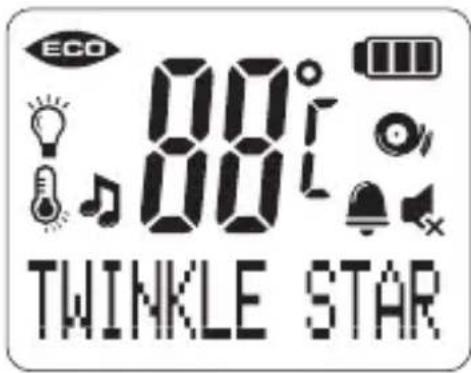
display parent unit
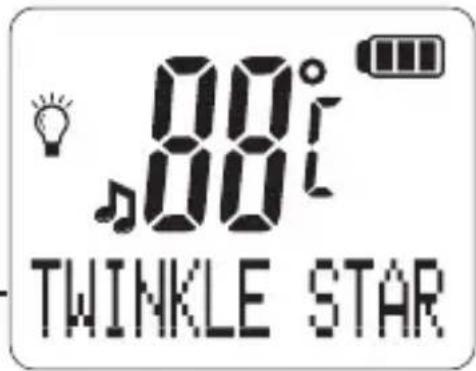
display baby-unit

displaying of the several functions and warnings during use
on when night light is enabled off when night light is disabled
on when tullaby is playing
on when the speaker volume is turned off; off when the speaker volume is turned on
displaying of the several settings during program- ming
on when sound alert is enabled flashes when sound alert is triggered
indication temperature reading in Celsius or in Fahrenheit
on when temperature alert is enabled, flashes when temperature alert is triggered
on when the alarm time/count down timer is set, flashes when the alarm time/count down timer is arrived
on where the FULL ECO MODUS is enabled
batter identification:
full battery level
2/3 battery level
1/3 battery level
battery empty
parent unit: this indication animates in cycle while charging. baby-unit: this indication does not light when the power adapter is connected
3 INSTALLATION
3.1 PARENT UNIT:
The parent unit is powered by 2 supplied rechargeable batteries. These batteries are charged through the included power adapter.
ATTENTION:
NEVER install normal batteries in the baby unit. Normal batteries cannot be charged. Risc of explosion if battery is replaced by an incorrect type.
- Remove the belt clip with the help of a small screw-driver
- Remove the battery compartment cover.
- Insert 2 x AAA rechargeable batteries, observing their polarities, into the battery compartment on the parent Unit. Only use the supplied batteries with the following specifications:

voltage / capacity: 1.2V / 750mAh or more material / size: NiMH, AAA, HR03
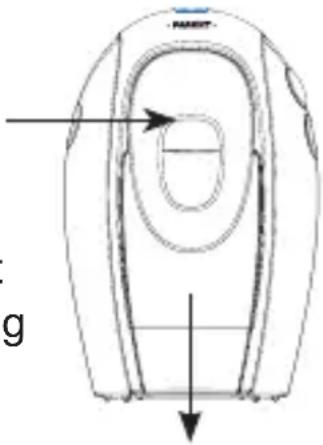
- Replace the battery door on the Parent unit
- Connect the output plug of the mains adapter to the DC socket on the side of the baby unit and the mains adapter to the wall mains supply.
As soon as the battery icon stops animating, the batteries are fully charged (*). The LED on the charger pod remains on until you lift the parents unit from the charger pod.
*: for the first time, it is recommended to continue charging for at least 24 hours, even when the battery icon indicates that the batteries are full.
3.2 BABY-UNIT:
The baby-unit is powered by the supplied power adapter.
Only connect the provided power adapter with the following specifications: Input: 100-240VAC 150mA; Output: 9VDC 500mA - ← +
For portable use you can install 4 pcs RECHARGEABLE batteries.
ATTENTION:
NEVER install normal batteries in the baby unit. Normal batteries cannot be charged. Risc of explosion if battery is replaced by an incorrect type.
- Remove the battery compartment cover.
- Insert 4 x AA rechargeable batteries, observing their
polarities, into the battery compartment on the parent Unit. Only use the supplied batteries with the following specifications:

voltage / capacity: 1.2V / 1300mAh or more
material / size: NiMH, AA, HR6, penlite
- Reattach the battery compartment cover.
- Connect the output plug of the mains adapter to the DC socket on the side of the baby unit and the mains adapter to the wall mains supply.
- The battery indication comes on and charging begins (this LED remains lit, even when the batteries are fully charged)
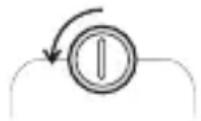

Depending on the capacity of the batteries, It will take about 24 hours to fully charge the batteries.
The power adapter for the baby-unit is inclusive. Rechargeable batteries for the baby-unit are exclusive.
3.3 RECOMMENDATIONS:
- Never place the baby unit inside your baby's cot, bed or playpen.
- MAKE SURE THE BABY UNIT AND MAINS ADAPTOR CABLE ARE ALWAYS OUT OF REACH OF THE BABY.
- Avoid exposure of the units to moisture or liquid.
- Clean the units with a damp cloth.
- Do not expose the units to extreme heat or direct sunlight.
4 USING YOUR BABY MONITOR
Please read these instructions carefully, and be reminded that this baby monitor is just intended as an aid. It is not a substitute for responsible, correct parental supervision.
4.1 POWER ON/OFF:
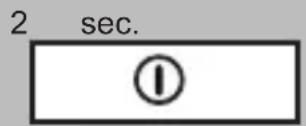
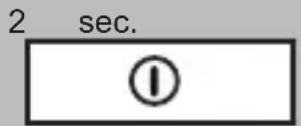
provided the parent unit is off, press and hold
provided the parent unit is on, press and hold
4.2 LINK CHECK:
As soon as the parent unit is turned on, it starts looking for the baby unit.
- The link-led blinks and the text [SEARCHING] comes on the display
- As soon as the parent unit finds the baby unit, the link-LED lights steadily
- In case the parent unit cannot find the baby unit within a period of 30 seconds (because it is not yet switched on, the batteries of the baby-unit are empty or the distance is too large), the text [NOT LINKED] comes on the display and attention tones sound every 10 seconds.
See also paragraph 4.15.
4.3 LANGUAGE:
It is recommended to first set the language so that all text comes on the LCD in your favorite language. By default the Dutch language is programmed.
You only have to set the language onto the parent unit, the baby unit will be synchronized automatically.
2x
Menu
press the MENU button 2x
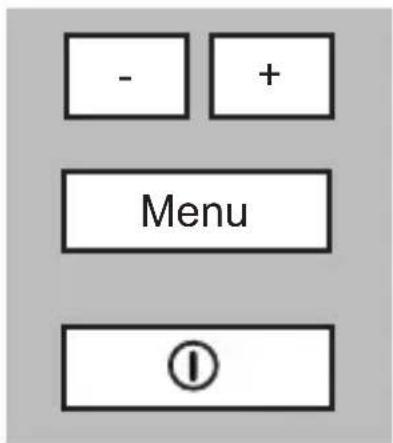
find the required language
press the MENU button to confirm and to store the setting
briefly press the POWER button to end the programming mode
4.4 MONITORING:
As soon as the baby unit detects a sound, it will send it to the parent unit.
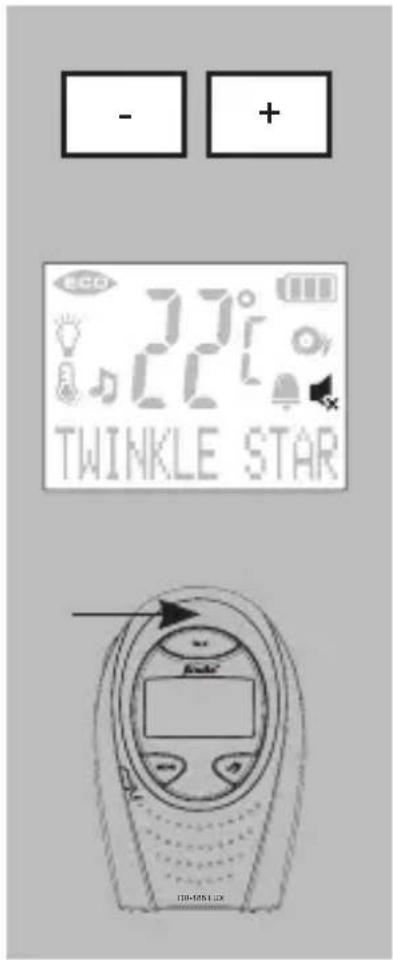
receiving volume:
press the - button to decrease the volume or the + button to increase the volume (5 levels + volume-OFF)
- the icon lights when the volume is set to off (no sound)
- You will hear an extra beep when the lowest or the highest level is reached and when you press the - or + button..
Optical indication:
the sound is also displayed visually by LED's; monitoring can therefore be carried out even when the volume has been reduced or switched off altogether
4.5 TALK BACK:
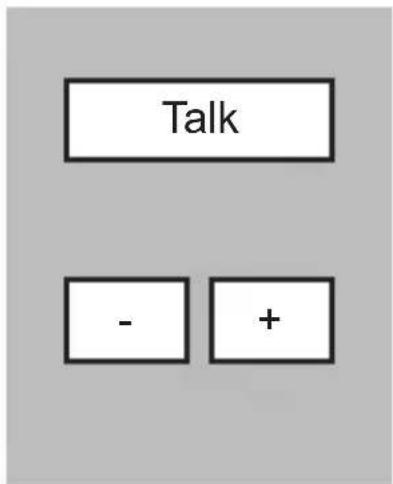
press and hold TALK on the Parent unit to speak to the baby
control the volume on the Baby unit:
press the - button to decrease the volume or the + button to increase the volume
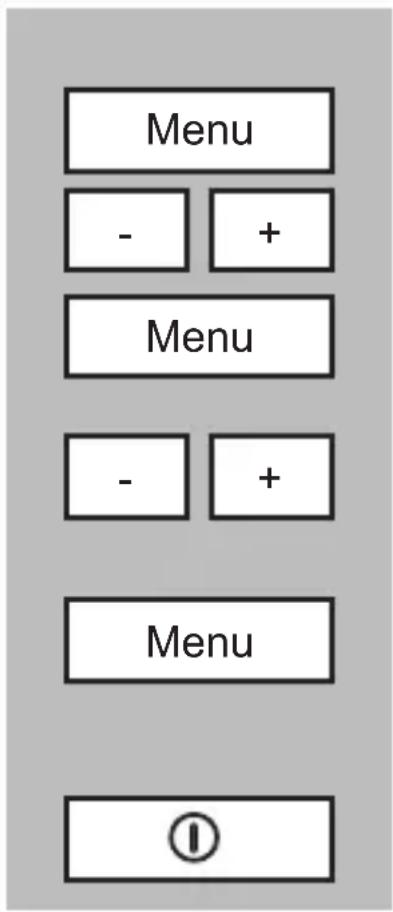
control the volume on the Parent unit:
press the MENU button
find the option [ BABY VOLUME ]
press the MENU button
Set the required volume (attention: the actual volume does not change yet)
press the MENU button to confirm and to store the setting (only now the new volume setting will be effective)
briefly press the POWER button to end the programming mode
4.6 SENSITIVITY:
You can adjust the sensitivity on the Parent Unit to monitor the sound from Baby Unit:
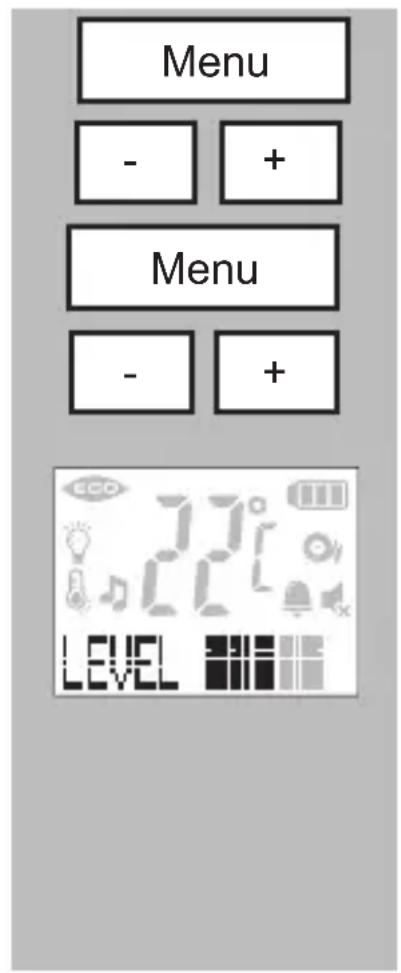
press the MENU button
find the option [ SENSITIVITY ]
press the MENU button
select the required level
There are five levels of sensitivity which are indicated by lighted blocks:
level 1 represents lowest sensitivity, level 4 represents a high sensitivity, level 5 represents the highest sensitivity (the microphone is activated all the time)
(from factory the highest level is preset)
You will hear an extra beep when the lowest or the highest level is reached and when you press the - or + button.
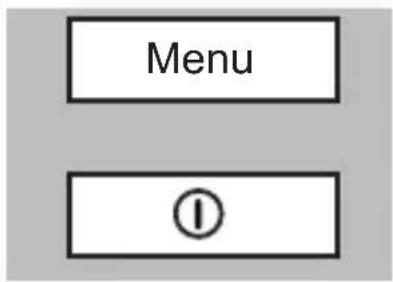
press the MENU button to confirm and to store the setting
briefly press the POWER button to end the programming mode
4.7 SOUND ALERT:
With the volume set to off, the babyphone can still warn you with beep-tones that the baby is crying loud.
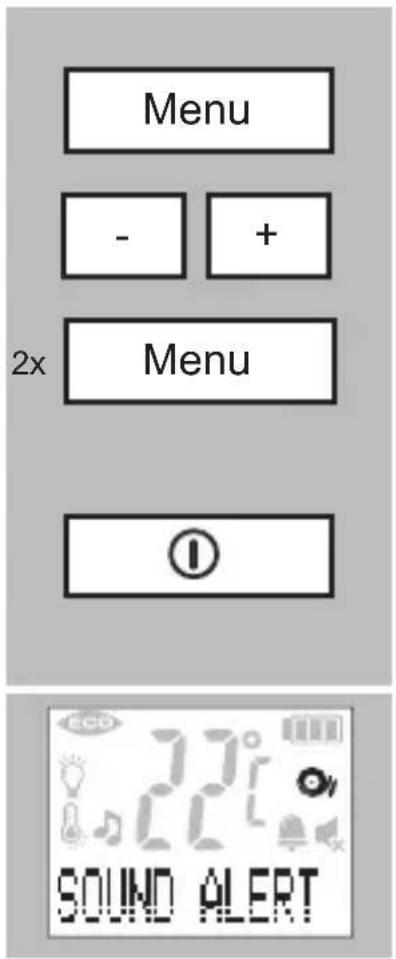
enable/disable sound alert: press the MENU button
find the option [ SOUND ALERT ]
press the menu button 2x: if the alert is currently off, it will now be set to on; if the alert is currently on, it will now be set to off
briefly press the POWER button to end the programming mode
sound alert indication: the icon 📋 on when sound alert is enabled and it flashes when the sound alert is triggered
4.8 LULLABIES:
5 Different lullabies are programmed into this babyphone
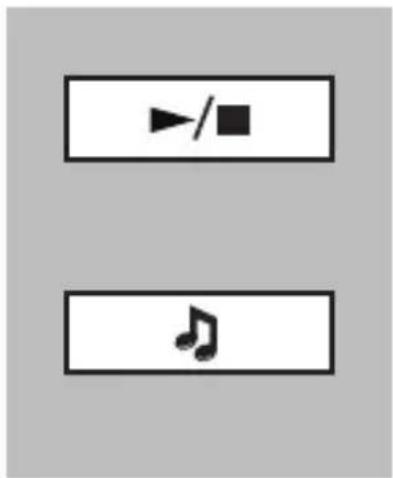
start/stop: press button ▶(baby-unit) or button (parents unit) to start or to stop the playing of the lullabies
(you can also press button ⏰ on the baby unit to start playing the lullabies)
Menu


Menu


Menu





Menu


Menu
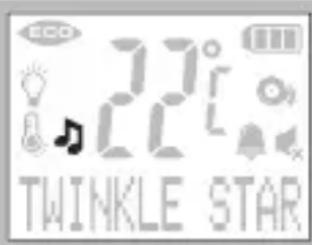
lullaby indication:
the icon ♪ is on when the baby unit is playing lullabies
select lullabies from the Parent unit:
press the MENU button
find the option [ LULLABY ]
press the MENU button
look for the desired lullaby
([PLAY ALL] = play all songs)
press the MENU button to confirm and to store the setting
briefly press the POWER button to end the programming mode
select lullabies from the Baby unit:
press button to select another lullaby
([PLAY ALL] = play all songs)
control the volume on the Baby unit:
Press the - button to decrease the volume or the + button to increase the volume
control the volume on the Parent unit:
press the MENU button
find the option [BABY VOLUME]
press the MENU button
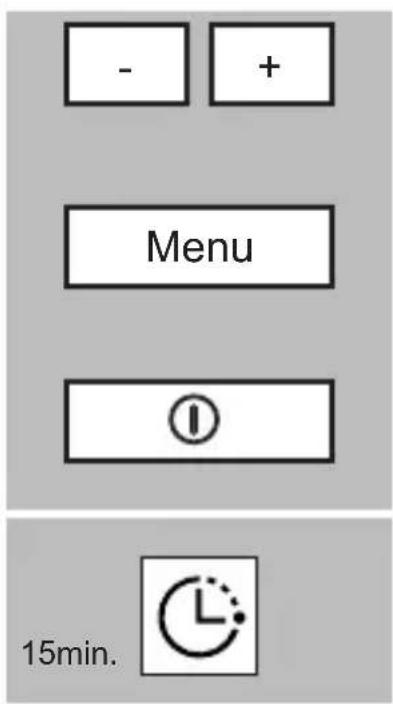
set the required volume (attention: the actual volume does not change yet)
press the MENU button to confirm and to store the setting (only now the new volume setting will be effective)
briefly press the POWER button to end the programming mode
Play time:
the maximum play time for one or for all lullabies is 15 minutes
4.9 NIGHTLIGHT:
You can control the nightlight directly on the baby unit or remotely by the parent unit.
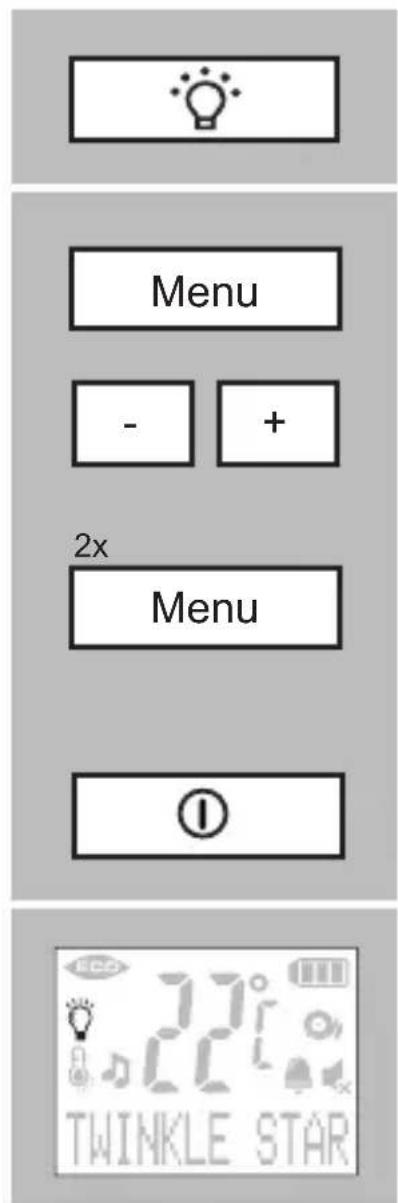
control the nightlight on the Baby unit:
press the button to switch-on/off the nightlight
control the nightlight on the Parent unit:
press the MENU button
find the option [ NIGHTLIGHT ]
press the menu button 2x:
if the nightlight is currently off, it will now be set to on; if the nightlight is currently on, it will now be set to off
briefly press the POWER button to end the programming mode
night light indication:
the icon is on when the night light is switched on
4.10 ROOM TEMPERATURE AND ALERT:
In idle state the display of both the Baby unit and the Parent unit indicates the temperature of the Baby room in degrees Celsius (°C) or in degrees Fahrenheit (°F). With this option you can set the format, the limits and enable or disable the Temperature alert.
![graph TD A["Menu"] --> B["-"] A --> C["+"] D["Menu"] --> E["-"] D --> F["+"]](/content/2026/04/733501/images/9d13531510dc641db0164b9b3ea4d685eaee9575f5db9f6daae6e470ec5f0d1d.jpg)
[FORMAT]
[ MIMIMUM ]
[ MAXIMUM ]
[ ALERT ON/OFF ]
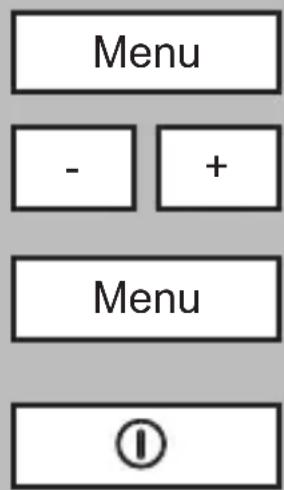
press the MENU button
find the option [ TEMPERATURE ]
press the MENU button
use the buttons -/+ to select between:
to alter between Celsius and Fahrenheit
to set the minimum temperature (in between 10° C ( 50° F) and 20° C ( 69° F))
to set the maximum temperature (in between 21°C ( 70°F ) and 39°C(99°F) )
to enable or disable the temperature alert
press the MENU button
use the buttons -/+ to change the settings
press the MENU button to confirm and to store the setting
briefly press the POWER button to end the programming mode
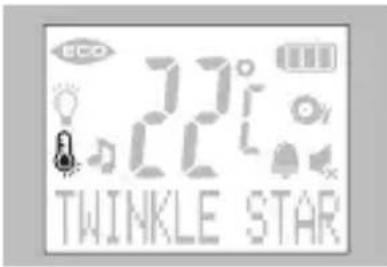
temperature alert indication:
the icon 🎨 is on when the temperature alert is enabled
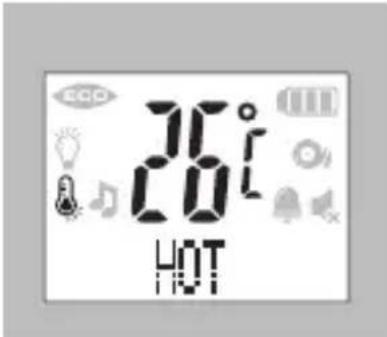
working temperature alert:
If the temperature goes beyond the minimum or maximum level, "COLD" or "HOT" indication displays and the current temperature flashes in the displays of both Units.
If the Temperature alert is set to On, an alert will be sound at the Parent Unit.
4.11 ALARM:
Alarm feature is useful for you to remind yourself for some special arrangements, like feeding time, etc.
![Menu - + Menu - + [ OFF? ] [ SET TIMER ]](/content/2026/04/733501/images/0dff032f541928ba49c053f20ec4677ed6a2641c238657a106fef9fbcd5fb607.jpg)
press the MENU button
find the option [ ALARM ]
press the MENU button
use the buttons -/+ to select between: [ OFF? ] and [ SET TIMER ]
press the MENU button to disable the alarm (to disable, now press MENU)
press the MENU button to set the alarm feature
- pres the MENU button and use -/+ to set the hours
- pres the MENU button and use -/+ to set the minutes
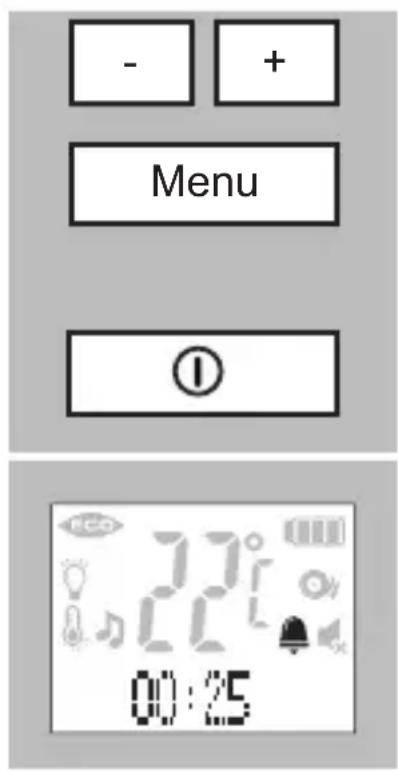
- pres the MENU button and use -/+ to toggle between [ ONCE ] and [ REPEATED ]
- press the MENU button to confirm and to store the setting
briefly press the POWER button to end the programming mode
alarm indication:
the icon 🎨 is on when the timer is activated; in the lower part of the display you can see the timer time
working alarm:
- in the lower part of the display you can see the alarm time; when it reaches 00:00 it will beep for up to 30 seconds; press any button to stop the alarm; in case you selected [ REPEATED ] now the alarm starts again with the count down
- a repeated alarm can be disabled by selecting OFF in the menu or by switching off of the parent unit
4.12 PAGING THE PARENT UNIT:
Use this feature to call the parent unit in case you need help in the baby room or to find the parent unit. The parent unit must be switched-on to use this feature.
press the Page button to generate tones at the parent unit for 120 seconds; the text [ Paging ] comes on the display
- You may end this signaling by again pressing button Page or by pressing any key on the parent unit.
• The volume of these tones is fixed. - In case the volume of the parent unit was set to off, when paging the volume will be set to on and remain on.
4.13 RANGE:
In case you are close to you baby, you might decide to reduce the transmitting power
| Menu | press the MENU button |
| - + | find the option [ ECO RANGE ] |
| Menu | press the MENU button |
| [ HALF RANGE ? ] | depending on the present setting, when pressing the button MENU you now set the babyphone into [ HALF RANGE? ] or [ FULL RANGE? ] (*) |
| [ FULL RANGE? ] | |
| Menu | press the MENU button to confirm and to store the setting |
| ① | briefly press the POWER button to end the programming mode |
* The power setting only takes effect 30 seconds after the baby unit is idle (no transmitting). The effective ranges depend on your local circumstances and should be found out empirically.
4.14 FULL ECO:
When FULL ECO is activated, there is no transmitting at all when the baby is not crying.
| Menu | press the MENU button |
| - + | find the option [ FULL ECO ] |
| Menu | press the menu button 2x: if the Full Eco Mode is currently off, it will now be set to on; if the Full Eco Mode is currently on, it will now be set to off |
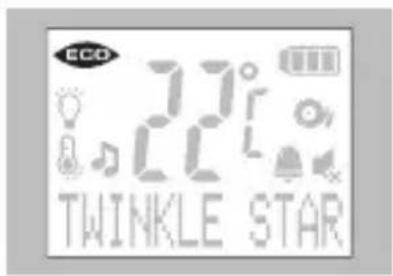
FULL ECO indication:
ECO turns on when the FULL ECO mode is enabled
Remarks regarding FULL ECO
Lullaby playback and a maximum sensitivity (level 5, see chapter 4.6) will temporarily disable the Full ECO feature if Full ECO setting is set to ON. The icon ECO however will still be on.
Attention: The link check is not active in Full Eco mode; see the next chapter.
4.15 LINK CHECK:
Automatic:
When the FULL ECO is disabled, the babyphone constantly checks the link between the baby-unit and the parents-unit:
- As soon and as long the parent unit is in contact with the baby unit, the link-LED on the parent unit lights steadily.
- When the baby unit gets out of range (or is powered off), the link-LED 🎨 on the parent unit starts blinking and the text [ SEARCHING ] comes on the display.
- In case the link is not restored within 30 seconds, a beeptoon sounds every 10 seconds and the text [ NOT LINKED ] comes on the display.
- Once the link between the parent unit and the baby unit is restored, the link-LED will light steadily and the text [ NOT LINKED ] will disappear from the display.
Manual:
The link check does not function when the FULL ECO MODE is set. The
-LED is off and you will not be warned when you are out of range of the baby-unit or when the baby unit is switched-off.
As follow you can however check the link manually
-
Press button TALK for about 0.5 seconds (*):
-
Link OK:
turns on and for a couple of seconds you will hear all sounds from the baby-room
-
After some seconds the FULL ECO MODE is activated again and turns off
-
No link:
turns on but starts flashing; you will not hear any sound from the baby-room and after 30 seconds you will hear beeps as an indication that there is no link
- As soon as you have found the cause of the no-link warning and solved it, the FULL ECO MODE will be activated again and will turn off
*: if you press button TALK for a longer period, the feature TALK BACK is activated and you might wake up the baby.
4.16 BATTERY INDICATION:
Both the parent unit and the baby unit are equipped with a battery level indicator in the display:
: full battery level
: 2/3 battery level
☐: 1/3 battery level
: battery empty
Baby-unit:
- the battery indicator is off when the baby unit is powered by the power adapter
-
the battery indicator is on and indicates the capacity when the baby unit is powered by batteries
-
when the battery indicator on the baby unit indicates flat batteries (☐), the text [ BU LOW BATT! ] comes on the display of the parent unit; it is advised to now directly replace the batteries in the baby unit or to connect the power adapter; (attention: when the parent unit is in the alarm mode, this warning text will not come on the display)
- in case you do not change the batteries or do not connect the power adapter, the baby unit will switch off after a while; the link-LED on the parent unit will start blinking and the text [ NOT LINKED ] will come on the display of the parent unit; after you replace the batteries or connect the power adapter, the set functions as normal again
Parent unit:
- the charging of the batteries is indicated with an animated battery icon; as soon as the batteries are charged, this icon shows ‘battery full’ ( )
- in idle state this icon shows the actual capacity of the batteries
- soon after the battery icon shows ‘empty batteries’ ( ), the parent unit will switch-off; reconnect the power adapter to get the parent unit function again
4.17 BELT CLIP:
On the backside of the parents unit you will find the belt clip to carry the unit around while keeping your hands free.
Use a small screwdriver to remove this clip if you want.
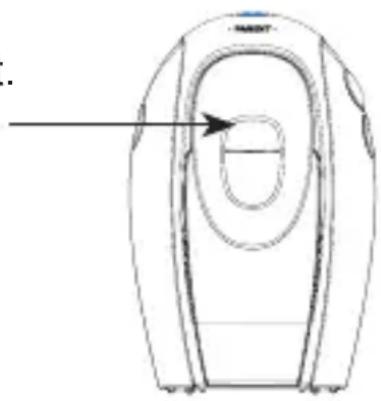
4.18 RESTORE TO DEFAULT:
As follow the settings of the babyphone can be restored to the default values:
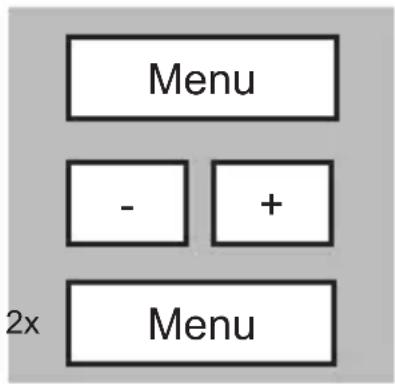
Parent unit: press the MENU button
find the option [ RESET ]
press the MENU button 2x
The parent unit switches off and on again and the settings are restored to their default values:
Sensitivity: level 5 (maximum sensitivity, the microphone is activated all the time)
Night light: on
Language: Dutch
Lullaby: lullaby 1
Sound alert: off
Volume baby-unit: level 3
Alarm: off
Temperature format: Celsius
Temperature alert: off
Lower limit: 14
Upper limit: 39°C
Volume parents-unit: level 1
Full Eco Mode: off
Range: maximum
5 (SAFETY)INSTRUCTIONSandTIPS
5.1 GENERAL:
The Babyphone is for the detection of sound by which the guarding of babies, little children and the helpless is a common used feature. Be advised that this babyphone is never capable to meet with the presence of an adult or a parent.
Each time before use, check the functionality of the set. Be advised to regularly check the link during use.
The use of the babyphone is restricted to detection of sounds within own premises. Any other person who is present or might be present within the room that is monitored should be notified of the presence of the installed babyphone.
The usage of the wireless room monitor is free of license. It cannot be guaranteed that the transmission is without interference caused by other wireless systems or atmospheric disturbance.
In case the babyphone is not in use, please switch-off using the power button. If not in use for a longer period, disconnect the power adapter and remove the batteries.
5.2 MULTIPLE UNITS:
It is not possible to extend this babyphone with multiple parent units or multiple baby units. In case more baby's are to be watched, some more complete units should be purchased. These can be used next to each and will not disturb each other.
5.3 TEMPERATURE INDICATION:
The temperature sensor is located on the backside of the baby unit. To ensure a correct reading you may not cover this sensor or place the unit in direct sunlight. Avoid placing next to a heating device. The range is 10° C to 39° C. Attention: the temperature indication is indicative only. Please count with a possible deviation of about 5% to 10%.
5.4 REACH:
The reach of the babyphone is approximately 50 meters indoor and 300 meter outdoor. Please be informed that large buildings, metal constructions, atmospheric disturbances and other wireless devices can influence this reach.
5.5 BATTERY LIFE TIME:
Parent unit:
With fully charged rechargeable batteries with a capacity of 750mAh you can use the parent unit for up to 24 hours without the power adapter.
Baby unit:
When alkaline batteries are installed, the baby unit will function for about 48 hours without the power adapter.
5.6 POWER SUPPLY:
Power adapters:
Use only the mains adapters supplied with this baby monitor. Incorrect adapter type(s) can cause damage to the unit(s).
Adapter baby-unit:
Model: S005BNV0900050
Input: 100-240VAC 150mA; Output: 9VDC 500mA

Adapter charger pod:
Model: S003ATV0600045
Input: 100-240VAC 150mA; Output: 6VDC 450mA
Batteries:
Only install RECHARGEABLE batteries in both the parent unit and the baby-unit:
Baby-unit: 4 x 1,2V NiMH AA
Ouder-unit: 2 x 1,2V NiMH AAA
5.7 MAINTENANCE:
Never use chemical cleansers to clean the cabinet, the cabinet may only be cleaned with a moist cloth.
Always disconnect the babyphone from the mains (remove the power adapters) before cleaning.
5.8 DISPOSAL OF THE DEVICE (ENVIRONMENT):
At the end of the product lifecycle, you should not throw this product into the normal household garbage but bring the product to a collection
point for the recycling of electrical and electronic equipments. Exhausted batteries may never be disposed of in household waste but must be handed in at your local depot for chemical waste.

6 DECLARATION OF CONFORMITY
Hereby, Commaxx declares that the radio equipment type Alecto DB-188 LUX is in compliance with directive 2014/53/EU. The full text of the EU declaration of conformity is available at the following internet address: http://DOC.hesdo.com/DB-188-LUX.pdf
7 TECHNICAL SPECIFICATIONS
No. of channels: 120
Frequency: 1880-1900 Mhz
RF power: <24 dBm
Information Power Adapter baby unit:
Manufacturers name and address : Vtech Telecommunications LTD, 23/F., Tai Ping Industrial Centre, Block 1, 57 Ting Kok Road, Tai Po, Hong Kong.
Model Identifier : S005BNV0900050
Average active efficiency:78.8 %
Efficiency at low 10% load : -
No load Power consumption : 0.07 W
Information Power Adapter Parent Unit:
Manufacturers name and address : Vtech Telecommunications LTD, 23/F., Tai Ping Industrial Centre, Block 1, 57 Ting Kok Road, Tai Po, Hong Kong.
Model Identifier : S003ATV0600045
Average active efficiency:76.4 %
Efficiency at low 10% load : -
No load Power consumption : 0.03 W
Transmitting power: Max. 250mW
Operating temperature: 10°C to 40°C
Storage temperature: 0°C to 60°C
Temperature accuracy: ±1°C (at 25°C)
8 TROUBLESHOOTING
PROBLEM:
POSSIBLE SOLUTION:
LED flashes
- The parent unit and the baby unit may be out of range with each other. Reduce the distance between the units.
- The baby unit may be switched off. Press POWER-key to switch on the baby unit.
LED flashes + attention tones from parent unit
- Lost connection with the baby unit. Reduce the distance between the parent unit and the baby unit.
- The baby unit may be switched off. Press POWER-key to switch on the baby unit.
- Rechargeable batteries in baby-unit are empty. Connect the baby unit to the mains power with the supplied power adaptor for recharging.
Cannot hear sound or baby cry from the parent unit
- The volume level in the parent unit may be set too low, increase the volume level of the parent unit.
- The microphone sensitivity level of the baby unit may be set too low. Increase the sensitivity level of the baby unit.
High-pitched tone
- The parent unit and the baby unit are too close to each other. Make sure the parent unit and baby unit are at least 1.5 metre away from each other.
- The speaker volume of the parent unit maybe set too high. Decrease the volume of the parent unit.
In case the babyphone still does not operate correctly, please disconnect the power adapters and remove the batteries. Wait for some minutes and install batteries and connect the power adapters again. In case the malfunction still persists, please contact your dealer.
9 CONTENTS
1 ECO MODE....2
3
2 OVERVIEW
2.1 OVERVIEW PARENT UNIT 3
2.2 OVERVIEW BABY UNIT 4
2.3 OVERVIEW DISPLAY 5
3 INSTALLATION
3.1 PARENT UNIT....6
3.2 BABY-UNIT 6
3.3 RECOMMENDATIONS 7
4 USING YOUR BABY MONITOR
4.1 POWER ON/OFF 8
4.2 LINK CHECK....8
4.3 LANGUAGE 8
4.4 MONITORING....9
4.5 TALK BACK....9
4.6 SENSITIVITY 10
4.7 SOUND ALERT....11
4.8 LULLABIES....11
4.9 NIGHTLIGHT....13
4.10 ROOM TEMPERATURE AND ALERT 14
4.11 ALARM....15
4.12 PAGING THE PARENT UNIT 16
4.13 RANGE 17
4.14 FULL ECO....17
4.15 LINK CHECK....18
4.16 BATTERY INDICATION 19
4.17 BELT CLIP....20
4.18 RESTORE TO DEFAULT....21
5 (SAFETY) INSTRUCTIONS AND TIPS
5.1 GENERAL 22
5.2 MULTIPLE UNITS....22
5.3 TEMPERATURE INDICATION....22
5.4 REACH....22
5.5 BATTERY LIFE TIME....23
5.6 POWER SUPPLY....23
5.7 MAINTENANCE 23
5.8 DISPOSAL OF THE DEVICE (ENVIRONMENT) .....23
6 DECLARATION OF CONFORMITY....24
7 TECHNICAL SPECIFICATIONS ......24
8 TROUBLESHOOTING....25
9 CONTENTS 26
10 GUARANTEE 28
10 GUARANTEE
You have a guarantee of 24 MONTHS after the date of purchase of this babyphone. We guarantee during this period the free repair of defects caused by material- and construction faults. This at the importers discretion. It is only possible to claim to the guarantee when you enclose your purchase ticket with the babyphone.
HOW TO ACT:
If you notice a defect, consult the manual first. If this manual gives you no definite answer, consult your dealer with a clear description of your complaint. He will collect the device together with this guarantee card and the dated purchase ticket and he will take care of a prompt repair, respectively free sending to the importer.
THE GUARANTEE EXPIRES:
When used inexpert, faulty connections, leaking and faulty placed batteries, use of unoriginal parts or accessories, negligence and defects caused by fire, flood, stroke of lightning and natural disasters. With unqualified modifications or repairs by third persons. With incorrect transport without a suitable packing. If the device is not handed in with the correct filled in guarantee card and the purchase ticket.
NOT UNDER THIS GUARANTEE: cords, plugs and batteries.
All further responsibilities, in particular subsequent damages, are excluded.



- 4.18 INSTELLINGEN RESET
- 10 GARANTIE
- 4.18 PROGRAMMATION D'EFFACAGE
- 5 INSTRUCTIONS (SECURITE) GENERAL ET CONSEILS
- EIN/AUSSCHALTEN
- 5.7 STROMVERSORGUNG
- NETZTEILE
- 1 ECO MODE
- 2 OVERVIEW
- 2.1 OVERVIEW PARENT UNIT
- LINK CHECK
- 2.2 OVERVIEW BABY UNIT
- BATTERY INDICATION
- 2.3 OVERVIEW DISPLAY
- 3 INSTALLATION
- 3.1 PARENT UNIT
- ATTENTION
- NEVER INSTALL NORMAL BATTERIES IN THE BABY UNIT. NORMAL BATTERIES CANNOT BE CHARGED. RISC OF EXPLOSION IF BATTERY IS REPLACED BY AN INCORRECT TYPE
- 3.2 BABY-UNIT
- 3.3 RECOMMENDATIONS
- 4 USING YOUR BABY MONITOR
- 4.1 POWER ON/OFF
- 4.2 LINK CHECK
- 4.3 LANGUAGE
- 4.4 MONITORING
- 4.5 TALK BACK
- 4.6 SENSITIVITY
- 4.7 SOUND ALERT
- 4.8 LULLABIES
- PLAY TIME
- 4.9 NIGHTLIGHT
- 4.10 ROOM TEMPERATURE AND ALERT
- 4.11 ALARM
- ALARM INDICATION
- WORKING ALARM
- 4.12 PAGING THE PARENT UNIT
- 4.13 RANGE
- 4.14 FULL ECO
- FULL ECO INDICATION
- REMARKS REGARDING FULL ECO
- 4.15 LINK CHECK
- AUTOMATIC
- MANUAL
- 4.16 BATTERY INDICATION
- BABY-UNIT
- PARENT UNIT
- 4.17 BELT CLIP
- 4.18 RESTORE TO DEFAULT
- 5 (SAFETY)INSTRUCTIONSANDTIPS
- 5.1 GENERAL
- 5.2 MULTIPLE UNITS
- 5.3 TEMPERATURE INDICATION
- 5.4 REACH
- 5.5 BATTERY LIFE TIME
- BABY UNIT
- 5.6 POWER SUPPLY
- POWER ADAPTERS
- BATTERIES
- 5.7 MAINTENANCE
- 5.8 DISPOSAL OF THE DEVICE (ENVIRONMENT)
- 6 DECLARATION OF CONFORMITY
- 7 TECHNICAL SPECIFICATIONS
- 8 TROUBLESHOOTING
- PROBLEM
- POSSIBLE SOLUTION
- 9 CONTENTS
- 5 (SAFETY) INSTRUCTIONS AND TIPS
- 10 GUARANTEE
- HOW TO ACT
- THE GUARANTEE EXPIRES
Brand : ALECTO
Model : DB-188 LUX
Category : Baby monitors