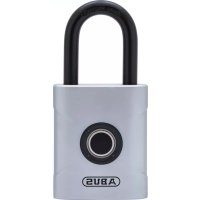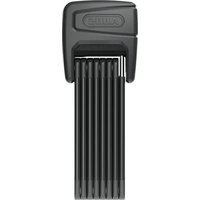
BORDO One 6000A - Lock ABUS - Free user manual and instructions
Find the device manual for free BORDO One 6000A ABUS in PDF.


| Product type | Folding lock |
| Brand | ABUS |
| Model | BORDO One 6000A |
| Weight | Approximately 1630 g |
| Power supply | CR123A battery + USB-C port (emergency power) |
| Material | Hardened steel (folding arm) |
| Color | Black (standard) |
| Main functions | Automatic locking/unlocking via ABUS One app or SmartX RC transmitter; integrated alarm (pre-alarm + main alarm); surveillance mode |
| Wireless connection | Bluetooth 2.402-2.480 GHz, power <10 mW |
| Compatibility | iOS/Android smartphone with ABUS One app |
| Operating temperature | -10°C to +45°C |
| Protection rating | IP44 (water splash resistant) |
| Care and cleaning | Clean with a dry cloth; do not use high-pressure cleaner or aggressive products; check annually for damage |
| Security | Integrated alarm; Keycard as proof of ownership; do not use if cracks or holes |
| Spare parts | Replaceable CR123A battery; mounting bracket included |
| Warranty | Legal warranty against material and manufacturing defects |
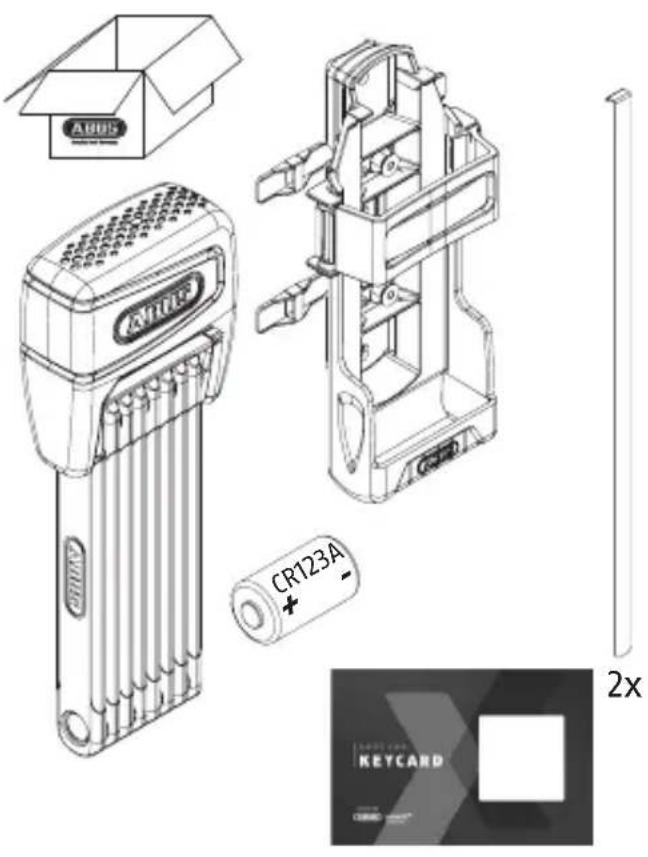
| Box contents | BORDO One 6000A lock, mounting bracket, Keycard, USB-C cable, user manual |
Frequently Asked Questions - BORDO One 6000A ABUS
User questions about BORDO One 6000A ABUS
0 question about this device. Answer the ones you know or ask your own.
Ask a new question about this device
Download the instructions for your Lock in PDF format for free! Find your manual BORDO One 6000A - ABUS and take your electronic device back in hand. On this page are published all the documents necessary for the use of your device. BORDO One 6000A by ABUS.
USER MANUAL BORDO One 6000A ABUS
natural_image
Technical line drawing of a mechanical device with coiled spring and handle (no text or symbols)ABUS one™

CE
www.abus.com
ABUS One App

iOS Android

DE Montage- und Bedienungsanleitung 4 - 26
GB U\$fitting and operating instructions 27 - 51
FR Instructions de montage et d'utilisation 52 - 75
NL Montage- en gebruikshandleiding 76 - 98
IT Istruzioni di montaggio ed uso 99 - 121
ES Instrucciones de montaje y funcionamiento 122 - 144
DK Installations- og betjeningsvejledning 145 - 167
4. Alarmauslösung
natural_image
Line drawing of a bicycle with two red circles highlighting the front and side (no text or symbols)
natural_image
Technical line drawing of a mechanical assembly with directional arrows, no readable text or symbols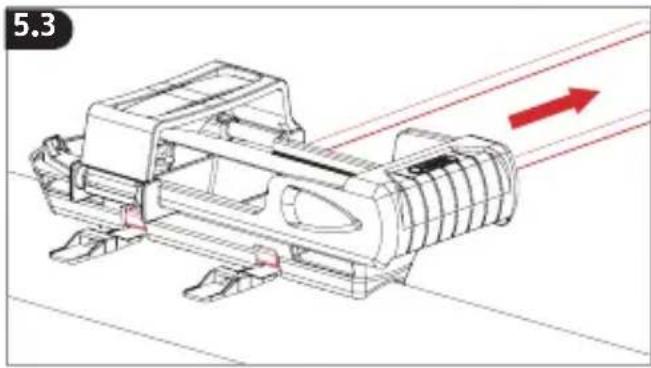
natural_image
Technical line drawing of a mechanical assembly with red directional arrows indicating motion or flow (no text or symbols)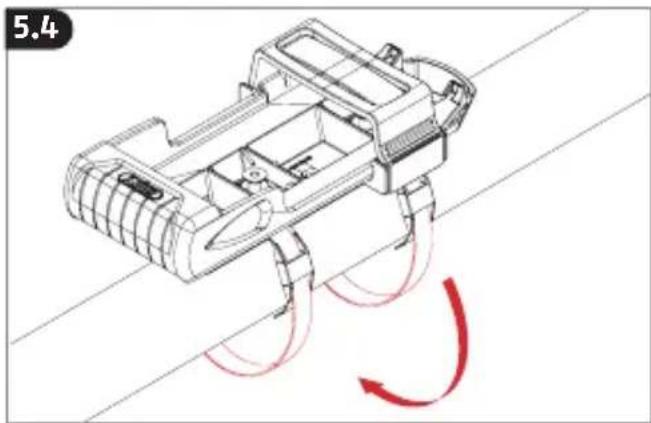
natural_image
Technical line drawing of a mechanical device with red motion arrows indicating flow or movement (no text or symbols)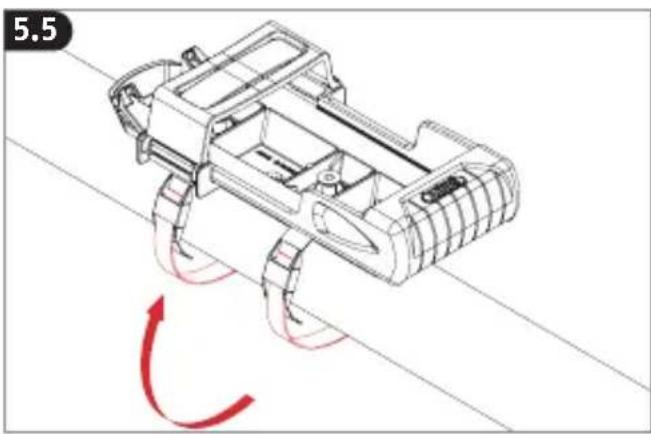
natural_image
Technical line drawing of a robotic vehicle with red motion arrows indicating rotational motion (no text or symbols)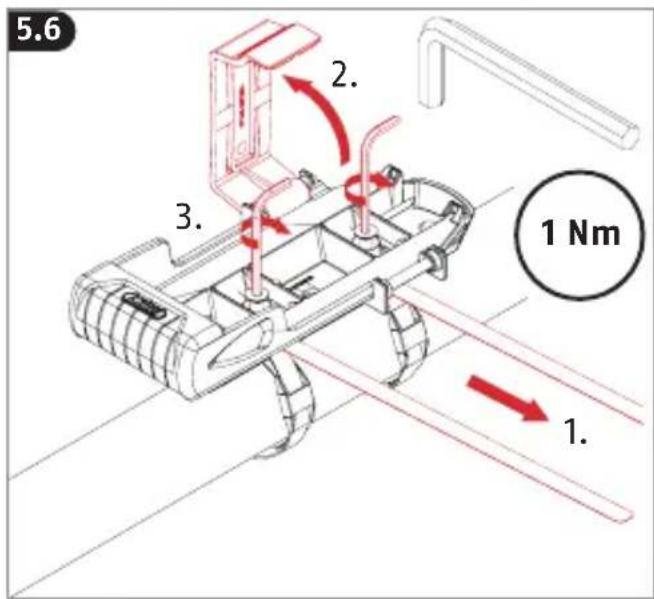
natural_image
Line drawing of a wristwatch with red arrows indicating motion, no text or symbols present7.3
natural_image
Line drawing of a portable electronic device with ventilation grille and handle (no text or symbols)↑
natural_image
Technical line drawing of a mechanical component before and after assembly (no text or symbols)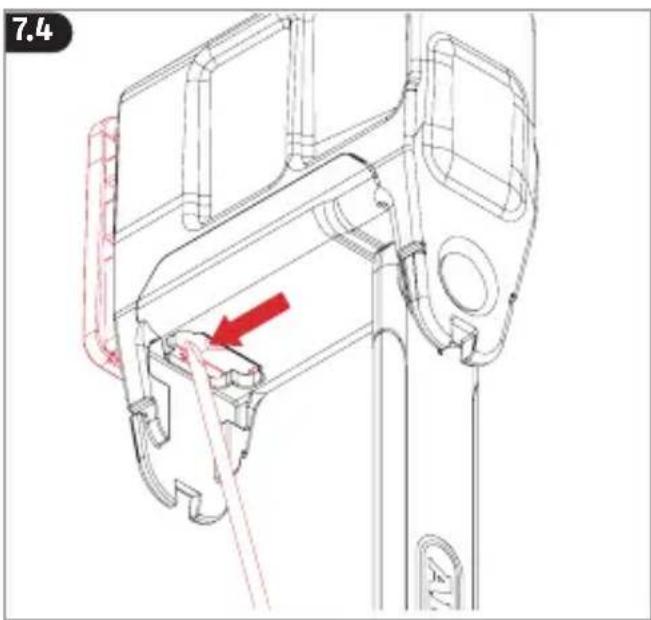
Achtung
GB US check you for choosing this ABUS product!
Please read this guide carefully before use. Keep these instructions and provide all users with instruction on how to use it.
The contents of this installation and operating manual reflect the current status at the time of printing. The printed manual may be outdated at the time of the product's entry into service due to updates and further developments.
We therefore ask you to visit our website www.abus.com and enter „6000A Bordo One“ into the search bar. You’ll always find the current and complete version of the installation and operating instructions on the product page under the „Downloads“ column.
Warnings and safety instructions
Please read and observe these safety instructions. Non-observance of these instructions could lead to fire, injury to persons and/or device damage!
| Symbol | Signal word | Remark |
 | Warning Security note indicating a risk of injury or health hazards.Failure to observe these warnings can lead to death or serious injury. | |
 | Caution Security note indicating a risk of injury or health hazards.Failure to observe these warnings can lead to injury. | |
 | Attention | Warning about possible damage to the device. Failure to observe these warnings can lead to material damage or malfunctions. |

Warning
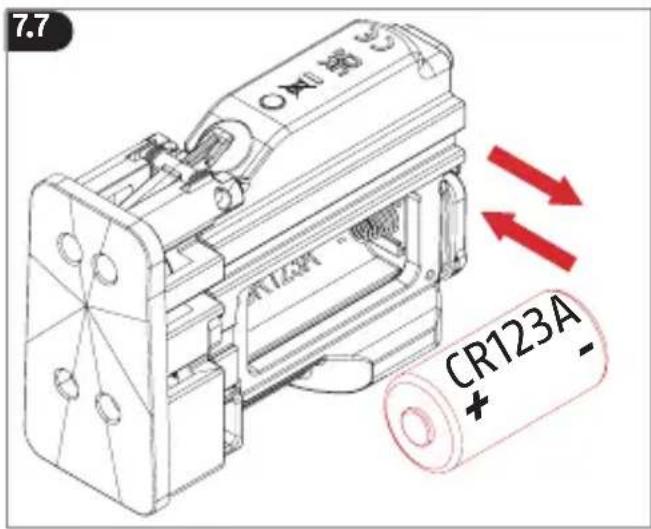
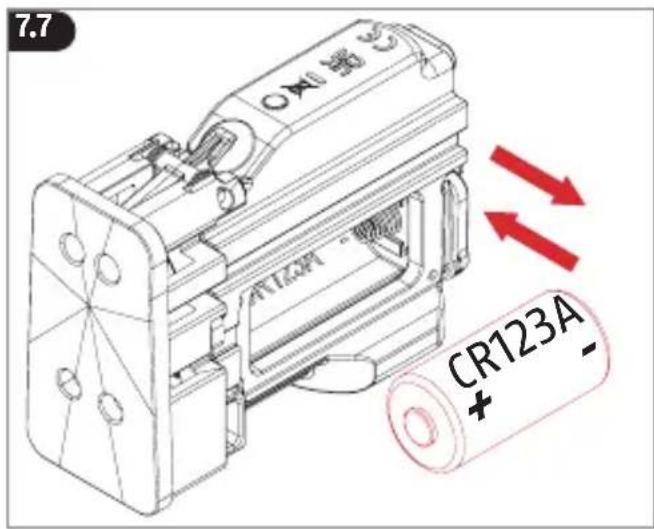
This product contains a CR123A battery. - Keep batteries out of the reach of children. Children may put batteries in their mouths and swallow them. This can cause serious harm to their health.
Seek immediate medical attention in this event!
- Batteries must be inserted with the correct polarity (+ and -).
- Empty batteries must be removed or replaced immediately.
- The battery terminals must not be short-circuited.
- Risk of burns from contact with leaking or damaged batteries! In these cases, use suitable protective gloves and clean the battery compartment with a dry cloth.
- Batteries must not be dismantled, punctured, damaged, short-circuited, heated, charged or thrown into an open fire (risk of explosion!).
- Do not use or store the product in areas where the temperature could reach below -10^ or above +45^ . Do not expose the product to direct sunlight for long periods of time.
- Keep packaging material away from children! Danger of suffocation!

Attention
- Do not use a high-pressure cleaner (IP class 44) or aggressive cleaning agents to clean the lock.
- Check the lock for damage at least once a year. If there is visible damage on the lock body such as cracks or holes, the
lock must no longer be used.
- The product may only be used for its intended purpose. Any modification to the product is prohibited.
1. First commissioning
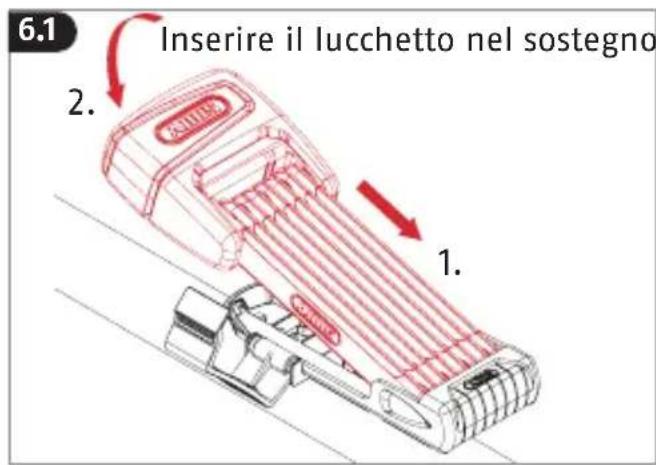
When delivered, the lock is in transport mode (The bar is only latched in the lock, not locked).
In order to use the lock, install the ABUS One app first (QR-Codes for download see page 2):
- Download the ABUS One app and enable Bluetooth® on your smartphone.
- Start the app and follow the instructions in the app.
- Pay attention to the assignment of the different Keycards to the products, and always scan the correct Keycard.
- To program your Bordo 6000A, start by pressing the button „Add new ABUS lock“.
- It is imperative to keep the ABUS Keycard in a secure place even after completing the setup! The Keycard serves as proof of ownership for your Bordo 6000A. Do not give the card to third parties!
The Bluetooth® function must be switched on in your smartphone to operate the lock electronics. For updates, the smartphone
must be connected to the Internet and not be in flight mode.
As an alternative to a smartphone, the lock can also be operated with the SmartX RC transmitter ( ABUS SmartX RC manual).
To guarantee proper function, we expressly recommend performing updates in the app and software/firmware updates for the components in a timely manner. The app will provide information on this. You can also perform the respective update in the component's settings.
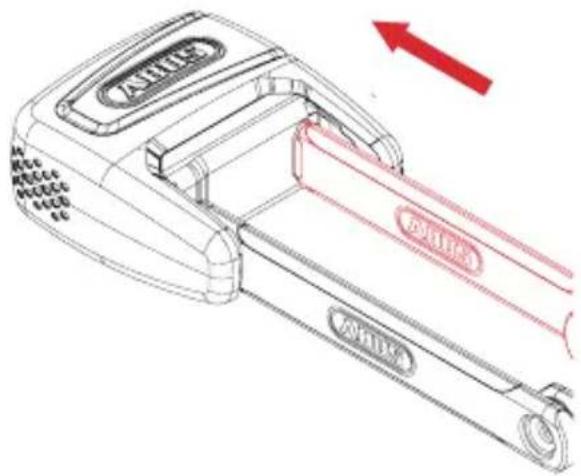
2. Closing the lock
-
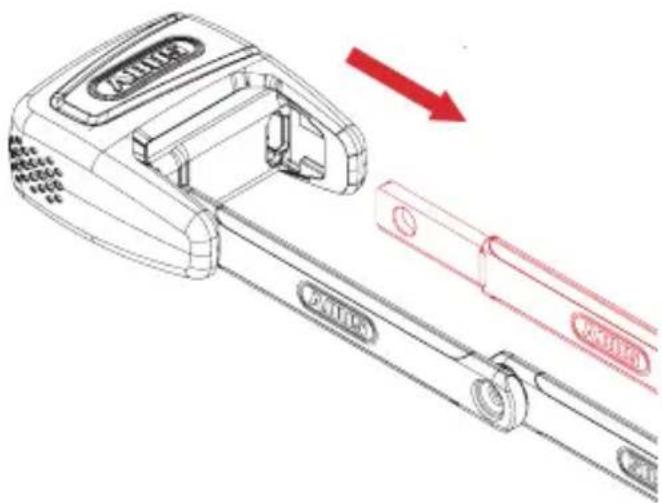
Slide bar fully into the lock body.
-
Lock will automatically lock, a tone will confirm the locking and the LED will flash green once. After a delay of about 10 sec., the lock will be in monitoring mode.
The delay is so that you can park your bicycle where the lock can't be moved unintentionally.
- If the lock does not lock, a warning tone will sound and the LED will flash yellow.
After 3 failed attempts to lock, the lock will stay unlocked. Check whether there is dirt in the opening for the bar. Do not press the bar with too much force. Otherwise the lock will jam.
3. Opening the lock
- Authorised smartphone with functioning ABUS One App, Bluetooth® and location services enabled or authorised transmitter within range (approx. 2-5 m).
- Move the lock to unlock it. A tone will sound to confirm the unlocking. The LED will light up red for about 10 seconds while the bar is inserted.
- To open the lock, pull out the bar within 10 seconds. Otherwise the lock will re-lock and monitoring will re-activate.
4. Alarm triggering
If movement is detected on the locked lock (monitoring mode) without an authorised smartphone or authorised transmitter within range, a pre-alarm will sound after a delay of about 4 seconds. The delay is for finding authorised smartphones/transmitters.
If strong movement is still detected afterwards, the main alarm will trigger (lasting about 15 seconds) and the LED will flash red.
The process repeats if movement continues.
The alarm will end after 15 seconds and no further movement or it can be manually ended by an authorised smartphone or an authorised transmitter.
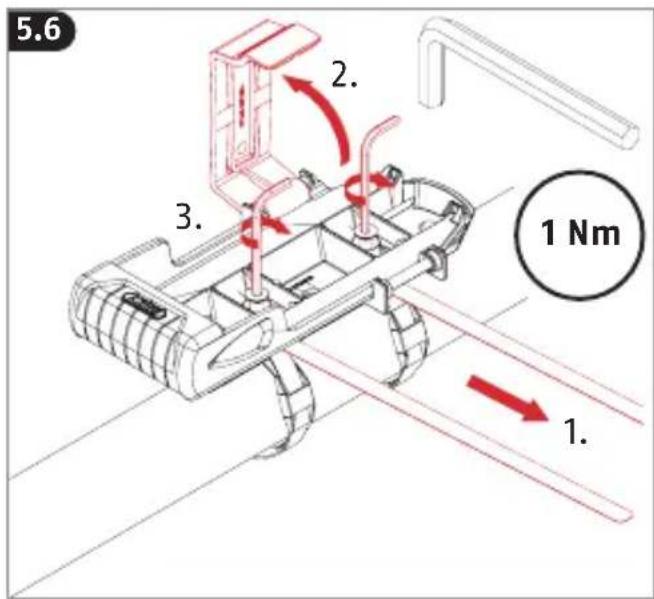
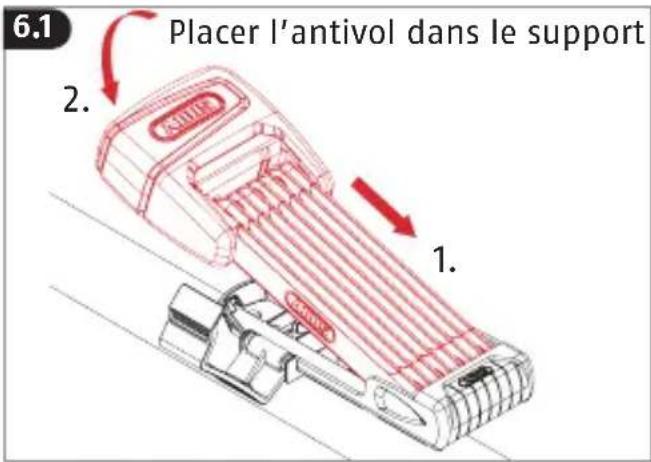
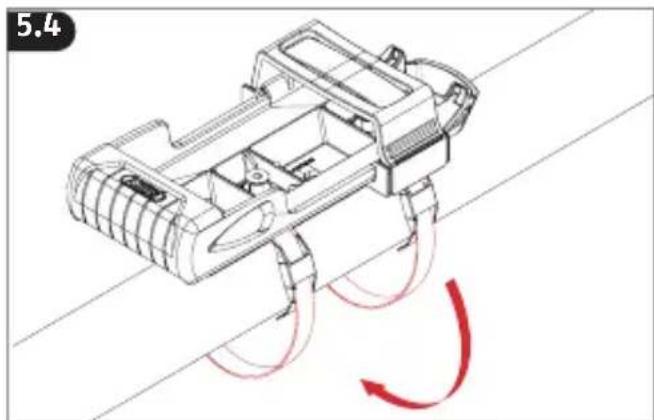
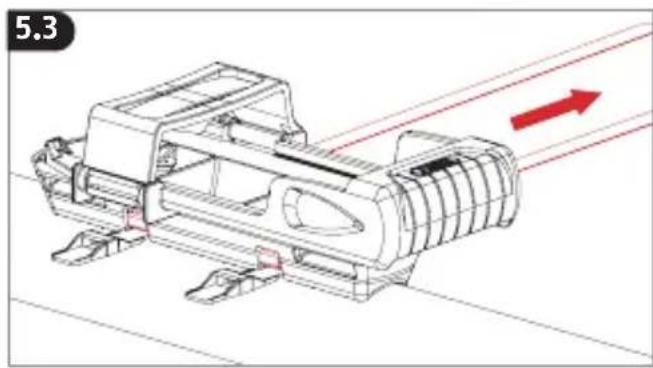
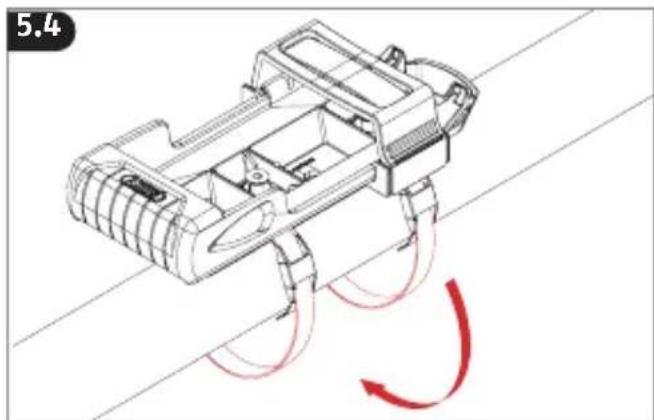
5. Mounting the ABUS bracket
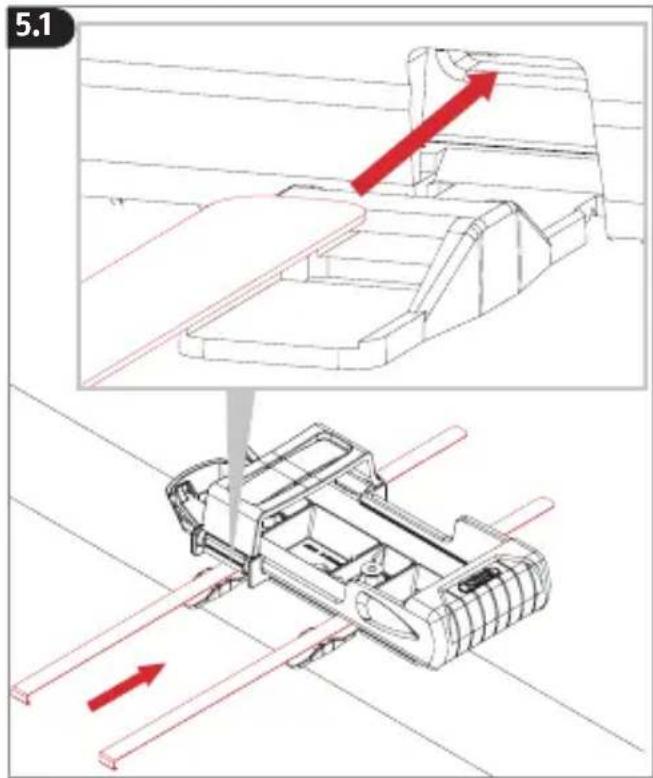
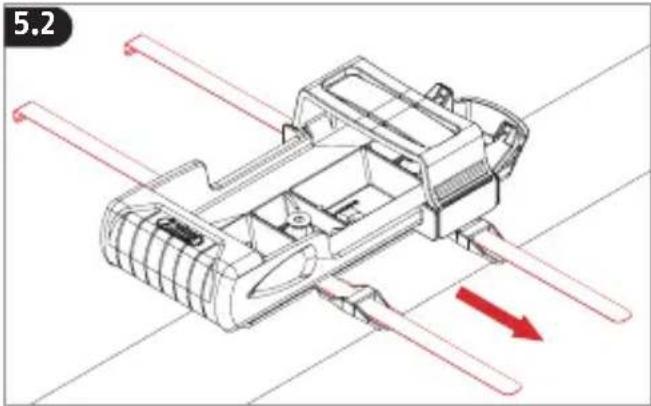
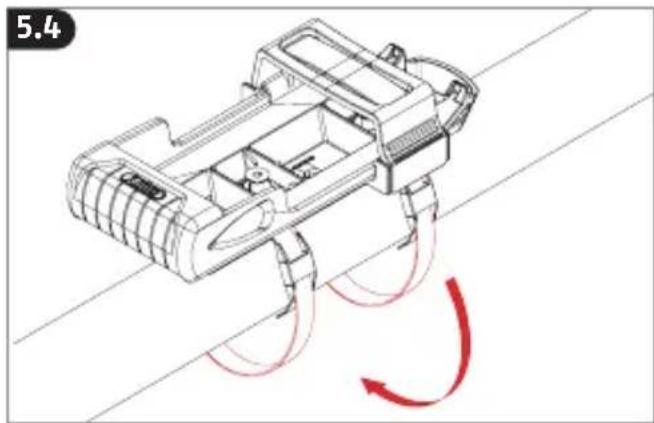
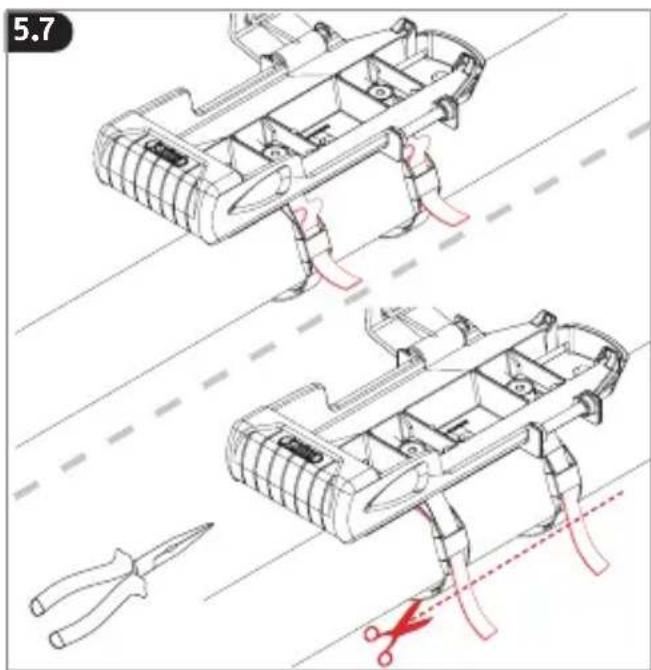
Select a suitable location to mount the bracket on your bicycle.
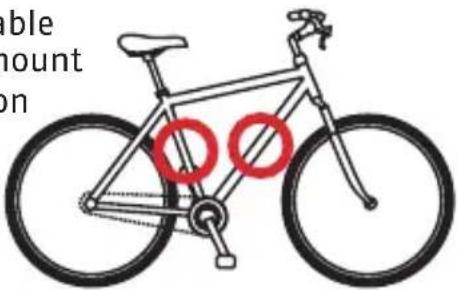

Risk of injury due to falling out while installing the carrier overhead
Do not install overhead! The lock could fall out and injure you or other road users.
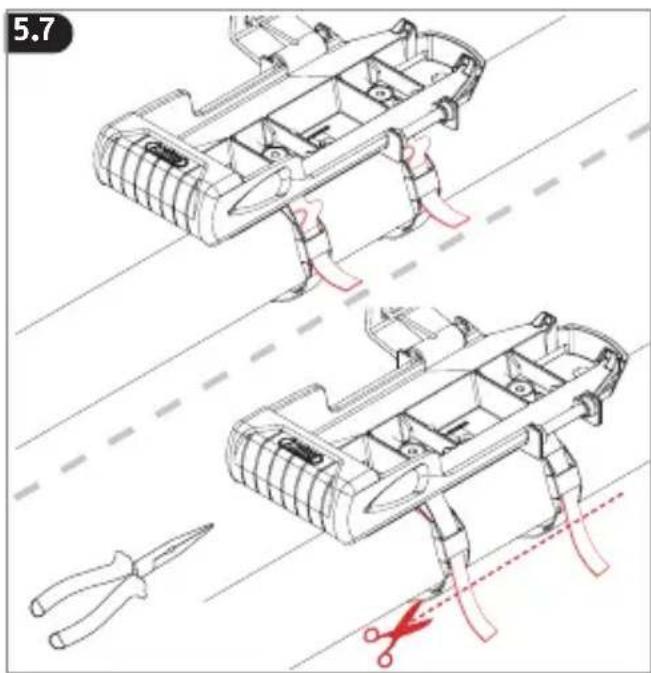
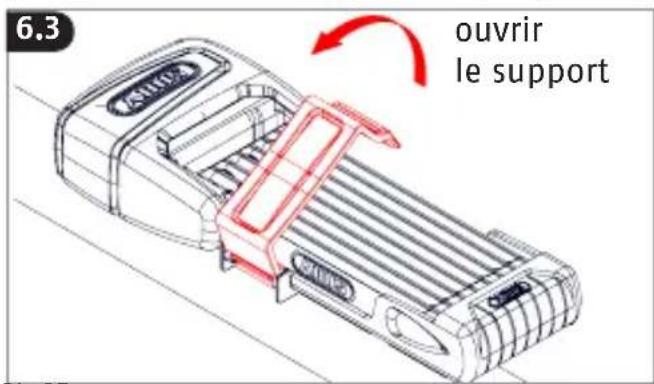
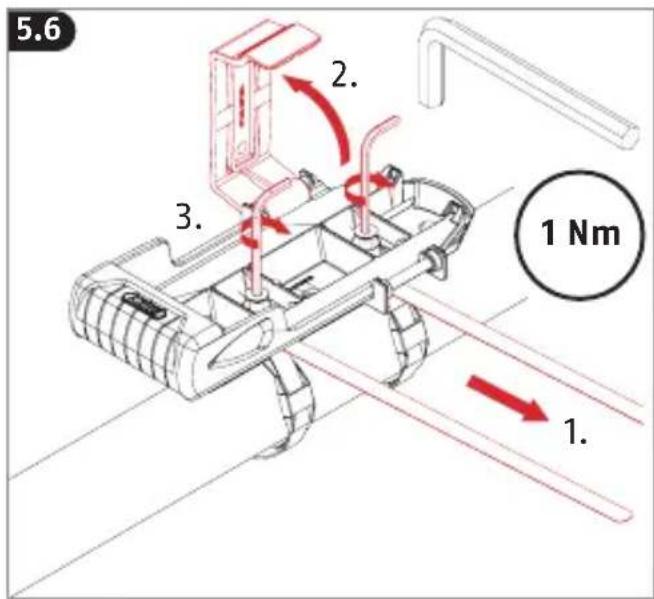
- Mount the carrier on the bicycle so that the lock is above and not below the carrier.
- Do not mount the bracket on the mounting holes provided for the bottle holder.
natural_image
Technical line drawing of a mechanical assembly with directional arrows, no readable text or symbols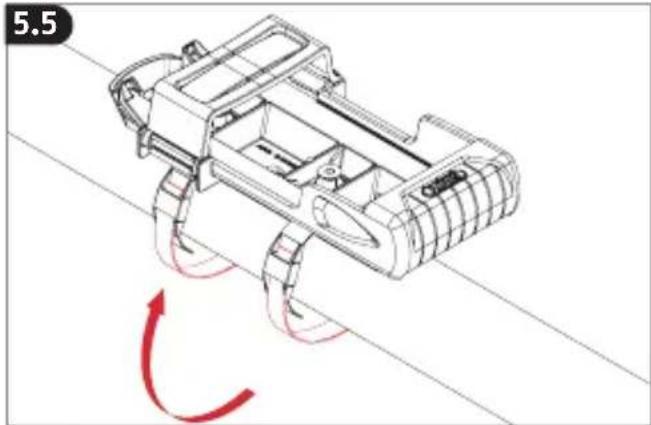
natural_image
Technical line drawing of a tracked vehicle with red motion arrows indicating rotational motion (no text or symbols)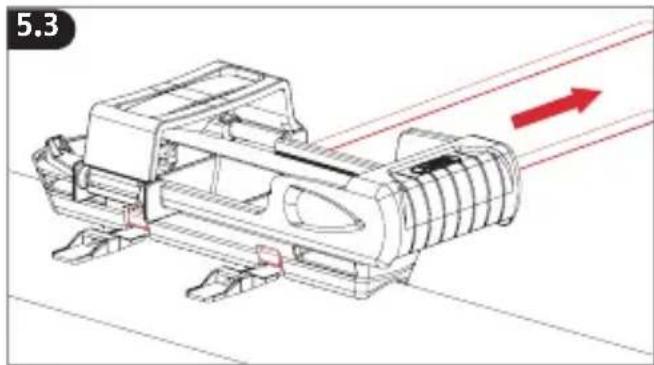
natural_image
Technical line drawing of a mechanical assembly with red directional arrows indicating motion (no text or symbols)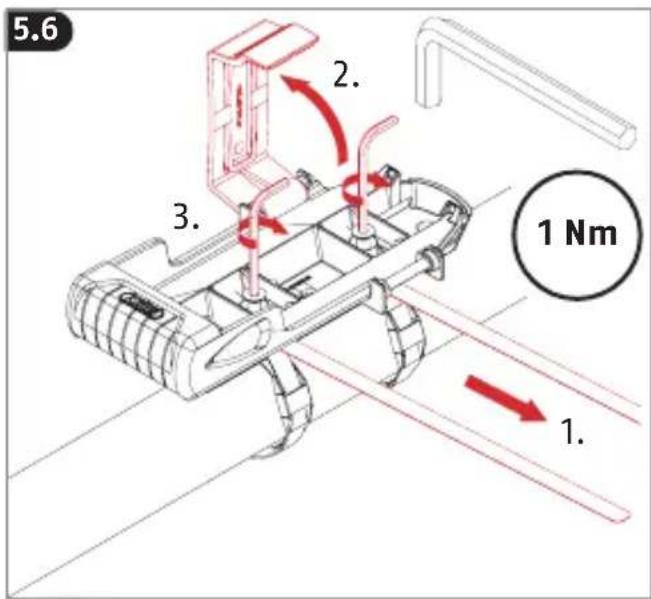
natural_image
Technical line drawing of a mechanical device with red motion arrows indicating rotational flow (no text or symbols)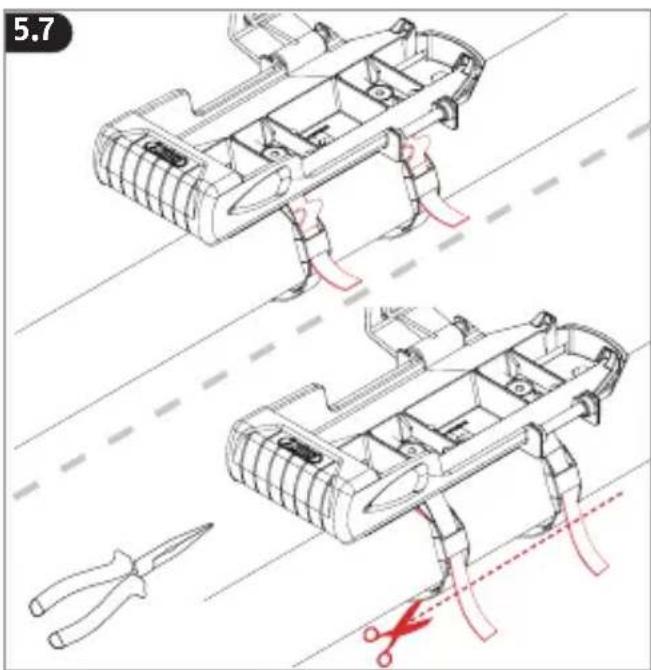
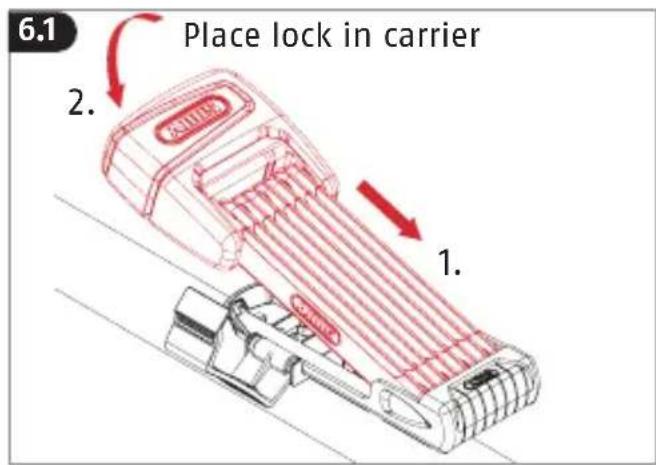
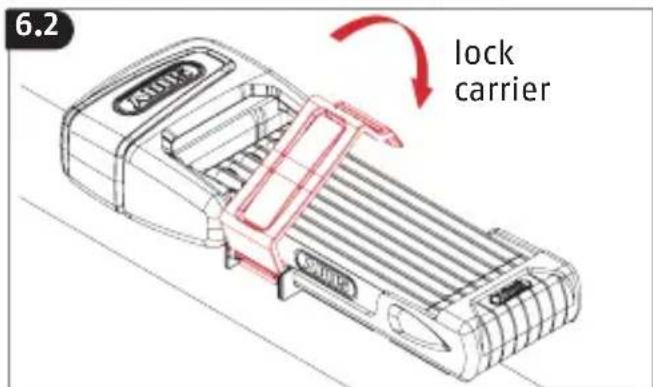
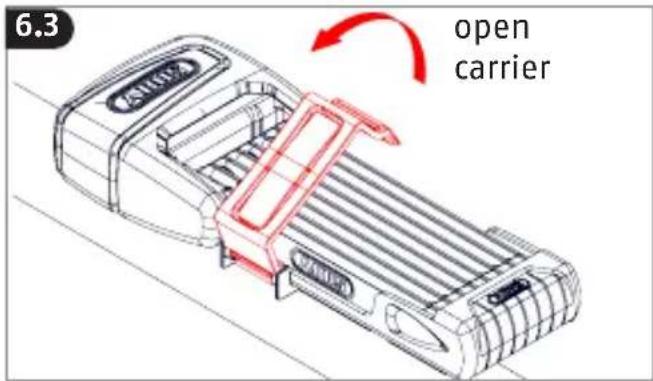

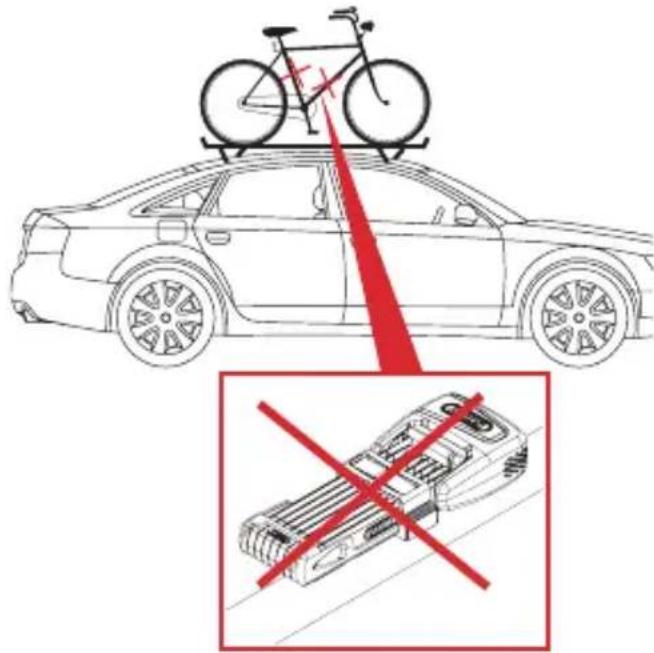
Danger to life by falling out during transport by car or trailer
If the lock or the bracket with the lock should come loose when transporting your bicycle with a car or trailer, other road users may be injured or killed.
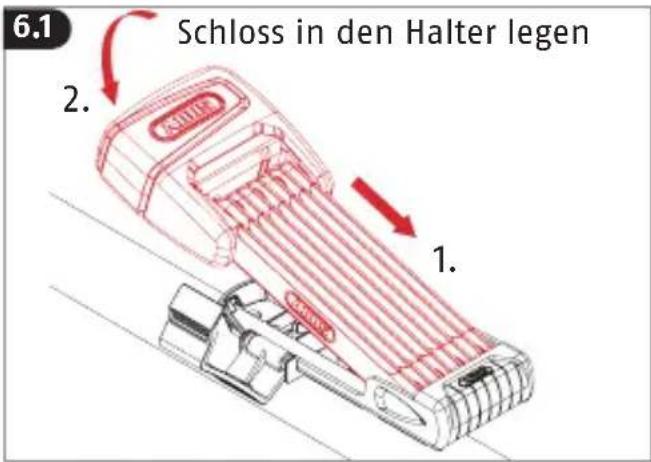
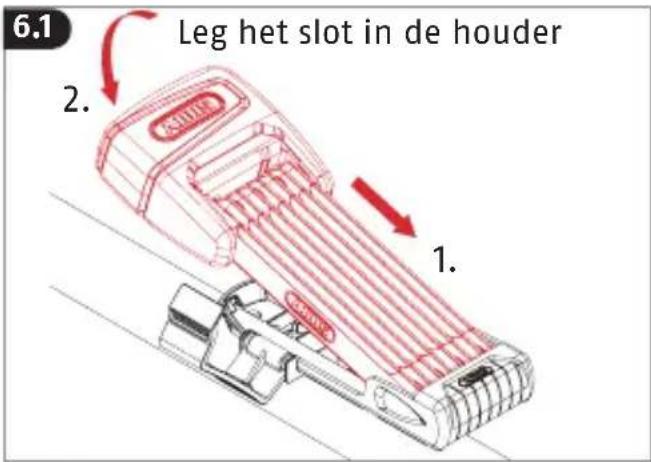
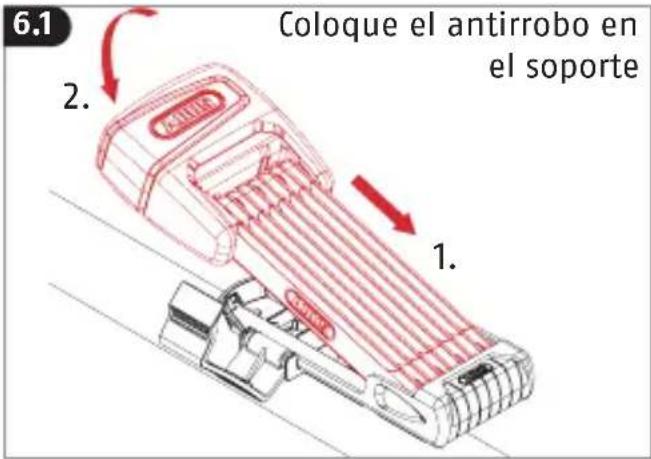
• Always remove the lock from the bracket during this transport.
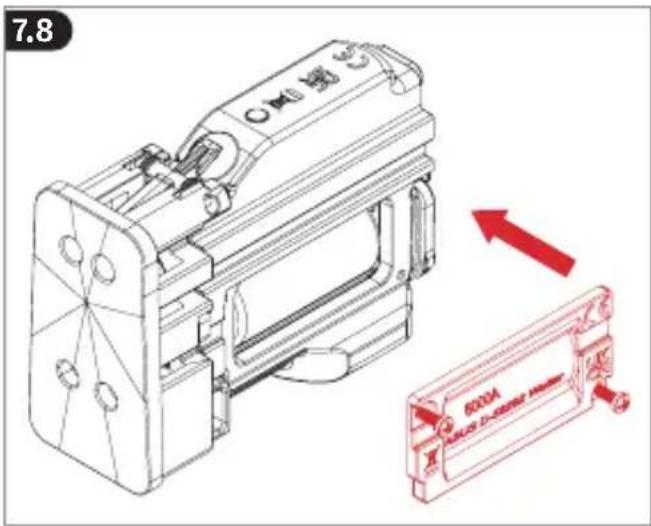
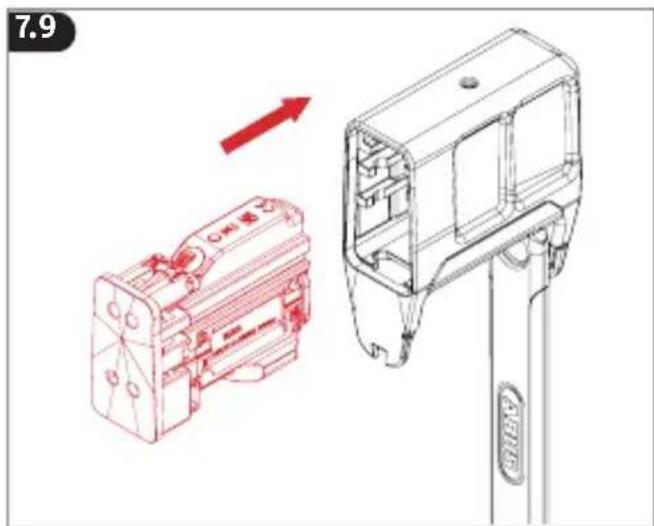
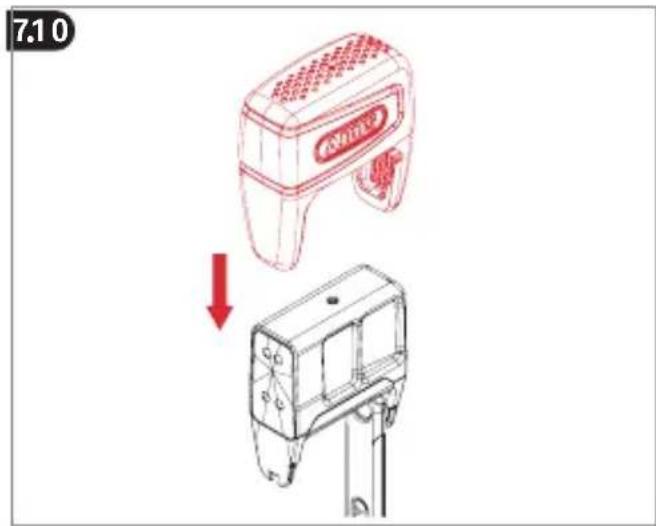
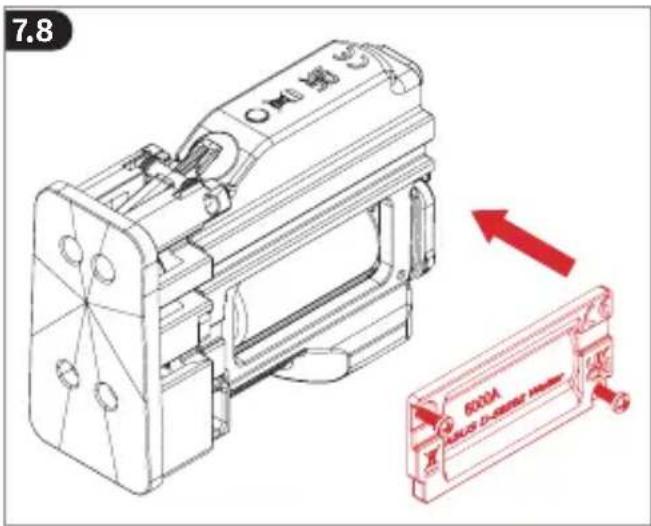
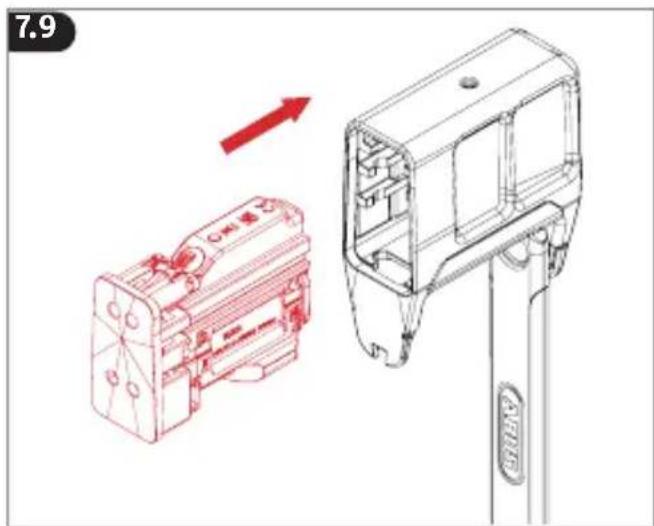
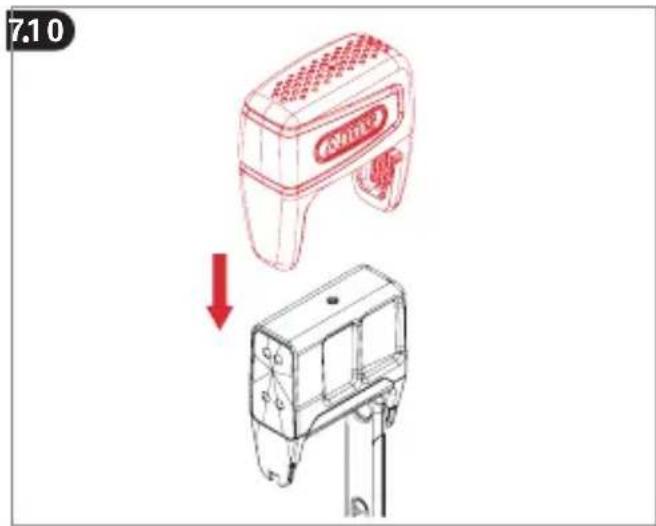
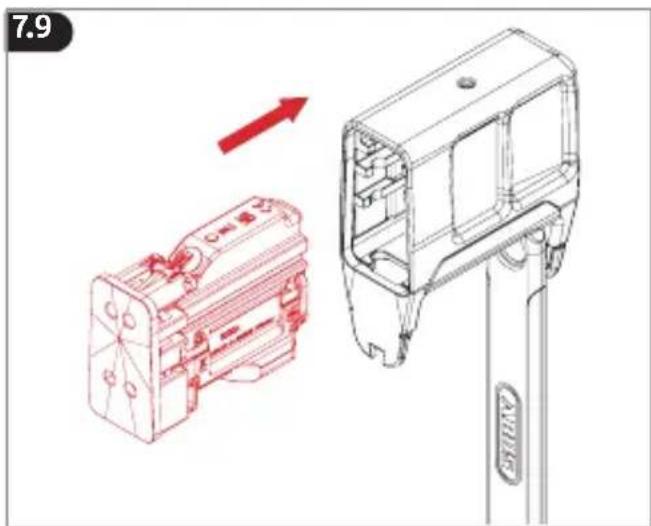
7. Changing the battery
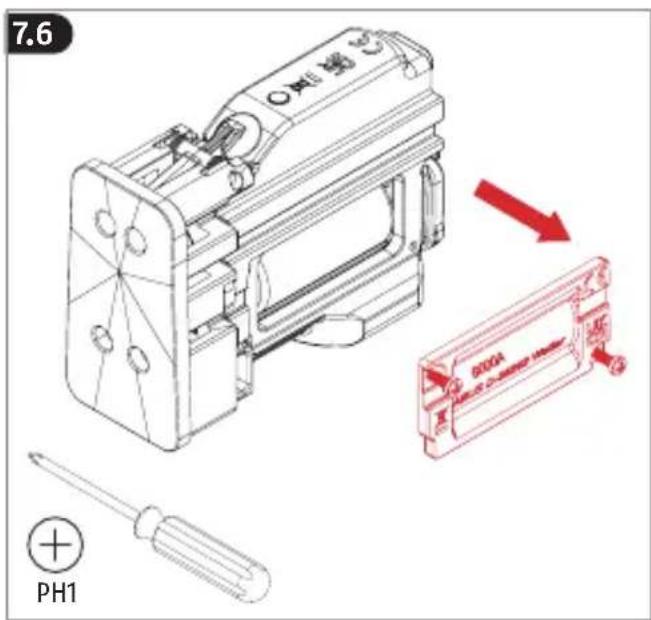
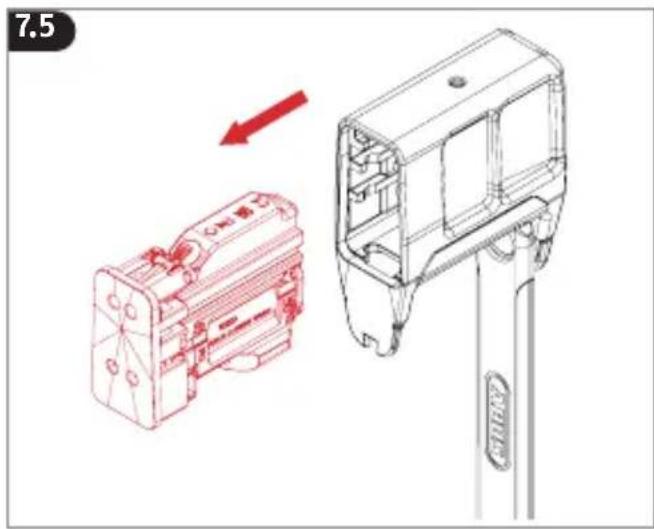
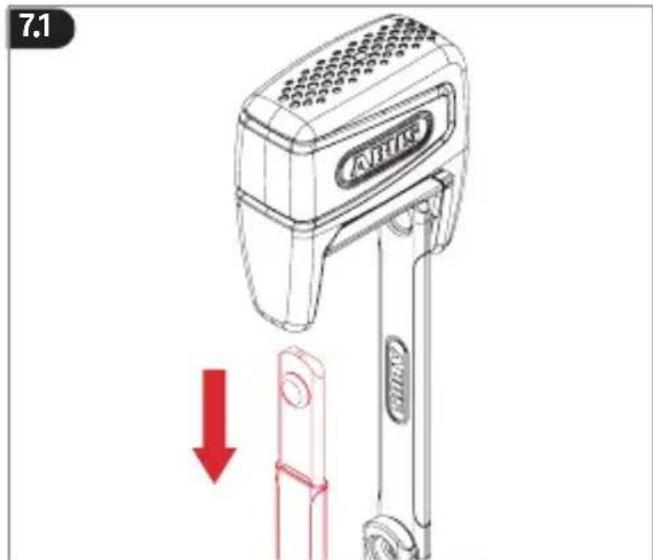
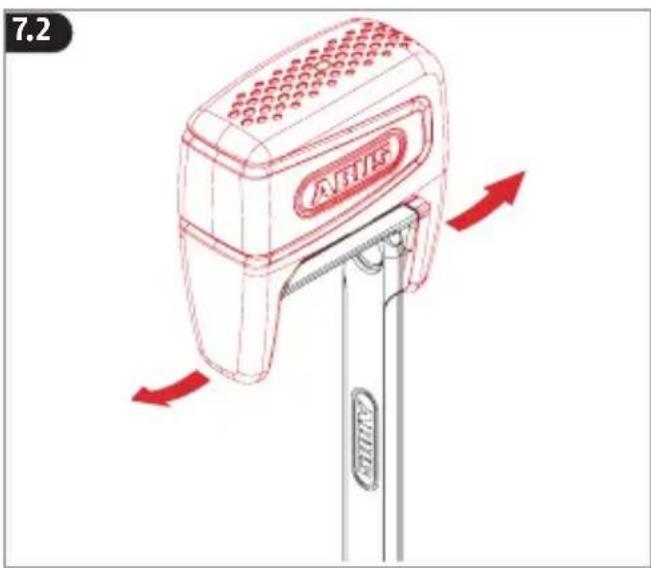
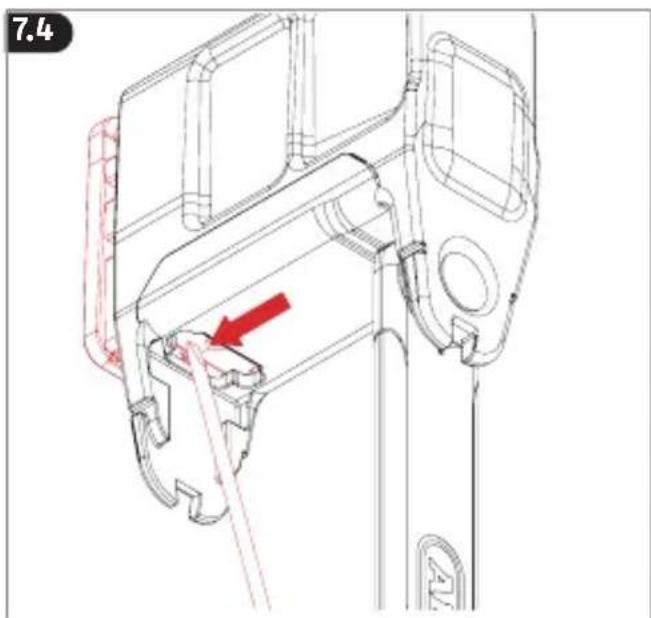
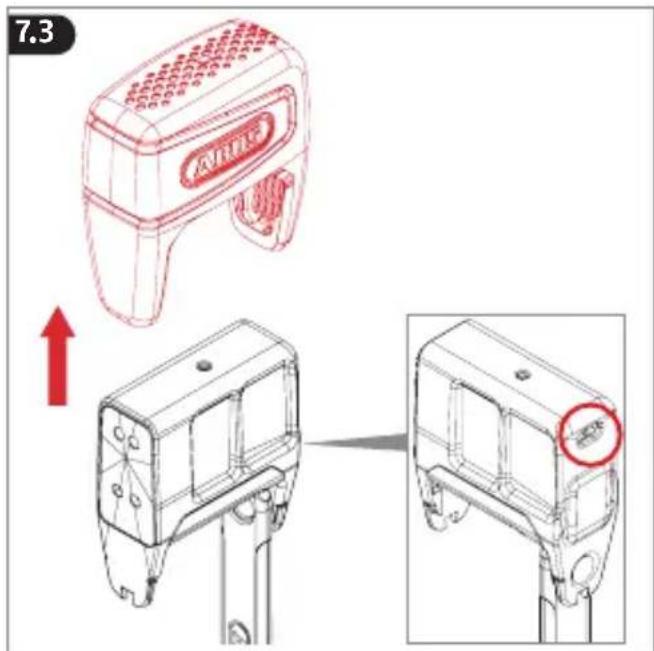
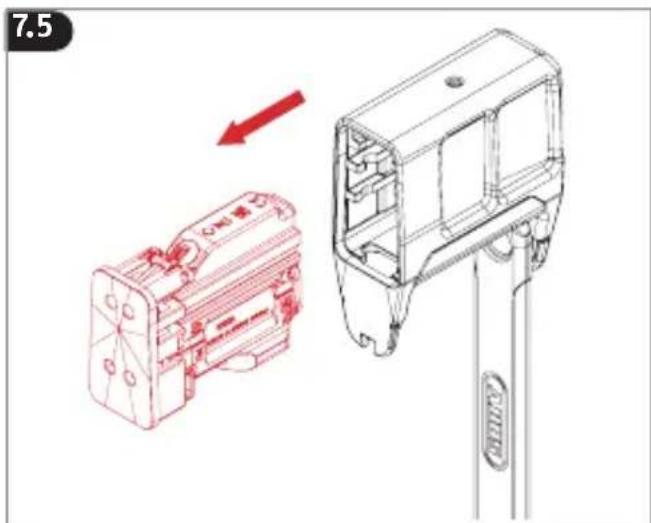
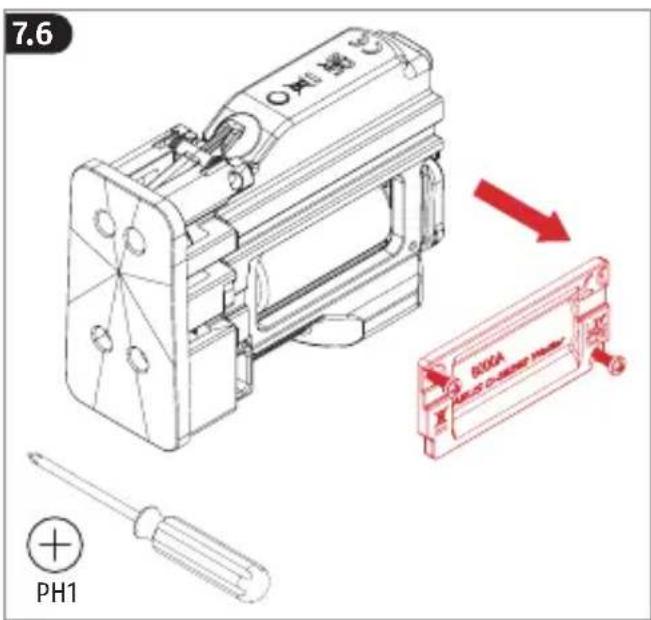
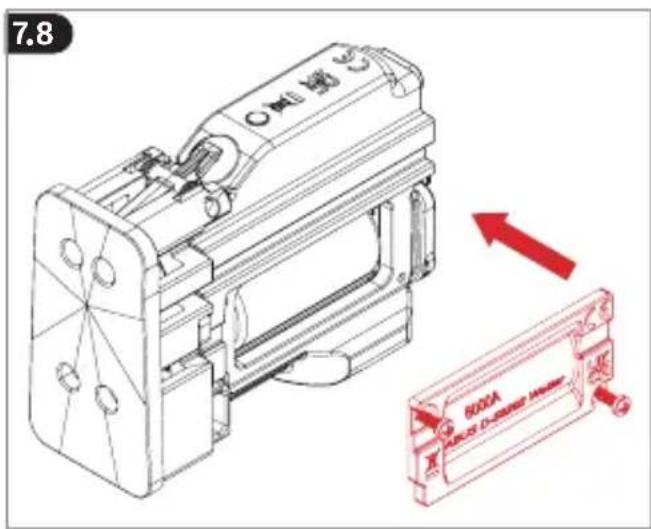
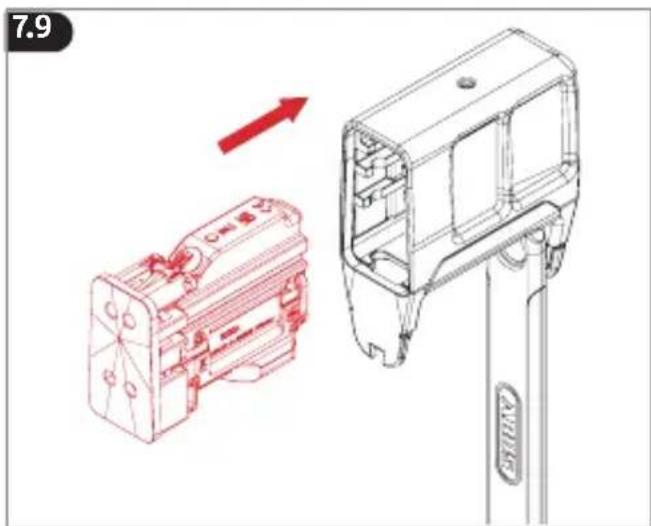
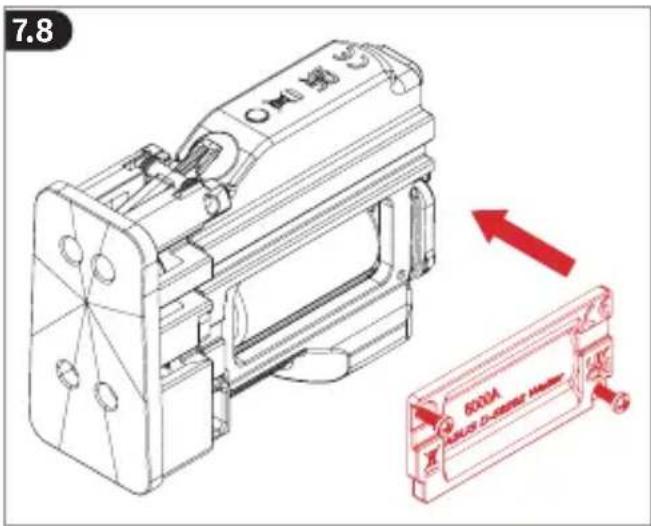
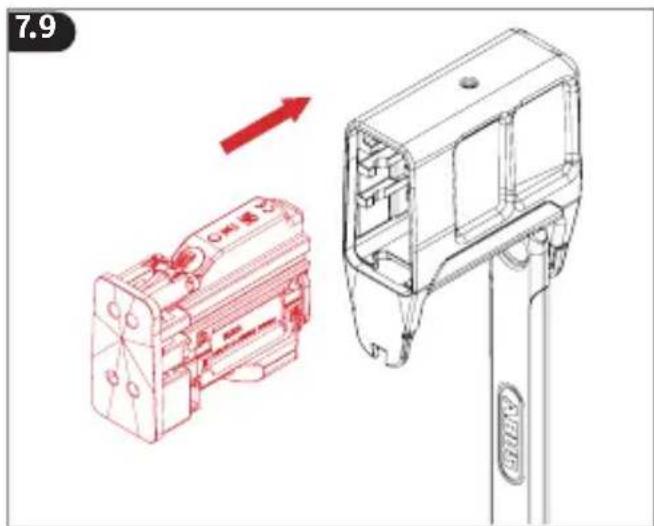
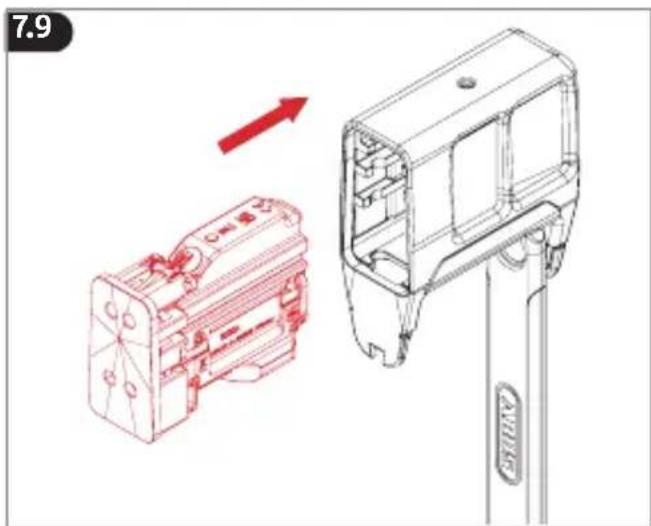
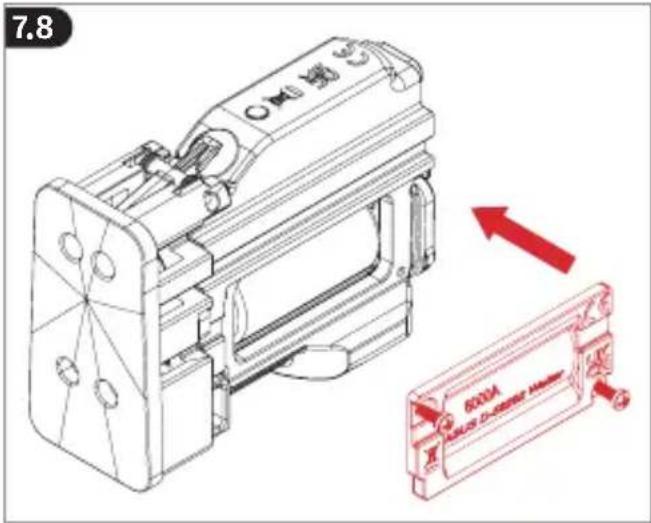
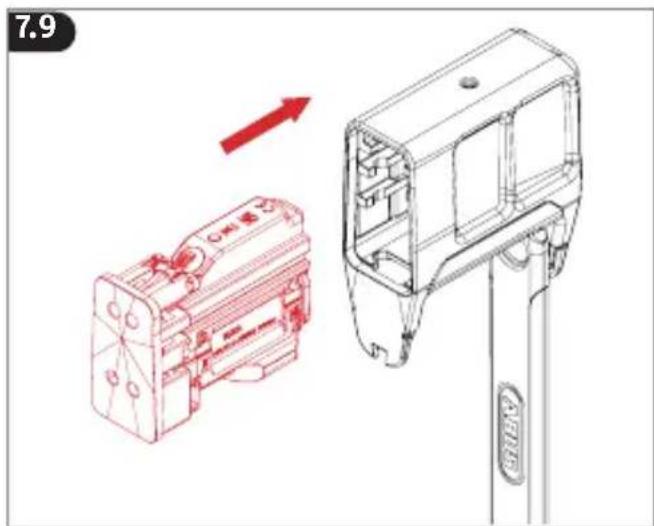
If the battery is depleted, the locked lock will still provide mechanical security, but you will be unable to open and close it. If the battery is fully depleted and the lock is locked onto the bicycle, you can connect an external powerbank using a USB cable to establish the power supply required to open the lock (fig. 7.3).
Replace the battery immediately after opening the lock in this way.
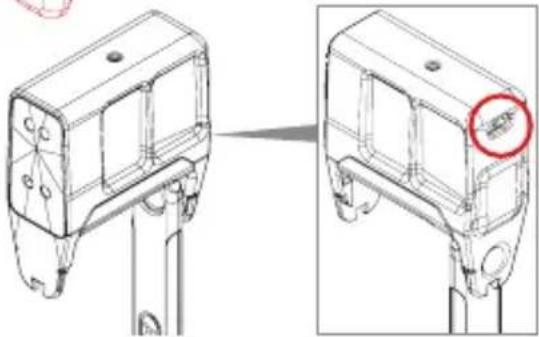
The USB-C socket is intended only for the purpose of emergency power supply. Do not apply any pressure to remove the electronic unit and never insert a tool like a screwdriver into the socket.
7.10
natural_image
Illustration of a red and white tool kit with a downward arrow indicating a change or reduction (no text or symbols present)
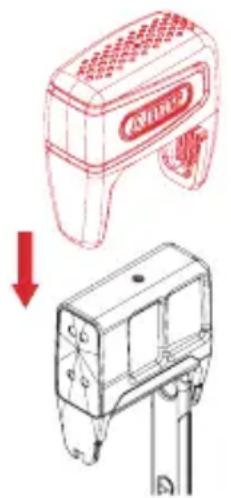
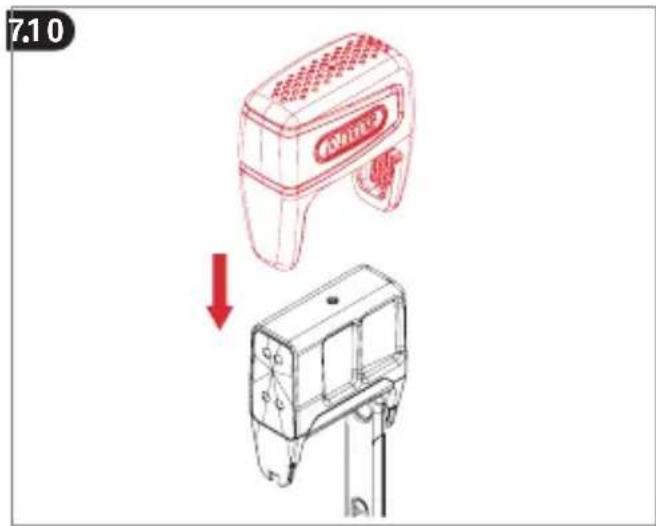
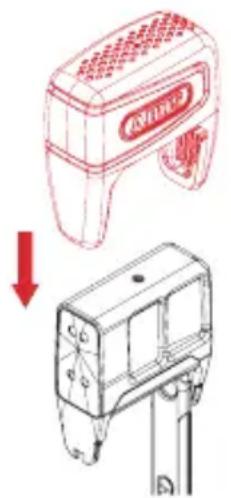
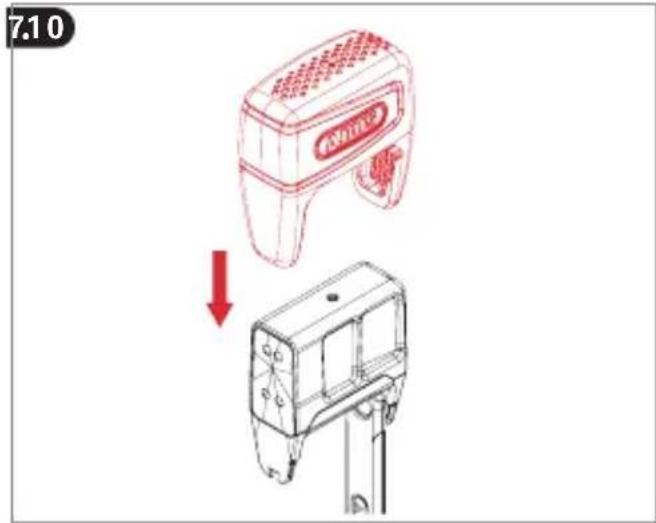
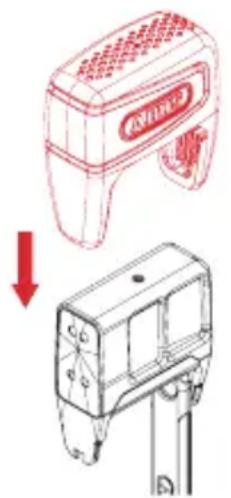
After inserting the battery, remember to properly close the cap again! The cap seals the device and protects the electronics from humidity and dirt.
Tecnical data
Transmission power < 10 mW
Radio frequency 2,402 GHz - 2,480 GHz
Weight approx. 1630 g
EU Declaration of Conformity
Hereby, ABUS August Bremicker Söhne KG declares that the radio equipment type 6000A is in compliance with Directives 2014/53/EU and 2011/65/EU. The full text of the EU declaration of conformity is available at the following internet address:
46 47
docs.abus.com
Declaration of Conformity
Hereby, ABUS August Bremicker Söhne KG declares that the radio equipment type 6000A is in compliance with the Radio Equipment Regulations 2017 and the Restriction of the Use of Certain Hazardous Substances in Electrical and Electronic Equipment Regulations 2012. The full text of the UK declaration of conformity is available at the following internet address: docs.abus.com
Disposal
It is your responsibility to delete all stored personal data prior to disposal of the product. This product contains valuable raw materials. At the end of its service life, dispose of the product in accordance with the applicable legal requirements. Electrical appliances, rechargeable batteries and batteries must not be disposed of with household waste. Disposal must be carried out in accordance with Directive 2012/19/EU on waste electrical and electronic equipment (WEEE), or Directive 2006/66/EC on batteries and accumulators and waste batteries and accumulators. Dispose of the packaging according to type. Separate the cardboard, foil and plastic elements for recycling. Please contact the local authority responsible for
disposal if you have any queries. You can obtain information on collection points for your old appliances, for example, from the local municipal or city administration, the local waste disposal companies, or your specialist dealer.
Warranty
ABUS products are designed, manufactured and tested in accordance with applicable regulations with great care. The warranty exclusively covers faults that are caused by material or manufacturing defects. If a material or manufacturing defect can be proven, the product will be repaired or replaced at the discretion of the warrantor. In such cases, the warranty ends with the termination of the original warranty period. Any further claims are expressly excluded.
ABUS assumes no liability for defects or damage that has been caused by external influences (e.g. transport, external forces), improper use, normal wear and tear or non-compliance with this operating and installation instructions document. If a warranty claim is asserted, the product must be returned with the original receipt with date of purchase and a brief written description of the fault.
Licence texts
The Bluetooth ^® word mark and logos are 48 49
registered trademarks owned by Bluetooth SIG, Inc. and any use of such marks by ABUS is under license. Other trademarks and trade names are those of their respective owners.
Apple and the Apple logo are trademarks of Apple Inc., registered in the U.S. and other countries and regions. App Store is a service mark of Apple Inc.
Google Play and the Google Play logo are trademarks of Google LLC.
Subject to technical alterations. No liability for mistakes and printing errors.
Information regarding FCC certification for USA
Contains FCC ID: XPYANNAB1
Changes or modifications not expressly approved by the party responsible for compliance could void the user's authority to operate the equipment.
NOTE: This equipment has been tested and found to comply with the limits for a Class B digital device, pursuant to part 15 of the FCC Rules. These limits are designed to provide reasonable protection against harmful interference in a residential installation. This equipment generates, uses and can radiate radio frequency energy and, if not installed and used in accordance with the instructions, may cause
harmful interference to radio communications. However, there is no guarantee that interference will not occur in a particular installation. If this equipment does cause harmful interference to radio or television reception, which can be determined by turning the equipment off and on, the user is encouraged to try to correct the interference by one or more of the following measures:
- Increase the separation between the equipment and receiver.
- Connect the equipment into an outlet on a circuit different from that to which the receiver is connected.
- Consult the dealer or an experienced radio/TV technician for help.
Supplier's Declaration of Conformity 47 CFR § 2.1077 Compliance Information Unique Identifier: 6000A
Responsible Party – U.S. Contact Information
ABUS Mobile Security, Inc.
1765 N. Elston Avenue - Suite 204
Chicago, IL 60642. Phone: 312-640-1111
FCC Compliance Statement
This device complies with Part 15 of the FCC Rules. Operation is subject to the following two conditions: (1) This device may not cause harmful interference, and (2) this device must accept any interference received, including interference that may cause undesired operation.
Information regarding ICES certification for Canada
CAN ICES-003 (B)
Contains IC: 8595A-ANNAB1
This device contains licence-exempt transmitter(s)/receiver(s) that comply with Innovation, Science and Economic Development Canada's licence-exempt RS-S(s). Operation is subject to the following two conditions:
- This device may not cause interference.
- This device must accept any interference, including interference that may cause undesired operation of the device.
natural_image
Technical line drawing of a mechanical assembly with red directional arrows indicating motion or force (no text or symbols)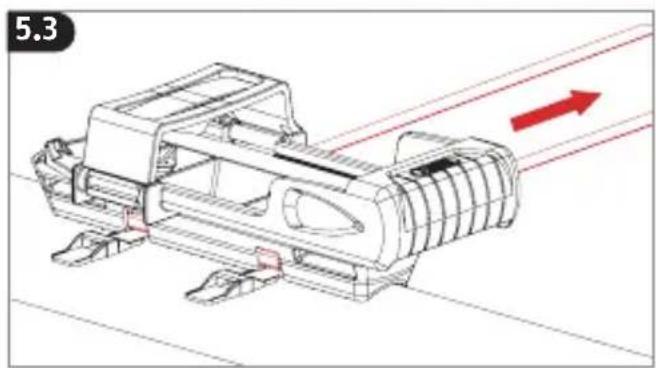
natural_image
Technical line drawing of a mechanical assembly with red directional arrows indicating motion or flow (no text or symbols)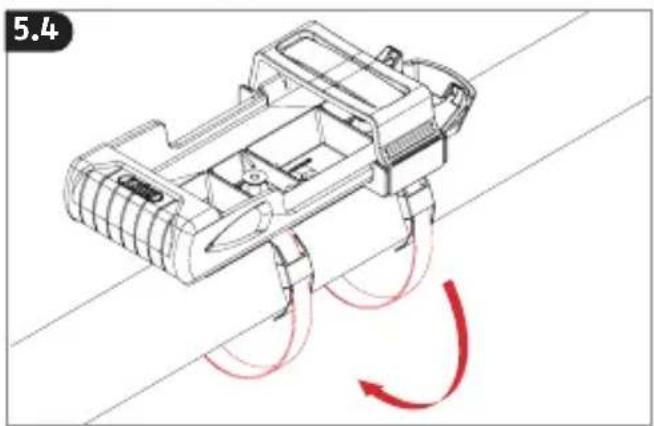
natural_image
Technical line drawing of a mechanical device with red motion arrows indicating flow or movement (no text or symbols)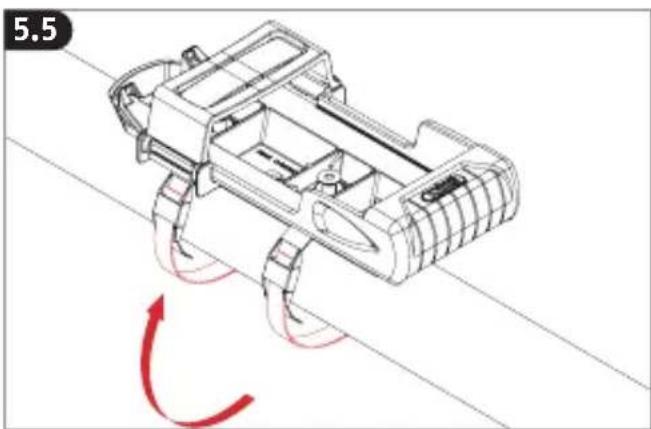
natural_image
Technical line drawing of a mechanical device with red motion arrows indicating rotation (no text or symbols)

Avertissement
Attention
3. Slot openen
4. Alarm activeren
natural_image
Technical line drawing of a mechanical assembly with directional arrows (no text or symbols)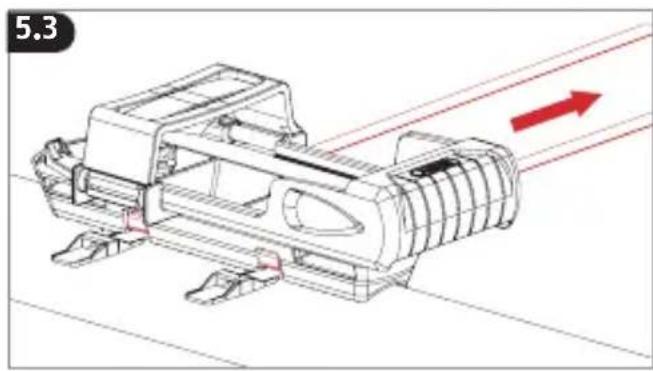
natural_image
Technical line drawing of a mechanical assembly with red directional arrows indicating motion or flow (no text or symbols)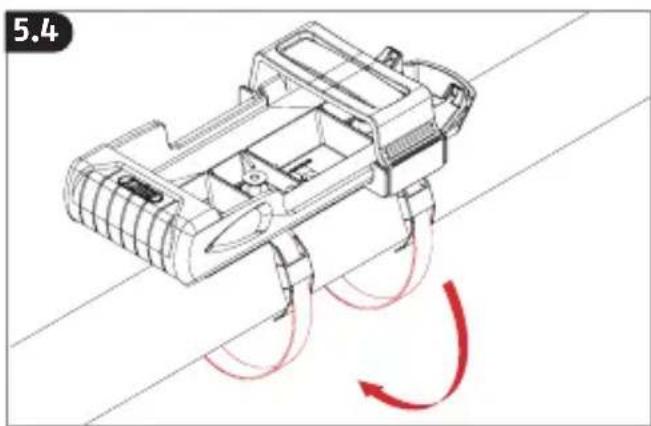
natural_image
Technical line drawing of a mechanical assembly with red motion arrows indicating rotational flow (no text or symbols)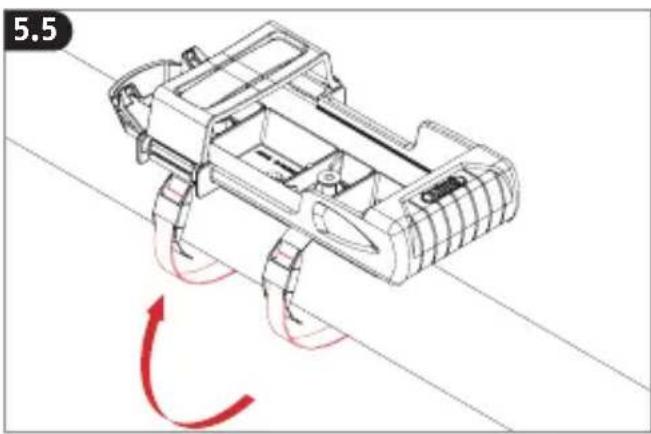
natural_image
Technical line drawing of a robotic vehicle with red motion arrows indicating rotational motion (no text or symbols)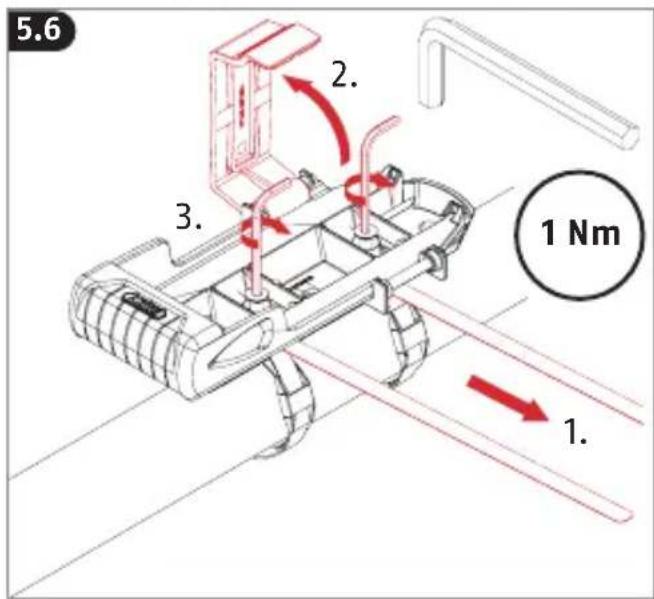

7. Batterij vervangen
natural_image
Technical line drawing of a mechanical assembly with directional arrows (no text or symbols)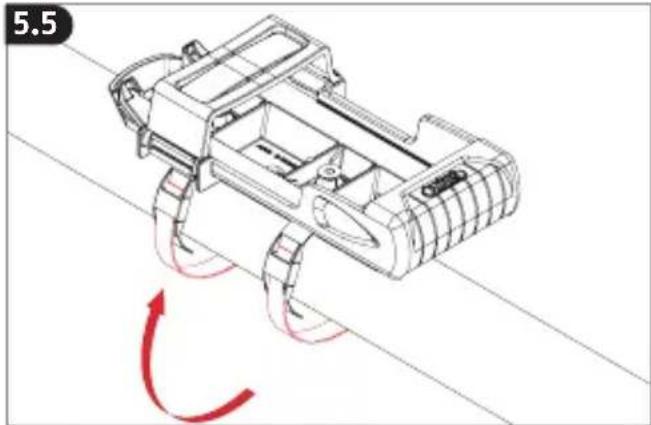
natural_image
Technical line drawing of a tracked vehicle with red motion arrows indicating rotational motion (no text or symbols)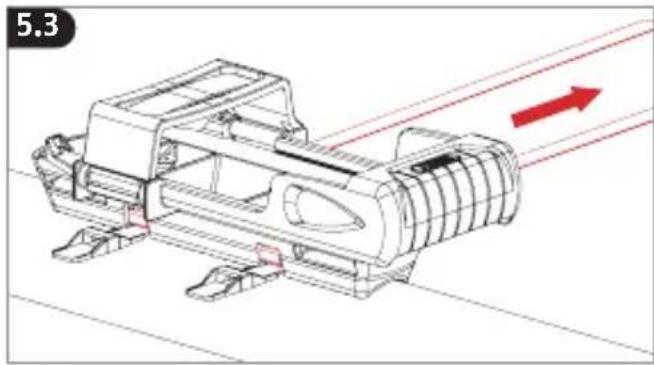
natural_image
Technical line drawing of a mechanical assembly with red directional arrows indicating motion or flow (no text or symbols)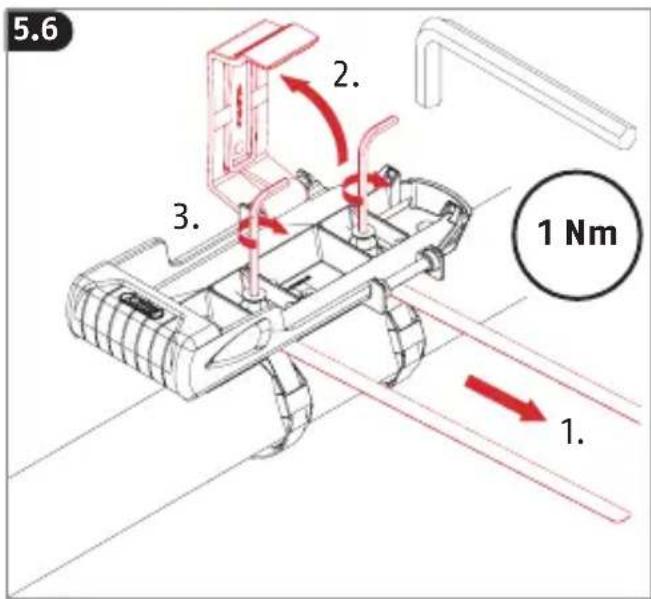
natural_image
Technical line drawing of a mechanical device with red motion arrows indicating rotational motion (no text or symbols)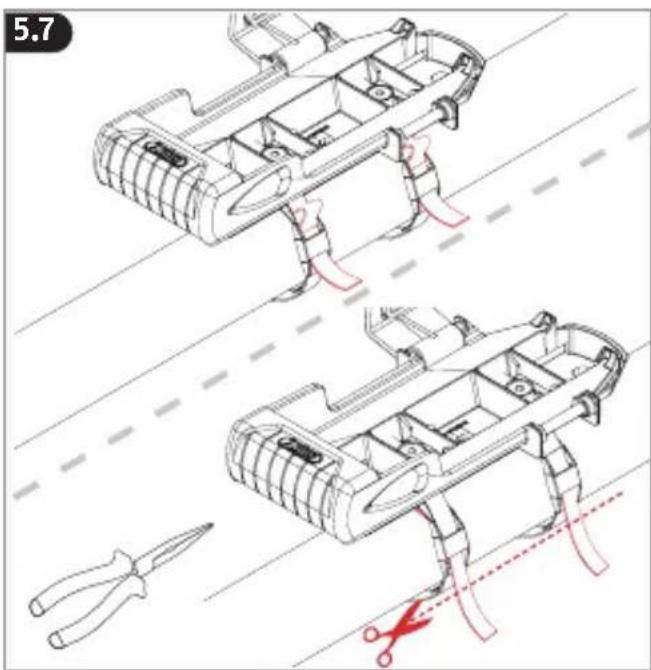
7.10
natural_image
Illustration of a red and white tool kit with a downward arrow indicating a change or reduction (no text or symbols present)
3. Apertura del antirrobo
natural_image
Line drawing of a bicycle with two red circles highlighting the front wheel (no text or symbols)
natural_image
Technical line drawing of a mechanical assembly with red directional arrows indicating motion or force (no text or symbols)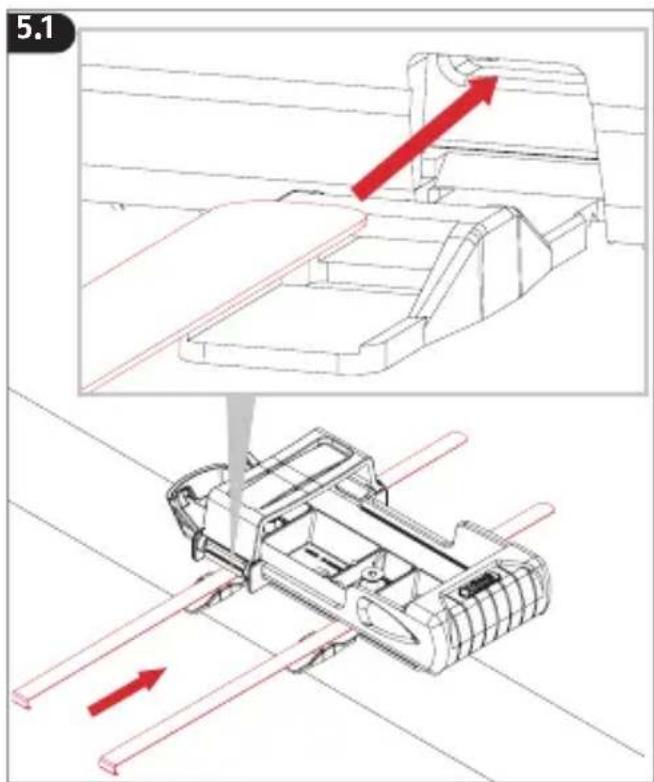
natural_image
Technical line drawing of a mechanical assembly with red directional arrows indicating motion or flow (no text or symbols)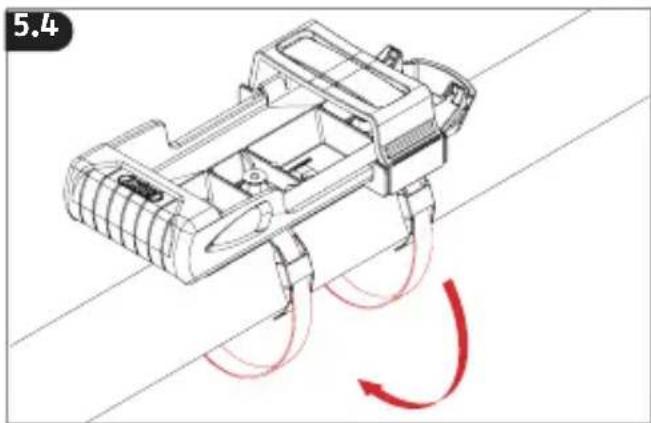
natural_image
Technical line drawing of a mechanical device with red motion arrows indicating rotational flow (no text or symbols)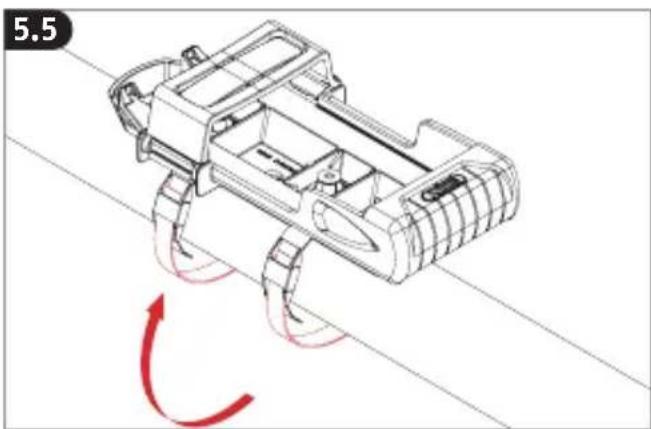
natural_image
Technical line drawing of a robotic vehicle with red motion arrows indicating rotational motion (no text or symbols)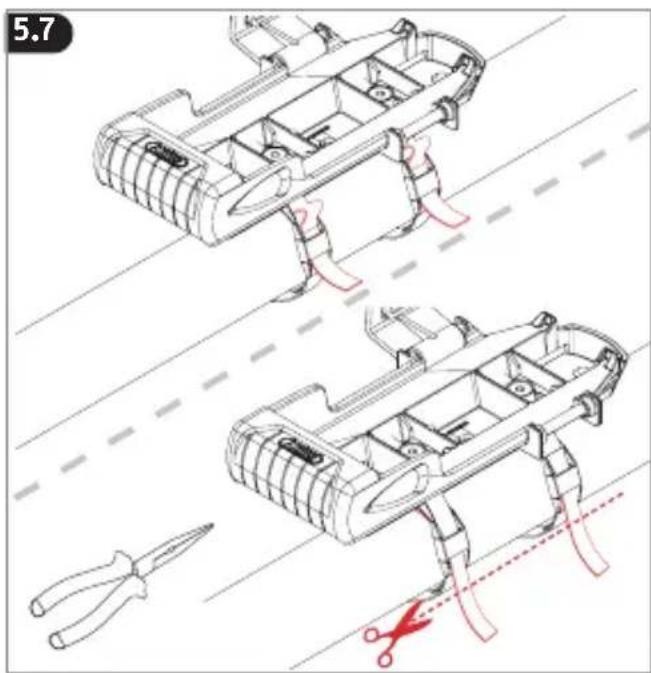
Atención
natural_image
Line drawing of a bicycle with two red circles highlighting key points on the front wheel (no text or symbols present)
natural_image
Technical line drawing of a mechanical assembly with no visible text or symbols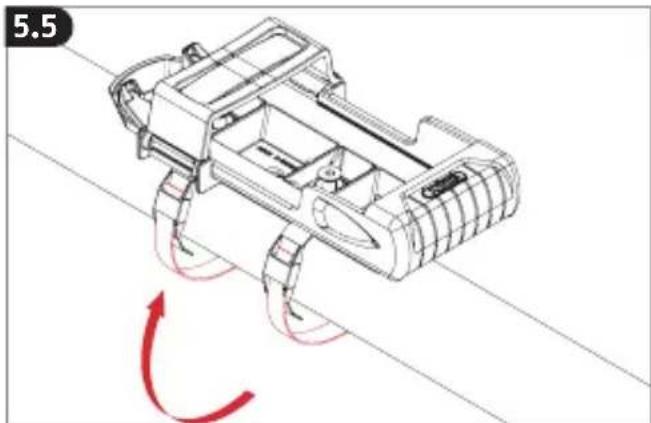
natural_image
Technical line drawing of a robotic device with red motion arrows indicating movement (no text or symbols)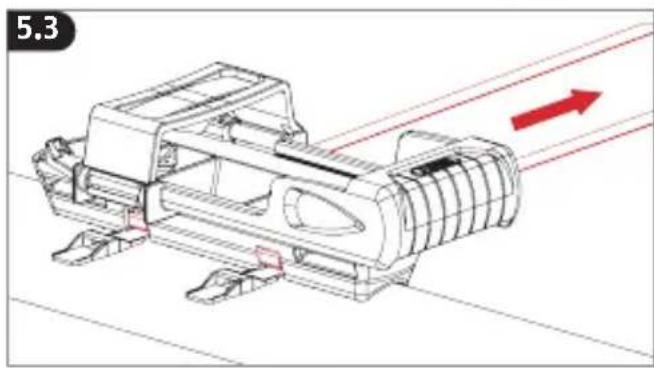
natural_image
Technical line drawing of a mechanical assembly with red directional arrows indicating motion (no text or symbols)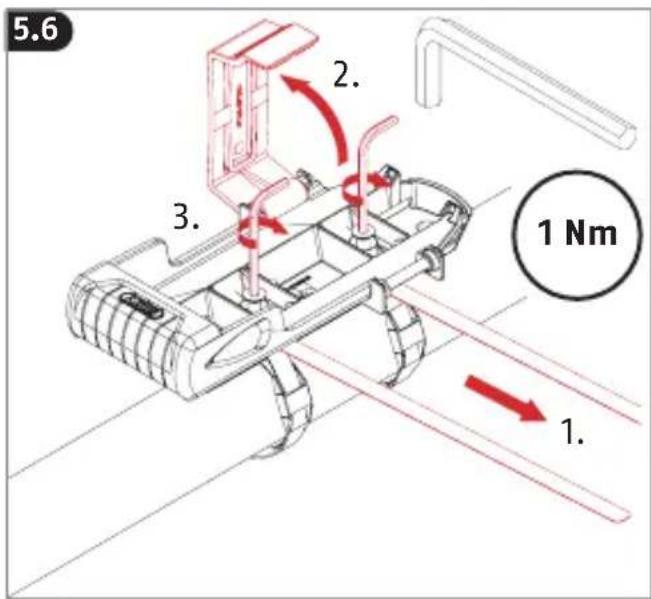
natural_image
Technical line drawing of a mechanical device with red motion arrows indicating rotational motion (no text or symbols)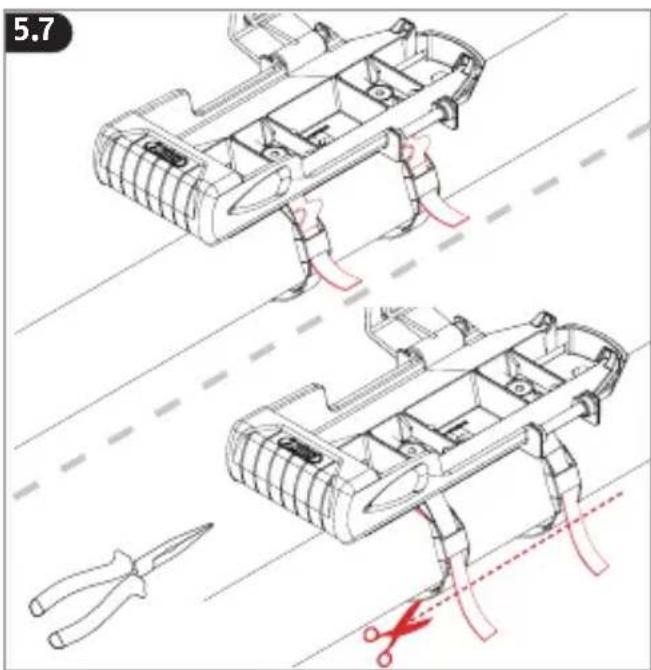
7.10
natural_image
Illustration of a red and white tool kit with a downward arrow indicating a change or reduction (no text or symbols present)
ABUS August Bremicker Söhne KG
D 58292 Wetter | Germany.
Tel.: +49 (0) 23 35 63 40 |
www.abus.com | info@abus.de
UK-Importer:ABUS (UK) Ltd.
Unit 30, Portishead Bus. Park
Old Mill Road, Portishead
BS20 7BX, BRISTOL, UK
Tel.: +44 117 204 70 00
info@abus-uk.com