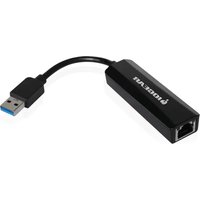
GUC3100 - Network card / adapter IOGEAR - Free user manual and instructions
Find the device manual for free GUC3100 IOGEAR in PDF.


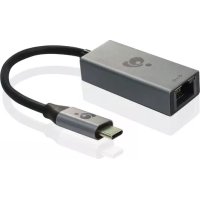
| Product Type | USB 3.0 to Gigabit Ethernet Adapter |
| Brand | IOGEAR |
| Model | GUC3100 |
| Approximate Dimensions | 7 x 3 x 1.5 cm |
| Approximate Weight | 30 g |
| Power Supply | Powered by USB port (5V) |
| Connectivity | Gigabit Ethernet (10/100/1000 Mbps) |
| Host Interface | USB 3.0 (backward compatible with USB 2.0) |
| Supported Operating Systems | Windows Vista, 7, 8, 8.1; Mac OS X 10.6+ |
| LED Indicators | Link (green), Activity (yellow) |
| Compliance | FCC Class B, CE |
| Warranty | 3-year limited |
| Care and Cleaning | Use a dry, soft cloth. Do not use solvents. |
| Safety | Use in a dry environment, away from moisture. |
| Spare Parts and Repairability | No user-serviceable parts. Contact technical support. |
| Package Contents | Adapter, installation CD, quick start guide, warranty card |
Frequently Asked Questions - GUC3100 IOGEAR
User questions about GUC3100 IOGEAR
0 question about this device. Answer the ones you know or ask your own.
Ask a new question about this device
Download the instructions for your Network card / adapter in PDF format for free! Find your manual GUC3100 - IOGEAR and take your electronic device back in hand. On this page are published all the documents necessary for the use of your device. GUC3100 by IOGEAR.
USER MANUAL GUC3100 IOGEAR
USB 3.0 to Gigabit Ethernet Adapter
© 2014 IOGEAR® Part No. Q1282
IOGEAR, the IOGEAR logo, are trademarks or registered trademarks of IOGEAR. Microsoft and Windows are registered trademarks of Microsoft Corporation. All other brand and product names are trademarks or registered trademarks of their respective holders. IOGEAR makes no warranty of any kind with regards to the information presented in this document. All information furnished here is for informational purposes only and is subject to change without notice. IOGEAR assumes no responsibility for any inaccuracies or errors that may appear in this document.
Table of Content
Package Contents 4
System Requirements 4
Overview 4
Software Installation 5
Hardware Installation 12
FCC Statement 13
CE Statement 13
Limited Warranty 14
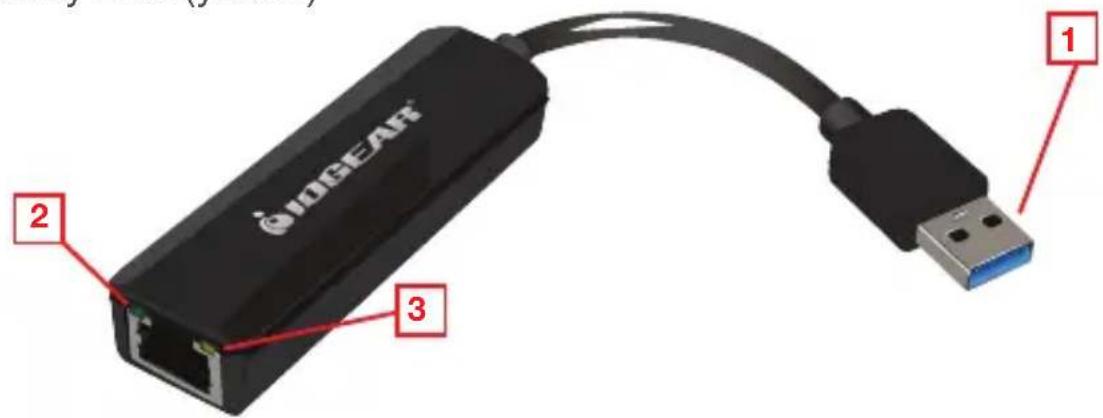
- USB 3.0 Connector
- Link LED (green)
- Activity LED (yellow)
Software Installation
Note: DO NOT connect IOGEAR GUC3100 USB 3.0 GigaLinq to your computer before completing the driver installation.
*The descriptions of driver installation shown here is an example.
*The actual strings may vary slightly on each operating system.
*The driver version is subject to change without prior notice.
Windows® 7 / Windows® 8 / Windows® 8.1
- Insert the installation CD into your disc drive.
- Open Windows folder.
Name
▲ Files Currently on the Disc (4)

Mac_driver

Windows_Driver

Autorun

GUC3100-Q1282_trilingual
- Double click the Setup.exe file in the Driver folder to launch the setup program.
Name
- Files Currently on the Disc (2)

relasee_v106

Setup
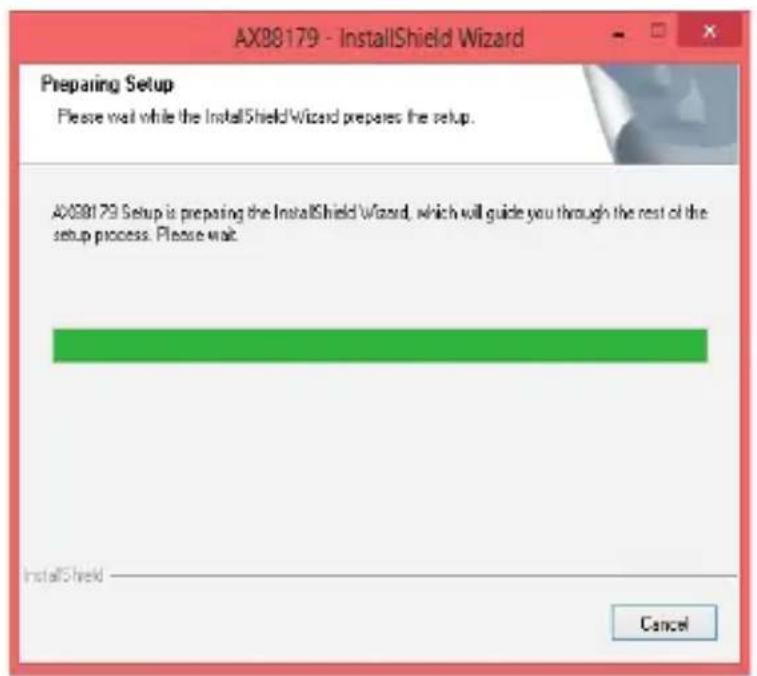
- Wait for the program to install the driver.
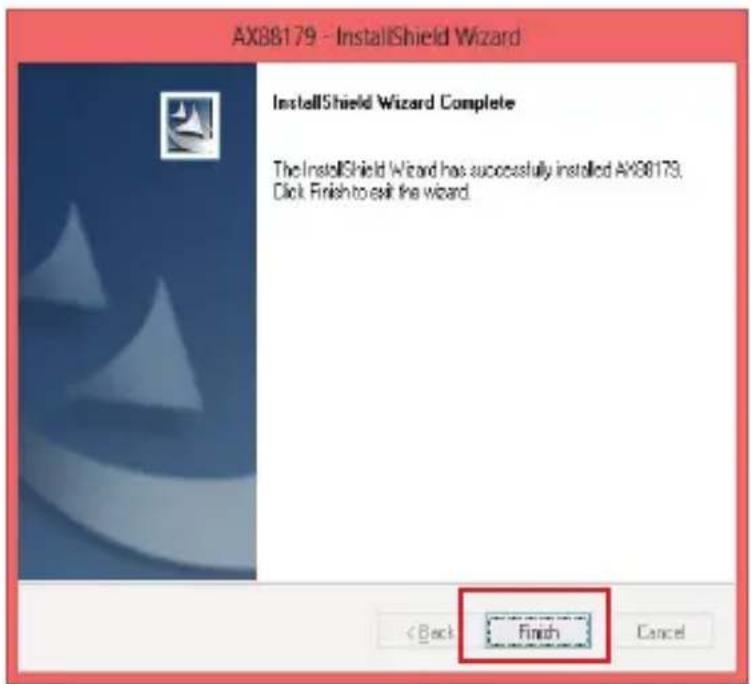
- Click Finish to complete the installation.
Mac OS X V10.6 +
- Insert the installation CD into your disc drive.
- Open Mac folder.

- Open the appropriate version.
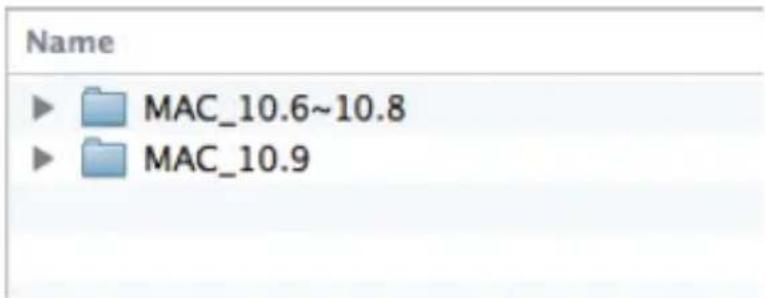
- Double-click GUC3100.dmg file in the Driver folder on Mac.

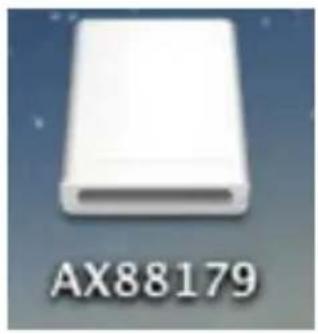
- Double-click AX88179.
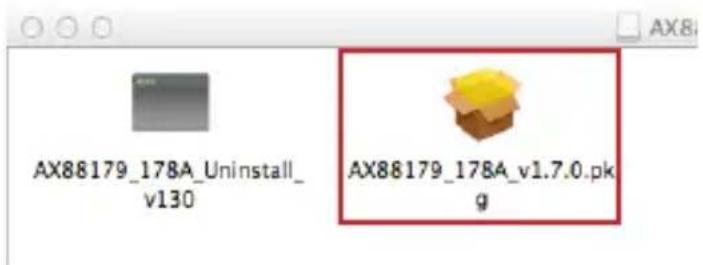
- Double-click AX88179_178A_v1.7.0.pkg
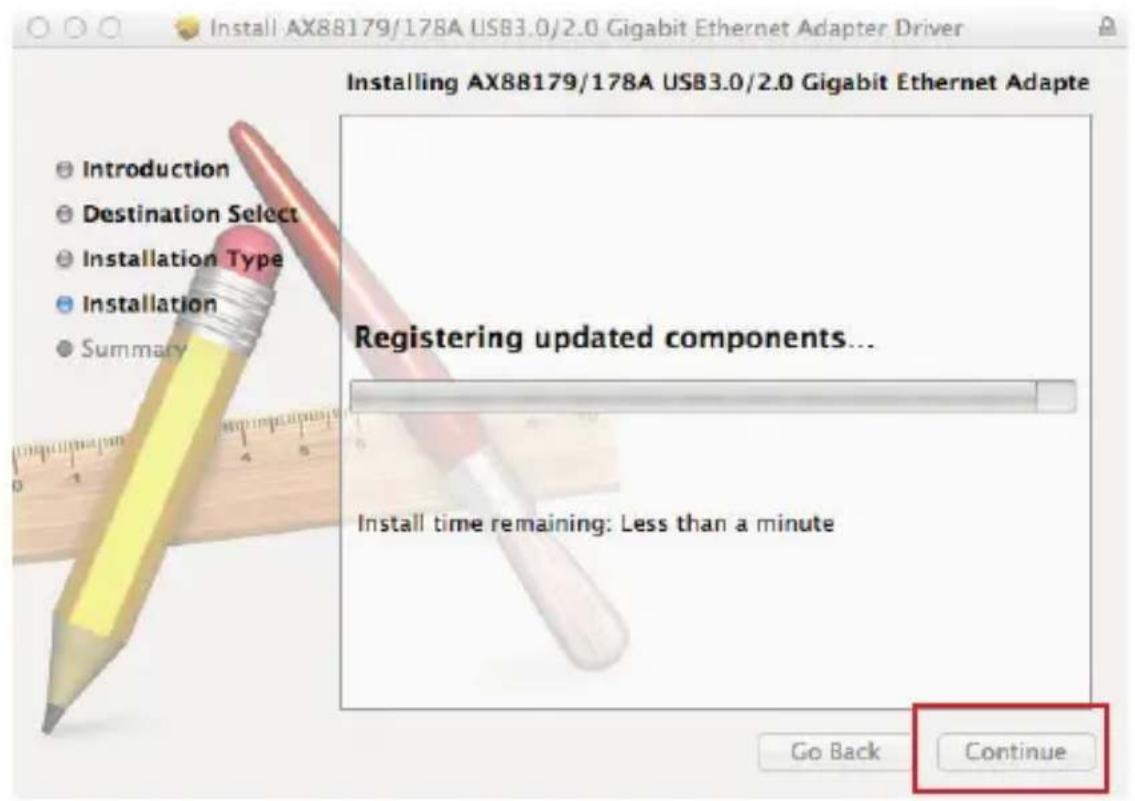
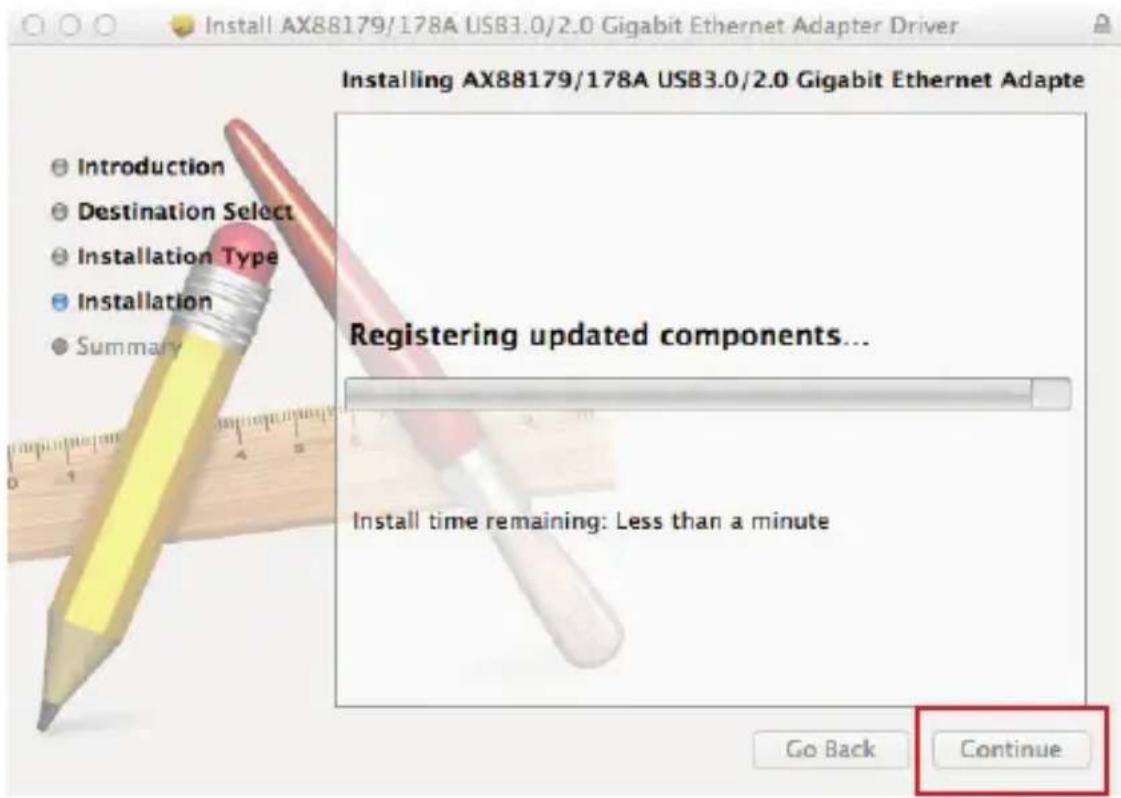
7. Click Continue.
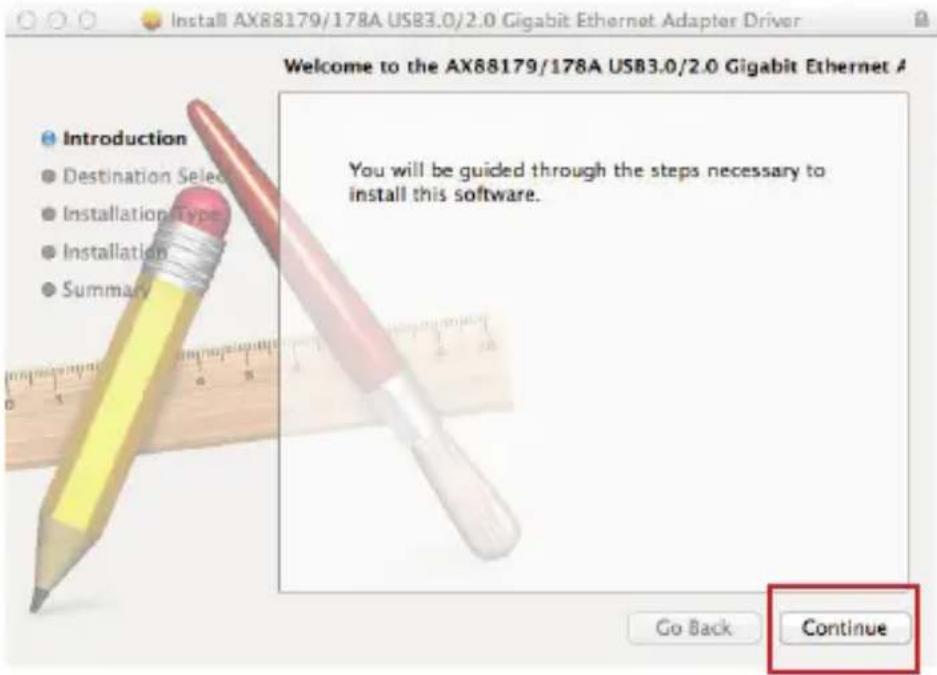
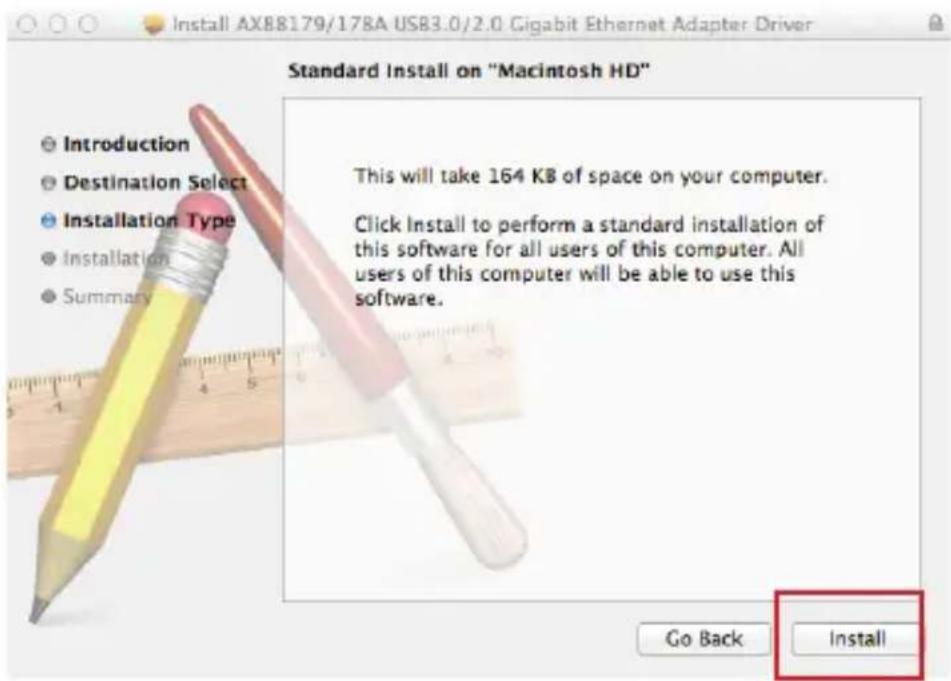
8. Click Install and it will restart your computer automatically.
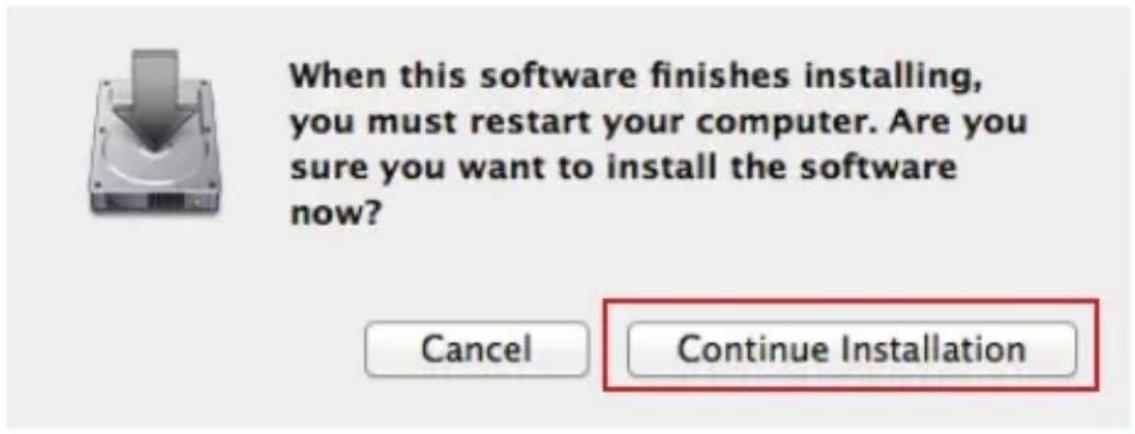
9. Click Continue Installation.
When this software finishes installing, you must restart your computer. Are you sure you want to install the software now?
Cancel
Continue Installation
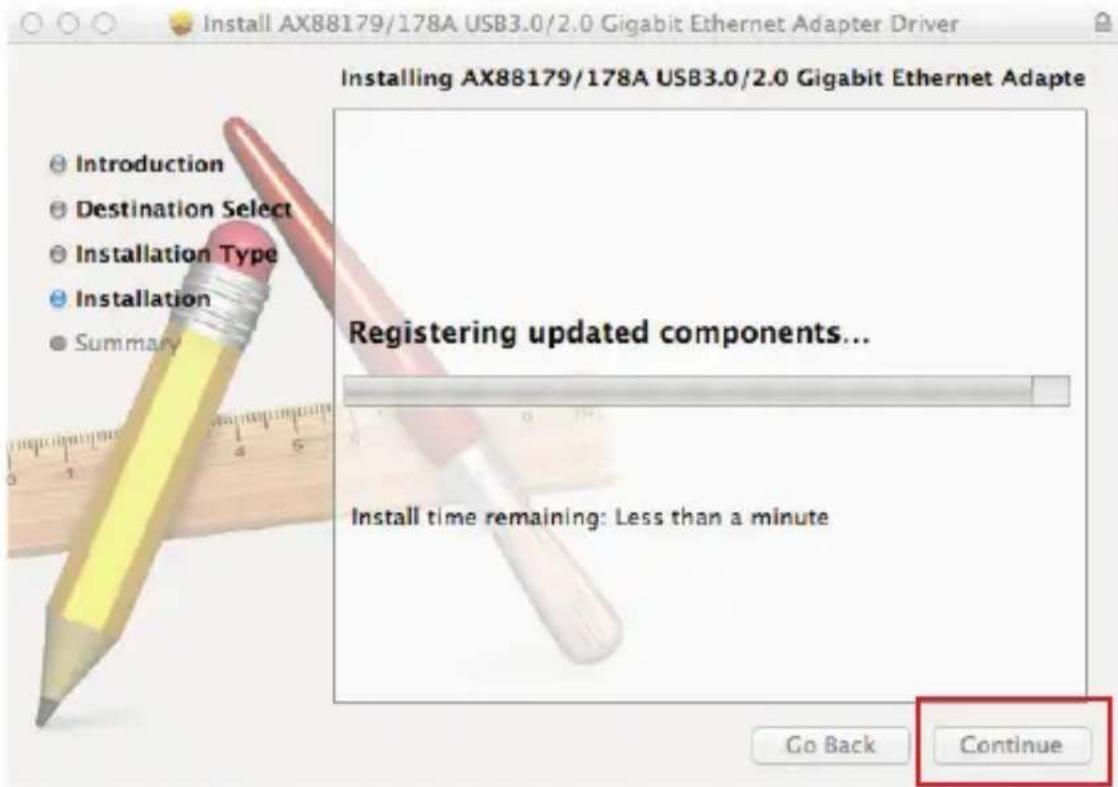
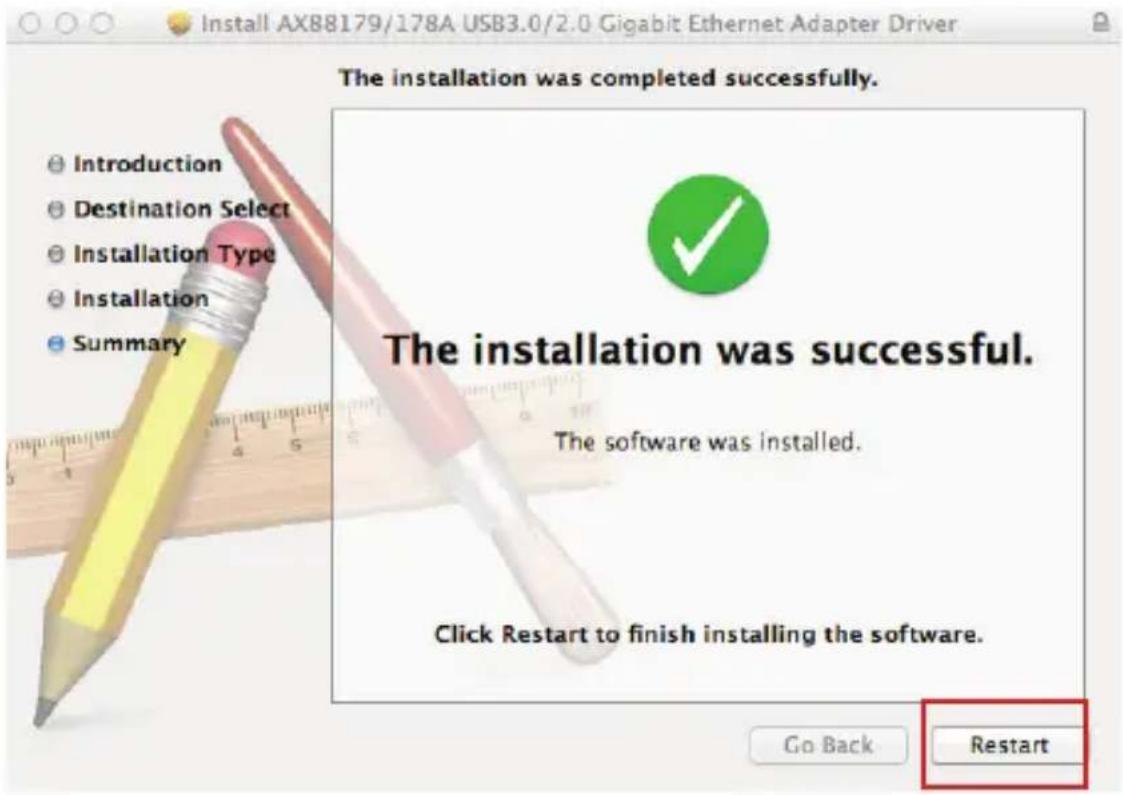
- Once installation is completed, you may need to Restart your computer.
- You can click System Preferences on the desktop to check if the installation is complete.
Hardware Installation
Note: DO NOT connect IOGEAR GUC3100 USB 3.0 GigaLinq to your computer before completing the driver installation.
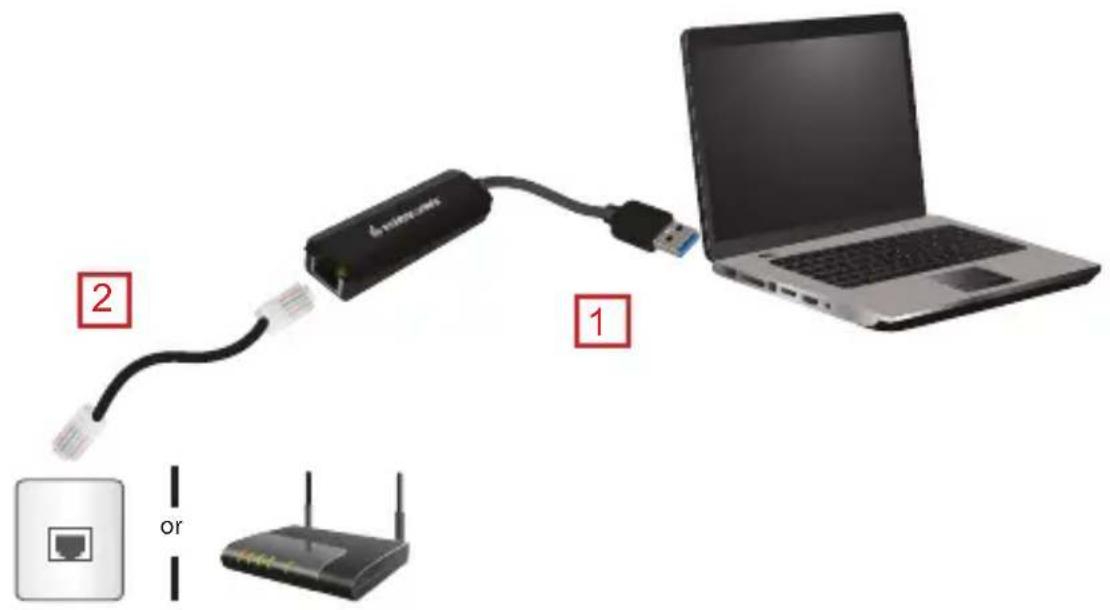
- Connect IOGEAR GUC3100 to a free USB port on your laptop.
- Now you can connect your network device, e.g. switch router, DSL/Cable modem, to the adapter's LAN port via an Ethernet cable.
FCC Statement
This equipment has been tested and found to comply with the limits for a Class B digital device, pursuant to Part 15 of the FCC Rules. These limits are designed to provide reasonable protection against harmful interference in a residential setting. This product generates, uses, and can radiate radio frequency energy and, if not installed and used as directed, it may cause harmful interference to radio communications. Although this product complies with the limits for a Class B digital device, there is no guarantee that interference will not occur in a particular installation.
CE Statement
This device has been tested and found to comply with the following European Union directives: Electromagnetic Capability (2004/108/EC), Low Voltage (2006/95/EC) and R&TTED (1999/5/EC).
Limited Warranty
WE'RE HERE TO HELP YOU! NEED ASSISTANCE SETTING UP THIS PRODUCT?
Make sure you:
- Visit www.iogear.com for more product information
- Visit www.iogear.com/support for live help and product support
Warranty Information
This product carries a 3 Year Limited Warranty. For the terms and conditions of this warranty, please go to http://www.iogear.com/support/warranty
Register online at https://www.iogear.com/registration
Important Product Information
Product Model ____
Serial Number ____
- Files Currently on the Disc (4)

Mac driver

Windows_Driver

Autorun

GUC3100-Q1282_trilingual
- Files Currently on the Disc (2)

relasee_v106

Setup
Mac OS X V10.6 +
natural_image
White rectangular electronic component labeled AX88179 on a blue background (no other text or symbols visible)- Cliquez sur Continue Installation (Continuer l'installation).
Mac OS X V10.6 +
natural_image
White rectangular electronic component labeled AX88179 on a blue background (no other text or symbols)When this software finishes installing, you must restart your computer. Are you sure you want to install the software now?
Cancel
Continue Installation

- © 2014 IOGEAR® Part No. Q1282
- Table of Content
- Software Installation
- Windows® 7 / Windows® 8 / Windows® 8.1
- Mac OS X V10.6 +
- Click Continue.
- Click Install and it will restart your computer automatically.
- Click Continue Installation.
- Hardware Installation
- FCC Statement
- CE Statement
- Limited Warranty
- WE'RE HERE TO HELP YOU! NEED ASSISTANCE SETTING UP THIS PRODUCT?
- Make sure you:
- Warranty Information
- Important Product Information
Brand : IOGEAR
Model : GUC3100
Category : Network card / adapter