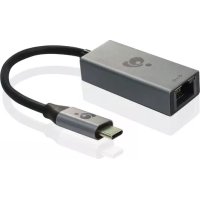
GigaLinq Pro 3.1 - Network card / adapter IOGEAR - Free user manual and instructions
Find the device manual for free GigaLinq Pro 3.1 IOGEAR in PDF.



| Product Type | USB-C to Gigabit Ethernet Adapter |
| Brand | IOGEAR |
| Model | GigaLinq Pro 3.1 (GUC3C01B) |
| Category | Network card / adapter |
| Host connector | USB 3.1 Type-C male |
| Network connector | RJ45 Gigabit Ethernet |
| Maximum speed | 10/100/1000 Mbps (Gigabit) |
| Supported operating systems | Windows 7, 8, 10 / Mac OS X 10.7+ |
| Power source | Via USB bus (self-powered) |
| Dimensions (approx.) | 7 x 2.5 x 1.5 cm |
| Weight (approx.) | 25 g |
| LED indicators | Link (green) and activity (blinking) |
| Plug and Play | Yes (built-in system driver) |
| Main functions | Connect a network device via USB-C, Ethernet port extension for laptop |
| Care and cleaning | Unplug and wipe with a soft dry cloth |
| Safety | FCC Class B and CE compliant |
| Warranty | 3 years (limited) |
| Package contents | Adapter, quick start guide, warranty card |
| Support website | www.iogear.com/support |
Frequently Asked Questions - GigaLinq Pro 3.1 IOGEAR
User questions about GigaLinq Pro 3.1 IOGEAR
0 question about this device. Answer the ones you know or ask your own.
Ask a new question about this device
Download the instructions for your Network card / adapter in PDF format for free! Find your manual GigaLinq Pro 3.1 - IOGEAR and take your electronic device back in hand. On this page are published all the documents necessary for the use of your device. GigaLinq Pro 3.1 by IOGEAR.
USER MANUAL GigaLinq Pro 3.1 IOGEAR
USB Type-C™ to Gigabit Ethernet Adapter
1xGUC3C01B
1 x Quick Start Guide
1 x Warranty Card
System Requirements
PC
- Windows® 7, Windows® 8, Windows® 10
- USB 3.2 Type-C™ port
Mac
Mac OS X 10.7+
USB 3.2 Type-C™ port
Overview
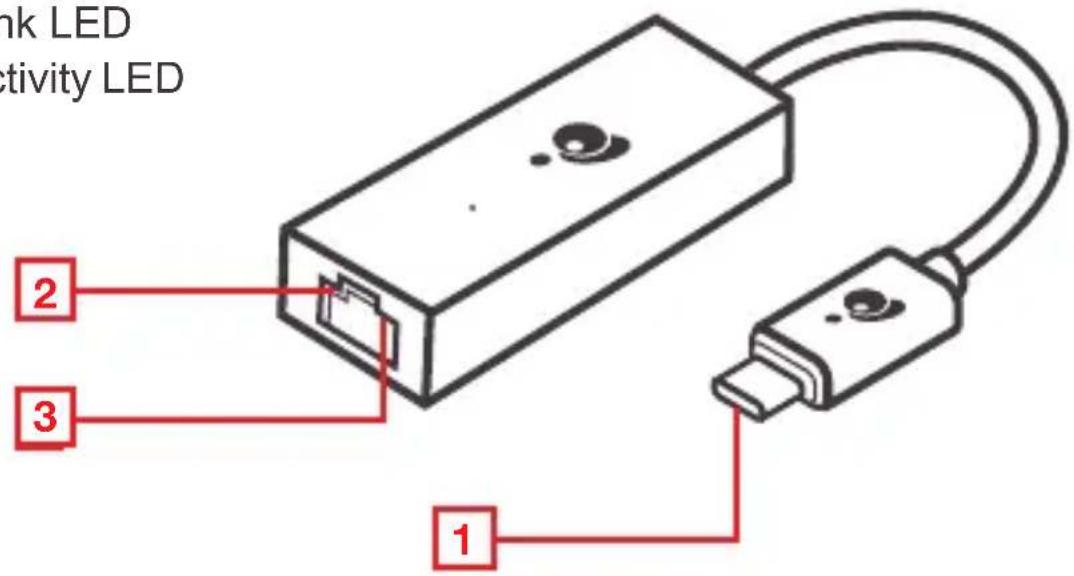
Front view
- USB 3.1 Type C Connector
- Link LED
- Activity LED
Hardware Installation
2
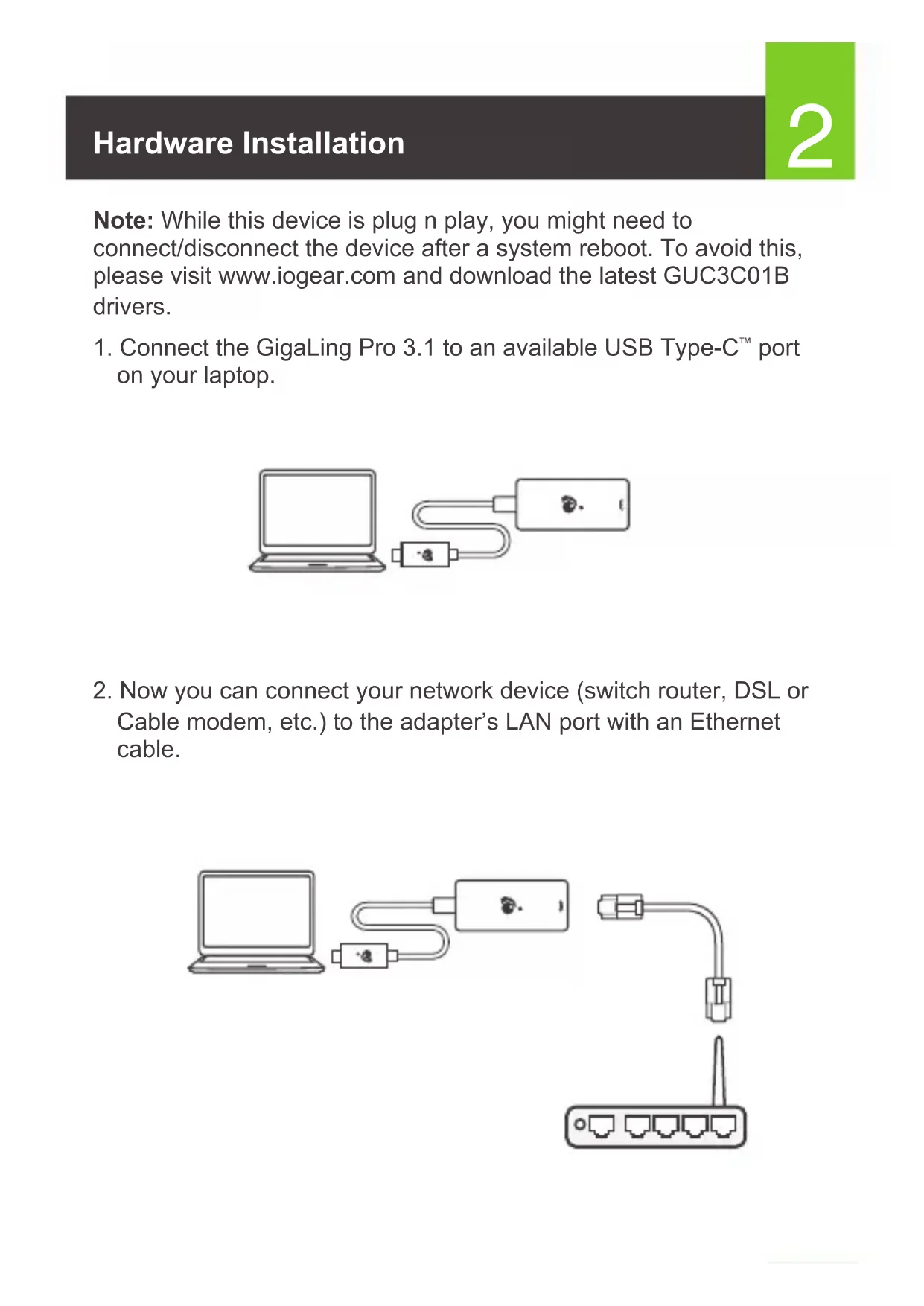
Note: While this device is plug n play, you might need to connect/disconnect the device after a system reboot. To avoid this, please visit www.iogear.com and download the latest GUC3C01B drivers.
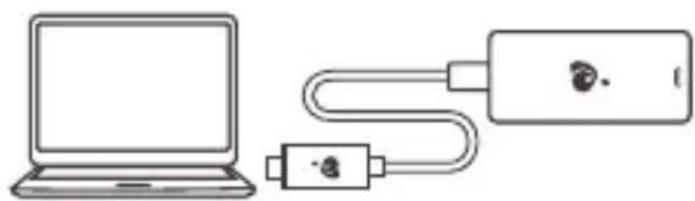
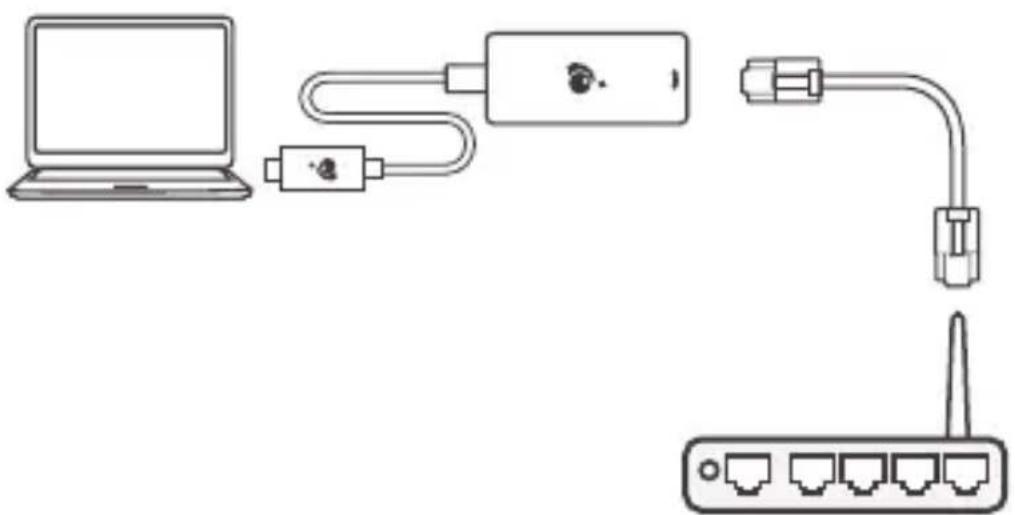
- Connect the GigaLing Pro 3.1 to an available USB Type-C™ port on your laptop.
- Now you can connect your network device (switch router, DSL or Cable modem, etc.) to the adapter's LAN port with an Ethernet cable.
Limited Warranty
Warranty Information
This product carries a 3 Year Limited Warranty. For the terms and conditions of this warranty, please go to https://www.iogear.com/support/warranty
Register online at https://www.iogear.com/register
Important Product Information Product Model Serial Number
Contact
WE'RE HERE TO HELP YOU! NEED ASSISTANCE SETTING UP THIS PRODUCT?
Make sure you:
- Visit www.iogear.com for more product information
- Visit www.iogear.com/support for live help and product support
IOGEAR
iogear.custhelp.com
support@iogear.com
www.iogear.com
Compliance Information
FEDERAL COMMUNICATIONS COMMISSION STATEMENT:
This equipment has been tested and found to comply with the limits for a Class B digital device, pursuant to part 15 of the FCC Rules. These limits are designed to provide reasonable protection against harmful interference when the equipment is operated in a commercial environment. This equipment generates, uses, and can radiate radio frequency energy and, if not installed and used in accordance with the instruction manual, may cause harmful interference to radio communications. Operation of this equipment in a residential area is likely to cause harmful interference in which case the user will be required to correct the interference at his own expense.
FCC Caution: Any changes or modifications not expressly approved by the party responsible for compliance could void the user's authority to operate this equipment.
Warning: Operation of this equipment in a residential environment could cause radio interference.
This device complies with Part 15 of the FCC Rules. Operation is subject to the following two conditions:
(1) this device may not cause harmful interference, and
(2) this device must accept any interference received, including interference that may cause undesired operation.
CE Statement
This device has been tested and found to comply with the following European Union directives: Electromagnetic Capability (2014/30/EU) and Low Voltage (2006/95/EC).
WARNING: This product may expose you to chemicals including Cadmium which is known to the State of California to cause cancer, birth defects or other reproductive harm. For more information, go to www.P65Warnings.ca.gov
https://iogear.custhelp.com
support@iogear.com
www.iogear.com
https://iogear.custhelp.com
support@iogear.com
www.iogear.com

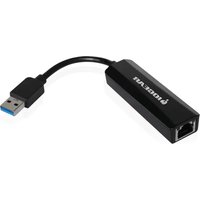
Brand : IOGEAR
Model : GigaLinq Pro 3.1
Category : Network card / adapter