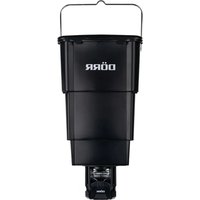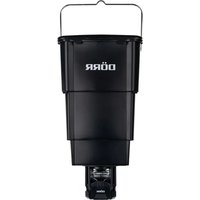
Compact 204371 - Food dispenser Dörr - Free user manual and instructions
Find the device manual for free Compact 204371 Dörr in PDF.


| Product type | Automatic game feeder |
| Brand | Dörr |
| Model | Compact 204371 |
| Feeder dimensions | Approx. 14 x 14 x 13.8 cm |
| Container dimensions | Approx. 25 x 25 x 40 cm |
| Container capacity | Approx. 20 kg / 25 liters |
| Total weight | Approx. 2150 g |
| Power supply | 4 AA LR6 1.5 V batteries (not included) or equivalent rechargeable AA batteries |
| Solar panel connection | Yes, 6 V optional |
| Number of programmable feedings | 1 to 4 per day |
| Adjustable spread time | 1 to 30 seconds |
| Spreading quantity | Approx. 125 g of corn per second |
| Spreading range | Approx. 7 meters (depending on feed) |
| Battery type | AA LR6 1.5 V (AA) |
| Spreading disc material | Metal |
| Container | Waterproof and foldable |
| Cleaning | Slightly damp microfiber cloth, no harsh solvents |
| Storage | Dry, cool, and dust-free place |
| Safety | Keep a safety distance of at least 8 meters during operation |
| Usage | Outdoors only, do not use indoors |
| Assembly | Quick-release adapter on the container |
| Delivery contents | Spreader, foldable container with lid, screws, safety instructions |
Frequently Asked Questions - Compact 204371 Dörr
User questions about Compact 204371 Dörr
0 question about this device. Answer the ones you know or ask your own.
Ask a new question about this device
Download the instructions for your Food dispenser in PDF format for free! Find your manual Compact 204371 - Dörr and take your electronic device back in hand. On this page are published all the documents necessary for the use of your device. Compact 204371 by Dörr.
USER MANUAL Compact 204371 Dörr
natural_image
Cross-sectional diagram of an internal combustion engine cylinder (no text or labels)HINWEIS
natural_image
Cross-sectional diagram of a mechanical assembly with internal components (no text or labels)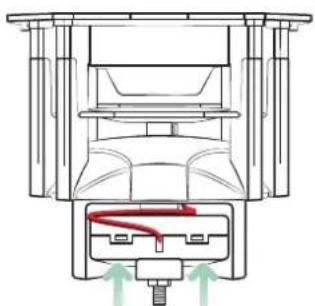
natural_image
Technical line drawing of a mechanical assembly with no visible text or symbolsnatural_image
Technical line drawing of a mechanical assembly with a red wire and base plate (no text or symbols)08 | TEST FUNKTION
12.3 ROHS KONFORMITÄT
https://www.doerr-outdoor.de
AUTOMATIC FEEDER

INSTRUCTION MANUAL
MOD. 204371
natural_image
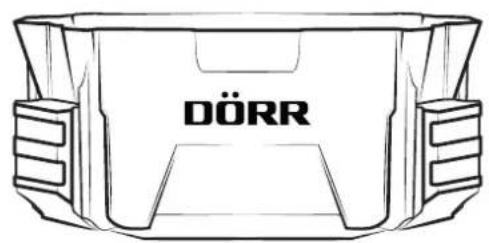
Line drawing of a car front bumper with 'DÖRR' branding on the side (no other text or symbols)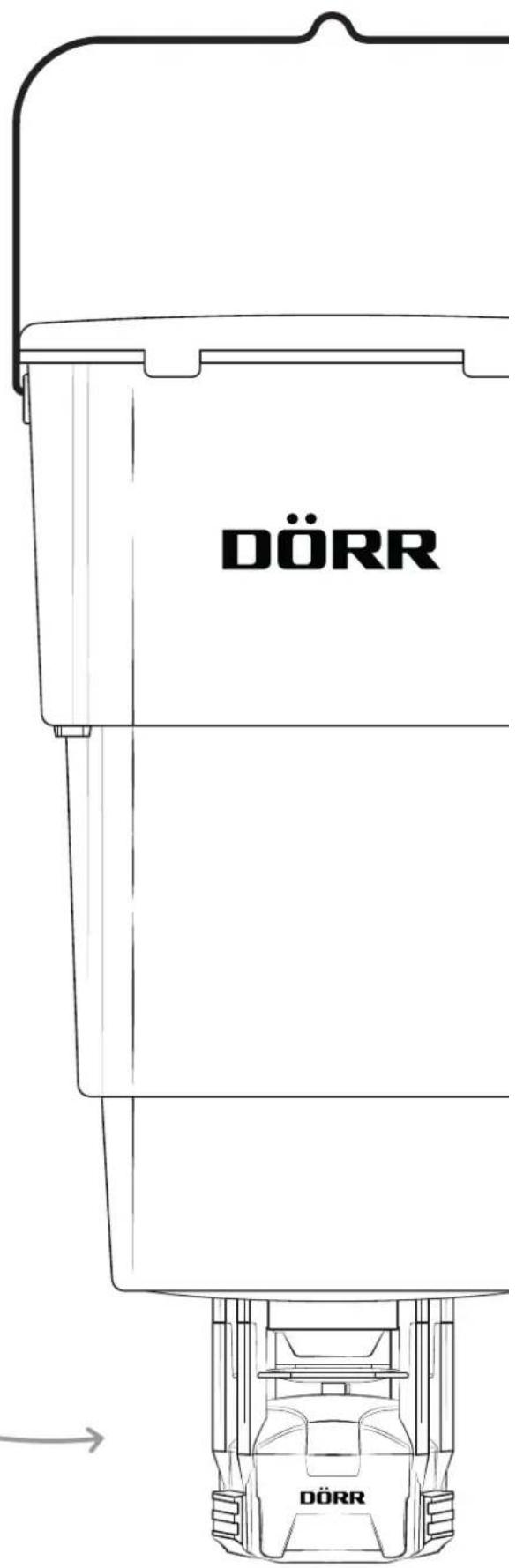
COMPACT
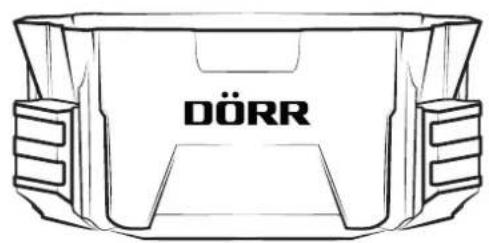
WITH FEED CONTAINER
ILLUSTRATION OF PARTS
GB
THANK YOU very much for choosing a quality product by DÖRR.
Please read the instruction manual and the safety hints carefully before using the device for the first time.
Keep the operating instructions together with the device for reference. If other people use this device, provide them with these instructions. If you sell the unit, this manual forms an integral part of the device and must be supplied with it.
DÖRR is not liable for damage caused by improper use or failure to observe the operating and safety instructions.
In the event of damage caused by improper handling or by external influence, the guarantee or warranty claim becomes void. Any manipulation, structural modification of the product or opening of the housing by the user or an unauthorised third party shall be considered improper handling.
01 | SAFETY HINTS
- Keep a distance of minimum 8m from the feeder for both test and regular operation!
- Protect your eyes and extremities! The fast rotation of the feeding engine and the ejected feed can be harmful.
- ▲ Never reach into the housing and the spinner plat during operation - there is a risk of cut injuries and amputation of fingers!
Not for use in closed rooms!
This device is not a toy! To prevent accidents and suffocation keep the device, the accessories and the packing materials away from children and pets.
• People with physical or cognitive disabilities should use the device with supervision. - People with cardiac pacemakers, defibrillators or any other electrical implants should maintain a minimum distance of 30 cm, as the device generates magnetic fields.
- Make sure to use the device only with appropriate, high-quality batteries type Mignon AA LR6 1.5V or equivalent rechargeable AA batteries (not included). When inserting the batteries, pay attention to the correct polarity (+/-). Please remove batteries when device is not in use for a long period of time.
-
Turn off the device after use.
-
Do not operate or touch the device with wet hands.
- Protect the device against impacts. Do not use the device if it has been dropped. In this case a qualified electrician should inspect the device before you use it again.
- Do not attempt to repair the device by yourself. Risk of electric shock! When service or repair is required, contact qualified service personnel.
- Protect the device against dirt. Never use aggressive cleansing agents or benzine to clean the device. We recommend a soft, slightly damp microfiber cloth to clean the outer parts of the device. Turn off the device and remove batteries before cleaning.
- Store the device in a dust-free, dry and cool place.
- If the device is defective or without any further use, dispose of the device according to the Waste Electrical and Electronic Equipment Directive WEEE. For further information, please contact your local authorities.
02 | ⚠️ SAFETY HINTS FOR BATTERIES
Only use high-quality batteries of popular brands. When inserting the batteries, please respect the correct polarity (+/-). Do not insert batteries of different types and always replace all batteries at the same time. Do not combine used batteries with fresh batteries. Please remove batteries when device is not in use for a longer period. Do not throw the batteries into fire, do not short-circuit and do not disassemble them! Never charge non-rechargeable batteries – risk of explosion! Remove empty batteries immediately from the device to avoid the leaking of battery acid. Remove leaking batteries from the device immediately. Clean the contacts before inserting fresh batteries. Risk of battery acid burn! In case of contact with battery acid, rinse the affected area immediately with water and contact a doctor. Batteries can be dangerous to life if swallowed. Keep batteries away from small children and pets. Do not dispose of batteries in household waste (see also capture „Disposal of Batteries/Accumulators“).
03 | PRODUCT DESCRIPTION
The DÖRR "Compact" feeder helps to manage feeding in your hunting ground. It reliably spreads e.g. corn at certain times. It can be used to avoid damages caused by game in hunting ground as a distraction feeding.
• Spreads e.g. corn, cereals, feed pellets and more
- Collapsible feed container made of weather-resistant Polyethylene
- Container capacity approx. 20 kg / approx. 25 litres
• Digital timer to select 1 – 4 feeding times per day
- Feeding time adjustable from 1 – 30 seconds
• Spreads about 125 g corn (whole grains) per second
- Spreading range up to 7 m (depending on weight and size of feed pieces)
• Operation via 4x AA batteries LR6 1,5V (not included)
- Connection for optional 6V solar panel
NOTICE
Please respect the hunting law in force!
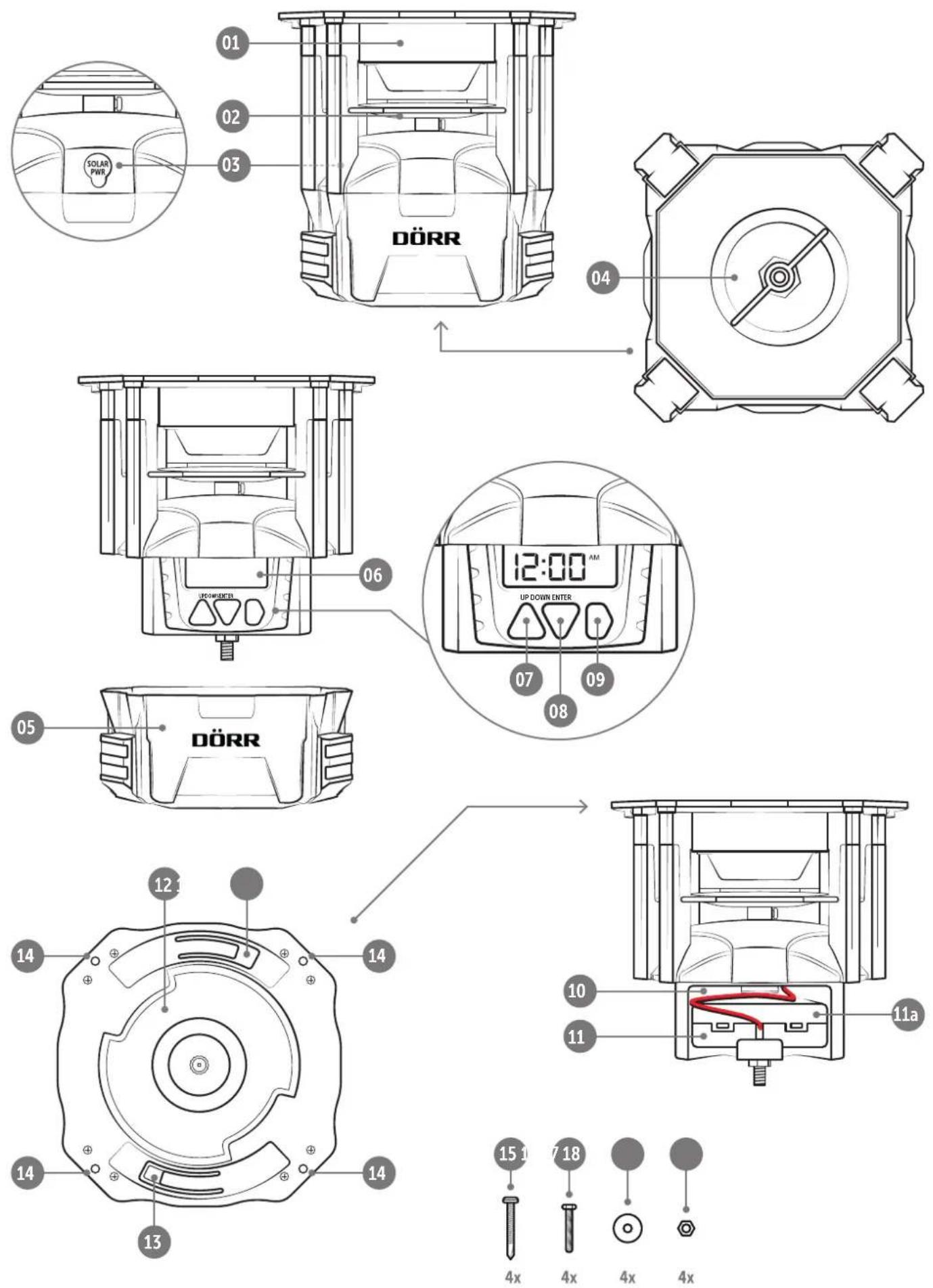
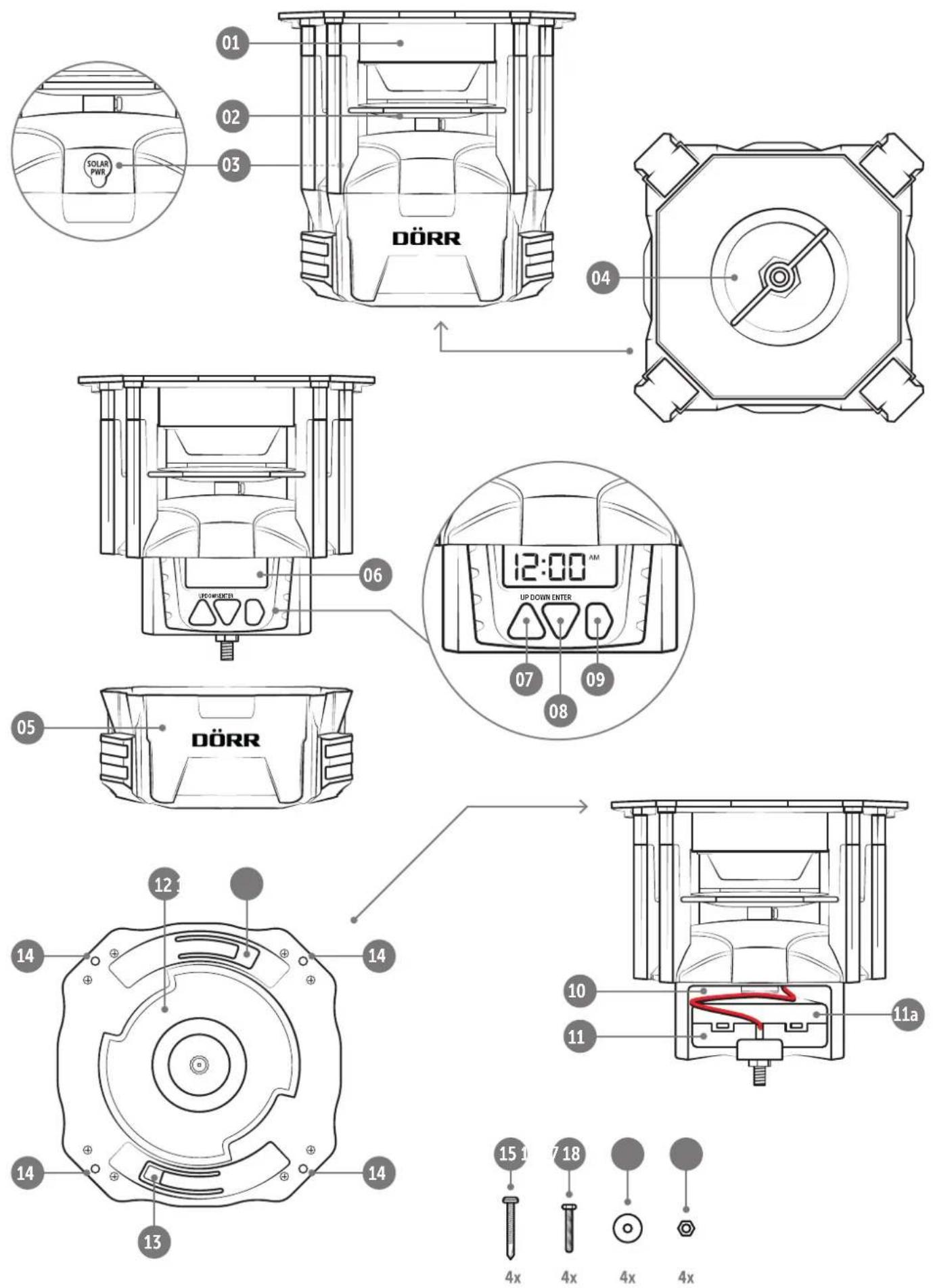
04 | NOMENCLATURE
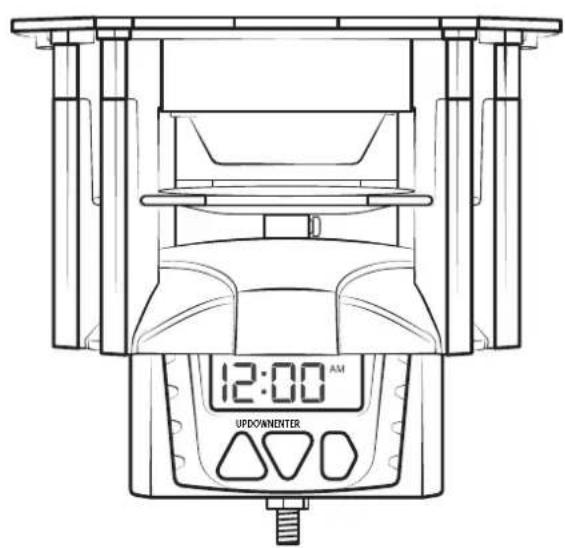
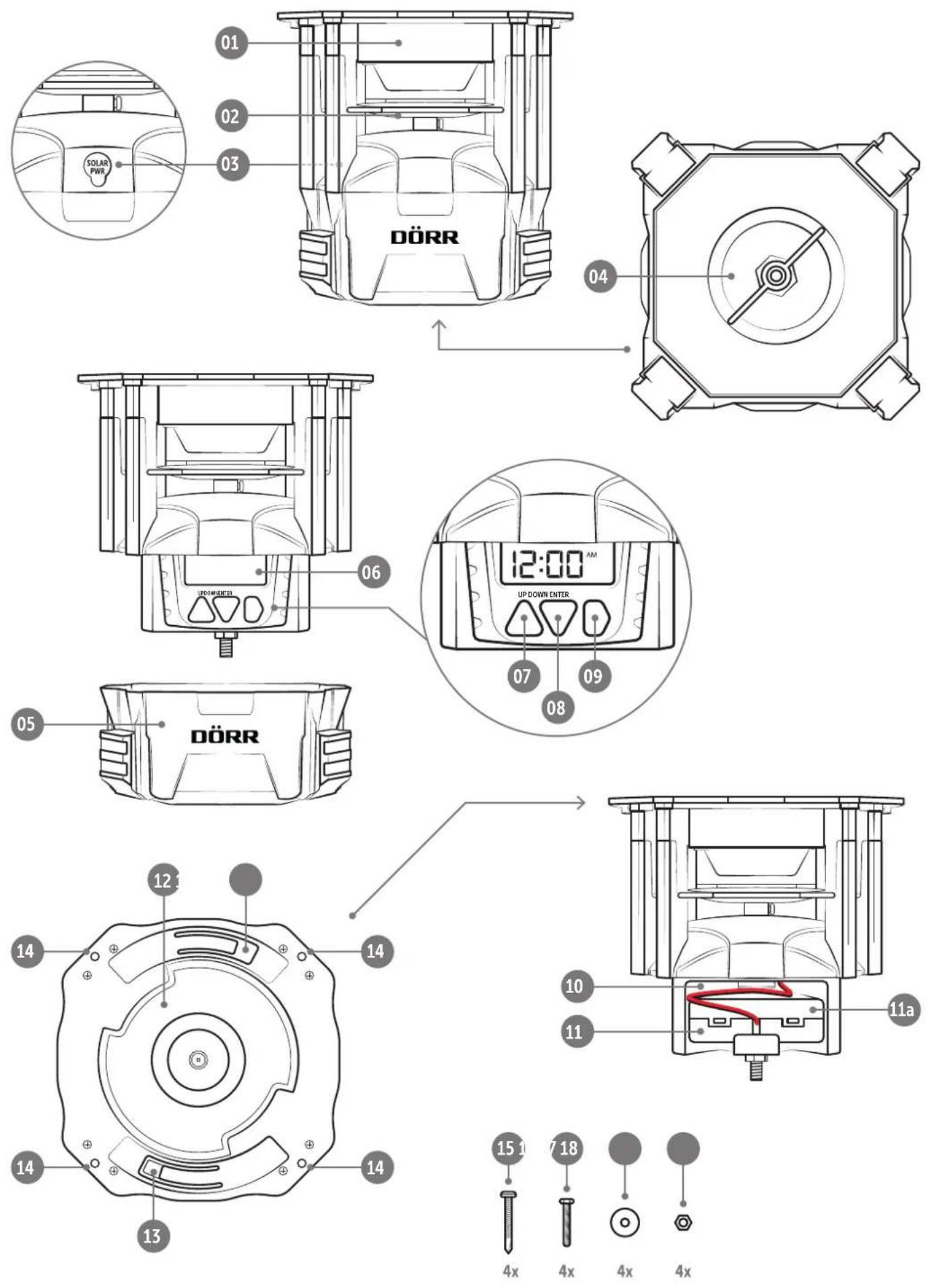
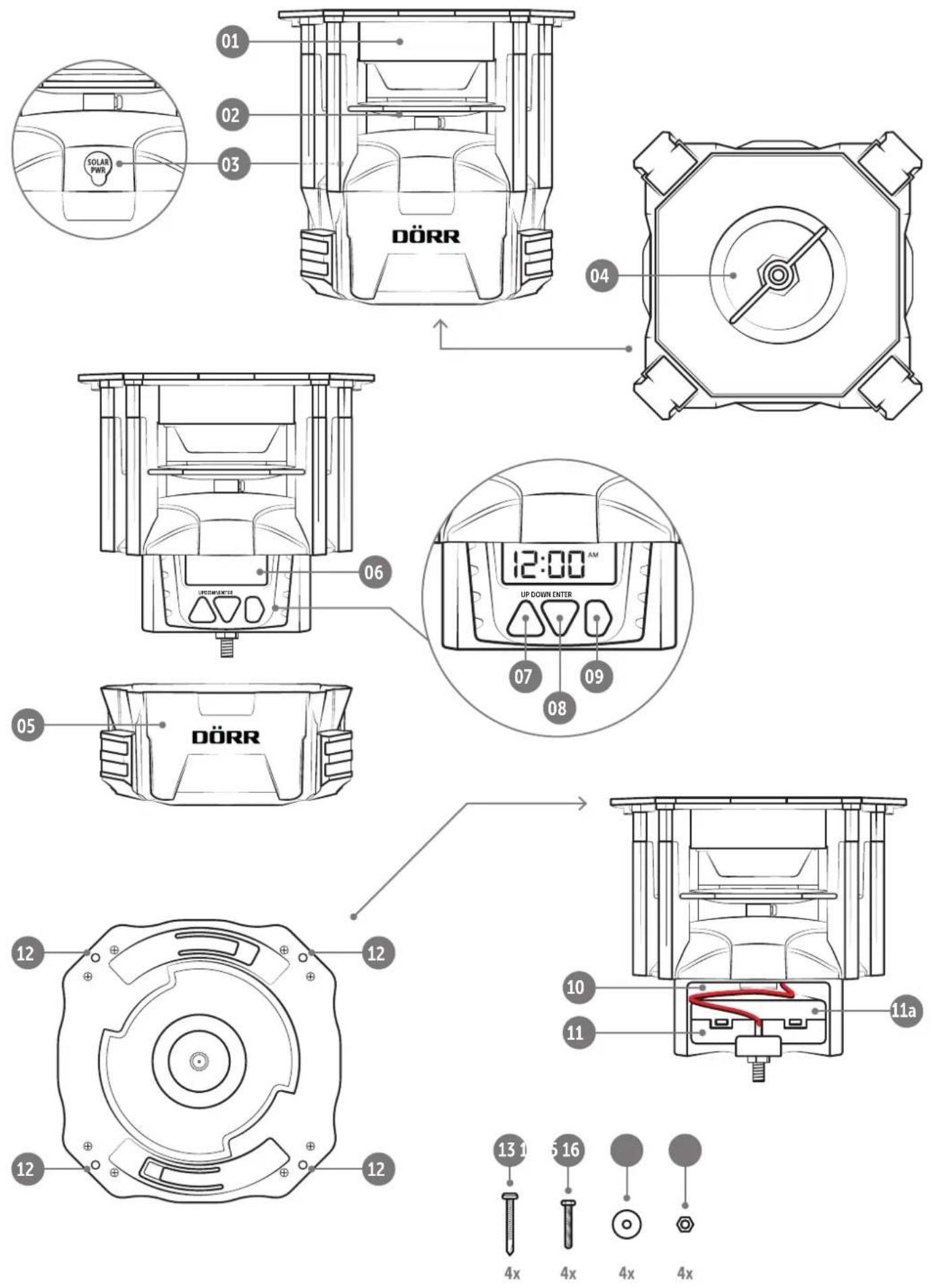
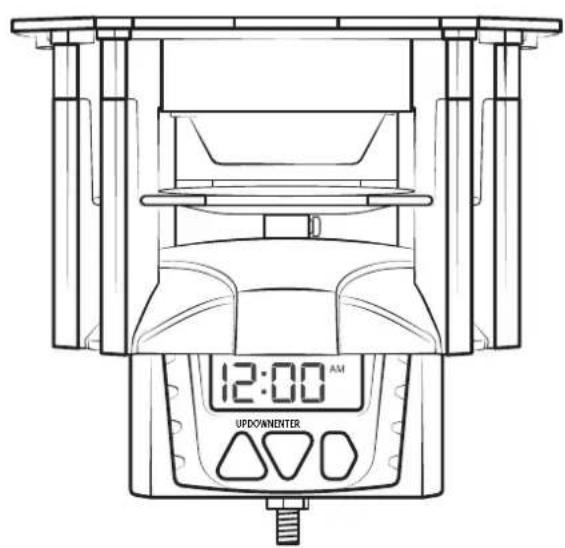
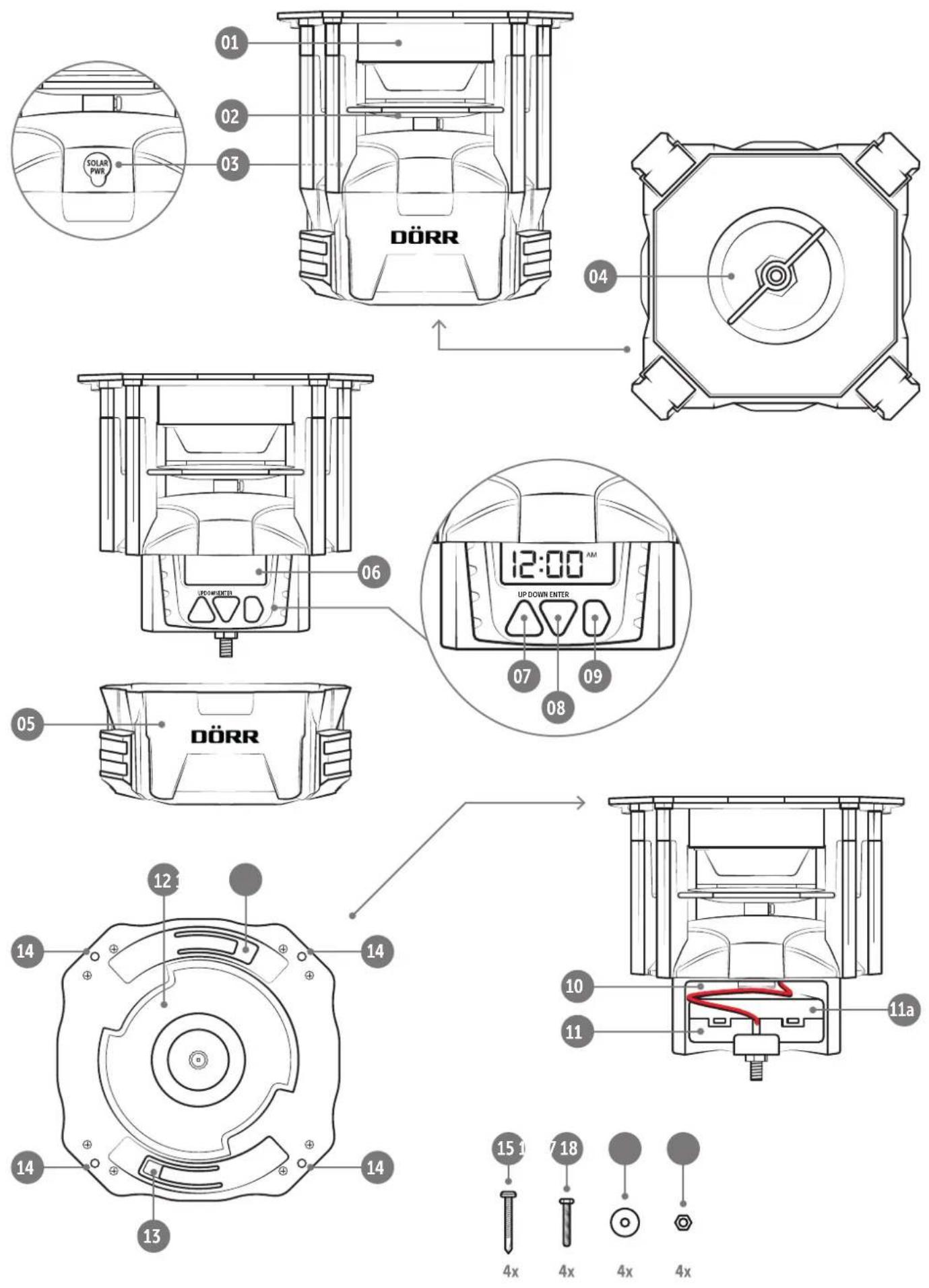
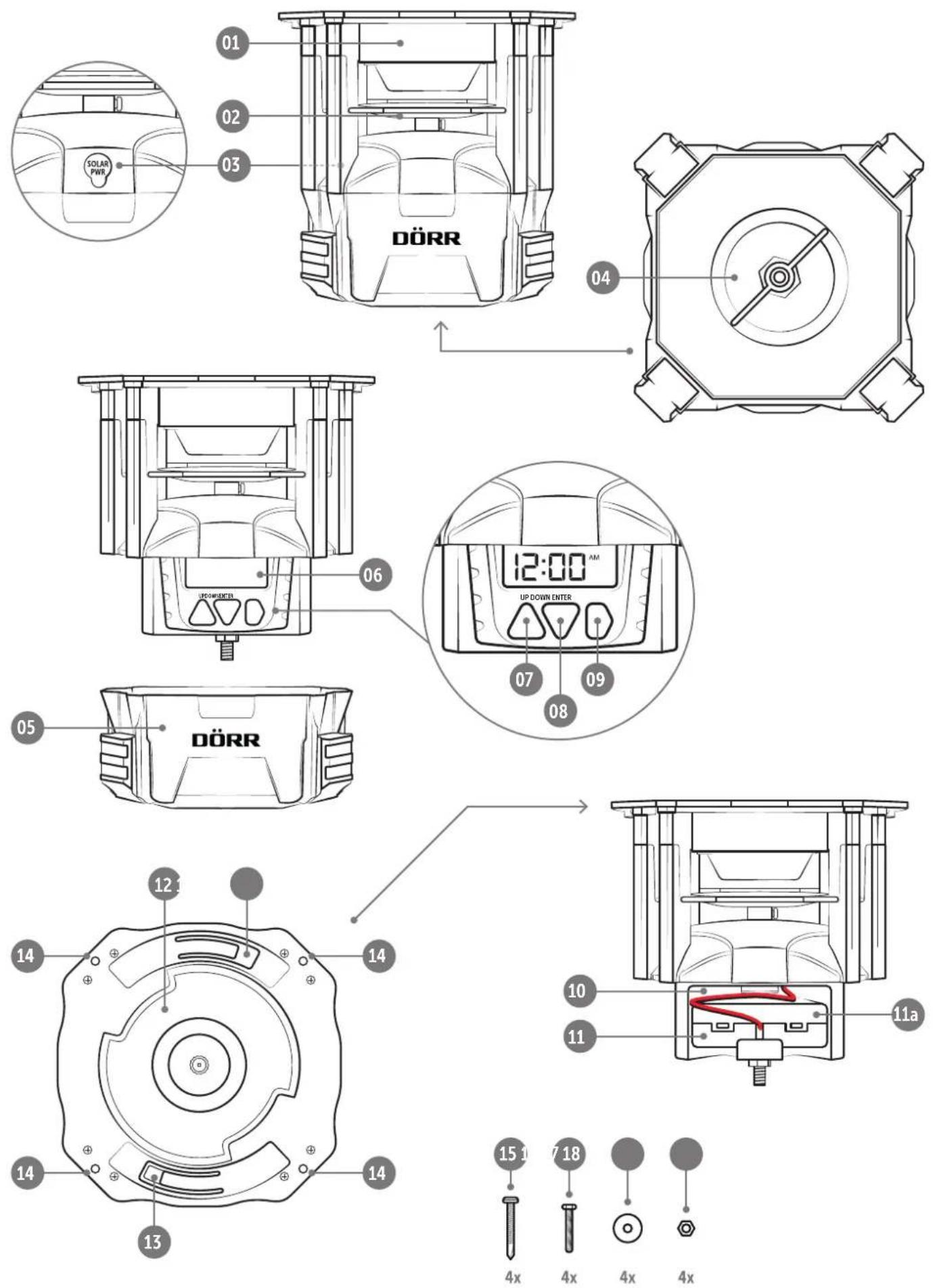
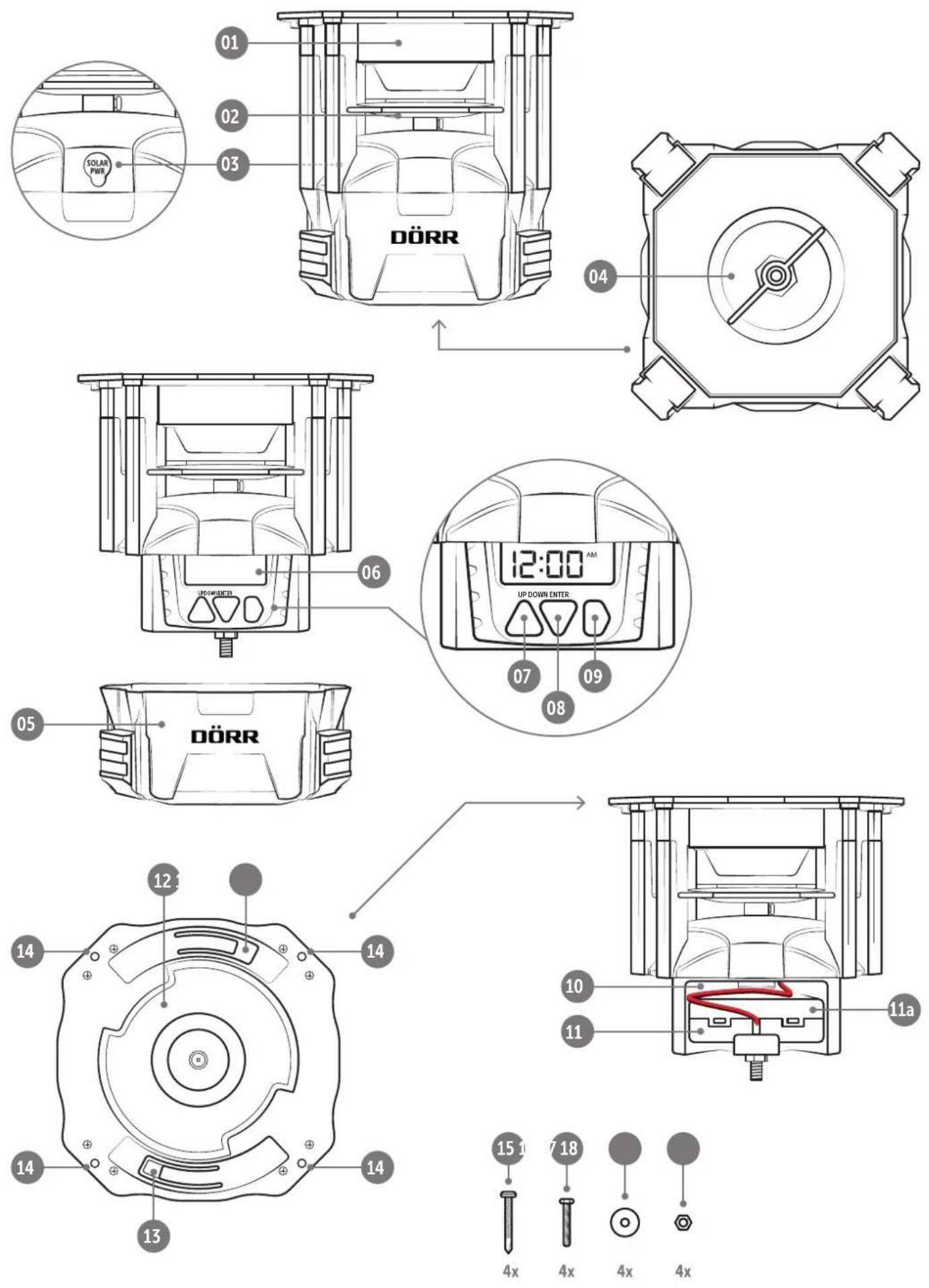
01 Feeder housing
02 Metal spinner plat
03 Connection for optional 6V solar panel
04 Locking screw
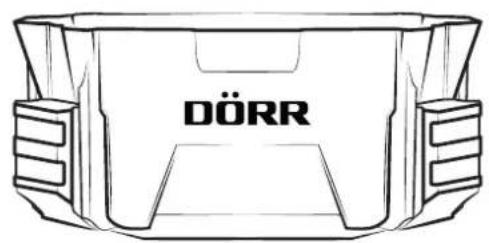
05 Housing cover battery compartment + timer
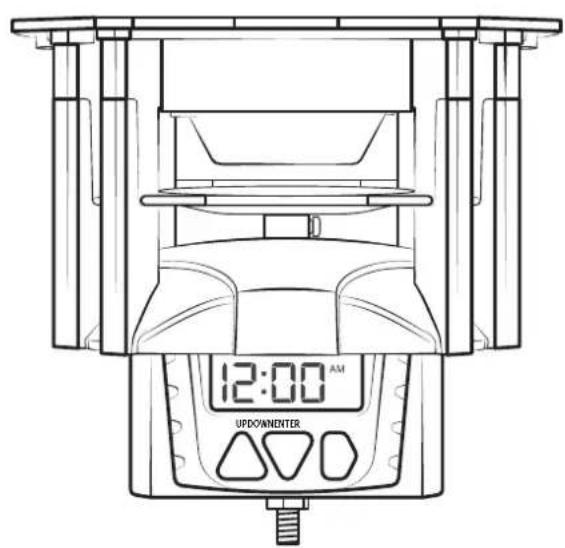
06 Display
07 Button UP △
08 Button DOWN ▽
09 Button ENTER D
10 Battery compartment
11 Battery box
11a) Cover battery box
12 Quick-lock adapter
13 Release clips
14 4 mounting holes (ø 4mm)
15 4 pcs self-tapping screws
16 4 pcs Hex bolts M4 x 25mm
17 4 pcs washers M4
18 4 pcs Hex nuts M4
05 | MOUNTING ONTO FEED CONTAINER
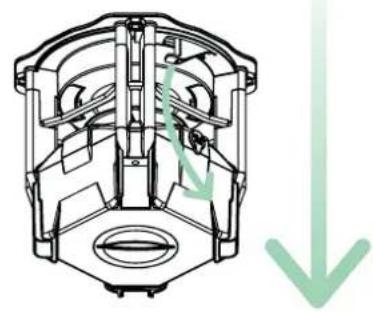
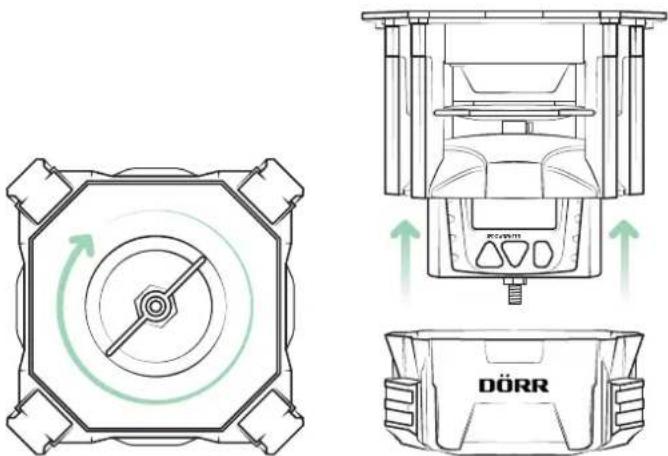
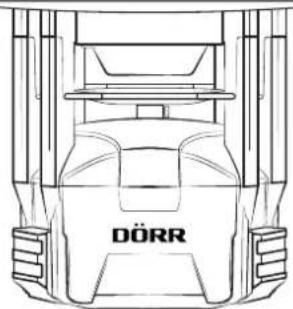
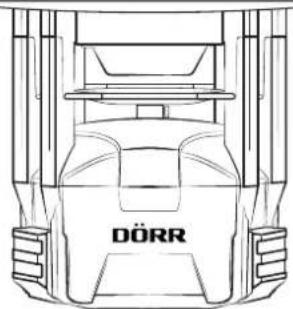
With the quick-lock adapters (12) on top of the feeder and on the bottom of the feed container, the feeder can be easily attached to the container. Turn the feeder to the right until it clicks audible into place.
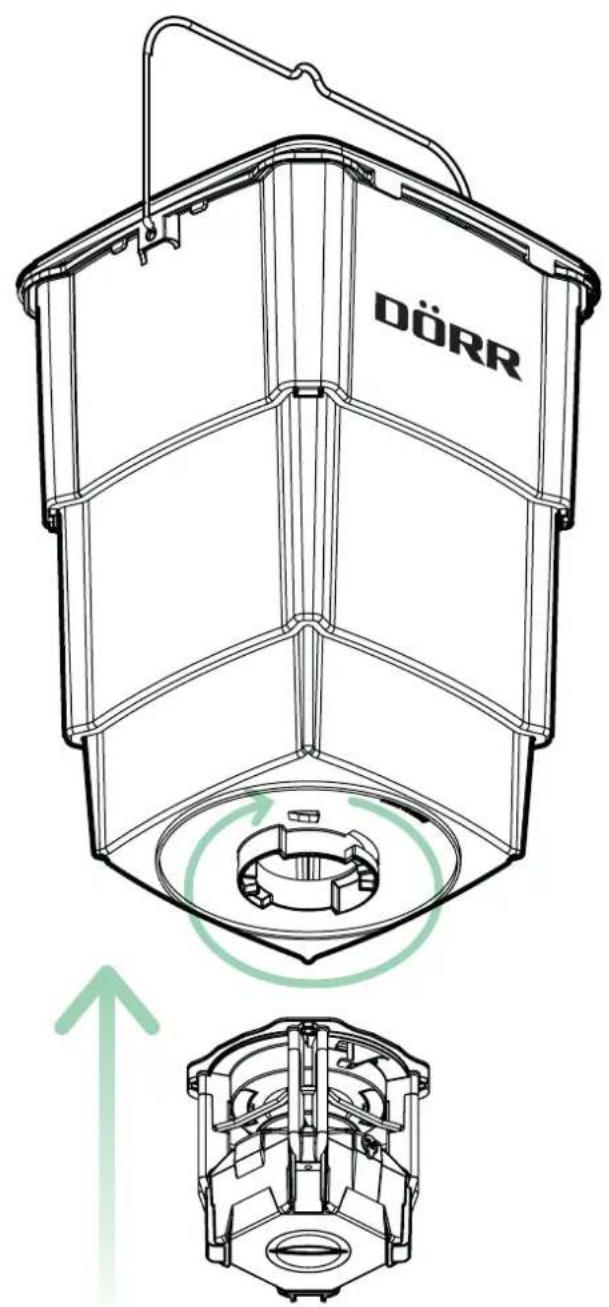
To remove the feed container, pull the two release clips (13) down and turn the feed to the left.
natural_image
Cross-sectional diagram of an internal combustion engine cylinder (no text or labels)NOTICE
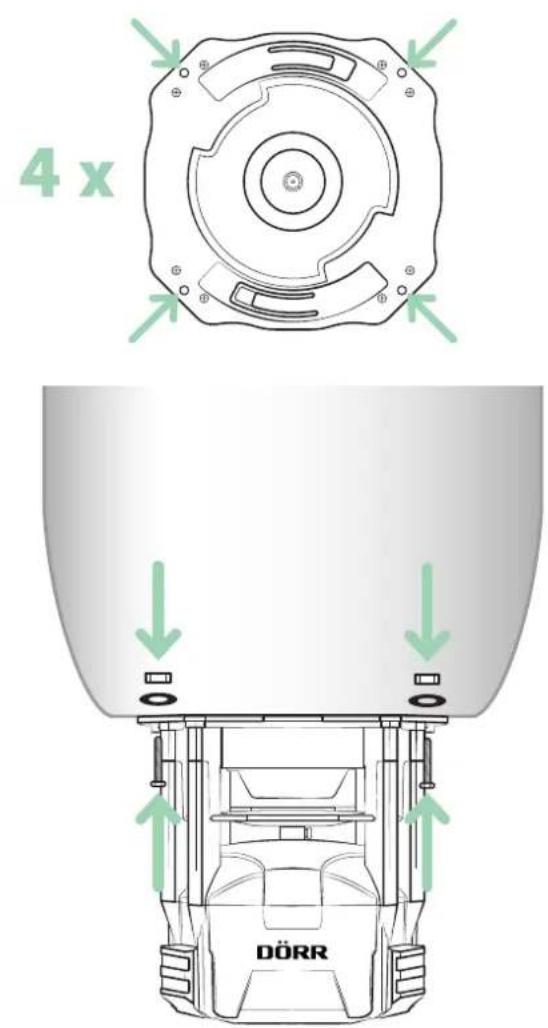
The supplied screws, washers and nuts you may only need if you want to mount another suitable feed container on the feeder. In this case, screw the feeder through the 4 mounting holes (14) to the alternative feed container using the supplied screws, washers and nuts (16-18).
06.1 Insert batteries
NOTICE
Make sure to use the device only with appropriate, high-quality batteries type Mignon AA LR6 1.5V or equivalent rechargeable AA batteries (not included). When inserting the batteries, pay attention to the correct polarity (+/-). Please remove batteries when device is not in use for a long period of time.
Favourable battery value packs can be found in our DÖRR web shop:
www.doerr-outdoor.de
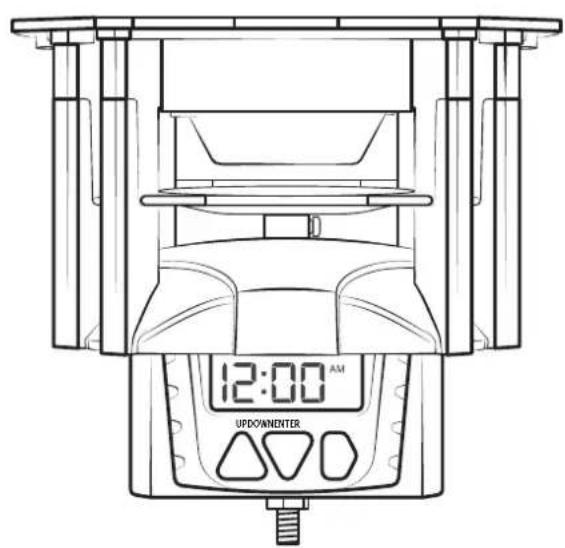
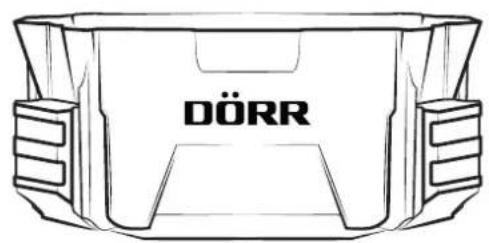
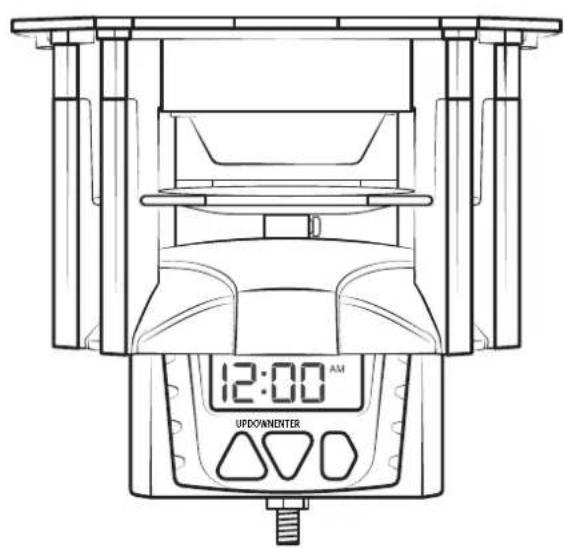
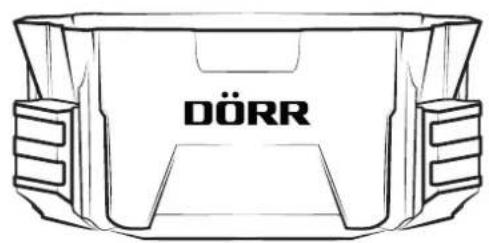
Unscrew the locking screw (04) on the bottom of the feeder until you can remove the lower housing cover (05).
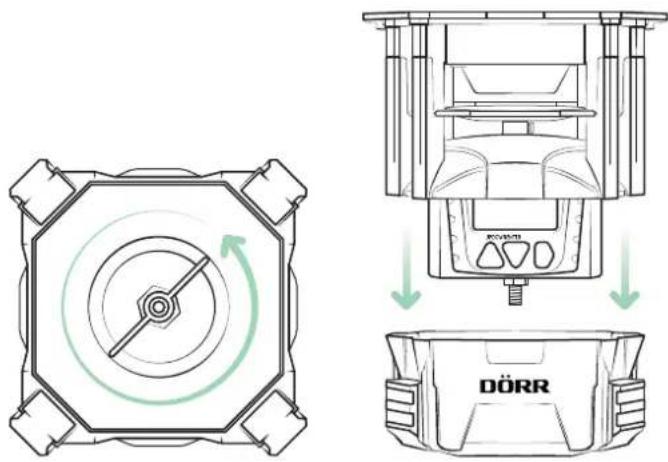
The battery compartment (10) with the battery box (11) is located on the rear side of the feeder.
To remove the battery box (11), push it up with both thumbs until the battery box clicks out of the holder.
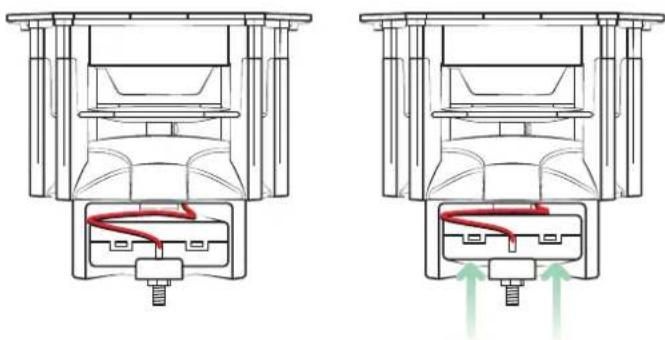
natural_image
Technical line drawing of a mechanical assembly with two views showing internal components and directional arrows (no text or symbols)Carefully remove the battery box (11) from the battery compartment (10) without tearing off the cable connection.
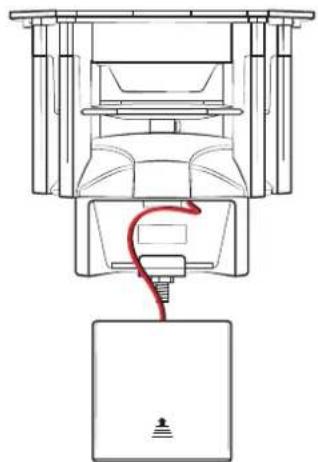
natural_image
Technical line drawing of a mechanical device with a red cable inserted into a base (no text or symbols)Slide open the battery compartment cover (11a) according to the marking in the direction of the arrow. Equip the battery box with 4 pieces Mignon batteries AA LR6 1.5V or or equivalent rechargeable AA batteries (not included). When inserting the batteries, pay attention to the correct polarity +/- (markings inside the battery box).
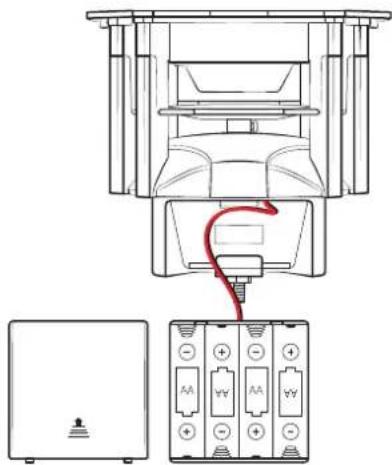
Slide the battery compartment cover (11a) back onto the battery box (11). Place the battery box (11) with the cable connection back into the battery compartment (10) and press the battery box back down into the holder.
06.2 Changing batteries
NOTICE
Please note that the timer will retain the set time and programmed feeding times for approximately 1 minute when batteries will be replaced. If you need longer to change the batteries, the time and feeding times must be set again.
CAUTION
If you want to operate the feeder with an optional 6V solar panel, please remove any batteries/rechargeable batteries from the battery box (11) to prevent damage to the timer and the batteries.
07 | SET THE TIMERS
07.1 Time format/set time
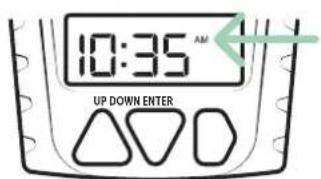
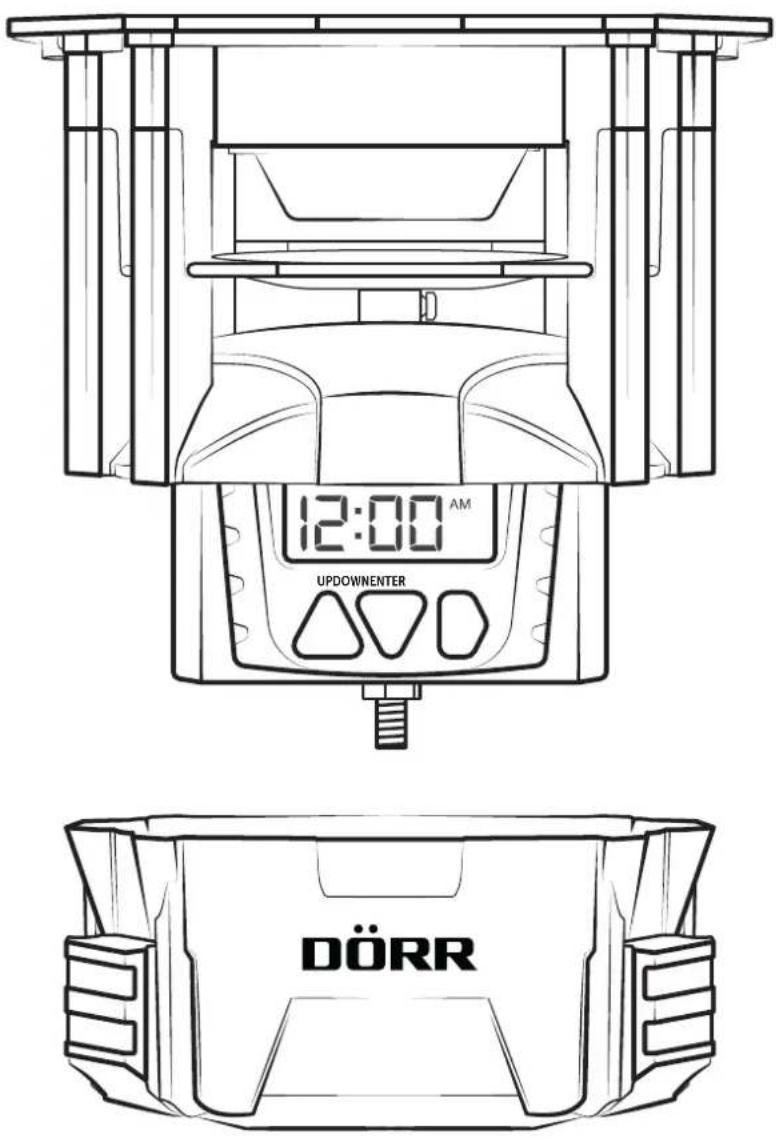
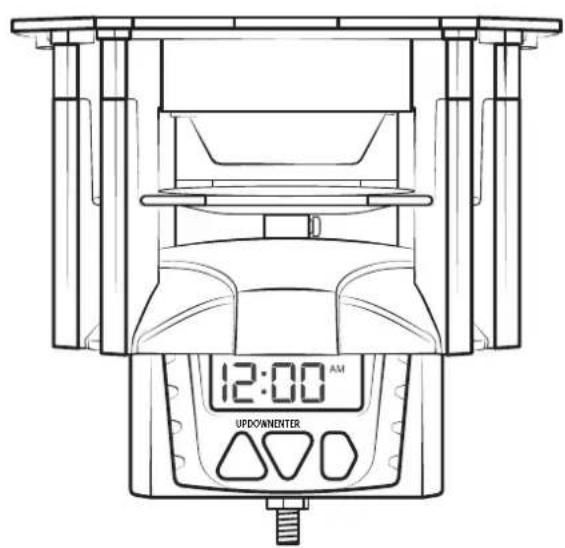
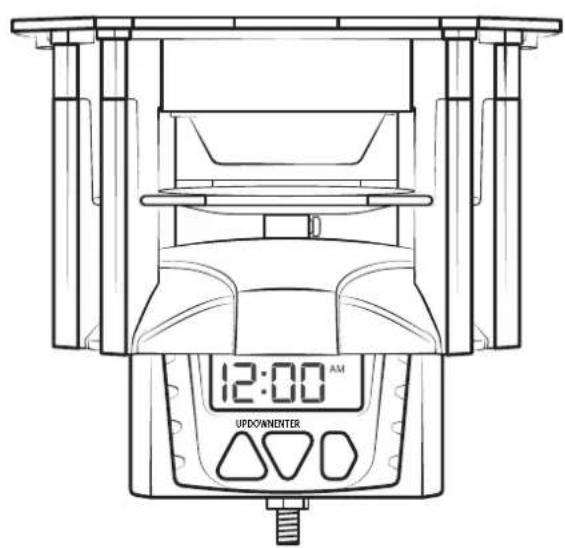
After the the batteries have been inserted correctly, the default time 12:00 ^AM appears in the display (06).
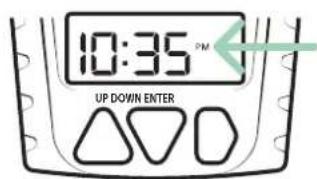
The time is set in 12-hour format. Here AM (ante meridiem) stands for the time before 12 noon, while PM (post meridiem) stands for the time after 12 noon.
12-hour format 24-hour format
12:00 AM to 11:59 AM

12:00 PM to 11:59 PM

12:00 noon to 23:59 at night
Example:
10:35 AM = 10:35 in the morning 10:35
PM = 22:35 at night
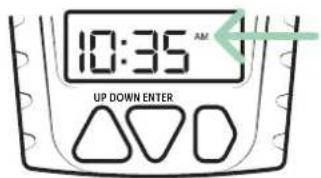
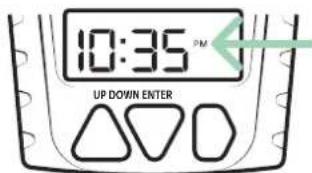
To set the current time, press the ENTER button (09). The hour digits flash and you can enter the current hour using the UP (07) and DOWN (08) buttons. Confirm the hour with the ENTER button (09) and enter the minutes (minute digits flash).
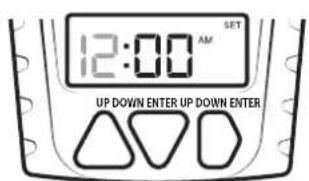
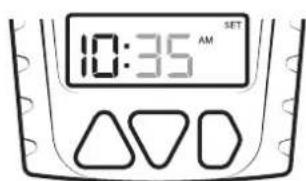
Press the ENTER button (09) to set timer 1 (see following chapter 07.2).
07.2 Set timer 1-4
The programming of the timers follows immediately after the time setting. If you want to set the timer at a later point in time, press the ENTER button (09) repeatedly until OFF flashes in the display:
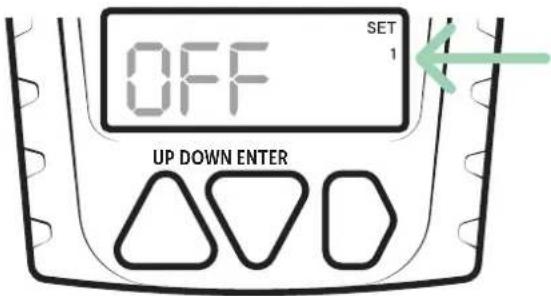
Enter start time for timer 1:
Use the UP (07) and DOWN (08) buttons to select the hour. Note the 12-hour format as described in Chapter 07.1. Confirm the hour with the ENTER button (09) and enter the minutes (minute digits flash).
Example timer setting:
Feeder starts at 9.15 p.m. in the evening.
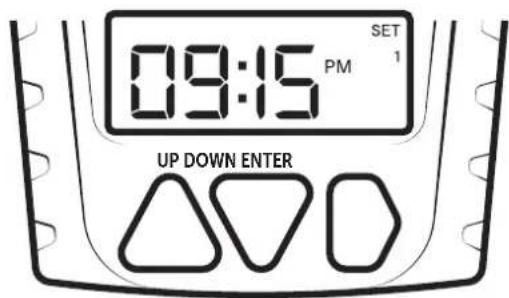
After entering the minutes, press the ENTER button (09) to set the spreading duration (second digits flash). Use the UP (07) and DOWN (08) buttons to select a spreading duration of 1-30 seconds:
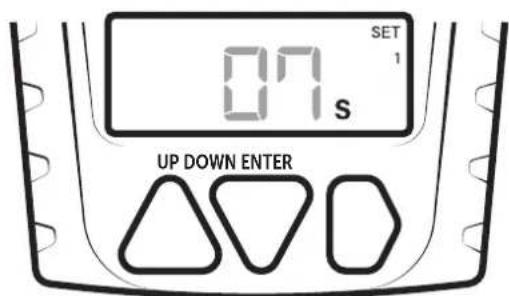
Press the ENTER button (09) to proceed with the next timer.
Example display when all timers are activated:
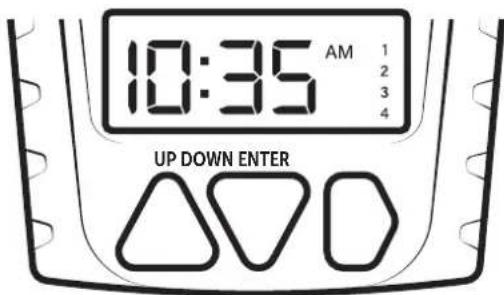
07.3 Test Duration
After timer 4 has been set, pressing the ENTER button (09) will display a "test duration" (seconds digits will flash). Use the UP (07) and DOWN (08) buttons to select a test duration of 1-30 seconds.
NOTICE
We recommend a max. test duration of 1-2 seconds, so only a small quantity of feed is spread for testing purposes.
See the following chapter 08 | TEST FUNCTION
07.4 Deactivate timers
To cancel a custom feeding time, press the ENTER button (09) repeatedly until you get to the start time entry in the appropriate timer. Press the UP (07) or DOWN (08) button repeatedly until the display shows OFF.
Press the ENTER (09) button to exit programming mode.
Reinstall the housing cover (05) on the feeder housing (01) and screw on the locking screw.
08 | TEST FUNCTION
After installation of the feeder, this function allows checking if the feeding time, quantity and range of feeding are correct – depending on the type of feed. The test duration can be set as described in chapter 073.
NOTICE
We recommend a max. test duration of 1-2 seconds, so only a small quantity of feed is spread for testing purposes.
CAUTION
- Keep a distance of minimum 8m from the feeder for both test and regular operation!
- Protect your eyes and extremities! The fast rotation of the feeding engine and the ejected feed can be harmful.
- Never reach into the housing and the spinner plat during operation - there is a risk of cut injuries and amputation of fingers!
Press and hold the UP (07) and DOWN (08) buttons for 3 seconds and then release. A countdown of 5 seconds appears in the display. After the countdown has expired, the feeder starts the test phase.
To cancel the test, press the ENTER button (09) during the countdown.
09 | CLEANING AND STORAGE
Never use aggressive cleansing agents or benzine to clean the device. We recommend a soft, slightly damp microfiber cloth to clean the outer parts of the device. Remove batteries before cleaning! Store the device in a dust-free, dry and cool place. This device is not a toy - keep it out of reach of children. Keep away from pets.
10 | TECHNICAL SPECIFICATIONS
| Power supply | 4x AA batteries LR6 1.5V or equivalent rechargeable AA batteries (not included) |
| Feeding times per day 1 - 4 | |
| Spreading range approx. 7 m in 2 m height | |
| Disperse quantity approx. 125 g/1 second | |
| Feeding duration/timer 1 – 30 seconds | |
| Dimensions approx. 14 x 14 x 13,8 cm | |
| Dimensions container approx. 25 x 25 x 40 cm | |
| Capacity container: | 20 kg/25 liters (e.g. full grains of corn) |
| Weight approx. 2150 g | |
DÖRR GmbH reserves the right to make technical changes without notice.
11 | SCOPE OF DELIVERY
1x Feeder
1x Collapsible feed container with lid
each 4x screws, nuts, washers, self-tapping screws
1x Safety hints
12| DISPOSAL, CE MARKING
12.1 DISPOSAL OF BATTERY/ACCUMULATOR
Batteries and rechargeable batteries are marked with the symbol of a crossed-out waste bin. This symbol indicates that empty batteries or rechargeable batteries that can no longer be recharged must not be disposed of in household waste. Old batteries may contain harmful substances that can cause damage to health and the environment. As the end user, you are legally obliged to return used batteries (under German battery law, Section 11 Act Revising the Law of Waste-Related Product Responsibility for Batteries and Accumulators). You can return batteries free of charge after use at the point of sale or in your immediate vicinity (e.g. at municipal collection points or in shops). You can also return batteries to the seller by post.
12.2 WEEE INFORMATION
The WEEE (Waste Electrical and Electronic Equipment) Directive, which came into force as European law on 13 February 2003, led to comprehensive changes in the disposal of discarded electrical equipment. The primary purpose of this directive is to prevent e-waste while promoting reuse, recycling and other forms of reprocessing in order to reduce waste. The WEEE logo (dustbin) shown on the product and on the packaging indicates that the product must not be disposed of in normal household waste. You are responsible for delivering all discarded electrical and electronic equipment to appropriate collection points. Sorting waste for separate collection and sensible recycling of packaging waste helps to use natural resources more sparingly. Furthermore, e-waste recycling is a contribution to preserving our environment and thus also people's health. Further information on the disposal of electrical and electronic equipment, recycling and collection points can be obtained from local authorities, waste disposal companies, specialist retailers and the manufacturer of the device.
√ 12.3 CONFORMITY WITH ROHS
This product complies with the European RoHS Directive on the restriction of the use of certain hazardous substances in electrical and electronic equipment and variations thereof.
CE 12.4 CE MARK
The imprinted CE mark complies with the applicable EU standards and indicates that the device meets the requirements of all EU directives applicable to this product.
DÖRR Feeder "Compact" with Container
Item-No. 204371
Made in China
DÖRR GmbH
Messerschmittstr. 1
D-89231 Neu-Ulm
Fon: +49 731 970 37 69
hello@doerr.gmbh
https://www.doerr-outdoor.de
DISTRIBUTEUR DE NOURRITURE AUTOMATIQUE

NOTICE D'UTILISATION
MOD. 204371
natural_image
Line drawing of a car front bumper with DÖRR logo (no text or symbols on body)DÖRR
COMPACT
AVEC CONTENEUR
natural_image
Line drawing of a mechanical component with labeled DÖRR (no other text or symbols)ILLUSTRATION DES PIÈCES
FR
natural_image
Cross-sectional diagram of an internal combustion engine cylinder (no text or labels)REMARQUE
natural_image
Technical line drawing of a mechanical assembly with two views showing internal components and red flow arrows indicating motion (no text or symbols)natural_image
Technical line drawing of a mechanical device with a red cable inserted into a base (no text or symbols)natural_image
Technical line drawings of a mechanical device with circular components and directional arrows indicating motion (no text or symbols)08 | FONCTION TEST
√ 12.3 CONFORMITÉ ROHS
https://www.doerr-outdoor.de
ESPARCIDOR DE PIENSO AUTOMÁTICO

natural_image
Line drawing of a car front bumper with 'DÖRR' branding on the side (no other text or symbols)DÖRR
COMPACT
CON CONTENEDOR
natural_image
Line drawing of a Dörr vehicle front view showing structural components (no text or symbols)natural_image
Cross-sectional diagram of an internal combustion engine cylinder (no text or labels)NOTA
natural_image
Technical diagram of a mechanical assembly showing two cross-sectional views with red and green arrows indicating motion or force directions (no text or symbols present)natural_image
Technical line drawing of a mechanical device with a red cable inserted into a base (no text or symbols)natural_image
Pure diagram of a circular mechanical or electrical component with radial arrows and concentric circles, no text or symbols present.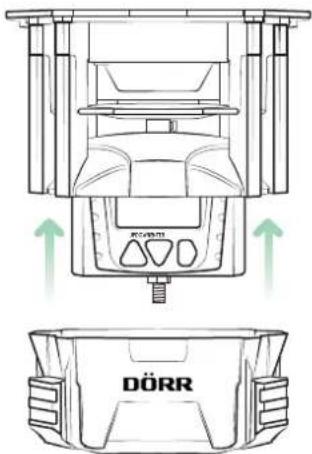
natural_image
Technical line drawing of a mechanical device with DÖRR branding and green directional arrows indicating motion (no text or symbols beyond branding)https://www.doerr-outdoor.de
SPARGI MANGIME AUTOMATICO

natural_image
Line drawing of a car front bumper with 'DÖRR' branding on the side (no other text or symbols)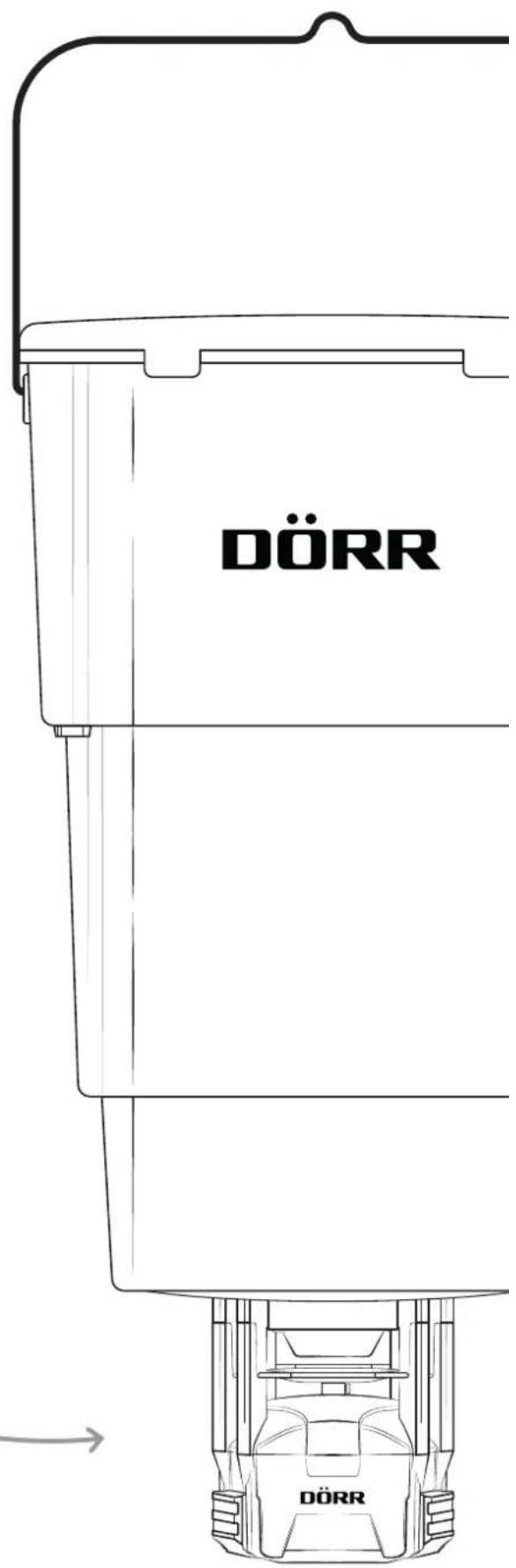
COMPACT
CON CONTENITORE
natural_image
Cross-sectional diagram of an internal combustion engine cylinder (no text or labels)AVVERTENZA
natural_image
Technical diagram of a mechanical assembly showing two cross-sectional views with red arrows indicating flow or movement (no text or labels)natural_image
Technical line drawing of a mechanical assembly with a red wire and base plate (no text or symbols)$$ 1 0: 3 5 \mathrm{AM} = 1 0: 3 5 $$
$$ 1 0: 3 5 $$
$$ \mathrm{PM} = 2 2: 3 5 $$
natural_image
Technical line drawings of a mechanical device with circular components and directional arrows indicating motion (no text or symbols)12.3 CONFORMITÀ A ROHS
https://www.doerr-outdoor.de
AUTOMATICKÉ ROZMETADLO KRMIVA

NÁVOD K POUŽITÍ
MOD. 204370
COMPACT
BEZ NÁDOBY
ČÁSTI OBRÁZKU
CZ
natural_image
Technical line drawing of a circular mechanical component with four symmetrical slots and mounting holes (no text or symbols)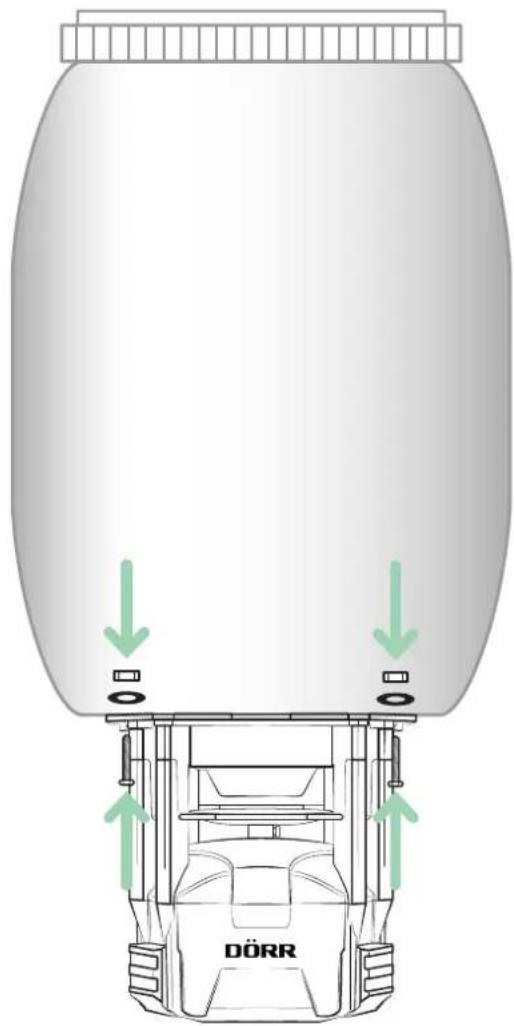
natural_image
Cross-sectional diagram of a mechanical assembly with internal components and a red motion arrow (no text or labels)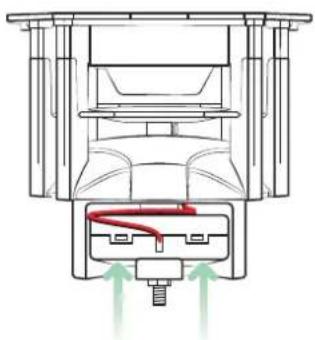
natural_image
Technical diagram of a mechanical assembly with internal components and directional arrows (no text or labels)natural_image
Technical line drawing of a mechanical device with a red cable inserted into a base (no text or symbols)08 | TESTOVACÍ FUNKCE
12.3 KONFORMITA ROHS
https://www.doerr-outdoor.de
AUTOMATISK FODERSPREDER

BRUGSANVISNING
MOD. 204371
natural_image
Line drawing of a car front bumper with DÖRR logo (no text or symbols on body)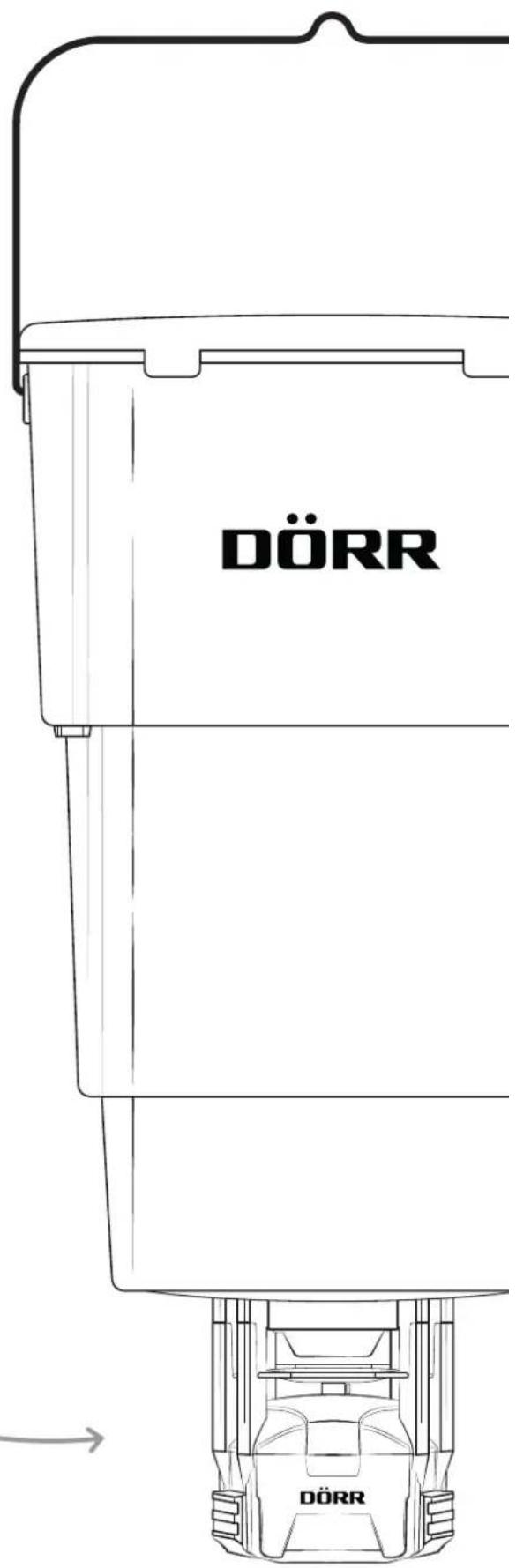
COMPACT
MED BEHOLDER
BILLEDE AF KOMPONENTER
DK
natural_image
Cross-sectional diagram of an internal combustion engine cylinder (no text or labels)
TIP
natural_image
Technical line drawing of a mechanical assembly with two views showing internal components and directional arrows (no text or symbols)natural_image
Technical line drawing of a mechanical device with a red cable inserted into a housing (no text or symbols)08 | TESTFUNKTION
https://www.doerr-outdoor.de
AUTOMAATTINEN REHUNLEVITIN

KÄYTTÖOHJE
MOD. 204371
natural_image
Line drawing of a car front bumper with 'DÖRR' branding (no other text or symbols)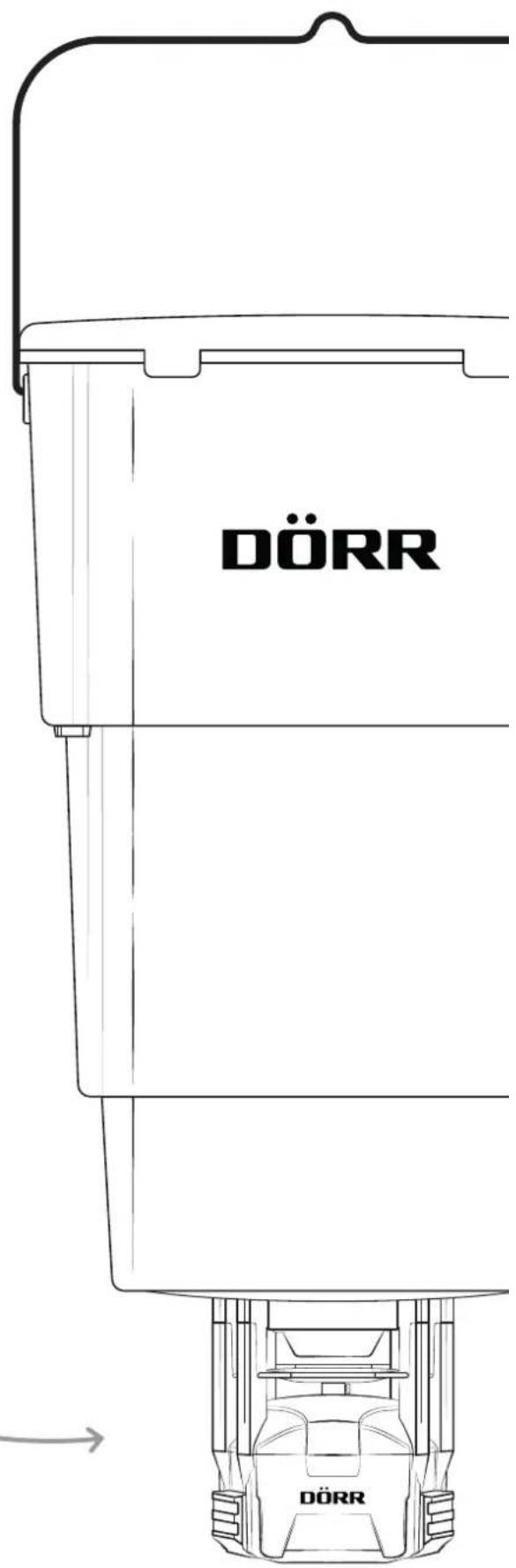
COMPACT
REHUSÄILIÖLLÄ
OSIEN KUVAT
FI
natural_image
Cross-sectional diagram of an internal combustion engine cylinder (no text or labels)
HUOMAUTUS
natural_image
Cross-sectional diagram of a mechanical assembly with internal components and a red curved line indicating motion (no text or labels)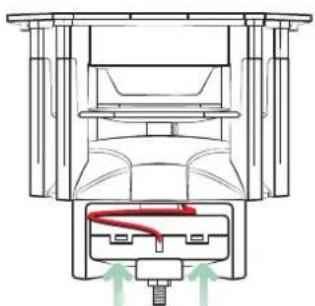
natural_image
Technical line drawing of a mechanical assembly with no visible text or symbolsnatural_image
Technical line drawing of a mechanical assembly with a red wire and base plate (no text or symbols)08 | TESTITOIMINTO
https://www.doerr-outdoor.de
AUTOMATIKUS TAKARMÁNYSZÓRÓ

KEZELÉSI ÚTMUTATÓ
MOD. 204371
natural_image
Line drawing of a car front bumper with 'DÖRR' branding (no other text or symbols)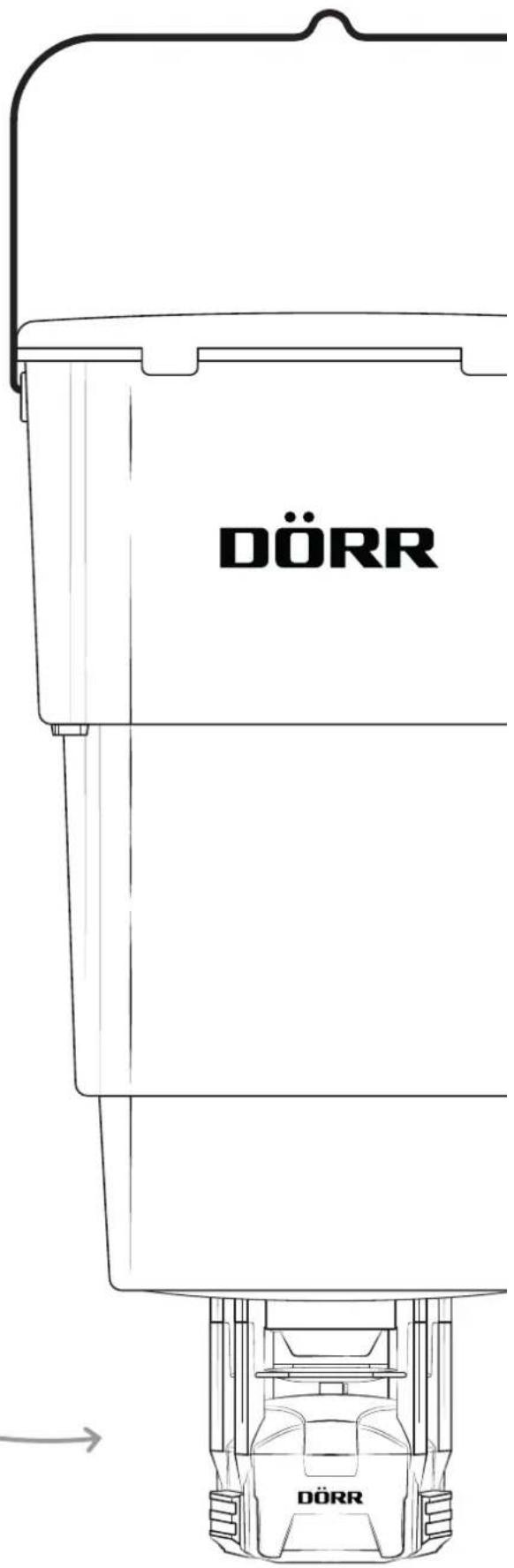
COMPACT
TARTÁLLYAL
RÉSZEK ÁBRÁI
HU
natural_image
Cross-sectional diagram of an internal combustion engine cylinder (no text or labels)
MEGJEGYZÉS
natural_image
Technical line drawing of a mechanical assembly with two views showing internal components and red arrows indicating flow or movement (no text or symbols)natural_image
Technical line drawing of a mechanical assembly with a red wire and base plate (no text or symbols)natural_image
Pure diagram of a mechanical or electrical component with concentric circles and radial arrows, no text or symbols present.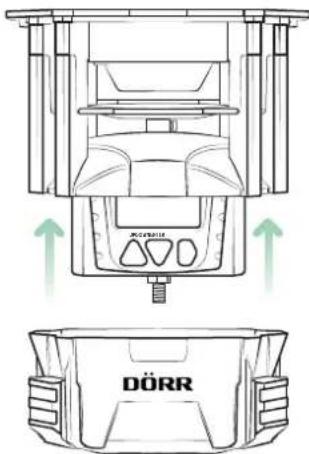
08 | TESZTFUNKCIÓ
11 | CSOMAG TARTALMA
1x Takarmányszóró
https://www.doerr-outdoor.de
AUTOMATISCHE VOERSTROOIER

GEBRUIKERSHANDLEIDING
MOD. 204371
natural_image
Line drawing of a car front bumper with 'DÖRR' branding on the side (no other text or symbols)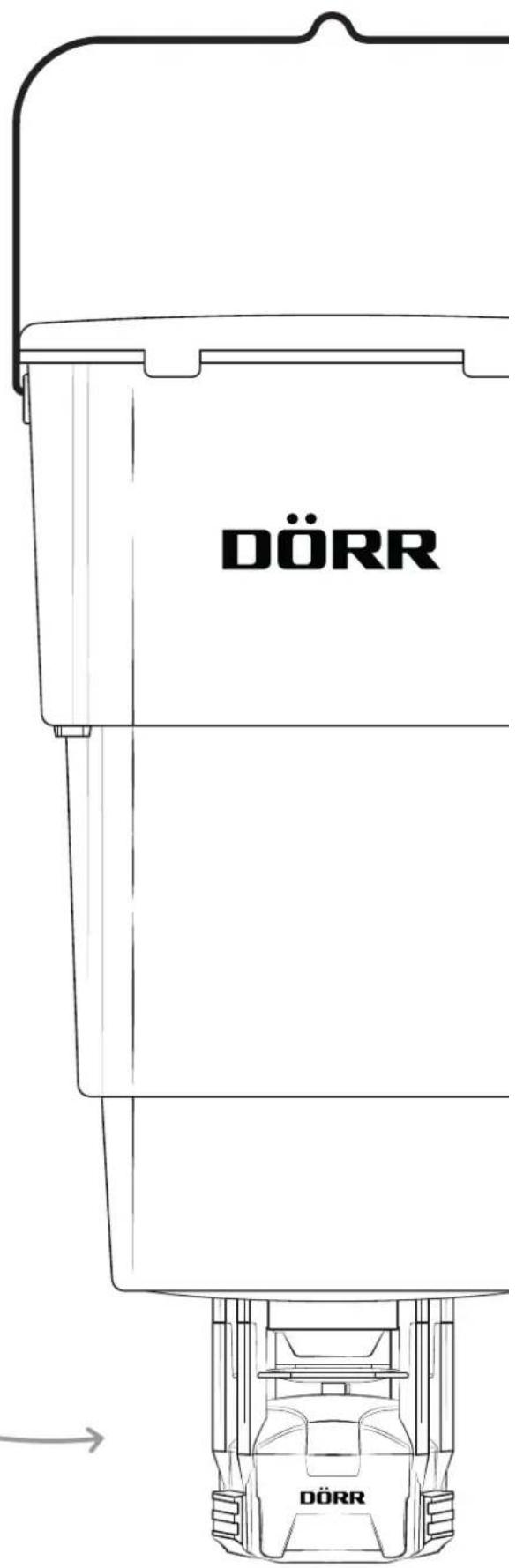
COMPACT
MET CONTAINER
AFBEELDING ONDERDELEN
NL
02 | ⚠️ BATTERIJ WAARSCHUWINGEN
03 | PRODUCTBESCHRIJVING
natural_image
Cross-sectional diagram of an internal combustion engine cylinder (no text or labels)
OPMERKING
natural_image
Technical diagram showing two mechanical assembly states with red and green arrows indicating motion or force directions (no text or symbols present)natural_image
Technical line drawing of a mechanical device with a red cable inserted into a base (no text or symbols)07.2 Stel timers 1-4 in
08 | TESTFUNCTIE
https://www.doerr-outdoor.de
AUTOMATISK FODERSPRIDARE

BRUKSANVISNING
MOD. 204371
natural_image
Line drawing of a car front bumper with DÖRR logo (no text or symbols on body)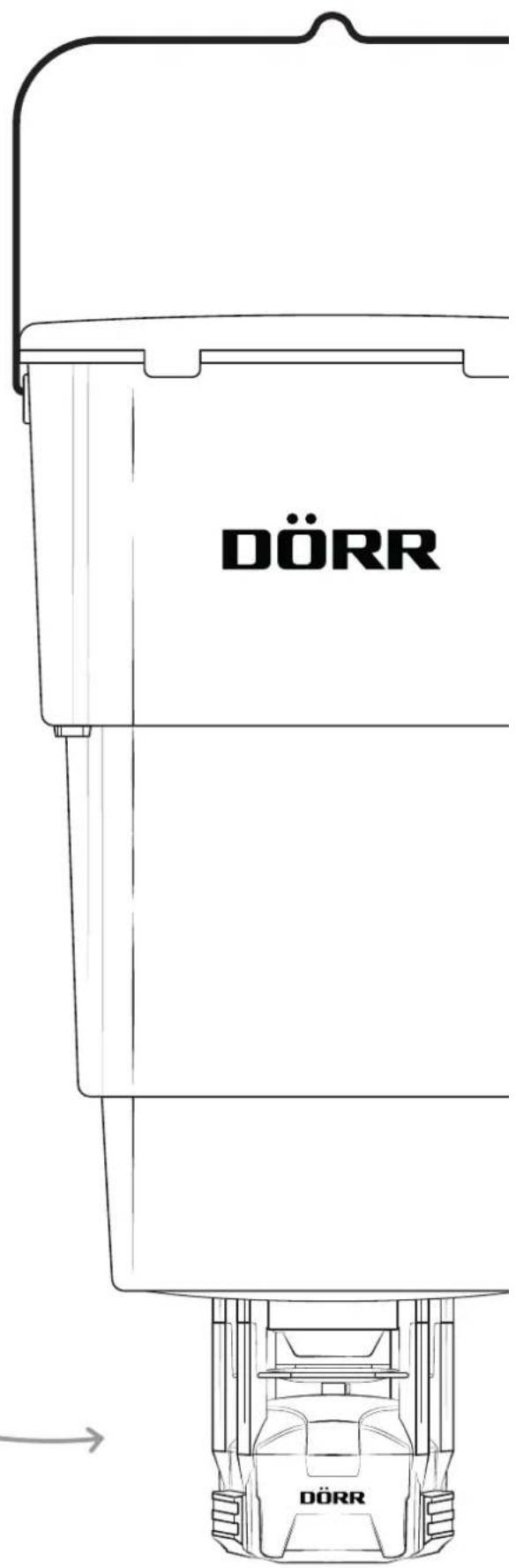
COMPACT
MED BEHÅLLARE
natural_image
Cross-sectional diagram of an internal combustion engine cylinder (no text or labels)OBSERVERA
natural_image
Technical line drawing of a mechanical assembly with two views showing internal components and directional arrows (no text or symbols)natural_image
Technical line drawing of a mechanical assembly with a red cable inserted into a base (no text or symbols)08 | TESTFUNKTION
https://www.doerr-outdoor.de