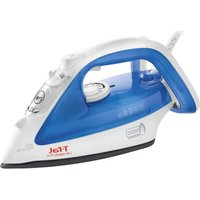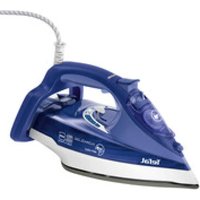
Steam Essential FV1041 - Iron TEFAL - Free user manual and instructions
Find the device manual for free Steam Essential FV1041 TEFAL in PDF.


User questions about Steam Essential FV1041 TEFAL
0 question about this device. Answer the ones you know or ask your own.
Ask a new question about this device
Download the instructions for your Iron in PDF format for free! Find your manual Steam Essential FV1041 - TEFAL and take your electronic device back in hand. On this page are published all the documents necessary for the use of your device. Steam Essential FV1041 by TEFAL.
USER MANUAL Steam Essential FV1041 TEFAL
natural_image
Illustration of a steam iron with a needle inserted, showing internal components and body structure (no text or symbols)EN
ES
EN For further usage information /
text_image
Diagram illustrating the step-by-step procedure for ironing a machine, showing steps from cutting to finishing.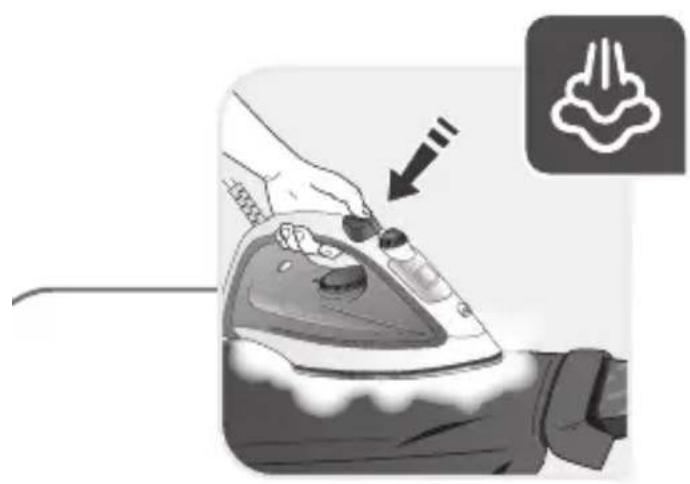
natural_image
Illustration of a hand using a power iron to press down a surface, with a close-up of the air and a smokestack icon (no text or symbols)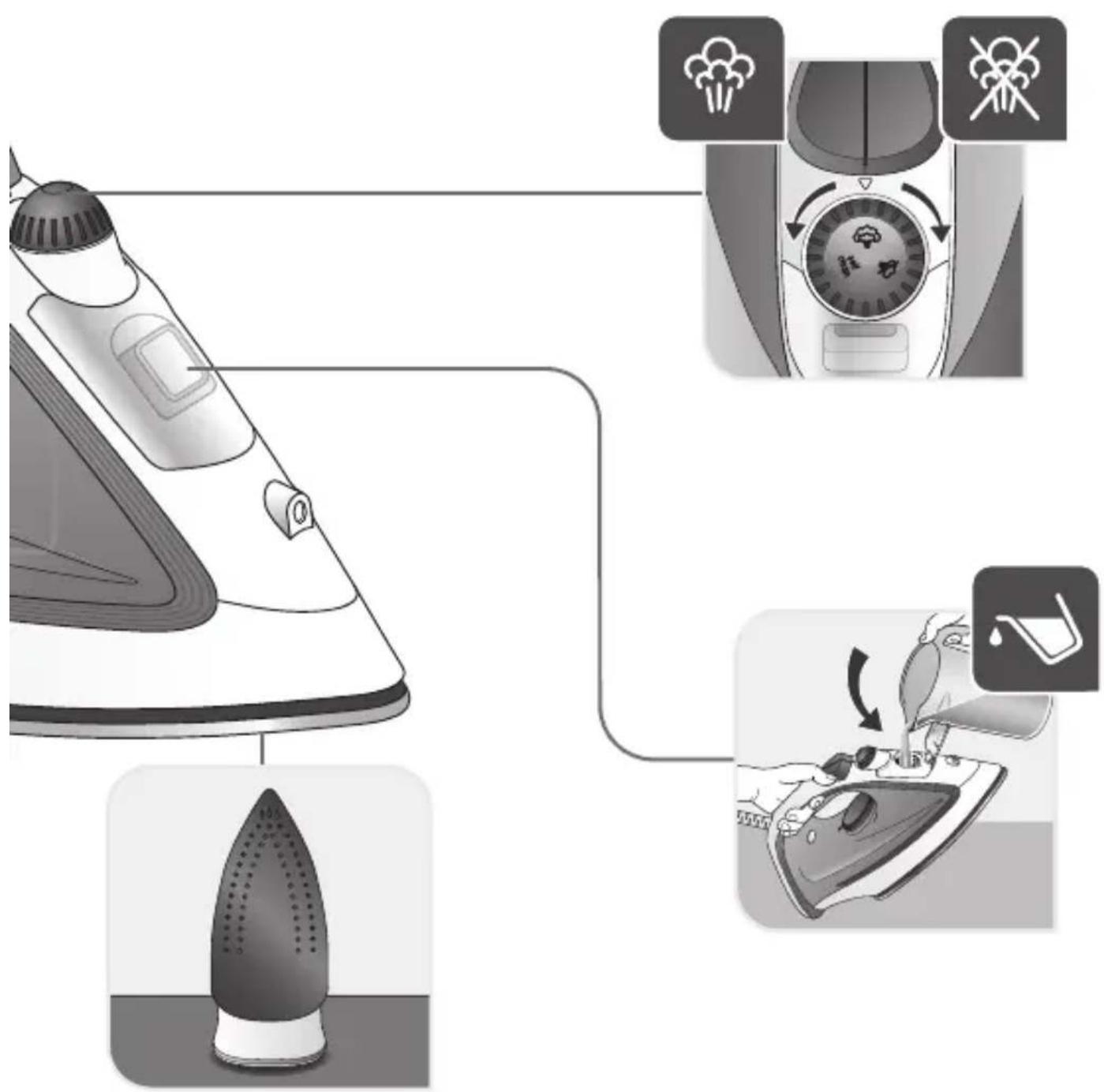
flowchart
graph TD
    A["Iron iron iron"] --> B["Handwashing"]
    B --> C["Cleaning with hair protection icon"]
    C --> D["Close-up of handwashing device"]
    D --> E["Clean washing machine with handwashing tool"]
text_image
Diagram illustrating car air pollution control with smokestacks and exhaust options, showing airflow direction and valve mechanism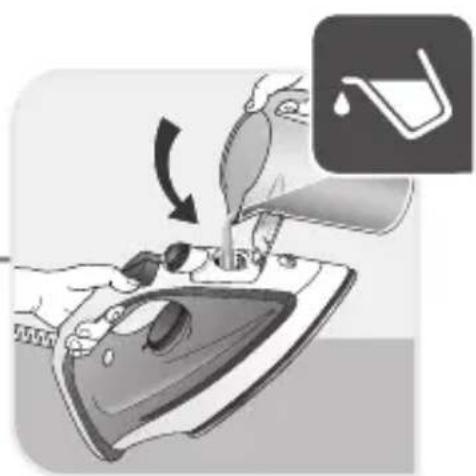
natural_image
Illustration of a person using a power iron to press down a pipe, with a magnified inset showing the pipe's drop (no text or symbols present)FR
SOMMAIRE
RECOMMANDATIONS IMPORTANTES DE SÉCURITÉ
text_image
Diagram of a washing machine dial with Chinese labels and directional arrows indicating rotation or cycle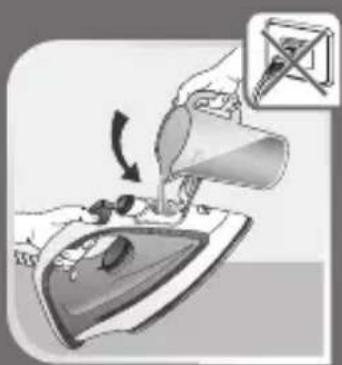
natural_image
Illustration of a hand using a iron on an iron, with a magnified inset showing a crossed-out device (no text or symbols)PREPARATION
text_image
Diagram illustrating four steps of a washing machine control panel with Chinese labels: quick, quick, quick, and quick.UTILISATION
natural_image
Illustration of a hand holding a virus-like object with an hourglass icon (no text or symbols)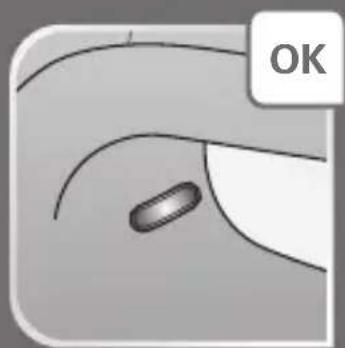
natural_image
Simple diagram of a capsule-shaped object inside a curved boundary, with an 'OK' label (no text or symbols on the object itself)natural_image
Close-up of a circular mechanical device with internal components and directional arrows, no visible text or symbols.natural_image
Circular gauge or dial indicator with a pointer and 'max.' label, no readable text or symbols beyond the indicator itself.text_image
NON max. 1 sec.text_image
1h Warning Warning Warning Warning Warning Warning Warning Warning Warning Warning Warning Warning Warning Warning Warning Warning Warning Warning Warning Warning Warning Warning Warning Warning Warning Warning Warning Warning Warning Warning Warning Warning Warning Warning Warning Warning Warning Warning Warning Warning Warning Warning Warning Warning Warning Warning Warning Warning Warning Warning Weathering Weathering Weathering Weathering Weathering Weathering Weathering Weathering Weathering Weathering Weathering Weathering Weathering Weathering Weathering Weathering Weathering Weathering Weathering Weathering Weathering WeatheringNETTOYAGE ET ENTRETIEN
Rangez votre fer
text_image
Illustration showing a step-by-step procedure for using a water dropper, with time and warning symbol indicated.natural_image
Illustration of a hand using a dropper to measure a car's nose (no text or symbols visible)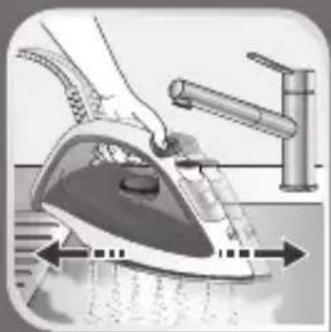
natural_image
Illustration of a hand using a steam iron to clean water, with no text or symbols present.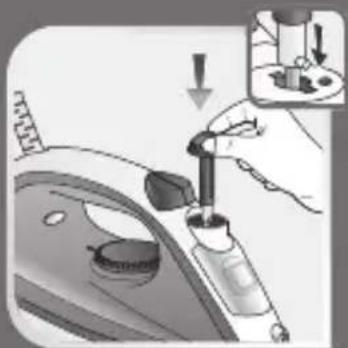
natural_image
Illustration of a hand using a tool to adjust a small object on a device (no text or symbols visible)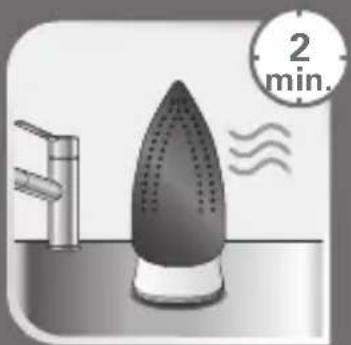
natural_image
Illustration of a steam iron pressing down with a 2-minute timer (no text or symbols on the iron itself)natural_image
Illustration of a crossed-out bathroom fixture with no text or symbols
natural_image
Illustration of a hand cleaning a hair iron on a kitchen sink (no text or symbols)Nettoyez la semelle
natural_image
Illustration of a crossed hammer and screwdriver next to two washers (no text or symbols)Important safety recommendations ...... p. 20
Before first use p. 22
PREPARATION
Which water should I use? p. 23
Filling the water tank.... p. 23
USE
Adjusting the temperature and steam.... p. 24
Dry ironing p. 25
Getting more steam.... p. 25
Vertical steam ironing.... p. 26
Dampening clothing (Spray) p. 27
While ironing p. 27
IRON STORAGE AND MAINTANANCE
Iron storage p. 28
Cleaning the anti-limescale collector (once per month) ...... p. 28
Descaling the steam chamber (once per month) p. 30
Cleaning the soleplate p.31
IS THERE A PROBLEM WITH YOUR IRON?
Problems, possible causes, solutions.... p. 32-33
IMPORTANT SAFETY INSTRUCTIONS
Read all instructions before using the iron.
When using your iron, basic safety precautions should always be followed, including the following:
- Use iron only for its intended use.
- To protect against a risk of electric shock, do not immerse the iron in water or other liquids.
- Always turn the iron OFF before plugging or unplugging the iron from the electrical outlet. Never pull on the cord to disconnect the iron from the electrical outlet; instead, grasp the plug and pull on the plug to disconnect the iron.
- Do not allow cord to touch hot surfaces. Let iron cool completely before putting away. Loop cord loosely around iron when storing.
- Always disconnect iron from electrical outlet when filling with water or emptying and when not in use.
- Do not operate iron with a damaged cord or if the iron has been dropped or damaged. To avoid the risk of electric shock, do not disassemble the iron. Contact our Consumer Service Department for examination, repair or adjustment. Incorrect reassembly can cause a risk of electric shock when the iron is used.
- Close supervision is necessary for any appliance being used by or near children. Do not leave iron unattended while connected or on an ironing board.
- Burns can occur from touching hot metal parts, hot water or steam. Use caution when you turn a steam iron upside down - there may be hot water in the reservoir.
- This appliance is only for domestic and personal use.
SPECIAL INSTRUCTIONS
- To avoid a circuit overload, do not operate another high-wattage appliance on the same circuit.
- If an extension cord is absolutely necessary, a 15 amp. cord should be used. Cords rated for less amper may overheat. Care should be taken to arrange the cord so that it cannot be pulled or tripped over.
SAVE THESE INSTRUCTIONS
For your safety
PLEASE READ THESE INSTRUCTIONS CAREFULLY AND KEEP THEM FOR FUTURE REFERENCE.
This appliance complies with the technical rules and standards for safety currently in force (Electromagnetic Compatibility, Low Voltage, Environnement).
- This appliance is not intended for use by persons (including children) with reduced physical, sensory or mental capabilities, or lack of experience and knowledge, unless they have been given supervision or instruction concerning use of the appliance by a person responsible for their safety. Children must be supervised to ensure that they do not play with the appliance.
-
During the first few uses, a harmless odor and a small amount of smoke may be given off. This has no effect on the use of the iron and will disappear quickly.
-
Warning ! The voltage of your electrical installation must correspond to that of the iron (120V or 125V). Connecting to the wrong voltage may cause irreversible damage to the iron and will terminate the guarantee.
- If it is absolutely essential to use an extension cable, choose a 15 amp cord.
- If the electrical cord becomes damaged, it must be immediately replaced by an Approved Service Centre to avoid any danger.
- The appliance should not be used if it has fallen, if it has obvious damage, if it leaks or functions incorrectly. Never dismantle your appliance: have it inspected by an Approved Service Centre, to avoid any danger.
- Never immerse your iron in water!
- Do not unplug your appliance by pulling on the cord. Always unplug your appliance: before filling or rinsing the water tank, before cleaning it, after each use.
- Never leave the appliance unattended when it is connected to the mains. Before storing the appliance, once it is unplugged, please wait until it has cooled down (around 1 hour).
- Your appliance gives off steam, which may cause burns. Take extra care especially when you are ironing close to the edge or on a corner of your ironing board. Never direct the steam towards people or animals.
- Your iron should be used and placed on a flat, stable, heat-resistant surface. When you put your iron onto its iron rest, make sure that the surface on which you put it is stable.
- This product has been designed for domestic and indoor use only. The manufacturer will accept no responsibility and the guarantee will be terminated, if this product is used for commercial purposes, inappropriate use or failure to comply with the instructions.
Environment protection first!
① Your appliance contains valuable materials which can be recovered or recycled.
Leave it at a local civic waste collection point.
BEFORE FIRST USE

Remove any labels from the soleplate before heating the iron.
Before using the steam function in your iron for the first time, we recommend that you allow the iron to operate a few moments in a horizontal position without coming into contact with your laundry. Keeping the iron in this position, push the steam button several times.
During the first few uses, the appliance may produce smoke, a harmless odor and a light emission of particles. These are simply the engineering residues from the manufacturing process burning off. These are harmless and will quickly disappear.

natural_image
Close-up of a circular mechanical device with internal components and directional arrows (no readable text or symbols)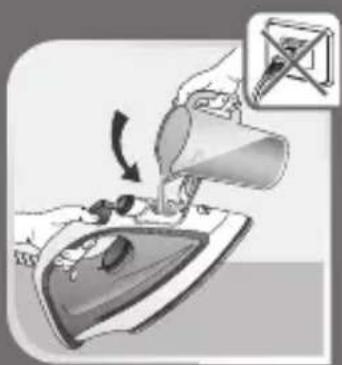
natural_image
Illustration of a hand using a iron on an iron, with a magnified inset showing a crossed-out device (no text or symbols)PREPARATION
Which water should I use?
- Your appliance was designed to operate using untreated tap water. However, it is necessary to periodically clean the steam chamber to remove any mineral deposits.
- Do not use pure demineralised or pure distilled water, water from clothes dryers, scented or softened water, rain water, filtered, bottled or boiled water, water from refrigerators, batteries or air conditioners, pure distilled water or rain water as these may damage the iron. These types of water contain organic waste, mineral elements that become concentrated when heated and cause spitting, brown staining, leaking or premature wear on your iron
If your water is very hard, mix 50% untreated tap water with 50% distilled water (available in hardware stores).
Filling the water tank
• Unplug the iron before filling it.
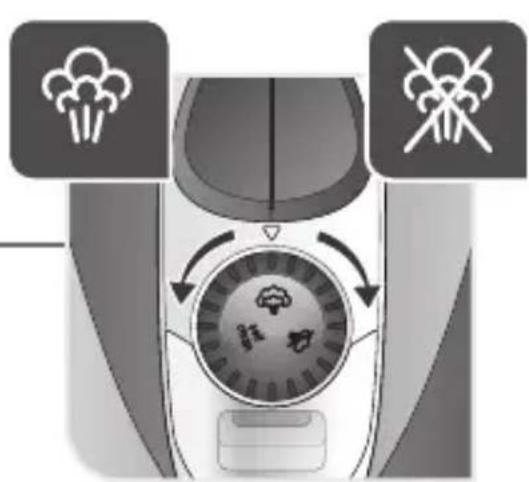
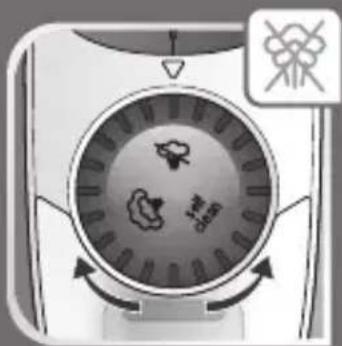
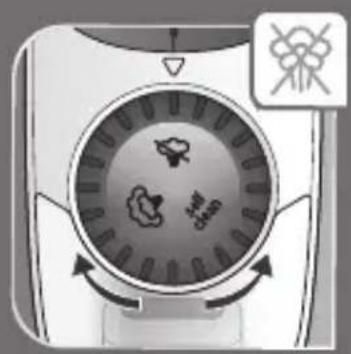
- Set the steam control to

- Lift the iron and, holding it at a slight incline, point the soleplate up.
- Open the water tank cover.
- Fill the water tank to the mark "MAX".
- Close the water tank cover.
text_image
Diagram illustrating four steps of a washing machine control, showing clockwise rotation and end states with Chinese labels.USE
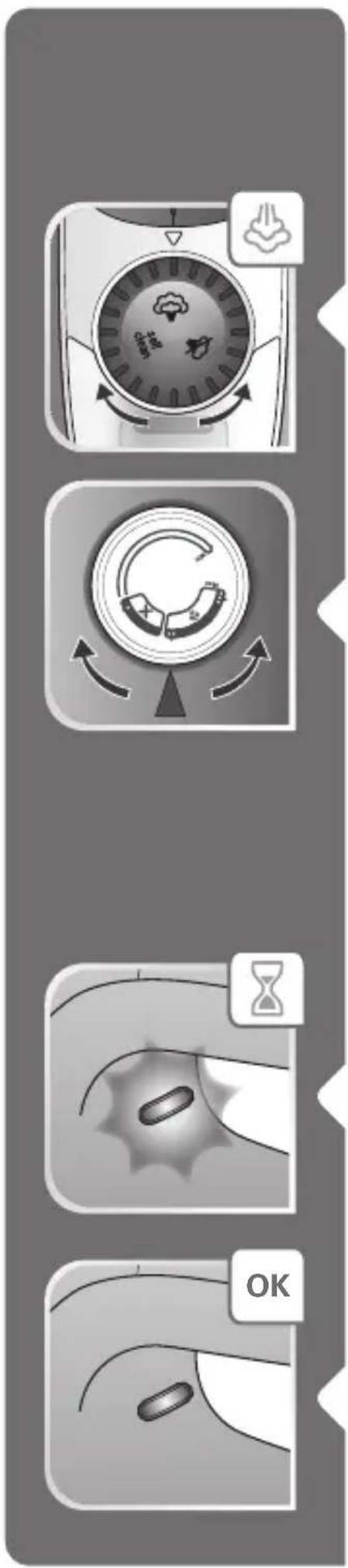
- Plug in the appliance.
Adjusting the temperature and steam
- Adjust the temperature and steam control, referring to the table below.
| FABRIC | TEMPERATURECONTROLPOSITION | STEAM CONTROLPOSITION |
| LINENCOTTONWOOL | MAX········· | |
| SILK/SYNTHETIC(Polyester, Acetate, Acrylic,Polyamide)) | ● |
= STEAM ZONE
natural_image
Illustration of a virus particle with an hourglass icon (no text or symbols)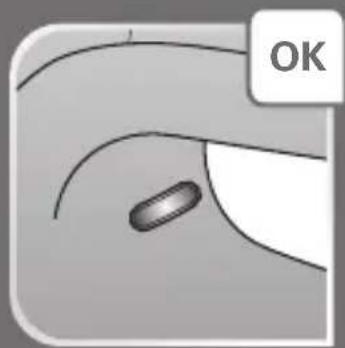
natural_image
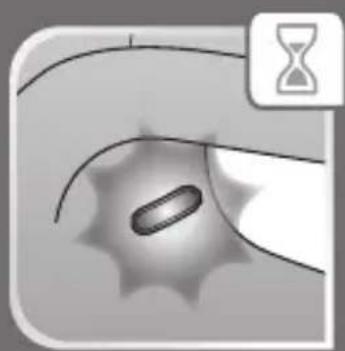
Simple diagram showing a curved line with a shaded oval shape and a label 'OK' (no text or symbols on the diagram itself)• The temperature indicator light turns on.
- It will turn off automatically once the soleplate achieves the desired temperature.

Your iron heats quickly: begin with fabrics that require lower temperatures.
When ironing fabrics with most delicate fibers: set the ironing temperature for the most fragile fiber.
The iron will not heat up if the thermostat control is set to "MIN".
natural_image
Close-up of a circular industrial device with internal components and directional arrows (no readable text or symbols)Dry ironing
- Set the temperature according to the fabric to be ironed.
- Set the steam control to

- You may continue to iron when the indicator light turns off.
natural_image
Circular gauge or dial indicator with a thermometer icon and 'max.' label (no other text or symbols)Getting more steam
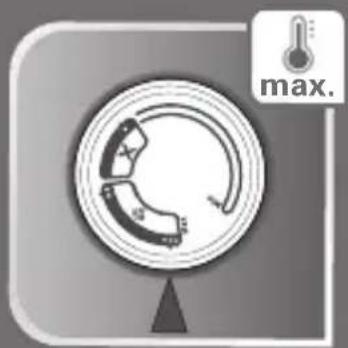
- Set the thermostat control to "MAX" or "●●●".
text_image
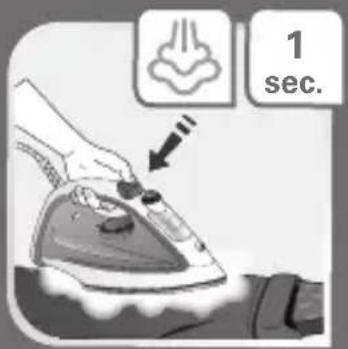
1 sec.- Press the turbo steam button periodically (turbo steam).
- To avoid water dripping on the laundry, maintain an interval of a few seconds in between each press.
text_image
NO max. 1 sec.Vertical steam ironing
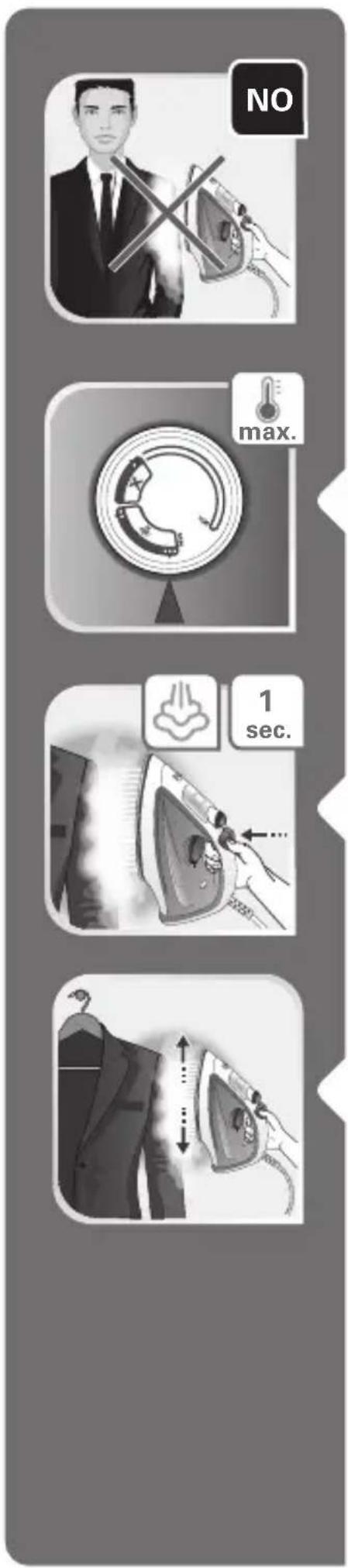
- Hang the item on a hanger. The steam is very hot; never steam iron clothing while it is being worn - always use a hanger.
- Set the thermostat control to "MAX".
- Press the turbo steam button (turbo steam) in pulses, moving the iron from top to bottom.
- Hold the iron at a distance of a few centimeters from the clothing to avoid burning delicate fabrics.
text_image
NO OKDampening clothing (Spray)
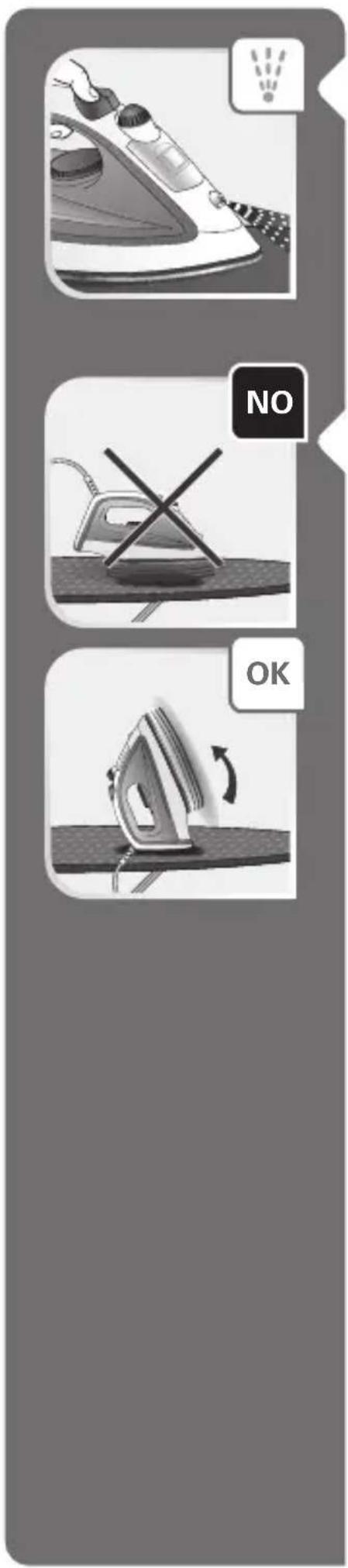
- Press repeatedly on the spray button to moisten clothing and remove stubborn creases.
- Ensure that there is water in the tank before using the spray button.
While ironing
- Do not lay the iron down on the soleplate; use the heel rest for this purpose.
flowchart
graph TD
    A["1h"] --> B["Heating Plate"]
    B --> C["Ordering Gauge"]
    C --> D["Ordering Valve"]
    D --> E["Ordering Ring"]
    E --> F["Ordering Lamp"]
    F --> G["Ordering Cable"]
    G --> H["Ordering Lamp with Waste"]
    H --> I["Ordering Cable with Waste"]
    I --> J["Ordering Cable with Waste"]
    J --> K["Ordering Cable with Waste"]
    K --> L["Ordering Cable with Waste"]
    L --> M["Ordering Cable with Waste"]
IRON STORAGE AND MAINTANANCE
Storing your iron
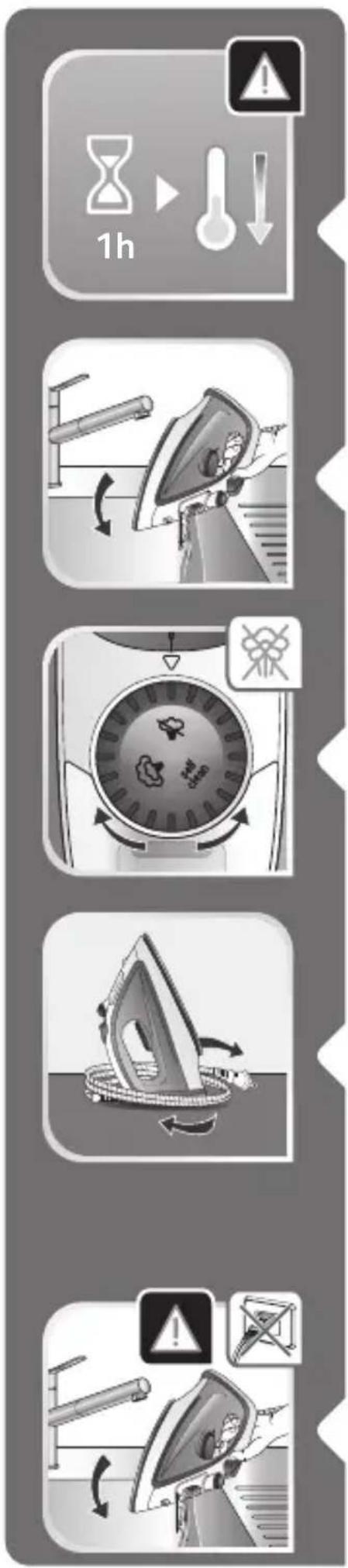
- Unplug the iron and wait for the soleplate to cool (approx. 45 min.).
- Empty the water tank.
- Set the steam control to

- Wrap the cord around the iron's heel rest. Store the iron on its heel rest.
Cleaning the anti-limescale collector (once per month)
- Unplug your iron and empty the water tank.
text_image
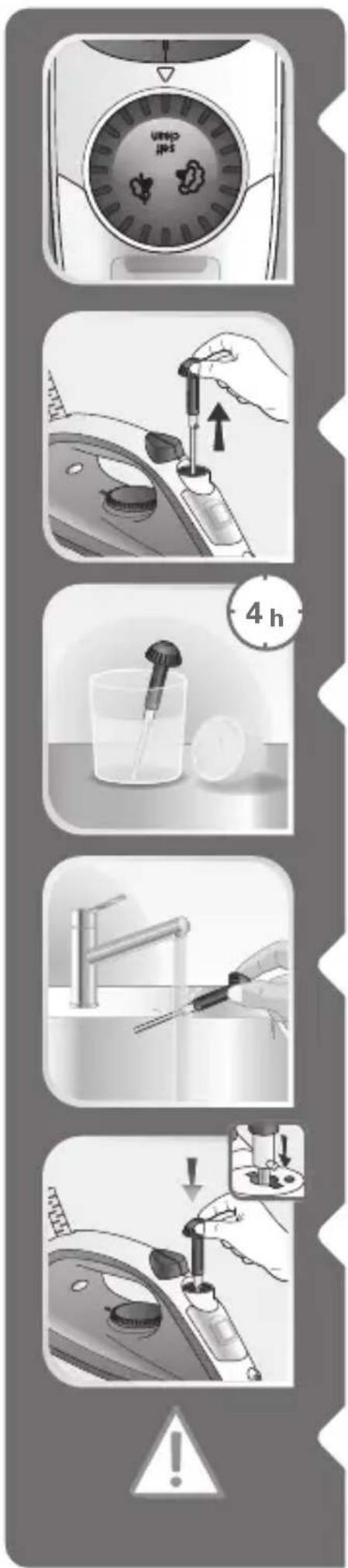
Diagram illustrating a step-by-step procedure for using a pipette, with Chinese labels and a 4-hour time indicator.• To remove the anti-limescale collector, set the steam control to

- Pull on the collector near the steam control.
- Soak the collector for 4 hours in a glass of water with lemon juice.
- Rinse the collector under the tap.
- Insert the collector in place, pushing it until you hear a click.
Beware!
Never touch the end of the collector.
The iron will not function without the anti-calc valve collector.
text_image
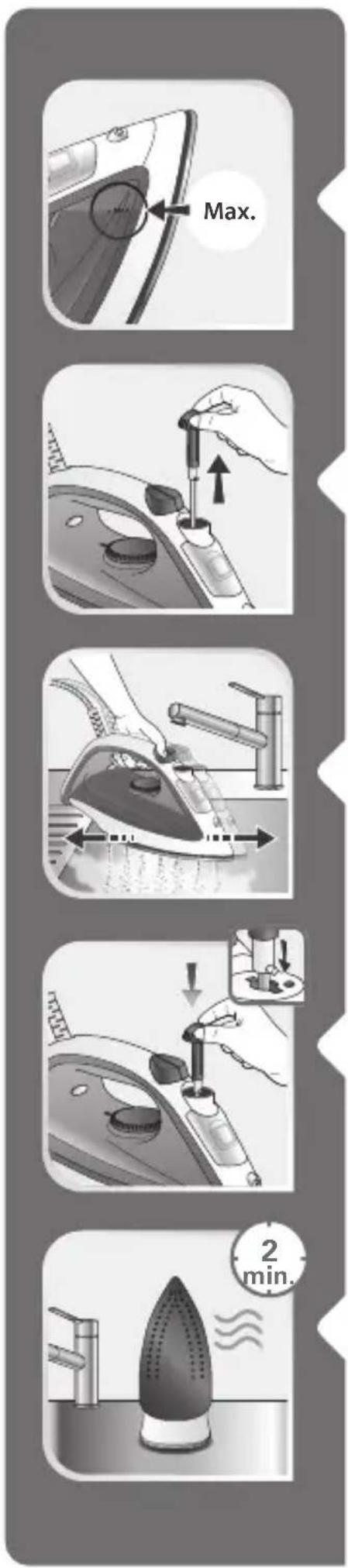
Max. 2 min.Descaling the steam chamber (once per month)
- Allow your iron to heat up with a full water tank while on its heel rest and with the temperature control set to maximum. - Once the indicator light switches off, unplug the iron and place it over a sink.
• To remove the anti-limescale collector, set the steam control to

- Shake the iron gently in a horizontal position above the sink until some of the water (containing the impurities) leaks from the soleplate.
- To finish the process, replace the anti-limescale collector, pushing it until you hear a click.
- Plug in your iron for 2 minutes on the heel rest to dry the soleplate.
natural_image
Illustration of a crossed-out bathroom fixture with no text or symbols
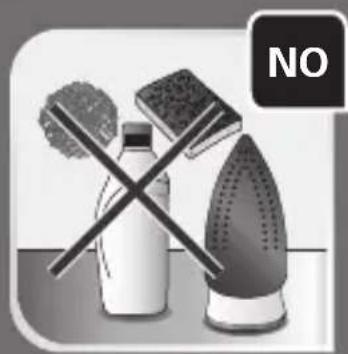
- Unplug your iron and, once cooled, wipe it with a wet sponge.
- Never use chemical or abrasive products.
During the next use, turn on your iron in a horizontal position without putting it into contact with your laundry in order to eliminate any water containing mineral residues that remain in the soleplate.
natural_image
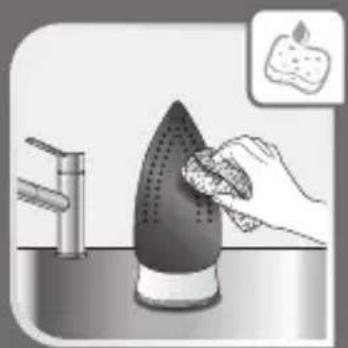
Illustration of a hand cleaning a hair iron on a kitchen sink (no text or symbols)Cleaning the soleplate
- While the soleplate is still cool, clean it with a wet sponge.
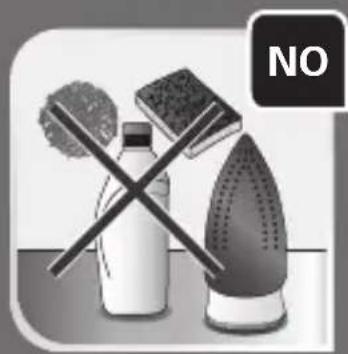
natural_image
Illustration of a crossed hammer and uneven brush next to two washers (no text or symbols)- Never use chemical or abrasive products.
IS THERE A PROBLEM WITH YOUR IRON?
| PROBLEMS | POSSIBLE CAUSES | SOLUTIONS |
| Water is leaking from the holes in the soleplate. | You are using the steam when the iron is not hot enough. | Wait for the indicator light to turn off. |
 You are using the button (turbo steam) too often. You are using the button (turbo steam) too often. | Wait a few seconds between each use. | |
| You have stored the iron horizontally without emptying the water tank or setting the steam control to [1930] | See the chapter on «Storing your iron». | |
| The chosen temperature is too low and does not allow the formation of steam. | Position the thermostat in the steam range (from •• to MAX). | |
| The iron leaks at the start of ironing. | You have removed the anti-limescale collector to fill up your iron. | Do not remove the anti-limescale collector when filling the iron. |
| The steam control dial is not set to ☑When filling the water tank. | Ensure that the steam control dial is set to ☑When filling the water tank. | |
| A brown discharge coming from the soleplate is staining the clothing. | You are using chemical descaling agents. | Do not introduce a descaling agent into the water tank. |
| You are not using the right type of water. | Clean the steam chamber and see the chapter on «What water should I use?» | |
| Clothing fibres are building up in the holes of the soleplate and burning. | Clean the steam chamber and the soleplate with a damp sponge. Periodically vacuum the holes in the soleplate. | |
| The soleplate is dirty or brown and may stain clothing. | The temperature of the iron is too hot. | Clean the soleplate as indicated above. Consult the table of temperatures to adjust the temperature. |
| You are using starch. Clean the soleplate as indicated above. Spray the starch on the reverse side of the clothing to be ironed. | ||
| Your laundry has not been rinsed sufficiently or you are ironing a new item of clothing before washing it. | Ensure that your laundry is sufficiently rinsed to eliminate potential soap deposits or chemical products on new items of clothing. | |
PROBLEMS POSSIBLE CAUSES SOLUTIONS
| Your iron produces little to no steam. | The water tank is empty. Fill it up. | |
| The anti-limescale collector is dirty. | Clean the anti-limescale collector. | |
| Your iron is clogged up with limescale. | Clean the anti-limescale collector and steam chamber. | |
| Your iron has been used for too long in the dry ironing function. | Clean the steam chamber. | |
| The chosen temperature is too low and does not allow the formation of steam. | See the chapter “Adjusting the temperature and steam”. | |
| The soleplate is scratched or damaged. | You have placed your iron on a metallic iron rest or ironed over metal zips or fasteners. | Always place your iron on its heel rest when not in use.Do not iron over metal zips or fastners. |
| The iron steams once the water tank has been filled. | The steam control dial is not set to ➕ | Ensure that the steam control dial is set to ➕ |
| The water tank is too full. Do not exceed the max level for filling. | ||
| The spray does not spray water. | The water tank is not full enough. | Add water to the water tank. |
If you have any problems or queries please call our Customer Relations team first for expert help and advice: consult our website for contact details www.t-fal.com
ES
ÍNDICE
text_image
Diagram of a washing machine dial with Chinese labels and directional arrows indicating rotation or cyclenatural_image
Illustration of a hand pouring liquid into a machine with a magnified inset showing a cross symbol (no text or labels)text_image
Diagram showing four steps of a washing machine control panel with Chinese labels: quick, quick, open, and OK.UTILIZACIÓN
natural_image
Illustration of a virus particle with an hourglass icon (no text or symbols)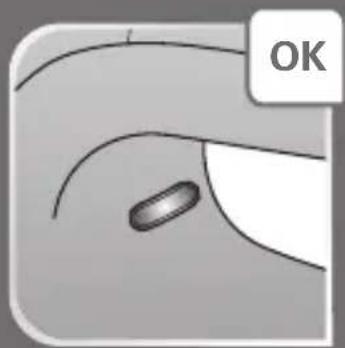
natural_image
Simple illustration of a capsule-shaped object inside a curved container, with an 'OK' button in the top-right corner (no other text or symbols)natural_image
Close-up of a circular device with icons and a warning symbol (no readable text or symbols)Planchar en seco
text_image
NO max. 1 sec.Planchar verticalmente
flowchart
graph TD
    A["Oil Drop"] --> B["Reheating Plate"]
    B --> C["Pressure Gauge"]
    C --> D["Ordering Machine"]
    D --> E["Heating Plate"]
    E --> F["Warning/Warning Signals"]
    F --> G["Safety Warning/Warning Signals"]
    G --> H["Electrician Iron"]
MANTENIMIENTO Y LIMPIEZA
Para guardar
text_image
Illustration showing a step-by-step procedure for using a dropper to measure liquid, with time and warning symbol present.natural_image
Illustration of a hand using a dropper to measure a small object on a car surface (no text or symbols visible)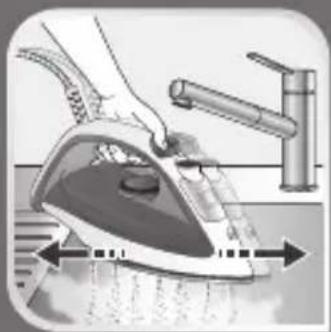
natural_image
Illustration of a hand using a steam iron to clean water, with no text or symbols present.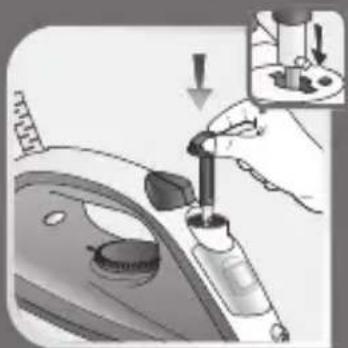
natural_image
Illustration of a hand using a tool to adjust a small object on a machine (no text or symbols visible)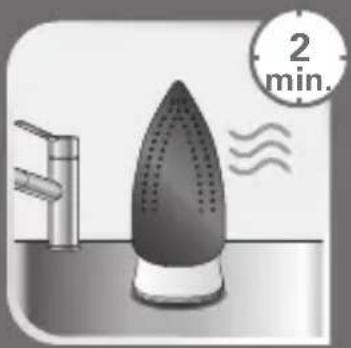
natural_image
Illustration of a steam iron pressing down with a 2-minute timer (no text or symbols on the iron itself)natural_image
Illustration of a crossed-out bathroom fixture with no text or symbols