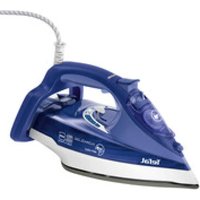
Ultimate Anti-Calc FV9635 - Iron TEFAL - Free user manual and instructions
Find the device manual for free Ultimate Anti-Calc FV9635 TEFAL in PDF.


| Brand | Tefal |
| Model | Ultimate Anti-Calc FV9635 |
| Product type | Iron |
| Soleplate | Gliss/Glide Protect™ Autoclean (depending on model) |
| Anti-calc system | Removable anti-calc rod with periodic cleaning |
| Steam function | Yes, with adjustable steam control |
| Steam boost | Yes, steam boost button for an extra burst of steam |
| Spray function | Yes, spray trigger to dampen laundry |
| Vertical steaming | Yes, vertical steaming of hanging clothes |
| Anti-drip function | Yes, automatic steam selection according to temperature |
| Auto-Stop safety | Automatic shut-off after 8 min on heel or 30 s on soleplate |
| Thermostat | Temperature adjustment with indicator light |
| Recommended water type | Tap water (if hard, mix 50% demineralized water) |
| Maintenance | Automatic self-cleaning, monthly cleaning of anti-calc rod |
| Tank capacity | MAX mark (capacity not specified) |
| Power supply | 220-240 V (standard estimate) |
| Cord | Easycord system for easy winding |
| Heel | Extra Stable for safe storage |
| Weight | Not specified |
| Dimensions | Not specified |
Frequently Asked Questions - Ultimate Anti-Calc FV9635 TEFAL
User questions about Ultimate Anti-Calc FV9635 TEFAL
0 question about this device. Answer the ones you know or ask your own.
Ask a new question about this device
Download the instructions for your Iron in PDF format for free! Find your manual Ultimate Anti-Calc FV9635 - TEFAL and take your electronic device back in hand. On this page are published all the documents necessary for the use of your device. Ultimate Anti-Calc FV9635 by TEFAL.
USER MANUAL Ultimate Anti-Calc FV9635 TEFAL
natural_image
Black and white photo of a Tefal iron iron with visible branding and mounting bracket (no text or symbols on the iron itself)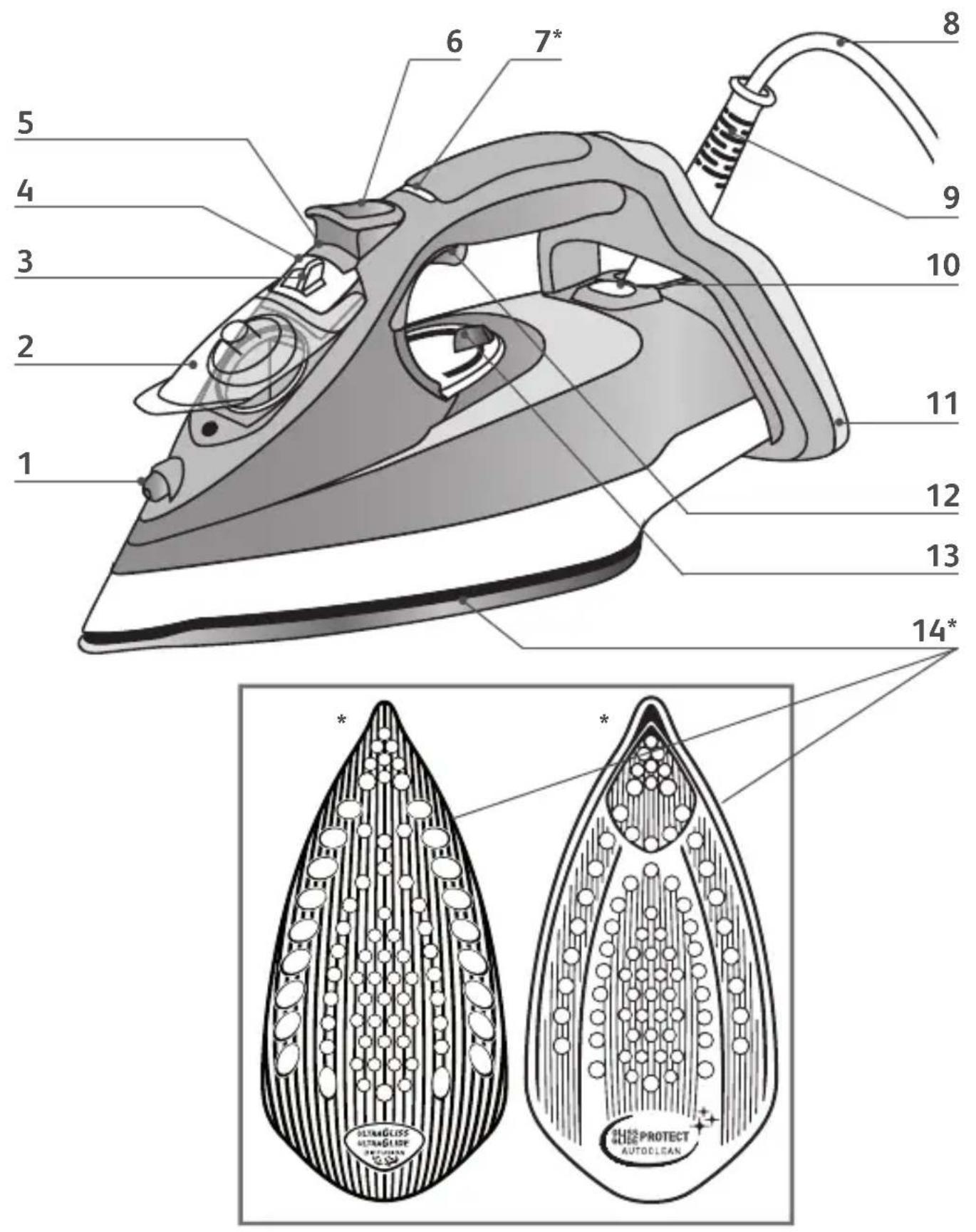
* EN Depending on model • DE je nach modell • FR Selon modèle • NL Afhankelijk van model • IT Secondo il modello • ES Según el modelo • PT Consoante maodelo • DA Afhængig af model • NO Alt etter modell • SV Beroende på modell • FI Mallin mukaan • EL Aváloa με το μοντέλο • CS Podle modelu • HU Modelltől függően • SK V závislosti od modelu • HR Ovisno o modelu • SL Podle modelu • RO În funcție de model • SR Prema modelu • BG B зависимст от моделиа • PL Zalekznie od modelu • UK Залежно від моделі • RU в зависимости от модели • ET talla puhastus • LV Pamatnes tīrīšana • LT Pado valymas

natural_image
Mechanical component diagram showing a turning mechanism with an arrow indicating rotational motion (no text or symbols)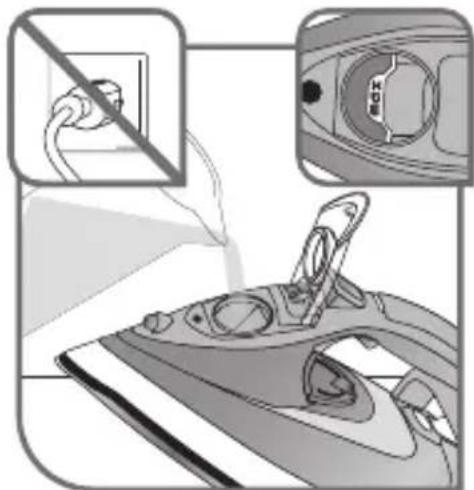
fig.1 fig.2 fig.3
natural_image
Abstract grayscale illustration of a stylized eye-like shape with radiating lines, no text or symbols present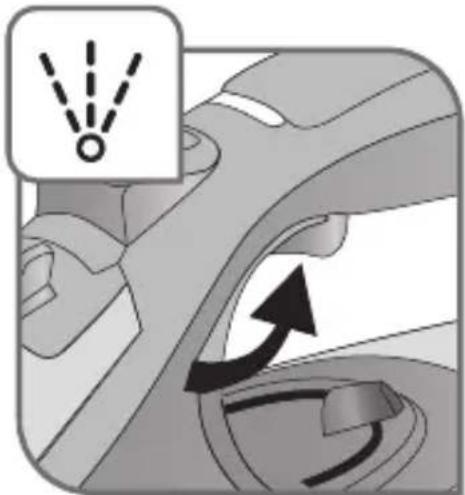
natural_image
Mechanical component diagram showing a turning mechanism with arrows indicating motion (no text or symbols)fig.4 fig.5 fig.6
natural_image
Mechanical component diagram showing a nozzle and airflow path with no visible text or symbols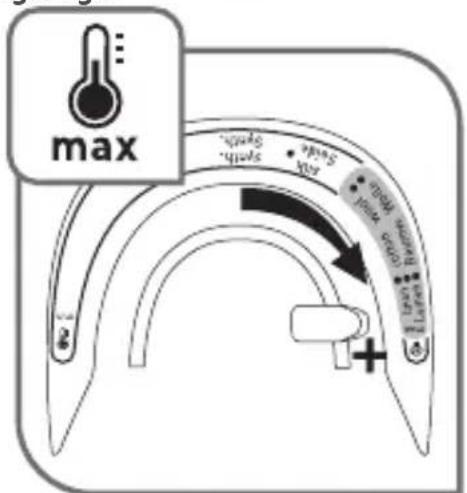
natural_image
Illustration of a person using a steam iron to lift a jacket, showing airflow direction (no text or symbols)fig.7 fig.8 fig.9
* EN Depending on model • DE je nach modell • FR Selon modèle • NL Afhankelijk van model • IT Secondo il modello • ES Según el modelo • PT Consoante maodelo • DA Afhængig af model • NO Alt etter modell • SV Beroende på modell • FI Mallin mukaan • EL Aváloa με το μοντέλο • CS Podle modelu • HU Modelltől függően • SK V závislosti od modelu • HR Ovisno o modelu • SL Podle modelu • RO În functie de model • SR Prema modelu • BG B зависимст от моделиа • PL Zalekznie od modelu • UK Залежно від моделі • RU в зависимости от модели • ET talla puhastus • LV Pamatnes tīrīšana • LT Pado valymas
fig.10*
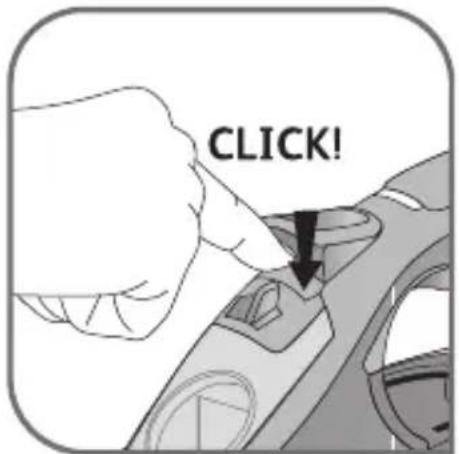
fig.11 fig.12
natural_image
Close-up of a hand using a tool to adjust or install a mechanical component, with an upward arrow indicating motion (no text or symbols present)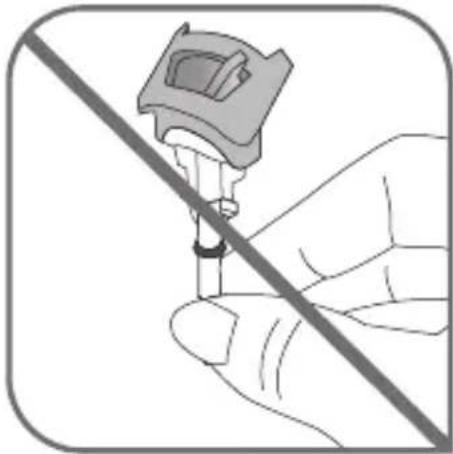
natural_image
Illustration of a hand holding a medical device with a diagonal line crossing through it (no text or symbols)fig.13
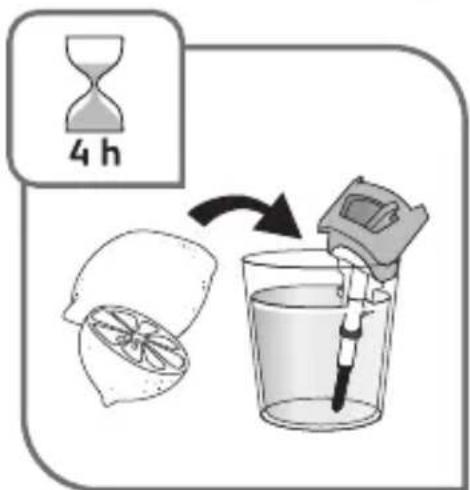
fig.14 fig.15
natural_image
Illustration of a hand using a steam iron to spread material, no text or symbols presentfig.16
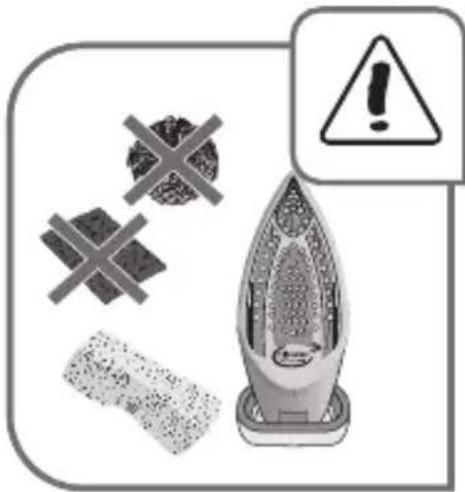
fig.17
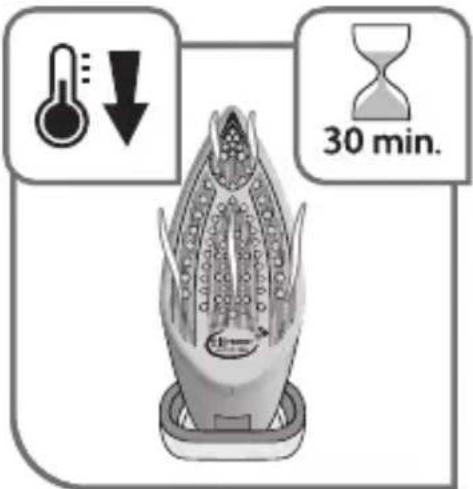
fig.18
natural_image
Illustration of an iron on a cord with a power plug, showing rotational motion (no text or symbols)fig.19
EN Please refer to safety booklet before using your appliance.
- Spray
- Cover for filling tank
- Steam control
- Anti-calc valve
- Anti-calc valve release button
- Turbo steam button
- Auto-Stop safety light (depending on model)
-
Power cord
-
Easycord system
- Thermostat light
- Extra-stable heel
- Spray trigger
- Thermostat control
- Gliss/Glide Protect ^™ Autoclean soleplate (depending on model)
Before using for the first time
Read the instructions for use carefully. Remove any labels from the soleplate before heating the iron.
- Before using your iron for the first time in the steaming position, we recommend that you let it function for a few moments in the horizontal position and away from your clothes. Press the turbo steam button several times in this position.
- On first use you may notice a small amount of smoke and odour or a small discharge of particles. This is normal and will quickly disappear.
Preparation
What water to use?
- Your appliance has been designed to function with untreated tap water. However, it is necessary to operate the Self-Clean function regularly in order to eliminate hard water deposits from the steam chamber.
- Types of water not to use: Heat concentrates the elements contained in water during evaporation. The types of water listed below may contain organic waste, mineral or chemical elements that can cause spitting, brown staining or premature wear of the appliance: water from clothes dryers, scented or softened water, water from refrigerators, batteries, air conditioners, rain water, boiled, filtered or bottled water. Do not use pure distilled nor pure demineralised water. These types of water should not be used in your TEFAL iron.
Filling the tank
Do not exceed the tank's MAX marking. Do not fill your iron directly under the tap.
Do not remove the anti-calc valve to fill the tank.
- Unplug your iron before filling it.
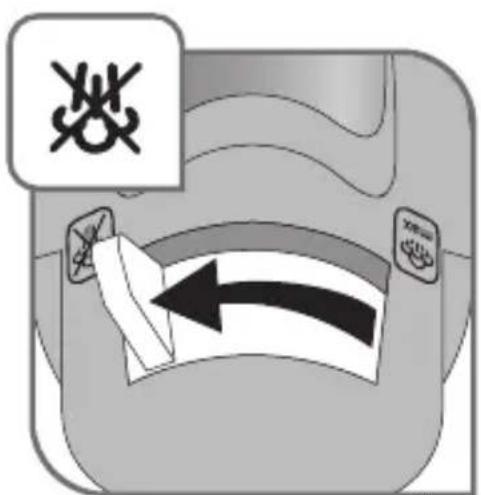
- Set the steam control to fig.1.
- Hold the iron in one hand and tilt it slightly, pointing the soleplate upwards.
- Open the tank cover – fig.2.
- Fill the tank to the "MAX" marking – fig.3.
- Close the tank cover.
Use
Adjusting the temperature and steam
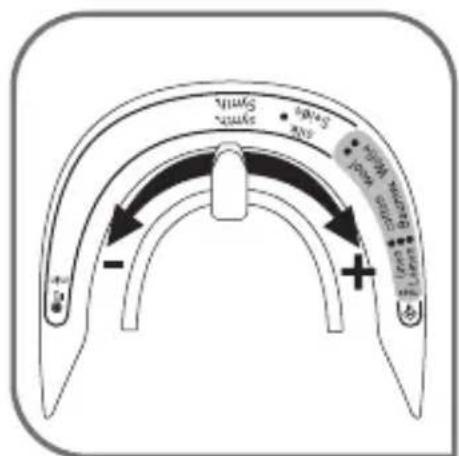
- Adjust the thermostat control – fig.4, by referring to the table below.
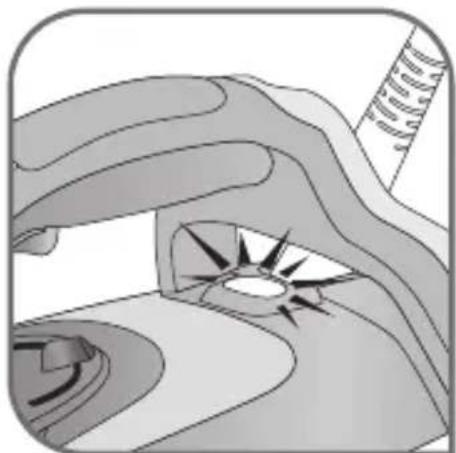
- The light comes on. It will go out when the soleplate is sufficiently hot – fig.5.
| FABRIC | POSITION OF THERMOSTAT CURSOR STEAM SETTING | |
| LINEN COTTON WOOL | 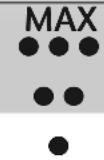 | |
| SILK / SYNTHETIC (Polyester, Acetate, Acrylic, Nylon) | ||
According to the type of fabric selected, your iron automatically and accurately determines the temperature and steam flow, to guarantee the best result.
RECOMMENDATIONS
= STEAM ZONE
- Your iron heats up quickly: start with fabrics that require a low heat, then finish with those that need higher temperatures.
-
If you lower the thermostat, wait for the light to come back on before starting to iron again.
-
If you are ironing a fabric comprising a mixture of fibres: adjust the temperature to the most delicate fibre.
- If you put your thermostat in the "MIN" position, the iron does not become hot.
Using the water spray trigger (spray)
Check that there is water in the tank before using the spray trigger.
- When ironing with the steam or dry function, press the spray trigger several times in succession to remove stubborn wrinkles – fig.6.
Obtaining more steam
- Set the thermostat control to "MAX" or "●●●".
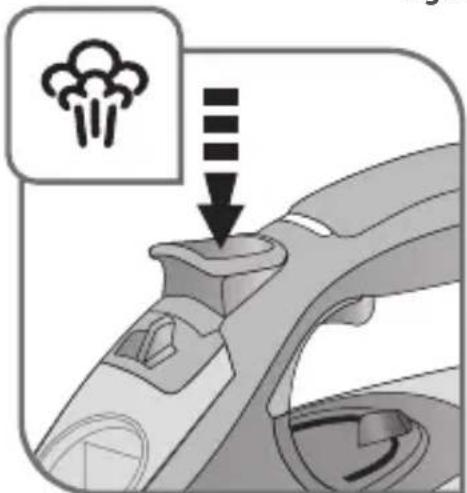
- Press the turbo steam button from time to time – fig.7.
- To avoid water dripping onto your clothes, wait a few seconds before pressing again.
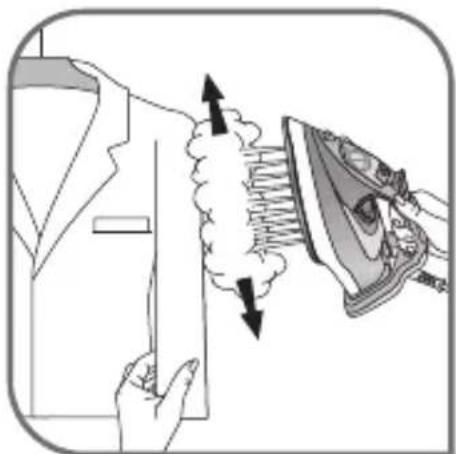
Smoothing garments vertically
Hold the iron a few centimetres from the fabric so as not to burn delicate fabrics.
- Hang the garment on a hanger and hold the fabric using one hand. The steam is very hot so you should always do this with the garment on a hanger – never while someone is wearing it.
- Set the thermostat control to "MAX" – fig.8.
- Pulse the turbo steam button 🎨 – fig.7 and move from top to bottom – fig.9.
Dry Iron function
- Adjust the temperature to the fabric being ironed.
- Set the steam control to Fig.1.
- You can iron when the light goes out.
Additional functions
Gliss/Glide Protect™ autoclean soleplate (depending on model)
- Your iron is equipped with a catalytic self-cleaning soleplate.
- Its exclusive coating removes all impurities generated by normal use.
- It is recommended that you always rest your iron on its support base to preserve its self-cleaning coating.
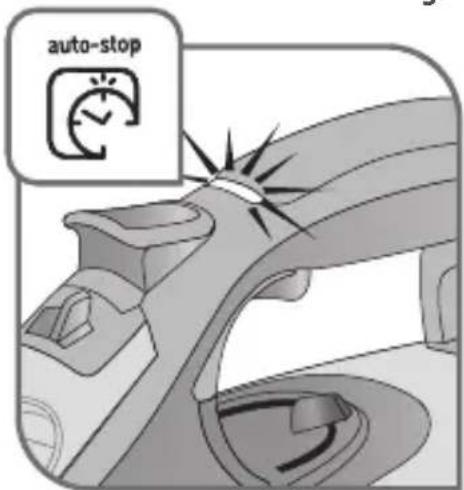
In normal use, the auto-stop light is on!
Auto-stop safety function (depending on model)
- The electronic system cuts the power and the auto-stop light flashes if the iron is placed on its support base for more than 8 minutes or left flat for more than 30 seconds – fig.10.
- To restart the iron, simply shake it gently until the light stops flashing.
Anti-drip function
- The automatic steam selection function is based on the fabric being ironed, which is integrated into your iron, reduces the steam flow at low temperatures and prevents the iron from dripping onto your clothes.
Cleaning and maintenance
Self-cleaning
- Put the steam button on "MAX".
- Place the iron on its base with a full tank and set the thermostat to the "MAX" position.
- When the light goes out, disconnect the iron and place it over a sink.
- Set the thermostat to the "MIN" position.
- Remove the anti-calc valve.
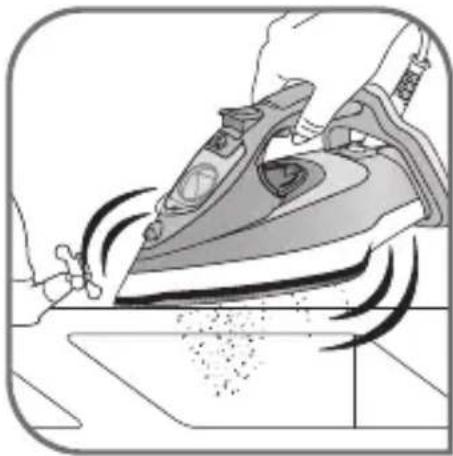
- Shake the iron lightly and horizontally above a sink until part of the water (with the impurities) flows from behind the appliance – fig.21.
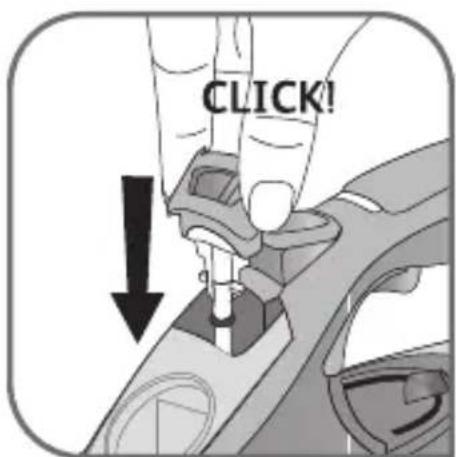
- Once you have finished this operation, replace the anti-calc valve, inserting it until you hear a click – fig.20.
- Plug in your iron and let it stand on its base for 2 minutes in order to clean the soleplate.
- Unplug your iron and when the soleplate is lukewarm, dry it with a soft cloth.
- When you next use your iron, switch it on in the horizontal position, holding it away from you, to remove any water and limescale residue left in the baseplate.
Clean the anti-calc valve (once a month)
Warning!
- Never touch the end of the valve – fig.18.
-
The iron does not work without the anti-calc valve.
-
Unplug your iron and empty the tank.
- Put the steam button on max and set the thermostat to the "MIN" position.
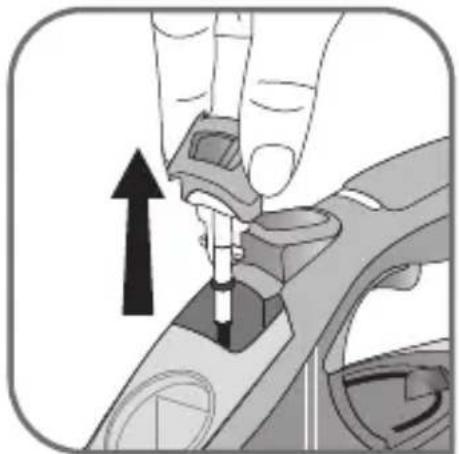
- To remove the anti-calc valve, press the self-clean extraction button – fig.16 and pull the valve upwards – fig.17.
- Let the valve soak for 4 hours in a glass of commercially available white vinegar or natural lemon juice – fig.19.
- Rinse the valve under tap water.
- Reposition the anti-calc valve; push it until it clicks – fig.20.
Cleaning the soleplate
Your steam iron is equipped with a self-cleaning soleplate (depending on model):
- Its exclusive active coating eliminates all impurities that can be generated under normal conditions of use.
- Ironing using the incorrect temperature could however leave traces that require manual cleaning. In this case, it is recommended that you use a soft damp cloth on the still warm soleplate so as not to damage clothing.
Your steam iron is equipped with the Ultragliss soleplate (depending on model):
- Clean with a damp non-metallic sponge or damp soft cloth while the soleplate is still warm.
Warning! Using any abrasive sponge damages the self-cleaning coating (according to model) of your soleplate – fig.22.
Do not use corrosive or abrasive products.
Storing your iron
- Unplug it and wait for the soleplate to cool down – fig.23.
- Empty the tank and set the steam control to . A little water may remain in the tank.
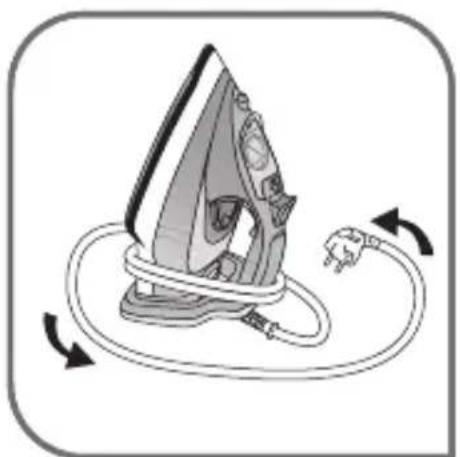
- Wind the cord around the heel of the iron. Position the iron on its support base – fig.24.

Environment protection first!
Your appliance contains valuable materials which can be recovered or recycled.
Leave it at a local civic waste collection point.
A problem with your iron?
| PROBLEM POSSIBLE | CAUSE SOLUTION | |
| Water drips from the holes in the soleplate. | The chosen temperature is too low and does not allow for the formation of steam. | Position the thermostat in the steam range (from •• to MAX). |
| You are using steam while the iron is not hot enough. | Wait until the thermostat light goes out. | |
| You are using the Shot of Steam button too often. | Wait a few seconds between each use of the button. | |
| There is too much steam. | Reduce the steam. | |
| You have stored the iron horizontally, without emptying it and without setting it to ✗. | See the section "Storing your iron". | |
| The iron drips when you start ironing. | You have removed the anti-scale rod to fill your iron. | Do not extract the anticalc valve when filling the iron. |
| Brown streaks come through the holes in the soleplate and stain the linen. | You are using chemical descaling agents. | Do not add any descaling agents to the water in the water tank. |
| You are not using the right type of water. | Perform a self-cleaning operation and consult the chapter "What water should I use?". | |
| Fabric fibres have accumulated in the holes of the soleplate and are burning. | Perform the self-cleaning operation and clean the soleplate with a damp sponge. Vacuum the holes of the soleplate from time to time. | |
| Your linen has not been rinsed sufficiently or you have ironed a new garment before washing it. | Make sure that your laundry is rinsed sufficiently so as to remove any deposits of soap or chemical products on new clothes. | |
| The soleplate is dirty or brown and can stain the linen. | Your are ironing with an inappropriate program (temperature too high). | Clean the soleplate as indicated above. Select the appropriate program. |
| You are using starch. | Clean the soleplate as indicated above. Always spray starch onto the reverse side of the fabric to be ironed. | |
| There is little or no steam. | The water tank is empty. | Fill it. |
| The anti-calc valve is dirty. | Clean the anti-calc valve. | |
| Your iron has a build-up of scale. | Clean the anti-calc valve and carry out a self-clean. | |
| Your iron has been used dry for too long. | Carry out a self-clean. | |
| The soleplate is scratched or damaged. | You have placed your iron flat on a metallic rest-plate or ironed over a zip. | Always set your iron on its heel. Do not iron over zips. |
| Steam or water come from the iron as you finish filling the tank. | The steam control is not set to the ✗ position. | Check that the steam control is set to the ✗ position. |
| The water tank is overfilled. | Never exceed the Max level. | |
| The spray does not spray. | The water tank is not filled enough. | Fill up the water tank. |
If you have any problems or queries please contact our Customer Service helpline as listed below.
Beschreibung
= DAMPFAUSLASSBEREICH