
ThermoScan 7+ connect IRT6575 - Thermometers BRAUN - Free user manual and instructions
Find the device manual for free ThermoScan 7+ connect IRT6575 BRAUN in PDF.
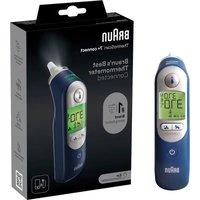


| Product Type | Infrared Ear Thermometer |
| Brand | Braun |
| Model | ThermoScan 7+ connect IRT6575 |
| Technology | Age Precision® (age selection) and ExacTemp® (stability indicator) |
| Display | Color backlit screen (green, yellow, red) and night mode |
| Connectivity | Bluetooth Smart (BLE) via Braun Family Care app |
| Displayed temperature range | 34 to 42.2 °C (93.2 to 108 °F) |
| Accuracy | ±0.2 °C (35–42 °C); ±0.3 °C outside range |
| Resolution | 0.1 °C or °F |
| Power supply | 2 AA batteries (LR06) 1.5 V |
| Battery life | Approx. 2 years / 350 measurements / 100 minutes in night mode |
| Operating temperature | 10 to 40 °C (50 to 104 °F) |
| Storage temperature | -25 to 55 °C (-13 to 131 °F) |
| Operating humidity | 10–95% RH (non-condensing) |
| Storage humidity | 15–95% RH (non-condensing) |
| Included accessories | Disposable Hygiene cap tips LF40/LF20 (box of 20 + 1 installed), protective case |
| Night mode | Yes (beeps disabled, integrated flashlight) |
| Memory | Displays last measurement at start (M symbol) |
| Safety | ExacTemp stability indicator, fever color code, disposable hygiene cap |
| Care and cleaning | Clean the lens with an alcohol swab; do not immerse |
| Warranty | 2 years |
| Spare parts | Hygiene cap tips LF40/LF20 (single use) |
| Repairability | Do not open; contact customer service |
| Safety class | BF (applied parts) |
| Marking | CE 0297, medical device |
Frequently Asked Questions - ThermoScan 7+ connect IRT6575 BRAUN
User questions about ThermoScan 7+ connect IRT6575 BRAUN
0 question about this device. Answer the ones you know or ask your own.
Ask a new question about this device
Download the instructions for your Thermometers in PDF format for free! Find your manual ThermoScan 7+ connect IRT6575 - BRAUN and take your electronic device back in hand. On this page are published all the documents necessary for the use of your device. ThermoScan 7+ connect IRT6575 by BRAUN.
USER MANUAL ThermoScan 7+ connect IRT6575 BRAUN
Certain trademarks used under license from The Procter & Gamble Company or its affiliates.
ThermoScan®, ExacTemp®, and Age Precision™ are trademarks of Helen of Troy Limited and/or its affiliates.
The Bluetooth® word mark and logos are registered trademarks owned by Bluetooth SIG, Inc., and any use of such marks is under license.
App Store is a service mark of Apple Inc., registered in the U.S. and other countries.
Google Play and the Google Play logo are trademarks of Google Inc.


Kaz Europe Sàrl
Helen of Troy Company
Q-Center, Chaux 4
CH-1030 Bussigny - Switzerland

0297

MD REF IRT6575NWE
Product description (see page 1)
① Disposable Hygiene cap (a box of 20 is supplied + 1 already installed) LF40/LF20 ② Probe tip ③ Probe ④ ExacTemp® Light ⑤ Hygiene cap ejector ⑥ Display 7a Age Precision™ Technology button ⑧ Power button ⑨ Temperature button 10 Battery door ⑪ Protective case 7b Night mode button
Intended use and contraindications
The Braun ThermoScan® Ear thermometer is intended to be used by home users for intermittent measurement of the body temperature of patients having ages ranging from normal weight (full term) new-born to geriatric adult. The thermometer is reusable. The Braun Hygiene cap is a single use device and is intended to maintain accuracy of measurement, hygiene and prevent cross-contamination.
This product is not intended to diagnose any disease but is a useful screening tool for temperature.
This thermometer is not intended for clinical use in a professional environment and is for home usage only. The Age Precision™ Technology feature is not intended for pre-term babies or small-for-gestational age babies. This thermometer is not intended to interpret hypothermic temperatures. Do not allow children under 12 to take their temperatures unattended.
Use of the IRT6575 is not intended as a substitute for consultation with your physician.

Warnings and Precautions
Please consult your physician if you see symptoms such as unexplained irritability, vomiting, diarrhea, dehydration, changes in appetite or activity, seizure, muscle pain, shivering, stiff neck, pain when urinating, etc. in spite of any colour of the background light or absence of fever.
Please consult your physician if the thermometer shows elevated temperature (yellow or red background lights).
The operating ambient temperature range for this thermometer is 10 – 40 °C (50 – 104 °F). Do not expose the thermometer to extreme temperatures (below -25 °C / -13 °F or over 55 °C / 131 °F) or excessive humidity (>95% RH). This thermometer must only be used with genuine Braun ThermoScan disposable Hygiene caps (LF 40).
To avoid inaccurate measurements ALWAYS use this thermometer with a new, clean Hygiene cap attached.
If the thermometer is accidentally used without a Hygiene cap attached, clean the lens (see «Care and cleaning» section). Keep Hygiene caps out of reach of children.
DO NOT modify this equipment without authorization of the manufacturer.
Parents/guardians should call the pediatrician upon noticing any unusual sign(s) or symptom(s).
For example, a child who exhibits irritability, vomiting, diarrhea, dehydration, seizure, changes in appetite or activity, even in the absence of fever, or who exhibits a low temperature, may still need to receive medical attention.
Children who are on antibiotics, analgesics, or antipyretics should not be assessed solely on temperature readings to determine the severity of their illness.
Temperature elevation as indicated by Age Precision™ Technology may signal a serious illness, especially in adults who are old, frail, have a weakened immune system, or neonates and infants. Please seek professional advice immediately when there is a temperature elevation and if you are taking temperature on:
- neonates and infants under 3 months (consult your doctor immediately if the temperature exceeds 37.4°C or 99.4°F) • Individuals over 60 years of age
- Individuals having diabetes mellitus or a weakened immune system (e.g., HIV positive, cancer chemotherapy, chronic steroid treatment, splenectomy)
- Individuals who are bedridden (e.g., nursing home patient, stroke, chronic illness, surgical recovery)
• a transplant recipient (e.g., liver, heart, lung, kidney)
Fever may be blunted or even absent in elderly patients.
This thermometer contains small parts that can be swallowed or produce a choking hazard to children. Always keep the thermometer out of children's reach.
Age Precision™ Technology
Clinical research shows the definition of fever changes as newborns grow into children and children grow into adults.
Select the appropriate age setting, take a temperature, and the display will glow green, yellow, or red to indicate whether the temperature is in a normal, fever, or high fever range, respectively.
1 Herzog L, Phillips S. Addressing Concerns About Fever. Clinical Pediatrics. 2011; 50(#5): 383-390.
Pairing to your smart device
Scan the QR code and download the Braun Family Care™ app.
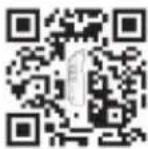


Follow the in-app instructions to pair your ThermoScan 7+ connect to your smart device.
- Make sure the device is turned off. Press and hold the Power button until the screen turns blue and the Bluetooth icon and the letters "bt" flash. Flashing will continue until the device connects to the app.
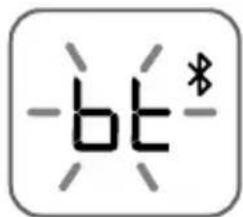
- When the thermometer successfully pairs to your smart device, the screen will turn green and the Bluetooth icon and letters "bt" will stop flashing. The thermometer will turn off after 3 seconds.

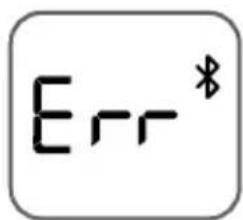
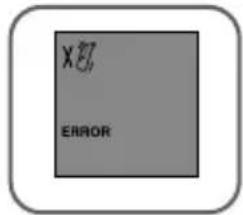
- If there is a problem pairing to your smart device, the thermometer will show the error screen.
Temperature-taking hints
Replace disposable Hygiene cap (single use device) with every use to maintain accuracy, hygiene and to prevent cross-contamination. Earwax and dirt on the tip of the Hygiene cap, even in a microscopic layer, can create an obstacle between the sensor and the infrared heat emitted by the ear and impact the accuracy of the measurement.
External factors like poor probe placement, used or dirty Hygiene cap may influence ear temperature measurements.

In clinical studies, precision and accuracy of ear thermometer measurement has been shown to be influenced by variability in user technique. Correct probe placement is essential for accurate measurements.
Temperature in right and left ear differs, always compare measurements from the same ear. The natural physiological difference may reach 0.2 °C. In the absence of confounding factors, in high-risk population (like infants or immunodepressed people) use the highest of the two to interpret the patient's condition.
In the following cases, wait 20 minutes prior to taking a temperature: extreme changes in room temperature, hearing aid, lying on a pillow. Use the untreated ear if ear drops or other medications have been placed in the ear canal.
How to use your ThermoScan® 7+ connect
1. Remove the thermometer from protective case
2. Power on
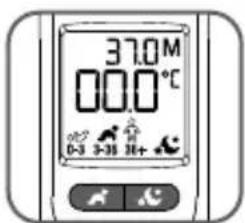
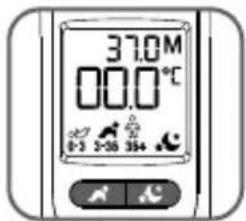
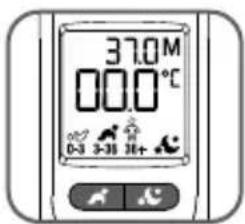
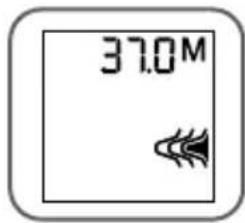
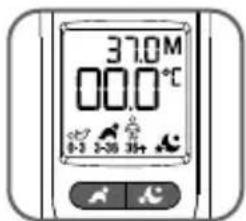
Press and release the power button ⏻ once. Backlight will come on and the start-up sequence begins. Then the last temperature taken will be displayed for 5 seconds.
3. Place a new Hygiene cap
The Hygiene cap indicator will blink to signal one is needed.
To achieve accurate measurements, make sure a new, clean Hygiene cap (LF40/LF20 accessory) is in place before each measurement.
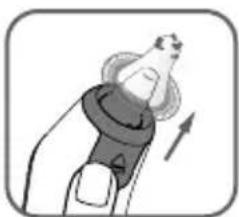
Attach a new Hygiene cap by pushing the thermometer probe straight into the Hygiene cap inside the box and then pulling out. Hygiene cap helps protect against cross contamination and promote accurate readings. Accuracy can be impacted if Hygiene cap is reused.
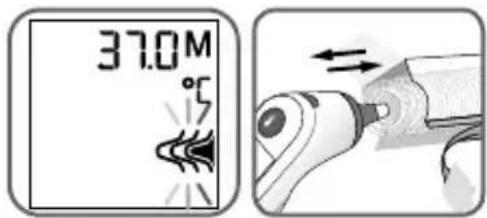
Note: The Braun ThermoScan® will not work unless a Hygiene cap is attached.
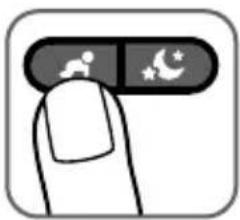
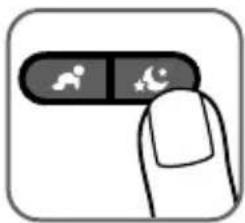
4. Select age range
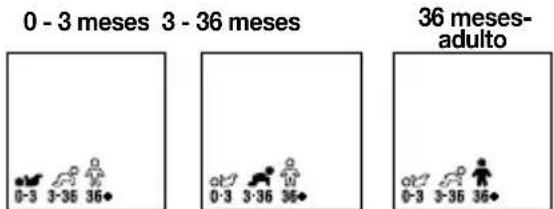
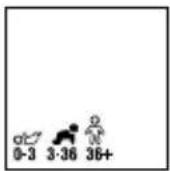
Select age with Age Precision™ Technology button age group.
. Press button to toggle through each
NOTE: You must select an age in order to take a measurement.
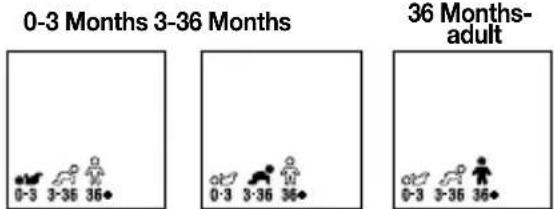
The thermometer is ready to take a temperature.
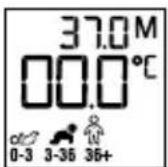
To set a preferred age range (locking an age setting):
To save a preferred age range, so that it will be automatically selected when the thermometer is turned ON, follow these steps:
a. Make sure the thermometer is OFF. b. Press and hold the power button ⏻ and Age Precision™ Technology button, 4 seconds. The unit will turn on, displaying a blue backlight and the 3 age range icons will flash. c. Press the Age Precision™ Technology 🎨 button. The age range selected will flash. Press the Age Precision™ button until your desired age range is flashing on the display. d. Once the desired age range is selected, stop pressing the button and wait 3 seconds.
Default will be set on the device until the batteries are removed and then put back in.
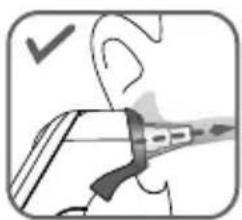
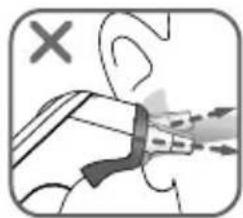
5. Position correctly
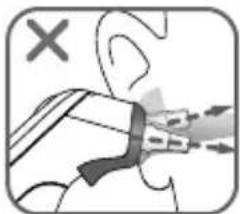
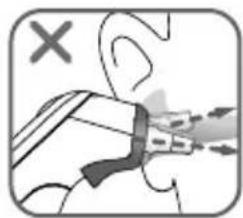
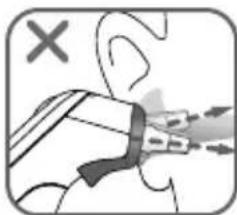
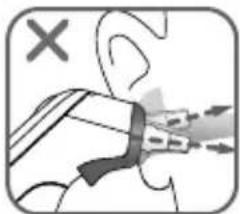
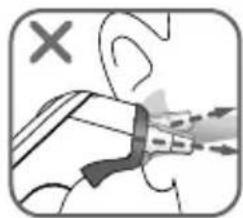
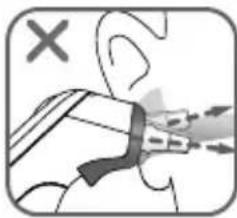
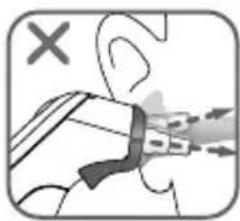
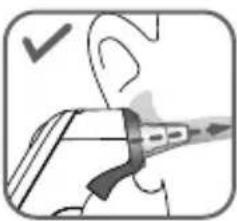
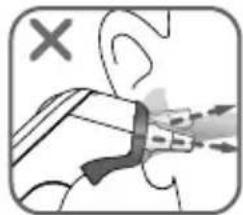
Fully insert the thermometer probe into the ear canal and point it towards the ear canal; make sure the IRT is pointed toward the ear drum and not the canal walls.
6. Take temperature
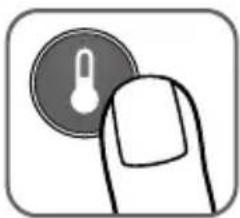
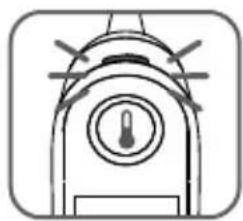
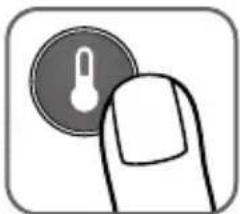
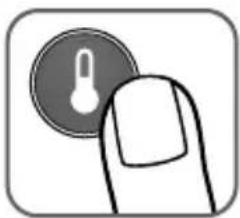
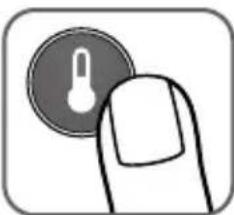
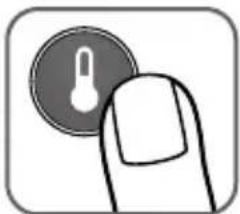
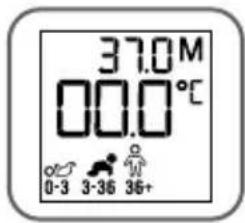
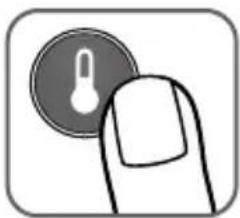
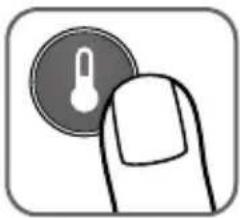
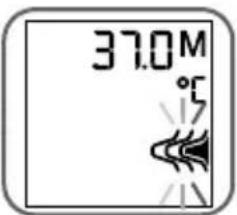
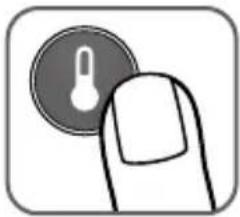
Once positioned correctly, press and release the temperature button 🔍. ExacTemp® Stability Indicator light will pulse while temperature measurement is in progress. The light will remain solid for 3 seconds to indicate that a successful temperature reading has been achieved.
NOTE: If the probe has been properly inserted into the ear canal during the measurement, a long beep will sound to signal the completed measurement.
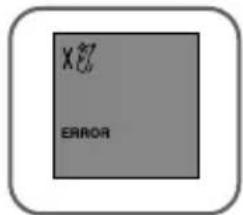
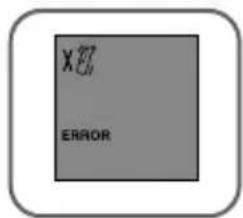
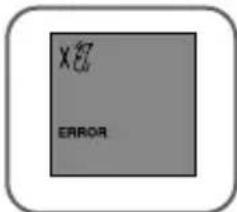
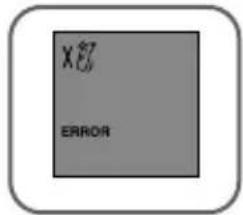
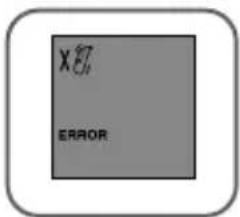
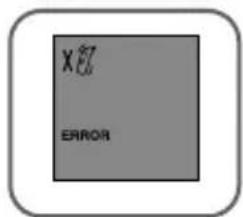
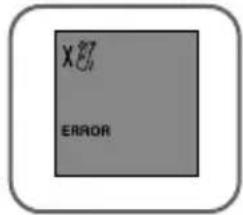
If the probe has not been constantly placed in a stable position in the ear canal, a sequence of short beeps will sound, the ExacTemp Stability Indicator light will go out and the display will show an error message (ERROR + position error animated icon = position error).
See "Errors and troubleshooting" section for more information.
7. Read temperature
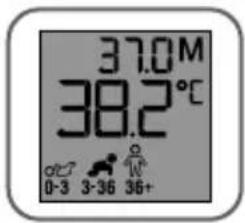
The confirmation beep indicates that an accurate temperature measurement has been taken. The result is shown on the display. The temperature reading displayed is an equivalent of oral temperature.
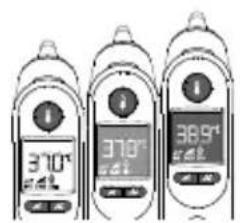
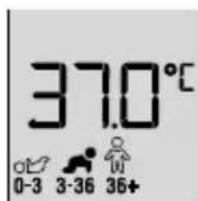
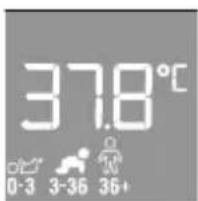
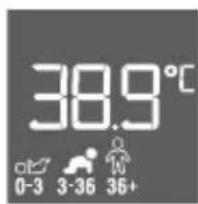
| Age range Green | Normal temperature | YellowFever | RedHigh fever |
 0-3 Months ≥35.8 - ≤37.4°C(≥96.4 - ≤99.4 °F) 0-3 Months ≥35.8 - ≤37.4°C(≥96.4 - ≤99.4 °F) | >37.4°C(>99.4 °F) | ||
 3-36 Months ≥35.4 - ≤37.6°C(≥95.7 - ≤99.6 °F) 3-36 Months ≥35.4 - ≤37.6°C(≥95.7 - ≤99.6 °F) | >37.6 - ≤38.5°C(>99.6 - ≤101.3 °F) | >38.5°C(>101.3 °F) | |
 36 Months T - adult 36 Months T - adult | ≥35.4 - ≤37.7°C(≥95.7 - ≤99.9 °F) | >37.7 - ≤39.4°C(>99.9 - ≤103.0 °F) | >39.4°C(>103.0 °F) |
8. To turn off
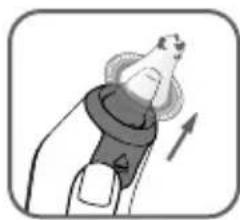
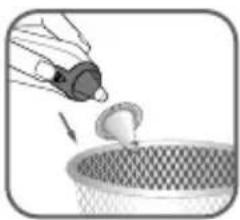
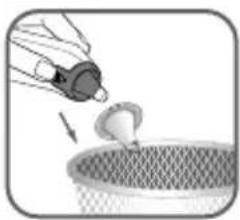
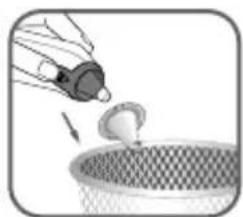
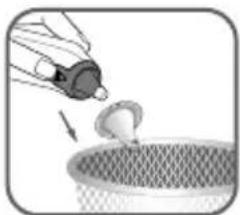
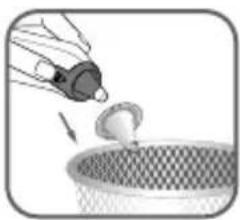
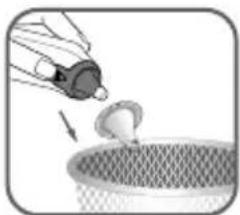
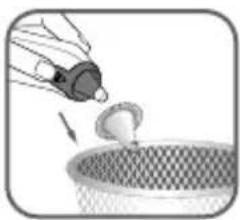
For the next measurement, press the Eject button ▲ to remove and discard the used Hygiene cap. The user will place a new hygiene cap when the next temperature taking is performed.
NOTE: Defaults to last age setting used if you do not change.
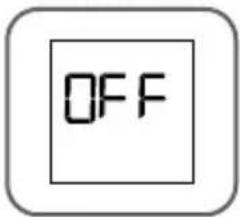
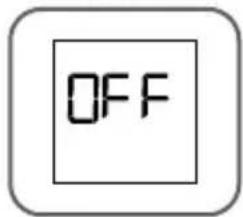
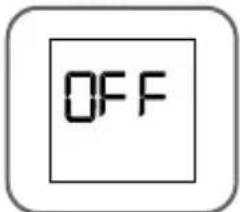
The Braun ThermoScan® Ear thermometer turns off automatically after 60 seconds of inactivity. The thermometer can also be turned off by pressing the Power button ⏻.
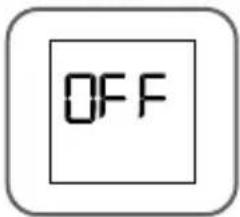
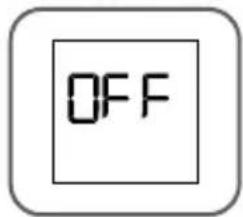
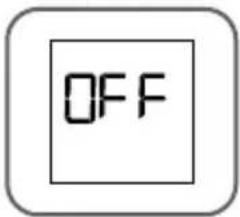
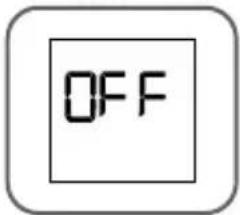
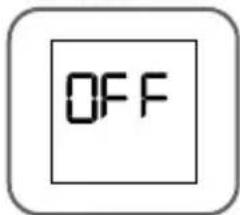
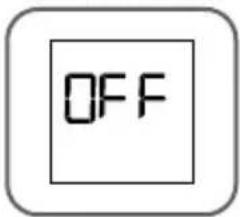
The display will briefly flash OFF and then go blank.
Night mode
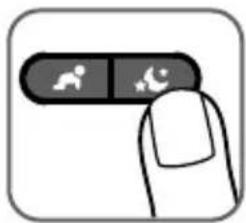
Night mode is entered by pressing the night mode button. A secondary press of the night mode button turns night mode off - both sound on and flashlight off. The night mode remains on until the thermometer enters sleep mode through time out or power button press. When the thermometer is turned back on, it will enter normal mode.
In night mode, all audible beeps are muted, the Night mode icon is displayed on the screen, and the flashlight will turn on.
At completion of the measurement, the flashlight will flash twice and stay on afterwards. Night mode will stay on until the night mode button is pressed or the device is turned off.
How to illuminate the display
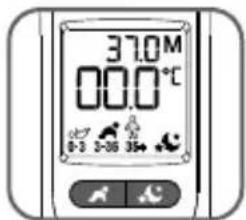
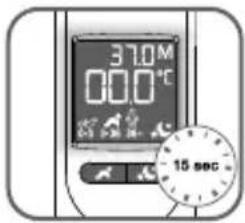
The thermometer includes a convenient night light to illuminate the display in a dim environment.
The light will turn on when you press any button. It will stay on until the thermometer is inactive for up to 15 seconds even after temperature is taken.

Last reading recall
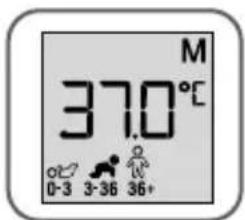
The previous measurement will be displayed during start up.
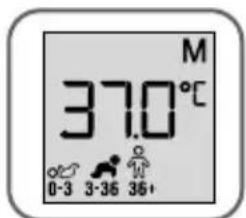
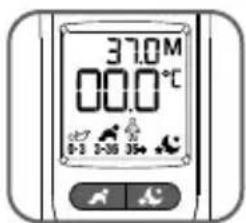
After this, the previous measurement will be displayed in the upper right-hand corner of the display with an 'M' next to it.
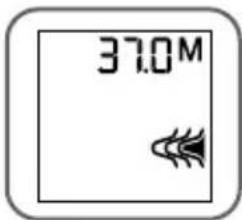
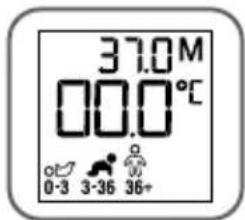
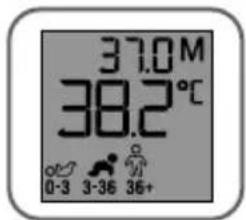
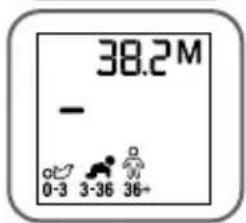
The memory in the upper right corner will update to the new reading with the first button press after the reading is completed.
How to change temperature between °C and °F
Your Braun ThermoScan® is shipped with the Celsius (°C) temperature scale activated. If you wish to switch to Fahrenheit (°F) and/or back from Fahrenheit to Celsius, proceed as follows:
- Make sure the thermometer is turned off.
- Press and hold the Power button ⏻ and temperature button ⚠. After about 3 seconds the display will show this sequence: °F / SET / °C / SET.
- Release the Power button ⏻ and temperature button ⏱ when the desired temperature scale is shown. There will be a short beep to confirm the new setting, then the thermometer is turned off automatically.
![graph TD A["OC"] --> B["SET"] B --> C["SET"] C --> D["OF"] D --> A](/content/2026/04/727904/images/ae110dab3f482c5efd88e5624d7652fd1a8ec3585a89beee4e415154fc51efb4.jpg)
Errors and troubleshooting
Error message Situation Solution
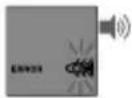 | No Hygiene cap is attached. Attach new, clean Hygiene cap. | |
 | The thermometer probe was not positioned securely in the ear.An accurate measurement was not possible.ERROR + position error animated icon | Take care that the positioning of the probe is correct and remains stable.Replace Hygiene cap and reposition.Press Start button to begin a new measurement temperature. |
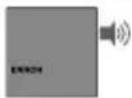 | Ambient temperature is not within the allowed operating range (10 - 40°C or 50 - 104°F). | Allow the thermometer to remain for 30 minutes in a room where the temperature is between 10 and 40 °C or 50 and 104°F. |
 | Temperature taken is not within typical human temperature range (34 - 42.2°C or 93.2 - 108°F). | Make sure the probe tip and lens are clean and a new, clean Hygiene cap is attached. Make sure the thermometer is properly inserted. Then, take a new temperature. |
 | HI = too highLO = too low | |
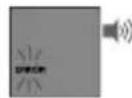 | System error – self-check display flashes continuously and will not be followed by the ready beep and the ready symbol.If error persists,If error still persists, | Wait 1 minute until the thermometer turns off automatically, then turn on again... reset the thermometer by removing the batteries and putting them back in... please contact the Service Centre. |
 | Battery is low, but thermometer will still operate correctly. | Insert new batteries. |
 | Battery is too low to take correct temperature measurement. | Insert new batteries. |
 | System error without messages or completely dead batteries | Insert new batteries. If the error persists, call customer service. |
 | Unsuccessful connection. Check issue in the app for more details. | |
Cybersecurity guidelines
- No Anti-Virus or firewall software is used in this device. Keep operating software on your phone up to date.
- Any internet based communications are authenticated, encrypted and verified for integrity.
- Complete backup and restoration of features and procedures to regain configurations are not needed. Critical data points can be restored from the cloud excluding device settings; these will be set via the device set up process.
- In the event of a device reset, no recovery of device settings is possible.
- For the thermometer to operate as intended with the App, location services are needed for BT pairing.
- No supplemental secure configuration is required by the user. However, we encourage end-users to enable user-authentication on their smartphone such as PIN code, swipe, or biometric authentication like face recognition or fingerprint recognition.
- App updates, when needed, will be pushed through notifications to the smartphone mobile device, and the user will choose when to update. Software updates to the thermometer will be pushed through the App, and the user must follow the provided instructions to begin the update.
- In the event of an anomalous connection to the network or loss of connection to the network, the device will continue to operate as intended.
- Settings for the thermometer are not retained in the cloud for recovery.
10.
![graph LR A["Thermometer Application"] <-->|Bluetooth Low Energy (BLE)| B["Mobile Device"] B <-->|TLS 1.2| C["Trusted 3rd party Cloud Services"]](/content/2026/04/727904/images/616666432f6452a3b0e295adeefc80d21c98be23e496ece2614310438e99607b.jpg)
- For software components, please contact Customer Service.
- There are no user-configurable connections. If you have questions regarding cyber-security, please contact customer support at the number provided.
- Helen of Troy expects to maintain all online services and Apps for the ongoing future to ensure your satisfaction. However, in the event that an "end of support" situation becomes unavoidable, followed by a grace period of 3 years and then an "end of life", notification will be provided via the App. In that situation, Helen of Troy will provide a final App and firmware update to allow continued offline use. Following the update, no ongoing support for the device or App will be provided.
Calibration
This product has been calibrated at the time of manufacture. If used according to the use instructions, periodic calibration is not required. This device is not intended as a substitute for regular check-ups by your doctor; please consult your doctor if you have any doubt about the temperature reading.
Care and cleaning

The probe tip is the most delicate part of the thermometer. It must be clean and intact to ensure accurate readings. If the thermometer is ever accidentally used without a Hygiene cap, clean the probe tip as follows:
Very gently wipe the surface with a cotton swab or soft cloth moistened with alcohol. After the alcohol has completely dried out, you can put a new Hygiene cap on and take a temperature measurement.
If the probe tip is damaged, please contact Consumer Service.
Use a soft, dry cloth to clean the thermometer display and exterior. DO NOT use abrasive cleaners.
NEVER submerge this thermometer in water or any other liquid. Store thermometer and Hygiene caps in a dry location free from dust and contamination and away from direct sunlight.
Additional Hygiene caps (LF 40) are available at most stores carrying Braun ThermoScan.
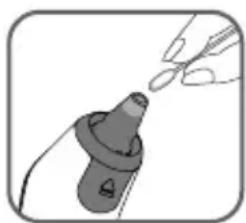
Replacing the batteries
The Braun ThermoScan® 7+ connect thermometer comes with 2 AA batteries. Replace with 2 new AA batteries when the flashing battery symbol appears on the screen. To change the batteries, slide open the battery cover and remove batteries. Replace the batteries being sure to align properly as indicated inside the battery compartment. Remove the battery from the product if it is not required for extended periods of time in order to avoid damage to the thermometer resulting from a leaking battery.

Only discard empty batteries. They should not be disposed of in the household waste, but at appropriate collection sites or at your retailer.
2 Year limited guarantee
Please read all instructions before attempting to use this device. Please retain the receipt as proof of and date of purchase. The receipt must be presented when making any claim within the relevant guarantee period. Any claim under the guarantee will not be valid without a proof of purchase.
Your device is guaranteed for Two Years (2 Years) from date of purchase.
This guarantee covers defects in materials or workmanship that occur under normal use; defective devices meeting these criteria will be replaced free of charge.
The guarantee DOES NOT cover defects or damage resulting from abuse or failure to follow the user instructions. The guarantee becomes void if the device is opened, tampered with, or used with non-Braun branded parts or accessories, or if repairs are undertaken by unauthorized persons.
Accessories and consumables are excluded from any warranty.
For support requests, please visit www.BraunHealthcare.com/uk_en/ or find service contact information at the end of this owner's manual.
This Guarantee is applicable to Europe, Russia, Middle East, and Africa only.
UK Only: This does not affect your consumer statutory rights.
Inquiry
In Europe, any serious incident (e.g., death, life-threatening injury, surgical intervention, etc.) that has occurred in relation to this thermometer should be reported to Kaz Europe (see Helen of Troy consumer service numbers) and to the competent authority of your member state.
REF, LOT, and Serial numbers of your product must be provided as they are essential to record and follow up your inquiry or claim. The LOT and Serial numbers are located in the battery compartment. The production date is given by the LOT number and can be deciphered as explained below:
The first 3 numeric digits in the LOT number represent the day of the year of manufacture. The next 2 numeric digits represent the last two numbers of the calendar year of manufacture and the letter(s) at the end designate the manufacturer of the product. (e.g.: LOT No.: 12313tav this product was made on the day 123, year 2013 at the manufacturer code tav.)
Product specifications
Displayed temperature range: 34–42.2 °C (93.2–108 °F)
Operating ambient temperature range: 10 - 40 °C (50 - 104 °F)
Storage temperature range: -25 – 55 °C (-13 – 131 °F)
Operating relative humidity 10-95% RH (noncondensing)
Storage relative humidity 15-95% RH (noncondensing)
Display resolution: 0.1 °C or °F
Accuracy for displayed temperature range Maximum Laboratory Error
35 - 42°C (95 - 107.6°F): ±0.2°C (±0.4°F)
Outside this range: ±0.3 °C (±0.5 °F)
Clinical repeatability: ±0.3 °C (±0.54 °F)
Battery information: 2x 1.5V type AA (LR 06) batteries
Battery life: 2 years/350 measurements/ 100 minutes in night mode
Service life: 5 years
Accessory: Hygiene cap, LF40/LF20, single use
Wireless communication
Bluetooth® Smart
Frequency Range: 2.4GHz ISM Band (2400 - 2483.5 MHz)
Modulation: GFSK
Effective radiated power: <5dBm
The measured temperature is converted to an oral equivalent value.
This thermometer is specified to operate at 1 atmospheric pressure or at altitudes with an atmospheric pressure up to 1 atmospheric pressure (700 - 1060 hPa).
Equipment with type BF applied parts
See Instruction for use
Operating temperature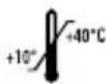
Storage temperature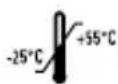
Operating humidity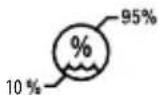
Storage humidity
Caution
Batch code
Serial number
Catalogue number
Medical device
Manufacturer
Date of manufacture
Keep it dry
Authorized representative in the European Community
Hygiene cap: Do not re-use
Subject to change without notice.

This medical device carries the CE mark and is manufactured in conformity with RoHS Directive 2011/65/EU 0297 and other applicable directive and/or regulations as specified in the EU Declaration of Conformity.
ASTM laboratory accuracy requirements in the display range of 37 to 39 °C (98 to 102 °F) for IR thermometers is ±0.2 °C (±0.4 °F), whereas for mercury-in-glass and electronic thermometers, the requirement per ASTM Standards E667-86 and E1112-86 is ±0.1 °C (±0.2 °F).
MEDICAL ELECTRICAL EQUIPMENT needs special precautions regarding EMC. NOTE: Do not use this device in the presence of electromagnetic or other interference outside the normal range specified in EN 60601-1-2. For detailed description of EMC requirements please visit website (Support / Document center) or contact service center.
Portable and mobile RF communications equipment can affect MEDICAL ELECTRICAL EQUIPMENT.
Hereby, Kaz Europe Sàrl, declares that the radio equipment type IRT6575 is in compliance with Directive 2014/53/EU.
The full text of the EU declaration of conformity is available at the following internet address
www.HelenofTroy.com/emea-en/support

Please do not dispose of the product in the household waste at the end of its useful life. Disposal can take place at your local retailer or at appropriate collection points provided in your country.
0-3 months 3-36 months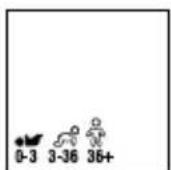
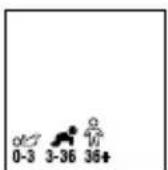
6. Measure temperature
Night mode
6. Measure temperature
Night mode

0-3 months 3-36 months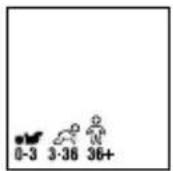
Night mode
6. Measure temperature


36 months - adult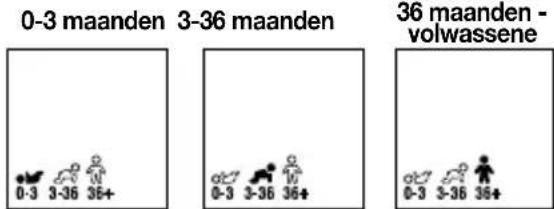
Night mode
6. Temperature measurement
Night mode
(0.2 ±)E1112-86 ASTM E667-86
Night mode
- Temperature measurement

- Place a new hygienic cover
- Select the Arabic category
6. Measure the temperature
Night mode
Illuminate the screen
Battery replacement
Helen of Troy Consumer Service Numbers
Algeria
+213 34 18 71 42
Austria
+43 (0)1 360 277 1225
Bahrain
+973 17228887
Belgium/Luxemburg
+32 (0) 2 620 01 01
Bosnia
+387 (33) 902 911
Bulgaria
+359 2 492 87 05
Croatia
+385 (01) 3444 856
Cyprus
+35722337593
Cyprus Northern region
+90 (0) 392 22 91 461
Czech Republic
+420 (0) 225 439 769
Denmark
+45 35 15 80 40
Finland
+358 (0) 9 817 100 14
France
+33 (0) 1 85 14 80 95
Germany
+49 (0) 211 737 490 03
Greece
+30 211 180 94 56
Hungary
+36 (06) 1 429 2216
Iceland
+354553100
Ireland (The Republic Of)
+353 (0) 1 525 1809
Israel
+1 800250221
Italy
+39 02 3859 1183
Jordan
+962 64168003
Kuwait
+965 184 0011
Lebanon
+961 (01) 512002
Netherlands
+31 (0) 78 201 8001
Norway
+47 23 50 01 20
Poland
+48 22 512 39 02
Portugal
+351 21 060 8045
Qatar
+974 4 4075048
Romania
+40 213 520 167
Saudi-Arabia
+966 920001414
Slovakia
+421 2 5011 2115
Slovenia
+386(01)8888674
South Africa
++27(0)118446190
Spain
+34913754176
Sweden
+46 (0)8 5199 3097
Switzerland
+41 (0) 22 567 5200
Tunisia
+216 98 780237
Turkey
+90(0)2122176660
UAE
+971 4 349 4014
United Kingdom/
Northern Ireland
+44 (0) 207 949 0115
Braun_Support@helenoftroy.eu

- PRODUCT DESCRIPTION (SEE PAGE 1)
- INTENDED USE AND CONTRAINDICATIONS
- WARNINGS AND PRECAUTIONS
- AGE PRECISION™ TECHNOLOGY
- PAIRING TO YOUR SMART DEVICE
- TEMPERATURE-TAKING HINTS
- HOW TO USE YOUR THERMOSCAN® 7+ CONNECT
- REMOVE THE THERMOMETER FROM PROTECTIVE CASE
- POWER ON
- PLACE A NEW HYGIENE CAP
- SELECT AGE RANGE
- TO SET A PREFERRED AGE RANGE (LOCKING AN AGE SETTING)
- POSITION CORRECTLY
- TAKE TEMPERATURE
- READ TEMPERATURE
- TO TURN OFF
- NIGHT MODE
- HOW TO ILLUMINATE THE DISPLAY
- LAST READING RECALL
- HOW TO CHANGE TEMPERATURE BETWEEN °C AND °F
- ERRORS AND TROUBLESHOOTING
- CYBERSECURITY GUIDELINES
- CALIBRATION
- CARE AND CLEANING
- REPLACING THE BATTERIES
- YEAR LIMITED GUARANTEE
- INQUIRY
- PRODUCT SPECIFICATIONS
- MEASURE TEMPERATURE
- TEMPERATURE MEASUREMENT
- MEASURE THE TEMPERATURE
- ILLUMINATE THE SCREEN
- BATTERY REPLACEMENT
- HELEN OF TROY CONSUMER SERVICE NUMBERS
- ALGERIA
- AUSTRIA
- BAHRAIN
- BELGIUM/LUXEMBURG
- BOSNIA
- BULGARIA
- CROATIA
- CYPRUS
- CYPRUS NORTHERN REGION
- CZECH REPUBLIC
- DENMARK
- FINLAND
- FRANCE
- GERMANY
- GREECE
- HUNGARY
- ICELAND
- IRELAND (THE REPUBLIC OF)
- ISRAEL
- ITALY
- JORDAN
- KUWAIT
- LEBANON
- NETHERLANDS
- NORWAY
- POLAND
- PORTUGAL
- QATAR
- ROMANIA
- SAUDI-ARABIA
- SLOVAKIA
- SLOVENIA
- SOUTH AFRICA
- SPAIN
- SWEDEN
- SWITZERLAND
- TUNISIA
- TURKEY
- UAE
- UNITED KINGDOM
- NORTHERN IRELAND
Brand : BRAUN
Model : ThermoScan 7+ connect IRT6575
Category : Thermometers