
Electric Shaver S200 - Electric razor Xiaomi - Free user manual and instructions
Find the device manual for free Electric Shaver S200 Xiaomi in PDF.


| Product type | Electric shaver |
| Brand | Xiaomi |
| Model | Electric Shaver S200 |
| Dimensions | 56 × 63 × 27 mm |
| Rated voltage | 3.7 V |
| Rated power | 3 W |
| Charging voltage | 5 V |
| Charging current | 1 A |
| Charging time | About 60 minutes |
| Runtime | About 60 minutes |
| Charging method | Type-C cable charging |
| Protection rating | IPX7 (waterproof, washable under water) |
| Startup | Automatic via skin contact sensor |
| Battery indication | LED indicator: blinking while charging, solid when fully charged, fast blinking if low battery |
| Package contents | Shaver, Type-C cable, power adapter, storage bag, cleaning brush, user manual, warranty |
| Maintenance | Clean after each use: rinse head and body with water; replace shaving head recommended every 6 months |
| Safety | Non-replaceable integrated rechargeable battery; overcharge protection; do not expose to fire; use only with provided adapter |
| Spare parts | Replacement shaving head available |
| Certification | Compliant with European directives (CE) |
| Manufacturer | Xiaomi Communications Co., Ltd. |
| Country of origin | China |
Frequently Asked Questions - Electric Shaver S200 Xiaomi
User questions about Electric Shaver S200 Xiaomi
0 question about this device. Answer the ones you know or ask your own.
Ask a new question about this device
Download the instructions for your Electric razor in PDF format for free! Find your manual Electric Shaver S200 - Xiaomi and take your electronic device back in hand. On this page are published all the documents necessary for the use of your device. Electric Shaver S200 by Xiaomi.
USER MANUAL Electric Shaver S200 Xiaomi
Xiaomi Electric Shaver S200 User Manual · 01
Read this manual carefully before use, and retain it for future reference.
Safety Instructions
WARNING:
- If the shaver accidentally falls, please check whether the shaving head is damaged before use and whether the sound is normal when operated.
- Before charging, please make sure the shaver body, especially its charging port, is dry.
- Do not leave the shaver unattended while charging it for a long period of time. Do not charge it longer than 24 hours.
- This shaver contains a built-in rechargeable battery. Do not expose the shaver to fire, nor charge, use, or store it in a high-temperature environment.
- Do not disassemble the shaver body to replace the battery. The shaver contains a non-replaceable battery.
- Do not put or insert any foreign objects into the shaver.
- Do not modify or repair the shaver by yourself.
- Do not allow children to perform cleaning and user maintenance without supervision.
- Keep the shaver out of the reach of children and supervise them to ensure they do not use it as a toy.
- This appliance is not intended for use by persons (including children) with reduced physical, sensory or mental capabilities, or lack of experience and knowledge, unless they have been
given supervision or instruction concerning use of the appliance by a person responsible for their safety.
- Children should be supervised to ensure that they do not play with the appliance.
- The appliance is only to be used with the power supply unit provided with the appliance.
- This appliance can be used by children aged from 8 years and above and persons with reduced physical, sensory or mental capabilities or lack of experience and knowledge if they have been given supervision or instruction concerning use of the appliance in a safe way and understand the hazards involved.
- Children shall not play with the appliance.
- Cleaning and user maintenance shall not be made by children without supervision.
WARNING: The handheld part of the shaver can be cleaned with water only after being disconnected from the charging cable.
Cautions:
- Stop using the charging cable if it is damaged or working improperly.
- If the shaver is not used for a long time, please fully charge it at least once every 6 months.
- Use only with <A520-050100U-EU1> supply unit.
WARNING: Only use the supply unit provided with this appliance.
WARNING: For the purposes of recharging the battery, only use the detachable supply unit provided with this appliance.
Notes:
- If the shaver is not used for a long period of time, it is recommended to fully charge it and rinse the shaving head thoroughly before use.
- The shaver is intended for use by a single individual only.
- After daily use or when traveling, the shaver should be kept in the storage bag for protection.
- Please charge, use, and store the shaver under temperatures between 5°C and 35°C.
- Do not wrap the charging cable around the shaver to avoid damage to the charging cable.
- The shaver is only suitable for facial hair. It is recommended not to use it on the head or other body parts.
- The shaver body has passed the IPX7 waterproof test. It can be washed with water or rinsed under the tap, but do not soak it in water for a long period of time.
Suitable for cleaning under an open water tap.
Read operator's manual.
Product Overview
Type-C Charging Cable
Storage Bag
Cleaning Brush
Power Adapter
User Manual and Warranty Notice
Note:
Illustrations of the product and accessories in the user manual are for reference purposes only. Actual product and functions may vary due to product enhancements.
How to use
Turning on/off
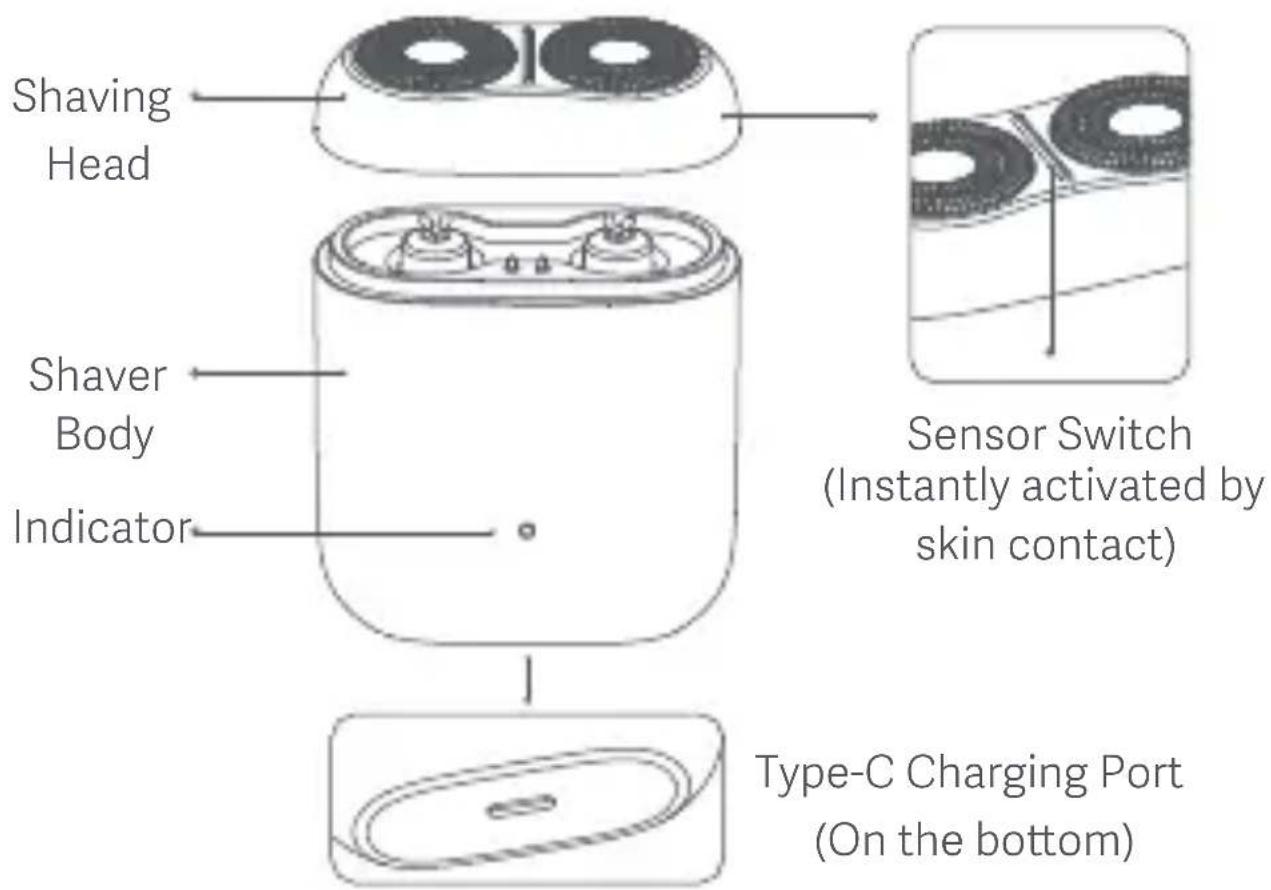
The shaver will automatically start as soon as the shaving head touches the skin and stop one second after being removed from the skin.
Shaving method
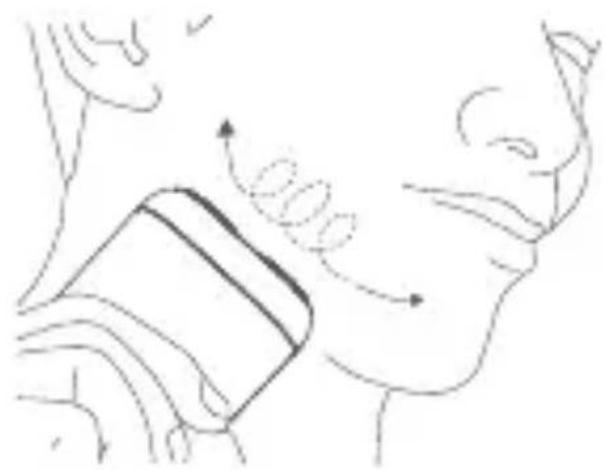
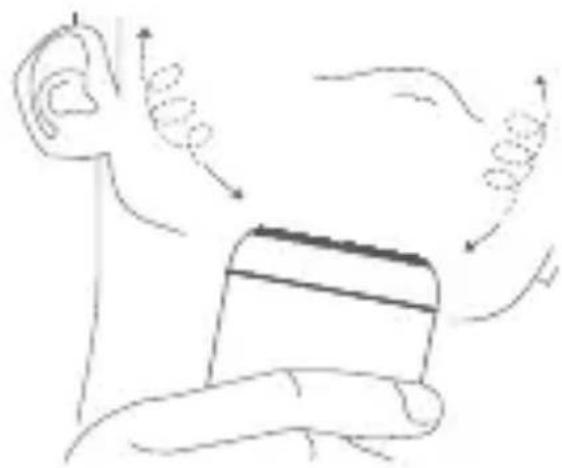
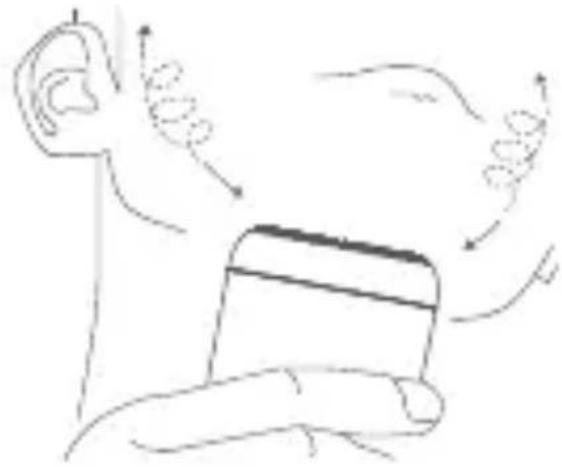
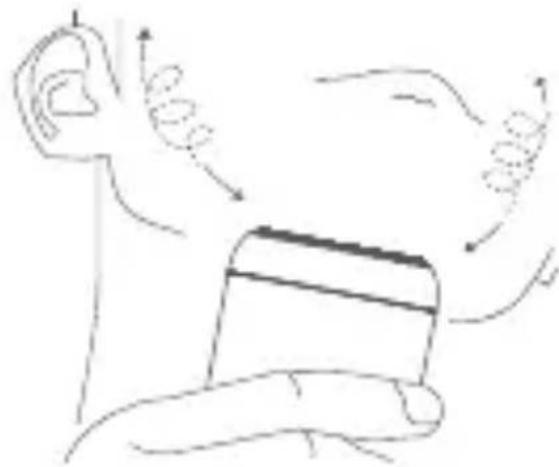
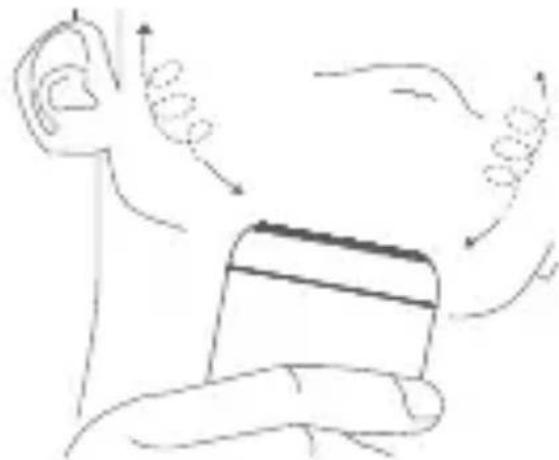
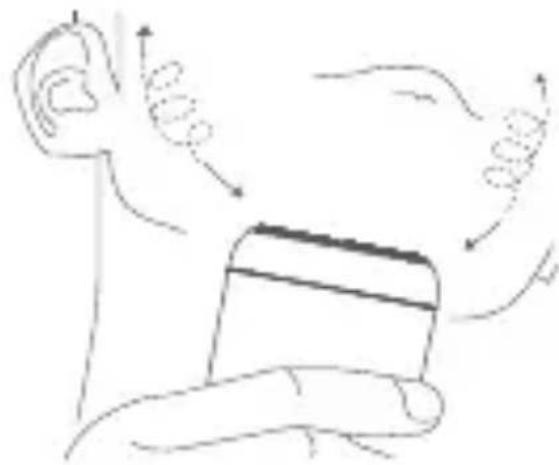
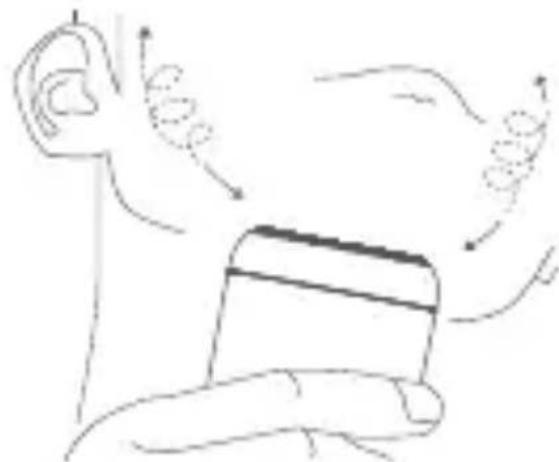
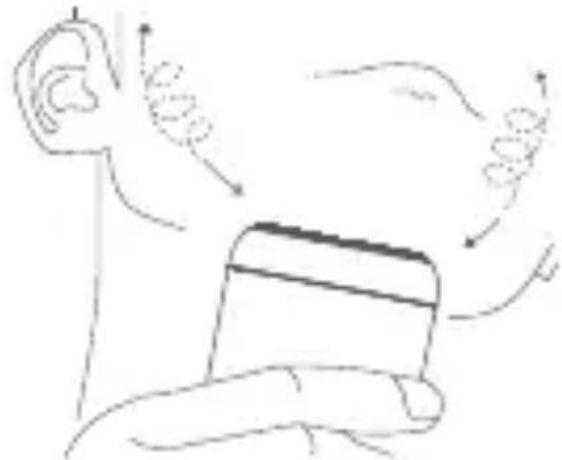
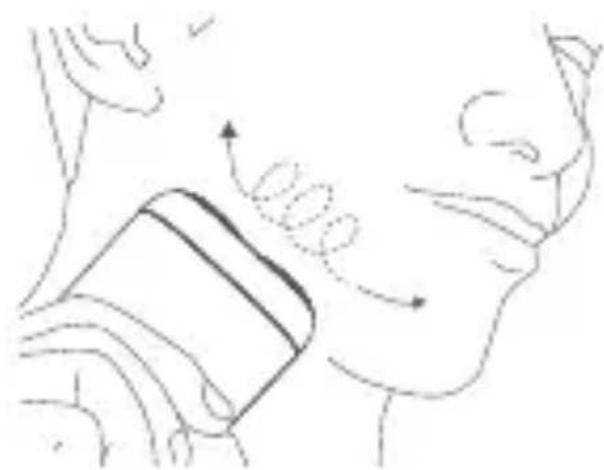
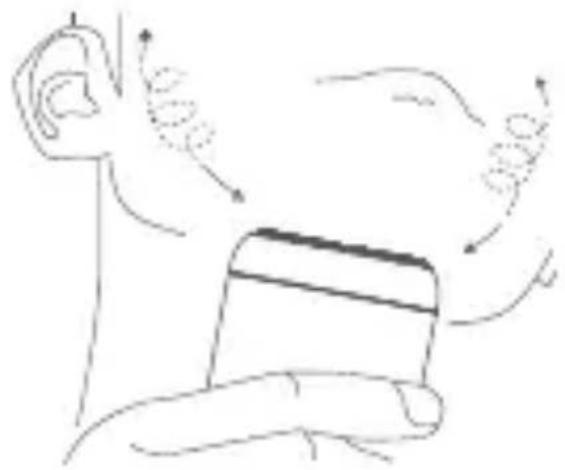
Apply gentle pressure and move slowly in circular motions on your face to shave. You can get a clean result without having to shave the same area repeatedly.

Notes:
- Improper use of the shaver can easily damage the shaving head. Please check whether the shaving head is in good condition before use and whether the shaver operates normally. Please stop using the shaver if the shaving head is damaged.
- During the first few shaves, it is normal for the skin to be slightly irritated. It is recommended to use the shaver regularly for three weeks (at least three times a week) to allow the skin to quickly adapt.
Battery Level Indication
To charge the shaver, connect the USB port of the charging cable to the charger, then plug the Type-C port of the charging cable into the shaver's charging port. The indicator will breathe while charging. Once it is fully charged, the indicator will remain on.
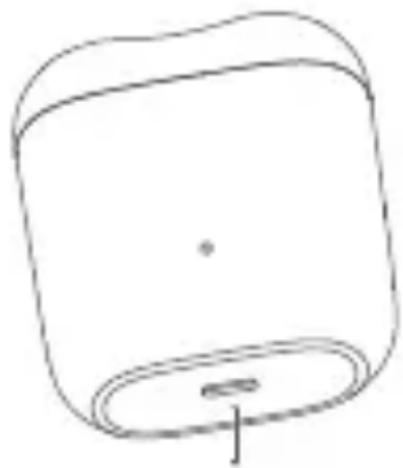
Type-C Charging Port (Keep dry)
Indicator Status Descriptions
| Battery Level While Charging | Indicator Status |
| 0%-99% | Breathing |
| 100% | Keeping on |
| Battery Level While Using | Indicator Status |
| 10%-100% Keeping on | |
| <10% | Blinking continuously(low battery, charging required) |
| 0% | Blinking 5 times then going off(unable to turn on, charging required) |
Notes:
- When the shaver cannot be turned on due to low battery, it will take approximately 60 minutes to fully charge. The shaver can be used for about 60 minutes when fully charged.
- Please charge the shaver immediately when the battery level is low.
Care & Maintenance
To maintain the best performance of the shaver, please clean it after each use. After the shaver is turned on, if the indicator blinks 4 times and then goes off, it means there is too much stubble stuck inside the shaver which affects its normal operation. Please clean it immediately.
WARNING: When cleaning the shaver, make sure it is in the state of uncharged and turned off.
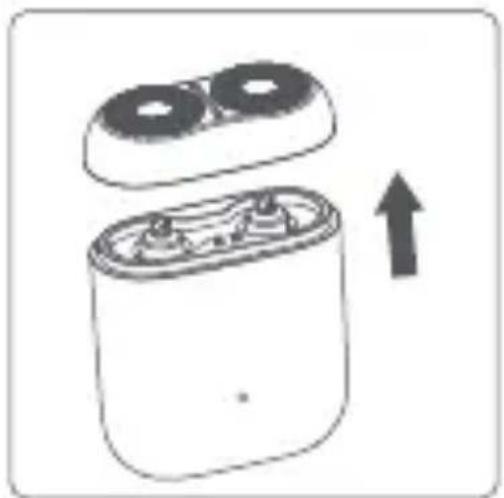
- Pull the shaving head upwards to remove it from the shaver.

- Rinse or use the cleaning brush to clean the shaver body.
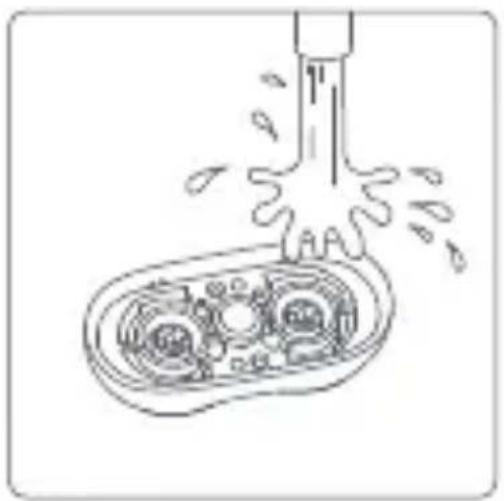
- Turn the shaving head upside-down and rinse it with water. Do not use a towel or paper towel to rub it.
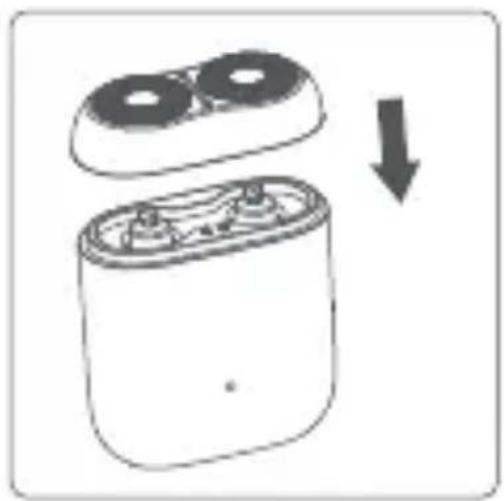
- Wait until the shaving head and shaver body turn completely dry before installing the shaving head back into the shaver body.
Notes:
- It is recommended to replace the shaving head every 6 months to ensure good performance of the shaver.
- Please avoid the charging port at the bottom of the shaver body while cleaning the shaver.
- When rinsing, it is normal for the shaver to be activated. Please wipe it dry before use.
Environmental Protection
When the shaver reaches the end of its service life, please remove, dispose of and recycle the built-in battery according to local laws and regulations of the country or region where the product is used. If the battery cannot be removed, dispose of it in strict accordance with the regulations on classified domestic waste disposal in your area.
WARNING:
- The battery must be removed from the appliance before it is scrapped.
- The appliance must be disconnected from the supply mains when removing the battery. • The battery is to be disposed of safely.
How to remove the battery:
Note:
Make sure the battery is completely depleted before removing it.
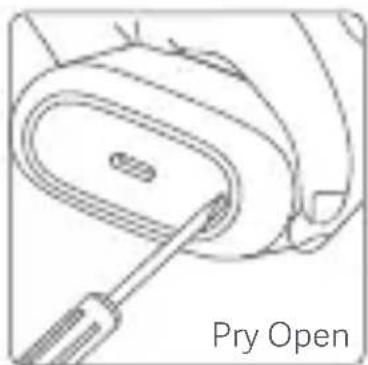
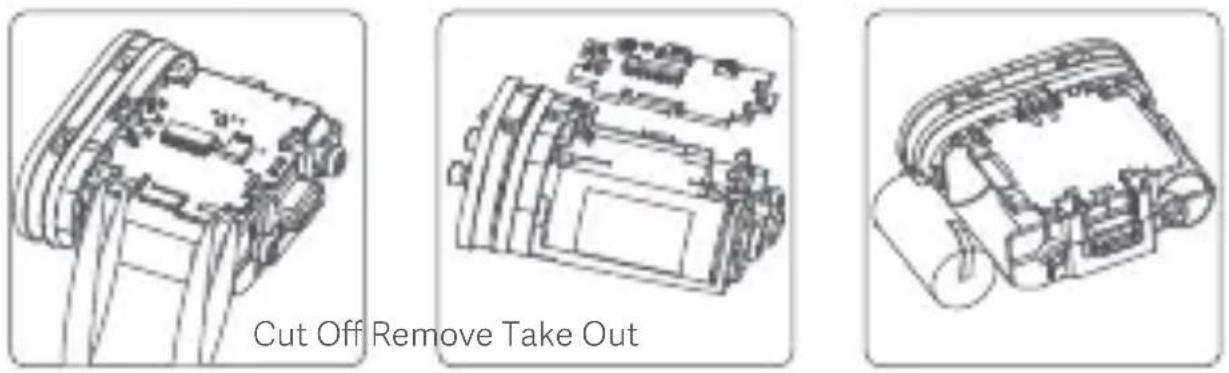
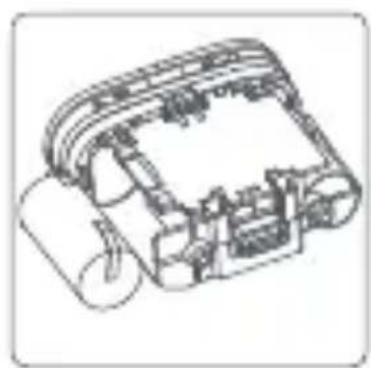
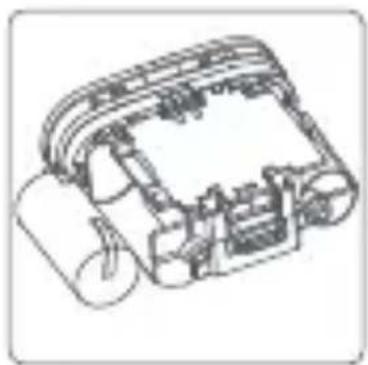
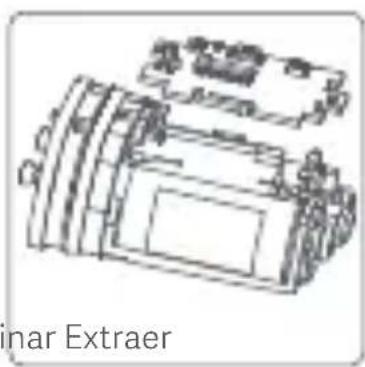
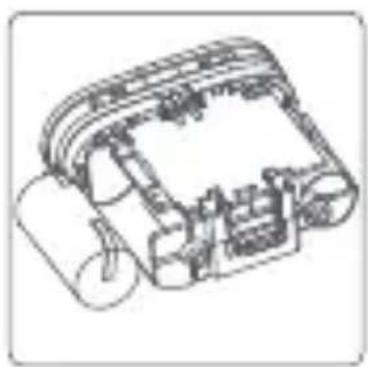
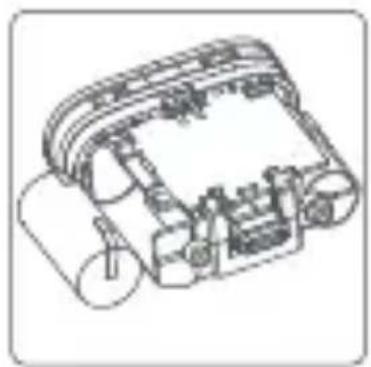
- Use a small flat-head screwdriver to pry open the bottom cover of the shaver (It cannot be restored once disassembled).
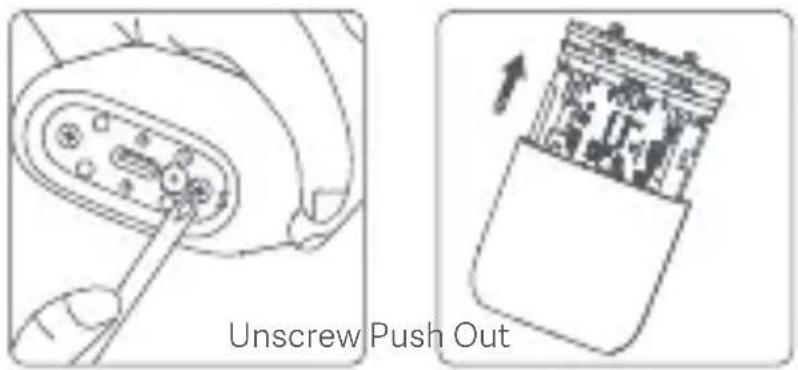
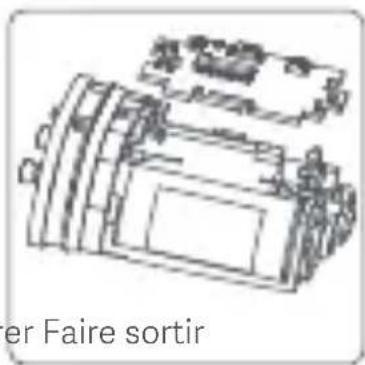
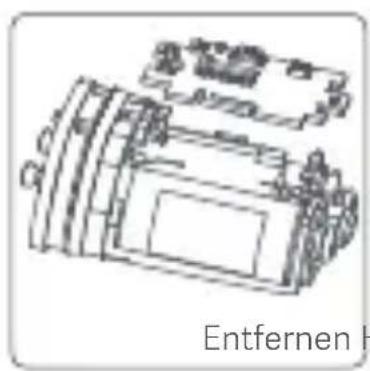
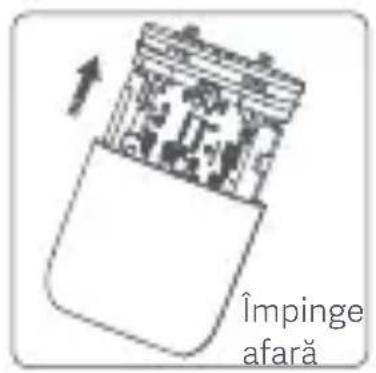
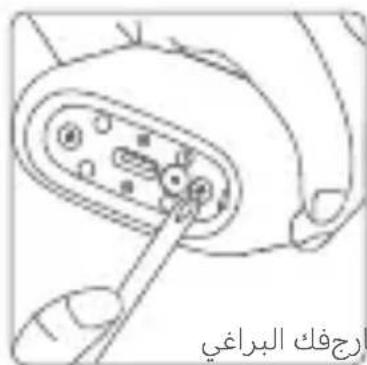
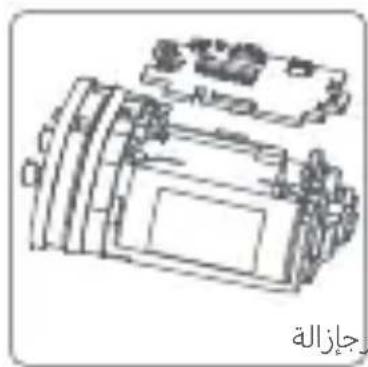
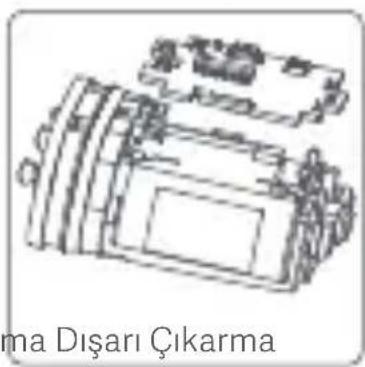
- Use a Phillips-head screwdriver to remove the two screws on the bottom and push out the inner compartment from the bottom.
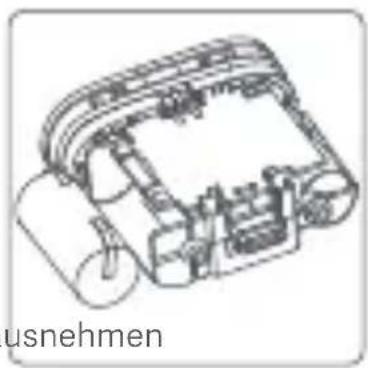
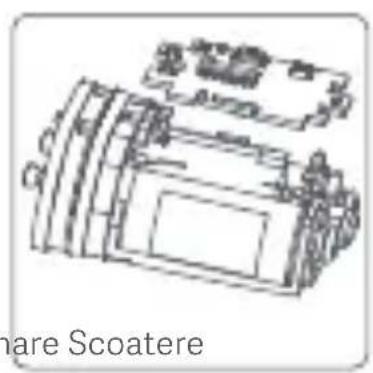
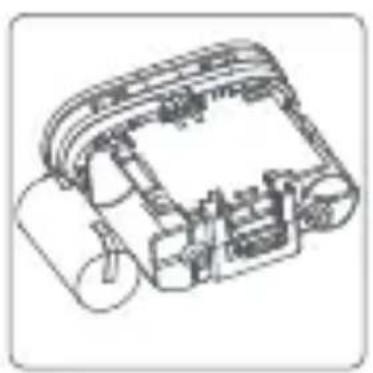
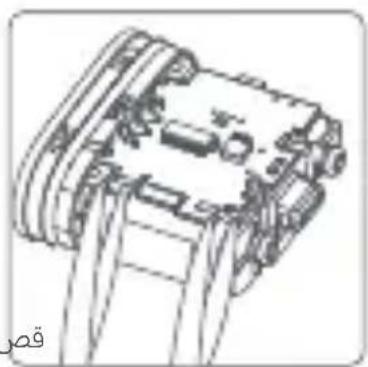
- Cut off the electrical contacts at both ends of the battery. Remove the circuit board and take out the battery, then take the battery to an officially designated recycling center to disassemble and recycle the battery.
Troubleshooting
| Errors | Possible Causes | Solutions |
| The shaving result is poor. | The shaving head is worn out or damaged. | Replace with a genuine shaving head. |
| The shaver is clogged up with stubble. | Clean the shaving head thoroughly. | |
| The battery level is low. | Charge in time. | |
| There is a skin irritation or allergic reaction after shaving. | It takes a certain period of time for your skin to adapt to the shaver. | Symptoms will relieve after 2–3 weeks of use. |
| The shaving head is worn out or damaged. | Replace with a genuine shaving head. | |
| The shaver runs for less than 60 minutes on a full charge. | The motor is overloaded as the shaver has not been cleaned up for a long time. | Clean the shaving head thoroughly. |
| There is an issue with the shaver battery. | Contact the after -sales service team. | |
| After turned on, the indicator blinks 4 times and then goes off. | The shaver has not been cleaned for a long time. | Clean the shaving head thoroughly. |
| The shaving head is not properly installed or being clogged by foreign objects. | Reinstall the shaving head or remove foreign objects. | |
| After turned on, the indicator either blinks continuously or blinks 5 times and then goes off. | The battery level is low. | Charge in time. |
| The shaver does not work after powering on. | The battery is depleted. | Charge in time. |
| The circuit board is damaged. | Contact the after -sales service team. | |
| The sensor switch is not functioning. | Contact the after -sales service team. | |
| The shaver cannot be charged and the indicatordoes not light up. | The charging contact is poor. | Reconnect the shaver to a power supply. |
| The internal part of the shaver is damaged. | Contact the after -sales service team. |
Note:
If the error persists after trying the above solutions, please contact the after-sales service team.
Specifications
| Name Electric Shaver | |
| Model | S200 |
| Rated Voltage | 3.7 V--- |
| Rated Power 3 W | |
| Charging Voltage | 5 V--- |
| Charging Current 1 A | |
| Charging Time | Approx. 60 minutes |
| Charging Method Type-C Charging | |
| Item Dimensions 56 × 63 × 27 mm | |
| IP Rating IPX7 | |
| Power Consumption Off mode: ≤0.3 W | |
| Time to Enter the Condition | Off mode: ≤20 min |
Power Adapter
| Input: 100–240 V~,50/60 Hz, 0.2 A | Output: 5.0 V---1.0 A, 5.0 W | |
| Information Published | Value and Precision | Unit |
| Manufacturer's Name | Jiangxi Jian Aohai Technology Co., Ltd. | — |
| Model Identifier — | A520-050100U-EU1 | |
| Input Voltage | 100–240 | V~ |
| Input AC Frequency | Hz50/60 | |
| Output Voltage | V---5.0 | |
| Output Current | 1.0 | A |
| Output Power | 5.0 | W |
| Average Active Efficiency | %73.77 | |
| Efficiency at Low Load (10%) %64.588 | ||
| No-load Power Consumption | 0.075 | W |
Europe-EU Declaration of Conformity
CE
We, Xiaomi Communications Co., Ltd., hereby declare that this equipment is in compliance with the applicable Directives and European Norms, and amendments. The full text of the EU declaration of conformity is available at the following internet address: http://www.mi.com/global/service/support/declaration.html
WEEE Disposal and Recycling Information
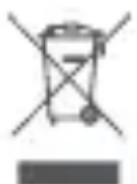
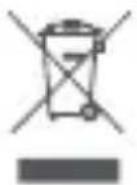
All products bearing this symbol are waste electrical and electronic equipment (WEEE as in directive 2012/19/EU) which should not be mixed with unsorted household waste.
Instead, you should protect human health and the environment by handing over your waste equipment to a designated collection point for the recycling of waste electrical and electronic equipment, appointed by the government or local authorities. Correct disposal and recycling will help prevent potential negative consequences to the environment and human health. Please contact the installer or local authorities for more information about the location as well as terms and conditions of such collection points.
Manufacturer: Xiaomi Communications Co., Ltd.
Address: #019, 9th Floor, Building 6, 33 Xi'erqi Middle Road, Haidian
District, Beijing, 100085, China
For further information, please go to www.mi.com
For detailed e-manual, please go to
www.mi.com/global/support/user-guide
Made in China
User Manual Version: V1.0
EU REP.
Xiaomi Technology Netherlands B.V.
Prinses Beatrixlaan 582, 2595BM, The Hague, The Netherlands contact@support.mi.com
UK REP.
Xiaomi Technology UK Limited
Davidson House, Forbury Square, Reading, Berkshire RG1 3EU contact@support.mi.com
Note:
Address: #019, 9th Floor, Building 6, 33 Xi'erqi Middle Road, Haidian
District, Beijing, 100085, China
Remarks:
Troubleshooting
Address: #019, 9th Floor, Building 6, 33 Xi'erqi Middle Road, Haidian
District, Beijing, 100085, China
Notes:
Troubleshooting
http://www.mi.com/global/service/support/declaration.html
Address: #019, 9th Floor, Building 6, 33 Xi'erqi Middle Road, Haidian
District, Beijing, 100085, China
Notes:
Type-C charging port (keep dry)
Address: #019, 9th Floor, Building 6, 33 Xi'erqi Middle Road, Haidian
District, Beijing, 100085, China
Notes:
Notes:
https://www.mi.com/global/service/support/declaration.html
Information on WEEE disposal and recycling
Address: #019, 9th Floor, Building 6, 33 Xi'erqi Middle Road, Haidian
District, Beijing, 100085, China
Note:
https://www.mi.com/global/service/support/declaration.html
Address: #019, 9th Floor, Building 6, 33 Xi'erqi Middle Road, Haidian
District, Beijing, 100085, China
Notes:
https://www.mi.com/global/service/support/declaration.html
Address: #019, 9th Floor, Building 6, 33 Xi'erqi Middle Road, Haidian District
Beijing, 100085, China
Notes:
Troubleshooting
https://www.mi.com/global/service/support/declaration.html
Address: #019, 9th Floor, Building 6, 33 Xi'erqi Middle Road, Haidian
District, Beijing, 100085, China
Xiaomi Technology Netherlands B.V.
Prinses Beatrixlaan 582, 2595BM, The Hague, The Netherlands contact@support.mi.com
UK REP.
Xiaomi Technology UK Limited
Davidson House, Forbury Square, Reading, Berkshire RG1 3EU
contact@support.mi.com

60312

60309

- SAFETY INSTRUCTIONS
- WARNING
- CAUTIONS
- WARNING: FOR THE PURPOSES OF RECHARGING THE BATTERY, ONLY USE THE DETACHABLE SUPPLY UNIT PROVIDED WITH THIS APPLIANCE
- NOTES
- PRODUCT OVERVIEW
- NOTE
- HOW TO USE
- TURNING ON/OFF
- SHAVING METHOD
- BATTERY LEVEL INDICATION
- CARE & MAINTENANCE
- ENVIRONMENTAL PROTECTION
- EUROPE-EU DECLARATION OF CONFORMITY
- CE
- WEEE DISPOSAL AND RECYCLING INFORMATION
- REMARKS
- INFORMATION ON WEEE DISPOSAL AND RECYCLING
- ADDRESS: #019, 9TH FLOOR, BUILDING 6, 33 XI'ERQI MIDDLE ROAD, HAIDIAN DISTRICT
Brand : Xiaomi
Model : Electric Shaver S200
Category : Electric razor