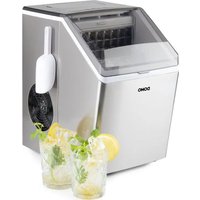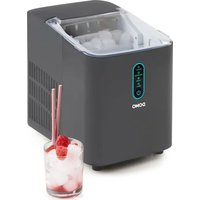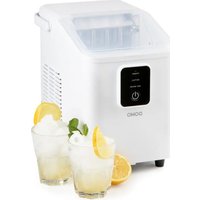
DO9292IB - Ice Maker DOMO - Free user manual and instructions
Find the device manual for free DO9292IB DOMO in PDF.


| Brand | DOMO |
| Model | DO9292IB |
| Product type | Ice maker |
| Supply voltage | 220-240 V~, 50 Hz |
| Power | 120 W |
| Standby consumption | 0.14 W (after 1 minute) |
| Cycle time | Approximately 9 minutes for the first ice cubes |
| Auto shut-off | Yes, when the ice basket is full |
| Empty water tank indicator | Yes |
| Built-in cleaning cycle | Yes |
| Descaling function | Recommended regularly |
| Warranty | 2 years |
| Spare parts | Available on the DOMO webshop |
| Refrigerant | Flammable (do not damage the circuit) |
| Cleaning | Do not immerse, use a soft cloth |
Frequently Asked Questions - DO9292IB DOMO
User questions about DO9292IB DOMO
0 question about this device. Answer the ones you know or ask your own.
Ask a new question about this device
Download the instructions for your Ice Maker in PDF format for free! Find your manual DO9292IB - DOMO and take your electronic device back in hand. On this page are published all the documents necessary for the use of your device. DO9292IB by DOMO.
USER MANUAL DO9292IB DOMO
natural_image
White modern Domo appliance with digital display and power button (no visible text or symbols on device body)EN Instruction booklet Ice cube maker
Read all instructions carefully.
Save this instruction manual for future reference.
⚠PRODUCTSPECIFIEKE WAARSCHUWINGEN
natural_image
White industrial air purifier with lid open, showing ventilation slots and control panel (no visible text or symbols)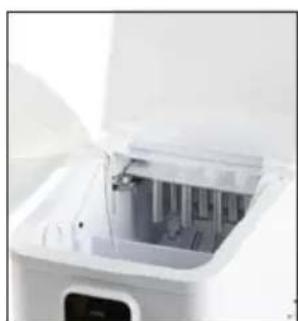
natural_image
Close-up of a white industrial machine with open lid and internal components (no visible text or symbols)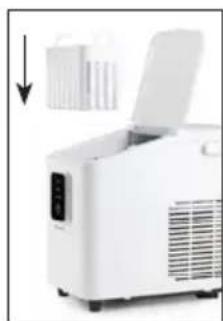
natural_image
White industrial machine with open lid and control panel, no visible text or symbols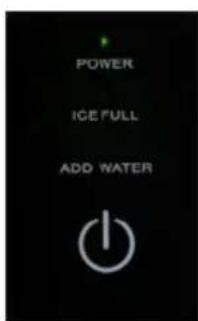
natural_image
Close-up of a hand inserting a white appliance into a white rack (no visible text or symbols)natural_image
Close-up of a camera lens and adjustment knob with a magnified circular detail (no text or symbols visible)natural_image
Technical line drawing of a mechanical device with internal components and a separate housing (no text or symbols)natural_image
Symbol of a trash bin with crossed lines indicating no waste or discharge (no text or numbers present)⚠AVERTISSEMENTS SPÉCIFIQUES AU PRODUIT
natural_image
White portable electronic device with open lid and control panel, no visible text or symbols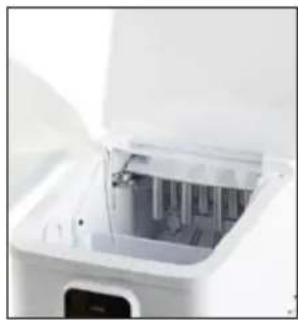
natural_image
Close-up of a white appliance with open lid and internal compartments (no visible text or symbols)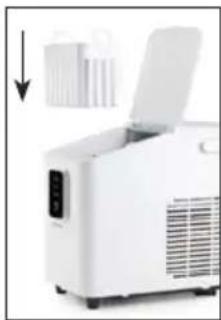
natural_image
White industrial machine with open lid and control panel, no visible text or symbols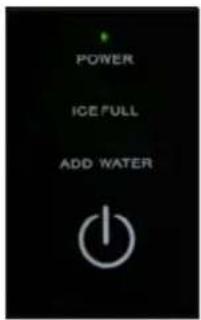
natural_image
Hand placing a small white plastic container into a white industrial machine (no visible text or symbols)natural_image
Close-up of a black mechanical device with a white circular highlight highlighting a small circular feature (no text or symbols visible)natural_image
Technical line drawing of an electrical connector housing and its internal structure (no text or symbols)natural_image
Symbol of a trash bin crossed with no text or numbers, representing waste sorting or disposal (no text present)natural_image
White portable electronic device with open lid and ventilation slots, no visible text or symbols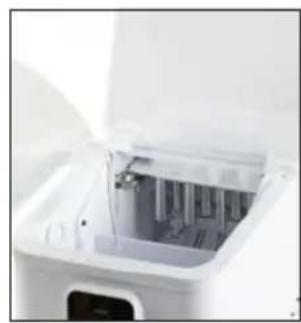
natural_image
Interior view of a white electronic device with visible internal components and a digital display (no text or symbols)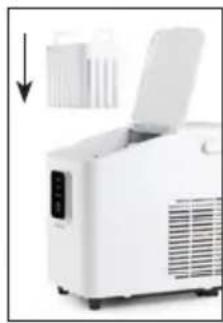
natural_image
White portable air conditioner unit with open lid and ventilation slots, no visible text or symbols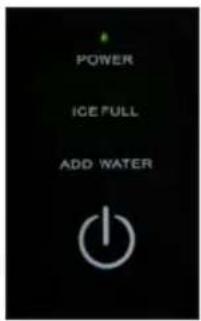
natural_image
Hand placing a small white object into a white appliance with a digital display (no visible text or symbols)natural_image
Close-up of a camera lens and adjustment knob with a magnified circular detail (no text or symbols visible)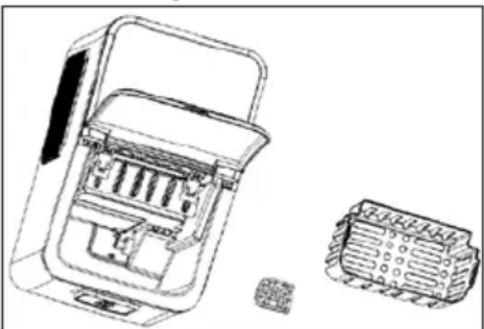
natural_image
Technical line drawing of a mechanical device with internal components and a separate view showing internal structure (no text or symbols)natural_image
Symbol of a trash bin crossed with two crossed lines and a solid black rectangle below (no text or labels)Thank you for your confidence in DOMO. We do hope you enjoy your new purchase. Before reaching you, all our products undergo a strict quality inspection. Should you still encounter problems with your appliance, then we are truly sorry and will do everything possible to resolve the situation quickly. Do not hesitate to contact our customer service. Our staff will do all they can to help you!
+32 14 21 71 91 info@linea2000.be

Monday - Thursday: 8.30 - 12.00 and 13.00 - 17.00
Friday: 8.30 - 12.00 and 13.00 - 16.30
This device has a warranty period of 2 years from the date of purchase. During this warranty period, the distributor will assume responsibility for any defects that can be shown to be the result of material, construction or manufacturing errors. Such defects will be remedied by repair or replacement of the device. The 2-year warranty period will be suspended during the repair period and will continue after the repair has taken place for the remaining duration of the warranty period. The warranty will be honoured if proof of purchase clearly showing the date of purchase is provided. If your device becomes defective within the 2-year warranty period, please return it with your proof of purchase to the store you purchased it from or follow the procedure of the relevant webshop if you bought it online.
The warranty does not cover damage to the device, accessories or parts caused by:
• normal wear and tear from use;
• non-compliance with the instructions for use, maintenance and cleaning in the manual;
- incorrect connection, e.g. electrical voltage too high;
- incorrect, heavy-handed or abnormal use;
• repairs or alterations carried out by the consumer or unauthorised third parties;
- use of parts or accessories not recommended nor supplied by the distributor.
SAFETY INSTRUCTIONS
When using electrical appliances, basic safety precautions should always be taken, including the following. Any injury or damage caused by failure to comply with these rules are at your own risk. Neither the manufacturer, importer, or the supplier may be held liable.
- Read all instructions carefully.
- Make sure all packaging materials and promotional stickers have been removed before using the appliance for the first time. Make sure children cannot play with the packaging materials.
-
This appliance is only suitable for use in domestic and similar environments, such as:
-
staff kitchen areas in shops, offices and other working environments;
- farm houses;
- by clients in hotels, motels and other residential type environments;
• bed and breakfast type environments.
• Children should be supervised to ensure that they do not play with the appliance.
- This appliance can be used by children aged from 16 years and above and persons with reduced physical, sensory or mental capabilities or lack of experience and knowledge if they have been given supervision or instruction concerning use of the appliance in a safe way and understand the hazards involved.
• Children shall not play with the appliance.
- Cleaning and user maintenance shall not be made by children unless they are older than 16 or supervised.
- Keep the appliance and its cord out of reach of children younger than 16 years.
- All repairs should be carried out by the manufacturer or its aftersales service.
▲ELECTRICAL WARNINGS
- In order to avoid a hazard this appliance must not be supplied through an external switching device, such as a timer or a
separate remote control, or connected to a circuit that is regularly switched on and off by the utility.
- The appliance must be disconnected from its power source when not in use, during service and when replacing parts. If present, first turn all the buttons to the 'off' position, then pull the plug out of the socket by grasping the plug itself. Never pull the cord or appliance to remove the plug from the socket.
- Before use, check carefully that the electric tension and frequency of the power net at your home match the indications on the rating label of the appliance.
- The appliance must be plugged into an appropriate outlet that is installed and grounded in accordance with local installation regulations.
- Do not let the power supply cord hang over the edge of a counter, or touch hot surfaces.
- Keep the power cord away from hot parts and don't cover the appliance.
- Unwrap the cord completely to prevent overheating of the cord. Do not allow the power cord supply to run underneath or around the unit.
- For safety reasons, never use the appliance if the cord, plug, or appliance itself is damaged, or after a malfunction of the appliance. Return the appliance to the DOMO Service Department or its service agent for examination, repair, or electrical or mechanical adjustment. Do not try to repair the appliance yourself.
⚠️INSTALLATION
- Do not place near flammable materials, gases or explosives.
- Do not use or store this appliance outdoors.
• Always use the appliance on a steady, dry and level surface.
- Never place this appliance near a gas stove or electrical stove or in a place where it may come into contact with a warm appliance.
⚠ USE
- Do not use this appliance for other than intended use.
- Never leave the appliance unattended while it is functioning.
- Do not operate the appliance with wet hands.
- The use of accessories that are not recommended or sold by the manufacturer can cause fire, electrical shock or injuries. Only use the utensils delivered with the appliance.
⚠ CLEANING AND MAINTENANCE
- To protect against electrical shock or burns, do not immerse unit, cord, or plug in water or other liquid.
- Failure to maintain this appliance in a clean condition could adversely affect the life of the appliance and possibly result in a hazardous situation.
⚠PRODUCTSPECIFIC WARNINGS
- Do not use water of unknown quality or water that contains unsafe microbes.
- Do not clean the ice maker with flammable liquids. The vapours can cause fire or explosion.
- Do not tilt the appliance more than 45^ . If the appliance is laid flat, return the appliance to a completely upright position and wait 2 hours before turning it back on.
- If the ice maker is brought in from a cold environment during the winter, do not use for a few hours. Allow it to warm to room temperature before use.
- Do not use the appliance in temperatures below 10^ and above 32^ .
- Never put flammable, explosive and/or corrosive items in the ice maker.
- Never use the ice maker if flammable gas is leaking.
- Unplug the ice maker from the power socket before moving it to avoid causing damage to the cooling system.
- The ice maker makes use of flammable gas and refrigerant and must therefore be disposed of according to local regulations.
- Do not damage the cooling circuit.
- Keep the ventilation openings clear and make sure they are not blocked or obstructed.
-
Do not use mechanical appliances or other aids to speed up the defrosting process.
-
Do not place portable power strips or portable power supplies at the back of the appliance.
- Do not place other electrical appliances inside this one, unless recommended by the manufacturer.
- Other appliances must not be connected to the same power socket. Make sure the plug is fully inserted into the power socket.
- Arrange the power cable to prevent children from pulling on it or people tripping over it.
- Do not attempt to disassemble, repair, modify, or replace any part of the item.
- When putting the appliance in its position, make sure the power cable does not become pinched or damaged.
- Place the appliance at least 15 cm away from other objects to ensure a proper ventilation around the appliance.
- Do not switch the appliance on and off too frequently. Always wait for at least 5 minutes to prevent damage to the compressor.
- To avoid frost injuries, do not touch the evaporator and/or the cooling fins while the appliance is in operation.

CAUTION: risk of fire / flammable materials This appliance uses a flammable refrigerant. If the refrigerant is leaked and exposed to an external ignition source, there is a risk of fire.
SAVE THESE INSTRUCTIONS FOR FUTURE REFERENCE
All images and descriptions in this manual are purely indicative and may differ slightly from the actual device.
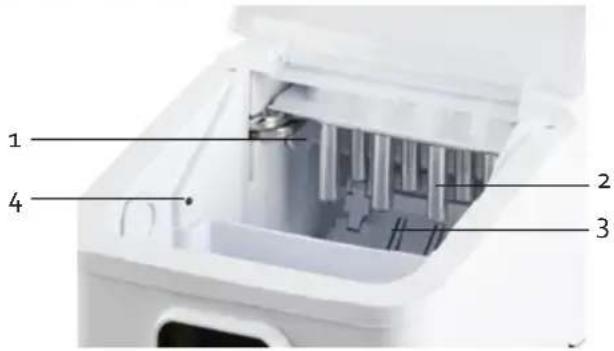
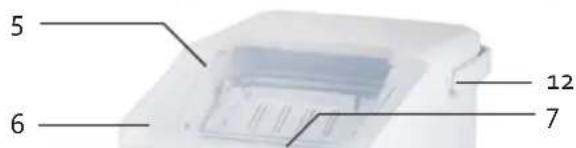
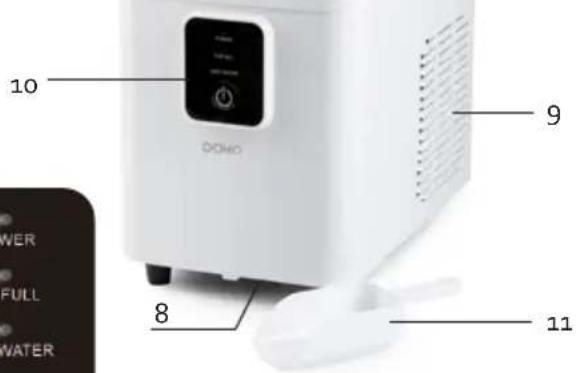
PARTS
- Water tray
- Freeze fingers
- Ice shovel
- Full basket sensor
- Transparent lid
- Ice basket
- Water tank
- Drain hole with plug
- Air outlet
- Control panel
- Scoop
- Handle
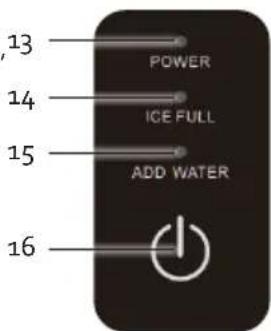
CONTROL PANEL
- Indicator light "in operation"
- Indicator light 'ice basket full'
- Indicator light 'water reservoir empty'
- On/off button
BEFORE THE FIRST USE
- Remove all packaging materials and any promotional stickers.
- Place the ice cube maker on a flat and stable surface and make sure that the ventilation openings are not blocked.
- Before using the ice cube maker for the first time: wait 2 hours after putting the appliance in place and leave the lid open for at least 2 hours. This way the refrigerant can settle.
- Attach the handle to the ice cube maker.
- Clean the appliance before using it for the first time. See: "cleaning and maintenance".
USE
-
Place the ice cube maker on a flat and stable surface and make sure that the ventilation openings are not blocked. Make sure the drainage hole on the bottom of the unit is closed.
-
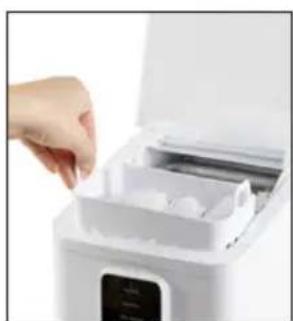
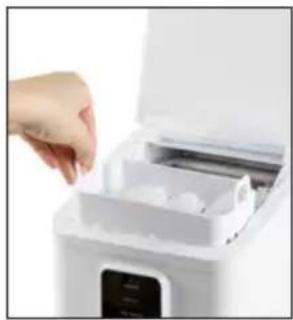
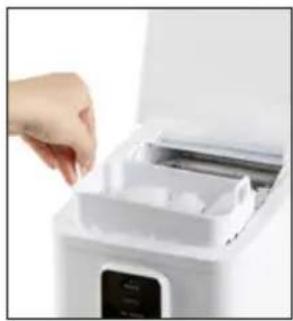
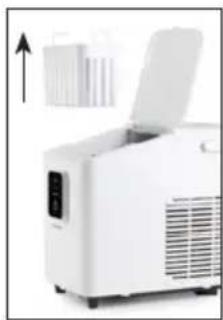
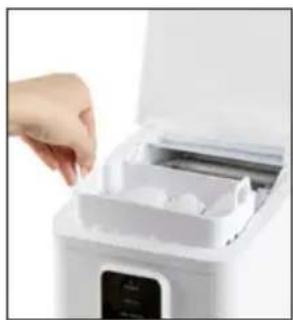
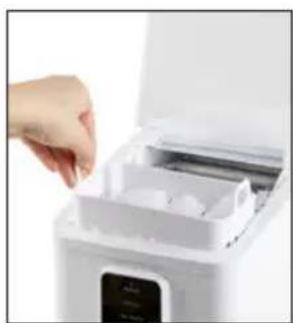
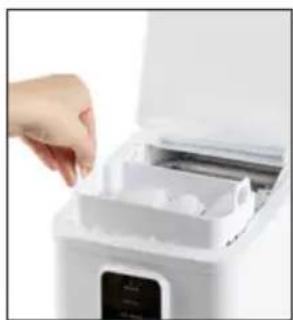
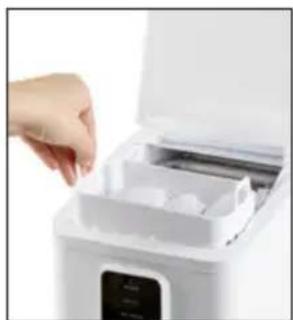
Open the lid and take out the ice basket so you can pour water into the water tank. It is recommended to use spring water or mineral water. Do not use hot water, the recommended water temperature is between 8 and 25°C.
Caution: Make sure that the water level is lower than the maximum indication. If the water tank is filled above the MAX indication, drain the excess water through the drain hole at the
bottom of the ice cube maker. Open the drainage hole on the underside of the appliance above a collecting container or a sink.
- Place the basket back into the appliance and close the transparent lid.
- Insert the mains plug into the power socket. The 'in operation' indicator light flashes and the appliance prepares to start.
- Press the on/off button on the appliance to turn it on. The "in operation" indicator lamp will illuminate steadily. It starts making the ice cubes and the first ice cubes will fall into the ice basket after ± 9 minutes.
- To stop the appliance, press the on/off button. The appliance ends the current cycle. Unplug the power cord after use.
- Clean the appliance after each use. Empty the water reservoir before storing the appliance. Open the drainage hole on the underside of the appliance above a collecting container or a sink.
natural_image
White industrial machine with open lid and ventilation slots, no visible text or symbols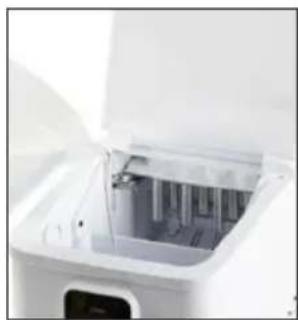
natural_image
Close-up of a white appliance with open lid and internal compartments (no visible text or symbols)
natural_image
White industrial machine with open lid and cooling fan, no visible text or symbols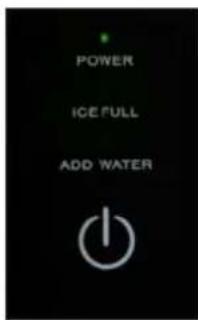
natural_image
Hand placing a small white appliance into a white kitchen appliance (no visible text or symbols)During the first 3 cycles, the ice cubes may be smaller and more irregular in size.
When the ice basket is full, immediately remove the ice from the ice basket.
- If the 'water reservoir empty' indicator lamp lights up, there is not enough water left in the water reservoir. Fill the water reservoir with water and press the on/off button to restart the machine.
- If the 'ice basket full' indicator light flashes, the machine will stop working. Empty the ice basket. If there is no more ice near the sensor, the appliance will restart automatically.
CLEANING AND MAINTENANCE
Do not immerse unit, cord, or plug in water or other liquid.
⚠️ Never use aggressive or abrasive cleaning agents.
- Switch off the appliance and unplug before cleaning. Also remove all ice cubes.
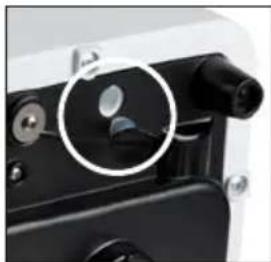
- Drain all water from the water tank through the drain hole at the bottom of the ice cube maker. Open the drainage hole on the underside of the appliance above a collecting container or a sink. To do this, you can slide the appliance forward, so the front protrudes 55-60 mm over the front of the worktop.
- Regularly clean the ice basket, the water tank, the water tray, the freeze fingers and the ice shovel. Use a soft cloth with warm water and maybe cleaning vinegar to clean the inside of the appliance. Rinse thoroughly before using the appliance again.
- There is a water supply filter at the bottom of the water tank. Remove it for cleaning. Clean with warm water and a mild detergent. Afterwards, replace correctly before using the appliance again.
natural_image
Close-up of a camera lens with a magnified inset showing the lens detail (no text or symbols visible)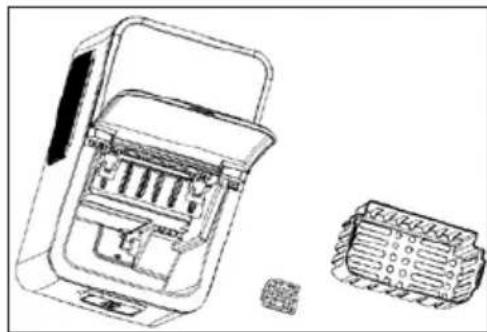
natural_image
Technical line drawing of a mechanical component with two views: top shows internal structure, bottom shows external housing (no text or symbols)- Clean the outside with a damp cloth and mild detergent if necessary.
- Do not use any chemical products or products containing acids, gasoline or oil. Do not use boiling water.
- Replace the water in the water tank at least once a day to guarantee clean ice cubes. When not using the appliance, always drain the water from the water tank. Always use clean water when using the ice cube maker.
RINSE THE LINES
It is recommended that the appliance lines be rinsed once a week or if the appliance has been idle for a long time.
-
Make sure the drainage hole on the bottom of the appliance is closed; then fill the water tank with clean water.
-
Plug the power cord into a socket. The 'in operation' indicator light flashes and the appliance prepares to start. The appliance is now in standby mode.
-
Press and hold the power button for several seconds until all indicator lights flash in turn.
-
The cleaning cycle starts. The lines will be rinsed for a few minutes.
-
When the cleaning cycle is finished, the appliance will stop automatically.
DESCALING
Descale the appliance regularly to avoid calcification and to maintain a well operating appliance. Use a descaling product for example coffee makers, or use a solution of 1/2 vinegar and 1/2 water.
-
Fill the water tank with the descaling solution; do not exceed the maximum level.
-
Plug in and wait until the appliance is in standby mode; the 'in operation' indicator light will flash slowly.
-
Switch on the cleaning cycle by pressing and holding the power button for a few seconds. All indicator lights flash alternately.
-
The cleaning cycle starts. The pipes will be rinsed for several minutes.
-
When cleaning cycle is finished, the appliance will automatically stop and switch back to standby mode.
-
Unplug and drain the descaling solution in the water tank over a sink. Rinse with clean water and clean the reservoir.
-
After this, refill the appliance with clean water and repeat the cleaning cycle again to rinse the residue of the descaling solution from the pipes.
-
Empty the water tank once more over a sink. The appliance is ready to use again.
PROBLEMS AND SOLUTIONS
| PROBLEMS SOLUTIONS | |
| “Ice basket full” indicator lamp is on. • The ice basket is full. Empty it.The sensors are dirty. Clean both sensors.The sensors are broken. Contact the after-sales department. | |
| All indicator lights flash simultaneously. • The ice scoop is blocked. Clear the blockage.The motor is broken. Contact the after-sales department. | |
| The appliance stops working. • The ice scoop is not in the correct position.Remove the ice from the scoop and press the power button. If the appliance does not work after restarting, please contact the after-sales department. | |
| Indicator lamp “water reservoir empty” lights up. | • Is the water reservoir empty. Fill the water reservoir with water.There’s air in the pump. Restart the appliance with the on/off button.The water supply is blocked. Clean the filter on the bottom of the water tank. |
| There are no indicator lights on. • There is no power applied to the appliance.Check the plug is placed in the socket.Check that no fuse has tripped in your fuse box. | |
| The ice is too big and there are bits of broken ice sticking to it. | • It is possible that ice from a previous cycle has ended up in the water tray. Turn off the appliance and remove the ice from the water tray.The water in the reservoir is too cold. The recommended temperature is between 8 and 25°C. |
| The appliance goes through the cycle, but no ice comes out. | • The ambient temperature or the water temperature is too high. Do not use the appliance at a temperature higher than 32°C and fill the tank with cold water.The compressor or the ventilation motor is broken. Contact the after-sales service.There is insufficient coolant in the appliance. Contact the after-sales service. |
| The appliance works, but the water gets warm. | • Contact the after-sales service. |
| The ice basket is full, but the indicator light is not lit. | • The operation of the sensors is blocked by sunlight. Move the appliance.The sensors are broken. Contact the after-sales department. |
| The appliance and the air around the appliance become warm. | • This is normal. The temperature of the compressor can be up to 90°C. |
| The compressor makes a lot of noise. • Check that | at the voltage indicated on the appliance corresponds to the voltage of the electricity grid in your home. |
SPECIFICATIONS
| Model DO9292IB | |
| Voltage 220-240V~ 50Hz | |
| Power 120W | |
| Energy consumption standby-mode after 1 minute 0.14W |
GUIDELINES
natural_image
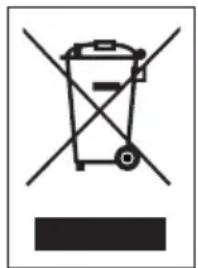
Symbol of a trash bin with crossed lines indicating no waste or discharge, and a solid black rectangle below (no text or labels)This symbol on the product or on its packaging indicates that this product may not be treated as household waste. Instead it must be brought to the applicable collection point for recycling of electrical and electronic equipment. By ensuring this product is disposed of correctly, you will help prevent potential negative consequences for the environment and human health, which could otherwise be caused by inappropriate waste handling of this product. For more detailed information about recycling of this product, please contact your local city office, your household waste disposal service or the shop where you purchased the product.

The packaging is recyclable. Please treat the packaging ecologically.

This appliance conforms to all European requirements in the areas of safety, health, and environmental protection.
The EU declaration concerning this appliance can be requested at any time from info@linea2000.be
GARANTIA
Estimado cliente,
natural_image
White industrial machine with open lid and ventilation slots, no visible text or symbols
natural_image
Close-up of a white electronic device with open lid and internal components (no visible text or symbols)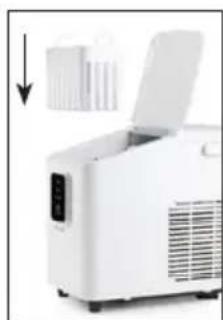
natural_image
White portable electronic device with open lid and control panel, no visible text or symbols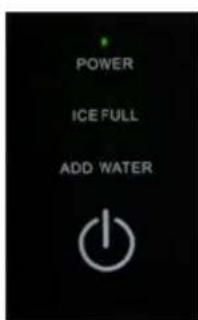
natural_image
Hand placing a small object into a white appliance with a digital display (no visible text or symbols)natural_image
Close-up of a black mechanical component with a white circular highlight highlighting a specific area (no text or symbols visible)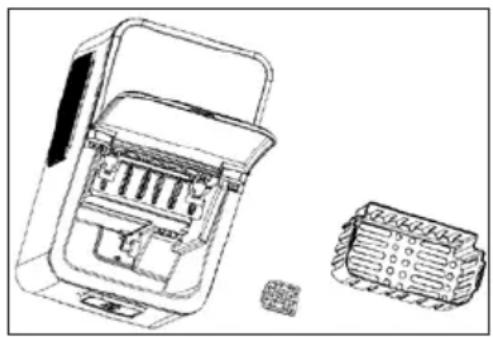
natural_image
Technical line drawing of a mechanical device with internal components and a separate housing (no text or symbols)natural_image
Symbol of a trash bin crossed with two crossed lines and a black rectangle below (no text or labels)natural_image
White industrial machine with open lid and control panel, no visible text or symbols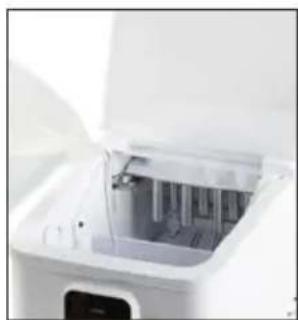
natural_image
Close-up of a white electronic device with open lid and internal components (no visible text or symbols)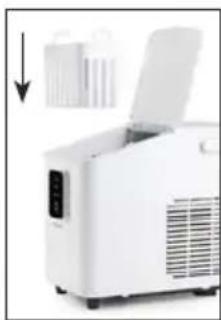
natural_image
White industrial machine with open lid and ventilation slots, no visible text or symbols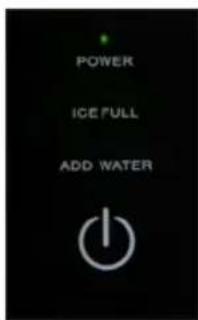
natural_image
Hand placing a small white object into a white appliance with a digital display (no visible text or symbols)natural_image
Close-up of a black mechanical component with a circular inset highlighting a specific area (no text or symbols visible)natural_image
Technical line drawing of a device housing with internal components and a separate close-up view (no text or symbols)natural_image
Symbol of a trash bin crossed with diagonal lines, no text or numbers presentnatural_image
White industrial air purifier with lid open, showing ventilation slots and a control panel (no text or symbols visible)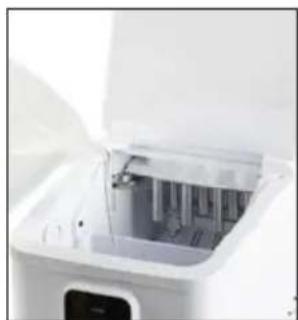
natural_image
Close-up of a white electronic device with internal components and a digital display (no visible text or symbols)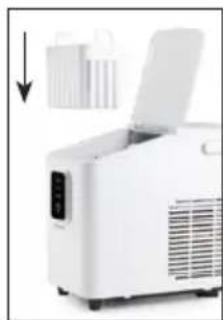
natural_image
White portable electronic device with open lid and ventilation slots, no visible text or symbols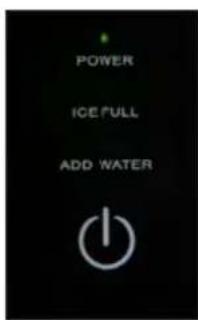
natural_image
Hand placing a small container into a white appliance with a digital display (no visible text or symbols)natural_image
Close-up of a camera lens component with a highlighted circular detail (no text or symbols visible)natural_image
Technical line drawing of a mechanical device with internal components and a separate housing (no text or symbols)natural_image
Symbol of a trash bin with crossed lines indicating no waste or discharge, and a solid black rectangle below (no text or labels)natural_image
White industrial machine with open lid and ventilation slots, no visible text or symbols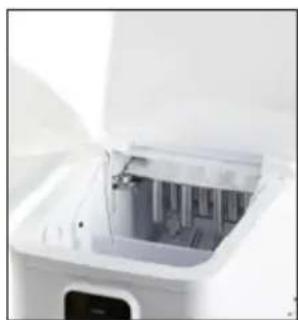
natural_image
Close-up of a white industrial machine with open lid and internal components (no visible text or symbols)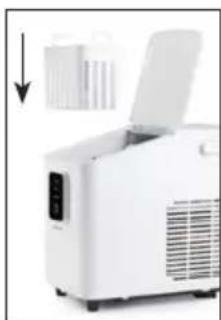
natural_image
White industrial machine with open lid and ventilation slots, no visible text or symbols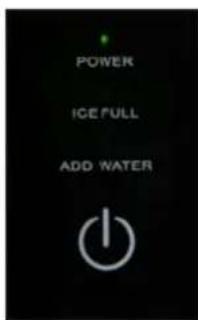
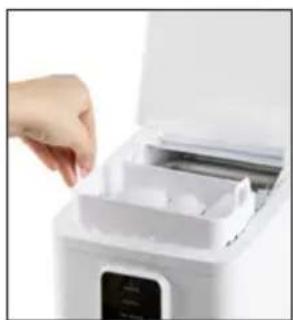
natural_image
Close-up of a hand placing a white appliance into a white rack with a digital display (no visible text or symbols)natural_image
Close-up of a camera lens component with a highlighted circular detail (no text or symbols visible)natural_image
Technical line drawing of a mechanical device with internal components and a separate housing (no text or symbols)natural_image
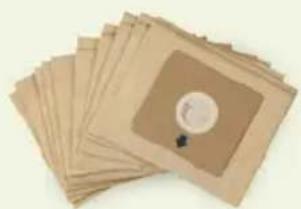
Symbol of a trash bin crossed with two crossed lines, no text or numbers presentLooking for extra accessories or you have a broken piece?
ORDER the original DOMO accessories and parts on our webshop.
Webshop

natural_image
Stack of sheets of paper with a circular inset showing a small object, no visible text or symbols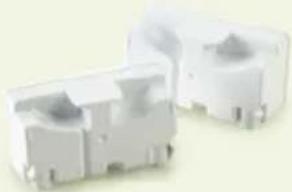
natural_image
Two white plastic electrical connectors with ports and mounting brackets (no visible text or symbols)
natural_image
White rectangular container with black interior, no visible text or symbols