
DO9220IB - Ice Maker DOMO - Free user manual and instructions
Find the device manual for free DO9220IB DOMO in PDF.


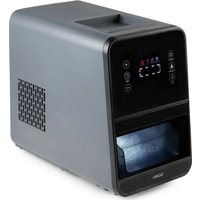
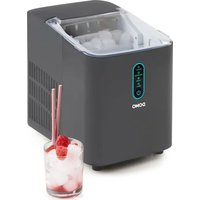
| Brand | DOMO |
| Model | DO9220IB |
| Product type | Ice maker |
| Power supply | Mains voltage (230 V ~50 Hz) |
| Water tank capacity | MAX level indicator, do not exceed |
| Main function | Automatic ice cube production |
| Automatic shut-off | Yes, when the basket is full or the tank is empty |
| Indicator lights | Ice tray full, water tank empty, operating |
| Control panel | On/off button |
| Lid | Transparent, removable |
| Ice basket | Removable |
| Ice scoop | Included |
| Water tray and cooling fingers | Present |
| Drain opening | With plug, located under the appliance |
| Compressor | Built-in |
| Refrigerant | Flammable, follow safety instructions |
| Usage | Household only, on a flat and stable surface |
| Ventilation | Minimum distance of 15 cm from other objects |
| First use | Wait 2 hours after setup, leave the lid open for 2 hours |
| Maintenance | Regular cleaning of basket, tank, water tray, fingers and scoop; periodic descaling |
| Descaling | Use a descaling product for coffee machines or diluted vinegar |
| Warranty | 2 years from date of purchase (accessories and wear: 6 months) |
| After-sales service | +32 14 21 71 91, info@linea2000.be |
| Disposal | Do not dispose with household waste, recycle via collection points |
Frequently Asked Questions - DO9220IB DOMO
User questions about DO9220IB DOMO
0 question about this device. Answer the ones you know or ask your own.
Ask a new question about this device
Download the instructions for your Ice Maker in PDF format for free! Find your manual DO9220IB - DOMO and take your electronic device back in hand. On this page are published all the documents necessary for the use of your device. DO9220IB by DOMO.
USER MANUAL DO9220IB DOMO
natural_image
Black and white photo of a black and white Domo ice cream maker with open lid and ventilation slots (no visible text or symbols)DO92201B
natural_image
Two black-and-white icons: a triangular warning triangle with an exclamation mark and an open book with stacked pages (no text or symbols)natural_image
Black and white photo of a device with an open lid and arrow indicator (no visible text or symbols)
natural_image
Close-up of a black appliance with transparent plastic lid and white tray, no visible text or symbols
natural_image
Black and white photo of a portable food organizer with an open lid and a downward arrow indicating a drop (no visible text or symbols)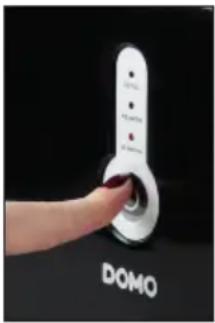
natural_image
Close-up of a hand pouring ice from a small container into an electric ice cream maker (no text or symbols visible)
natural_image
Close-up of a mechanical component with a white plastic lever and circular ports (no visible text or symbols)
natural_image
Close-up of a mechanical component with fluid flowing, no visible text or symbolsONTKALKEN
natural_image
Recycling symbol icon with three chasing arrows forming a triangle (no text or labels)natural_image
Close-up of a mechanical component with a white plastic lever and two circular ports (no visible text or symbols)
natural_image
Close-up of a mechanical component with a vertical pipe or pipe passing through it (no visible text or symbols)DÉTARTRAGE
natural_image
Recycling symbol icon with three chasing arrows forming a triangle (no text or labels)natural_image
Black and white photo of a device with an open lid and a paper stack, no visible text or symbols
natural_image
Close-up of a black appliance with transparent lid and plastic tray, no visible text or symbols
natural_image
Black and white photo of a portable food organizer with an open lid and a downward arrow indicating a drop (no visible text or symbols)
natural_image
Hand pressing a white connector labeled 'DOMO' against a black background (no other text or symbols visible)
natural_image
Close-up of a hand using a tool to lift white ice from a black appliance into a white ice cream container (no text or symbols visible)
natural_image
Close-up of a mechanical component with a white plastic lever and circular ports (no visible text or symbols)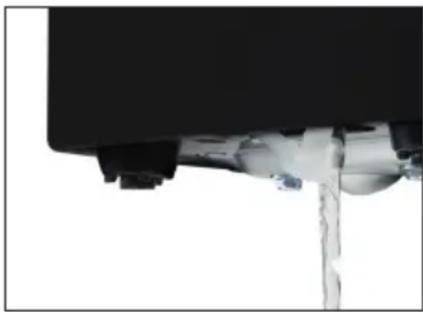
natural_image
Close-up of a mechanical component with fluid flowing, no visible text or symbolsENTKALKEN
natural_image
Recycling symbol icon with three chasing arrows forming a triangle (no text or labels)All of our products are always submitted to a strict quality control before they are sold to you.
Should you nevertheless experience problems with your device, we sincerely regret this. In that case, we kindly request you to contact our customer service.
Our staff will gladly assist you.

+32 14 21 71 91

info@linea2000.be
Monday – Thursday: 8.30 – 12.00 and 13.00 – 17.00
Friday: 8.30 - 12.00 and 13.00 - 16.30
This appliance has a two year warranty period. During this period the manufacturer is responsible for any failures that are the direct result of construction failure. When these failures occur the appliance will be repaired or replaced if necessary. The warranty will not be valid when the damage to the appliance is caused by wrong use, not following the instructions or repairs executed by a third party. The guarantee is issued with the original till receipt. All parts, which are subject to wear, are excluded from the warranty. If your device breaks down within the 2-year warranty period, you can return the device together with your receipt to the shop where you purchased it.
The guarantee on accessories and components that are liable to wear-and-tear is only 6 months.
The guarantee and responsibility of the supplier and manufacturer lapse automatically in the following cases:
- If the instructions in this manual have not been followed.
· In case of incorrect connection, e.g., electrical voltage that is too high.
· In case of incorrect, rough or abnormal use.
· In case of insufficient or incorrect maintenance.
· In case of repairs or alterations to the device by the consumer or non-authorised third parties. - If the customer used parts or accessories that are not recommended or provided by the supplier / manufacturer.
SAFETY INSTRUCTIONS
When using electrical appliances, basic safety precautions should always be taken, including the following:
- Read all instructions carefully. Keep this manual for future reference.
- Make sure all packaging materials and promotional stickers have been removed before using the appliance for the first time. Make sure children cannot play with the packaging materials.
· This appliance is intended to be used in household and similar applications such as:
- staff kitchen areas in shops, offices and other working environments;
· farm houses; - by clients in hotels, motels and other residential type environments;
- bed and breakfast type environments.
· Children should be supervised to ensure that they do not play with the appliance.
· This appliance can be used by children aged from 16 years and above and persons with reduced physical, sensory or mental capabilities or lack of experience and knowledge if they have been given
supervision or instruction concerning use of the appliance in a safe way and understand the hazards involved. Children shall not play with the appliance. Cleaning and user maintenance shall not be made by children unless they are older than 16 and supervised.
- Keep the appliance and its cord out of reach of children younger than 16 years.
- Attention: This appliance cannot be used with an external timer or a separate remote control.
- Before use, check if the voltage stated on the appliance corresponds with the voltage of the power net at your home.
- Do not let the cord hang on a hot surface or on the edge of a table or counter top.
- Never use the appliance when the cord or plug is damaged, after malfunction or when the appliance itself is damaged. In that case, take the appliance to the nearest qualified service center for check-up and repair.
- Close supervision is necessary when the appliance is used near or by children.
- The use of accessories that are not recommended or sold by the manufacturer can cause fire, electrical shock or injuries.
- Unplug the appliance when it is not in use, before assembling or disassembling any parts and before cleaning the appliance. Put all buttons and knobs into the 'off' position and unplug the appliance by grasping the plug. Never unplug by pulling the cord.
· Do not leave a working appliance unattended. - Never place this appliance near a gas stove or electrical stove or in a place where it may come into contact with a warm appliance.
- Do not use the appliance outdoors.
- Only use the appliance for its intended use.
· Always use the appliance on a steady, dry and level surface. - Only use the appliance for domestic use. The manufacturer can not be held responsible for accidents that result from improper use of the appliance or not following the instructions described in this manual.
· All repairs should be carried out by the manufacturer or its aftersales service.
· Never immerse the appliance, the cord or the plug in water or any other liquid. - Make sure that children do not touch the cord or appliance.
- Keep the cord away from sharp edges and hot parts or other heat sources.
- Do not tilt the appliance over 45^ .
- Place the appliance at least 15 cm away from other objects to ensure a proper ventilation around the appliance.
- Do not switch the appliance on and off too frequently. Always wait for at least 5 minutes to prevent damage to the compressor.

Caution: risk of fire / flammable materials
This appliance uses a flammable refrigerant. If the refrigerant is leaked and exposed to an external ignition source, there is a risk of fire.
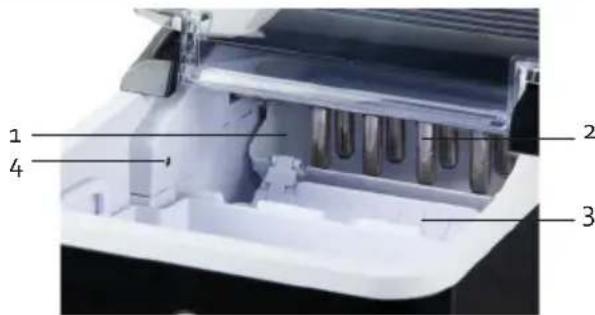
PARTS
- Water tray
- Freeze fingers
- Ice shovel
- Full basket sensor
- Transparent lid
- Ice basket
- Water tank
- Drain hole with plug
- Compressor
- Control panel
CONTROL PANEL
- Indicator light 'ice basket full'
- Indicator light 'water reservoir empty'
- Indicator light 'in operation'
- On/off button


BEFORE THE FIRST USE
- Make sure all packaging materials and promotional stickers have been removed before using the appliance for the first time.
- Before using the ice cube maker for the first time: wait 2 hours after putting the appliance in place and leave the lid open for at least 2 hours.
- Place the ice cube maker on a flat and stable surface and make sure that the ventilation openings are not blocked.
USE
- Place the ice cube maker on a flat and stable surface and make sure that the ventilation openings are not blocked.
- Open the lid and take out the ice basket so you can pour water into the water tank. It is recommended to use spring water or mineral water.
Caution: Make sure that the water level is lower than the maximum indication. If the water tank is filled above the MAX indication, drain the excess water through the drain hole at the bottom of the ice cube maker. Open the drainage hole on the underside of the appliance above a collecting container or a sink.
- Place the basket back into the appliance and close the transparent lid.
- Plug the power cord into a socket. The 'in operation' indicator light will start flashing. Press the on/off button on the appliance to turn it on. The indicator light comes on and the ice-making cycle starts.
- Clean the appliance after each use. Empty the water reservoir before storing the appliance. Open the drainage hole on the underside of the appliance above a collecting container or a sink.
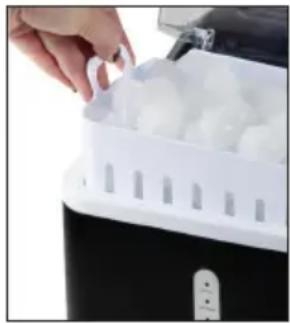
During the first 3 cycles, the ice cubes may be smaller and more irregular in size. When the ice basket is full, immediately remove the ice from the ice basket.


If the 'water reservoir empty' indicator lamp lights up, there is not enough water left in the water reservoir. Fill the water reservoir with water and press the on/off button to restart the machine.

If the 'ice basket full' indicator light flashes, the machine will stop working. Empty the ice basket. If there is no more ice near the sensor, the appliance will restart automatically.
CLEANING AND MAINTENANCE
- Switch off the appliance and unplug before cleaning. Also remove all ice cubes.
- Drain all water from the water tank through the drain hole at the bottom of the ice cube maker. Open the drainage hole on the underside of the appliance above a collecting container or a sink.
· Regularly clean the ice basket, the water tank, the water tray, the freeze fingers and the ice shovel. Use a damp cloth, maybe with a little mild detergent, to clean the inside and the outside of the ice cube maker. Rinse thoroughly before using the appliance again.
- Do not use any chemical products or products containing acids, gasoline or oil.
- Do not use any mechanical appliances or other aids to speed up the freezing process.
- Replace the water in the water tank at least once a day to guarantee clean ice cubes. When not using the appliance, always drain the water from the water tank. Always use clean water when using the ice cube maker.

natural_image
Close-up of a mechanical component with a white plastic lever and circular ports (no visible text or symbols)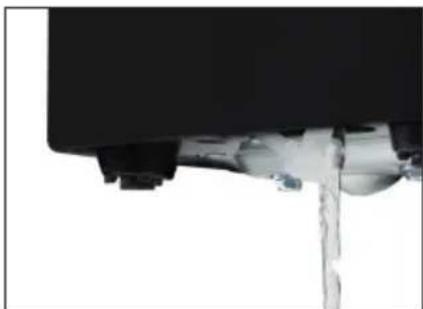
natural_image
Close-up of a mechanical component with liquid flowing, no visible text or symbolsDESCALING
Descale the appliance regularly to avoid calcification and to maintain a well operating appliance. Use a descaling product for example coffee makers, or use a solution of 1/2 vinegar and 1/2 water.
Fill the water tank with the product/solution (do not exceed the maximum level) and switch on the appliance. The appliance will now pump water into the ice tray. Wait until the tray is filled with water (the supply of water to the tray will stop) and immediately press the ON/OFF button. The appliance switches off and will release the product/solution from the ice tray. Repeat this cycle a few times with the descaling product/solution. Afterwards, fill the water tank with clean water and repeat the procedure until the smell of the descaling product/solution has disappeared completely.
POSSIBLE PROBLEMS AND THEIR SOLUTIONS
| PROBLEM POSSIBLE SOLUTION | |
| The compressor makes a lot of noise. · Check | that the voltage indicated on the appliance corresponds to the voltage of the electricity grid in your home. |
| Indicator lamp 'water reservoir empty' (ADD WATER) lights up. | · Is the water reservoir empty? Fill the water reservoir with water.· There's air in the pump. Restart the appliance with the on/off button. |
| There are no indicator lights on. · There is no | power applied to the appliance. Check the plug is placed in the socket.· Make sure the fuse is not broken. |
| The ice is too big and there are bits of broken ice sticking to it. | · It is possible that ice from a previous cycle has ended up in the water reservoir. Turn off the appliance and remove the ice from the water reservoir. |
| The appliance goes through the cycle, but no ice comes out. | · The compressor or the ventilation motor is broken. Contact the after-sales service.· There is insufficient coolant in the appliance. Contact the after-sales service. |
| All indicator lights flash simultaneously. | · The water reservoir is blocked by ice cubes. Pull the plug out of the socket, remove the ice from the water reservoir. Plug the power cord back in and press the on/off button. The appliance will restart after 3 minutes. |
| The appliance works, but the water gets warm. | · Contact the after-sales service. |
| The ice basket is full, but the indicator light is not lit. | · The sensor is broken. Contact the after-sales service. |
| The appliance and the air around the appliance become warm. | · This is normal. The temperature of the compressor can be up to 90°C. |
| The operation of the appliance has been interrupted, for example, by a power outage or lack of water. | · It takes 3 minutes for the appliance to restart. |
ENVIRONMENTAL GUIDELINES
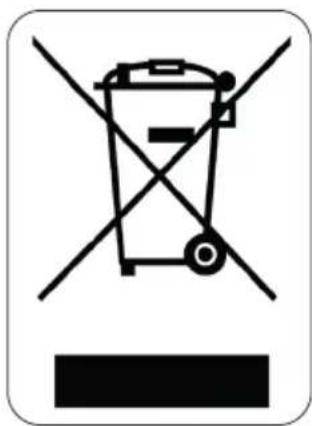
This symbol on the product or on its packaging indicates that this product may not be treated as household waste. Instead it must be brought to the applicable collection point for recycling of electrical and electronic equipment. By ensuring this product is disposed of correctly, you will help prevent potential negative consequences for the environment and human health, which could otherwise be caused by inappropriate waste handling of this product. For more detailed information about recycling of this product, please contact your local city office, your household waste disposal service or the shop where you purchased the product.

natural_image
Recycling symbol icon with three chasing arrows forming a triangle (no text or labels)The packaging is recyclable. Please treat the packaging ecologically.
GARANTIA
natural_image
Black and white photo of a device with an open lid and arrow indicating upward motion (no visible text or symbols)
natural_image
Close-up of a black appliance with transparent lid and plastic tray, no visible text or symbols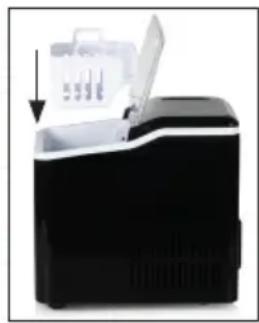
natural_image
Black and white photo of a portable food processor with a lid and open lid, showing no visible text or symbols.
natural_image
Hand pressing a white connector labeled 'DOMO' against a black background (no other text or symbols visible)
natural_image
Close-up of a hand using a tool to place ice cream in a white appliance (no text or symbols visible)
natural_image
Close-up of a mechanical component with a white plastic pin inserted, mounted on a black frame (no visible text or symbols)
natural_image
Close-up of a mechanical component with a vertical rod inserted, showing fluid or material flow (no text or symbols visible)natural_image
Recycling symbol icon with three chasing arrows forming a triangle (no text or labels)natural_image
Black and white photo of a device with an open lid and a paper stack, no visible text or symbols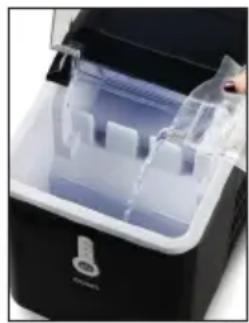
natural_image
Close-up of a black appliance with transparent plastic tray and white compartments (no visible text or symbols)
natural_image
Black and white photo of a portable electronic device with an open lid and a downward arrow indicating action (no visible text or symbols)
natural_image
Hand pressing a white connector labeled 'DOMO' against a black background (no other text or symbols visible)
natural_image
Close-up of a hand using a tool to place white ice cubes into a black appliance (no text or symbols visible)
natural_image
Close-up of a mechanical component with a white plastic clip and circular features (no visible text or symbols)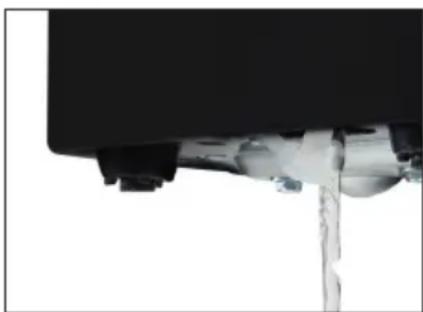
natural_image
Close-up of a mechanical component with a metallic rod inserted, showing fluid flow (no text or symbols visible)DECALCIFICAZIONE
natural_image
Recycling symbol icon with three chasing arrows forming a triangle (no text or labels)natural_image
Close-up of a mechanical component with a white plastic pin inserted, showing no visible text or symbols.
natural_image
Close-up of a mechanical component with liquid flowing, no visible text or symbolsODVÁPŇOVÁNÍ
OHLED NA ŽÍVOTNÍ PROSTŘEDÍ

natural_image
Recycling symbol icon with three chasing arrows forming a triangle (no text or labels)natural_image
Close-up of a mechanical component with a white plastic lever and black housing (no visible text or symbols)
natural_image
Close-up of a mechanical component with a metallic rod inserted, showing fluid flow (no text or symbols visible)natural_image
Recycling symbol icon with three chasing arrows forming a triangle (no text or labels)natural_image
Two cylindrical white objects with clear caps, possibly milk or similar beverage (no text or symbols visible)
natural_image
Three product photos: square tiles, a clear glass coffee maker with black handle, and a rectangular container filled with dark liquid (no text or symbols visible)of scan hier:
ou scannez ici:
oder hier scannen:
or scan here:


Brand : DOMO
Model : DO9220IB
Category : Ice Maker