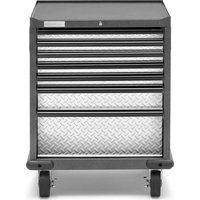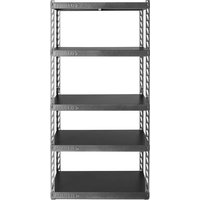
GARK365TGG - Wardrobe Gladiator - Free user manual and instructions
Find the device manual for free GARK365TGG Gladiator in PDF.


User questions about GARK365TGG Gladiator
0 question about this device. Answer the ones you know or ask your own.
Ask a new question about this device
Download the instructions for your Wardrobe in PDF format for free! Find your manual GARK365TGG - Gladiator and take your electronic device back in hand. On this page are published all the documents necessary for the use of your device. GARK365TGG by Gladiator.
USER MANUAL GARK365TGG Gladiator
Shelving Use Requirements. 5
Unpack 5
Assemble & Complete 5
WARRANTY. 8
SECURITE DE L'ARMOIRE 9
DIMENSIONS 10
PIECES 11
INSTRUCTION D'ASSEMBLAGE....12
EZ CONNECT RACK SHELVING SAFETY
Your safety and the safety of others are very important.
We have provided many important safety messages in this manual and on your appliance. Always read and obey all safety messages.

This is the safety alert symbol.
This symbol alerts you to potential hazards that can kill or hurt you and others.
All safety messages will follow the safety alert symbol and either the word "DANGER" or "WARNING."
These words mean:
DANGER
You can be killed or seriously injured if you don't immediately follow instructions.
WARNING
You can be killed or seriously injured if you don't follow instructions.
All safety messages will tell you what the potential hazard is, tell you how to reduce the chance of injury, and tell you what can happen if the instructions are not followed.
DIMENSIONS
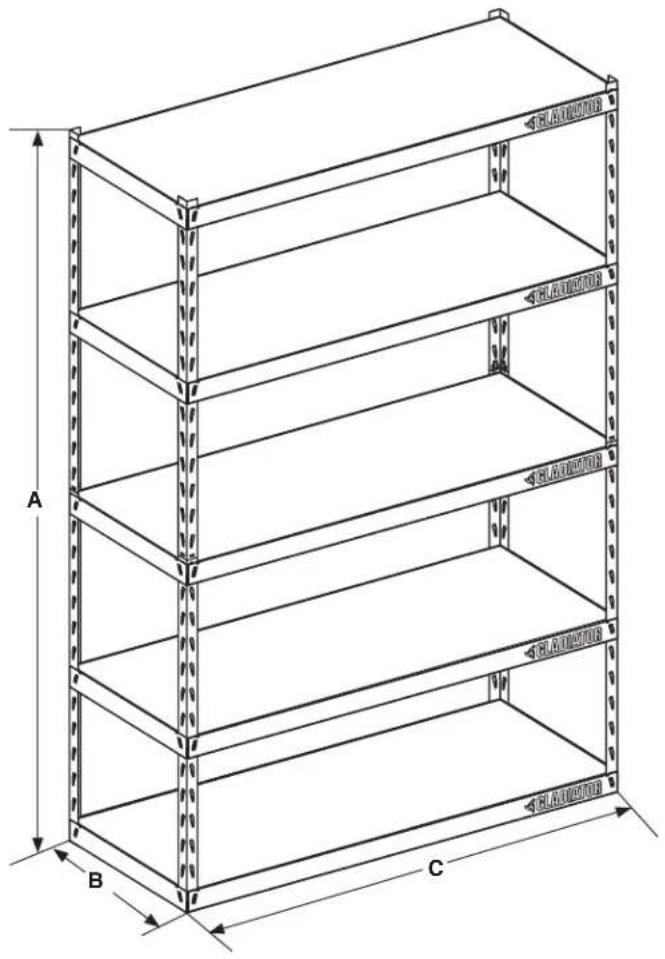
| GARK485X* YGRK485X* | GARK485T* YGRK485T* | GARK365T* YGRK365T* | |
| A | 72" (183 cm) | 72" (183 cm) | 72" (183 cm) |
| B | 24" (61.0 cm) | 18" (45.7 cm) | 18" (45.7 cm) |
| C | 48" (122 cm) | 48" (122 cm) | 36" (91.4 cm) |
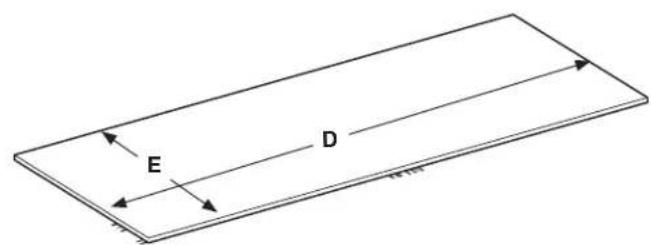
| D | 47" (120 cm) | 47" (120 cm) | 35" (89.0 cm) |
| E | 23" (59.0 cm) | 17" (43.7 cm) | 17" (43.7 cm) |
PARTS
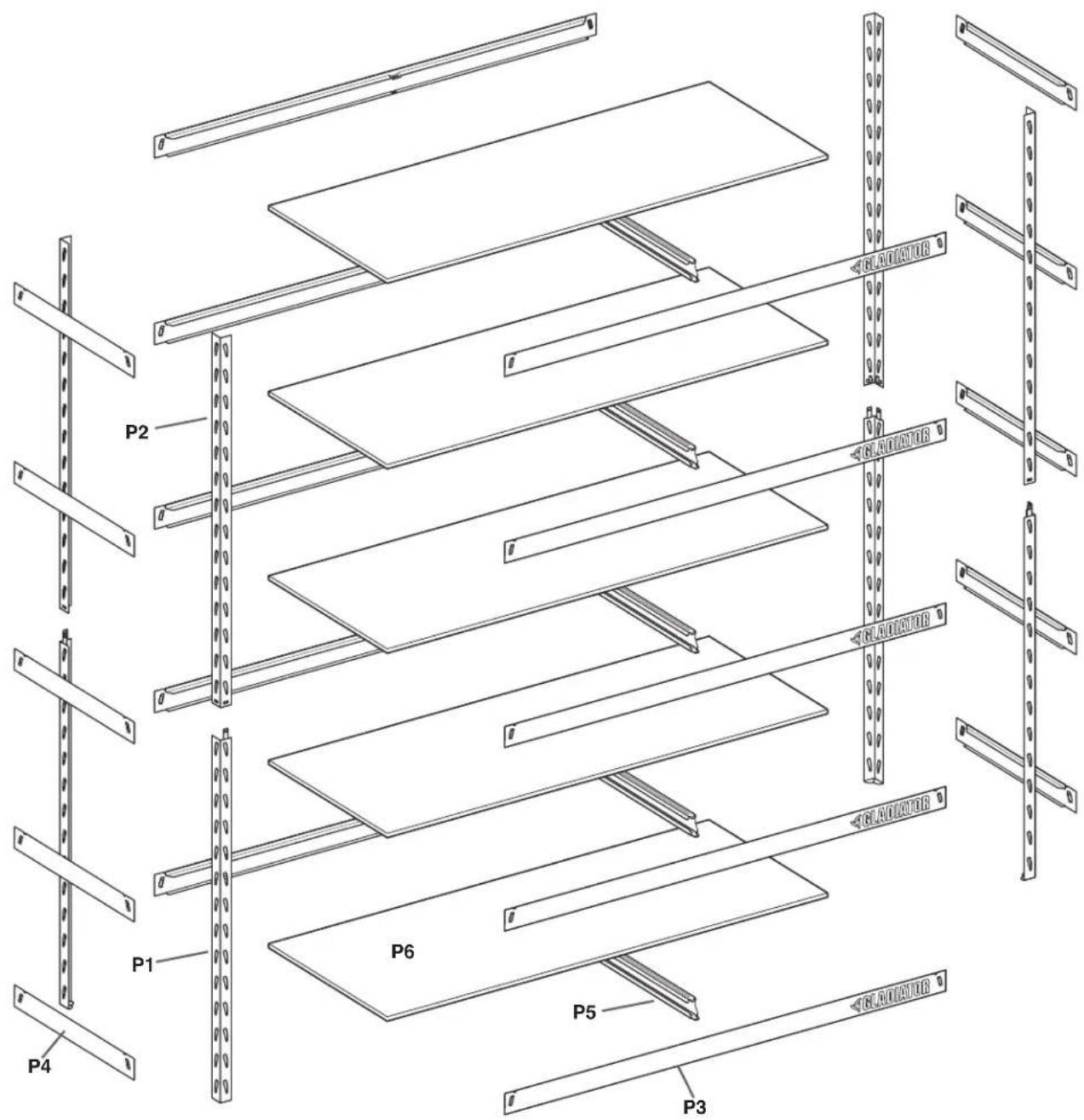
RACK
P1-Bottom Posts (4)
P2 - Top Posts (4)
P3 - Horizontal Support Beams (10)
P4 - Side Support Beams (10)
P5 - Tie Channel Support (5)
P6 - Laminate Shelves (5)
NOTE: No tools or hardware needed for assembly.
ASSEMBLY INSTRUCTIONS
Shelving Use Requirements
Maximum weight limit is 1,000 lbs (454 kg) for each shelf, not to exceed 5,000 lbs (2,268 kg) for the entire shelving unit.
WARNING
Excessive Weight Hazard
Use two or more people to move shelving.
Failure to do so can result in back or other injury.
Unpack
NOTE: Use one person to assemble shelving and two people to move it.
- Remove and verify the contents. See the "Parts" section so you can sort out all of the parts.
- Dispose of/recycle all packaging materials.
Assemble & Complete
No tools or hardware required.
Can be assembled by one person.
IMPORTANT:
Determine shelf spacing before assembly.
NOTE: It is recommended to space the shelves equally from top to bottom of the shelving unit and build it from the bottom up. See "End Frames/Support Beams" illustration.
■Prior to assembly, refer to sticker located on the inside of one of the P4 side support beams. There are many benefits of registering the product. Find out more and register the product online at www.gladiatorgarageworks.com.
Support Beam Orientation
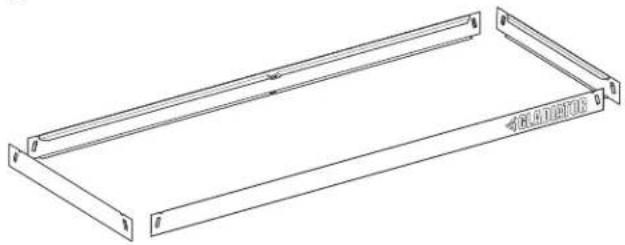
End Frames/Support Beams
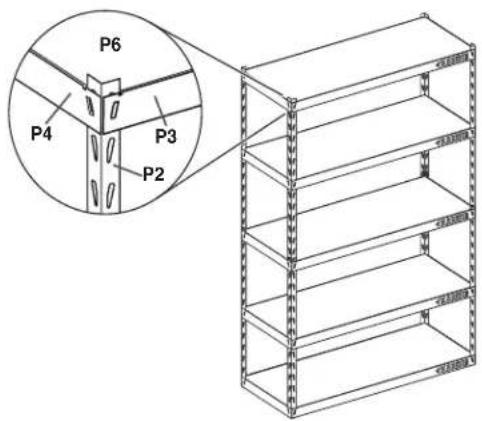
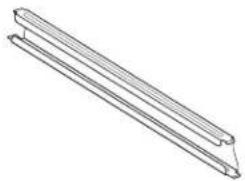
Tie Channels for Shelf Support
NOTES:
It is recommended to put beams at notch 1, 8, 14, 21, and 28 (counting from the bottom up). To keep shelving rack balanced, keep three of the shelves on the bottom half of the shelving rack.
All support beams need to be at the same height or the shelves will not assemble correctly.
During assembly, press firmly on all side support beams and horizontal support beams (P3 and P4) to ensure they are properly installed in the slots on top and bottom posts.
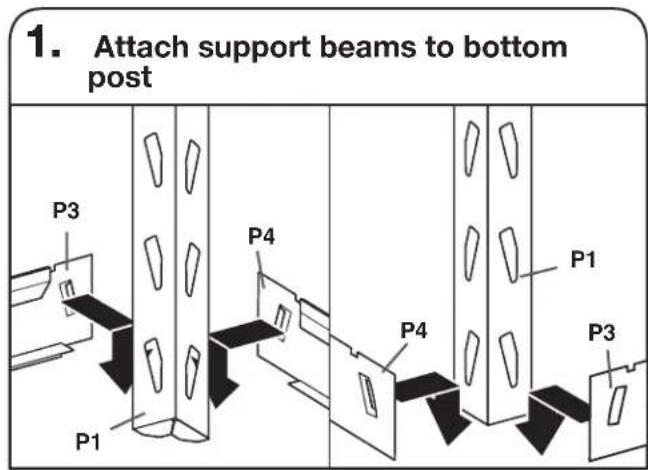
Use the bottom post (P1) and attach a horizontal support beam (P3) across front, and attach a side support beam (P4) to the other side. Insert horizontal and side beams starting at the top of the slots on the upright posts and pushing down after engagement. This will give you support while building your shelves up. You have now assembled one corner.
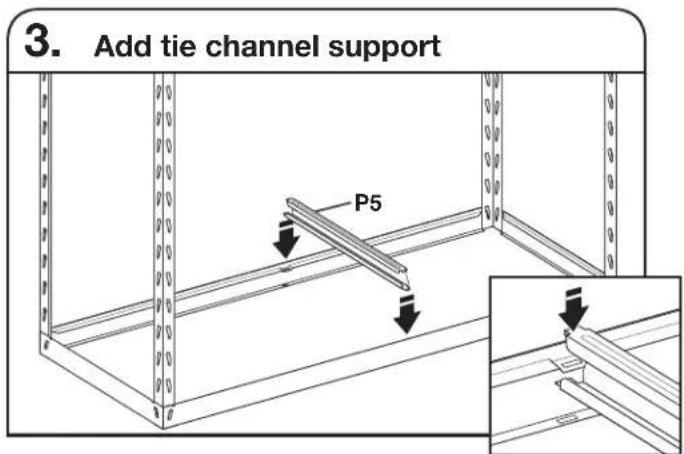
Add tie channel support (P5) to the bottom of the frame. Rotate into place BEFORE dropping tabs in slot.
Repeat steps 1 and 2. We recommend adding a section at notch 8 from the bottom of the post. Add the horizontal and side support beams. Add tie channel support and shelf.
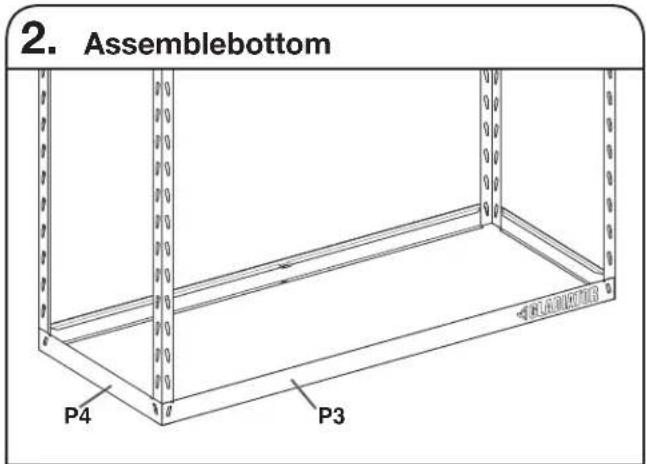
Repeat step 1 to assemble the other three corners, completing the bottom shelf. Make sure to press firmly on all side and horizontal support beams (P3 and P4) to ensure they are properly installed in the top and bottom posts.
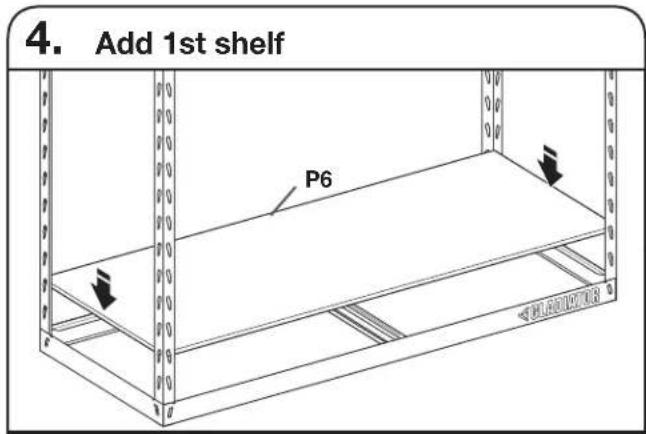
Add laminate shelf to the bottom of the frame. Gently place laminate shelf on beams and tie channel support.
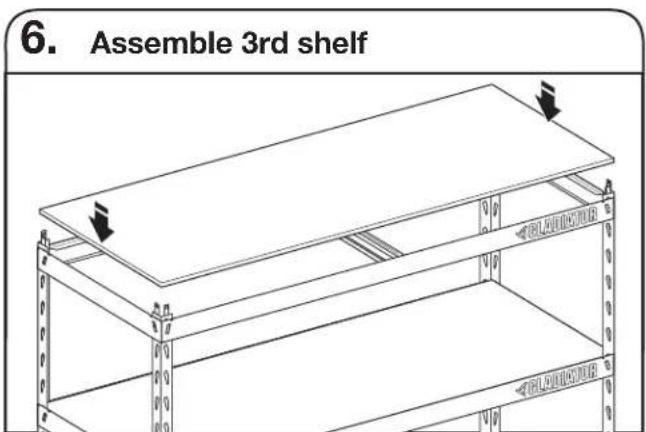
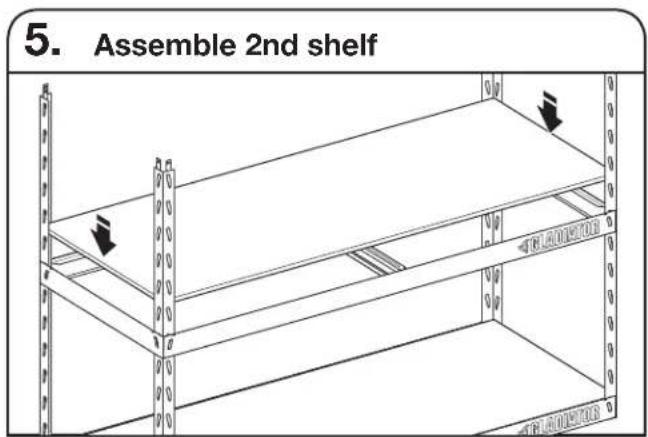
Repeat steps 1 and 2. We recommend adding a section at notch 14 from the bottom of the post. Add the horizontal and side support beams. Add tie channel support and shelf.
NOTE: We recommend adding 3 shelves to the bottom half of the shelving rack for better support. Make sure to install shelves before beginning next step.
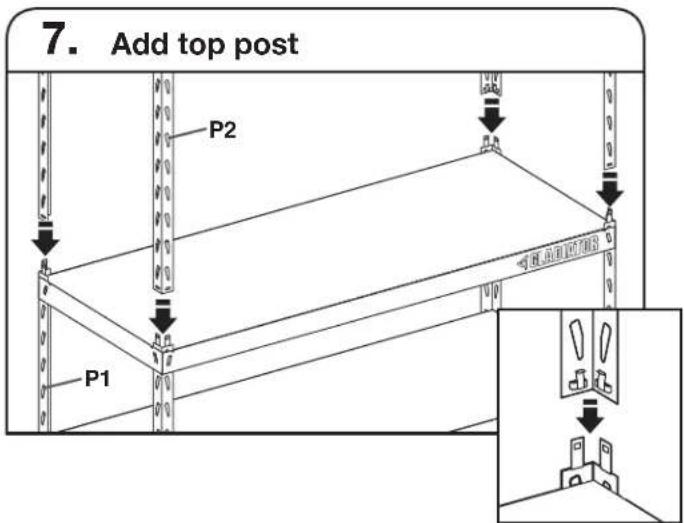
Insert top post (P2) into bottom post (P1) until you hear a click. NOTE: Posts may appear loose until completion of step 8.
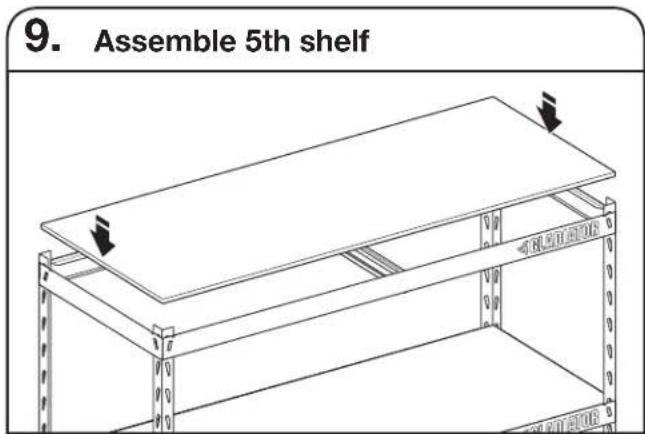
Repeat steps 1 and 2. We recommend adding section at the top of the post. Add the horizontal and side support beams. Add tie channel support and shelf.
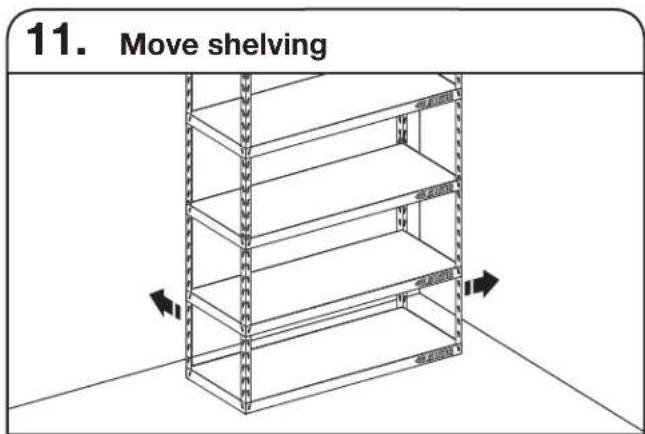
Using two people, move the rack shelving to its final location.

Repeat steps 1 and 2. We recommend adding a section at notch 8 from the top of the post. Add the horizontal and side support beams. Add tie channel support and shelf.
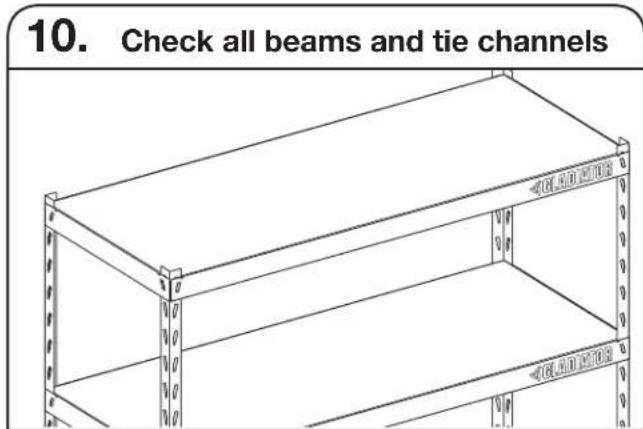
Verify that all beams and tie channel supports are properly assembled and firmly seated into the top and bottom post slots.
WARRANTY
For warranty information:
In the U.S.A. call 1-866-342-4089 or visit our website at
www.gladiatorgarageworks.com
In Canada call 1-800-807-6777 or visit our website at
www.gladiatorgarageworks.ca
ÉTAGÈRE EZ CONNECT SECURITÉ
www.gladiatorgarageworks.com
www.gladiatorgarageworks.ca
ESTANTE EZ CONNECT SEGURIDAD
www.gladiatorgarageworks.com
www.gladiatorgarageworks.ca
W11026386D
^© /TM ©2024 Gladiator. All rights reserved. Used under license in Canada.
Tous droits réservés. Utilisé sous licence au Canada.
Losotros descerros reservados. Usado en Canadá bajo licences.