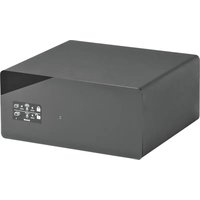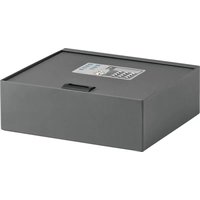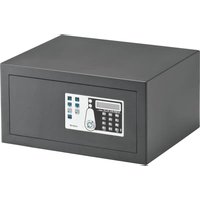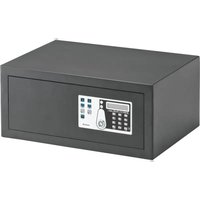
SAFE 30 EASY - Safe Indel B - Free user manual and instructions
Find the device manual for free SAFE 30 EASY Indel B in PDF.


User questions about SAFE 30 EASY Indel B
0 question about this device. Answer the ones you know or ask your own.
Ask a new question about this device
Download the instructions for your Safe in PDF format for free! Find your manual SAFE 30 EASY - Indel B and take your electronic device back in hand. On this page are published all the documents necessary for the use of your device. SAFE 30 EASY by Indel B.
USER MANUAL SAFE 30 EASY Indel B
natural_image
Line drawing of a simple open safety cabinet with internal components and mounting holes (no text or symbols)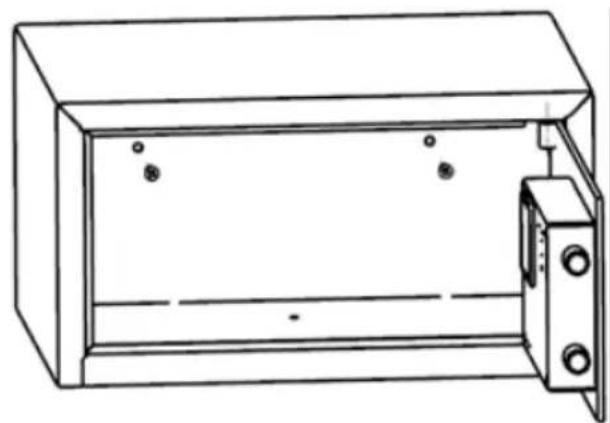
natural_image
Line drawing of a rectangular cabinet with two doors and three circular components on the front panel (no text or symbols)FIG. I: FISSAGGIO ATTRAVERSO LA BASE FIG. II: FISSAGGIO ATTRAVERSO LA PARETE POSTERIORE
SAFE 30 EASY
ISTRUZIONI PER L'USO
natural_image
Line drawing of a hand using a screwdriver to press an open digital control panel inside a cabinet (no text or symbols visible)natural_image
Line drawing of a hand inserting a digital control panel into a cabinet (no text or symbols)natural_image
Line drawing of a portable electronic device with a control panel and cable (no text or symbols)GUASTI
Before operating this appliance, please read this Manual carefully, and operate in accordance with the relevant instructions.

WARNING
This equipment is not intended for use by people (including children) with limited physical, sensorial, or mental capacity, or that lack experience or knowledge of the same, unless they have had the benefit of supervision of instruction on use of the equipment by someone that is responsible for their safety.
Children must be watched to ensure that they do not play with the equipment.
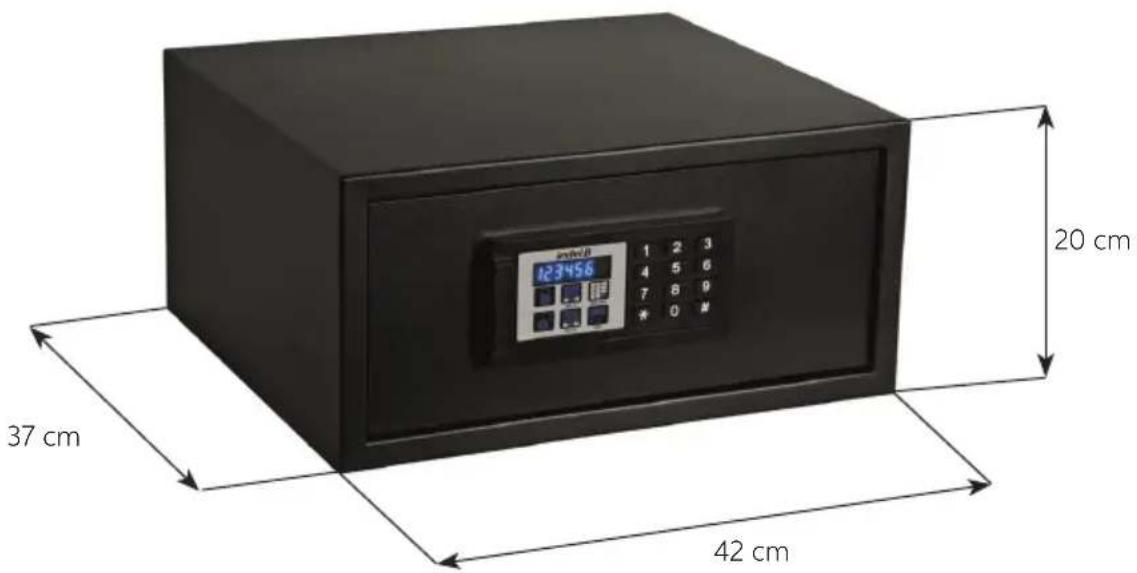
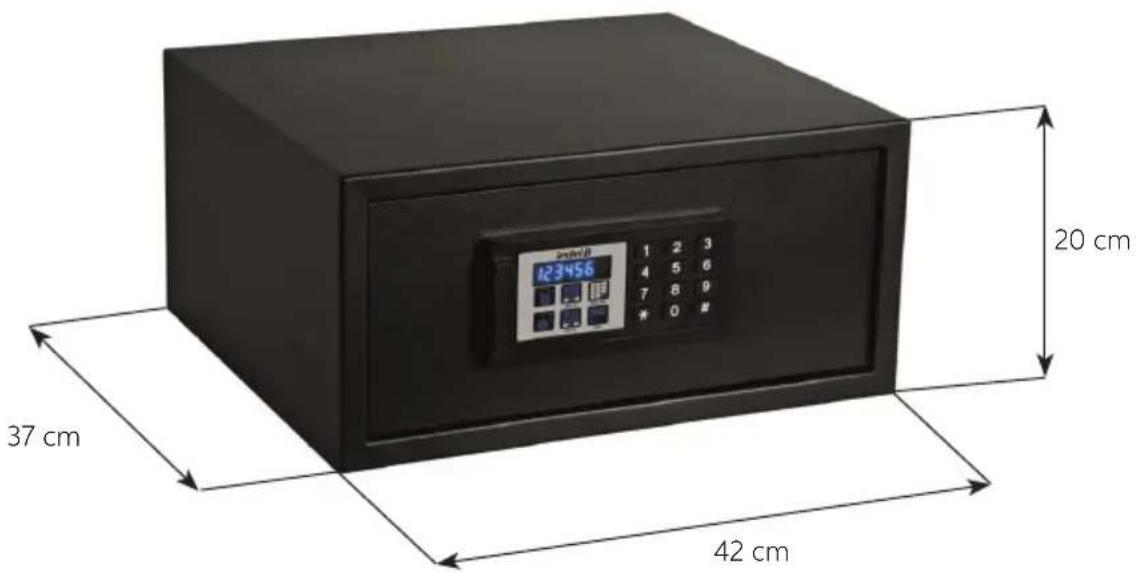
OVERALL DIMENSIONS
SAFE 30 EASY
text_image
20 cm 123456 37 cm 42 cmSAFE 30 EASY
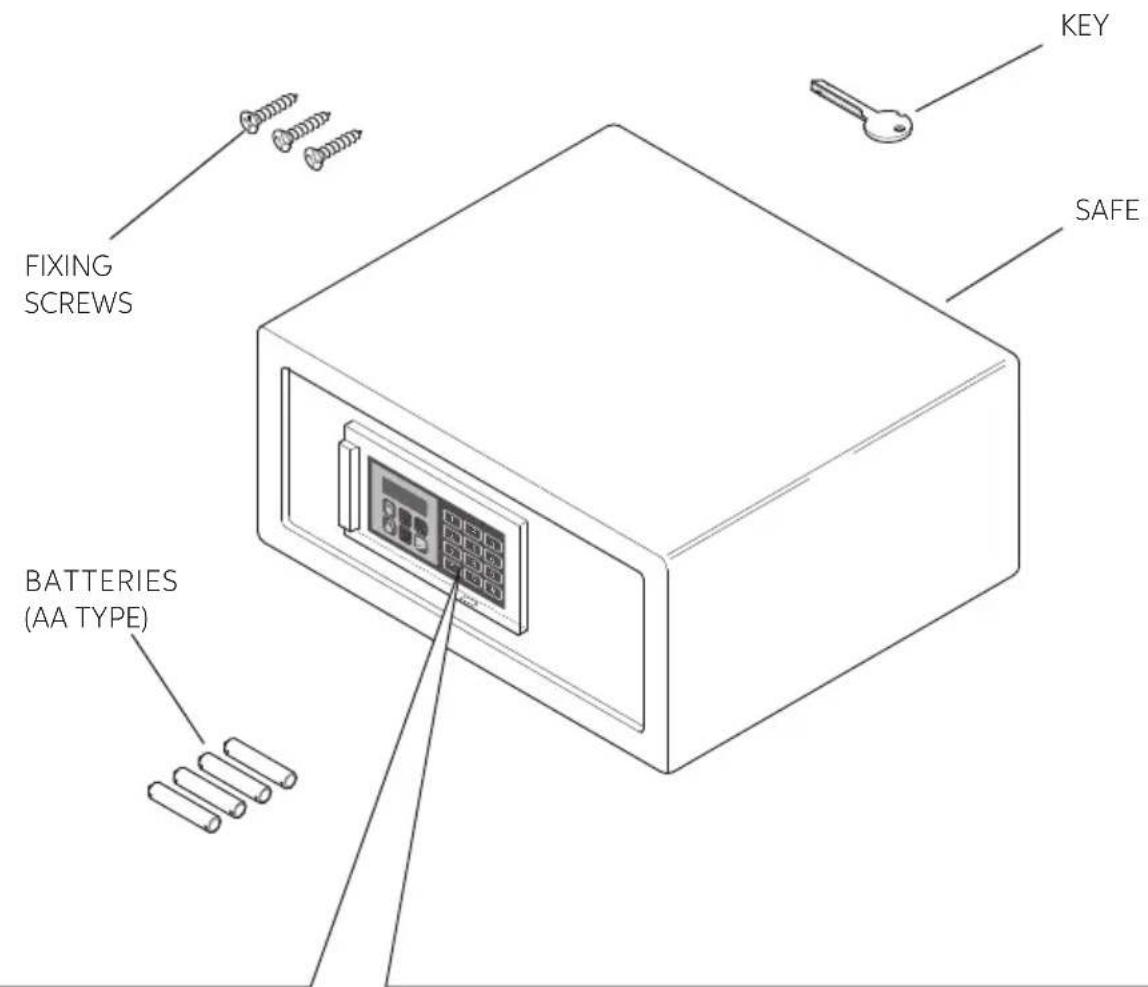
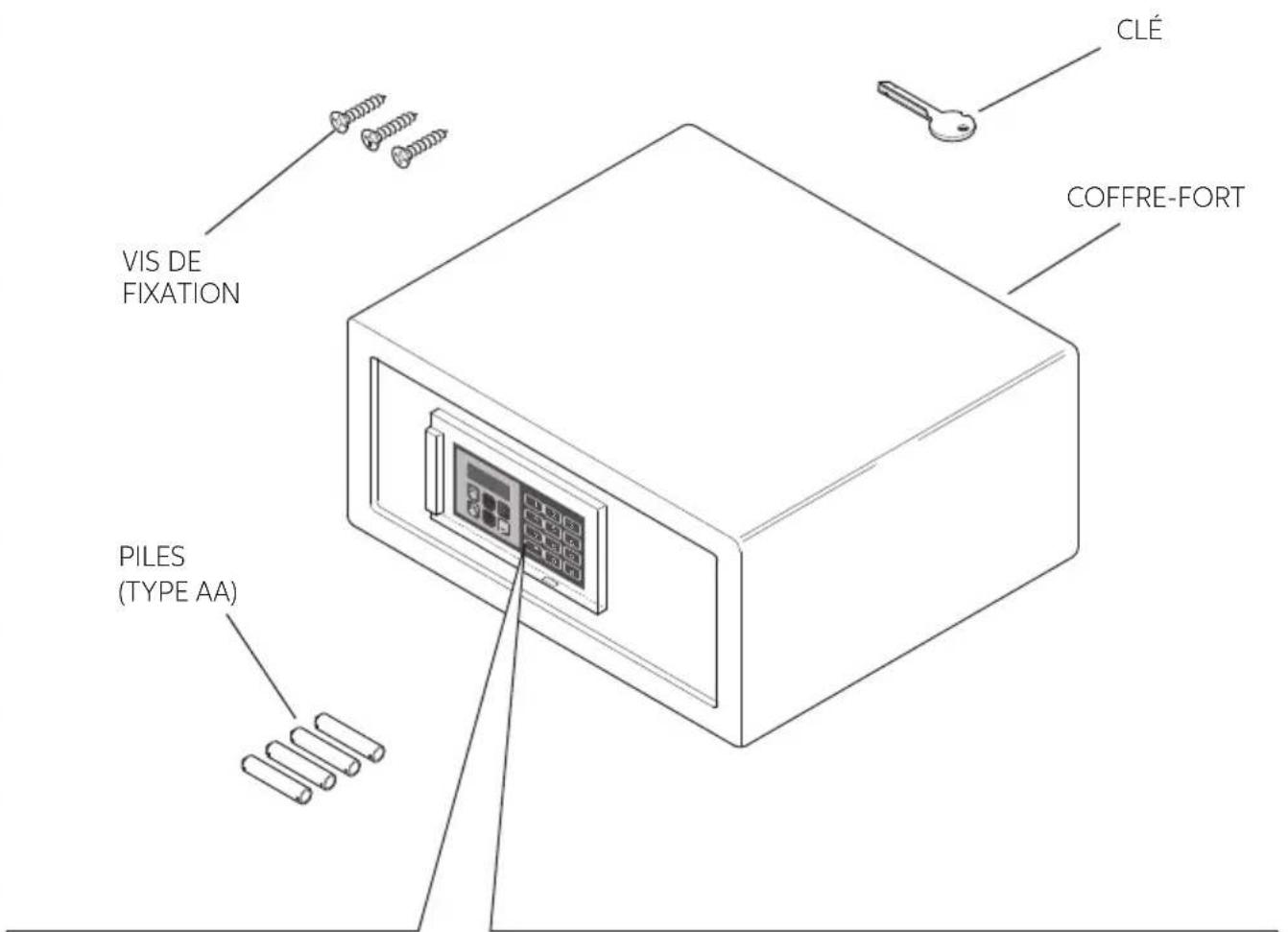
MATERIAL CONTAINED IN THE PACK
text_image
FIXING SCREWS BATTERIES (AA TYPE) KEY SAFECONTROL PANEL
text_image
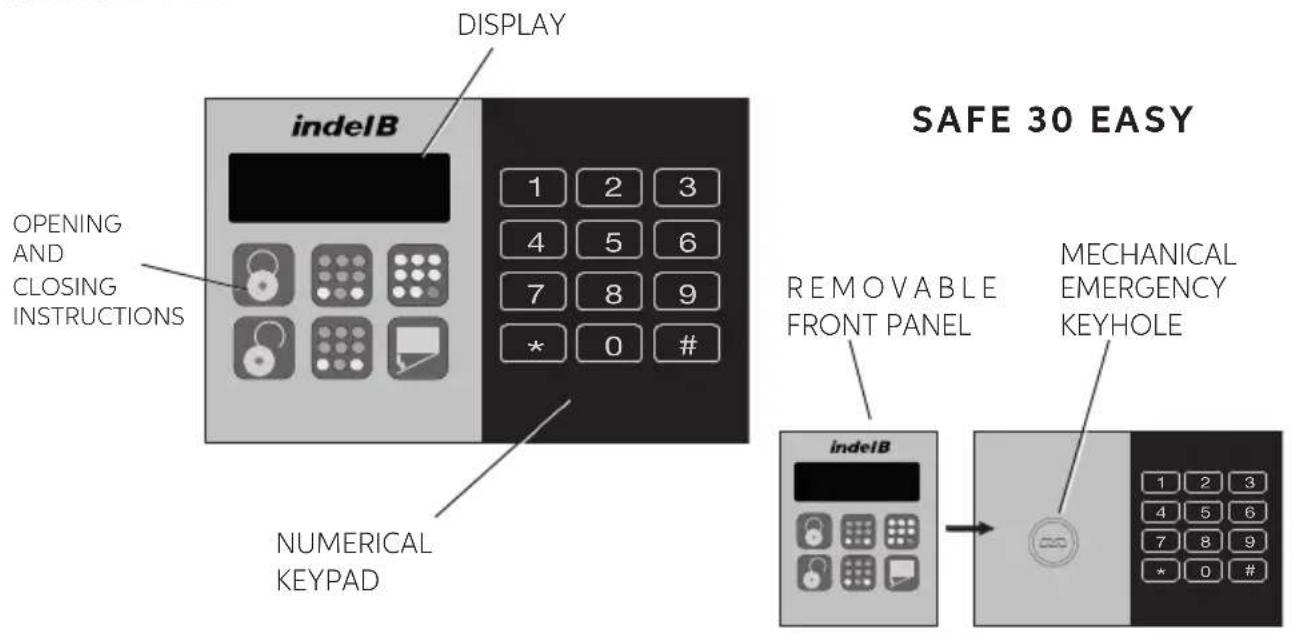
DISPLAY indelB OPENING AND CLOSING INSTRUCTIONS NUMERICAL KEYPAD SAFE 30 EASY REMOVABLE FRONT PANEL MECHANICAL EMERGENCY KEYHOLE indelB 1 2 3 4 5 6 7 8 9 * 0 # 1 2 3 4 5 6 7 8 9 * 0 #SAFE_30_EASY_20191122
INSTALLATION
On receiving the Safe it must be installed by carrying out a few simple operations, in order to make it possible to use it.
BATTERY INSERTION
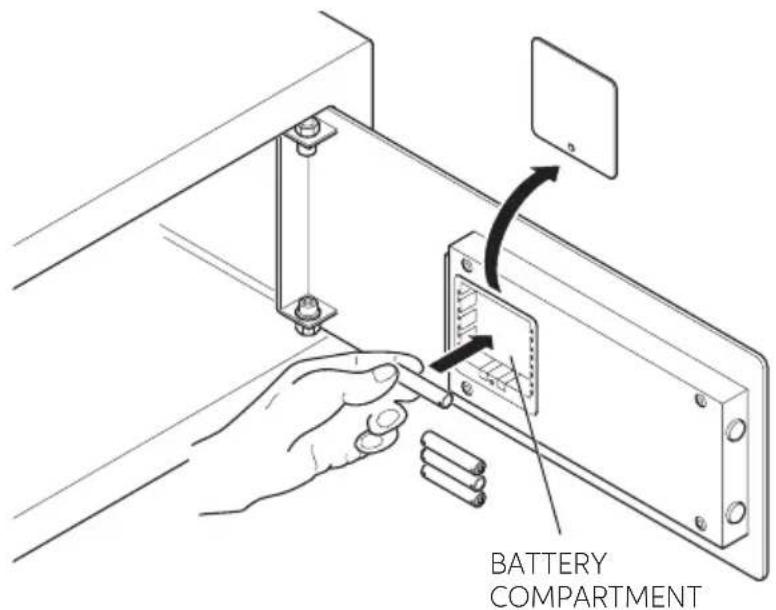
Before using the Safe, it is necessary to insert the 4 AA batteries supplied with the package in their compartment, located inside the door. Respect the polarities indicated in the compartment.

WARNING
Batteries are delivered free of charge for the operating test and must be replaced in a short time.
text_image
BATTERY COMPARTMENTPOSITIONING
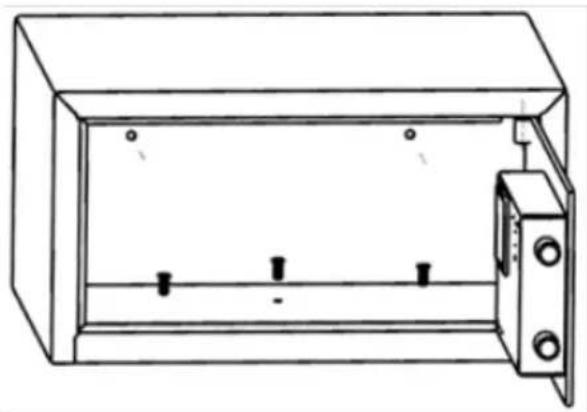
The safety box can be fixed either with the three mounting holes at the baseboard or with the two mounting holes at the backboard, according to on-site installation conditions. Use the matching wood screws at installation, as shown in Fig. I and Fig. II respectively.
natural_image
Line drawing of a closed electrical cabinet with three terminals and a door open (no text or symbols)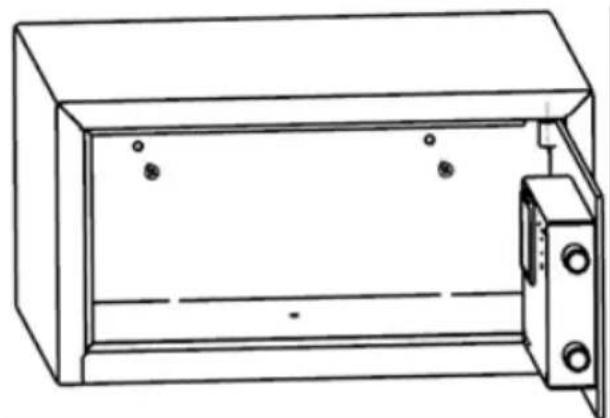
natural_image
Line drawing of a cabinet with doors open and two small circular components on the side (no text or symbols)FIG I: FIX THROUGH BASEBOARD FIG II: FIX THROUGH BACKBOARD
SAFE 30 EASY
INSTRUCTIONS FOR USE
The Safe, after the installation, appears to the user with the Double code system already set by the Manufacturer.
Personal code (of 4-6 digits, for ordinary use) and Master code (of 6 digits, for emergency openings).
Adhere to the following instructions for Ordinary use.
SAFE CLOSURE
Enter a Personal code (from 4 to 6 digits) and press the LOCK key (#). The display will show the message "CLOSE". When the door is closed, the display will show the message "CLOSED" and subsequently the Personal code entered, as a memorandum to the user.
In the front panel of the Safe, a short illustrated sequence is reported describing the door opening and closure procedures.
SAFE OPENING
GUEST LOCKING
• Key in any 4-6 digits numbers as the password.
- Press #LOCK.
- Will display "CLOSED" after locking.
GUEST UNLOCKING
- Just need to key in the last guest password.
- Will display "OPENED" after unlocking.

WARNING
The safety box will automatically lock for system protection for 15 minutes in case consecutively FOUR times of wrong password input
MANAGEMENT PASSWORD INSTRUCTION (MASTER CODE)
Management password is available for unlocking in case the guest forgets the password.
UNLOCKING WITH THE MANAGEMENT PASSWORD
- Input the current management password.
- Monitor shows “-OPEN-”, then “OPENED”.
The ex-factory initial management password is 848711. It can be changed according to management needs.
CHANGE THE MASTER CODE
- With the door open, key in the programming code for the master code revise **1967#.
• The display will show NEW.
• Key in the new master code composed by 6 digits and press # to confirm.
• The display will show AGAIN.
• Key in again the new master code composed by 6 digits and press # to confirm. - The display will show DONE and the new Master Code is active.

WARNING
We recommend changing the default Master Code as the same code is set forl the safes in the factory. Once you have changed the Master Code, make a note of the new Code and keep it in a safe place.
SAFE_30_EASY_20191122
OPERATION INSTRUCTIONS OF MECHANICAL EMERGENCY KEY
The mechanical emergency key is for unlocking in mechanical way in case of system is completely out of power or electronic system failure.
Unlocking with mechanical emergency key
- Open the keyhole cover.
- Insert the mechanical emergency key, and rotate it to unlock.
- Pull out the mechanical emergency key and cover the lock hole.
VOLTAGE DETECTION AND LOW VOLTAGE ALARM
Voltage detection: Press # under the state of locking or unlocking. The monitor will display the information of battery status:
| Monitor display | Corresponding battery condition | Remarks |
| BA - HI Sufficient battery No need to replace the battery | ||
| BA – L0 Low battery Please replace the battery | ||
GUEST PASSWORD CANCELLATION AND LOCK RESET
- Insert the emergency mechanical key, under state of door opening.
- Pull out the mechanical key, and press # within 5 seconds, the lock will be reset to the unlocking position. Alternatively, input the Management code is also able to reset the lock to the unlocking position.
- The previous guest password will be cancelled automatically, and guest is able to lock the safety box with the new guest password.

WARNING

WARNING
Make sure that children can only operate this appliance under guardianship by adult so as to avoid any accident.

WARNING
Please do not put the mechanical emergency key into the safety box.

WARNING
This product is designed for indoor use. Please do not put and use the product outdoor.

WARNING
Please do not put this product close to heat sources, such as heater and oven.

WARNING
Please do not put this product in places close to water, such as a bathroom, poolside, etc..

WARNING
Please do not store flammable and explosive substances, such as gasoline, pure alcohol into the safety box.
SAFE 30 EASY
OPENING THE SAFE IN AN EMERGENCY
If you forget the Personal Code or are unable to open the Safe for any reason, you can:
- Open the Safe using the (6 digit) Master Code
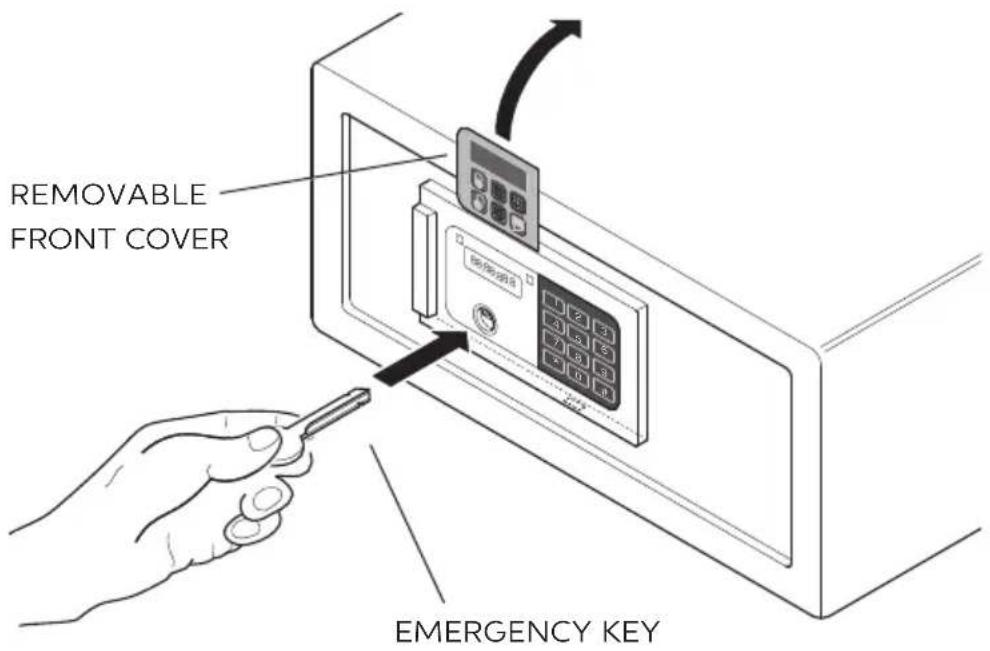
- Open the Safe using the Emergency Key
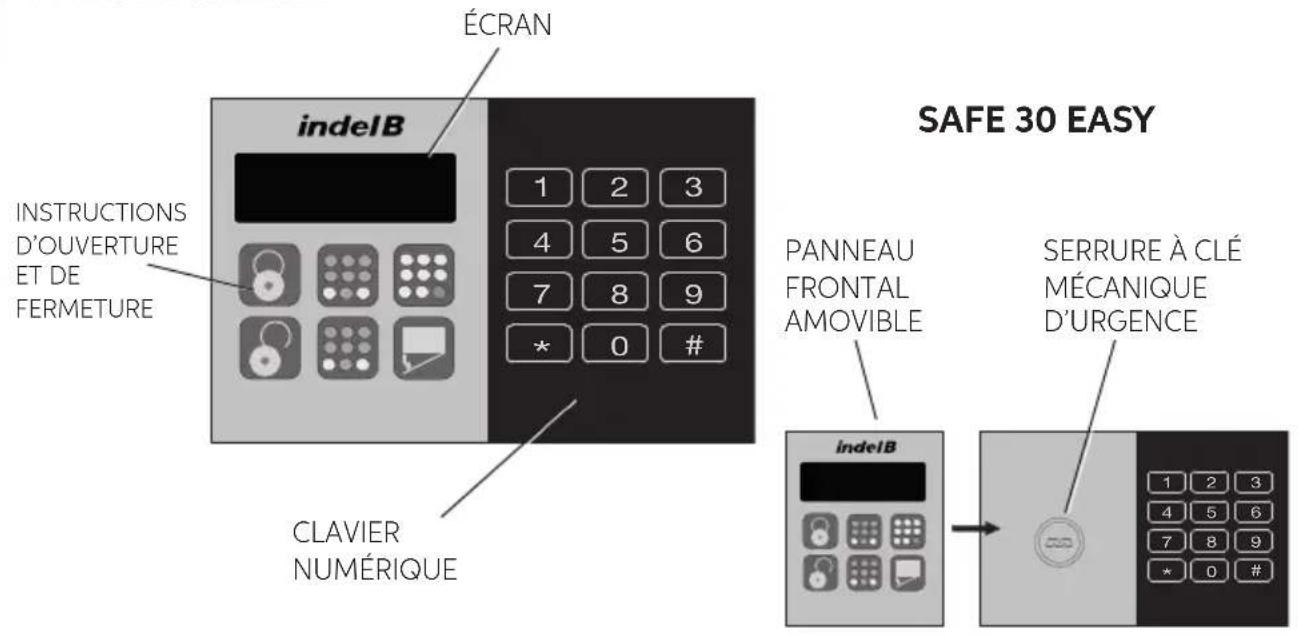
To use the Emergency Key remove the left hand part of the cover on the front panel and insert the key in the lock as shown in the figure.
text_image
REMOVABLE FRONT COVER Emergency KEYSAFE_30_EASY_20191122
indelB
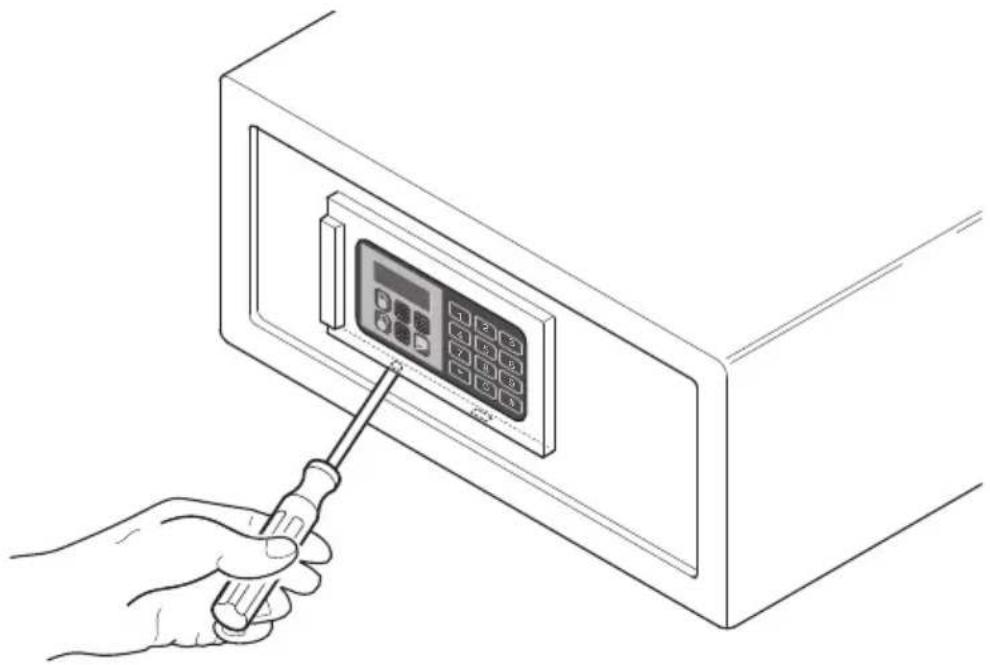
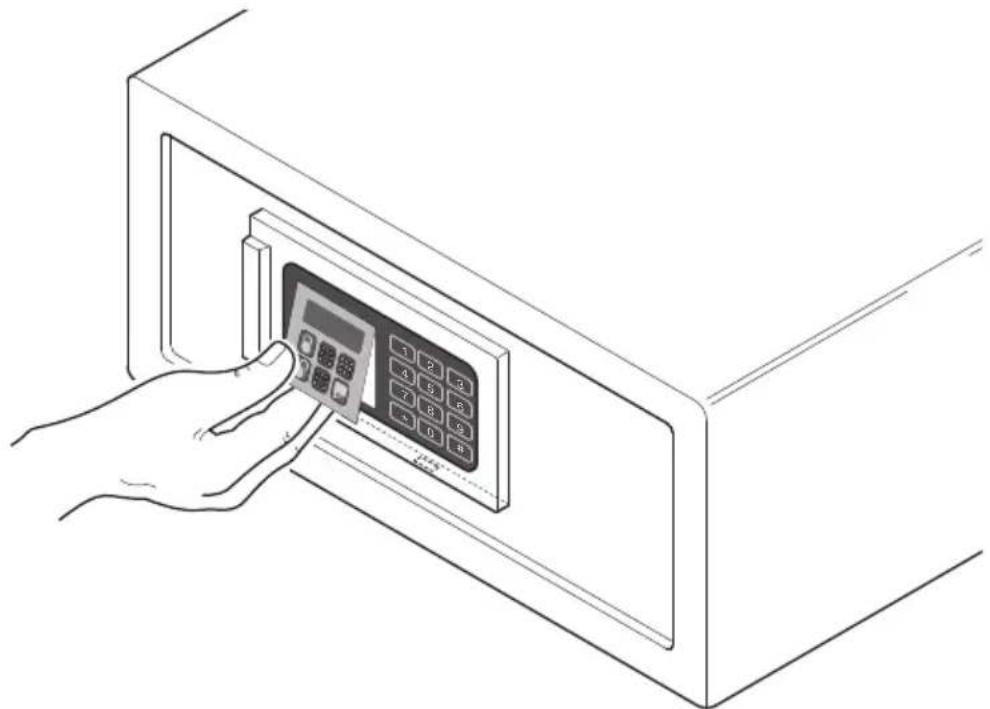
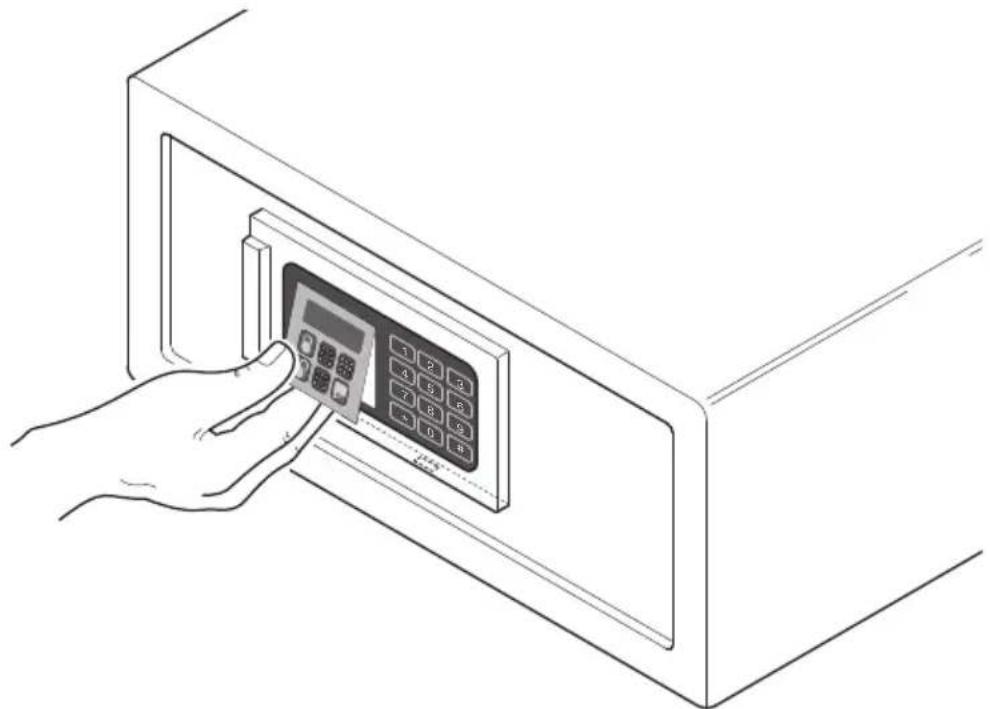
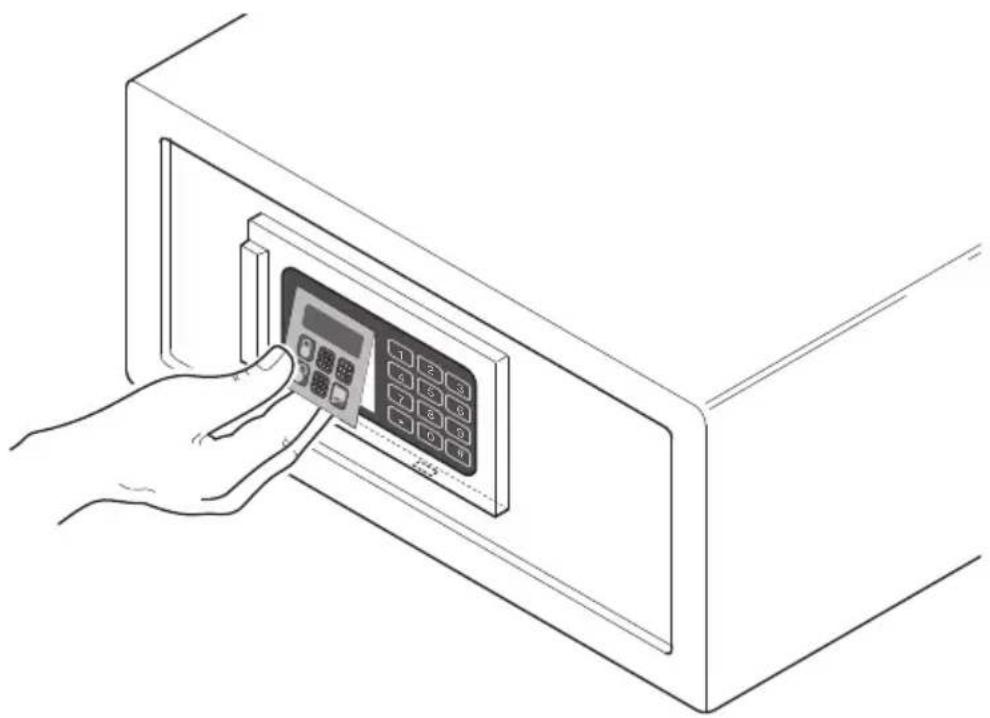
Follow the instructions below to remove the cover on the front panel:
- Insert a screwdriver slightly inclined to the left
natural_image
Line drawing of a hand using a screwdriver to press an open digital control panel inside a cabinet (no text or symbols visible)- Lever the screwdriver to release the front panel cover
natural_image
Line drawing of a hand inserting a digital control panel into a cabinet (no text or symbols)- Remove the front panel cover
SAFE 30 EASY
USING THE EXTERNAL POWER SUPPLY
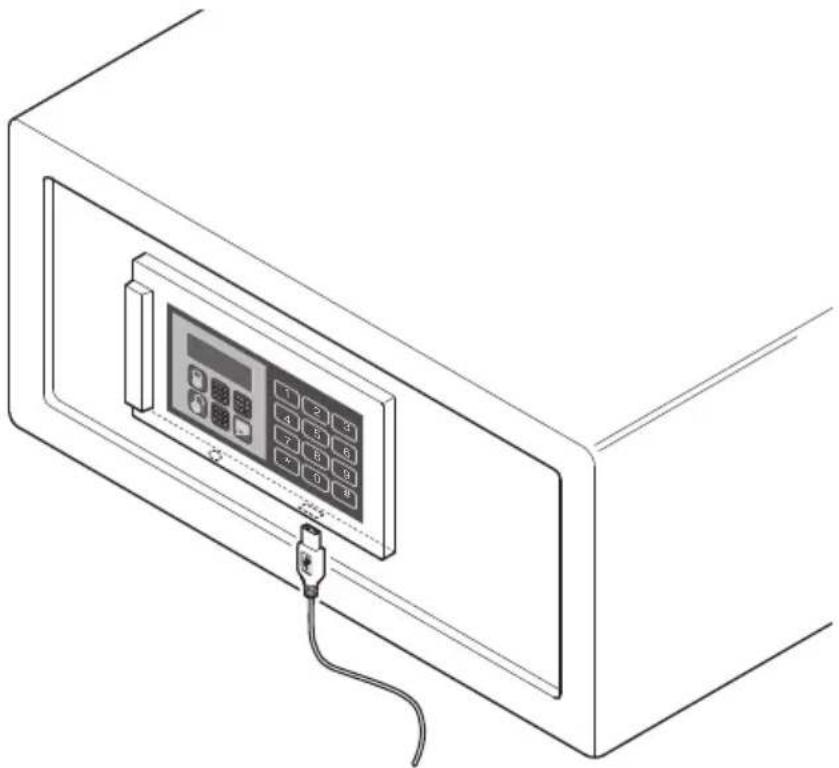
If the batteries run down with the safe closed, it can be opened using an external power source connected via USB. The USB port on the safe is located under the front door panel.
natural_image
Line drawing of a portable electronic device with a control panel and cable (no text or symbols)FAULTS
| ERROR CODE POSSIBLE PROBLEM | |
| ERROR | Wrong password, please input the right one. |
| ERROR1 | The un-locking system may be seized, please push the door, and try the un-locking operation again. |
| ERROR2 | The locking system may be seized or blocked, usually the door is not closed completely. Close the door completely and try the locking operation again. |
SAFE_30_EASY_20191122

AVERTISSEMENT
DIMENSIONS HORS TOUT
SAFE 30 EASY
text_image
20 cm 123456 37 cm 42 cmSAFE 30 EASY
CONTENU DE L'EMBALLAGE
text_image
CLÉ COFFRE-FORT VIS DE FIXATION PILES (TYPE AA)PANNEAU DE CONTRÔLE
text_image
ÉCRAN INSTRUCTIONS D'OUVERTURE ET DE FERMETURE CLAVIER NUMÉRIQUE indeElB SAFE 30 EASY 1 2 3 4 5 6 7 8 9 * 0 # PANNEAU FRONTAL AMOVIBLE indeElB SERRURE À CLÉ MÉCANIQUE D'URGENCE 1 2 3 4 5 6 7 8 9 * 0 #SAFE_30_EASY_20191122
INSTALLATION
text_image
LOGEMENT PILESPOSITIONNEMENT
natural_image
Line drawing of a simple open safety cabinet with internal components and mounting holes (no text or symbols)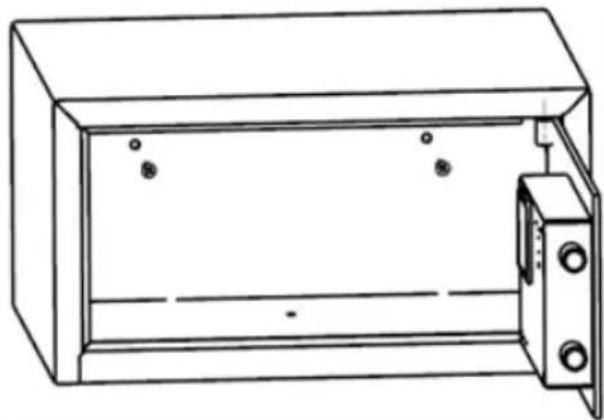
natural_image
Line drawing of a cabinet or enclosure with two doors and mounting holes (no text or symbols)FIG. I : FIXATION AVEC BASE FIG. II : FIXATION AVEC PAROI POSTÉRIEURE
SAFE 30 EASY
INSTRUCTIONS D'UTILISATION
natural_image
Line drawing of a hand using a screwdriver to press an open digital control panel inside a cabinet (no text or symbols visible)natural_image
Line drawing of a hand inserting a digital control panel into a cabinet (no text or symbols visible)natural_image
Line drawing of a portable electronic device with a control panel and cable (no text or symbols)ANOMALIES
natural_image
Line drawing of a cabinet with an open door and three small components inside (no text or symbols)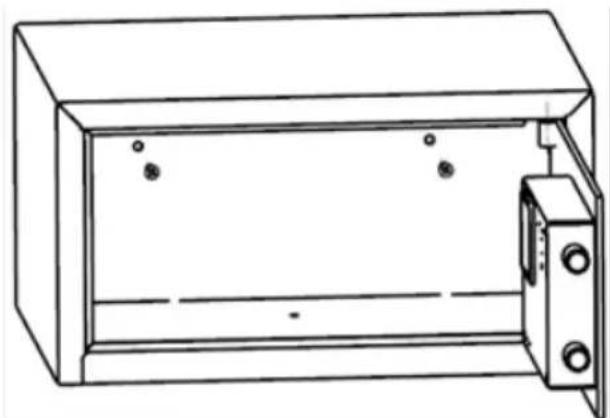
natural_image
Line drawing of a simple open-box electrical cabinet with mounting holes and internal components (no text or symbols)ABB.I: AM SOCKEL BEFESTIGEN ABB.II: AN RÜCKWAND BEFESTIGEN
SAFE 30 EASY
GEBRAUCHSANLEITUNG
natural_image
Line drawing of a hand using a screwdriver to press an open digital control panel inside a cabinet (no text or symbols visible)natural_image
Line drawing of a hand inserting a digital control panel into a cabinet (no text or symbols)natural_image
Line drawing of a portable electronic device with a control panel and cable (no text or symbols)FEHLER
natural_image
Line drawing of a simple open-box device with internal components and mounting holes (no text or symbols)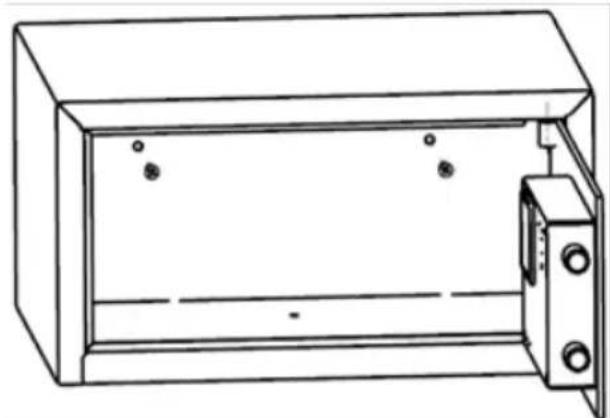
natural_image
Line drawing of a cabinet with doors open and two circular components on the door (no text or symbols)FIG I: FIJAR A TRAVÉS DE LA BASE FIG II: FIJAR A TRAVÉS DEL FONDO
SAFE 30 EASY
INSTRUCCIONES DE USO
natural_image
Line drawing of a hand using a screwdriver to press an open digital control panel inside a cabinet (no text or symbols visible)natural_image
Line drawing of a hand inserting a digital control panel into a cabinet (no text or symbols)- quite la tapa del panel delantero
SAFE 30 EASY
natural_image
Line drawing of a portable electronic device with a control panel and cable (no text or symbols)FALLOS
natural_image
Line drawing of a cabinet with three vertical slots and a door open (no text or symbols)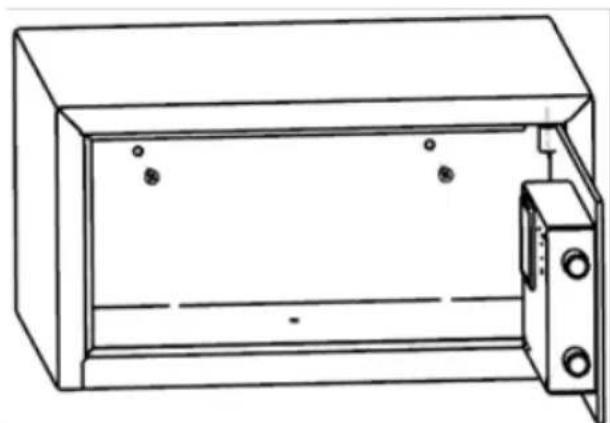
natural_image
Line drawing of a cabinet with doors open and two small circular components on the side (no text or symbols)FIG I: FIXAR ATRAVÉS DO QUADRO BASE FIG II: FIXAR ATRAVÉS DO QUADRO TRASEIRO
SAFE 30 EASY
INSTRUÇÕES DE USO
natural_image
Line drawing of a hand using a screwdriver to press an open digital control panel inside a cabinet (no text or symbols visible)- alavancar com a chave de fendas para desbloquear a cobertura do painel frontal
natural_image
Line drawing of a hand inserting a digital control panel into a cabinet (no text or symbols)- remover a cobertura do painel frontal
SAFE 30 EASY
natural_image
Line drawing of a portable electronic device with a control panel and cable (no text or symbols)AVARIAS
natural_image
Technical line drawing of a cabinet or enclosure with internal components and mounting holes (no text or symbols)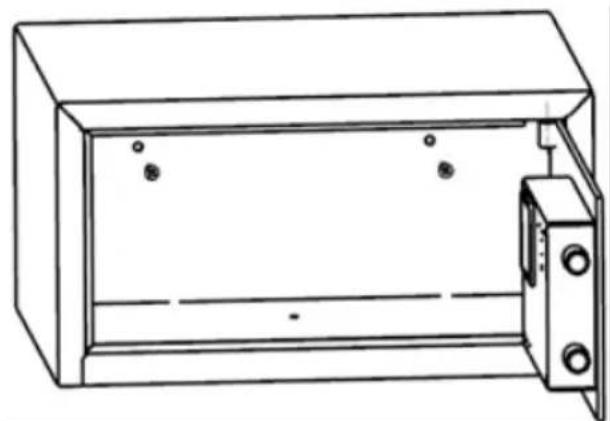
natural_image
Line drawing of a cabinet with doors open and two circular components on the door (no text or symbols)natural_image
Line drawing of a hand using a screwdriver to press an open digital control panel into a cabinet (no text or symbols visible)natural_image
Line drawing of a hand inserting a digital control panel into a cabinet (no text or symbols visible)natural_image
Line drawing of a portable electronic device with a control panel and cable (no text or symbols)СБОИ В РАБОТЕ
text_image
Adjunctive Electrical Protectionموضع التثبيت
natural_image
Line drawing of a rectangular enclosure with internal components and a door open (no text or symbols)natural_image
Line drawing of a simple open-box electrical cabinet with no text or symbolsnatural_image
Line drawing of a hand using a screwdriver to press an open digital control panel inside a cabinet (no text or symbols visible)ةolinaيمية.
natural_image
Line drawing of a hand inserting a digital control panel into a cabinet (no text or symbols visible)• الأمامية
SAFE_30_EASY_20191122
natural_image
Line drawing of a portable electronic device with a control panel and cable (no text or symbols)الأعصال