
SS-8660 - Radio Sogo - Free user manual and instructions
Find the device manual for free SS-8660 Sogo in PDF.
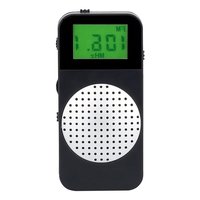


| Product type | Portable AM/FM Radio |
| Brand | Sogo |
| Model | SS-8660 |
| Power supply | 2 AAA batteries (1.5V each) – DC 3V |
| Power consumption | 0.7 W |
| FM frequency range | 87.5 – 108 MHz |
| AM frequency range | 522 – 1620 kHz |
| Speaker | 1.35 inches, 8 Ω, 0.5 W |
| Headphone output | 5.5 mW |
| Speaker output | 500 mW |
| Preset memories | 50 FM / 20 AM |
| Dimensions (approx.) | 100 x 60 x 25 mm |
| Weight (approx.) | 150 g (with batteries) |
| Functions | Manual and automatic tuning, volume adjustment, AM/FM selection, headphones, built-in speaker |
| Maintenance | Clean with a soft dry cloth, avoid abrasive cleaners |
| Safety | Do not immerse, do not expose to high temperatures, do not repair yourself |
| Included accessories | Headphones |
| Manufacturer | Sogo / Sanysan Appliances S.L., manufactured in China |
Frequently Asked Questions - SS-8660 Sogo
User questions about SS-8660 Sogo
0 question about this device. Answer the ones you know or ask your own.
Ask a new question about this device
Download the instructions for your Radio in PDF format for free! Find your manual SS-8660 - Sogo and take your electronic device back in hand. On this page are published all the documents necessary for the use of your device. SS-8660 by Sogo.
USER MANUAL SS-8660 Sogo
EN Instructions for use
FR Mode d'emploi
DIGITAL POCKET RADIO
DIGITAL POCKET RADIO
Download your manual
Download your manual
HOW TO USE THE RADIO
• Always read the instruction book carefully before using. - This manual can be downloaded from our web page www.sogo.es - Keep these instructions for future reference.
2. GENERAL PRECAUTIONS
SAFETY INSTRUCTIONS FOR THE USER
I. Restrictions
- Never immerse the device or the charging cable in water or any other liquid. In the event of the speaker falling in water, take it to an authorized service agent for repair before reusing.
- Do not place or operate the device on or near hot surfaces (e.g., stove plates) or open flames.
- In case of hardware problems, do not attempt to repair the product yourself. Repairs should only be carried out by qualified technicians.
- Never use accessories that are not recommended by the manufacturer.
- The use of accessories not recommended or sold by the appliance manufacturer may result in fire, electric shock or irreparable damage to the product.
- Do not use the device for any other purpose than described in this manual.
- Do not leave the device charging longer than recommended by the manufacturer, as this may damage the battery or the device itself.
- Do not use the device while in charge, otherwise it may also damage the device.
- Do not drop, disassemble, deform, modify or insert any objects into this product as operating damage may result.
- Do not attempt to repair, modify or disassemble the product yourself. This product does not contain any user-serviceable components and may void the warranty.
- Do not clean the product with alcohol, ammonia-based cleaners and abrasive cleaners.
- Do not place this product in to contact with any sharp objects as this may cause scratches and operating damage.
- Do not attempt to replace the product battery, it is built-in and is not user changeable.
- Children should be supervised to ensure that they do not play with the appliance.
- Cleaning and user maintenance shall not be made by children.
II. Precautions while using this device
- Keep the device away from direct sunlight, fire, or other high voltage equipment.
- WARNING: the device might get warm during charging. Always ensure the speaker is turned off when you plug and unplug the device. If the device is not turned off you might damage the speaker or injure yourself.
- Observe all signs and displays that require an electrical device or RF radio product to be switch off in designated areas.
- Dispose of the product and the product's battery in accordance with local laws and regulations. • In case of speaker malfunction, or if it has been
damaged in any manner, return it to the nearest authorized service facility for examination, repair or adjustment.
- Avoid exposure to extreme temperature, direct sunlight, moisture, sand, dust, or mechanical shock; never leave the products directly into the sun.
- In vehicles or in large concrete buildings, radio reception may be difficult or noisy. For using the product, try to listen to the radio near a window where you may catch good signal.
- In case of lightning, immediately take off the earphones.
- You may not hear some warning sounds while wearing these earphones.
- Prolonged exposure to high listening levels may permanently damage your hearing.
- Do not dispose of batteries in fire.
CAUTION
- To avoid possible hearing damage, do not listen at high volume for long periods of time. Please set the volume to a safe level and understand that the louder the volume is, the shorter safe listening time is.
- Do not turn up the volume so high that you cannot hear the ambient sound.
- You should temporarily renounce to use it in potentially hazardous situations (such as lightning, rain, extremely heat).
3. TECHNICAL SPECIFICATIONS
1. Frequency range: FM (87.5-108MHz) / AM (522-1620KHz). 2. Speaker number and sizes: 1.35" / 8 Ω, 0.5W. 3. Earphones output: 5.5 mW. 4. Speaker output: 500 mW. 5. Power supply: 2PCS x 1.5V (AAA) batteries. 6. Power consumption: 0.7W. 7. Power source: DC 3V.
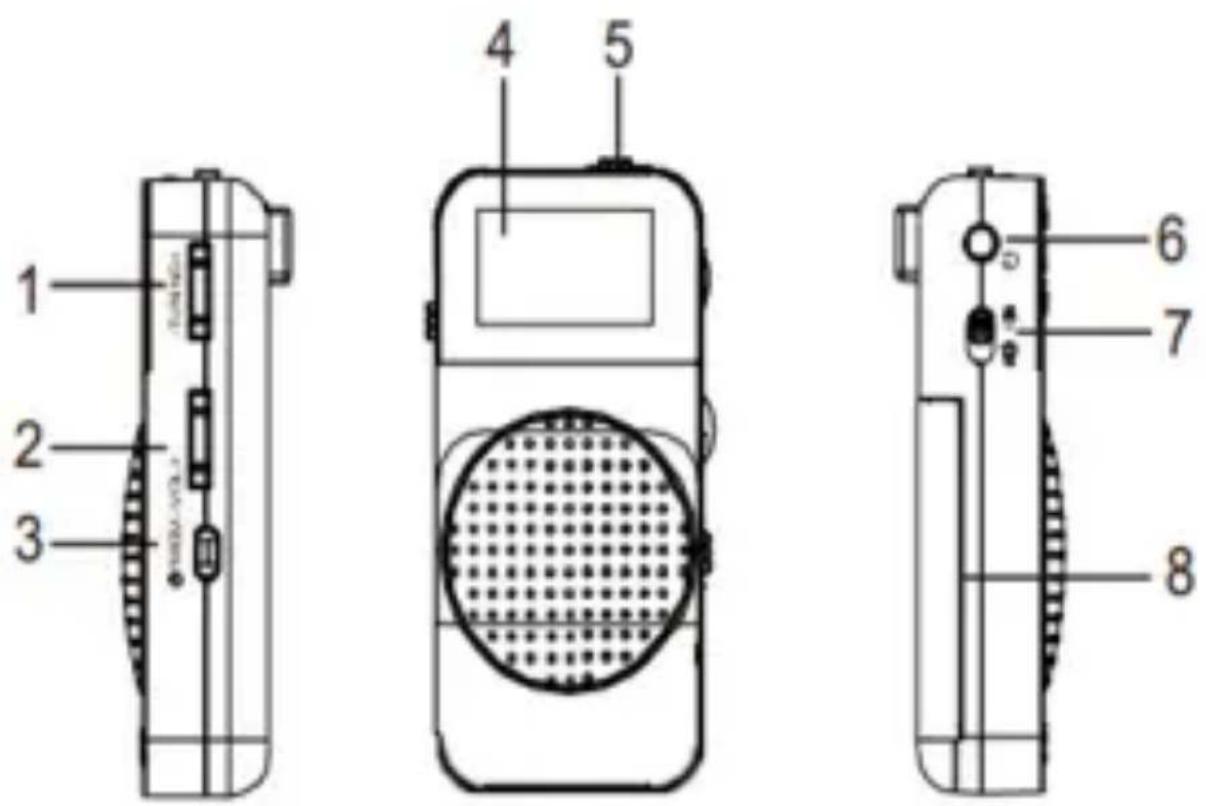
4. CONTROLS:
1- Tuning Button 2- Volume Button 3- Power/MEM Button 4- LCD display
5- AM/FM Switch 6- Earphones Jack 7- Earphone/Speaker Switch 8- Battery Door
5. INSTRUCTIONS OF USE
INSTALLATION OF BATTERIES:
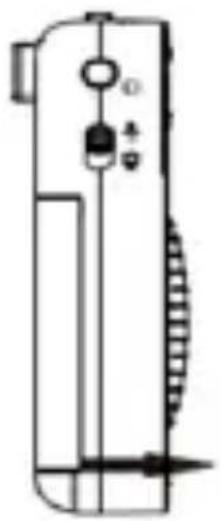
1- Open the battery compartment door and insert 2PCS of "AAA" size battery into the compartment following the direction of the electrodes. 2- Note: On the battery: When the sound gets distorted or unstable, replace the batteries. 3- To avoid damage from the battery leakage and corrosion, remove the battery when you do not want to use it for a long time.
HOW TO USE RADIO
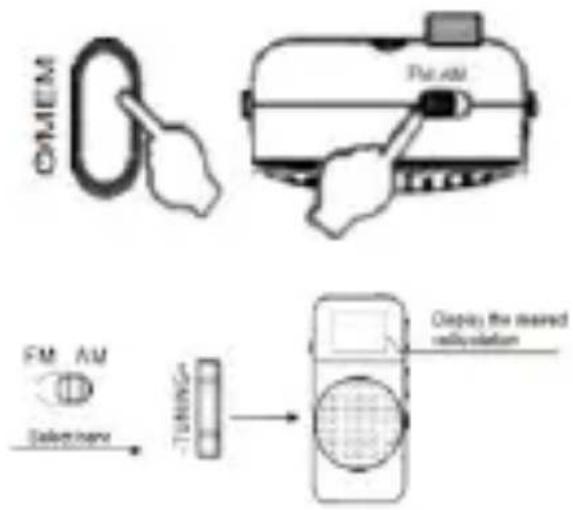
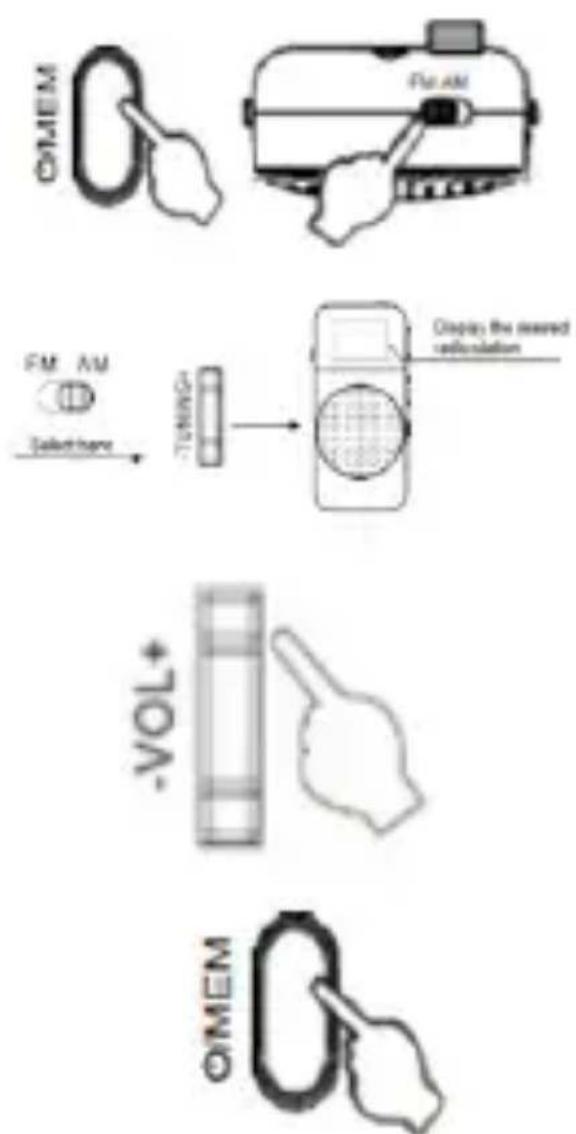
1- Long press this button to power ON/OFF the radio. 2- Set the AM/FM switch to select your favorite desired band. 3- Press TUNING+/TUNING- buttons to go backward and forward frequency channel, Long press can realize the automatic searching radio.
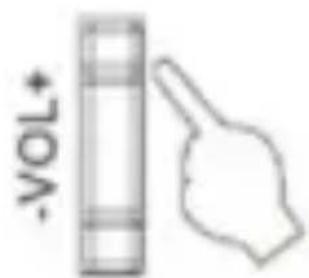
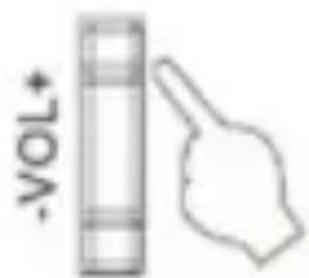
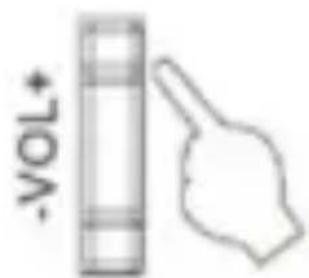
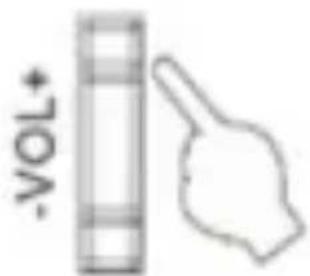
4- Adjust the volume using the VOL+ / VOL- button.
5- After listening, Long press Power/MEM button for turning off the device.
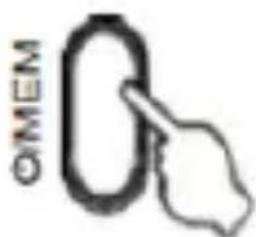
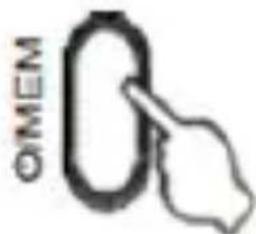
6- Short press Power/MEM
![graph TD A["Contactor"] --> B["Contactor with a ring"] B --> C["Display the sealed reposition"] C --> D["Tuning"] D --> E["-VOL+"] E --> F["Output to OMEM"]](/content/2026/04/722361/images/06ca45c2e26750a876db7446838104157b23ef518791295712ca34ef4a5524c1.jpg)
button to show the radio frequency memories. To manually search for a station, Press TUNING+/TUNING- button to choose your favorite
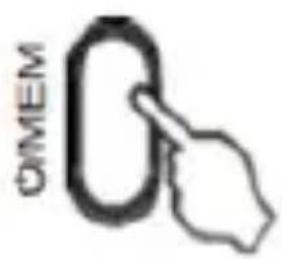
station. Press this button to confirm and save the station. (FM 50 preset memories, AM 20 preset memories).
If you would like to listen to the radio through earphones, please set the earphone/speaker switch to earphones and connect the supplied earphones into the jack. If you would like to listen the radio by speaker, please set the earphone/speaker switch to Speaker.
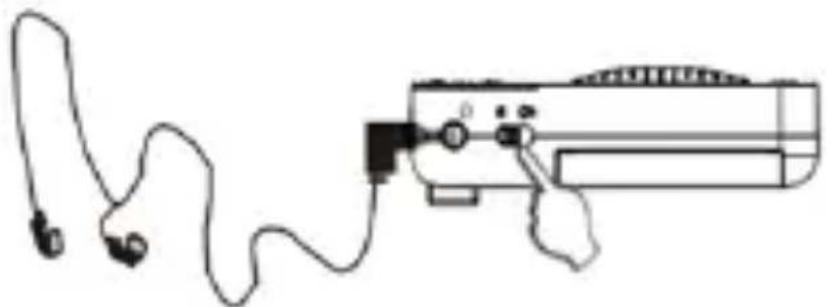
Note: Before listening to the radio by earphones, please set the volume to the low level. In FM mode, you can connect the earphone for better reception of the FM signals.
IMPORTANT:
- You may not hear some warning sounds while wearing these earphones.
- Prolonged exposure to high listening levels may permanently damage your hearing.
- Do not wear headphones in situations where it could be dangerous to have your hearing impaired. E.g. Driving.
6. CLEANING AND MAINTENANCE
While cleaning the product, just use soft or dry cloth and in case of severe stains use the damp cloth.
Do not use abrasive cleaners, as it can damage the paint, plastic or even the speaker itself.
Keep it away from sun light and do not keep it in hot and humid atmosphere.
Make sure to remove the power adaptor cable and keep it in cool and dry place.
Keep the unit away from any strong magnetic item.
7. DISPOSAL OF ELECTRONIC GOODS
DISPOSAL OF BATTERY-OPERATED UNITS
Do not dispose the battery-operated units as normal rubbish, always these should be recycled in proper manner and according to the local municipal laws. You can recycle them by taking them to government authorized disposal centres or specialized bins which you can find in any nearby big super markets, electronics or electro domestics products stores or malls who have these types of facilities available.

HOW TO USE THE RADIO
HOW TO USE THE RADIO
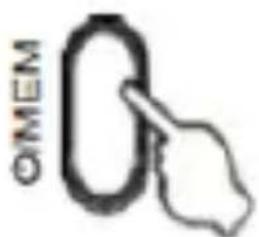
turn off the device.
HOW TO USE THE RADIO
device.
HOW TO USE THE RADIO
HOW TO USE THE RADIO
for the device.
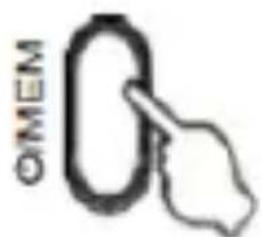
6- Briefly press the Power/MEM button to display the radio frequency memories.
HOW TO USE THE RADIO
1- Press and hold this button to turn the radio on/off. 2- Set the AM/FM switch to select the desired favorite frequency band. 3- Press the TUNING+/TUNING- buttons to go back and forth through the frequency channels; press and hold to perform an automatic radio search. 4- Adjust the volume with the VOL+ / VOL- buttons. 5- After listening, press and hold the Power/MEM button to turn off the device. 6- Briefly press the button
HOW TO USE THE RADIO
6- - Briefly press the power/MEM button to display the radio frequency memories. For manual station search, press the TUNING+/TUNING- buttons to select
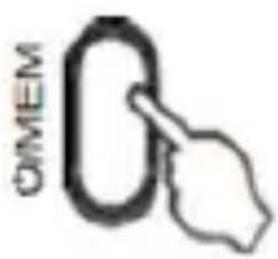
your favorite station. Press this button to confirm and save the station. (FM 50 preset memories, AM 20 preset memories).
USING HEADPHONES / SPEAKERS TO LISTEN TO THE RADIO
If you want to listen to the radio through headphones, set the headphone/speaker switch to headphones and connect the supplied headphones to the jack. If you want to listen to the radio through the speaker, set the headphone/speaker switch to Speaker.
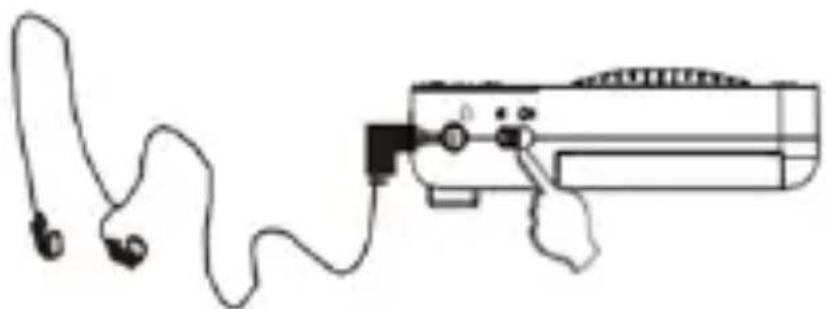
Note: Before listening to the radio through headphones, please adjust the volume to a low level. In FM mode, you can connect headphones for better FM signal reception.
IMPORTANT:
HOW TO USE THE RADIO
turn off the device
HOW TO USE THE RADIO
![graph LR A["FM/AM Device"] --> B["Tuning Gate"] B --> C["Display the measured calibration"] D["Take-down here"] --> B](/content/2026/04/722361/images/ac5f0bfec05f31bedc7190a6e0d73de666fed1926d43f1567c6abaae62251ea0.jpg)
HOW TO USE THE RADIO
DECLARATION OF CONFORMITY
This device complies with EU RED Directive 2014/53/EU related to Health and Safety from usage of Radio spectrum in household electronic equipment. Electromagnetic Compatibility Directive 2014/30/EU. Directive 2015/863/EU on the restriction of the use of certain hazardous substances in electrical.
DECLARATION OF CONFORMITY
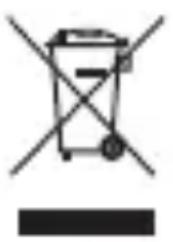
This symbol on the product or on the packaging indicates that this product can't be disposed as normal rubbish or household waste. All the electrical, electronic equipment's and battery-operated units must recycle in proper manner and according to the local municipal laws. You can recycle them by taking them to government authorized disposal
centres or specialized bins which you can find in any nearby big super markets, electronics or electro domestics products stores or malls who have these types of facilities available.
Designed by: SOGO based on European quality standards
Imported by: Sanysan Appliances S.L, NIF: B98753056, C/ Barcas 2, 2, 46002 Valencia, Spain
Product manufactured in CHINA. After-sales service: www.sogosat.com sogosat@sogosat.com / 0034 902 222 161
- HOW TO USE THE RADIO
- GENERAL PRECAUTIONS
- SAFETY INSTRUCTIONS FOR THE USER
- RESTRICTIONS
- PRECAUTIONS WHILE USING THIS DEVICE
- CAUTION
- TECHNICAL SPECIFICATIONS
- CONTROLS
- INSTRUCTIONS OF USE
- INSTALLATION OF BATTERIES
- HOW TO USE RADIO
- IMPORTANT
- CLEANING AND MAINTENANCE
- DISPOSAL OF ELECTRONIC GOODS
- DISPOSAL OF BATTERY-OPERATED UNITS
- USING HEADPHONES / SPEAKERS TO LISTEN TO THE RADIO
- DECLARATION OF CONFORMITY
Brand : Sogo
Model : SS-8660
Category : Radio