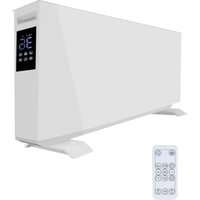
SHXPKV2400W - Heating SHX - Free user manual and instructions
Find the device manual for free SHXPKV2400W SHX in PDF.


User questions about SHXPKV2400W SHX
0 question about this device. Answer the ones you know or ask your own.
Ask a new question about this device
Download the instructions for your Heating in PDF format for free! Find your manual SHXPKV2400W - SHX and take your electronic device back in hand. On this page are published all the documents necessary for the use of your device. SHXPKV2400W by SHX.
USER MANUAL SHXPKV2400W SHX
natural_image
Exterior view of a white rectangular electronic device with two legs and a flat top (no visible text or symbols)HERZLICHEN GLÜCKWUNSCH!
VIELEN DANK, DASS SIE SICH FÜR DIESES PRODUKT VON SHX ENTSCHIEDEN HABEN.

text_image
Warning symbols including a hand holding a circle and two warning triangles with exclamation and lightning signstext_image
Diagram showing a door-mounted device with two close-up insets of a device, one labeled 'LED' and the other 'LED'.natural_image
Technical line drawing of a mechanical component with a circular outline (no text or symbols)natural_image
Technical line drawing of a mechanical device with a circular arrow indicating direction (no text or symbols)text_image
660mm (L1) 436mm 480mm 850mmtext_image
QR code with a blue logo in the center, likely linking to a digital service or website.2. APP-Betrieb
text_image
Add Device I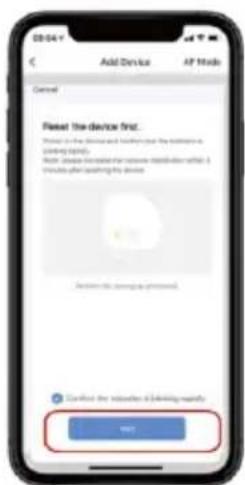
text_image
Add Device AF Mode Cancel Fleet the device first. Please to be a device and further press your address on a viewing platform. Next, please call to the device's website or what it is available after opening the device. Cancel this viewing password. Certified the location is driving regularly. OK? OK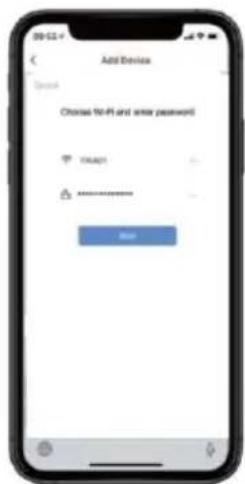
text_image
Add Device Open Choose No-fit and enter password OK ****** Add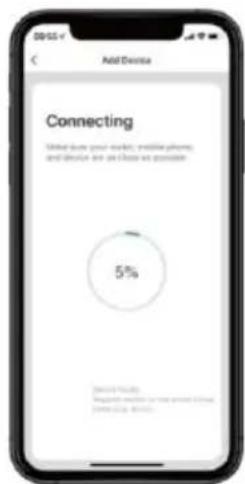
text_image
Add Device Connecting Total due post-market, mobile phone, and device are close as possible 5% Microsoft Teams Microsoft Teams will have about 5% completion.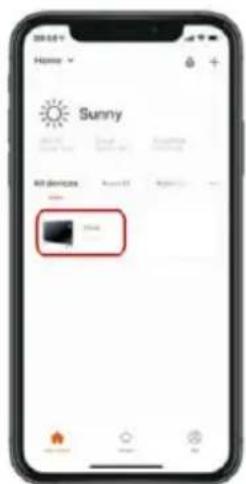
text_image
Home Sunny All devices 100% 100%EU-DECLARATION OF CONFORMITY
SCHUSS
HOME ELECTRONIC
This declaration of conformity is issued under the sole responsibility of the manufacturer.
Schuss Home Electronic GmbH
Scheringgasse 3
1140 Wien, AUSTRIA
Declares, that the product
Manufacturer
Hersteller
is conformity with following directives, norms and/or regulations:
of 16 April 2014 amending Directives 2003/71/EC and 2009/138/EC and Regulations (EC) No 1060/2009, (EU) No 1094/2010 and (EU) No 1095/2010 in respect of the powers of the European Supervisory Authority (European Insurance and Occupational Pensions Authority) and the European Supervisory Authority (European Securities and Markets Authority)
EN IEC 62368-1:2020+A11:2020
Funk
EN 300328 V2.2.2 (2019-07)
EMC Directive (EMC): 2014/30/EU Directive of the European Parliament and of the Council of 26 February 2014 on the harmonisation of the laws of the Member States relating to electromagnetic compatibility; Official Journal of the EU L96, 29/03/2014, p. 79–106
EN IEC 55014-1:2021
EN 61000-3-3:2013/A2:2021
EN IEC 61000-3-2:2019/A1:2021
EN IEC 55014-2:2021
ETSI EN 301 489-1 V2.2.3
ETSI EN 301 489-17 V3.2.4
Low Voltage Directive (LVD):2014/35/EU Directive of the European Parliament and of the Council of 26 February 2014 on the harmonisation of the laws of the Member States relating to the making available on the market of electrical equipment designed for use within certain voltage limits; Official Journal of the EU L96, 29/03/2014, p. 357–374
EN 60335-1: 2012+A11: 2014+A13: 2017+A1: 2019+A14: 2019+A2: 2019+A15: 2021;
EN 60335-2-30:2009+A11:2012+A1:2020+A12:2020+A2:2022+A13:2022;
EN 62233: 2008
Ökodesign-Richtlinie Energy-Related-Products-Directive (ErP)2009/125/EC;
Official Journal EU L285/10-35 (31.10.2009) and associated regulation 2015/1188
RoHS Directive: 2011/65/EU Directive of the European Parliament and of the Council of 8 June 2011 on the restriction of the use of certain hazardous substances in electrical and electronic equipment; Official Journal of the EU L174, 1/07/2011, p. 88–110
Reach SVHC(EC)NO. 1907/2006 Schuss Home Electronic GmbH hereby confirms that in the products we supply, there are no substances of very high concern (SVHC) in the candidate list (last ECHA update from June 14, 2023, 235 substances) above 0.1% in accordance with Article 33 of the REACH Regulation (EC) No .1907/2006 are included.
Place and date of issue:
Vienna, 2024-02-26
text_image
SCHUSS HOME ELECTRONIC GMBH 1140 WwE, Seizingrsgesse 3 Tel. 430-89121, Fax: 05-2222 www.schuss-home.atAuthorized representative of manufacture
Scharl, Alexander
Senior product and purchasing manager i.V.
Declaration reference:
Name, Funktion / name, function
Unterschrift / signature
SCHUSS HOME ELECTRONIC GMBH
Scheringgasse 3, 1140 Wien, AUSTRIA
natural_image
Exterior view of a white rectangular electronic device with base legs (no visible text or symbols)FÉLICITATIONS !
MERCI D'AVOIR CHOISI CE PRODUIT DE SHX.

text_image
Three black-and-white warning symbols: a hand crossed out, a triangular warning sign with an exclamation mark, and a triangular hazard symbol with a lightning bolt.text_image
Diagram showing a door-mounted device with two close-up insets of a device, one emitting a light source.natural_image
Technical line drawing of a mechanical component with a circular outline (no text or symbols)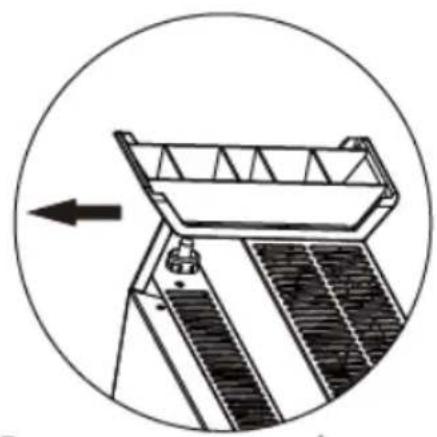
natural_image
Technical line drawing of a mechanical device with a circular arrow indicating direction (no text or symbols)text_image
660mm (L1) 436mm 480mm 850mmtext_image
QR code with a blue logo in the center, likely linking to a digital service or website.text_image
Add Device I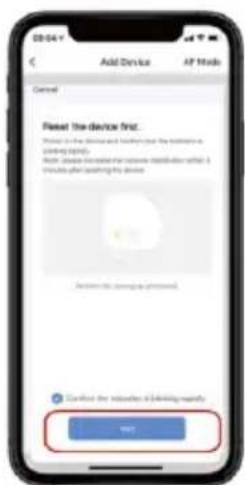
text_image
Add Device AF Mode Cancel Reset the device first. Please check the device and help you add the address to setting up. Ask: (please check the device's name or address what it is required after setting the device) Cancel this message answered. Certified the request is confirming regularly. OK? OK?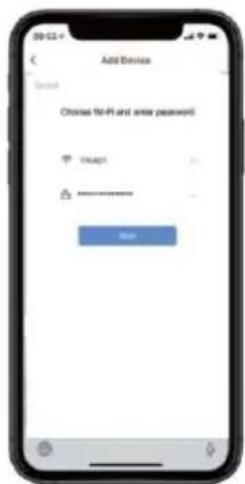
text_image
Add Device Open Choose No-fit and enter password OK ****** Add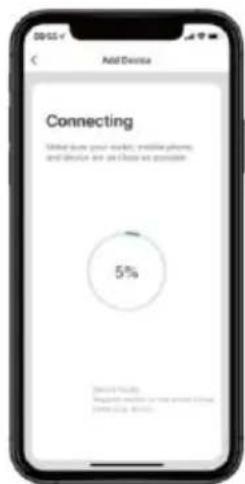
text_image
Add Device Connecting Total due post-market, mobile phone, and device are close as possible 5% Microsoft Teams Microsoft Teams will have about 5% completion.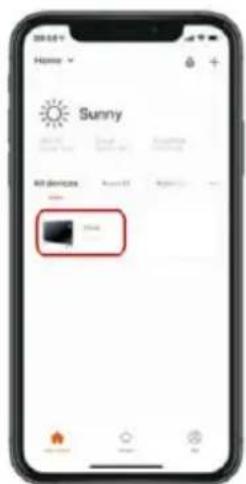
text_image
Home Sunny All devices 100% 100%EN IEC 62368-1:2020+A11:2020
Radio
EN 300328 V2.2.2 (2019-07)
Scharl, Alexander Senior product and purchasing manager i.V.
text_image
SCHUSS HOME ELECTRONIC GMBH 1140 W. 12, Seeningresse 3 Tel. 430-691-1, Fax: 222 www.chuss-home.at Eveollmächteter Vertreter des Herstellers Authorized representative of manufacturenatural_image
Exterior view of a white rectangular electronic device with base legs (no visible text or symbols)CONGRATULAZIONI!
GRAZIE PER AVER SCELTO QUESTO PRODOTTO DI SHX.

text_image
Warning symbols including a hand holding a prohibition sign, an exclamation mark, and a lightning bolt symboltext_image
Diagram showing a door-mounted device with two close-up insets of a device, one labeled 'LED' and the other 'LED'.natural_image
Technical line drawing of a mechanical assembly with a circular background (no text or symbols)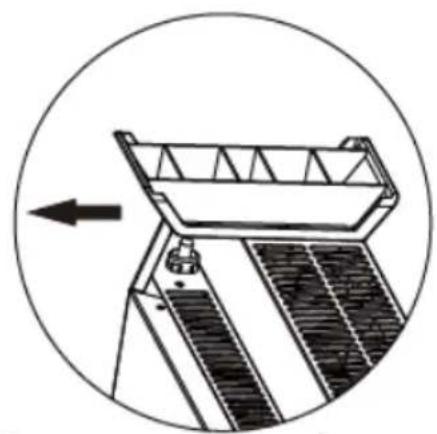
natural_image
Technical diagram of a mechanical device with a circular arrow indicating direction (no text or symbols)text_image
660mm (L1) 436mm 480mm 850mmtext_image
QR code with a blue logo in the center, likely linking to a digital service or website.text_image
Cancel Select type of device Fylose Bluetooth Audio Attitude Importing details Send Camera Fylose Gateway Film Decou Enter Student@Cyber Enter Student@Express Current Switch Send Laser map Down and Welcome Device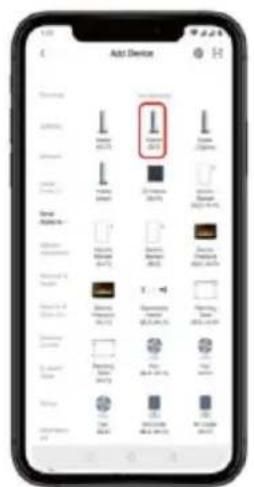
text_image
Add Device I 300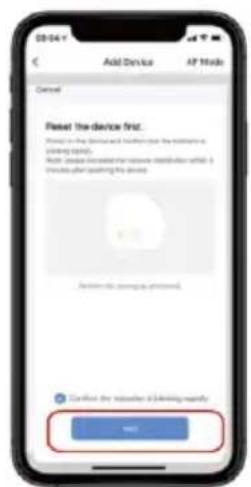
text_image
Add Device AP Mode Cancel Reset the device first. Please check the device and folder to the address or access. Help (please check the device to access what it is available after adding its device) Cancel this device to access. Confirm the device to a driving regularly. OK!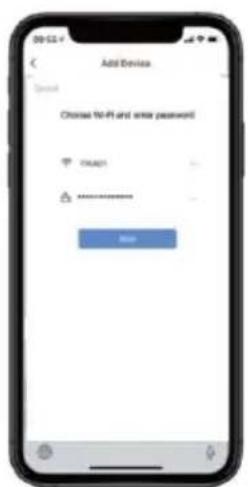
text_image
Add Device Switch Choose 40+ and select password OK ****** Add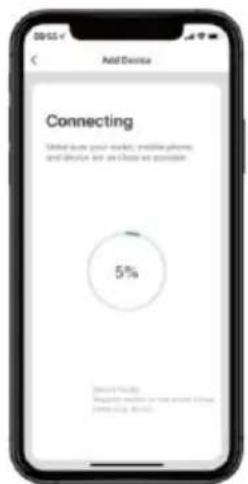
text_image
Add Device Connecting Made down your website, email phone, and device are all close as available. 5% 5%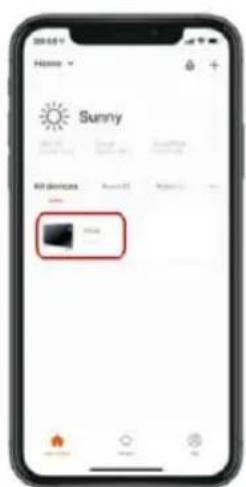
text_image
Home Sunny All devices 100% 200%EN IEC 62368-1:2020+A11:2020
Radio
EN 300328 V2.2.2 (2019-07)
natural_image
Exterior view of a white rectangular electronic device with base legs (no visible text or symbols)GEFELICITEERD!
BEDANKT VOOR HET KIEZEN VAN DIT PRODUCT VAN SHX.

text_image
Three black-and-white warning symbols: a hand crossed out, a triangular warning sign with an exclamation mark, and a triangular hazard symbol with a lightning bolt.text_image
Diagram showing a door-mounted device with two close-up insets of a device, one labeled 'LED' and the other 'LED'.natural_image
Technical line drawing of a mechanical assembly with a circular background (no text or symbols)natural_image
Technical diagram of a mechanical device with a circular arrow indicating direction (no text or symbols)text_image
660mm (L1) 436mm 480mm 850mmtext_image
QR code with a blue logo in the center, likely linking to a digital service or website.2. APP-bediening
text_image
29:52 Home Fog All Devices Add Device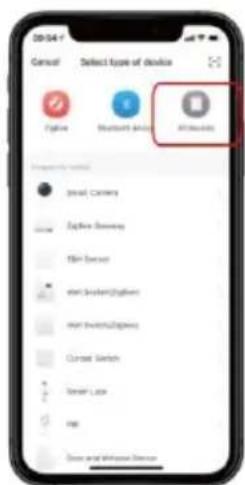
text_image
Cancel Select type of device File Bluetooth Audio Altitude Google Camera File Search TLM Server print Browser(Digital) print Browser(Digital) Current Switch Smart Laser Map Down and Watched Direction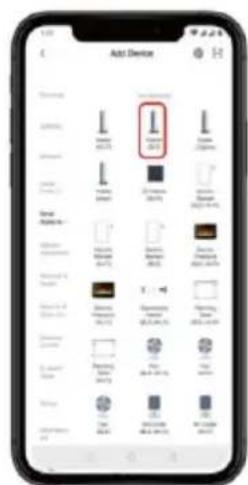
text_image
Add Device I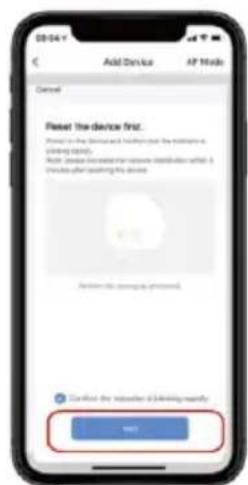
text_image
Add Device AP Mode Cancel Reset the device first. Please in the device and folder just the server's closing rights. Auto: Please check the network provider what it provides your opening of the device. Cancel this password approved. Confirmed the devices (including regularly) OK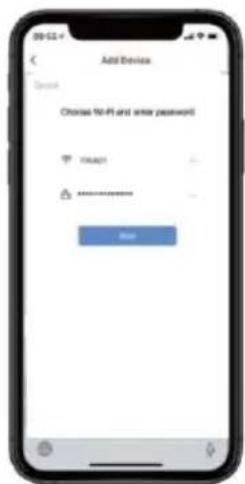
text_image
Add Device Open Choose No-fit and enter password OK ****** Add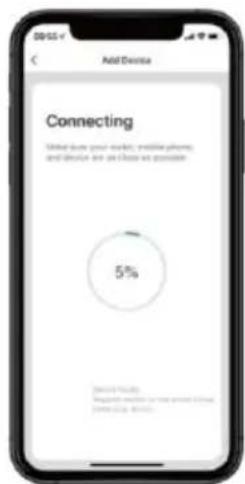
text_image
Add Device Connecting Made due your market, mobile phone, and device are close as possible 5% Made by: Please change to use your own website, You're also...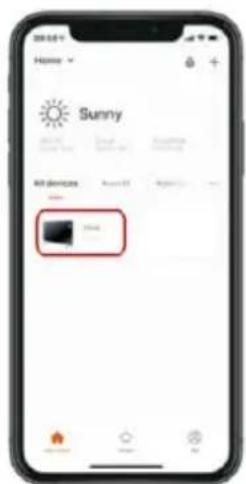
text_image
Home Sunny All devices 100% 100%EN IEC 62368-1:2020+A11:2020
Radio
EN 300328 V2.2.2 (2019-07)
natural_image
Exterior view of a white rectangular electronic device with base legs (no visible text or symbols)¡ENHORABUENA!
GRACIAS POR ELEGIR ESTE PRODUCTO DE SHX.
text_image
Warning symbols including a hand holding a prohibition sign, an exclamation mark, and a lightning bolt symbolhttps://www.schuss-home.at/downloads
text_image
Diagram showing a door-mounted device with two close-up insets of a device, one labeled 'LED' and the other 'LED'.natural_image
Technical line drawing of a mechanical assembly with a circular background (no text or symbols)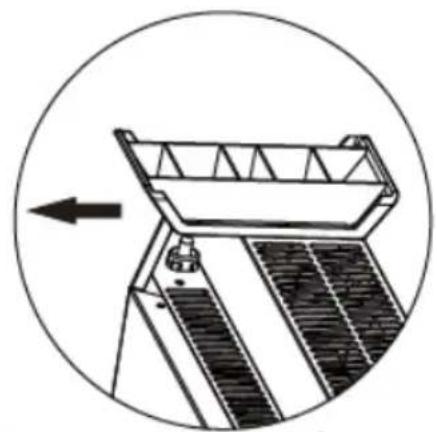
natural_image
Technical line drawing of a mechanical device with a circular arrow indicating direction (no text or symbols)text_image
660mm (L1) 436mm 480mm 850mmtext_image
QR code with a blue logo in the center, likely linking to a digital service or website.text_image
Cancel Select type of device Add Add Add Add Add Add Add Add Add Add Add Add Add Add Add Add Add Add Add Add Add Add Add Add Add Add Add Add Add Add Add Add Add Add Add Add Add Add Add Add Add Add Add Add Add Add Add Add Add Add Edit Camera Edit Camera Edit Camera Edit Camera Edit Camera Edit Camera Edit Camera Edit Camera Edit Camera Edit Camera Edit Camera Edit Camera Edit Camera Edit Camera Edit Camera Edit Camera Edit Camera Edit Camera Edit Camera Edit Camera Edit Camera Edit Camera Edit Camera Edit Camera Edit Camera Edit Camera Edit Camera Edit Camera Edit Camera Edit Camera Edit Camera Edit Camera Edit Camera Edit Camera
text_image
Add Device I 300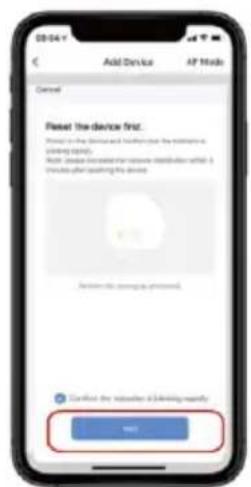
text_image
Add Device AP Mode Cancel Reset the device first. Please check the device and folder to the address or access. Help (please check the device to access what it is available after adding its device) Cancel this device to access. Confirm the device to a driving unit. OK? Cancel the device to a driving unit!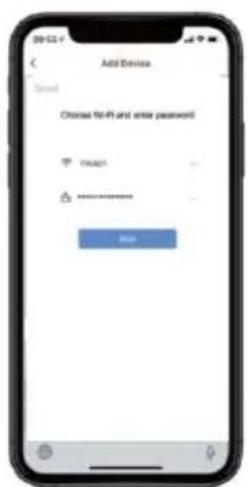
text_image
Add Device Search Choose 10-61 and write password OK ****** Add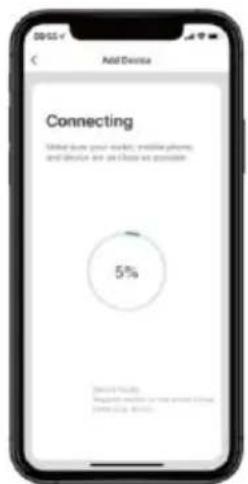
text_image
Add Device Connecting Made down your website, email phone, and device are all close as available. 5% 5%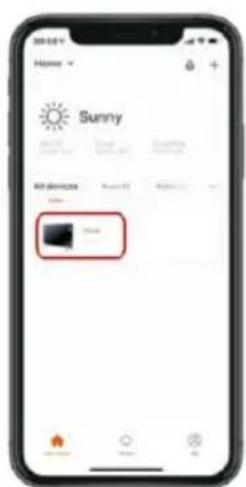
text_image
Home Sunny All devices 100% 200%EN IEC 62368-1:2020+A11:2020
Radio
EN 300328 V2.2.2 (2019-07)
natural_image
Exterior view of a white rectangular electronic device with base legs (no visible text or symbols)GRATULUJEME!
DĚKUJEME, ŽE JSTE SI VYBRALI TENTO PRODUKT OD SPOLEČNOSTI SHX.
text_image
Warning symbols including a hand holding a prohibition sign, an exclamation mark, and a lightning bolt symboltext_image
Diagram showing a door-mounted device with two close-up insets of a device, one emitting a light source.natural_image
Technical line drawing of a mechanical assembly with a circular background (no text or symbols)Instalace patky:
natural_image
Technical diagram of a solar panel installation with an arrow indicating direction (no text or symbols present)text_image
660mm (L1) 436mm 480mm 850mmtext_image
QR code with a blue logo in the center, likely linking to a digital service or website.2. Provoz APP
text_image
09:52 Home Fog All Devices Add Daybox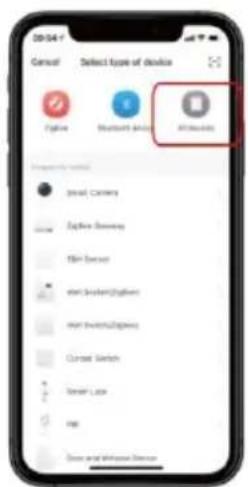
text_image
Cancel Select type of device Add Add Add Add Add Add Add Add Add Add Add Add Add Add Add Add Add Add Add Add Add Add Add Add Add Add Add Add Add Add Add Add Add Add Add Add Add Add Add Add Add Add Add Add Add Add Add Add Add Add Edit Camera Edit Camera Edit Camera Edit Camera Edit Camera Edit Camera Edit Camera Edit Camera Edit Camera Edit Camera Edit Camera Edit Camera Edit Camera Edit Camera Edit Camera Edit Camera Edit Camera Edit Camera Edit Camera Edit Camera Edit Camera Edit Camera Edit Camera Edit Camera Edit Camera Edit Camera Edit Camera Edit Camera Edit Camera Edit Camera Edit Camera Edit Camera Edit Camera Edit Camera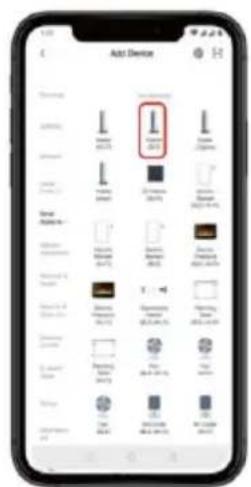
text_image
Add Device I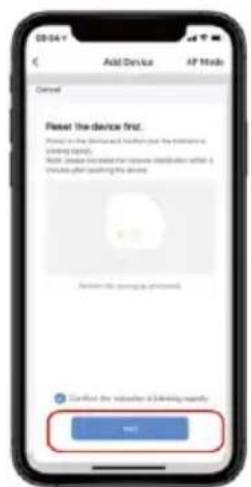
text_image
Add Device AP Mode Cancel Reset the device first. Please check the device and folder to the address or access. Help (please check the device to access what it is available after adding its device) Cancel this device to access. Confirmed the device to a driving monthly OK!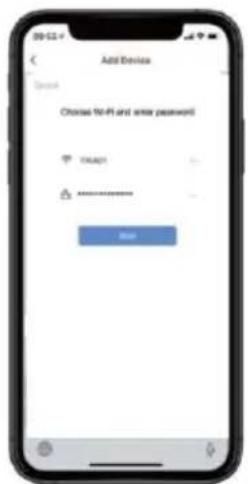
text_image
Add Device Open Choose No-Fi and save password OK ****** Help
text_image
Add Device Connecting Made due your website, email call, and device are close as possible 5% Microsoft Azure Microsoft Azure is not about 5 hours, minutes 10:00 AM.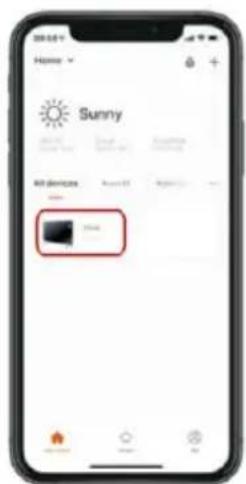
text_image
Home Sunny All devices 100% 100%EN IEC 62368-1:2020+A11:2020
Rádio
EN 300328 V2.2.2 (2019-07)
natural_image
Exterior view of a white rectangular electronic device with base legs (no visible text or symbols)GRATULUJEME!
ĐAKUJEME, ŽE STE SI VYBRALI TENTO PRODUKT OD SPOLOČNOSTI SHX.
text_image
Warning symbols including a hand holding a circle, warning triangle with exclamation mark, and lightning bolt symbolhttps://www.schuss-home.at/downloads
text_image
Diagram showing a door-mounted device with two circular insets highlighting the right-hand side of the door.Zdvihnite ohrievač o 5 mm, potom ho posuňte o 10 mm doprava a potom rovno v opačnom smere steny.
natural_image
Technical line drawing of a mechanical component with a circular outline (no text or symbols)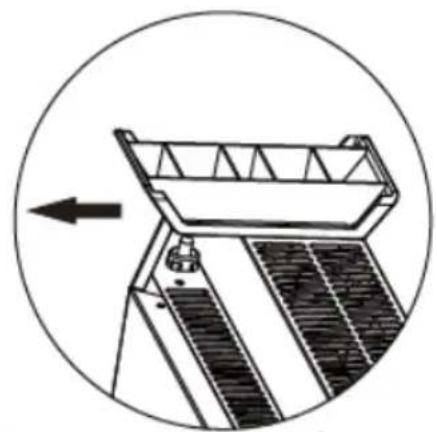
natural_image
Technical line drawing of a mechanical device with a circular arrow indicating direction (no text or symbols)Inštalácia pätky:
text_image
660mm (L1) 436mm 480mm 850mmtext_image
QR code with a blue logo in the center, likely linking to a digital service or application.2. Prevádzka APP
• Stiahnite si aplikáciu Smart Life.
text_image
Add Device I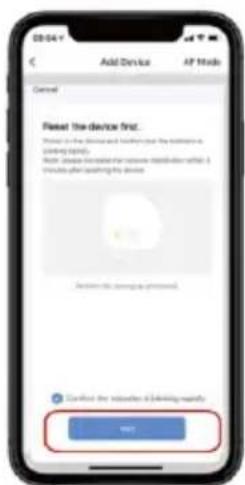
text_image
Add Device AF Mode Cancel Fleet the device first. Please to be a device and further press your address on a viewing platform. Next, please call to the device's website or what it is available after opening the device. Cancel this viewing password. Certified the location of this setting regularly. OK? OK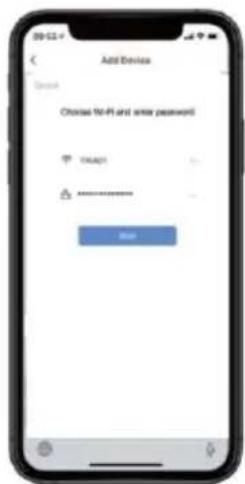
text_image
Add Device Open Choose No-fit and enter password OK ****** Add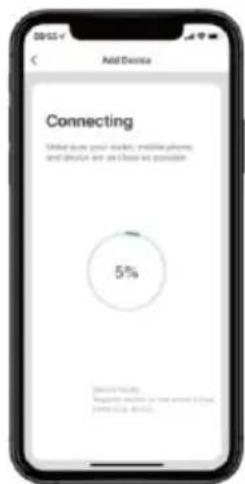
text_image
Add Device Connecting Total due post-market, mobile phone, and device are close as possible 5% Microsoft Teams Microsoft Teams will have about 5% completion.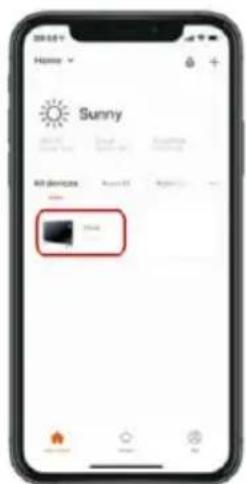
text_image
Home Sunny All devices 100% 100%EN IEC 62368-1:2020+A11:2020
Rádio
EN 300328 V2.2.2 (2019-07)
natural_image
Exterior view of a white rectangular electronic device with base legs (no visible text or symbols)FELICITĂRI!
VĂ MULȚUMIM CĂ AȚI ALES ACEST PRODUS DE LA SHX.

text_image
Three black-and-white warning symbols: a no-hand hand symbol, a triangular warning sign with an exclamation mark, and a triangular hazard symbol with a lightning bolt.text_image
Diagram showing a wall-mounted device with two close-up insets of a device, one displaying a lock icon and the other a plug icon.natural_image
Technical line drawing of a mechanical component with a circular outline (no text or symbols)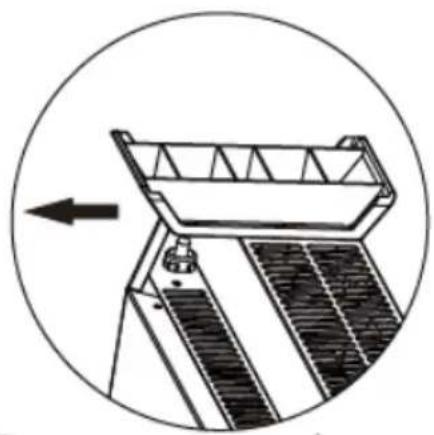
natural_image
Technical diagram of a solar panel installation with an arrow indicating direction (no text or symbols present)text_image
660mm (L1) 436mm 480mm 850mmtext_image
QR code with a blue logo in the center, likely linking to a digital service or website.2. Functionarea APP
text_image
Add Device I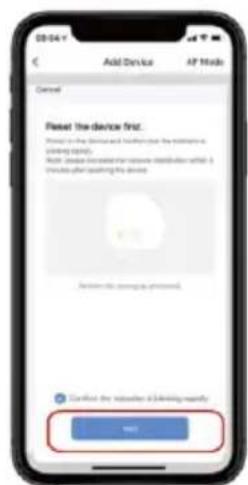
text_image
Add Device AP Mode Cancel Reset the device first. Please in the device and folder just the server is using rights. Note: Please check the device to access this device. Please click your existing device. Cancel this password requested. Confirmed the devices (including regularly) OK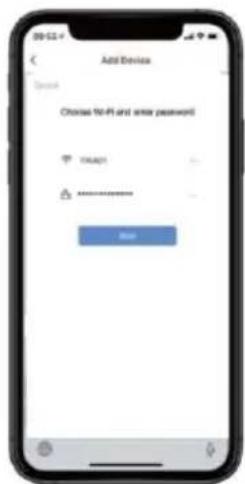
text_image
Add Device Open Choose No-fit and enter password OK ****** Add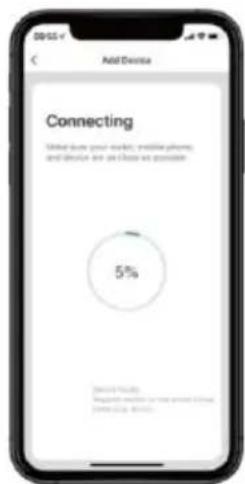
text_image
Add Device Connecting Total due post-market, mobile phone, and device are close as possible 5% Microsoft Teams Microsoft Teams will have about 5% completion.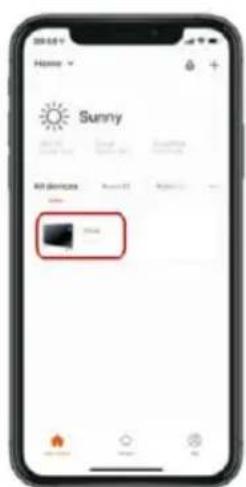
text_image
Home Sunny All devices 100% 200%EN IEC 62368-1:2020+A11:2020
Radio
EN 300328 V2.2.2.2 (2019-07)
natural_image
Exterior view of a white rectangular electronic device with base legs (no visible text or symbols)GRATULACJE!
DZIEKUJEMY ZA WYBRANIE TEGO PRODUKTU FIRMY SHX.

text_image
Three black-and-white warning symbols: a hand crossed out, a triangular warning sign with an exclamation mark, and a triangular hazard symbol with a lightning bolt.text_image
Diagram showing a door-mounted device with two circular insets highlighting the right-hand side of the door.natural_image
Technical line drawing of a boat and a solar panel array, enclosed in a circle (no text or symbols)Instalacja stopy:
natural_image
Technical line drawing of a mechanical device with a circular arrow indicating direction (no text or symbols)text_image
660mm (L1) 436mm 480mm 850mmtext_image
L1 Height above ground ≥546mm 6text_image
Buckle Mounting holes 100mmtext_image
QR code with a blue logo in the center, likely linking to a digital service or website.2. Działanie APP
text_image
Add Device I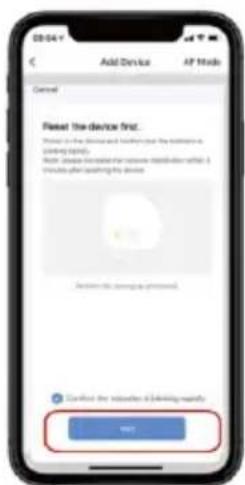
text_image
Add Device AF Mode Cancel Fleet the device first. Please to be a device and further press your address on a viewing platform. Next, please call to the device's website or what it is available after opening the device. Cancel this viewing password. Certified the location of this setting regularly. OK? OK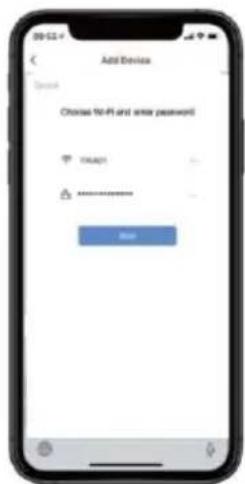
text_image
Add Device Open Choose No-fit and enter password OK ****** Add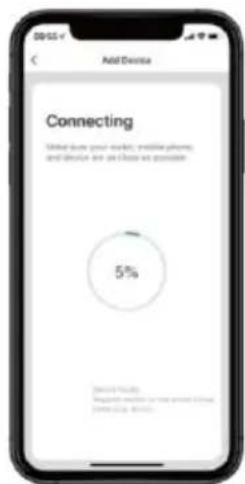
text_image
Add Device Connecting Total due post-market, mobile phone, and device are close as possible 5% Microsoft Teams Microsoft Teams will have about 5% completion.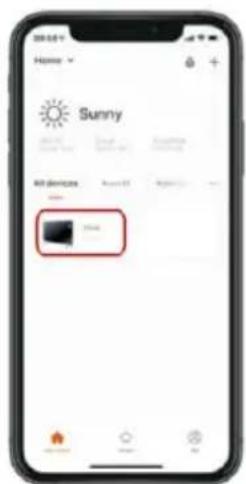
text_image
Home Sunny All devices 100% 100%EN IEC 62368-1:2020+A11:2020
Radio
EN 300328 V2.2.2 (2019-07)
natural_image
Exterior view of a white rectangular electronic device with base legs (no visible text or symbols)ČESTITAMO!
HVALA, KER STE IZBRALI TA IZDELEK IZ SHX.

text_image
Three black-and-white warning symbols: a hand crossed out, a triangular warning sign with an exclamation mark, and a triangular hazard symbol.text_image
Diagram showing a wall-mounted device with two close-up insets of a device, one emitting a light source.Grelnik dvignite za 5 mm, nato ga premaknite za 10 mm v desno in nato naravnost v nasprotno smer od stene.
natural_image
Technical line drawing of a mechanical component with a circular outline (no text or symbols)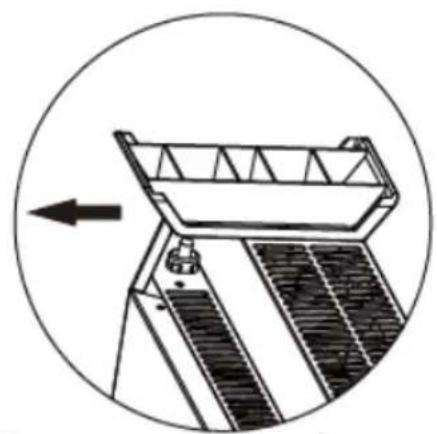
natural_image
Technical diagram of a mechanical device with a circular arrow indicating direction (no text or symbols)Namestitev stopala:
text_image
660mm (L1) 436mm 480mm 850mmtext_image
QR code with a blue logo in the center, likely linking to a digital service or website.2. delovanje APP
- Prenesite aplikacijo Smart Life.
text_image
Add Device I 300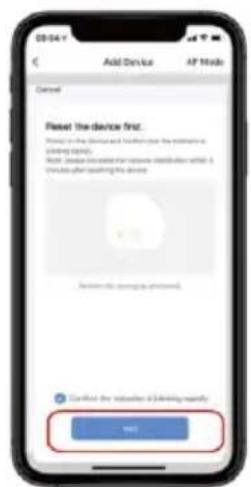
text_image
Add Device AP Mode Cancel Reset the device first. Please check the device and folder to the address or access. Help (please continue to press any other items) or provide your access to the device. Cancel this device is processed. Confirmed the device is driving regularly. OK? Cancel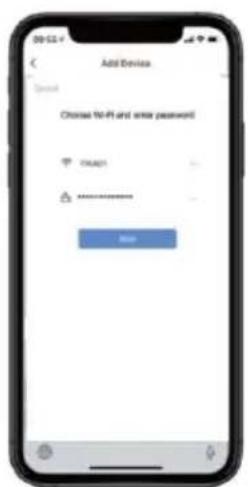
text_image
Add Device Switch Choose 10-61 and enter password OK ****** Help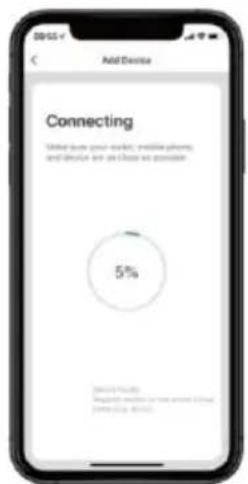
text_image
Add Device Connecting Made down your website, email/phone, and device are all close as available. 5% 5%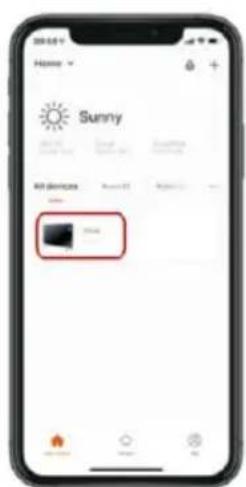
text_image
Home Sunny All devices 100% 200%EN IEC 62368-1:2020+A11:2020
Radio
EN 300328 V2.2.2 (2019-07)
natural_image
Exterior view of a white rectangular electronic device with base legs (no visible text or symbols)ČESTITAMO!
HVALA VAM ŠTO STE ODABRALI OVAJ SHX PROIZVOD.

text_image
Three black-and-white warning symbols: a hand crossed out, a triangular warning sign with an exclamation mark, and a triangular hazard symbol.text_image
Diagram showing a door-mounted device with two close-up insets of a device, one emitting a light source.natural_image
Technical line drawing of a mechanical component with a circular outline (no text or symbols)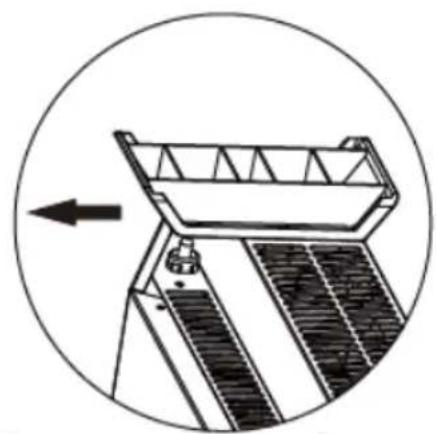
natural_image
Technical diagram of a mechanical device with a circular arrow indicating direction (no text or symbols)Montaža stopala:
text_image
660mm (L1) 436mm 480mm 850mmtext_image
QR code with a blue logo in the center, likely linking to a digital service or website.2. Rad APP-a
text_image
Cancel Select type of device Add Add Add Add Add Add Add Add Add Add Add Add Add Add Add Add Add Add Add Add Add Add Add Add Add Add Add Add Add Add Add Add Add Add Add Add Add Add Add Add Add Add Add Add Add Add Add Add Add Add Edit Camera Edit Camera Edit Camera Edit Camera Edit Camera Edit Camera Edit Camera Edit Camera Edit Camera Edit Camera Edit Camera Edit Camera Edit Camera Edit Camera Edit Camera Edit Camera Edit Camera Edit Camera Edit Camera Edit Camera Edit Camera Edit Camera Edit Camera Edit Camera Edit Camera Edit Camera Edit Camera Edit Camera Edit Camera Edit Camera Edit Camera Edit Camera Edit Camera Edit Camera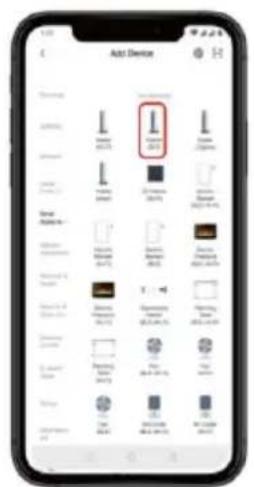
text_image
Add Device I 300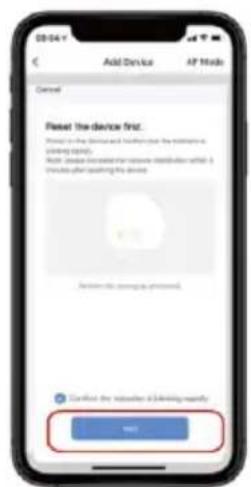
text_image
09/04 Y Add Device AP Mode Cancel Reset the device first. Please check the device and folder to the address or access. Help (please check the device to access) or to access after adding any device. Cancel this device is checked. Confirmed the device is driving regularly. OK? Cancel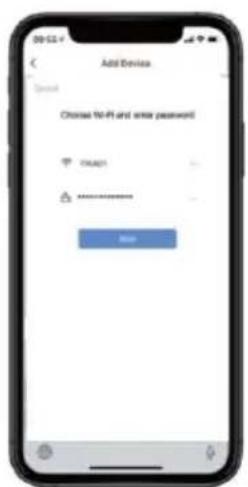
text_image
Add Device Search Choose 10-61 and enter password OK ****** Add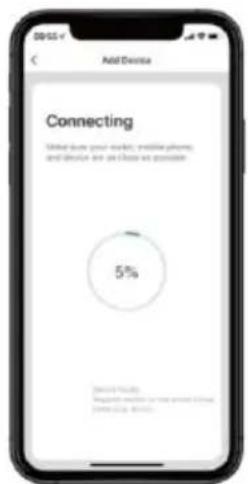
text_image
Add Device Connecting Made down your website, email phone, and device are all close as available. 5% 5%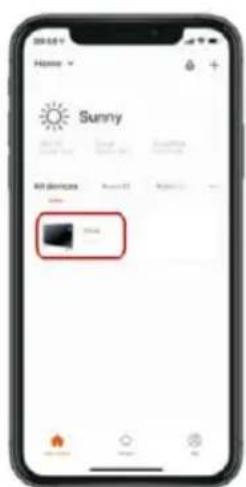
text_image
Home Sunny All devices 100% 200%Napomena: Zbog tekućih ažuriranja, slike u ovom vodiču mogu se malo razlikovati od najnovije prakse.
EN IEC 62368-1:2020+A11:2020
Bežiční
EN 300328 V2.2.2 (2019-07)
Senior product and purchasing manager i.V.
Referenca deklaracije : Referenca deklaracije:
SCHUSS HOME ELECTRONIC GMBH
Scheringgasse 3, 1140 Beč, AUSTRIJA
FB br. / Registarski br.: 236974 tona
Podložno izmjenama i tiskarskim pogreškama, trenutna verzija dostupna je za preuzimanje: www.schuss-home.at/de/downloads/
Name, Funktion / name, function
Unterschrift / signature

text_image
SHXOperating instructions
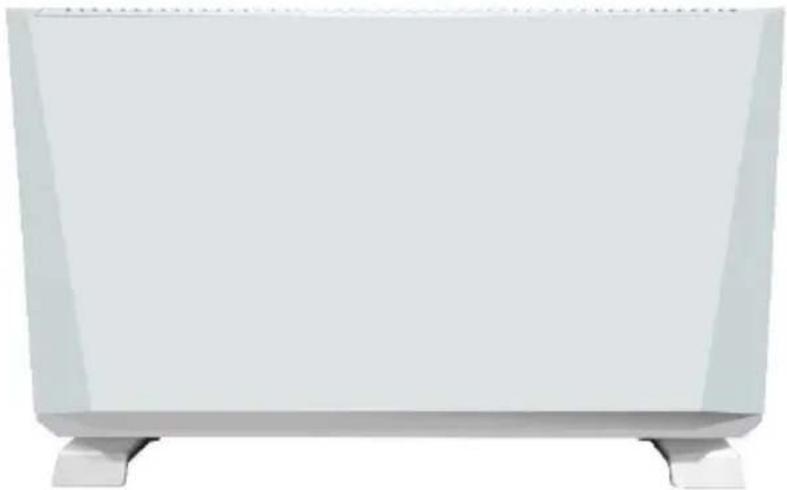
Premium convector heating SHXPKV2400W
natural_image
Exterior view of a white rectangular electronic device with base legs (no visible text or symbols)CONGRATULATIONS!
THANK YOU FOR CHOOSING THIS PRODUCT FROM SHX.
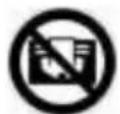
This product is only suitable for well-insulated rooms or for occasional use.
TABLE OF CONTENTS
PLEASE READ THE OPERATING INSTRUCTIONS CAREFULLY BEFORE STARTING ASSEMBLY, INSTALLATION, OPERATION OR MAINTENANCE. PROTECT YOURSELF AND OTHERS BY FOLLOWING THE SAFETY INSTRUCTIONS. FAILURE TO FOLLOW THE INSTRUCTIONS COULD RESULT IN PERSONAL INJURY AND/OR PROPERTY DAMAGE AND/OR INVALIDATE THE WARRANTY!
Intended use
This appliance is intended exclusively for heating living spaces in households and must not be used for any other purpose. The product is intended for use as a convection heater. When the air is heated, it rises, then cools and circulates back down to be heated again. It is only suitable for well-insulated rooms and occasional use. It can be mounted on the wall or on a floor stand and is operated via the integrated control unit. Two weekly timers are available for 12 hours each. This product is for indoor, non-commercial, non-industrial and domestic use only. Do not use outdoors. Do not use the product for any other purpose. It must not be used on construction sites, greenhouses, barns, stables, mills or other places where flammable dust particles may occur. For safety and approval reasons, you must not modify and/or alter the product. If you use the product for purposes other than those described above, the product may be damaged. Improper use can also lead to hazards such as short circuits, fires or electric shocks. Read the operating instructions carefully and keep them in a safe place. Only pass the product on to third parties together with the operating instructions.
IMPORTANT INFORMATION ON SAFETY, STANDARD AND ELECTRICAL CONNECTION
text_image
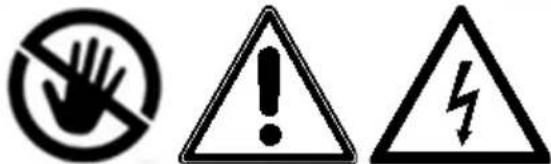
Three black-and-white warning symbols: a hand crossed out, a triangular warning sign with an exclamation mark, and a triangular hazard symbol.-
use this appliance only in accordance with the guidelines in the operating instructions. Any other use not recommended by the manufacturer could result in fire, electric shock or personal injury.
-
this appliance is intended exclusively for heating living spaces in households and must not be used for any other purpose.
-
remove the packaging and make sure that the device is not damaged. If in doubt, do not use the appliance and contact your dealer.
-
Before connecting to the mains, you must check that the type of current and mains voltage match the specifications on the appliance rating plate.
-
The electrical socket to which you connect the appliance must not be defective or loose and must be suitable for the required current load and, above all, reliably earthed.
-
avoid using an extension cable, as this could overheat and cause a fire.
-
the appliance must not be installed directly under a wall socket. If in doubt, have your electrical installation checked by a qualified electrician.
-
It is forbidden to adapt or modify the characteristics of this appliance in any way. Only use spare parts and accessories
recommended by the manufacturer (failure to do so may invalidate the warranty).
-
Do not use this heater if it shows visible signs of damage.
-
children aged 3 years and over and under 8 years may only switch the appliance on and off if they are supervised or have been instructed in the safe use of the appliance and have understood the resulting dangers, provided that the appliance is placed or installed in its normal position of use. Children aged 3 years and younger than 8 years must not insert the plug into the socket, regulate the appliance, clean the appliance and/or carry out user maintenance.
-
Do not operate the appliance unattended. If you leave the room, always switch off the appliance.
-
Do not use the device in small rooms where people are present who are unable to leave the room independently, unless they are constantly monitored.
-
Children must not play with the appliance.
Keep children under the age of 3 away from the appliance unless they are constantly supervised.
- Keep children away from packaging material.
Choking hazard if swallowed!
-
The appliance is not suitable for continuous and precision operation.
-
Do not use this heater if it has been dropped.
-
This appliance is only intended for use in dry indoor areas.
-
Do not use the appliance in the vicinity of water or high humidity, e.g. in a damp cellar, next to a swimming pool, bathtub or shower. Ensure that no water can penetrate the appliance.
-
Do not use the appliance in the direct vicinity of petrol, gas, oil, alcohol or other explosive and highly flammable liquids or gases.
-
To reduce the risk of fire, keep the air outlet of the appliance at least one metre away from all highly flammable substances such as e.g:
a. pressurised vessels (e.g. spray containers)
b. Furniture
c. Textiles of any kind
- Use this heater on a horizontal and stable surface or, if necessary, fixed to a wall.
Do not place any objects on the appliance.
-
Never cover the appliance during operation and the cool-down phase.
-
Always switch off the appliance before disconnecting the mains plug.
-
Do not pull on the mains cable to disconnect the appliance from the mains. Always pull the plug to disconnect the mains cable.
-
Caution - Some parts of the product can become very hot and cause burns. Special care must be taken when children and vulnerable persons are present. Always
allow the appliance to cool down before cleaning or dismantling it.
- Unplug the appliance when not in use, before cleaning or when maintenance is required.
Cleaning and user maintenance must not be carried out by children without supervision.
- Do not touch the plug with wet hands to avoid electric shocks.
WARNING: This appliance can be used by children aged from 8 years and above and persons with reduced physical, sensory or mental capabilities or lack of experience and knowledge if they have been given supervision or instruction concerning use of the appliance in a safe way and understand the hazards involved.
WARNING: If the power cord of this appliance is damaged, it must be replaced by the manufacturer or its service agent or a similarly qualified person in order to avoid a hazard.
WARNING: To prevent the heater from overheating, the heater must not be covered.
ATTENTION

RISK OF INJURY
The appliance becomes hot during operation!
Never touch the appliance during operation→ this could lead to serious BURNS.
ATTENTION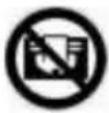 | FIRE HAZARDWARNING: To prevent the heater from overheating, the heater must not be covered. |
ATTENTION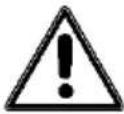 | SAFETY DISTANCEKeep a safe distance of at least one metre from easily flammable objects such as furniture, curtains, paper, etc.!LOCATIONAlways position the appliance so that the air can flow in and out unhindered.RISK OF BURNSThe appliance becomes very hot during use and can cause burns. Special care must be taken when children and vulnerable persons are present.RISK OF OVERHEATINGDo not heat rooms with a volume of less than 4m3 |
Symbols on the deviceSymbol :
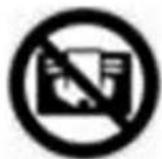
Significance:
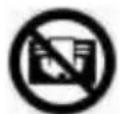
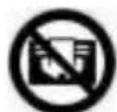
Caution! Do not cover! The symbol on the appliance indicates that it is not permitted to hang objects (e.g. towels, clothing, etc.) above the appliance or directly in front of it. The heater must not be covered in order to avoid overheating and the risk of fire!
Recycling, disposal, declaration of conformity
 | RECYCLINGThe packaging materials can be recycled. It is therefore recommended to dispose of them in sorted waste |
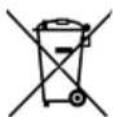
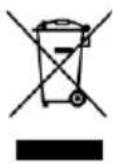 | DISPOSALThe "crossed-out wheelie bin" symbol requires the separate disposal of waste electrical and electronic equipment (WEEE). Electrical and electronic equipment can contain hazardous and environmentally harmful substances.Therefore, do not dispose of them in unsorted residual waste, but at a designated collection point for waste electrical and electronic equipment. This will help to protect resources and the environment. For further information, please contact your dealer or the local authorities. Directive 2012/19/EU |
 | BATTERY DISPOSALIn accordance with Legislative Decree 188 of 20 November 2008 implementing Directive 2006/66/EC on batteries, accumulators and related waste, the crossed-out wheeled bin symbol on the battery indicates that it is forbidden to dispose of used batteries in household waste.batteries and accumulators contain highly polluting substances. The user is obliged to dispose of used batteries at the collection points in the municipality or in the appropriate containers. The service is free of charge. In this way, the legal requirements are complied with and the environment is protected.These symbols can be found on batteries:Li = battery contains lithiumAl = battery contains alkaliMn = battery contains manganeseCR 2025 (Li); AA (Al, Mn); AAA (Al, Mn) |
 | DECLARATION OF CONFORMITYWe hereby confirm that this product complies with the essential requirements, regulations and directives of the EU.You can view the detailed declaration of conformity at any time under the following link:https://www.schuss-home.at/downloads |
Scope of delivery
■ Convection heating
■ Feet (2x)
- Fixing screws (8x)
■ Wall mounting material
- Operating instructions
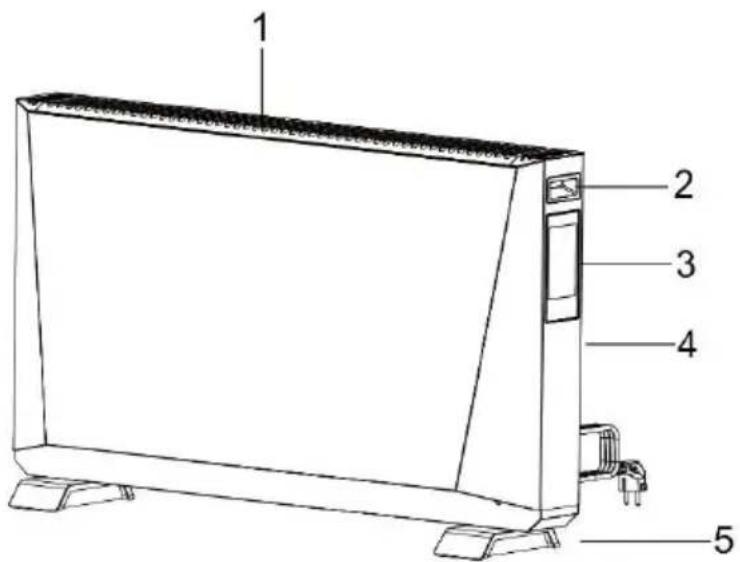
Description of the device
text_image
1 2 3 4 5(1) Air outlet
(2) Handle
(3) Display & control panel
(4) On and off switch
(5) Stand
text_image
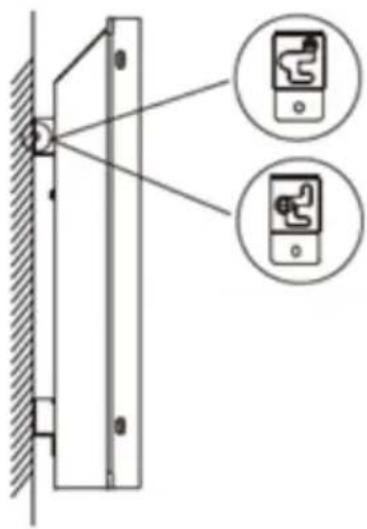
Diagram showing a wall-mounted device with two close-up insets of a device, one emitting a light source.Raise the heater by 5mm, then move it 10mm to the right and then straight out in the opposite direction of the wall.
natural_image
Technical line drawing of a mechanical component with a circular outline (no text or symbols)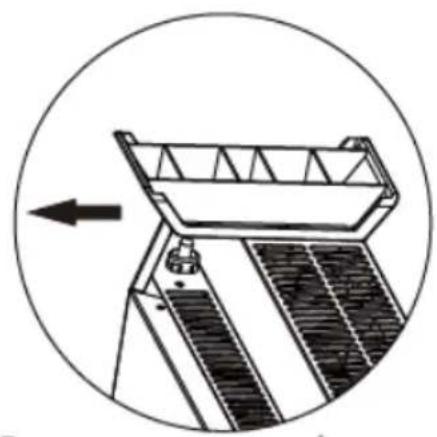
natural_image
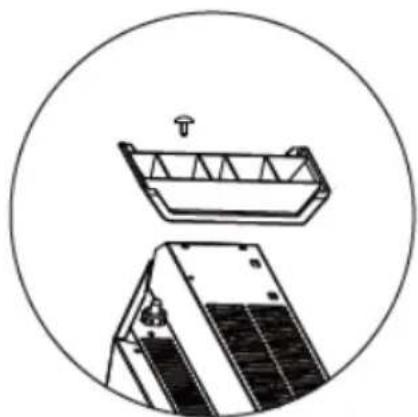
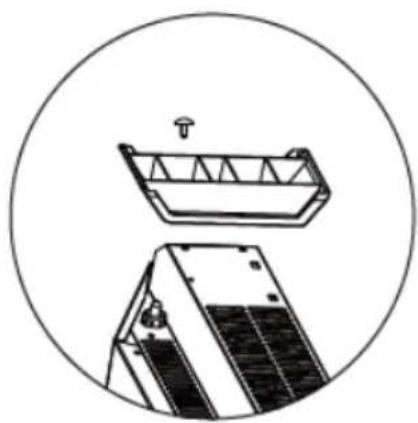
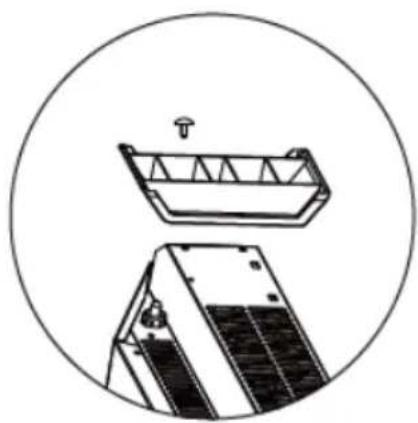
Technical line drawing of a mechanical device with a circular arrow indicating direction (no text or symbols)Installation of the foot:
Align the lower foot in the mounting hole.
Clip in the lower foot to align the screw hole and then secure it with screws.
Removing the base: Use a Phillips screwdriver to loosen the screws securing the base.
Remove the foot against the direction of engagement by pulling it upwards.
text_image
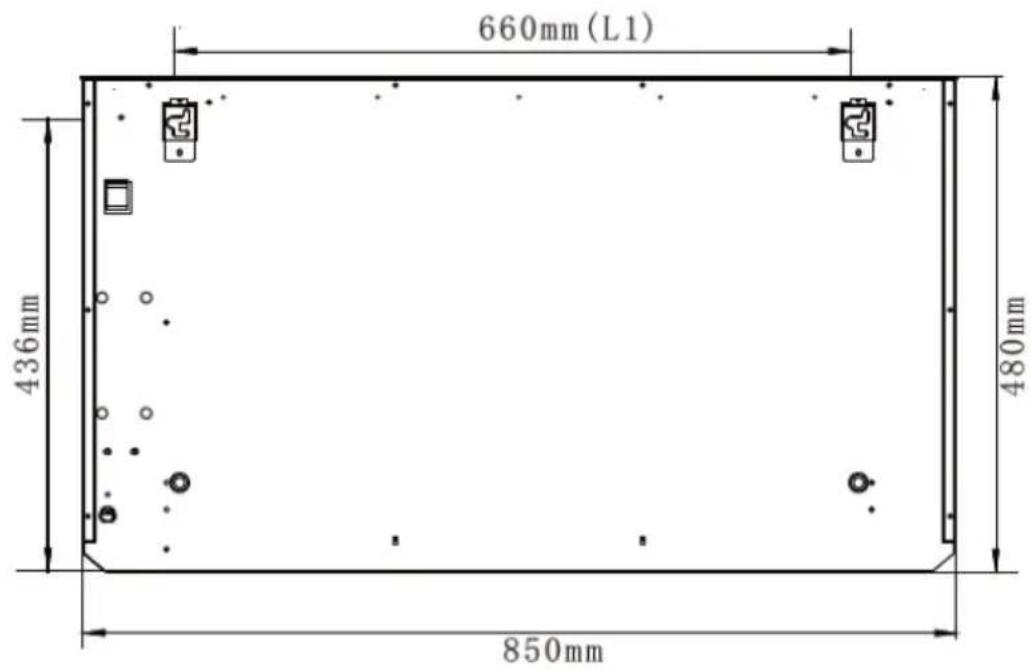
660mm (L1) 436mm 480mm 850mmAfter installation, there is no protection for flammable materials located ≥ 200mm above the air outlet and ≥ 100mm above the air inlet of the appliance. There must be no shielding space ≥ 100mm above the air inlet of the appliance.
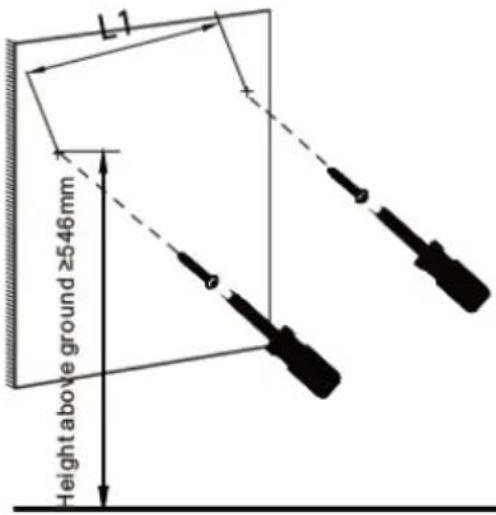 | 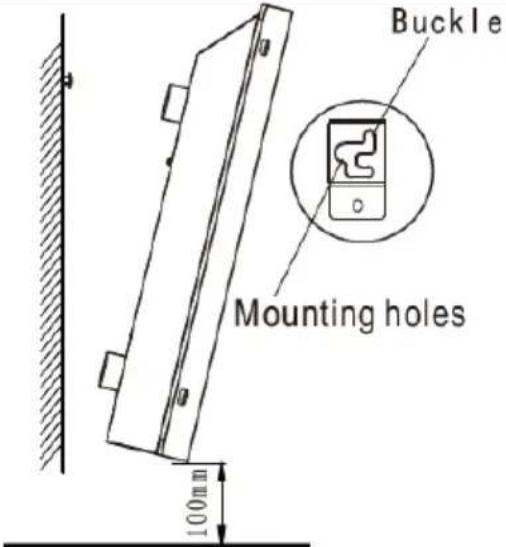 |
| Using the appropriate tool, drill two holes with a diameter of approx. 8 mm horizontally at the corresponding wall position. The distance between the two holes is | Align the mounting hole on the frame at the rear of the machine with the installed screw head and hook it in as shown above. Then position it 5 mm to the right and 5 |
L1 (see below) 660 mm, and the height above the floor is ≥546 mm. Remove the two plastic plugs from the installation pack, insert one into each of the two drill holes and tap them flat with a hammer. Then use a tool to fasten the screws of about 5 mm into the plugs, leaving a 5-10 mm bulge.
mm downwards so that the screw is hooked into the hole slot and the screw head sits securely in the frame.
Prepare remote control
Please note the following instructions:
- Inserting the battery in the remote control
- Putting the remote control into operation for the first time or replacing the batteries:
- Remove the cover on the back of the remote control.
- Insert 2x "AAA" 1.5V or 1xCR2025 batteries in the correct position.
Safety instructions for battery replacement:
- If the remote control is replaced or disposed of, the batteries must be removed and disposed of in accordance with the applicable legislation, as they are harmful to the environment.
- Old and new batteries must not be mixed. Do not mix alkaline, standard (carbon zinc) or rechargeable (nickel cadmium) batteries.
- Do not dispose of batteries in a fire. Batteries can explode or leak.
- If the remote control will not be used for a long period of time, remove the batteries.
Operation:
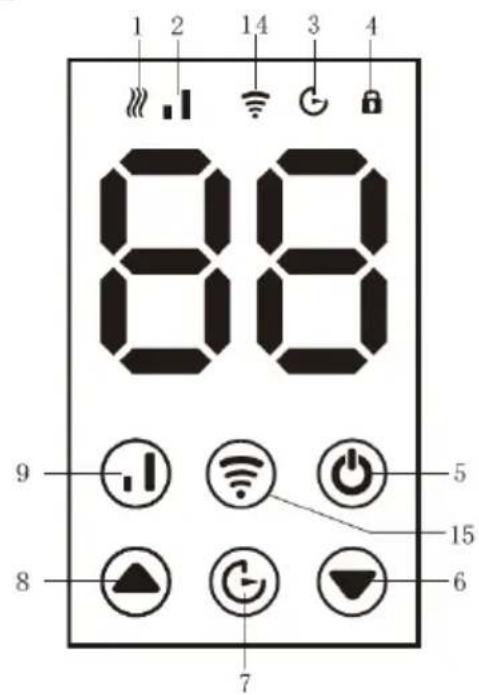
text_image
1 2 14 3 4 88 9 - [ ] + Wi-Fi + 功 - 8 - [ ] + C- G- ▼ 7 5 15 6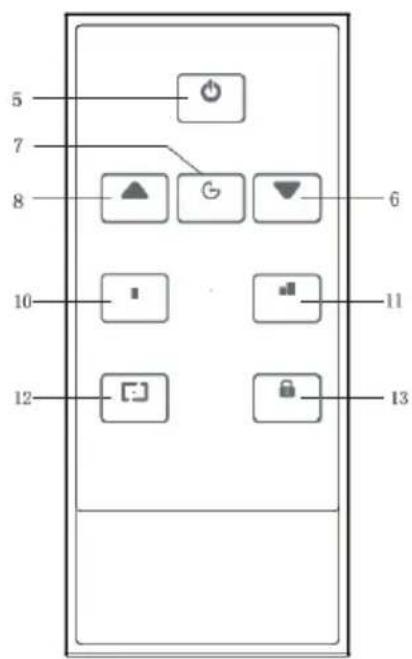
text_image
5 7 8 10 12 6 11 13| 1. indicator for heating mode | 2. indicator for selected heating level |
| 3. indicator for set timer | 4. indicator for childproofing |
| 5. on / off button | 6. down button |
| 7. buttons for timer | 8. up button |
| 9. button for heating level | 10. heating level 1 |
| 11. heating level 2 | 12. display on/off |
| 13. child lock on/off | 14. indicator for Wifi |
| 15. wifi reset button |
1.1 Switching on:
Insert the plug into the socket and switch on the power switch on the back of the appliance. Then press either the power button 5 on the control panel or on the remote control.
1.2 Setting the timer:
In the start state, press the time button 7. The time display on the digital screen is activated and you can then use the up or down button 8 or 6 to set the time in 24-hour format.
1.3 Setting the temperature:
In operating mode, you can set a temperature range of 5-45 °C using the up or down button 8 or 6.
1.4 Select heating level:
In the start state, press the Shift button 9 to select between the "Low" and "High" heating levels. The corresponding display on the digital screen is activated to show the selected heating mode and the heating starts to work.
1.5 Switch off the display:
When switched on, you can switch off the display by pressing the corresponding button on the remote control.
1.6 Reset WLAN:
When switched on, you can press the Wi-Fi reset button for 10 seconds. The Wi-Fi indicator flashes to show that the Wi-Fi function has been reset and you can reconnect to the Wi-Fi.
1.7 Childproofing:
When switched on, the childproof lock function can be activated by simultaneously pressing the up and down buttons 8 and 6 (or the childproof lock button 16 on the remote control). The childproof lock indicator on the digital screen lights up. To deactivate the childproof lock function, simply repeat the above procedure and the indicator will go out.
App operating instructions
1. App download
Scan the QR code below to easily download the app via your smart device. Alternatively, search for 'Smart Life' in your device's application store to download the app.

text_image
QR code with a blue logo in the center, likely linking to a digital service or website.2. APP operation
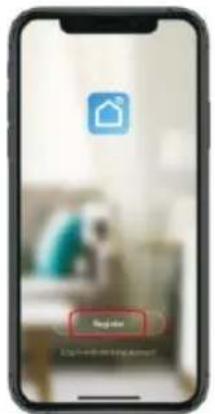
- Download the Smart Life app.
- Open the user interface.
- Click on the + symbol at the top right or select "Add device".
- Navigate to Small appliances and select the fan heater.
- Enter the Wi-Fi password.
- Tap the connection indicator on the infrared device screen. If it does not flash, reset the Wi-Fi (see point 7 of the operating instructions).
- Fill in the device information and click "Done" to open the control interface to control the fan heater.
text_image
Regulator 2.54-0.01-0.01-0.01-0.01-0.01-0.01-0.01-0.01-0.01-0.01-0.01-0.01-0.01-0.01-0.01-0.01-0.01-0.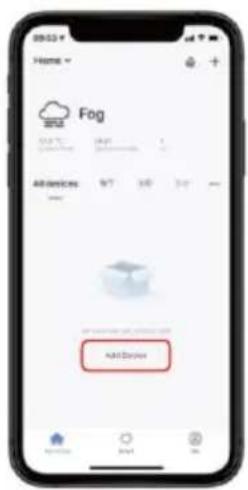
text_image
09:52 Home Fog All devices Add Daybox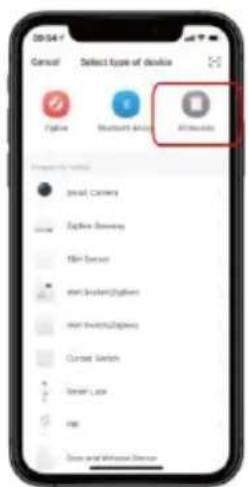
text_image
Cancel Select type of device Add Add Add Add Add Add Add Add Add Add Add Add Add Add Add Add Add Add Add Add Add Add Add Add Add Add Add Add Add Add Add Add Add Add Add Add Add Add Add Add Add Add Add Add Add Add Add Add Add Add Edit Camera Edit Camera Edit Camera Edit Camera Edit Camera Edit Camera Edit Camera Edit Camera Edit Camera Edit Camera Edit Camera Edit Camera Edit Camera Edit Camera Edit Camera Edit Camera Edit Camera Edit Camera Edit Camera Edit Camera Edit Camera Edit Camera Edit Camera Edit Camera Edit Camera Edit Camera Edit Camera Edit Camera Edit Camera Edit Camera Edit Camera Edit Camera Edit Camera Edit Camera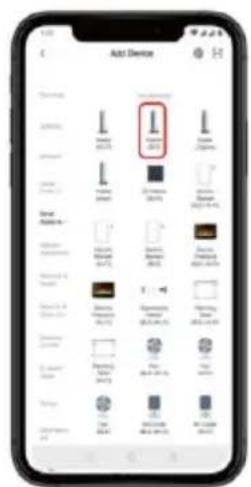
text_image
Add Device I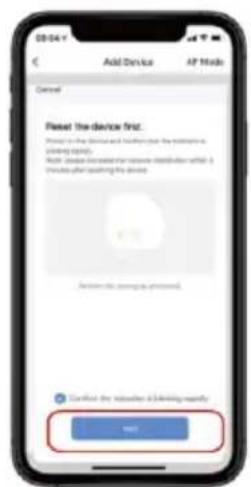
text_image
Add Device AP Mode Cancel Reset the device first. Please check the device and folder to the address or access. Help (please check the device to access what it is available after adding its device) Cancel this device to access. Confirm the device to a driving unit. OK? Cancel the device to a driving unit!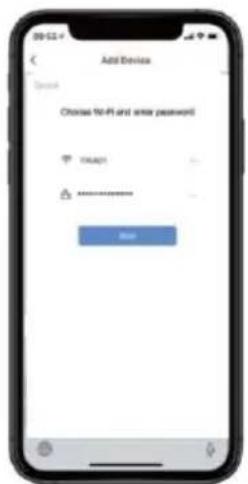
text_image
Add Device Open Choose 10-81 and enter password OK ****** Help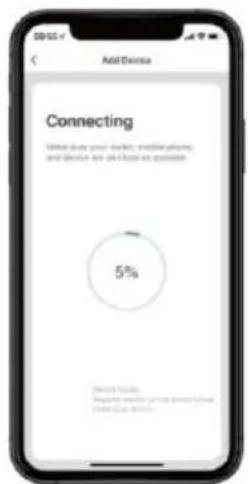
text_image
Add Device Connecting Made due your website, email call, and device are close as possible 5% Microsoft Azure Microsoft Azure is not about 5 hours, minutes 10:00 AM.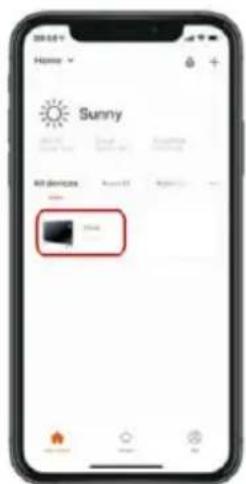
text_image
Home Sunny All devices 100% 100%Note: Due to ongoing updates, the images in this manual may differ slightly from the latest procedure.
All images in this manual are for reference purposes only.
Technical information
| Item number: | SHXPKV2400W |
| Input voltage: | 220-240~ |
| Frequency: | 50/60Hz |
| Power consumption: | 2400 Watt |
| Heating range: | 5°C - 45°C |
| Protection class: | IP24 |
| Overheating protection: | Yes |
| WIFI | 2.4GHz (100mW transmitting power) |
| Weight | 9 kg |
| Dimensions | 850×512×166 mm |
| Contact address for further information: | Schuss Home Electronic GmbHScheringgasse 3, A-1140 ViennaService line: +43 (1) 97 0 21www.schuss-home.at | www.shx.atFB-No.: 236974 t / FB-Court: Vienna |
Required information on electric individual room heaters
| Item number SHXPKV2400W | ||||||
| Specification | Symbol | Value | Unit | Specification | Unit | |
| Heat output | Only for electric storage single-room heaters:Type of heat supply control | |||||
| Nominal heat output | Pnom | 2,400 | kW | Manual control of the heat supply with integrated thermostat | No | |
| Minimum heat output (guide value) | Pmin | 1,200 | kW | Manual control of the heat supply with feedback of the room and/or outside temperature | No | |
| Maximum continuous heat output | Pmax,c | 2,32 | kW | Electronic control of the heat supply with feedback of the room and/or outside temperature | No | |
| Auxiliary power consumption | Heat output with fan support | No | ||||
| With Nominal heat output | elmax | 2,332 | kW | Type of heat output/room temperature control | ||
| With Minimum heat output | elmin | 1,165 | kW | Single-stage heat output, no room temperature control | No | |
| In the Ready state | elSB | 0,0004 | kW | Two or more manually adjustable levels, no room temperature control | No | |
| Room temperature control with mechanical thermostat | No | |||||
| With electronic room temperature control | No | |||||
| Electronic room temperature control and time-of-day control | No | |||||
| Electronic room temperature control and weekday control | Yes | |||||
| Other control options | ||||||
| Room temperature control with presence detection | No | |||||
| Room temperature control with open window detection | Yes | |||||
| With remote control option (WiFi) | Yes | |||||
| With adaptive control of the heating start | No | |||||
| With operating time limit | No | |||||
| With black ball sensor | No | |||||
| Contact details: | Schuss Home Electronic GmbHScheringgasse 3 - 1140 Vienna - Austriahttps://www.schuss-home.at/ | |||||
WARRANTY
With this quality product from SHX, you have made a decision in favour of innovation, durability and reliability.
This SHX device is guaranteed for 2 years from the date of purchase in Austria and Germany!
If, contrary to expectations, service work on your device should nevertheless be necessary during this period, we hereby guarantee you a free repair (spare parts and labour) or (at Schuss's discretion) replacement of the product. If neither repair nor replacement is possible for economic reasons, we reserve the right to issue a time value credit note.
In any case, please contact the customer hotline as a first step (see instructions for use - "Contact addresses for further information and service line").
Please note that any repair work carried out by unauthorised workshops will immediately invalidate this warranty.
This guarantee does not cover
- Damage due to non-compliance with the operating instructions
• Repair or replacement of parts due to normal wear and tear
• Devices that are used - even partially - for commercial purposes
• Devices mechanically damaged by external influences (fall, impact, breakage, improper use, etc.) and signs of aesthetic wear and tear
• Devices that have been handled improperly
• Devices that have not been opened by our authorised service workshop
• Unfulfilled consumer expectations - Damage caused by force majeure, water, lightning, overvoltage
- Devices for which the type designation and/or serial number on the device has been changed, deleted, made illegible or removed
• Defects due to extraordinary soiling - services outside our authorised workshops, the transport costs to an authorised workshop or to us and back and the associated risks
We would like to emphasise that within the warranty period, a lump sum of € 60.00 (indexed based on CPI 2015, June 2020) will be charged in the event of operating errors or if no error is detected.
The provision of a warranty service (repair or replacement of the device) does not extend the absolute warranty period of 2 years from the date of purchase.
The 2-year guarantee is only valid on presentation of the proof of purchase (must include the name and address of the dealer and the full appliance designation) and the corresponding guarantee certificate, on which the appliance type and the serial number (visible on the box and on the back or underside of the appliance) must be noted! Without the warranty certificate, only the statutory warranty applies!
We expressly point out that the statutory warranty rights are not affected by this guarantee and remain unaffected.
Schuss Home Electronic GmbH and its vicarious agents shall only be liable for damages in the event of gross negligence or wilful intent. Liability for loss of profit, expected but unrealised savings, consequential damage and damage arising from third-party claims is excluded.
You can find the contact address of the relevant service centre on our homepage www.schuss-home.at.
Congratulations on your choice. We hope you enjoy using your SHX device!
ADDRESS:
SHX Distribution
Schuss Home Electronic GmbH
A-1140 Vienna, Scheringgasse 3
Tel.: +43 (0)1/ 970 21
Type designation: ....
Serial number: ....
EU DECLARATION OF CONFORMITY
EU-DECLARATION OF CONFORMITY
SCHUSS
HOME ELECTRONIC
The manufacturer bears sole responsibility for issuing this declaration of conformity.
This declaration of conformity is issued under the sole responsibility of the manufacturer.
Schuss Home Electronic GmbH
Scheringgasse 3
1140 Vienna, AUSTRIA
Declares that the product
Declares, that the product
Manufacturer
Manufacturer
Premium convector heating
Model No.:
Model number
SHXPKV2400W
is compliant with the following directives, standards and/or regulations:
is conformity with following directives, norms and/or regulations:
RED Directive DIRECTIVE 2014/53/EU OF THE EUROPEAN PARLIAMENT AND OF THE COUNCIL of 16 April 2014 on the harmonisation of the laws of the Member States relating to the making available on the market of radio equipment and repealing Directive 1999/5/EC Official Journal of the EU L 153/62 22.5.2014
DIRECTIVE 2014/51/EU OF THE EUROPEAN PARLIAMENT AND OF THE COUNCIL
of 16 April 2014 amending Directives 2003/71/EC and 2009/138/EC and Regulations (EC) No 1060/2009, (EU) No 1094/2010 and (EU) No 1095/2010 in respect of the powers of the European Supervisory Authority (European Insurance and Occupational Pensions Authority) and the European Supervisory Authority (European Securities and Markets Authority)
Health and safety
EN IEC 62368-1:2020+A11:2020
Radio
EN 300328 V2.2.2 (2019-07)
EMC Directive (EMC): 2014/30/EU Directive of the European Parliament and of the Council of 26 February 2014 on the harmonisation of the laws of the Member States relating to electromagnetic compatibility; Official Journal of the EU L96, 29/03/2014, p. 79-106
EMC Directive (EMC): 2014/30/EU Directive of the European Parliament and of the Council of 26 February 2014 on the harmonisation of the laws of the Member States relating to electromagnetic compatibility; Official Journal of the EU L96, 29/03/2014, p. 79-106
EN IEC 55014-1:2021
EN 61000-3-3:2013/A2:2021
EN IEC 61000-3-2:2019/A1:2021
EN IEC 55014-2:2021
ETSI EN 301 489-1 V2.2.3
ETSI EN 301 489-17 V3.2.4
Low Voltage Directive (LVD): 2014/35/EU Directive of the European Parliament and of the Council of 26 February 2014 on the harmonisation of the laws of the Member States relating to the making available on the market of electrical equipment designed for use within certain voltage limits; Official Journal of the EU L96, 29/03/2014, p. 357-374
Low Voltage Directive (LVD):2014/35/EU Directive of the European Parliament and of the Council of 26 February 2014 on the harmonisation of the laws of the Member States relating to the making available on the market of electrical equipment designed for use within certain voltage limits; Official Journal of the EU L96, 29/03/2014, p. 357-374
EN 60335-1: 2012+A11: 2014+A13: 2017+A1: 2019+A14: 2019+A2: 2019+A15: 2021; EN 60335-2-30:2009+A11:2012+A1:2020+A12:2020+A2:2022+A13:2022; EN 62233: 2008
Ecodesign Directive Energy-Related Products Directive (ErP)2009/125/EC; Official Journal EU L285/10-35 (31.10.2009) and associated regulation 2015/1188 Energy-Related Products Directive (ErP)2009/125/EC; Official Journal EU L285/10-35 (31.10.2009) and associated regulation 2015/1188
RoHS Directive: 2011/65/EU Directive of the European Parliament and of the Council of 8 June 2011 on the restriction of the use of certain hazardous substances in electrical and electronic equipment; Official Journal of the EU L174, 1/07/2011, p. 88-110
RoHS Directive: 2011/65/EU Directive of the European Parliament and of the Council of 8 June 2011 on the restriction of the use of certain hazardous substances in electrical and electronic equipment; Official Journal of the EU L174, 1/07/2011, p. 88-110
Reach SVHC(EC)NO. 1907/2006 Schuss Home Electronic GmbH hereby confirms that the products supplied by us do not contain any substances of very high concern (SVHC) on the candidate list (last ECHA update of 14.06.2023, 235 substances) above 0.1% according to Art. 33 of the REACH Regulation (EC) No. 1907/2006. Reach SVHC(EC)NO. 1907/2006 Schuss Home Electronic GmbH hereby confirms that in the products we supply, there are no substances of very high concern (SVHC) in the candidate list (last ECHA update from June 14, 2023, 235 substances) above 0.1% in accordance with Article 33 of the REACH Regulation (EC) No .1907/2006 are included.
Signed for and on behalf of:/ Signed for and on behalf of: SCHUSS HOME ELECTRONIS GMBH
Place and date of the exhibition: Place and date of issue: Vienna, 2024-02-26
Scharl, Alexander Senior product and purchasing manager i.V....
text_image
SCHUSS HOME ELECTRONIC GMBH 1140 W/2, Scheringeisse 3 Tel. 436-591-1, Fax: 222 www.chuss-home.at Bevollmächteter Vertreter des Herstellers Authorized representative of manufactureDeclaration reference: Declaration reference:
SCHUSS HOME ELECTRONIC GMBH
Subject to changes and printing errors, the current version is available for download: www.schuss-home.at/de/downloads/
Name, Funktion / name, function Unterschrift / signature