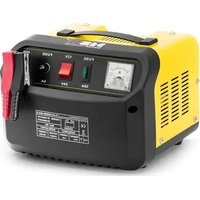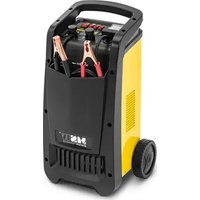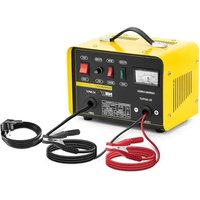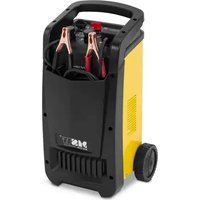
S-CHARGER-65A.3 - Battery charger MSW - Free user manual and instructions
Find the device manual for free S-CHARGER-65A.3 MSW in PDF.


User questions about S-CHARGER-65A.3 MSW
0 question about this device. Answer the ones you know or ask your own.
Ask a new question about this device
Download the instructions for your Battery charger in PDF format for free! Find your manual S-CHARGER-65A.3 - MSW and take your electronic device back in hand. On this page are published all the documents necessary for the use of your device. S-CHARGER-65A.3 by MSW.
USER MANUAL S-CHARGER-65A.3 MSW
This User Manual has been translated for your convenience using machine translation. Reasonable efforts have been made to provide an accurate translation; however, no automated translation is perfect nor is it intended to replace human translators. The official User Manual is the English version. Any discrepancies or differences created in the translation are not binding and have no legal effect for compliance or enforcement purposes. If any questions arise related to the accuracy of the information contained in the User Manual, please refer to the English version of those contents which is the official version.
Technical data
| Parameter description Parameter value | ||
| Product name | Battery charger | |
| Model | S-CHARGER-45A.3 | S-CHARGER-65A.3 |
| Rated voltage [V~] / frequency [Hz] | 230/50 | |
| Output voltage [V] | 12/24 | |
| Operating modes | Charging / Jump Start (3s ON / 120s OFF-5cycle) | |
| Max. charge current [A] | 70 | 100 |
| Max Jump Start current [A] | 320 | 480 |
| Max. jump start function power consumption [W] | 8000 | 8500/12000 |
| Recommended battery capacity [Ah] | 40-700 | 60-1000 |
| Dimensions [width x depth x height; mm] | 320 x 370 x 620 | 320 x 380 x 620 |
| Weight [kg] | 14.4 | 22.8 |
1. General description
The user manual is designed to assist in the safe and trouble-free use of the device. The product is designed and manufactured in accordance with strict technical guidelines, using state-of-the-art technologies and components. Additionally, it is produced in compliance with the most stringent quality standards.
DO NOT USE THE DEVICE UNLESS YOU HAVE THOROUGHLY READ AND UNDERSTOOD THIS USER MANUAL.
To increase the product life of the device and to ensure trouble-free operation, use it in accordance with this user manual and regularly perform maintenance tasks. The technical data and specifications in this user manual are up to date. The manufacturer reserves the right to make changes associated with quality improvement. The device is designed to reduce noise emission risks to a minimum, taking into account technological progress and noise reduction opportunities.
Legend


The product satisfies the relevant safety standards.
Read instructions before use.
The product must be recycled.
WARNING! or CAUTION! or REMEMBER! Applicable to the given situation.
(general warning sign)
ATTENTION! Electric shock warning!
Only use indoors.

PLEASE NOTE! Drawings in this manual are for illustration purposes only and in some details may differ from the actual product.
2. Usage safety

ATTENTION! Read all safety warnings and all instructions. Failure to follow the warnings and instructions may result in electric shock, fire and/or serious injury or even death.
The terms "device" or "product" are used in the warnings and instructions to refer to:
Battery charger
2.1. Electrical safety
a) The plug has to fit the socket. Do not modify the plug in any way. Using original plugs and matching sockets reduces the risk of electric shock.
b) Avoid touching earthed elements such as pipes, heaters, boilers and fridges. There is an increased risk of electric shock if the earthed device is exposed to rain, in direct contact with a wet surface or operating in a humid environment. Water ingression into the device increases the risk of damage to the device and of electric shock.
c) Use the cable only in accordance with its designated use. Never use it to carry the device or to pull the plug out of a socket. Keep the cable away from heat sources, oil, sharp edges or moving parts. Damaged or tangled cables increase the risk of electric shock.
d) If using the device in a humid environment cannot be avoided, a residual current device (RCD) should be applied. The use of an RCD reduces the risk of electric shock.
2.2. Safety in the workplace
a) Make sure the workplace is orderly and well lit. A messy or poorly lit workplace may lead to accidents. Try to anticipate what may happen, observe what is going on and use common sense when working with the device.
b) Do not use the device in an explosion hazard zone, for example in the presence of flammable liquids, gasses or dust. The device generates sparks which may ignite dust or fumes.
c) Upon discovering damage or irregular operation, immediately switch the device off and report it to a supervisor without delay.
d) If there are any doubts as to the correct operation of the device, contact the manufacturer's support service.
e) Only the manufacturer's service point may repair the device. Do not attempt any repairs independently!
f) If a fire starts, use solely powder or carbon dioxide (CO2) fire extinguishers suitable for use on live devices to put it out.
g) Children or unauthorised persons are forbidden from entering a work station. (A distraction may result in a loss of control over the device)
h) When charging batteries emit gasses which might be explosive. Avoid contact with sparks and fire.

Remember! When using the device, protect children and other bystanders.
2.3. Personal safety
a) Do not use the device when tired, ill or under the influence of alcohol, narcotics or medication which can significantly impair the ability to operate the device.
b) When working with the device, use common sense and stay alert. Temporary loss of concentration whilst using the device may lead to serious injuries.
c) This device is not intended to be used by persons (including children) with limited physical, sensory or mental aptitude or lack of experience and/or knowledge, unless they are supervised by a person responsible for their safety or have received instruction from this person as to how the device is used.
d) Do not overestimate your abilities. When using the device keep your balance and remain stable at all times. This will ensure better control over the device in unexpected situations.
2.4. Safe device use
a) Do not overload the device. Use appropriate tools for the given task. A correctly selected device will perform the task for which it was designed better and in a safer manner.
b) Do not use the device if the ON/OFF switch does not function properly (does not switch the device on and off). Devices which cannot be switched on and off using the ON/OFF switch are hazardous, should not be operated and have to be repaired.
c) Make sure the plug is disconnected from the socket before attempting any adjustments, tool replacements or before putting the device aside. Such precautions will reduce the risk of accidentally activating the device.
d) When not in use, store in a safe place, away from children and people not familiar with the device, who have not read the user manual. The device may pose a hazard in the hands of inexperienced users.
e) Maintain the device in a good technical state. Before each use check for general damage and especially check for cracked parts or elements and for any other conditions which may impact the safe operation of the device. If damage is discovered, hand over the device for repair before use.
f) Keep the device out of the reach of children.
g) Device repair or maintenance should be carried out by qualified persons, only using original spare parts. This will ensure safe use.
h) To ensure the operational integrity of the device, do not remove factory fitted guards and do not loosen any screws.
i) Do not charge disposable batteries!
j) Do not charge faulty or damaged batteries.
k) Do not charge a frozen battery.
I) Protect the device against the elements, especially rainfall. Use the device in well ventilated premises only.
m) Make sure the battery charger is disconnected from a power source when connecting leads to a battery.
n) Never place a battery right under or on top of the battery charger. Place the battery charger as far away from the battery as possible. The battery charger may be a source of sparks or generate an electric arc.
o) When charging batteries emit gasses which might be explosive. Avoid contact with sparks and fire.
p) Do not use the device in potentially explosive areas.
q) Never place the battery charger under the bonnet.
r) Models with wheels should be stored upright.
s) ATTENTION: always make sure the car and battery manufacturers permit the use of a battery charger jump start function to start the engine!

ATTENTION! Despite the safe design of the device and its protective features, and despite the use of additional elements protecting the operator, there is still a slight risk of accident or injury when using the device. Stay alert and use common sense when using the device.
3. Use guidelines
The battery charger is a device designed to charge lead-acid batteries and car batteries. Some models include an engine jump start function, used when the battery is flat or during low temperatures.
The product is intended for home use only.
The user is liable for any damage resulting from unintended use of the device.
3.1. Device description
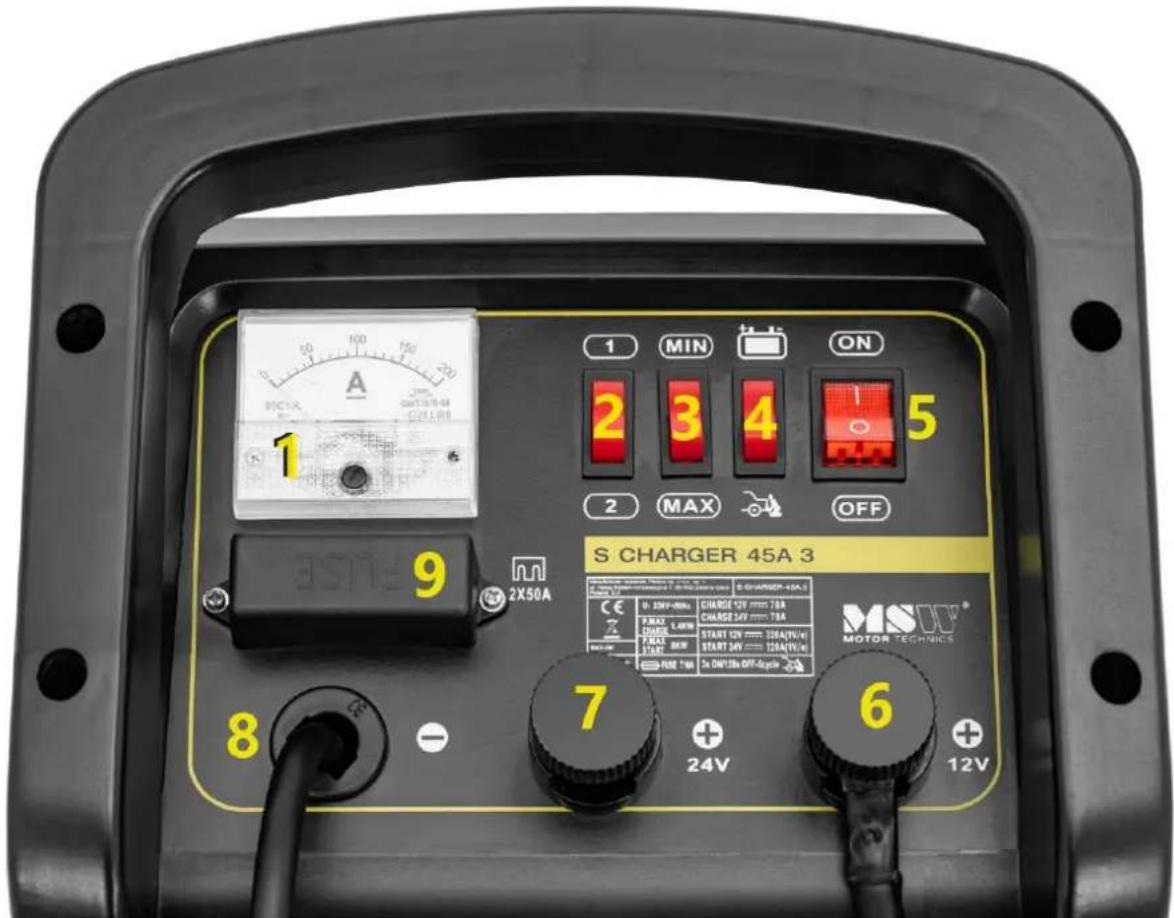
S-CHARGER-45A.3
-
Ammeter
-
Charge mode selector
-
Charge current selector
-
Operating mode selector
-
ON/OFF switch
-
Positive pole, output voltage: 12V
-
Positive pole, output voltage: 24V
-
Negative pole
-
Fuse
S-CHARGER-65A.3
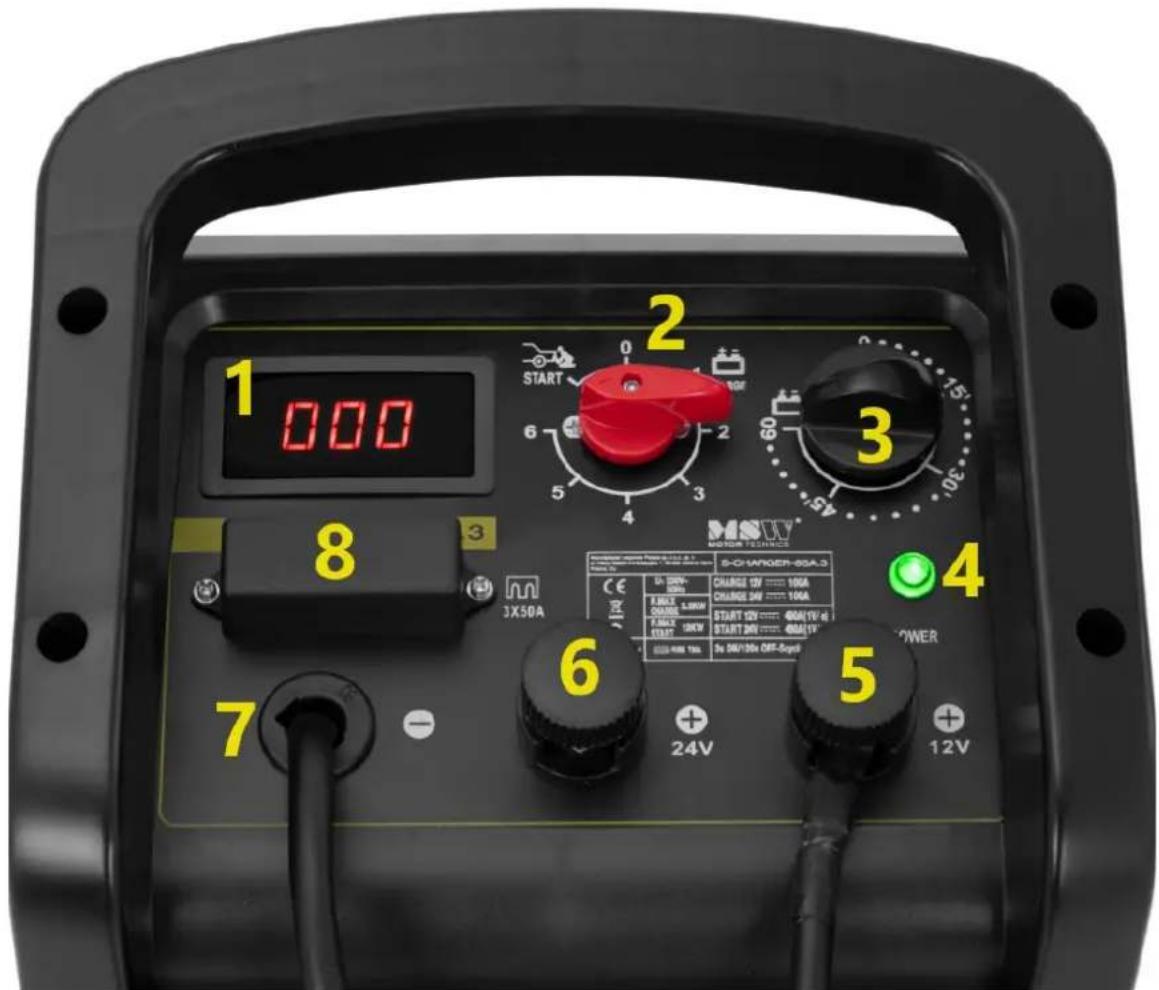
1. Ammeter
-
Operating mode selector knob
-
Timer
-
Device operation indicator light
-
Positive pole, output voltage:12V
-
Positive pole, output voltage: 24V
-
Negative pole
-
Fuse
3.2. Preparing for use
APPLIANCE LOCATION
The temperature of environment must not be higher than 40^ C and the relative humidity should be less than 85%. Ensure good ventilation in the room in which the device is being used. There should be at least 10 cm distance between each side of the device and the wall or other objects. The device should always be used when positioned on an even, stable, clean, fireproof and dry surface, and be out of the reach of children and persons with limited mental and sensory functions. Position the device such that you always have access to the power plug. The power cord connected to the appliance must be properly grounded and correspond to the technical details on the product label.
3.3. Device use
S-CHARGER-45A.3
- Connect lead which ends with an eyelet to the battery charger (connect the lead to the 12 or 24V output according to your required output voltage), then connect the red clamp on the other end of the cable to the positive (+) battery terminal.
- Connect the lead with the black clamp to the negative (-) battery terminal.
- Use selector switch to choose the required battery charging mode "1" – slow charge or "2" – quick charge and then the charge current: "MIN" – low charge current or "MAX" – high charge current.
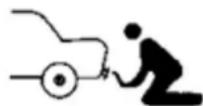
- Use button to set the required operating mode: i.e. jump start marked with the following diagram:
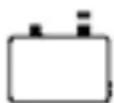
Or charge mode marked with the following diagram:
If using the jump start function, observe the following guidelines:
- An initial 10-15 minutes charging of the battery is recommended. This will make the jump start easier.
- Switch off all unnecessary function in the vehicle, such as lights, windscreen wipers, displays, windscreen heating, etc.
-
Jump starts should be performed subject to the following cycle: 3s operation / 120s pause A maximum of 5 jump start cycles may be performed. Exceeding these values may cause fuses in the battery charger to blow.
-
Connect the device to a power source. Set the ON/OFF switch to "ON".
-
The ammeter will show the current measured at the battery charger's output.
-
Once the battery is fully charged, switch off the battery charger and only then disconnect the leads from the battery in the following order: first disconnect the clamp on the terminal with the same charge as the vehicle body (in most cases this will be the negative terminal, however there are vehicles with a positive charge).
S-CHARGER-65A.3
- Connect lead which ends with an eyelet to the battery charger (connect the lead to the 12 or 24V output according to your required output voltage), then connect the red clamp on the other end of the cable to the positive (+) battery terminal.
- Connect the lead with the black clamp to the negative (-) battery terminal.
- Use knob to set the required operating mode: i.e. jump start marked with the following diagram:
Or charge mode marked with the following diagram:
Settings from 0 to 6 are available in the charge mode which represent different charge current values:
"0" – charger is off.
"1" - the minimum battery charging current.
"2" - the average battery charging current.
"3" - the maximum battery charging current.
"4" - the minimum current "fast" charging.
"5" - the average current "fast" charging.
"6" - the maximum current "fast" charging.
The battery charger does not charge in the "0" position. In positions "4", "5" and "6" the battery charger will only start charging once time is set on the timer.
If using the jump start function, observe the following guidelines:
- An initial 10-15 minutes charging of the battery is recommended. This will make the jump start easier.
- Switch off all unnecessary function in the vehicle, such as lights, windscreen wipers, displays, windscreen heating, etc.
-
Jump starts should be performed subject to the following cycle: 3s operation / 120s pause A maximum of 5 jump start cycles may be performed. Exceeding these values may cause fuses in the battery charger to blow.
-
Connect the device to a power source. The "POWER" diode will come on.
- The ammeter will show the current measured at the battery charger's output.
- The timer only works when the charging mode is set to 4, 5 or 6. Once the set time has elapsed, battery charging will cease, and a sound signal will be emitted. It does not work with any other settings (it will not switch the device off).
- Once the battery is fully charged, switch off the battery charger and only then disconnect the leads from the battery in the following order: first disconnect the clamp on the terminal with the same charge as the vehicle body (in most cases this will be the negative terminal, however there are vehicles with a positive charge).
USE GUIDELINES
- Connect and disconnect leads with the battery charger switched off!
- Before charging a battery always check whether its capacity is compatible with the charger. See technical data tables for the given battery charger model.
- Always before beginning to charge a classic battery, remove the cell covers and the verify the level of electrolytes. The liquid in the cells should cover the battery plates. If liquid levels are too low, follow battery manufacturer instructions and guidelines. Exercise caution, the electrolyte is highly corrosive and may cause acute irritations in contact with skin.
- Keep clamps clean. Soiled clamps may prevent or obstruct charging the battery. Always check the state of the battery to ensure the clamp connection points are clean.
- Prevent the clamps from touching one another when the battery charger is on.
- Batteries in a serial or parallel connection may be used with the device. Remember that under a serial connection the output current is divided amongst the charged batteries and the voltage remains contact (i.e. the sum of the currents on battery clamps is equal to the battery charger output current). Whereas under a parallel connection the current remains constant and the voltage is split amongst the charged batteries. Take the above into account when setting the voltage and current.
- Do not start the car engine when the battery is charging. That is only permitted with the jump start option selected (only some models).
- Further charging of the battery may cause the battery liquid to emit gas, which is indicated by a characteristics "boiling" sound. Cease charging immediately to avoid damaging the battery.
- Place the battery charger on a stable surface.
- The battery charging time depends on how depleted it is and its capacity. Follow manufacturer's guidelines to verify the state of the battery.
- If fuses are damaged (for fuse location see above description) replace them. To do that, remove the faulty fuse and replace with a new one of the same type and parameters.
3.4. Cleaning and maintenance
a) Always unplug the device before cleaning or putting it away.
b) Use only non-corrosive cleaners to clean the surface.
c) After cleaning the device, all parts should be dried completely before using it again.
d) Store the unit in a dry, cool place, free from moisture and direct exposure to sunlight.
e) Do not spray the device with a water jet or submerge it in water.
f) Do not allow water to get inside the device through vents in the housing of the device.
g) Clean the vents with a brush and compressed air.
h) The device must be regularly inspected to check its technical efficiency and spot any damage.
i) Use a soft, damp cloth for cleaning.
j) Do not use sharp and/or metal objects for cleaning (e.g. a wire brush or a metal spatula) because they may damage the surface material of the appliance.
k) Do not clean the device with an acidic substance, agents of medical purposes, thinners, fuel, oils or other chemical substances because it may damage the device.
I) Shaking, crashing and turning upside down of the device should be prevented when transporting it. Store it in a properly ventilated location with dry air and without any corrosive gas.
DISPOSING OF USED DEVICES:
Do not dispose of this device in municipal waste systems. Hand it over to an electric and electrical device recycling and collection point. Check the symbol on the product, instruction manual and packaging. The plastics used to construct the device can be recycled in accordance with their markings. By choosing to recycle you are making a significant contribution to the protection of our environment.
Contact local authorities for information on your local recycling facility.

APPARATETS PLACERING
PLAATS VAN HET APPARAAT
APPARATENS PLACERING
For the disposal of the device please consider and act according to the national and local rules and regulations.
CONTACT
expondo Polska sp. z o.o. sp. k.