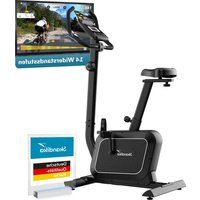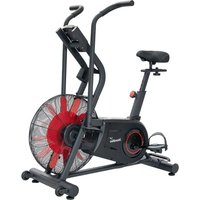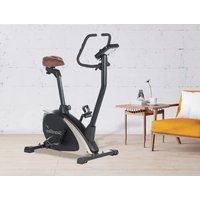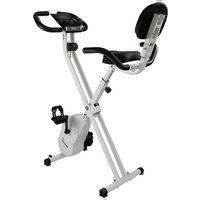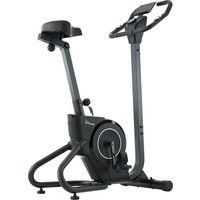
Cykling P6-H - Exercise bike Skandika - Free user manual and instructions
Find the device manual for free Cykling P6-H Skandika in PDF.


User questions about Cykling P6-H Skandika
0 question about this device. Answer the ones you know or ask your own.
Ask a new question about this device
Download the instructions for your Exercise bike in PDF format for free! Find your manual Cykling P6-H - Skandika and take your electronic device back in hand. On this page are published all the documents necessary for the use of your device. Cykling P6-H by Skandika.
USER MANUAL Cykling P6-H Skandika
natural_image
Exterior view of a standard stationary exercise bike (no text or symbols visible)Cykling P6-H
Inhalt

skandika.com/service
text_image
Technical diagram of a mechanical device with numbered components, likely an engine or pump assembly.SCHRITT 2
text_image
Technical diagram of a mechanical device with numbered components, likely an exercise machine or robotic leg assembly.SCHRITT 5
text_image
Technical diagram of a stationary exercise machine with labeled parts and exploded viewSCHRITT 6
RPM: Umdrehungen/Minute
text_image
Skandika 5.0:0.0 6.0:0.0 7.0:0.0 8.0:0.0 9.0:0.0 Sweden.text_image
Suchen Kinomap Kinomap SAS ACTUALSENSE 4.3 ★★★★☆ P53 4+ 4000000000000000000000000000000000000000000000000000000 Neue Funktionen Thanks for training on Kinomap. Our daily concern is offering you the best experience there is. Vorschau
text_image
Kinomap FOLGT SIE Kinomap Gesponsert STAVANGER, LIMBURG & HONG KONG RACES JOIN THE CHALLENGE HAMMER SERIES in ASSOCIATION WITH wahoo Mehr erfahren >1.
text_image
Technical diagram of a mechanical device with numbered components and exploded view, likely for assembly or maintenance purposes.17 Safety precautions
18 Set-up instructions
23 Computer operation manual
23 Using a chest-belt
24 Warm-up and cool-down
25 Connecting to KINOMAP app
26 Parts list
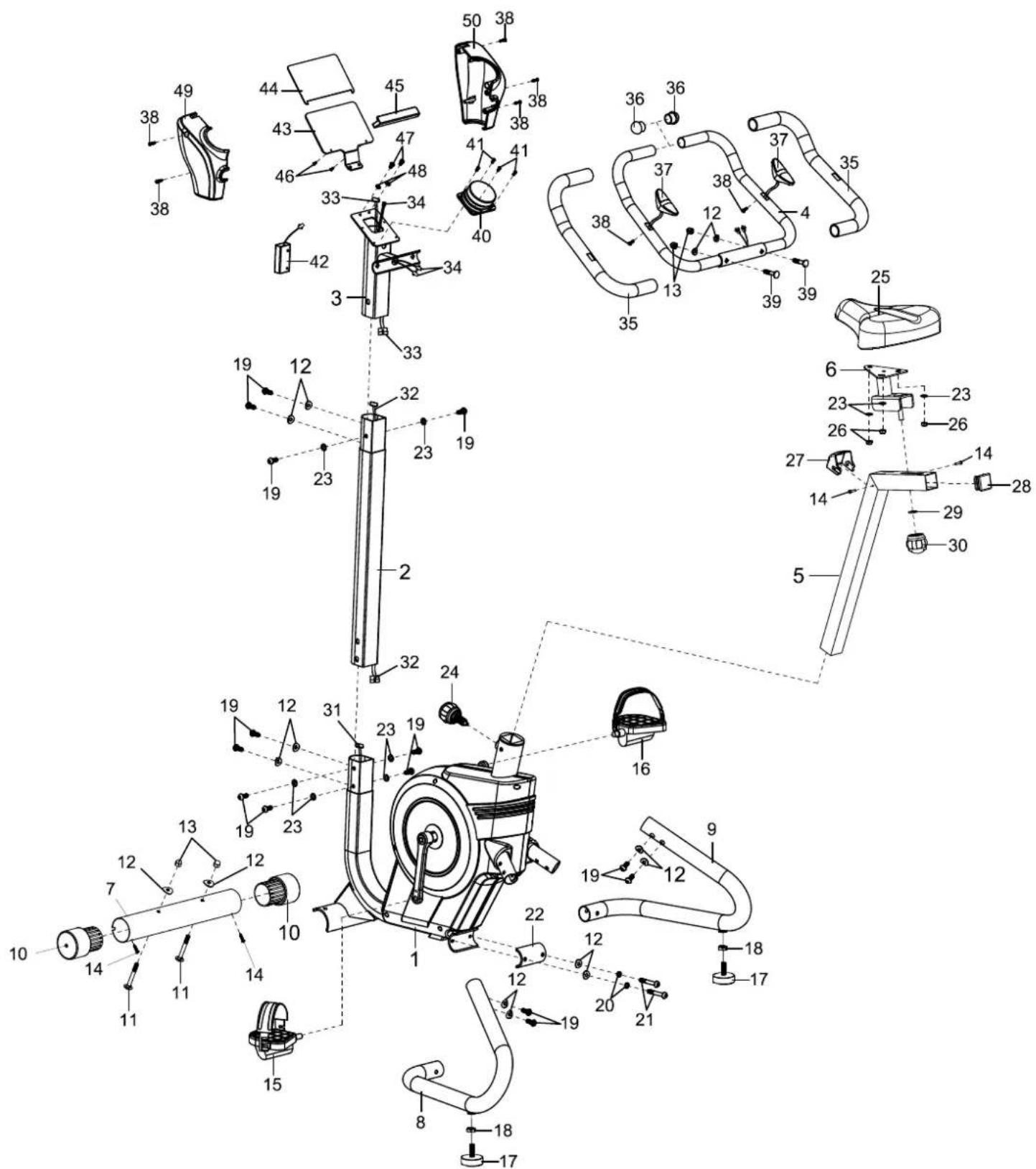
27 Explosion drawing
28 Small pieces pack
29 Guarantee conditions

skandika.com/service
Please visit the Skandika Service portal on our website for setup & help videos, FAQs and downloadable instructions.
For more information about Skandika, simply visit our main page www.skandika.com

WARNING
To reduce risk of injury, read and understand this instruction manual before using the device! This machine is intended for home use only in accordance with the instructions provided in this manual. Read the instruction manual carefully before using this device and keep the instruction manual for future use.
SAFETY PRECAUTIONS
- To ensure the best safety of the device, regularly check it on damages and worn parts.
- If you pass on this device to another person or if you allow another person to use it, make sure that that person is familiar with the content and instructions in these instructions.
- Only one person should use the exerciser at a time. The maximum load of this device is 120 kg. Class: HC - not suitable for therapeutically use!
- Before the first use and regularly make sure that all screws, bolts and other joints are properly tightened and firmly seated.
- Before starting an exercise programme, consult your doctor to determine if you have any health or physical conditions that could compromise your health and safety or prevent you from using the machine properly. Your doctor's advice is essential if you are taking medication that affects your heart rate, blood pressure or cholesterol levels.
- Pay attention to your body's signals. Exercising incorrectly or excessively can damage your health. Stop exercising if you experience any of the following symptoms: pain, chest tightness, irregular heartbeat, shortness of breath, lightheadedness, dizziness or feeling nauseous. If you experience one or more of these symptoms, you should first consult your doctor before continuing with your exercise programme.
- Keep small children and pets away from the exercise equipment. Never leave children under 14 years of age unattended in a room with the machine.
- Parents and other guardians should be aware of their responsibility, as due to children's natural play instinct and eagerness to experiment, situations are to be expected for which training equipment is not built.
-
Set up the unit in a dry, level place and protect it from moisture. If you want to protect the place of installation against pressure marks, dirt, etc., we recommend that you place a suitable, non-slip base under the unit. Do not use the unit near water or outdoors.
-
Always use the unit as described in this manual. If you notice any defective parts when assembling or checking the unit, or if you hear unusual noises coming from the unit during exercise, stop using the unit immediately and do not use it again until the problem is solved. Contact the customer service.
- Always wear appropriate clothing and shoes which are suitable for your workout on the device. The clothes must be designed in a way so that they will not get caught in any part of the device during the work-out due to their form (for example, length). Be sure to wear appropriate shoes which are suitable for the work-out, firmly support the feet and which are provided with a non-slip sole.
- Make sure that you and other persons never place any parts of your body (e.g. fingers) in the area of moving parts. In addition, there should be no objects in the immediate vicinity that could interfere with the training process.
- To avoid physical injury and/or damage to the product or property, the unit must be lifted and moved properly.
- This unit is intended for indoor and home use only, it is not intended for commercial use!
- This appliance is intended for use and storage in cool, dry conditions. You should avoid storing it in extremely cold, hot or humid areas as this may cause corrosion and other related problems.
- Do not work out immediately after meals!
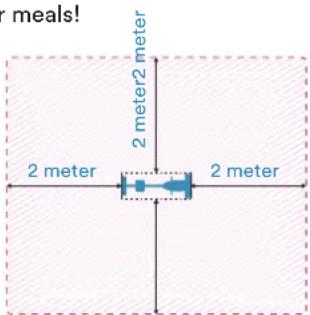
- Please only exercise with a minimum clearance area of 2 meters around the device.
text_image
meals! 2 meter 2 meter2 meter 2 meter 2 meterSET-UP INSTRUCTIONS
Before you begin assembly, we recommend that you find a place with sufficient free space and a flat surface for assembly. We recommend that 2 people carry out the assembly.
Please use the parts list to check whether all the parts required for assembly are available. Some parts may already be pre-assembled to make assembly easier for you.
We recommend that you use the tools supplied to assemble the appliance.
STEP 1
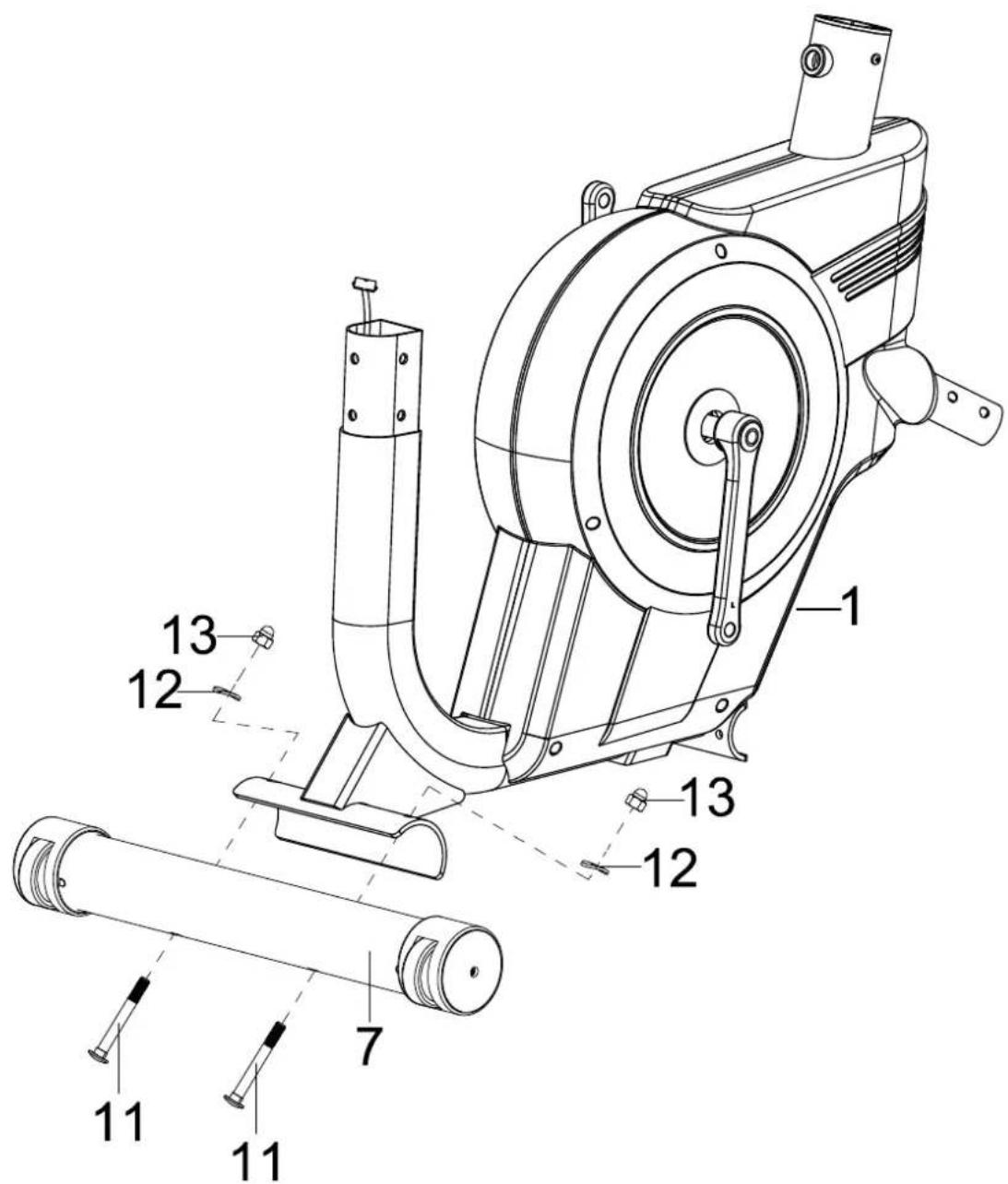
Attach the front stabilizer (7) to the main frame (1) as shown using 2 screws (11), 2 corrugated washers (12) and 2 nuts (13).
text_image
Technical diagram of a mechanical device with numbered components, likely an engine or pump assembly.STEP 2
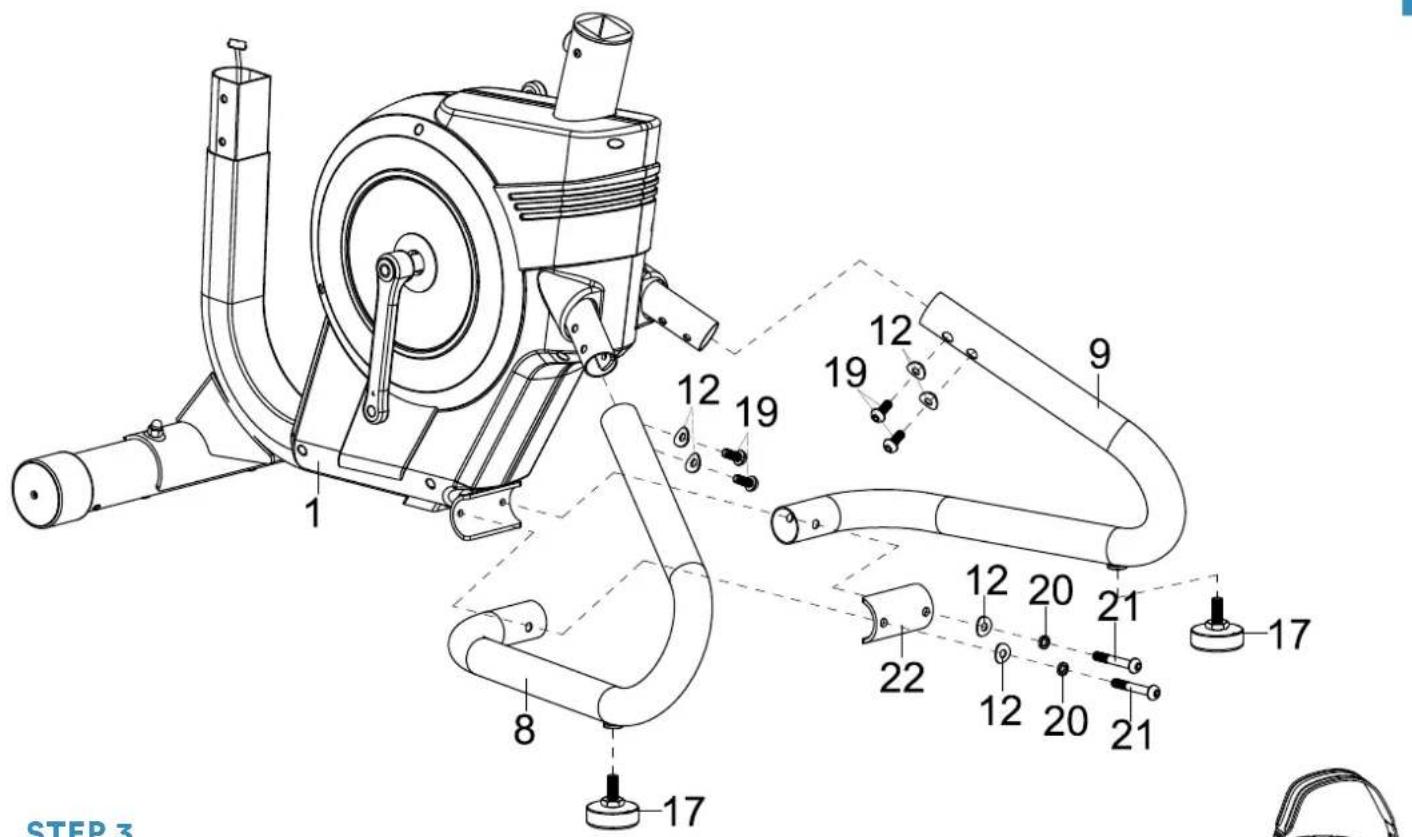
Fit the left (8) and right (9) rear stabilizer to the main frame (1) using 2 corrugated washers (12) and 2 screws (19). These washers and screws are already on the feet.
Then attach the rear connecting plate (22) to the main frame (1) using 2 spring washers (20) and 2 screws (21).
The adjustable feet (17) must be attached to the left and right stabilizer (8/9) so that the appliance is level.
text_image
STEP 3 1 8 17 12 19 12 19 9 12 20 21 17 22 12 20 21STEP 3
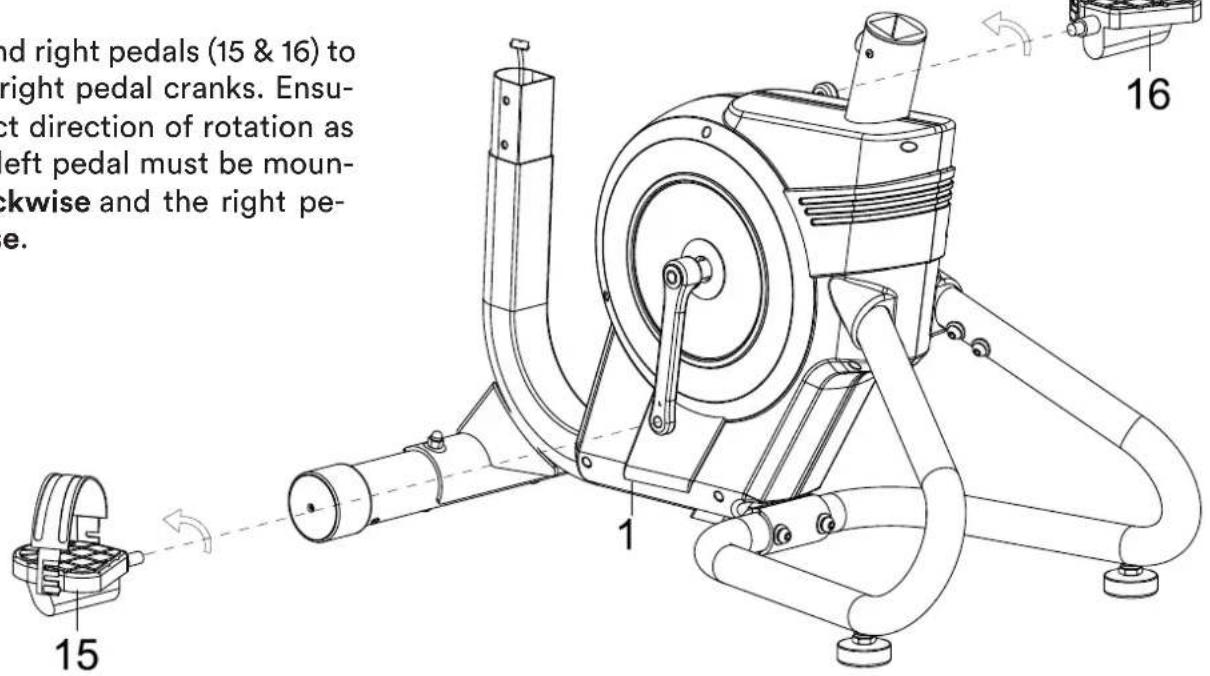
Fit the left and right pedals (15 & 16) to the left and right pedal cranks. Ensure the correct direction of rotation as shown. The left pedal must be mounted anti-clockwise and the right pedal clockwise.
text_image
and right pedals (15 & 16) to right pedal cranks. Ensuc- t direction of rotation as left pedal must be moun- ckwise and the right pe- e. 15 1 16STEP 4
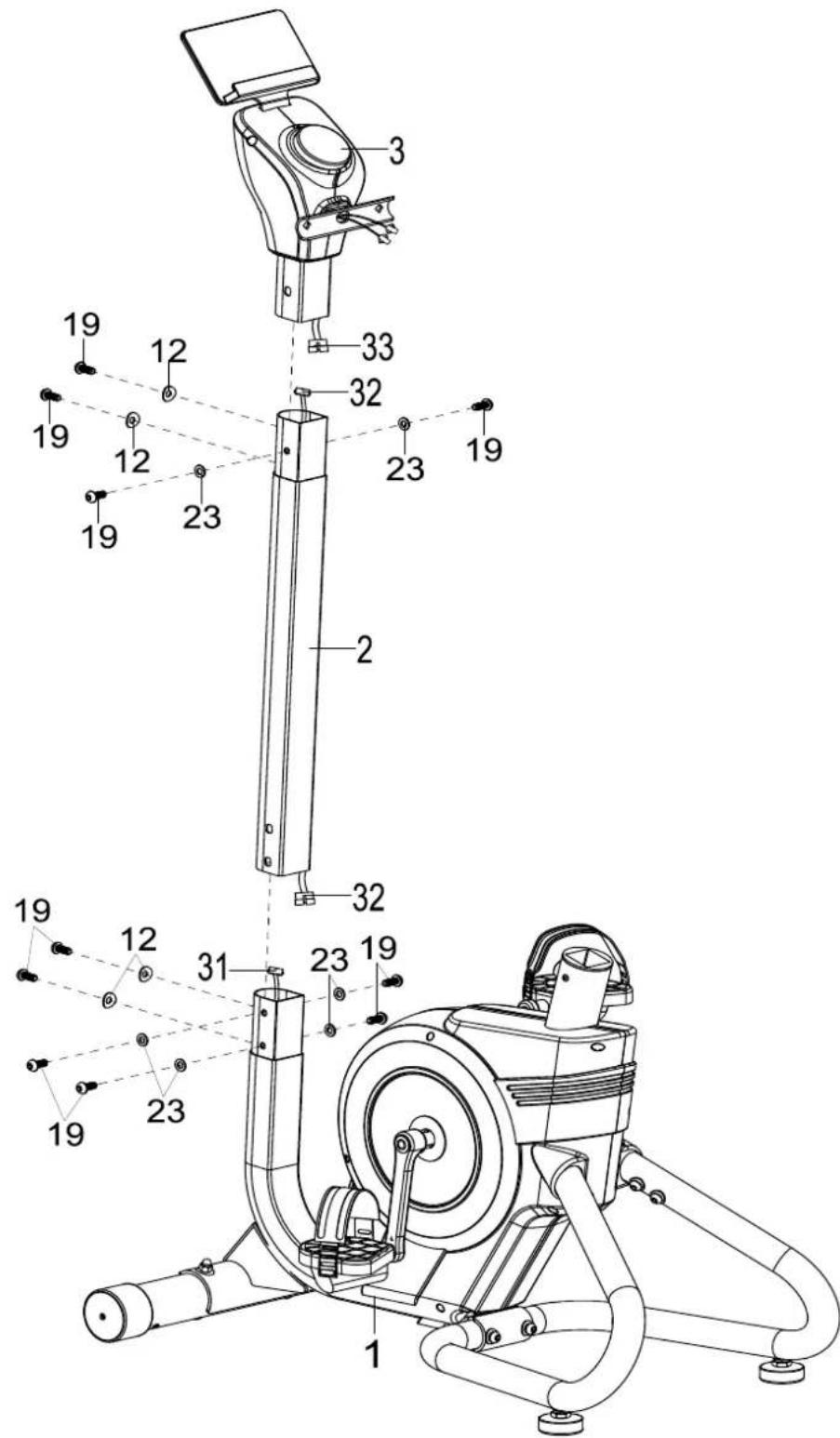
Connect the computer cable (32) to the upper part of the computer cable (33) at the top and to the lower part of the computer cable (31) at the bottom.
Then carefully connect the rods together (make sure not to pinch any cables). First connect the upper part including the computer (3) to the handlebar support (2) and then the handlebar support (2) to the main frame (1). You will need a total of 10 screws (19), 4 corrugated washers (12) and 6 washers (23).
text_image
Technical diagram of a mechanical device with numbered components, likely an exercise machine or robotic leg assembly.STEP 5
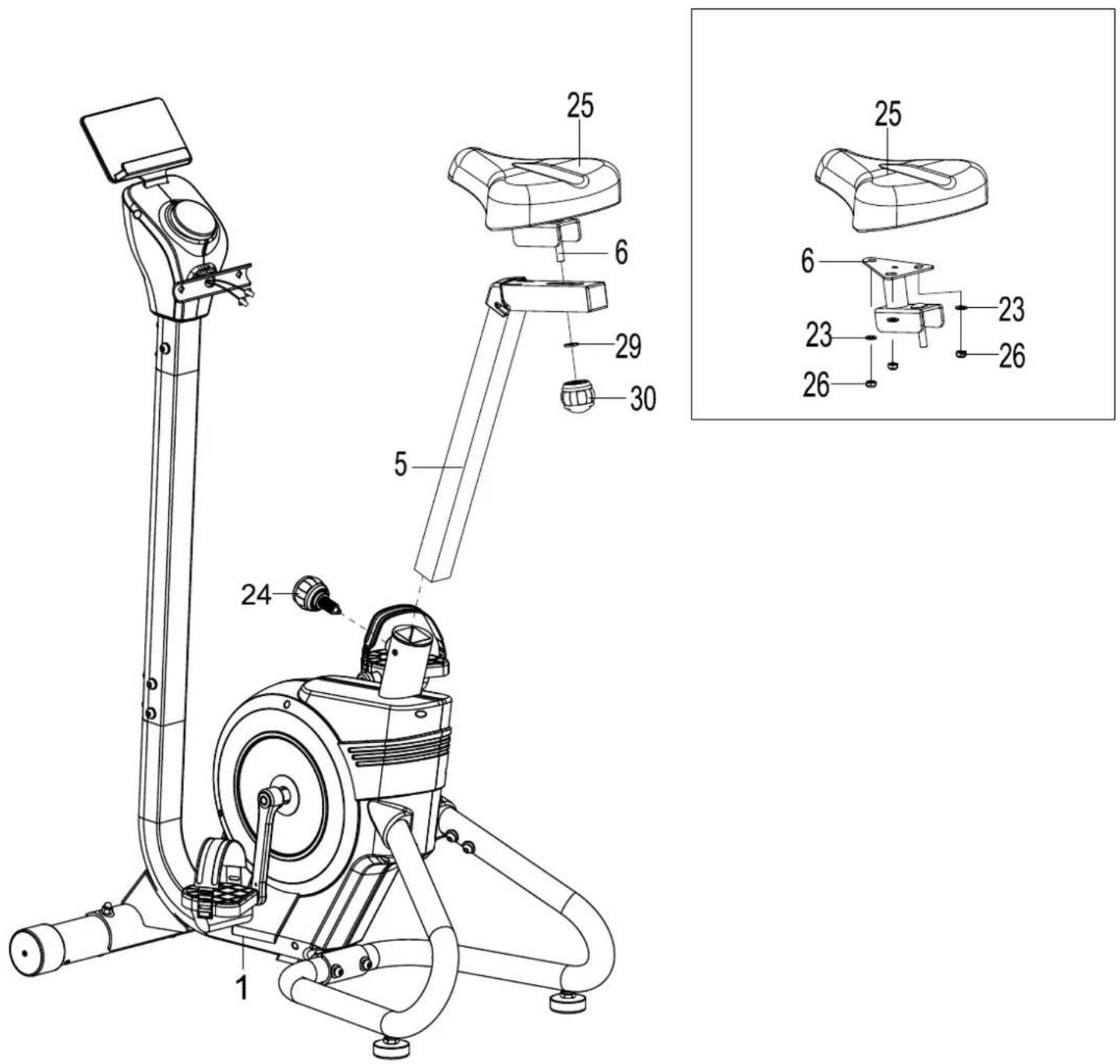
Fasten the saddle (25) to the saddle bracket (6) using 3 washers (23) and nuts (26) each.
Then mount this unit on the seat post (5) using the ball head plug (30) and the washer (29).
The seat post with the seat unit fitted must then be inserted into the main frame (1) and secured using the ball pin (24). You can later adjust the seat height to your requirements by loosening and refastening the ball pin (24) to the desired height setting.
text_image
Technical diagram of a stationary exercise machine with labeled parts and exploded viewSTEP 6
Connect the cables from the handlebar (35) with the cables from the upper part incl. computer (3) and fasten the handlebar (35) to the handlebar support using 2 screws (39), 2 corrugated washers (12) and 2 nuts (13).
Then establish a power connection using the power supply unit (87).

text_image
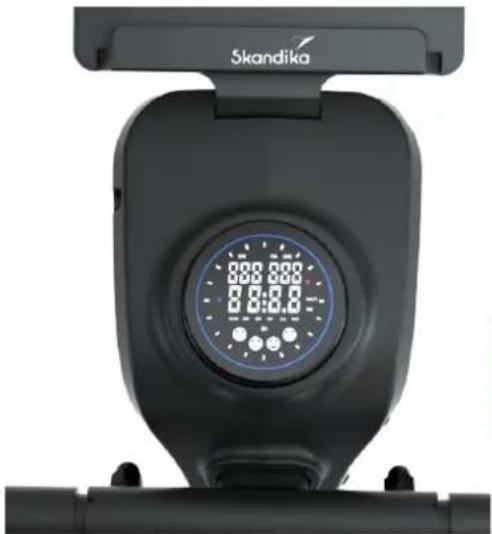
CHECK IF ALL BOLTS AND NUTS ARE TIGHTENED BE- FORE USING THE DEVICE!SPEED: Speed up to max. 99.9 km/h
RPM: Rounds per minute
TMR: Time up to max. 99:59 (minute:second)
You may preset a workout time (countdown).
DIST (Distance): Distance up to max. 9999 km. You may preset a distance.
CAL (Calories): Burned calories up to max. 9999 kcal.
You may preset a calorie value.
WATT: Watt display.
PUL: Display of pulse frequency (via hand pulse sensor or chest-belt)
When the heart rate is displayed, the LED flashes blue,
if the frequency is 90 beats per minute or less.
If the rate is between 90 and 120 beats per minute, the LED flashes purple.
If the frequency is between 120 and 180 beats/min, the LED flashes red.
From a frequency of more than 180 beats/minute, the LED lights up red constantly.
natural_image
Close-up of a Skandika stationary exercise machine with digital display (no visible text or symbols on the device body)LEVEL: Display of the resistance level (1 = light to 32 = heavy)
Computer operation
After switching on, the function value displays (scan mode) SCAN-TMR-DIST-CAL-WATT appear first. You can now press the unit to enter target values (in the order TMR / DIST / CAL / PUL). The entry is made by turning the unit (increase/decrease depending on the direction in which you turn). Once you have made your entry, simply start training.
Press the unit again to return to scan mode (display of function values).
Press and hold the unit for approx. 2 seconds to perform a reset.
During training, you can change the pedalling resistance in 32 stages by turning the unit.
If you have entered a target value for the heart rate (PUL), the device automatically changes the pedalling resistance depending on the pulse value in order to achieve the entered target value.
What does the „DA“ display with the smiley symbols mean?
During training, happiness hormones are released, which are displayed in different graphs depending on the training time.
Using a chest-belt
The computer is equipped with a built-in receiver for the wireless receipt of the pulse frequency with a compatible SKANDIKA chest-belt (frequency: 5.3 kHz). Recommended range: 100 - 150 cm.
If you want to transmit your pulse frequency via chest-belt, follow these instructions:
-
Make sure, the correct battery is inserted into the chest belt (button cell of type CR-2032, 3 volts). Battery replacement: Open the battery case cover on the back side of your transmitter (you may use a coin for easier handling) and replace the old battery by a fitting new one. The „+“ symbol should point upwards. Make sure, the sealing ring ist correctly placed. Close the case cover properly.
-
The transmitter needs to be attached to the belt with the 2 buttons. Moisten the electrodes slightly before wearing the belt. This increases the contact sensibility and enables a better wireless signal transmitting.
-
Put on the chest belt and make sure the electrodes are touching your breast directly. You may adjust the belt to a comfortable length. However, the electrodes must have contact with your skin in order to measure your heart rate correctly.
-
The 5.3 kHz-chest-belt communicates with the computer via the built-in receiver. It may last up to one minute before a correct display can be seen.
-
The Bluetooth-chest-belt (included in the scope of delivery) needs to be connected via the free app and your smartphone or tablet. Please see the respective instructions in the chapter „Using the app“ on the next page.
Safety hint: Do not use the chest-belt if you have a pacemaker, unless you double-checked with the producer of the pacemaker and with your doctor!
Battery-Disposal: Batteries should not be considered as regular garbage. As consumer you are obliged to return finished batteries. The finished batteries can be returned to a collection base at your residential area or at places, where batteries can be bought.
WARM-UP and COOL-DOWN
A successful exercise program consists of a warm-up, aerobic exercise and a cool-down. Exercise for at least two or preferably three times a week, resting for a day between workouts. After several months, you may increase the frequency to four or five times per week.
Warm-Up
This stage helps to improve the blood circulation and prepares the muscles for your workout. It additionally helps to reduce the risk of injury or cramps. It is recommended to do some stretching exercises as shown here below. Hold each stretching position for approximately 30 seconds. Never force or jerk yourself into a stretching position – if you feel pain, STOP immediately. Warm-up exercises may also include brisk walking, jogging, jumping jacks, jump rope exercises or running in place.
Stretching
Muscles can be stretched more easily when these are warm. This reduces the risk of injury. DO NOT BOUNCE.
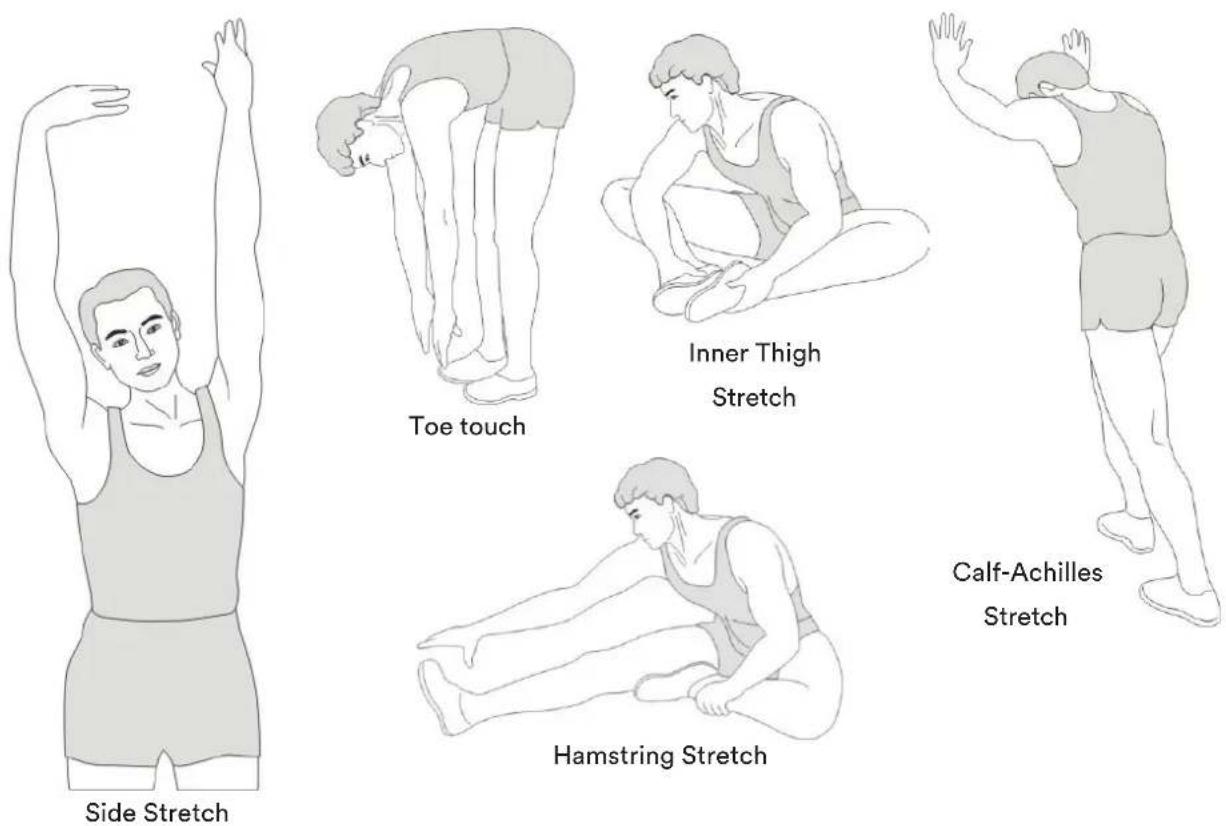
text_image
Side Stretch Toe touch Inner Thigh Stretch Calf-Achilles Stretch Hamstring StretchRemember always to check with your physician before starting any exercise program.
Cool-Down
This stage helps to soothe your muscles and your cardiovascular system after your workout.
At the end of your workout, reduce the speed and exercise for approximately 5 minutes at this lower speed level. Afterwards, repeat the warm-up exercises as described above.
KINOMAP
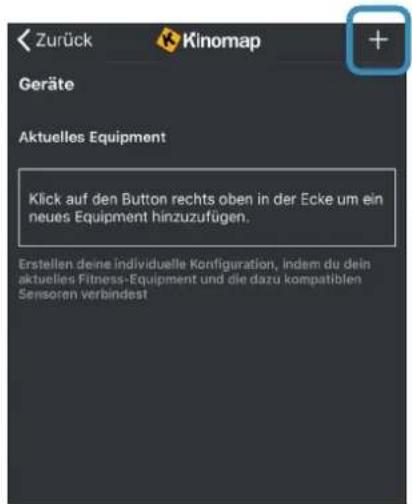
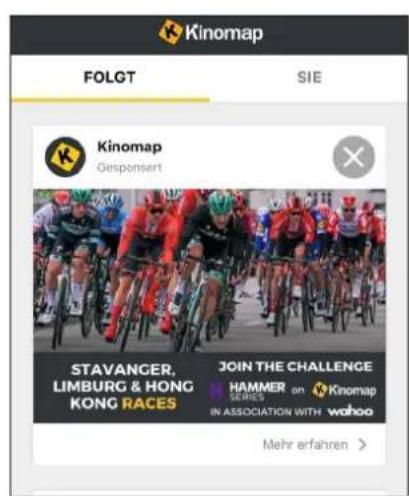
The device computer can be connected to the „KinoMap“ app via Bluetooth (frequency: 2.4 GHz). The free KinoMap app turns your device into a powerful and fun fitness product! Choose from the geotagged video on Kinomap and go! Your position is shown in the video and as icon on the map. Download the Kinomap Fitness app in the app or play store by searching for ‘Kinomap Fitness’ or follow one of the links below.
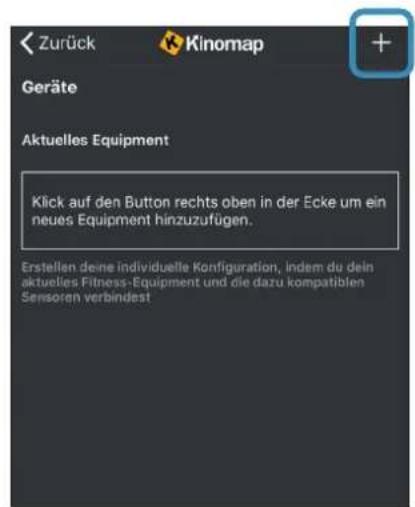
Install and open the app and register resp. log in. Activate Bluetooth. Now add the training device as follows:



text_image
Suchen Kinomap Kinomap SAS ACTUALSENSE 4.3 ★★★★☆ P53 4+ 4000000000000000000000000000000000000000000000000000000 Neue Funktionen Thanks for training on Kinomap. Our daily concern is offering you the best experience there is. Vorschau
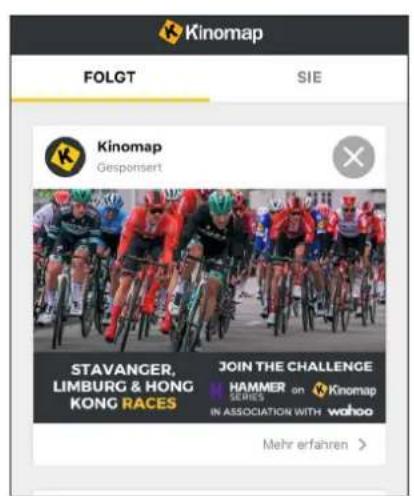
text_image
Kinomap FOLGT SIE Kinomap Gesponsert STAVANGER, LIMBURG & HONG KONG RACES JOIN THE CHALLENGE HAMMER SERIES in ASSOCIATION WITH wahoo Mehr erfahren >
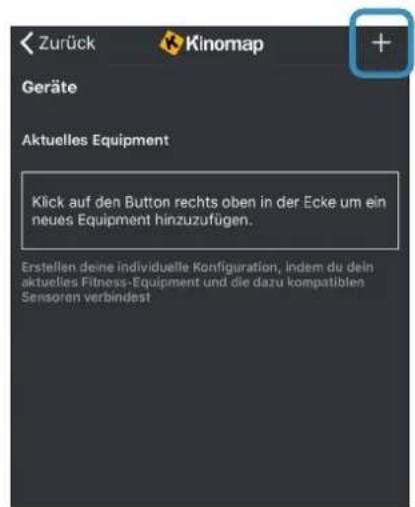
Now tap on OK and return to main menu. You can now choose a course for your exercise (depending on your type of KinoMap account maybe only some free courses). Press Start and begin to exercise!
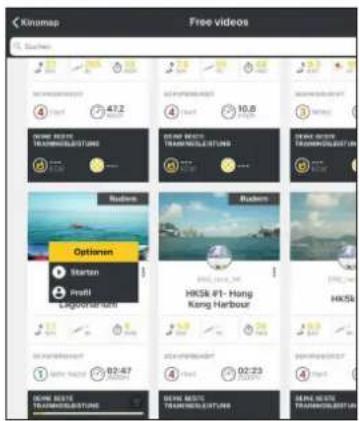
text_image
Kinomap Free videos Suehens 417.2 4 10.8 Options Startan Profil Lagodarambi HKS4 #1-Hong Kang Harbour HKS4 1 02:47 4 02:23 4 02:23 HKS4 HKS4 HKS4 HKS4 HKS4| Part nr. | Description Q'ty | |
| 1 | Main frame 1 | |
| 2 | Handlebar support 1 | |
| 3 | Upper handlebar post incl. computer 1 | |
| 4 | Handlebar 1 | |
| 5 | Seat post 1 | |
| 6 | Saddle bracket 1 | |
| 7 | Front stabilizer 1 | |
| 8 | Left rear stabilizer 1 | |
| 9 | Right rear stabilizer 1 | |
| 10 | Foot cap | 2 |
| 11 | Square neck screw M8*70 L25 | 2 |
| 12 | Corrugated washer ∅8*∅20*2.0 | 14 |
| 13 | Nut M8 | 4 |
| 14 | Screw ST4.2*20 | 8 |
| 15 | Left pedal | 1 |
| 16 | Right pedal | 1 |
| 17 | Adjustable feet | 2 |
| 18 | Nut M10 | 2 |
| 19 | Allen screw M8*20 S6 | 14 |
| 20 | Spring washer ∅8 | 2 |
| 21 | Allen bolt M8*55 | 2 |
| 22 | Rear connecting plate | 1 |
| 23 | Flat washer ∅8*∅16*1.5 | 21 |
| 24 | Ball pin M16*1.5 L27 | 1 |
| 25 | Saddle | 1 |
| 26 | Nylon nut M8 S13 | 3 |
| 27 | Seat adjustment cover | 1 |
| 28 | End cap | 1 |
| 29 | Flat washer 1 | |
| 30 | Ball head plug M10 | 1 |
| 31 | Lower computer cable | 1 |
| 32 | Computer connecting cable | 1 |
| 33 | Computer connecting cable, upper | 1 |
| 34 | Pulse cable | 1 |
| 35 | Handlebars with foam | 2 |
| 36 | Mushroom shape cap | 2 |
| 37 | Handle pulse sensor | 2 |
| 38 | Screw ST4.2*20 | 7 |
| 39 | Square neck screw M8*40 | 2 |
| 40 | Turning knob | 1 |
| 41 | Screw M4*10 | 4 |
| 42 | Heart rate receiver box | 1 |
| 43 | Tablet supporting plate | 1 |
| 44 | Pad | 1 |
| 45 | Tablet holder | 1 |
| 46 | Screw ST3.0*12 | 2 |
| 47 | Bolt M6*12 | 2 |
| 48 | Flat washer ø6*ø12*1.0 | 8 |
| Part nr. | Description Q'ty | |
| 49 | Left turning knob bracket | 1 |
| 50 | Right turning knob bracket | 1 |
| 51 | Inner tube | 1 |
| 52 | Screw ST4.2*6 2 | |
| 53 | Hex bolt M8*20 | 12 |
| 54 | C-clip ∅17 6 | |
| 55 | Bolt M6*10 | 6 |
| 56 | Plastic bearing bracket | 2 |
| 57 | Bearing 6003ZZ | 2 |
| 58 | Flywheel | 1 |
| 59 | Fixing plate for the magnets | 1 |
| 60 | Flat washer ∅5*∅12*1.0 | 1 |
| 61 | Magnet | 7 |
| 62 | Square magnet | 3 |
| 63 | Magnet backing plate | 3 |
| 64 | Bolt M5*10 | 2 |
| 65 | Nut M6 | 3 |
| 66 | Hex bolt M6*20 | 1 |
| 67 | Spring ø0.8*ø10*53 | 1 |
| 68 | Belt | 1 |
| 69 | Belt | 1 |
| 70 | Screw M5*10 | 1 |
| 71 | Flat washer ∅20*∅8*2.0 | 1 |
| 72 | Bearing | 1 |
| 73 | Axle | 1 |
| 74 | Nut M10 | 1 |
| 75 | Sensor | 1 |
| 76 | Pulley | 1 |
| 77 | Pulley | 1 |
| 78 | Bearing | 2 |
| 79 | Axle | 1 |
| 80 | Screw M6*45 | 2 |
| 81 | Nut M10*1.0 | 2 |
| 82 | C-clip ∅10 1 | |
| 83 | Nut M10*1*3 | 1 |
| 84 | Lower cable of motor | 1 |
| 85 | Power cable | 1 |
| 86 | Nut | 1 |
| 87 | Power supply unit | 1 |
| 88 | Motor | 1 |
| 89 | Screw ST4.2*15 | 4 |
| 90 | Left chain cover | 1 |
| 91 | Right chain cover | 1 |
| 92 | Crank protective cover | 2 |
| 93 | Left crank | 1 |
| 94 | Right crank | 1 |
| 95 | Nut M10*1.25 S14 | 2 |
| 96 | Crank cover | 2 |
| 97 | Screw ST4.2*25 | 8 |
text_image
Technical diagram of a mechanical device with numbered components and exploded view, likely for assembly or maintenance purposes.STEP 1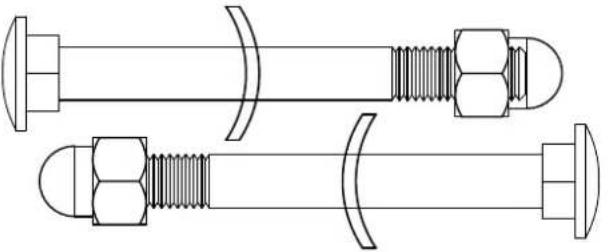 #11 Bolt M8x70 2PCS#12 Big cruve washer φ8xφ20x2.0 2PCS#13 Cap nut M8 2PCS #11 Bolt M8x70 2PCS#12 Big cruve washer φ8xφ20x2.0 2PCS#13 Cap nut M8 2PCS | STEP 2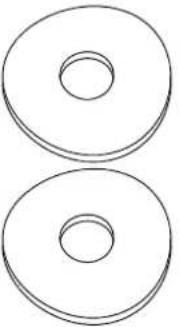  #20 Spring washer φ82PCS#12 Big cruve washerφ8xφ20x2.0 2PCS #20 Spring washer φ82PCS#12 Big cruve washerφ8xφ20x2.0 2PCS | 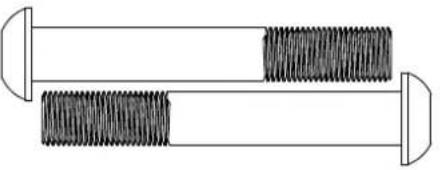 | |
STEP 6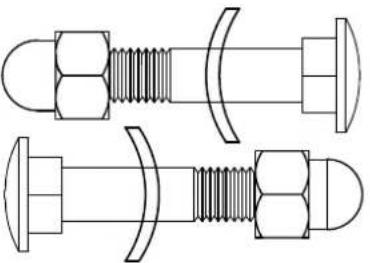 #39 Bolt M8x40 2PCS#12 Big cruve washer φ8xφ20x2.0 2PCS#13 Cap nut M8 2PCS #39 Bolt M8x40 2PCS#12 Big cruve washer φ8xφ20x2.0 2PCS#13 Cap nut M8 2PCS | 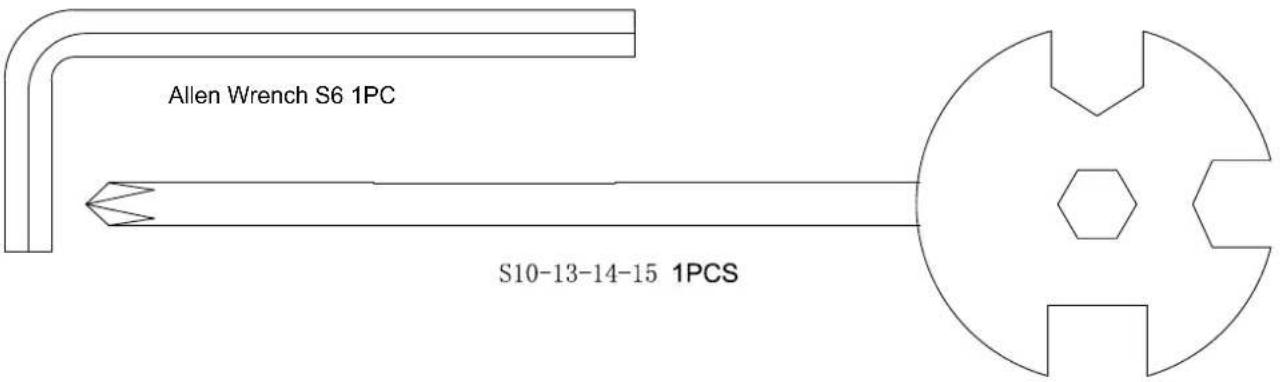 | ||
STEP 6
39 Bolt M8x40 2PCS
12 Big cruve washer φ8xφ20x2.0 2PCS
13 Cap nut M8 2PCS
GUARANTEE CONDITIONS
For our devices we provide a warranty as defined below.
- In accordance with the following conditions (numbers 2-5) we repair defect or damage to the device free of charge, if the cause is a manufacturing defect. Therefore, these defects / damages need to be reported to us without delay after appearance and within the warranty period of 24 months after delivery to the end user. The warranty does not cover parts, which easily break (e.g. glass or plastic). The warranty does not cover slight deviations of the product, which are insignificant for usability and value of the device and damage caused by chemical or electrochemical effects and damages caused by penetration of water or generally force majeure damage.
- The warranty achievement is the replacement or repair of defective parts, depending on our decision. The cost of material and labor will be borne by us. Repairs at customer site cannot be demanded. The proof of purchase along with the date of purchase and / or delivery is required. Replaced parts become our property.
- The warranty is void if repairs or adjustments are made,
which are not authorized by us or if our devices are equipped with additional parts or accessories that are not adapted to our devices. Furthermore, the warranty is void if the device is damaged or destroyed by force majeure or due to environmental influences and in case of improper handling / maintenance (e.g. due to non-observance of the instruction manual) or mechanical damages. The customer service may authorize you to replace or repair defective parts after telephone consultation. In this case, the warranty is not void.
- Warranty services do not extend the warranty period nor do they initiate a new warranty period.
- Further demands, especially claims for damages which occurred outside the device, are excluded as long as a liability is not obligatory legal.
- Our warranty terms - which cover the requirements and scope of our warranty conditions - do not affect the contractual warranty obligations of the seller.
- Parts of wear and tear are not included in the warranty.
- The warranty is void if not used properly or if used in gyms, rehabilitation centers and hotels. Even if most of our units are suitable for a professional use, this requires a separate agreement.
ENVIRONMENTAL PROTECTION
At the end of its life cycle, this product must not be disposed of with household waste but must be taken to a collection unit for the recycling of electric and electronic equipment. The symbol on the product, the instructions for use or the packaging express mention of this. The basic materials can be recycled as specified on the labelling.
When recycling the materials and finding other utilisation for used equipment, you are making a significant contribution towards protecting our environment. Ask at your council about the respective local disposal sites.
In accordance with our policy of continual product improvement, we reserve the right to make technical and visual changes without notice.
For spare parts please contact: service@skandika.de Service centre: MAX Trader GmbH, Wilhelm-Beckmann-Straße 19, 45307 Essen, Germany
Contenu

skandika.com/service
text_image
Technical diagram of a mechanical device with numbered components, likely an engine or pump assembly.ÉTAPE 2
text_image
Technical diagram of a mechanical device with numbered components, likely an exercise machine or robotic leg assembly.ÉTAPE 5
text_image
Technical diagram of a stationary exercise machine with labeled parts and exploded viewÉTAPE 6
natural_image
Close-up of a Skandika 5kΩ exercise machine with digital display and control buttons (no readable text or symbols)text_image
Suchen Kinomap Kinomap SAS ACTUALSENSE 4.3 ★★★★☆ P53 4+ New Funktionen Thanks for training on Kinomap. Our daily concern is offering you the best experience there is. Vorschau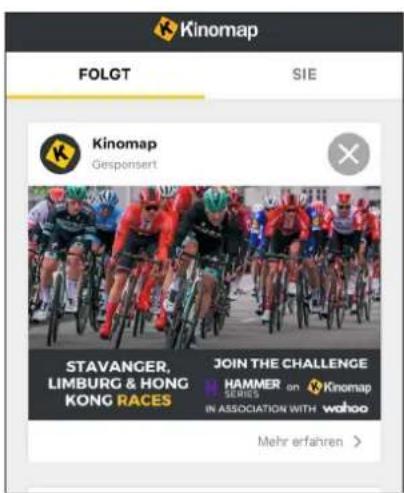
text_image
Kinomap FOLGT SIE Kinomap Gesponsert STAVANGER, LIMBURG & HONG KONG RACES JOIN THE CHALLENGE HAMMER SERIES in ASSOCIATION WITH wahoo Mehr erfahren >