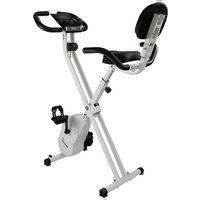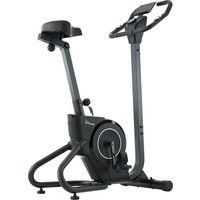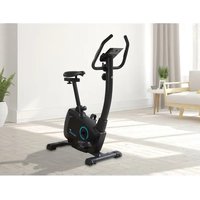
Bragi - Exercise bike Skandika - Free user manual and instructions
Find the device manual for free Bragi Skandika in PDF.


User questions about Bragi Skandika
0 question about this device. Answer the ones you know or ask your own.
Ask a new question about this device
Download the instructions for your Exercise bike in PDF format for free! Find your manual Bragi - Skandika and take your electronic device back in hand. On this page are published all the documents necessary for the use of your device. Bragi by Skandika.
USER MANUAL Bragi Skandika
natural_image
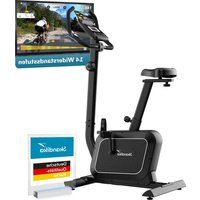
Exterior view of a Skandika stationary exercise bike (no signage or text beyond branding)Bragi
DE GB FR
Inhalt

skandika.com/service
text_image
Technical diagram of a stationary exercise machine with numbered components for identificationSCHRITT 2: SATTELMONTAGE
text_image
Technical diagram of a stationary exercise machine with numbered components for identificationSCHRITT 3: LENKERSTÜTZEN- UND KABEL-MONTAGE
text_image
Technical diagram of a mechanical assembly with numbered components and directional arrows indicating movement or assembly.SCHRITT 4: LENKERGRIFFMONTAGE
SCHRITT 5: PEDALMONTAGE
text_image
Technical diagram of a stationary exercise machine with numbered components and exploded view, including steering wheel, dashboard, and motor parts.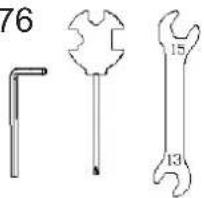
text_image
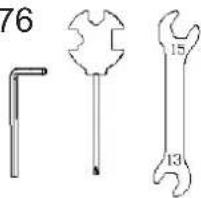
76 15 1316 Safety precautions
17 Set-up instructions
22 Explosion drawing
23 Parts list
23 Cleaning & care
24 Computer operation
25 Use of apps
26 Warm-up and cool-down
27 Guarantee conditions

skandika.com/service
Please visit the Skandika Service portal on our website for setup & help videos, FAQs and downloadable instructions. For more information about Skandika, simply visit our main page www.skandika.com

WARNING
To reduce risk of injury, read and understand this instruction manual before using the device! This machine is intended for home use only in accordance with the instructions provided in this manual. Read the instruction manual carefully before using this device and keep the instruction manual for future use.
SAFETY PRECAUTIONS
-
Only use the unit in enclosed spaces!
-
Place the device on a solid and level and surface only. Use a floor protection to avoid traces through the device's feet.
-
Be careful when lifting or moving the appliance. Always use proper lifting technique and seek assistance.
-
Only use in cool, dry environments. Do not store in extreme cold, hot or damp places.
-
Cleaning and user maintenance may not be carried out by children without supervision.
-
Before starting any exercise program, consult your physician to determine if you have any medical or physical conditions that could put your health and safety at risk or prevent you from using the equipment properly. Your physician's advice is essential if you are taking any medication that may affect your heart rate, blood pressure or cholesterol level.
-
Your health can be affected by incorrect or excessive training. Consult a doctor before beginning a training program. If you experience dizziness, nausea, chest pain or any other abnormal symptoms, STOP the workout immediately. CONSULT A PHYSICIAN IMMEDIATELY.
-
Keep children and pets away from the appliance. This device is suitable for adult use only.
-
Do not leave children unattended in the same room with the machine.
-
For safe use, assemble the unit only according to the set-up instructions in this manual. If you pass on the unit, also hand over these instructions and inform the user about the safe use of the unit.
-
Before using the equipment, check if all nuts and bolts are securely tightened. The safety of the equipment can only be maintained if it is regularly examined for damage and/or wear and tear. No adjustable part should protrude and/or obstruct user movements.
-
Never use the unit if it is damaged, paying particular attention to parts subject to wear, such as the brake, the seat, etc.
-
Do not place fingers or objects in the range of moving parts of the device. When adjusting adjustable parts, pay attention to the correct position or the marked, maximum adjustment position.
-
Wipe off any traces of perspiration immediately after training to prevent it from corroding with or otherwise damaging sensitive parts on the unit.
-
Increase speed intensity and duration gradually.
-
The HC class unit may only be used by one person at a time (max. weight load = 120 kg).
-
Do not use this device directly after meals or drinks.
-
This device is not suitable for therapeutically use. Only use this unit according to the intended purpose and as directed in the instruction manual.
-
Please do not attempt to repair the unit yourself in the event of malfunctions, since this will void all warranty claims. Only have repairs carried out by authorised service centres. It is recommended to lightly lubricate all moving
parts from time to time to maintain functionality.
-
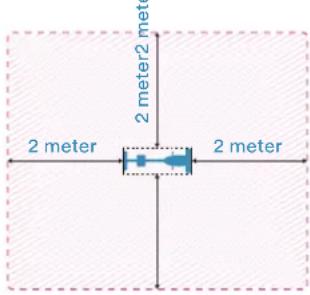
Please only exercise with a minimum clearance area of 2 meters around the device.
-
Always wear appropriate clothing and shoes which are suitable for your workout on the device. The clothes must
be designed in a way so that they will not get caught in any part of the device during the work-out due to their form (for example, length). Be sure to wear appropriate shoes which are suitable for the work-out, firmly support the feet and which are provided with a non-slip sole.
Be sure to consult a physician before you start any device program. He may give you proper hints and advice with respect to the individual intensity of stress for you, your workout and sensible eating habits. This is especially important for individuals over the age of 35 or persons with pre-existing health problems.
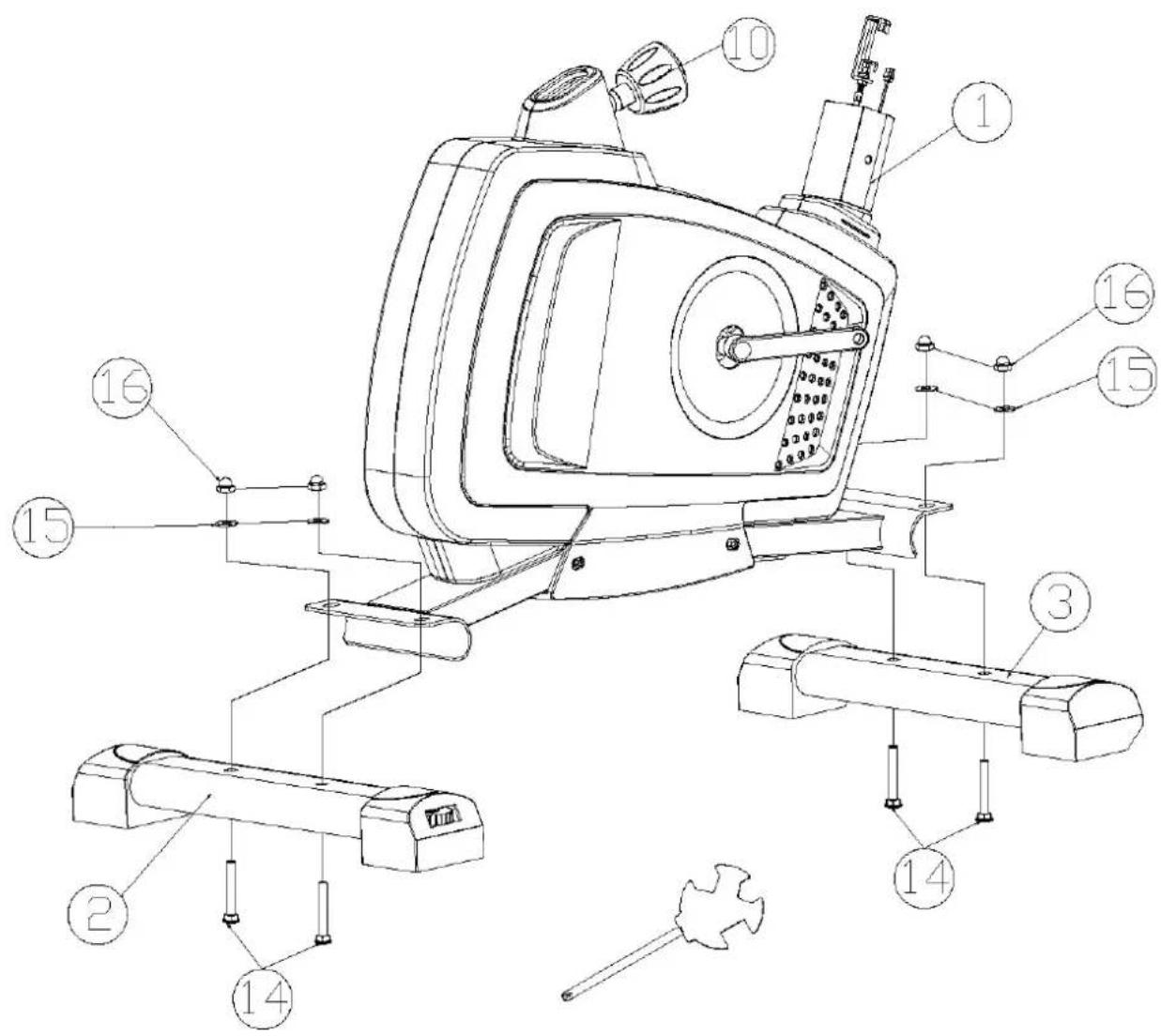
STEP 1: ATTACHING THE STABILIZERS
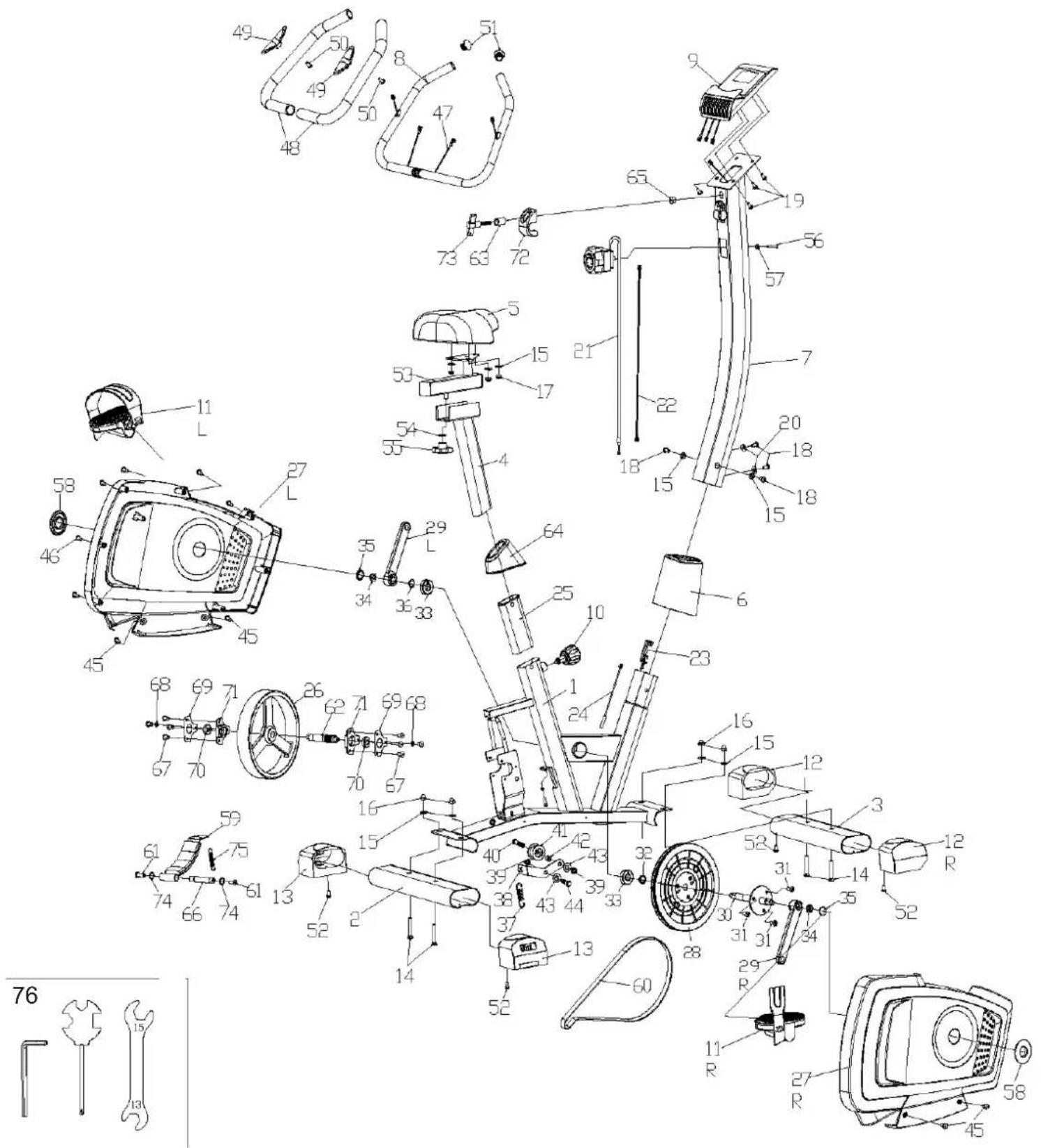
First attach the front and rear stabilizer (3=front and 2=rear) to the main frame (1). This requires 2 screws (14), 2 washers (15) and 2 nuts (16) each. Tighten the connections well. The height adjusters on the rear stabilizer (2) must be used to compensate any unevenness of the floor. To do this, turn the adjusters until the unit stands firmly or without wobbling on the floor. The front stabilizer (3) is equipped with rolls. These allow to move the unit from place to place more easy (Attention: To protect the floor, place a pad underneath!).
text_image
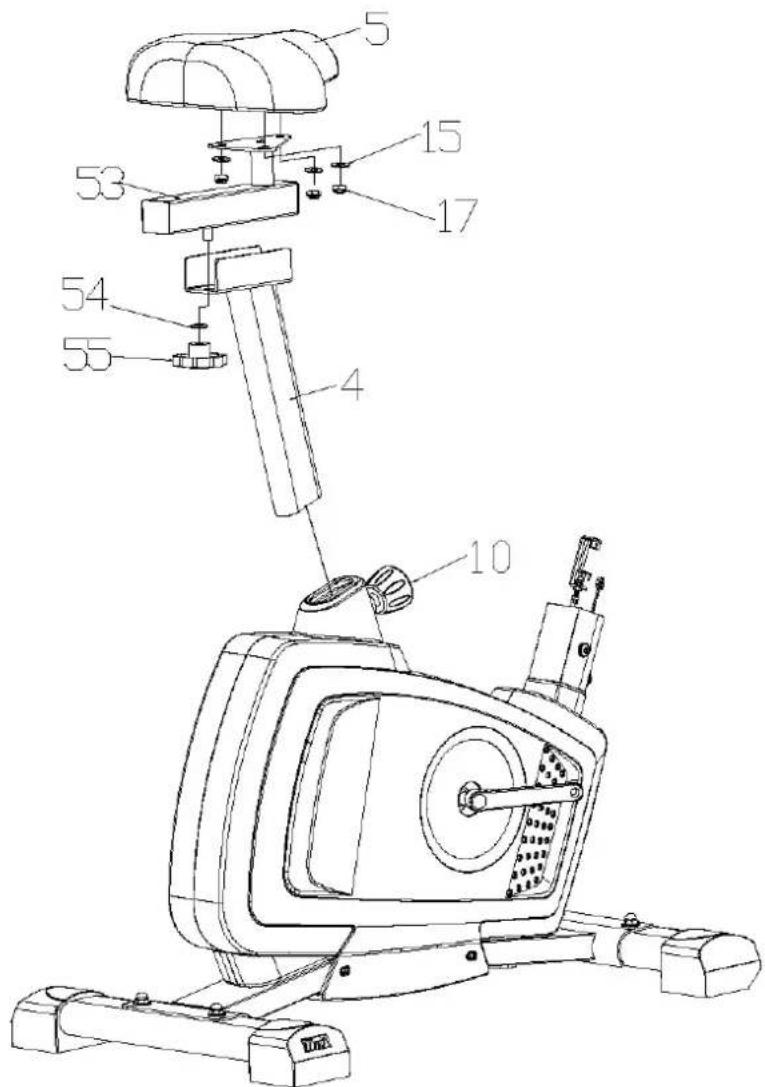
Technical diagram of a stationary exercise machine with numbered components for identificationSTEP 2: SEAT
Mount the seat (5) on top of the seat adjuster (53) as shown with 4 washers (15) and 4 nuts (17). Then fix the seat adjuster to the seat post (4) using the washer (54) and the locking screw (55). The seat is adjustable horizontally and can thus also be adjusted to the arm and leg length. To do this, loosen the locking screw (55) to the end of the thread and pull it out, push the seat adjuster into the desired position and tighten the screw again.
Now push the seat post (4) into the main frame. Choose a height (this can be changed later depending on your body size) and lock the seat post (4) accordingly using the adjusting knob (10).
Tighten the connections well to avoid later accidents caused by a loose seat.
How to use the adjusting knob (10):
The seat support tube can be fixed at various heights by loosing and pulling out the knob, adjusting the support tube to the desired height and then fix the pop pin again properly through one of the drilled holes.
Always pay attention to the markings for min. and max. height adjustments on the seat post. The seating height is correct when the knee is slightly bent with the pedal vertically downwards and the foot parallel to the floor.
text_image
5 15 17 53 54 55 4 10STEP 3: HANDLEBAR POST AND CABLES
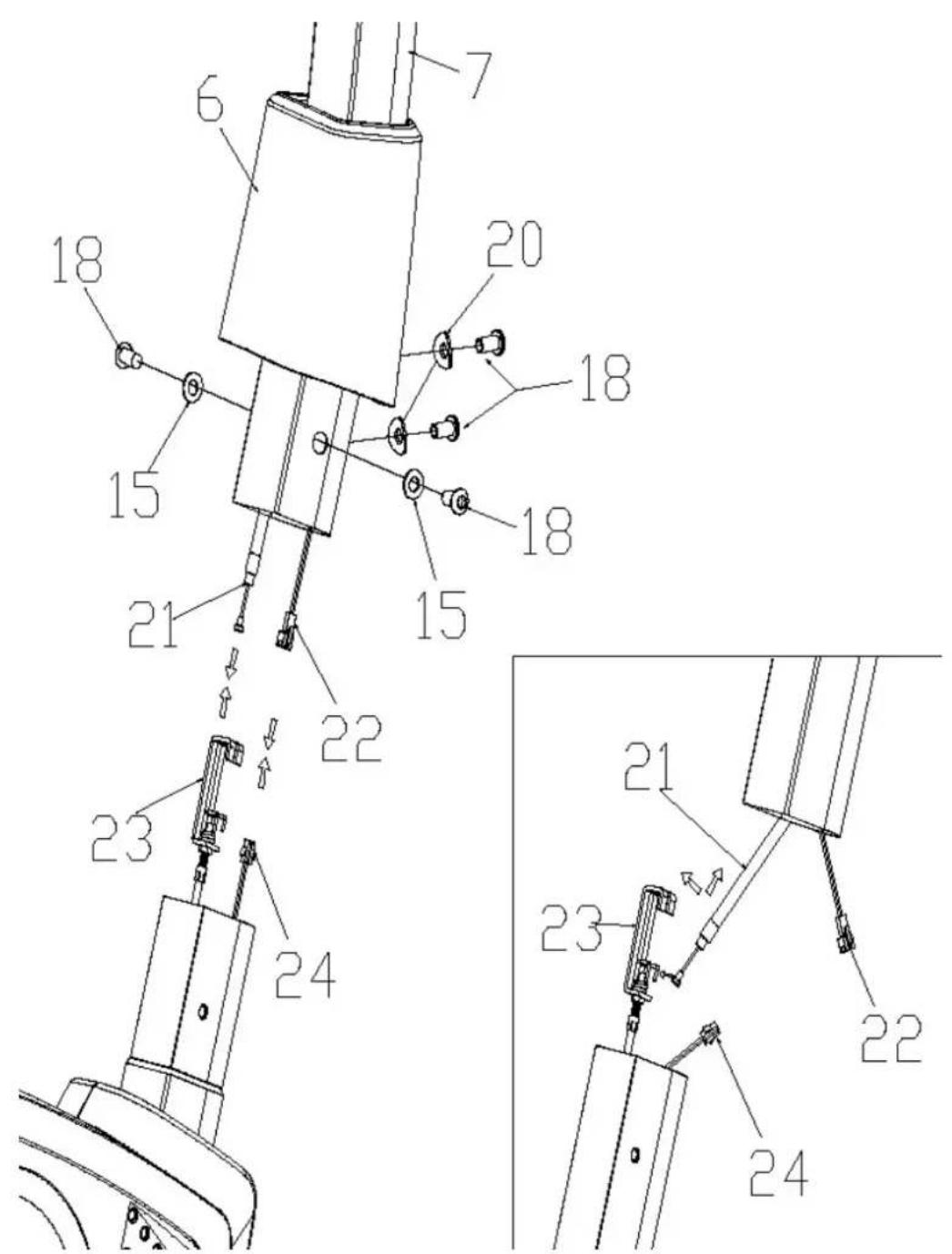
Slide the handlebar support cover (6) over the handlebar post (7) from below and connect the sensor cable ends (22 & 24) and the resistance cable ends (21 & 23) between the main frame and the handlebar post. Then, carefully and without pinching any cable, insert the handlebar post (7) into the main frame and secure this connection with the screws (18), corrugated washers (20) and washers (15) as shown.
STEP 4: HANDLEBARS
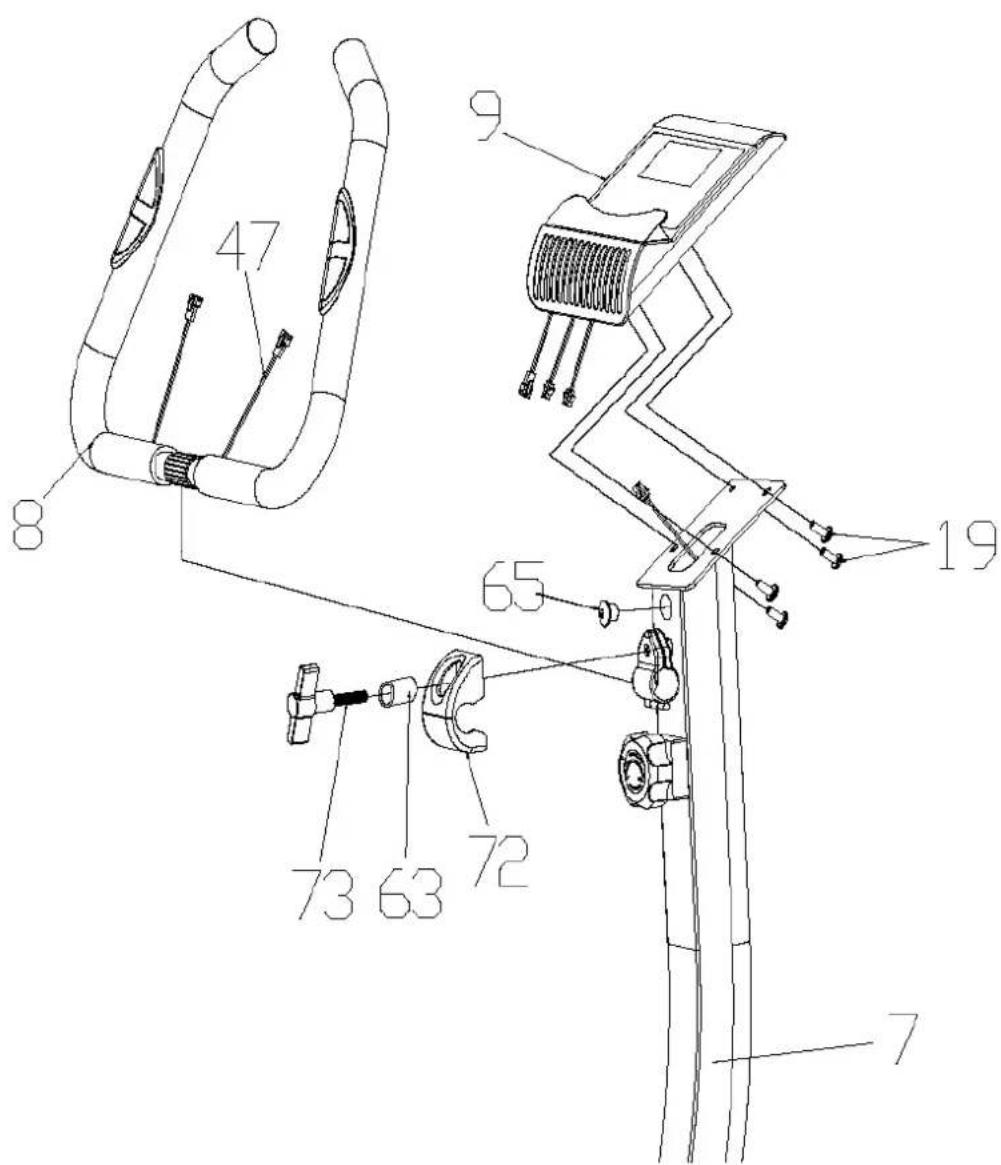
Remove the plug (65) from the upper hole of the handlebar post (7), place the two cables of the handlebar grip (8) into the plug and thus guide the cables through the hole of the handlebar post (7) as shown. The plug (65) must be reinserted into the hole. Now attach the handlebar grip (8) to the handlebar post (7) using the cover (72), the sleeve (63) and the T-bolt (73). Do not finally tighten yet. Before you finally tighten the assembly, adjust the handlebar grip (8), which is initially only loosely fixed, to the desired position. Make sure that the cables are not damaged.
Loosen the screws (19) from the back of the computer (9), connect all cables to the computer and then fix the computer (9) on the bracket on top of the handlebar post with the screws (19) as shown.
text_image
47 8 9 19 65 73 63 72 7STEP 5: PEDALS
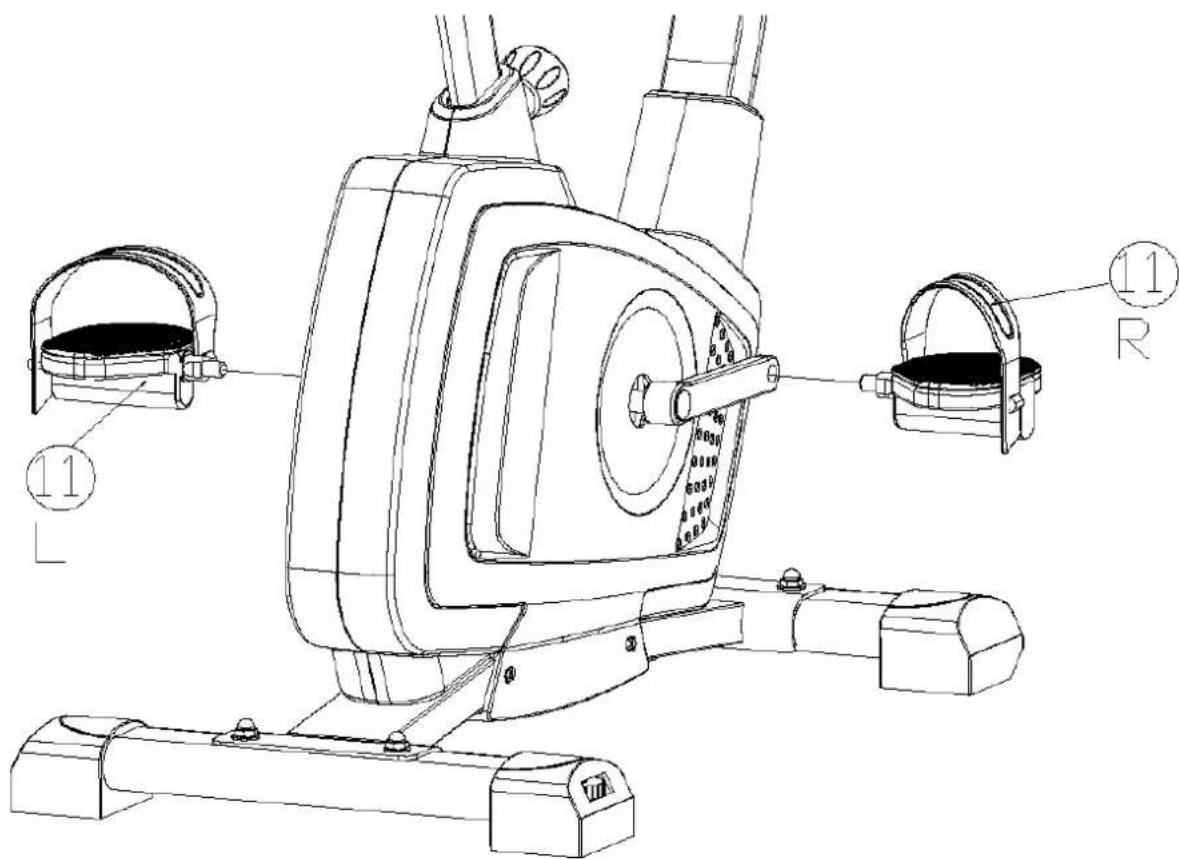
Tighten the right pedal (11R) on the right side of the pedal crank (attention: screwing direction clockwise!). The left pedal (11L) is screwed on accordingly on the left side (Attention: screwing direction counter-clockwise!). The assignment of the individual parts is simplified by the marking „R“ for right and „L“ for left.
text_image
Technical line drawing of a stationary exercise machine with labeled components and partsCHECK IF ALL BOLTS AND NUTS ARE TIGHTENED BEFORE USING THE DEVICE!
text_image
Technical diagram of a stationary exercise frame with numbered components and exploded view, including motor, steering wheel, and camera.
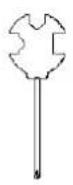
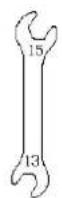
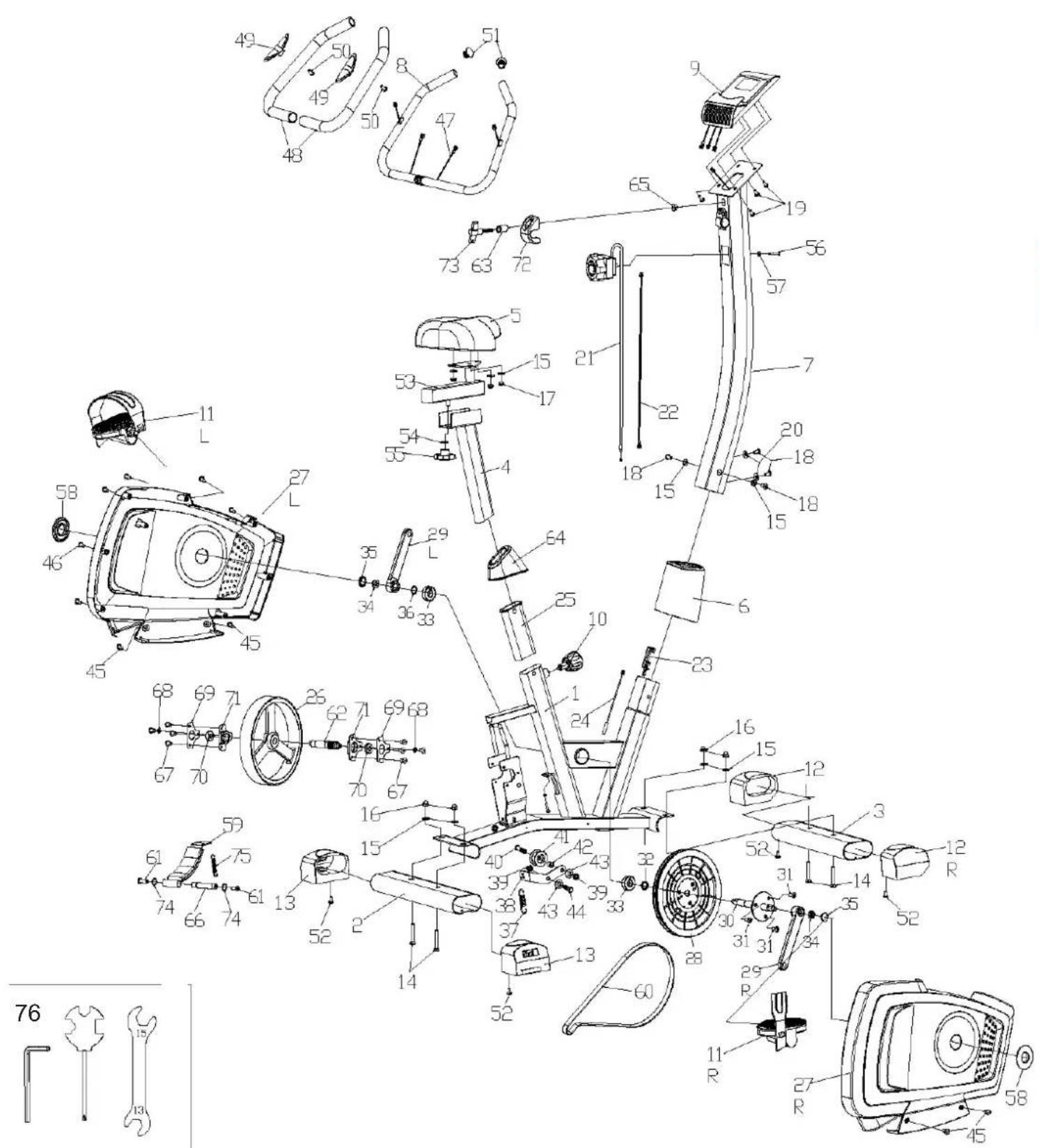
| Part no. | Description Q'ty | |
| 1 Main frame 1 | ||
| 2 Rear stabilizer 1 | ||
| 3 Front stabilizer 1 | ||
| 4 Seat post 1 | ||
| 5 Seat 1 | ||
| 6 Cover for handlebar post 1 | ||
| 7 Handlebar post 1 | ||
| 8 Handlebar grip 1 | ||
| 9 Computer 1 | ||
| 10 Adjusting knob | 1 | |
| 11L/R | Pedal left/right | 2 |
| 12L/R | Cover for front stabilizer | 2 |
| 13L/R | Cover for rear stabilizer | 2 |
| 14 Screw | 4 | |
| 15 | Washer | 9 |
| 16 Domed nut | 4 | |
| 17 | Nylon nut | 3 |
| 18 | Screw | 4 |
| 19 Screw | 4 | |
| 20 | Waved washer 2 | |
| 21 | Resistance cable (upper part) | 1 |
| 22 | Sensor cable (upper part) | 1 |
| 23 | Resistance cable (lower part) | 1 |
| 24 | Sensor cable (lower part) 1 | |
| 25 | Tube bushing | 1 |
| 26 | Magnetic flywheel | 1 |
| 27L | Left cover | 1 |
| 27R | Right cover | 1 |
| 28 | Belt pulley | 1 |
| 29L | Crank (L) | 1 |
| 29R | Crank (R) | 1 |
| 30 | Pulley axle | 1 |
| 31 | Screw | 3 |
| 32 | Spacer sleeve | 1 |
| 33 | Bearing | 2 |
| 34 | Flange nut | 2 |
| 35 | Crank decorative cover | 2 |
| 36 | C -circlip spacer | 1 |
| 37 | Spring | 1 |
| Part no. | Description Q'ty | |
| 38 | Idler arm | 1 |
| 39 | Nylon nut | 2 |
| 40 | Screw | 1 |
| 41 Engaged wheel 1 | ||
| 42 | Spacer | 1 |
| 43 | Flat washer | 2 |
| 44 | Screw | 1 |
| 45 | Self-tapping screw | 4 |
| 46 | Self-tapping screw | 8 |
| 47 | Hear rate sensor wire | 2 |
| 48 | Foam | 2 |
| 49 | Heart rate sensor | 2 |
| 50 | Self-tapping screw | 2 |
| 51 | Handle bar tube end plug | 2 |
| 52 | Self-tapping screw | 4 |
| 53 | Seat adjuster | 1 |
| 54 | Flat washer 1 | |
| 55 | Locking screw | 1 |
| 56 | Screw | 1 |
| 57 | Curved washer | 1 |
| 58 | Crank cover | 2 |
| 59 | Magnet holder 1 | |
| 60 | Belt | 1 |
| 61 Screw | 2 | |
| 62 | Axis of flywheel | 1 |
| 63 | Sleeve | 1 |
| 64 | Cover | 1 |
| 65 | Plug | 1 |
| 66 | Axle of Rotation | 1 |
| 67 | Screw | 8 |
| 68 | Flat washer | 2 |
| 69 | Bearing end cap | 2 |
| 70 | Bearing | 2 |
| 71 | Bearing block | 2 |
| 72 | Cover | 1 |
| 73 | T-shape knob | 1 |
| 74 | C -circlip spacer | 2 |
| 75 Spring | 1 | |
| 76 Tool-Set | 1 | |
CLEANING & CARE
- Before cleaning the appliance, make sure that the appliance is switched off. Allow the unit to cool down.
- Clean the device with a slightly damp cloth only. Never use brushes, aggressive cleaning agents, petrol, thinners or alcohol. Rub the device dry with a clean dry cloth.
- Never immerse the appliance in water to clean it and ensure water cannot get into the appliance.
- Wait until the device is completely dry before using it again.
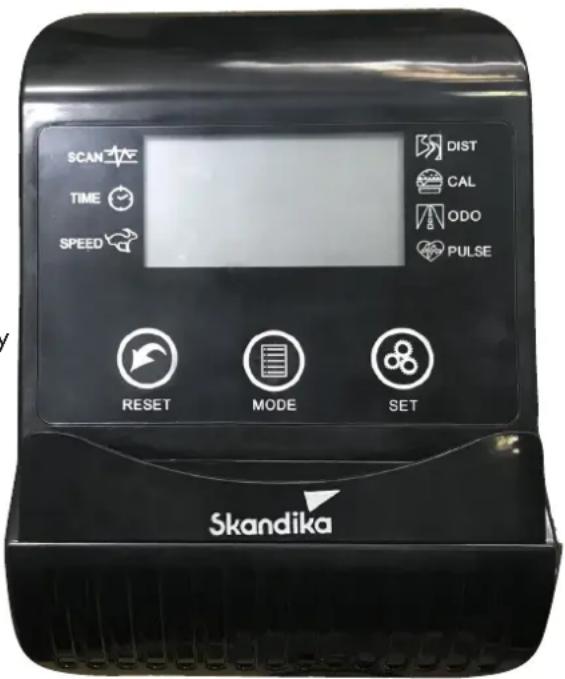
COMPUTER FUNCTIONS
- Scan: Automatic display change of all function values
• Time: Display of the training time (0:00 - 99:59 min.)
• Speed: Speed display (0.0 - 999.9 km/h)
• Distance: Distance (0.0 - 9999 km)
• Calories: Approx. calorie consumption (0.0 - 9999 kcal) - Odo: Total distance (0.0 - 9999 km)
- Pulse: Pulse rate (40 - 240 beats/minute)
For a correct reading, please make sure that you are correctly the two sensors correctly with your palms. It may take up to 2 minutes before the pulse rate is measured correctly.
BATTERIES
The computer requires 2 AAA 1.5V batteries.
BUTTONS AND OPERATION
text_image
SCAN TIME SPEED RESET MODE SET DIST CAL ODO PULSE SkandikaThe computer will switch on when you press the button or start exercising. After about 4 minutes of no activity, the computer will automatically switch off.
RESET: All values will be reset when you press and hold this button for approx. 3 seconds or when the batteries are removed.
MODE: With this key you can select the desired function to be displayed (or preset). If „Scan“ is selected, all function values are displayed one after the other in an automatic cycle. A small arrow is displayed additionally, which always points to the currently active function.
SET: With this button you can set target values for time, distance or calories. After setting, these values will then count down to 0.
Notes:
- If the computer display does not show any values, please carefully check all cable connections for proper contact!
- The calorie consumption values registered and displayed with this computer merely serve as indicative values for a person of medium stature with medium resistance setting, and can deviate considerably from the actual medically precise calorie consumption.
- The pulse values registered and displayed with this computer are merely indicative in nature and can deviate considerably from the actual pulse.
- This computer has been tested according to the appropriate applicable EMC standards. Nevertheless, it is possible that the display may be disturbed, especially by electrostatic discharges. This may result in an unwanted reset or a faulty display. In such a case, you only need to restart the computer (switch it off and on again).
KINOMAP
The free KinoMap app turns your device into a powerful and fun fitness product! Choose from the geotagged video on Kinomap and go! Your position is shown in the video and as icon on the map. Download the Kinomap Fitness app in the app or play store by searching for 'Kinomap Fitness' or follow one of the links below.
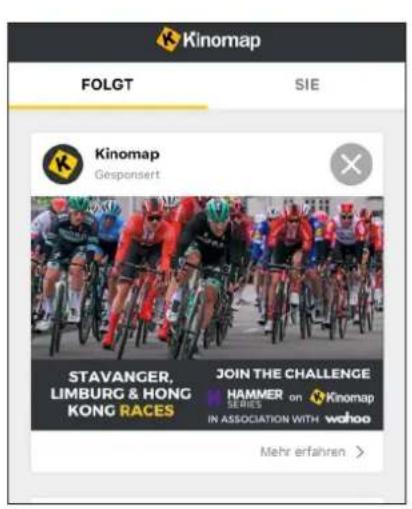
Install and open the app and register resp. log in. Activate Bluetooth®. Now add the training device as follows:

text_image
Apple Store K Suchen Kinomap Kinomap SAS ACTUALISMEIN 4,3 ★★★★☆ #53 4+ For Applications: Socialized and Privacy Neue Funktionen Thanks for training on Kinomap. Our daily concern is offering you the best experience there is. Vorschau Versionsverlauf Vor 1 w Versos €4,90
text_image
Kinomap FOLGT SIE Kinomap Gespersert STAVANGER, LIMBURG & HONG KONG RACES JOIN THE CHALLENGE HAMMER on Kinomap SERIES IN ASSOCIATION WITH wahoo Mehr erfahren >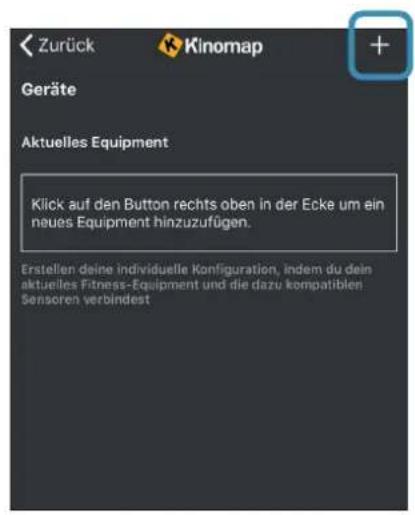
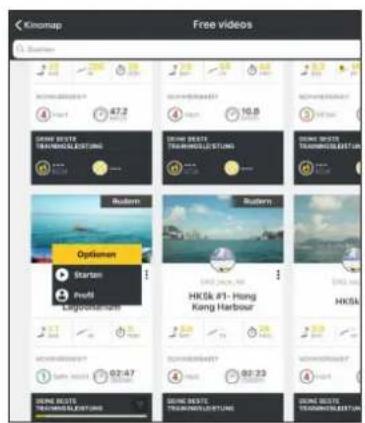
Now tap on OK and return to main menu. You can now choose a course for your exercise (depending on your type of KinoMap account maybe only some free courses). Press Start and begin to exercise!
text_image
Kingsup Free videos 1. Starion SUNI BOSTE TRAVINGS/LESTING SUNI BOSTE TRAVINGS/LESTING SUNI BOSTE TRAVINGS/LESTING SUNI BOSTE TRAVINGS/LESTING SUNI BOSTE TRAVINGS/LESTING SUNI BOSTE TRAVINGS/LESTING SUNI BOSTE TRAVINGS/LESTING SUNI BOSTE TRAWGARSHUT SUNI BOSTE TRAWGARSHUT SUNI BOSTE TRAWGARSHUT SUNI BOSTE TRAWGARSHUT SUNI BOSTE TRAWGARSHUT SUNI BOSTE TRAWGARSHUT SUNI BOSTE TRAWGARSHUT SUNI BOSTE TRAWGARSHUT TURGARSHUT SUNI BOSTE TRAVINGS/LESTING SUNI BOSTE TRAVINGS/LESTING SUNI BOSTE TRAVINGS/LESTING SUNI BOSTE TRAVINGS/LESTING SUNI BOSTE TRAVINGS/LESTING SUNI BOSTE TRAVINGS/LESTING SUNI BOSTE TRAFISHARELLA SUNI BOSTE TRAFISHARELLA SUNI BOSTE TRAFISHARELLA SUNI BOSTE TRAFISHARELLA SUNI BOSTE TRAFISHARELLA SUNI BOSTE TRAFISHARELLA SUNI BOSTE TRAFISHARELLA SUNI BOSTE TRAFISHARELLA- Select Skandika → 5. Tap on the device
WARM-UP and COOL-DOWN
A successful exercise program consists of a warm-up, aerobic exercise and a cool-down. Exercise for at least two or preferably three times a week, resting for a day between workouts. After several months, you may increase the frequency to four or five times per week.
WARM-UP
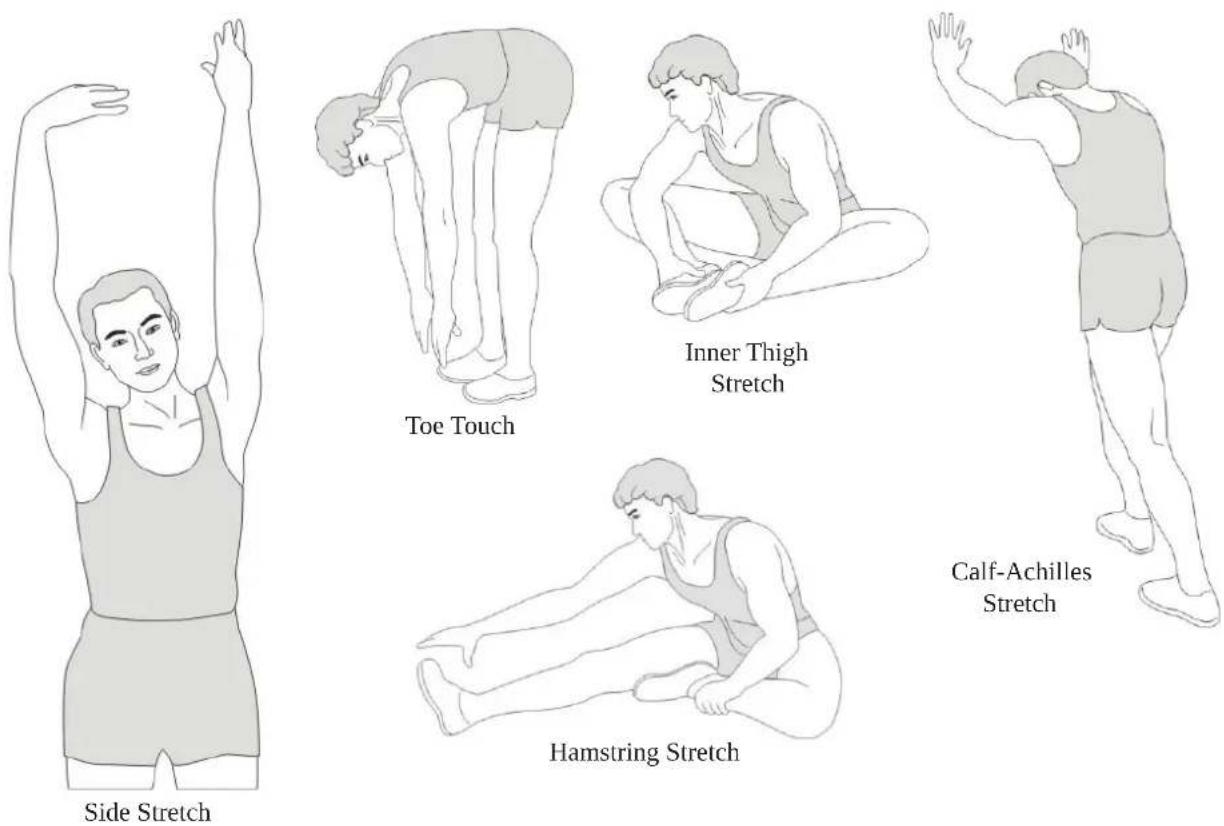
This stage helps to improve the blood circulation and prepares the muscles for your workout. It additionally helps to reduce the risk of injury or cramps. It is recommended to do some stretching exercises as shown here below. Hold each stretching position for approximately 30 seconds. Never force or jerk yourself into a stretching position – if you feel pain, STOP immediately. Warm-up exercises may also include brisk walking, jogging, jumping jacks, jump rope exercises or running in place.
STRETCHING
Muscles can be stretched more easily when these are warm. This reduces the risk of injury. DO NOT BOUNCE.
COOL-DOWN
This stage helps to soothe your muscles and your cardiovascular system after your workout. At the end of your workout, reduce the speed and exercise for approximately 5 minutes at this lower speed level. Afterwards, repeat the warm-up exercises as described above.
GUARANTEE CONDITIONS
For our devices we provide a warranty as defined below.
- In accordance with the following conditions (numbers 2-5) we repair defect or damage to the device free of charge, if the cause is a manufacturing defect. Therefore, these defects / damages need to be reported to us without delay after appearance and within the warranty period of 24 months after delivery to the end user. The warranty does not cover parts, which easily break (e.g. glass or plastic). The warranty does not cover slight deviations of the product, which are insignificant for usability and value of the device and damage caused by chemical or electrochemical effects and damages caused by penetration of water or generally force majeure damage.
- The warranty achievement is the replacement or repair of defective parts, depending on our decision. The cost of material and labor will be borne by us. Repairs at customer site cannot be demanded. The proof of purchase along with the date of purchase and / or delivery is required. Replaced parts become our property.
- The warranty is void if repairs or adjustments are made,
which are not authorized by us or if our devices are equipped with additional parts or accessories that are not adapted to our devices. Furthermore, the warranty is void if the device is damaged or destroyed by force majeure or due to environmental influences and in case of improper handling / maintenance (e.g. due to non-observance of the instruction manual) or mechanical damages. The customer service may authorize you to replace or repair defective parts after telephone consultation. In this case, the warranty is not void.
- Warranty services do not extend the warranty period nor do they initiate a new warranty period.
- Further demands, especially claims for damages which occurred outside the device, are excluded as long as a liability is not obligatory legal.
- Our warranty terms - which cover the requirements and scope of our warranty conditions - do not affect the contractual warranty obligations of the seller.
- Parts of wear and tear are not included in the warranty.
- The warranty is void if not used properly or if used in gyms, rehabilitation centers and hotels. Even if most of our units are suitable for a professional use, this requires a separate agreement.
ENVIRONMENTAL PROTECTION
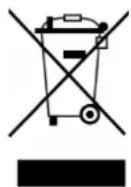
The symbol of the crossed-out dustbin on batteries or accumulators indicates that they must not be disposed of in household waste at the end of their life. If batteries or accumulators contain mercury (Hg), cadmium (Cd) or lead (Pb), you will find the respective chemical symbol below the symbol of the crossed-out dustbin. You are legally obliged to return old batteries and accumulators after use. You can do this free of charge at a retail outlet or at another collection point near you. You can obtain addresses of suitable collection points from your city or local government. Batteries may contain substances that are harmful to the environment and human health. Particular care should be taken when handling batteries containing lithium because of the special risks involved. The separate collection and recycling of old batteries and accumulators is intended to avoid negative impacts on the environment and human health. Please avoid the generation of waste from old batteries as far as possible, e.g. by giving preference to batteries with a longer life or rechargeable batteries. Please avoid littering public spaces by not carelessly leaving batteries or electrical and electronic equipment containing batteries. Please consider ways to reuse a battery instead of disposing of it, for example by reconditioning or repairing the battery.
In accordance with our policy of continual product improvement, we reserve the right to make technical and visual changes without notice.
For spare parts please contact: service@skandika.de
Service centre:

skandika.com/service
text_image
Technical diagram of a stationary exercise machine with numbered components for identificationÉTAPE 2: MONTAGE DE LA SELLE
text_image
Technical diagram of a mechanical assembly with numbered components and directional arrows indicating motion or assembly steps.ÉTAPE 4: MONTAGE DES POIGNÉES DE GUIDON
text_image
Technical line drawing of a stationary exercise machine with labeled components and partsAVANT L'UTILISATION, VÉRIFIEZ QUE LES VIS, BOULONS ET AUTRES RACCORDS SONT SOLIDEMENT FIXÉS!
text_image
Technical diagram of a stationary exercise machine with numbered components and exploded view, including head, torso, and wheel parts.