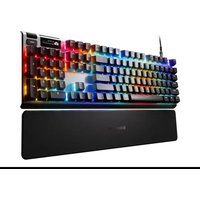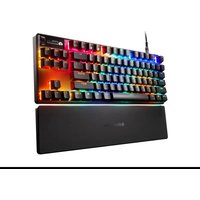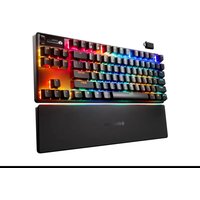
Apex Pro TKL Wireless Gen 3 - Keyboard STEELSERIES - Free user manual and instructions
Find the device manual for free Apex Pro TKL Wireless Gen 3 STEELSERIES in PDF.


User questions about Apex Pro TKL Wireless Gen 3 STEELSERIES
0 question about this device. Answer the ones you know or ask your own.
Ask a new question about this device
Download the instructions for your Keyboard in PDF format for free! Find your manual Apex Pro TKL Wireless Gen 3 - STEELSERIES and take your electronic device back in hand. On this page are published all the documents necessary for the use of your device. Apex Pro TKL Wireless Gen 3 by STEELSERIES.
USER MANUAL Apex Pro TKL Wireless Gen 3 STEELSERIES
PRODUCT INFORMATION GUIDE
TABLE OF CONTENTS
General 3
Product Overview 4
Setup 6
Functions 7
Battery Indicator 9
Swappable Keycaps 9
Actuation Adjustment 10
Translations 12
Deutsch 12
Espanol 14
Francais 17
Italiano 19
Polski 22
Portugues 24
日本語 27
简体中文 29
繁體中文 31
33
35
Regulatory 38
PACKAGE CONTENTS
Apex Pro TKL Wireless
Detachable Braided USB-C to USB-A Cable
USB-C Wireless Dongle
Extension Adapter
Keycap Puller
Magnetic Wrist Rest
SYSTEMCOMPATIBILITY
PC
Mac (Not all software features supported on Mac OS)
Xbox
PlayStation
SOFTWARE
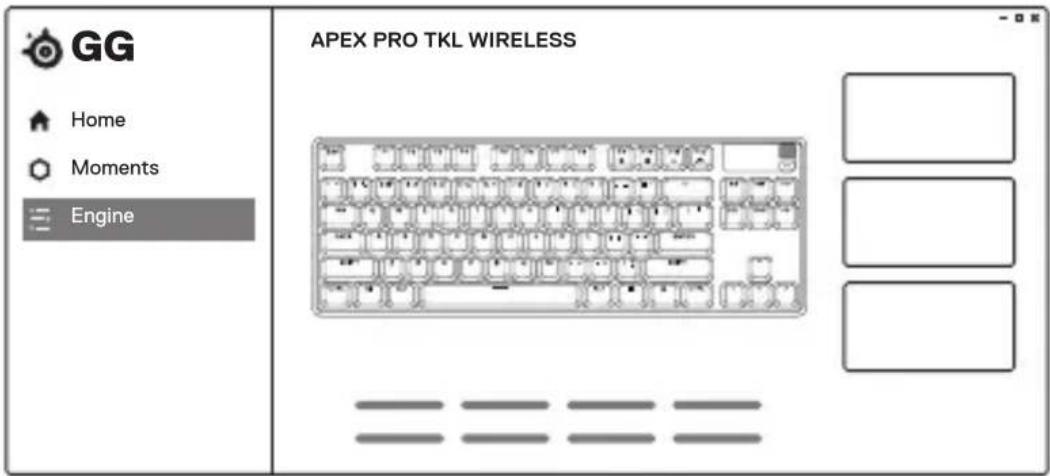
Use Engine inside SteelSeries GG to customize
your lighting, macros and more.
GG also has other amazing apps like Moments, which makes it easier and faster to clip and share highlights with friends.

DOWNLOAD NOW
steelseries.com/gg
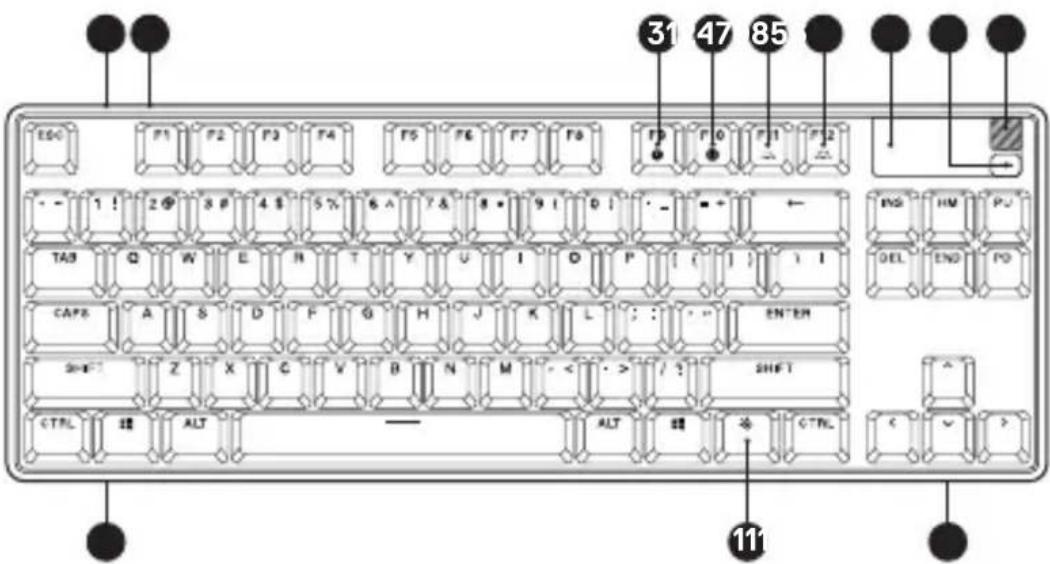
KEYBOARD
1 USB-C Jack
2 Wireless Mode Switch
3 Profile Switching Key
4 On-the-Fly Macro Recording Key
5 Illumination Brightness Key Down
6 Illumination Brightness Key Up
7 OLED Smart Display
8 OLED Menu Button
9 Multimedia Volume Roller
10 Tri-Level Feet (not pictured)
11 SteelSeries Function Key
12 Magnetic Wrist Rest

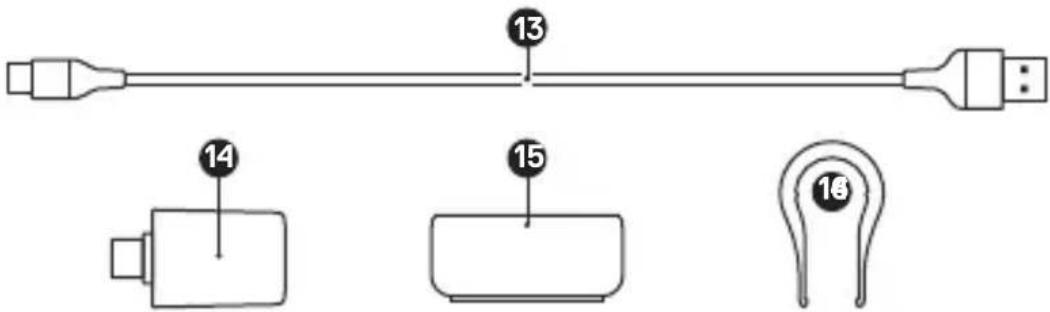
ACCESSIONS*
13 Detachable Braided USB-C to USB-A Cable*
14 USB-C Wireless Dongle
15 Extension Adapter
16 Keycap Puller (located in packaging)
CONNECTING VIA 2.4 GHZ WIRELESS
1 Connect the USB-C Wireless Dongle (14) to an available USB port on your device.
2 Toggle the Wireless Mode Switch (2) to the "2.4 GHz" position.
3 The Keyboard and USB-C Wireless Dongle (14) will automatically pair.
4 To further customize your Keyboard, or re-pair a Wireless Dongle, download the SteelSeries Engine software from steelseries.com/engine
BASIC PAIRING VIA BLUETOOTH
1 Initiate Bluetooth pairing mode on your Bluetooth 5.0 or higher enabled device.
2 Toggle the Wireless Mode Switch (2) to the Bluetooth position to turn on your Keyboard.
3 The Keyboard lighting will start blinking blue when searching for a connection.
4 Select "Apex Pro TKL Gen 3 WL" on your Bluetooth-enabled device.
PROFILE SWITCHING
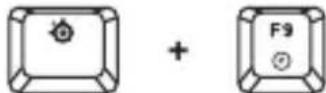
Press the SteelSeries Function Key (11) + Profile Switching Key (3) repeatedly to cycle through the profiles.
1 Press and hold the SteelSeries Function Key (11) + On-the-Fly Macro Recording Key (4) for 3 seconds to start recording.
2 Type your desired key combinations.
3 Press the SteelSeries Function Key (11) + On-the-Fly Macro Recording Key (4) to end Macro Recording.
4. Lastly, select a key to which you would like to bind the recorded macro.
Press the SteelSeries Function Key (11) + Illumination Brightness Key Down (5) to reduce Illumination Brightness
Press the SteelSeries Function Key (11) + Illumination Brightness Key Up (6) to increase Illumination Brightness.
ADVANCED PAIRING VIA BLUETOOTH
The Keyboard can pair with and store three Bluetooth device profiles (defined using the 1, 2, or 3 keys).

To initiate pairing mode, press SteelSeries Function Key (11) + Enter + 1, 2, or 3.
The chosen device key will pulse blue until successfully paired with a Bluetooth device. If no device is found, Bluetooth pairing will time out.
BLUETOOTH DEVICE SWITCHING

To cycle through the three paired devices, press the SteelSeries Function Key (11) + Enter + 1, 2, or 3. Your keyboard will then automatically connect to the previously paired device.
To remove an existing paired device, press and hold the SteelSeries Function Key (11) + Enter + 1, 2, or 3 for three seconds. The keyboard lights will flash to indicate the paired device has been removed.
MULTIMEDIA CONTROLS
Multimedia Volume Roller (9)
Volume Up Scroll Wheel Up
Volume Down Scroll Wheel Down
Mute/Unmute Toggle Press Wheel
OLED Menu Button (8)
Play/Pause Single Press
Forward/ Skip Track Double Press
Back/Previous Track Triple Press
OLED SMART DISPLAY INPUT
OLED Menu Button (8)
Enter OLED Menu Long Press (2 sec)
Back/Exit Single Press
Multimedia Volume Roller (9)
Navigate Menu Up Scroll Wheel Up
Navigate Menu Down Scroll Wheel Down
Select Highlighted Item Press Wheel
LOW BATTERY INDICATOR
When battery is below 5% , the keyboard will pulse red.
CHARGING INDICATOR
When plugged in, the ESC key will flash green and the number row will light up to indicate battery level for 5 seconds. When fully charged, the ESC key will turn solid green.
SWAPPABLE KEYCAPS
Each Keycap on the Apex Pro TKL Wireless can be removed and replaced. Use the Keycap Puller (16) located on the bottom of your Keyboard to easily pull off each Keycap. Replacement and additional designer Keycap Sets are available for purchase on steelseries.com.
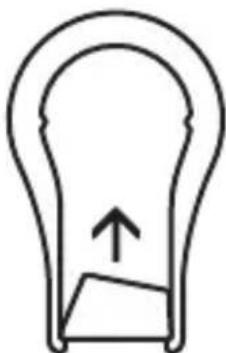
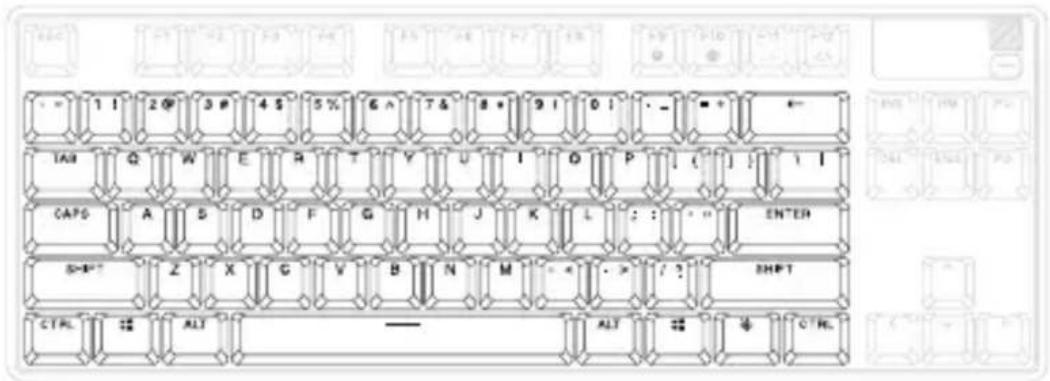
Access the Actuation menu on the OLED or use the hotkeys below to adjust actuation levels on-the-fly.
OMNIPOINT ADJUSTABLE ACTUATION

SteelSeries Function Key (11) + "l" lifts the actuation point (deeper keystress).
SteelSeries Function Key (11) + "O" lowers the actuation point (lighter keypress).
Use Engine inside SteelSeries GG to configure the adjustable actuation on a per-key basis.
RAPID TRIGGER
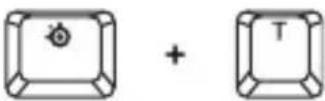
SteelSeries Function Key (11) + "T" toggles Rapid Trigger on or off.
Alternatively, click the SteelSeries Function Key (11) while in the OLED Actuation menu to toggle Rapid Trigger on or off. When enabled, a lightning bolt will appear on the OLED display.
Use Engine inside SteelSeries GG to configure Rapid Trigger on a per-key basis.
DEUTSCH
ALLGEMEIN
LIEFERUMFANG
Apex Pro TKL Wireless
Erweiterungsadapter
USB-C-Wireless-Dongle
KOMPATIBILITÄT
PC
Xbox
BLUETOOTH GERATEWECHSEL
Leiser Scrollrad runter
Apex Pro TKL Wireless
Adaptador de extension
11 SteelSeries Function Key
12 Reposamuñecas magnético
ACCESORIOS*
Apex Pro TKL Wireless
Prolunga
Dongle wireless USB-C
11 SteelSeries Function Key
14 Dongle wireless USB-C
INSERIMENTO DISPLAY SMART OLED
Pulsante menu OLED (8)
Apex Pro TKL Wireless
11 SteelSeries Function Key
AKCESORIA*
13 Odlaczany kabel USB-C do USB-A w oplocie*
Apex Pro TKL Wireless
*在 steelseries.com/gaming-accessories 查找配件和替换件
设置
2.4 GHZ 无线连接
*在 steeleries.com/gaming-accessories 查找配件和替换件
設定
2.4 GHZ無線連接
Apex Pro TKL Wireless
SteelSeries Function Key (11) + “T” toglu sinh tRiHg KcHt Hn
,
KJNGN.
Engine SteelSeries GG wuwuuwauwauwauwauwauwauwauwauwauwauwauwauwauwauwauwauwauwauwauwauwauwauwauwauwauwauwauwauwauwauwauwauwauwauwauwauwauwauwauwauwauwau
GG ynnnnaaannnnae N moments nwnnnnnae nnnae annnnnnae
steeleseri.es/gg
yuyanuunwua
a
1 USB-USB-C 6
2 7 OLED
3 8 OLED
4 9 annn vnuuun u
5 10 vJvuaaunnaa
11 SteelSeries 12
unua
13 USB-C 15 16
14 1 USB-C
*steelseries.com/gaming-accessories]
n
nssnnnnnnnnn 2.4 GHZ
1 1
2 24 GHz
3 uwwwuaa aovunal 1n USB-C (14)
4 wntwntwntwntwntwntwntwntwntwntwntwntwntwntwntwntwntwntwntwntwntwntwntwntwntwntwntwntwntwntwntwntwntwntwntwntwntwntwntwntwntwntwntwntwntwntwntwntwntwntwnt
nnuuwwu unuu unuu BLUETOOTH
1 1
2 aau ananuai (2) uwnu Bluetooth wuuwyy
3 Wadovanu uwwwauunwuwudumuucnnaa
4 1 (Apex Pro Gen 3 WL) uuaunnnn nn nnnnnnnnnnnnnnnnnnnnnnnnnnnnnnnnnnnnnnnnnnnnnnnnnnnnnnnnnnnnnnnnnnnnnnn
n
muauunuulw
na ywnuSteelSeries (11) + uauunulw3 (3) 7n nuaaunwwaluuuuvn
uuuunnnnnaaannnnnnnnn
wauu uauuauauuApex Pro TKL uuuuuaaauuunu uuuu uuuuuu uuuuuuuuuuuuuuuuuuuuuuuuuuuuuuuuuuuuuuuuuuuuuuuuuuuuuuuuuuuuuuuuuuuuuuuuuuuuuuuuuuuuuuuuuuuuuuuuuuuuuuuuuuuuuuuuuuuuuuuuuuuuuuuuuuuuuuuuuuuuuuuuuuuuuuuuuuuuuuuuuuuuuuuuuuuuuuuuuuuuuuuuuuuuuuuuuuuUU
nssunns
OLED
OMNIPOIN
u w SteelSeries (11) + "I" uangnns (nunnu
y w v SteelSeries (11) + "O" aangnns (nnaa
Engine SteelSeries GG wannnnaaennnnnnsu
RAPID TRIGGER
U w SteelSeries (11) + "T" Rapid Trigger
wnnnn nn nnnnnnnnnnnnnnnnnnnnnnnnnnnnnnnnnnnnnnnnnnnnnnnnnnnnnnnnnnnnnnnnnnnnnnnnnnnnnnnnnnnnnnnnnnnnnnnnnnnnnnnnnnnnnnnnnnnnnnnnnnnnnnnnnnnnnnnnn
Rapid Trigger 10000000000000000000000000000000000000000000000000000
Engine SteelSeries GG Rapid Trigger
English

DECLARATION
Hereby, SteelSeries A/S (GN Audio A/S) declares that the equipment which is compliance with directive RoHS 2.0 (2015/863/EU), R.E.D (2014/53/EU), EMC Directive (2014/30/EU), and LVD (2014/35/EU) which are issued by the Commission of the European Community.
The full text of the EU declaration of conformity is available at the following internet address: https://support.steelseries.com/hc/en-us/categories/360001256111-Other-Stuff
SteelSeries A/S (GN Audio A/S) hereby confirms, to date, based on the feedback from our suppliers indicates that our products shipping to the EU territory comply with REACH (Registration, Evaluation, Authorization, and Restriction of Chemicals - (EC) 1907/2006) compliance program. We are fully committed to offering REACH compliance on the products and posting accurate REACH compliance status for all of products.
Operating Temperature: 0 to +40°C
Frequency bands and Powers (Keyboard and Transceiver)
a. Frequency band(s) in which the radio equipment operates: 2.400 - 2.4835 GHz
b. Maximum radio-frequency power transmitted in the frequency band(s) in which the radio equipment operates:
EIRP: GDPSK: 2.97 dBm (Keyboard/ BLE)
EIRP: GFSK: 2.70 dBm (Keyboard/ SRD)
EIRP: GFSK: 4.90 dBm (Transceiver/ SRD)
c. Firmware Version: V1.0 (Keyboard); V1.0 (Transceiver)
Charge Care:
If product is charged with a USB cable, use only a suitable USB cable which is in good condition, and charge/power the product according to the instructions.
The power delivered by the charger shall be between min 0.25 Watts required by the radio equipment, and max 2.5 Watts in order to achieve the maximum charging speed.
European Union: Product, Batteries, battery packs, and accumulators should not be disposed of as unsorted household waste.
Please use the public collection system to return, recycle, or treat them in compliance with the local regulations.
Safety Guideline for Using Lithium Battery Danger of explosion if battery is incorrectly replaced. Replace only with the same or equivalent type recommended by the equipment manufacturer. Discard used batteries according to manufacturer's instructions.
Read the safety instructions carefully and thoroughly. All cautions and warnings on the equipment or user's manual should be noted.
Keep this equipment away from humidity and high temperature.
- Do not leave the equipment in an unconditioned environment with a storage temperature above 60^ ( 140^ ) or below 0^ ( 32^ ), which may damage the equipment.
- This unit should be operated under maximum ambient temperature of 40^ (104^) .
- To prevent explosion caused by improper battery replacement, use the same or equivalent type of battery recommended by the manufacturer only.
Always keep the battery in a safe place.

UK Declaration of Conformity
Hereby, SteelSeries A/S (GN Audio A/S) declares that the following equipment, which is compliance with Electromagnetic Compatibility Regulations 2016, Electrical Equipment (Safety) Regulations 2016, Radio Equipment Regulations 2017 and The Restriction of the Use of Certain Hazardous Substances in Electrical and Electronic Equipment Regulations 2012 issued by the Department for Business, Energy& Industrial Strategy.
The full text of the UK declaration of conformity is available at the following internet address: https://support.steelseries.com/hc/en-us/categories/360001256111-Other-Stuff

Federal Communication Commission Interference Statement
Supplier's Declaration of Conformity: 47 CFR 2.1077 Compliance Information
This device complies with Part 15 of the FCC Rules. Operation is subject to the following two conditions:
- This device may not cause harmful interference, and
- this device must accept any interference received, including interference that may cause undesired operation.
This equipment has been tested and found to comply with the limits for a Class B digital device, pursuant to Part 15 of the FCC Rules. These limits are designed to provide reasonable protection against harmful interference in a residential installation. This equipment generates, uses and can radiate radio frequency energy and, if not installed and used in accordance with the instructions, may cause harmful interference to radio communications. However, there is no guarantee that interference will not occur in a particular installation. If this equipment does cause harmful interference to radio or television reception, which can be determined by turning the equipment off and on, the user is encouraged to try to correct the interference by one of the following measures:
- Reorient or relocate the receiving antenna.
- Increase the separation between the equipment and receiver.
- Connect the equipment into an outlet on a circuit different from that to which the receiver is connected.
- Consult the dealer or an experienced radio/TV technician for help.
FCC Caution:
Any changes or modifications not expressly approved by the party responsible for compliance could void the user's authority to operate this equipment.
This transmitter must not be co-located or operating in conjunction with any other antenna or transmitter.
Radiation Exposure Statement:
The device has been evaluated to meet general RF exposure requirement, the device can be used in portable exposure condition without restriction.
Product Name: Wireless Keyboard
Model No.: KB25
Rated:5V=0.9A/9V42A/12V1.2A
Product Name: Transceiver
Model No.: KB25TX
Rated: 5V=20mA
Industry Canada Statement:
This device complies with Industry Canada license-exempt RSS standard(s). Operation is subject to the following two conditions:
- this device may not cause interference, and
- this device must accept any interference, including interference that may cause undesired operation of the device.
This Class B digital apparatus complies with Canadian ICES-003.
The County Code Selection feature is disabled for products marketed in the US/ Canada.
The appliance must not be exposed to splashes or drops of water and it should not be used as a support for any object filled with liquid, such as a vase.

ACMA Compliance (Australia/ New-Zealand)
Complies with IMDA Standards DA 106032
Singapore approval (IMDA)

Malaysia Approval (SIRIM)

NTC
Type Accepted No. ESD-1919263C
Philippines Approval (NTC)
57479/SDPPI/2024 7428
Indonesia Approval (SDPPI)
| Region Contact information | ||
| Asia GN Audio | Taiwan Ltd.4F and 4F.-4, No. 186, Jian 1st Rd., ZhongheDist., New Taipei City 235 , Taiwan (R.O.C.) | +886 2 8227 1999 |
| Europe Steel | Series A/S (GN Audio A/S.)· Lautrupbjerg 7, 2750 Ballerup Denmark.Havneholmen 8, 1st floor 2450Copenhagen SV Denmark. | +45 702 500 75 |
| USA GN Audio | USA Inc.,656 W Randolph St., Suite 3E Chicago, IL60661, USA | +1 312 258 9467 |
More information and support from https://steelseries.com/
Français
IC:32199-KB25TX(Transceiver)
Deutsch
C hactoata, SteelSeries A/S (GN Audio A/S) deKnapupa, ye BCnUKN 3dEInna Ha SteelSeries A/S (GN Audio A/S), MapknpaHn cbc 3naka CE, BkIIOBaunu fynKIOHaJIHOCT 3a TepMNHaIHO o6OpyDbaHe 3a paIINO n TeJeKOMyHNkaUIN, CbOTBETCTBaT HA OCHOBHNT N3NCKBAHn I Ha
DpyrncbOTBETN yCIOBnHa DnpeKtNb2014/53/EC.
Cestina
i)gj#(Bq)JrJrJrJrJrJrJrJrJrJrJrJrJrJrJrJrJrJrJrJrJrJrJrJrJrJrJrJrJrJrJrJrJrJrJrJrJrJrJrJrJrJrJrJrJrJrJrJrJrJrJ

当 影:GN Audio Taiwan Ltd.
Wiener keyboard
多胞胞:KB25
信通院:R-R-SSx-KB25/R-R-SSx-KB25TX
制圭GN Audio A/S.
中国:China
日本語
Operating Temperature: 0 to +40 °C
產品使用環境溫度:0-40度