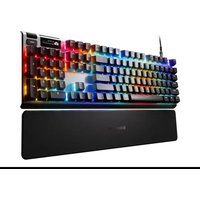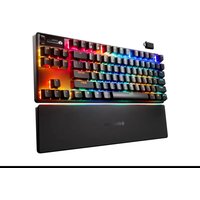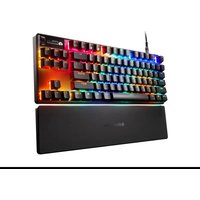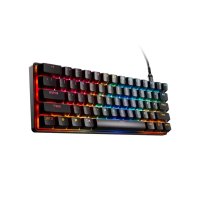
Apex Pro Mini Gen 3 - Keyboard STEELSERIES - Free user manual and instructions
Find the device manual for free Apex Pro Mini Gen 3 STEELSERIES in PDF.



User questions about Apex Pro Mini Gen 3 STEELSERIES
0 question about this device. Answer the ones you know or ask your own.
Ask a new question about this device
Download the instructions for your Keyboard in PDF format for free! Find your manual Apex Pro Mini Gen 3 - STEELSERIES and take your electronic device back in hand. On this page are published all the documents necessary for the use of your device. Apex Pro Mini Gen 3 by STEELSERIES.
USER MANUAL Apex Pro Mini Gen 3 STEELSERIES
natural_image
Grid of empty rounded squares arranged in a pattern, no text or symbols presentAPEX PRO MINI
PRODUCT INFORMATION GUIDE
TABLE OF CONTENTS
General 3
Product Overview 4
Setup 6
Functions 7
Actuation Adjustment 8
Swappable Keycaps 9
Translations 10
Deutsch 10
Español 11
Français 13
Italiano 15
Polski 16
Português 18
日本語 20
简体中文 21
繁體中文 23
한국어 24
Regulatory 28
GENERAL
PACKAGE CONTENTS
Apex Pro Mini Keyboard
Detachable Braided USB-C to USB-A Cable
Keycap Puller
SYSTEM COMPATIBILITY
PC Xbox
Mac ^* PlayStation
*Not all software features supported on Mac OS
SOFTWARE
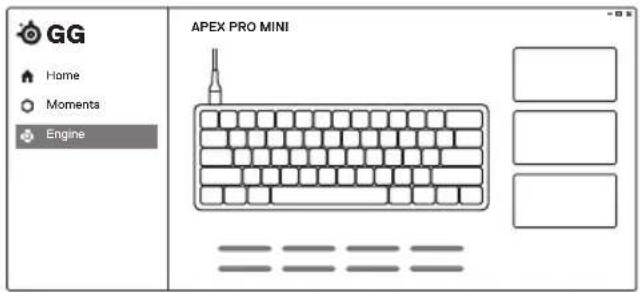
Use Engine inside SteelSeries GG to customize your lighting, macros and more.
GG also has other amazing apps like Moments, which makes it easier and faster to clip and share highlights with friends.
DOWNLOAD NOW - steelseries.com/gg
text_image
GG Home Moments Engine APEX PRO MINIKEYBOARD
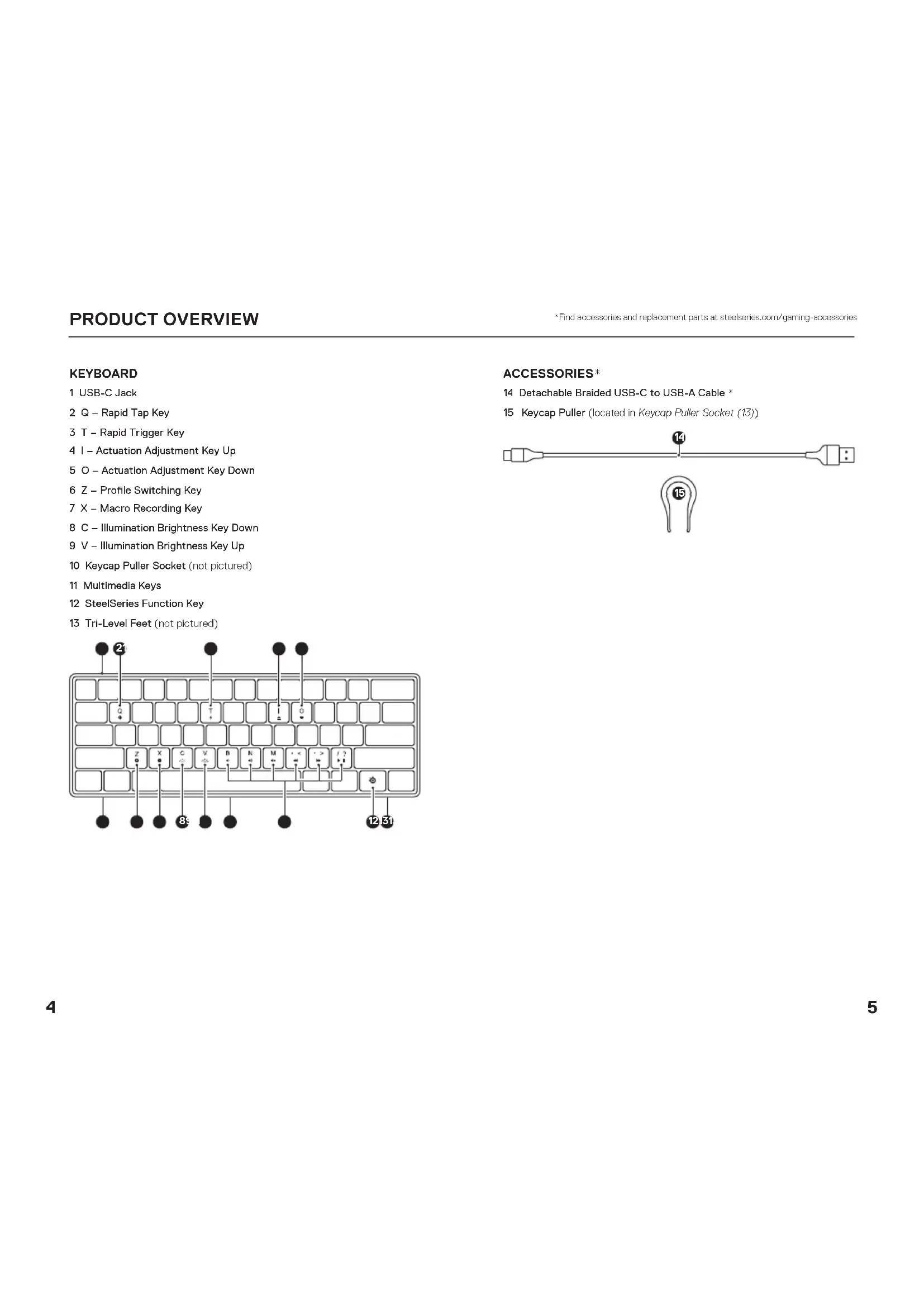
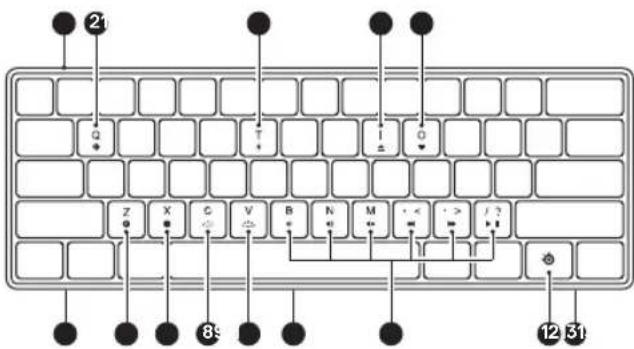
1 USB-C Jack
2 Q - Rapid Tap Key
3 T - Rapid Trigger Key
4 I - Actuation Adjustment Key Up
5 O - Actuation Adjustment Key Down
6 Z - Profile Switching Key
7 X - Macro Recording Key
8 C - Illumination Brightness Key Down
9 V - Illumination Brightness Key Up
10 Keycap Puller Socket (not pictured)
11 Multimedia Keys
12 SteelSeries Function Key
13 Tri-Level Feet (not pictured)
text_image
21 Q + - I G Z X C V B N M < - > J ? 89 12 31ACCESSORIES×
14 Detachable Braided USB-C to USB-A Cable *
15 Keycap Puller (located in Keycap Puller Socket (13))

text_image
14 15SETUP
CONNECTION
text_image
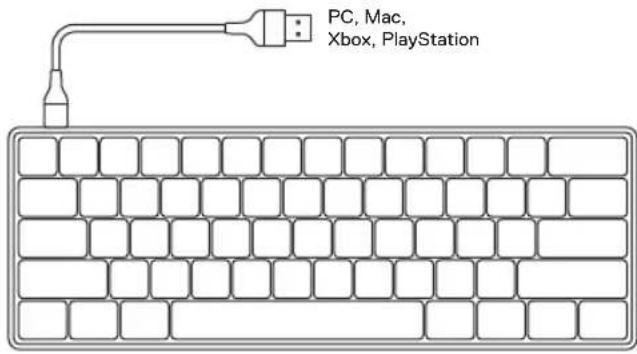
PC, Mac, Xbox, PlayStationNote: Not all software features supported on MacOS
FUNCTIONS
PROFILE SWITCHING
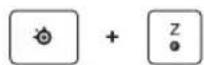
Press the SteelSeries Function Key (12) + Z - Profile Switching Key (6) repeatedly to cycle through the profiles.
1 Press and hold the SteelSeries Function Key (12) + X - Macro Recording Key (7) for 2 seconds to start recording.
2 Type your desired key combinations.
3 Press the SteelSeries Function Key (12) + X - Macro Recording Key (7) to end Macro Recording.
4 The X - Macro Recording Key (7) will now be flashing, press the key you want to assign the Macro to.
Press the SteelSeries Function Key (12) + C - Illumination Brightness Key Down (8) to reduce Illumination Brightness.
Press the SteelSeries Function Key (12) + V - Illumination Brightness Key Up (9) to increase Illumination Brightness.
MULTIMEDIA CONTROLS
| Volume Up SteelSeries Function Key (12) + N | |
| Volume Down | SteelSeries Function Key (12) + B |
| Mute / Unmute Toggle | SteelSeries Function Key (12) + M |
| Play / Pause | SteelSeries Function Key (12) + / |
| Forward / Skip Track | SteelSeries Function Key (12) + . |
| Back / Previous Track | SteelSeries Function Key (12) + , |
ACTUATION ADJUSTMENT
OMNIPOINT ADJUSTABLE ACTUATION

SteelSeries Function Key (12) + I - Actuation Adjustment Key Up (4) lifts the actuation point (deeper keypress).
SteelSeries Function Key (12) + O - Actuation Adjustment Key Down (5) lowers the actuation point (lighter keypress).
Use Engine inside SteelSeries GG to configure the adjustable actuation on a per-key basis.
RAPID TRIGGER
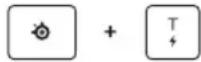
SteelSeries Function Key (12) + T - Rapid Trigger Key (3) toggles
Rapid Trigger on or off.
Use Engine inside SteelSeries GG to configure Rapid Trigger on a per-key basis.
RAPID TAP (SOCD)
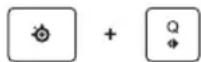
SteelSeries Function Key (12) + Q - Rapid Tap Key (2) toggles Rapid Tap on or off.
Rapid Tap prioritizes the last key press in a selected pair for faster input. Enhance responsiveness for counter-strafing, peeking, crouch jumping or slide canceling.
The default pair is A + D, add new pairs in Engine.
SWAPPABLE KEYCAPS
Each Keycap on the Apex Pro Mini can be removed and replaced. Use the Keycap Puller (15) located in the Keycap Puller Socket (10) on the bottom of your Keyboard to easily pull off each Keycap. Replacement and additional designer Keycap Sets are available for purchase on steelseries.com.

DEUTSCH
ALLGEMEIN
LIEFERUMFANG
SCARICALO ORA - steelseries.com/gg
PANORAMICA SUL PRODOTTO
TASTIERA
1 Jack USB-C 8 C - Tasto per diminuire
2 Q - Tasto Rapid Tap
3 T - Tasto Rapid Trigger
Apex Pro Mini Keyboard
Cabo USB-C para USB-A
trançado amovível
Extrator de teclas
COMPATIBILIDADE DO SISTEMA
PC
Xbox
Mac ^+
PlayStation
TRANSFERIR AGORA - steelseries.com/gg
Apex Pro Mini Keyboard 键帽拉杆
立即下载 - steelseries.com/gg
产品概览
键盘
| 1 USB-C 插孔 | 8 C - 照明亮度调低键 |
| 2 Q - Rapid Tap 键 | 9 V - 照明亮度调低高键 |
| 3 T - Rapid Trigger 键 | 10 键暗拔键盘收纳槽(图中未显示) |
| 4 I - 触动向上调节键 | 11 多媒体键 |
| 5 O - 触动向下调节键 | 12 SteelSeries 功能键 |
| 6 Z - 配置文件切换键 | 13 三层支腿(图中未显示) |
| 7 X - 宏录制键 |
配件
*在steelseries.com/gaming-accessories查找配件和替换件
设置
连接
Apex Pro Mini Keyboard 缓帽拉杆
*在steelseries.com/gaming-accessories查找配件和替换件
設定
連接
Europe – EU Declaration of Conformity
Hereby, SteelSeries A/S (GN Hearing A/S) declares that the equipment which is compliance with directive RoHS 2.0 (2015/863/EU), R.E.D (2014/53/EU), EMC Directive (2014/30/EU), and LVD (2014/35/EU) which are issued by the Commission of the European Community.
The full text of the EU declaration of conformity is available at the following internet address: https://support.steelseries.com/ho/en-us/categories/360001256111-Other-Stuff
SteelSeries A/S (GN Hearing A/S) hereby confirms, to date, based on the feedback from our suppliers indicates that our products shipping to the EU territory comply with REACH (Registration Evaluation, Authorization, and Restriction of Chemicals – (EC) 190//2006) compliance program. We are fully committed to offering REACH compliance on the products and posting accurate REACH compliance status for the all of products.
UK CA
UK Declaration of Conformity
Hereby, SteelSeries A/S (GN Hearing A/S) declares that the following equipment which is compliance with Electromagnetic Compatibility Regulations 2016, Electrical Equipment (Safety) Regulations 2016 and The Restriction of the Use of Certain Hazardous Substances in Electrical and Electronic Equipment Regulations 2012 issued by the Department for Business, Energy & Industrial Strategy.
The full text of the UK declaration of conformity is available at the following internet address: support.steelseries.com/hc/en-us/categories/360001256111-Other-Stuff

WEEE
This product must not be disposed of with your other household waste or treat them in compliance with the local regulations or contact your local city office, your household waste disposal service or the shop where you purchased the product.
Turkey RoHS Compliance
Republic of Turkey: In conformity with the EEE Regulation
Federal Communication Commission Interference Statement
This device complies with Part 15 of the FCC Rules. Operation is subject to the following two conditions:
1 This device may not cause harmful interference, and
2 this device must accept any interference received, including interference that may cause undesired operation.
This equipment has been tested and found to comply with the limits for a Class B digital device, pursuant to Part 15 of the FCC Rules. These limits are designed to provide reasonable protection
against harmful interference in a residential installation. This equipment generates, uses and can radiate radio frequency energy and, if not installed and used in accordance with the instructions, may cause harmful interference to radio communications. However, there is no guarantee that interference will not occur in a particular installation. If this equipment does cause harmful interference to radio or television reception, which can be determined by turning the equipment off and on, the user is encouraged to try to correct the interference by one of the following measures:
- Reorient or relocate the receiving antenna.
- Increase the separation between the equipment and receiver.
- Connect the equipment into an outlet on a circuit different from that to which the receiver is connected.
- Consult the dealer or an experienced radio/TV technician for help.
Industry Canada Statement
This device complies with Industry Canada license-exempt RSS standard(s). Operation is subject to the following two conditions:
1 this device may not cause interference, and
2 this device must accept any interference, including interference that may cause undesired operation of the device.
This Class B digital apparatus complies with Canadian ICES-003.
Restriction on Hazardous Substances statement (India)
This product complies with the "India E-waste Rule 2011" and prohibits use of lead, mercury, hexavalent chromium, polybrominated biphenyls or polybrominated diphenyl ethers in concentrations exceeding 0.1 weight % and 0.01 weight % for cadmium, except for the exemptions set in Schedule 2 of the Rule.
The RoHS test method is based on the standards JIS C 0950 and CNS 15663.
| 號號名稱: 要牌 型號(型式): KB-00017Equipment name: Keyboard Type designation: KB 00017 | ||||||
| 單元Unit | 限用物質及其化學符號Restricted substances and its chemical symbols | |||||
| 鉛Lead(Pb) | 汞Mercury(Hg) | 電Cadmium(Cd) | 六寶鉑Hexavalent chromium( Cr^2+ ) | 多溴聯苯Poly-brominated biphenyls(PBB) | 多溴二苯醚Poly-brominated diphenyl others(PBDL) | |
| 塑膠部件Plastic | ○ | ○ | ○ | ○ | ○ | ○ |
| 電壓板及元件PCBA | - | ○ | ○ | ○ | ○ | ○ |
| 線材Cable | - | ○ | ○ | ○ | ○ | ○ |
| 全屬部件Metal | - | ○ | ○ | ○ | ○ | ○ |
| 備考1 “超出0.1 wt %”及“超出0.01 wt %”係指限用物質之百分比會足超出百分比會足量等值。Note 1 “Exceeding 0.1 wt %” and “exceeding 0.01 wt %” indicate that the percentage content of the restricted substance exceeds the reference percentage value of presence condition.備考2 ○係指該項限用物質之百分比會未超出百分比會足量等值。Note 2 ○ indicates that the percentage content of the restricted substance does not exceed the percentage of reference value of presence.備考3 一係指該項限用物質為排除項目。Note 5 - indicates that the restricted substance corresponds to the exemption | ||||||
| Region Address Telephone | ||
| Asia亞洲 | 4E-4, No. 186, Jian 1st Rd.,Zhonghe Dist., New Taipei City, Taiwan新北市中和區建一路186號4樓及4樓之4 | +886 2 8227 1999 |
| Europe Havneholmen B, 1st Floor,2450 Copenhagen SV, Denmark | +45 702 500 75 | |
| USA SteelSeries A/S (GN Hearing A/S),656 W Randolph St., Suite 3E,Chicago, IL 60661, USA | +1 312 258 9467 | |
More information and support from steelseries.com

Custom Union Compliance. (Russia/Beanus/Kazakhstan/Armenis/Kyrgyzstan)

ACMA Compliance (Australia/New Zealand)

Malaysia Approval (SIRIM)
Philippines Approval (NTC)
57479/SDPPI/2024 7428
Indonesia Approva (SDPP)
Complies with IMDA Standards DA 106032
Singapore approval (IMDA)


Model No. (型号/型号) KB-00017
Rated (規格/規格) 5V 500 mA
Operating Temperature: 0 to +40 °C
產品使用環境溫度:0-40度
Remember to Recycle
All SteelSeries products have parts that can be recycled and repurposed. You can help by taking your electronics, not just SteelSeries products, to local retailers and drop-off points to ensure they are processed properly.
For more information on recycling your SteelSeries product visit steelseries.com/sustainability/recycling