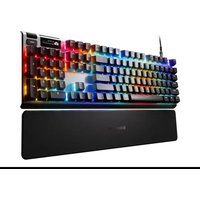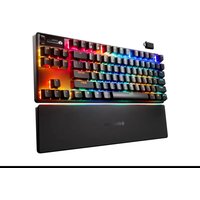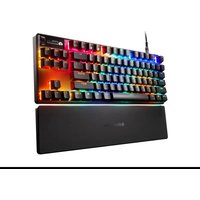
Apex Pro TKL Gen 3 - Keyboard STEELSERIES - Free user manual and instructions
Find the device manual for free Apex Pro TKL Gen 3 STEELSERIES in PDF.


User questions about Apex Pro TKL Gen 3 STEELSERIES
0 question about this device. Answer the ones you know or ask your own.
Ask a new question about this device
Download the instructions for your Keyboard in PDF format for free! Find your manual Apex Pro TKL Gen 3 - STEELSERIES and take your electronic device back in hand. On this page are published all the documents necessary for the use of your device. Apex Pro TKL Gen 3 by STEELSERIES.
USER MANUAL Apex Pro TKL Gen 3 STEELSERIES
PRODUCT INFORMATION GUIDE
TABLE OF CONTENTS
General 3
Product Overview 4
Setup 6
Functions 7
Swappable Keycaps 8
Actuation Adjustment 9
Translations 10
Deutsch.... 10
Español 11
Français 13
Italiano 15
Polski 17
Português 19
日本語 20
简体中文 22
繁體中文 23
한국어 25
ไทย 26
Regulatory 30
PACKAGE CONTENTS
Apex Pro TKL Keyboard
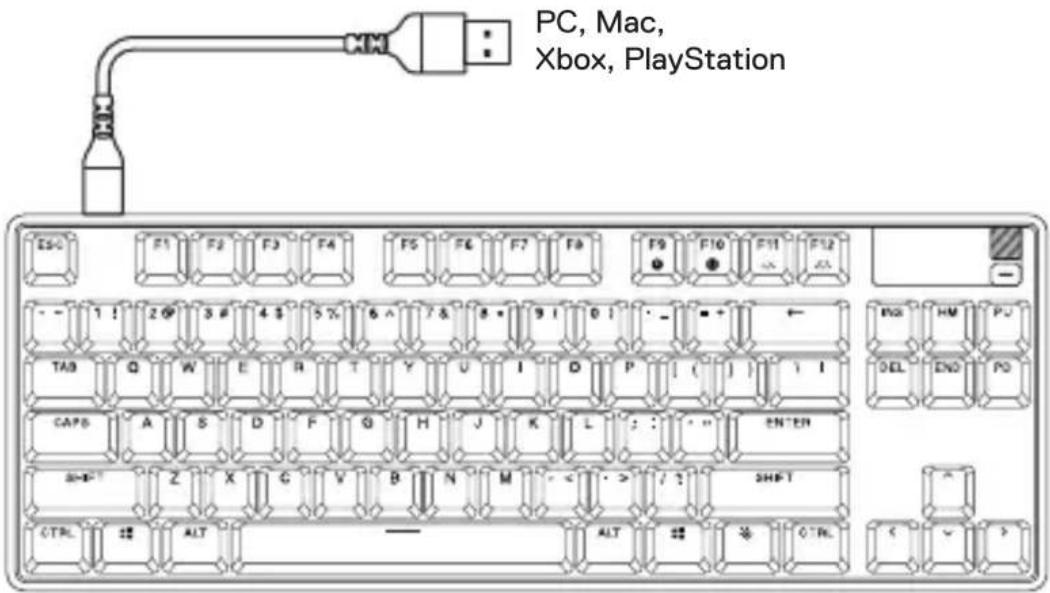
Detachable Braided USB-C to USB-A Cable
Magnetic Wrist Rest
Keycap Puller
SYSTEM COMPATIBILITY
PC
Mac (Not all software features supported on Mac OS)
Xbox
PlayStation
SOFTWARE
text_image
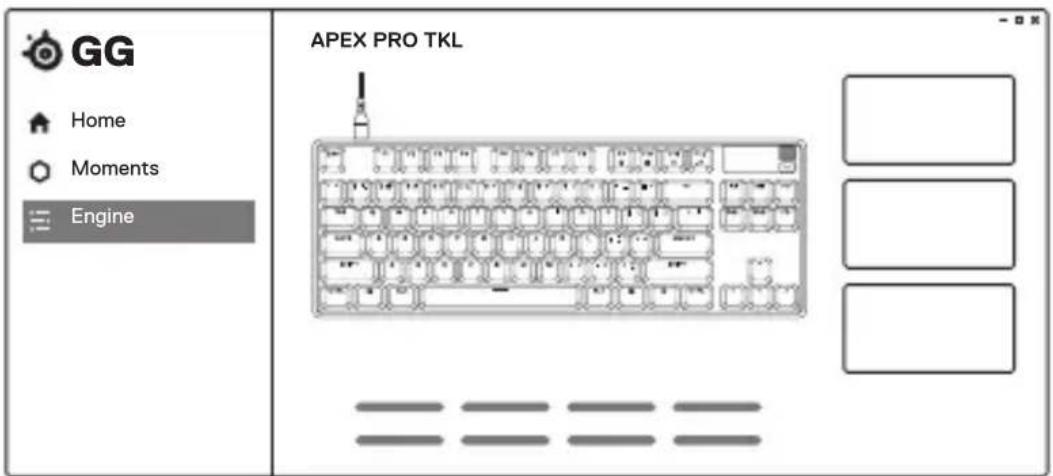
GG Home Moments Engine APEX PRO TKLUse Engine inside SteelSeries GG to customize
your lighting, macros and more.
GG also has other amazing apps like Moments, which makes it easier and faster to clip and share highlights with friends.

DOWNLOAD NOW
steelseries.com/gg
KEYBOARD
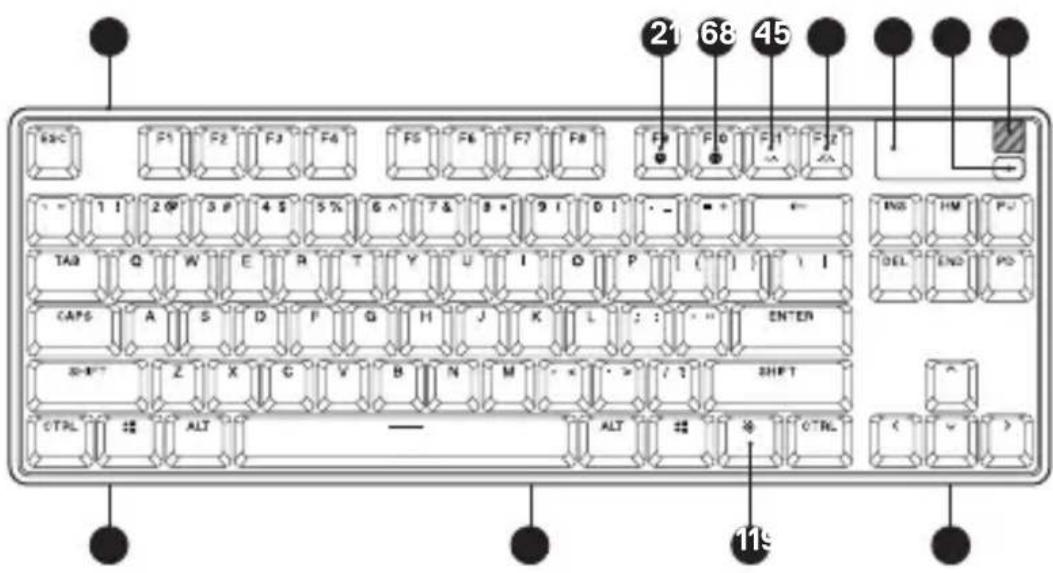
1 USB-C Jack
2 Profile Switching Key
3 On-the-Fly Macro Recording Key
4 Illumination Brightness Key Down
5 Illumination Brightness Key Up
6 OLED Smart Display
7 OLED Menu Button
8 Multimedia Volume Roller
9 Tri-Level Feet (not pictured)
10 Keycap Puller Socket (not pictured)
11 SteelSeries Function Key
12 Magnetic Wrist Rest
text_image
21 68 45 RBC F1 F2 F3 F4 F5 F6 F7 F8 F9 F10 F11 F12 - 1 ! 2 P 3 P 4 S 5 % 6 ^ 7 & 8 * 9 ! D ! - - + ← TA3 Q W E R T Y U I D P [ ] / | \ CAPS A S D F G H J K L : : - - ENTER SHIFT Z X G V B N M - < > / ? SHIFT CTRL ALT ALT CTRL 11s12
ACCESSORIES\*
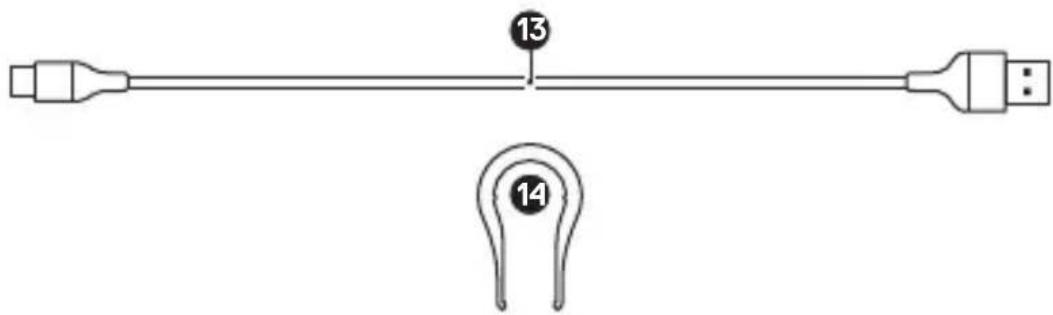
13 Detachable Braided USB-C to USB-A Cable*
14 Keycap Puller (located on bottom of keyboard)
text_image
13 14CONNECTION
text_image
PC, Mac, Xbox, PlayStation ESC F1 F2 F3 F4 F5 F6 F7 F8 F9 F10 F11 F12 - 1 ! 2 P 3 # 4 S 5 % 6 ^ 7 & 8 * 9 I 0 ! - - + TAB Q W E R T Y U I D P [ ( ] | I CAPS A S D F G H J K L : : " ENTER SHIFT Z X G V B N M < / ? SHIFT CTRL ALT ALT CTRL < ✓ >PROFILE SWITCHING
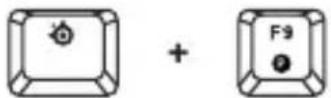
Press the SteelSeries Function Key (11) + Profile Switching Key (2) repeatedly to cycle through the profiles.
1 Press and hold the SteelSeries Function Key (11) + On-the-Fly Macro Recording Key (3) for 3 seconds to start recording.
2 Type your desired key combinations.
3 Press the SteelSeries Function Key (11) + On-the-Fly Macro Recording Key (3) to end Macro Recording.
4 Lastly, select a key to which you would like to bind the recorded macro.
text_image
Diagram showing three labeled buttons with symbols: a sun icon, a plus sign, and a cross symbol, likely representing a logic or control mechanism.Press the SteelSeries Function Key (11) + Illumination Brightness Key Down (4) to reduce Illumination Brightness. Press the SteelSeries Function Key (11) + Illumination Brightness Key Up (5) to increase Illumination Brightness.
MULTIMEDIA CONTROLS
Multimedia Volume Roller (8)
Volume Up Scroll Wheel Up
Volume Down Scroll Wheel Down
Mute/Unmute Toggle Press Wheel
OLED Menu Button (7)
Play / Pause Single Press
Forward / Skip Track Double Press
Back/Previous Track Triple Press
OLED SMART DISPLAY INPUT
OLED Menu Button (7)
Enter OLED Menu Long Press (2 sec)
Back/Exit Single Press
Multimedia Volume Roller (8)
Navigate Menu Up Scroll Wheel Up
Navigate Menu Down Scroll Wheel Down
Select Highlighted Item Press Wheel
SWAPPABLE KEYCAPS
Each Keycap on the Apex Pro TKL can be removed and replaced.
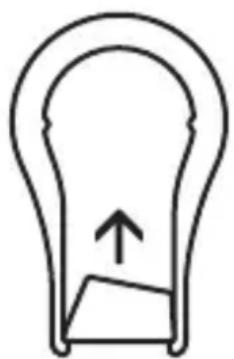
Use the Keycap Puller (14) located on the bottom of your Keyboard to easily pull off each Keycap. Replacement and additional designer Keycap Sets are available for purchase on steelseries.com.
natural_image
Simple line drawing of a light bulb with an upward arrow inside, no text or symbols present.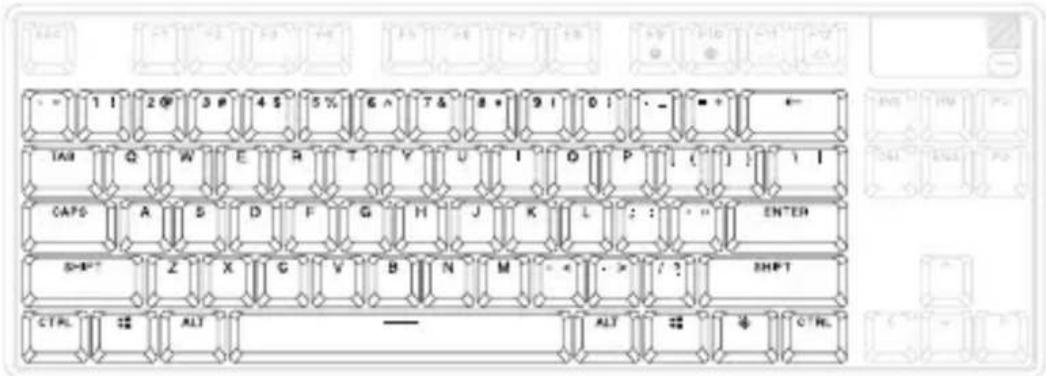
text_image
1 ! 2 @ 3 # 4 $ 5 % 6 ^ 7 & 8 + 9 ! 0 ! - _ + ← TAB Q W E R T Y U I O P [ ( ] ! \ I CAPS A S D F G H J K L : : : ENTER SHIFT Z X G V B N M - < - > / ? SHIFT CTRL ALT ALT CTRLAccess the Actuation menu on the OLED or use the hotkeys below to adjust actuation levels on-the-fly.
OMNIPOINT ADJUSTABLE ACTUATION

text_image
Diagram showing four different keyboard icons with plus and minus signs, likely representing a basic electrical or mechanical component model.SteelSeries Function Key (11) + "l" lifts the actuation point (deeper keypress).
SteelSeries Function Key (11) + “O” lowers the actuation point (lighter keypress).
Use Engine inside SteelSeries GG to configure the adjustable actuation on a per-key basis.
RAPID TRIGGER

SteelSeries Function Key (11) + "T" toggles Rapid Trigger on or off.
Alternatively, click the Multimedia Volume Roller (8) while in the OLED Actuation menu to toggle Rapid Trigger on or off. When enabled, a lightning bolt will appear on the OLED display.
Use Engine inside SteelSeries GG to configure Rapid Trigger on a per-key basis.
DEUTSCH
ALLGEMEIN
LIEFERUMFANG
Apex Pro TKL Keyboard
11 SteelSeries Function Key
6 OLED Smart-Display
Leiser Scrollrad runter
DESCARGAR AHORA, steelseries.com/gg
RESUMEN DEL PRODUCTO
TECLADO
SCARICALO ORA – steelseries.com/gg
PANORAMICA SUL PRODOTTO
TASTIERA
1 Jack USB-C
6 Display smart OLED
INSERIMENTO DISPLAY SMART OLED
Pulsante menu OLED (7)
POBIERZ TERAZ – steelseries.com/gg
OPIS PRODUKTU
KLAWIATURA
1 Gniazdko USB-C
11 SteelSeries Function Key
TRANSFERIR AGORA – steelseries.com/gg
11 SteelSeries Function Key
6 Ecrã inteligente OLED
立即下载 - steelseries.com/gg
产品概览
键盘
*在steelseries.com/gaming-accessories查找配件和替换件
设置
连接
功能
配置文件切换
*在steelseries.com/gaming-accessories查找配件和替换件
設定
連接
功能
設定檔切換
Hereby, SteelSeries A/S (GN Audio A/S) declares that the equipment which is compliance with directive RoHS 2.0 (2015/863/EU), R.E.D (2014/53/EU), EMC Directive (2014/30/EU), and LVD (2014/35/EU) which are issued by the Commission of the European Community.
The full text of the EU declaration of conformity is available at the following internet address: https://support.steelseries.com/hc/en-us/categories/360001256111-Other-Stuff
SteelSeries A/S (GN Audio A/S) hereby confirms, to date, based on the feedback from our suppliers indicates that our products shipping to the EU territory comply with REACH (Registration, Evaluation, Authorization, and Restriction of Chemicals - (EC) 1907/2006) compliance program. We are fully committed to offering REACH compliance on the products and posting accurate REACH compliance status for all of products.
Operating Temperature: 0 to +40°C
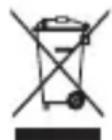
European Union: Product should not be disposed of as unsorted household waste.
Please use the public collection system to return, recycle, or treat them in compliance with the local regulations.

UK Declaration of Conformity
Hereby, SteelSeries A/S (GN Audio A/S) declares that the following equipment, which is compliance with Electromagnetic Compatibility Regulations 2016, Electrical Equipment (Safety) Regulations 2016, Radio Equipment Regulations 2017 and The Restriction of the Use of Certain Hazardous Substances in Electrical and Electronic Equipment Regulations 2012 issued by the Department for Business, Energy & Industrial Strategy.
The full text of the UK declaration of conformity is available at the following internet address: https://support.steelseries.com/hc/en-us/categories/360001256111-Other-Stuff

Federal Communication Commission Interference Statement
Supplier's Declaration of Conformity: 47 CFR § 2.1077 Compliance Information
This device complies with Part 15 of the FCC Rules. Operation is subject to the following two conditions:
- This device may not cause harmful interference, and
- this device must accept any interference received, including interference that may cause undesired operation.
This equipment has been tested and found to comply with the limits for a Class B digital device, pursuant to Part 15 of the FCC Rules. These limits are designed to provide reasonable protection against harmful interference in a residential installation. This equipment generates, uses and can radiate radio frequency energy and, if not installed and used in accordance with the instructions, may cause harmful interference to radio communications. However, there is no guarantee that interference will not occur in a particular installation. If this equipment does cause harmful interference to radio or television reception, which can be determined by turning the equipment off and on, the user is encouraged to try to correct the interference by one of the following measures:
• Reorient or relocate the receiving antenna.
- Increase the separation between the equipment and receiver.
- Connect the equipment into an outlet on a circuit different from that to which the receiver is connected.
- Consult the dealer or an experienced radio/TV technician for help.
FCC Caution:
Any changes or modifications not expressly approved by the party responsible for compliance could void the user's authority to operate this equipment.
Industry Canada Statement:
This device complies with Industry Canada license-exempt RSS standard(s). Operation is subject to the following two conditions:
- this device may not cause interference, and
- this device must accept any interference, including interference that may cause undesired operation of the device.
This Class B digital apparatus complies with Canadian ICES-003.
The County Code Selection feature is disabled for products marketed in the US/ Canada.
The appliance must not be exposed to splashes or drops of water and it should not be used as a support for any object filled with liquid, such as a vase.

ACMA Compliance (Australia/ New-Zealand)
Region Contact information
| Asia GN Audio Taiwan Ltd.4F and 4F.-4, No. 186, Jian 1st Rd., Zhonghe Dist., New Taipei City 235 , Taiwan (R.O.C.) | +886 2 8227 1999 |
| Europe GN Audio A/S (SteelSeries ApS.)Havneholmen 8, 1st floorDK-2450 Copenhagen SVDenmark | +45 702 500 75 |
| USA GN Audio USA Inc.,656 W Randolph St., Suite 3E Chicago, IL60661, USA | +1 312 258 9467 |
More information and support from https://steelseries.com/
Français
| 設備名稱:鍵盤 型號(型式):KB24Equipment name:Keyboard KBType designation:KB24 | ||||||
| 單元Unit | 限用物質及其化學符號Restricted substances and its chemical symbols | |||||
| 鉛Lead(Pb) | 汞Mercury(Hg) | 鎘Cadmium(Cd) | 六價鉻Hexavalent chromium( Cr^6 ) | 多溴聯苯Poly-brominated biphenyls(PBB) | 多溴二苯醚Poly-brominated diphenyl ethers(PBDE) | |
| 塑膠部件Plastic | ○ | ○ | ○ | ○ | ○ | ○ |
| 電路板及元件PCBA | - | ○ | ○ | ○ | ○ | ○ |
| 線材Cables | - | ○ | ○ | ○ | ○ | ○ |
| 金屬部件Metal | - | ○ | ○ | ○ | ○ | ○ |
| 備考1 “超出0.1 wt %”及“超出0.01 wt %”係指限用物質之百分比含量超出百分比含量基準值。Note 1 “Exceeding 0.1 wt %” and “exceeding 0.01 wt %” indicate that the percentage content of the restricted substance exceeds the reference percentage value of presence condition.備考2 ○係指該項限用物質之百分比含量未超出百分比含量基準值。Note 2 ○indicates that the percentage content of the restricted substance does not exceed the percentage of reference value of presence.備考3 -係指該項限用物質為排除項目。Note 3 -indicates that the restricted substance corresponds to the exemption | ||||||
Rated (規格/規格): 5 V = 600 mA
Operating Temperature: 0 to +40 °C
產品使用環境溫度: 0 - 40度