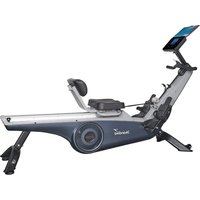
Freki Plus - Rowing Machine Skandika - Free user manual and instructions
Find the device manual for free Freki Plus Skandika in PDF.


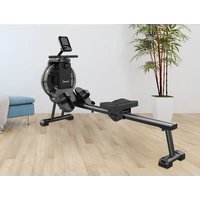
| Product type | Rowing machine |
| Brand | Skandika |
| Model | Freki Plus |
| Resistance | 24 magnetic levels |
| Computer | Display TIME, DISTANCE, STROKES, CALORIES, WATT, SPM, PULSE, Age, Heart rate recovery, Body fat measurement, preset programs (P1-P15) and programmable (P16-P19) |
| Power supply | Mains power adapter (plug) |
| Connectivity | Bluetooth 2.4 GHz for Kinomap app |
| Heart rate | Integrated 5.3 kHz receiver for Skandika chest strap (optional) |
| USB charging | USB port on computer to charge mobile devices |
| Maximum user weight | 135 kg |
| Usage | Home use only |
| Cleaning | Soft, slightly damp cloth; do not use solvents or hard brushes |
| Transport wheels | Front wheels for easy movement |
| Compatible accessories | Metal hooks for Skandika SF-2970 resistance bands (optional) |
| Spare parts | Available at service@skandika.de |
| Warranty | 24 months (excluding normal wear) |
| Error messages | E1: motor/controller; E4: pulse – check chest strap |
Frequently Asked Questions - Freki Plus Skandika
User questions about Freki Plus Skandika
0 question about this device. Answer the ones you know or ask your own.
Ask a new question about this device
Download the instructions for your Rowing Machine in PDF format for free! Find your manual Freki Plus - Skandika and take your electronic device back in hand. On this page are published all the documents necessary for the use of your device. Freki Plus by Skandika.
USER MANUAL Freki Plus Skandika
skandika.com/service
natural_image
Technical line drawing of a mechanical device with wheels and a handle (no text or symbols)
4
5
9 L/R
60
7
3
92
14
2
8

71

93
13/12/61/62
SCHRITT 2
natural_image
Technical line drawing of a mechanical assembly with no visible text or symbols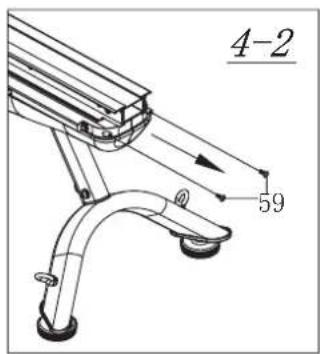
SCHRITT 5
natural_image
Technical line drawing of a stationary exercise machine with an inset showing the mechanical assembly (no text or symbols present)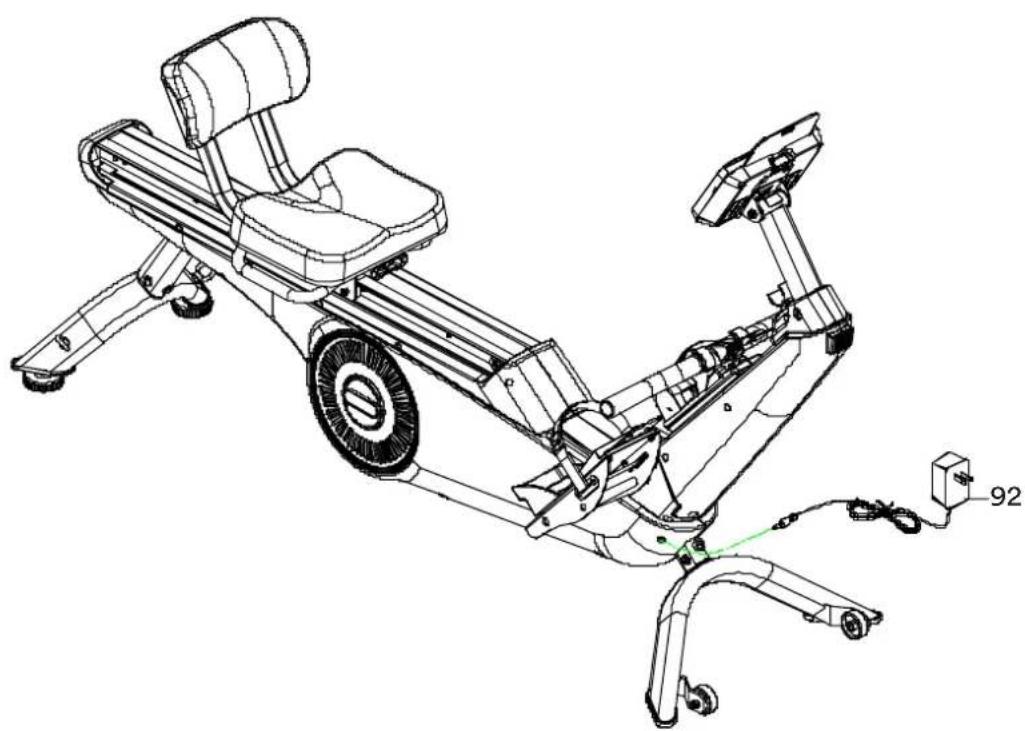
natural_image
Technical line drawing of a stationary exercise bike with visible components and wiring (no text or symbols)SCHRITT 8
natural_image
Technical line drawing of a stationary exercise bike with visible components and motion arrows (no text or labels)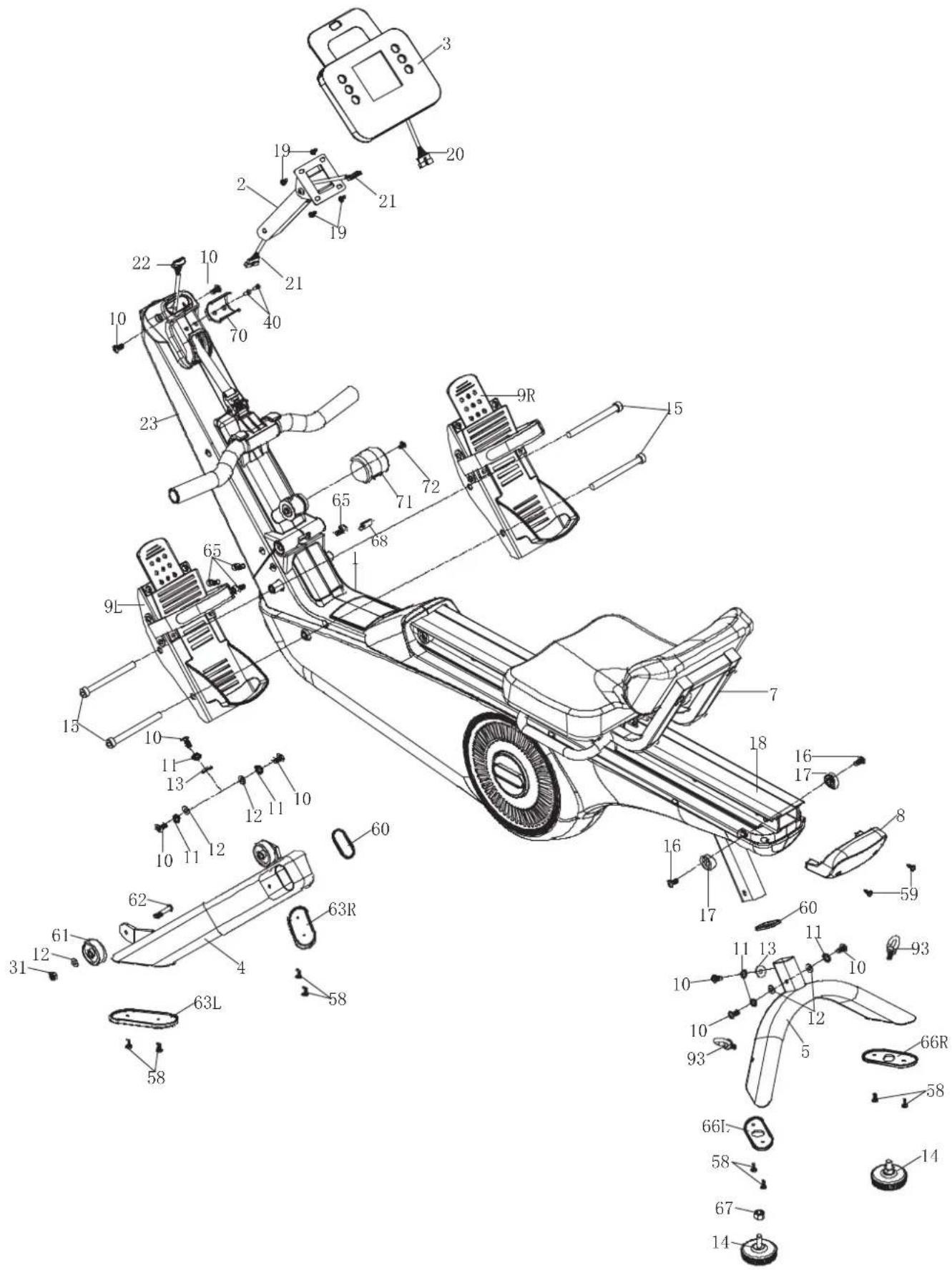
27 Safety precautions
28 Checklist
29 Set-up instructions
36 Leg exercise
38 Computer instructions
43 Using a chest belt
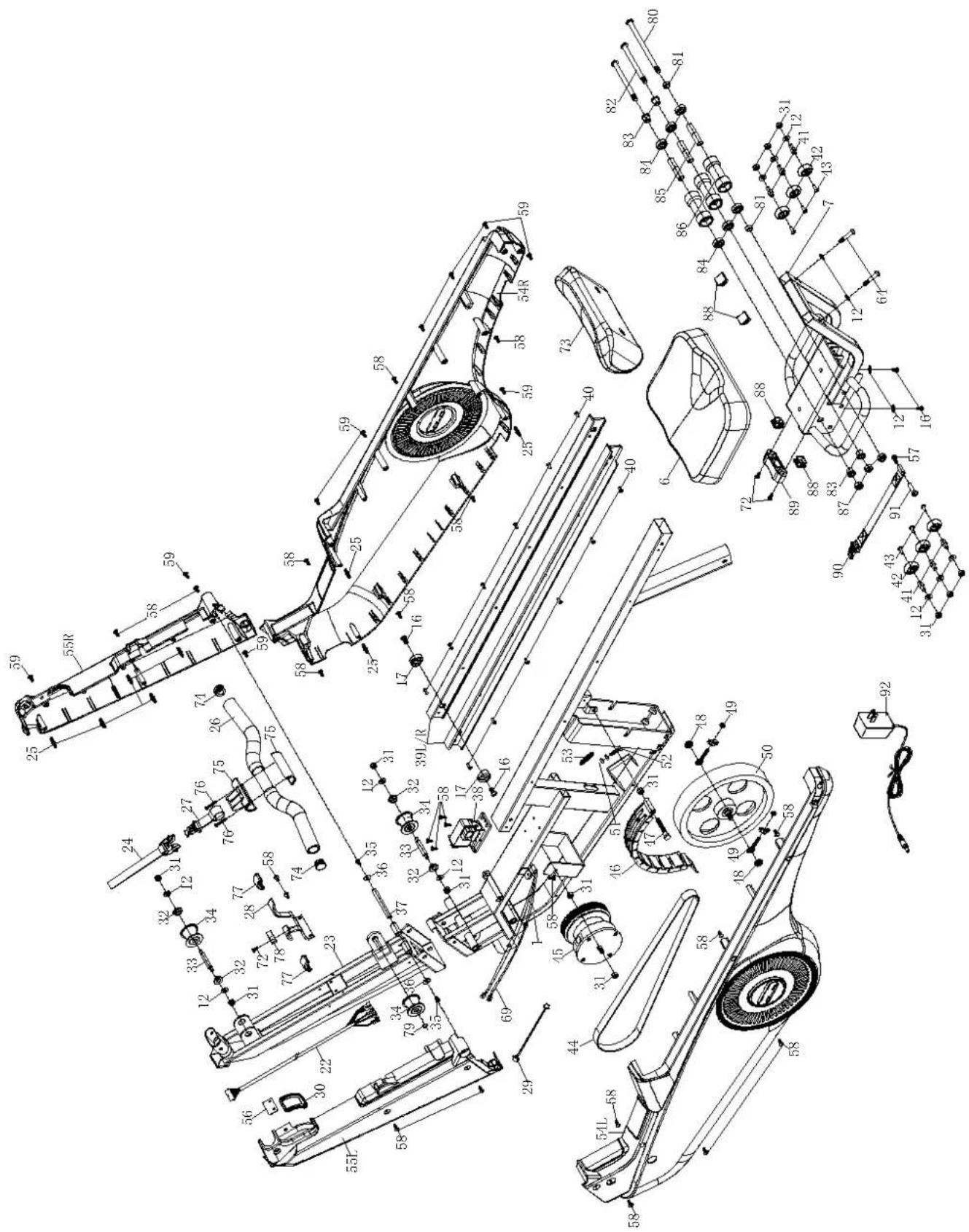
44 Parts list
45 Explosion drawing
47 Exercise instructions
48 Cleaning & care
48 Guarantee conditions
37 Transportation & Storage
42 Connecting to Kinomap app
47 Warm-up and cool-down

skandika.com/service
Please visit the Skandika Service portal on our website for setup & help videos, FAQs and downloadable instructions.
For more information about Skandika, simply visit our main page www.skandika.com

WARNING
To reduce risk of injury, read and understand this instruction manual before using the device! This machine is intended for home use only in accordance with the instructions provided in this manual. Read the instruction manual carefully before using this device and keep the instruction manual for future use.
SAFETY PRECAUTIONS
-
Only use the unit in enclosed spaces!
-
Place the device on a solid and level and surface only. Use a floor protection to avoid traces through the device's feet.
-
Only assemble the unit as specified in these instructions. The unit must not be modified.
-
Wipe off any sweat with a soft, absorbent cloth at the end of training. Do not use aggressive solvents or hard brushes.
-
Only use in cool, dry environments. Do not store in extreme cold, hot or damp places.
-
Cleaning and user maintenance may not be carried out by children without supervision.
-
Before starting any exercise program, consult your physician to determine if you have any medical or physical conditions that could put your health and safety at risk or prevent you from using the equipment properly. Your physician's advice is essential if you are taking any medication that may affect your heart rate, blood pressure or cholesterol level.
-
Your health can be affected by incorrect or excessive training. Consult a doctor before beginning a training program. If you experience dizziness, nausea, chest pain or any other abnormal symptoms, STOP the workout immediately. CONSULT A PHYSICIAN IMMEDIATELY.
-
Keep children and pets away from the appliance. This device is suitable for adult use only.
-
Do not leave children unattended in the same room with the machine.
-
Before using the equipment, check if all nuts and bolts are securely tightened. The safety of the equipment can only be maintained if it is regularly examined for damage and/or wear and tear.
-
Never use the unit if it is damaged.
-
Do not place fingers or objects in the range of moving parts of the device.
-
Before using the machine to exercise, always do stretching exercises to properly warm up.
-
Increase speed intensity and duration gradually.
-
The SC class unit may only be used by one person at a time (max. weight load = 135 kg).
-
Do not use this device directly after meals or drinks. Never use the device under the influence of drugs, alcohol or medication that causes disorientation.
-
This device is not suitable for therapeutically or commercial use. Only use this unit according to the intended purpose and as directed in the instruction manual.
-
Set aside any jewelry, watches, or other items such as cell phone, keys, or knives before exercising on this unit. There is a risk of accident or injury!
-
Please do not attempt to repair the unit yourself in the event of malfunctions, since this will void all warranty claims. Only have repairs carried out by authorised service centres. Only original spare parts may be used.
-
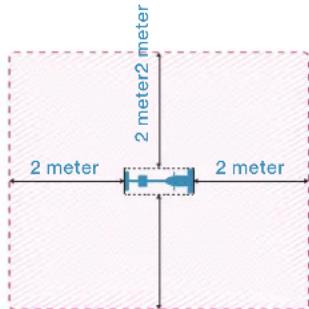
Please only exercise with a minimum clearance area of 2 meters around the device.
-
Always wear appropriate clothing and shoes which are suitable for your workout on the device. The clothes must
be designed in a way so that they will not get caught in any part of the device during the work-out due to their form (for example, length). Be sure to wear appropriate shoes which are suitable for the work-out, firmly support the feet and which are provided with a non-slip sole.
Be sure to consult a physician before you start any device program. He may give you proper hints and advice with respect to the individual intensity of stress for you, your workout and sensible eating habits. This is especially important for individuals over the age of 35 or persons with pre-existing health problems.
natural_image
Technical line drawing of a mechanical device with wheels and a handle (no text or symbols)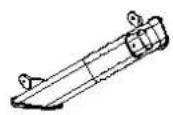
4
5
9 L/R
60
7
3
92
14
2
8

71

93
13/12/61/62
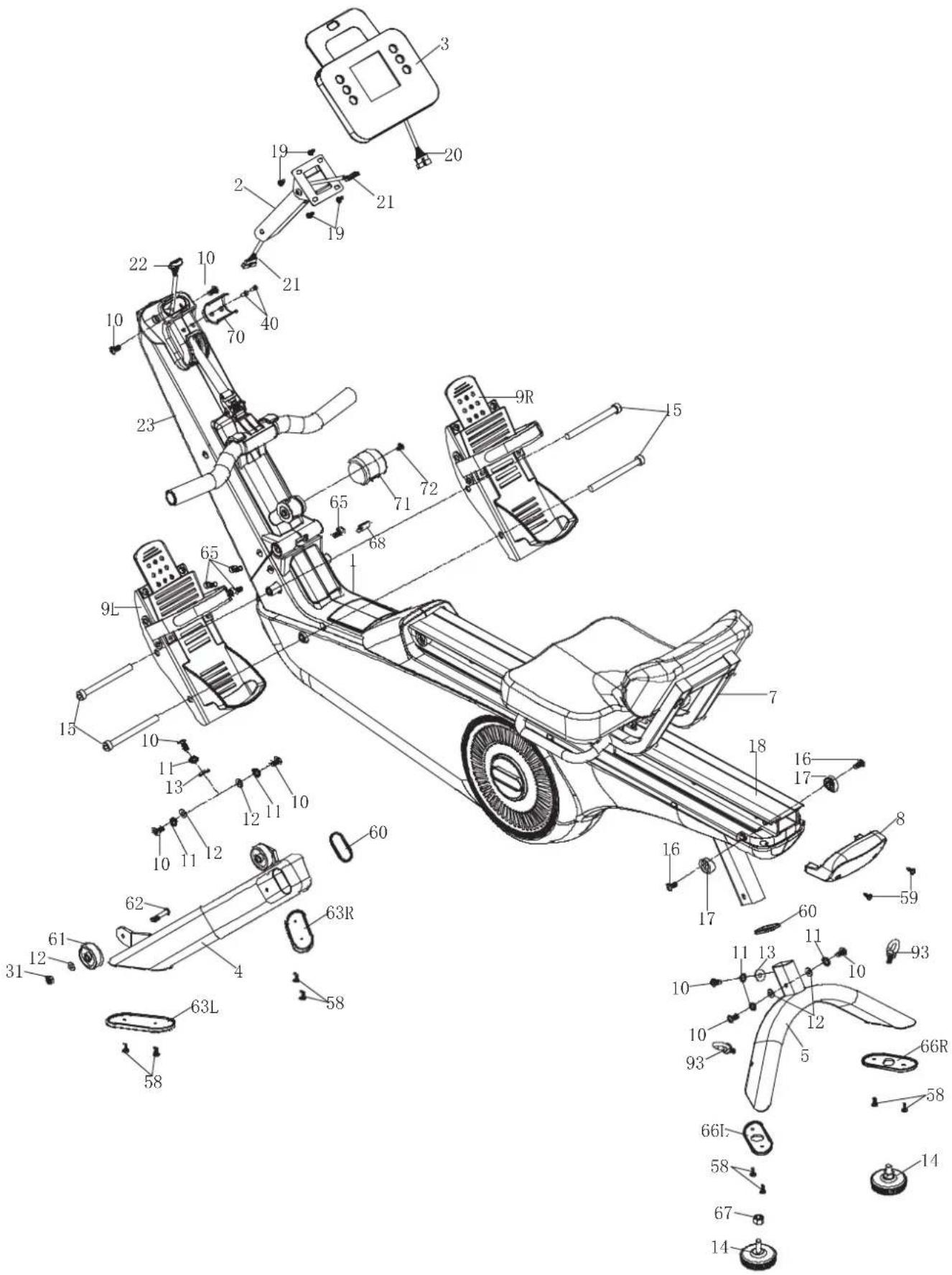
| No. Description Qty | ||
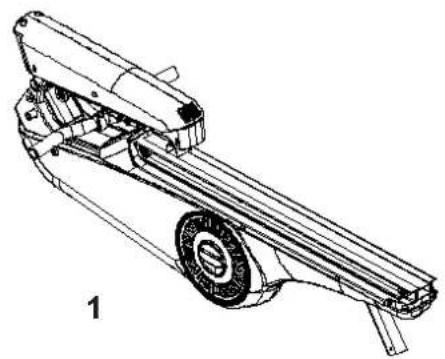
| 1 Base unit 1 | ||
| 2 Computer base 1 | ||
| 3 Computer 1 | ||
| 4 Front stand 1 | ||
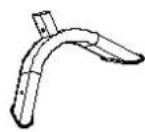
| 5 Rear stand 1 | ||
| 7 Sliding seat 1 | ||
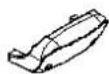
| 8 Cover 1 | ||
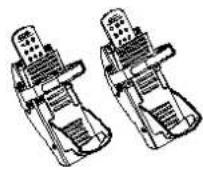
| 9 L/R Left / right footrest 1/1 | ||
| 13/12/61/62 | Moving wheel set | 2 |
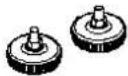
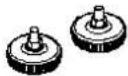
| 14 | Unit feet | 2 |
| 60 | Rubber pad | 2 |
| 71 | Wheel cover | 1 |
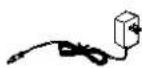
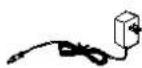
| 92 | Power supply unit | 1 |
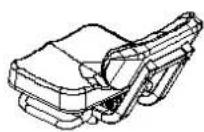
| 93 | Metal hook 2 | |
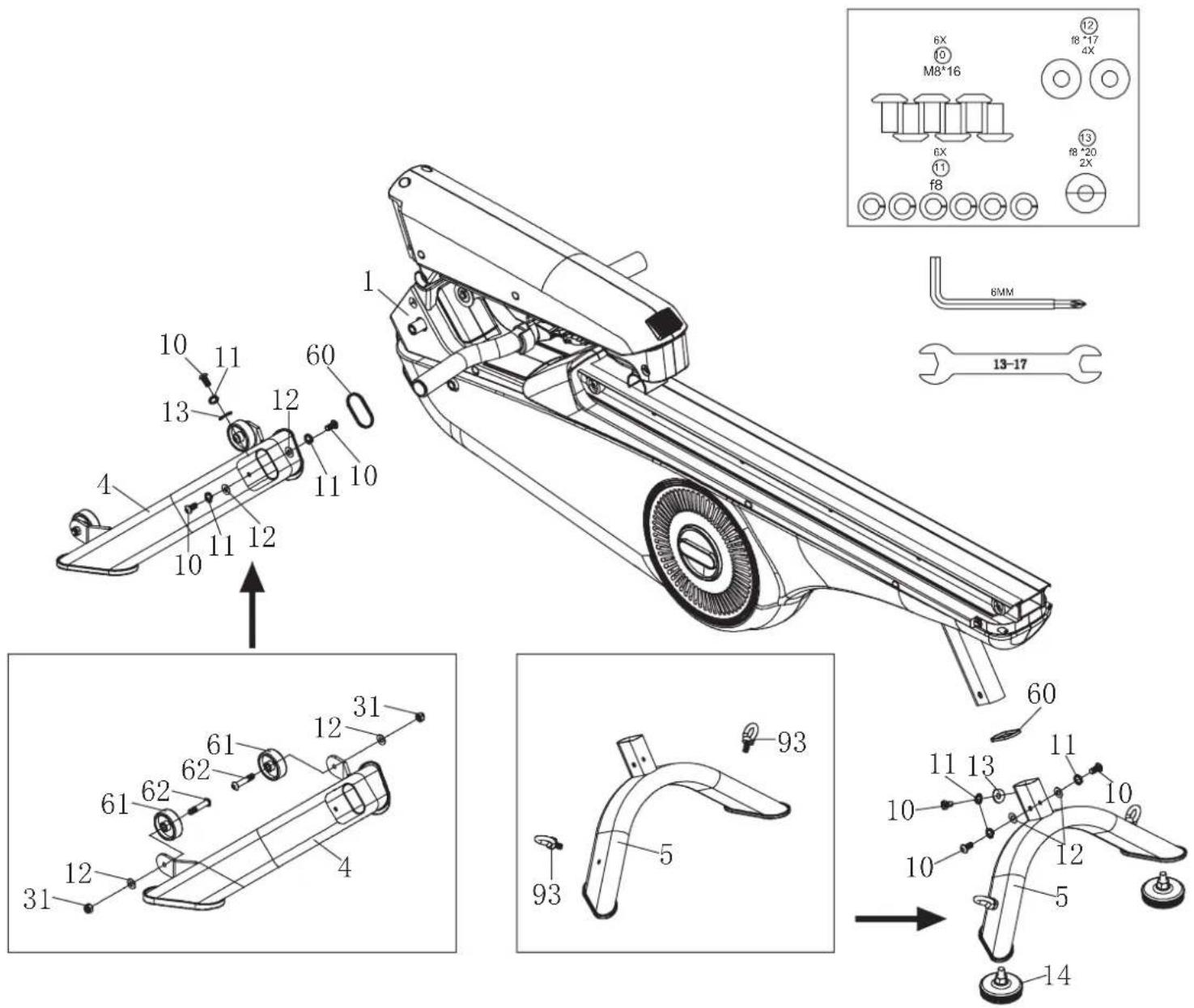
STEP 1
- Remove the appliance from the box and put all parts on the floor.
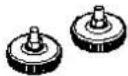
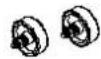
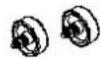
- Fit the castors (61) to the front stand (4) using 2 washers (12), nuts (31) and screws (62).
- Attach the rubber pads (60) to the front stand (4) as shown.
- Mount the front stand (4) to the unit base (1) with 3 screws (10), 3 spring washers (11), 2 washers (12) and 1 corrugated washer (13).
- Repeat the same assembly procedure for the rear stand (5).
- Attach the metal hook (93) to the rear stand (5).
- Attach the unit feet (14) to the rear stand (5).
STEP 2
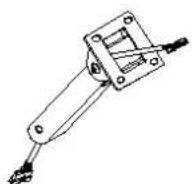
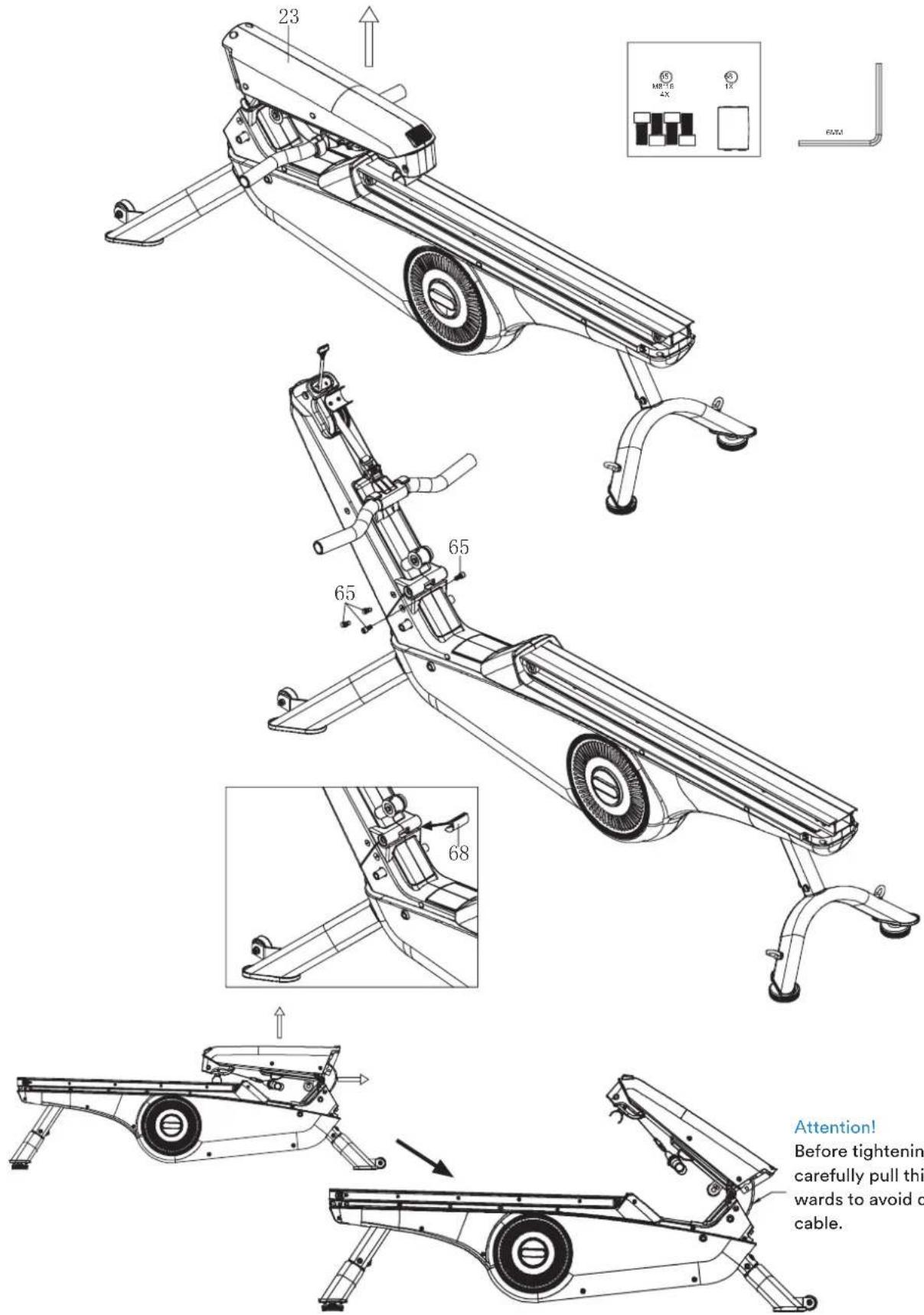
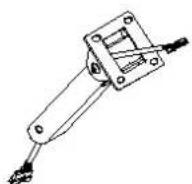
Fold the front support (23) upwards and secure it with 4 screws (65). Place the small plastic cover (68) in the opening as shown.
Attention!
Before tightening the screws, carefully pull this cable backwards to avoid damaging the cable.
STEP 3
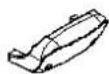
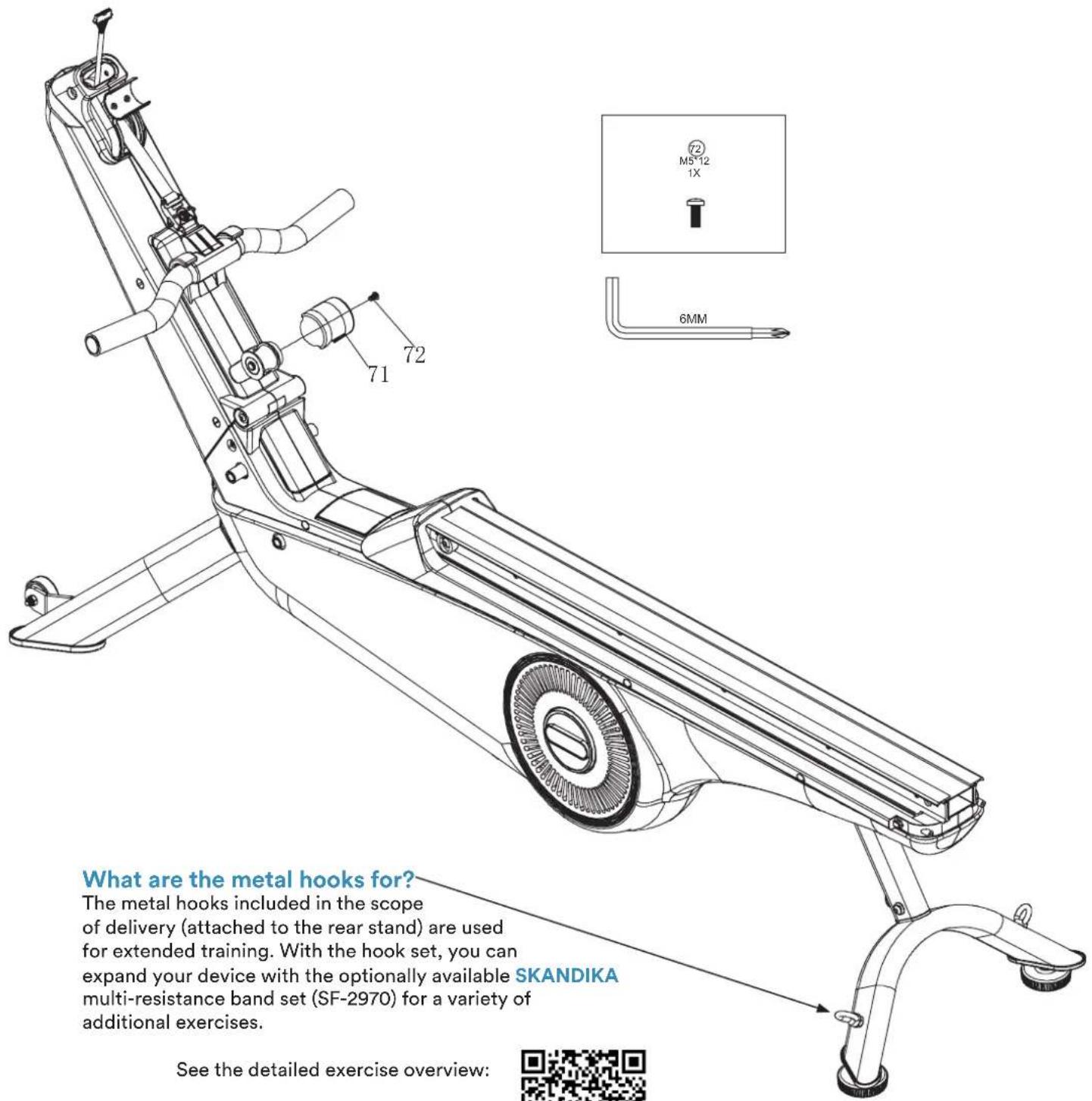
Fasten the cover (71) with the screw (72) as shown.
SKANDIKA Shop:
STEP 4
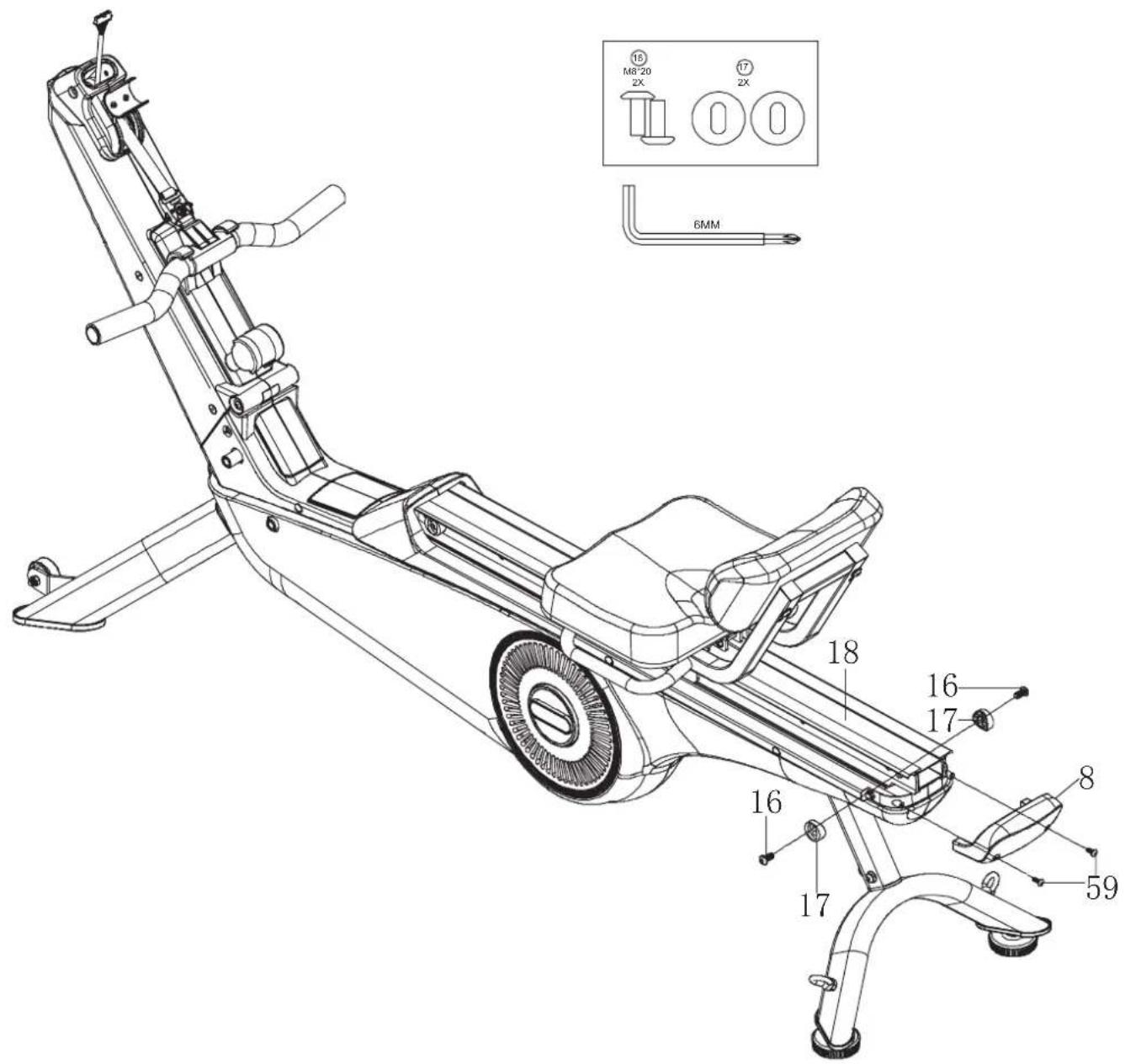
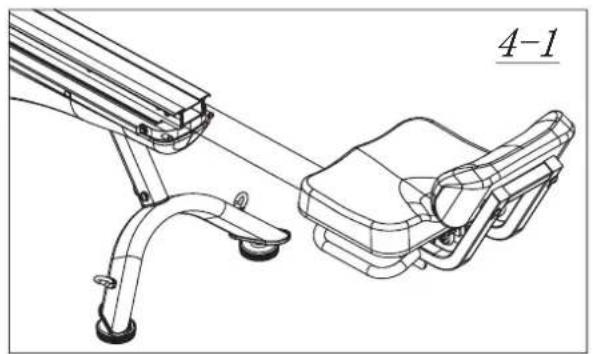
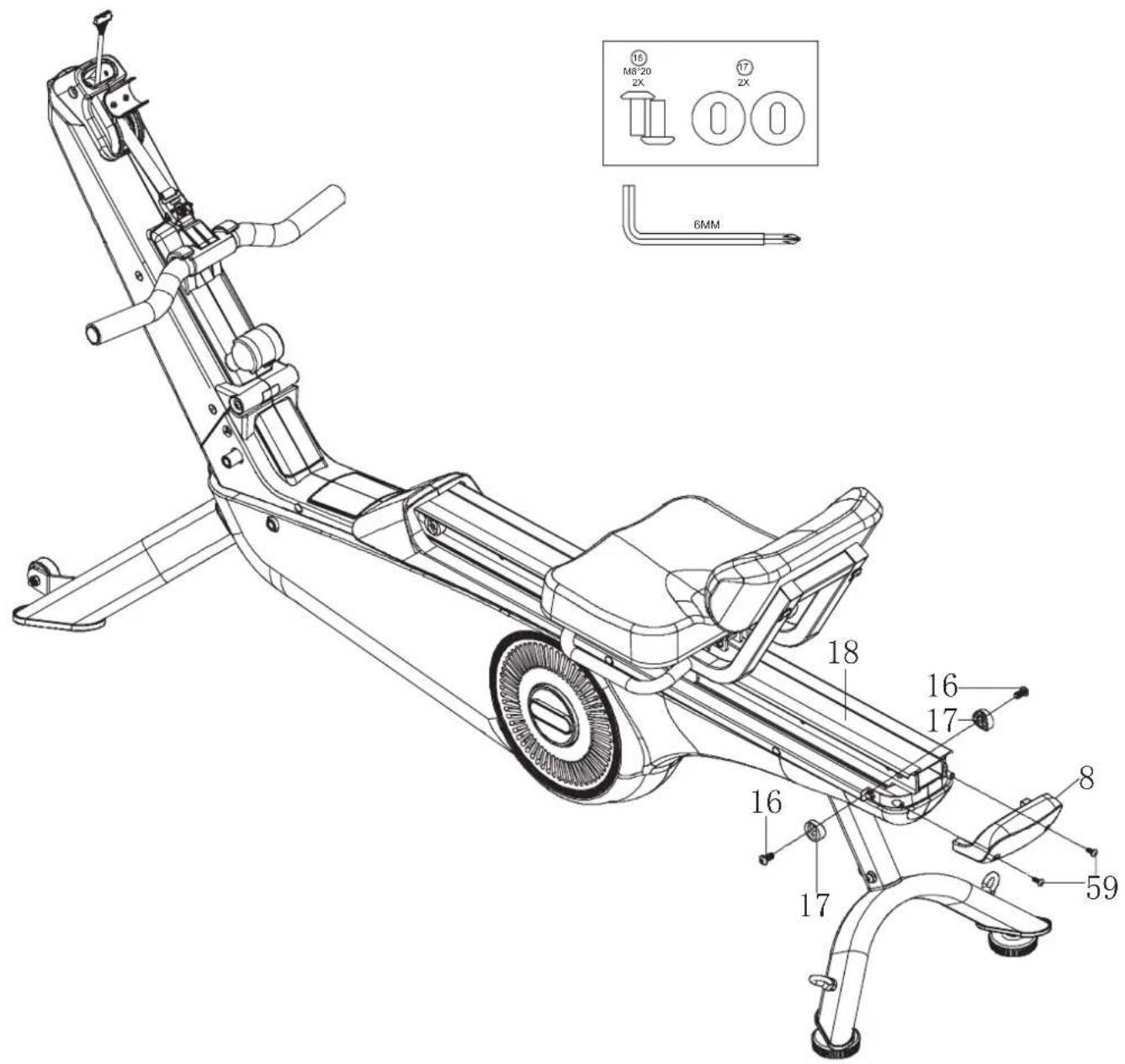
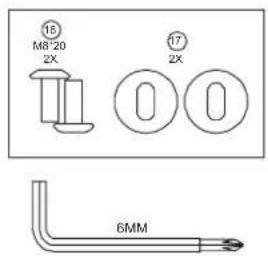
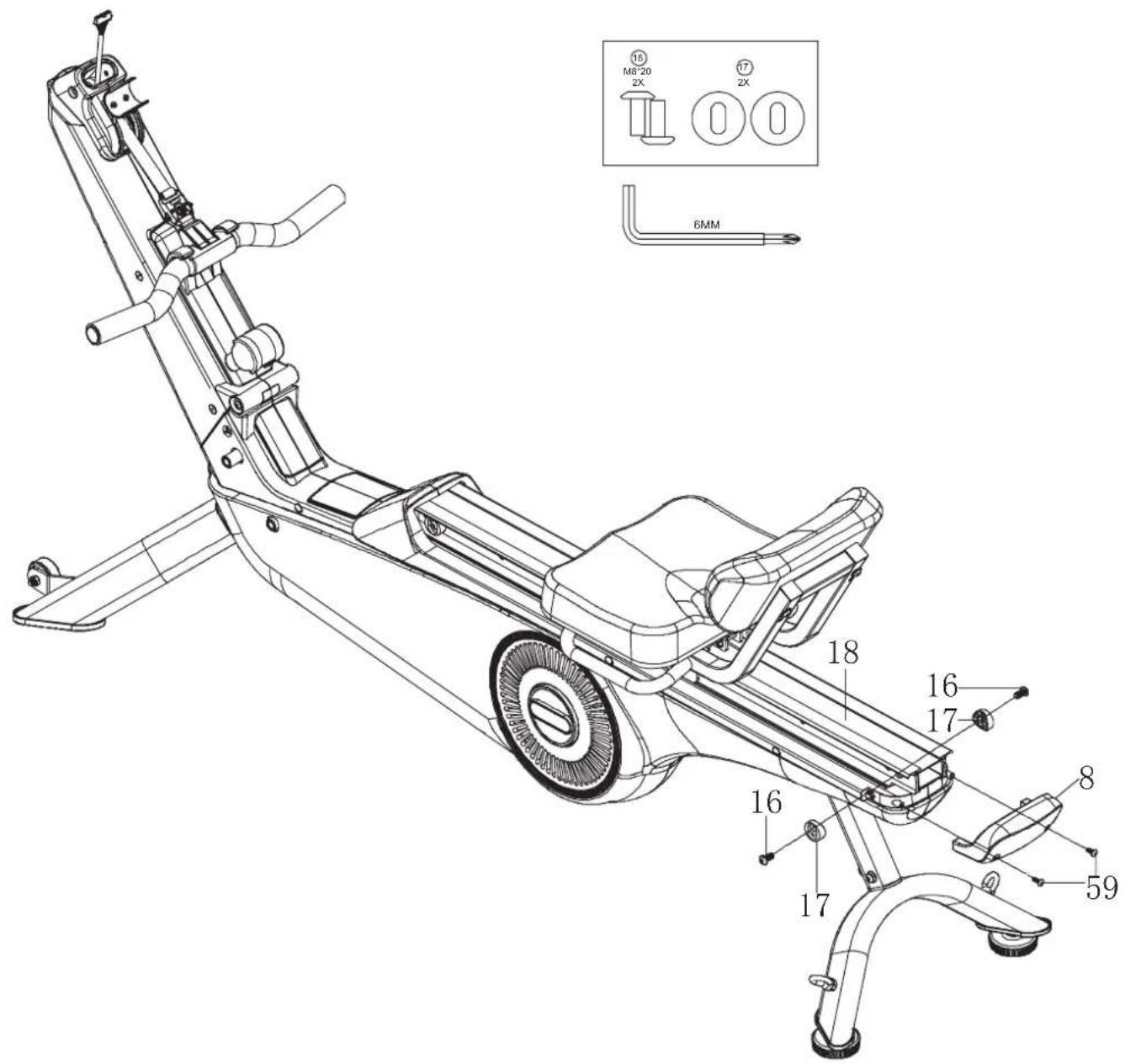
- Place the seat unit on the running rail (18). This should be able to slide freely.
- Loosen the screws (59) from the guide rail (18).
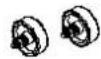
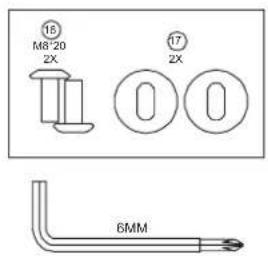
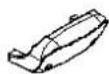
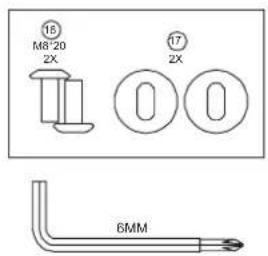
- Attach the cover (8) to the guide rail (18) using the screws (16 and 59) and the stoppers (17) as shown.
natural_image
Technical line drawing of a mechanical device with two components, no visible text or symbols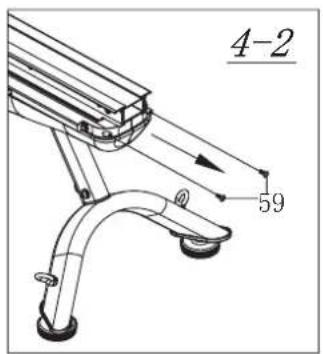
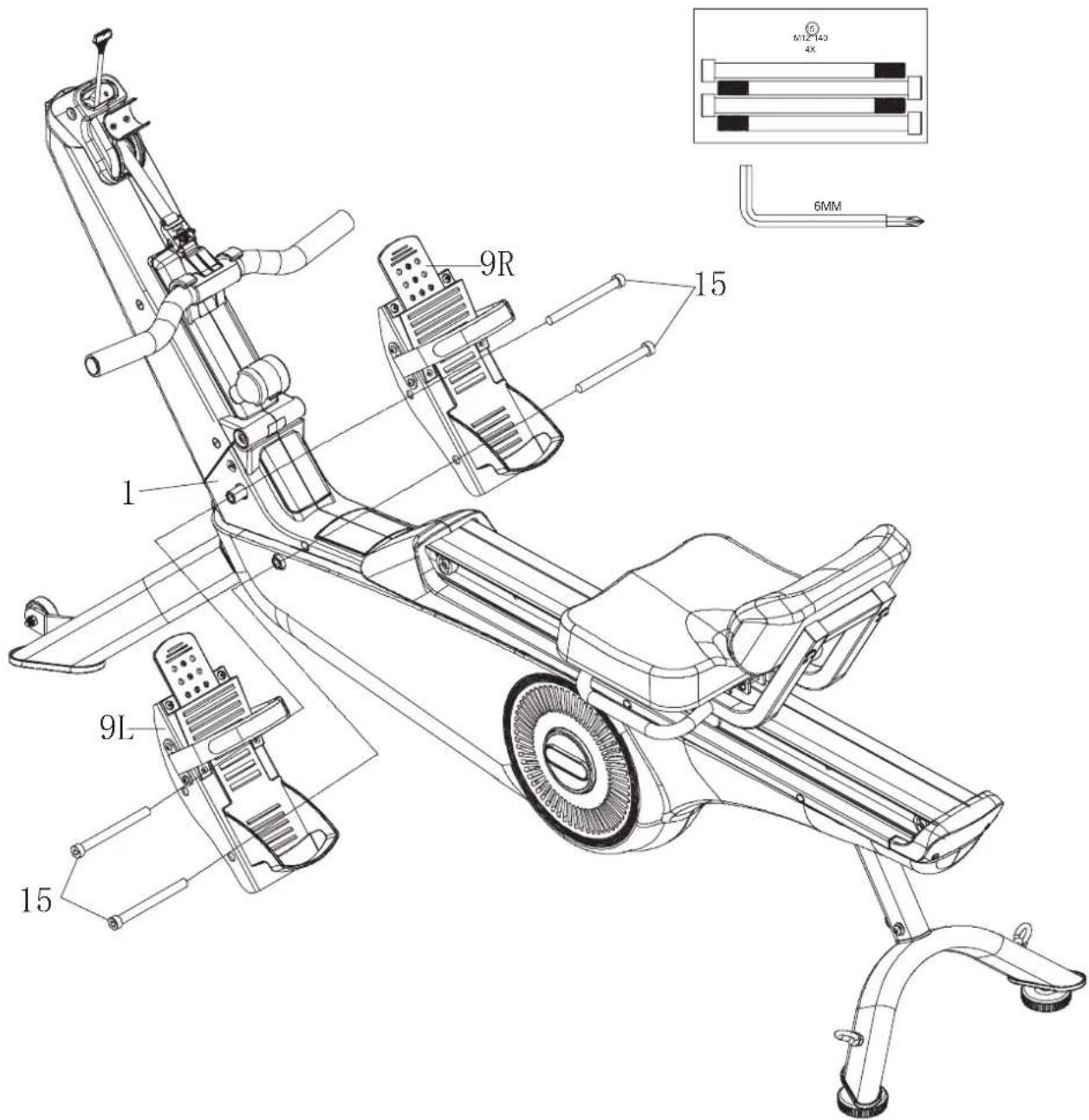
STEP 5
Fit the left and right footrest (9 L/R) to the base unit (1) using 2 screws (15) each.
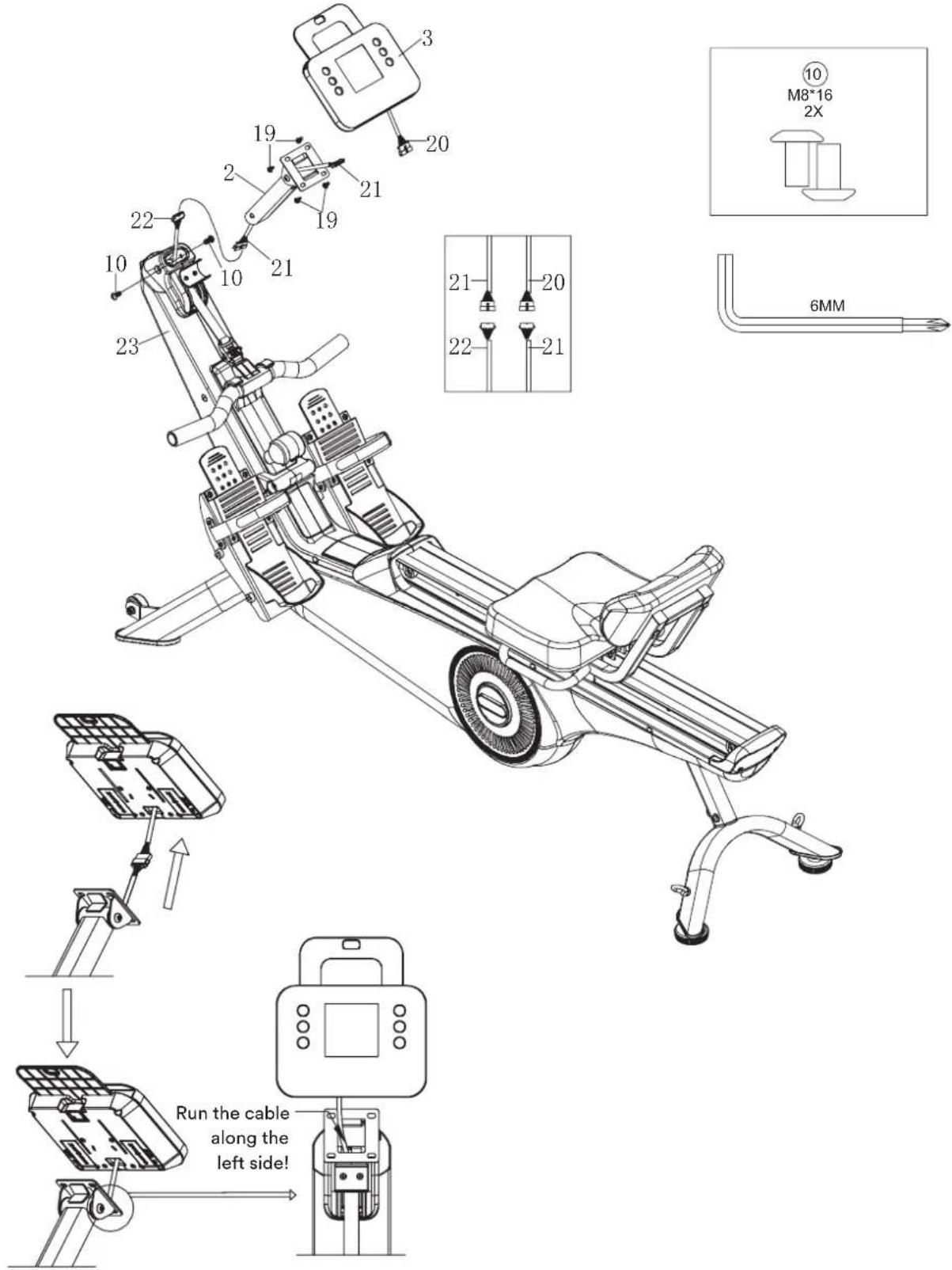
STEP 6
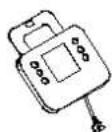
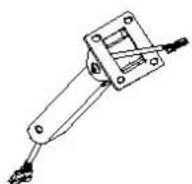
- Connect the cable ends (21 & 22) and attach the computer support (2) to the front support (23) using 2 screws (10).
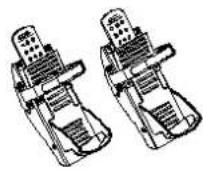
- Now connect the cable ends (20 & 21) and mount the computer (3) to the computer support (2) using 4 screws (19).
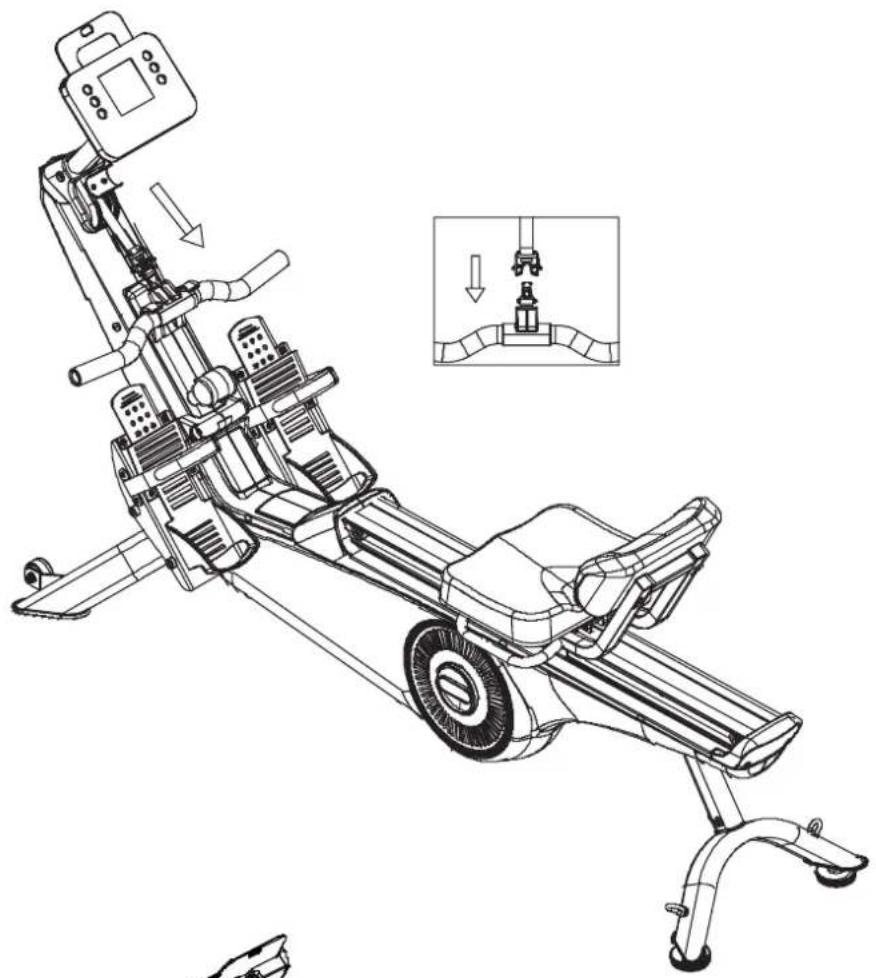
STEP 7
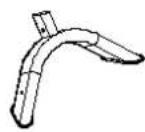
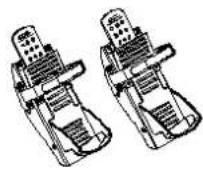
Connect the belt buckles to attach the handle as shown.
natural_image
Technical line drawing of a stationary exercise machine with an inset showing the mechanical assembly (no text or symbols present)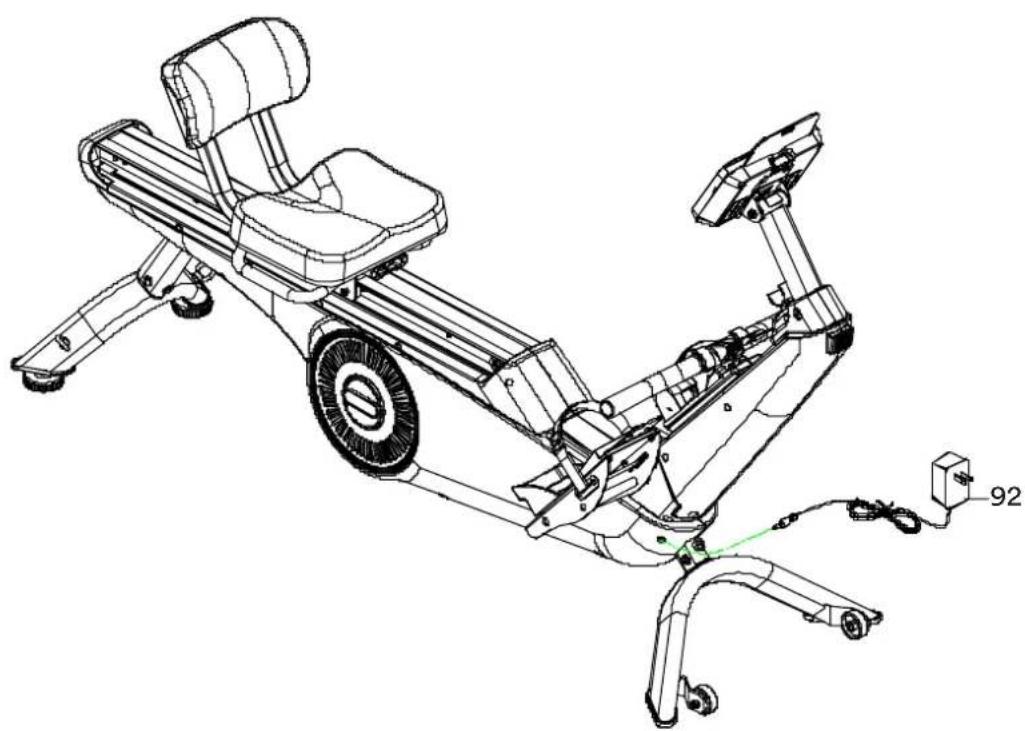
natural_image
Technical line drawing of a stationary exercise bike with visible components and wiring (no text or symbols)STEP 8
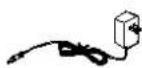
Connect the power supply unit (92) to the connection on the appliance base (1) and to a power socket.
Ensure that all connections are correctly tightened before using the appliance.
CONVERTING THE DEVICE FOR LEG TRAINING
-
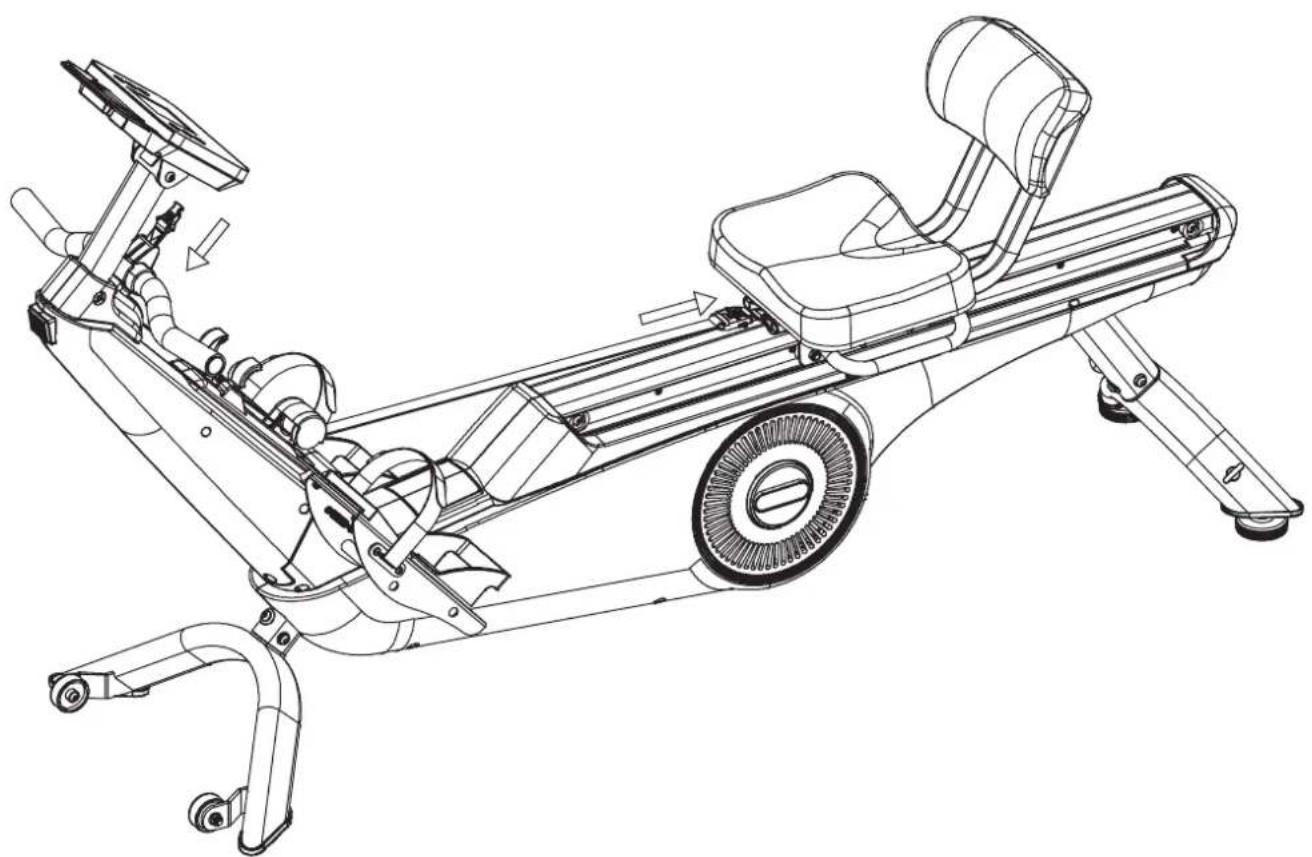
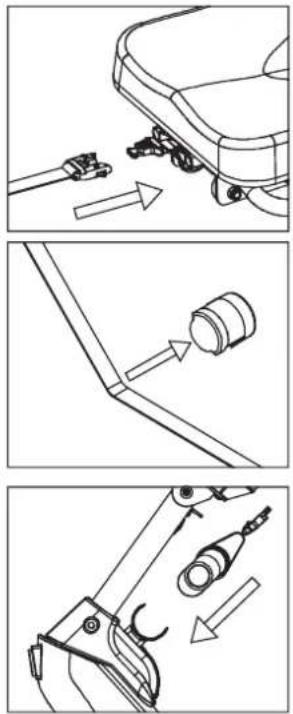
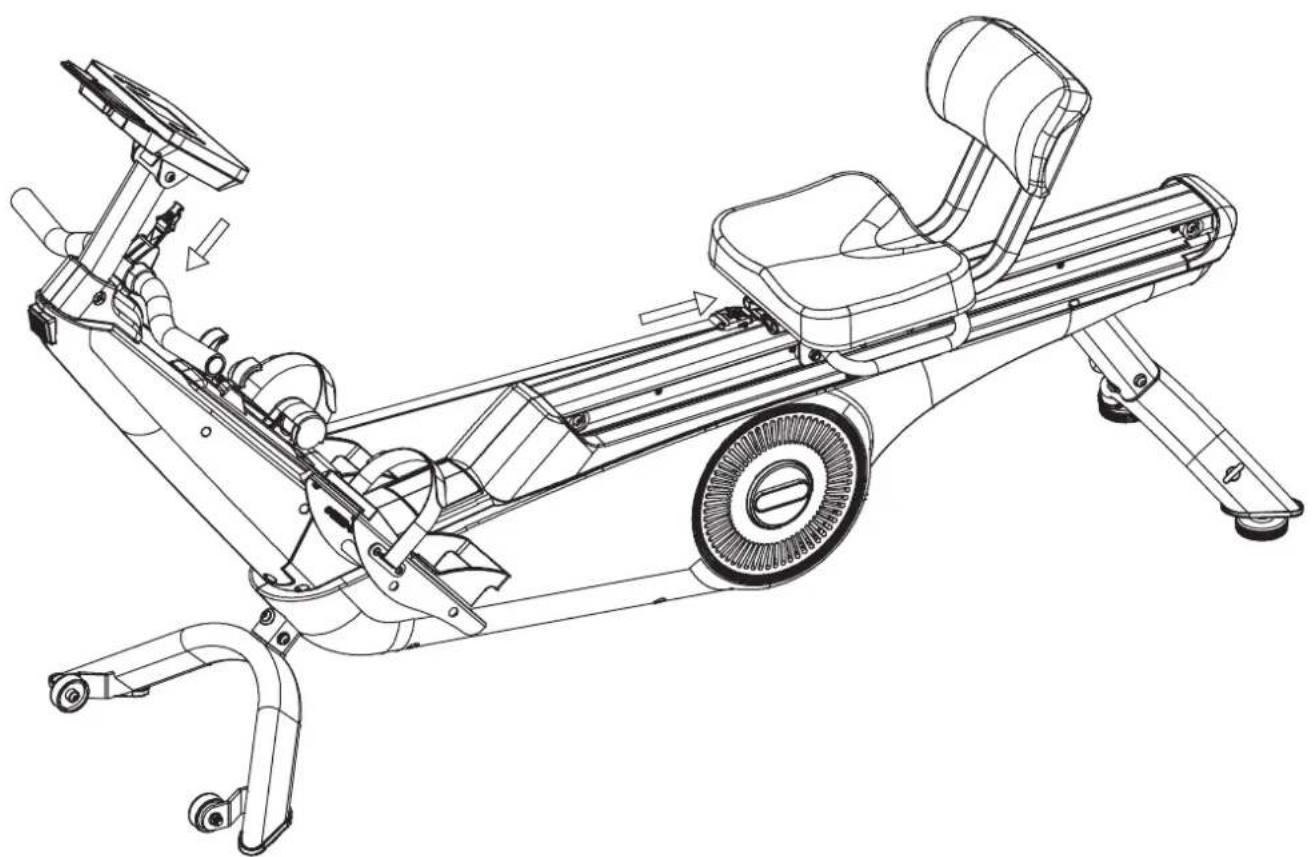
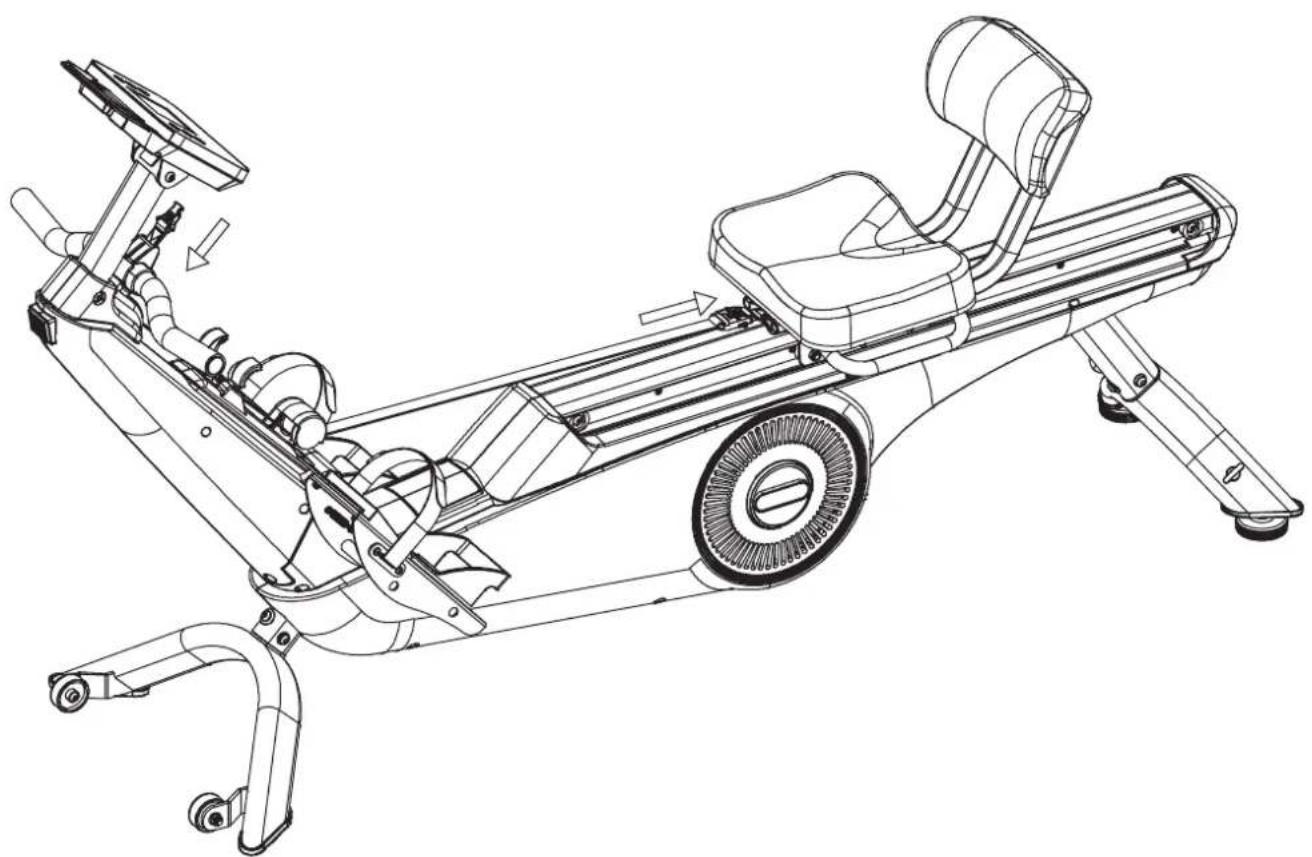
Undo the belt buckles of the handle attachment and then attach them to the underside of the seat.
-
Guide the belt under the rollers.
-
Place the removed handle on the handle holder.
natural_image
Technical line drawing of a stationary exercise bike with visible components and motion arrows (no text or labels)TRANSPORTATION & STORAGE
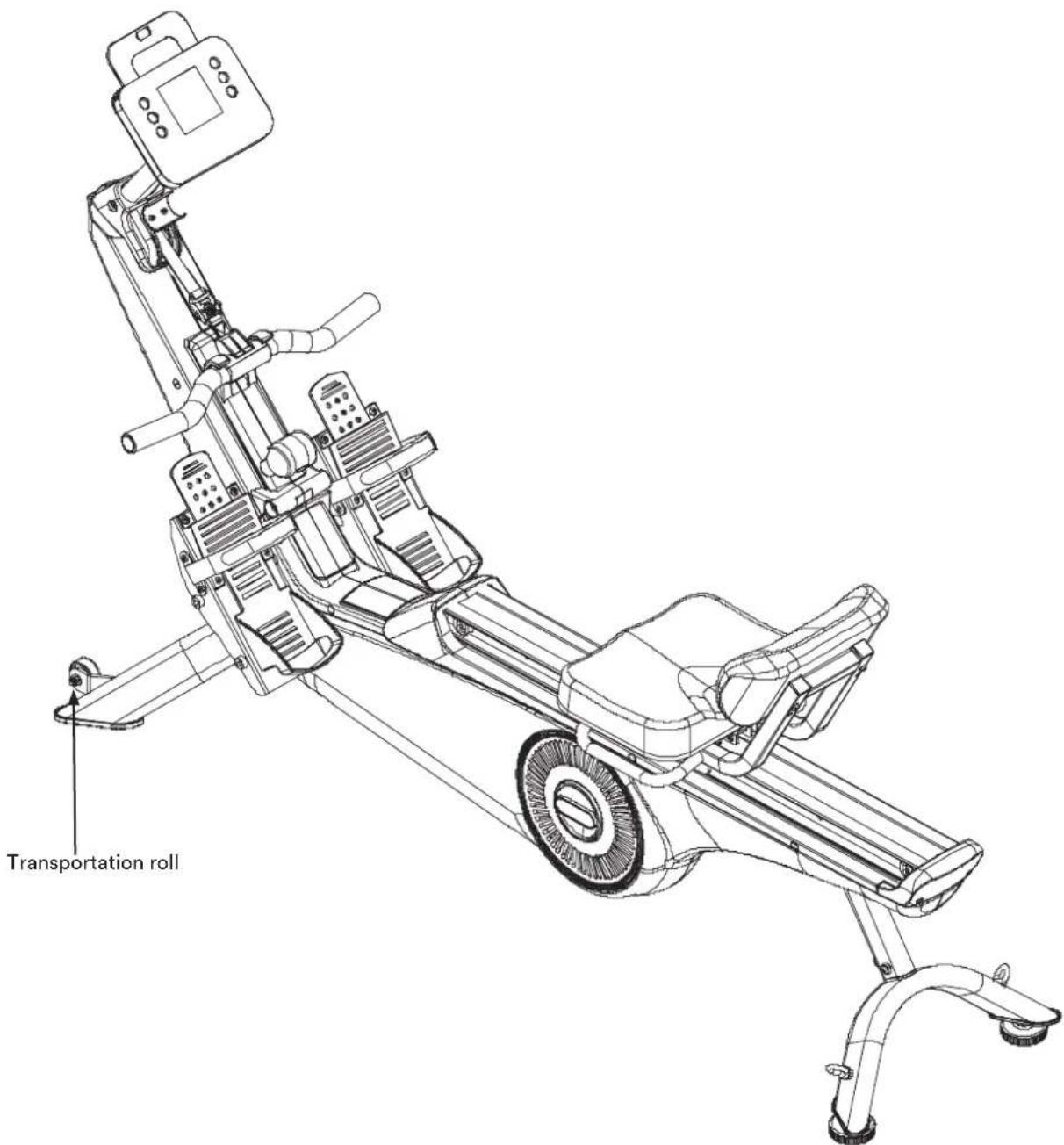
To move the appliance, push the seat forwards and lift the rear stand until the transport castors at the front touch the floor. This allows you to easily roll the appliance from place to place.
WARNING: Moving parts such as the seat could cause injuries if they slip.
Do not touch the running rail when moving the device or exercising on it!
The device should only be stored in a clean, dry and temperate environment. Disconnect the power supply when storing the appliance.
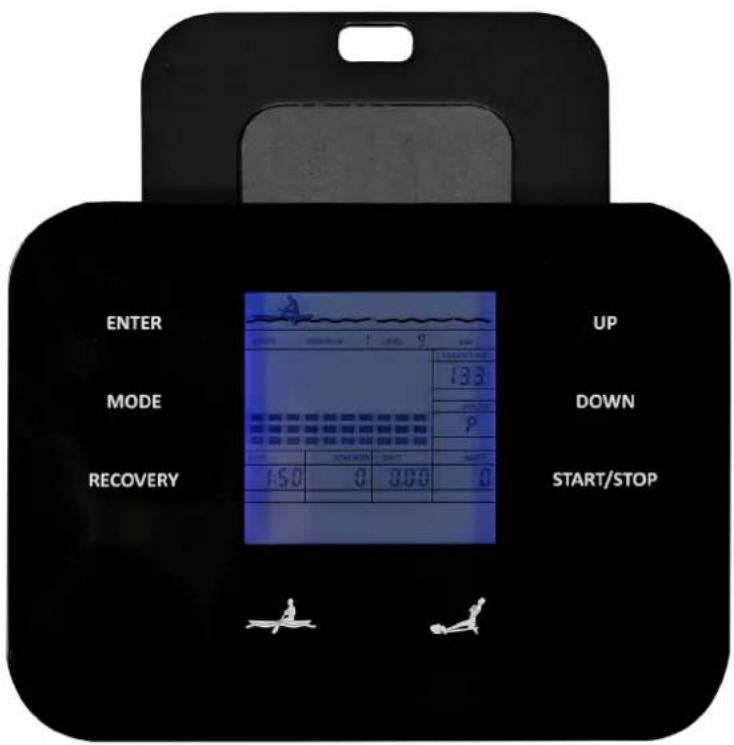
COMPUTER OPERATION
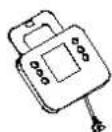
Key functions:
START/STOP: You can use this button to start or stop a training session or body fat measurement. Press and hold the button for approx. 3 seconds to initiate a reset (all values are set to 0).
UP / DOWN: You can use these two buttons to preset function values (e.g. time, distance, etc.). You can increase or decrease the resistance during training. Your rowing machine offers 24 levels of resistance adjustment (L1 = light to L24 = heavy). The set resistance level is also shown on the computer display.
ENTER: Allows you to select a training mode or enter function values.
MODE: Allows you to change the display between the different functions after starting training.
RECOVERY (heart recovery rate measurement): Starts the heart recovery rate measurement after a training session to determine the heart recovery rate. The heart recovery rate is an indicator of the athletic and physical condition of the person exercising. The better the heart recovery rate (i.e. the faster the heart rate recovers to the normal heart rate), the 'fitter' the athlete is.
To use this function, you must wear an additional chest strap. The computer is equipped with a built-in receiver for wireless heart rate transmission using an optional SKANDIKA chest strap (frequency: 5.3 kHz). Recommended range: 100 - 150 cm. Follow the instructions for the chest strap.
After you have completed the training, please keep the chest strap on and press 'RECOVERY'. Wait 60 seconds while the computer continuously measures your heart rate. After the time has elapsed, your assessed heart recovery rate is displayed on the computer on a scale from 1.0 (F1.0) to 6.0 (F6.0), where 1.0 is very good and 6.0 = unsatisfactory. It is best to improve your rate to 1.0 through regular training! Press 'RECOVERY' again to exit the heart recovery rate measurement.
LEG TRAINING MODE: Press the button 📄 (only possible when not training) to switch to leg training mode. All training data is reset to zero.
ROWING MODE: Press the button 📁 (only possible when not training) to switch to rowing training mode. All training data is reset to zero.
USB charging socket: On the right-hand side of the computer is a USB charging socket that can be used to charge phones or tablets, for example.
Computer functions:
TIME: Training time in minutes and seconds. You can set a target time of 1:00-99:00 (if desired) depending on the mode.
DISTANCE: Distance travelled in kilometres. You can (if desired) set a target distance of 0.10-99.90 kilometres, depending on the mode.
STROKES: Displays the number of strokes.
CALORIES: Displays the approximate calorie consumption (kcal). You can (if desired) set a target calorie consumption of 1.0-999.0 kcal, depending on the mode.
WATT: Power in watts. You can (if desired) set a target wattage of 20.0-300.0, depending on the mode.
SPM: Stroke rate (number of strokes per minute).
AGE: You can enter your age to ensure that various functions work correctly (10 - 99 years).
PULSE: The computer displays the user's pulse rate during training (a suitable optional chest strap must be worn for this). It is possible to set a pulse target (Target HR or H.R.C.) - when the set heart rate is reached, the computer will emit a corresponding acoustic signal, see the relevant chapter later in these instructions for use.
AUTO ON/OFF
If there is no training or operation for about 4 minutes, the computer automatically switches to standby mode to save power. Press any button or start training to wake up the computer again. No Bluetooth connection is possible in standby mode.
TRAINING MODES
After switching on, you can select the desired mode using the UP or DOWN buttons and confirm with ENTER.
Setting the training parameters
Once you have selected your desired programme, you can preset various training parameters. To do this, press ENTER. The 'TIME' function will flash and can now be set using UP/DOWN. Press ENTER to confirm the setting. An acoustic signal will sound when the time has elapsed (e.g. time countdown at 0:00).
Note: Not all functions can be preset in all training modes.
MANUAL MODE (P1)
After selecting the manual mode (MANUAL) with UP / DOWN / ENTER, you can either start training directly (press START) or you can set target values for certain functions (with UP/DOWN/ENTER).
PROGRAMME MODE (P2 - P9)
In this mode, you can train with a programme profile (8 preset profiles). After selecting the programme mode, you can first select the desired programme with UP/DOWN/ENTER and then (if desired) set further target function values. Press 'START/STOP' to start the training. You can change the resistance at any time during the training with 'UP' and 'DOWN'. To pause your workout, press the 'START/STOP' button again.
WATT MODE (P10)
This is a watt-controlled programme. The computer automatically controls the resistance in accordance with the set watt target in order to remain as close as possible to the set value. You can also change the set watt target during the workout using UP/DOWN. It is also possible to enter further target values (such as TIME).
BODY FAT MODE (P11)
After selecting this mode, set the required values for sex (M [Male]=male & F [FEMALE]=female), height in cm [default setting = 175 cm], weight (default setting = 75 kg) and age (default setting = 30). Make sure that you have put on the chest strap correctly and press START/STOP to begin the measurement.
After about 10 seconds, the values for the BMI (body mass index), body fat percentage (Body Fat %), BMR (basal metabolic rate in kcal) and body type will appear.
Then press START/STOP to end the measurement and return to the initial display.
Please refer to the tables below for a classification of the results.
BMI:
| Sex / Age Thin Normal Over- | weight | Severely overweight | Obese | ||
| male ≤ 30 <14 | 14-20 20.1 | -25 25.1-35 | >35 | ||
| male >30 | <17 | 17-23 | 23.1-28 | 28.1-38 | >38 |
| female ≤ 30 | <17 | 17-24 | 24.1-30 | 30.1-40 | >40 |
| female >30 | <20 | 20-27 | 27.1-33 | 33.1-43 | >43 |
BODY FAT:
| low | medium | high | very high | |
| male | <13% | 13% - 25.9% | 26% - 30% | >30% |
| female | <23% | 23% - 35.9% | 36% - 40% | >40% |
BODY TYPE:
Male:
Type 1 is between 7% and 9.9% body fat.
Type 2 is between 10% and 12.9% body fat.
Type 3 is between 13% and 16.9% body fat.
Type 4 is between 17% and 19.9% body fat.
Type 5 is between 20% and 24.9% body fat.
Type 6 is greater than or equal to 25% body fat.
Female:
Type 1 is between 14% and 16.9% body fat.
Type 2 is between 17% and 19.9% body fat.
Type 3 is between 20% and 23.9% body fat.
Type 4 is between 24% and 27.9% body fat.
Type 5 is between 28% and 29.9% body fat.
Type 6 is greater than or equal to 30% body fat.
TARGET HEART RATE MODE (P12)
Once you have selected this mode, you can enter a target pulse value that will be used as a guide for the subsequent training. It is also possible to enter further target values (such as TIME). The resistance is now automatically adjusted to reach the set pulse target value as accurately as possible. The load resistance is reduced if your heart rate is above the target value. If your heart rate falls below the target value, the load resistance is increased to ensure that you maintain a relatively constant heart rate.
You must wear the chest strap throughout the entire workout (see the corresponding chapter) so that the computer can monitor your heart rate. Press START/STOP to end the workout.
TARGET HEART RATE MODES 60 % / 75% / 85 % (P13 - P15)
The percentages indicate the value of the pulse from the maximum pulse. The maximum pulse rate is calculated as follows: 220 - age.
You can set additional target values before starting training. Press START/STOP to start training.
The resistance is now automatically adjusted to achieve the set heart rate target value as accurately as possible. This means that the load resistance is reduced if your heart rate is above the target value. If your heart rate falls below the target value, the load resistance is increased to ensure that you maintain a relatively constant heart rate.
You must wear the chest strap during the entire training session (see corresponding chapter) so that the computer can monitor your heart rate. Press START/STOP to end the training session.
USER-DEFINABLE PROGRAMMES (P16 - P19)
Similar to programme training (P2-P9), you can train here according to profiles you have created yourself. You have the option of programming up to 4 different profiles. To do this, select 'U1', 'U2', 'U3' or 'U4'. You can then set all segments of the programme profile individually with UP / DOWN / ENTER (in addition to the other possible target value settings). Once programming is complete, the computer automatically exits these settings. Press START/STOP to start training with this programme.
You can change the resistance at any time during training with 'UP' and 'DOWN'.
Press START/STOP to end the training programme.
ERROR MESSAGES
E1: Motor fault or malfunction of the magnetic control system. If possible, check that all cables are connected correctly or that there is no visible damage. Disconnect the device from the power supply, wait 5 minutes and try to restart it.
E4: Heart rate measurement error during a body fat measurement. Check whether the chest strap has been put on correctly (see corresponding chapter) and whether the batteries in the chest strap have sufficient voltage or replace them.
Contact customer service if you cannot rectify the fault yourself using the above instructions.
NOTE ON THE BLUETOOTH CONNECTION
If the computer is connected to the Kinomap app via Bluetooth, the display on the computer goes out. If you want to use the device computer again, you must close the app and deactivate the Bluetooth connection on the mobile device.
KINOMAP
The device computer can be connected to the „KinoMap“ app via Bluetooth (frequency: 2.4 GHz). The free KinoMap app turns your device into a powerful and fun fitness product! Choose from the geotagged video on Kinomap and go! Your position is shown in the video and as icon on the map. Download the Kinomap Fitness app in the app or play store by searching for ‘Kinomap Fitness’ or follow one of the links below.
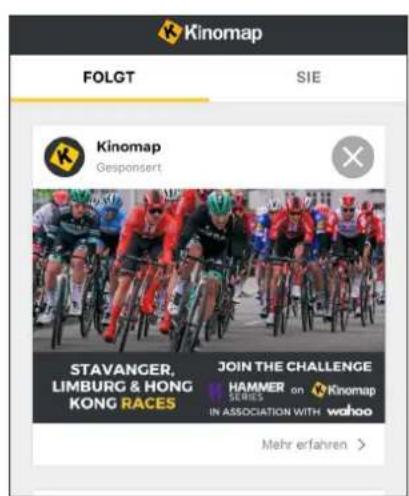
Install and open the app and register resp. log in. Activate Bluetooth. Now add the training device as follows:


1.
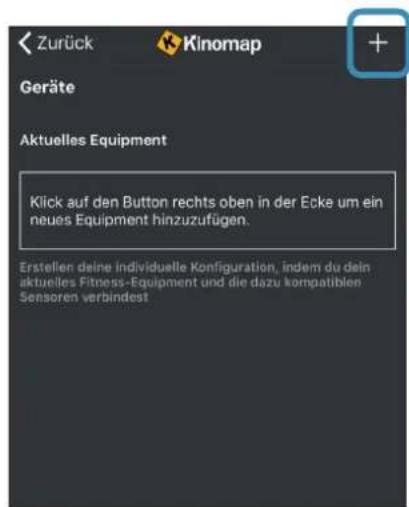
Now tap on OK and return to main menu. You can now choose a course for your exercise (depending on your type of KinoMap account maybe only some free courses). Press Start and begin to exercise!

Using a chest-belt
The computer is equipped with a built-in receiver for the wireless receipt of the pulse frequency with a compatible SKANDIKA chest-belt (frequency: 5.3 kHz, not included in the scope of delivery). Recommended range: 100 - 150 cm.
If you want to transmit your pulse frequency via chest-belt, follow these instructions:
- Make sure, the correct battery is inserted into the chest belt (button cell of type CR-2032, 3 volts). Battery replacement: Open the battery case cover on the back side of your transmitter (you may use a coin for easier handling) and replace the old battery by a fitting new one. The „+“ symbol should point upwards. Make sure, the sealing ring ist correctly placed. Close the case cover properly.
- The transmitter needs to be attached to the belt with the 2 buttons. Moisten the electrodes slightly before wearing the belt. This increases the contact sensibility and enables a better wireless signal transmitting.
- Put on the chest belt and make sure the electrodes are touching your breast directly. You may adjust the belt to a comfortable length. However, the electrodes must have contact with your skin in order to measure your heart rate correctly.
- The 5.3 kHz-chest-belt communicates with the computer via the built-in receiver. It may last up to one minute before a correct display can be seen.
Safety hint:
Do not use the chest-belt if you have a pacemaker, unless you double-checked with the producer of the pacemaker and with your doctor!
Battery-Disposal:
Batteries should not be considered as regular garbage. As consumer you are obliged to return finished batteries. The finished batteries can be returned to a collection base at your residential area or at places, where batteries can be bought.
| Part no. | Description Q'ty | |
| 1 | Base unit 1 | |
| 2 | Computer base 1 | |
| 3 | Computer 1 | |
| 4 | Front stand 1 | |
| 5 | Rear stand 1 | |
| 6 | Sliding seat 1 | |
| 7 | Cover 1 | |
| 8 | Left / right footrest 1 | |
| 9 | Pedal L/R 1/1 | |
| 10 | Allen bolt M8*16 | 8 |
| 11 | Spring washer ø8 | 6 |
| 12 | Flat washer ø8*17*1.5 | 20 |
| 13 | Curve washer ø8*20*1.5 | 2 |
| 14 | Unit feet | 2 |
| 15 | Allen bolt M12*140 | 4 |
| 16 | Allen bolt M8*20 | 6 |
| 17 | Limited pad | 4 |
| 18 | Aluminum rail tube 1 | |
| 19 | Flat head screw M5*15 | 4 |
| 20 | Upper sensor wire | 1 |
| 21 | Middle sensor wire 1 | |
| 22 | Lower sensor wire | 1 |
| 23 | Front post | 1 |
| 24 | Mesh belt | 1 |
| 25 | Chain cover plungers | 7 |
| 26 | Handlebar | 1 |
| 27 | Mesh belt for handlebar | 1 |
| 28 | Fixed plate for handlebar | 1 |
| 29 | Power cable | 1 |
| 30 | Rubber | 1 |
| 31 | Nylon nut M8 | 15 |
| 32 | Powder spacer | 4 |
| 33 | Axle for Mesh belt wheel | 3 |
| 34 | Mesh belt wheel | 3 |
| 35 | Allen bolt M6*15 | 2 |
| 36 | Flat washer ø6*17*1.5 | 2 |
| 37 | Folding shaft | 1 |
| 38 | Motor | 1 |
| 39 | Sliding rail L/R | 1/1 |
| 40 | Self-tapping screw ST5*15 | 14 |
| 41 | Axle for roller | 6 |
| 42 | Roller for Sliding seat | 6 |
| 43 | Cross-head screw M5*8 | 6 |
| 44 | Belt 450J5 | 1 |
| 45 | Volute spring | 1 |
| 46 | Magnet | 1 |
| 47 | Hex head bolt M8*55 | 1 |
| Part no. | Description | Q'ty |
| 48 | Flange nut 2 | |
| 49 | Adjustor | 2 |
| 50 | Flywheel | 1 |
| 51 | Hex head nut M6 | 2 |
| 52 | Hex head screw M6*25 | 1 |
| 53 | Spring for outer magnet | 1 |
| 54 | Chain cover L/R | 1/1 |
| 55 | Decorative cover for front post | 1/1 |
| 56 | Fixed plate | 1 |
| 57 | Hex head screw M6*15 | 1 |
| 58 | Self-tapping screw ST5*15 | 31 |
| 59 | Self-tapping screw ST5*15 | 12 |
| 60 | Rubber pad | 2 |
| 61 Castor | 2 | |
| 62 | Allen bolt M8*40 | 2 |
| 63 | End cap of front stabilizer L/R | 1/1 |
| 64 | Allen Bolt M8*50 | 2 |
| 65 | Allen Bolt M8*16 | 4 |
| 66 | End cap of rear stabilizer L/R | 1/1 |
| 67 | Nut M10 | 2 |
| 68 | Plastic casing | 1 |
| 69 | Sensor wire | 1 |
| 70 | C-type handlebar holder | 1 |
| 71 | Wheel cover | 1 |
| 72 | Phillips screw M5*12 | 4 |
| 73 | Back pad | 1 |
| 74 | End cap of the handlebar | 2 |
| 75 Decorative cover of handlebar | 1/1 | |
| 76 Self-tapping screw ST4*30 | 2 | |
| 77 | Fixed pad | 2 |
| 78 | Decorative cover of front post | 1 |
| 79 | C-clip ∅10 | 1 |
| 80 | Allen bolt M10*165 | 1 |
| 81 | Sleeve | 2 |
| 82 | Allen bolt M10*120 | 2 |
| 83 | Rubber for seat wheel | 4 |
| 84 | Bearing 6000 | 6 |
| 85 | Sleeve for upper wheel | 3 |
| 86 | Upper wheel for the seat | 3 |
| 87 | Nylon Nut M10 | 3 |
| 88 | End cap of the seat tube | 4 |
| 89 | Box for mesh belt | 1 |
| 90 | Mesh belt of seat | 1 |
| 91 | Carriage screw | 1 |
| 92 | Power supply unit | 1 |
| 93 | Metal hook | 2 |
WARM-UP and COOL-DOWN
A successful exercise program consists of a warm-up, aerobic exercise and a cool-down. Exercise for at least two or preferably three times a week, resting for a day between workouts. After several months, you may increase the frequency to four or five times per week.
WARM-UP
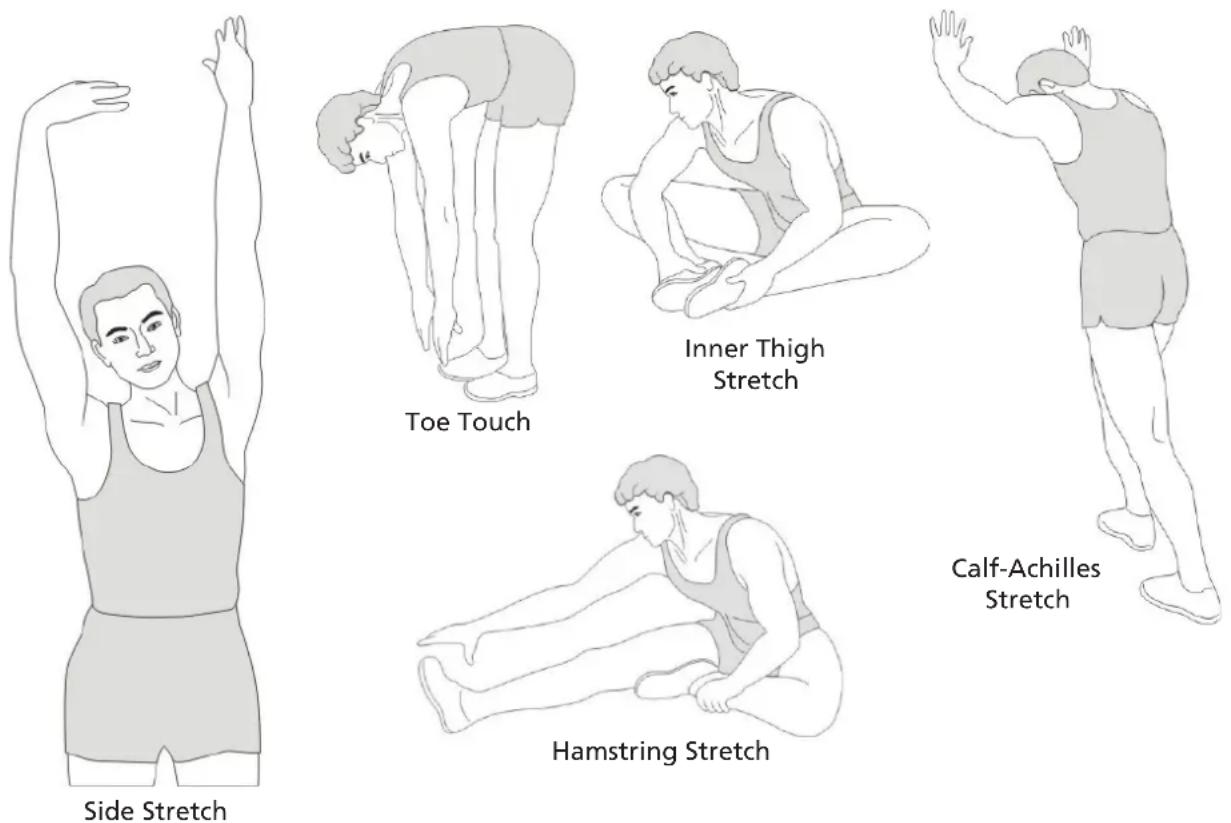
This stage helps to improve the blood circulation and prepares the muscles for your workout. It additionally helps to reduce the risk of injury or cramps. It is recommended to do some stretching exercises as shown here below. Hold each stretching position for approximately 30 seconds. Never force or jerk yourself into a stretching position – if you feel pain, STOP immediately. Warm-up exercises may also include brisk walking, jogging, jumping jacks, jump rope exercises or running in place.
STRETCHING
Muscles can be stretched more easily when these are warm. This reduces the risk of injury. DO NOT BOUNCE.
Remember always to check with your physician before starting any exercise program.
COOL-DOWN
This stage helps to soothe your muscles and your cardiovascular system after your workout. At the end of your workout, reduce the speed and exercise for approximately 5 minutes at this lower speed level. Afterwards, repeat the warm-up exercises as described above.
Exercise instructions
Rowing is a very effective form of exercise. It strengthens the heart and circulation as well as all the major muscle groups: The back, abdomen, arms, shoulders, buttocks and legs. To prolong the life of the band, return the handles to the starting position after each use.
Rowing essential moves
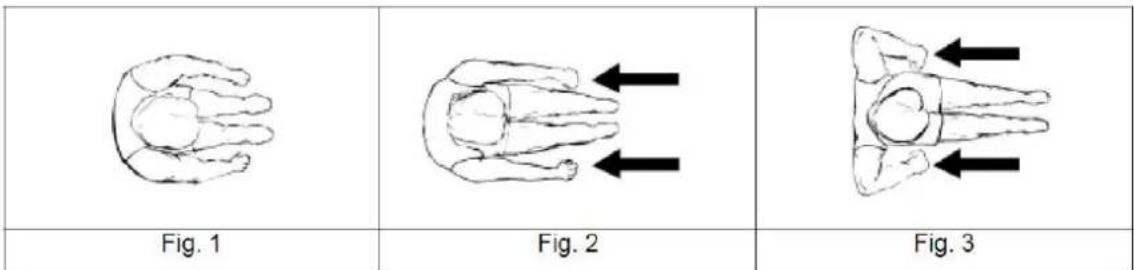
- Seat on the seat and place your feet on the pedals. Use the Velcro to secure your feet and grasp the rowing handles.
- For the starting position, lean forward with arms outstretched and bend your knees as shown in figure 1.
- Move your arms backwards while stretching your back and legs (see figure 2).
- Continue this movement until you are in a lean-back position. Your elbows should point outwards (figure 3). Now continue as described under point 2 to repeat the movement.
Exercise time
Rowing is relatively exhausting - we therefore recommend starting with a short and easy workout program. You should increase the challenges for further workouts. Start with a 5-minute workout for your first training session and increase the time slowly with further workouts until you reach 15 to 20 minutes. Take your time to increase and try to do a workout every second day or three times a week. Your muscles should get enough time to relax between different workouts.
Rowing with the arms only
With this exercise, you can improve your arm and shoulder muscles, as well as the back and abdominal muscles. Start the movement with legs straight as shown in figure 4, lean forward and grasp the handles. Move your upper body slowly to the rear side until you reach a position as shown in figure 6, while pulling the handles in direction of your upper body. Repeat this movement.
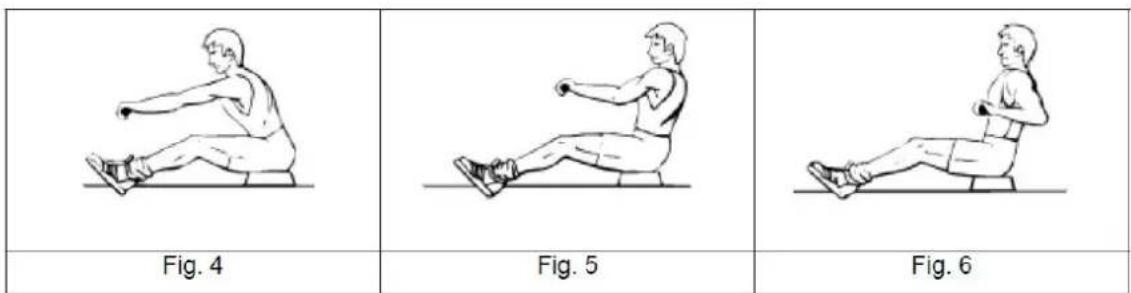
Rowing with the legs only
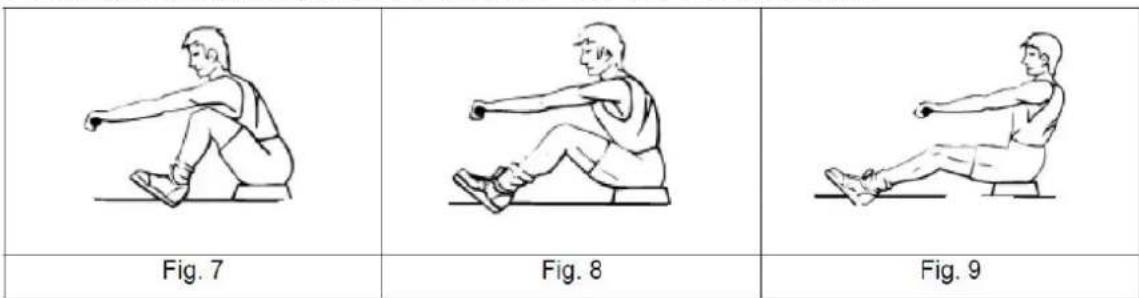
With this exercise, you can improve your leg and back muscles. With straight back and extended legs, bend your knees until you reach the handles as shown in figure 7. Now stretch your legs, what moves your body backwards. Arms and Back stay straight. Repeat this movement.
Using your rower will provide you with several benefits, e.g. it will improve your physical fitness, tone your muscles and - in conjunction with a calorie-controlled diet - help you to reduce weight.
Cleaning & Care
- Before cleaning the unit, make sure that the unit is switched off.
- Clean the unit only with a slightly damp cloth. Never use brushes, strong detergents, petrol, thinner or alcohol. Wipe the unit dry with a clean, soft cloth.
- Do not use the unit again until it is completely dry.
GUARANTEE CONDITIONS
For our devices we provide a warranty as defined below.
-
In accordance with the following conditions (numbers 2-5) we repair defect or damage to the device free of charge, if the cause is a manufacturing defect. Therefore, these defects / damages need to be reported to us without delay after appearance and within the warranty period of 24 months after delivery to the end user. The warranty does not cover parts, which easily break (e.g. glass or plastic). The warranty does not cover slight deviations of the product, which are insignificant for usability and value of the device and damage caused by chemical or electrochemical effects and damages caused by penetration of water or generally force majeure damage.
-
The warranty achievement is the replacement or repair of defective parts, depending on our decision. The cost of material and labor will be borne by us. Repairs at customer site cannot be demanded. The proof of purchase along with the date of purchase and / or delivery is required. Replaced parts become our property.
-
The warranty is void if repairs or adjustments are made,
which are not authorized by us or if our devices are equipped with additional parts or accessories that are not adapted to our devices. Furthermore, the warranty is void if the device is damaged or destroyed by force majeure or due to environmental influences and in case of improper handling / maintenance (e.g. due to non-observance of the instruction manual) or mechanical damages. The customer service may authorize you to replace or repair defective parts after telephone consultation. In this case, the warranty is not void.
-
Warranty services do not extend the warranty period nor do they initiate a new warranty period.
-
Further demands, especially claims for damages which occurred outside the device, are excluded as long as a liability is not obligatory legal.
-
Our warranty terms - which cover the requirements and scope of our warranty conditions - do not affect the contractual warranty obligations of the seller.
-
Parts of wear and tear are not included in the warranty.
-
The warranty is void if not used properly or if used in gyms, rehabilitation centers and hotels. Even if most of our units are suitable for a professional use, this requires a separate agreement.
ENVIRONMENTAL PROTECTION
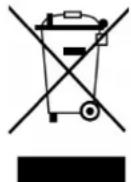
The symbol of the crossed-out dustbin on batteries or accumulators indicates that they must not be disposed of in household waste at the end of their life. If batteries or accumulators contain mercury (Hg), cadmium (Cd) or lead (Pb), you will find the respective chemical symbol below the symbol of the crossed-out dustbin. You are legally obliged to return old batteries and accumulators after use. You can do this free of charge at a retail outlet or at another collection point near you. You can obtain addresses of suitable collection points from your city or local government. Batteries may contain substances that are harmful to the environment and human
health. Particular care should be taken when handling batteries containing lithium because of the special risks involved. The separate collection and recycling of old batteries and accumulators is intended to avoid negative impacts on the environment and human health. Please avoid the generation of waste from old batteries as far as possible, e.g. by giving preference to batteries with a longer life or rechargeable batteries. Please avoid littering public spaces by not carelessly leaving batteries or electrical and electronic equipment containing batteries. Please consider ways to reuse a battery instead of disposing of it, for example by reconditioning or repairing the battery.
In accordance with our policy of continual product improvement, we reserve the right to make technical and visual changes without notice.
For spare parts please contact: service@skandika.de Service centre: MAX Trader GmbH, Wilhelm-Beckmann-Straße 19, 45307 Essen, Germany
Contenu
skandika.com/service
natural_image
Technical line drawing of a mechanical device with wheels and a handle (no text or symbols)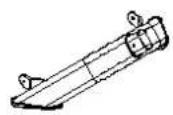
4
5
9 L/R
60
7
3
92
14
2
8

71

93
13/12/61/62
ÉTAPE 2
natural_image
Technical line drawing of a mechanical device with two components, no visible text or symbols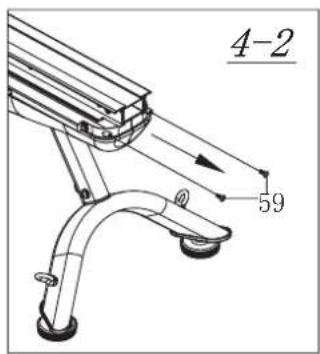
ÉTAPE 5
natural_image
Technical line drawing of a stationary exercise machine with an inset showing the mechanical assembly (no text or symbols present)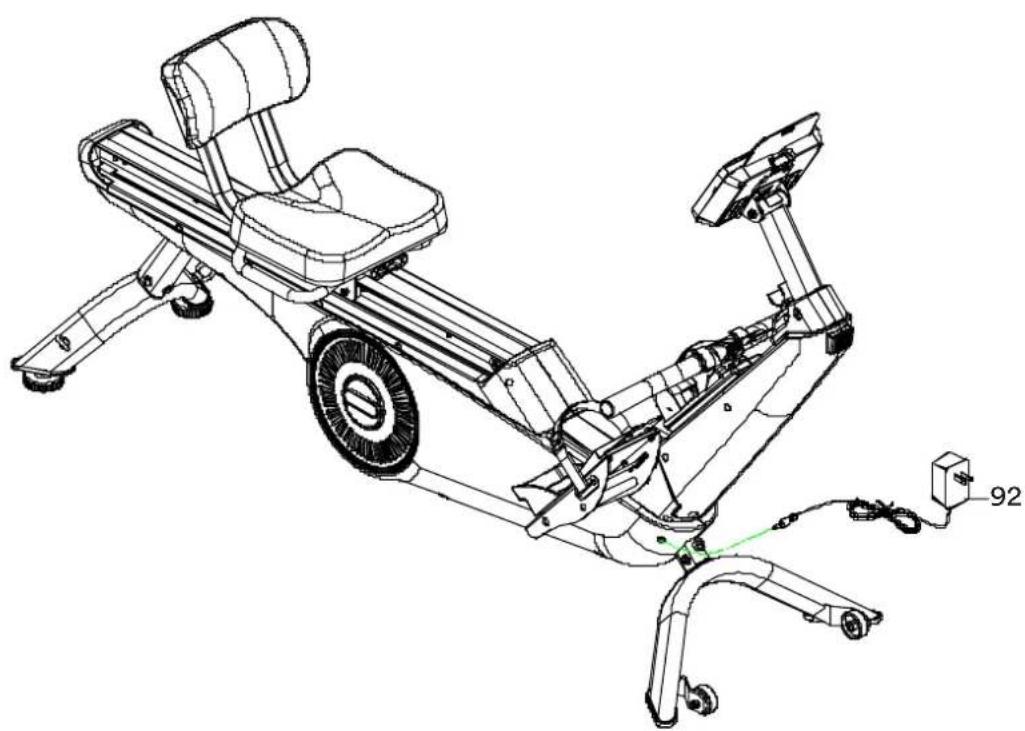
natural_image
Technical line drawing of a stationary exercise bike with visible components and wiring (no text or symbols)ÉTAPE 8
natural_image
Technical line drawing of a stationary exercise bike with visible components and motion arrows (no text or labels)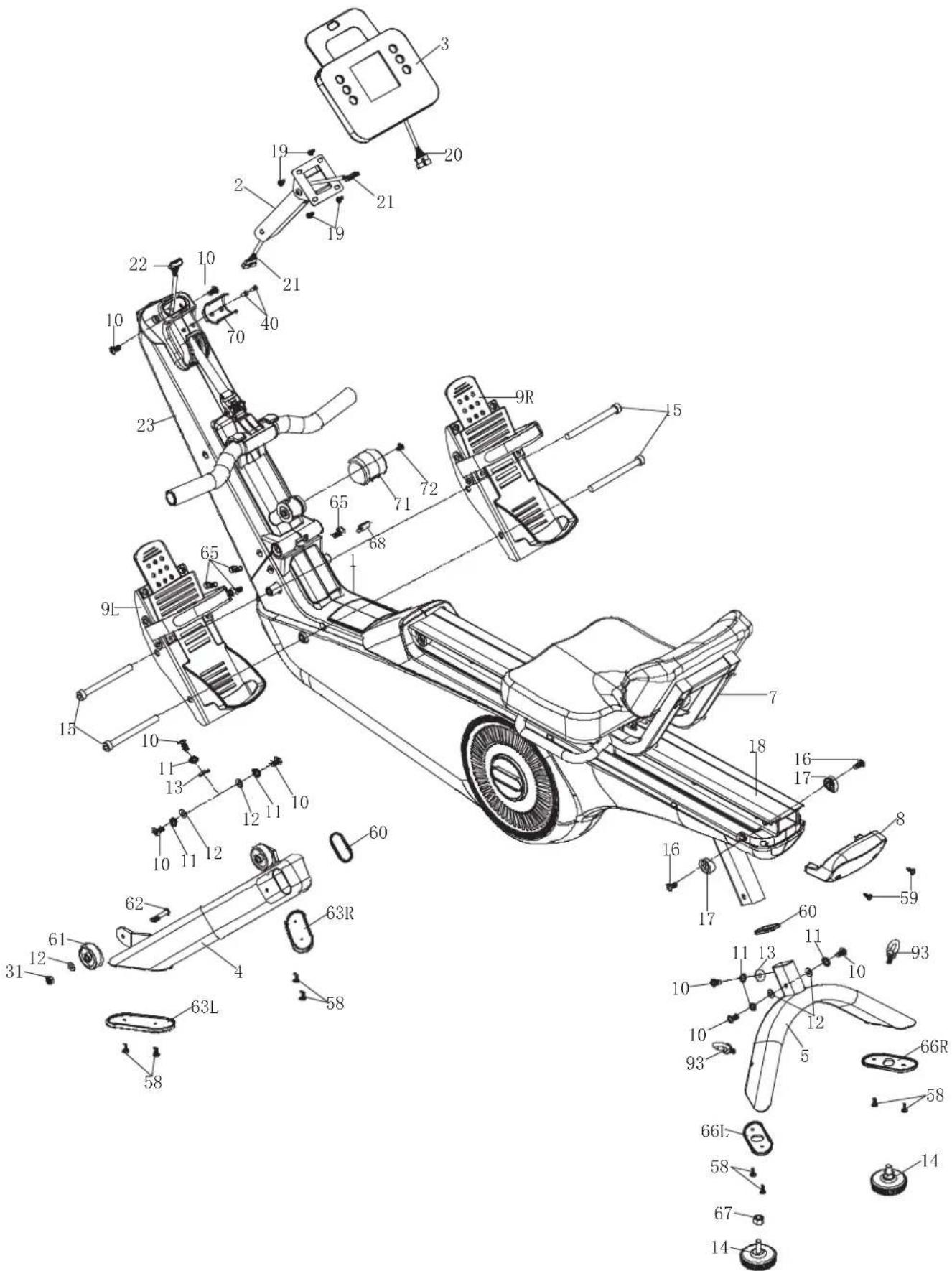
- SCHRITT 2
- SCHRITT 5
- SCHRITT 8
- WARNING
- SAFETY PRECAUTIONS
- STEP 1
- STEP 2
- STEP 3
- STEP 4
- STEP 5
- STEP 6
- STEP 7
- STEP 8
- CONVERTING THE DEVICE FOR LEG TRAINING
- TRANSPORTATION & STORAGE
- COMPUTER OPERATION
- Key functions:
- Computer functions:
- AUTO ON/OFF
- TRAINING MODES
- Setting the training parameters
- MANUAL MODE (P1)
- PROGRAMME MODE (P2 - P9)
- WATT MODE (P10)
- BODY FAT MODE (P11)
- BODY TYPE:
- Female:
- TARGET HEART RATE MODE (P12)
- TARGET HEART RATE MODES 60 % / 75% / 85 % (P13 - P15)
- USER-DEFINABLE PROGRAMMES (P16 - P19)
- ERROR MESSAGES
- NOTE ON THE BLUETOOTH CONNECTION
- KINOMAP
- Using a chest-belt
- Safety hint:
- Battery-Disposal:
- WARM-UP and COOL-DOWN
- WARM-UP
- STRETCHING
- COOL-DOWN
- Exercise instructions
- Rowing essential moves
- Exercise time
- Rowing with the arms only
- Rowing with the legs only
- Cleaning & Care
- GUARANTEE CONDITIONS
- ENVIRONMENTAL PROTECTION
- Contenu
- ÉTAPE 2
- ÉTAPE 5
- ÉTAPE 8
Brand : Skandika
Model : Freki Plus
Category : Rowing Machine