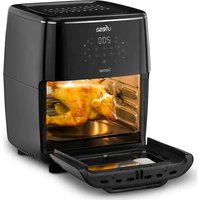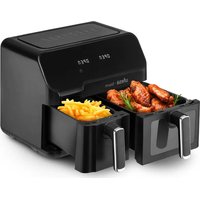
Storm - Deep fryer UFESA - Free user manual and instructions
Find the device manual for free Storm UFESA in PDF.


| Product type | Air fryer (oil-free) |
| Brand | Ufesa |
| Model | Storm |
| Total capacity | 9 L (5.5 L + 3.5 L) |
| Number of baskets | 2 |
| Control type | Touch controls and buttons |
| Preset programs | 8 (fries, baking, steak, chicken thigh, chicken wings, seafood, vegetables, fish) |
| Temperature range | 80°C – 200°C |
| Timer | 1 to 60 minutes |
| Synchronized finish | Yes |
| Display | Digital screen with countdown |
| Viewing window | Yes (on 5.5 L basket) |
| Basket material | Metal with non-stick coating |
| Included accessories | 2 baskets (5.5 L and 3.5 L), 2 oil collection trays, handles |
| Maintenance | Clean with a damp cloth, do not immerse, do not use abrasive products |
| Safety | Automatic shut-off, pause function, overheat protection |
| Use | Household only |
| Warranty | According to current legislation (contact customer service) |
| Max operating altitude | 2,000 m above sea level |
Frequently Asked Questions - Storm UFESA
User questions about Storm UFESA
0 question about this device. Answer the ones you know or ask your own.
Ask a new question about this device
Download the instructions for your Deep fryer in PDF format for free! Find your manual Storm - UFESA and take your electronic device back in hand. On this page are published all the documents necessary for the use of your device. Storm by UFESA.
USER MANUAL Storm UFESA
natural_image
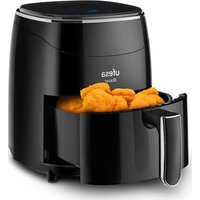
Black ufesa Storm air fryer with digital display and control buttons (no visible text or symbols on device body)WE WOULD LIKE TO THANKS YOUR FOR CHOOSING UFESA, WE WISH THE PRODUCT PERFORMS TO YOUR SATISFACTION AND PLEASURE.
WARNING
PLEASE READ THE INSTRUCTIONS FOR USE CAREFULLY PRIOR TO USING THE PRODUCT. STORE THESE IN A SAFE PLACE FOR FUTURE REFERENCE.
DESCRIPTION
- Top cover
- Body of the device
- Control panel
- Base
- 5.5L basket
- 5.5L basket handle
7.5.5L visual window - 3.5L basket
- 3.5 basket handle
- Drip oil trays
- Air outlets
- Plug and power cord
CONTROL PANEL DESCRIPTION
1) Power button
2) Menu selection button
3) Selection of left basket (1)(5.5L)
4) Selection of right basket (2) (3.5L)
5) Increase time/temperature left basket (1)
6) Decrease time/temperature left basket (1)
7) Increase time/temperature right basket (2)
8) Decrease time/temperature right basket (2)
9) Time/temperature selection
10) Synchronization end button
11) Display of left basket (1)
12) Temperature light for the left basket (1)
13) Timer light for the left basket (1)
14) Display of right basket (2)
15) Temperature light for the right basket (2)
16) Timer light for the right basket (2)
17) Preset programs lights
SAFETY INSTRUCTIONS
If the supply cord is damaged it must be replaced by the manufacturer, its service agent or similarly qualified persons in order to avoid a hazard.
This appliance can be used by children aged from 8 years and above and persons with reduced physical, sensory or mental capabilities or lack of experience and knowledge if they have been given supervision or instruction concerning use of the appliance in a safe way and understand the hazards involved. Children shall not play with the appliance. Cleaning and user maintenance shall not be made by children unless they are older than 8 and supervised.
Keep the appliance and its cord out of reach of children less than 8 years.
Appliances are not intended to be operated by means of an external timer or separate remote-control system. Disconnect the appliance when it is not in use and before cleaning it. Let it cool before putting on, taking off parts and cleaning it Do not submerge the appliance in water or any other liquid.
This appliance is intended for use at a maximum altitude of 2000m above sea level.
IMPORTANT WARNINGS
This appliance is designed exclusively for domestic use, in no case should be a commercial or industrial use. Any incorrect use or improper handling of the product shall render the warranty null and void.
Prior to plugging in the product, check that your mains voltage is the same as the one indicated on the product label.
Place the appliance on a flat even surface. The mains connection cable must not be tangled or wrapped around the product during use.
Do not use the device, or connect and disconnect to the supply mains with the hands and/or feet wet. Do not pull on the connection cord in order to unplug it or use it as a handle.
IMPORTANT. When operating this Air Fryer, keep at least ten centimeters of free space on all sides of the oven to allow for adequate air circulation.
DO NOT place your Air Fryer under cupboards, blinds or curtains. Risk of overheating / fire.
Do not cover any part of the Fryer with a cloth or similar, it will cause overheating. Risk of fire.
This is an AIR FRYER. It requires very little oil to cook. Do not fill the pot with oil or fat as this may cause a fire hazard.
Do not use any accessories other than manufacturer recommended accessories in this Air Fryer. Always wear protective, insulated oven gloves when inserting or removing items from the hot Air Fryer.
The appliance must be used on a level, stable heat-resistant surface.
The first time you use your Air Fryer there may be a slight odor or a small amount of smoke given off. This is normal and is just the manufacturing residues burning off.
Always place the ingredients to be fried in the basket to prevent it from coming into contact with the heating elements.
Unplug the product immediately from the mains in the event of any breakdown or damage and contact an official technical support service.
In order to prevent any risk of danger, do not open the device. Only qualified technical personnel from the brand's Official technical support service may carry out repairs or procedures on the device.
B&B TRENDS SL. disclaims all liability for damages that may occur to people, animals or objects, for the non-observance of these warnings.
BEFORE ITS FIRST USE
Remove all packing materials and stickers from the inside and outside of the Air Fryer. Gently wipe down exterior with a damp cloth or paper towel.
WARNING: Do not use abrasive cleaning agents or scouring pads.
WARNING: Never immerse the Air Fryer or its plug in water or any other liquids.
HOW TO USE
1. Boot mode
Firstly, confirm that the basket is correctly installed into the machine, insert the plug into the socket, the machine will be powered on and will beep once. All the lights are lit for one second and then extinguished, the Power Icon will be illuminated.
2. Standby Mode
Touch the Power Icon. Power Icon, Icon ^① and Icon ④ Indicator light up and stay on, the product enter in standby mode. When the unit is in this Standby mode and has not been operated within 3 minutes, the device will go to Boot mode.
When the unit is in Standby mode and push the power icon for 2 seconds, unit will go to Boot mode.
3. Single basket working mode
Touch the icon ① or ② to choose the desired basket, the indicator of menu selection is lit and always on. The indicator of french frites is flashing as the default menu, and the other indicators are always on; Meanwhile the indicators of temperature and time are flashing; If pressing and hold the icon ① for 2 sec, it can cancel the selection for the left basket (and icon ② for right basket). If two baskets are cancelled by pressing the icons then the product enters Standby mode.
Once selected the icon ① or ② touch the Menu selection button Ⓜ to change between the 8 preset programs available. Once selected press the power button to start cooking according the preset time and temperatures fixed by default. Before confirm any preset program you can always adjust its time and temperature. To do that press the "Time/temperature selection" button ⏻ and press + or - buttons. When adjusting temperature, every time you press, the temperature changes by 5°C, long press "+" or "-" key, the temperature will increase or decrease continuously. For each menu, the temperature adjustable range of 80°C-200°C; For time adjustment, press again ⏻ and every time you press, the time changes by 1min. The time adjustable range of 1min -60min.
After setting the right time and temperature, touch the Power button to start cooking. The display shows the current cooking time in count down manner. The selected recipe indicator is steady on, other recipe indicators are off.
If need to adjust the temperature or time during the cooking process, press the "Time/temperature selection" button ⚙(Once for temperature, twice for time), then press "+" or "-" button to adjust the temperature or time. During the adjustment process, the machine keeps working.
Press the “power key” during cooking, and the machine will pause, touch it again to restart at the same point. If there is no operation, the machine will automatically return to standby mode after 3 minutes.
If need to turn OFF the machine during cooking, press the power button for 2 seconds and the machine will be turned OFF. The heating tube and motor will stop working. At this time, the display screen will display the word “OFF”, and the buzzer will beep.
After the cooking, the screen displays the word "OFF", and the buzzer gives a prompt sound of "beep" 5 times. The display screen is display off and the machine returns to standby mode. During the cooking if you take out the frying basket the display screen will show the words "OPEN" and the machine stops working. After inserting the frying basket, the machine resumes its previous work.
4. Double basket working mode
Starting the 2 baskets
Firstly, select basket ① and choose the menu (preset program), temperature and time according to your needs. Secondly, select another basket ② and choose the wanted recipe, temperature and time in the same way.
Press the Power button, the 2 baskets start working at the same time, basket ① key and indicator light of basket 1 recipe flash once per 6 seconds at the same time, basket ② key and indicator light of basket 2 recipe flashes once per 6 seconds at the same time, basket 1 and basket 2 display alternately, about 3 seconds interval.
It also can be started basket firstly by press "Power button" after set parameter of basket and then press to set parameter of basket, after basket ready, press "Power button" to start basket?
Adjust time and temperature during the double baskets working process
During the cooking process when 2 baskets are working at the same time, if you need to adjust the temp or time for basket ①, press ①and then adjust the temp and time as you need, the recipe can't be adjusted in this state. If no operation within 10 seconds after debugging, the display screen automatically returns to normal. Same with basket ②.
End basket ① or basket ②
Press the ①button or ②button first, and then short press the “power button” once, the selected basket will stop working and return to choice menu mode. Selected basket and recipe and corresponding display screens flash. If there is no operation, the machine will automatically return to standby mode after 3 minutes.
Draw out of the basket
During cooking process, if one basket was drawn out, the display will show the “OPEN” at any time. The corresponding side will stops working (both heating and motor will be stopped), and it will resume working as per previous setting when the basket is inserted back. One frying basket can be removed and loaded without affecting the work of the other basket.
Pausing the 2 baskets
When double-basket cooking, press “power button” once and the 2 baskets enter the pause mode at the same time, 2 basket icons and the two screens and recipes are flashing. Press the “Power button” again, and the 2 baskets resumes working mode.
When the 2 baskets are paused at the same time, if there are no operation within 3 minutes both baskets will stop working and return to standby mode.
During 2 baskets are cooking at the same time and you long press the “Power button” for 2 seconds, the 2 baskets will stop working at the same time, and the left and right screens will display “OFF”. After a prompt sound of “beep”, the machine will enter the standby mode. If you want to turn off only one basket press ① or ② first, and then long press the “Power button” for 2 seconds. The selected basket will stop working, and the corresponding display screen will display “OFF”. After a prompt sound of “Beep”, it will return to standby mode. At this point, the machine state changes to single basket working mode.
Simultaneous end cooking function
After selecting the menu in the 2 baskets the “Synchronous end button” Ⓧ will blink in the control panel. Press it to activate the simultaneous end function. At this point, the longer time menu will start and the shorter one shows in the screen “HOLD”. When the extra time has passed, the short time basket began to work automatically.
During the working mode if you pull out a basket, the time of both baskets will be suspended and the screen shows "HOLD". When you insert a basket it continues to synchronize work. During the synchronous operation, if one basket is suspended and the other basket continues to work, exit the synchronization end function and the "Synchronization end button" indicator is off.
PRESET FUNCTIONS
This table below will help you to select the basic settings for the ingredients.
Note: Keep in mind that these settings are indications. As ingredients differ in origin, size, shape as well as brand, we cannot guarantee the best setting for your ingredients.
The preset functions will help you to start cooking efficiently.
Select any of the icons by pressing the Menu selection button Ⓜ Each time you press the button the preset menu will change from left to right. Once selected, press the power button to confirm the selection and start cooking. This will automatically set the Time and Temperature to a default setting for the selected food type. You can over-ride the default presets with time and temperature buttons (+/-).
| Icons Preset Time Temperature | |||
 | French fries 20 minutes 200°C | ||
 | Baking (cakes) 25 minutes 150°C | ||
 | Meat 15 minutes 200°C | ||
 | Chicken leg 30 minutes 200°C | ||
 | Chicken wings 22 minutes 180°C | ||
 | Seafood 10 minutes 190°C | ||
 | Vegetables 10 minutes 160°C | ||
 | Fish 20 minutes 170°C | ||
COOKING TIPS
- Almost any food that is traditionally cooked in the oven can be air fried.
- Foods cook best and most evenly when they are of similar size and thickness.
- Smaller pieces of food require less cooking time than larger pieces.
- For best results in the shortest amount of time, air fry food in small batches. Avoid stacking or layering when possible.
- Most prepackaged foods do not need to be tossed in oil before air frying. Most already contain oil and other ingredients that enhance browning and crispiness
- Frozen appetizers air fry very well. For best results, arrange them on the tray in a single layer.
- If layering foods, be sure to shake the basket halfway through (or flip food) to promote even
cooking.
- Toss foods you are preparing from scratch, such as French fries or other vegetables, with a small amount of oil to promote browning and crispiness.
- When air frying fresh vegetables, make sure to pat them dry completely before tossing with oil and air frying to ensure maximum crispiness.
- Air fryers are great for reheating food, including pizza. To reheat your food, set the temperature to 150^ for up to 10 minutes.
CLEANING AND MAINTENANCE
- Ensure the Air Fryer is unplugged and cool before cleaning.
- Use a clean, dry cloth to clean the inside. Do not use a wet cloth to prevent water from getting inside the appliance.
Warning: Do not use abrasive cleaning agents or scouring pads.
- Gently wipe down exterior with a damp cloth or paper towel.
- Never immerse the Air Fryer or its plug in water or any other liquid.
- Dry all parts thoroughly before storage.
- Store the Air Fryer in a cool, dry place.
PRODUCT DISPOSAL
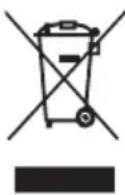
This product complies with European Directive 2012/19/EU on electrical and electronic devices, known as WEEE (Waste Electrical and Electronic Equipment), provides the legal framework applicable in the European Union for the disposal and reuse of waste electronic and electrical devices. Do not dispose of this product in the bin, instead going to the electrical and electronic waste collection center closest to your home.
FRANÇAIS
NOUS VOUS REMERCIONS D'AVOIR CHOISI UFESA, NOUS SOUHAITONS QUE CE PRODUIT VOUS APPORTE SATISFACTION ET VOUS FASSE PLAISIR.
VEUILLEZ LIRE ATTENTIVEMENT LE MODE D'EMPLOI AVANT D'UTILISER LE PRODUIT. VEUILLEZ CONSERVER CE DOCUMENT DANS UN ENDROIT SÛR POUR UN USAGE ULTÉRIEUR.
DESCRIPTION
B&B TRENDS, SL. guarantees compliance of this product, for the use for which it is, during the period established by the legislation in force in the country of sale. In the case of breakdown during the term of this warranty, users are entitled to repair or else the replacement of the product at no charge if the former is unavailable, unless one of these options proves impossible to fulfil or is disproportionate. In this case, you can then opt for a reduction in price or cancellation of the sale, which must be dealt with directly with the sales vendor. This also covers replacement of spare parts provided that the product has been used according to the recommendations specified in this manual for both cases, and has not been tampered with by any third party that is not authorised by B & B TRENDS, SL. The warranty will not cover any parts subject to wear and tear. This warranty does not affect your rights as a consumer in accordance with the provisions in Directive 1999/44/EC for member states of the European Union.
USE OF WARRANTY
Customers must contact a B&B TRENDS, SL., authorised Technical Service for repair of the product. Since any tampering of the same by anyone not authorised by B&B TRENDS, SL., or the careless or improper use of the same shall render this warranty null and void. You must keep the purchase invoice, receipt or delivery docket in order to exercise your warranty rights. For technical service and after-sales care outside the Spanish territory, please submit your query to the point of sale where you purchased the item.
BON DE GARANTIE
Check out your nearest service station at https://sat.ufesa.com/
ufesa
B&B TRENDS, S.L. · C.I.F. B-86880473