
D6S - Robot vacuum Ultenic - Free user manual and instructions
Find the device manual for free D6S Ultenic in PDF.


| Product type | Robot vacuum and mop |
| Brand | Ultenic |
| Model | D6S |
| Operating voltage | 14.4 V |
| Power | 35 W |
| Battery capacity | 2600 mAh |
| Charging time | Less than 5 hours |
| Battery type | Rechargeable Li-ion battery |
| Filtration system | HEPA filter + secondary sponge |
| Washing function | Yes, with water tank and mop |
| Cleaning modes | Sweeping, silent mode, designated zone cleaning, vacuuming |
| Control | Touch panel, remote control, mobile app (Wi-Fi 2.4 GHz) |
| Sensors | Anti-drop, infrared, mapping sensors |
| Return to base | Automatic (end of cycle or low battery) |
| Scheduling | Yes, via app |
| Included accessories | Charging station, remote control, side brushes, mop, cleaning tool, boundary strips |
| Maintenance | Regular cleaning of dustbin, filter, brushes and sensors |
| Replaceable parts | HEPA filter, brushes, mop, wheels, battery |
| Safety | Drop sensors, error shutdown, indoor use only |
| Operating environment | Indoor, hard floors and low carpets |
Frequently Asked Questions - D6S Ultenic
User questions about D6S Ultenic
0 question about this device. Answer the ones you know or ask your own.
Ask a new question about this device
Download the instructions for your Robot vacuum in PDF format for free! Find your manual D6S - Ultenic and take your electronic device back in hand. On this page are published all the documents necessary for the use of your device. D6S by Ultenic.
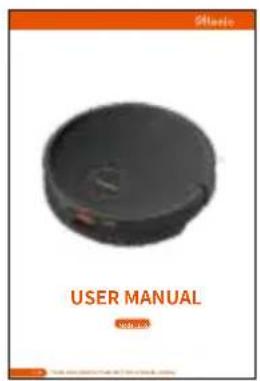
USER MANUAL D6S Ultenic
Product Operation 07
Maintenance 12
Product Specifications 15
Troubleshooting 16
WARNINGS
IMPORTANT SAFETY INSTRUCTIONS FOR HOME OPERATION ONLY
Basic precautions should always be observed when using any electrical equipment, including the following:
WARNING: READ ALL SAFETY INSTRUCTIONS AND THE ENTIRE MANUAL. Failure to heed the warnings and instructions may result in electric shock, fire, or serious injuries. Please read all instructions before using this device.
WARNING:
- This device is intended for children 8 years of age and older. People with reduced physical, sensory, or intellectual abilities, or those who lack experience and knowledge, should be supervised or instructed in safely using the device; they must also be aware of possible hazards. Children should not play with this device. Cleaning and user maintenance should not be performed by children without supervision.
- The robot must be used in accordance with the instructions in this manual. The company is not responsible for any damage or injury caused by improper use.
To reduce the risk of injury or damage, please observe the following safety precautions when installing, using and maintaining the device:
- Please read all instructions regarding safety and operation before using the device.
- Keep the safety and user manual for future reference. If you accidentally lose the manual, you may visit the official website to download the electronic version. (https://www.ultenic.com).
- Heed all warnings on the device, battery, charging station, and user manual.
Follow all operating and usage instructions.
The product's labels or packaging indicate that: Do not dispose of the electrical appliances as unsorted waste or, use a separate waste collector.
Contact your local authority for information on the appropriate disposal method. If electrical appliances are discarded in landfills, hazardous substances can leach into groundwater, enter the food chain, and damage people's health. Contact your local or regional waste management agency for more information on their recycling and reuse programs.
RESTRICTIONS
- This device is for indoor use only. Do not use it outside, or in commercial and industrial environments.
- Before using the device, remove fragile items such as clothing, loose-leaf paper, rope or curtains, and power cords from the floor. The device may snag onto an object, table, or shelf if it gets stuck on a cable.
- This device is not a toy. Do not sit or stand on this device. Children and pets should be supervised while the device is operating.
- Store and operate the device at room temperature.
- Do not use this device to clean anything that is burning or smoking.
- Do not use the device to clean bleach, paint, or other chemicals, or anything wet.
- If the cleaning area involves a balcony, a physical barrier should be set up to prevent the device from accessing the balcony and ensure it operates safely.
• People (including children) with reduced physical, sensory, or intellectual abilities, or those who lack experience and knowledge, should be supervised or instructed in safely using the device.
• Children should be supervised to ensure they do not play with the device. Further, cleaning and maintenance must not be performed without adult supervision.
- Do not place anything on the robot.
- Please note the device will move on its own. Try to be careful when walking in the operating area to avoid stepping on it.
- Do not operate the device in an area where a ground power outlet is exposed.
BATTERY AND CHARGING
- Only use rechargeable battery packs with specifications approved by our company.
- Use the standard complementary charging station for charging. This product must not be used with any type of power adapter; use of other power adapters will immediately void the warranty.
- Do not use a charging station with a damaged power cord or plug. If the power cord or plug is damaged, it must be repaired by the manufacturer or a similarly qualified party.
- Be sure to charge and remove the batteries in the robot and accessories before long-term storage or transportation.
- The remote control battery type is AAA alkaline battery.
- To replace the remote control's batteries, slide the battery cover on the back of the remote control open, remove the battery cover, and replace the batteries.
- Charge the device indoors only.
- Your robot's charging station may be protected by a surge protector to prevent power surges.
- Do not operate the charging station with wet hands.
-
Before cleaning or maintaining the device, the plug must be removed from the socket.
-
Ensure the voltage rating of the enclosed charging station matches the voltage of the standard outlet.
- Used battery packs should be placed in a sealed plastic bag and disposed of safely in accordance with local environmental regulations.
- Before each use, inspect the battery pack for signs of damage or leakage. Do not charge damaged or leaking battery packs.
- If the battery pack leaks, please contact customer service.
- The battery pack must be removed from the device before disposal.
- Do not crush or disassemble the battery pack. Do not apply heat to the battery pack or place it near any heat source.
- Do not incinerate the battery pack. Do not short-circuit the battery pack.
- Do not immerse the battery pack in any liquid.
- Do not crush or disassemble the device.
INSIDE THE BOX
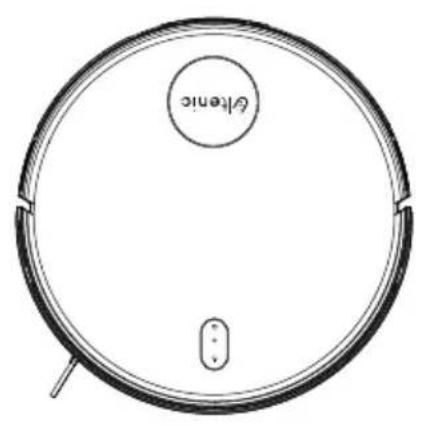
natural_image
Top-down line drawing of a circular robotic vacuum cleaner with a labeled 'Gelenc' component (no other text or symbols)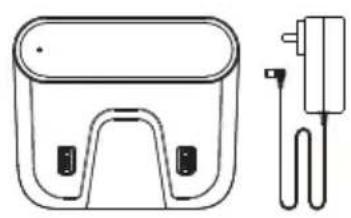
natural_image
Line drawing of a two-port device with a plug and cable (no text or symbols)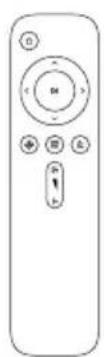
Remote ControlCharging Stationl
natural_image
Simple line drawing of a curved, elongated shape resembling a stylized helmet or blade (no text or symbols)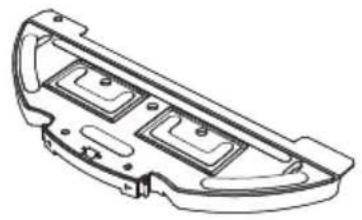
natural_image
Technical line drawing of a mechanical component with three internal compartments (no text or symbols)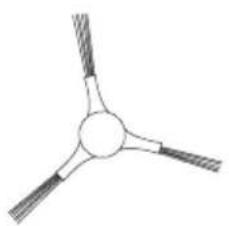
natural_image
Simple line drawing of a three-bladed propeller or fan with no text or symbolsSide BrushMop PadMop
natural_image
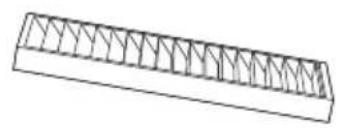
Simple line drawing of a truss structure with triangular bracing (no text or symbols)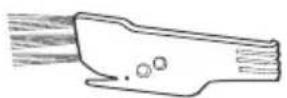
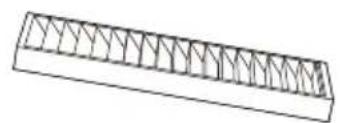
User ManualCleaning BrushHEPA
natural_image
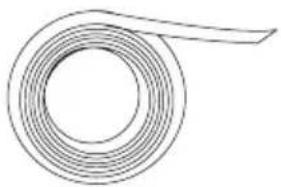
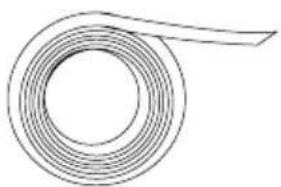
Simple line drawing of a coiled spring or rope (no text or symbols)1 x Boundary Strips
PRODUCT DESCRIPTION
The Robot
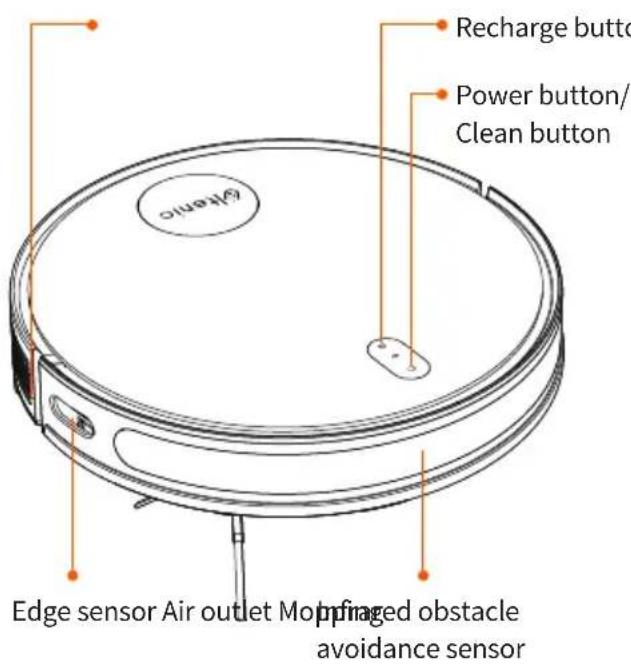
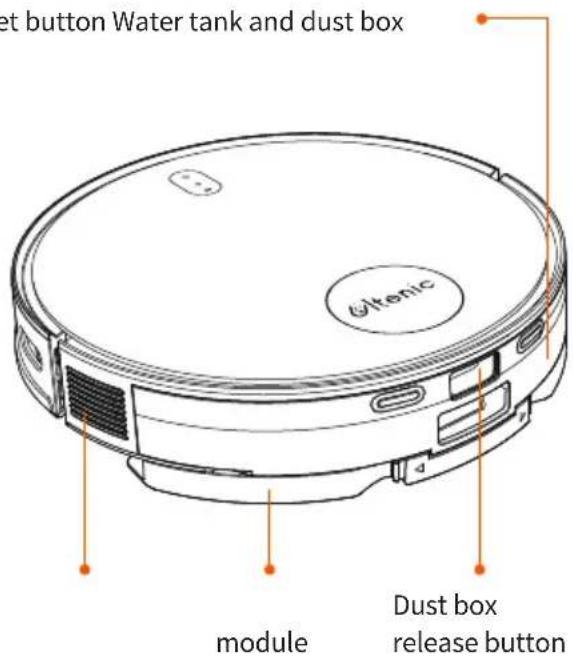
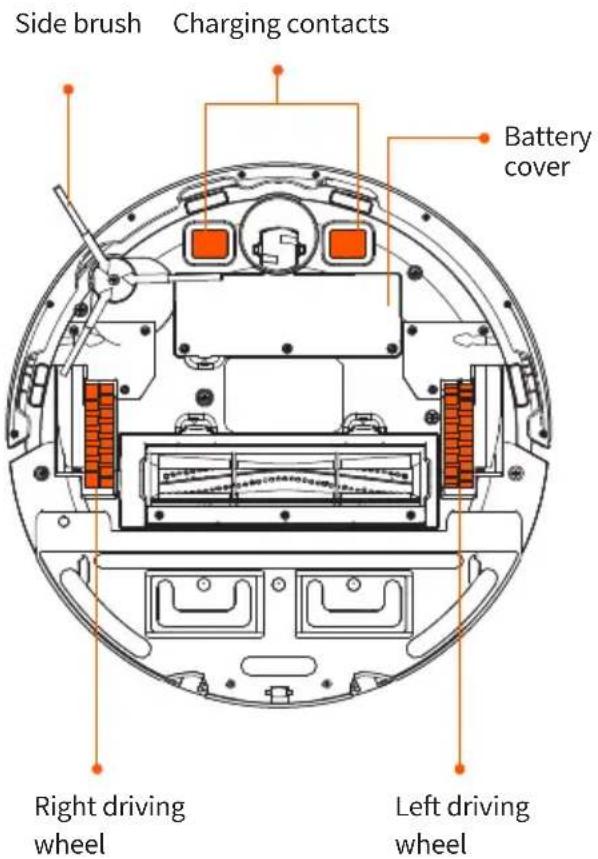
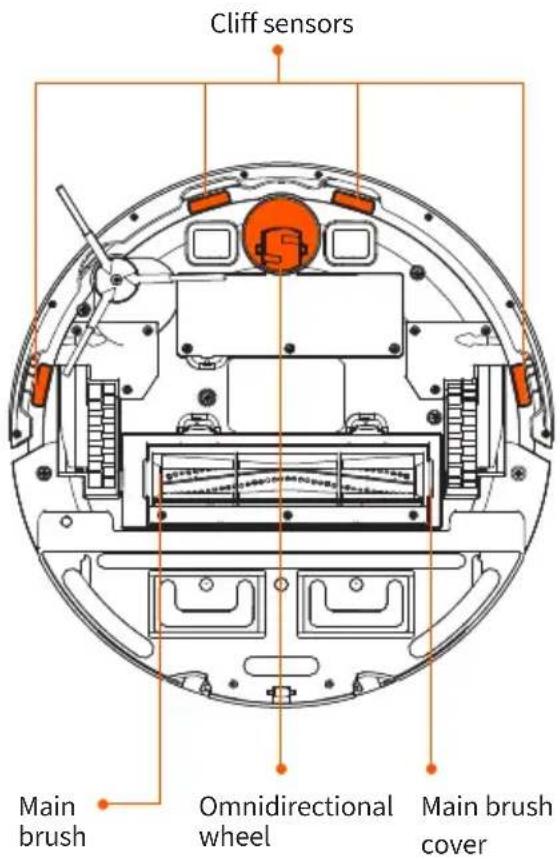
PRODUCT DESCRIPTION
2 in 1 Dust Box and Water Tank
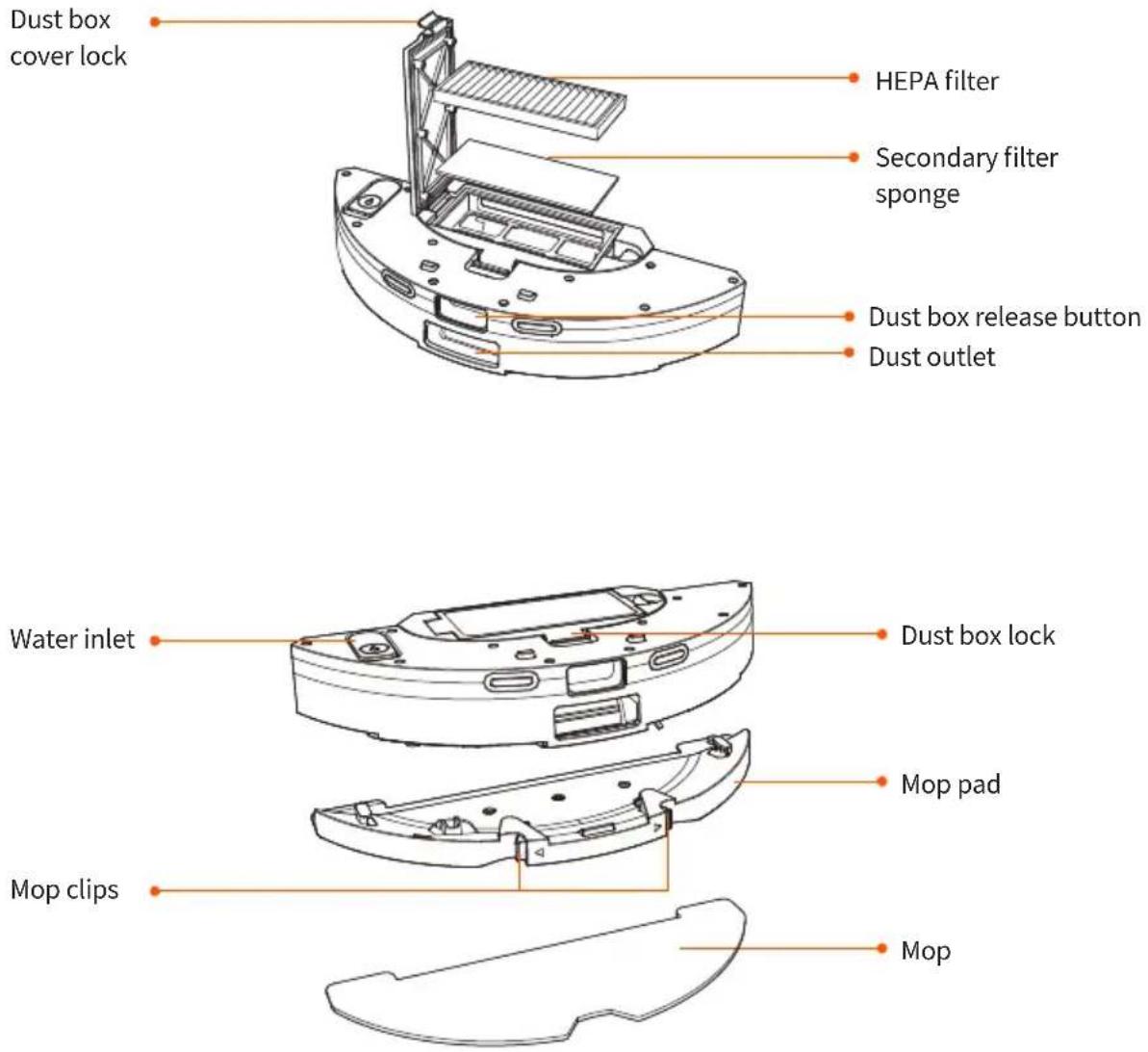
Charging Station
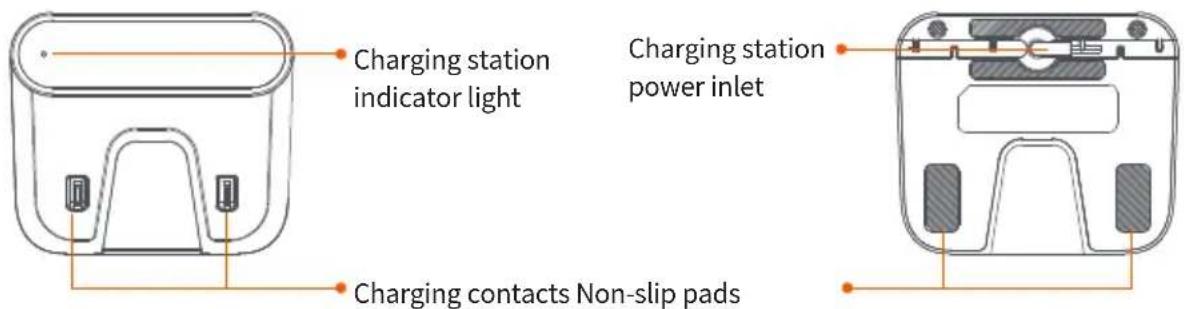
PRODUCT DESCRIPTION
Robot Indicator Lights
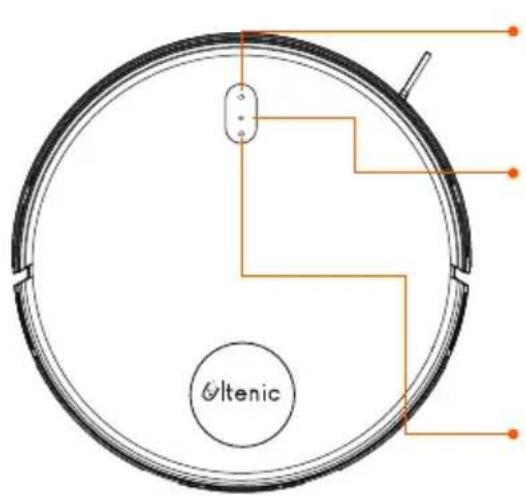

Power button
- Press and hold 3s to turn on/off.
- Short press to start/pause cleaning.
Wifi indicator light/network configuration
Enter network configuration: wifi indicator light flashes in white / white steady light indicates the network is successfully configured / wifi indicator light is off if network is not configured or network configuration fails.

Recharge button/recharge & power indicator
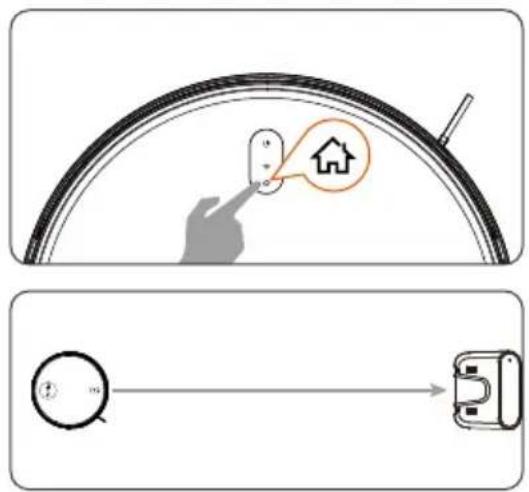
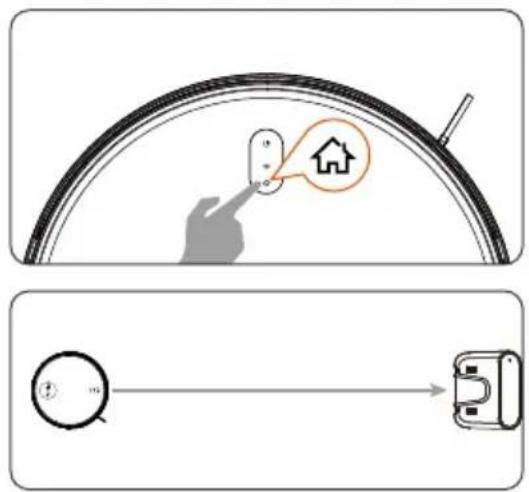
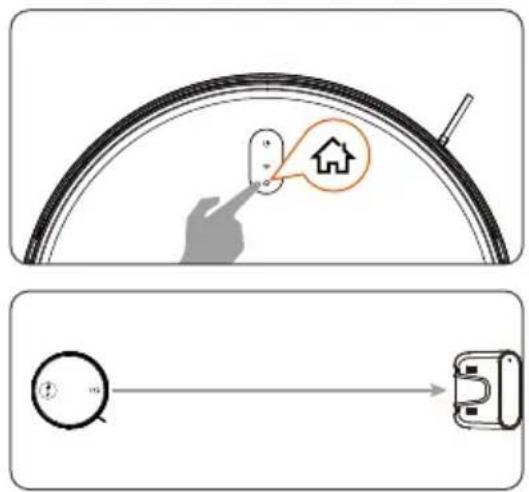
Press the button to return the robot to the charging dock. Press and hold the recharge and start/stop buttons at the same time for 5s to enter network configuration mode.
Blue breathing light: power on/upgrading firmware
Steady blue light: standby/normal working state
Blinking yellow light: low battery
Green breathing light: charging
Steady green light: fully charged
Flashing red light: error
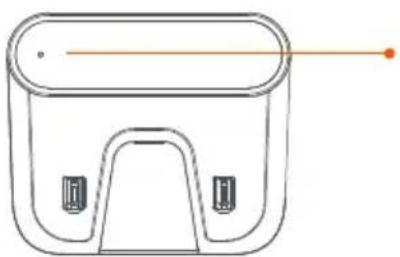
Charging Station Indicator Light
natural_image
Line drawing of a rectangular device with a handle and two side buttons, no text or symbols presentGreen light indicates power on
PRODUCT OPERATION
Before Using
Before use, remove all protective parts from the robot and charging station.
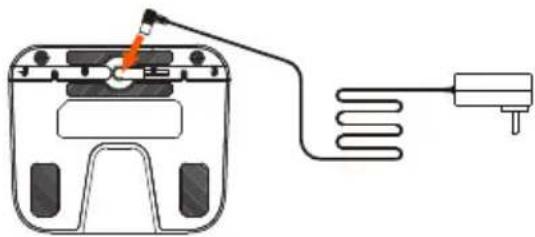
- Assemble the charging station.
natural_image
Diagram of a device with a cable and sensor connected to a power outlet (no text or symbols)- Set up the charging station.
natural_image
Simple line drawing of a ramp and block on a surface, with a green checkmark indicating the ramp (no text or symbols)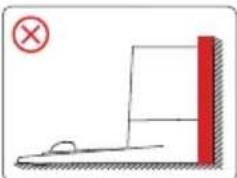
natural_image
Simple line drawing of a ramp and block with a red vertical bar, no text or symbols present- Install side brush.
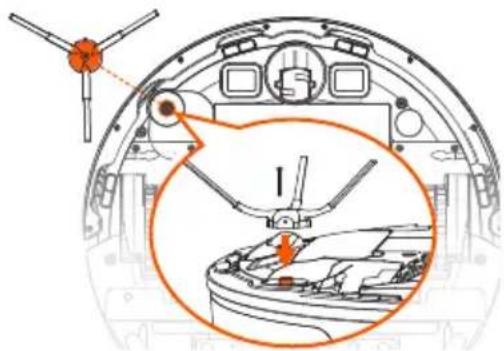
- Charge robot.
natural_image
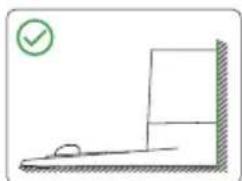
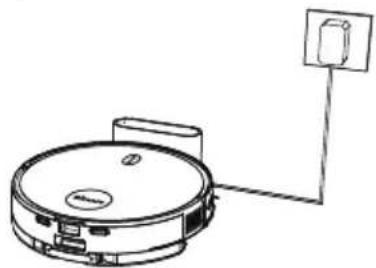
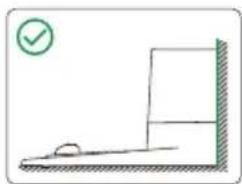
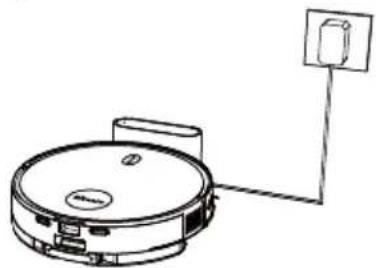
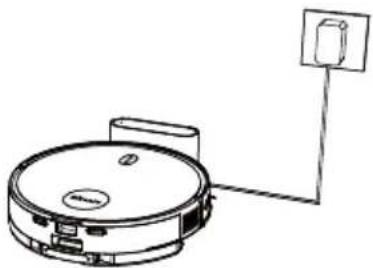
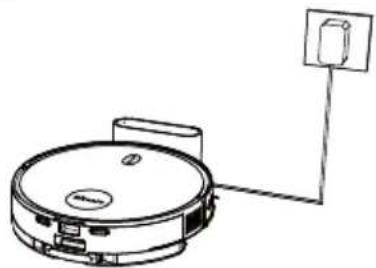
Line drawing of a circular device connected to a wall-mounted device (no text or symbols)* Plug the power cord into the charging station. The charging station must be placed on a flat surface against a wall.
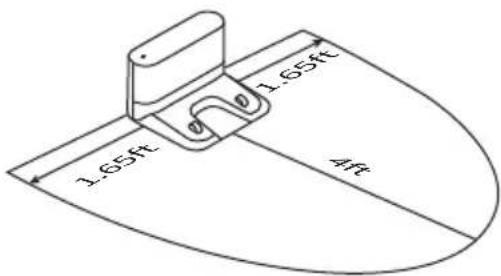
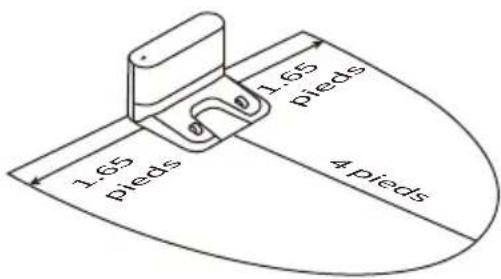
* Make sure there is enough space (at least 4ft on the front and at least 1.65ft on the left and right sides) to ensure the robot returns to the dock smoothly and automatically.
* Do not expose the charging station under sunlight.
* Do not place the charging station on carpet.
* Please place the charging station on level ground.
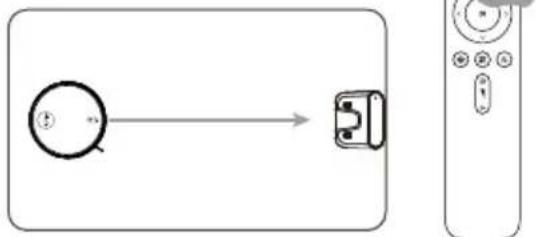
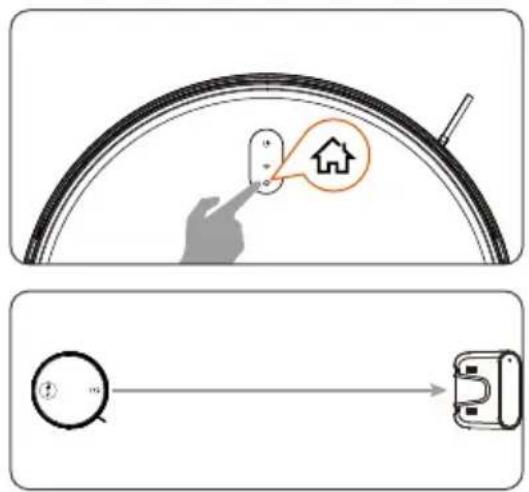
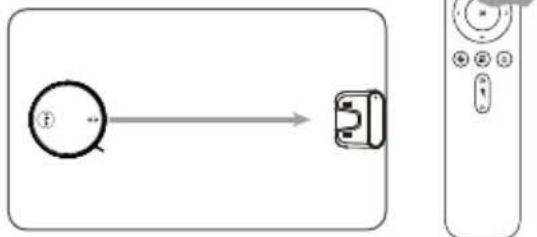
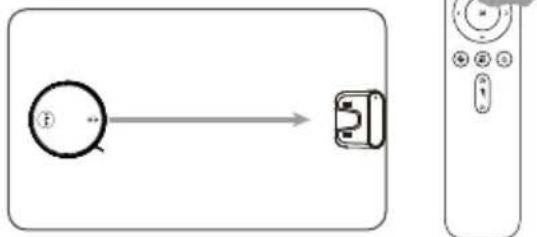
NOTE: When the robot completes a cleaning cycle or the battery runs low, it will automatically return to the charging station. The robot can also be returned to the station at any time via the app, or by pressing the " 🔊" button on the robot.
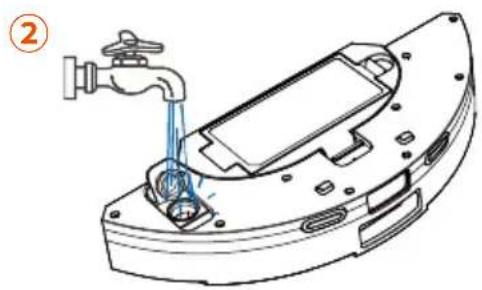
Empty the remaining water in the water tank and remove the mop pad before charging the robot.
App Connection
To use all available functions, we recommend using the app to control your robot.
APP Downloading and Installation


- Download app from the App Store (for iOS) or Google Play (for Android).
- Open the app and create an account.
- Tap "+" icon to add "D6S" to your account.
- Follow instructions in the app to set up Wi-Fi connection.
Before starting, make sure to:
- Connect your phone to a Wi-Fi network.
- Activate the 2.4 GHz band on the router.
- Check whether the wifi indicator light on the robot is flashing.
Manual connection
- Press and hold the "💡" button and the "💡" button for 5 seconds until the indicator light flashes and the network converges.
- Select the wifi router your phone is connected to, and enter the password.
- Go to settings and WLAN list to connect to the hotspot "Ultenic-XXXX".
- Go back to the Ultenic app and complete the wifi connection.
Connect via Bluetooth
- Turn on Bluetooth on your phone and scan for nearby Bluetooth devices.
- Select the robot's model number.
- Enter the wifi password to complete the connection.
PRODUCT OPERATION
Operate via the Robot's Control Panel
Start / Pause
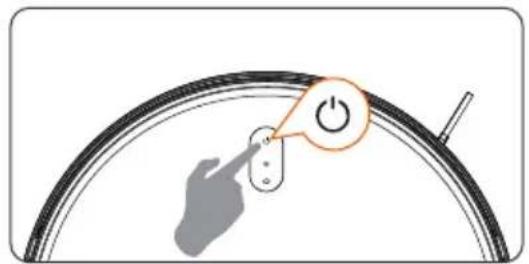
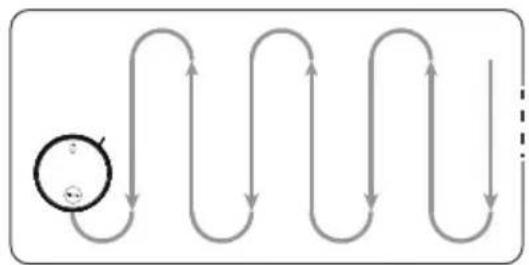
flowchart
graph TD
    A["Start"] --> B{Loop Point}
    B --> C["Loop Back"]
    C --> D["End"]
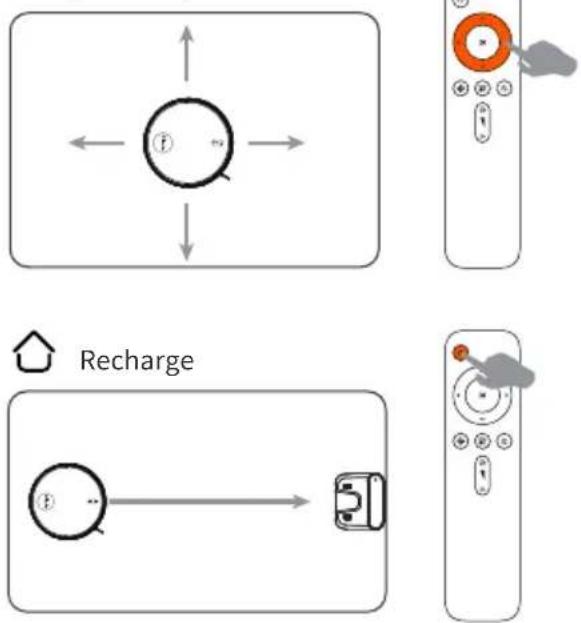
Recharge
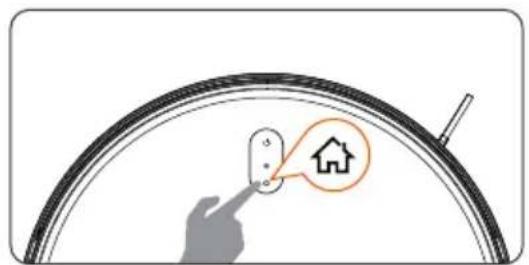
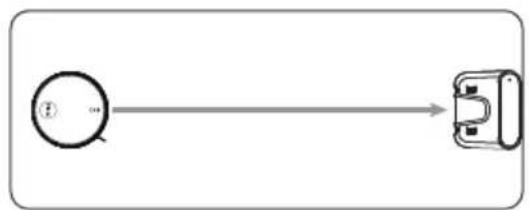
flowchart
graph LR
    A["①"] --> B[" connector"]
Press the "⏻" button on the robot to activate.
Note: The robot control panel will stop lighting up after the robot has stopped for a few minutes. Press the "⏻" button on the robot to activate.
Note: If the robot is not working, we recommend to keep it powered on and charge it.
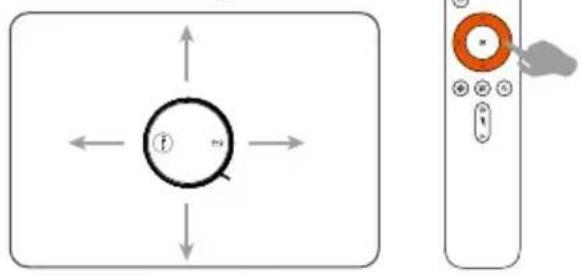
Operate via Remote Control
Note:
- We recommend pointing the remote control at the front of the robot for optimal results.
- The remote control's control range is 10-20 feet
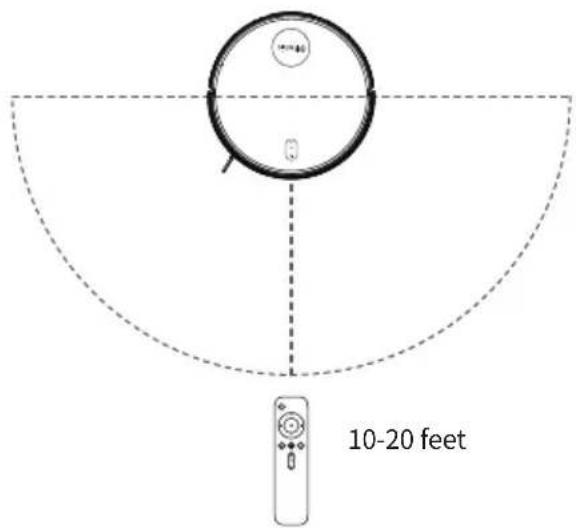
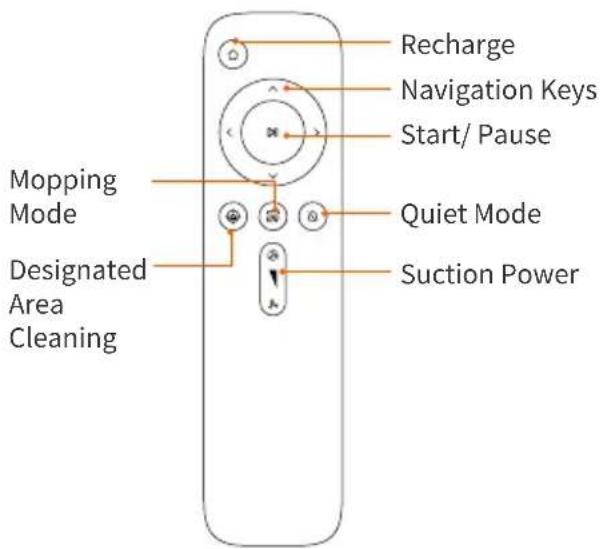

Start / Pause
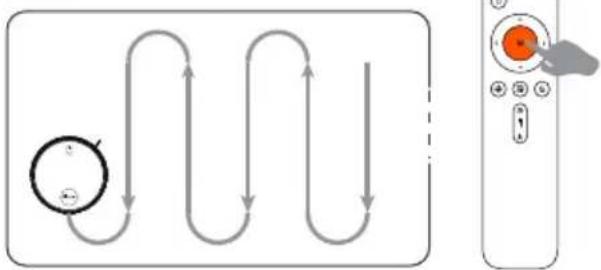
flowchart
graph TD
    A["Circle with arrow"] --> B["Arrow to top"]
    B --> C["Arrow right"]
    C --> D["Arrow down"]
    D --> E["Arrow left"]
    E --> F["Arrow down"]
    F --> G["Arrow down"]
    G --> H["Arrow down"]
    H --> I["Arrow down"]
    I --> J["Arrow down"]
    J --> K["Arrow down"]
    K --> L["Arrow down"]
    L --> M["Arrow down"]
    M --> N["Arrow down"]
    N --> O["Arrow down"]
    O --> P["Arrow down"]
    P --> Q["Arrow down"]
    Q --> R["Arrow down"]
    R --> S["Arrow down"]
    S --> T["Arrow down"]
    T --> U["Arrow down"]
    U --> V["Arrow down"]
    V --> W["Arrow down"]
    W --> X["Arrow down"]
    X --> Y["Arrow down"]
    Y --> Z["Arrow down"]
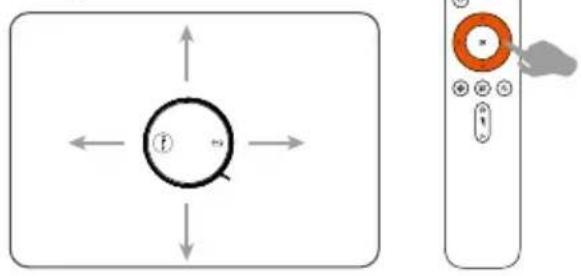
Navigation Keys
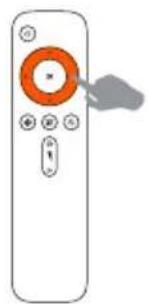
natural_image
Illustration of a remote control with an orange circular button and gray scroll pointer (no text or symbols)Mopping Module
Note:
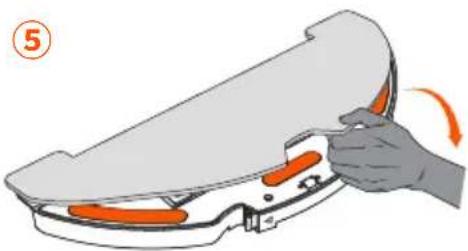
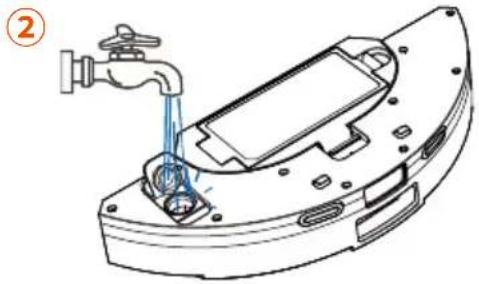
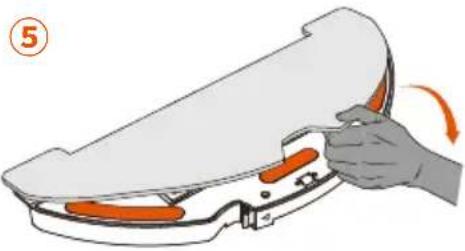
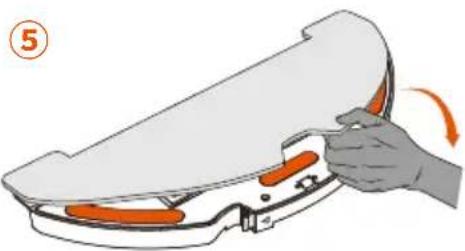
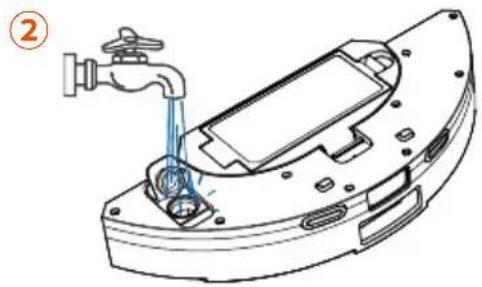
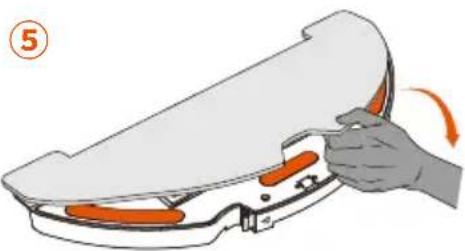
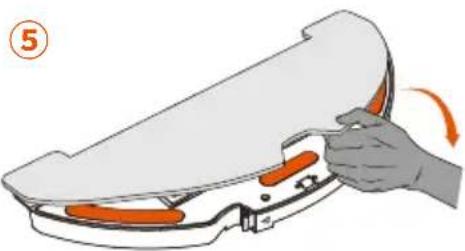
- To prolong the water tank's life, we recommend using deionized or demineralized water for mopping.
- Remove the mop pad before cleaning any carpets.
- Empty the water tank after mopping is finished.
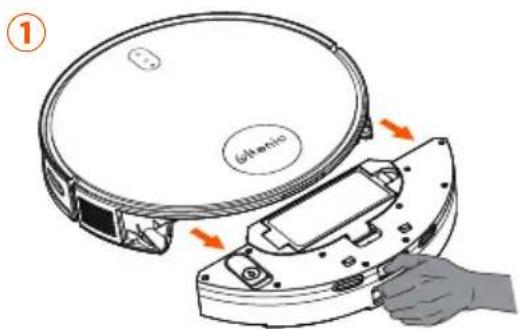
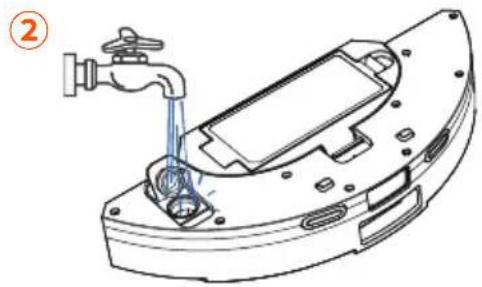
natural_image
Technical line drawing of a mechanical component with a faucet and internal components (no text or symbols)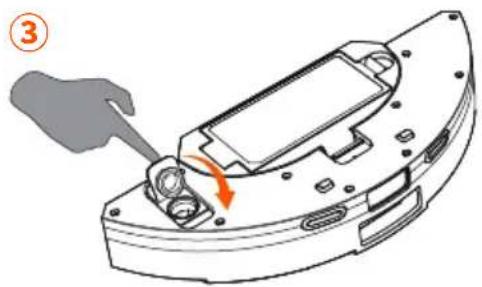
natural_image
Mechanical component diagram showing a turning tool interacting with a housing (no text or symbols)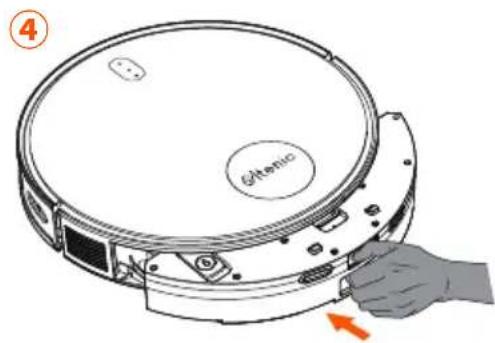
natural_image
Illustration of a hand holding an orange object with a curved handle, no text or symbols present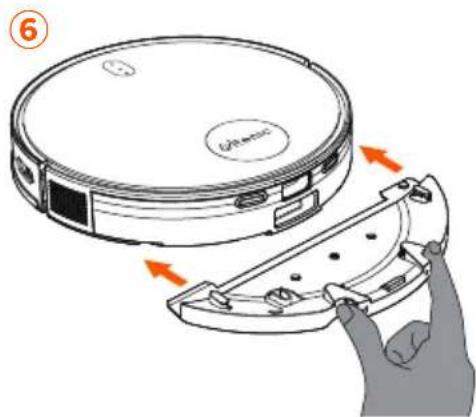
PRODUCT OPERATION
Cleaning Precautions
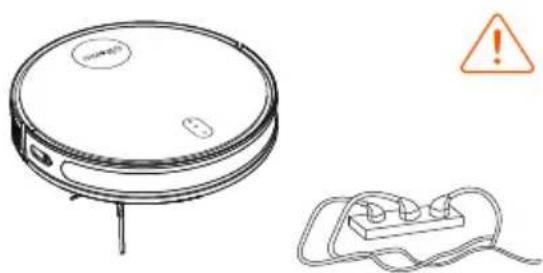
A. Remove power cords and small objects from the floor that may entangle the robot.
natural_image
Line drawing of a robotic vacuum cleaner with warning symbol (no text or labels)B. Fold the tasseled edges of area rugs underneath to prevent tangling.
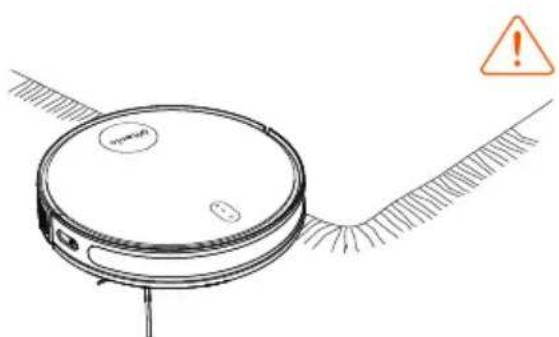
natural_image
Line drawing of a robotic vacuum cleaner with warning symbol (no text or labels)C. We strongly recommend placing boundary strips in front of fireplaces and certain areas (e.g. air vents) that may damage the robot.
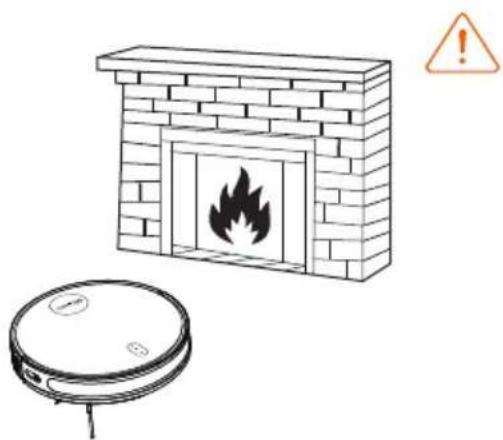
natural_image
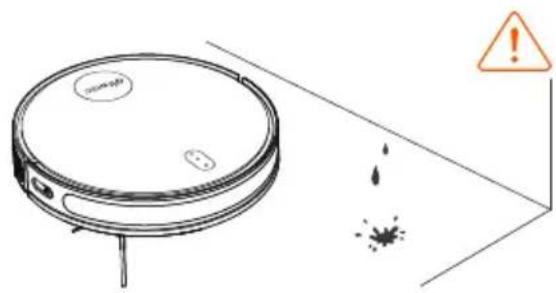
Illustration of a brick chimney with a flame inside and a vacuum cleaner below (no text or symbols)D. Keep the robot away from wet areas.
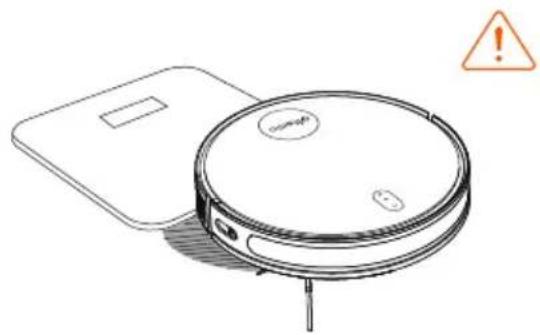
E. The Robot can climb over objects less than 0.59 in/15mm in height. Remove these objects if possible.
natural_image
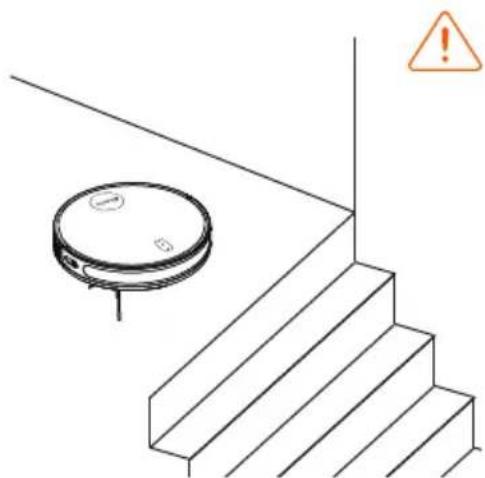
Line drawing of a robotic vacuum cleaner with a warning sign (no text or symbols on the device itself)F. Anti-drop sensors can prevent the robot from tumbling down stairs and dropping. While reflective or dark-colored floors may affect the sensors' effectiveness, we recommend physically blocking off areas where the robot may fall.
natural_image
Simple line drawing of a staircase with a circular object and an orange warning symbol (no text or labels)MAINTENANCE
Mopping Module
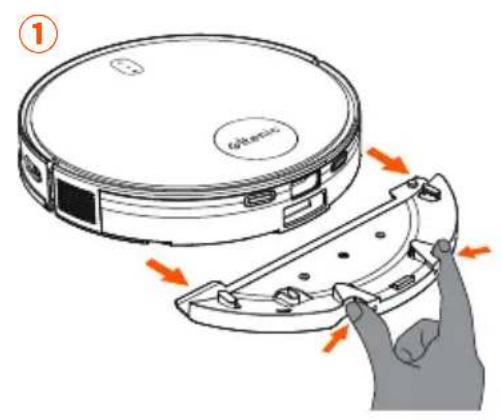
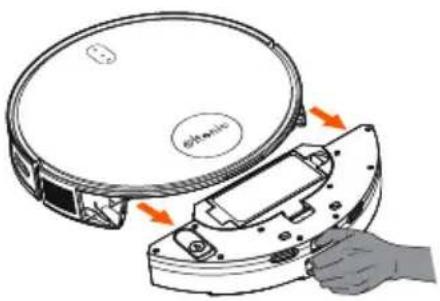
Before cleaning and upkeeping the robot, please switch off the robot and disconnect the charging station from the power outlet.
natural_image
Illustration of a hand gripping a flat, curved object with a rotation arrow (no text or symbols)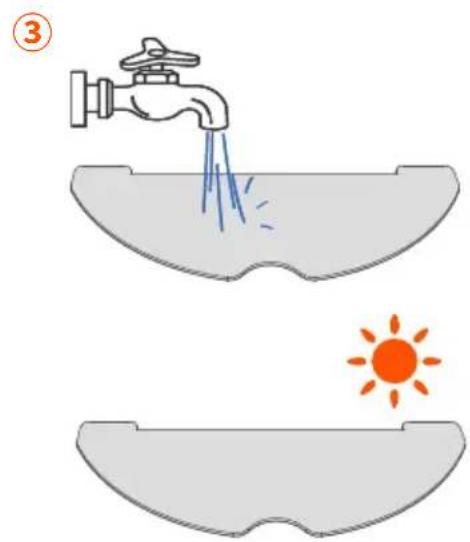
natural_image
Technical line drawing of a mechanical device with a faucet and internal components (no text or symbols)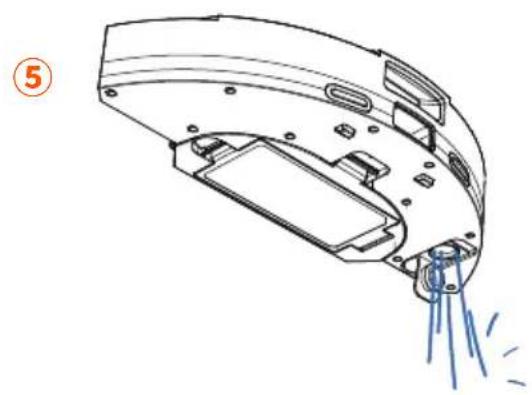
natural_image
Technical line drawing of a mechanical device with spray and mounting features (no text or symbols)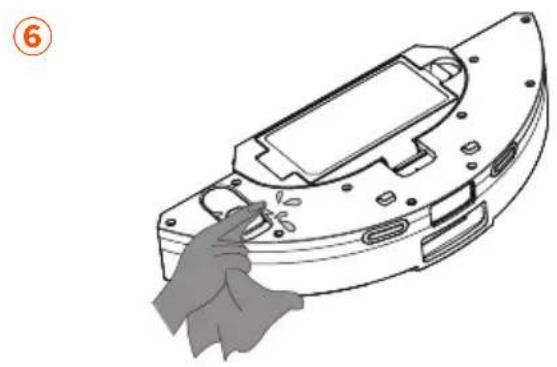
natural_image
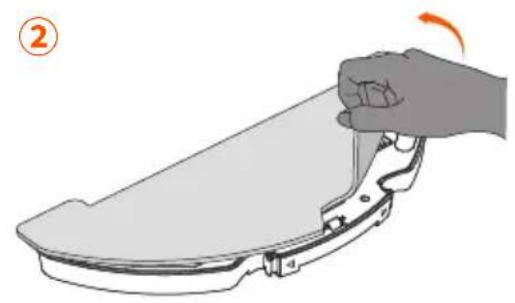
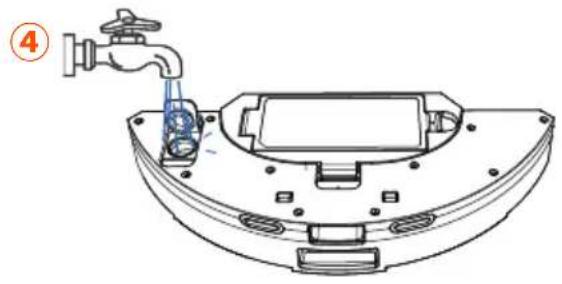
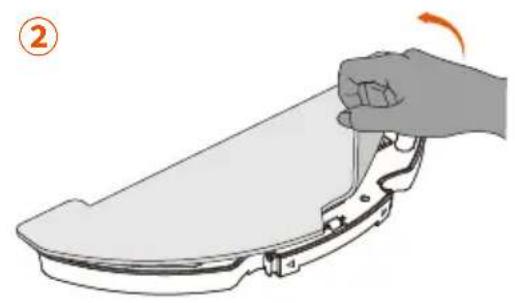
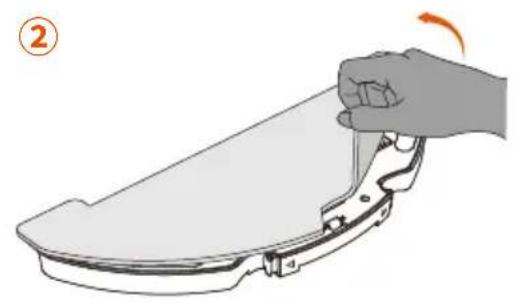
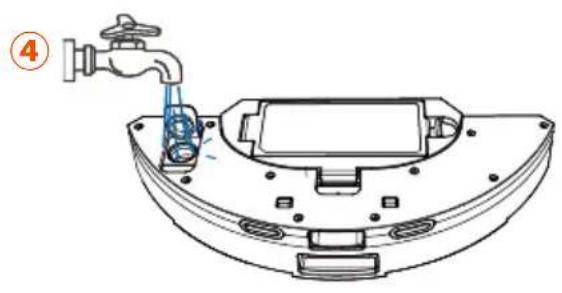
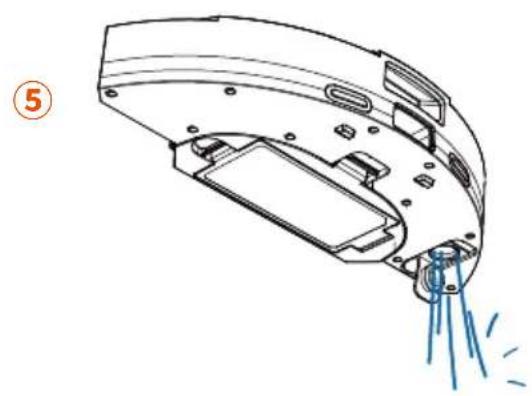
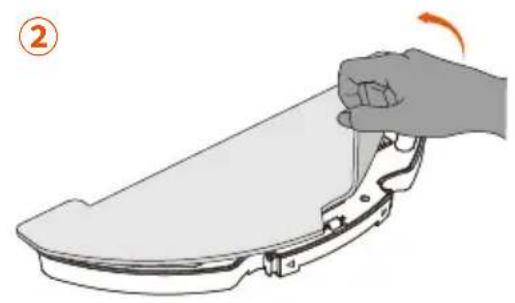
Line drawing of a hand cleaning a mechanical component (no text or symbols)- Remove the mop cloth from the water tank after each use.
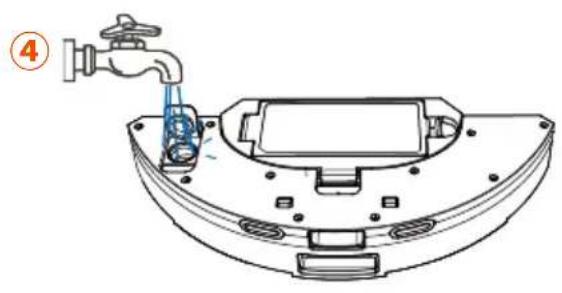
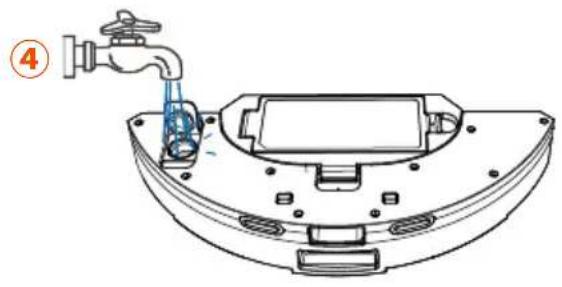
- Thoroughly rinse the mop cloth and water tank with water.
- Sun-dry or dry wipe the mop cloth and water stains in the water tank to avoid mildew or odor.
MAINTENANCE
Dust Box and HEPA Filter
- Press the release button and pull out the dust box
- Open the cover.
natural_image
Illustration of a hand using a vacuum cleaner to clean a circular device (no text or symbols visible)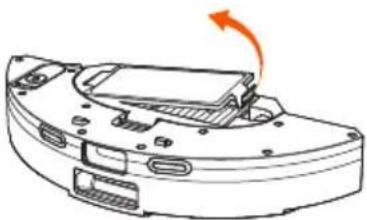
natural_image
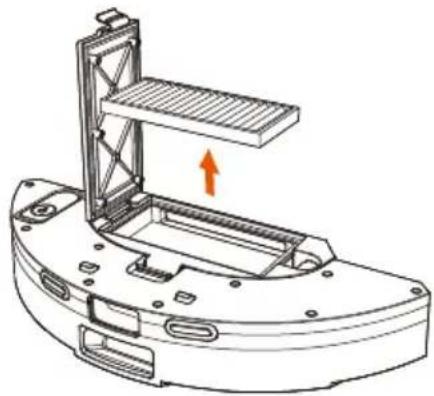
Diagram of a device with an orange arrow indicating rotation or movement, showing internal components (no text or symbols)- Remove the HEPA filter.
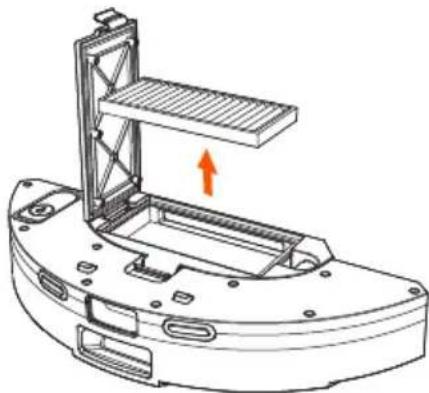
natural_image
Technical line drawing of a mechanical component with an upward arrow indicating motion (no text or symbols present)- Tap the HEPA filter to remove dust.
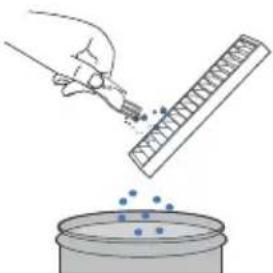
natural_image
Illustration of a hand pouring liquid into a container with scattered particles (no text or symbols)- Rinse the dust box and HEPA filter with water.
- Before the next use, please completely air dry the dust box and HEPA filter. If the original HEPA filter is not completely dry, replace it.
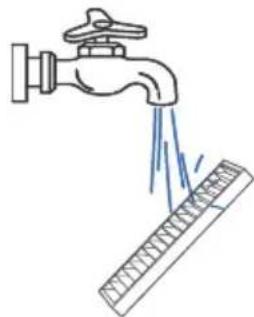
natural_image
Illustration of a faucet spraying water onto a surface with a ruler nearby (no text or symbols)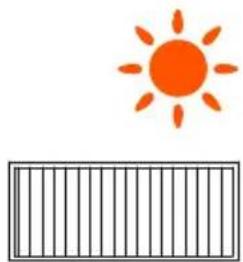
natural_image
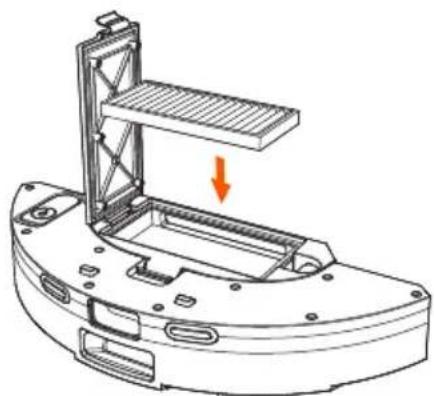
Simple illustration of an orange sun above a striped rectangular bar (no text or symbols)- Put the HEPA filter back in the dust box.
- Reinsert the dust box into the robot.
natural_image
Technical line drawing of a mechanical device with a highlighted component and an orange arrow indicating direction (no text or symbols)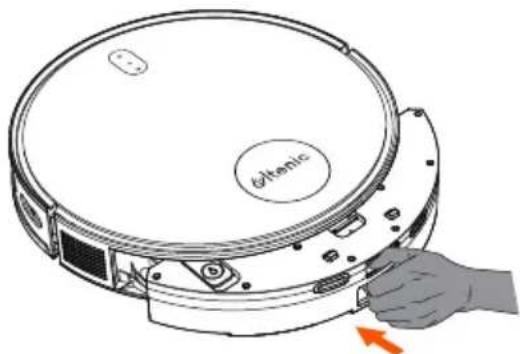
natural_image
Diagram of a circular electronic device with a hand inserting a button, showing internal components and no text or symbols.MAINTENANCE
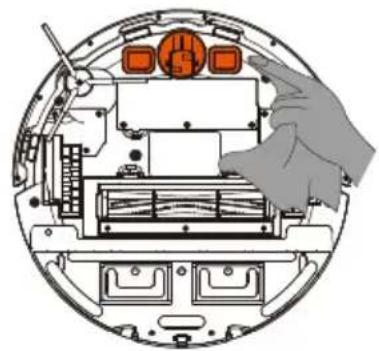
Main Brush Mapping Sensors
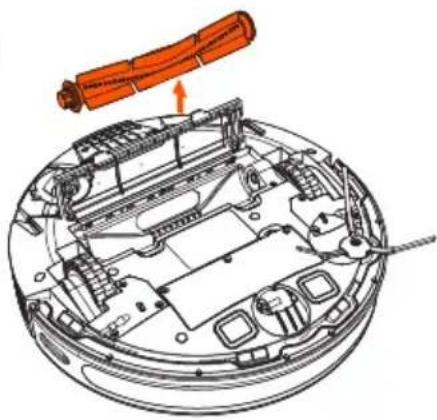
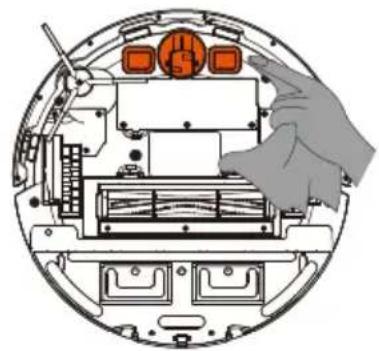
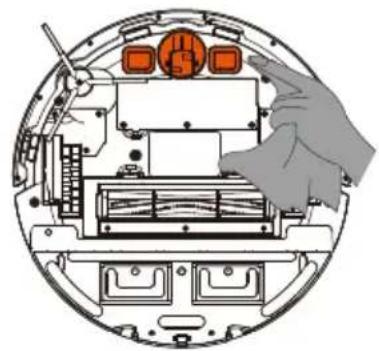
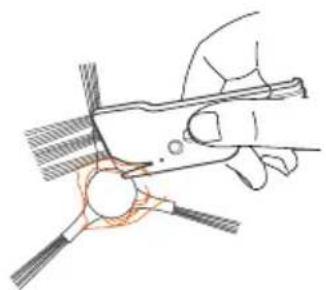
NOTE: A multipurpose cleaning tool is provided for ease of maintenance. Be careful of the sharp edges on this cleaning tool.
1

natural_image
Technical line drawing of a mechanical assembly with orange components and wiring (no text or symbols)2
natural_image
Technical line drawing of a mechanical assembly with orange component (no text or symbols)3
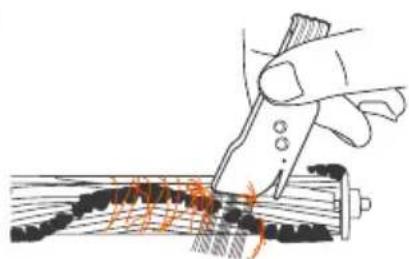
natural_image
Illustration of a hand using a tool to cut or mark a piece of wood, with no visible text or symbols.Side Brush
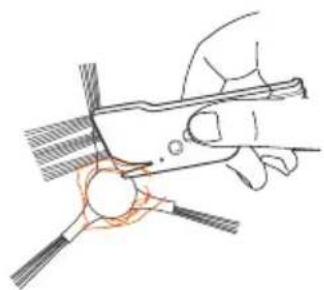
natural_image
Hand holding a tool with a circular component, no visible text or symbols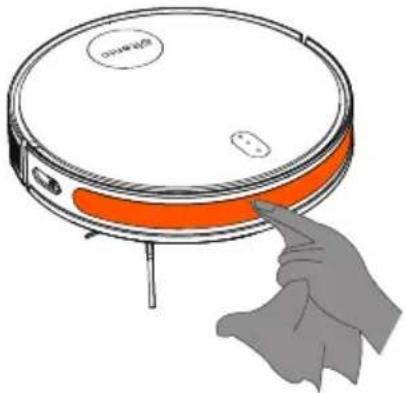
natural_image
Illustration of a robotic vacuum cleaner with orange lid and orange handle, pointing at the button (no text or symbols)Other Parts
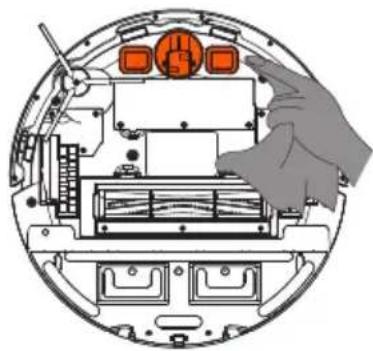
natural_image
Diagram of a robotic device interior showing internal components and a hand interacting with the screen (no text or symbols present)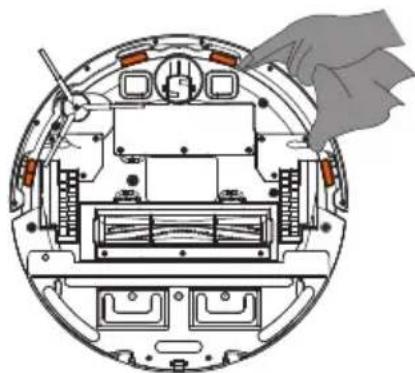
natural_image
Cross-sectional diagram of a mechanical device showing internal components and a hand holding a cloth (no text or symbols)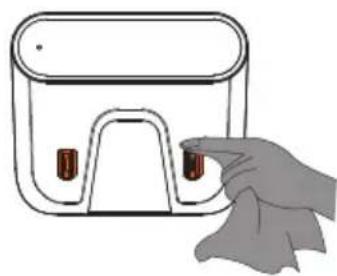
natural_image
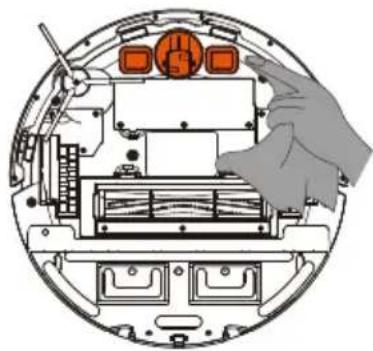
Illustration of a hand holding a small electronic device with two red buttons (no text or symbols)NOTE: Before cleaning the charging station's charging contacts and pins, turn off the device and unplug the charging station.
MAINTENANCE
Maintenance Frequency
Maintain and replace parts at the following intervals to keep the robot running at optimal performance:
| Parts Maintenance | Frequency Replacement Frequency | |
| Mop | Wash mop after each use | Every 3-5 Months |
| Side Brush | Every 2 weeks | Every 3-6 months |
| Roller Brush | Every week | Every 6-12 months |
| HEPA filter | Every week | Every 3-6 months |
| Dust Box | Every week | / |
| Sensors, omnidirectional wheel, bumpers, main unit | Every week | / |
A multipurpose cleaning tool is provided for ease of maintenance. Please be careful of the sharp edges. Note: our company produces various spare parts and accessories. For more information on spare parts, please contact customer service
PRODUCT SPECIFICATIONS
| Name Parameters | |
| Model D6S | |
| Charing time <5H | |
| Main unit power rating | 35W |
| Rated working voltage | 14.4V |
| Battery capacity | 2600mAh |
TROUBLESHOOTING
| Conditions Possible issues Solution | ||
| Main unit cannot connect to the app | Incorrect router username and password. | Configure the router network, make sure the entered router "username" and "password" are correct. |
| The main unit is not within the router's network coverage. | Ensure the main unit is within the router's network coverage. | |
| The main unit is not in a pending configuration state. | The main unit must enter the network configuration mode to connect to the wifi. | |
| Failure to use 2.4G network. | The main unit does not support 5G networks at the moment, please use a 2.4G network when connecting to the Internet. | |
| The wrong app may have been downloaded. | Please scan the QR code on this product or visit the app market to download the app. | |
| Cannot recharge. | The charging contacts of the main unit and the charging station are not fully connected. | Make sure the main unit is fully docked with the charging station's charging contacts, and ensure the power button is flashing. Check whether the main unit's charging contacts and dock are dirty. Please refer to the manual for cleaning instructions. |
| The charging station is not placed in the correct position and/or was not placed as required. | You can refer to the chapter on precautions for correct placement of the charging station. | |
| The signal receiving lens is dirty. | Dirty lenses may disrupt signals from being received. Please refer to the maintenance chapter for cleaning instructions. | |
| Charging contacts are dirty and/or not in full contact. | After the main unit and the charging station are fully in contact, and when the main unit and charging station's status indicator light are in a breathing state, please check whether the charging contacts are dirty. Please refer to the maintenance chapter for cleaning instructions. | |
| Cannot recharge. | Too many obstacles near the charging station. | Ensure the charging dock has 2 feet of clear space on the sides and 5 feet in front. |
| The charging station is not connected to a power source. | Please ensure the power cord is connected (reference: charging station indicator light) | |
| Prolonged inactivity, resulting in over-discharge of the battery. | If the battery is not used for a long period and if the battery cannot be charged due to over-discharge, please contact after-sales. | |
| The main unit is out of the charging dock's range. | Move the main unit close to the charging dock to re-establish the connection. | |
| The main unit became stuck while operating. | The main unit is entangled or blocked by scattered wires on the ground, drooping curtains, carpet fringe, etc. | The main unit will try various methods to disengage itself. If it fails, please manually untangle the main unit. |
| The main unit may snag on a nearby piece of furniture. | ||
| The main unit keeps bumping into objects. | The infrared obstacle avoidance sensor lenses are dirty. | Periodically wipe the sensors with a dry cloth. |
| The front wheels are stuck. | Regularly check the front wheel for entangled hair, wool, and other small objects. | |
| The red light flashes when the main unit is operating. | Abnormal prompt sound from the device | Handle according to the unit's voice and app prompts. |
| Excessive noise when operating. | Side/roller brushes are entangled, dust box or filter materials are blocked, etc. | We recommend regularly cleaning and maintaining side brushes, roller brushes, dust boxes, filter materials, etc. |
| The main unit entered ultra cleaning mode. | Change to standard cleaning mode. | |
| The main unit cleans in an unorderly route, exhibiting route deviation, repetitive cleaning, and/or missing small areas. | Wires and other easily entangled objects on the floor will affect the device's operations. | Before cleaning, please remove scattered wires, mops and other objects from the ground. If the unit misses an area while scanning, it will automatically rescan the area. Please do not interfere (such as moving the main unit or interfering with its route). |
| Objects such as thresholds and steps have caused the main unit to slip and slide. | We recommend closing the door in the area and cleaning the area separately. After cleaning, rest assured the device will return to its starting point. | |
| The device cannot enter and clean a certain area. | We recommend organizing the home environment to ensure the device can access and clean any area. | |
| The infrared obstacle avoidance sensor lenses are dirty. | Wipe the sensor lens with a clean soft cloth or remove the blocked objects. | |
| Decreased cleaning ability or dust shedding from the dust box. | The dust box is full. | Please check if the dust box is full before checking and cleaning the HEPA filter. Finally, check the roller brush for obstructions. |
| The HEPA filter is clogged. | ||
| The roller brush is obstructed. | ||
| Water tank cannot release water. | The water outlet is blocked. | Do not add other liquids such as disinfectant, perfume, etc., to the water tank. |
| Drive wheels are entangled | The drive wheel is entangled or has snagged on a foreign object. | Turn and press the drive wheel to check for odors. |
| Sensor detection errors or sensor is not functioning | The sensor lenses are dirty | Wipe the sensor lens with a clean soft cloth or remove the blocked objects. Please contact after-sales if you cannot solve the issue. |
| Cannot create a home map on the app. | The robot isn't deploying from the charging station. | The robot must start cleaning from the charging station. |
| Cannot complete automatic cleaning. | Allow the robot to automatically return to the charging station after cleaning. | |
| The main unit starts automatically at night or in the middle of the night. | The scheduled cleaning function is set. | Cancel scheduled cleaning sessions in the app. |
FCC Compliance Statement
This device complies with Part 15 of the FCC Rules. Operation is subject to the following two conditions: (1) This device may not cause harmful interference, and (2) this device must accept any interference received, including interference that may cause undesired operation.
Warning: Changes or modifications not expressly approved by the party responsible for compliance could void the user's authority to operate the equipment.
Note: This equipment has been tested and found to comply with the limits for a Class B digital device, pursuant to Part 15 of the FCC Rules. These limits are designed to provide reasonable protection against harmful interference in a residential installation. This equipment generates, uses, and can radiate radio frequency energy and, if not installed and used in accordance with the instructions, may cause harmful interference to radio communications. However, there is no guarantee that interference will not occur in a particular installation. If this equipment does cause harmful interference to radio or television reception, which can be determined by turning the equipment off and on, the user is encouraged to try to correct the interference by one or more of the following measures: (1) Reorient or relocate the receiving antenna. (2) Increase the separation between the equipment and receiver. (3) Connect the equipment into an outlet on a circuit different from that to which the receiver is connected. (4) Consult the dealer or an experienced radio/ TV technician for help.
FCC Radiation Exposure Statement:
This equipment complies with FCC radiation exposure limits set forth for an uncontrolled environment. This equipment should be installed and operated with minimum distance 20cm between the radiator & your body.
INHALT
WARNUNG! LESEN SIE ALLE
natural_image
Simple line drawing of a circular robotic vacuum cleaner with a labeled 'Gelenc' and a small button, no text or symbols present.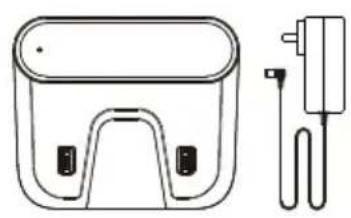
natural_image
Line drawing of a battery pack and its electrical plug (no text or symbols)natural_image
Simple line drawing of a curved, elongated shape resembling a stylized object or part (no text or symbols)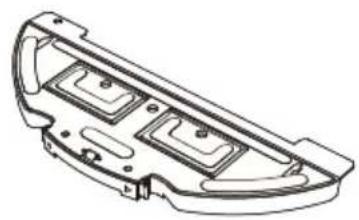
natural_image
Technical line drawing of a mechanical component with three internal compartments (no text or symbols)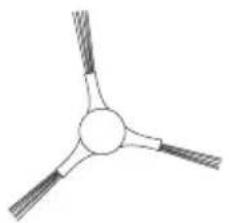
natural_image
Simple line drawing of a three-bladed propeller or fan with no text or symbolsnatural_image
Isometric line drawing of a truss structure with triangular reinforcement (no text or symbols)
natural_image
Simple line drawing of a coiled spring or rope with no text or symbolsEin/Aus-Taste
natural_image
Line drawing of a rectangular device with a handle and two side buttons, no text or symbols present.natural_image
Diagram of a device with a cable and sensor connected to a power outlet (no text or symbols)natural_image
Simple line drawing of a block on a surface with a checkmark icon (no text or symbols)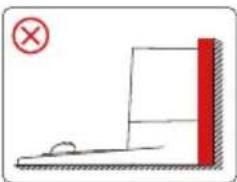
natural_image
Simple line drawing of a red vertical object with a cross mark, no text or symbols presentnatural_image
Technical diagram of a vehicle engine bay with internal components and a highlighted circular section (no text or labels)natural_image
Simple line drawing of a circular device connected to a wall-mounted device (no text or symbols)

Aufladen
flowchart
graph TD
    A["Circle with arrow"] --> B["Arrow to top"]
    B --> C["Arrow right"]
    C --> D["Arrow down"]
    D --> E["Arrow left"]
    E --> F["Arrow down"]
    F --> G["Arrow down"]
    G --> H["Arrow down"]
    H --> I["Arrow down"]
    I --> J["Arrow down"]
    J --> K["Arrow down"]
    K --> L["Arrow down"]
    L --> M["Arrow down"]
    M --> N["Arrow down"]
    N --> O["Arrow down"]
    O --> P["Arrow down"]
    P --> Q["Arrow down"]
    Q --> R["Arrow down"]
    R --> S["Arrow down"]
    S --> T["Arrow down"]
    T --> U["Arrow down"]
    U --> V["Arrow down"]
    V --> W["Arrow down"]
    W --> X["Arrow down"]
    X --> Y["Arrow down"]
    Y --> Z["Arrow down"]
Navigationstasten

Aufladen
flowchart
graph LR
    A["Circle with number 5"] --> B["Switch"]
    C["Remote Control Icon"] --> D["Arrow"]
Nasswischmodul
Hinweis:
natural_image
Technical line drawing of a mechanical device with a faucet and water droplet (no text or symbols)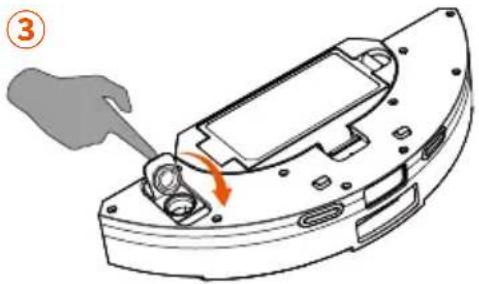
natural_image
Mechanical component diagram showing a disassembled part with a hand and arrow indicating rotation (no text or symbols)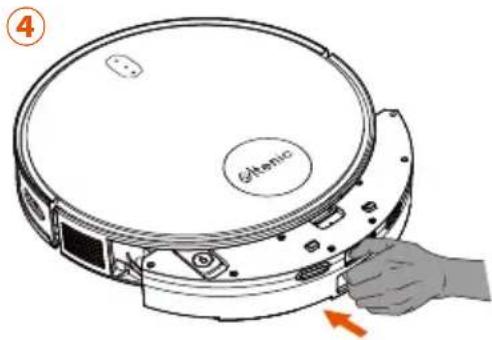
natural_image
Illustration of a hand holding a white object with orange accents, showing a curved arrow indicating rotation (no text or symbols present)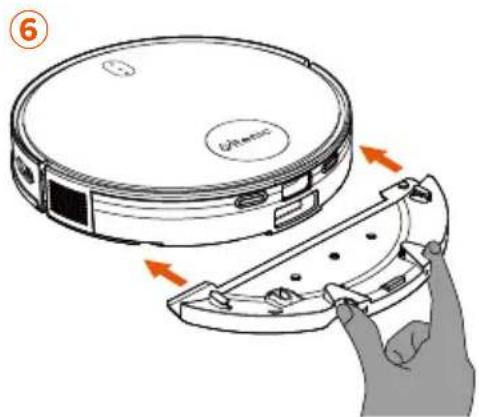
GERÄTEBEDIENUNG
natural_image
Line drawing of a vacuum cleaner with warning symbol and electrical plug (no text or labels)natural_image
Line drawing of a robotic vacuum cleaner with warning symbol (no text or labels)natural_image
Illustration of a brick chimney with a flame inside and a circular device emitting vapor, accompanied by a warning symbol (no text or labels)natural_image
Line drawing of a robotic vacuum cleaner with a warning symbol (no text or labels)natural_image
Simple line drawing of a staircase with a circular object and an orange warning symbol (no text or labels)PRODUKTWARTUNG
Nasswischmodul
natural_image
Illustration of a hand gripping a flat surface with a curved handle, no text or symbols present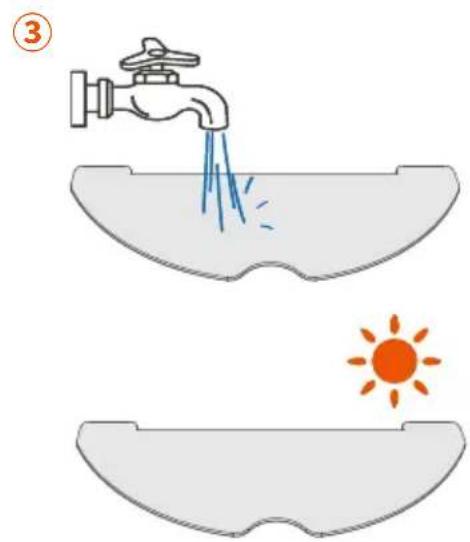
natural_image
Technical line drawing of a mechanical device with a faucet and internal components (no text or symbols)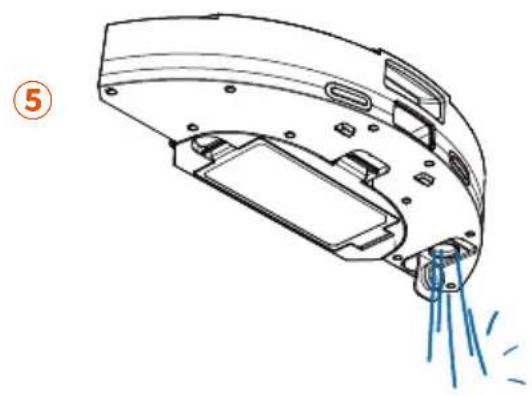
natural_image
Technical line drawing of a mechanical component with spray and mounting features (no text or symbols)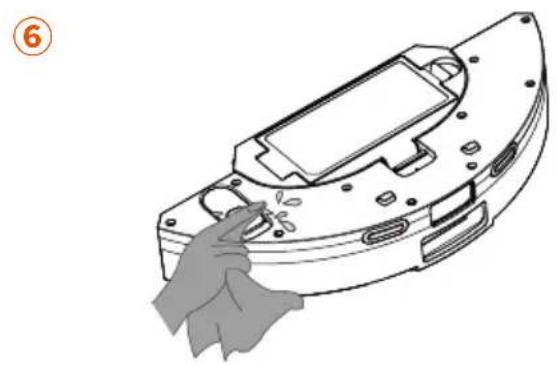
natural_image
Line drawing of a mechanical device with a hand cleaning it (no text or symbols)natural_image
Illustration of a hand using a handheld device to clean a circular object, with no visible text or symbols.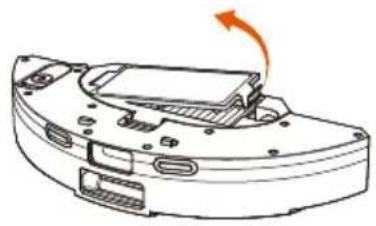
natural_image
Diagram of a device with an orange arrow indicating rotation or movement, no text or symbols presentnatural_image
Technical line drawing of a mechanical component with an upward arrow indicating motion (no text or symbols)natural_image
Illustration of a hand using a pipette to extract blue particles from a test tube into a petri dish (no text or symbols)natural_image
Illustration of a faucet releasing blue liquid into a ruler (no text or symbols)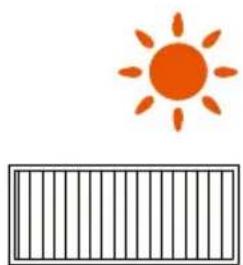
natural_image
Simple illustration of an orange sun above a striped bar (no text or symbols)natural_image
Technical line drawing of a mechanical device with a highlighted component and an orange arrow indicating direction (no text or symbols)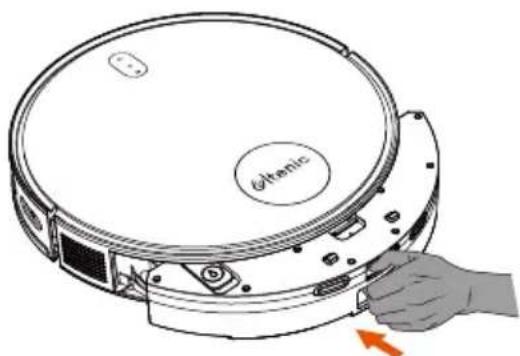
natural_image
Diagram of a circular device with 'Othenic' label and hand holding a button, showing internal components (no readable text beyond label)PRODUKTWARTUNG
natural_image
Illustration of a hand using a tool to cut or wire around a circular object (no text or symbols present)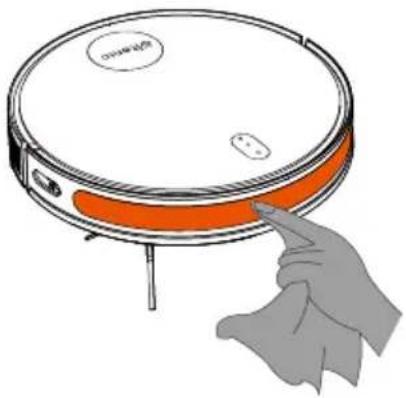
natural_image
Illustration of a robotic vacuum cleaner with orange lid and orange belt, being pointed at by a hand (no text or symbols)Sonstige Teile
natural_image
Diagram of a robotic device interior showing hand operating a tool, with no visible text or symbols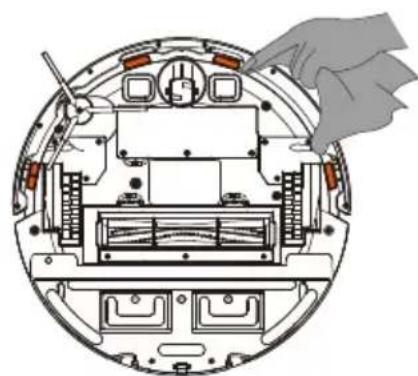
natural_image
Cross-sectional diagram of a mechanical device showing internal components and a hand holding a cloth (no text or symbols)
natural_image
Illustration of a hand holding a small electronic device with ports, no text or symbols presentnatural_image
Simple line drawing of a circular robotic vacuum cleaner with a labeled 'Green' and a small button, no text or symbols present.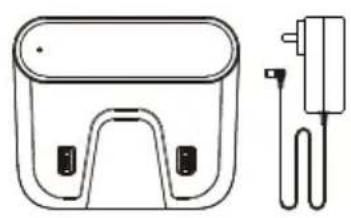
natural_image
Line drawing of a handbag and plug device (no text or symbols)natural_image
Simple line drawing of a curved, elongated shape resembling a stylized object or part (no text or symbols)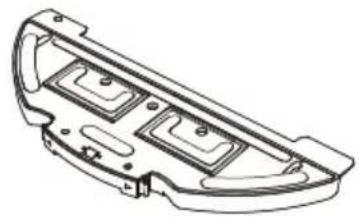
natural_image
Technical line drawing of a vehicle chassis frame with two compartments (no text or symbols)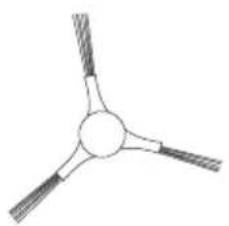
natural_image
Simple line drawing of a three-bladed propeller or fan with no text or symbolsnatural_image
Isometric line drawing of a truss structure with triangular reinforcement (no text or symbols)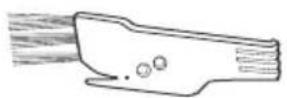
natural_image
Simple line drawing of a coiled cable or wire with a handle (no text or symbols)natural_image
Line drawing of a rectangular device with a handle and two side buttons, no text or symbols presentnatural_image
Simple line drawing of a battery with an external circuit and coiled wire (no text or symbols)- Installation de la station de charge.
natural_image
Simple line drawing of a block on a surface with a checkmark icon (no text or symbols)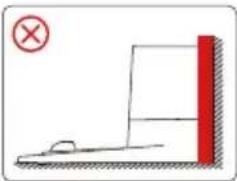
natural_image
Simple line drawing of a physics experiment setup with a red vertical wall and a small object on a horizontal surface (no text or symbols)natural_image
Technical diagram of a vehicle engine bay with internal components and a highlighted section showing a valve or valve assembly (no text or labels present)- Charge du robot.
natural_image
Line drawing of a circular device connected to a wall-mounted device (no text or symbols)

Recharge
flowchart
graph TD
    A["Circle with arrow"] --> B["Arrow to right"]
    B --> C["Arrow right"]
    C --> D["Arrow left"]
    D --> E["Arrow down"]
    E --> F["Arrow down"]
    F --> G["Arrow down"]
    G --> H["Arrow down"]
    H --> I["Arrow down"]
    I --> J["Arrow down"]
    J --> K["Arrow down"]
    K --> L["Arrow down"]
    L --> M["Arrow down"]
    M --> N["Arrow down"]
    N --> O["Arrow down"]
    O --> P["Arrow down"]
    P --> Q["Arrow down"]
    Q --> R["Arrow down"]
    R --> S["Arrow down"]
    S --> T["Arrow down"]
    T --> U["Arrow down"]
    U --> V["Arrow down"]
    V --> W["Arrow down"]
    W --> X["Arrow down"]
    X --> Y["Arrow down"]
    Y --> Z["Arrow down"]
Touches de navigation

Recharge
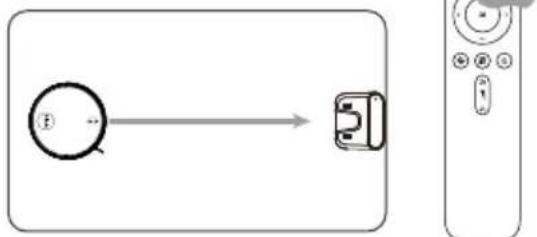
flowchart
graph LR
    A["Circle with number 1"] --> B["Device with arrow pointing right"]
    C["Remote Control with icons"] --> B
Module de Nettoyage
Remarque:
natural_image
Diagram of a mechanical device with a faucet and water droplet, no text or symbols present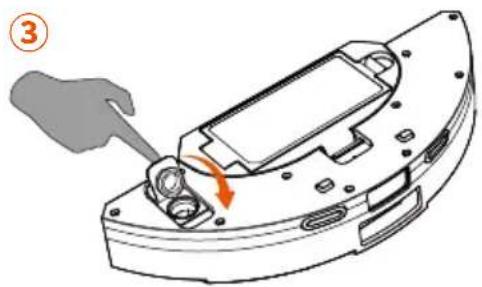
natural_image
Mechanical component diagram showing a disassembly or assembly process with an arrow indicating rotation (no text or symbols present)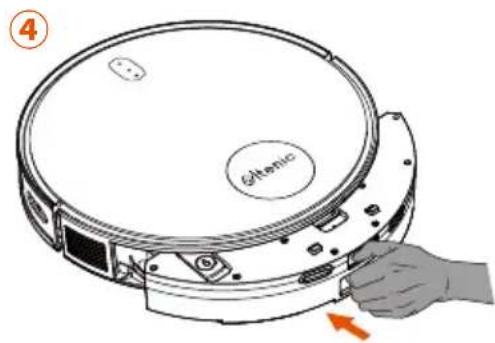
natural_image
Illustration of a hand holding a white object with orange elements, showing a curved surface and a button (no text or symbols)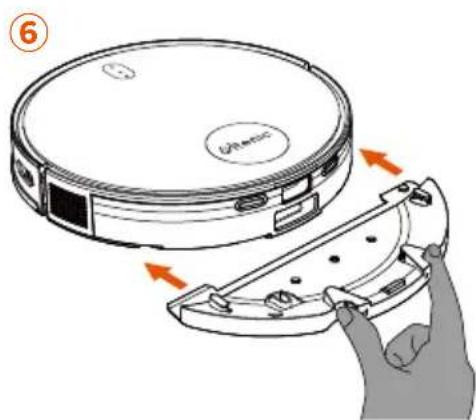
FONCTIONNEMENT DU PRODUIT
natural_image
Line drawing of a vacuum cleaner with warning symbol (no text or labels)natural_image
Line drawing of a robotic vacuum cleaner with warning symbol (no text or labels)natural_image
Illustration of a brick chimney with a flame inside and a vacuum cleaner below (no text or symbols)natural_image
Line drawing of a robotic vacuum cleaner with a warning sign (no text or symbols on the device itself)natural_image
Simple line drawing of a staircase with a circular object and an orange warning symbol (no text or labels)ENTRETIEN DU PRODUIT
Module de nettoyage
natural_image
Illustration of a hand gripping a flat surface with a curved handle, no text or symbols present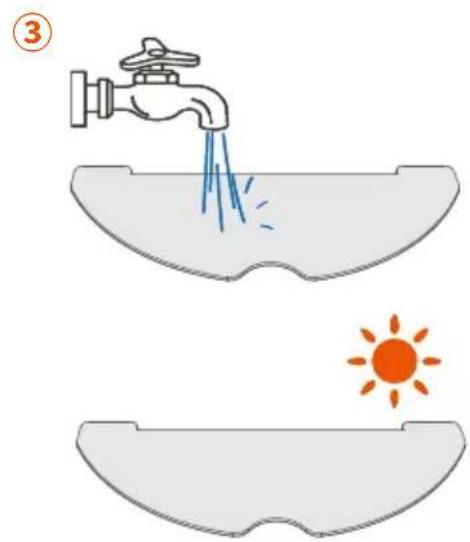

natural_image
Technical line drawing of a mechanical device with a faucet and internal components (no text or symbols)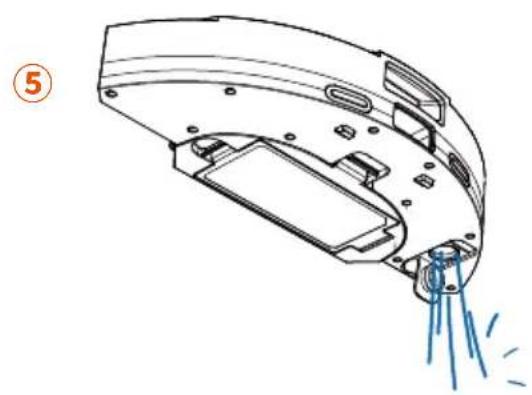
natural_image
Technical line drawing of a mechanical device with spray and mounting features (no text or symbols)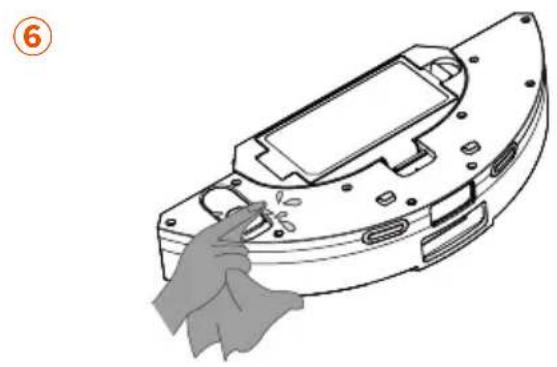
natural_image
Line drawing of a mechanical component with a hand cleaning it (no text or symbols)natural_image
Illustration of a hand using a handheld device to clean a circular object, with no visible text or symbols.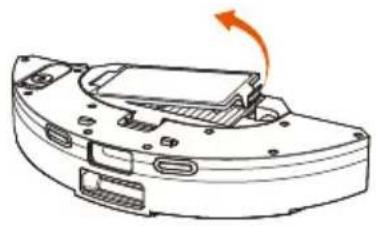
natural_image
Diagram of a device casing with an orange arrow indicating rotation (no text or symbols present)- Retirez le filtre HEPA.
natural_image
Technical line drawing of a mechanical component with an upward arrow indicating motion (no text or symbols present)natural_image
Illustration of a hand using a pipette to extract blue particles from a test tube into a petri dish (no text or symbols)natural_image
Illustration of a faucet releasing blue liquid into a ruler (no text or symbols)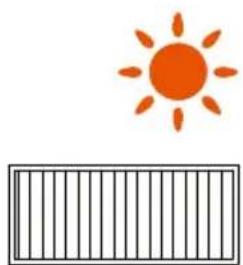
natural_image
Simple illustration of an orange sun above a striped bar (no text or symbols)natural_image
Technical line drawing of a mechanical component with an arrow indicating direction (no text or symbols present)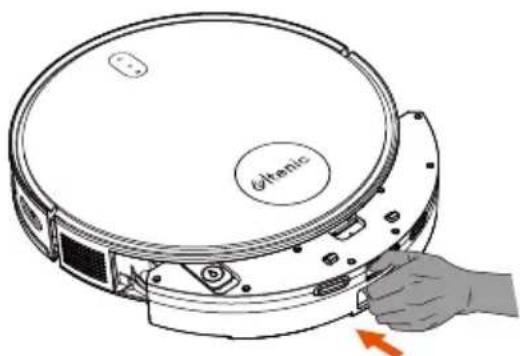
natural_image
Diagram of a circular device with a hand holding a button, showing internal components and a red arrow indicating rotation (no text or symbols present)ENTRETIEN DU PRODUIT
natural_image
Illustration of a hand using a tool to cut or mark a circular feature, with no visible text or symbols.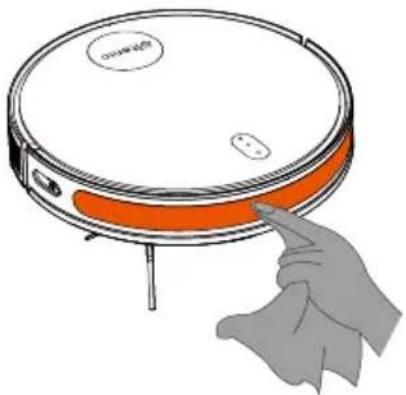
natural_image
Illustration of a hand pressing a button on a circular device with orange bands (no text or symbols)Autres Pièces
natural_image
Cross-sectional diagram of a device showing internal components and a hand interacting with one (no text or symbols present)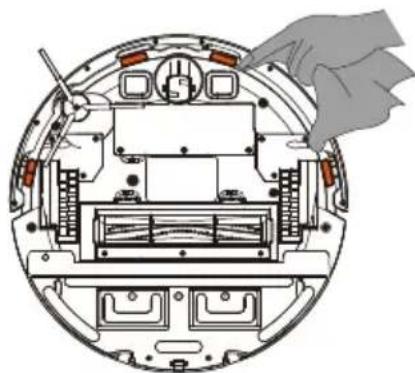
natural_image
Cross-sectional diagram of a mechanical device showing internal components and a hand holding a cloth (no text or symbols)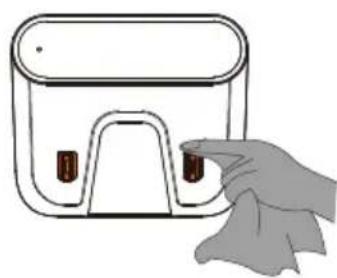
natural_image
Illustration of a hand cleaning a rectangular device with a handle (no text or symbols)CARACTÉRISTIQUES DU PRODUIT
natural_image
Top-down line drawing of a circular robotic vacuum cleaner with a labeled 'Gelenc' component (no other text or symbols)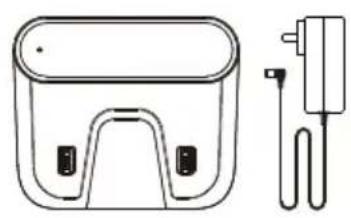
natural_image
Line drawing of a battery pack and its electrical plug (no text or symbols)natural_image
Simple line drawing of a curved, elongated shape resembling a shoe or blade (no text or symbols)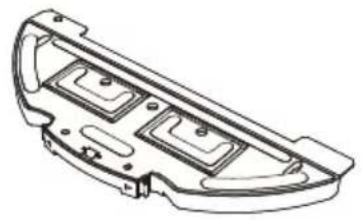
natural_image
Technical line drawing of a mechanical component with two internal compartments (no text or symbols)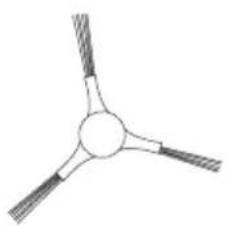
natural_image
Simple line drawing of a three-bladed propeller or fan with no text or symbolsSpazzola lateraleMop PadMocio
natural_image
Simple line drawing of a truss structure with triangular reinforcement (no text or symbols)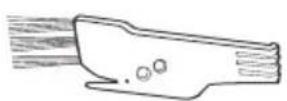
Manuale d'usoSpazzola per la puliz
natural_image
Simple line drawing of a coiled cable or wire with no text or symbolsnatural_image
Line drawing of a rectangular device with a handle and two side buttons, no text or symbols presentnatural_image
Diagram of a battery connected to a power outlet with coiled cable (no text or symbols)natural_image
Simple line drawing of a block on a surface with a checkmark icon (no text or symbols)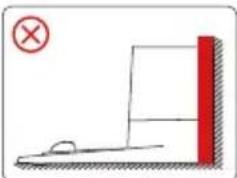
natural_image
Simple line drawing of a ramp and block with a red vertical bar, no text or symbols presentnatural_image
Technical diagram of a vehicle engine bay with internal components and a highlighted section showing a valve or valve (no text or labels present)- Carica il robot.
natural_image
Line drawing of a circular device connected to a wall-mounted device (no text or symbols)

Ricarica
flowchart
graph TD
    A["Circle with arrow"] --> B["Arrow to top"]
    B --> C["Arrow right"]
    C --> D["Arrow down"]
    D --> E["Arrow left"]
    E --> F["Arrow down"]
    F --> G["Arrow down"]
    G --> H["Arrow down"]
    H --> I["Arrow down"]
    I --> J["Arrow down"]
    J --> K["Arrow down"]
    K --> L["Arrow down"]
    L --> M["Arrow down"]
    M --> N["Arrow down"]
    N --> O["Arrow down"]
    O --> P["Arrow down"]
    P --> Q["Arrow down"]
    Q --> R["Arrow down"]
    R --> S["Arrow down"]
    S --> T["Arrow down"]
    T --> U["Arrow down"]
    U --> V["Arrow down"]
    V --> W["Arrow down"]
    W --> X["Arrow down"]
    X --> Y["Arrow down"]
    Y --> Z["Arrow down"]

Ricarica
flowchart
graph LR
    A["Input"] --> B["Device"]
    style A fill:#fff,stroke:#000
    style B fill:#fff,stroke:#000
Modulo di lavaggio
Nota:
natural_image
Technical line drawing of a mechanical component with a faucet and internal components (no text or symbols)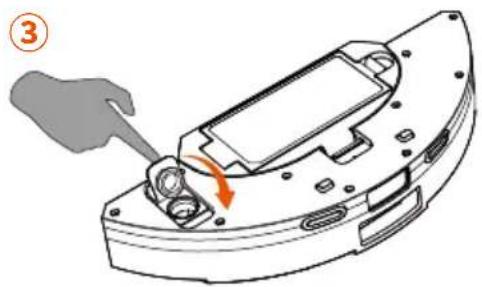
natural_image
Mechanical component diagram showing a turning tool interacting with a housing (no text or symbols)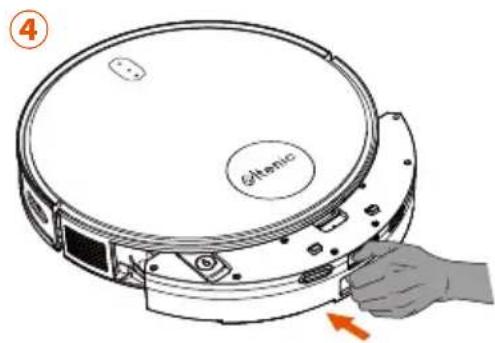
natural_image
Illustration of a hand holding a white object with orange elements, showing a curved surface and a button (no text or symbols)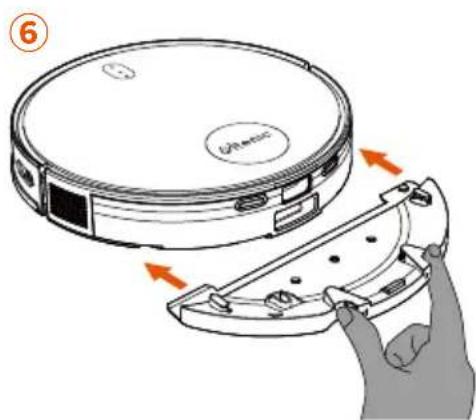
natural_image
Line drawing of a vacuum cleaner with warning symbol (no text or labels)natural_image
Line drawing of a robotic vacuum cleaner with warning symbol (no text or labels)natural_image
Illustration of a brick chimney with a flame inside and a circular device emitting vapor, accompanied by a warning symbol (no text or labels)natural_image
Line drawing of a robotic vacuum cleaner with a warning sign (no text or symbols on the device itself)natural_image
Simple line drawing of a staircase with a circular object and an orange warning symbol (no text or labels)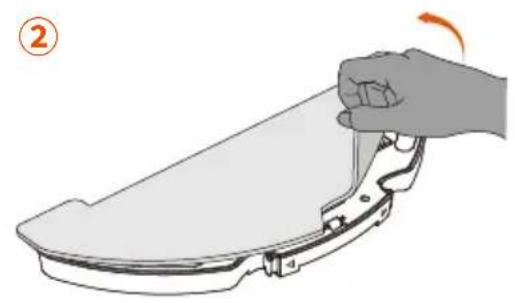
natural_image
Illustration of a hand gripping a flat surface with a curved handle, no text or symbols present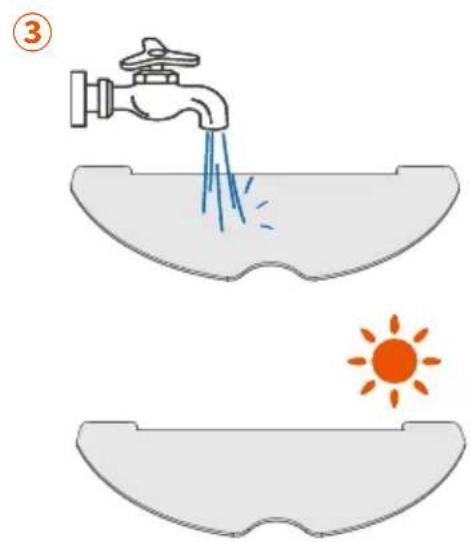
natural_image
Technical line drawing of a mechanical component with spray and mounting features (no text or symbols)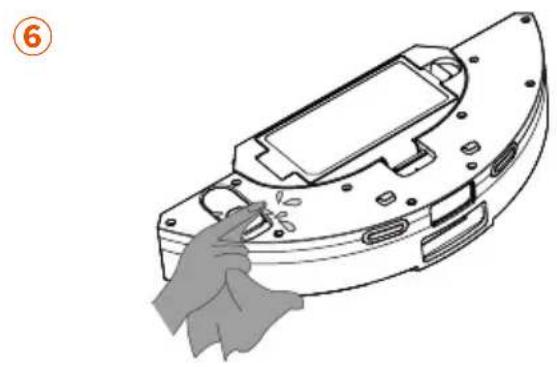
natural_image
Line drawing of a mechanical component with a hand holding a tool, no text or symbols presentnatural_image
Illustration of a hand using a circular device to clean a device, showing the open and closed states of the device (no text or symbols present)natural_image
Technical line drawing of a mechanical component with an upward arrow indicating motion (no text or symbols)natural_image
Illustration of a hand pouring liquid into a container with scattered blue dots (no text or symbols)natural_image
Illustration of a faucet releasing blue liquid into a ruler (no text or symbols)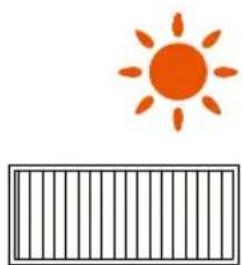
natural_image
Simple illustration of an orange sun above a striped bar (no text or symbols)natural_image
Technical line drawing of a mechanical component with an arrow indicating direction (no text or symbols present)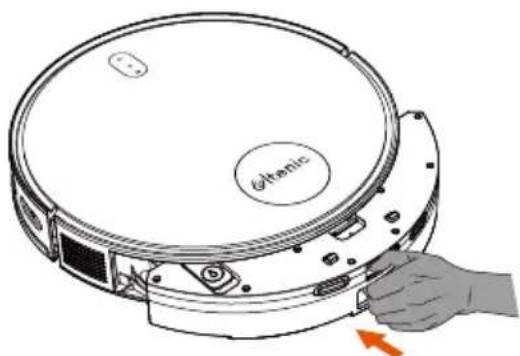
natural_image
Diagram of a circular device with a hand holding a button, showing internal components and a red arrow indicating rotation (no text or symbols present)natural_image
Illustration of a hand holding a tool with a circular component, no text or symbols present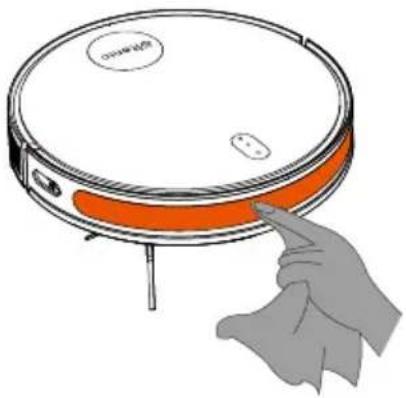
natural_image
Illustration of a hand pointing at a circular device with orange bands (no text or symbols)Parti aggiuntive
natural_image
Diagram of a robotic device interior showing internal components and a hand adjusting the top view (no text or symbols present)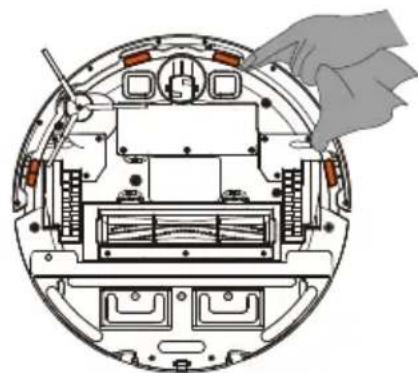
natural_image
Cross-sectional diagram of a mechanical device showing internal components and a hand holding a tool (no text or labels)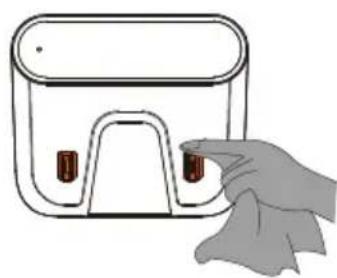
natural_image
Illustration of a hand holding a small electronic device with ports and buttons (no text or symbols)natural_image
Simple line drawing of a circular robotic vacuum cleaner with a labeled 'Gelenc' on the top face (no other text or symbols)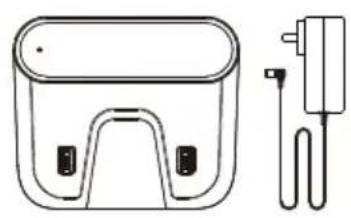
natural_image
Line drawing of a portable device with a charger and plug (no text or symbols)natural_image
Simple line drawing of a curved, elongated shape resembling a stylized object or abstract form (no text or symbols)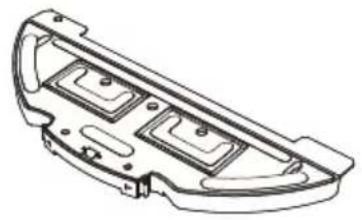
natural_image
Technical line drawing of a mechanical component with two internal compartments (no text or symbols)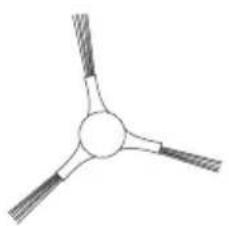
natural_image
Simple line drawing of a three-bladed propeller or fan with no text or symbolsnatural_image
Isometric line drawing of a truss structure with triangular reinforcement (no text or symbols)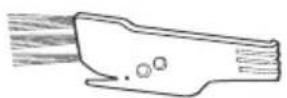
natural_image
Simple line drawing of a coiled spring or rope with no text or symbols1 x tiras de límite
natural_image
Line drawing of a rectangular device with a handle and two side buttons, no text or symbols presentnatural_image
Simple line drawing of a battery connected to a power outlet via coiled cable (no text or symbols)natural_image
Simple line drawing of a block on a surface with a green checkmark icon (no text or symbols)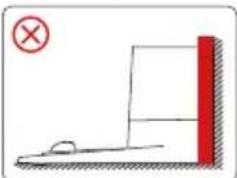
natural_image
Simple line drawing of a physics experiment setup with a red vertical block and a small object on a horizontal surface (no text or symbols)natural_image
Technical diagram of a mechanical assembly with an orange circular inset showing internal components (no text or labels)- Cargue el robot.
natural_image
Line drawing of a circular device connected to a wall-mounted device (no text or symbols)

Recarga
flowchart
graph TD
    A["Circle with arrow"] --> B["Arrow to top"]
    B --> C["Arrow right"]
    C --> D["Arrow down"]
    D --> E["Arrow left"]
    E --> F["Arrow down"]
    F --> G["Arrow down"]
    G --> H["Arrow down"]
    H --> I["Arrow down"]
    I --> J["Arrow down"]
    J --> K["Arrow down"]
    K --> L["Arrow down"]
    L --> M["Arrow down"]
    M --> N["Arrow down"]
    N --> O["Arrow down"]
    O --> P["Arrow down"]
    P --> Q["Arrow down"]
    Q --> R["Arrow down"]
    R --> S["Arrow down"]
    S --> T["Arrow down"]
    T --> U["Arrow down"]
    U --> V["Arrow down"]
    V --> W["Arrow down"]
    W --> X["Arrow down"]
    X --> Y["Arrow down"]
    Y --> Z["Arrow down"]

Recarga
flowchart
graph LR
    A["Circle Icon"] --> B["Device Icon"]
    style A fill:#fff,stroke:#000
    style B fill:#fff,stroke:#000
Módulo de fregado
Nota:
natural_image
Technical line drawing of a mechanical component with a faucet and internal components (no text or symbols)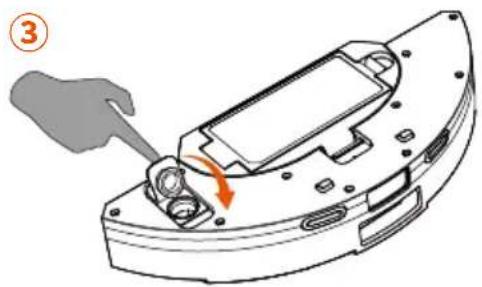
natural_image
Mechanical component diagram showing a turning tool interacting with a housing (no text or symbols)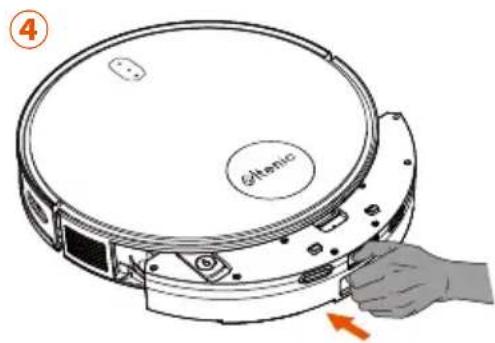
natural_image
Illustration of a hand holding an orange object with a curved handle, no text or symbols present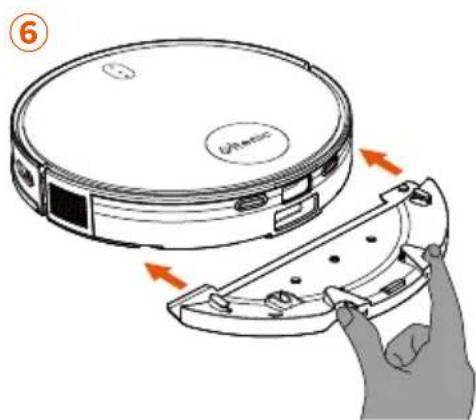
USO DEL PRODUCTO
natural_image
Line drawing of a circular vacuum cleaner with a warning symbol (no text or labels)natural_image
Line drawing of a robotic vacuum cleaner with warning symbol (no text or labels)natural_image
Illustration of a brick chimney with a flame inside and a circular device emitting vapor, accompanied by a warning symbol (no text or labels)natural_image
Line drawing of a robotic vacuum cleaner with a warning sign (no text or symbols on the device itself)natural_image
Simple line drawing of a staircase with a circular object and an orange warning symbol (no text or labels)MANTENIMIENTO DEL PRODUCTO
Módulo de fregado
natural_image
Illustration of a hand gripping a flat surface with a curved handle, no text or symbols present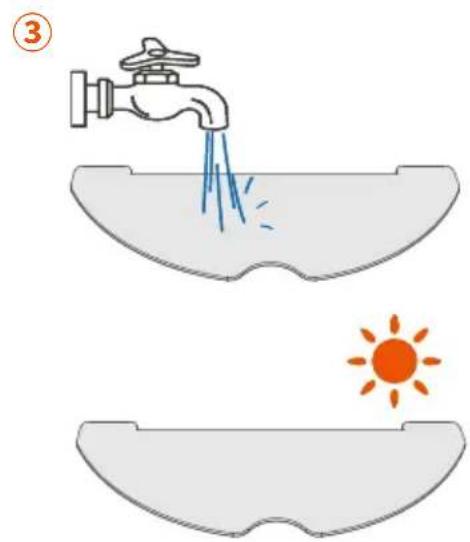
natural_image
Technical line drawing of a mechanical device with a faucet and internal components (no text or symbols)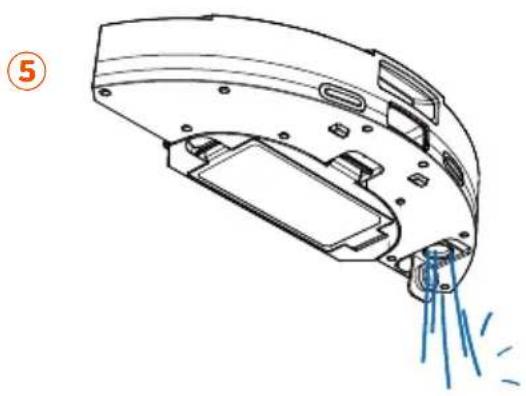
natural_image
Technical line drawing of a mechanical component with spray and motion lines (no text or symbols)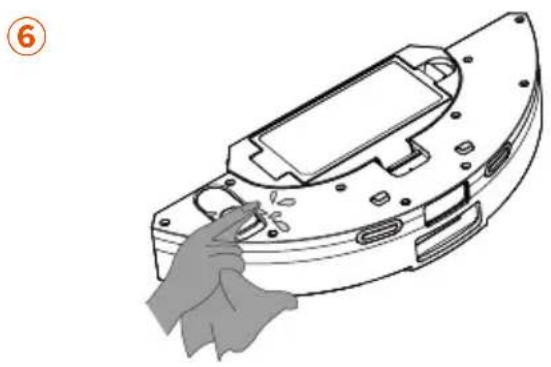
natural_image
Line drawing of a hand cleaning a mechanical component (no text or symbols)natural_image
Diagram of a device with an orange arrow indicating rotation or movement, no text or symbols presentnatural_image
Technical line drawing of a mechanical component with an upward arrow indicating motion (no text or symbols present)natural_image
Illustration of a hand pouring liquid into a petri dish with scattered blue particles (no text or symbols)natural_image
Illustration of a faucet releasing blue liquid into a surface with a ruler partially visible below (no text or symbols)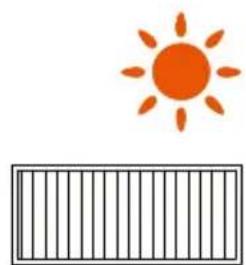
natural_image
Simple illustration of an orange sun above a striped bar (no text or symbols)natural_image
Technical line drawing of a mechanical component with an arrow indicating direction (no text or symbols present)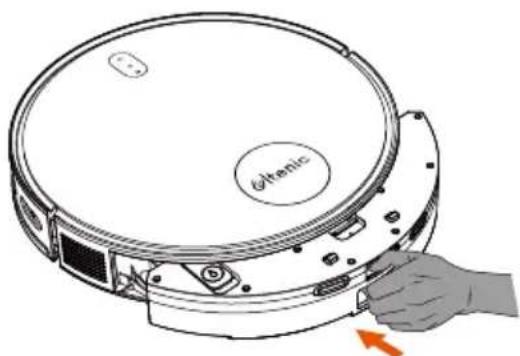
natural_image
Diagram of a circular device with a hand holding a button, showing internal components and a red arrow indicating rotation (no text or symbols present)MANTENIMIENTO DEL PRODUCTO
natural_image
Technical diagram of a mechanical assembly with internal components and an orange arrow indicating a specific part (no text or labels present)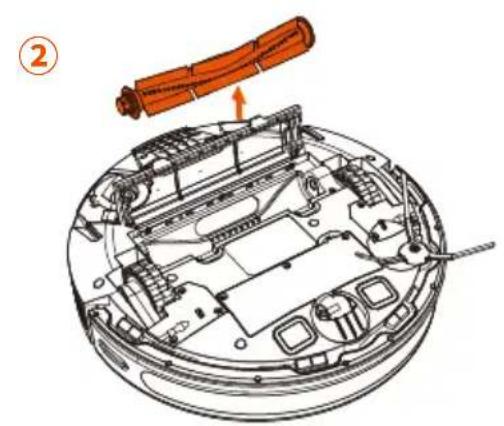
natural_image
Technical diagram of a mechanical device with orange components and a numbered label (2), no readable text or symbols present.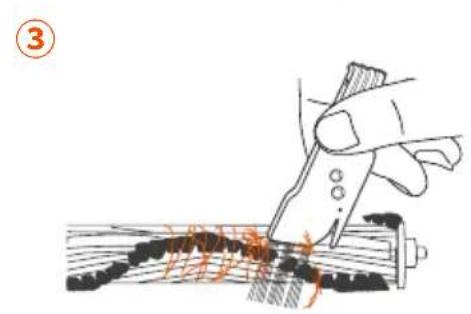
natural_image
Illustration of a hand using a tool to cut wood or wood grain, no text or symbols presentCepillos lateral
natural_image
Illustration of a hand using a tool to cut or mark a circular feature, with no visible text or symbols.Sensor de mapa

natural_image
Illustration of a hand pressing a circular device with orange lid (no text or symbols)Piezas adicionales
natural_image
Diagram of a robotic arm interacting with an internal electronic device, showing no text or symbols.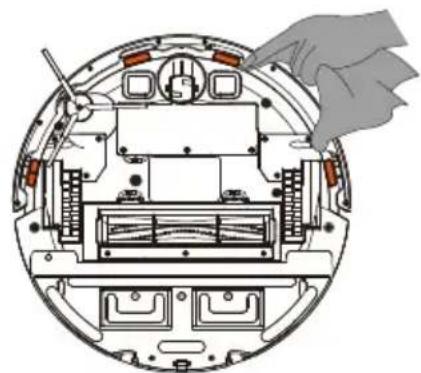
natural_image
Cross-sectional diagram of a device showing internal components and a hand holding a cloth (no text or symbols)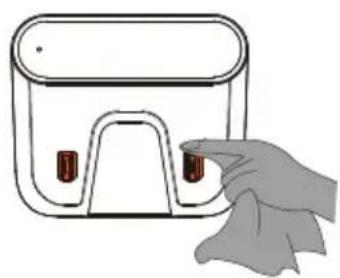
natural_image
Illustration of a hand holding a small electronic device with ports and buttons (no text or symbols)


- WARNINGS
- IMPORTANT SAFETY INSTRUCTIONS FOR HOME OPERATION ONLY
- WARNING:
- To reduce the risk of injury or damage, please observe the following safety precautions when installing, using and maintaining the device:
- RESTRICTIONS
- BATTERY AND CHARGING
- INSIDE THE BOX
- PRODUCT DESCRIPTION
- The Robot
- in 1 Dust Box and Water Tank
- Charging Station
- Robot Indicator Lights
- Power button
- Wifi indicator light/network configuration
- Recharge button/recharge & power indicator
- Charging Station Indicator Light
- PRODUCT OPERATION
- Before Using
- App Connection
- Before starting, make sure to:
- Manual connection
- Connect via Bluetooth
- Operate via the Robot's Control Panel
- Operate via Remote Control
- Note:
- Mopping Module
- Cleaning Precautions
- MAINTENANCE
- Dust Box and HEPA Filter
- Main Brush Mapping Sensors
- Maintenance Frequency
- FCC Compliance Statement
- FCC Radiation Exposure Statement:
- INHALT
- WARNUNG! LESEN SIE ALLE
- Ein/Aus-Taste
- Nasswischmodul
- Hinweis:
- GERÄTEBEDIENUNG
- PRODUKTWARTUNG
- Module de Nettoyage
- Remarque:
- FONCTIONNEMENT DU PRODUIT
- ENTRETIEN DU PRODUIT
- CARACTÉRISTIQUES DU PRODUIT
- Modulo di lavaggio
- Nota:
- Módulo de fregado
- USO DEL PRODUCTO
- MANTENIMIENTO DEL PRODUCTO
- Cepillos lateral
- Sensor de mapa
- Piezas adicionales
Brand : Ultenic
Model : D6S
Category : Robot vacuum