DA-70868 - Docking station Digitus - Free user manual and instructions
Find the device manual for free DA-70868 Digitus in PDF.



| Product type | Universal laptop docking station |
| Brand | Digitus |
| Model | DA-70868 |
| Dimensions (L x W x H) | 349.5 x 74 x 18 mm |
| Weight | 247.3 g |
| Power supply | USB-C PD 3.0, up to 100 W (20 V/5 A) |
| Input connectors | 1 x USB-C female (host) |
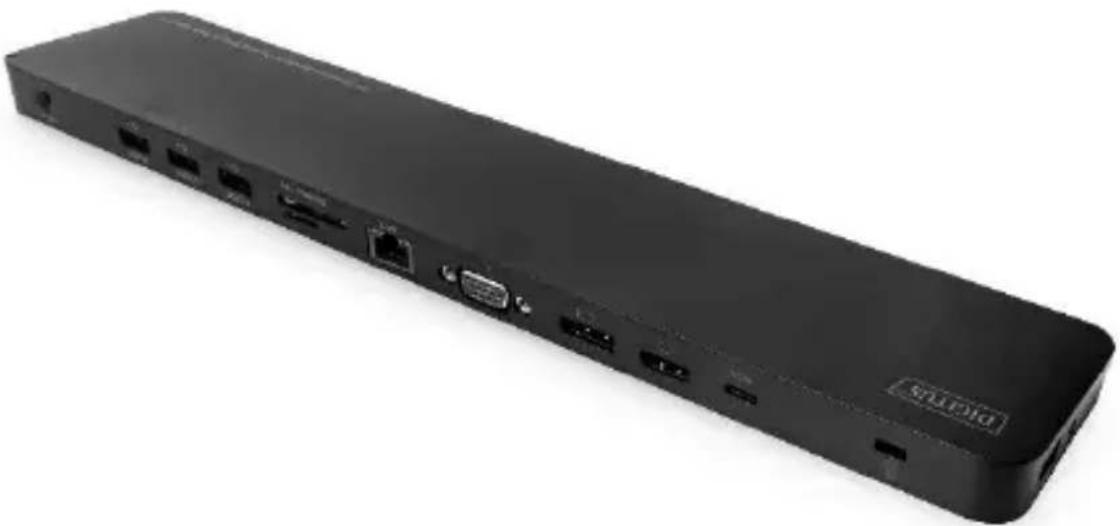
| Output connectors | 1 x USB-C data, 1 x USB-C PD, 3 x USB 3.0, 2 x USB 2.0, 1 x HDMI, 1 x DisplayPort, 1 x VGA, 1 x RJ45 Gigabit Ethernet, 1 x microSD, 1 x SD/MMC, 1 x 3.5 mm audio jack |
| Maximum HDMI/DisplayPort resolution | 4K @ 30 Hz (3840 x 2160p) |
| Maximum VGA resolution | 1920 x 1200 @ 60 Hz |
| Triple display support | Yes (SST and MST on Windows, SST on Mac OS) |
| USB-C version | USB 3.1 Gen 1 |
| Ethernet speed | Gigabit (10/100/1000 Mbps) |
| USB fast charging | BC 1.2 (1.5 A max.) on one USB 3.0 port |
| Card readers | MicroSD/SDHC and SD/SDHC/SDXC/MMC, simultaneous use |
| Cable management | Intelligent routing under the dock, connection possible on left or right |
| Anti-theft protection | Yes, compatible with Kensington lock |
| Compatibility | Laptops with USB-C port, up to 14 inches |
| Maintenance and cleaning | Clean with a soft dry cloth, without solvents |
| Operating temperature | 0 °C to +45 °C |
| Operating humidity | 10% to 85% RH (non-condensing) |
| Repairability | Not user-serviceable, contact manufacturer |
Frequently Asked Questions - DA-70868 Digitus
User questions about DA-70868 Digitus
0 question about this device. Answer the ones you know or ask your own.
Ask a new question about this device
Download the instructions for your Docking station in PDF format for free! Find your manual DA-70868 - Digitus and take your electronic device back in hand. On this page are published all the documents necessary for the use of your device. DA-70868 by Digitus.
USER MANUAL DA-70868 Digitus
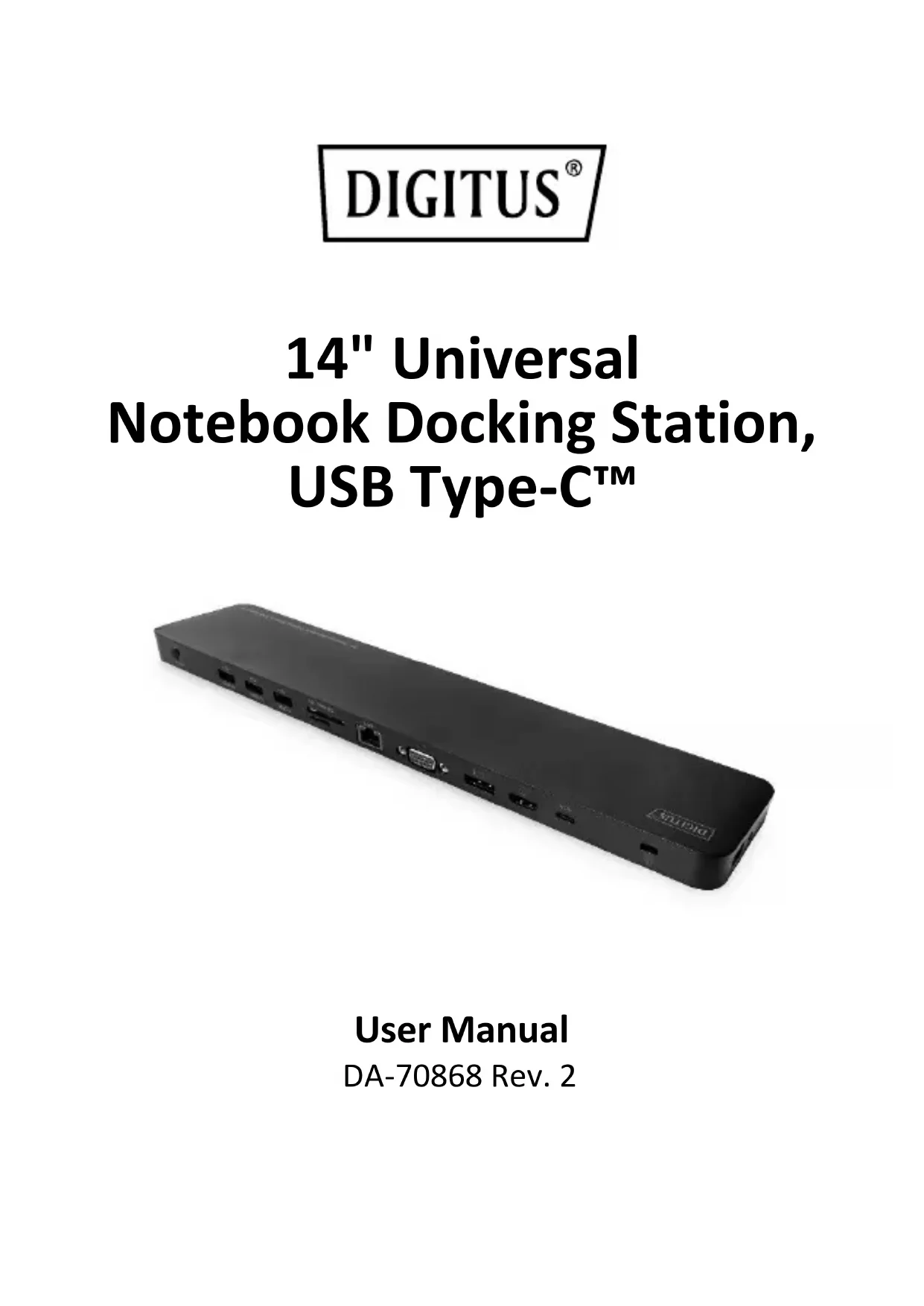
14" Universal Notebook Docking Station, USB Type-C™
natural_image
Black rectangular electronic device with ports and connectors, no visible text or symbols on the bodyUser Manual
DA-70868 Rev. 2
1.0 INTRODUCTION
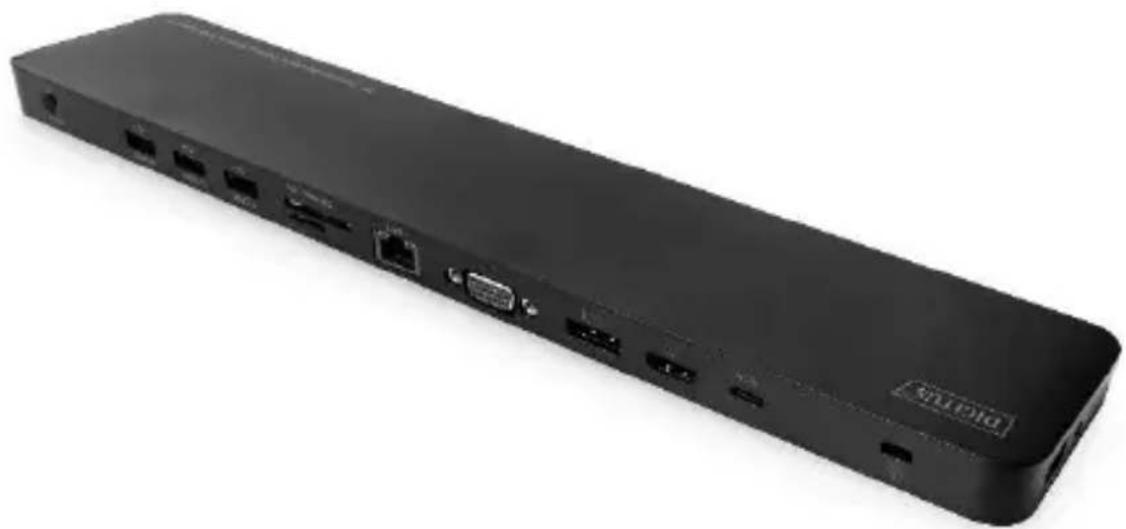
The 14" docking station from DIGITUS® extends your notebook by 14 extra ports via one USB-C™ connection. It contains, inter alia, three video ports (HDMI, DisplayPort, VGA) for connecting monitors, projectors, TVs, etc. Thanks to triple monitor support, these can be used simultaneously. Under Windows, a video signal can be output simultaneously to three different ports (SST mode); additionally, three different video signals can be output to three different graphics ports (MST mode). Mac OS supports only SST mode. The other interfaces offer connectivity to all common connections that a modern docking station should have. For example, a network connection, other USB connections (USB-C™, USB-A), an audio output or two independent card readers. The integrated USB-C™ port with PD charging can charge your notebook whilst using the docking station. The docking station also offers various USB 3.0 and 2.0 ports for data transfer, connection to periphery devices such as mice and keyboards and for charging mobile devices. Thanks to the smart cable routing, the docking station can be connected to either side (left or right) of your notebook. Get the most out of your notebook and extend your options – all you need is one free USB-C™ connection.
2.0 PACKAGE CONTENTS
Before attempting to use this unit, please check the packaging and make sure the following items are contained in the shipping carton:
- 1x Main Unit
- 1x User Manual

natural_image
Front view of a black electronic device rear panel with ports and connectors (no visible text or symbols)3.0 FEATURES
• Supports UHD up to 4K/30Hz to 3840 x 2160p resolution
- 3x Video interfaces (HDMI, DP, VGA) to connect up to three monitors at the same time (triple display support)
- Triple display support under Windows OS - SST (Single Stream Transport) and MST (Multi Stream Transport) – mirror and extend monitor
- Triple display support under Mac OS - SST (Single Stream Transport) - mirror the monitor
- 3x USB 3.0 connections with up to 5 Gbps SuperSpeed data transfer, a port with BC 1.2 mobile device charging function (1.5 A max.)
- 1 x USB Type-C™ connection as a link to your notebook
- 1 x USB Type-C™ connection - data transfer (5 Gbps max.)
- 1 x USB Type-C™ connection - power delivery 3.0 (100 W max)
- Power Delivery: PD 3.0 up to max. 100 W (20V/5A)
• 1 x HDMI connection (max. 4K/30 Hz)
- 1 x DisplayPort connection (max. 4K/30 Hz)
- 1 x VGA connection (max. 1920 x 1200/60 Hz)
- 1 x Gigabit Ethernet connection - connect notebook to the Internet / LAN
- 2x USB 2.0 connections with up to 480 Mbps data transfer and 500 mA (downstream) charging function per port
- 2 x Card readers (microSD / SDHC, SDHX, MMC) – simultaneous use is possible
• 1 x Audio stereo jack (3.5 mm)
- Theft protection (use of a notebook lock is possible)
• Supports DisplayPort alternate mode
- DisplayPort (DP) 1.2 support
- Supports SST and MST Mode
(Single Stream Transport mode / Multi Stream Transport mode)
- Smart cable routing - connections are possible on both sides of the notebook (left and right), cables are routed underneath the docking station
- Suitable for notebooks up to 14" with a USB-C™ port, can also be used separately lying for all sizes
- USB-C™ version: USB 3.1 (Gen. 1)
Note:
The 2 charts below list the resolutions of the three videos under SST and MST mode.
| Under SST Mode | |||
| VGA | HDMI | DP | |
| Single Port Connected | 1080P/60 Hz | NC | NC |
| NC | 4K/30 Hz | NC | |
| NC | NC | 4K/30 Hz | |
| Dual Ports Connected | 1080P/60 Hz | 1080P/60 Hz | NC |
| 1080P/60 Hz | NC | 1080P/60 Hz | |
| NC | 4K/30 Hz | 4K/30 Hz | |
| Triple Ports | 1080P/60 Hz | 1080P/60 Hz | 1080P/60 Hz |
| Under MST Mode | |||
| VGA | HDMI | DP | |
| Single Port Connected | 1080P/60 Hz | NC | NC |
| NC | 4K/30 Hz | NC | |
| NC | NC | 4K/30 Hz | |
| Dual Ports Connected | 1080P/60 Hz | 1080P/60 Hz | NC |
| 1080P/60 Hz | NC | 1080P/60 Hz | |
| NC | 1080P/60 Hz | 1080P/60 Hz | |
| Triple Ports | 720P/60 Hz | 720P/60 Hz | 720P/60 Hz |
Note:
4K mentioned above stands for 4096*2160, 3840*2160;
1080P stands for 1920*1080; 720P stands for 1280*720.
4.0 SPECIFICATIONS
| Input/Output Connector | |
| Input | 1x USB-C Female (Connect to Type-CTM Host) |
| Output | 1x USB-C Female (for data)1x USB-C Female (for PD Charging)3x USB 3.0 Female2x USB 2.0 Female1x HDMI Female1x DisplayPort Female1x VGA Female1x RJ451x Micro SD1x SD/MMC1x Audio Jack |
| Mechanical | |
| Weight | 247.3 g |
| Size | 349.5*74*18mm |
| Environmental | |
| Operating Temperature | 0°C to +45°C |
| Operating Humidity | 10% to 85 % RH (no condensation) |
| Storage Temperature | -10°C to +70°C |
| Storage Humidity | 5% to 90 % RH (no condensation) |
| Power Supply | |
| USB-C Female Port | Bis zu 100 W |
5.0 CONNECTION DIAGRAM
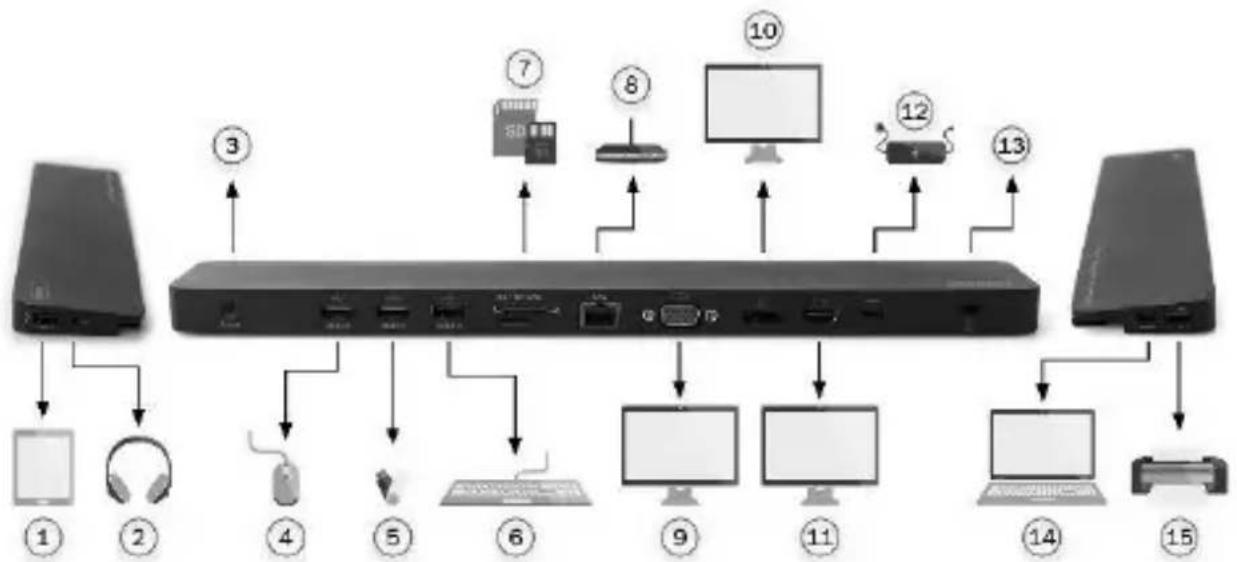
flowchart
graph TD
    A["Desktop"] --> B["1"]
    A --> C["2"]
    A --> D["3"]
    D --> E["4"]
    E --> F["5"]
    F --> G["6"]
    G --> H["7"]
    H --> I["8"]
    I --> J["9"]
    J --> K["10"]
    K --> L["11"]
    L --> M["12"]
    M --> N["13"]
    N --> O["14"]
    O --> P["15"]
    P --> Q["Computer"]
1 Tablet
2 Headphones/Microphone
3 Power Button
4 Mouse
5 USB Stick
6 Keyboard
7 SD Memory Cards
8 Ethernet Router
9 VGA Display 1920x1200/60 Hz
10 DisplayPort Display 4K/30 Hz
11 HDMI Display 4K/30 Hz
12 Type-C™ Charging Adapter
13 Anti-Lost Lock
14 Notebook
15 Printer
Hereby Assmann Electronic GmbH, declares that the Declaration of Conformity is part of the shipping content. If the Declaration of Conformity is missing, you can request it by post under the below mentioned manufacturer address.
www.assmann.com
ASSMANN Electronic GmbH
Auf dem Schüffel 3
58513 Lüdenscheid
Germany


14" Universal Notebook-Dockingstation, USB Type-C™
natural_image
Black rectangular electronic device with ports and connectors, no visible text or symbols on the bodyBenutzerhandbuch
DA-70868 Rev. 2
1.0 EINLEITUNG
natural_image
Back panel of a black electronic device showing ports and connectors (no visible text or labels)natural_image
Black rectangular electronic device with ports and connectors, no visible text or symbols on the bodyGuide d'utilisation
DA-70868 Rev. 2
1.0 INTRODUCTION
natural_image
Front view of a black electronic device rear panel with ports and connectors (no visible text or symbols)3.0 CARACTERISTIQUES
natural_image
Black rectangular electronic device with ports and connectors, no visible text or symbols on bodyManuale dell'utente
DA-70868 Rev. 2
1.0 INTRODUZIONE
natural_image
Front view of a black electronic device rear panel with ports and connectors (no visible text or symbols)3.0 CARATTERISTICHE
natural_image
Black rectangular electronic device with ports and connectors, no visible text or symbols on the bodyManual de usuario
DA-70868 Rev. 2
1.0 INTRODUCCIÓN
natural_image
Front view of a black electronic device rear panel with ports and connectors (no visible text or symbols)3.0 CARACTERÍSTICAS
natural_image
Black rectangular electronic device with ports and connectors, no visible text or symbols on the bodynatural_image
Front view of a black network device rear panel with ports and connectors (no visible text or labels)3.0 FUNKCJE
natural_image
Black rectangular electronic device with ports and connectors, no visible text or symbols on bodyKullanıcı Kılavuzu
DA-70868 Rev. 2
1.0 ÜRÜN TANITIMI
natural_image
Front view of a black electronic device rear panel with ports and connectors (no visible text or symbols)3.0 ÖZELLİKLER
natural_image
Black rectangular electronic device with ports and connectors, no visible text or symbols on the bodyGebruikshandleiding
DA-70868 Rev. 2
1.0 INLEIDING
natural_image
Front view of a black electronic device rear panel with ports and indicators (no readable text or symbols)3.0 FUNCTIES
- 14" Universal Notebook Docking Station, USB Type-C™
- INTRODUCTION
- PACKAGE CONTENTS
- FEATURES
- Note:
- CONNECTION DIAGRAM
- 14" Universal Notebook-Dockingstation, USB Type-C™
- EINLEITUNG
- CARACTERISTIQUES
- INTRODUZIONE
- CARATTERISTICHE
- INTRODUCCIÓN
- CARACTERÍSTICAS
- FUNKCJE
- ÜRÜN TANITIMI
- ÖZELLİKLER
- INLEIDING
- FUNCTIES
Brand : Digitus
Model : DA-70868
Category : Docking station