DN-16029 - Security Camera Digitus - Free user manual and instructions
Find the device manual for free DN-16029 Digitus in PDF.


Pick your language and provide your email: we'll send you a specifically translated version.
| Brand | Digitus |
| Model | DN-16029 |
| Product Type | Security Camera |
| Image Sensor | 1/2.9" CMOS |
| Resolution | 1920 x 1080 (Full HD) |
| Frame Rate | 30 fps |
| Lens | 3.6 mm fixed lens |
| Field of View | 90° horizontal |
| Night Vision | Up to 30 m (IR LEDs) |
| Day/Night | Auto (ICR filter) |
| Motion Detection | Yes, configurable |
| Video Compression | H.265 / H.264 |
| Power Supply | 12 V DC, 1 A |
| Power Consumption | <6 W |
| Ingress Protection | IP66 (weatherproof) |
| Working Temperature | -30°C to 60°C |
| Dimensions (L x W x H) | 70 x 70 x 150 mm |
| Weight | 0.5 kg |
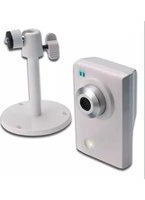
| Mount Type | Wall or ceiling mount |
| Connection | RJ45 (Ethernet), BNC (analog) |
| Compatibility | Digitus DVR / NVR |
| Maintenance | Clean lens with soft cloth; ensure proper ventilation |
| Safety | Use only supplied power adapter; avoid exposure to extreme conditions |
| Spare Parts / Repairability | Contact Digitus support for replacement parts |
Frequently Asked Questions - DN-16029 Digitus
How do I reset the Digitus DN-16029 camera to factory defaults?
Locate the reset button on the camera. Press and hold it for 10 seconds using a paperclip. The camera will restart with factory settings.
What is the maximum distance for night vision on this camera?
The night vision range is up to 30 meters with infrared LEDs.
Can I use this camera outdoors?
Yes, the DN-16029 has an IP66 rating, making it weatherproof for outdoor use.
How do I connect the camera to a DVR or NVR?
Use the provided BNC cable for analog connection or the RJ45 Ethernet port for IP connection. Compatible with Digitus DVR/NVR systems.
What power supply does the camera require?
The camera uses 12 V DC input. Use the included power adapter or a compatible PoE injector (if supported).
Why is the camera image not displaying?
Check power connection, video cable, and ensure the camera is properly configured. Also verify that the DVR/NVR channel is set correctly.
Can I mount this camera on a ceiling?
Yes, the camera includes a mounting bracket suitable for both wall and ceiling installation. Secure it with screws (not included).
What is the field of view of this camera?
The camera has a fixed 3.6 mm lens providing a 90° horizontal field of view.
How do I clean the camera lens?
Use a soft, lint-free cloth slightly dampened with water or lens cleaner. Avoid abrasive materials that could scratch the lens.
Does the camera support motion detection?
Yes, it has built-in motion detection. You can configure sensitivity and notification settings via the DVR/NVR interface.
User questions about DN-16029 Digitus
0 question about this device. Answer the ones you know or ask your own.
Ask a new question about this device
No questions yet. Be the first to ask one.
Download the instructions for your Security Camera in PDF format for free! Find your manual DN-16029 - Digitus and take your electronic device back in hand. On this page are published all the documents necessary for the use of your device. DN-16029 by Digitus.
USER MANUAL DN-16029 Digitus


Manual assistant
Powered by Anthropic
Waiting for your message
Product information
Brand : Digitus
Model : DN-16029
Category : Security Camera