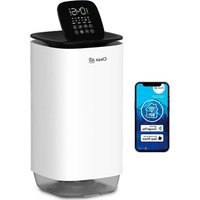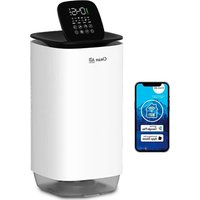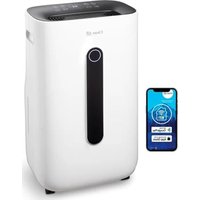
CA-702 Smart - Humidifier Clean Air Optima - Free user manual and instructions
Find the device manual for free CA-702 Smart Clean Air Optima in PDF.


User questions about CA-702 Smart Clean Air Optima
0 question about this device. Answer the ones you know or ask your own.
Ask a new question about this device
Download the instructions for your Humidifier in PDF format for free! Find your manual CA-702 Smart - Clean Air Optima and take your electronic device back in hand. On this page are published all the documents necessary for the use of your device. CA-702 Smart by Clean Air Optima.
USER MANUAL CA-702 Smart Clean Air Optima
Clean Air Optima® 2in1: Dehumidifier & Air Purifier
Model: CA-702 Smart
(EN) User manual
(DE) Gebrauchsanweisung
(NL) Gebruiksaanwijzing
(FR) Mode d'emploi
(ES) Manual del usuario
(PL) Instrukcja obsługi
(CZ) Uživatelská příručka
(RO) Manual de utilizare
(LT) Naudotojo vadovas
(EE) Kasutusjuhend
(LV) Lietošanas pamācība
Find more languages on: www.cleanairoptima.com/info/manuals
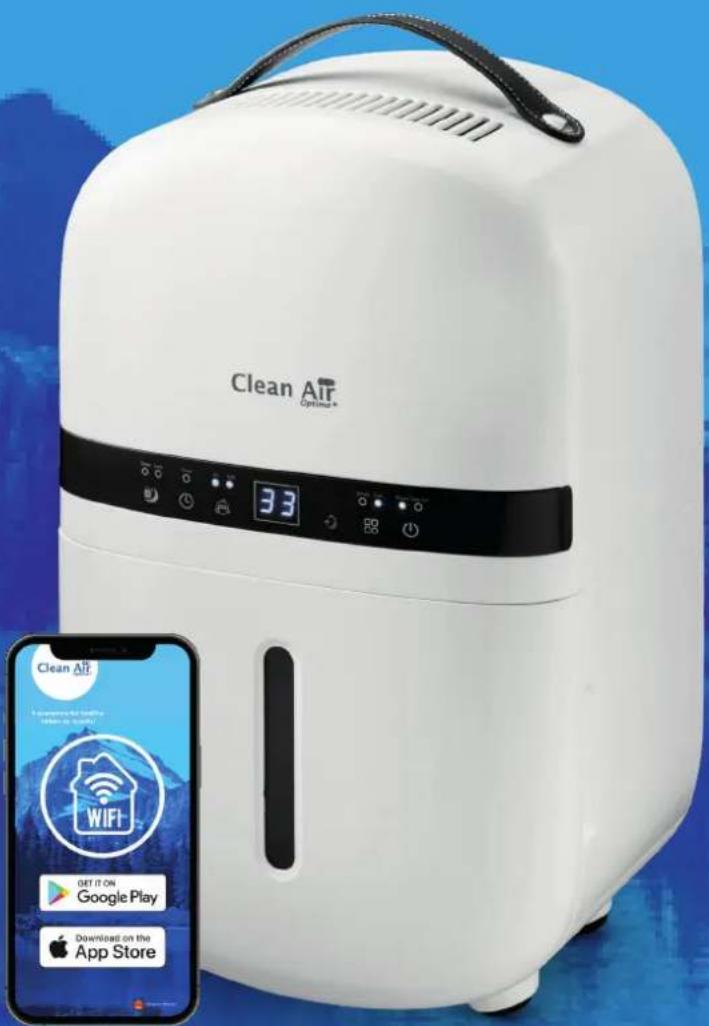
Read these instructions carefully before you start using this Clean Air Optima ^3 device and keep the manual for future reference.
Clean Air Optima®
Table of contents Page
English 3
German 19
Dutch 35
French 51
Spanish 67
Polish 83
Czech 99
Romanian 115
Lithuanian 131
Estonian 147
Latvian 163
CA-702 Smart
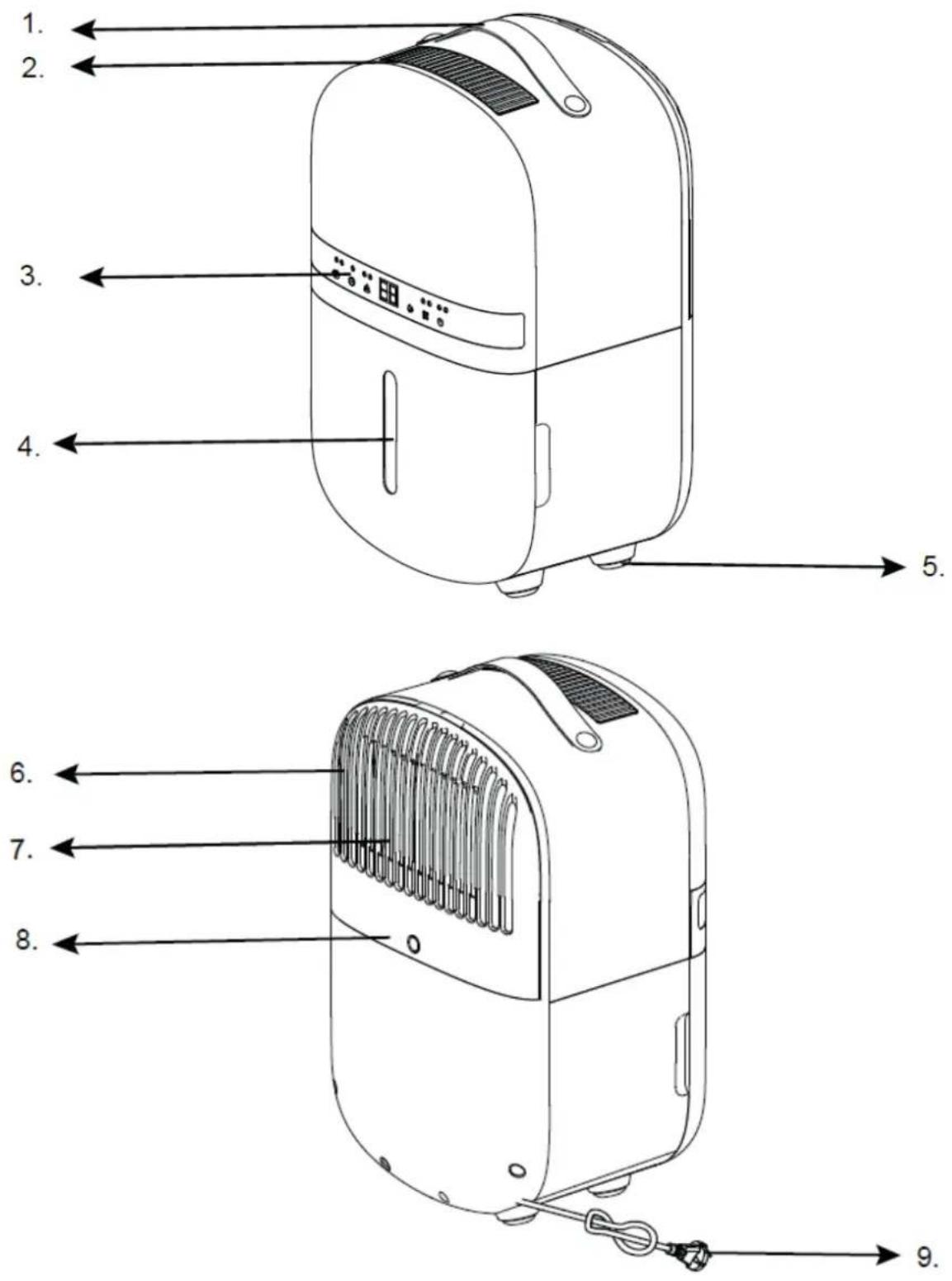
Main unit
Clean Air Optima®
English
Thank you for purchasing the Clean Air Optima® 2in1: Dehumidifier & Air Purifier CA-702 Smart.
We wish you many years of healthy indoor air with this efficient and effective product. Ensure that all safety precautions are followed when using this electrical appliance for the proper operation of the device. These instructions describe the safety precautions to be observed during operation. They are meant to prevent injuries and to avoid damaging the device.
Description
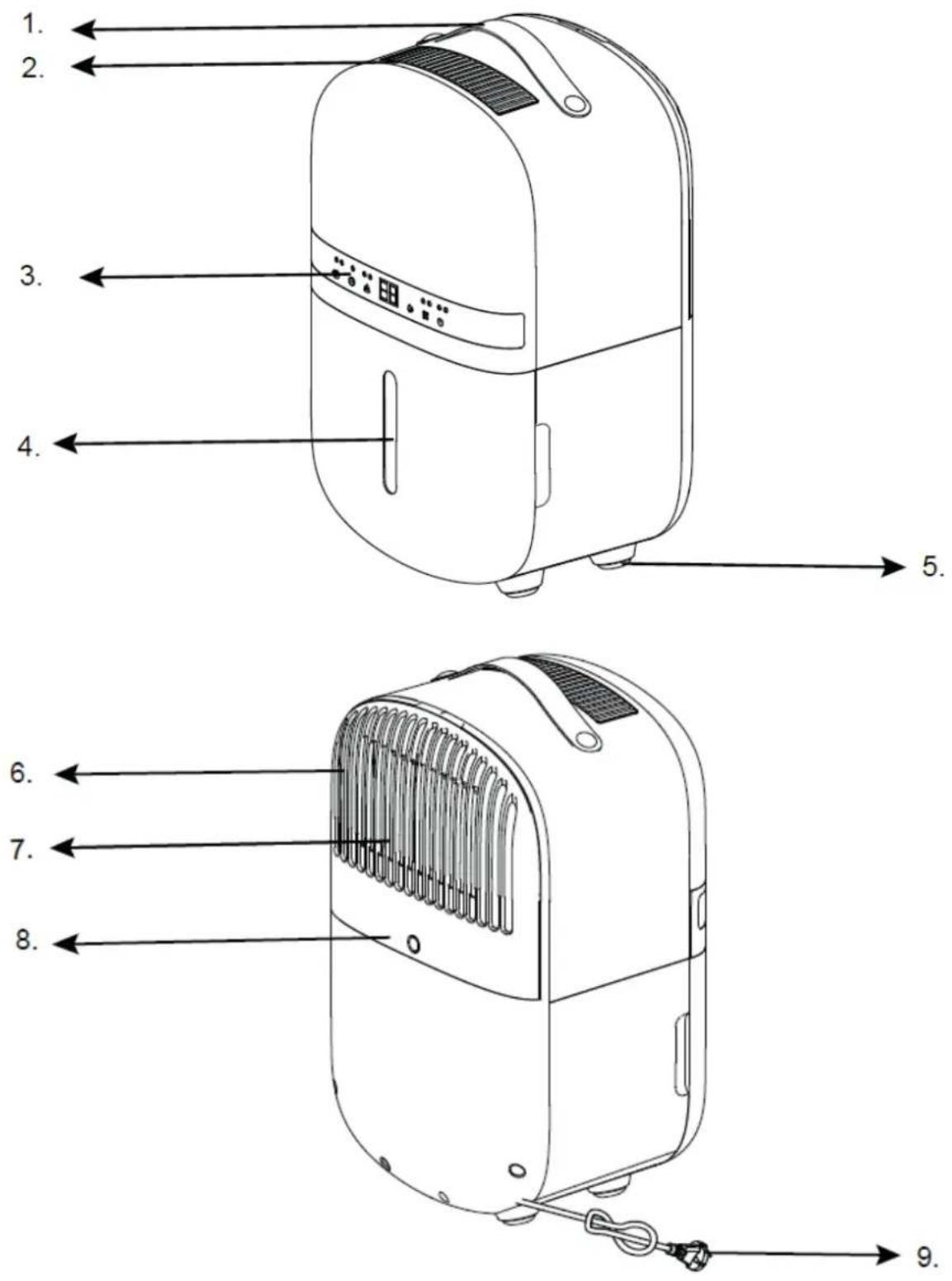
This Clean Air Optima ^® device consists of the following main components:
- Handle
- Air outlet
- Control panel
- Water tank
- Rubber feet
- Air inlet
- Filter frame compartment, includes: Pre-filter, Activated Carbon Filter, True HEPA H13 Filter
- Continuous drainage (water drain, hose connection) Drain hose 1 meter included
- Power cord with humidity sensor
Safety warnings
This device may only be used in accordance with this safety instructions. Take the following steps to minimize the risk of personal injury caused by for example electric shocks or fire.
- Leave the device to stand for at least two hours before use, especially after transportation.
- Only for indoor use. Do not use or store outdoors.
- Use proper voltage: AC 220V - 240V, 50Hz.
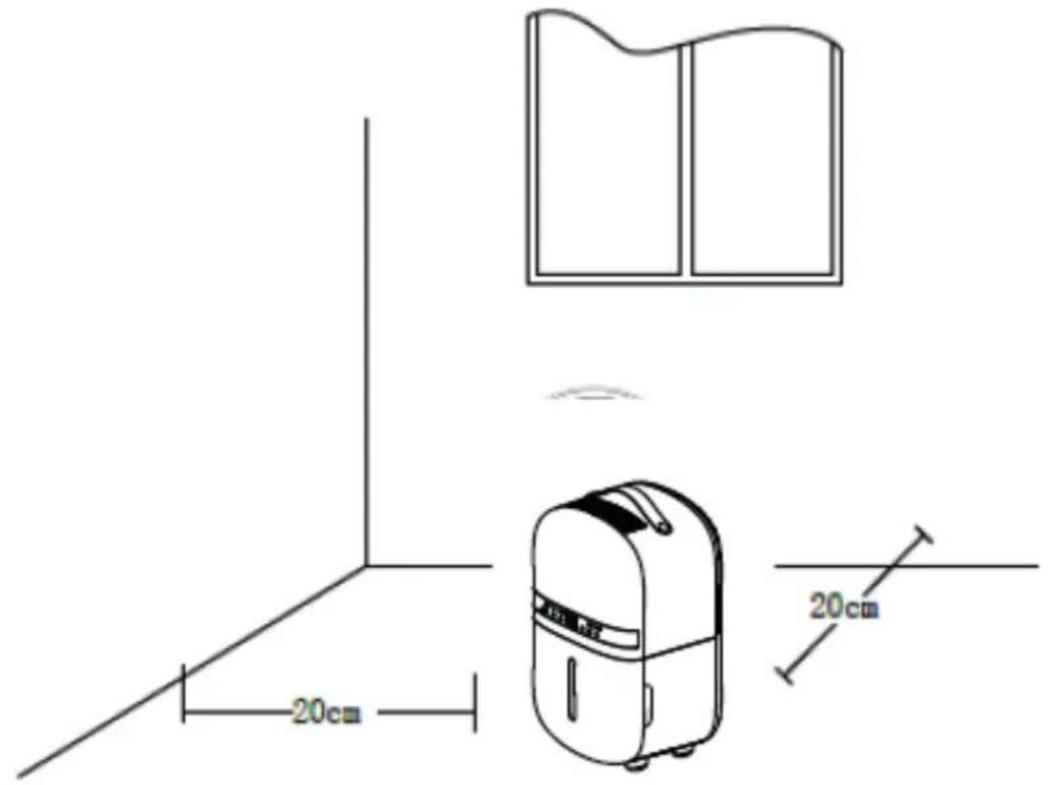
- Allow a free space of min. 20 cm around the air inlet and air outlet of the device.
- The appliance is not intended to be used by children or persons with reduced physical, sensory or mental capabilities, unless they are supervised by a person responsible for their safety.
- Do not use the device when there is visible damage on the electrical cord or on the device itself. Do not repair the device yourself in case of damage. Never pull the device by its cord. If the power cord is damaged, then it must be replaced by an authorized service person to prevent electric shock or fire.
- Repairs may only performed by authorized service personal. Do not try to repair the device yourself to prevent electric shock or fire.
- Do not touch the power cord and plug with wet hands.
- Always switch off the device before disconnecting the plug.
- Never attempt to turn of the device by disconnecting the plug.
- Pull the plug when you do not use the device or when you clean internal or external parts of it.
- For safety use put the device in a steady, horizontal position. Do not move while using.
- Refrigerant: R290. This refrigerant complies with European environmental regulations. No part of the cooling circuit may be perforated.
- Do not use the device in rooms where inflammable liquids, gases are stored or close to heat sources like radiator, fire place or heat-generating devices like ceramic heater.
- Never insert any other object into the body to avoid breakdown.
- Never cover the air inlet and air outlet grid.
- Never dissemble or replace the device's inner parts.
- Use and store the device not under 0°C or above 40°C.
- Do not tip the unit to any side when the water tank is full.
- Do not put heavy objects on the unit.
- Please avoid places with direct sunlight. There is a risk that the device discolors.
- Never immerse the device in water or other liquids.
- Empty the water tank regularly. In extreme conditions the water tank may be full after a few hours operation.
- Clean the Pre-filter regularly, if the Pre-filter is saturated with dust, it will lead to poor purifying and dehumidifying effect. The power consumption will increase, it can cause failure.
- Replace the Activated Carbon Filter and True HEPA H13 Filter every 3 – 6 months, if the Activated Carbon Filter and True HEPA H13 Filter are saturated, it will lead to poor purifying and dehumidifying effect. The power consumption will increase, it can cause failure.
- Use, maintain and clean the device as described in this manual.
Clean Air Optima®
- If you switch off the device, wait 10 minutes before switching it on again. This prevents the compressor from being damaged.
- Never connect the device to an external timer or unplug it while the device is in operation.
Installation
Make sure that the distance from the device is 20 cm away from walls and furniture, see the illustration below.
Filter installation (Hepa and activated carbon filter)
Dissassemble the panel, see red arrow.
Remove the sealing from the filters. Place the filters into the device. The tab must be visible at the front.
Install the panel.

natural_image
Illustration of a portable electric heater with cooling fins and a red arrow pointing to its side (no text or symbols)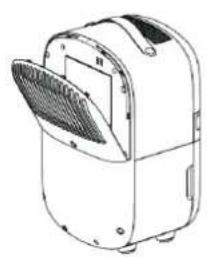
natural_image
Line drawing of a portable air conditioner unit with a mesh fan and ventilation slots (no text or symbols)Control panel / Operation instruction


Power
ss the Power Button to activate the device.
Press the Power Button again, the device turns off.
Note: When the power light is flashing, the device is in defrost mode.

MODE
Press the MODE Button to select between Smart and Air Purifying.
Smart Mode (dehumidify air and purify air): The device will start dehumidifying when the humidity increases to 5% above the desired humidity and will stop when the humidity drops to 5% below the desired humidity. Use the humidity button to adjust the desired humidity.
Air Purifier Mode (only purify air): The fan will run with no dehumidifying effect. This is ideal when you only want to use the device as an air purifier. This can also be used in combination with the ioniser function.

Humidity setting (Only for MODE program: Smart Mode)
By pressing the Humidity Button, you can select the desired humidity level by pressing this button repeatedly until the required humidity level is displayed (from 35% to 80% in increments of 5%).
Once you select your desired humidity level, simply stop pressing the button and your humidity level will be set. When the humidity level in the room reaches the set humidity level, the device will stop dehumidifying and it will only purify air.
When the room's actual humidity level increases again above your set humidity level then the device starts dehumidifying again.
This button is also used to set the duration of the timer after pressing the TIMER button.

UV and ION
er pressing once, the UV function is switched on.
After pressing twice the ION function is switched on.
After pressing three times, the ION and UV functions are switched on.
After pressing four times, the UV and ION functions are switched off.

Timer
Press TIMER button to program timer. When the timer is activated, the "TIMER" lamp units up. Before programming the timer, check that the timer function is not activated (e light must be off). Following timer programs are available.
Power-on function: While the device is in standby, press the Timer button and then use the button to set the number of hours you want the unit to start (1\~24 hours).
Power-off function: While the device is running with the desired settings, press the
TIMER button and then use the button want the device to stop (1\~24 hours).

Clean Air Optima®

Sleep
Press the Sleep Button and the sleep mode is activated, the display will turn of. Press the Sleep Button again to switch back in the settings before.

nild Lock
If you want to enter the CHILD LOCK function only, you need to turn on SLEEP mode first and then press this button for three seconds. Then the SLEEP function will be turned off and the CHILD LOCK function will be turned on.
Note: The SLEEP and CHILD LOCK functions are controlled by one button. When the SLEEP function is off, press this button for three seconds enter the CHILD LOCK function, then the SLEEP function will be turned on together. So if you want to enter the CHILD LOCK function only, you need to turn on SLEEP mode first, press this button for three seconds. Then the SLEEP function will be turned off and the CHILD LOCK function will be turned on.

ater Tank Full Indicator Light
When the water tank is full, the device will stop automatically. The Water Tank Full Indicator Light turns on and lights up. Do not immediately remove the water tank, but wait 10 minutes. The water must first drain from the compressor. Drain the water tank, and return the water tank to the body of the device, the Water Tank Full Indicator Light will turn off. The device will work automatically again.
Negative Ion
The negative ion generator has a total capacity of >3.000.000 negative ions / cm ^2 that are spread through out the entire room and thereby neutralize pollutants and smells. Negative ions attach onto dust particles, microorganisms and other unwanted particles in the air and connect them to each other. This way, the particles become heavier than air and fall onto the ground so that you can no longer breathe them in.
Negative ions are most found in the forest, mountains and by the sea. Negative ions ensures fresh and healthy air.
Defrosting
The evaporator in the dehumidifier may defrost automatically if it is operated with a room temperature less than 20 °C.
After the defrost mode is completed, the unit returns to the previous operating settings. When the device is running in a room with a temperature between 5°C and 12°C, it will go into defrost mode for 8 minutes approximately every 30 minutes.
When the device is running in a room with a temperature between 12^ C and 16^ C, it will enter defrost mode for 5 minutes approximately every 60 minutes.
When the unit is running in a room with a temperature between 16^ C and 20^ C, it will go into defrost mode for 5 minutes approximately every 90 minutes.
- During the defrosting operation, the dehumidification function and air purification function may intermit.
- Don't turn of the power or pull out the power plug of the device during the defrosting operation.
Operation with Clean Air Optima® App
Connectivity
Compatibility with smartphone and tablet:
iPhone, iPad and Android devices
Device connets via WiFi with App:
CleanAirOptima
Attention: The router must be set to the 2.4 GHz broadband. If the router is set to the 5.0 GHz, it is impossible to establish a connection.
Set up WiFi connection
- Download and install the "CleanAirOptima" App in the App Store or Google Play Store.
- Make an account and log in.
- The router must be set to the 2.4 GHz broadband. If the router is set to the 5.0 GHz, no connection can be established.
- Make sure Bluetooth is enabled on your smartphone.
- Make sure that your smartphone or tablet is successfully connected to your WiFi network.
- Plug the device into the power socket and switch it on. Press the mode button for 3-5 seconds, the Smart light will start flashing.
- Open the 'CleanAirOptima' App and click on 'Add device'. Your device is listed and you can select it. If not choose 'Auto Scan'. Follow the on-screen instructions to connect the device to your network.
- Choose to add the Clean Air Optima ^® device on the App, follow the instructions in the App.
- After the configuration is successful, you can use the Clean Air Optima® App to operate the device.
Note:
- If your default network has changed, reset the WiFi connection, follow step 1 to 9 in the 'Set up WiFi connection' section.
- If you want to pair multiple devices to your smartphone or tablet, you have to do this one after the other.
- Make sure that the distance between your smartphone or tablet and the device is less than 5 meters and there are no obstacles. Also make sure you are in the same room as the device.
Reset the WiFi function:
- The device must be switched on.
- Reset the WiFi by pressing the 'Mode' button for 3-5 seconds, the indicator light of the WiFi (Smart) will blink rapidly.
Clean Air Optima®
Connect devices to multiple phones
Note: First the other person needs to install the Clean Air Optima® App on his/her phone and create a new account.
Share the device with limited access:
You can choose to share 1 device with several persons.
This person will then have access, but will not be able to manage all the settings.
Follow the instructions below to share the device with several persons:
- Go to the relevant device.
- Go to the pencil or three dots in the top right.
- Select 'Share device.'
- Choose 'Add sharing'.
- Choose the sharing method e.g. via email, whatsapp, sms etc. and continue.
- The device will automatically appear in the Clean Air Optima® App with the other account.
Share device with full access:
You can add a person or several persons to your home management.
That person will then have access to all your devices that are already linked and has full rights and permissions. You will always remain the main administrator.
Follow the instructions below to add someone to your home management:
- Open the Clean Air Optima® App and go to 'Me'.
- Then choose 'Home Management'.
- Choose 'Create a home'.
- Select the relevant 'Home' and 'Add member'.
- Choose the sharing method e.g. via email, whatsapp, sms etc. and continue.
- The corresponding 'Home' will automatically appear in the Clean Air Optima® App of the person with whom you have shared your 'Home'.
- On the other account:
Go to the home screen from the Clean Air Optima® App. Go to the top left and select the 'Home'.
Water Drainage
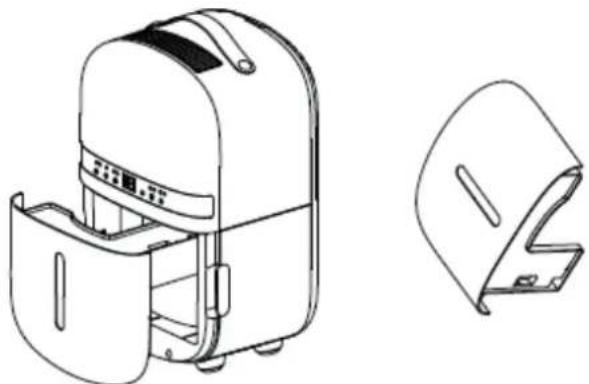
The Water Tank Full Indicator Light will light up when the water tank is full. Do not immediately remove the water tank, but wait 10 minutes. The water must first drain from the compressor. Take out the water tank and empty the water inside. Then put the water tank back into the de-humidifier correctly, see the illustration below.
Note:
When you remove the water tank, do not touch sensors or any parts which are situated behind the water tank. This may damage the product. Push the water tank gently in the device.
natural_image
Technical line drawing of a portable device with front panel and side view (no text or symbols)Continuous Drainage
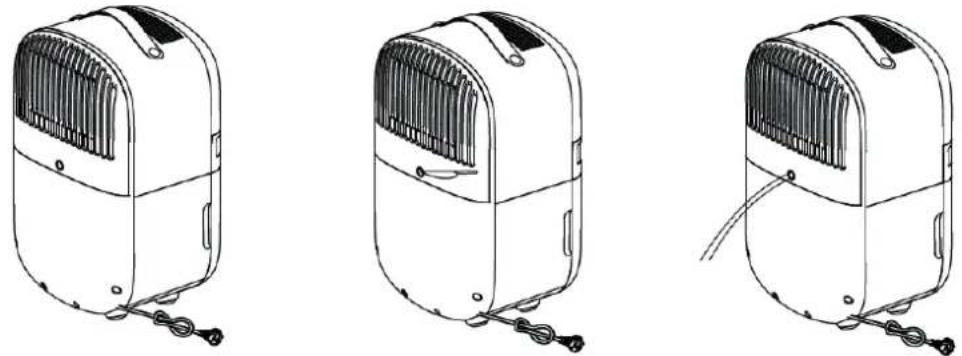
For continuous operation you can use the drain hose of 1 meter long that is included. Water can be automatically plumbed in or drained into a sink, a larger recipient or through the wall into an outside drain by attaching a pipe to the unit. Remove the rubber bung on the rear of the unit and insert the pipe into the drain outlet at the back of the unit. Make sure the connection between pipe and the drain outlet is tight and does not leak. Then direct the pipe to a suitable drainage point. This unit uses gravity to dispose of water hence the drain should be lower than the water outlet on the unit. Put the tank back. Be sure to run the water pipe downward and let the water to flow out smoothly. Do not kink or bend the pipe.
Replacing the Clean Air Optima® True HEPA H13 Filter and Activated Carbon Filter
The Clean Air Optima® CA-702 Smart Dehumidifier & Air Purifier is equipped with a filter lifespan surveillance mechanism that signals that the filters have to be replaced after 400 working hours. To show that the filters needs to be replaced, the dehumidifier emits a double zero
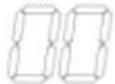
indicator light in the display.
Reset the timer for the filter replacement by pressing and holding the Humidity button for about 3-5 seconds. If the indicator light goes out, the timer has been successfully reset and the dehumidifier is ready for use again.
Clean Air Optima®
Maintenance
Cleaning the housing of the Clean Air Optima® dehumidifier
- Switch off the device and pull the plug.
- Use a soft and humid piece of cloth to clean the device. Do not use chemical solvent such as benzene, alcohol or gasoline.
- Make sure that no water gets into the device, do not sprinkle with water.
Replacing of filters
Depending on the use, the Activated Carbon Filter and True HEPA H13 Filter has a lifespan of approx. 3 – 6 months. The Pre-filter and UV-C lamp are permanent, no replacement needed.
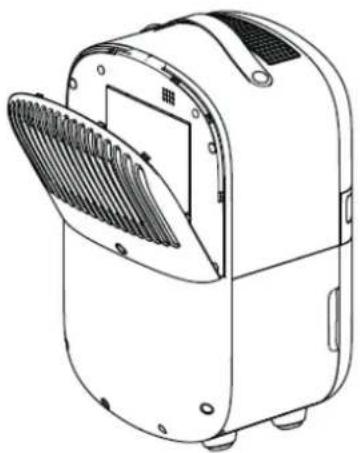
Take out the filters from the filter frame compartment. After filter replacement or filter cleaning reinstall the filters back into the filter frame compartment and assemble back to the device, see the illustration below.
natural_image
Line drawing of a portable electric heater with a slotted lid and ventilation slots (no text or symbols)Filter cleaning
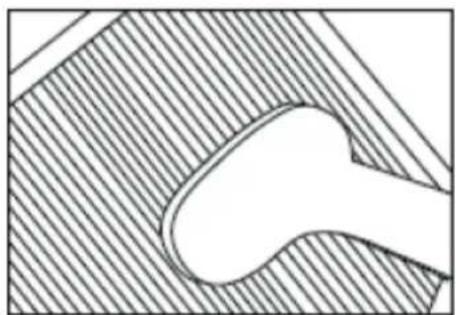
The best effect for a longer lifespan of the Filters is reached by cleaning the filters once a month. If indoor air is extremely polluted, we advice to clean the filters more often ca. once per two weeks.
natural_image
Pure technical diagram of a mechanical component with hatched background (no text or symbols)Clean the Pre-filter, Activated Carbon Filter and True HEPA H13 Filter carefully with a brush or your vacuum cleaner. That way bigger dust particles like lint, hair, dust and dander of pets can be removed from the filters.
Room temperature increases during operation
The Clean Air Optima ^® dehumidifier doesn't have a cooling function. The device will produce heat during operation and increase the room temperature between 1 °C to 4 °C.
Dehumidifying capacity
The illustration below shows the dehumidifying capacity of the Clean Air Optima® dehumidifier. By different temperatures and relative humidity, the dehumidifier may have different dehumidifying capacities.
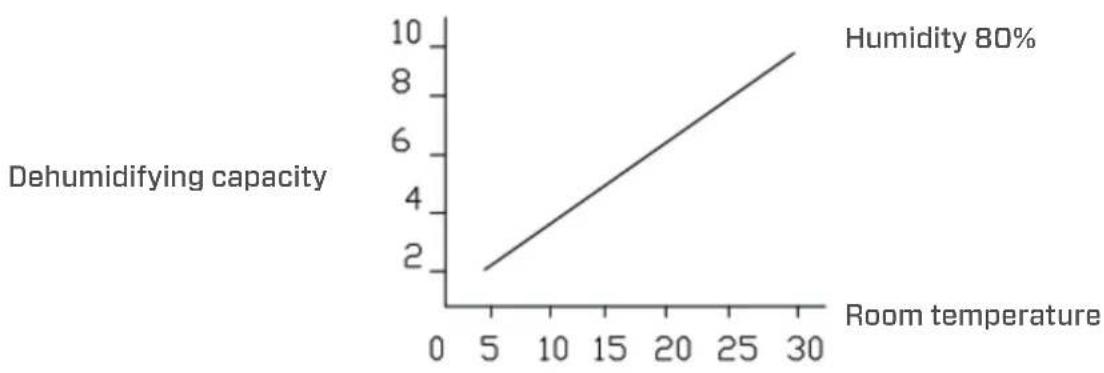
line
| Room temperature | Dehumidifying capacity | | ---------------- | ---------------------- | | 5 | 2 | | 30 | 10 |Warning!
Do not damage the filters, the filters must not be cracked. Damaged filters needs to be replaced.
Never wet or rinse the filters (Only for Activated Carbon Filter and True HEPA H13 Filter) with water. Filters that are rinsed with water needs to be replaced.
Signs for used up filters that needs to be replaced
(Only for Activated Carbon Filter and True HEPA H13 Filter)
Increased sound, reduced air flow, congested filters, rising presence of smells. Filters needs also to be replaced by new ones when the True HEPA H13 Filter changes its color from white to grey or black. If the True HEPA H13 Filter remains white, there is NO need to replace the filters.
How to order filters:
Contact Clean Air Optima® Customer Service tel. + 31 (0) 742670145 or visit our webshop: https://www.cleanairoptima.com/-accessoires
Clean Air Optima® dehumidifier storage
If the dehumidifier will not be used for an extended period of time:
- Drain the water tank completely and make sure that there is no water stocked inside the water tank.
- Unplug the device and fold up the power supply cord.
- Remove and clean the filters. After cleaning reinstall the filters back into the device.
- Store the dehumidifier in a cool, dry location, away from direct sunlight, extreme temperature and excessive dust.
Troubleshooting
The following is a troubling shooting guide to help you solve any issues that you may have using the Clean Air Optima® dehumidifier CA-702 Smart.
| Problem Possible Cause Solution | ||
| Device does not switch onInefficiency dehumidification | The power cord does not connect correctlyThe water tank is full or water tank is not in the correct positionThe filters are blocked by dustThe air inlet and outlet have a blockageThe setting humidity is higher than environmental humidityThe dehumidifier is inContinuous air purification MODE | Connect the power plug and power socket correctlyDrain the water tank and replace the water tank to the correct positionClean or replace the filtersClean the blockage from the air inlet and outletSet the humidity at least 5% lower than environmental humidityChange the operation MODE |
| Noise | The device is installed askewThe filters are blocked | Make sure the device is installed uprightlyClean or replace the filters |
| Display shows double zero | Filters need to be replaced. | Reset the timer for the filter replacement by pressing and holding the Humidity button for about 3-5 seconds. If the indicator light goes out, the timer has been successfully reset |
| Washed clothes are not dried | The room temperature is to low | Washed clothes are hard to be dried under low temperature conditions |
| Operation with Clean Air Optima® App does not work | Smartphone or tablet is not connected to WiFi networkThe device has no connection to the network | Switch off the device and reset the WiFi on the device by pressing the Mode button for 5 seconds, the indicator light of the WiFi will blink rapidly. Than follow step 4 to 8 from chapterOperation with Clean Air Optima® App |
| E1 or E2 notification display | Humidity sensor error Use the device within the specified humidity range. Unplug the appliance and plug it back in. | |
| E3 or E4 notification display | Temperatur sensor error | Use the device within the specified temperature range. Unplug the device and plug it back in. |
| Dehumidifier does not extract water | Is the device set to a lower humidity level than in the room?Is a suction grille or discharge blocked? Is the device too close to walls? | Set the humidity level on the hy-grostat below the current humidity value.Remove obstacles and restart the device.Ensure a distance of at least 20 cm between the unit and walls. |
WARNING!
If the above recommended solutions do not work, please contact Clean Air Optima® technical support at the telephone number for your region. Do not attempt to disassemble, reassemble, or repair the device as this may void the warranty.
Specifications CA-702 Smart
Model
CA-702
Smart
For rooms up to
20m² / 50m³ / 215ft²
Rated voltage 220V - 240V, 50Hz
Rated power 155W
Fan capacity 70 m³/h
Dehumidifying capacity 5 liters per day at 30°C and 80%RH
Working temperature range 5°C - 32°C
Water tank
1,5
liter
Air purification with: Pre-Filter, Activated Carbon Filter, True HEPA H13 Filter,
UV-C
lamp,
Filter performance 99,97%, Sterilization rate 99.9%
Negative ion >3.000.000 ions/cm²
Sound level
39dB(A)
Drain hose
1
meter
Dimensions 255 x 225 x 430mm
Weight 7kg
Colour White
Refrigerant R290 / 30g
Complies with EU regulations CE/WEEE/RoHS
Ask your retailer or your municipality for updated information regarding the disposal of the packaging and of the device.

natural_image
Warning symbol of a flame inside a triangle (no text or numbers)R290
Danger
Natural refrigerant propane (R290)!
Service
Warranty Certificate for the Clean Air Optima® Dehumidifier CA-702 Smart.
Date of purchase: ..... Customers name: ..... Address: ..... Telephone: ..... Email: ..... Seller's name: ..... Address: ....
- Please fill in completely this Warranty Certificate. Send it with the invoice and the unit, postage pre-paid and using the original packing box, to your distributor. Make sure to include the appropriate return postage for the package.
- Please enclose a short description of the damage, fault or malfunction, and the circumstances under which these problems arose.
The Clean Air Optima® Dehumidifier CA-702 Smart is subjected to strict testing procedures before leaving the factory. If within two years from the date of purchase the product does not perform according to the specifications, because of factory defects, the purchaser is entitled to free repairs or replacement of parts upon presentation of this warranty (provided that the malfunction or damage to the device and/or parts occurred under normal operating conditions). What is covered: All parts defective in material and workmanship. For how long: two years from purchase date. What we will do: Repair or replace any defective parts.
Other Conditions
The provisions of this warranty are in lieu of any other written warranty whether express or implied, written or oral, including any warranty of merchantability or fitness for a particular purpose. The manufacturer's maximum liability shall not exceed the actual purchase price paid by you for the product. In no event shall the manufacturer be liable for special, incidental, consequential, or indirect damages. This warranty does not cover a defect that has resulted from improper or unreasonable use or maintenance, faulty assembly, accident, natural catastrophes, improper packing, or unauthorized tampering, alteration, or modification as determined solely by us. This warranty is void if the label bearing the serial number has been removed or defaced.
Thank you for reading!

Share your feedback about the Clean Air Optima® Dehumidifier CA-702 Smart on: www.cleanairoptima.com

For frequently asked questions about the CA-702 Smart go to: www.cleanairoptima.com and search for the CA-702 Smart

Download PDF instruction manual on: leanairoptima.com/info/manuals

Watch all Clean Air Optima® Product video's on: www.youtube.com
Clean Air Optima International B.V. | David Ricardostraat 9-7 / 9-9 | 7559 SH Hengelo (ov) The Netherlands | Phone: +31 (0) 74 - 2670145
Clean Air Optima Germany GmbH | Enschedestraße 14 | 48529 Nordhorn | Germany Phone: +49 (0) 5921 879-121
E-mail: info@cleanairoptima.com
Internet: www.cleanairoptima.com
CA-702 Smart
Hauptgerät
Clean Air Optima®
Deutsch
natural_image
Line drawing of a portable electric heater with a red arrow pointing to its top panel (no text or symbols present)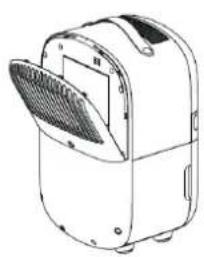
natural_image
Line drawing of a portable air purifier with a mesh cover and ventilation slots (no text or symbols)Control panel / Operation instruction


Leistung
natural_image
Technical line drawing of a backpack and its side panel (no text or symbols)natural_image
Line drawing of a portable electric heater with a mesh vent and lid (no text or symbols)Filterreinigung
natural_image
Abstract geometric diagram with diagonal hatching and a central oval shape (no text or symbols)natural_image
Warning symbol of a flame inside a triangle (no text or numbers)R290
Gefahr
natural_image
Line drawing of a portable electric heater with a red arrow pointing to its top panel (no text or symbols)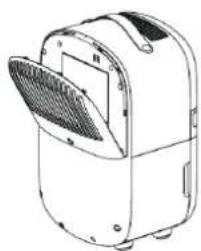
natural_image
Line drawing of a portable electric heater with a mesh grille and ventilation slots (no text or symbols)WiFi-verbinding opzetten
natural_image
Technical line drawing of a portable device with open lid and side panel (no text or symbols)Doorlopende afvoer
natural_image
Line drawing of a portable air conditioner unit with a slotted lid and ventilation slots (no text or symbols)Filters schoonmaken
natural_image
Pure technical diagram of a mechanical component with hatched background and no visible text or symbolsnatural_image
Warning symbol of a flame inside a triangle (no text or numbers)R290
Gevaar
natural_image
Illustration of a portable electric heater with a red arrow pointing to its side panel (no text or symbols present)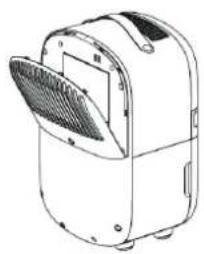
natural_image
Line drawing of a portable air conditioner unit with a mesh vent (no text or symbols)Configurer la connexion wifi
natural_image
Technical line drawing of a backpack and its side panel (no text or symbols)Vidange en continu
natural_image
Line drawing of a portable electric heater with open lid and internal blades (no text or symbols)natural_image
Abstract geometric pattern with diagonal hatching and a central oval shape (no text or symbols)natural_image
Warning symbol of a flame inside a triangle (no text or numbers)R290
Danger
natural_image
Illustration of a portable electric heater with a red arrow pointing to its top panel (no text or symbols present)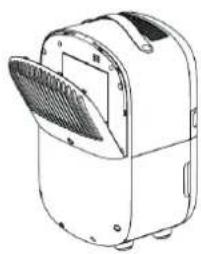
natural_image
Line drawing of a portable air conditioner unit with ventilation slots and lid (no text or symbols)
Encendido/Apagado
natural_image
Technical line drawing of a portable backpack and its side panel (no text or symbols)Vaciado continuo
natural_image
Line drawing of a portable electric heater with a mesh vent and lid (no text or symbols)natural_image
Abstract geometric diagram with diagonal hatching and a central oval shape (no text or symbols)natural_image
Warning symbol of a flame inside a triangle (no text or numbers)R290
Peligro
iRefrigerante natural de propano (R290)!
Servicio
natural_image
Illustration of a portable electric heater with cooling fins and a red arrow pointing to its side (no text or symbols)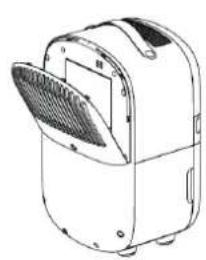
natural_image
Line drawing of a portable air conditioner unit with a mesh fan (no text or symbols)natural_image
Technical line drawing of a portable device with front panel and side panel (no text or symbols)natural_image
Line drawing of a portable electric heater with a slotted lid and vent slots (no text or symbols)Czyszczenie filtrów
natural_image
Abstract geometric pattern with diagonal hatching and a central oval shape (no text or symbols)natural_image
Warning symbol of a flame inside a triangle (no text or numbers)R290
Zagrożenie
natural_image
Illustration of a portable electric heater with a red arrow pointing to its top panel (no text or symbols present)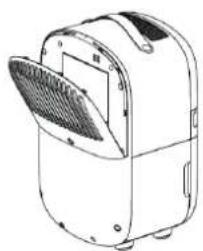
natural_image
Line drawing of a white portable air purifier with a mesh cover and ventilation slots (no text or symbols)By pressing the Humidity Button, you can select the desired humidity level by pressing this button repeatedly until the required humidity level is displayed (from 35% to 80% in increments of 5%).
natural_image
Technical line drawing of a portable device with open lid and side view showing internal components (no text or symbols)natural_image
Three line drawings of a portable electric heater with cooling fins and attached cables (no text or symbols)natural_image
Line drawing of a portable electric heater with a mesh vent and cooling fins (no text or symbols)Čištění filtru
natural_image
Abstract geometric pattern with diagonal hatching and a central oval shape (no text or symbols)natural_image
Warning symbol of a flame inside a triangle (no text or numbers)R290
Nebezpečí
natural_image
Illustration of a portable electric heater with cooling fins and a red arrow pointing to the lid (no text or symbols)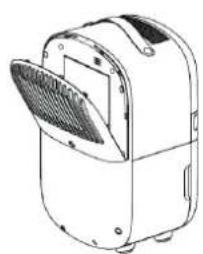
natural_image
Line drawing of a portable electric heater with a mesh vent (no text or symbols)
Pornire
natural_image
Line drawing of a portable backpack with open lid and side panel, alongside its technical sketch (no text or symbols)Golire continuă
natural_image
Three line drawings of a portable electric heater with cooling fins and attached cables (no text or symbols)natural_image
Line drawing of a portable electric heater with a mesh vent and lid (no text or symbols)Curățarea filtrului
natural_image
Abstract geometric diagram with diagonal hatching and a central oval shape (no text or symbols)natural_image
Warning symbol of a flame inside a triangle (no text or numbers)R290
Pericol
Agent frigorific natural propan (R290)!
Service
natural_image
Illustration of a portable electric heater with a red arrow pointing to its top panel (no text or symbols present)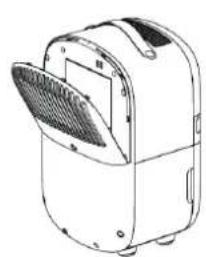
natural_image
Line drawing of a portable air conditioner unit with ventilation slots and lid (no text or symbols)Valdymo pultas / valdymo instrukcija


Maitinimas
natural_image
Technical line drawing of a portable device with open lid and side view showing internal components (no text or symbols)Nuolatinis vandens nuleidimas
natural_image
Line drawing of a portable electric heater with a mesh vent and lid (no text or symbols)Filtrų valymas
natural_image
Pure technical diagram of a mechanical component with hatched background (no text or symbols)natural_image
Warning symbol of a flame inside a triangle (no text or numbers)R290
Pavojus
natural_image
Illustration of a portable electric heater with a red arrow pointing to its side panel (no text or symbols present)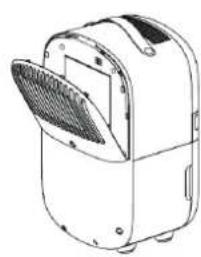
natural_image
Line drawing of a portable air conditioner unit with a mesh fan (no text or symbols)Juhtpaneel / kasutusjuhend


Toide
Seadistage WiFi-ühendus
natural_image
Technical line drawing of a portable device with front panel and side view (no text or symbols)Pidev väljalase
natural_image
Line drawing of a portable electric heater with a mesh vent and lid (no text or symbols)Filtrite puhastamine
natural_image
Pure technical diagram showing a curved shape within a hatched background (no text or symbols)natural_image
Warning symbol of a flame inside a triangle (no text or numbers)R290
Oht
natural_image
Illustration of a portable electric heater with a red arrow pointing to its top panel (no text or symbols present)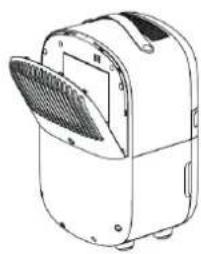
natural_image
Line drawing of a portable electric heater with a mesh cover (no text or symbols)
WiFi savienojuma izveide
natural_image
Technical line drawing of a backpack and its side panel (no text or symbols)natural_image
Line drawing of a portable electric heater with a mesh vent and cooling fins (no text or symbols)Filtra tīrīšana
natural_image
Abstract geometric diagram with diagonal hatching and a central oval shape (no text or symbols)natural_image
Warning symbol of a flame inside a triangle (no text or numbers)R290
Bīstamība
E-pasts: info@cleanairoptima.com
Tīmekļa vietne: www.cleanairoptima.com