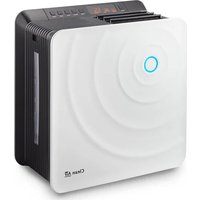
CA-803 - Humidifier Clean Air Optima - Free user manual and instructions
Find the device manual for free CA-803 Clean Air Optima in PDF.


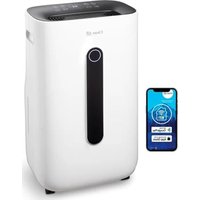
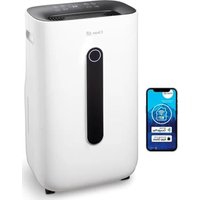
| Product type | 2-in-1 Air Washer: Humidification and Purification |
| Brand | Clean Air Optima |
| Model | CA-803 |
| Dimensions (W x D x H) | 380 x 207 x 396 mm |
| Weight | 6.4 kg |
| Power supply | 220-230 V ~ 50 Hz |
| Power consumption | 35 W (natural humidification) |
| Humidification capacity | 250 ml/h |
| Water tank capacity | 4 litres |
| Operating time | Up to 18 hours |
| Recommended area | 35 m² / 90 m³ |
| Operating modes | Sleep, Baby, Auto, Health, Manual |
| Humidity level setting | 40% to 75% or continuous |
| Timer | 0 to 8 hours |
| Filters | ECO-AIR PLUS filter, Nano-silver filter (antibacterial) |
| ECO-AIR PLUS filter replacement | Every 6 months |
| Nano-silver filter replacement | Every 12 months |
| Tank cleaning | Every day |
| Tray and rotor cleaning | Once a week |
| Warranty | 2 years |
Frequently Asked Questions - CA-803 Clean Air Optima
User questions about CA-803 Clean Air Optima
0 question about this device. Answer the ones you know or ask your own.
Ask a new question about this device
Download the instructions for your Humidifier in PDF format for free! Find your manual CA-803 - Clean Air Optima and take your electronic device back in hand. On this page are published all the documents necessary for the use of your device. CA-803 by Clean Air Optima.
USER MANUAL CA-803 Clean Air Optima
2in1: Air purifying & Air humidifying
User's Manual CA-803
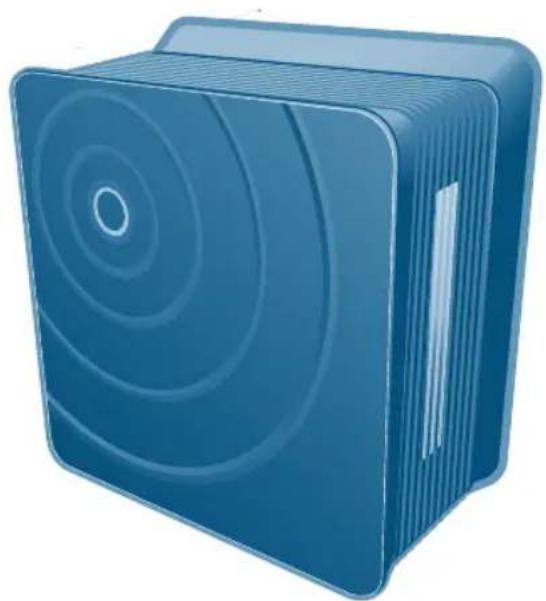

Product Specification
| Product Name | Clean Air Optima CA-803 |
| Rated Voltage and Frequency | AC 220 - 230 V, 50 Hz |
| Rated Power Consumption | 35W (natural humidifaction) |
| Mode | Artificial Intelligence, Sleep, Baby, Health protection |
| Humidity | 250ml/h |
| Water Tank Volume | 4 Liter |
| Continuous Humidifying | 18h |
| Suitable for rooms up to | 35m² / 90m³ / 375ft² |
| Weight | 6,4 Kg |
| Dimension(mm) | 380(width)X207(length)X396(width) |
Contents
Before using Caution for the Safety 04
Name and Function of each part 10
Using How to install 12
Preparation before using 13
Notice 14
How to use 15
How to clean 19
Before reporting If regarded as the trouble 23
the trouble
Service Guide Guide to the compensation for the customers' damage/About Paid Service 26
Caution for the safety
- Make sure to follow the indications below because they are for preventing unexpected risk or damage by using the products exactly.
- Caution related to the safety can be divided as follows depending on the size of expected risk in case of wrongly installing and damage and urgency level of risk.

In case of serious injury or death caused by the violation of the indication

In case of slight injury or damaged products caused by the violation of the indication

This picture symbol is the one to raise the awareness about the facts and organization which can pose a risk.

This picture symbol is the one that indicates the ban.

This picture symbol is the one that indicates obligatory compliance.

Don't disassemble, repair and renovate at all.
- Abnormal operation can result in electric shock, injury and fire.
- Consult with customer service center for repairing.
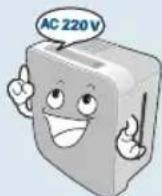
Connect the power after identifying whether the voltage of the product is only for 220 - 230V and 50Hz.
- It can cause a fire and electric shock.

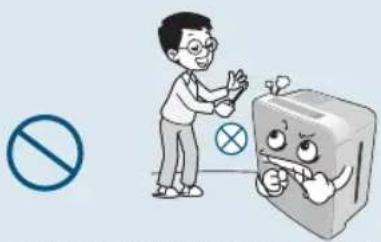
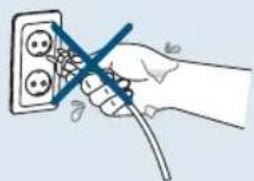
Pull the plug out during the clean-up. In addition, don't pull out or put into the plug with wet hands.
It can cause a fire and electric shock.

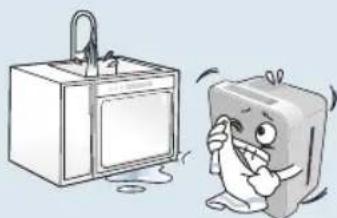
Don't soak the main frame into water or don't spray water on the main frame.
It can cause electric shock and fire.


Warning
Don't move the airwasher during its use. Don't use it when electrical cord or power plug is
It can cause errors or electric shock.

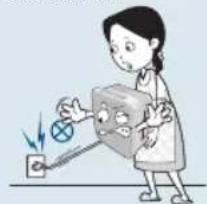
damaged or the electric outlet is loose.
- It can cause electric shock, electric short and fire. In case of damaged power cord, inquire it to the place you bought it and customer service center and exchange it with other product.

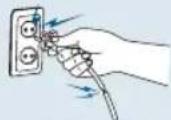
Don't put foreign objects such as fingers or metal somewhere into discharge port and suction port.
In particular, be careful for children not to put their fingers into the part because children can be hurt.

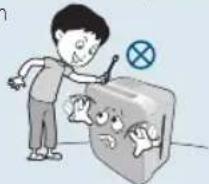
Don't damage, process, bend by force, pull, twist or tie the cord line. And don't put heavy things over or put heavy things into cord.
- Damaged cord can cause fire and electric shock.

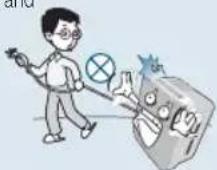
Don't let infants go closer to, touch or manipulate the product.
It can cause electricity or injury.

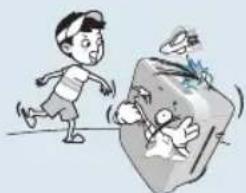
When pulling the plug out, don't hold the cord and make sure to pull the plug out after holding the front of plug. And use it after cleaning up dirt or foreign object in power plug.
It can cause electric shock or short, triggering fire.
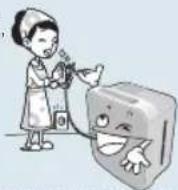
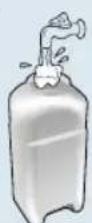
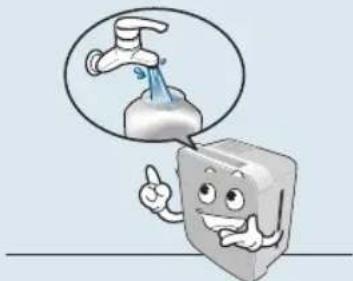
Replace the water of the tank with new water.
- Keep the water tank clean by cleaning it up daily and put tap water into water tank.
- You can use tap water.
- Using the product without clean-up can be a major cause of bad smell with fungi or various germs prospering.

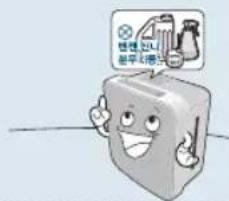
Don't cleaning it with benzene and thinner or don't spray pesticide.
It can cause the crack, electric shock and fire.

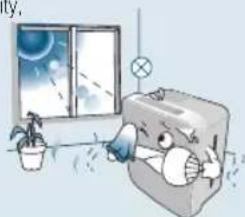
Don't keep the product in the place where direct rays or heater can reach.
It can cause the deformity,
smearing and discoloration.

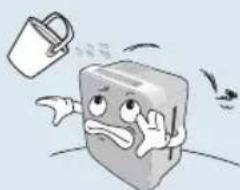
Don't put water into nebulizer
It can cause errors or injury, fire and electric shock.

Warning
Caution for the safety

Warning
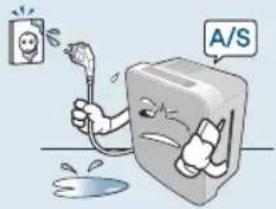
When water is put into power supply part, pull the plug out and contact with service center.
- It can cause electric shock and fire.

Don't put other foreign subject such as metal into the product inside.
It can cause electric shock and injury.

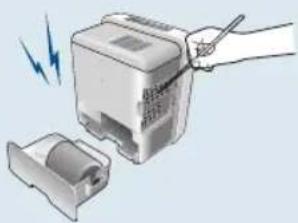
When noise, burning smell and smoke come from the product, immediately cut off the power and contact with service center.
It can cause the deformity or discoloration.

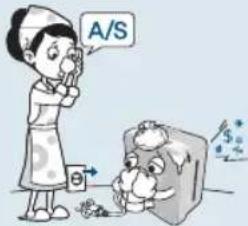
Don't take in the humidity from the product directly.

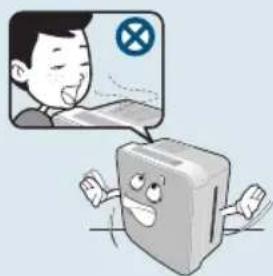
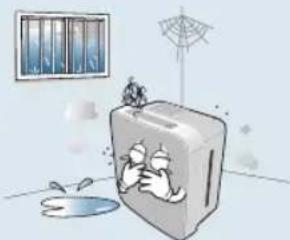
Don't install it in the place which is wet, dirty and the place where water or rainwater can be splashed.
It can cause electric shock and fire.

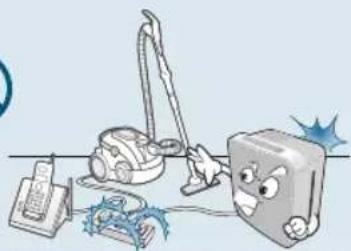
Don't use it with the power plug of various products put into one electric outlet at the same time.
It can cause errors and fire.

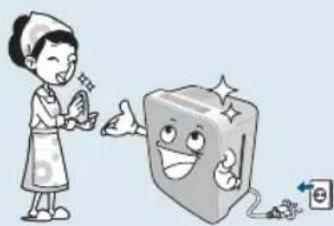
When cleaning up, cut off the power and clean it up after the fan stops swinging.
- It can cause electric shock and injury.

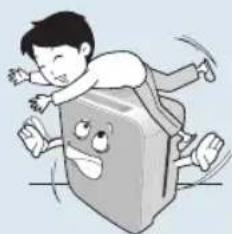
Don't sit on or lean against the body frame.
It can cause the damage.


Caution
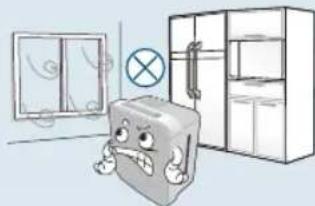
Don't use it in a place where wind blows from window and air conditioner. Avoid the place where humidity from the product can contact with ceiling, wall, furniture, electronic appliance directly.
It can cause the sensor of the humidity not to work.

Don't put combustibles, burning cigarette, incense near the product.
It can cause a fire.

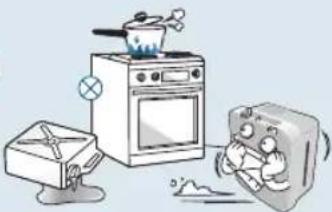
Don't use the product when pesticide of indoor smoking or fuming type is used.
- As the material cumulated in the product can be emit from discharge port, it can harm the health.

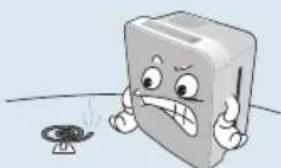
When it is not used for a long time, pull the plug out and dump the water remaining in body frame such as water tank.
- It can cause electric shock and fire.
- Fungi or various germs may increase.
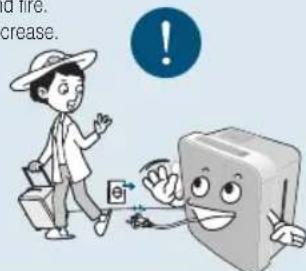
When noise, burning smell and smoke come from the product, immediately cut off the power and contact with service center.
- It can cause deformity or discoloration.

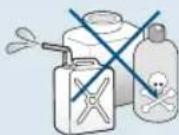
Chlorine, acid type and others
Make sure to put the parts into the original place after clean-up. (Refer to from 19 to 22 page)
- Don't operate it with humidity filter, ECO filter, water tank and cover eliminated. It can cause errors.
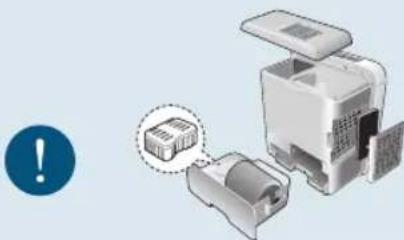
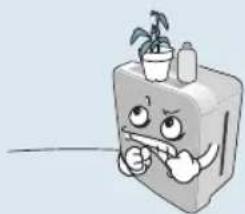
Don't put things over the product.
- It can cause injury, electric shock and errors.

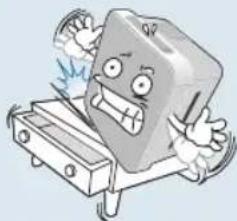
Install the product on the floor which is strong and flat.
It can cause the product fallen or water spilt
Falling product can cause water inside to overflow and it can cause fire or electric shock.

Caution for the safety

Don't use damaged water tank with no change.
- It can cause water to drop from the product or water to overflow in the water tank, triggering electric shock and errors.
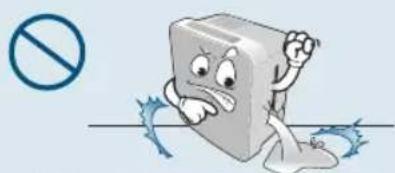
Don't drink the water remaining in the body frame such as water tank.
It can cause water quality to be worse and cause another unexpected accident.

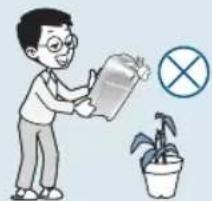
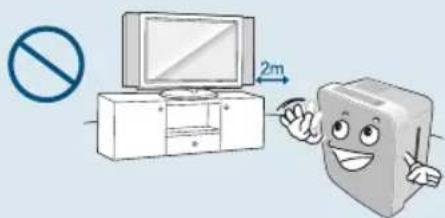
Don't use it near the place where magnetic field is strong such as microwave or TV.
- It can cause the sensor not to work properly.
When the product is not used, don't keep it for a long time with water kept in water tank.
- Fungi or various germs may increase.

When using the product, don't use with the side with filter and wall facing.
- If the room is not ventilated well, the poor performance can cause fire.
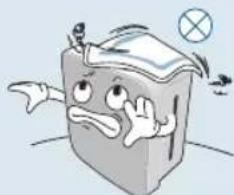
Don't block the discharge port.
- Don't block the discharge port with curtain or towel. It can cause errors.

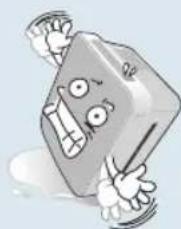
Don't fall the body frame.
- Use after pull the plug of falling product out and dry it well.

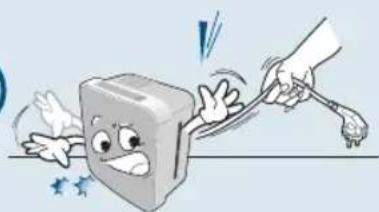
Don't move the product by pulling power cord.
It can cause electric shock and fire.

Before use

Caution
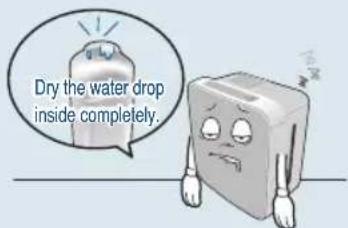
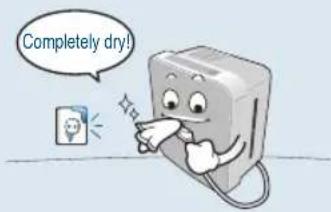
Use it after drying completely when water is put into the power supply part.
It can cause electric shock and fire.

Dump water in case of the concern for freezing.
- When it can be frozen, dump water remaining in body frame such as water tank. Frozen product can cause errors.

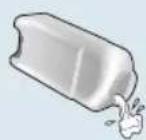
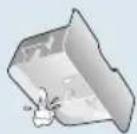
Dump the water remaining in body frame such as water tank during its move.
- Moving the product with water remaining in the body frame can cause water to overflow

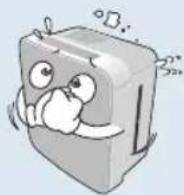
Don't put magnet or metal over the body frame.
It can cause errors.

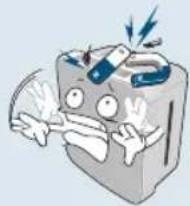
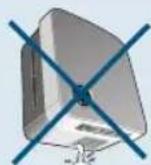
Don't drain water remaining in the water tank by holding body frame and drain water by eliminating water tank.
Water putting into body frame can cause errors.

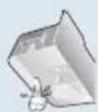
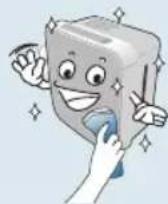
Clean it up on a regular basis.
Clean it up according to 'How to clean up'. (Refer to from 19 to 22 pages)
- Serious contamination can cause increasing fungi, bad smell, and low humidity.

Use clean tap water rather than water hot at 40^ or contaminated with salt, detergent and drug.
- Using water of over 40^ can cause errors of product.

Don't use for the special purpose of preservation and business such as food, art work and academic journal.
It can cause low quality.

Names of Whole/Inner Parts
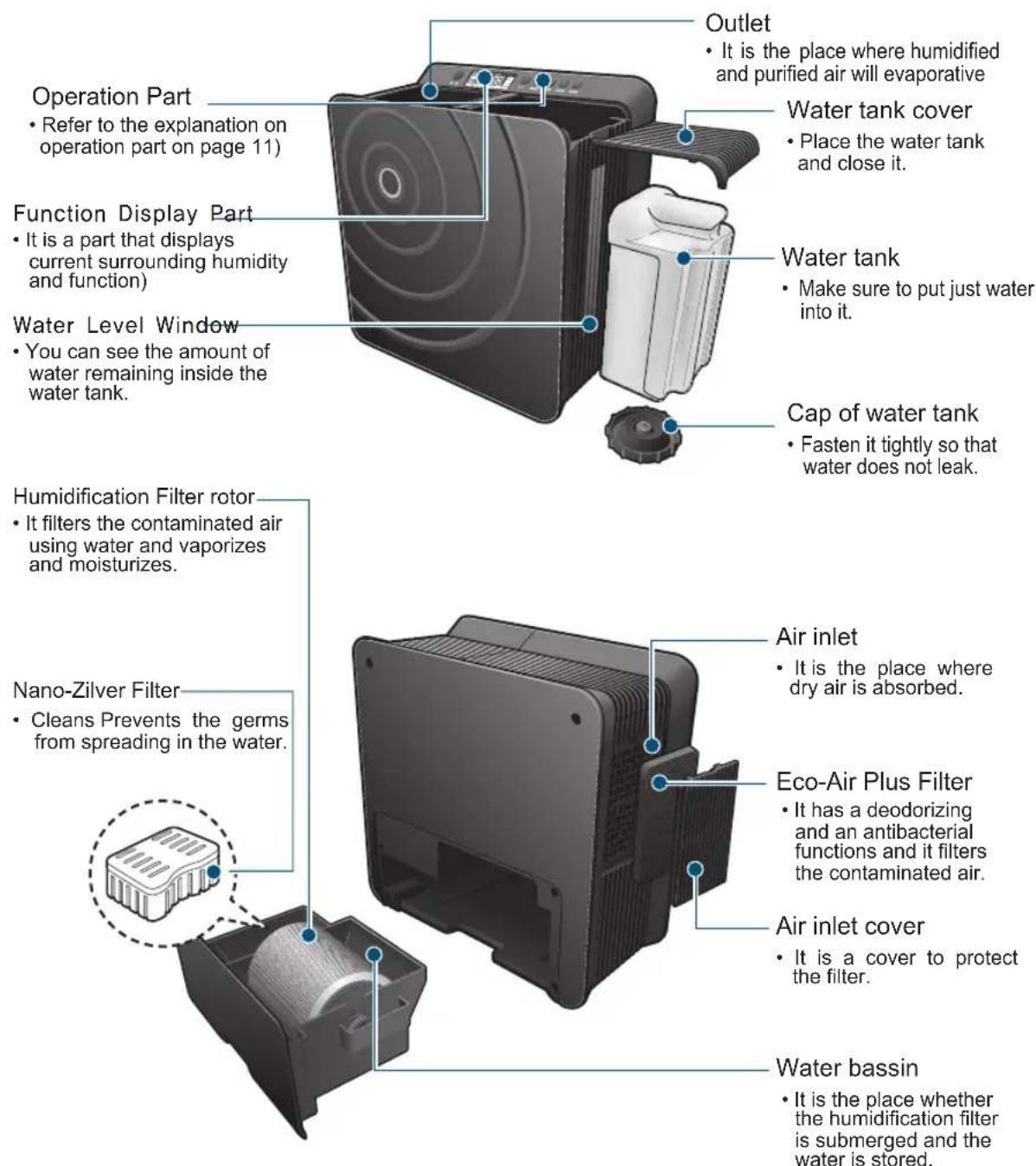
Name and function of each part
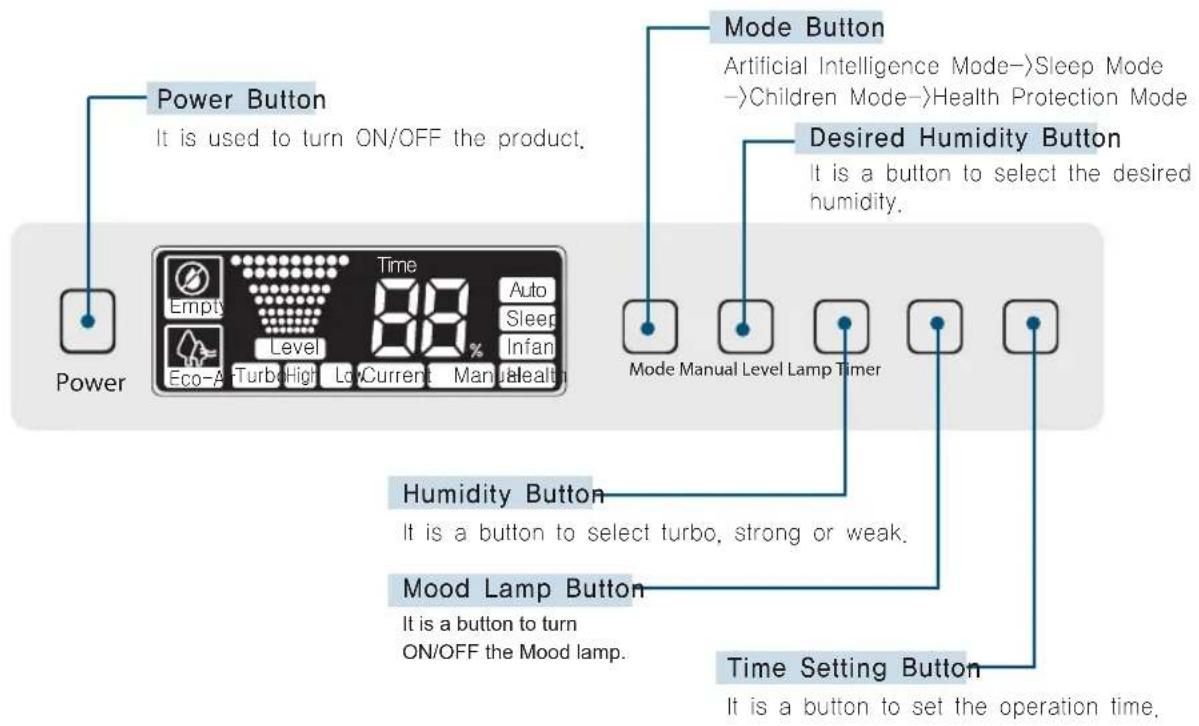
Operation Part
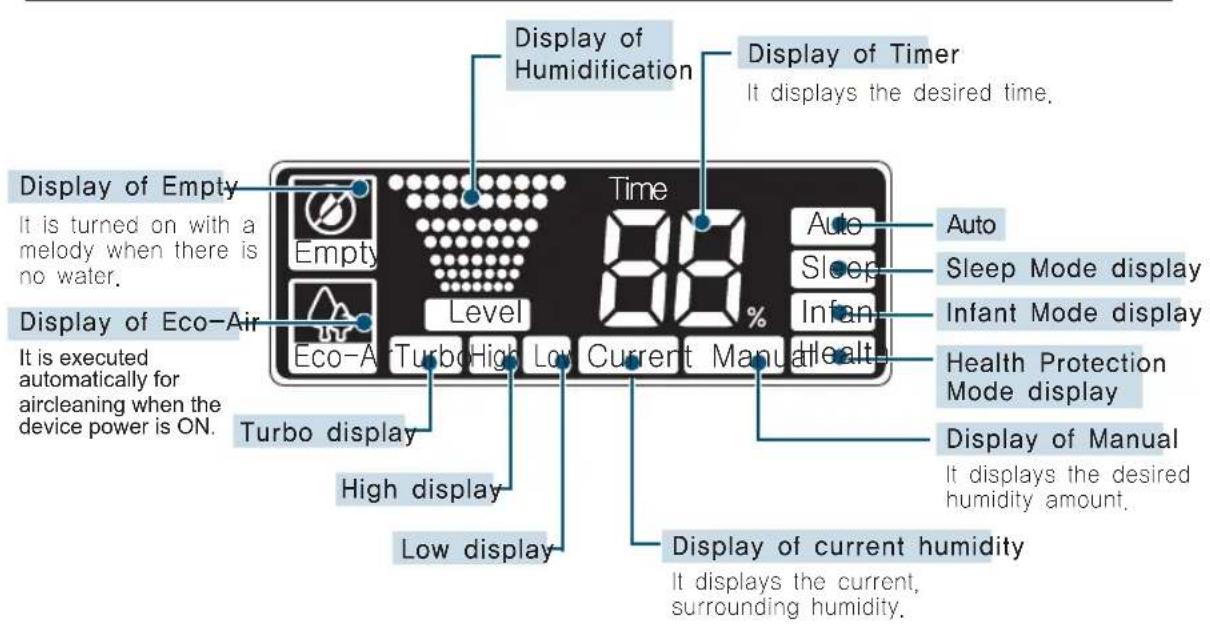
Function Display Part
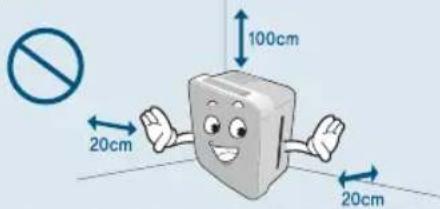
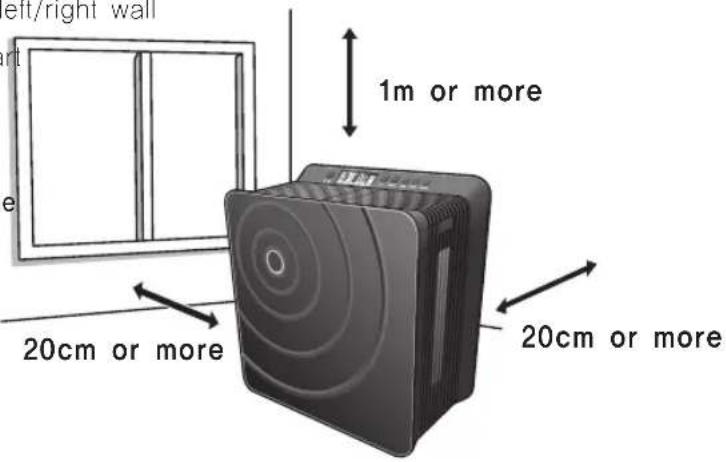
The body should be installed on a firm and flat floor and where the air circulates well.
If the body is installed at the wall facing the center of a room, more effective air current will be generated.
- 1m or more from the ceiling
- 20cm or more from left/right wall
- 30cm at the front part

Cautious
Do not block the side filter.

Cautious
- When moving the body or not using it for a long period of time pull out the power plug and remove the water from the water bottle/water tank part (It may overflow or the molds and various germs may reproduce)
- Do not tilt the body when using it. It may not function or the water may overflow
- Do not install in a condition where it may block the air inlet and outlet part.
It should be installed 2m or more away from the AV devices such as a television, radio and so on. (If it is near those devices, there may a noise.) - If it is near a speaker or electronic cooker where much electromagnetic wave is generated, the water level sensor may malfunction resulting in inaccurate water supply period
- Do not use it where there is a direct sunlight and near a heater. It may lead to change of form and color.
- The body should be installed in a flat place. If it is installed in a tilted floor, the water level sensor may be operated resulting in stop of operation.
Use it indoor with low humidity.
If it is operated at a place with high humidity, it will not function due to detection of humidity sensor.
Preparations before Use

Cautious
Do not put flammable substances inside the water tank. It may ignite.
Water Supply Method Replace it with new water every day and always use it clean
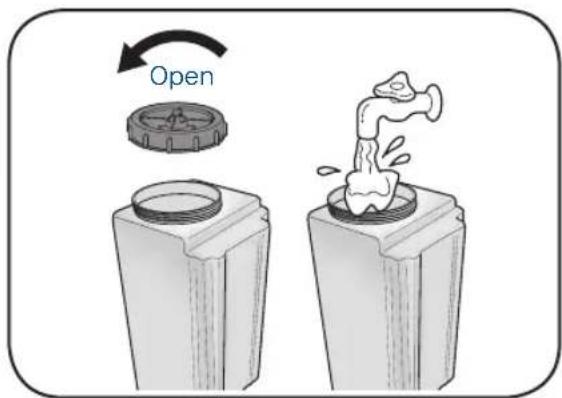
① Open the watertank cover and pull the water bottle out.
② Open the watertank lid and fill in the tap water.
- First pull out the water tank when disassembling the water tank part.
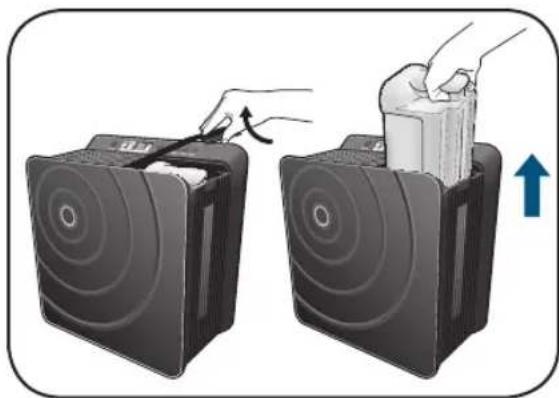
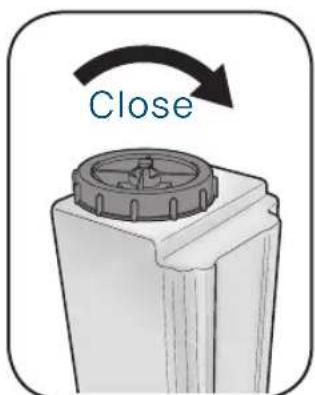
③ Close the watertank lid.
Make sure that the lid is firmly closed.
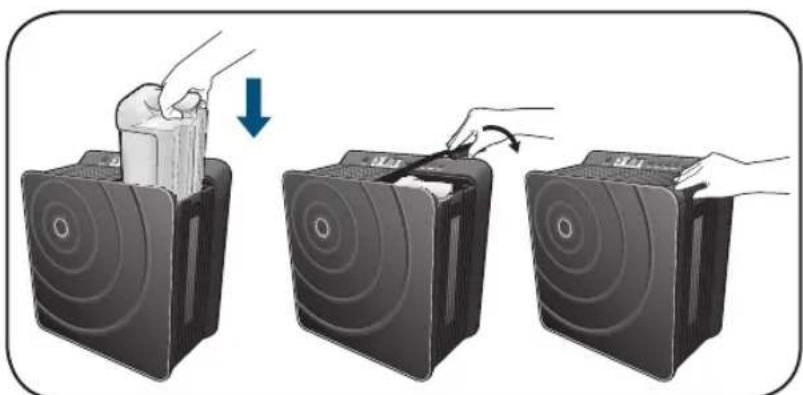
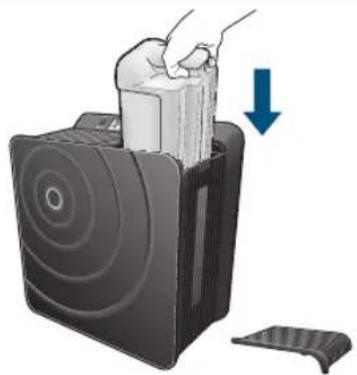
Put the water tank in the body and close the cover.
- Insert in a right direction marked on the water tank handle and place it from the rear part of the water tank cover

Cautious
- Must use tap water with temperature below 40^ .
- It is prohibited to use chemicals, dirty water and water with aromatics or detergents and so on.
It may change the form of body and result in breakage.
Evaporative humidifying system
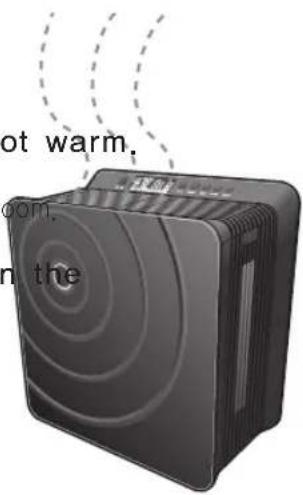
There is no vapor to be seen.
- Since it is a natural evaporation without boiling the water, there is no vapor to be seen.
The air coming out of a ventilation opening is not warm.
- Since the heat of absorbed air is lost during the evaporation, the emitted air is not warm. It may be cool depending on the size of a
The amount of humidification changes based on temperature or humidity conditions.
-
The amount of humidification may be reduced if the indoor humidity is high or the temperature is low.
-
When it is operated for more than 2 hours at humidity of 80% , it switches to a weak humidification.
Operation of Sensor
It is operated automatically based on the surrounding humidity.
-
It detects the current, surrounding humidity automatically and maintains the optimal humidity in a set mode.
-
The humidity can be displayed differently in the same indoor environment due to a temperature difference or air current and so on.
Display of Indoor Humidity It displays the current, indoor humidity.
Current Humidity Display Lamp
- It is a humidity sensor of an inner body to display the measured humidity status.
The humidity may change depending on the location the same indoor environment due to a temperature difference, air current and so on.
- It may display a different figure when compared to other hygrometers.
Since it is influenced by the temperature or humi inner body right after the operation, it takes a whi the current humidity display to be stabilized.
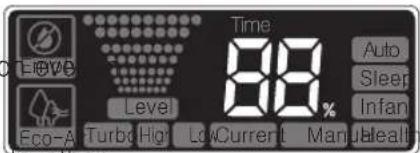
Eco-Air Display Lamp
- It displays that the air will be purified
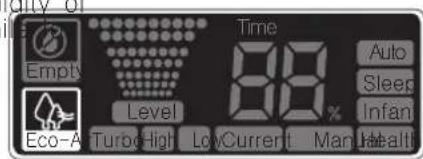
How to Use
Operation Part Buttons

Power
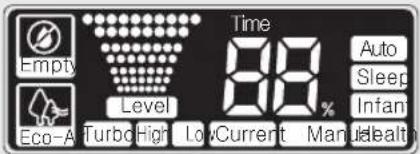


Mode Manual Level Lamp Timer
Put the watertank inside the body.
It requires 20 seconds for the water to be filled in the water tank after the water tank is put inside the body. Plug in the power and operate when "Empty" display is disappeared.
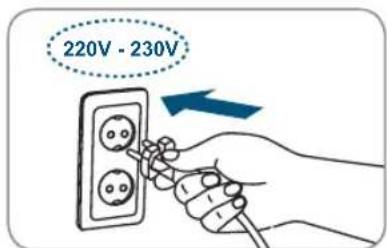
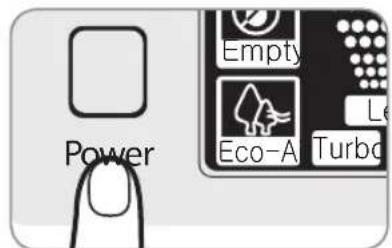
Plug in the power plug at 220V -230V only socket and press the Power Button. It is operated with a melody.
- Initial setting is [Manual Mode/ECO-AIR/Humidification-Turbo./Time-Co]
- After plugging in, create a pleasant indoor environment based on the operation method.
- Keep it plugged out, when not using it.
When the power cord is plugged out in force during its operation, the outlet part will not be closed. You must press the power button to turn it off.


Consideration Points
- More pleasant moisture can be obtained if water that is completely cooled after boiling or tap water that is kept for a day is used.
- When not using it for a long period of time, remove the water from the water bassin and water tank.
How to use 'Humidification'

Consideration Points
- If the initial indoor humidity is less than 30% , select 'Turbo' using 'Humidification' button to increase the indoor humidity quickly.
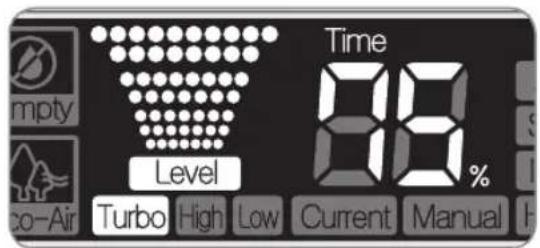
- The initial setting is in 'Turbo'.
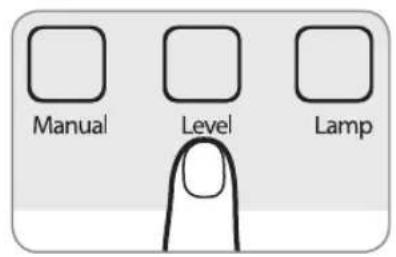
Adjust the amount of humidification by pressing the 'Humidification' (Level) button.
- If the humidification level button is pressed, it is displayed in sequence of Low ->High->Turbo repeatedly.

How to Use 'Mode'
Press the Mode Button.
It is operated in a sequence of Auto Sleep Infan Healt Manual Mode
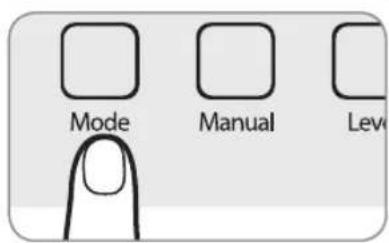
Auto It repeats 'Turbo/High/Low' of humidification to maintain the indoor humidity to 55
Sleep Low-noise state appropriate for sleeping and it turns OFF the Mood Lamp
Infan It repeats 'High/Low' of humidification to maintain humidity suitable for In
Health It repeats Turbo/High/Low operation of humidification to maintain the op humidity for cold and skin protection.
No Water Lamp Flash Remove the remaining water in the water bassin, supply water in the water tank and put it back. When the water is supplied completely, start the operation. (Turn the power OFF when moving the water tank and water bassin.)
How to use
How to Use 'Time Setting'

Consideration Points
The difference between the set time and current time should be within 8 hours.
- If it is short of water, the operation is stopped before the set time.
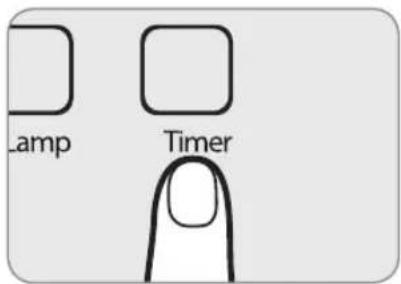
Press the 'Timer' Button to set the operation time.
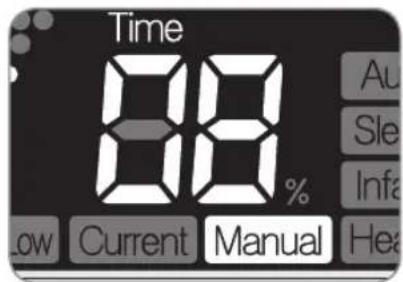
- When the 'Timer' button is pressed, it is displayed in this sequence repeatedly: Co(Continuous).
- When it is the set time, the humidification stops automatically and the time is displayed.
- When it is short of water, Empty is displayed with a melody and the humidification stops.
- When the humidification time and desired humidity are set, 'operation/stop' of humidificatio is repeated based on the desired set humidity.

How to Use 'Eco-Air'
It does not need separate setting.
- When the power is ON, clean air is emitted automatically.



How to Use 'Manual'

Consideration Points
- It is possible to adjust the indoor humidity that the user wants.
The initial humidity is set as Co (continuous). - When the Manual button is pressed, it is automatically switched to the manual mode.
Press the Manual button to use it.
- When this button is pressed, it is displayed in this sequence repeatedly: Co→40→45→50→55→60→65→70→75.
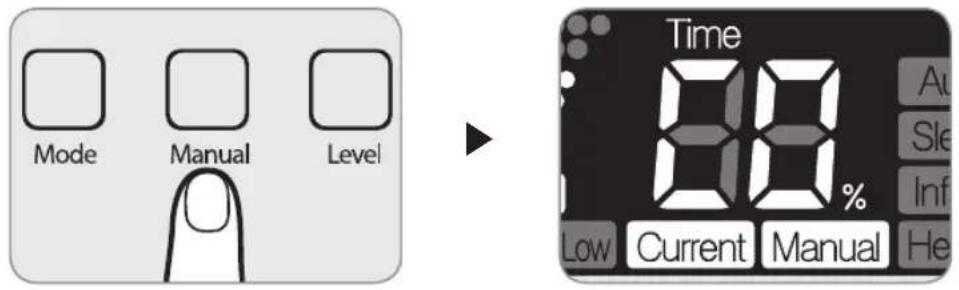
If the desired humidity is lower than the current indoor humidity, it will not be humidified any more. Press the Manual button to set it higher than the current indoor humidity.
* When the current humidity exceeds the desired humidity, the humidification stops and the current humidity and desired humidity are displayed alternately.
- Desired Humidity based on Indoor Humidity (%)
| Indoor Humidity | 38~42 | 43~47 | 48~52 | 53~57 | 58~62 | 63~67 | 68~72 | 73~77 | 78% or more |
| Select Desired Humidity | 40 45 | 50 55 | 60 65 | 70 75 | Co (Continuous) |
How to Clean

Warning
Before cleaning you MUST pull out the power plug.
Clean it periodically. If it is severely contaminated, it may lead to low performance or trouble and bad smell.
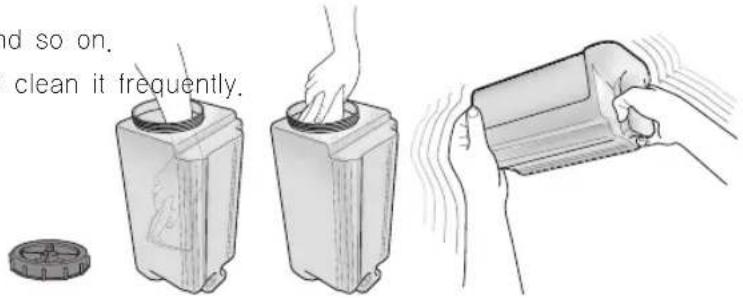
Watertank (Daily)
-
Fill the tank with water, close the lid and shake for 4 5 times.
-
Do not add chemicals and so on.
- Put your hands inside to clean it frequently.
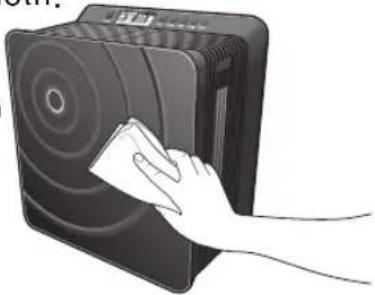
Body (When it gets dirty)
Lower the concentration of neutral detergent used in the kitchen and wet the soft cloth with it. After wringing out the cloth, use it to clean the body. Then, clean it using a dry cloth.
- Do not use Benzene, alkaline detergent, washing powder and so on to prevent the change of form and color.
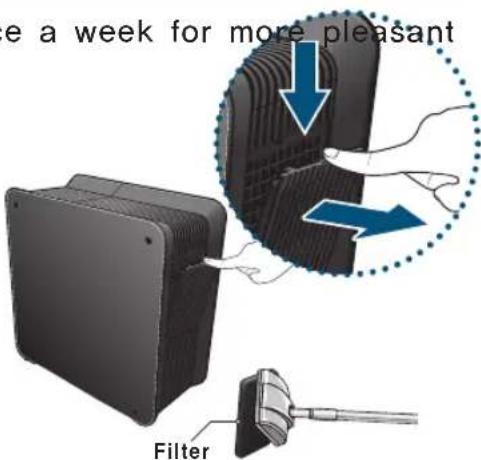
ECO-Air Plus Filter
It is recommended to clean it once a week for more pleasant humidification.
- Remove dust on the surface of ECO-Air Plus Filter using a cleaner or a soft brush.
- Do not clean the ECO-Air Plus filter with water. If it is cleaned with water, it may lead to bad performance.
- Do not use it without the ECO-Air Plus filter.
Exchange the Nano-Zilver filter 1x per year Exchange the ECO-Air Filter 1x per 6 months
Where to order?
https://www.cleanairoptima.com/accessoires/mg/44/
Clean the waterbassin twice per week
① Pull out the water tank cover and water tank.
Refer to the method on disassembling the water tank on page 12.
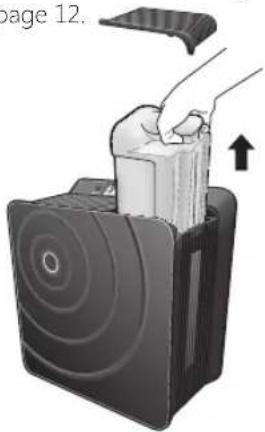
② Pull out the waterbassin.
The water tank should be taken out first before you can remove the waterbassin.
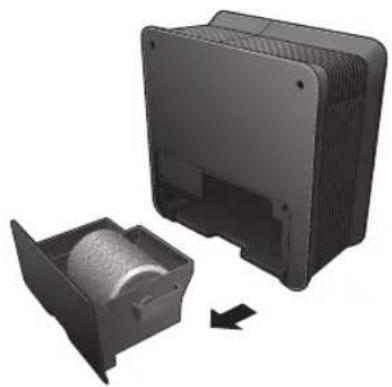
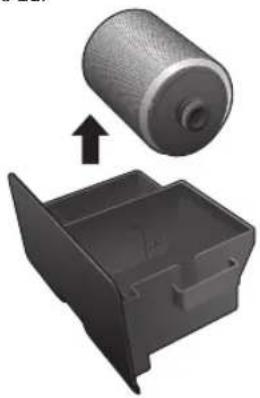
③ Pull out the humidification filter (Rotor).
when the spaces of humidification filter (Rotor) are dirty, clean them in reference to page 21.
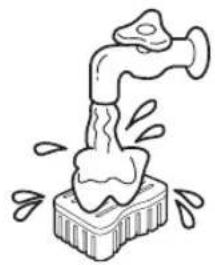
Clean Nano-Zilver filter with tap water
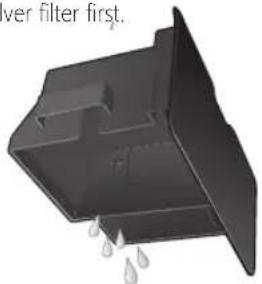
4 Remove water inside the waterbassin
- Remove the water after taking out the humidification filter (Rotor) and Nano-Zilver filter first.
How to clean
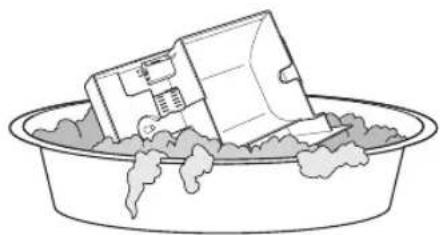
Use a soft sponge to clean the water bassin.
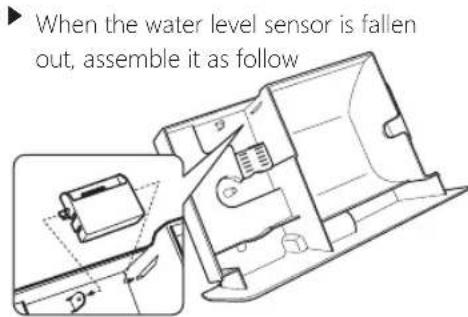
① Place the water level sensor under the projected part.
The axis part of water level sensor should be inserted to the water tank hole.
The opposite axis part of water level sensor should be inserted to the water tank hole.
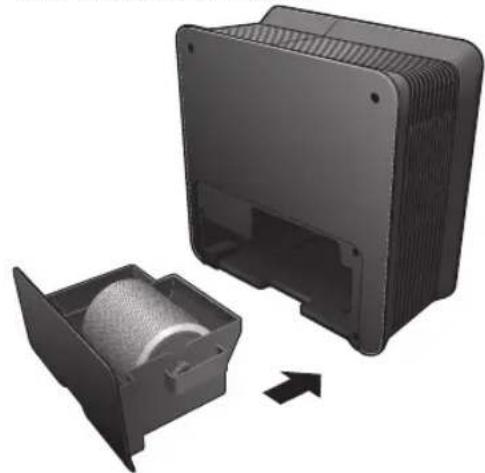
Put in the humidification filter (Rotor) and install the water bassin in the body.
- Check the insertion direction when putting the humidification filter in the water tank.
- When the water bassin isn't inserted first, the water tank cannot be installed.
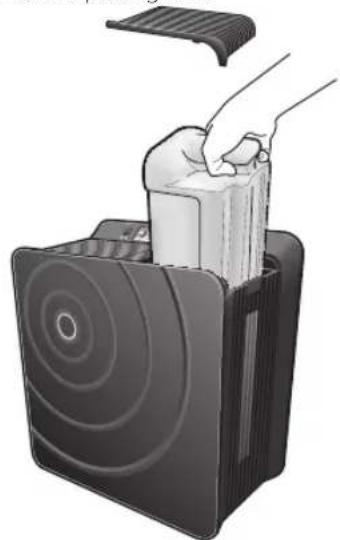
Put the water tank and water tank cover in the body.
- Check the insertion direction of water tank before putting it in.
Clean the humidification filter (Rotor) 2 - 3 per week

Consideration Points
There may be sphagnum depending on the water quality. If it is severely contaminated, clean it
Do not use Benzene, Thinner, alkaline detergent, detergent to remove molds, power soap and so on.
To remove the humidification filter (Rotor) of water tank part, refer to page 20.
① Disassemble the humidification filter (Rotor).
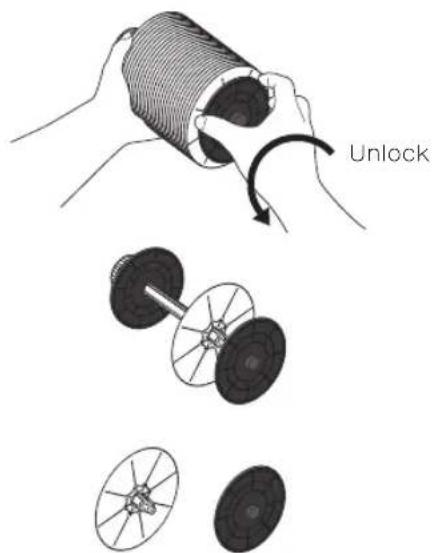
Soak the humidification filter (Rotor) in the water and clean it using a soft sponge.
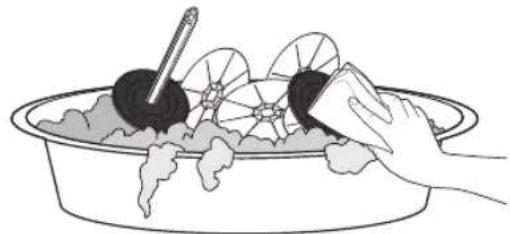
If the stain cannot be removed, it should be soaked in warm water (under 40^ ) with dissolved neutral detergent for about 3 hours and rinse away with clean water. (If it is boiled in the water or cleaned in hot water, there may be a change to the form.)
③ Assemble the humidification filter (Rotor).
① Insert the humidification filter to the groove of axis part.
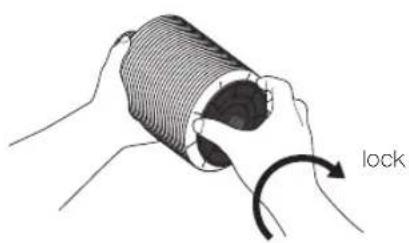
② After inserting the right plate to the groove, lock it
④ After putting the humidification filter (Rotor) in the water bassin, put the watertank and watertank cover in the body.
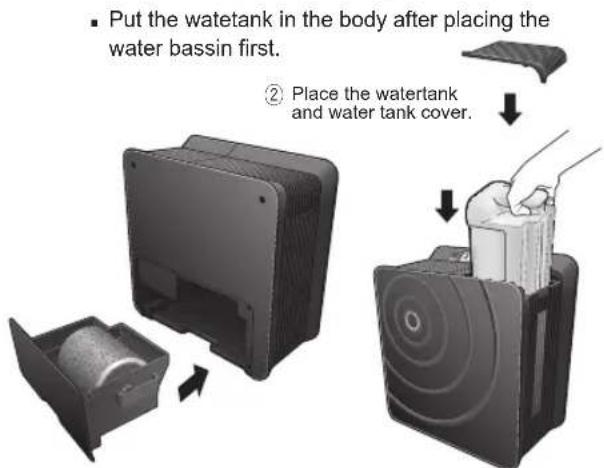
① Install the humidification filter (Rotor) and watertank.
What if you think there are errors?
Using

If you think there is an error even after the check as follows, stop using to prevent the
accident. And then pull the plug out and contact with customer service center. Tel: +49(0)5921 878-121
Don't repair it by yourself because it is a risk to repair the product at home.
| Cases Check as follows | Reference Page | |
| Not working | ● Is the plug inserted into electrical outlet? | |
| ● Is the water tank part in the back installed well?→Make sure to install it. | 21P | |
| ● Is the lamp to supply water turned on?→Make sure to install the water tank part in the back.→Fill the water tank with water. | 15P | |
| Can't turn the lamp for complementing the water on | ● Is the water tank containing water?→Fill the water tank with water. | 13P |
| ● Is the water tank part missing?→Insert the water tank part to the end. | 21P | |
| ● Is sensor of water level missing?→Install the sensor of water level. | 21P | |
| Leaking water | ● Is the cap of water tank closed well?→Check the cap of water tank. | 13P |
| ● Is the body frame leaned?→Use the body frame in a flat place. | 12P | |
| Staining (powder) inside the water tank | ● It is the material accumulated with dirt or hard material due to the long term use.→Make sure to clean up periodically. | 19~22P |
| Sounds operation even in when stopped | ● Is splashing sound heard?→It comes from the water tank by filling water. (it is not error) | |
| A low humidity | ● If the indoor humidity is high or temperature is low, the humidity can be reduced. | 14P |
| ● Is air filter closed?→Depending on how to clean up, clean up and use the device. | 19P | |
| ● You can feel that humidity is low during its use in a spacious place. | ||

nir nmen al infma i n
his pr du may n e disp sed a he end f his life i h n rmal h useh ld as e u mus erugh a lle i np in fr here y ling fele ri al and ele r ni e uipmen he sym indi a es his n he pr du he ins ru i n manual r he pa aging
he ma erials are reusa le in a rdan e i h heir la eling y re y ling ma erial re y ling her f rms fu ili ing ld de i es y u ma e an imp ran n ri u i n pr e ing ur en ir nmen
lease as f r he appr pria e disp sal en er a he n hall
Service
rr
Clean Air p ima ensures y ur air asher fr m defe s in ma erials and r r manship f r up years af er ini al pur hase f ma erial r manufa uring faul s ur hey are s l ed y Clean Air p imar Clean Air p ima pr ides a repla emen de ie i h he same r er pr per ies he guaran ee ers any damage aused y arelessness in handling a iden a use la f leaning and main enan e r her use ha is n i usly mpa i le i h he inf rma i n in these ins ru i ns f r use ins ru i ns f r use ur herm re he general mmer ia I da es We re mmend in ase f failure al ng i h he rignal sales re eip plus rief des rip i n f he defe f und re urn he ins rumen a e in his ase y ur supplier r if ha is n p ssi le i h Clean Air p ima n a f he defe in he de ie s me hing her han ma erial and r rmanship e due pr essing r repair s s ill e illed
Clean Air Optima Germany GmbH
EnschedestraBe 14
48529 Nordhorn
Germany
Product Specifications
Do not block the side filter.
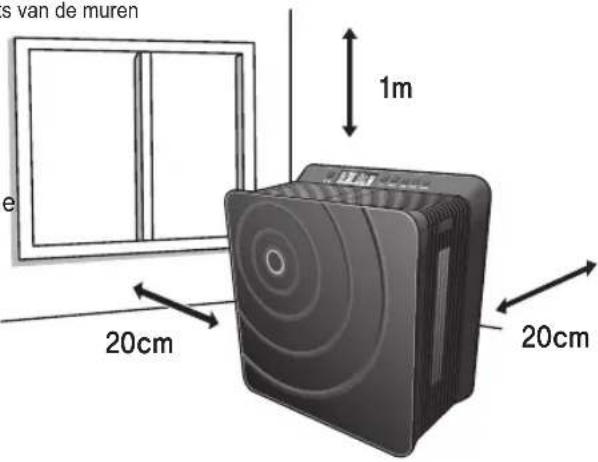

Cautious
info@cleanair-online.nl
www.cleanair-online.nl




Clean Air Optima®
Clean Air Optima®
Luftwäscher
- Contents
- Caution for the safety
- Don't move the airwasher during its use. Don't use it when electrical cord or power plug is
- damaged or the electric outlet is loose.
- Don't put foreign objects such as fingers or metal somewhere into discharge port and suction port.
- Don't damage, process, bend by force, pull, twist or tie the cord line. And don't put heavy things over or put heavy things into cord.
- Don't let infants go closer to, touch or manipulate the product.
- When pulling the plug out, don't hold the cord and make sure to pull the plug out after holding the front of plug. And use it after cleaning up dirt or foreign object in power plug.
- Replace the water of the tank with new water.
- Don't cleaning it with benzene and thinner or don't spray pesticide.
- Don't keep the product in the place where direct rays or heater can reach.
- Don't put water into nebulizer
- Don't use damaged water tank with no change.
- Don't drink the water remaining in the body frame such as water tank.
- Don't use it near the place where magnetic field is strong such as microwave or TV.
- When the product is not used, don't keep it for a long time with water kept in water tank.
- When using the product, don't use with the side with filter and wall facing.
- Don't block the discharge port.
- Don't fall the body frame.
- Don't move the product by pulling power cord.
- Before use
- Use it after drying completely when water is put into the power supply part.
- Dump water in case of the concern for freezing.
- Dump the water remaining in body frame such as water tank during its move.
- Don't put magnet or metal over the body frame.
- Don't drain water remaining in the water tank by holding body frame and drain water by eliminating water tank.
- Clean it up on a regular basis.
- Use clean tap water rather than water hot at 40°C or contaminated with salt, detergent and drug.
- Don't use for the special purpose of preservation and business such as food, art work and academic journal.
- Names of Whole/Inner Parts
- Name and function of each part
- Operation Part
- Function Display Part
- Preparations before Use
- Water Supply Method Replace it with new water every day and always use it clean
- Evaporative humidifying system
- Operation of Sensor
- How to Use
- Operation Part Buttons
- Consideration Points
- How to use 'Humidification'
- How to Use 'Mode'
- How to Use 'Time Setting'
- Press the 'Timer' Button to set the operation time.
- How to Use 'Eco-Air'
- How to Use 'Manual'
- Press the Manual button to use it.
- - Desired Humidity based on Indoor Humidity (%)
- How to Clean
- Watertank (Daily)
- Body (When it gets dirty)
- ECO-Air Plus Filter
- Clean the waterbassin twice per week
- Clean the humidification filter (Rotor) 2 - 3 per week
- What if you think there are errors?
- Service
- rr
- Product Specifications
- Clean Air Optima®
- Luftwäscher
Brand : Clean Air Optima
Model : CA-803
Category : Humidifier