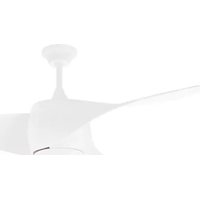
CPW 04132 - Fan Orbegozo - Free user manual and instructions
Find the device manual for free CPW 04132 Orbegozo in PDF.


| Product type | Ceiling fan |
| Brand | Orbegozo |
| Model | CPW 04132 |
| Usage | Indoor, domestic |
| Power supply | Mains 220-240 V ~ 50 Hz |
| Speeds | 3 speeds: High, Medium, Low |
| Control | Infrared remote control + Orbegozo App (Wi-Fi) |
| Reverse function | Yes, for winter/summer mode (UP/DOWN button) |
| Timer | 1 h, 2 h, 4 h (fan only) |
| Integrated lighting | Yes, with remote control (ON/OFF) |
| Minimum installation height | Blades more than 2.30 m from the floor |
| Fixing capacity | Ceiling bracket suitable for weight ≥ 50 kg |
| Remote control battery | 2 AAA batteries (not included) |
| Wi-Fi connectivity | Yes, via Orbegozo APP (iOS/Android) |
| Cleaning | Soft dry cloth, avoid abrasive products |
| Standards | Low Voltage Directive 2014/35/EU and EMC 2014/30/EU |
Frequently Asked Questions - CPW 04132 Orbegozo
User questions about CPW 04132 Orbegozo
0 question about this device. Answer the ones you know or ask your own.
Ask a new question about this device
Download the instructions for your Fan in PDF format for free! Find your manual CPW 04132 - Orbegozo and take your electronic device back in hand. On this page are published all the documents necessary for the use of your device. CPW 04132 by Orbegozo.
USER MANUAL CPW 04132 Orbegozo
natural_image
White plastic ceiling fan with three blades and a top hub against a plain gray background (no text or symbols)CPW 04132
Sonifer, S.A. Avenida de Santiago, 86 30007 Murcia España E-mail: sonifer@sonifer.es / www.orbegozo.es MADE IN P.R.C.
Read this manual carefully before running this appliance and save it for reference in order to obtain the best results and ensure safe use.
Scan this QR code in order to access to more information about this ceiling fan, including installation details. Or enter www.orbegozo.com and look for the model number in the website.
natural_image
Simple line drawing of a rectangular object with a hatched top and two small curved shapes below, no text or symbols present.natural_image
Simple line drawing of a bell with a drop and falling object (no text or symbols)natural_image
Line drawing of a laboratory lamp with a conical shade and base, no text or symbols presentnatural_image
Technical line drawing of a mechanical assembly with a central component and concentric rings (no text or symbols)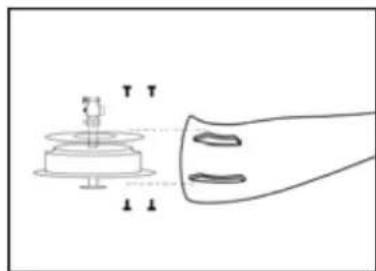
natural_image
Diagram of a mechanical device with a base and shaft, showing alignment or assembly (no text or symbols)natural_image
Line drawing of a propeller with a central hub and mounting base (no text or symbols)natural_image
Simple line drawing of two circular components connected by a small mechanical or electrical component (no text or symbols)natural_image
Simple line drawing of a propeller with a handle and base (no text or symbols)Para cambiar bombilla led
Dear Customer, If you follow the recommendations contained in this Instruction Manual, our appliance will give you constant high performance and will remain efficient for many years to come. Read the operating instructions carefully before putting the appliance into operation and keep the instructions including the warranty, the receipt and, if possible, the box with the internal packing. If you give this device to other people, please also pass on the operating instructions.
General Safety Instructions
- This appliance can be used by children aged from 8 years and above and persons with reduced physical, sensory or mental capabilities or lack of experience and knowledge if they have been given supervision or instruction concerning use of the appliance in a safe way and understand the hazards involved. Children must never play with the appliance. Cleaning and user maintenance
must never be carried out by children without supervision.
-
Children should be supervised to ensure that they do not play with the appliance.
-
Keep the appliance and the cable cord out of the reach of children less than 8 years old.
-
WARNING: In order to ensure your children's safety, please keep all packaging (plastic bags, boxes, polystyrene etc.) out of their reach.
-
If the supply cord is damaged it must be repaired by the Authorized Service Agent.
-
Never pull on the cord when unplugging.
-
Do not use the unit with a damaged cord or plug, or if it is not working properly.
-
Do not handle the appliance with wet hands.
-
Never immerse the appliance in water or any other liquid.
-
Make sure the appliance has been unplugged before cleaning.
-
This appliance must be installed following the national regulations for electrical installations.
-
This appliance is for household use only.
-
In case that you need a copy of the instruction manual, you can find it in www.orbegozo.com.
-
WARNING: In case of misuse, there is a risk of possible injury.
Other specific safeguards
-
The method of disconnection from the mains supply must incorporate a switch or isolator with a minimum contact separation of 3 mm.on all poles.
-
Make sure that when the fan is fitted in the chosen position, there is no possibility of the rotating blades coming into contact with any object. Blades should be at least 2.30 m from floor when fan is hung.
-
If you are installing more than one ceiling fan make sure that you do not mix fan blade sets, even though they are from the same ceiling fan model.
-
Before beginning, disconnect power by removing fuse or turning off circuit breaker.
-
Once fan installation is completed make sure that all connections are secure to prevent fan from falling.
-
Check that the means of fitting the fan to the ceiling is capable of supporting the weight of the fan when in operation. (Minimum 50Kg.).
ASSEMBLE
To set up this ceiling fan, you must complete the following steps:
- Fix the mounting bracket by screw.
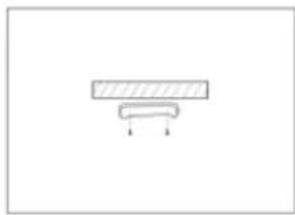
natural_image
Simple line drawing of a rectangular block with a downward arrow below it, no text or symbols present.- Assemble the ball joint and down canopy on the down rod.
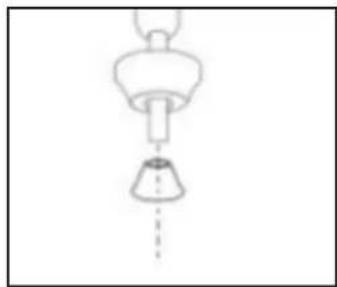
natural_image
Simple line drawing of a ceiling lamp with a bell and hanging funnel (no text or symbols)- Assemble the up decorative base.
natural_image
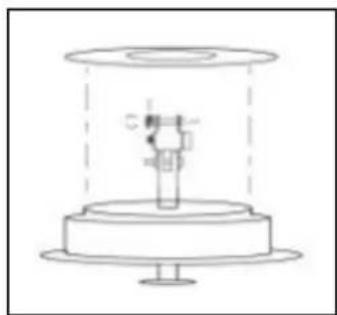
Technical line drawing of a mechanical assembly with a central component and base plate (no text or symbols)- The lead wire threaded the down rod and fix by screw.
natural_image
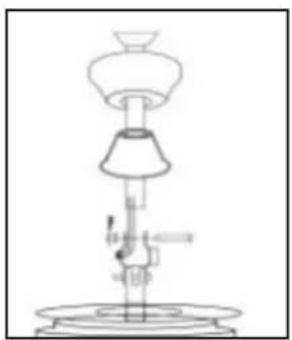
Line drawing of a laboratory lamp with a conical shade and base, no text or symbols present- Fix the blade and the connective patch in the down base of motor, and then fasten the up decorative base and blade as well.
natural_image
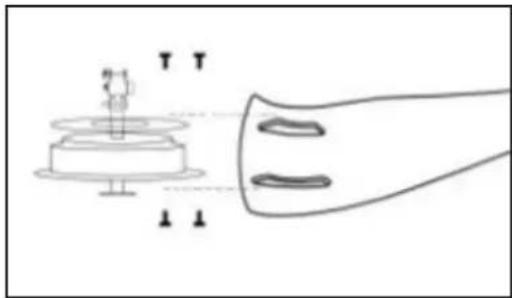
Diagram of a mechanical assembly with labeled components and motion indicators (no readable text or symbols)- The lead wire of light thread to the lamp panel and fix.
natural_image
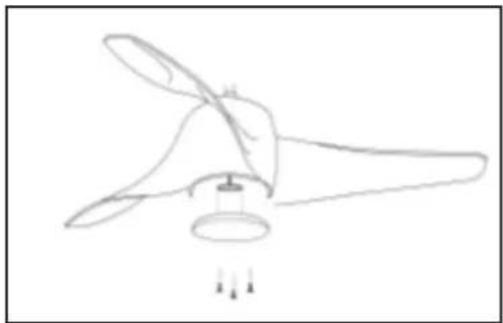
Line drawing of a propeller with a cooling fan and propeller blade (no text or symbols)- Fix the lead wire by connector.
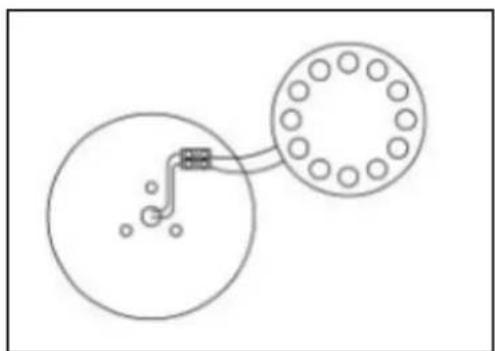
natural_image
Simple line drawing of a mechanical or electrical component with two circular components and a central pipe fitting (no text or symbols)- The mounting bracket hook needs to fix the hole of ball joint well, and then assemble the wire.
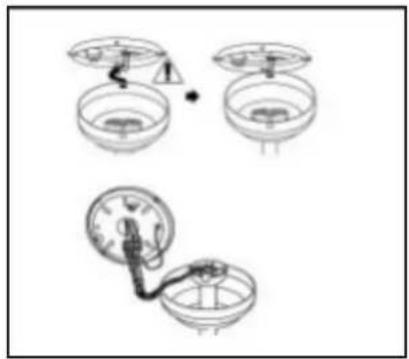
natural_image
Three hand-drawn diagrams showing mechanical or electrical components with no visible text or symbols- The hole between mounting bracket and ball joint must be aligned and fix by screw, then rotate the canopy to lock.
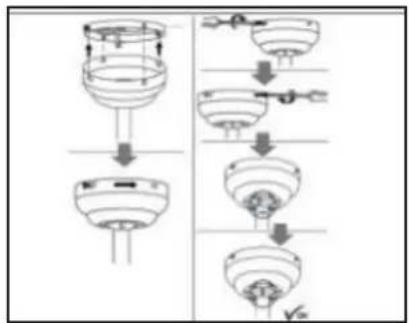
flowchart
graph TD
    A["Top fan"] --> B["Bottom fan"]
    B --> C["Top outlet"]
    C --> D["Bottom outlet"]
    D --> E["Top outlet"]
    style A fill:#f9f,stroke:#333
    style E fill:#bbf,stroke:#333
- Fix the lampshade.
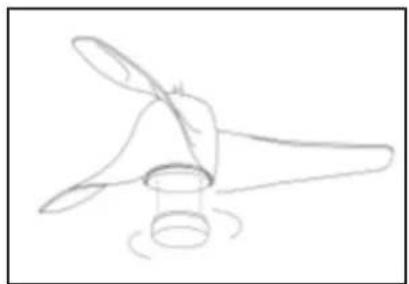
natural_image
Simple line drawing of a propeller with a handle and base, no text or symbols presentINSTALLING THE REMOTE CONTROL RECEIVER
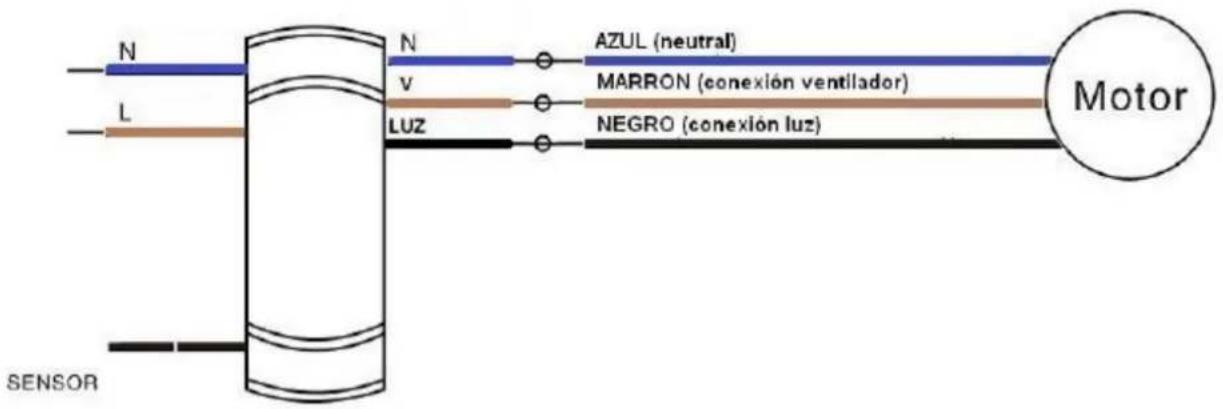
OPERATING THE FAN
- Select the fan speed by pressing the speed control button on the remote control transmitter :
HI: High Speed MED : Medium Speed LOW : Low Speed OFF : Off
- Cold weather: Push the switch 'UP' so that the blades will bring the warm air trapped near the ceiling fan to move downwards throughout the room.
- Hot weather: Push switch 'DOWN' so that the blades will create a breeze and circulate the air to the room.
- Pressing the 'ON/OFF' light button on the remote control transmitter can control the turning on or off of the light.
REMOTE CONTROL
- Use the remote control transmitter to change the speed of the fan and to switch the light and fan on or off.
- Replace the batteries by sliding the battery compartment cover on the remote control transmitter in the direction of the arrow, fit 2 x AAA battery
(Note : Batteries NOT included). Re-assemble the battery compartment cover.
- Always ensure the battery compartment cover is closed properly.
- Don't expose the remote control to direct sunlight.
- Don't attempt to recharge expired batteries. There are special rechargeable batteries, which are clearly marked with.
- Don't dispose of batteries in fire to avoid explosion.
Point the remote at the infrared sensor to power the fan.
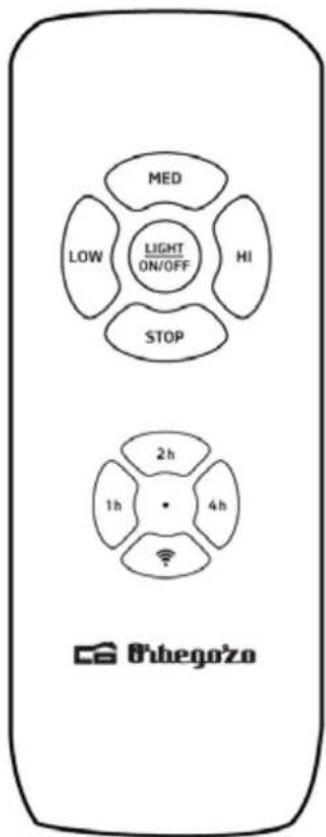
HIGH: Drives the fan at high speed.
MEDIUM (med): activates the fan at medium speed.
LOW (low): activates the fan at low speed.
STOP (off): turns off the fan.
LIGHT: on/off: Turns the fan light on or off.
1H, 2H, 4H: programs the operation of the fan (but not the light) for 1 hour, 2 hours and 4 hours respectively. To do this, start the fan and press one of these 3 buttons, and after the selected time the fan will stop working (note: the light cannot be programmed)
Long press to activate Wi-Fi.
Battery: 2 x AAA 1.5V
MAINTENANCE
How to replace a led light
Please contact with you technical service.
CLEANING
Clean with a soft, dry cloth. Never use scouring pads, abrasive or chemical cleaners. Do not
allow condensation to come in contact with the electrical components.
CONTROL WIFI:
The Orbegozo CPW series can be controlled via Wi-Fi through our ORBEGOZO APP, available for download on Google Play and the App Store. With it, you can access all the functions of your device from your mobile phone in a simple and intuitive way.


To review all the features of this and any other Orbegozo device, as well as to access an explanatory video about configuring the fan with our APP, go to www.orbegozo.com and search for your model or scan the following QR code:

Information on how to use the application
This device allows you to use the device through your home WIFI network. A prerequisite is a permanent WIFI connection to your router and the free application "Orbegozo APP".
Commissioning via app
- Install the "Orbegozo APP" application. Create a user account.
-
Activate the WIFI function on your mobile and connect to the wireless network.
-
Long press the wifi activation button
-
Enter the app and select "Add device".
-
Select the device in the list or let the app detect the fan by itself.
-
The application will be linked with the device and you can control it from your mobile.
Disposal of old electrical appliances.
The European directive 2012/19/UE on Waste Electrical and Electronic Equipment (WEEE), requires that old household electrical appliances must not be disposed of in the normal unsorted municipal waste stream. Old appliances must be collected separately in order to optimize the recovery and recycling of the materials they contain, and reduce the impact on human health and the environment. The crossed out "wheeled bin" symbol on the product reminds you of your obligation, that when you dispose of the appliance, it must be separately collected. Consumers should contact their local authority or retailer for information concerning the correct disposal of their old appliance.
DECLARATION OF CONFORMITY:
This device complies with the requirements of the Low Voltage Directive 2014/35/EU and the requirements of the EMC directive 2014/30/EU.
FRANÇAIS
CONSEILS DE SECURITE
natural_image
Simple line drawing of a rectangular object with a curved base and two downward arrows, no text or symbols present.natural_image
Simple line drawing of a funnel with a flame above it and a conical base below, no text or symbols present.natural_image
Line drawing of a laboratory setup with a conical flask, bulb, and pressure gauge (no text or labels)natural_image
Technical line drawing of a mechanical assembly with a central component and base (no text or symbols)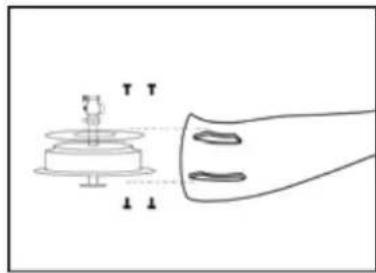
natural_image
Diagram of a mechanical assembly with labeled components and motion indicators (no text or symbols)natural_image
Line drawing of a propeller with a central hub and mounting base (no text or symbols)natural_image
Simple line drawing of two circular components connected by a small wire or rod, with no text or symbols present.natural_image
Simple line drawing of a propeller with a base and spool, no text or symbols presentINSTALLATION LE RÉCEPTEUR DE TÉLÉCOMMANDE
natural_image
Simple line drawing of a rectangular object with a curved base and two downward arrows, no text or symbols present.natural_image
Simple line drawing of a funnel with a flame above it and a conical base below (no text or symbols)natural_image
Line drawing of a laboratory setup with a conical flask, bulb, and test tube (no text or labels)natural_image
Technical line drawing of a mechanical assembly with a central component and base (no text or symbols)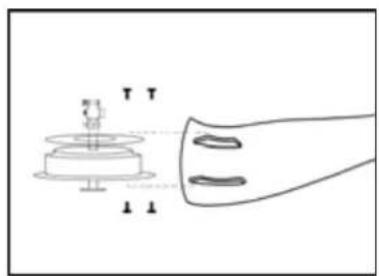
natural_image
Diagram of a mechanical assembly with labeled components and alignment lines (no readable text or symbols)natural_image
Line drawing of a propeller with a central hub and base mount (no text or symbols)natural_image
Simple line drawing of two circular components connected by a small mechanical or electrical component (no text or symbols)natural_image
Simple line drawing of a propeller with a rotating base (no text or symbols)
- Para cambiar bombilla led
- General Safety Instructions
- Other specific safeguards
- ASSEMBLE
- INSTALLING THE REMOTE CONTROL RECEIVER
- OPERATING THE FAN
- REMOTE CONTROL
- MAINTENANCE
- How to replace a led light
- CLEANING
- CONTROL WIFI:
- Information on how to use the application
- Commissioning via app
- Disposal of old electrical appliances.
- DECLARATION OF CONFORMITY:
- FRANÇAIS
- CONSEILS DE SECURITE
- INSTALLATION LE RÉCEPTEUR DE TÉLÉCOMMANDE
Brand : Orbegozo
Model : CPW 04132
Category : Fan