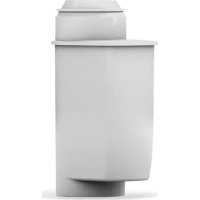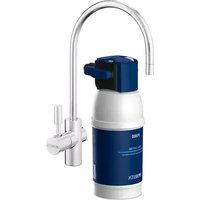
MyPure P1 - Water filter BRITA - Free user manual and instructions
Find the device manual for free MyPure P1 BRITA in PDF.


| Product type | Under-sink water filter |
| Brand | BRITA |
| Model | MyPure P1 (filtration kit) |
| Dimensions (P1000) | 119 mm (width) x 108 mm (depth) x 265 mm (height) |
| Weight (P1000) | 1 kg (dry), 1.6 kg (wet) |
| Power supply | 1 CR2032 battery (removable) for cartridge change indicator |
| Operating pressure | 2 to 8.6 bar |
| Water temperature | 4 °C to 30 °C |
| Capacity (P1000, setting A) | Up to 1,200 liters |
| Nominal flow rate | 60 L/h |
| Hardness settings | A (medium hard), B (hard), C (very hard) |
| Main functions | Reduction of limescale, chlorine and metal ions (lead, copper); taste improvement; LED indicator for cartridge change |
| Maintenance and cleaning | Clean the exterior with a soft, damp cloth; flush the system after non-use (2 L after 2-3 days, 20 L after 4 weeks); replace cartridge every 12 months or when red light appears |
| Safety | Use only cold potable water; do not expose to temperatures > 40 °C; install a pressure limiter if > 8.6 bar; do not use microbiologically contaminated water |
| Spare parts and repairability | Filter cartridges P1000, P3000, A1000; cartridge change indicator (with CR2032 battery); seals and hoses; 1/2" adapters included |
| General information | Statutory 2-year warranty; satisfaction guaranteed or money back within 30 days; system lifespan: 10 years; recycle indicator and battery according to local guidelines |
Frequently Asked Questions - MyPure P1 BRITA
User questions about MyPure P1 BRITA
0 question about this device. Answer the ones you know or ask your own.
Ask a new question about this device
Download the instructions for your Water filter in PDF format for free! Find your manual MyPure P1 - BRITA and take your electronic device back in hand. On this page are published all the documents necessary for the use of your device. MyPure P1 by BRITA.
USER MANUAL MyPure P1 BRITA
I. Congratulations Page 3
II. Quality from the very start Page 4-11
III. Important notes Page 12
IV. BRITA, quality and satisfaction guaranteed Page 13
FRANÇAIS
natural_image
Person washing a glass of water from a stainless steel kitchen sink (no text or symbols visible)I. Congratulations on your new BRITA® system
Thank you for choosing BRITA quality for cleaner, clearer great tasting BRITA filtered water straight from your BRITA Dispenser with BRITA Cartridge Status Indicator.
Your BRITA system offers many advantages
BRITA filtered water
• Great tasting filtered water at your fingertips
- Filtered water is ideal for bringing out the full potential of your food and tastes great for everyday drinking
• Water is a fundamental part of food preparation and can influence the results of your cooking at home.
- It is economical, convenient and easy to use
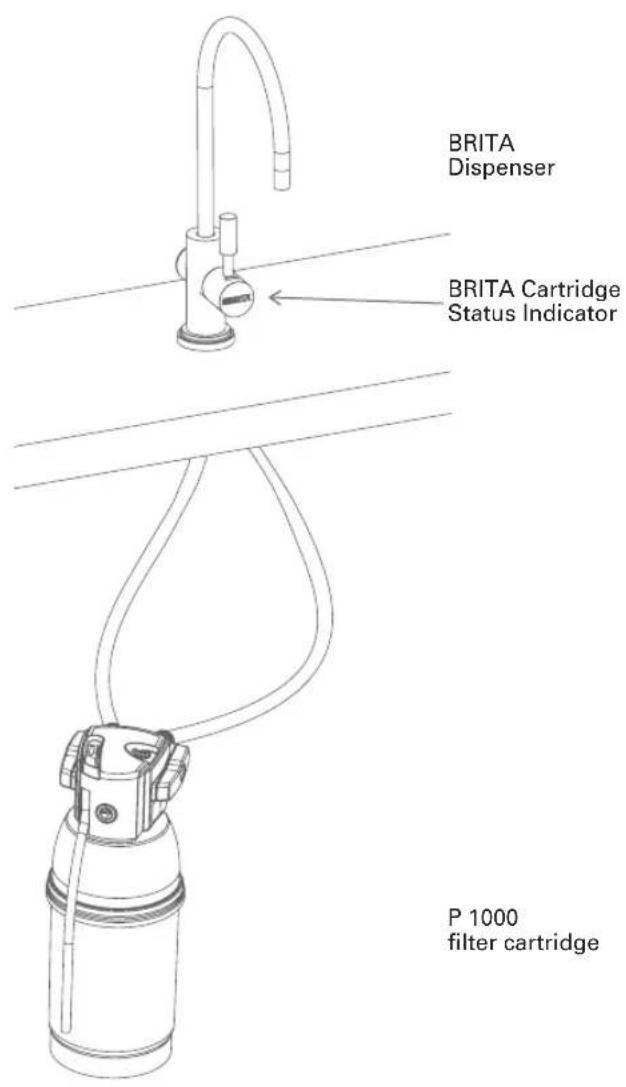
The P 1000 filter cartridge is the key to cleaner, clearer great tasting BRITA filtered water from the BRITA Dispenser!
The P 1000 has a constant filtration performance for limescale reduction thanks to its multilevel BRITA filtration system.
The professional filter head allows three filtration settings for medium hard, hard and very hard water. Depending on the bypass setting, metal ions such as lead and copper can be reduced from the drinking water during the flow process.
The P 1000 filter cartridge reduces limescale and substances, e.g. chlorine, that affect taste and odour.
Lifetime of the P 1000 filter cartridge
The lifetime of the P 1000 cartridge is dependent on your individual volume usage and your water conditions. For optimum BRITA filtration performance, we recommend a minimum exchange of your cartridge every 12 months. Exchange will be prompted by your BRITA Cartridge Status Indicator, shown by the colour of the LED. For more information regarding the BRITA Cartridge Status Indicator, see chapter 3.2.
II. Quality from the very start
1 Terms of warranty
The mypure P1 Filtration System is subject to the statutory guarantee of 2 years. A guarantee claim may be asserted only if all instructions in this handbook are followed and observed.
2 Contents of the mypure P1 Compact Water Filtration System
To ensure you get the best result from your mypure P1 Filtration System, please follow these instructions carefully.
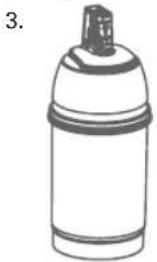
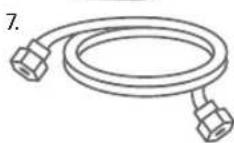
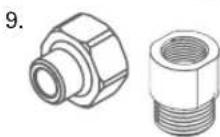
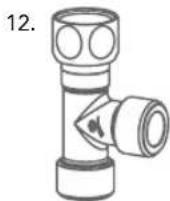
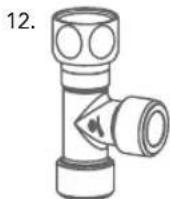
Your mypure P1 Filtration System includes the following (see fig. 1):
- P 1000 filter head with three settings including a convenient locking handle
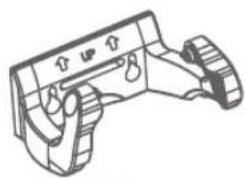
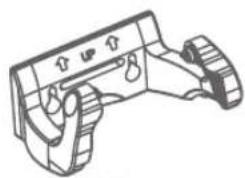
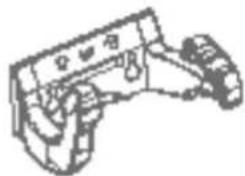
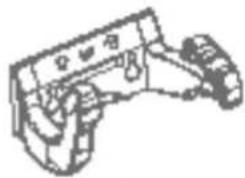
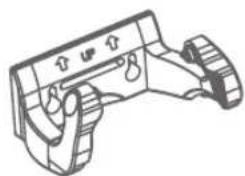
- Flexible wall mount
- P 1000 water filter cartridge
- BRITA Dispenser
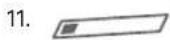
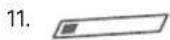
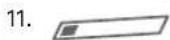
- BRITA Cartridge Status Indicator
- Battery (CR2032)
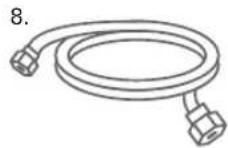
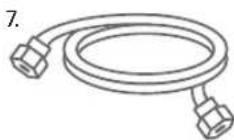
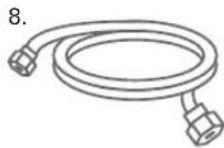
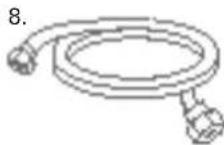
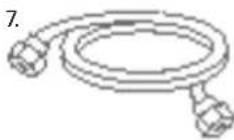
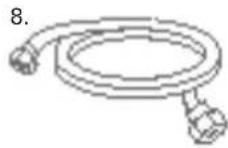
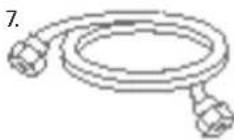
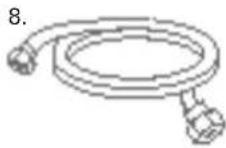
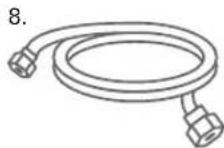
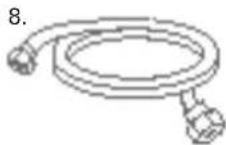
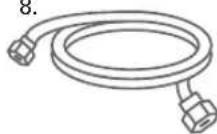
- Hose (1), length = 800 mm and 3/8" nut on both sides
- Hose (2), length = 800 mm, 3/8" nut on one side and 7/16" nut on the other
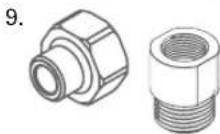
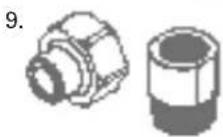
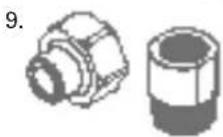
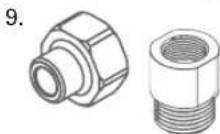
- UK only: Adapter 1/2" female thread to 3/8" male thread, Adapter 1/2" male thread to 3/8" female thread
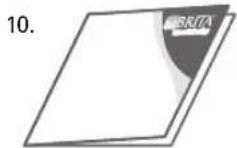
- Usage Instructions
- Carbonate hardness testing strip
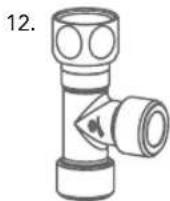
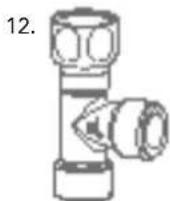
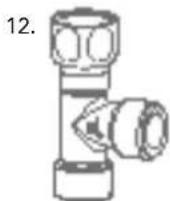
- T-piece
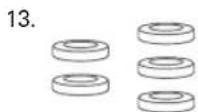
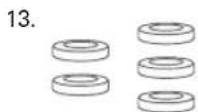
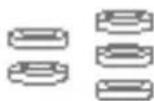
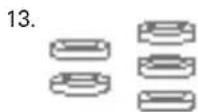
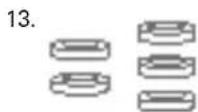
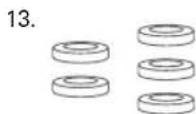
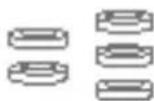
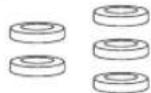
- Gaskets
Recommended tools for installation: one Allen key (4 mm), a wrench, a screwdriver and one 12 mm drill.
For wall mounting (optional), you need: two screws (e.g. 5 mm thread diameter) and, if required, two wall plugs suitable for your type of wall.
natural_image
Line drawing of a spray can with a stopper (no text or symbols)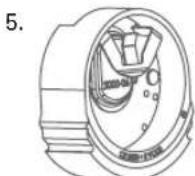
natural_image
Line drawing of a mechanical device with no visible text or symbols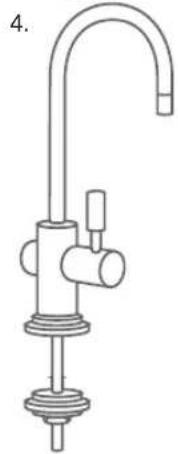
natural_image
Line drawing of a stainless steel kitchen sink with faucet and control knob (no text or symbols)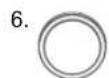
(fig. 1)
3 mypure P1 Compact Water Filtration System - easy installation
Before starting, please check that you have all the components listed above (see fig. 1) as well as the recommended tools.
There are 7 steps to the installation.
!
Prior to installation, read the Technical Data (chapter 6) and the Important Information (chapter 8). After storage and transport below 0^ C, the product must be stored in the open original packaging for at least 24 hours at the stated ambient temperatures (chapter 6) for operation.
3.1 Step 1: Selecting the carbonate hardness setting (A/B/C) on the filter head
The filter head offers three settings for medium hard water (A), hard water (B) and very hard water (C). Please follow the instructions below to adjust to the right setting for your local water. First carry out a carbonate hardness test using the supplied testing strip. The strip can be found in the outer wrapping of these Usage Instructions.
Using the testing strip:
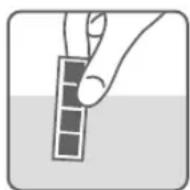
- Immerse all reaction zones of the test strip in a glass of your regular tap water (15 - 30 °C) for 1 second (not in running water!). (fig. 2).
- Shake off excess liquid from the strip and after 1 min check how many reaction zones changed their colour on the test strip.
Depending on the number of reaction zones that changed their colour, we recommend setting your filter head as follows:
| Setting A B C | ||||
| number of reaction zones that changed their colour | ||||
| capacity P | 1000 up to 1200 L up to 600 L up to 400 L | |||
| P 3000 | up to 3400L | up to 1700 L | up to 1100 L | |
| German Carbonate Hardness [°dH] | up to 10 | 10 to 17 | above 17 dH | |
| English Carbonate Hardness [°eH] | up to 13 | 13 to 21 | above 21 | |
| French Carbonate Hardness [°fH] | up to 18 | 18 to 30 | above 30 | |
| Milligram per Litre CaCO3[mg/L CaO3] | 178 | 178 to 303 | above 303 | |
(fig. 2)
(fig. 3)
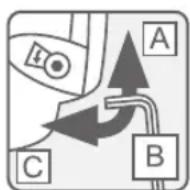
Now you can change the setting for the hardness of your water. The filter head is set to "B" by default. To change the setting, use an Allen key (4 mm). Turn in the direction of the arrow until the "C" symbol appears in the window. Turn against the direction of the arrow until the "A" symbol appears in the window (fig. 3). The filter head contains a flow regulator already installed. It guarantees smooth water flow from your BRITA Dispenser even at higher water pressures.
3.2 Step 2: Starting the BRITA Cartridge Status Indicator
The BRITA Cartridge Status Indicator reminds you through three different coloured flashing lights when to exchange the filter cartridge.
A Commissioning:
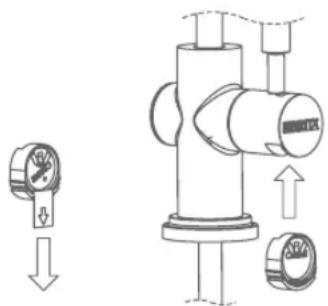
Remove the battery strip.
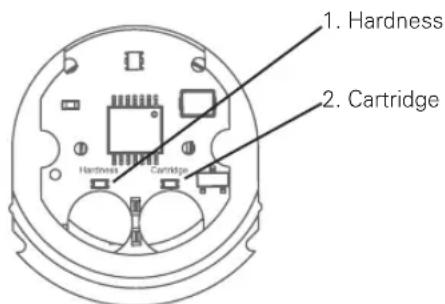
The BRITA Cartridge Status Indicator shows the default setting: the left LED will flash two times for the hardness setting B and the right LED will flash once for the cartridge setting P 1000.
Please reset the BRITA Cartridge Status Indicator before the initial installation.
natural_image
Technical diagram of a mechanical valve assembly with directional arrows indicating movement (no text or labels)(fig. 4)
B Initial programming of the BRITA Cartridge Status Indicator:
Depending on the setting you chose for the filter head you will programm the BRITA Cartridge Status Indicator as follows:
a To reset, push both buttons of the BRITA Cartridge Status Indicator at the same time for three seconds until the colored LED light flashes green, yellow and red. Make sure you push both buttons at the same time.
b The button on the left side (HARDNESS) is to choose the water hardness. Push the button repeatedly until the correct setting for water hardness appears:
For water hardness setting A the LED flashes once For water hardness setting B the LED flashes two times For water hardness setting C the LED flashes three times (see table below).
c The button on the right side (CARTRIDGE) is to set the cartridge you are using. Push the button repeatedly until the correct setting for filter cartridge appears:
For filter cartridge P 1000 the LED flashes once
For filter cartridge P 3000 the LED flashes two times
For filter cartridge A 1000 the LED flashes three times
(see table below).
d To change a setting, simply push the button until the right setting is indicated via the corresponding LED.
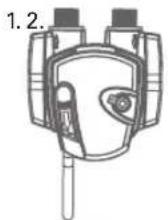
e Insert the BRITA Cartridge Status Indicator into the appropriate position of the BRITA Dispenser's lever (see fig. 4). Mind the right direction of item onset.
(fig. 5)
| 1x flash | 2x flash | 3x flash | |
| Water hardness setting (Hardness) | A B C | ||
| Cartridge setting (Cartridge) | P 1000 | P 3000 | A 1000 |
C How the BRITA Cartridge Status Indicator works
To ensure optimal performance, you should change the filter cartridge on a regular basis. The BRITA Cartridge Status Indicator in the BRITA lever tells you when to change the filter cartridge.
D Signals
The three lights in the BRITA lever are only activated in the filtering position. They indicate:
– Green light: The BRITA filter is working at optimum performance.
– Yellow light: 90 % of the filter capacity has been used. Remember to buy a new replacement filter cartridge.
- Red light: The filter cartridge needs to be changed.
E Resetting the BRITA Cartridge Status Indicator
If the maximum volume is reached or the cartridge has been used for 12 months, the BRITA Cartridge Status Indicator's LED will start flashing red (only if BRITA lever is in the filtering position).
In this case the filter cartridge should be replaced. Once the cartridge has been replaced the BRITA Cartridge Status Indicator has to be reset.
To reset, remove the BRITA Cartridge Status Indicator from the lever. Push both buttons of the BRITA Cartridge Status Indicator at the same time for three seconds until the colored LED light flashes green, yellow and red. Make sure you push both buttons at the same time.
Insert the BRITA Cartridge Status Indicator into the appropriate position of the BRITA Dispenser's lever (see fig. 4). Mind the right direction of item onset.
F Changing the battery
Battery can be changed without losing prior settings of the BRITA Cartridge Status Indicator.
Technical data:
• Battery: 1x CR2032 (removable)
• lifetime of battery: app. 2 years
Do not immerse BRITA Cartridge Status Indicator in water.
3.3 Step 3: Installing the BRITA Dispenser
To install the BRITA Dispenser, firstly ensure you have all the components required (see fig. 6).
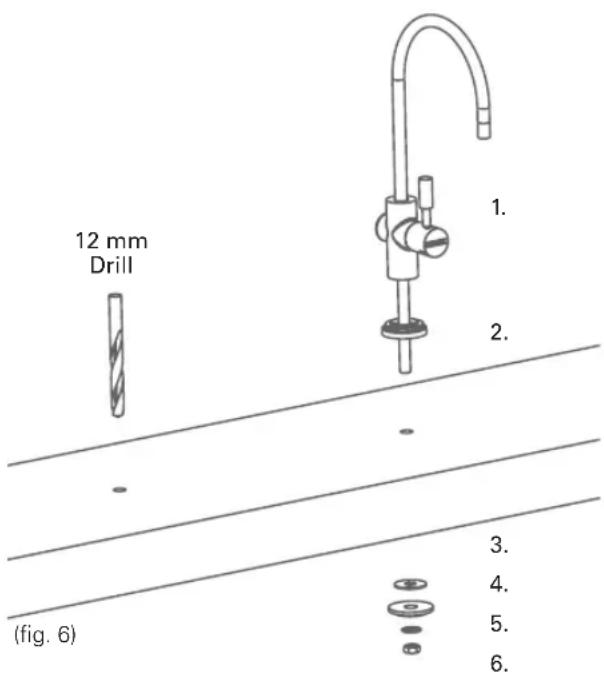
- BRITA Dispenser
- Base
(Work surface) - Gasket
- Counter plate
- Locking ring
- Hexagon nut (7/16")
To start, find a suitable place to set up your BRITA Dispenser near your sink. We recommend installing it next to the sink on the work surface (next to the main tap). Please make sure that there is enough room for the P 1000 filter cartridge, the two hoses under the sink or the drill hole.
!
Please note that you will need the right drilling equipment for your particular work surface or base. Make sure the area under the BRITA Dispenser is stable, especially if your work surface is not made from wood. Please check the drilling requirements for the material, use the appropriate drill and/or consult a specialist.
Drill a hole (with a 12-mm bit) into the work surface where you wish to set up the BRITA Dispenser.
Next, install the BRITA Dispenser (see fig. 6).
Then put the base (2) over the hole and fix the BRITA Dispenser (1) in place using the supplied counter plate (4), the gasket (3), the locking ring (5) and the hexagon nut (6).
3.4 Step 4: Attaching the hoses
!
We recommend that you first arrange all parts you need in front of you. Before installation, please ensure that you have a 3/8" or 1/2" cold water supply so that you can connect the mypure P1 Filtration System in addition to your existing kitchen tap. Recommended tools for installation: an adjustable wrench and a allen key.
For wall mounting (optional), you need: two screws (e.g. 5 mm thread diameter) and, if required, two wall plugs suitable for your type of wall.
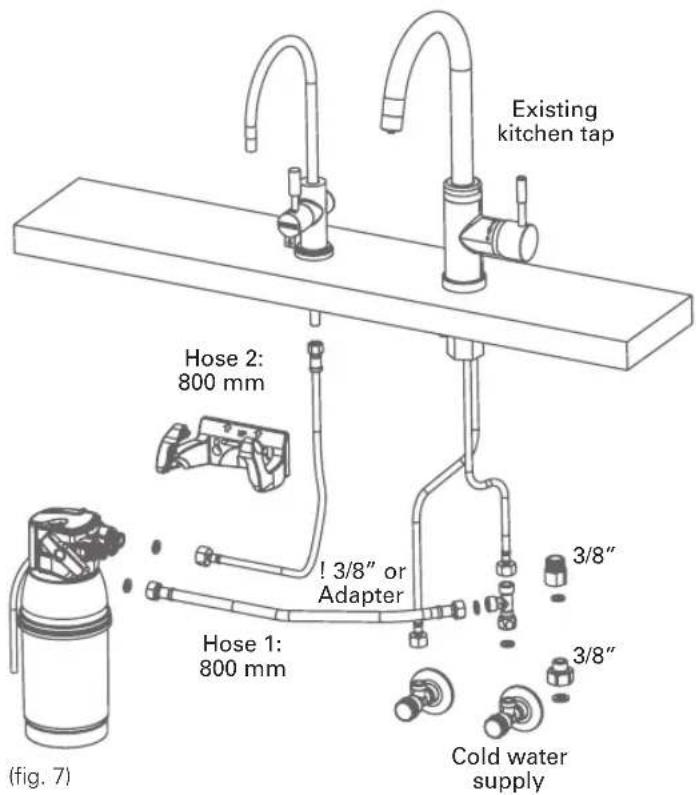
Please follow the diagram on the next page (see fig. 7) and perform the steps in the right order.
A a) Turn off the cold water supply
b) Please make sure your existing kitchen tap is pressureless by opening the lever
No water should run through the existing kitchen tap!
c) Install supplied T-piece
d) Remove your existing 3/8" female kitchen tap hose from your 3/8" male cold water supply.
e) Connect t-piece with cold water supply.
a. Insert one 3/8" gasket into the female nut of the supplied t-piece.
b. Connect this end of the t-piece to your cold water supply.
f) Connect t-piece with kitchen tap
a. Only for kitchen tap with flexible hoses:
Connect your kitchen tap hose to one of the two 3/8" male t-piece connections. Please, ensure proper sealing with the already existing gasket from your existing kitchen tap hose. This gasket is already integrated in the hose or a separate part depending on your kind of kitchen tap hose.
b. Only for kitchen tap with squeeze connections (for kitchen taps with tubes)
Connect your kitchen tap tube to one of the two 3/8" male t-piece connections. Please, use the existing squeeze connection nut with sealing components (as used before) and the tube for the connection of your 3/8" kitchen tap to the 3/8 male t-piece connection.
B a) Put the hose (1) in place
b) Insert the medium-sized (3/8") gaskets into the respective female threads of the two hose ends.
c) Now connect one end of the hose (1) to the filter head inlet. This is labelled "IN" (inlet) and marked with an arrow. Make sure the gasket is seated correctly!
d) Now connect the other end of the hose (1) to your free cold water supply/installed t-piece and ensure that the gasket is correctly positioned!
NOTE
If your cold water supply does not fit the 3/8" connector on the hose (1), use the supplied adapter if required. Your mypure P1 Filtration System comes with a 1/2" adapter. Please go to your nearest supplier for adapters in other sizes.
C a) Put the hose (2) in place.
b) Connect the small end, with the gasket that has already been inserted into the hose (2), to the BRITA Dispenser already installed (see Step 3.3).
D a) Insert the appropriate gasket (3/8") into the 3/8" end of the hose (2) and connect the 3/8" end of the hose (2) to the outlet of the filter head, labelled with an "OUT" arrow.
b) Make sure all connections are tightened properly. Avoid over tightening.
c) Turn on the cold water supply.
!
The max. tightening torque for the G3/8" connections may not exceed 14 Nm! Only hose connections with gaskets (5) may be used, because hoses with conical screw connections damage the connections of the filter head and invalidate any warranty claims!
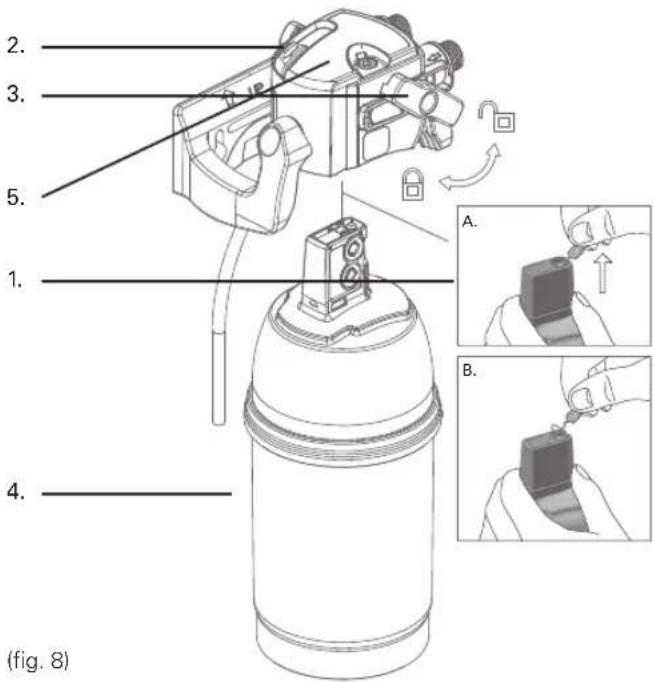
3.5 Step 5: Inserting the filter cartridge (see fig. 8)
A Remove protective strap (1). (see fig. 8)
B Insert the filter cartridge (4) vertically into the filter head (5). Please make sure the flush hose of the filter head is at the outside.
C Turn the locking handle (3) until you feel it engages.
!
The filter cartridge can only be inserted when the locking handle is open. Make sure that the filter cartridge is positioned correctly.
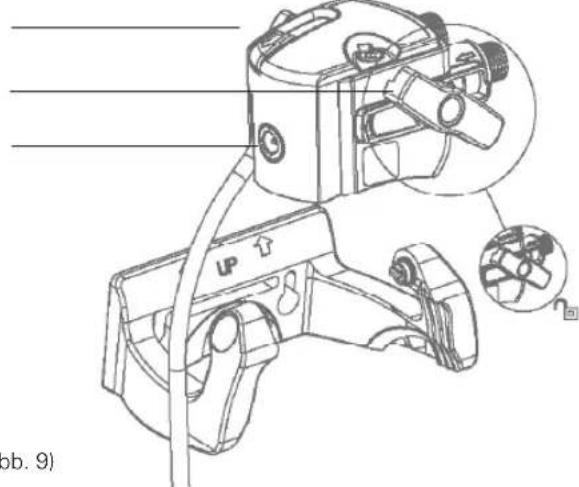
3.6 Step 6 (optional): Space-saving wall mount to install the cartridge under the sink (see fig. 9)
!
During assembly, note the installation dimensions, bending radii of the hoses and dimensions of the accessories. The system can be operated vertically and horizontally. When using the wall mount, install vertically only!
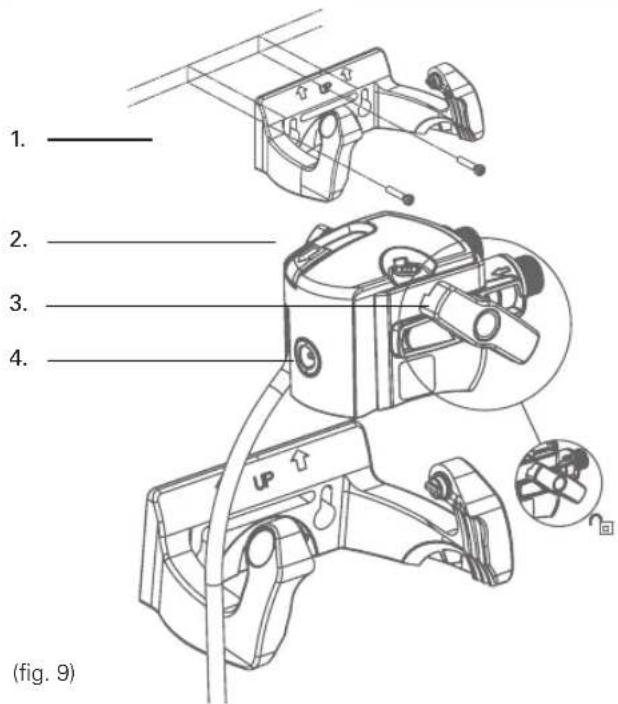
A Attach the wall mount in place using the two matching screws and use two wall plugs, if necessary, depending on the type of wall.
B Engage the filter head (2) in the wall mount (1). Please use the fixation holes (4).
3.7 Step 7: Commissioning
Before use, make sure that you have followed all the steps correctly and all the parts are fitted. Place a suitable container under the cartridge to catch any leakages.
A Turn on the cold water supply and check the system carefully for any leaks.
B Open the valve on your BRITA Dispenser and rinse through until the filtered water runs clear and without any bubbles (at least 2 litres).
4 Replacing the filter cartridge
If the maximum volume is reached or the cartridge has been used for 12 months from commissioning, the BRITA Cartidge Status Indicator will flash red to remind you that the cartridge needs to be replaced.
Read the Important Notes (chapter 8) prior to exchange. After storage and transport below 0^ C, the product must be stored in the open original packaging for at least 24 hours at the stated ambient temperatures (chapter 6) for operation.
NOTE
The filter cartridge can be pivoted by 90^ in the wall mount for easy removal. When the locking handle is open, the water supply to the cartridge is interrupted and by-passing with direct water flow from the water inlet to the outlet is possible.
Replacing the P 1000 (see fig. 8):
A Open the locking handle (3).
B Place a suitable container under the flush hose to catch the rinse water. Open the flush valve (2) and release pressure from the system. Close the flush valve (2) again
C Remove the exhausted filter cartridge (4) from the filter head (5) – please be aware, the cartridge is firmly embedded so you can give it a firm pull without worrying about breaking it.
D Insert the new filter cartridge (see chapter 3.5).
E Close the locking handle (3).
F Reset the BRITA Cartridge Status Indicator (chapter 3.2).
G Open the BRITA branded lever on your BRITA and rinse through until the filtered water runs clear and without any bubbles (at least 2 litres).
Replacing the P 3000 refill cartridge is exactly the same as replacing the P 1000. The P 3000 lasts up to 3400 liters with the
A-setting, up to 1700 liters with the B-setting and up 1100 liters with the C-setting. Please take this into consideration while resetting your BRITA Cartridge Status Indicator.
5 Maintenance
Regularly check the filter system for leaks. Regularly check the hoses for kinks. Kinked hoses must be replaced.
Prior to exchanging the filter system, read the Technical Data (chapter 6) and the Important Notes (chapter 8).
Regularly clean the outside of the filter system with a soft, damp cloth.
Do not use any abrasive chemicals, cleaning solutions or astringent cleaning agents.
6 Technical data of the P 1000 cartridge
| Operating pressure 2 bar to max. 8.6 bar | ||||
| Water intake temperature 4°C to 30°C | ||||
| Ambient tem-perature for | operation 4°C to 40°C | |||
| storage/transport -20°C to 50°C | ||||
| Capacity up to carbon-ate hardness 10 °dH at setting "A" | P 1000 Up to 1200 L | |||
| P 3000 Up to 3400 L | ||||
| Capacity from carbonate hardness 10 to 17 °dH at setting "B" | P 1000 Up to 600 L | |||
| P 3000 Up to 1700 L | ||||
| Capacity from carbonate hardness 17 to 24 °dH at setting "C" | P 1000 Up to 400 L | |||
| P 3000 Up to 1100 L | ||||
| Nominal flow 60 L/h | ||||
| Pressure loss by nominal service flow | 0.25 bar | |||
| Empty filter cartridge volume 1 L | 1 L | |||
| Weight (dry/wet) | P 1000 | 1.0 kg/1.6 kg | ||
| P 3000 1.8 kg/2.8 kg | ||||
| Dimensions (Width/Depth/Height) | Filter system (filter head with filter cartridge) | P 1000 | 119 mm/108 mm/265 mm | |
| P 3000 | 117 mm/104 mm/417 mm | |||
| Filter cartridge | P 1000 | 108 mm/108 mm/259 mm | ||
| P 3000 | 104mm /104mm/410mm | |||
| Installed dimensions (vertical installation with wall mounting bracket) | P 1000 | 137 mm/130 mm/265 mm | ||
| P 3000 | 137mm/128mm/417mm | |||
| Operating position | Horizontal and vertical | |||
| Water inlet connection | G3/8" |
| Water outlet connection | G3/8" |
7 Troubleshooting
A No water flow
Cause: Water intake closed.
Troubleshooting: Open the water intake at the upstream shut-off valve or by closing the locking handle (3) on the filter head. Check hoses for kinks.
B No or low water flow in spite of open water intake
Cause: Mains pressure too low.
Troubleshooting: Check mains pressure. If the fault continues, check the filter system and filter cartridge and replace if necessary. Check hoses for kinks.
Cause: Filter head not mounted in direction of water flow / hoses wrongly connected.
Troubleshooting: Dismantle filter head and hoses and install in direction of water flow (chapter 3.4).
C Leak
Cause: Screwed connections not fitted correctly.
Troubleshooting: Check mains pressure. Check all screwed connections and mount as described in chapter 3.4.
D LED not blinking
Cause: Battery is not inserted in a correct way or is used up.
Troubleshooting: Check if battery is inserted properly. If necessary, replace the battery.
Cause: Battery is empty.
Troubleshooting: Replace the battery.
III. Important notes
8 Important notes
Protect the P 1000 water filter cartridge from direct sunlight and mechanical damage. Do not assemble near sources of heat and open flames. A stop valve must be installed before the filter system intake hose. If the water pressure is greater than 8.6 bar, a pressure reducer must be installed in front of the filter system. The mypure P1 Filtration System is only suitable for domestic use.
Only water of drinking water quality may be used as intake water for the BRITA water filter system. The BRITA water filter system is only suitable for cold water use within the supply water temperature stated in chapter 6. No microbiologically impaired water or water of unknown quality may be used without appropriate disinfection.
If you have a low pressure boiler, make sure you only connect the P 1000 to the cold water supply with the angle valve, and not to the low pressure boiler.
Irrespective of the water used, you should use stainless steel utensils or kettles with stainless steel heating elements. This is of particular importance to people who are sensitive to nickel.
In the event: filter first, and then boil
If there are official instructions to boil tap water, the filter system must be decommissioned. When the requirement to boil water comes to an end, the filter cartridge must be replaced and the connections cleaned.
Ultimate hygiene
- For hygiene reasons, the filter material of the cartridge is subjected to a special treatment with silver. A small quantity of silver, which is harmless to health, may be released into the water. This is in compliance with the World Health Organisation (WHO) recommendations for drinking water.
- It is generally recommended to boil tap water for certain groups of people (e.g. people with weak immune systems, babies). This also applies to filtered water.
- Note for people with kidney disease or dialysis patients: The filtering process can cause a small rise in the levels of potassium.
- The water filtrate is classified in Category 2 according to EN 1717.
Optimum use
- BRITA recommends that the filter system is not left unused for a long period. If the mypure P1 Filtration System is not used for several days (2–3 days), we recommend that the filter system be flushed with the flushing volume X indicated in the table below. After stagnation periods of over 4 weeks, the filter should be flushed with flushing volume Y or else replaced. Please also note the maximum usage period of the filter cartridge is 12 months.
| Flushing volume X after 2–3 days stagnation Flushing volume | |
| P 1000 2 Litres | |
| P 3000 3 Litres | |
| Flushing volume Y after 4 weeks stagnation Flushing volume | |
| P 1000 20 Litres | |
| P 3000 30 Litres | |
mypure P1 Filtration System must not be opened or dismantled during operation. The filter cartridge must not be opened.mypure P1 Filtration System is designed for a service life of 10 years (counted from the date of installation).
BRITA filtered water is designed for human consumption. Use it within 1–2 days.
Sensitive to potassium?
The filtering process can cause a small rise in the levels of potassium. However, one litre of BRITA filtered water contains less potassium than an apple, for example. If you have kidney disease and/or have to observe a special potassium diet, we recommend that you consult your doctor before using the water filter.
Natural traces
As with every natural product, the P 1000 parts can be subject to natural fluctuations. This can lead to a slight abrasion of small carbon particles into your filtered water, noticeable as black bits. These particles have no negative health effects. If ingested, they will not harm the human body. In case you observe carbon particles, BRITA recommends flushing out the P 1000 filter cartridge until the black bits disappear.
12 ENGLISH
M. BRITA ^® , quality and satisfaction guaranteed
Correct disposal of the BRITA Cartridge Status Indicator
The BRITA Cartridge Status Indicator has an expected lifetime of approx. 5 years. At the end of the lifetime of the BRITA Cartridge Status Indicator, remember that it must be disposed according to the local applicable regulations and statutory requirements. Please contact your BRITA Customer Service team if your BRITA Cartridge Status Indicator is at the end of its lifetime.
Exclusion of liability
BRITA shall not be held liable for any damage, including subsequent damage, arising from the incorrect use of the product.
100% satisfaction: the BRITA guarantee
We are confident that this BRITA product will meet your demands in terms of quality and performance. If this product does not meet your expectations, we will accept its return within 30 days of the date of purchase and reimburse the purchase price. Just send the product with your proof of purchase (receipt) and the grounds for your dissatisfaction, your phone number and bank details to the customer service address for your country (on the back of this booklet).

BRITA recycling: for our environment
To work together in taking responsibility for our environment, you can return your P 1000 filter cartridges to a number of BRITA dealers.
More about BRITA: For details on recycling, please see www.brita.net.

The BRITA service hotline cares
Do you have any questions about your BRITA product? Or on the subject of water filtration? Give us a call! You can find the contact details for your BRITA customer service team next to your country code on the back of this booklet.
The best side of water: www.brita.net
Are you looking for your nearest BRITA retailer? Do you want more detailed information about BRITA products? Or about the BRITA company? Want to make the most of one of BRITA's service offers? Up-to-date information, consumer tips, seasonal competitions, delicious coffee and tea recipes can be found around the clock at www.brita.net
Registering your product online
Benefit from registering your product online. For more information on this and your registration code, see the leaflet in your mypure P1 Filtration System.
Over 40 years of experience is a guarantee of quality
For over 40 years, BRITA has stood for constant innovation and the highest quality in the development of water filter solutions. To justify high quality requirements at BRITA there are stringent internal and external quality controls. The independent and renowned TÜV SÜD controls the consistent quality of household water filters and cartridges on a regular basis. TÜV SÜD certifies the food grade quality of BRITA water filters according to German and European legislation.


natural_image
Line drawing of a spray can with a stopper (no text or symbols)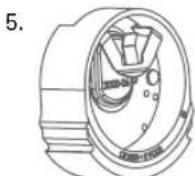
natural_image
Line drawing of a mechanical device with no visible text or symbols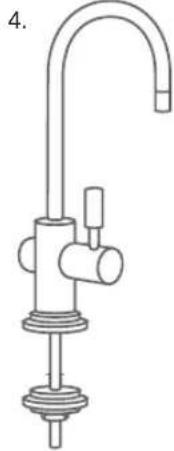
natural_image
Line drawing of a stainless steel faucet with a handle and base mount (no text or symbols)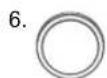
(fig. 1)
3 Kit mypure P1 – installation facile
natural_image
Technical diagram of a mechanical assembly with a bearing and housing (no text or labels)(fig. 4)
natural_image
Simple line drawing of a mechanical device with no visible text or symbols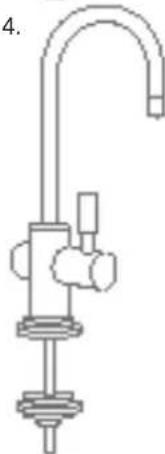
natural_image
Line drawing of a laboratory apparatus with a curved tube and mechanical components (no text or symbols)
-

-
(fig. 1)
natural_image
Technical line drawing of a mechanical valve assembly with directional arrows indicating movement (no text or symbols)(fig. 4)
natural_image
Technical diagram of a mechanical valve assembly with pressure gauge and housing (no text or labels)B Pr
ca
3.4 Passo 4: Conectar as tubagens
!
natural_image
Simple line drawing of a spray bottle with no text or symbols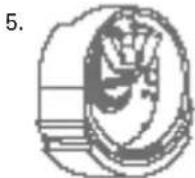

natural_image
Simple line drawing of a mechanical device with no visible text or symbols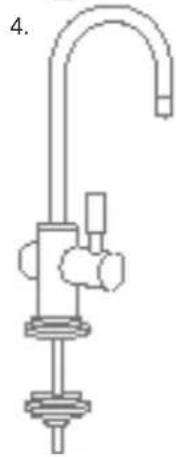
natural_image
Pure mechanical diagram of a U-shaped pipe with attached components (no text or symbols)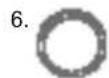

(Abb. 1)
natural_image
Technical line drawing of a mechanical device with labeled parts, showing exploded and assembled views (no text or symbols)2.
natural_image
Simple line drawing of a bottle with a cap and lid (no text or symbols)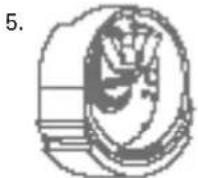

natural_image
Simple line drawing of a mechanical device with no visible text or symbols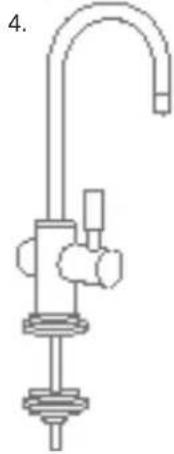
natural_image
Pure mechanical diagram of a vertical pipe with a central valve and base, no text or symbols present

(fig. 1)
natural_image
Technical line drawing of a mechanical valve assembly with pressure gauge and adjustment knobs (no text or symbols)natural_image
Line drawing of a spray can with a stopper (no text or symbols)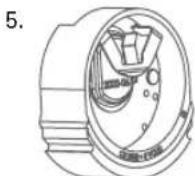

natural_image
Line drawing of a handheld device with adjustment knobs and a handle (no text or symbols)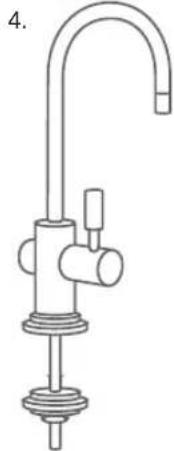
natural_image
Line drawing of a stainless steel kitchen sink with faucet and insulator (no text or symbols)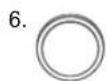
(rys. 1)
natural_image
Simple line drawing of a mechanical device with no visible text or symbols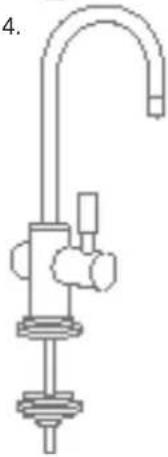
natural_image
Line drawing of a laboratory apparatus with a curved tube and supporting base (no text or symbols)
-

-
(fig. 1)
natural_image
Technical line drawing of a mechanical assembly with no visible text or symbols(fig. 4)
B Eerste programmering van de BRITA statusindicator:
natural_image
Line drawing of a mechanical device with no visible text or symbols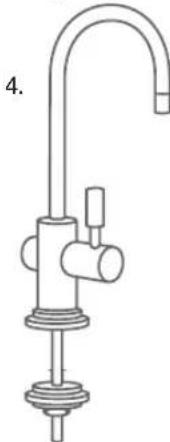
natural_image
Line drawing of a stainless steel faucet with a central valve and base mount (no text or symbols)-

-
10.

(圖 1)
natural_image
Technical diagram of a mechanical device with two components and directional arrows indicating movement (no text or symbols)(圖 4)
Bicester, Oxfordshire, OX26 4JT, UK
BRITACare:
Tel.: 0344 7424800
www.brita.co.uk
PT BRITA Iberia S.L.U.,
BRITA Taiwan Co. Ltd.,
3F., No.205, Sec. 3, Beixin Rd.,
Xindian Dist., New Taipei City 231,
Taiwan (R.O.C.)
Tel: +886 -2-2911-1157
Fax: +886-2-2911-2257
www.brita.tw

BRITA