
VSTV1 - TV Stand SANUS - Free user manual and instructions
Find the device manual for free VSTV1 SANUS in PDF.


User questions about VSTV1 SANUS
0 question about this device. Answer the ones you know or ask your own.
Ask a new question about this device
Download the instructions for your TV Stand in PDF format for free! Find your manual VSTV1 - SANUS and take your electronic device back in hand. On this page are published all the documents necessary for the use of your device. VSTV1 by SANUS.
USER MANUAL VSTV1 SANUS
We'll Make It Stress-Free
If you have any questions along the way, just give us a call.
+31 (0) 495 580 852 UK: +44 (0) 800 056 2853
We're ready to help!
IMPORTANT SAFETY INSTRUCTIONS – SAVE THESE INSTRUCTIONS – PLEASE READ ENTIRE MANUAL PRIOR TO USE
Before getting started, let's make sure this mount is perfect for you!
1 Does your TV weigh more than 27.2kg (60 lbs.) including accessories?
27.2 kg
(60 lbs.)
No—Perfect!
Yes - This mount is NOT compatible. Visit sanus.com or call +31 (0) 495 580 852 UK: +44 (0) 800 056 2853 to find a compatible mount.
Do you have
the tools needed?
Ready to begin?
Please read through these instructions completely to be sure you're comfortable with this easy install process. Also check your TV owner's manual to see if there are any special requirements for mounting your TV.
If you do not understand these instructions or have doubts about the safety of the installation, assembly or use of this product, contact Customer Service.
CAUTION: Avoid potential personal injuries and property damage! Manufacturer is not responsible for damage or injury caused by incorrect assembly or use.
WARNING: Exceeding the weight capacity can result in serious personal injury or damage to equipment! It is the installer's responsibility to make sure the weight of the weight of the display and any accessories does not exceed 27.2kg (60 lbs). Use with heavier televisions may result in instability causing tip over resulting in death or serious injury!
WARNING: Use this mounting system only for its intended use as described in these instructions. Do not use attachments not recommended by the manufacturer.
WARNING: Death or serious injury may occur when children climb on audio and/or video equipment furniture. A remote control or toys placed on the furnishing may encourage a child to climb on the furnishing and as a result the furnishing may tip over onto the child.
WARNING: Relocating audio and/or video equipment to furniture not specifically designed to support audio and/or video equipment may result in death or serious injury due to the furnishing collapsing or overturning onto a child.
NOTE: The VTVS1 has no user serviceable parts.
Dimensions in. [mm]
![SANUS VSTV1 - Dimensions in. [mm] - 1](/content/2026/04/694386/images/e6c395e55e13dcea00890581de851f35342ad0cccbfe0133d58ee8b69204bcd0.jpg)
![SANUS VSTV1 - Dimensions in. [mm] - 2](/content/2026/04/694386/images/24b4b09d5768af087e46d5ff4125a7e5bdb42090776f8d232269d302e96e12f0.jpg)
![SANUS VSTV1 - Dimensions in. [mm] - 3](/content/2026/04/694386/images/7b459da35cb5586ae1336dff4350e3131d4bfbf7c93ee08c1963b24c5a94935b.jpg)
![SANUS VSTV1 - Dimensions in. [mm] - 4](/content/2026/04/694386/images/89575129d9ba095d252109850fb1df7b80b4610af4d9dc45832e061daa2d898d.jpg)
Supplied Parts and Hardware
WARNING: This product contains small items that could be a choking hazard if swallowed.
Before starting assembly, verify all parts are included and undamaged. If any parts are missing or damaged, do not return the damaged item to your dealer; contact Customer Service. Never use damaged parts!

NOTE: Not all hardware included will be used.
STEP 1 Parts and Hardware
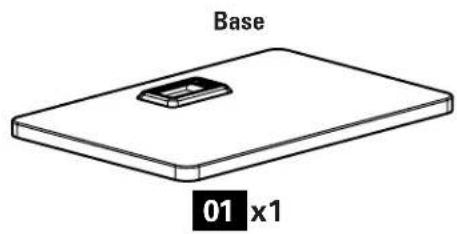
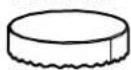
Foot Pads
02 x4

03 x1

Mounting Screw M8 x 14 mm
04x8
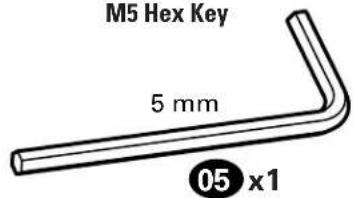
M5 Hex Key
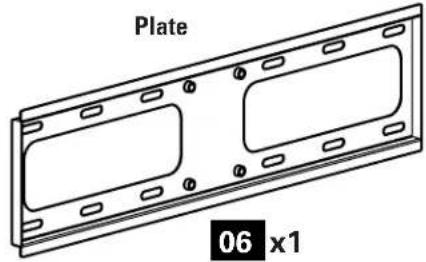
STEP 2 Parts and Hardware S
TV Brackets

07 x2
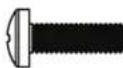
M4X12mm
08x4
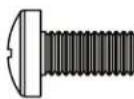
M6X12mm
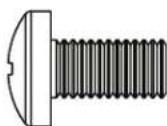
09 x4
M8 X16 mm
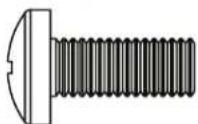
10x4
M8X20mm
11x4
TV Screws

M4X35mm
12 x4
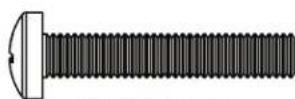
M6X35mm
13x4
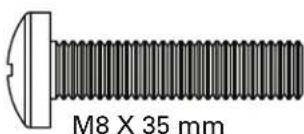
14 x4

Washers
M6/M8

15x4
M4/M5
16x4
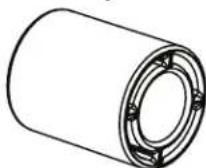
Spacers
22mm
17x4
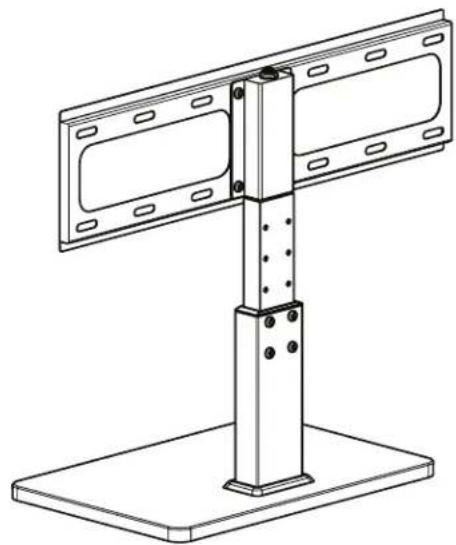
Step 1 Assemble Stand
1.1
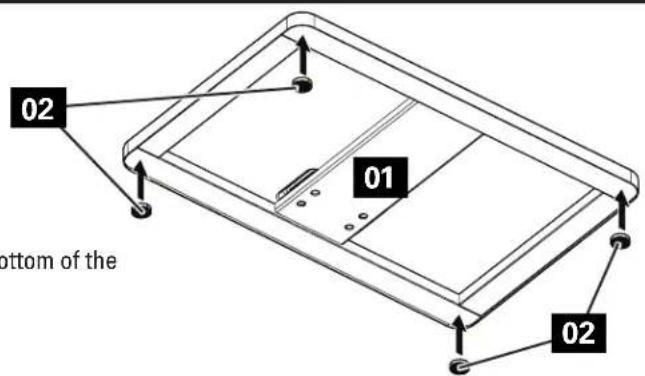
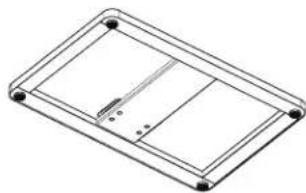
Place foot pads 02 on the bottom of the base 01 in the corners.
1.2
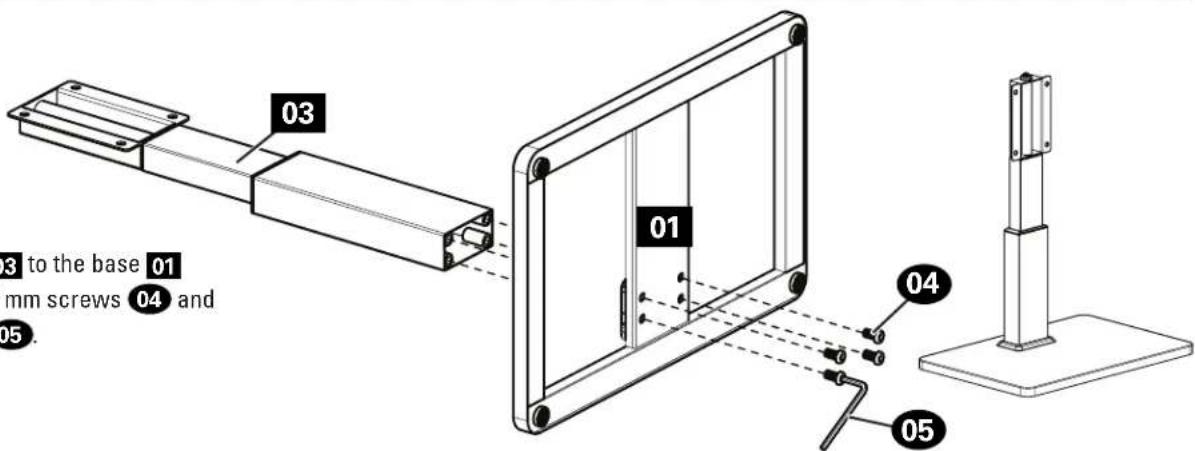
Attach the stand 03 to the base 01 using four M8 x 14 mm screws 04 and the 5mm hex key 05.
1.3
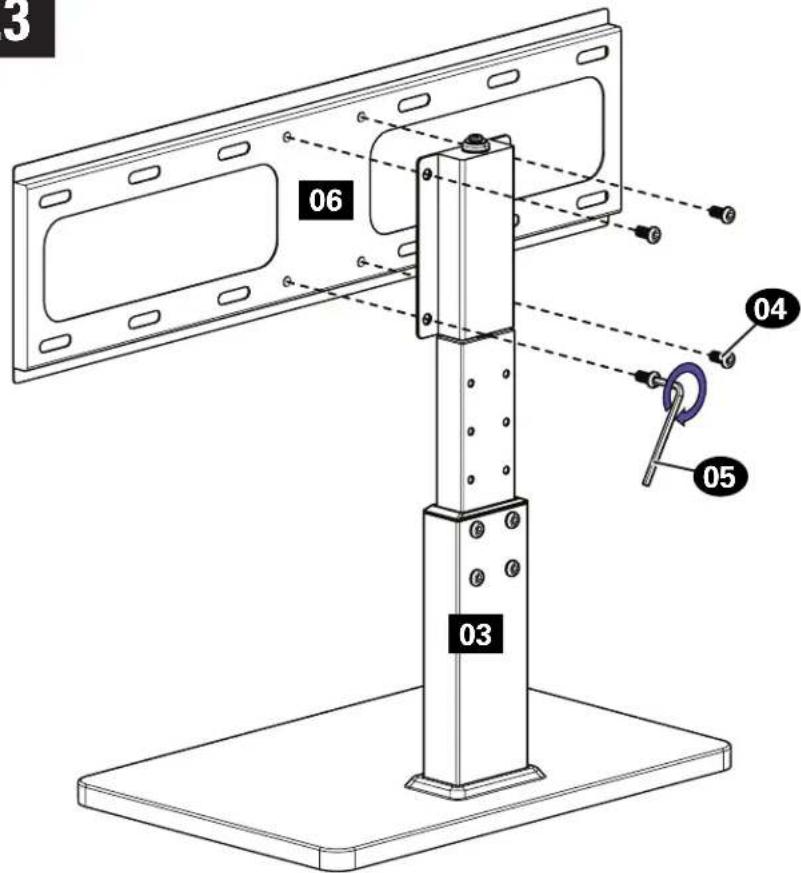
Attach the plate 06 to the stand 03 using four M8 x 14 mm screws 04 and the 5mm hex key 05.
Step 2 Attach TV Brackets to TV
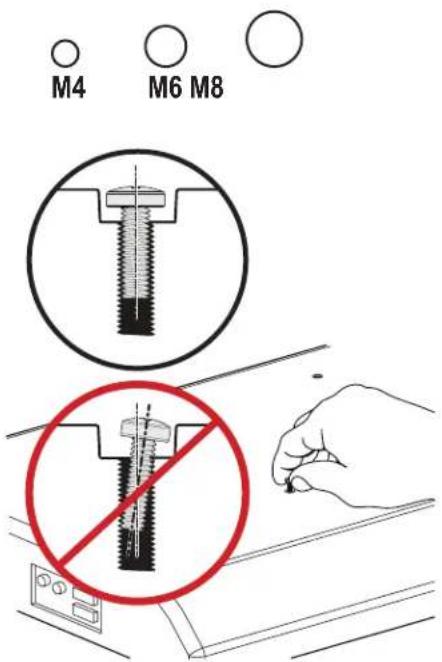
2.1 Select TV Screw Diameter
Hand thread TV screws into the threaded inserts on the back of your TV to determine which screw diameter (M4, M6, or M8) to use.
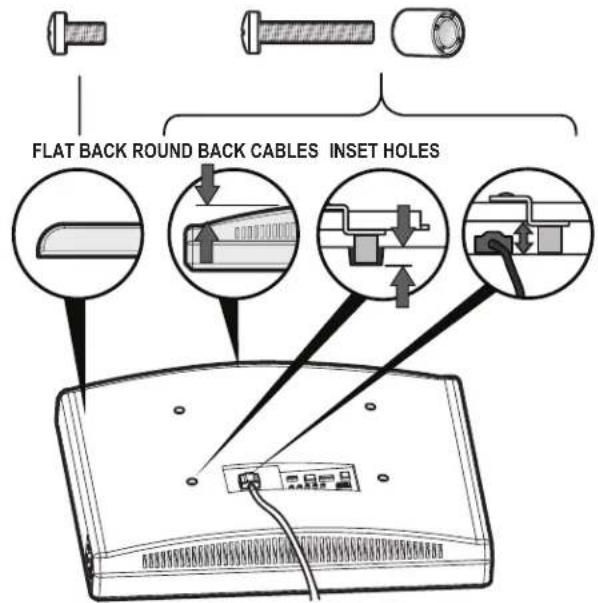
2.2 Select TV Screw Length
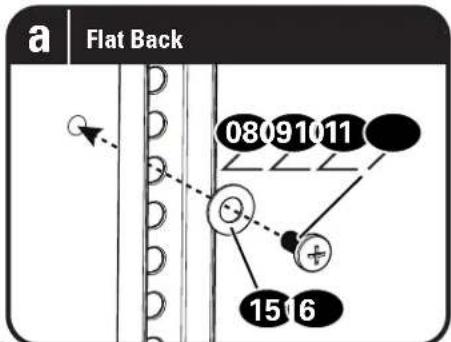
If your TV has a flat back, use the shorter TV screws.
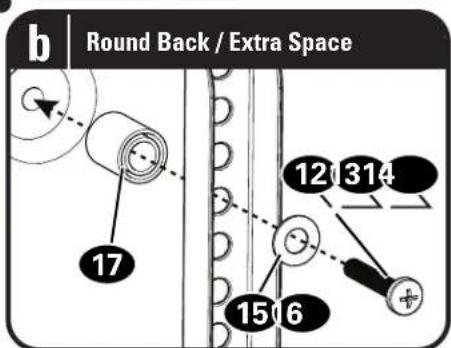
Spacers and longer TV screws are supplied to accommodate:
- irregular / round back TVs
TVs with inset mounting holes - extra space needed for cables
CAUTION:
Verify adequate thread engagement with the screw or screw/spacer combination.
- Too short will not hold the TV.
- Too long will damage the TV.
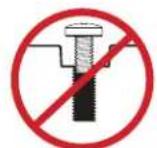
Too Short

Correct

Too Long
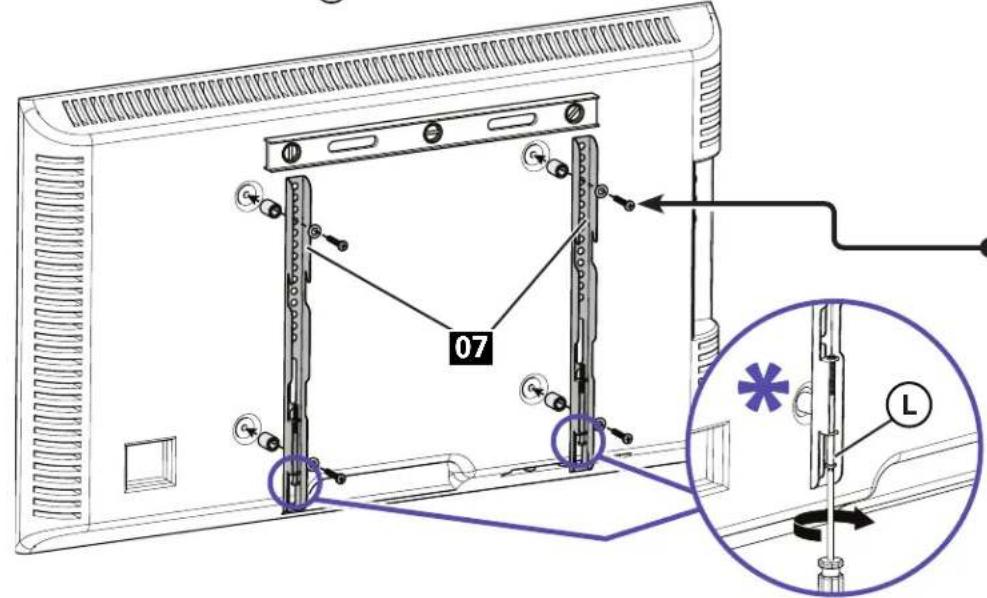
2.3 Attach Vertical TV Brackets
Ensure that your TV brackets 07 are level and centered on the back of the TV.
Install using the TV screw/washer/spacer configuration you selected for your TV.
CAUTION: Avoid potential personal injuries and property damage! DO NOT use power tools for this step. Tighten the TV screws only enough to secure the TV brackets 07 to the TV. DO NOT overtighten the TV screws.
1 important: Ensure TV brackets 07 are securely fastened before moving on to the next step.
*NOTE: Back off locking screws L enough to give clearance when mounting to plate.
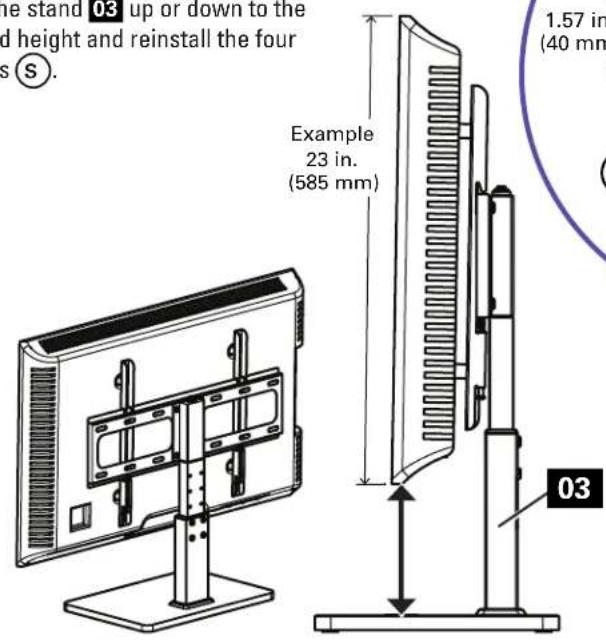
Step 3 Determine Height of TV on Stand
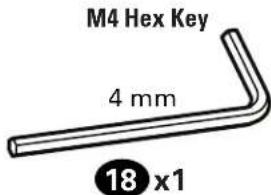
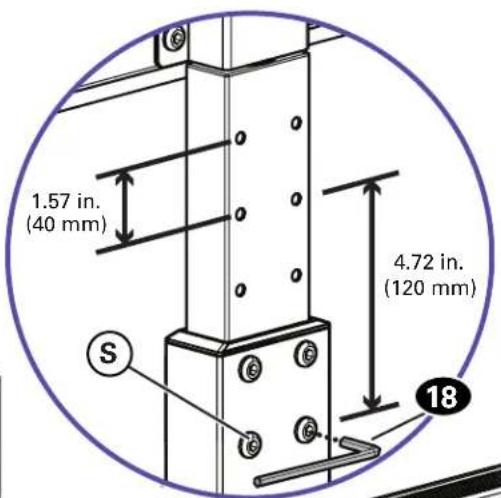
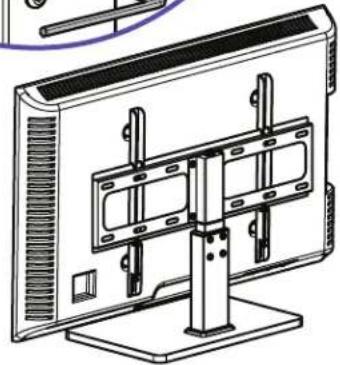
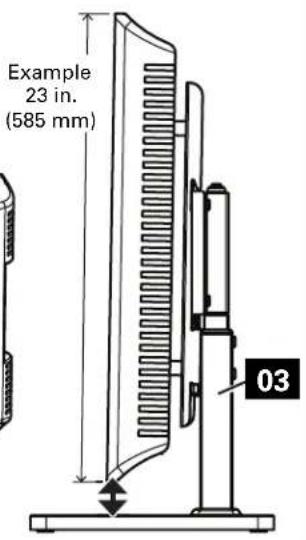
The stand 03 can be adjusted to provide for different size TVs. Before mounting the TV, adjust the stand to the desired height. Remove the four screws using hex key 18, slide the stand 03 up or down to the desired height and reinstall the four screws
Step 4 Hang TV onto Stand
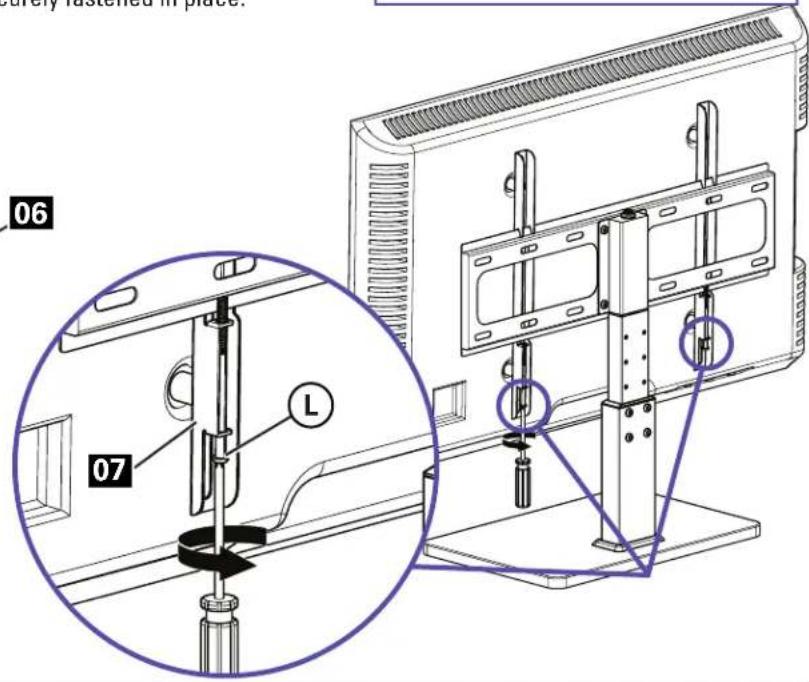
Hang the TV with brackets 07 onto the plate 06.
Center the TV on the plate 06 and secure with the locking screws L on the TV brackets 07
CAUTION: Avoid potential personal injuries and property damage! Make sure locking screws are tightened BEHIND plate 06, so the TV is securely fastened in place.
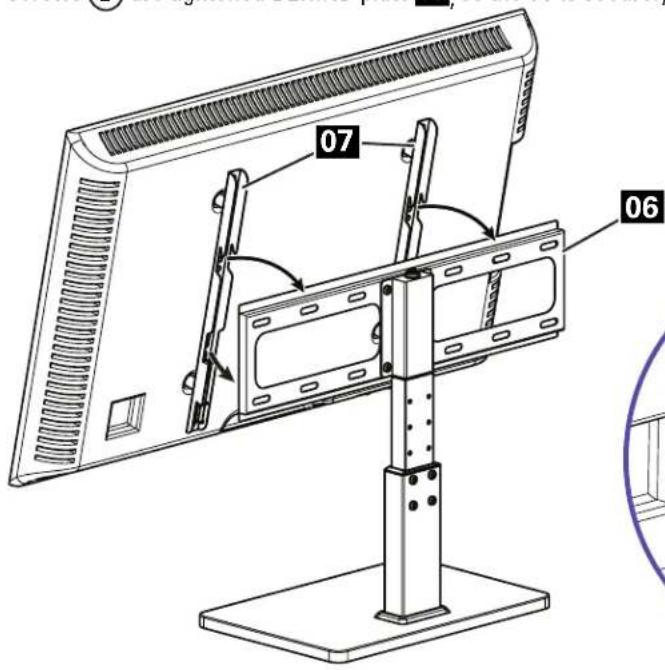
To Remove the TV: Loosen locking screws enough to pull the BOTTOM of the TV away from, then up and off of plate 06.
Espanol
LAS HELA HANDBOKEN INNAN ANVANDNING - SPARA DE HAR INSTRUKTIONERNA
Thank you for choosing SANUS! Please take a moment to let us know how we did:

Call us: +31 (0) 495 580 852
UK: +44 (0) 800 056 2853

Email us: sanus.europe@legrand.com

Leave a review: sanus.com
Legrand AV Inc. and its affiliated corporations and subsidiaries (collectively, "Lgrand"), intend to make this manual accurate and complete. However, Legrand AV makes no claim that the information contained herein covers all details, conditions, or variations. Nor does it provide for every possible contingency in connection with the installation or use of this product. The information contained in this document is subject to change without notice or obligation of any kind. Legrand AV makes no representation of warranty, expressed or implied, regarding the information contained herein. Legrand AV assumes no responsibility for accuracy, completeness or sufficiency of the information contained in this document.
©2020 Legrand AV Inc. All rights reserved. SANUS is a division of Legrand.
All other brand names or marks are used for identification purposes and are trademarks of their respective owners.
Legrand AV · 6436 City West Parkway · Eden Prairie, MN 55344 USA
6901-602567 00


