561983 - Switch Intellinet - Free user manual and instructions
Find the device manual for free 561983 Intellinet in PDF.


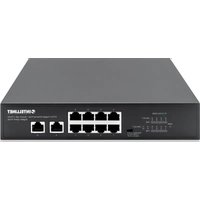
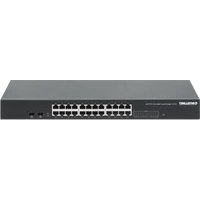
| Product Type | 16-Port PoE+ Gigabit Ethernet Switch + 2 SFP Ports |
| Brand | Intellinet |
| Model | 561983 |
| Dimensions (W x D x H) | 44 x 20 x 4.4 cm |
| Weight | 2.5 kg |
| Power Supply | 100-240 V AC, 50/60 Hz, mains plug |
| Power Consumption | 250 W max (total PoE budget) |
| Number of Ethernet Ports | 16 RJ45 ports 10/100/1000 Mbit/s with PoE+ |
| SFP Ports | 2 SFP ports 1000 Mbit/s (ports 17 and 18) |
| Backplane Capacity | 36 Gbit/s |
| PoE Power per Port | 30 W max |
| Total PoE Budget | 250 W |
| Operating Mode | Plug and play (unmanaged switch) |
| Special Functions | VLAN mode (isolates ports 1-16), Extend mode (10 Mbit/s up to 250 m), DPM (PoE device monitoring) |
| Green Ethernet Technology | Power reduction according to cable length |
| LEDs | PWR (power), LNK/ACT (link/activity), PoE (PoE per port), PoE Max (PoE power near limit) |
| Cable Compatibility | Cat5e, Cat6, Cat6a, Cat8.x UTP/STP |
| Mounting | Desktop (rubber feet) or 19-inch rack (brackets included) |
| Grounding | Chassis screw on rear panel |
| Operating Temperature | 0 °C to 40 °C |
| Operating Humidity | 10 % to 90 % (non-condensing) |
| Certifications | CE, WEEE (2012/19/EU) |
| Package Contents | Switch, power cord, rubber feet, mounting brackets, screws, quick installation guide |
| Maintenance | Clean with a dry, lint-free cloth; do not use liquid or abrasive cleaners |
| Safety | Use a grounded power outlet; do not open the case (no user-serviceable parts inside) |
| Spare Parts / Repairability | No spare parts available; in case of failure, contact customer service |
Frequently Asked Questions - 561983 Intellinet
User questions about 561983 Intellinet
0 question about this device. Answer the ones you know or ask your own.
Ask a new question about this device
Download the instructions for your Switch in PDF format for free! Find your manual 561983 - Intellinet and take your electronic device back in hand. On this page are published all the documents necessary for the use of your device. 561983 by Intellinet.
USER MANUAL 561983 Intellinet
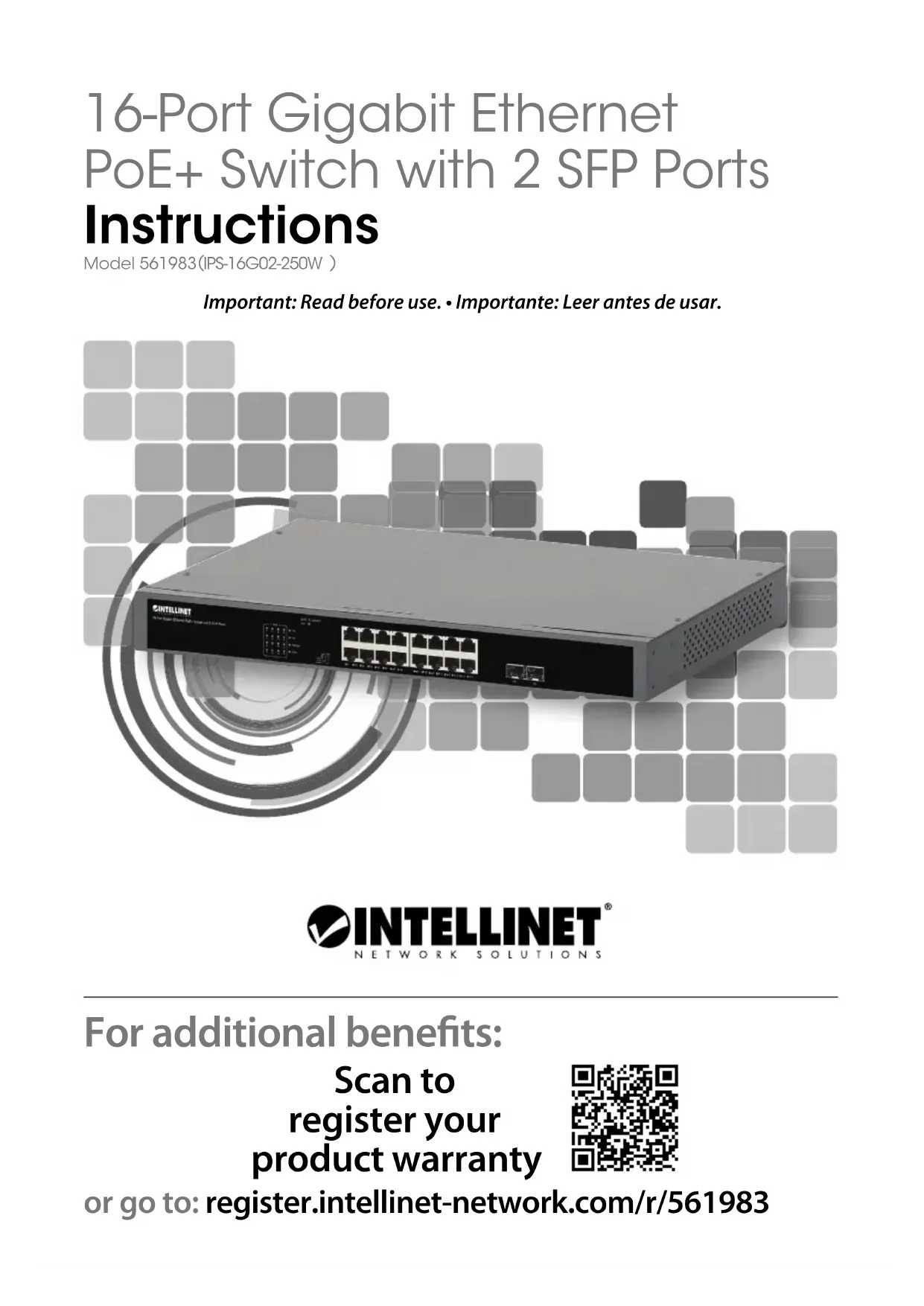
16-Port Gigabit Ethernet PoE+ Switch with 2 SFP Ports Instructions
Model 561983(IPS-16G02-250W)
Important: Read before use. • Importante: Leer antes de usar.
natural_image
Exterior view of a Siemens network switch (no visible text or symbols on the device body)
text_image
INTELLINET® NETWORK SOLUTIONSFor additional benefits:
Scan to register your product warranty

text_image
QR code image containing encoded data, no visible human-readable textor go to: register.intellinet-network.com/r/561983
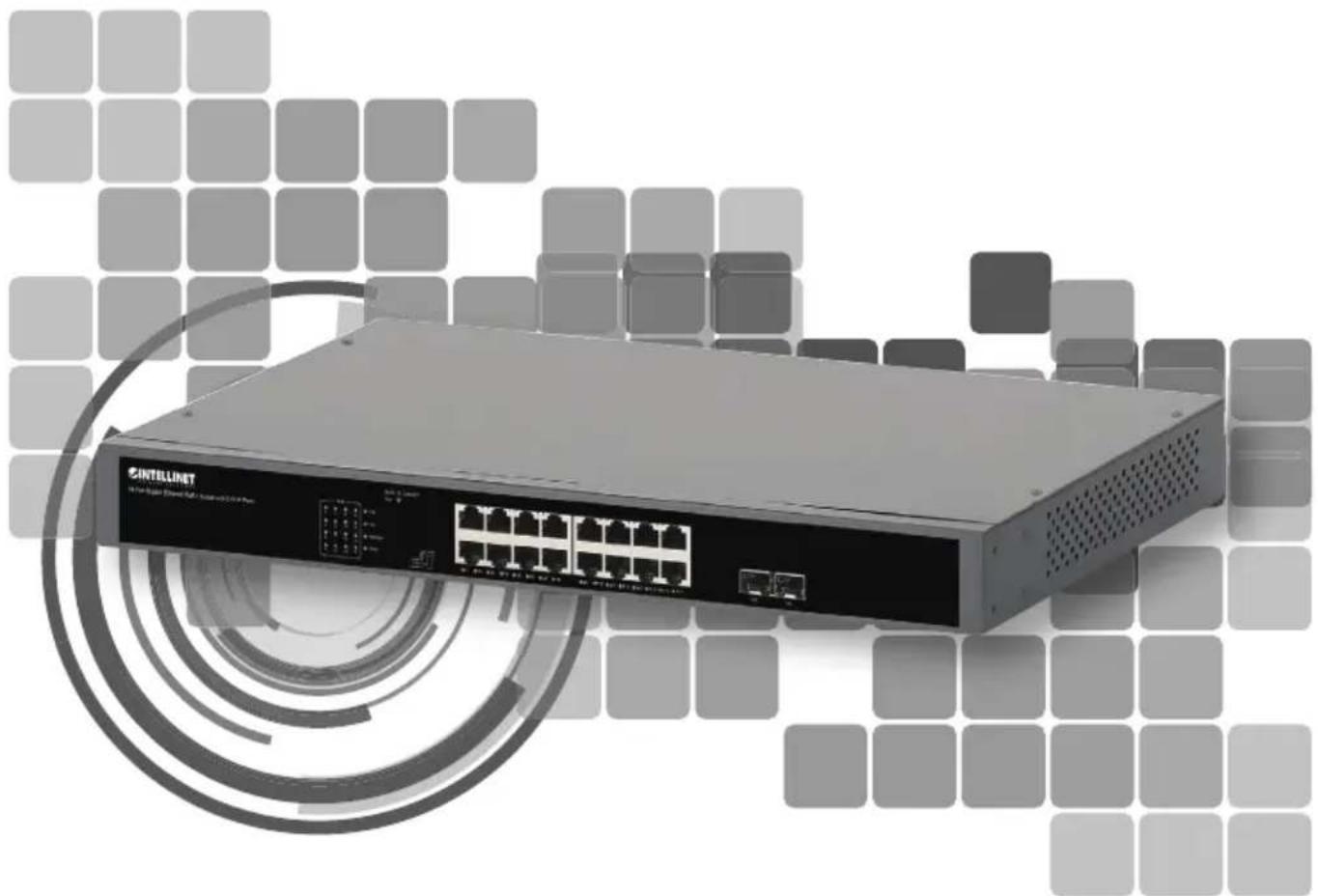
The Intellinet Network Solutions 16-Port Gigabit Ethernet PoE+ Switch with 2 SFP Ports offers an array of time-saving, cost-effective features while providing superior network throughput. No configuration is required and installation is plug and play. With a backplane speed of 36 Gbps, plenty of performance is available for your computers, servers and other networking devices. Each of the ports automatically senses the link speed of the connected network device and adjusts to 10, 100 or 1000 Mbps for compatibility and maximum performance. This PoE switch is designed to provide compatible devices with enough power when needed. It offers up to 30 watts of power per port until its power budget of 250 watts is reached. The Powered Device Monitor feature (PDM) restarts any connected PoE device that fails to respond or send out network traffic.
Green Ethernet Technology
This Intellinet Network Solutions switch detects link status to all connected devices and reduces the power usage of ports not in use. In addition, the switch can adjust the level of power output based on the length of the network cable connected to a particular port. This feature allows for the enjoyment of maximum network performance, and when things slow down, it automatically scales back power usage to conserve energy and save money.
For specifications, visit intellinetnetwork.com. Register your product at register.intellinet-network.com/r/561983 or scan the QR code on the cover.

Front Panel

text_image
INTELLINET 16 Port Signal Filter Plus Switch with TCP Ports CAN: 32.000000 USB: 125 USB: 125 USB: 125 USB: 125 USB: 125 USB: 125 USB: 125 USB: 125 USB: 125 USB: 125 USB: 125 USB: 125 USB: 125 USB: 125 USB: 125 SB: 125 SB: 125 SB: 125 SB: 125 SB: 125 SB: 125 SB: 125 SB: 125 SB: 125 SB: 125 SB: 125 SB: 125 SB: 125 SB: 125 SB: N/A SB: N/A SB: N/A SB: N/A SB: N/A SB: N/A SB: N/A SB: N/A SB: N/A SB: N/A SB: N/A SB: N/A SB: N/A SB: N/A SB: N/A SB: N/A SB: N/A SB: N/A SB: N/A SB: N/A SB: N/4 SB: N/4 SB: N/4 SB: N/4 SB: N/4 SB: N/4 SB: N/4 SB: N/4 SB: N/4 SB: N/4 SB: N/4 SB: N/4 SB: N/4 SB: N/4 SB: N/4 SB: N/4 SB: N/4 SB: S/N4 SB: S/N4 SB: S/N4 SB: S/N4 SB: S/N4 SB: S/N4 SB: S/N4 SB: S/N4 SB: S/N4 SB: S/N4 SB: S/N4| LED COLOR STATUS STATUS DESCRIPTION | |||
| PWR Green | Off Power Off | ||
| On Power On | |||
| LNK/ACT(1-16; 17S & 18S [SFP]) | Green | Off No device is connected to the port. | |
| On A device is connected to the port. | |||
| Flashing Sending or receiving data | |||
| PoE (1-16) Orange | Off No powered device (PD) is connected to the port. | ||
| On The connected device is receiving power. | |||
| Flashing Abnormal power supply | |||
| PoE Max Orange | On | The system has reached a total power output of 200 W.The PoE total is nearing its maximum level of 250 W. | |
Cat5e/6/6a/8.x UTP/STP cables provide optimal performance; if a status LED doesn't indicate a link or activity, check the corresponding device for proper setup and operation.
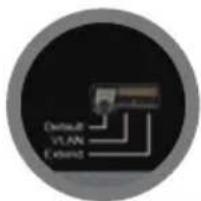
Slide Switch
text_image
Default VLAN Extender- Default: default mode; allows normal communication between ports 1 – 18.
- VLAN: isolates ports 1 – 16 from each other while allowing them to connect to ports 17 and 18.
- Extend: set PoE ports to full 10 Mbps and extend Ethernet up to 250 meters (820 ft.).

Rear Panel
Power
Use the included power cord to connect the device (on the rear panel) to an AC outlet. The device supports AC 100 – 240 V, 50/60 Hz.
Chassis Ground Column
Located on the side of the power supply connector, a grounding terminal connector is used to provide proper grounding for your Intellinet Network Solutions switch. If you use the chassis grounding screw, it should be wired to an object that provides earth ground. In rackmount installations, grounding is typically provided by the metal frame of the mounting rack.

Placement
Desktop Installation
Prior to use, it is recommended that the switch be placed/positioned on a level surface that can support the weight of the switch (and possibly other objects) with at least 25 mm (approx. 1") of clearance for ventilation; away from sources of electrical noise (radios, transmitters, broadband amplifiers); and within 100 m (approx. 328') of network devices it's to be connected to. Attach the rubber feet to the bottom of each corner of the switch to increase stability.
Rackmount Installation
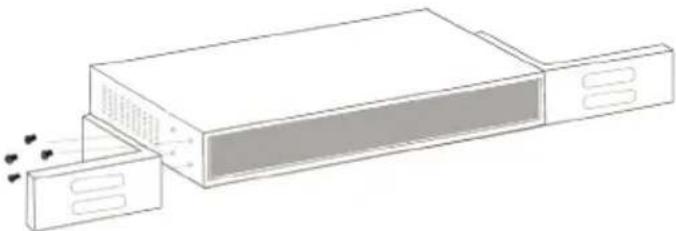
The switch can be mounted in an EIA standard-sized, 19-inch rack. Attach the mounting brackets on the switch's side panels (one on each side) and secure them with the screws provided.
natural_image
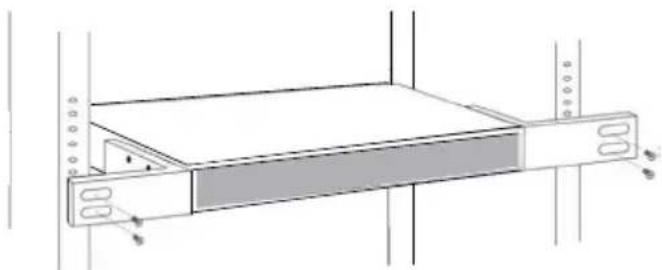
Diagram of a device with two rectangular units and a smaller container, showing internal components and motion indicators (no text or symbols)Use the screws provided with the equipment rack to mount the Intellinet Network Solutions switch to the rack.
natural_image
Technical line drawing of a mechanical device with a rectangular panel and mounting holes (no text or symbols)natural_image
Diagram of a device with two rectangular units and a separate container, showing internal components and heat distribution (no text or symbols)natural_image
Technical line drawing of a mechanical device with a rectangular panel and mounting holes (no text or symbols)text_image
INTELLINET 16 Port Interface Filament Pull & Audio with 2 GTP Ports DATA: DIRECT USB 70% 75% 80% 85% 90% 95% 100% 105% 110% 115% 120% 125% 130%natural_image
Diagram of a device with two ports and a central panel, showing no text or symbols.natural_image
Diagram of a server rack with ventilation slots and a highlighted portion (no text or symbols)natural_image
Diagram of a device with two ports and a central panel, showing internal components and heat dissipation (no text or symbols)natural_image
Technical line drawing of a rack-mounted device with mounting flanges and a central tab (no text or symbols)natural_image
Diagram of a device with two compartments and a central panel, showing internal components and sound waves (no text or symbols)natural_image
Technical line drawing of a rack-mounted device with mounting holes and a central tab (no text or symbols)Ethernet e Green Technology
natural_image
Line drawing of a device with two panels and a central screen, no text or symbols presentnatural_image
Diagram of a server rack with indicator lights and a highlighted panel (no text or symbols)WASTE ELECTRICAL & ELECTRONIC EQUIPMENT
DISPOSAL OF ELECTRIC AND ELECTRONIC EQUIPMENT
(Applicable In The European Union And Other European Countries With Separate Collection Systems)
ENGLISH: This symbol on the product or its

packaging means that this product must not be treated as unsorted household waste. In accordance with EU Directive 2012/19/EU on Waste Electrical and Electronic Equipment (WEEE), this electrical product must be disposed of in accordance with the user's local regulations for electrical or electronic waste. Please dispose of this product by returning it to your local point of sale or recycling pickup point in your municipality.
This equipment has been tested and found to comply with the limits for a Class A digital device, pursuant to Part 15 of the Federal Communications Commission (FCC) Rules. These limits are designed to provide reasonable protection against harmful interference when the equipment is operated in a commercial environment. This equipment generates, uses and can radiate radio frequency energy, and if not installed and used in accordance with the instruction manual may cause harmful interference to radio communications. Operation of this equipment in a residential area is likely to cause harmful interference, in which case the user will be required to correct the interference at his own expense. Any changes or modifications made to this equipment without the approval of the manufacturer could result in the product not meeting the Class A limits, in which case the FCC could void the user's authority to operate the equipment.
CE/UKCA
ENGLISH : This device complies with the requirements of CE 2014/30/EU (UKCA Electromagnetic Compatibility Regulations 2016) and / or 2014/35/EU (UKCA Electrical Equipment [Safety] Regulations 2016). The Declaration of Conformity for is available at:
support.intellinet-network.com/barcode/561983




North America
IC Intracom America
550 Commerce Blvd.
Oldsmar, FL 34677 USA
Asia & Africa
IC Intracom Asia
4-F, No. 77, Sec. 1, Xintai 5th Rd.
Xizhi Dist., New Taipei City 221, Taiwan
Europe
IC Intracom Europe
Löhbacher Str. 7, D-58553
Halver, Germany

text_image
INTELLINET® NETWORK SOLUTIONSintellinet-network.com
All trademarks and trade names are the property of their respective owners. © IC Intracom. All rights reserved. Intellinet Network Solutions is a trademark of IC Intracom, registered in the U.S. and other countries.