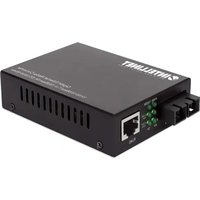
508544 - Audio/video converter Intellinet - Free user manual and instructions
Find the device manual for free 508544 Intellinet in PDF.


| Product Type | Audio/video converter (RJ45 to fiber optic media converter) |
| Brand | Intellinet |
| Model | 508544 |
| Dimensions (approx.) | 95 x 70 x 25 mm |
| Weight (approx.) | 200 g |
| Power Supply | 5 V DC, 1 A power adapter (included) |
| Copper Port (RJ45) | 10/100/1000 Mbps, auto-negotiation, max distance 100 m |
| Fiber Port (SC) | 1000Base-SX multimode, max distance 550 m |
| Transmission Modes | Full-duplex and half-duplex with auto-negotiation |
| LED Indicators | PWR, 1000M, LINK/ACT (RJ45 and fiber), FDX/COL (RJ45), SD (fiber) |
| DIP Switch | Position 1: Link Fault Pass-through (LFP) ON/OFF; Position 2: Cut-through/Store-and-forward switching; Positions 3 & 4 unused |
| Recommended Cabling | Cat5e or higher for twisted pair; multimode fiber optic for optical link |
| Connectivity | Point-to-point connection between two converters via fiber (TX to RX, RX to TX) |
| Operating Temperature | 0 °C to 50 °C |
| Operating Humidity | 10% to 90% (non-condensing) |
| Maintenance and Cleaning | Disconnect before cleaning; use a soft, dry cloth; do not use solvents |
| Safety | Use only the provided adapter; avoid exposure to water; do not open the housing |
| Spare Parts and Repairability | No user-serviceable parts; contact technical support for repairs |
| General Information | Compliant with CE directives 2014/30/EU and 2014/35/EU; recycling according to WEEE 2012/19/EU |
Frequently Asked Questions - 508544 Intellinet
User questions about 508544 Intellinet
0 question about this device. Answer the ones you know or ask your own.
Ask a new question about this device
Download the instructions for your Audio/video converter in PDF format for free! Find your manual 508544 - Intellinet and take your electronic device back in hand. On this page are published all the documents necessary for the use of your device. 508544 by Intellinet.
USER MANUAL 508544 Intellinet
Gigabit Ethernet Media Converter Instructions
Models 508544 (IMC-MMSCG550M)
Important: Read before use. • Importante: Leer antes de usar.
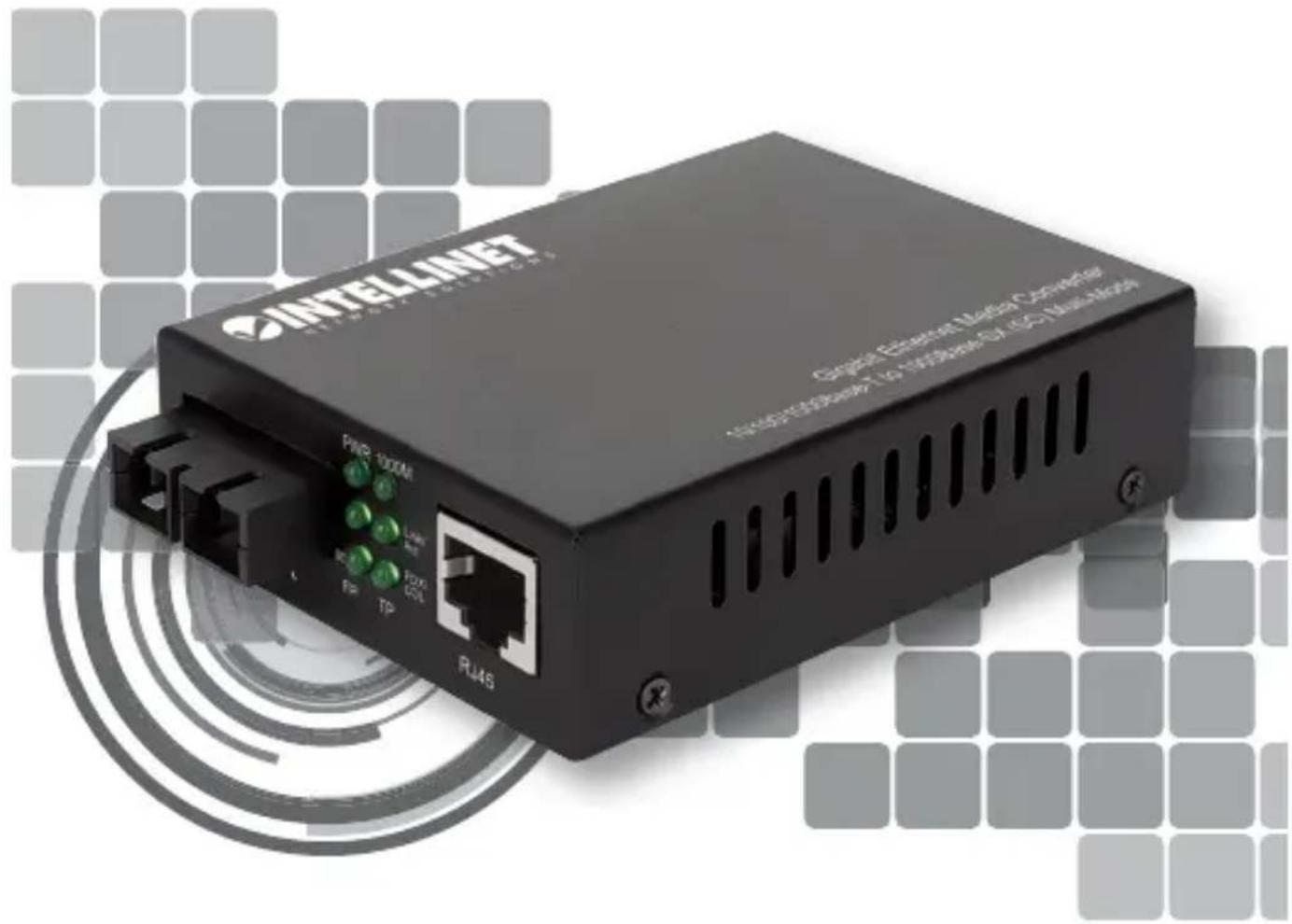

INTELLINET®
NETWORK SOLUTIONS
For additional benefits:
Scan to register your product warranty

or go to: register.intellinet-network.com/r/508544
Media converters connect two Ethernet networks over a longer distance using fiber optic cable.
For specifications, visit intellinetnetwork.com. Register your product at register.intellinet-network.com/r/508544 or scan the QR code on the cover.
Features
• One 10/100/1000 RJ45 port supporting a maximum distance of 100 m (300 ft.)
• One 1000Base-SX fiber SC multi-mode port supporting
a maximum distance of 550 m (1,800 ft.)
• Supports full-duplex and half-duplex modes with autonegotiation

Connections
flowchart
graph TD
    A["ETHERNET 1"] -->|TWISTED PAIR| B["MEDIA CONVERTER 1"]
    B --> C["TX RX RJ45"]
    B --> D["OPTICAL FIBER"]
    D --> E["TX RX RJ45"]
    F["ETHERNET 2"] --> G["MEDIA CONVERTER 2"]
    G --> H["TWISTED PAIR"]
    B --> I["TWISTED PAIR"]
    style A fill:#f9f,stroke:#333
    style F fill:#f9f,stroke:#333
    style B fill:#ccf,stroke:#333
    style D fill:#ccf,stroke:#333
    style E fill:#ccf,stroke:#333
    style G fill:#ccf,stroke:#333
Twisted Pair - RJ45
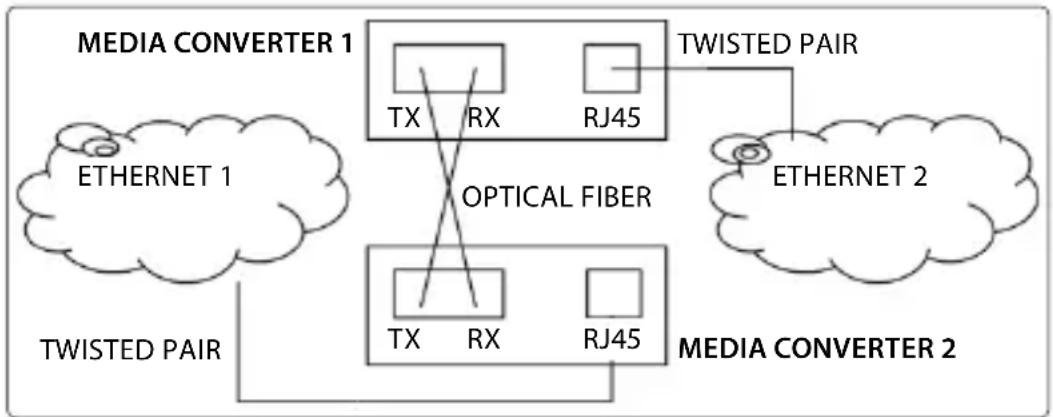
Connect the UTP port of the media converter to an RJ45 port on the network (e.g., to an Ethernet switch). Cat5e or better cabling is recommended.
Fiber Optic
As shown above, two fiber optic cables need to be connected between two ideally identical media converters. Make a connection from Media Converter 1 TX to Media Converter 2 RX, and from Media Converter 1 RX to Media Converter 2 TX. Maximum length and fiber cable specification depend on the model. (See Models.)

Front panel
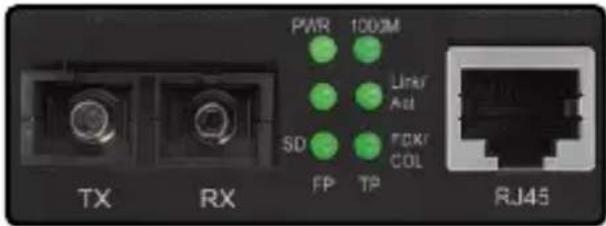
| LED Description | |
| PWR The power adapter is connected when lit. | |
| 1000M | 1000 Mbps link on the twisted pair connection when lit. |
| LINK/ACT(TP = RJ45; FP = FIBER) | - Active link when lit;- Data traffic when flashing;- No active network link when unlit. |
| FDX/COL (FOR TP/RJ45) | - Full duplex connection when lit;- Data collisions when flashing;- Half duplex when unlit. |
| SD (FOR FP/FIBER) | - Fiber optic signal is detected when lit;- No signal when unlit. |

Rear Panel
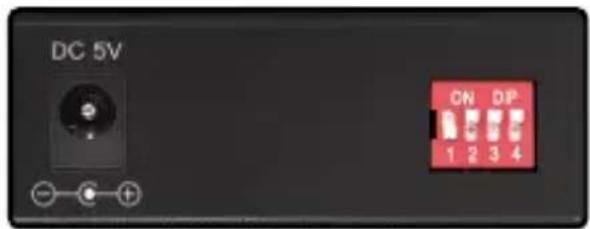
Power
Plug the power adapter into the 5 V DC input jack on the media converter, then connect it to a regular power outlet. Only use the included power adapter or one with matching specifications (output of 5 V DC, at least 1 A).
DIP Switch
| Switch Position Description | ||
| 1 | On Link | Fault Pass-through (LFP) on |
| Off LFP | off | |
| 2 | On Cut-through switching | |
| Off Store-and-forward switching | ||
| 3 & 4 Blank | ||
(Applicable In The European Union And Other European Countries With Separate Collection Systems)
ENGLISH: This symbol on the product or its

packaging means that this product must not be treated as unsorted household waste. In accordance with EU Directive 2012/19/EU on Waste Electrical and Electronic Equipment (WEEE), this electrical product must be disposed of in accordance with the user's local regulations for electrical or electronic waste. Please dispose of this product by returning it to your local point of sale or recycling pickup point in your municipality.
This equipment has been tested and found to comply with the limits for a Class B digital device, pursuant to Part 15 of Federal Communications Commission (FCC) Rules. These limits are designed to provide reasonable protection against harmful interference in a residential installation. This equipment generates, uses and can radiate radio frequency energy, and if not installed and used in accordance with the instructions may cause harmful interference to radio communications. However, there is no guarantee that interference will not occur in a particular installation. If this equipment does cause harmful interference to radio or television reception, which can be determined by turning the equipment off and on, the user is encouraged to try to correct the interference by one or more of the following measures: reorient or relocate the receiving antenna; increase the separation between the equipment and the receiver; connect the equipment to an outlet on a circuit different from the receiver; or consult the dealer or an experienced radio/TV technician for help.
CE
ENGLISH : This device complies with the requirements of CE 2014/30/EU and / or 2014/35/EU. The Declaration of Conformity for is available at:
support.intellinet-network.com/barcode/508544



North America
IC Intracom America
550 Commerce Blvd.
Oldsmar, FL 34677, USA
Asia & Africa
IC Intracom Asia
4-F, No. 77, Sec. 1, Xintai 5th Rd.
Xizhi Dist., New Taipei City 221, Taiwan
Europe
IC Intracom Europe
Löhbacher Str. 7, D-58553
Halver, Germany
All trademarks and trade names are the property of their respective owners.
All trademarks and trade names are the property of their respective owners. © IC Intracom. All rights reserved. Intellinet Network Solutions is a trademark of IC Intracom, registered in the U.S. and other countries.
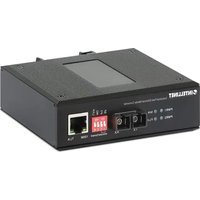
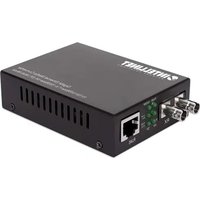
Brand : Intellinet
Model : 508544
Category : Audio/video converter