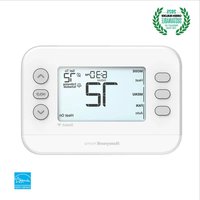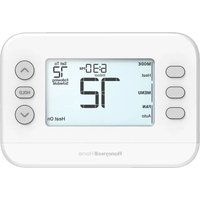
T4 Pro TH4110U2005 - Thermostat HONEYWELL - Free user manual and instructions
Find the device manual for free T4 Pro TH4110U2005 HONEYWELL in PDF.



User questions about T4 Pro TH4110U2005 HONEYWELL
0 question about this device. Answer the ones you know or ask your own.
Ask a new question about this device
Download the instructions for your Thermostat in PDF format for free! Find your manual T4 Pro TH4110U2005 - HONEYWELL and take your electronic device back in hand. On this page are published all the documents necessary for the use of your device. T4 Pro TH4110U2005 by HONEYWELL.
USER MANUAL T4 Pro TH4110U2005 HONEYWELL
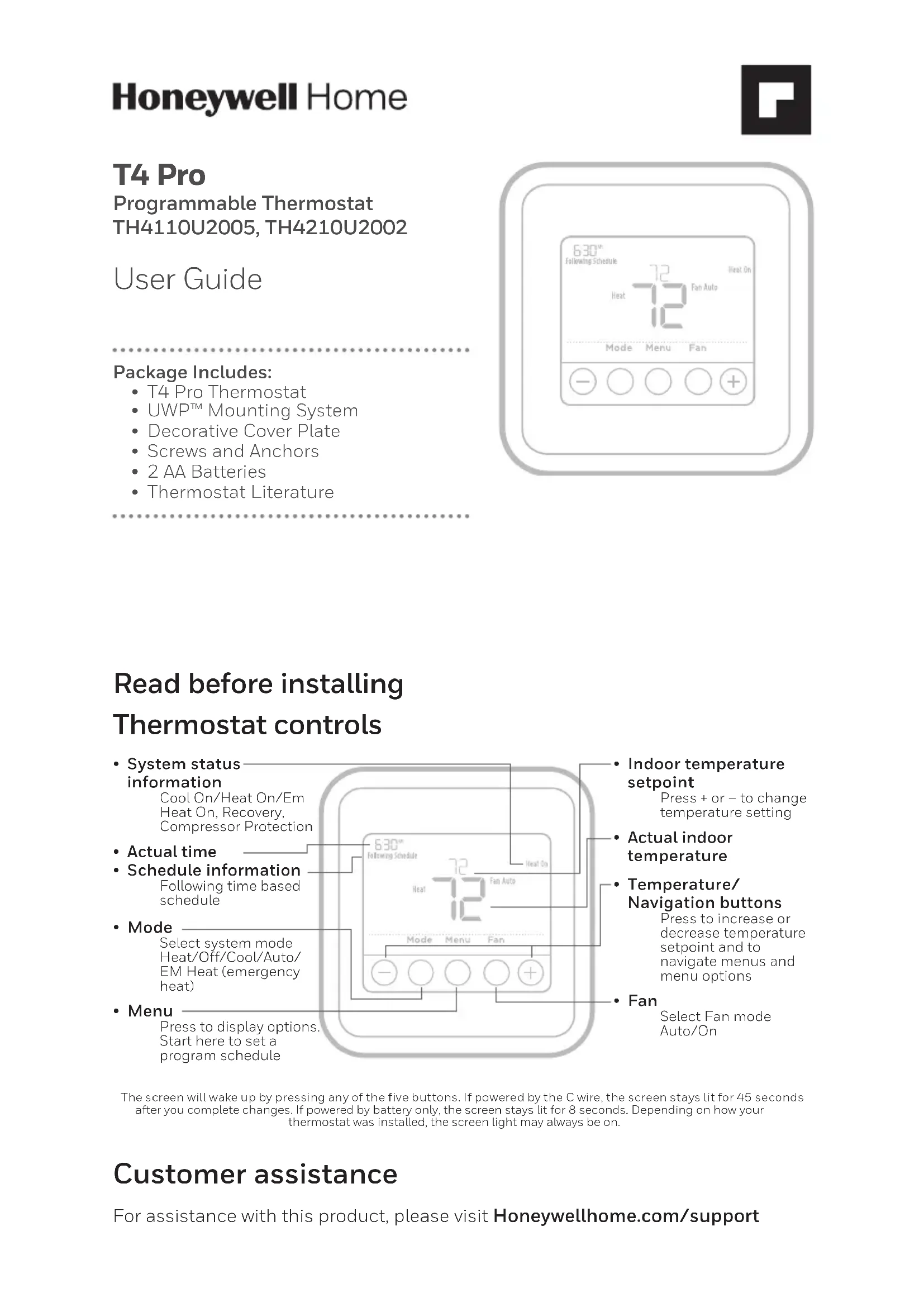
• T4 Pro Thermostat
- UWP™ Mounting System
• Decorative Cover Plate
- Screws and Anchors
- 2 AA Batteries
• Thermostat Literature
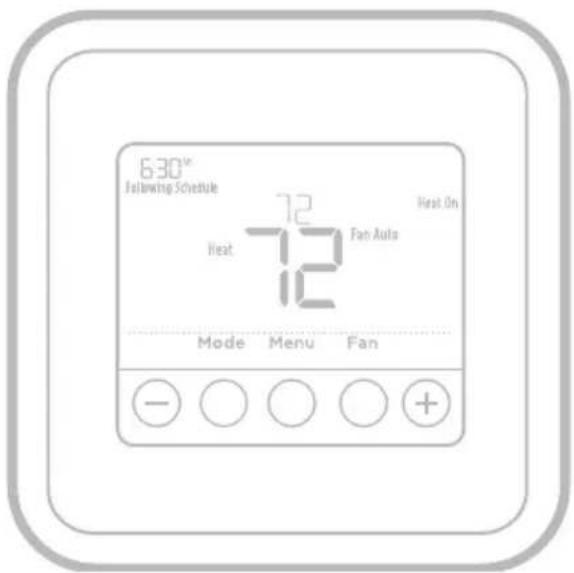
text_image
630th Following Schedule 72 Heat 12 Fan Auto Heat On Mode Menu FanRead before installing Thermostat controls
text_image
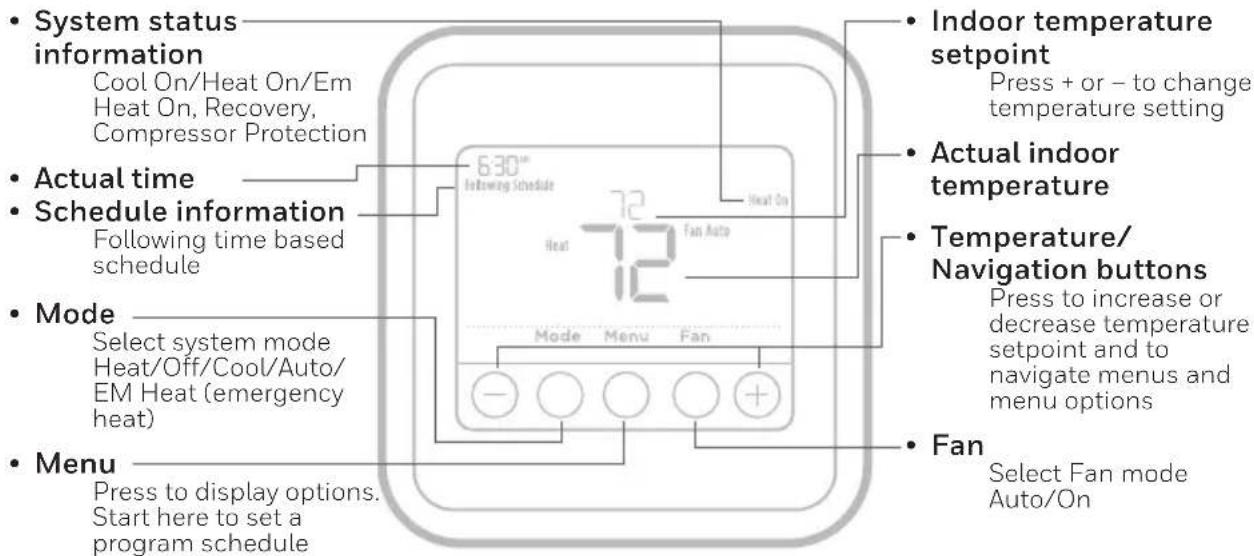
System status information Cool On/Heat On/Em Heat On, Recovery, Compressor Protection Actual time Schedule information Following time based schedule Mode Select system mode Heat/Off/Cool/Auto/ EM Heat (emergency heat) Menu Press to display options. Start here to set a program schedule 630° Following Schedule Heat Fan Auto Mode Menu Fan Indoor temperature setpoint Press + or - to change temperature setting Actual indoor temperature Temperature/ Navigation buttons Press to increase or decrease temperature setpoint and to navigate menus and menu options Fan Select Fan mode Auto/OnThe screen will wake up by pressing any of the five buttons. If powered by the C wire, the screen stays lit for 45 seconds after you complete changes. If powered by battery only, the screen stays lit for 8 seconds. Depending on how your thermostat was installed, the screen light may always be on.
Customer assistance
For assistance with this product, please visit Honeywellhome.com/support
System operation settings
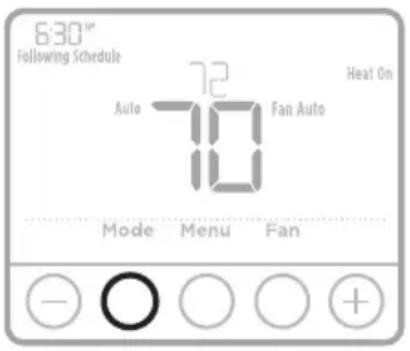
1 Press the Mode button to cycle to the next available System mode.
2 Cycle through the modes until the required System mode is displayed and leave it to activate.
NOTE: Available System modes vary by model and system settings.
System modes:
- Auto
- Heat
- Cool
- Off
- Em. Heat (TH4210U only)
text_image
6:30" Following Schedule 72 Auto Fan Auto Heat On Mode Menu Fan - ○ ○ ○ + +Fan operation settings
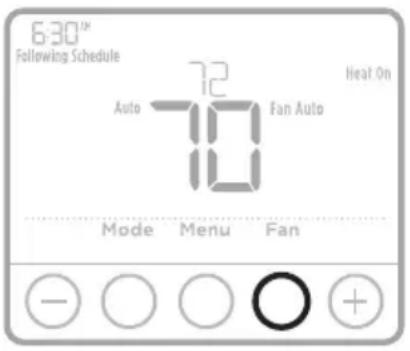
1 Press the Fan button to cycle to the next available Fan mode.
2 Cycle through the modes until the required Fan mode is displayed and leave it to activate.
NOTE: Available Fan modes vary with system settings.
Fan modes:
- Auto: Fan runs only when the heating or cooling system is on.
- On: Fan is always on.
text_image
6:30™ Following Schedule 72 Auto Fan Auto Heat On Mode Menu Fan - ○ ○ ○ +Set the time and date
Time
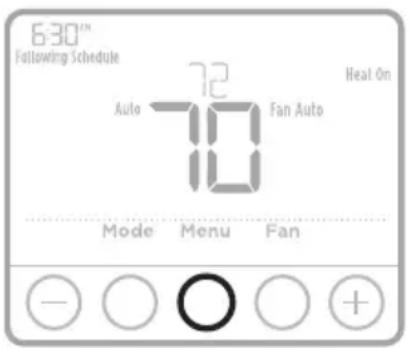
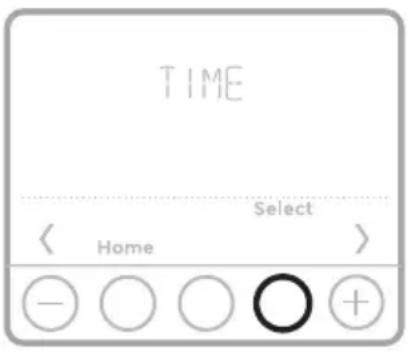
1 Press Menu, and then press + to go to TIME. Press Select.
2 Press or to choose between 12 or 24 hour. Press Select.
3 Use + or - to adjust the hour. Press Select.
4 Use or to adjust the minutes. Press Select to exit Time menu.
text_image
6:30™ Following Schedule 72 Auto Fan Auto Heat On Mode Menu Fan - ○ ○ + +Date
1 If previously setting time, continue to Step 2. If at the Home screen, press Menu on your thermostat.
2 Press + or - to go to DATE. Press Select.
3 Use + or - to adjust year. Press Select.
4 Use the + or - to adjust month. Press Select.
5 Use the or to adjust Date. Press Select to save and exit Date menu.
text_image
TIME Select Home - ○ ○ ○ +Program Schedule
You can program four time periods each day, with different settings for weekdays and weekends. We recommend the pre-sets (shown in the table below), since they can reduce your heating/cooling expenses.
Wake - Set to the time you wake up and the temperature you want during the morning, until you leave for the day.
Away - Set to the time you leave home and the temperature you want while you are away (usually an energy-saving level).
Home - Set to the time you return home and the temperature you want during the evening, until bedtime.
Sleep - Set to the time you go to bed and the temperature you want overnight (usually an energy-saving level).
| HeatCool | ||
| Wake(6:00 am) | 70° | 78° |
| Away(8:00 am) | 62° | 85° |
| Home(6:00 pm) | 70° | 78° |
| Sleep(10:00 pm) | 62° | 82° |
NOTE: To temporarily or permanently override any of the above program schedules, see page 4.
To adjust program schedules
1 Press Menu on your thermostat.
2 PROG is displayed. Press Select. Then ON is displayed. (If you do not want to use a schedule, press or to display OFF. Press Select.) Press Select.
3 Press or to select day or set of days to edit. Press Select.
4 Press or to select a schedule period to edit (Wake, Away, Home, and Sleep). Press Select.
5 ON is displayed. Press Select to keep the schedule period on. Or press and then Select to turn off the schedule period.
6 Time starts blinking. Press or to adjust the schedule period start time. Press Select.
7 Temperature starts blinking. Press or to adjust the "Heat" setpoint temperature. Press Select. Press or to adjust the "Cool" temperature setpoint. Press Select.
8 Repeat steps 4 through 7 for the remaining schedule periods.
9 Press Home when you're finished to save and return to the home screen.
10 Schedule can be adjusted and turned ON or OFF by returning to Menu and following the steps provided above.
text_image
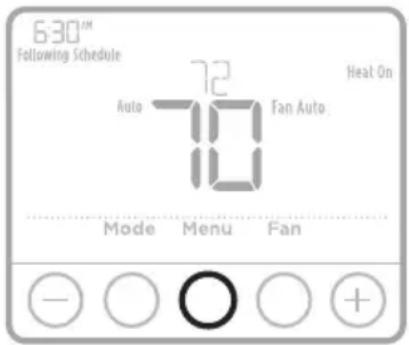
6:30™ Following Schedule Auto 72 Fan Auto Heat On Mode Menu Fan - ○ ○ + +Program schedule override (temporary)
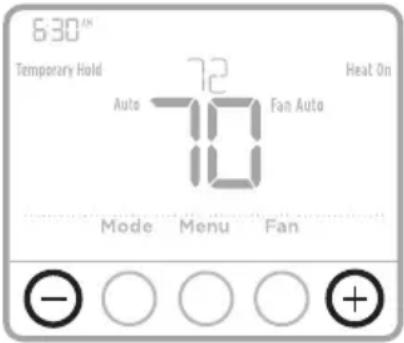
1 Press or to adjust the temperature.
2 Once at the desired setpoint temperature, no further action is needed. The new setpoint temperature will be held until the next scheduled time period begins. For more information on schedule time periods, see "Program Schedule" on page 3.
3 To cancel the Temporary Hold, Press or and then press Cancel.
text_image
630° Temporary Hold Auto 72 Fan Auto 10 Heat On Mode Menu Fan - ○ ○ ○ + +Program schedule override (permanent)
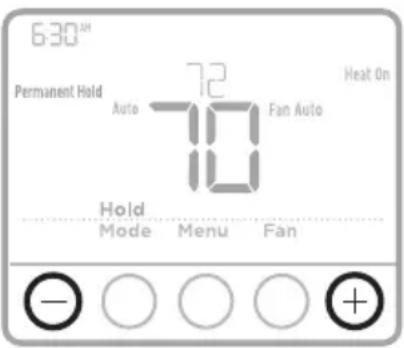
1 Press or to adjust the temperature.
2 TEMPORARY HOLD is displayed and the setpoint temperature flashes. While it's flashing, press Hold (Mode) button to change to Permanent Hold.
3 To cancel the Permanent Hold, press or and then press Cancel.
text_image
6:30 Permanent Hold Auto 72 Fan Auto 10 Heat On Hold Mode Menu Fan - ○ ○ ○ + +Adjusting keypad lockout
1 Press Menu on the thermostat.
2 Press + or - to go to LOCK. Press Select.
3 Press + or - to go to OFF, PART, or ON, and then press Select.
OFF: Unlocked, and full access allowed.
PART: Partial lockout, allowing only the temperature to be changed.
ON: No access allowed.
4 To unlock the keypad, press the CENTER button and then enter the password "1234". To enter the password, press or to change the first digit of the number. Then press Select. Repeat this process to enter the second through fourth digits of the number. Once all four numbers have been entered, press Select again.
5 This will unlock the keypad.
6 If the code is incorrect, the screen will flash the lines "--".
7 Press Back to go back a step to enter the correct number and press Select.
NOTE: On some models, the keypad lockout setting is only available in the installer menu and not available in the user menu.
Adjusting idle backlight display brightness
1 Press Menu on the thermostat.
2 Press + or - to go to LITE. Press Select.
3 Current brightness setting is displayed (1-5).
4 Press or to adjust backlight brightness.
5 Press Select to save and exit LITE menu.
NOTE: Backlight is only displayed if the C (common) wire is connected.
Adaptive Intelligent Recovery
Over time, the T4 Pro Thermostat “learns” how long it takes your system to reach the temperature you want. It turns on the heating or cooling system earlier to make sure you’re comfortable at the time you expect.
Built-in compressor protection
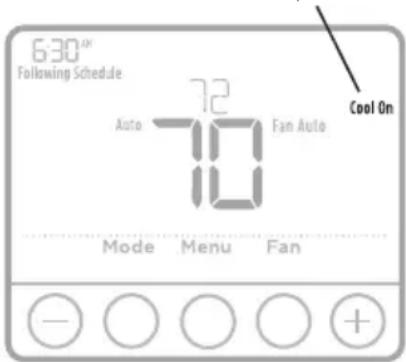
Damage can occur if the compressor is restarted too soon after shutdown. This feature forces the compressor to wait for a few minutes before restarting.
During the wait time, the display will flash the message Cool On (or Heat On if you have a heat pump). When the safe wait time has elapsed, the message stops flashing and the compressor turns on.
Message flashes until safe restart time has elapsed.
text_image
6:30"X Following Schedule 72 Auto Fan Auto 10 Mode Menu Fan Cool On - ○ ○ ○ + +Battery replacement
Batteries are optional (to provide backup power) if your thermostat was wired to run on AC power when installed. If your thermostat was not wired to run on AC power, then batteries are required.
Install fresh batteries immediately when the low battery icon appears. The icon appears about two months before the batteries are depleted.
Even if the low battery icon does not appear, you should replace batteries once a year, or before leaving home for more than a month.
If batteries are inserted within two minutes, the time and day will not have to be reset. All other settings are permanently stored in memory, and do not require battery power.
NOTE: When replacing batteries, alkaline batteries are recommended.
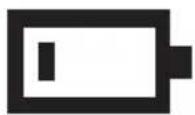
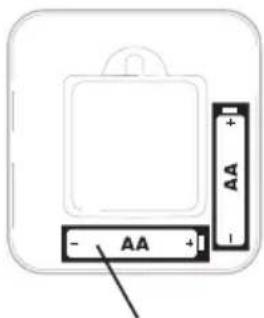
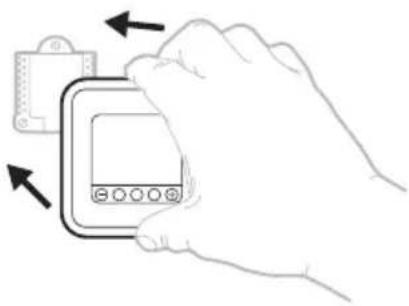
When the low battery warning appears, press gently to loosen the thermostat and then carefully pull it from the wall mount.
text_image
- AA + AA + -Insert fresh alkaline AA batteries and reinstall thermostat.
natural_image
Illustration of a hand holding a digital device with arrows indicating movement or change (no text or symbols present)Alerts
If there is an alert or reminder, the alert icon appears on the Home screen.
Low Battery Warning
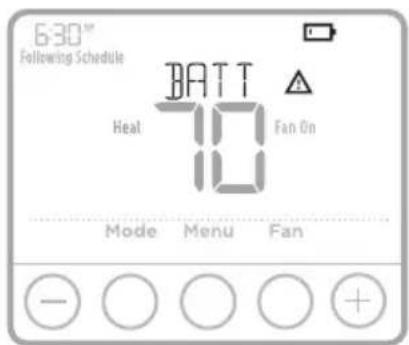
1 The batteries need to be replaced when BATT, the alert icon and the battery icon are displayed on the Home screen.
2 When the battery power is very low, the thermostat's backlight is disabled to save battery power.
3 When battery power is critically low, only BATT, the alert icon and the battery icon are displayed.
text_image
6:30" Following Schedule BATT Heat Fan On 10 Mode Menu Fan - ○ ○ ○ +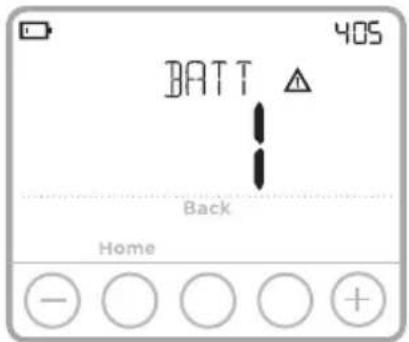
text_image
BATT 405 Back HomeAir Filter Reminder
1 The alert icon appears on the Home screen.
2 Press Menu, and then press + until display shows ALRT.
3 Press Select to display which alert(s) are present.
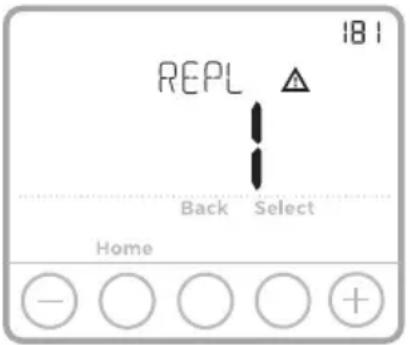
4 The message REPL (REPLACE AIR FILTER) appears.
5 The reminder can be snoozed or cleared. Resideo recommends changing the air filter before clearing the reminder.
6 To snooze, press Select. The word SNZE (SNOOZE) appears.
7 Press Select again to snooze the reminder for 7 days.
8 To clear, press Select, and then press + to go to CLER (Clear).
9 Press Select to clear the air filter reminder.
Snoozing and Clearing Alerts or Reminders\*
1 Press Menu, and then press + until display shows ALRT.
2 Press Select to display which alert(s) are present.
3 The word SNZE (SNOOZE) appears.
4 Press Select again to snooze the reminder for 7 days.
5 To clear the alert, press Select, and then press to go to CLER (Clear).
6 Press Select to clear the reminder.
* Some alerts cannot be snoozed or cleared. Please call your local heating and cooling professional if this occurs. The heating and cooling system may require service.
text_image
18 I REPL Back Select Home - ○ ○ ○ +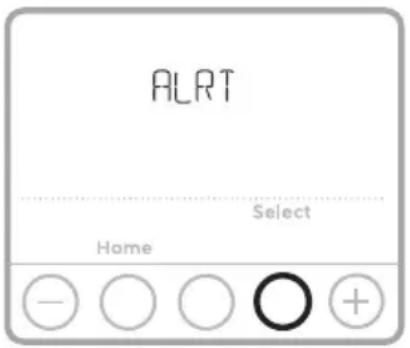
text_image
ALRT Select Home - ○ ○ ○ +Troubleshooting
If you have difficulty with your thermostat, please try the following suggestions. Most problems can be corrected quickly and easily.
Display is blank
- Check circuit breaker and reset if necessary.
- Make sure power switch for heating & cooling system is on.
- Make sure furnace door is closed securely.
- Make sure fresh AA alkaline batteries are correctly installed (see page 6).
Heating or cooling system does not respond
- Press Mode button to set system Heat (see page 2). Make sure the desired temperature is set higher than the inside temperature.
- Press Mode button to set system Cool (see page 2). Make sure the desired temperature is set lower than the inside temperature.
- Check circuit breaker and reset if necessary.
- Make sure power switch for heating & cooling system is on.
- Make sure furnace door is closed securely.
- Wait 5 minutes for the system to respond.
Temperature settings do not change
- If display says “unlock”; see page 5. If not, verify you are in the correct mode (heat, cool, em heat or auto); see page 2.
- If you are in the correct mode, but you cannot set the heat from 40 °F to 90 °F (4.5 °C to 32 °C), or set the cool from 50 °F to 99 °F (10 °C to 37 °C), you may have range-stops restricting your setting. Check with the installer to see if they set range-stops.
- Compressor protection feature is engaged. Wait 5 minutes for the system to restart safely, without damage to the compressor (see page 5).
"Cool On" or "Heat On" is flashing
Electrical Ratings
| Terminal Voltage (50 Hz/60 Hz) Running Current | ||
| W Heating 20 Vac - 30 Vac 0.02 A - 1.0 A | ||
| W2 (Aux) Heating (TH4210U only) 20 Vac - 30 Vac 0.02 A - 1.0 A | ||
| E Emergency Heat (TH4210U only) 20 Vac - 30 Vac 0.02 A - 0.5 A | ||
| Y Compressor Stage 1 20 Vac - 30 Vac 0.02 A - 1.0 A | ||
| G Fan 20 Vac - 30 Vac 0.02 A - 0.5 A | ||
| O/B Changeover 20 Vac - 30 Vac 0.02 A - 0.5 A | ||
| L/A Input 20 Vac - 30 Vac 0.02 A - 0.5 A |
5-year limited warranty
For warranty information go to Honeywellhome.com/support

CAUTION: ELECTRICAL HAZARD
Can cause electrical shock or equipment damage. Disconnect power before beginning installation.

CAUTION: EQUIPMENT DAMAGE HAZARD
Compressor protection is bypassed during testing. To prevent equipment damage, avoid cycling the compressor quickly.

CAUTION: MERCURY NOTICE
If this product is replacing a control that contains mercury in a sealed tube, do not place the old control in the trash. Contact your local waste management authority for instructions regarding recycling and proper disposal.

CAUTION: ELECTRONIC WASTE NOTICE
The product should not be disposed of with other household waste. Check for the nearest authorized collection centers or authorized recyclers. The correct disposal of end-of-life equipment will help prevent negative consequences for the environment and human health.
FCC statement at:
https://customer.resideo.com/en-US/support/residential/codes-and-standards/FCC15105/Pages/default.aspx

resideo
Resideo Technologies Inc.
1985 Douglas Drive North, Golden Valley, MN 55422
https://www.honeywellhome.com/support
33-00188EFS-11 M.S. Rev. 05-22 | Printed in United Stateswww.resideo.com
© 2022 Resideo Technologies, Inc. All rights reserved.
The Honeywell Home trademark is used under license from Honeywell International, Inc. This product is manufactured by Resideo Technologies, Inc. and its affiliates.
text_image
Black and white barcode image with vertical lines and a central 'S' character33-00188EFS-11
T4 Pro
Thermostat Programmable TH4110U2005, TH4210U2002
text_image
630th Following Schedule 72 Heat 12 Fan Auto Heat On Mode Menu Fantext_image
6:30™ Following Schedule Heat 72 Fan Auto Heat On Mode Menu Fantext_image
630° Following Schedule Auto 72 Fan Auto 10 Heat On Mode Menu Fan - ○ ○ ○ +text_image
630° Following Schedule 72 Auto Fan Auto 10 Heat On Mode Menu Fan - ○ ○ ○ +text_image
630° Following Schedule 72 Auto Fan Auto 70 Heat On Mode Menu Fan - ○ ○ +Date
text_image
6:30" Following Schedule 72 Auto Fan Auto 10 Heat On Mode Menu Fan - ○ ○ +text_image
- AA + AA + -natural_image
Line drawing of a hand holding a digital device with arrows indicating action (no text or symbols)Notifications
text_image
6:30" Following Schedule BATT Heat Fan On 10 Mode Menu Fan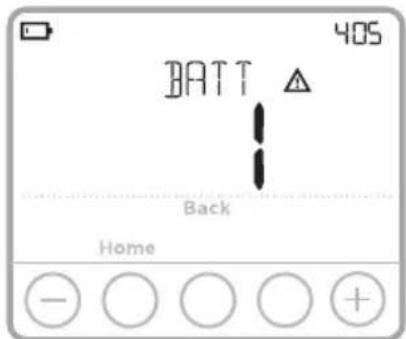
text_image
BATT 405 Back Hometext_image
181 REPL Back Select Home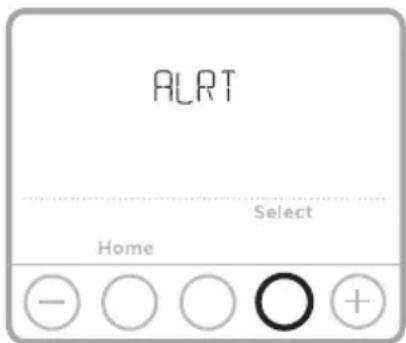
text_image
ALRT Select Home - ○ ○ ○ +Dépannage
MISE EN GARDE : AVIS RELATIF AU MERCURE
https://customer.resideo.com/en-US/support/residential/codes-and-standards/FCC15105/Pages/default.aspx

resideo
www.resideo.com
Resideo Technologies Inc.
1985 Douglas Drive North, Golden Valley, MN 55422
https://www.honeywellhome.com/support
text_image
Black and white barcode image with vertical lines on both sides33-00188EFS-11
T4 Pro
Termostato Programable TH4110U2005, TH4210U2002
Guía del usuario
El paquete incluye:
text_image
630th Following Schedule Heat 72 Fan Auto Heat On 12 12 Mode Menu FanLeer antes de instalar Controles del termostato
text_image
6:30" Following Schedule Heat 72 Fan Auto Heat On Mode Menu Fantext_image
630" Following Schedule 72 Auto Fan Auto Heat On Mode Menu Fan - ○ ○ ○ + +text_image
6:30" Following Schedule 72 Auto Fan Auto 10 Heat On Mode Menu Fan - ○ ○ ○ +text_image
6:30"™ Following Schedule 72 Auto Fan Auto Heat On Mode Menu Fan - ○ ○ +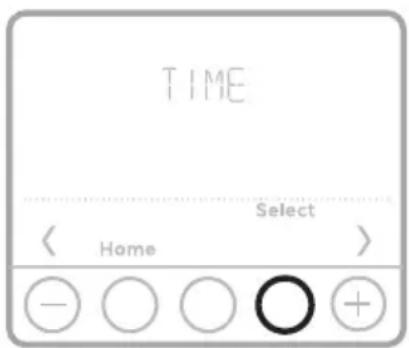
text_image
TIME Select Home - ○ ○ ○ +text_image
- AA + - AA +natural_image
Illustration of a hand holding a digital device with arrows indicating movement (no text or symbols)Avisos
text_image
6:30™ Following Schedule BATT Heal Fan On 10 Mode Menu Fan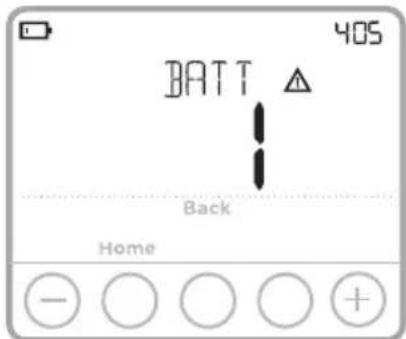
text_image
BATT 405 Back HomeResideo Technologies Inc.
1985 Douglas Drive North, Golden Valley, MN 55422
https://www.honeywellhome.com/support
text_image
Black and white barcode image with vertical lines and patterns33-00188EFS-11