
G PRO X 60 - Keyboard LOGITECH - Free user manual and instructions
Find the device manual for free G PRO X 60 LOGITECH in PDF.
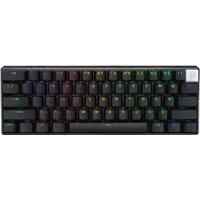


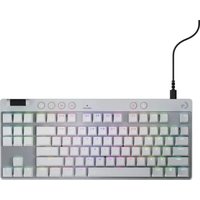
| Product type | Gaming mechanical keyboard |
| Brand | Logitech |
| Model | G PRO X 60 |
| Form factor | 60% (compact) |
| Approximate dimensions | 290 x 100 x 40 mm |
| Approximate weight | 600 g |
| Power | Detachable USB-C cable |
| Main features | Hot-swappable switches, RGB backlighting, programmability via Logitech G HUB software, compact design |
| Maintenance and cleaning | Clean with a soft dry cloth, avoid liquids |
| Safety | Unplug before cleaning, do not expose to moisture |
| Spare parts and repairability | Hot-swappable switches and keycaps, accessory kit available |
| General information | 2-year warranty, compatible with PC/Mac |
Frequently Asked Questions - G PRO X 60 LOGITECH
User questions about G PRO X 60 LOGITECH
0 question about this device. Answer the ones you know or ask your own.
Ask a new question about this device
Download the instructions for your Keyboard in PDF format for free! Find your manual G PRO X 60 - LOGITECH and take your electronic device back in hand. On this page are published all the documents necessary for the use of your device. G PRO X 60 by LOGITECH.
USER MANUAL G PRO X 60 LOGITECH
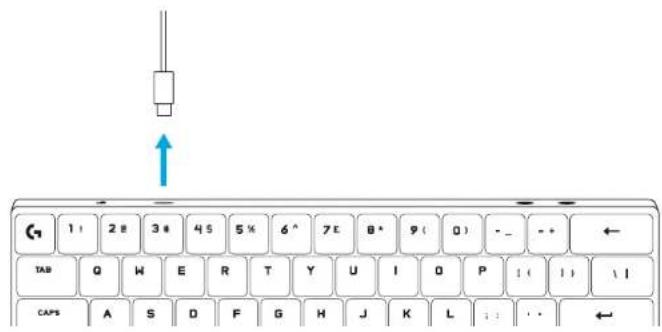
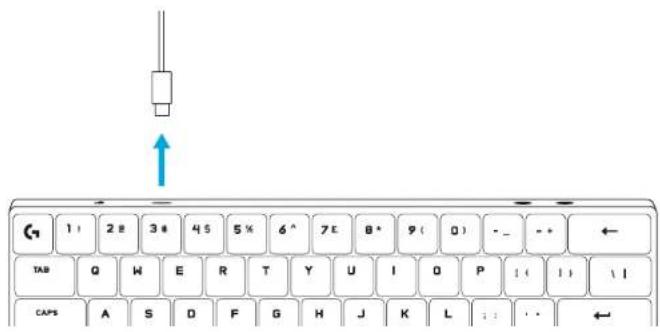
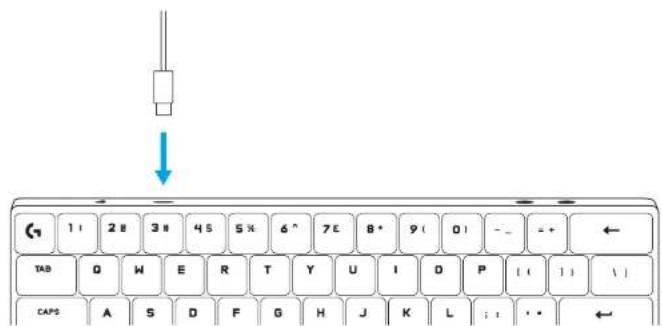
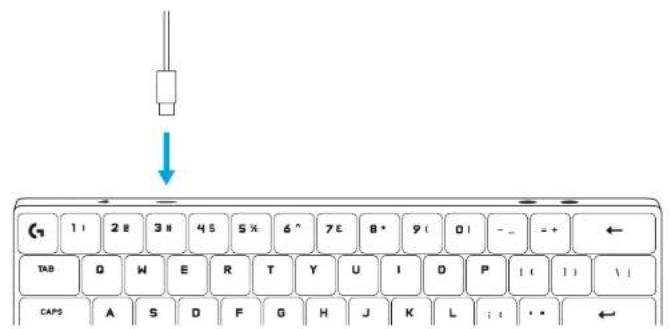
1 Remove the cable from your keyboard.
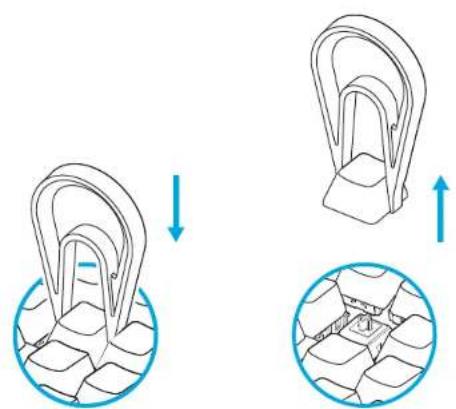
2 Use the keycap puller to remove the keycap.
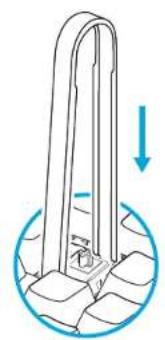
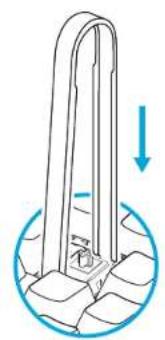
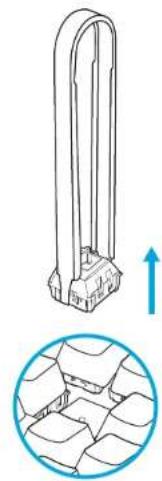
3 Use the switch puller to remove the switch from the keyboard.
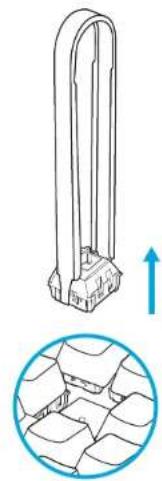
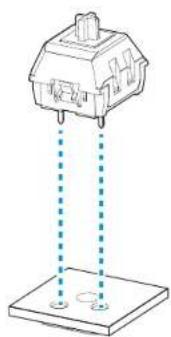
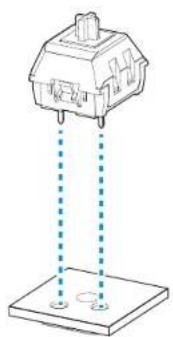
4 Attach the switch on the keyboard, please check if the pin is in the right position. 5 Please make sure the switch attaches to the keyboard tightly, without a gap.
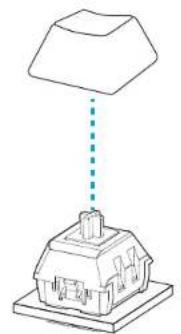
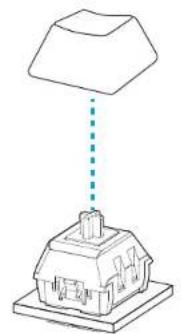
Put the keycap back over the switch.
7 Attach the cable back to the keyboard.
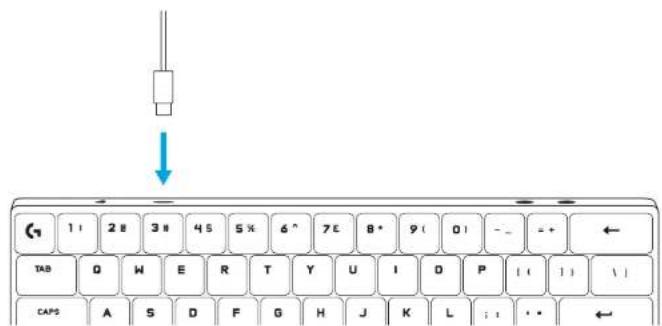
1 Disconnect the cable from the keyboard.
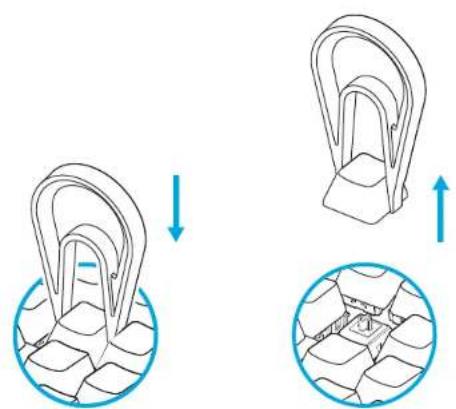
3. Construction and operation of the device, see the device description.
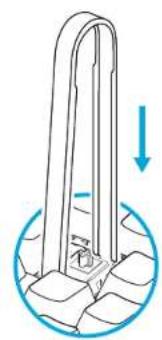
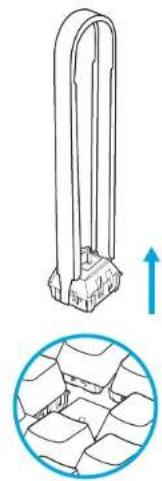
4 Attach the switch to the keyboard, check that the pin is in the correct position. 5 The switch must be held tightly to the keyboard, there should be no gap.
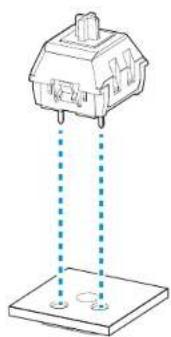
6 Put the keycap back on the switch.
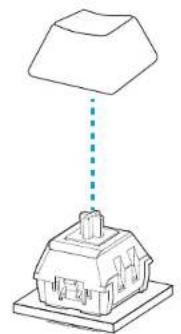
7 Reconnect the cable to the keyboard.
4 4 5 5
6
7 7
INTRODUCTION TO SETUP
©2024 Logitech, Logitech, Logitech G, Logi and their respective logos are trademarks or registered trademarks of Logitech Europe S.A. and/or its affiliates in the U.S. and other countries. All other trademarks are the property of their respective owners. Logitech assumes no responsibility for any errors that may appear in this manual. Information contained herein is subject to change without notice.

Brand : LOGITECH
Model : G PRO X 60
Category : Keyboard