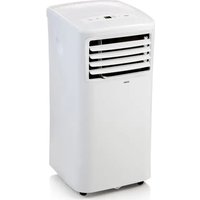
DO10161 - Air Conditioning DOMO - Free user manual and instructions
Find the device manual for free DO10161 DOMO in PDF.


| Product type | Mobile air conditioner monoblock |
| Brand | DOMO |
| Model | DO10161 |
| Refrigerant | R290 (flammable) |
| Minimum room area | 7 m² |
| Power supply | 220-240 V ~ 50 Hz |
| Operating modes | Cool, Dry, Fan, Auto |
| Fan speed | Low, High, Auto |
| Adjustable temperature range | 17 °C to 35 °C |
| Built-in timer | Programmable on/off up to 24 h |
| Sleep function | Yes (gradual temperature increase) |
| Shortcut function | Saving a custom setting |
| Remote control | Yes (range 8 m, 2 x AAA batteries) |
| Air flow direction | Manual (adjustable slats) |
| Filter maintenance | Clean every 2 weeks with warm water |
| Drainage | Manual or continuous (drain hose included) |
| Error code P1 | Water tank full - drain |
| Warranty | 2 years (material and workmanship), 6 months accessories |
| After-sales service | +32 14 21 71 91 / info@linea2000.be |
Frequently Asked Questions - DO10161 DOMO
User questions about DO10161 DOMO
0 question about this device. Answer the ones you know or ask your own.
Ask a new question about this device
Download the instructions for your Air Conditioning in PDF format for free! Find your manual DO10161 - DOMO and take your electronic device back in hand. On this page are published all the documents necessary for the use of your device. DO10161 by DOMO.
USER MANUAL DO10161 DOMO
natural_image
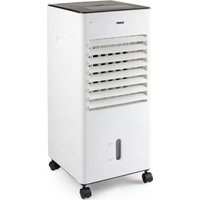
White portable air conditioner unit with ventilation slots and control panel (no visible text or symbols)DO10161
| Handleiding Mobiele airco | |
| Mode d'emploi Climatiseur mobile | |
| Gebrauchsanleitung Mobile Klimaanlage | |
| Instruction booklet Mobile air conditioning | |
| Manual de instrucciones Acondicionador | |
| Istruzioni per l'uso Condizionatore d'aria portatile | |
| Návod k použití Mobilní klimatizace | |
| Návod na použitie Mobilná klimatizácia |
⚠PRODUCTSPECIFIEKE WAARSCHUWINGEN
natural_image
Product display image showing four labeled parts: a plastic sheet, a metal ring, a coiled spring, and a dark rectangular component (no text or symbols visible)INSTALLATIE
natural_image
Illustration of a coiled cable or wire with no text or symbols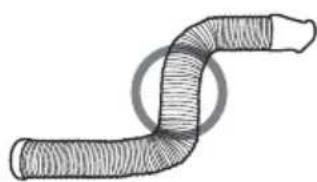
natural_image
Diagram of a curved, segmented pipe or tube with hatched fill, no text or symbols present
INSTALLATIE VAN DE RAAMBEVESTIGING
natural_image
Diagram showing a mechanical assembly or assembly process, with two circular views before and after transformation (no text or symbols present)natural_image
Line drawing of a window with a hose inserted into a fan (no text or symbols)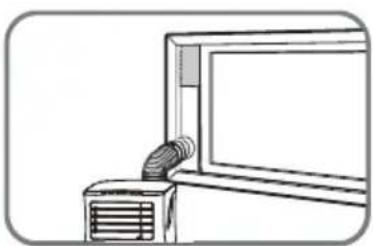
natural_image
Line drawing of a wall-mounted air conditioner unit with a mounted fan (no text or symbols)INSTALLATIE MUURBEVESTIGING
natural_image
Diagram showing a mechanical joint before and after assembly, with no visible text or symbolsnatural_image
Illustration of two hand-crank remote control devices with battery modules and a switch, showing internal components (no text or symbols)1. ON-OFF-toets
natural_image
Technical line drawing of a server rack unit with a close-up inset showing internal components (no text or symbols)REINIGING
natural_image
Line drawing of a hand opening a portable air conditioner unit with cooling fan and ventilation grille (no text or symbols)Behuizing
PROBLEEM EN OPLOSSING
natural_image
Recycling symbol icon (three chasing arrows) inside a rounded square frame, no text or labels present.⚠ AVERTISSEMENTS SPÉCIFIQUES AU PRODUIT
Parties
natural_image
Two white plastic components: a cylindrical tube with threaded end and a separate plastic housing (no text or symbols visible)- Kit de fixation murale
natural_image
Two white plastic components labeled 10a and 10b, with no visible text or symbols on the parts themselves.natural_image
Blank white rectangular object with a small circular cutout on top left (no text or symbols visible)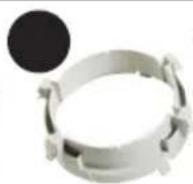
natural_image
Illustration of a mechanical component with labeled parts (11d and 11e), no readable text or symbols present.INSTALLATION
natural_image
Hand-drawn sketch of a coiled pipe or tube with a circular hole, no text or symbols present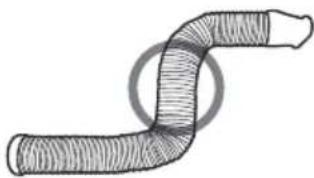
natural_image
Diagram of a coiled tube or pipe with hatched fill, no text or symbols present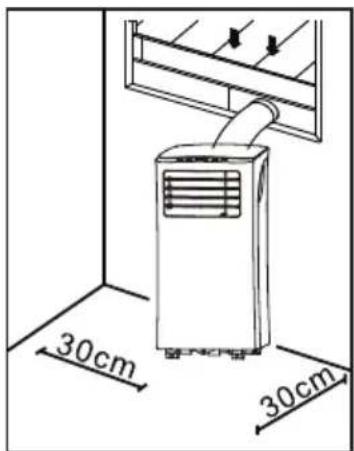
INSTALLATION KIT DE FIXATION À LA FENÊTRE
natural_image
Diagram showing a mechanical joint before and after assembly, with no visible text or symbolsnatural_image
Illustration of a heating unit emitting a hose, mounted on a wall (no text or symbols)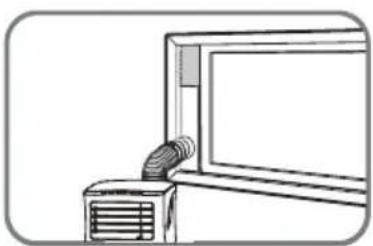
natural_image
Line drawing of a wall-mounted air conditioner unit with a mounted tube (no text or symbols)INSTALLATION KIT DE FIXATION MURALE
natural_image
Diagram showing a mechanical joint before and after assembly, with no visible text or symbolsnatural_image
Illustration of two remote control devices with buttons and a hand placing a device (no text or symbols present)1. Touche MARCHE-ARRÊT
natural_image
Technical line drawing of a high-pressure air conditioning unit with a magnified inset showing components (no text or symbols)
natural_image
Technical line drawing of a server unit with labeled components, showing internal structure and mounting bracket (no text or symbols present)NETTOYAGE
natural_image
Line drawing of a hand opening a refrigerated air conditioner unit with cooling fins (no text or symbols)FR
Boîtier
natural_image
Recycling symbol icon with three chasing arrows forming a triangle (no text or labels)natural_image
Plain white rectangular object with a small white mark on the left side (no text or symbols visible)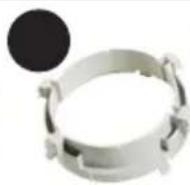
natural_image
Product display of a mechanical component with labeled parts (11d and 11e), no readable text or symbols beyond labelsMONTAGE
natural_image
Illustration of a coiled cable or wire with no text or symbols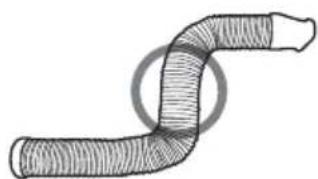
natural_image
Schematic illustration of a coiled tube or pipe with hatched fill, no text or symbols present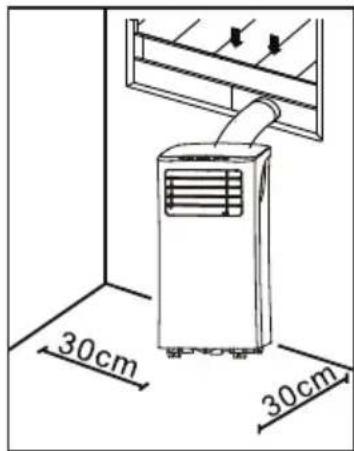
MONTAGE DER FENSTER-LUFTABFUHR
natural_image
Mechanical assembly diagram showing a pipe joint before and after disassembly (no text or symbols)natural_image
Line drawing of a window with a hose inserted into a fan (no text or symbols)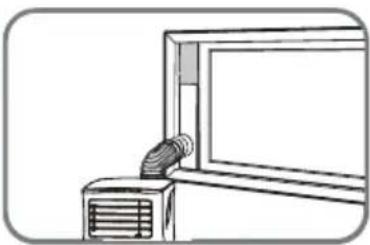
natural_image
Line drawing of a window with a ventilation duct and fan (no text or symbols)MONTAGE DER WAND-LUFTABFUHR
natural_image
Diagram showing a mechanical joint before and after assembly, with no visible text or symbolsnatural_image
Illustration of two remote control devices with buttons and a hand placing them (no text or symbols)1. ON-OFF-Taste
natural_image
Technical line drawing of a server unit with a magnified inset showing internal components (no text or symbols)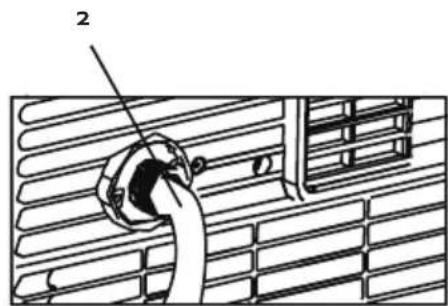
natural_image
Technical illustration of a server rack unit with labeled components, shown in two views (top: 3D view; bottom: 2D view), no text or symbols present.REINIGUNG
natural_image
Line drawing of a hand opening a portable air conditioner unit with ventilation grilles (no text or symbols)Gehäuse
natural_image
Recycling symbol icon (three chasing arrows) inside a rounded square frame, no text or labels present.All of our products are always submitted to a strict quality control before they are sold to you.
Should you nevertheless experience problems with your device, we sincerely regret this. In that case, we kindly request you to contact our customer service.
Our staff will gladly assist you.

+32 14 21 71 91

info@linea2000.be
Monday – Thursday: 8.30 – 12.00 and 13.00 – 17.00
Friday: 8.30 - 12.00 and 13.00 - 16.30
This appliance has a two year warranty period. During this period the manufacturer is responsible for any failures that are the direct result of construction failure. When these failures occur the appliance will be repaired or replaced if necessary. The warranty will not be valid when the damage to the appliance is caused by wrong use, not following the instructions or repairs executed by a third party. The guarantee is issued with the original till receipt. All parts, which are subject to wear, are excluded from the warranty. If your device breaks down within the 2-year warranty period, you can return the device together with your receipt to the shop where you purchased it.
The guarantee on accessories and components that are liable to wear-and-tear is only 6 months.
The guarantee and responsibility of the supplier and manufacturer lapse automatically in the following cases:
- If the instructions in this manual have not been followed.
· In case of incorrect connection, e.g. electrical voltage that is too high.
· In case of incorrect, rough or abnormal use.
· In case of insufficient or incorrect maintenance.
· In case of repairs or alterations to the device by the consumer or non-authorised third parties. - If the customer used parts or accessories that are not recommended or provided by the supplier / manufacturer.
SAFETY INSTRUCTIONS
When using electrical appliances, basic safety precautions should always be taken, including the following:
- Read all instructions carefully. Keep this manual for future reference.
- Make sure all packaging materials and promotional stickers have been removed before using the appliance for the first time. Make sure children cannot play with the packaging materials.
-
This appliance is intended to be used in household and similar applications such as:
-
staff kitchen areas in shops, offices and other working environments;
· farm houses; -
by clients in hotels, motels and other residential type environments;
· bed and breakfast type environments. -
Children should be supervised to ensure that they do not play with the appliance.
- This appliance can be used by children aged from 16 years and above and persons with reduced physical, sensory or mental capabilities or lack of experience and knowledge if they have been given supervision or instruction concerning use of the appliance in a safe way and understand the hazards involved.
· Children shall not play with the appliance. - Cleaning and user maintenance shall not be made by children unless they are older than 16 or supervised.
- Keep the appliance and its cord out of reach of children younger than 16 years.
- All repairs should be carried out by the manufacturer or its aftersales service.
- Any injury or damage caused by failure to comply with these rules are at your own risk. Neither the manufacturer, importer, or the supplier may be held liable.
▲ELECTRICAL WARNINGS
- In order to avoid a hazard this appliance must not be supplied through an external switching device, such as a timer or a separate remote control, or connected to a circuit that is regularly switched on and off by the utility.
- The appliance must be disconnected from its power source when not in use, during service and when replacing parts. Allow to cool before putting on or taking off parts, and before cleaning the appliance. To disconnect, turn controls to “OFF” or “o” position, then remove the plug from the wall. Never pull the cord or appliance to remove the plug from the socket.
- Before use, check carefully that the electric tension and frequency of the power net at your home match the indications on the rating label of the appliance.
- The appliance must be plugged into an appropriate outlet that is installed and grounded in accordance with local installation regulations.
- Never use an extension cord.
- Do not let the power supply cord hang over the edge of a counter, or touch hot surfaces.
- Keep the power cord away from hot parts and don't cover the appliance.
- Unwrap the cord completely to prevent overheating of the cord. Do not allow the power cord supply to run underneath or around the unit.
- Do not operate this appliance with a damaged cord or plug or in the event the appliance malfunctions or has been damaged in any manner. Return the appliance to the DOMO Service Department or its service agent for examination, repair, or electrical or mechanical adjustment. Do not try to repair the appliance yourself.
⚠️INSTALLATION
- Do not place near flammable materials, gases or explosives.
· Do not use or store this appliance outdoors.
· Always use the appliance on a steady, dry and level surface. - Never place this appliance near a gas stove or electrical stove or in a place where it may come into contact with a warm appliance.
⚠ USE
· Do not use this appliance for other than intended use.
- Only use the appliance for domestic use. The manufacturer cannot be held responsible for accidents that result from improper use of the appliance or not following the instructions described in this manual.
· Never leave the appliance unattended while it is functioning.
· Do not operate the appliance with wet hands.
- The use of accessories that are not recommended or sold by the manufacturer can cause fire, electrical shock or injuries.
Only use the utensils delivered with the appliance.
⚠ CLEANING AND MAINTENANCE
- To protect against electrical shock or burns, do not immerse unit, cord, or plug in water or other liquid.
- Failure to maintain this appliance in a clean condition could adversely affect the life of the appliance and possibly result in a hazardous situation.
⚠️PRODUCT-SPECIFIC WARNINGS
- Never cover the air inlet or air outlet, to prevent overheating the unit.
- Never splash water on the unit, or place the unit near water, to prevent electrocution.
- Never place another appliance on the same electrical circuit as the air conditioning.
- Never put any foreign objects in the openings of the air conditioning.
- When you turn off the unit and want to turn it on immediately afterwards, the compressor will need 3 min. to start up again.
· Always place the unit at least 1m away from TV or radio, to prevent disturbance. - Never place the unit in direct sun light, to prevent discoloration of the air conditioning.
- Make sure the angle of the unit is never more than 35^ , when you move the air conditioning. Never place the unit upside down.
· Always remove the water from the water tank, when storing the air conditioning. This will keep your air conditioning in optimal condition for a long time. - Never use any chemicals to clean the unit, this will cause damage.
· Always make sure to disconnect the unit from the electrical supply before attaching or removing the air inlet grill. - Make sure the air conditioning is always protected against condensation, splashing water, etc. Make sure the air conditioning can't come in contact or be pulled into water or any other liquid. If for some reason the air conditioning will fall in to water or any other liquid, immediately remove the plug form the socket.
- Never use the air conditioning in a damp room such as a bathroom or a laundry room.
· Make sure that the free space around the unit is at least 30 cm.
· Never touch the unit with wet hands or bare feed.
- Do not press the buttons on the control panel with anything other than your fingers.
- Never remove fixed parts from the air conditioning. Never use the unit when it is not working properly, or when the unit has fallen or has been damaged.
- Reparations, checking for leaks or other services need to happen by a qualified technician with the right certificates.
- Installation must be performed according to the installation instructions. Improper installation can cause water leakage, electrical shock, or fire.
- Do not touch the unit with wet or damp hands or when barefoot.
- If the air conditioner is knocked over during use, turn off the unit and unplug it from the main power supply immediately. Inspect the unit to ensure there is no damage. If you suspect the unit has been damaged, contact a technician or customer service for assistance.
- In a thunderstorm, the power must be cut off to avoid damage to the machine due to lightning.
- When the water drainage function is not in use, keep the upper and the lower drain plug firmly to the unit. When the drain plug is not in use, keep it carefully to prevent children from choking.
- Do not run cord under carpeting. Do not cover cord with throw rugs, runners, or similar coverings. Do not route cord under furniture or appliances. Arrange cord away from traffic area and where it will not be tripped over.
- Disconnect the power if strange sounds, smell, or smoke comes from it.
⚠ SPECIFIC INFORMATION REGARDING APPLIANCES WITH R290 REFRIGERANT GAS.
· Thoroughly read all of the warnings.
- When defrosting and cleaning the appliance, do not use any tools other than those recommended by the manufacturing company.
- The appliance must be placed in an area without any continuous sources of ignition (for example: open flames, gas or electrical appliances in operation).
· Do not puncture and do not burn.
- Refrigerant gases can be odourless.
- The appliance must be installed, used and stored in an area that is greater than 7m^2 .
- This appliance contains a certain number of grams (see rating label back of unit) of R290 refrigerant gas.
- R290 is a refrigerant gas that complies with the European directives on the environment. Do not puncture any part of the refrigerant circuit.
- If the appliance is installed, operated or stored in a nonventilated area, the room must be designed to prevent the accumulation of refrigerant leaks resulting in a risk of fire or explosion due to ignition of the refrigerant caused by electric heaters, stoves, or other sources of ignition.
- The appliance must be stored in such a way as to prevent mechanical failure.
- Individuals who operate or work on the refrigerant circuit must have the appropriate certification issued by an accredited organisation that ensures competence in handling refrigerants according to a specific evaluation recognized by associations in the industry.
- Repairs must be performed based on the recommendations from the manufacturing company. Maintenance and repairs that require the assistance of other qualified personnel must be performed under the supervision of an individual specified in the use of flammable refrigerants.

Caution: risk of fire / flammable materials This appliance uses a flammable refrigerant. If the refrigerant is leaked and exposed to an external ignition source, there is a risk of fire.
SAVE THESE INSTRUCTIONS FOR FUTURE REFERENCE
PARTS
Front
- Control panel
- Air outlet
Back
- Air filter
- Air inlet
- Air outlet
- Drain
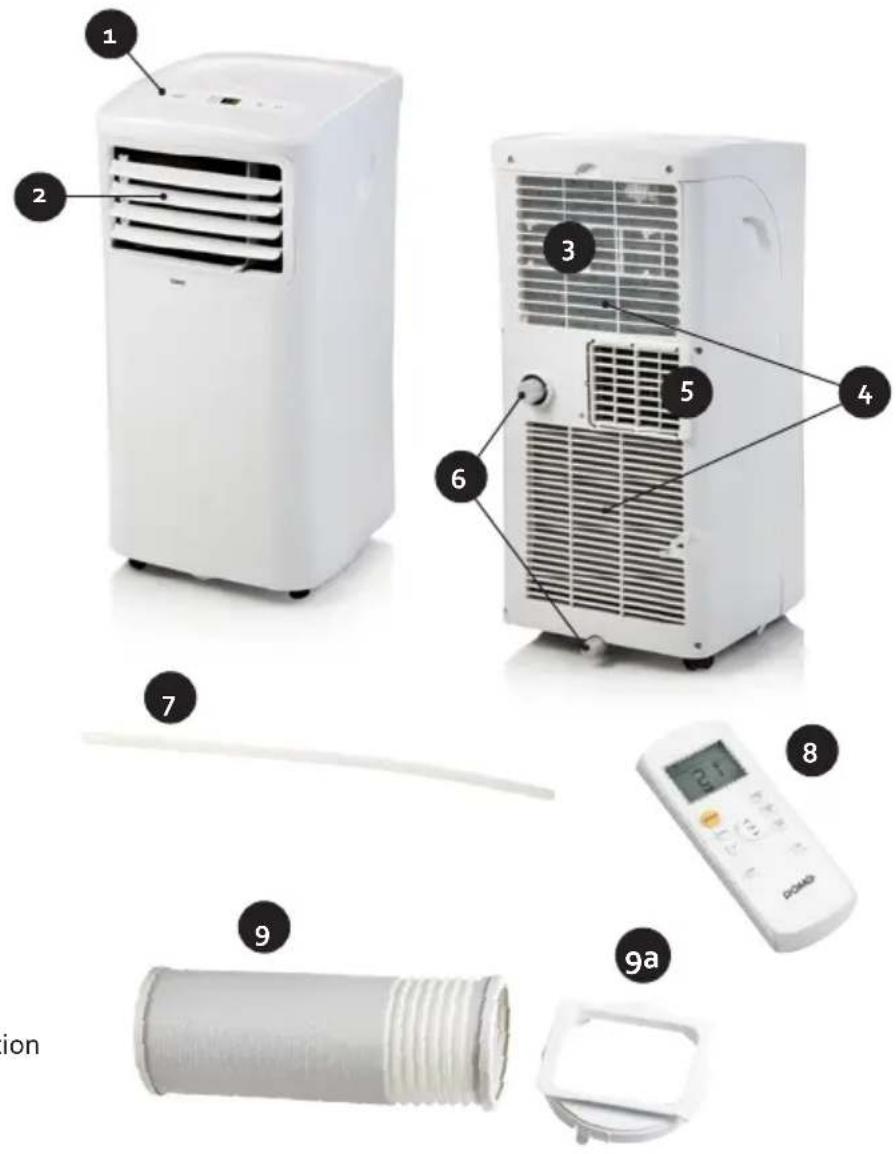
Parts
- Drain hose
- Remote control
9. Air outlet hose
9 a. Air outlet hose connection
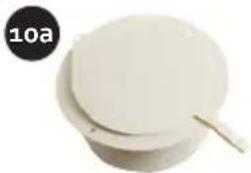
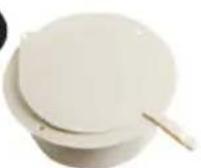
10. Wall installation kit
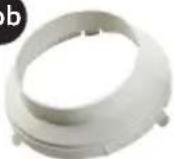
10 a. Wall adaptor
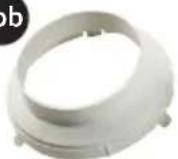
10 b. Wall installation kit connection
11. Window installation kit
11 a. Window adaptor
11 b. Window installation kit connection
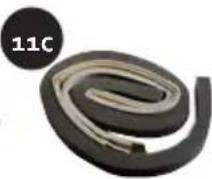
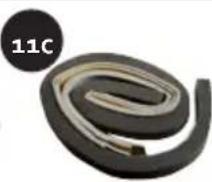
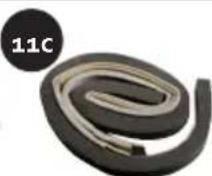
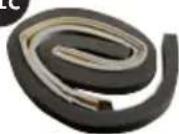
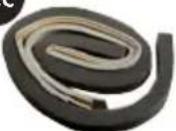
11 c. Window seal
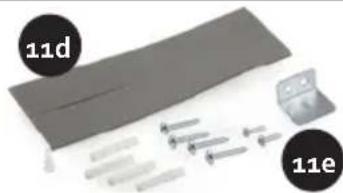
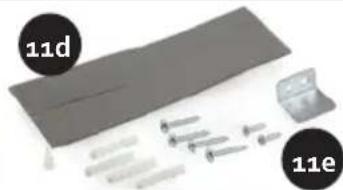
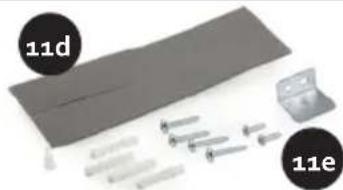
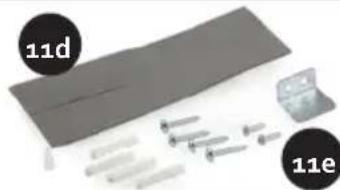
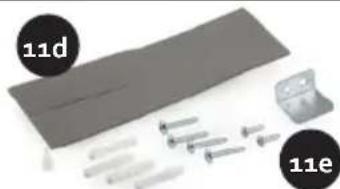
11 d. Adapter plug
11 e. L-iron and screws
10
natural_image
White cylindrical object with a lid and a small protrusion, labeled '10a' in the top-left corner (no other text or symbols)10b
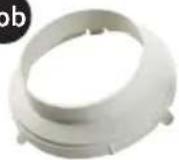
11

natural_image
Product display image showing white plastic components and labeled parts (11a, 11c, 11d, 11e), no readable text or symbols beyond labels.INSTALLATION
- Place the air conditioning on a solid and stable floor, this way you will prevent excessive noise and vibrations. Make sure that the floor is strong enough to support the weight of the appliance.
- The appliance has small wheels for easy moving. Make sure only to move the air conditioning over a flat and level surface. Be careful when moving the air conditioning over carpet. Never roll the unit over an object.
- The plug must be plugged into an appropriate outlet that is installed and grounded in accordance with all local standards and requirements.
· Never place any object within 30 cm round the air conditioning.
The air outlet hose must be used in the "cool" or "auto" mode. During the "fan" or "dry" mode, you don't need to attach the air outlet hose.
· Make sure there is a free surrounding of at least 50 cm around the outlet.
- Make sure the air outlet hose isn't bend during use.

INSTALLATION OF THE WINDOW KIT
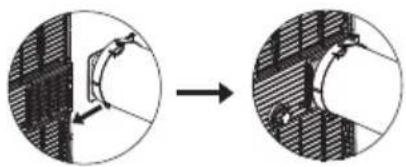
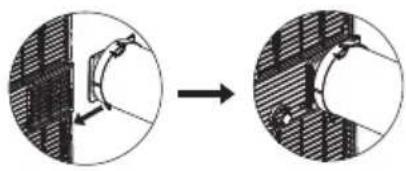
- Place the coupling of the air outlet hose on the end of the hose.
- Place the air outlet hose on the air outlet at the back of the appliance.
natural_image
Diagram showing a mechanical joint before and after assembly, with no visible text or symbols- Place the coupling of the window attachment on the other end of the air outlet hose.
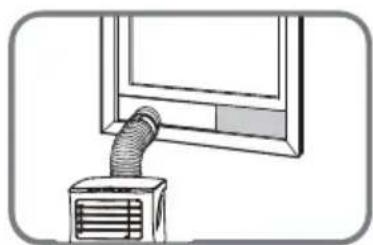
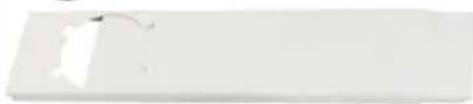
- Place the window adaptor in your window. This is possible for horizontal and vertical sliding windows. Block the window adapter at the desired length.
- Attach the hose with the coupling to the window adapter.
- Make use of the window seals to close off any possible openings in the window.
- Block the window adapter at the desired length using the supplied window adapter plug.
· If desired, you can fix the window with the L-iron and the 2 short screws.
natural_image
Illustration of a vacuum duct being inserted into a window (no text or symbols)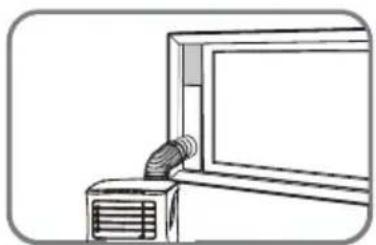
natural_image
Line drawing of a wall-mounted air conditioner unit with a coiled hose inserted (no text or symbols)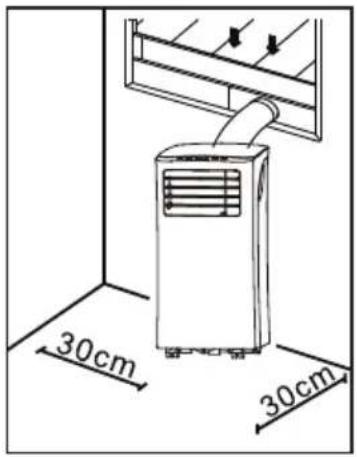
INSTALLATION WALL KIT
- Place the coupling of the air outlet hose on the end of the hose.
- Place the air outlet hose on the air outlet at the back of the appliance.
natural_image
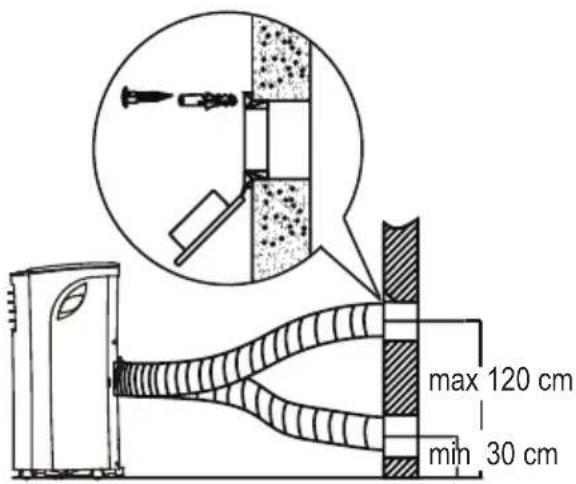
Diagram showing a mechanical assembly process with two views of a bolted joint (no text or symbols present)- Make an opening in the wall the size of the wall adapter.
- Place the wall adapter in the opening. Attach the wall adapter using the long screws supplied.
- Place the coupling of the wall attachment on the other end of the air outlet hose.
- Attach the hose with coupling to the wall adapter.
USE
The horizontal strip on the front of the air conditioning can be opened and shut manually in order to aim the air outlet better.
CONTROL PANEL
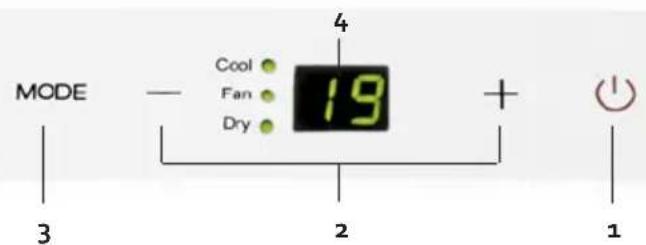
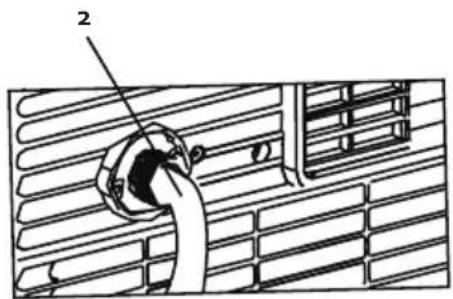
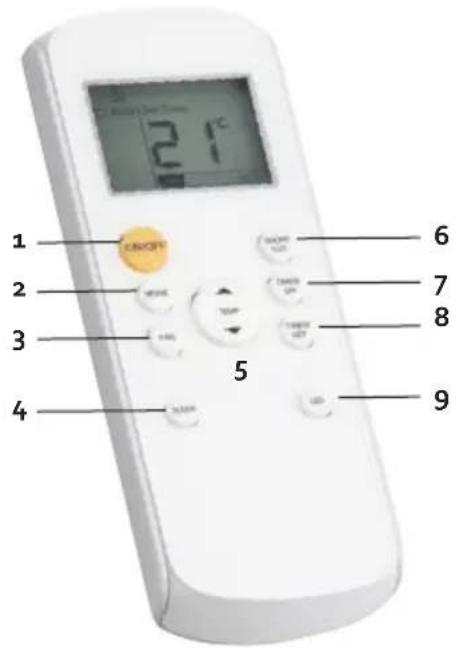
1. ON/OFF touch
To turn the unit off or on.
2. "+" and "-" touch
Use these touches to select the temperature. The temperature can be set between 17^ C and 35^ C. When pressing both buttons at the same time you can switch between "°C" or "°F".
3. MODE-touch
With this touch you can select the desired function. Every time when pressing this touch the function will change: COOL – DRY – FAN. The related indication light will turn on on the control panel. If you choose the FAN setting, the ventilation blows on the automatic position. You can only adapt the ventilation speed with the remote control.
4. LED display
Will show het temperature selections. When the "dry or "fan" mode is selected, the display will show the room temperature.
REMOTE CONTROL
When using the remote control make sure that you always aim it towards the apparatus. If you don't do this, you can briefly aim the remote control towards the apparatus and press the ON-OFF button.
When the apparatus receives a signal of the remote control you hear a beep. The remote control must be used within an eight-metre radius around the apparatus.
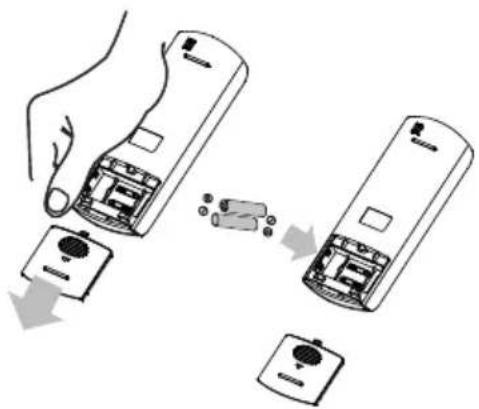
Batteries
· The remote control works with 2 AAA batteries (Ro3/LR3).
- Remove the cover of the batterie compartment, by pressing down on it and sliding it out of the remote.
- Place the batteries, make sure to follow the indications + and – indicated in the batterie compartment.
- Place the cover back on the batterie compartment.
NOTE: When removing the batteries all selections will be deleted. When placing new batteries you have to reinstall all the selections.
natural_image
Illustration of a hand placing a small electronic device into two identical devices, with no visible text or symbols.1. ON/OFF touch
To turn the unit off or on.
2. MODE-touch
With this touch you can select the desired function. Every time when pressing this touch the function will change: COOL – DRY – FAN. The related indication light will turn on on the control panel.
3. FAN touch
With this touch you can select the fan speed: LOW >> - HIGH >>>>>> - AUTO.
4. SLEEP touch
You can use this touch for activating the "sleep" mode.
When pressing the "sleep" touch, the selected temperature will be elevated with 1^ after 30 min. After another 30 min the temperature will increase with another 1^ . The air conditioning will maintain this temperature for 7 hours. After this time, the air conditioning will go back to the original set temperature and the "sleep" function will end.
NOTE: this function cannot be selected with the "fan" or "dry" function.
5. TEMP touch
Use these touches to select the temperature. The temperature can be set between 17^ C and 35^ C. When pressing both buttons at the same time you can switch between " ^ C" or " ^ F".
6. SHORT CUT touch
With this button you can fix and switch on a preferential setting.
7. TIMER ON touch
With this function you can select when the unit must turn on.
8. TIMER OFF touch
With this function you can select when the unit must turn off.
9. LED touch
This button turns off the control panel's LED display. This can be used if the display gives too much light when you want to sleep. If you press the button a second time, the display will switch on again.
SET FUNCTIONS
AUTO
In the AUTO function, the apparatus automatically chooses the right setting depending on the chosen temperature. This setting can also be chosen with the remote control.
- Choose AUTO with the MODE button on the remote control.
- Set the desired temperature with the TEMP button. The apparatus will determine the setting accordingly.
You cannot adapt the speed of the ventilation (FAN) in AUTO modus.
COOL

With the COOL function you can cool the room up to a certain temperature.
- Press the MODE button until the COOL indicator lamp is on.
- Use the "+" and "-" buttons on the control panel or the TEMP button on the remote control to set the desired room temperature.
- Use the FAN button on the remote control to set the desired ventilation speed. There are three settings: LOW, HIGH and AUTO.
DRY

With this function you can dehumidify the room. Keep windows and doors closed for this function.
- Press the MODE button until the DRY indicator lamp is on.
- Use the "+" and "-" buttons on the control panel or the TEMP button on the remote control to set the desired room temperature.
- You cannot set the ventilation speed in this setting.
FAN

- Press the MODE button until the FAN indicator lamp is on.
- Press the FAN button of the remote control to set the ventilation speed. There are three settings: LOW >>>, HIGH >>>>>> and AUTO.
- The temperature cannot be adjusted.
Timer on
With this function you can delay the start of the apparatus, up to maximum 24 hours.
- Press the TIMER ON button on the remote control.
- You can now read on the display of the remote control when the air conditioning will go on.
- Press the TIMER ON button several times to increase the time. Or keep the button pressed.
- Once the desired time is set, you will see "Timer on" on the display of the remote control. Two lights will light up on the control panel's display.
- If you want to switch off the timer, press the TIMER ON button several times until the counter goes to "o". Or keep the button pressed.
Timer off
With this function you can switch off the apparatus automatically after some time.
- Press the TIMER OFF button on the remote control.
- You can now read on the display of the remote control when the air conditioning will go off.
- Press the TIMER OFF button several times to increase the time. Or keep the button pressed.
- Once the desired time is set, you will see "Timer off" on the display of the remote control. Two lights will light up on the control panel's display.
- If you want to switch off the timer, press the TIMER OFF button several times until the counter goes to "o".
Timer on + Timer off
You can also switch on both functions simultaneously. This determines when you switch on the apparatus, but also when the apparatus switches off.
Please note: this time is always from the hour when you programme the setting. For example: it is now 1 pm. You want the apparatus to work from 4:30 to 6 pm. Set the TIMER ON on 3.5 h and TIMER OFF on 5.0 h.
Sleep
When pressing the "sleep" touch, the selected temperature will be elevated with 1 °C after 30 min. After another 30 min the temperature will increase with another 1°C. The air conditioning will maintain this temperature for 7 hours. After this time, the air conditioning will go back to the original set temperature and the "sleep" function will end.
NOTE: this function cannot be selected with the "fan" or "dry" function.
Shortcut
With this button you can set and switch on a preferential setting.
If you use a certain setting more often, you can set this by pressing the SHORTCUT button for three seconds. The apparatus then remembers the settings that are switched on at the moment of pressing.
These settings can include: the user setting (MODE), set temperature, ventilation speed (FAN) and possibly also the SLEEP setting.
The moment you press the SHORTCUT button, the apparatus will work at the previously determined settings.
ENERGY TIPS
- Never use the unit it rooms that are bigger than the recommended room size.
-
Make sure that the airflow of the unit is not blocked by furniture or other objects.
-
Keep curtains closed during the warmest hours of the day.
· Make sure the filters of the air conditioning are always clean.
· Always keep doors and windows closed to keep the cool air inside and the warm air outside.
CLEANING AND MAINTENANCE
DRAINING
Permanent drain
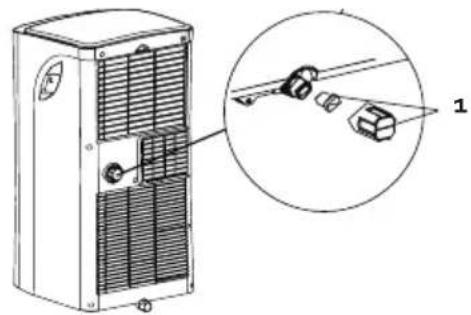
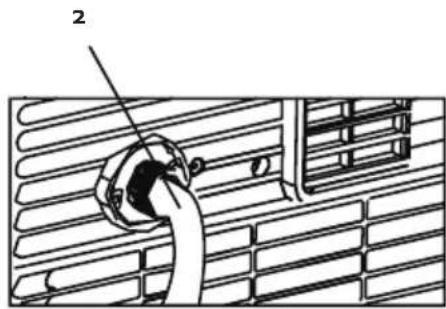
During the "dry" mode you can use a permanent drainage.
- Remove the drain plug and the rubber top.
- Attach the drain hose on the drain.
- Make sure the water is drained in a save and permanent way.
natural_image
Technical diagram of a pipe connection with a valve, showing structural components (no text or symbols)Drain code P1
When you don't use the permanent drain, the non recycled condensation water, will be stored in the water tank.
- When the water tank is full a few beep signals will be heard and on the display the code P1 will appear. The "cool" or "dry" mode will end automatically. The fan will continue to operate, this is normal.
- Move the unit over to a place where you can easily drain the water.
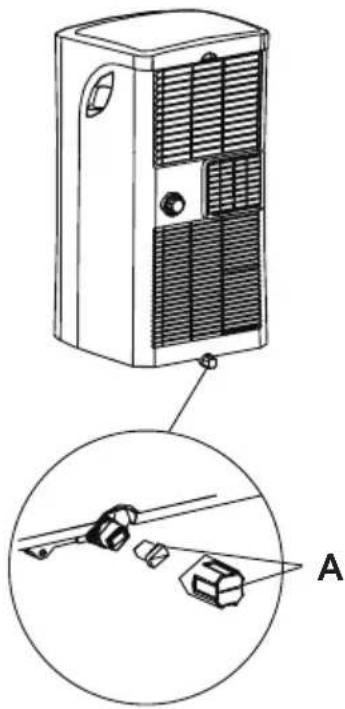
- Remove the drain plug at the bottom of your unit (A) and drain the water.
- After fully draining the water tank, place the drain plug back on the drain opening.
- Restart the unit, make sure the error code P1 is no longer displayed. When the code doesn't disappear, try turning off and on the unit a few times. When the error code continues, please contact the after sales service.
- NOTE: always make sure to install the drain plug, before turning the unit back on.
CLEANING
· Always remove the plug from the socket before cleaning the unit.
· Never use any chemical or abrasive products to clean the unit.
· Never clean the unit with water or any other liquid, this can cause electrocution.
- When the power cord is damaged it must be repaired or replaced by the after sales surface of the manufacturer or by a qualified person.
natural_image
Technical line drawing of a server rack unit with labeled component A, showing internal structure and mounting bracket (no text or symbols beyond label)Air filter
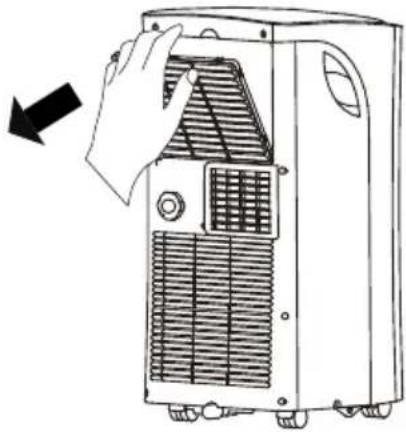
- Clean the air filter at least ever 2 weeks. To make sure the air conditioning can operate in optimal conditions.
- Clean the air filter in lukewarm water with a bit of detergent. Rinse the filter thoroughly and let it dry.
- Make sure the filter is completely dry before placing it back in to the air conditioning.
natural_image
Line drawing of a hand opening a refrigerated air conditioner unit with cooling fins and ventilation slots (no text or symbols)Air conditioning body
Use a damp, soft cloth and a bit of mild detergent, to clean the outside of the unit. Make sure the unit is thoroughly dried afterwards.
Storing
Before storing the unit for a longer period of time, please follow the next steps:
- Drain all the water from the appliance.
- Afterwards turn on the unit in the "fan" mode for half a day. Make sure the unit is placed in a heated room. This will dry the unit completely and prevent the forming of mold.
- Turn off the unit, remove the plug from the socket and remove the batteries from the remote control.
· Clean the filters and place them back in the unit. - Store the unit in a dry, dark place.
PROBLEM AND SOLUTION
| PROBLEM SOLUTION | |
| The appliance isn’t working when pressing the on/off touch. | · The error code P1 is displayed, drain the water from the air conditioning.· The room temperature is lower than the selected temperature. Adjust the selected temperature. |
| The room is not cool enough. · The windows and doors aren’t closed. Make sure all windows and doors are closed.· There are heat sources in the room. Remove all heat sources if possible.· The air outlet hose is not connected or blocked. Attach the hose and check if there is no blockage.· The selected temperature is too high. Adjust the selected temperature.· The air filter is dirty. Clean the air filter. | |
| The appliance is making too much noise or is causing vibrations. | · The floor is not level or flat. Place the appliance on the flat and level surface if possible.· The air filter is dirty. Clean the air filter. |
| Your appliance makes a gurgling sound. · The sound is produced by the refrigerant in your appliance, this is normal. | |
Following error codes can be displayed on your air conditioning:
| ERROR CODE SOLUTION | |
| E1: the sensor for the room temperature is not working. | Turn off the unit and remove the plug from the socket. Wait for 10 sec and plug the unit back in. Turn on the unit. When the error codes repeats, you need to contact the after sales service. |
| E2: The sensor of the dehumidifier doesn’t work. | Turn off the unit and remove the plug from the socket. Wait for 10 sec and plug the unit back in. Turn on the unit. When the error codes repeats, you need to contact the after sales service. |
| E4: The display is not functioning properly. Remove | the plug from the socket. Wait for 10 seconds. Plug the unit back in. When the error codes repeats, you need to contact the after sales service. |
| P1: The water tank is full. Connect the drain hose to | the bottom drain and remove the water. When the error codes repeats, you need to contact the after sales service. |
ENVIRONMENTAL GUIDELINES

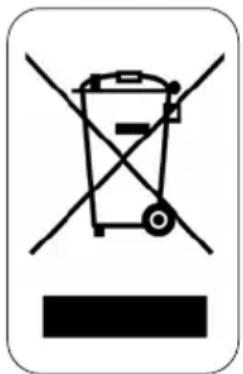
This symbol on the product or on its packaging indicates that this product may not be treated as household waste. Instead it must be brought to the applicable collection point for recycling of electrical and electronic equipment. By ensuring this product is disposed of correctly, you will help prevent potential negative consequences for the environment and human health, which could otherwise be caused by inappropriate waste handling of this product. For more detailed information about recycling of this product, please contact your local city office, your household waste disposal service or the shop where you purchased the product.
natural_image
Recycling symbol icon with three chasing arrows forming a triangle (no text or labels)The packaging is recyclable. Please treat the packaging ecologically.
GARANTIA
Piezas
natural_image
Product photo showing a white plastic hose, a digital remote control with 2.1°C, and a small white device labeled 9a (no text or symbols on main objects)natural_image
Two white plastic containers labeled 10 and 10a, with no visible text or symbols on the containers themselves.11
11a
natural_image
Blank white rectangular object with a faint white mark on the left side (no text or symbols visible)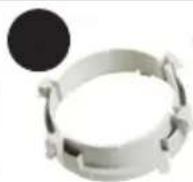
natural_image
Illustration of a mechanical component with labeled parts (11d and 11e), no readable text or symbols present.INSTALACIÓN
natural_image
Three hand-drawn illustrations of coiled pipes with no text or symbols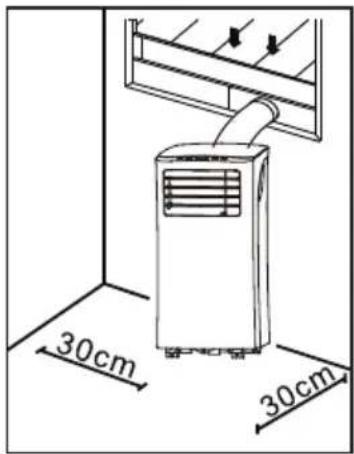
natural_image
Diagram showing a mechanical joint before and after assembly, with no visible text or symbolsnatural_image
Two-panel illustration showing a ventilation system with a coiled duct and airflow direction (no text or symbols)natural_image
Diagram showing a mechanical assembly or assembly process with two circular views and directional arrows (no text or symbols)natural_image
Illustration of two remote control devices with buttons and a hand placing them (no text or symbols)2. Tecla MODE
natural_image
Technical line drawing of a server unit with a magnified inset showing components (no text or symbols)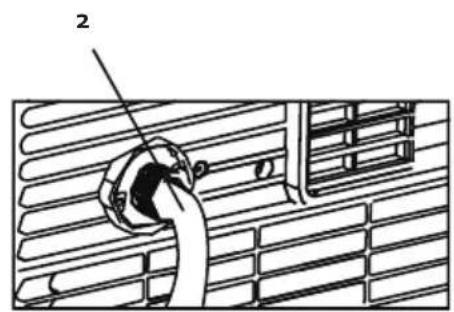
natural_image
Technical line drawing of a server unit with ventilation slots and a close-up view of its internal components (no text or symbols)LIMPIEZA
natural_image
Line drawing of a portable air conditioner unit with a hand opening the grille (no text or symbols)Carcasa
natural_image
Recycling symbol icon with three chasing arrows forming a triangle (no text or labels)Componenti
natural_image
Close-up of a white Qianzhi remote control with a digital display and numbered callouts (7, 8, 9) on a plain background.natural_image
Two white plastic components: a cylindrical tube with threaded end and a separate plastic clip with a small inset (no text or symbols visible)natural_image
White circular object with a small stick attached, labeled '10a' in the top-left corner (no other text or symbols visible)10b
11

natural_image
Product assembly diagram showing components like plastic sheet, metal ring, and rolled-up cable with numbered labels (11a, 11c, 11d, 11e) — no readable text or symbols beyond labels.INSTALLAZIONE
natural_image
Abstract line drawing of intertwined curved shapes with a circular loop (no text or symbols)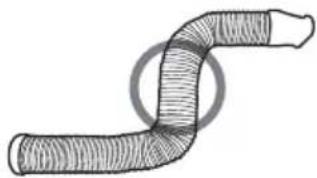
natural_image
Diagram of a coiled tube or pipe with a circular loop around it (no text or symbols)natural_image
Diagram showing a mechanical assembly or assembly process with two circular views and directional arrows, no visible text or symbols.natural_image
Line drawing of a window with a coiled pipe and air conditioner unit (no text or symbols)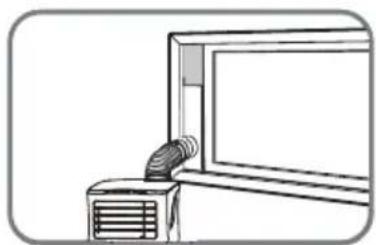
natural_image
Line drawing of a window with a ventilation duct and fan (no text or symbols)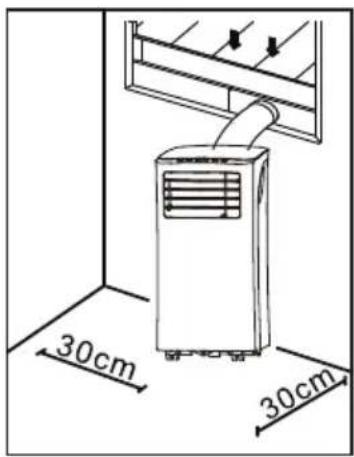
natural_image
Diagram showing a mechanical joint before and after assembly, with no visible text or symbolsnatural_image
Illustration of a hand placing a small electronic device into two separate devices (no text or symbols present)1. Tasto ON-OFF
natural_image
Technical line drawing of a server unit with a magnified inset showing components (no text or symbols)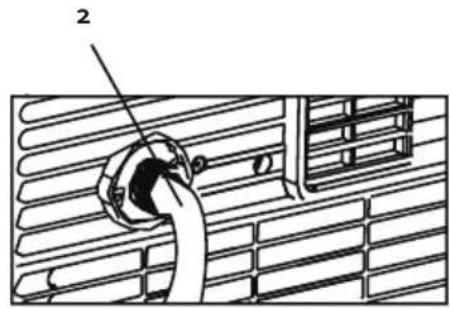
natural_image
Technical diagram of a server rack unit with a close-up view showing internal components (no text or symbols)natural_image
Line drawing of a hand opening a refrigerated air conditioner unit with cooling fins (no text or symbols)Alloggiamento
natural_image
Recycling symbol icon (three chasing arrows) inside a rounded square frame, no text or labels present.Části
natural_image
Product photo showing a coiled cable, a digital temperature controller, and a small electronic device labeled 7, 8, 9, and 9a (no text or symbols on main objects)natural_image
White ceramic pot with lid and handle, labeled '10a' in black circle (no other text or symbols)10b

11
11a
natural_image
Blank white rectangular object with a small white mark on the left side (no text or symbols visible)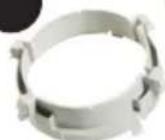
11C
natural_image
Illustration of a mechanical assembly with labeled parts (11d and 11e), no readable text or symbols present.ZAPOJENÍ A INSTALACE
natural_image
Three hand-drawn illustrations of a coiled tube or pipe, showing different internal structures (no text or symbols present)INSTALACE OKENNÍHO ADAPTÉRU
natural_image
Diagram showing a mechanical joint before and after assembly, with no visible text or symbolsnatural_image
Line drawing of a window with a coiled pipe inserted into a fan (no text or symbols)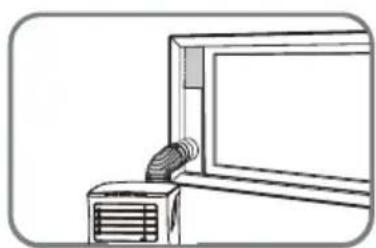
natural_image
Line drawing of a window with a ventilation duct and fan (no text or symbols)INSTALACE NA ZEĐ
natural_image
Diagram showing two views of a mechanical joint before and after assembly (no text or symbols)natural_image
Illustration of two remote control devices with a hand placing a battery into one (no text or symbols present)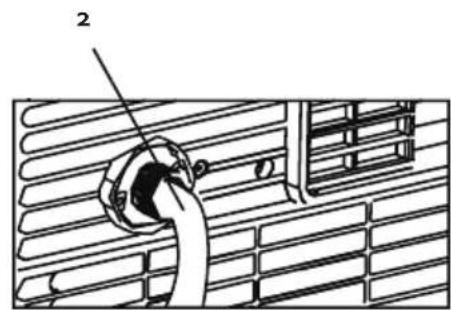
Odtok: kód P1
natural_image
Technical line drawing of a server rack unit with a close-up inset showing its internal components (no text or symbols)ČIŠTĚNÍ
natural_image
Line drawing of a hand opening a refrigerated air conditioner unit with cooling fins (no text or symbols)Skladování
OHLED NA ŽÍVOTNÍ PROSTŘEDÍ
natural_image
Symbol of a trash bin crossed with diagonal lines, no text or numbers presentnatural_image
Recycling symbol icon (three chasing arrows) inside a rounded square frame, no text or labels present.natural_image
Blank white rectangular object with a small white mark on the left side (no text or symbols visible)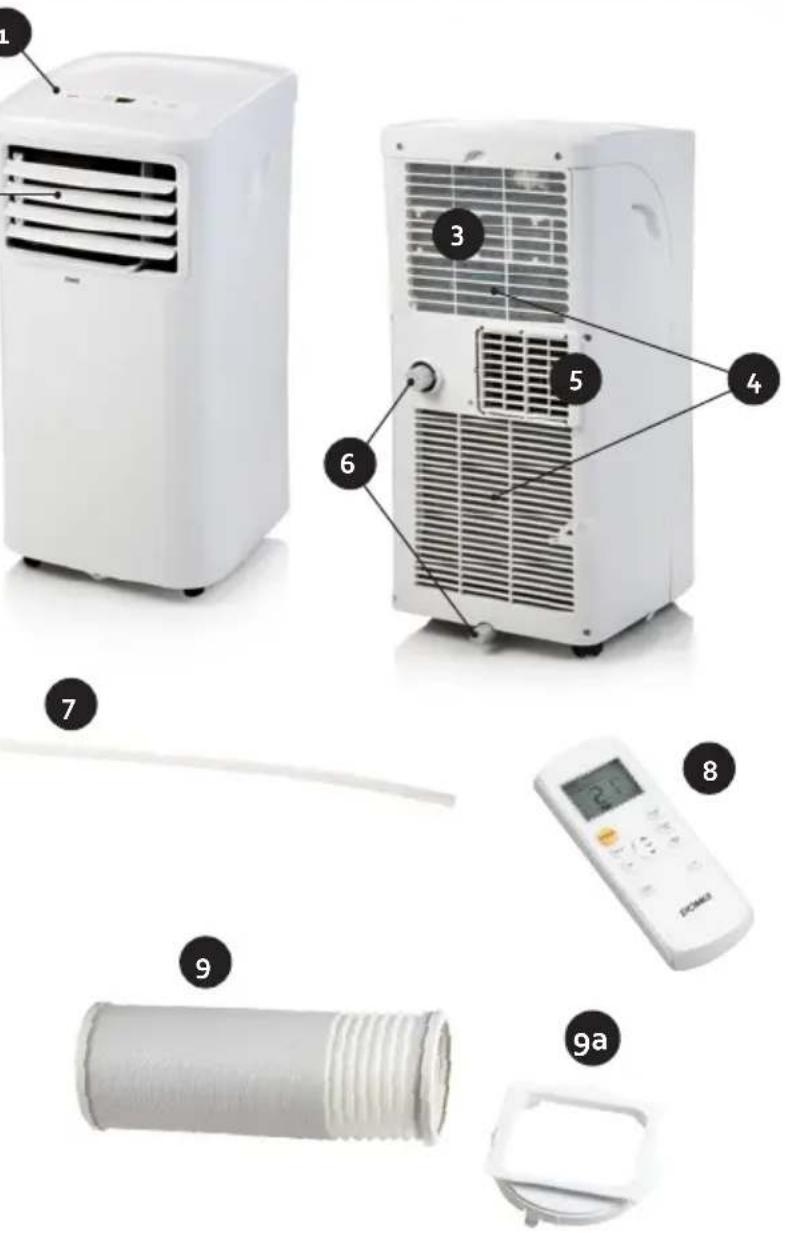
10
10a
10b
11C
natural_image
Diagram showing mechanical components with labeled parts (11d, 11e), no readable text or symbols present.ZAPOJENIE A INŠTALÁCIA
natural_image
Three hand-drawn illustrations of a coiled tube or pipe, showing different internal structures (no text or symbols)INŠTALÁCIA OKENNÉHO ADAPTÉRA
natural_image
Diagram showing a mechanical joint before and after assembly, with no visible text or symbolsnatural_image
Two technical illustrations showing a pipe insertion into a window, with no visible text or symbols.INŠTALÁCIA NA STENU
natural_image
Diagram showing a mechanical joint before and after assembly, with no visible text or symbolsnatural_image
Illustration of two remote control devices with buttons and a hand placing them (no text or symbols)natural_image
Technical line drawing of a server unit with a magnified inset showing components (no text or symbols)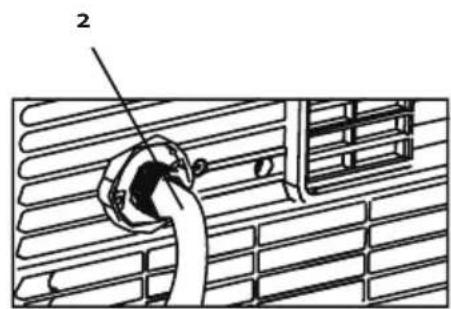
natural_image
Technical line drawing of a server rack unit with a close-up inset showing its mounting bracket (no text or symbols present)ČISTENIE
natural_image
Line drawing of a portable air conditioner unit with a hand opening the panel (no text or symbols)Skladovanie
natural_image
Recycling symbol icon with three chasing arrows forming a triangle (no text or labels)| DOMO DO10161 | |||
| DESCRIPTION SYMBOL VALUE UNIT | |||
| Rated capacity for cooling | P rated for cooling | [2,6] | kW |
| Rated capacity for heating | P rated for heating | [x,x] | kW |
| Rated power input for cooling | P EER | [0,7] | kW |
| Rated power input for heating | P COP | [x,x] | kW |
| Rated Energy efficiechny ratio | EERd | [3,1] | — |
| Rated Coefficient of performance | COPd | [x,x] | — |
| Power consumption in thermostat - off mode with display | P TO | [N.A.] | W |
| Power consumption in standby mode without display | P SB | [0,5] | W |
| Electricity consumption of single/double duct appliances (indicate for cooling and heating separately) | DD: Q DD | DD: [x,x] | DD: kWh/a |
| SD: Q SD | SD: [0,7][x,x] | SD: kWh/h | |
| Sound power level | L WA | [62] | dB(A) |
| Global warming potential | GWP | [3] | kgCO2 eq. |
| Contact details for obtaining more information | Linea 2000 BVDompel g - 2200 Herentals - Belgium | ||
WEBSHOP
NL
Looking for extra accessories or you have a broken piece?
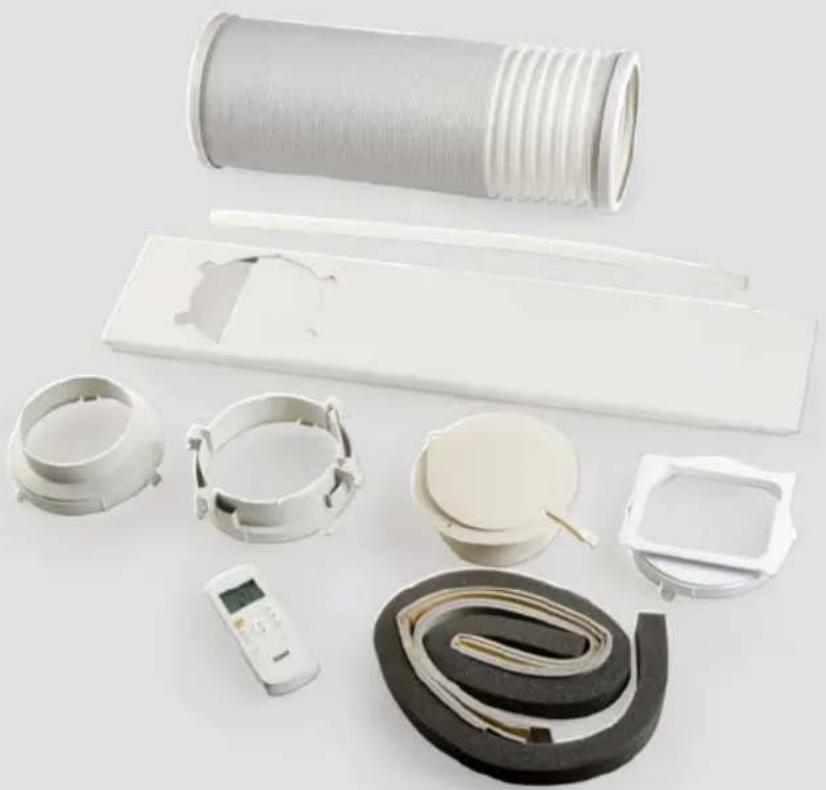
ORDER the original DOMO accessories and parts on our webshop.
natural_image
Assorted white plastic household appliances including a coiled hose, plastic enclosures, and a digital temperature controller (no text or symbols visible)Webshop


- DO10161
- ⚠PRODUCTSPECIFIEKE WAARSCHUWINGEN
- INSTALLATIE
- INSTALLATIE VAN DE RAAMBEVESTIGING
- INSTALLATIE MUURBEVESTIGING
- ON-OFF-toets
- REINIGING
- Behuizing
- ⚠ AVERTISSEMENTS SPÉCIFIQUES AU PRODUIT
- Parties
- INSTALLATION
- INSTALLATION KIT DE FIXATION À LA FENÊTRE
- INSTALLATION KIT DE FIXATION MURALE
- Touche MARCHE-ARRÊT
- NETTOYAGE
- Boîtier
- MONTAGE
- MONTAGE DER FENSTER-LUFTABFUHR
- MONTAGE DER WAND-LUFTABFUHR
- ON-OFF-Taste
- REINIGUNG
- Gehäuse
- SAFETY INSTRUCTIONS
- ▲ELECTRICAL WARNINGS
- ⚠️INSTALLATION
- ⚠ USE
- ⚠ CLEANING AND MAINTENANCE
- ⚠️PRODUCT-SPECIFIC WARNINGS
- ⚠ SPECIFIC INFORMATION REGARDING APPLIANCES WITH R290 REFRIGERANT GAS.
- PARTS
- Front
- Back
- Air outlet hose
- Wall installation kit
- Window installation kit
- INSTALLATION OF THE WINDOW KIT
- INSTALLATION WALL KIT
- USE
- CONTROL PANEL
- ON/OFF touch
- "+" and "-" touch
- MODE-touch
- LED display
- REMOTE CONTROL
- Batteries
- MODE-touch
- FAN touch
- SLEEP touch
- TEMP touch
- SHORT CUT touch
- TIMER ON touch
- TIMER OFF touch
- LED touch
- SET FUNCTIONS
- AUTO
- COOL
- DRY
- FAN
- Timer on
- Timer off
- Timer on + Timer off
- Sleep
- Shortcut
- ENERGY TIPS
- CLEANING AND MAINTENANCE
- DRAINING
- Permanent drain
- Drain code P1
- CLEANING
- Air filter
- Air conditioning body
- Storing
- ENVIRONMENTAL GUIDELINES
- GARANTIA
- Piezas
- INSTALACIÓN
- Tecla MODE
- LIMPIEZA
- Carcasa
- Componenti
- INSTALLAZIONE
- Tasto ON-OFF
- Alloggiamento
- Části
- ZAPOJENÍ A INSTALACE
- INSTALACE OKENNÍHO ADAPTÉRU
- INSTALACE NA ZEĐ
- Odtok: kód P1
- ČIŠTĚNÍ
- Skladování
- OHLED NA ŽÍVOTNÍ PROSTŘEDÍ
- ZAPOJENIE A INŠTALÁCIA
- INŠTALÁCIA OKENNÉHO ADAPTÉRA
- INŠTALÁCIA NA STENU
- ČISTENIE
- Skladovanie
- WEBSHOP
- NL
Brand : DOMO
Model : DO10161
Category : Air Conditioning