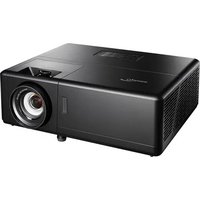
UHZ55 - Projector OPTOMA - Free user manual and instructions
Find the device manual for free UHZ55 OPTOMA in PDF.


User questions about UHZ55 OPTOMA
0 question about this device. Answer the ones you know or ask your own.
Ask a new question about this device
Download the instructions for your Projector in PDF format for free! Find your manual UHZ55 - OPTOMA and take your electronic device back in hand. On this page are published all the documents necessary for the use of your device. UHZ55 by OPTOMA.
USER MANUAL UHZ55 OPTOMA
text_image
Diagram illustrating the process of inserting a device into a remote control, showing step-by-step insertion and change.3
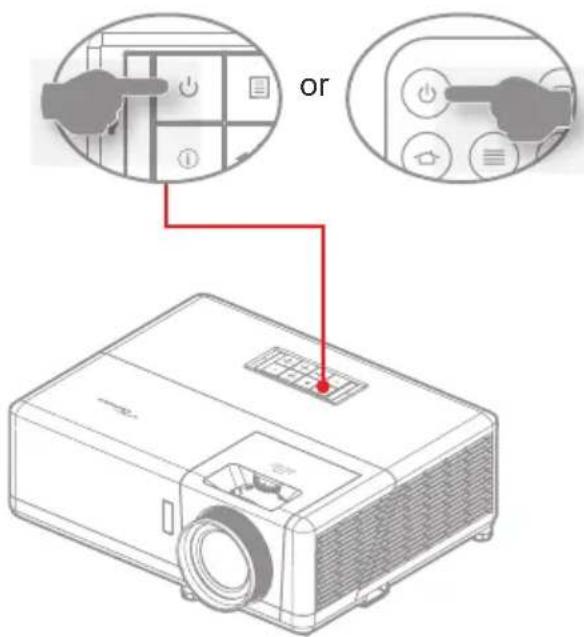
text_image
or4
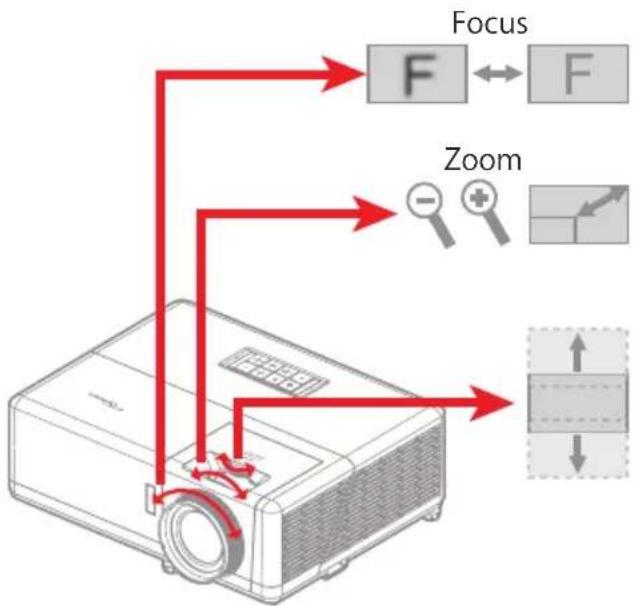
flowchart
graph TD
    A[" projector"] --> B["Focus"]
    A --> C["Zoom"]
    B --> D["F"]
    C --> E["-"]
    D <--> F["F"]
    E <--> G["+"]
    style A fill:#f9f,stroke:#333
    style B fill:#ccf,stroke:#333
    style C fill:#cfc,stroke:#333
    style D fill:#ffc,stroke:#333
    style E fill:#fcc,stroke:#333
    style F fill:#cff,stroke:#333
    style G fill:#ffc,stroke:#333
Note:
• The remote control may vary depending on the region and model.
• For warranty information, please visit our website: www.optoma.com
- For detailed instructions, please scan the QR code or visit the URL: https://www.optoma.com/support/download
5
text_image
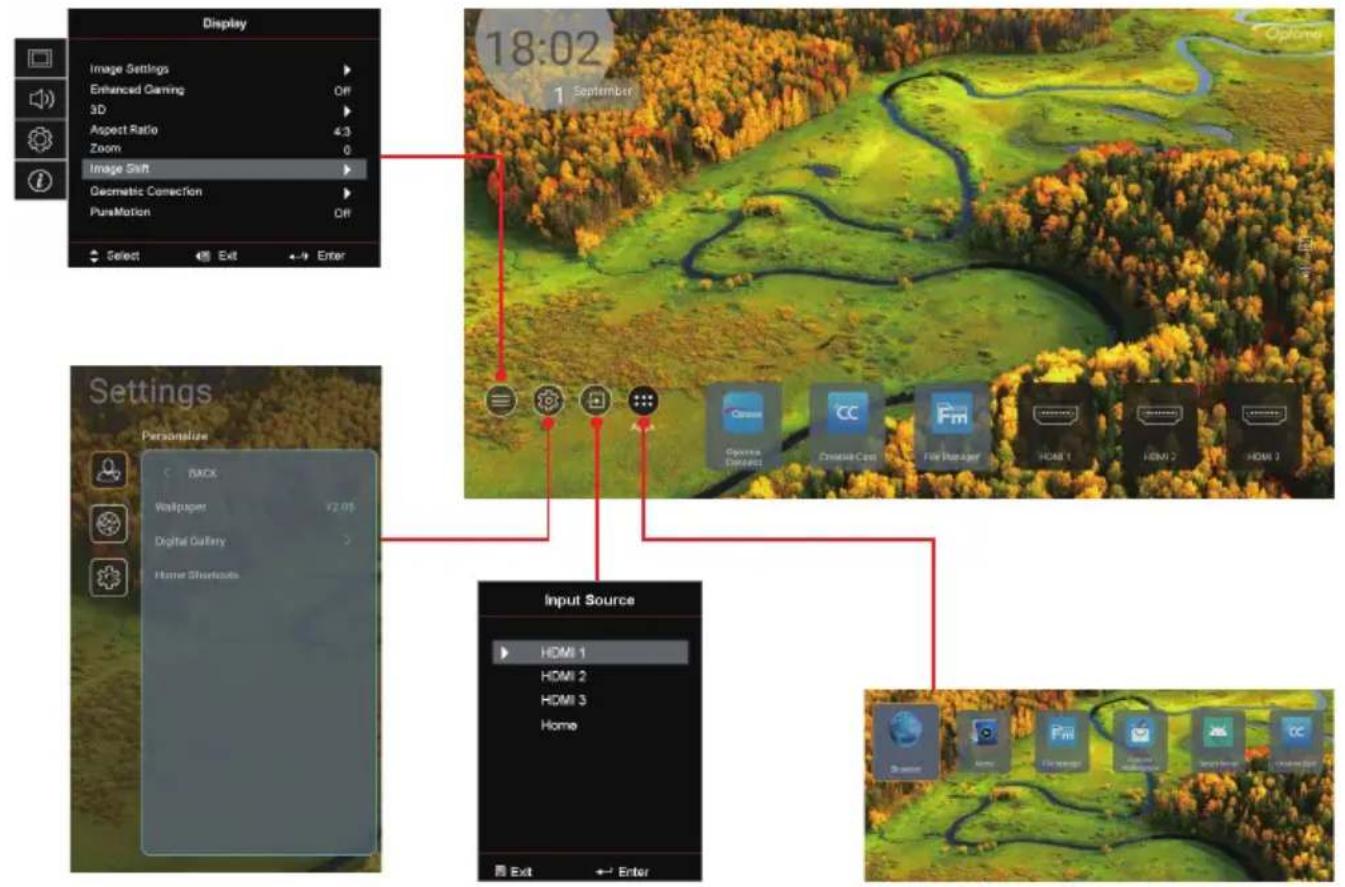
Display Image Settings Enhanced Gaming Off 3D Aspect Ratio 4.3 Zoom 0 Image Shift Geometric Correction PureMotion Off Select Exit Enter 18:02 September Settings Personalize BACK Wallpaper 92.05 Digital Gallery Home Shortitude Input Source HDMI 1 HDMI 2 HDMI 3 Home Exit Enter6
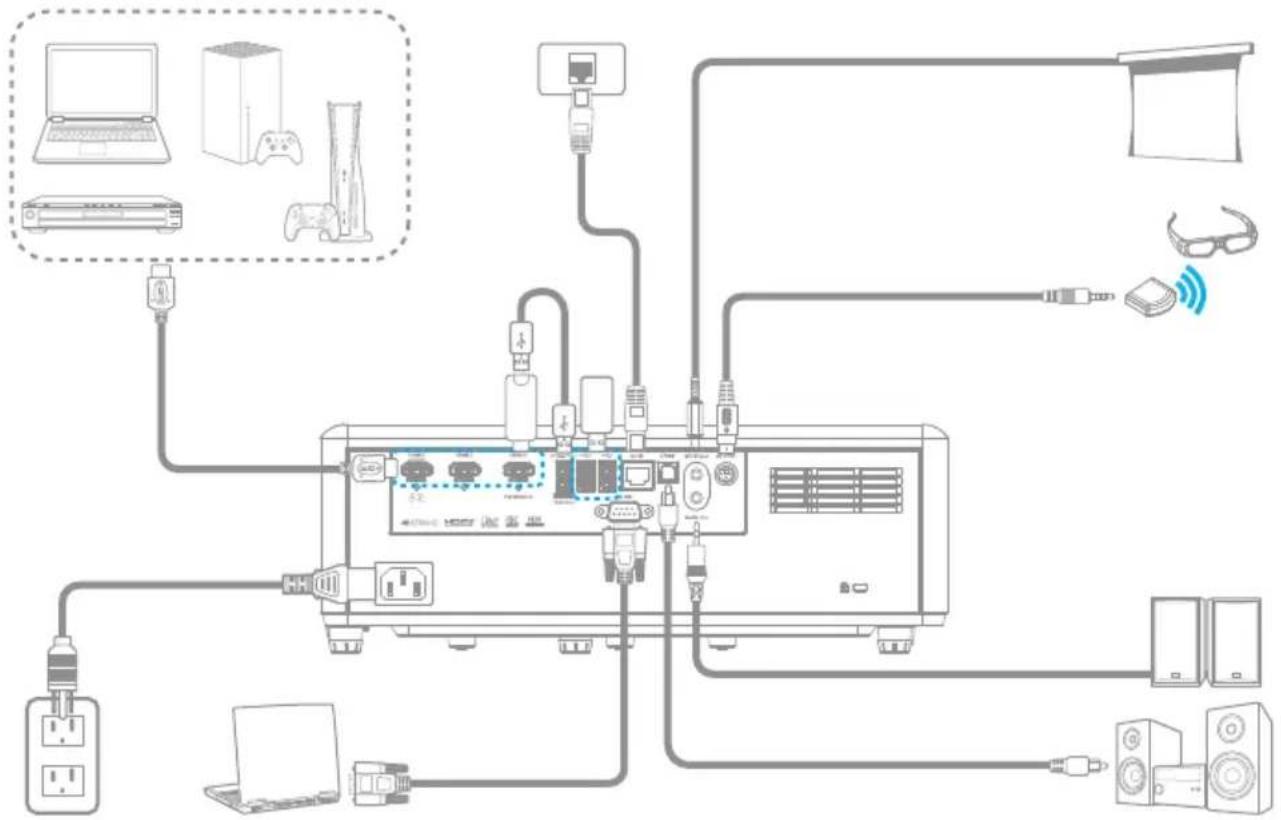
flowchart
graph TD
    A[" gaming设备"] --> B["电脑"]
    A --> C["手机"]
    A --> D["笔记本电脑"]
    A --> E["电脑显示器"]
    A --> F["电脑显示器"]
    A --> G["电脑显示器"]
    A --> H["电脑显示器"]
    A --> I["电脑显示器"]
    A --> J["电脑显示器"]
    A --> K["电脑显示器"]
    A --> L["电脑显示器"]
    A --> M["电脑显示器"]
    A --> N["电脑显示器"]
    A --> O["电脑显示器"]
    A --> P["电脑显示器"]
    A --> Q["电脑显示器"]
    A --> R["电脑显示器"]
    A --> S["电脑显示器"]
    A --> T["电脑显示器"]
    A --> U["电脑显示器"]
    A --> V["电脑显示器"]
    A --> W["电脑显示器"]
    A --> X["电脑显示器"]
    A --> Y["电脑显示器"]
    A --> Z["电脑显示器"]
    A --> AA["电脑显示器"]
    A --> AB["电脑显示器"]
    A --> AC["电脑显示器"]
    A --> AD["电脑显示器"]
    A --> AE["电脑显示器"]
    A --> AF["电脑显示器"]
    A --> AG["电脑显示器"]
    A --> AH["电脑显示器"]
    A --> AI["电脑显示器"]
    A --> AJ["电脑显示器"]
    A --> AK["电脑显示器"]
    A --> AL["电脑显示器"]
    A --> AM["电脑显示器"]
    A --> AN["电脑显示器"]
    A --> AO["电脑显示器"]
    A --> AP["电脑显示器"]
    A --> AQ["电脑显示器"]
    A --> AR["电脑显示器"]
    A --> AS["电脑显示器"]
    A --> AT["电脑显示器"]
    A --> AU["电脑显示器"]
    A --> AV["电脑显示器"]
    A --> AW["电脑显示器"]
    A --> AX["电脑显示器"]
    A --> AY["电脑显示器"]
    A --> AZ["电脑显示器"]
    A --> BA["电脑显示器"]
    A --> BB["电脑显示器"]
    A --> BC["电脑显示器"]
    A --> BD["电脑显示器"]
    A --> BE["电脑显示器"]
    A --> BF["电脑显示器"]
    A --> BG["电脑显示器"]
    A --> BH["电脑显示器"]
    A --> BI["电脑显示器"]
    A --> BJ["电脑显示器"]
    A --> BK["电脑显示器"]
    A --> BL["电脑显示器"]
    A --> BM["电脑显示器"]
    A --> BN["电脑显示器"]
    A --> BO["电脑显示器"]
    A --> BP["电脑显示器"]
    A --> BQ["电脑显示器"]
    A --> BR["电脑显示器"]
    A --> BS["电脑显示器"]
    A --> BT["电脑显示器"]
    A --> BU["电脑显示器"]
    A --> BV["电脑显示器"]
    A --> BW["电脑显示器"]
    A --> BX["电脑显示器"]
    A --> BY["电脑显示器"]
    A --> BZ["电脑显示器"]
• Before operating the projector, it is essential to read the full safety information in the user manual.
- Do not look into the projector lens during operation. The bright light may harm your eyes.
- Do not block projector inlet or outlet air vents. Do not place the projector on an unstable surface as it may damage the projector or injure the personnel.
- Only use attachments/accessories specified by the manufacturer.
- Do not let objects or liquids enter the projector as it may cause the fire or electric shock.
• To reduce the risk of fire or electric shock, do not expose this appliance to rain or moisture. Make sure that the operating
environment meets the requirements in the user manual.
- Do not install near heat sources such as radiators, heaters, stoves or any other apparatus such as amplifiers that emits heat.
- Please do not open or disassemble the projector as this may cause electric shock. The unit should only be repaired by authorized service personnel.
• Turn off the projector and unplug the power cord before you maintain, install or change the lamp.
- Remove battery/batteries from remote control before storage. If the battery/batteries are left in the remote for long periods, they may leak.
- Use a power strip and or surge protector. As power outages and brown-outs can KILL devices.
Note:
- Lens cap and CD UM are optional accessories depending on the region and model.
• For warranty information in the Europe/Middle East/Africa/ASIA Pacific region, please visit our website: https://www.optoma.com
• For warranty information in the USA region, please visit our website.
https://www.optoma.com/us/support/warranty-and-return-policy/
Address: Telephone:
Optoma Technology, Inc 510-897-8600
47697 Westinghouse Drive 1-888-289-6786
Fremont, CA 94539 (6am - 5pm PST)
USA
https://www.optoma.com/support/download
https://www.optoma.com/support/download
https://www.optoma.com/support/download
https://www.optoma.com/support/download