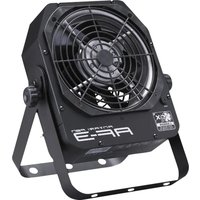
AF-3E - Effect machine Antari - Free user manual and instructions
Find the device manual for free AF-3E Antari in PDF.


User questions about AF-3E Antari
0 question about this device. Answer the ones you know or ask your own.
Ask a new question about this device
Download the instructions for your Effect machine in PDF format for free! Find your manual AF-3E - Antari and take your electronic device back in hand. On this page are published all the documents necessary for the use of your device. AF-3E by Antari.
USER MANUAL AF-3E Antari
Compact Special Effects Fan User Manual
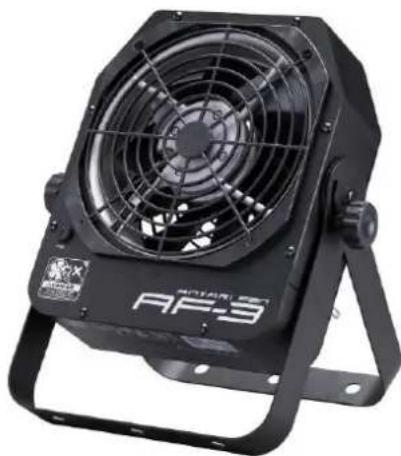
natural_image
Black industrial fan with visible blades and mounting bracket (no text or symbols)
Congratulations on the purchase of your new Antari AF-3 Compact Special Effects Fan. Prior to use, we suggest that you carefully read all of the instructions. By following the suggestions found in this user manual, you can look forward to the reliable and satisfactory performance of your Antari AF-3 Compact Special Effects Fan for years to come.
Caution
- Operate only with adult supervision.
- Keep hands off and do not insert any objects into the fan.
- This fan is not water-resistant. Avoid splash water.
- Unplug the machine when it is not in use or unattended.
- Prevent the vents from being blocked by anything.
Wind Speed Control
The wind speed of the fan can be adjusted linearly using the rotary switch, the wireless remote control, or a DMX controller.
1. Manual Control
Manual Control Knob
text_image
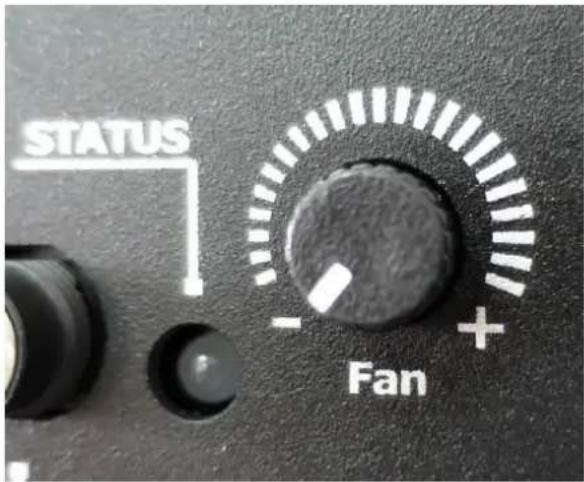
STATUS - Fan + +For manual control, turn the rotary knob to linearly adjust the wind output from minimum (-) to maximum (+).
The flashing green light indicates the fan is in stand-by state. When the orange light is on, the fan is running.
2. Wireless Control (For AF-3R and AF-3XR versions only)
natural_image
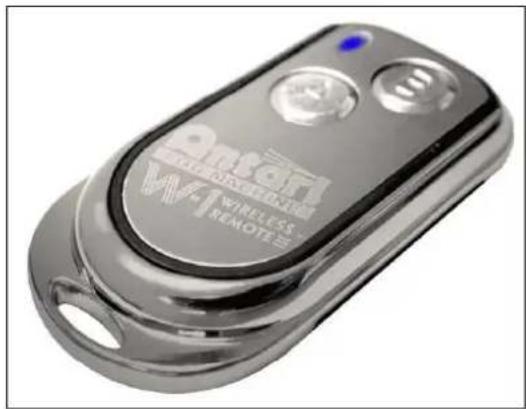
Close-up of a metallic wireless remote control device with visible branding and ports (no readable text beyond branding)W-1 Wireless Remote Control
natural_image
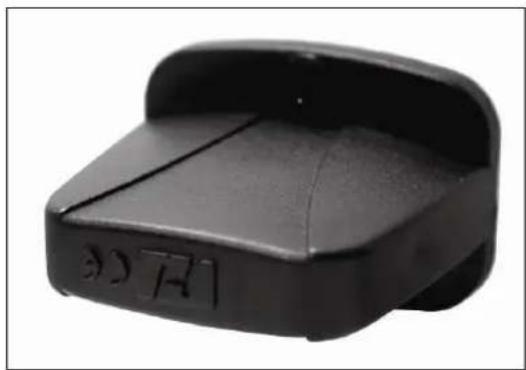
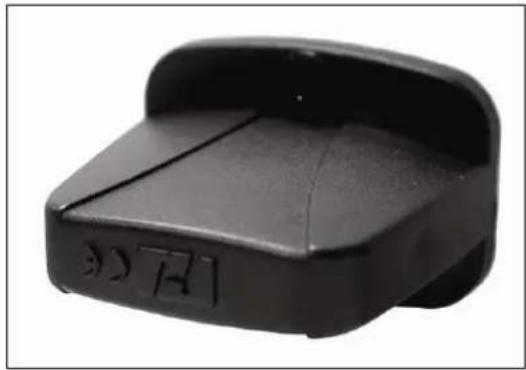
Black plastic object with a curved top and side slot, no visible text or symbolsReceiver
For wireless remote control, set DIP switch no. 10 to position ON.
All wireless transmitters included in the boxes, have been paired with the wireless receiver during production at the factory. Users can press button A on the transmitter to run the fan. Pressing button B stops the fan. Please note, under wireless remote control mode, the wind output is still controlled by the rotary knob.
If you wish to pair additional wireless transmitters on the same fan, please follow the instructions below:
- Plug in the fan.
- Set DIP switch no. 10 to position OFF.
- And then set DIP switch no. 10 to position ON. At this moment, the red light is on for about 10 seconds. During the 10 seconds, you can press any button (A or B) on the transmitter to pair it. When the wireless receiver has the signal, the green light will flash to confirm the registration.
- When the light starts flashing green, the wireless transmitters are good to go.
Please note that wireless remote function is optional, and it is only applicable to AF-3R or AF-3XR versions.
Z-3 Remote Control Operation (Optional)
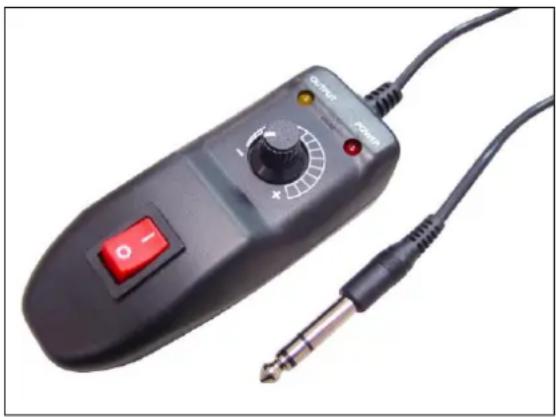
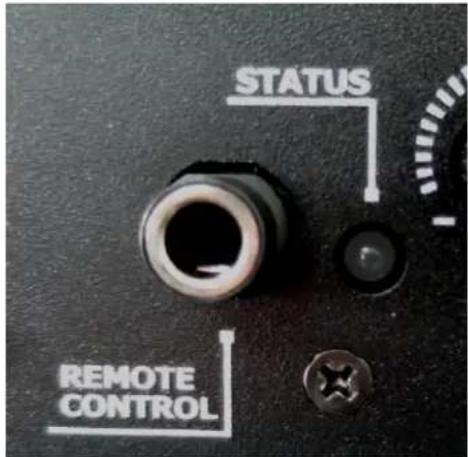
To operate the machine by remote control, connect the remote to the microphone jack located on the rear of machine. Use the switch to turn wind on/off, and use the rotary knob to adjust the output volume from 0\~100%.
natural_image
Close-up of a black analog oscilloscope with a red switch and power cord, connected to a black cable (no visible text or symbols)3. DMX Control
DMX Connector Pin Assignment
The machine provides 3-pin or 5-pin XLR connectors for DMX connection. Please advise the DMX specifications requested while ordering. The diagram below indicates pin assignment information.
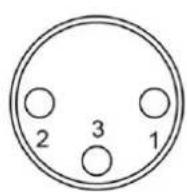
3 Pin XLR

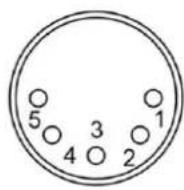
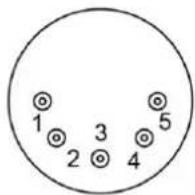
5 Pin XLR
| Pin | Function |
| 1 | Ground |
| 2 | Data- |
| 3 | Data+ |
The machine uses one DMX channel for adjusting the fan speed.
DMX setting:
| DMX value | Function |
| 0~5 | Fan off |
| 6~254 | Speed up linearly |
| 255 | Maximum speed |
DMX control will override both manual and wireless control functions.
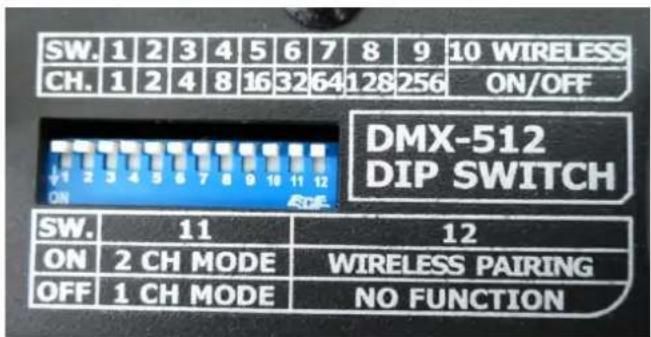
DMX addressing by DIP switches:
text_image
SW. 1 2 3 4 5 6 7 8 9 10 WIRELESS CH. 1 2 4 8 16 32 64 128 256 ON/OFF DMX-512 DIP SWITCH ON SW. 11 12 ON 2 CH MODE WIRELESS PAIRING OFF 1 CH MODE NO FUNCTION| DIP | 1 | 2 | 3 | 4 | 5 | 6 | 7 | 8 | 9 | 10 |
| Ch. | 1 | 2 | 4 | 8 | 16 | 32 | 64 | 128 | 256 | Wireless pairing, control on/off |
| SW. | 11 | 12 |
| ON | 2 CH Mode | Wireless Pairing |
| OFF | 1 CH Mode | No Function |
4. Optional Remote Control
text_image
STATUS REMOTE CONTROLThere is a 1/4 inch jack socket available on each AF-3 fan. This allows users to choose optional Z-3 remote to control the wind output.
Power Output Connector
text_image
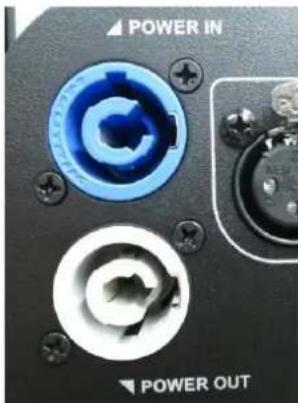
POWER IN POWER OUTThe AF-3 features a Powercon output connector (not available for model AF-3X) for the joint application with another effect machine without occupying an extra electric socket.
Technical Specifications
| Model | AF-3 / AF-3R |
| Voltage | AC-100V/120V/220V/230V/240V, 50Hz-60Hz |
| Power Consumption | AC-120V/230V, 100W |
| Maximum Airflow | 900m3/hr, 530CFM (50Hz)1020m3/hr, 600CFM (60Hz) |
| Fan Speed | 750~2550 rpm (50Hz)750~2800 rpm (60Hz) |
| DMX Mode | 1 Channel (0-5 Off, 6-255 speed up linearly)2 Channel (0-127 Off, 128-255 On) |
| Dimensions (mm) | 332.9 (W) x 370 (H) |
| Weight | 6.3 kg |
*Please read and save these instructions*
ANTARI FAN AF-3
Antari AF-3 Compact Special Effects Fan Mode d'emploi
natural_image
Close-up of a metallic remote control device with visible branding and buttons (no readable text beyond branding)natural_image
Black plastic object with engraved markings, no visible text or symbolsRécepteur
natural_image
Close-up of a black analog ammeter with control knob and external cord (no visible text or symbols)3. Opération DMX
Configuration de la connexion DMX
natural_image
Close-up of a metallic remote control device with visible branding and buttons (no readable text beyond branding)natural_image
Black plastic object with engraved markings, no visible text or symbolsEmpfänger
natural_image
Close-up of a black analog oscilloscope with a red switch and power cord, connected to a black cable (no visible text or symbols)3. DMX-Steuerung
natural_image
Close-up of a metallic remote control device with visible branding and buttons (no readable text beyond branding)W-1 無線發射器
natural_image
Black plastic object with a curved top and rectangular base, no visible text or symbols無線接收器
natural_image
Close-up of a black analog electrical device with a switch, power cord, and cable (no visible text or symbols)3. DMX 控制:
DMX 連接 Pin 的接點說明
For current product information visit Antari at:www.antari.com For information requests please contact us at:sales@antari.com