BC300 - Scale Prixton - Free user manual and instructions
Find the device manual for free BC300 Prixton in PDF.


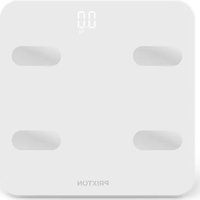
| Product Type | Connected scale (Bluetooth bathroom scale) |
| Brand | Prixton |
| Model | BC300 |
| Maximum capacity | 180 kg |
| Precision (division) | 100 g |
| Display | LED |
| Power supply | 3 AAA 1.5V batteries (not included) |
| Connectivity | Bluetooth |
| Associated app | Fitbrick (compatible with iOS and Android) |
| Sensors | Strain gauge sensors + electrodes for impedance analysis |
| Main functions | Weight measurement, body fat, body water, muscle mass, BMI, history via app |
| Estimated battery life | Several months depending on usage (low battery indicator) |
| Power on/off | Automatic (weight detection) / auto off |
| Materials | Tempered glass platform, ABS plastic housing |
| Approximate dimensions | 30 x 30 x 2.5 cm |
| Approximate net weight | 1.8 kg |
| Number of users | Up to 9 profiles in the app |
| Warranty | 2 years |
| Maintenance and cleaning | Clean with a soft, damp cloth. Do not immerse. Remove batteries if not used for extended periods. |
| Safety | Do not overload (>180 kg). Use on a flat, hard surface. Step on barefoot for analysis. |
| Spare parts and repairability | Not user-serviceable. Contact Prixton customer service for any issues. |
| General information | Flat, rigid surface required for accurate weighing. Barefoot for impedance measurement. Remove batteries for long storage. |
Frequently Asked Questions - BC300 Prixton
User questions about BC300 Prixton
0 question about this device. Answer the ones you know or ask your own.
Ask a new question about this device
Download the instructions for your Scale in PDF format for free! Find your manual BC300 - Prixton and take your electronic device back in hand. On this page are published all the documents necessary for the use of your device. BC300 by Prixton.
USER MANUAL BC300 Prixton

ANDROID APK iOS APP
Figura 1.3
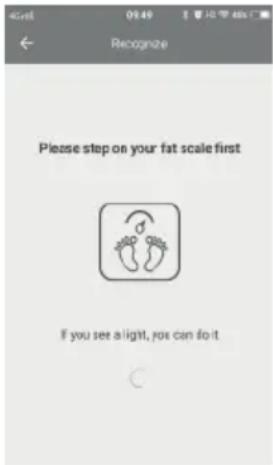
Figura 1.4.1
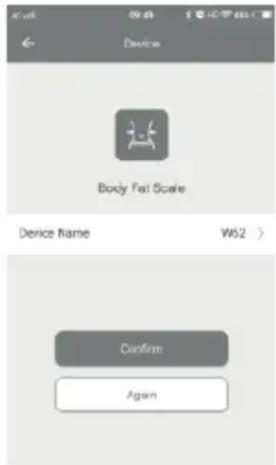
Figura 1.4.2
2. Peso y datos
Figura 2.1
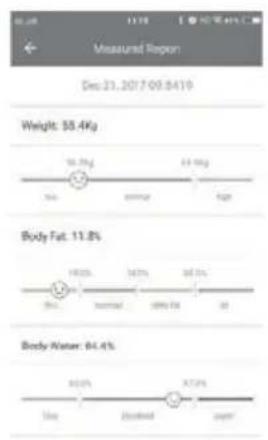
Figura 2.2.1
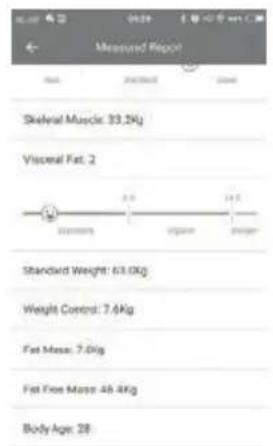
Figura 2.2.2
Thank you for choosing our high precision bluetooth scale, in order to properly use this product, ensure weight accuracy. please read this instruction carefully before use.
SPECIFICATION
Equipped with high strain gauge sensors
Max capacity:180kg
LED display
Division :100g
Auto on/Auto off
Overload indication
Low battery indication
APP Management of Health Data
POWER SUPPLY
This scale equips with 3 x 1.5V AAA batteries. Please insert batteries or remove the insulating strip from the battery contacts before using. Replace the batteries when “Low Battery indicator” shows.
APP DOWNLOAD
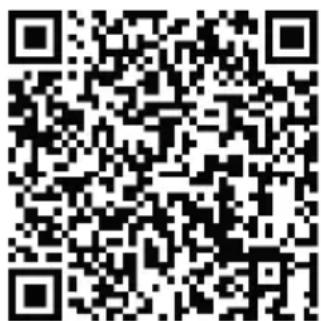
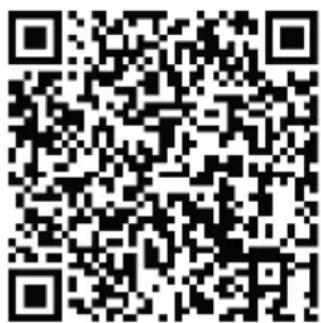
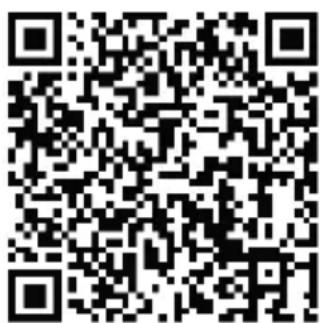
Please scan right side QR code by website browser and download it . APP name is : Fitbrick


ANDROID APK iOS APP
OPERATING INSTRUCTIONS
1.Device Bond and Data Setting
① Place the scale on a solid, flat surface to ensure weighing accuracy.
② Open APP, follow indication to add corresponding device, select "body fat scale" (as shown in Figure 1.2)
③ Identify Device. Follow the indication and click "Open Bluetooth" button, turn on the Bluetooth (as shown in Figure 1.3) (if already open, system will automatically skip this step)
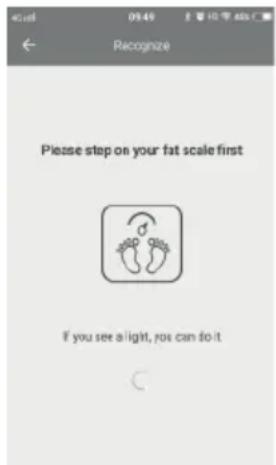
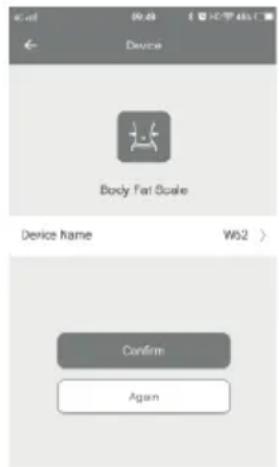
④ Please step on your scale and make it turn on, then check your APP and click "Confirm" button, device bound after this step. (as shown in Figure 1.4.1 and Figure 1.4.2)
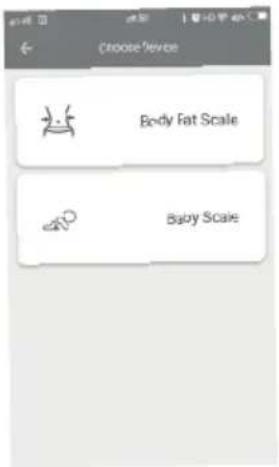
Figure 1.2
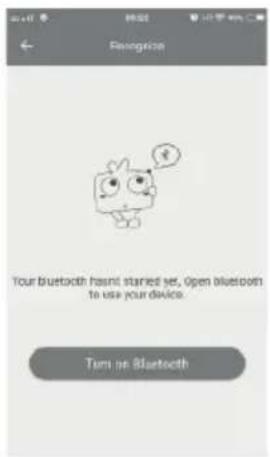
Figure 1.3
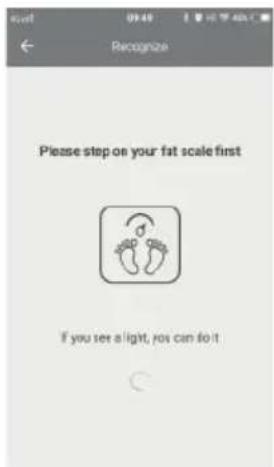
Figure 1.4.1
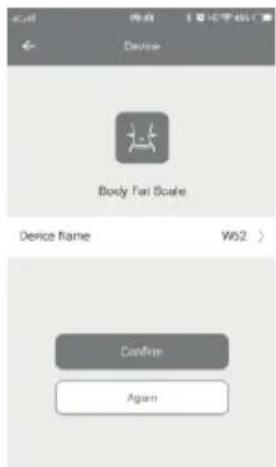
Figure 1.4.2
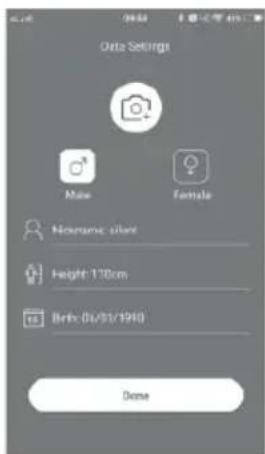
⑤ Data Setting, please fill in the real age, height, gender, then click "Done" button to end setting (as shown in Figure 1.5)
2. Weighing and Data
① After adding device and setting data, step barefoot on scale evenly to get accurate result, scale will show your weight, all test result will be transmitted to the APP. (as shown in Figure 2.1)
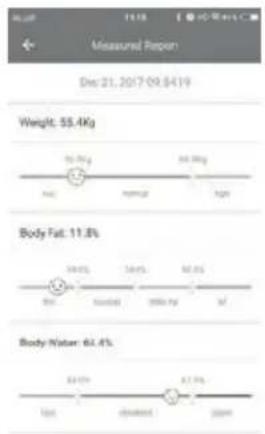
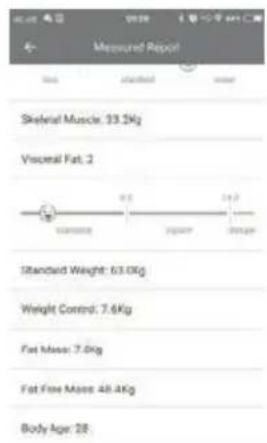
② You can check and manage your weight, body fat, body water, muscle, body mass index and other data by APP;
③ Click the left "☐" icon can check the latest measurement report, which shows all data and index, also some exercise and diet recommendations. (as shown in Figure 2.2.1, Figure 2.2.2.)
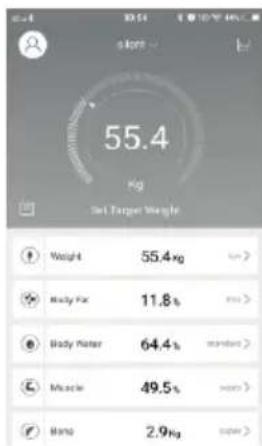
Figure 2.1
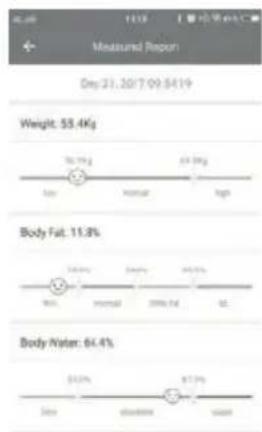
Figure 2.2.1
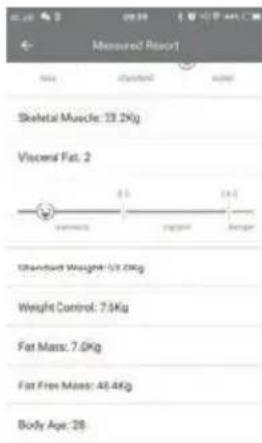
Figure 2.2.2
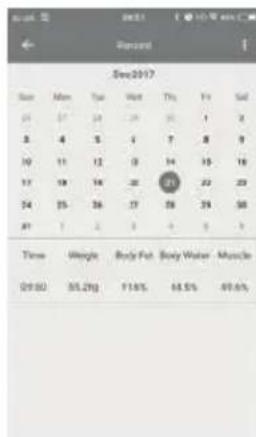
④ Click the icon in the upper right corner "√" to view your historical weighing record. (as show in Figure 2.3.1) It shows changes of data based on week/month/year; Then click the icon "L" in the upper right corner to check weighing record of specific time. (as show in Figure 2.3.2)
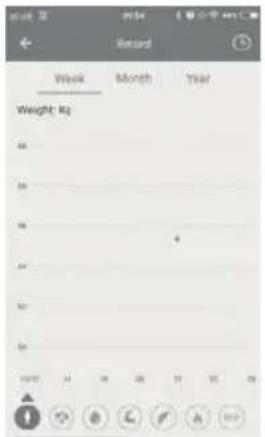
Figure 2.3.1
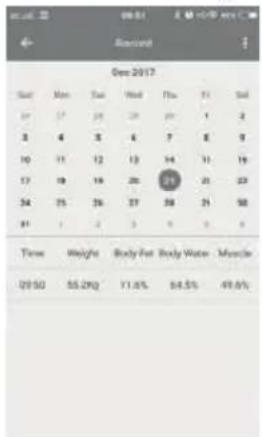
Figure 2.3.2
INDICATION
Overload indication:
The maximum capacity is 180kg. If overload, “Err” will appear on the display. please get off the scale, to prevent damaging the product.
Low Battery indication:
When “La” symbol is shown on the display, it means the batteries need to be replaced.
CARE AND ATTENTION
The APP can support multiple products of our company(body fat scales, baby scales, luggage scales, kitchen scales) and multi-users support. The following are steps for device management (user management is similar)
1.Open APP and click " " in the upper left corner
2. Click "Device Management" (can select or delete the bound devices)
Click the upper right " " sign to add corresponding device.
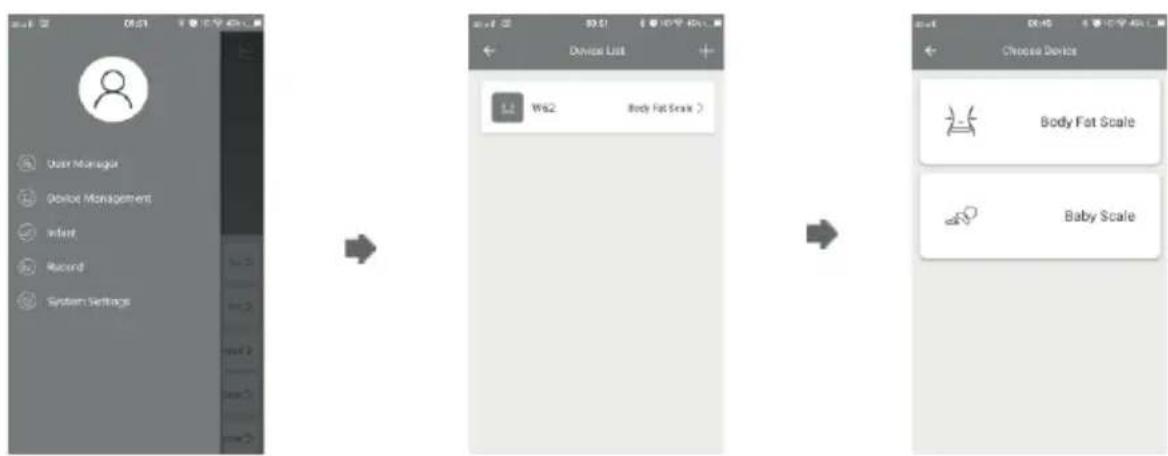
flowchart
graph LR
    A["User Manager"] --> B["Device List"]
    B --> C["Choose Device"]
    C --> D["Body Fat Scale"]
    C --> E["Baby Scale"]
When use this product for first time, please download APP and enter your personal data (gender/height/age), for more users, need to add users (fill in relevant personal data), please do edit your user name so that can choose your own name for next time using, there is totally 9 users at most for APP management.
Step barefoot on scale evenly to get accurate result. Please keep your feet clean and dry, also well contact with the electrode plate. Scale display shows your weight, please check other data (body fat, water, etc) on App.
If the scale would not be used in a long period, please take the battery out, and make sure there is noting on the scale.
Never throw away the scale or batteries to the rubbish.
Dispose them according to the local garbage regulations.
Warranty Policy
This product is guaranteed for 2 years from the date of purchase. When you have a problem that you can not solve, you must access the web www.prixton.com and click on the contact option to send us your assistance form.
These technical and electrical specifications are those of typical units and may be changed without prior notice in order to provide improved equipment.
Simplified EU Declaration of Conformity
We, La Trastienda Digital located in Avenida Cervantes 49, módulo 25, Basauri 48970, Bizkaia hereby declare that the following goods, imported and selling at European market:
| bRANDMO | DELDESCRIPTION | CATEGORY |
| Prixton BC300 Scale Balance | Home | |
Are in compliance with the EC Council Directive of 2014/53/EU (EM DIRECTIVE) and harmonized standards and with the board of the 16th of April 2014.
The complete text of the UE Declaration of conformity is available anytime at this website address:
www.prixton.com
LA TRASTIENDA DIGITAL
Chers utilisateurs
Indication de surcharge

ANDROID APK iOS APP
INSTRUCTIONS D'UTILISATION
Figure 1.3
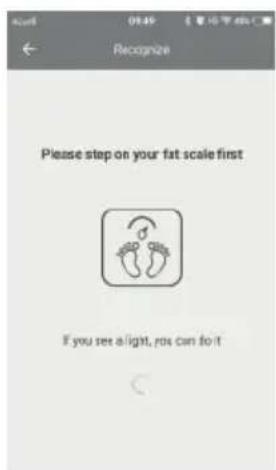
Figure 1.4.1
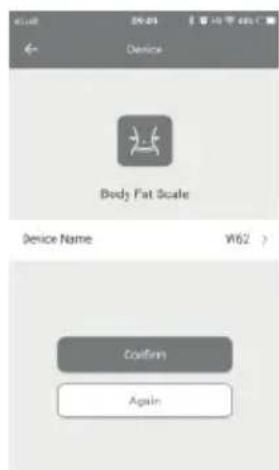
Figure 1.4.2
Figure 2.1
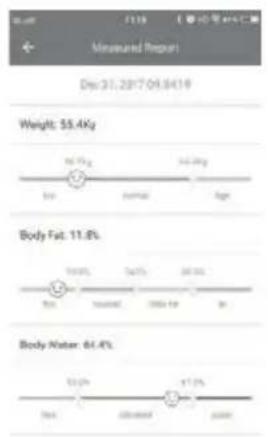
Figure 2.2.1
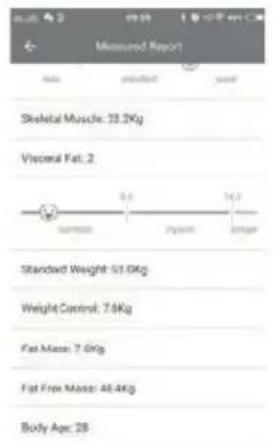
Figure 2.2.2
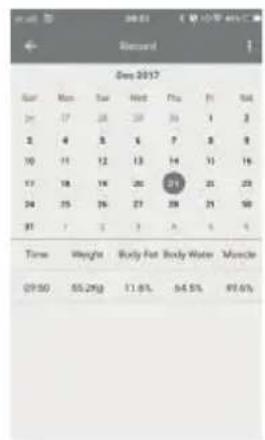
Figure 2.3.1 Figure 2.3.2
INDICATION
Indication de surcharge :

ANDROID APK iOS APP
ISTRUZIONI PER L'USO
Figura 1.3
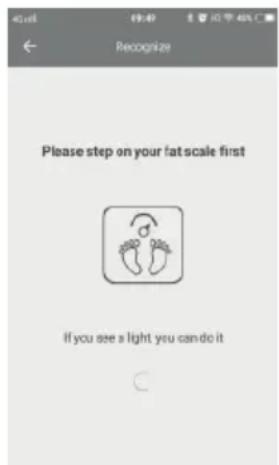
Figura 1.4.1
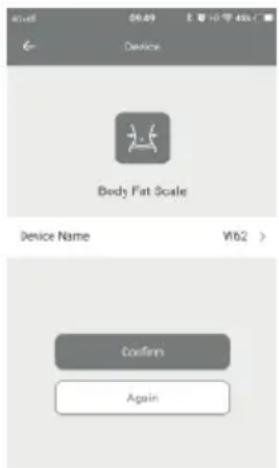
Figura 1.4.2
Figura 2.1
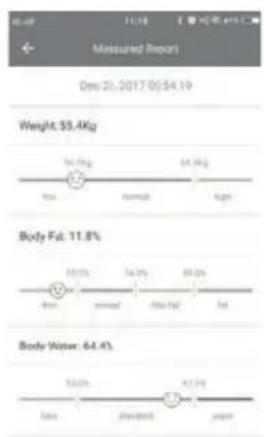
Figura 2.2.1
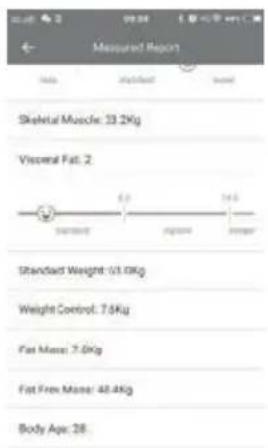
Figura 2.2.2
ANDROID APK
iOS APP
BETRIEBSANLEITUNGEN
Abb. 1.3
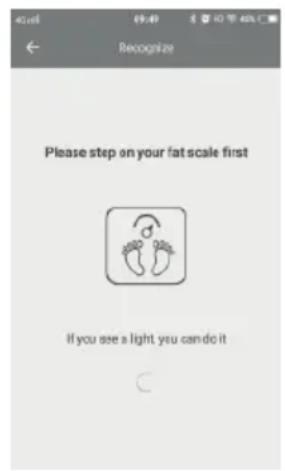
Abb. 1.4.1
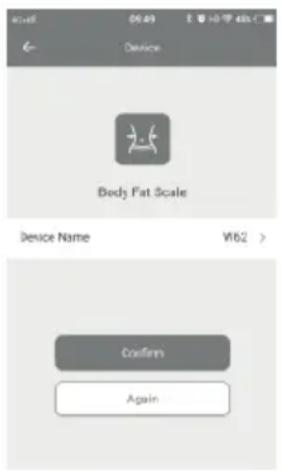
Abb. 1.4.2
2. Wiegen und Daten
Abb. 2.1
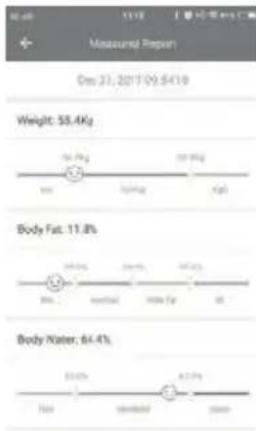
Abb. 2.2.1
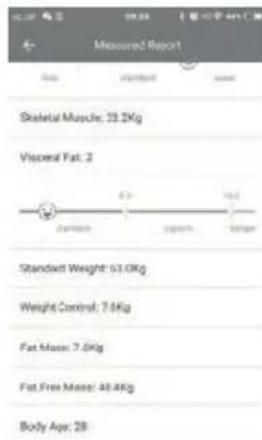
Abb. 2.2.2
Abb. 2.3.1 Abb. 2.3.2
HINWEIS
ANDROID APK
iOS APP
Figura 1.3
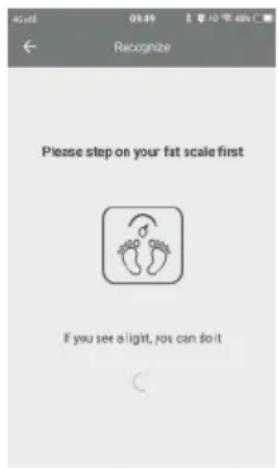
Figura 1.4.1
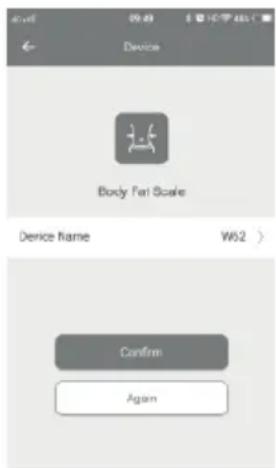
Figura 1.4.2
2. Pesagem e Dados
Figura 2.1

Figura 2.2.1

Figura 2.2.2
ANDROID APK iOS APP
Afbeelding 2.1
Afbeelding 2.2.1
Afbeelding 2.2.2