
VMA302 - Wall mount for screen SANUS - Free user manual and instructions
Find the device manual for free VMA302 SANUS in PDF.


User questions about VMA302 SANUS
0 question about this device. Answer the ones you know or ask your own.
Ask a new question about this device
Download the instructions for your Wall mount for screen in PDF format for free! Find your manual VMA302 - SANUS and take your electronic device back in hand. On this page are published all the documents necessary for the use of your device. VMA302 by SANUS.
USER MANUAL VMA302 SANUS
VMA302 Instruction Manual
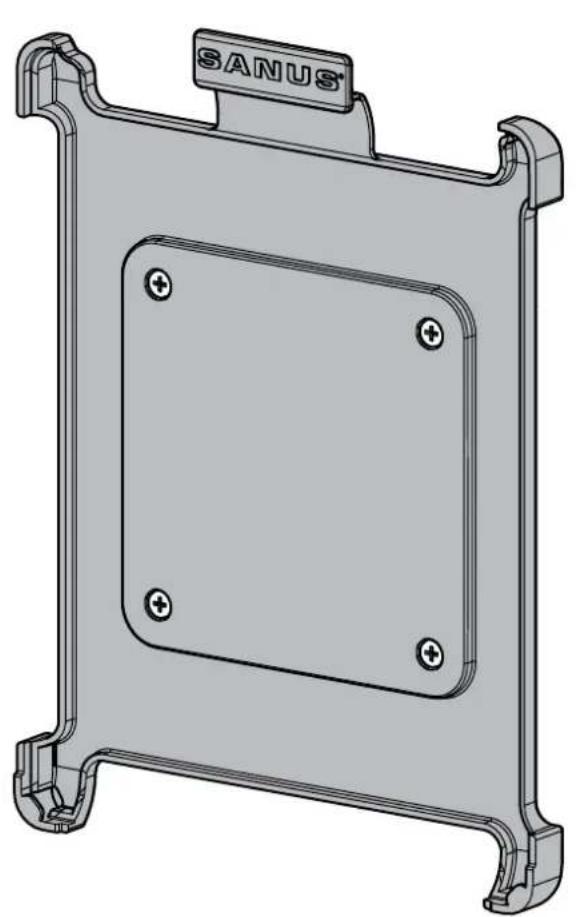
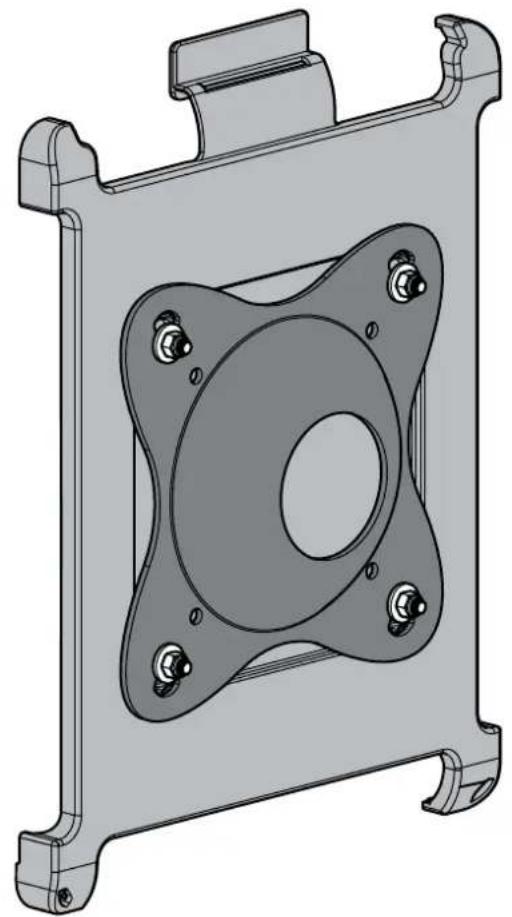
We are here to help!
Please contact Customer Service with any questions.
Customer Service
Americas: 800-359-5520 • 651-484-7988 • info@sanus.com
Europe, Middle East, and Africa: + 31 40 2324700 • europe.sanus@milestone.com
Asia Pacific c: 86 755 8996 9226 · sanus.ap@milestone.com
SANUS · 2221 Hwy 36 West · Saint Paul, MN 55113 USA
©2011 Milestone AV Technologies, a Duchossois Group Company. All rights reserved. Sanus is a division of Milestone.
All other brand names or marks are used for identification purposes and are trademarks of their respective owners.
English - How to use this manual
For best results, reference both the text and illustrations. English Text Pages 3-5
IMPORTANT SAFETY INSTRUCTIONS - SAVE THESE INSTRUCTIONS - PLEASE READ ENTIRE MANUAL PRIOR TO USE
Notes
Compatible with 2nd Generation iPadTM alone, not an iPadTM within a case.
- Mounts to any 100 mm × 100 mm (maximum) mounting plate.
CAUTION: Avoid potential personal injuries and property damage!
Do not use this product for any purpose not explicitly specified by manufacturer.
If you do not understand these instructions, or have doubts about the safety of the installation, assembly or use of this product, contact Customer Service or call a qualif ed contractor.
Manufacturer is not responsible for damage or injury caused by incorrect assembly or use.
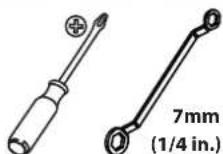
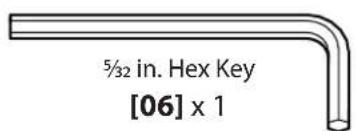
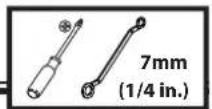
Required Tools
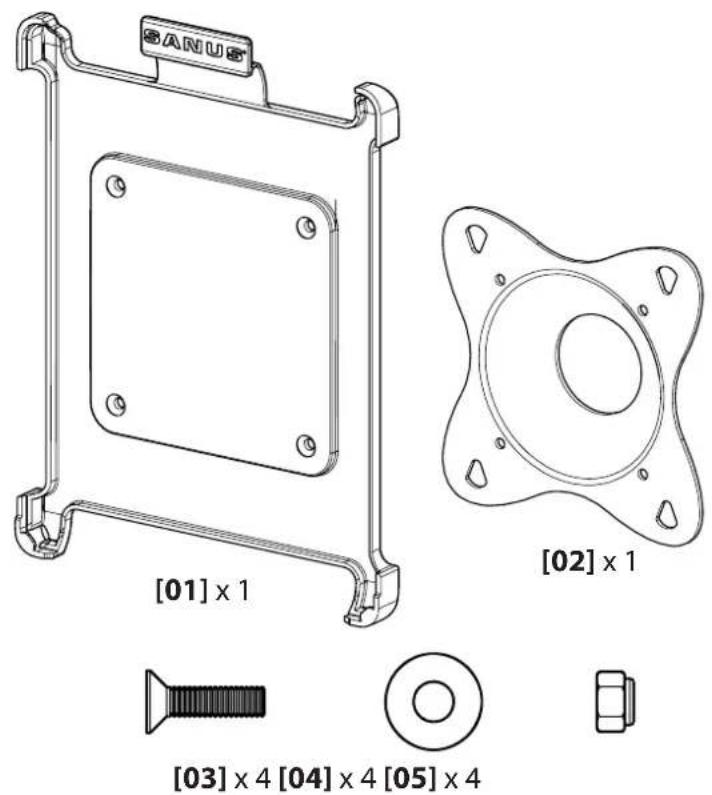
Supplied Parts and Hardware
WARNING: This product contains small items that could be a choking hazard if swallowed.
Before starting assembly, verify all parts are included and undamaged. If any parts are missing or damaged, do not return the damaged item to your dealer; contact Customer Service. Never use damaged parts!
2 Install Mount
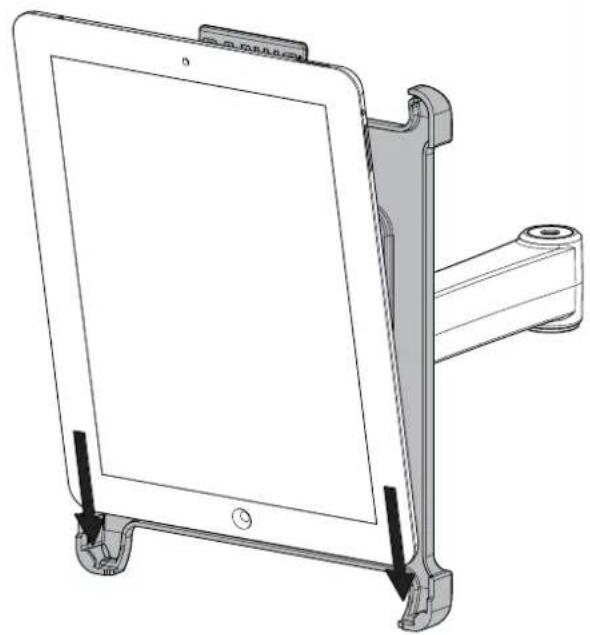
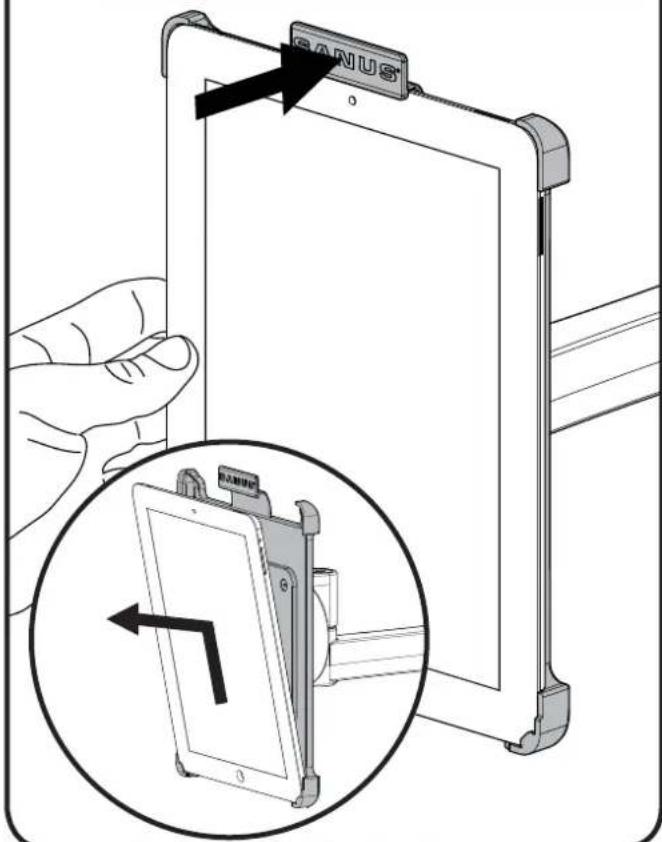
Fit the iPad™ into the mount, bottom edge first.
1
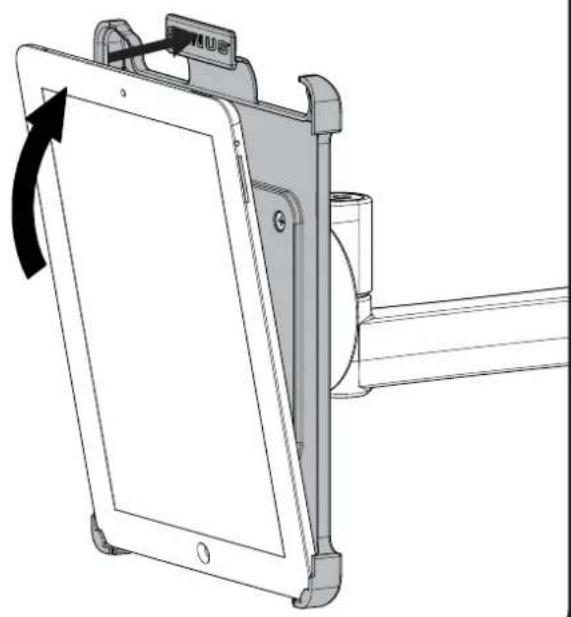
Angle the iPadTM back while pressing back on the locking tab of the mount. Fit the top edge of the iPadTM under the tab.
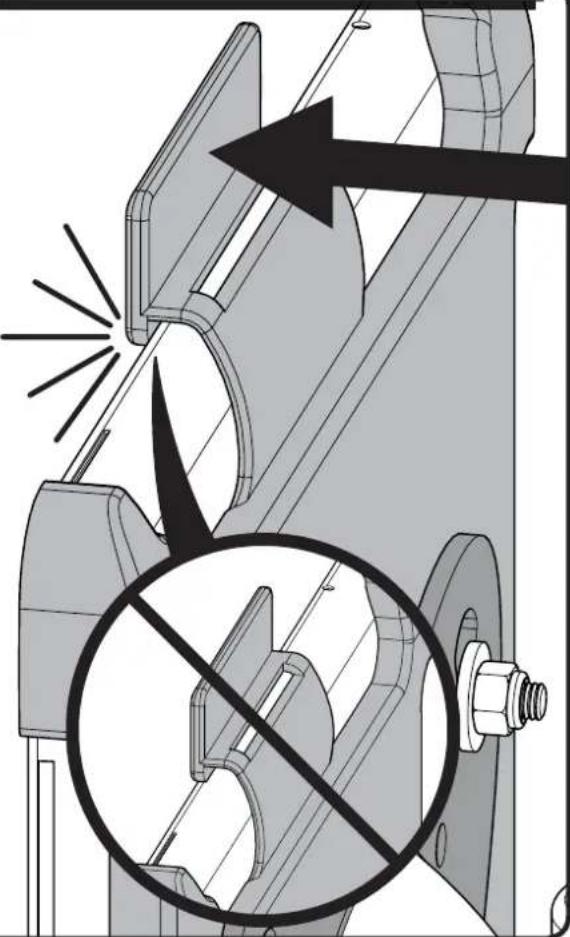
Press on the rear of the locking tab and ensure that the tab is fully engaged and the iPad™ is secure in the mount.
3
4 To Release the iPad™
To release the iPad^TM from the mount: firmly hold the iPad^TM while pressing back on the tab to release and remove the iPad^TM .
François
INFORMATIONS IMPORTANTES CONCERNANT LA SECURITE - CONSERVEZ CES INSTRUCTIONS - VEUILLEZ LIRE ATTENTIVEMENT LE MANUEL AVANT D'UTILISER CE PRODUIT
Remarques :
CoBmecTnMoCTb CO BTOPOI NOKOJIeHnIy IPadTM B OJINOHcy, He IPadTM BCnyae.
KpenntcnaHIO6yMOHTaXHyIpaMepomdo100x100mm.
PNEyPEXKDEHNE: Co6IouaTe npabuna 6e3oNaCHocTn, YTO6bl npedOTbPaNTb BO3MOXHbI TpaBMbl NOBpeJdeHne IMyueCTBa!
He nCnoB3yIte u3dJIeNe dJa KaKoJ-1n6o cenn, yBHO He orOBOpeHHoK KomNaHne Ipon3BoDInTeJb.
EcnBbHe NoHMaTe npBBeHbIe HcTpyKun nn He yBepHb I 6e3OnaChOCTyCtAHOBKn, c6opkn nn EKcNlyaTaun daHHoro npOdykta, o6paTntecb B ceHTp nocnepoJaxHoro o6cnyxBaHn KOMnaHn PpOIN3BOUInTeB nn NIO3BOHNTe KBaIIuNcnpoBaHOMy NOprdUnky.
KOMnHnI POn3BOUInTeH He HecET OTBeTCTBeHHOCTN 3a NOBpeXdEHNe O6OpydoBaHnI Nnn IOnyuHne TpaBMbl nnpuHHe HnpaBnHbHOc6OpKn nn EKcnnyataunn 3deJnA.
Heo6xoJMbIe NHCTpyMeHtbl. Cm. cTp. 3.
Teannn o6opydoBaHne, BXoJaee B KOMnKeT noCTaBKn. Cm. nnnIOCTpaCNIHO cTp.3
A PPEyPPEKDEHNE. B n3denn encTb meJKe ne TaII, KOtOpBle MOrY T cTaTb npuHoi yduHn npi nonaHaHn B dIbIXaTeJIbHbIe nyTu.
Ipeed Tem, KaK npncTyntb K c6Opke, y6eInTeCb, yTO BeCb KOMnKeT deTaen B HauNUn N B HenOBpeXdeHOM COCTOHN. Ecnn KaKne-Im6o DeTAn OTCyTcByOT nIN NOBpeXdeHbl, He BO3BpaAaTe n3dEIne dInepy; o6paNTecb B ceHTp 06cnyXnbAHn. HnkOrda He nCnoNb3yIte DeΦeKTHble deTann!
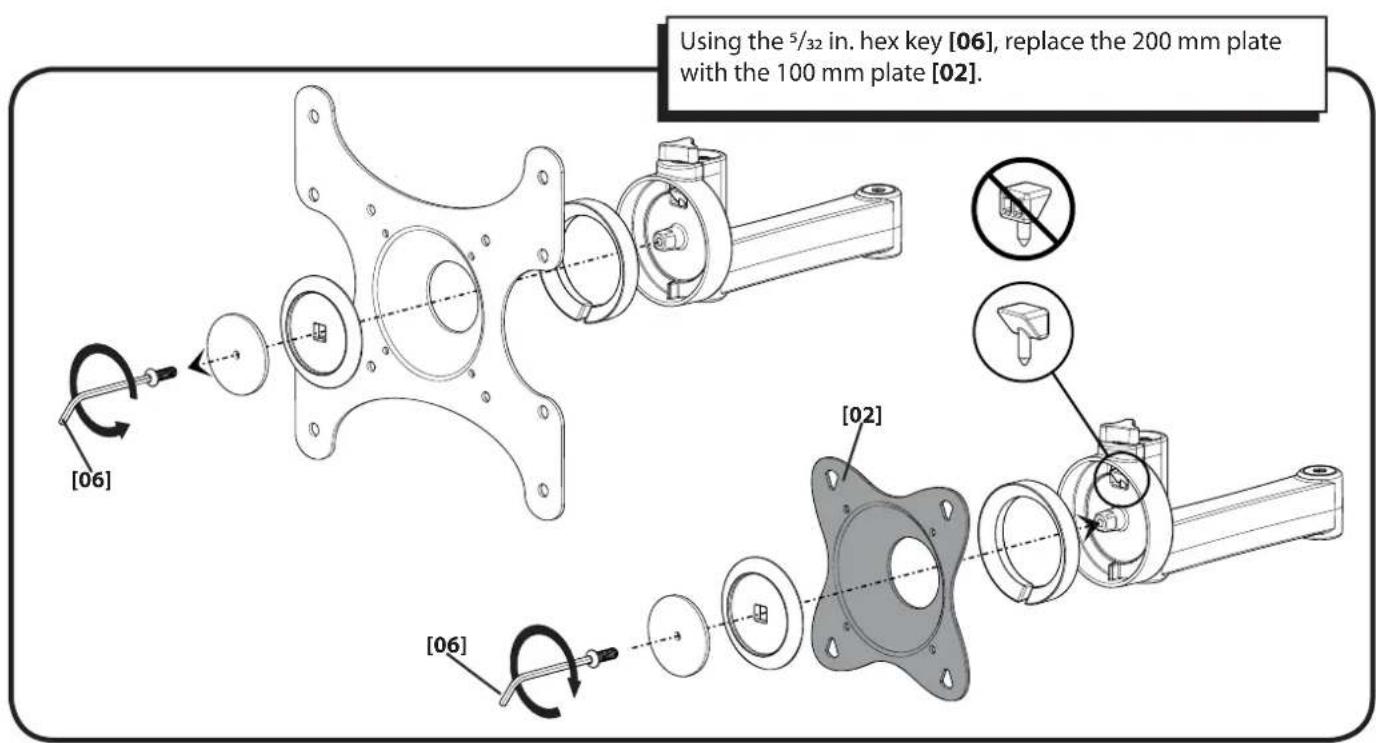
1 3ameHnte TeIeBn3Op nlaCTnHbI. Cm. nllIOcTpaCNIHO ha cTp.4
Pn nmoosu wectnrpaHHoro knoa 5/32 duoMa [06] 3ameHnte pactHy 200 MM Ha pactHy 100 MM [02].
2 yctaHOBnte rope. Cm. nllnoctpaunio Ha ctp.4
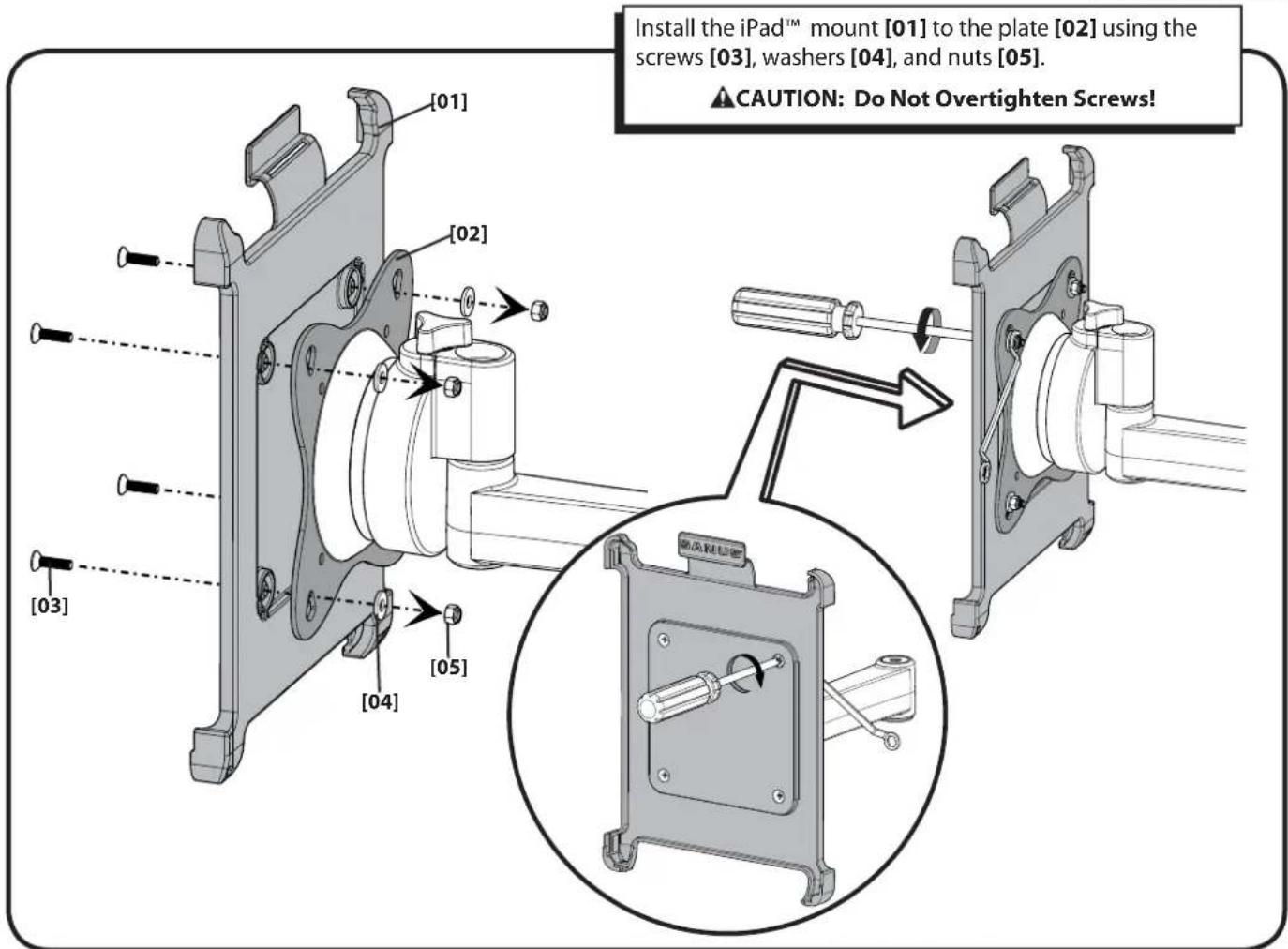
YcTaHOBInTe KpePJIeHHe iPadTM Ha pIaCTnHy [02] npI NOMOUI BnHTOB [03], IaIb6 [04] n raeK [05].
PPEIOCTEPEXEHNE! He 3aTnBaIe BNHTbC n3JIuHm ycNJnEM!
3 yctahobnte IPadTM. CM. nllnoctpaunu Ha ctp. 5
- Bctabte iPadTM Ha KpeIeHne, HauHna C HnKHeRo Kpa.
- OTKNoHnTe iPadTM Ha3aI, HaxmMaHa KpeEnKHyIO IaNkY KpePJIeHn. BCTaBbTe BepxHn KpaI iPadTM noI naKy.
- HanaBnTe Ha KpeNexKHyIO IaNky c3aIIN y6eIITecb B TOM, UTO OHa nOIIHOCTbIO BblBnHyTa i IPadTM HaeXHO 3aHnKcIpOBaH NaKePnEHH.
4 ChyTne iPadtm c kpenJeHna. Cm. nnnoctpaunu Ha ctp. 5
ChTne iPadtmC kpeHnHa. HndExHo yIepKnBa iPadtm, haxMnte Ha naNk dy BbICBo6OxJdeHnBepXhero Kpa iPadTM.
Polski
WAZNE INSTRUKCJE DOTYCZACE BEZPIECZENSTWA - NIE WYRZUCAc - PRZED UZYTKIEM NALEZY ZAPOZNAC SIE Z TRESCIa CAeJ INSTRUKCJI
Uwagi:
Milestone AV Technologies and its affiliated corporations and subsidiaries (collectively, "Milestone"), intend to make this manual accurate and complete. However, Milestone makes no claim that the information contained herein covers all details, conditions, or variations. Nor does it provide for every possible contingency in connection with the installation or use of this product. The information contained in this document is subject to change without notice or obligation of any kind. Milestone makes no representation of warranty, expressed or implied, regarding the information contained herein. Milestone assumes no responsibility for accuracy, completeness or sufficiency of the information contained in this document.


