BARBER V800 PRO - Shaver Create - Free user manual and instructions
Find the device manual for free BARBER V800 PRO Create in PDF.


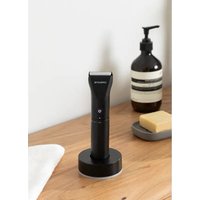
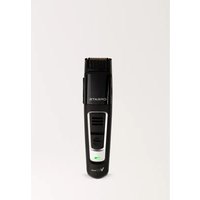
| Product type | Razor |
| Brand | Create |
| Model | BARBER V800 PRO |
| Dimensions | 165 × 42 × 40 mm |
| Power supply | Lithium battery 3.6 V / 600 mAh |
| Power | 2 W |
| Blade material | Titanium |
| Charging time | 1.5 hours |
| Battery life | Over 90 minutes |
| Cutting length adjustment | 1 to 10 mm (with accessory comb) |
| Indicator light | Red while charging, off when fully charged |
| Usage | Dry use only, for human hair |
| Cleaning | Damp cloth or mild soapy solution |
| Lubrication | 2-3 drops of oil between blades after several uses |
| Safety | Do not immerse; unplug before cleaning; avoid outdoor use |
| Package contents | Trimmer, accessory comb, USB cable, user guide |
| Repairability | Do not attempt to repair yourself; contact an authorized service center |
| Compliance | Directives 2012/19/EU and 2015/863/EU (WEEE, RoHS) |
| Weight | Not specified in the manual (approx. 200 g estimated) |
Frequently Asked Questions - BARBER V800 PRO Create
User questions about BARBER V800 PRO Create
0 question about this device. Answer the ones you know or ask your own.
Ask a new question about this device
Download the instructions for your Shaver in PDF format for free! Find your manual BARBER V800 PRO - Create and take your electronic device back in hand. On this page are published all the documents necessary for the use of your device. BARBER V800 PRO by Create.
USER MANUAL BARBER V800 PRO Create
natural_image
Line drawing of a handheld hairbrush with control knob and rotary dial (no text or symbols)Security instructions 6
Parts list 7
Instruction for use 8
Technical specifications 9
PORTUGUÊS
Thank you very much for choosing our product. Before using the appliance, read these instructions carefully for its correct use.
The included safety precautions reduce the risk of electric shock, injury, or even death if strictly followed. Please keep this manual in a safe place for future reference, together with the completed product warranty card, the original product packaging and proof of purchase. If possible, pass these instructions on to the next owner of the appliance. Always follow basic safety precautions and accident prevention rules when using an appliance. We decline all responsibility derived from the non-compliance of these instructions by customers.
SECURITY INSTRUCTIONS
When using any electrical appliance, basic safety precautions should always be observed.
- To protect against risk of electrical shock do not put in water or any other liquid.
- Close supervision is necessary when any appliance is used by or near children.
- The hair trimmer can be used by children aged eight and over, as well as by people with reduced physical, sensory, or mental abilities or who lack experience and/or knowledge, providing they are supervised or have been instructed in the safe use of the device and understand the resulting dangers.
- Children must not play with the hair trimmer. Cleaning and user maintenance may not be carried out by children, unless they are supervised. Small parts can be lethal if swallowed. Keep the packaging film away from children due to risk of suffocation. Keep the hair trimmer and connecting cable away from children younger than eight years old.
- Unplug from outlet when not in use, before putting on or taking off parts, and before cleaning.
- Do not operate any appliance with a damaged cord or plug or after the appliance malfunctions, or is dropped or damaged in any manner. Return appliance to the nearest authorized service facility for examination, repair or electrical or mechanical adjustment.
- The use of attachments not recommended or sold by the manufacturer may cause fire, electric shock or injury.
- Do not use outdoors. Household use only.
- Do not let cord hang over the edge of table or counter.
- Cells or batteries should not be disassembled, crushed, punctured, opened, or otherwise mutilated.
- Clean the housing using only a cloth slightly dampened with water or a mild soap solution. Never use a caustic solution.
- This trimmer may become warm during operating and/or charging, this is normal.
- When using, don't hold by the power cord, in order to prevent possible harm and so as to avoid accidents.
- Never tamper with moving parts.
- If you use the hair trimmer in the bathroom, disconnect the plug from the socket after use. Close proximity to water represents a hazard, even when the device has been switched off.
- In case of visible damage to the trimmer or mains adapter, the device must not be operated.
- Only plug the mains adapter into a properly installed socket which is always easily accessible. The voltage of the socket must correspond to the specifications on the rating plate.
• Always disconnect the mains adapter from the socket after use, after charging, in case of malfunction, and before cleaning.
- The hair trimmers are not intended for operation with an external timer or a separate remote control system.
- If you notice any smoke, unusual noises or smells, switch off the device immediately and disconnect the mains adapter from the socket. If this happens, you must stop using the hair trimmer until it has been checked by a specialist. Do not inhale smoke possibly caused by a burning device. If you have inhaled smoke, consult a physician. Inhaling smoke can be harmful to your health.
• The hair trimmers are only intended for cutting human hair.
- Never use the hair trimmer with a faulty or broken comb attachment. A comb attachment with missing teeth may lead to injury.
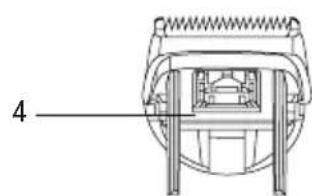
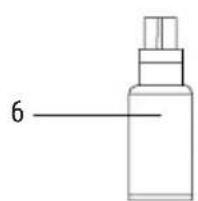
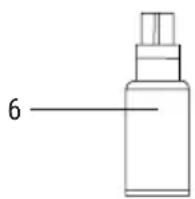
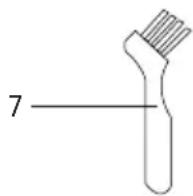
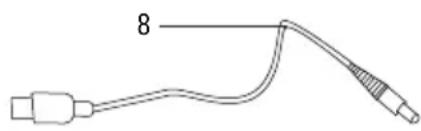
PARTS LIST
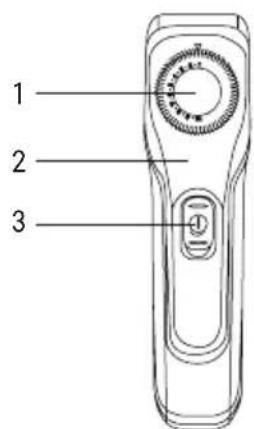
-
Adjusting ring
-
Indicator light
-
Switchv
natural_image
Technical line drawing of a mechanical component with no visible text or symbols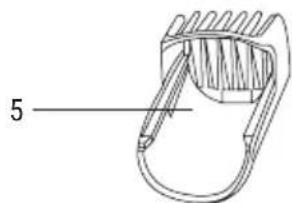
natural_image
Technical line drawing of a mechanical component with no visible text or symbols-
Blade
-
Comb
-
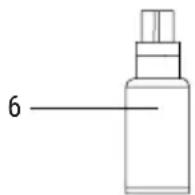
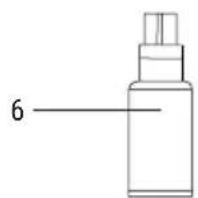
Oil
natural_image
Simple line drawing of a medical or laboratory device with a connector and cable (no text or symbols)-
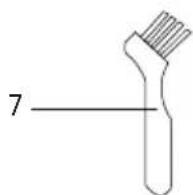
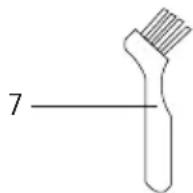
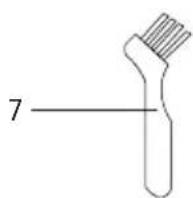
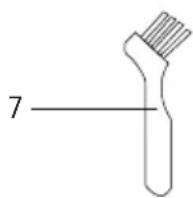
Brush
-
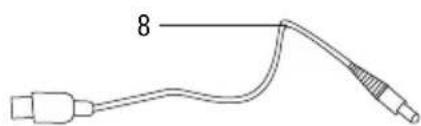
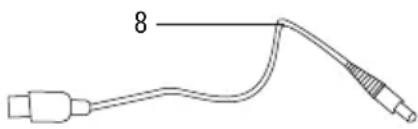
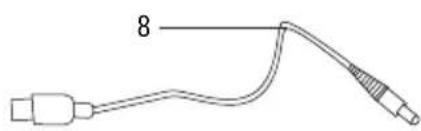
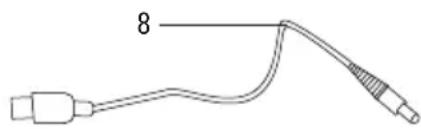
USB cable
HOW TO USE THE TRIMMER
- Connect the small end of the USB cable to the battery pack which lies at the bottom of the machine, then connect the other end of the USB cable to the power (5V/1A). When charging, the indicator light turns red (the full charging time is 1.5 hours), when fully charged it can work more than 90 minutes.
- Push the switch button to the ON position to start using the trimmer. Push it to OFF position to turn off the device.
HOW TO USE THE COMB ATTACHMENT
- Please make sure the device is turned off before you use the comb attachment, when switching on the comb will self-lock.
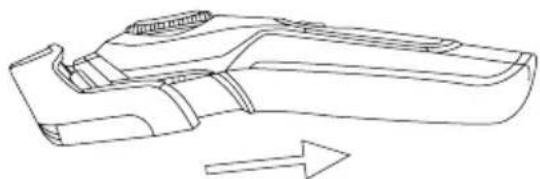
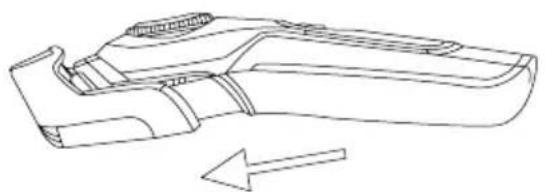
- Adjust the adjusting ring to the number 10 with the trimmer off and install or take off the comb as shown below.
natural_image
Line drawing of a mechanical component with an arrow indicating direction (no text or symbols)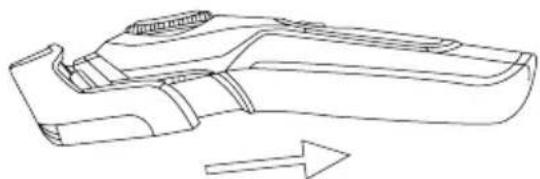
natural_image
Line drawing of a mechanical component with an arrow indicating direction (no text or symbols)HOW TO USE THE ADJUSTING RING
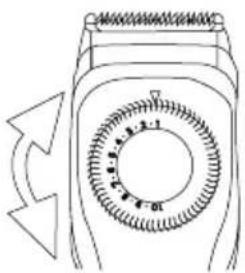
- Adjust the adjusting ring to the desired cutting length with the comb from 1mm to 10mm.
- Don't adjust the adjusting ring when the trimmer is switched on.
natural_image
Diagram of a rotary device with a circular dial and directional arrows indicating rotation (no text or symbols)ASSEMBLING AND DISASSEMBLING THE BLADE
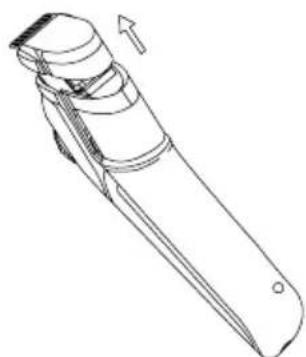
- With the trimmer off, and without comb, push or pull the blade as shown below.
natural_image
Line drawing of a mechanical device with an arrow indicating direction (no text or symbols)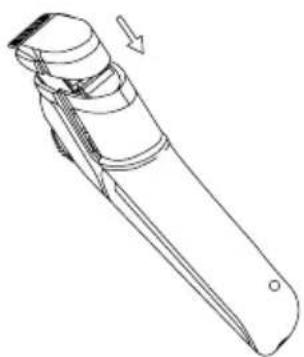
natural_image
Line drawing of a mechanical device with an arrow indicating direction (no text or symbols)USING THE BRUSH
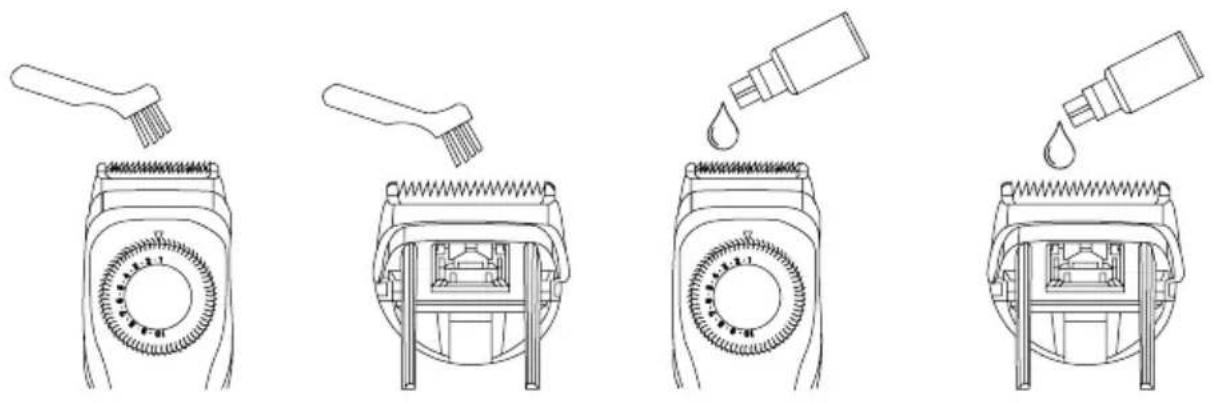
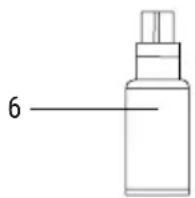
- Clean the blade in order to remove hair which may be caught between the blades. Lubricate the space between the fixed and moving blade with 2 or 3 drops of oil after every few uses.
CHARGING
- Please don't charge if the temperature is lower than 0^ or higher than 40^ .
- Please don't charge if it is exposed to direct sunlight or there is a heat source near the trimmer.
- The standard charging time is 1.5 hours. In order to avoid malfunction of the battery, please don't extend the charging time.
TECHNICAL SPECIFICATIONS
| EN CHARACTERISTICS | |
| Power 2W | |
| Voltage 3.6V | |
| Battery Lithium 600mAh | |
| Material Titanium blades | |
| Dimensions 165×42×40 mm | |
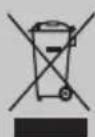
In compliance with Directives: 2012/19/EU and 2015/863/EU on the restriction of the use of dangerous substances in electric and electronic equipment as well as their waste disposal. The symbol with the crossed dustbin shown on the package indicates that the product at the end of its service life shall be collected as separate waste. Therefore, any products that have reached the end of their useful life must be given to waste disposal centres specialising in separate collection of waste electrical and electronic equipment, or given back to the retailer at the time of purchasing new similar equipment, on a one for one basis. The adequate separate collection for the subsequent start-up of the equipment sent to be recycled, treated and disposed of in an environmentally compatible way contributes to preventing possible negative effects on the environment and health and optimises the recycling and reuse of components making up the apparatus. Abusive disposal of the product by the user involves application of the administrative sanctions according to the laws.
natural_image
Line drawing of a mechanical component with an arrow indicating direction (no text or symbols)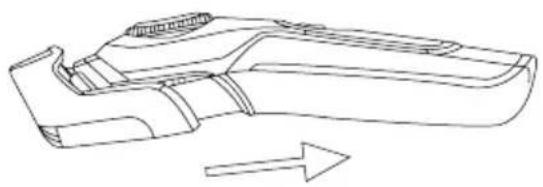
natural_image
Line drawing of a mechanical component with an arrow indicating direction (no text or symbols)CÓMO UTILIZAR EL ANILLO DE AJUSTE
natural_image
Diagram of a rotary device with a circular dial and directional arrows indicating rotation (no text or symbols)MONTAJE Y DESMONTAJE DE LA CUCHILLA
natural_image
Line drawing of two mechanical components with arrows indicating motion (no text or symbols)USO DEL CEPILLO
natural_image
Technical line drawing of a mechanical component with no visible text or symbols
natural_image
Technical line drawing of a mechanical clamp or bracket component (no text or symbols)- Cuchilla
- Peine
- Aceite
natural_image
Simple line drawing of a medical or laboratory device with a connector and cable (no text or symbols)- Cepillo
- Cable USB
COMO USAR O APARADOR
natural_image
Line drawing of a mechanical component with an arrow indicating direction (no text or symbols)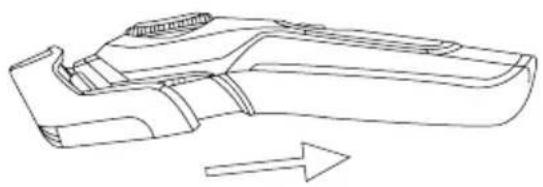
natural_image
Line drawing of a mechanical component with an arrow indicating direction (no text or symbols)COMO UTILIZAR O ANEL DE AJUSTE
natural_image
Diagram of a rotary device with a circular dial and directional arrows indicating rotation (no text or symbols)MONTAGEM E DESMONTAGEM DA LÂMINA
natural_image
Line drawing of two mechanical components with arrows indicating motion (no text or symbols)USO DA ESCOVA
natural_image
Technical line drawing of a mechanical component with no visible text or symbols- Lame
- Peigne
- Huile
natural_image
Simple line drawing of a medical or laboratory device with two connectors and a labeled connector (no text or symbols beyond the number 8)- Pinceau
- Câble USB
COMMENT UTILISER LA TONDEUSE
natural_image
Line drawing of a mechanical component with an arrow indicating direction (no text or symbols)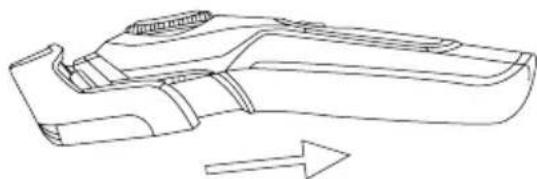
natural_image
Line drawing of a mechanical component with an arrow indicating direction (no text or symbols)UTILISATION DE L'ANNEAU DE RÉGLAGE
natural_image
Diagram of a rotary switch or dial with a circular pointer and arrow indicating rotation (no text or symbols)ASSEMBLAGE ET DÉMONTAGE DE LA LAME
natural_image
Line drawing of two identical mechanical components with arrows indicating motion direction (no text or symbols)UTILIZATION DE LA BROSSE
natural_image
Line drawing of a mechanical component with an arrow indicating direction (no text or symbols)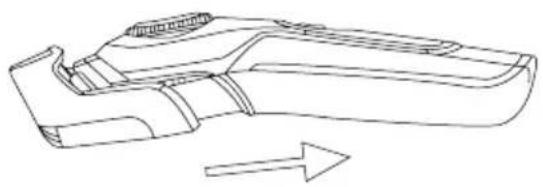
natural_image
Line drawing of a mechanical component with an arrow indicating direction (no text or symbols)COME UTILIZZARE LA MANOPOLA DI REGOLAZIONE
natural_image
Diagram of a rotary device with a circular dial and directional arrows indicating rotation (no text or symbols)natural_image
Line drawing of two mechanical components with arrows indicating motion (no text or symbols)USO DELLA SPAZZOLA
natural_image
Line drawing of a mechanical clamp or clip with a labeled part (5), no text or symbols present.- Klinge
- Kamm
- Öl
natural_image
Simple line drawing of a medical or laboratory device with two connectors and a labeled connector (no text or symbols beyond the number 8)- Pinsel
- USB-Kabel
natural_image
Line drawing of a mechanical component with an arrow indicating direction (no text or symbols)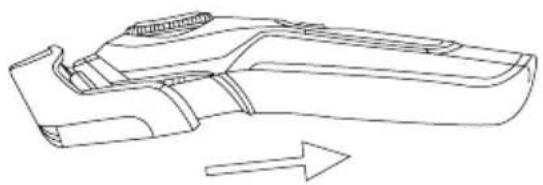
natural_image
Line drawing of a mechanical component with an arrow indicating direction (no text or symbols)natural_image
Diagram of a rotary switch mechanism with a circular dial and directional arrow (no text or symbols)natural_image
Technical line drawing of two mechanical components with directional arrows indicating movement (no text or symbols)UTILIZATION DE LA BROSSE
natural_image
Technical line drawing of a mechanical component with no visible text or symbols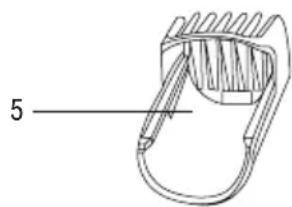
natural_image
Technical line drawing of a mechanical component with no visible text or symbols- Blad
- Kam
- Olie
natural_image
Simple line drawing of a medical or laboratory device with a connector and cable (no text or symbols)- Borstel
- Usb-kabel
HOE DE TONDEUSE TE GEBRUIKEN
natural_image
Line drawing of a mechanical component with an arrow indicating direction (no text or symbols)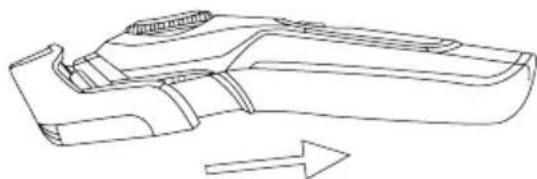
natural_image
Line drawing of a mechanical component with an arrow indicating direction (no text or symbols)HOE DE SIERRING TE GEBRUIKEN
natural_image
Diagram of a rotary device with a circular dial and directional arrows indicating rotation (no text or symbols)MONTAGE EN DEMONTAGE VAN HET MES
natural_image
Line drawing of two identical mechanical components with arrows indicating motion, no text or symbols presentGEBRUIK VAN DE BORSTEL
natural_image
Simple line drawing of a medical or laboratory probe with a labeled connector (no text or symbols beyond the number 8)- Szczotka
- Kabel usb
JAK UŻYWAĆ MASZYNKI DO STRZYŻENIA
natural_image
Line drawing of a mechanical component with an arrow indicating direction (no text or symbols)