DN-80067 - Switch Digitus - Free user manual and instructions
Find the device manual for free DN-80067 Digitus in PDF.


User questions about DN-80067 Digitus
0 question about this device. Answer the ones you know or ask your own.
Ask a new question about this device
Download the instructions for your Switch in PDF format for free! Find your manual DN-80067 - Digitus and take your electronic device back in hand. On this page are published all the documents necessary for the use of your device. DN-80067 by Digitus.
USER MANUAL DN-80067 Digitus
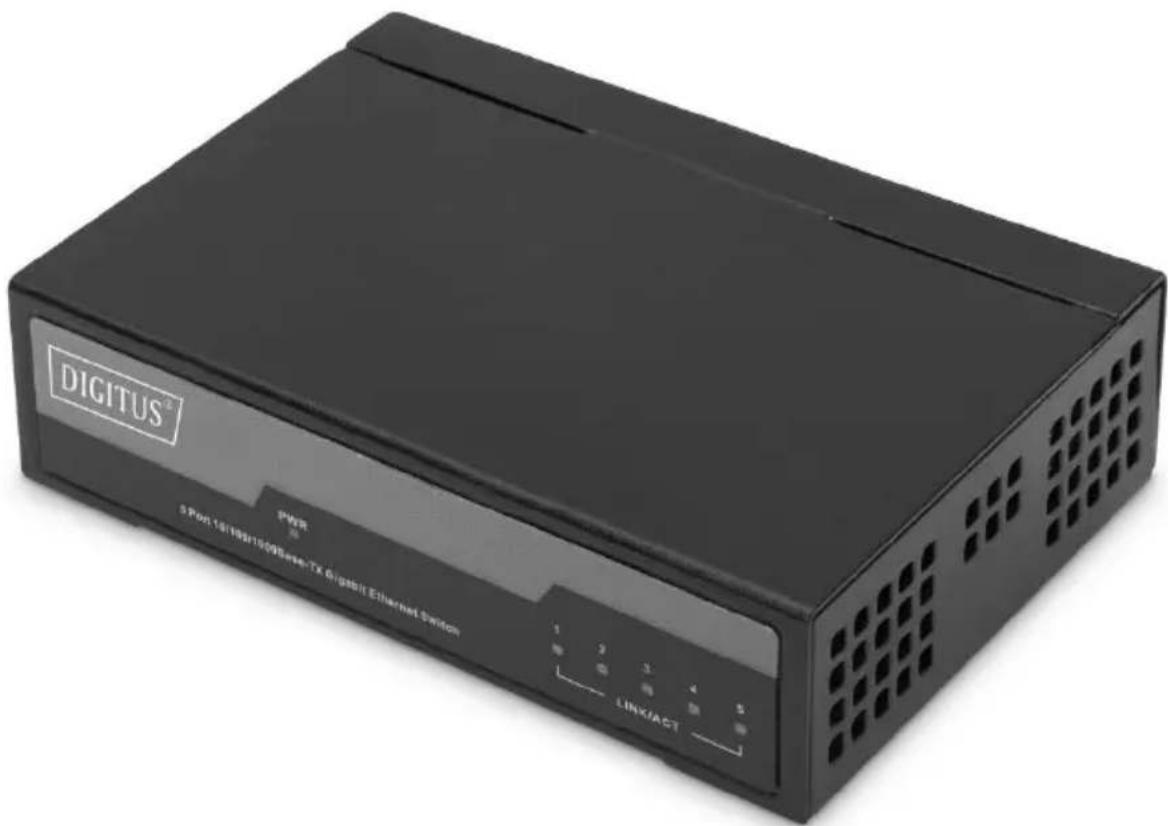
5 Port Gigabit Switch, Unmanaged
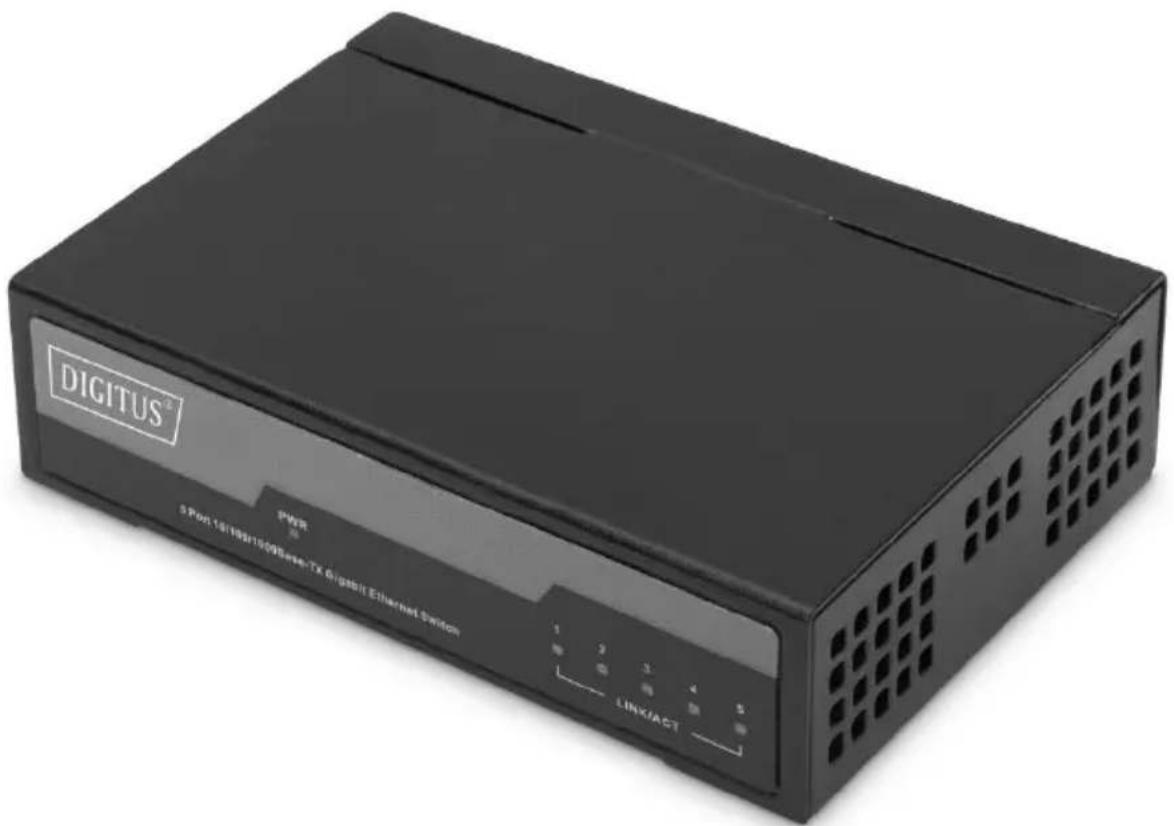
text_image
DIGITUS® PWR 5 Pen:18/19/1909 Series-TX Digital Ethernet System 1 2 3 4 5 LINK/ACTQuick Installation Guide
DN-80202
1. About The Guide
This guide provides instructions to install the Ethernet Switch.
Note: The model you have purchased may appear slightly different from the illustrations shown in the document. Refer to the Product Instruction and Technical Specification sections for detailed information about your switch, its components, network connections, and technical specifications.
This guide mainly divides into 3 parts:
- Product introduction: functional overview and introduction of panel definitions
- Hardware installation: step by step hardware installation process
- Technical specifications
2. Product Introduction
The 5-Port Gigabit Switch from DIGITUS ^® is perfectly suited for the easy expansion of your network. Thanks to its fanless design, the switch operates completely noise-free and does not require configuration. Each port can be used as a LAN or uplink port, the cable and network speed are detected automatically. The switch also supports the energy saving features IEEE802.3az & Full-Duplex Flow Control IEE802.3x. Real Plug and Play – Just plug in the network cable and get started.
Product Features
• Automatic MDI/MDI-X crossover for plug-and-play
- 5 port supports both 10/100/1 000 Mbps speed auto negotiation
• 5 DC 1 A external power adapter
• Supports operating temperatures from 0 °C \~ 40 °C
Front Panel
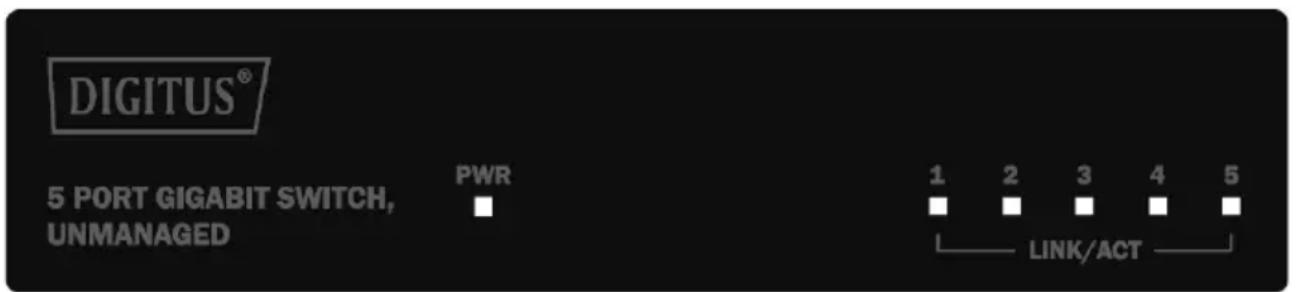
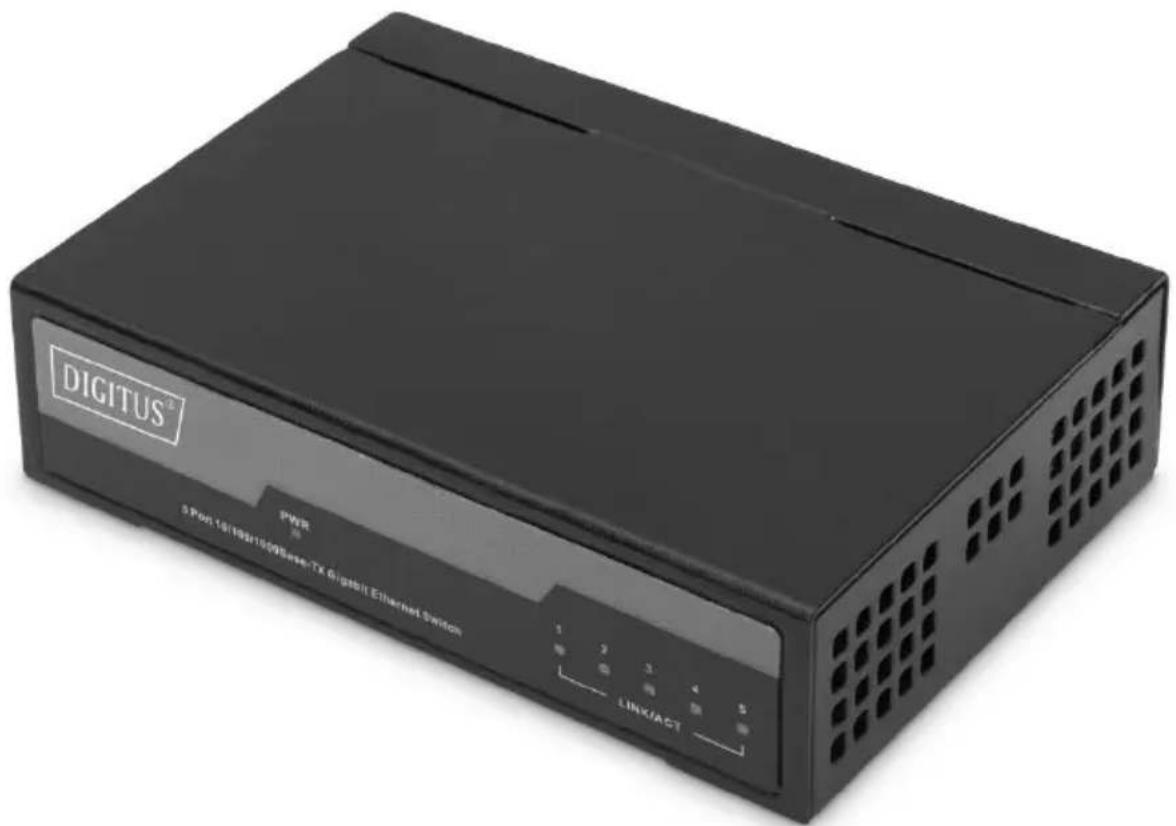
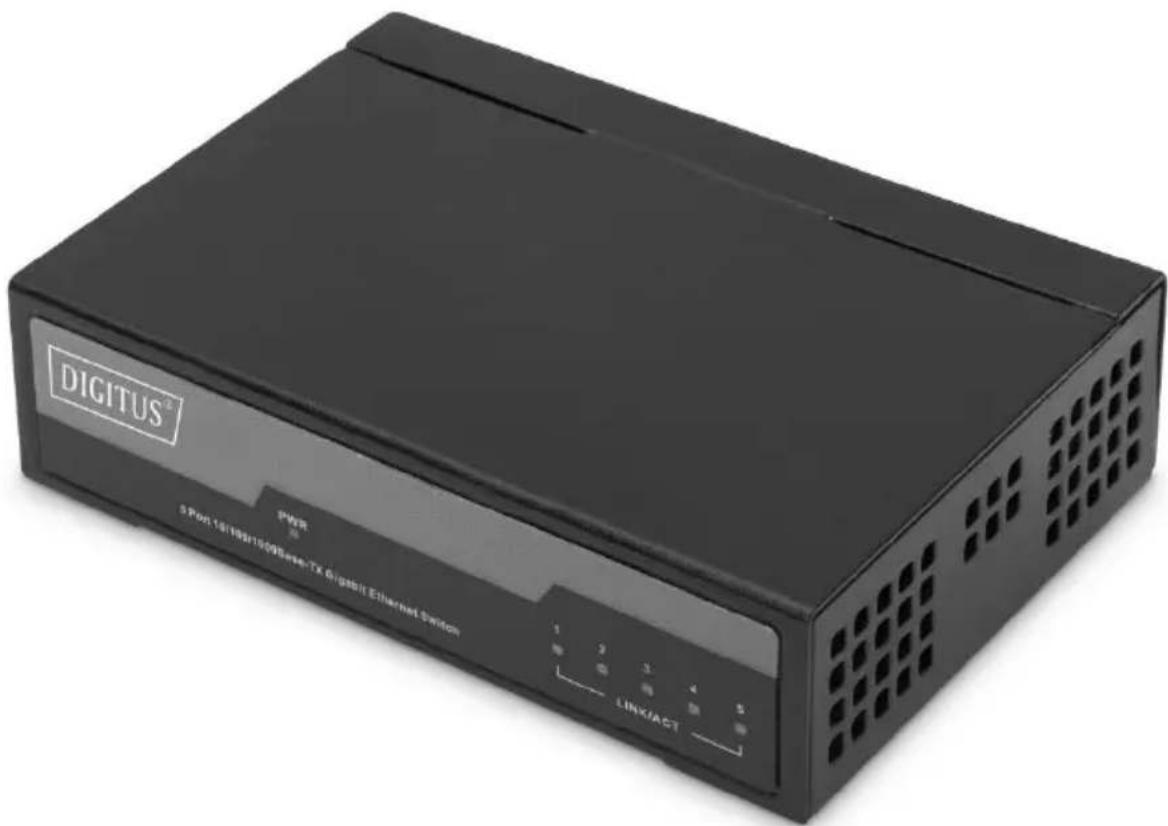
The front panel consists of LED indications.
text_image
DIGITUS® 5 PORT GIGABIT SWITCH, UNMANAGED PWR 1 2 3 4 5 ■ ■ ■ ■ ■ LINK/ACTLED Lamp
Power: The Power LED lights up when the switch is connected to a power source. Link/Act LED: The Link/Act LED flashes which indicates a network link through the corresponding port. Blinking indicates that the Switch is either sending or receiving data to the port.
Rear Panel
The rear panel view consists of a DC power connector and network ports.
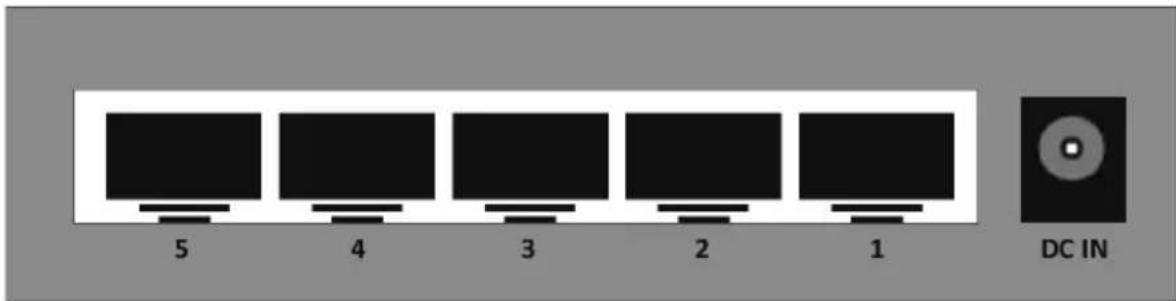
text_image
5 4 3 2 1 DC INConnect the power adapter output terminal to this port. Supports input voltages 5V 1A.
3. Hardware installation
This chapter provides unpacking and installation information for the Ethernet switch.
Open the seal
Open the shipping carton and carefully unpack its contents. Please consult the packing list located in the User Manual to make sure all items are present and undamaged. If any item is missing or damaged, please contact the local reseller for replacement.
- Switch 1 pcs
• Power adapter 1 pcs - QIG 1 pcs
Connecting power supply
Using the AC power cord to connect to the power adapter, and then plug the output terminal of the adapter into the DC IN socket on the back of the switch. (The AC power outlet should be grounded)
Switch installation
For safe switch installation and operation, it is recommended that you:
- Visually inspect the power cord to see that it is secured fully to the AC power connector.
- Make sure that there is proper heat dissipation and adequate ventilation around the switch.
• Do not place heavy objects on the switch.
Desktop Installation
When installing the switch on a desktop, the rubber feet included with the device must be attached on the bottom at each corner of the device's base. Allow enough ventilation space between the device and the objects around it.
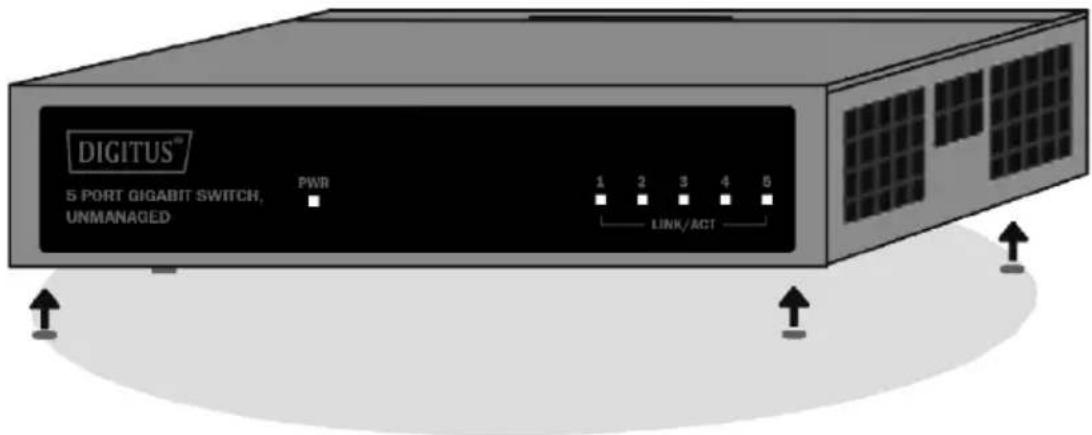
text_image
DIGITUS™ 5 PORT GIGABIT SWITCH, UNMANAGED PWR 1 2 3 4 5 LINK/ACTWarning: Do not turn on the power switch before power cables are connected. Power surge may cause damage to the Switch.
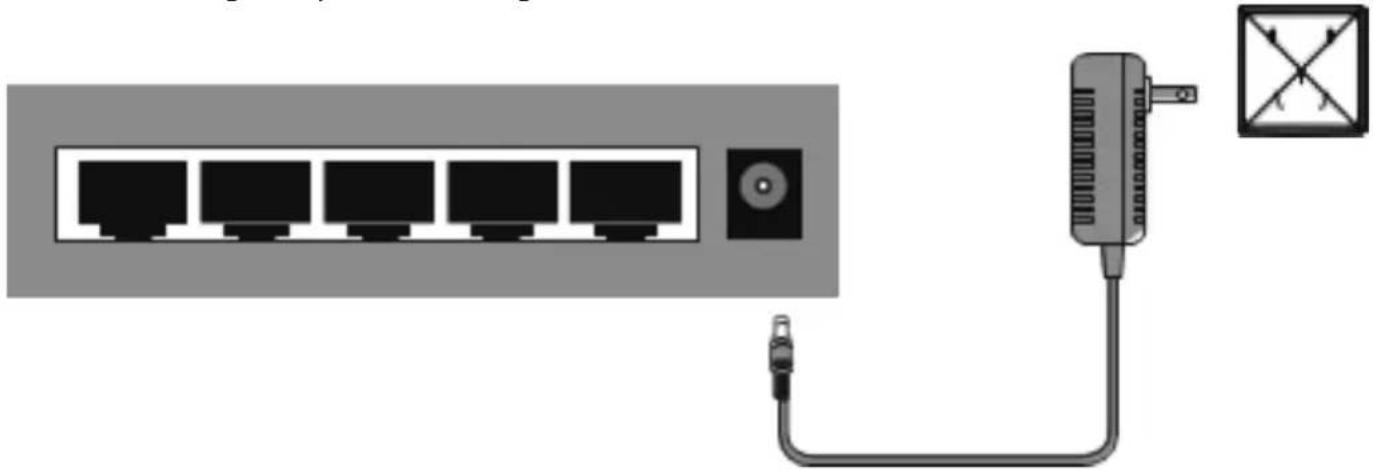
natural_image
Diagram of a network switch connected to a device via cable, with no visible text or symbolsPower failure
As a precaution, the switch should be unplugged in case of power failure. When power is resumed, plug the switch back in.
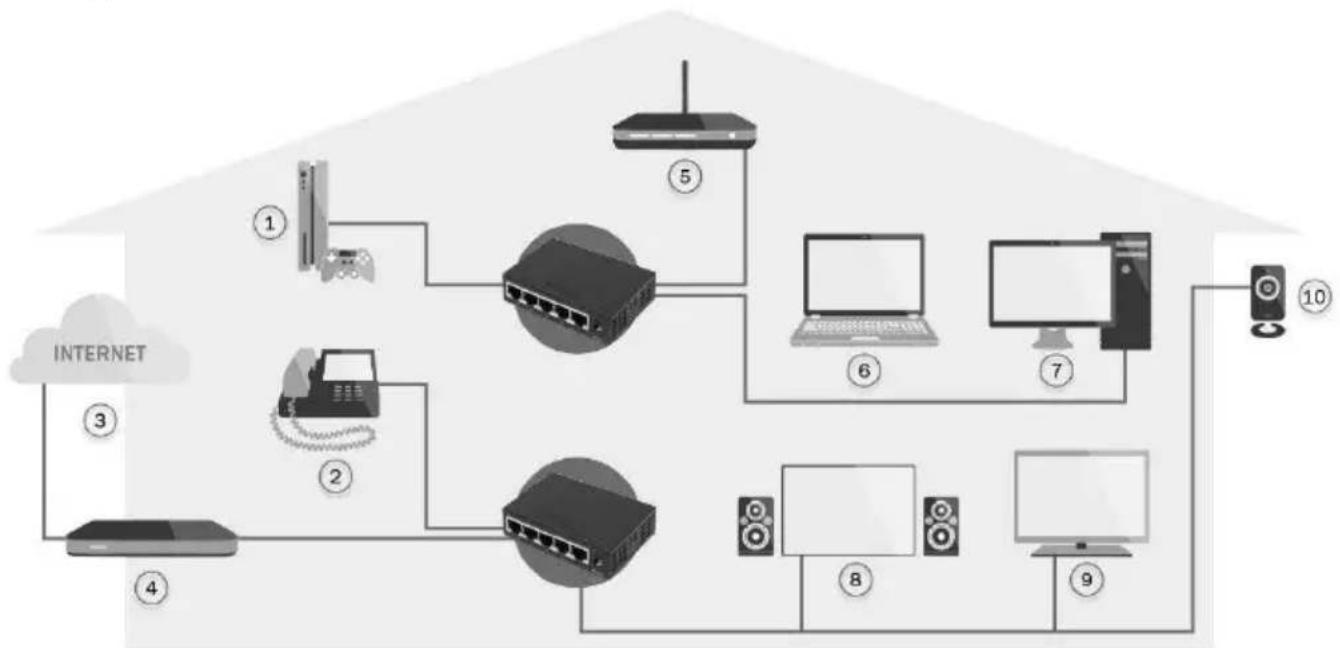
4. Application
flowchart
graph TD
    A["1"] --> B["2"]
    B --> C["3"]
    C --> D["4"]
    D --> E["5"]
    E --> F["6"]
    F --> G["7"]
    G --> H["8"]
    H --> I["9"]
    I --> J["10"]
    style A fill:#f9f,stroke:#333
    style B fill:#ccf,stroke:#333
    style C fill:#cfc,stroke:#333
    style D fill:#fcc,stroke:#333
    style E fill:#cff,stroke:#333
    style F fill:#ffc,stroke:#333
    style G fill:#cfc,stroke:#333
    style H fill:#fcc,stroke:#333
    style I fill:#cfc,stroke:#333
- Gaming console
- VoIP Phone
- Internet
- Broadband Router
- Wireless Access Point
- Notebook
- PC
- Home Cinema
- IPTV
- IP Camera
5. Technical Specifications
| Hardware technology | |
| Standard | IEEE 802.3, 802.3u, 802.3x,802.3ab,802.3az |
| Processing type | Store & forward; wire speed switching |
| MAC addresses | 2K |
| Memory bandwidth | 10 Gbps |
| Throughput (packet per second) | 7.44 Mpps |
| Flow control | IEEE 802.3x flow control, back pressure flow control |
| Basic function | Full duplex wire-speed forwarding MAC Address Auto-Learning and Auto-updating |
| IEEE802.3x Full-Duplex flow controlIEEE802.3az Energy Efficient Ethernet (EEE) | |
| Forwarding rate | 10BASE-T: 14 880 pps/port100BASE-TX: 148 800 pps/port1 000BASE-TX: 148 800 pps/port |
| Network media | 10BASE-TX: UTP category 5, 5e cable (≤ 250 m)100BASE-TX: UTP category 5, 5e cable (≤ 150 m)1 000BASE-TX: UTP category 5, 5e cable (≤ 150 m) |
| Interface | |
| RJ45 ports | 5 10/100/1000Mbps Auto-Negotiation RJ45 ports(Auto MDI/MDIX) |
| LED indicators | Power, Link/Act |
| Power input | |
| Power Supply | External power adapter |
| DC input voltage | 5V 1A |
| DC input protection | Hot swap protection, over-voltage protection and under-voltage protection |
| Power Consumption | 3W |
| Mechanical | |
| Casing | Metal |
| Dimensions (W x L x H) | 92 x 69 x 25 mm |
| Installation | Desktop |
| Environment | |
| Operating temperature | 0 °C ~ 40 °C |
| Storage temperature | -40 °C ~ 70 °C |
| Ambient relative humidity | 10 % ~ 90 % RH, non-condensing |
This is a Class A product. In home environment, this product may cause radio interference. In this case, the user may be required to take appropriate measures.
Hereby Assmann Electronic GmbH, declares that the Declaration of Conformity is part of the shipping content. If the Declaration of Conformity is missing, you can request it by post under the below mentioned manufacturer address.
www.assmann.com
Assmann Electronic GmbH
Auf dem Schüffel 3
58513 Lüdenscheid
Germany

text_image
CEDIGITUS®
5-Port Gigabit Switch Unverwaltet
text_image
DIGITUS® PWR 5 Port 18/19/20/20/20 Series+TX Gigabit Ethernet-Sanlon 1 2 3 4 5 LINK/ACTKurzanleitung
DN-80202
natural_image
Diagram of a network switch connected to a device via cable, with no visible text or symbolsStromausfall
Commutateur Gigabit 5 ports, Unmanaged
text_image
DIGITUS® PWR 5 Port 18/192/1009 Series TX Gigabit Ethernet Switch LINK/ACTnatural_image
Diagram of a network switch connected to a device via cable, with no visible text or symbolsCoupure de courant
natural_image
Diagram of a network switch connected to a device via cable, with no visible text or symbolsnatural_image
Diagram of a network switch connected to a device via cable, with no visible text or symbolsFallo de corriente
natural_image
Diagram of a network switch connected to a device via cable, with no visible text or symbolsAwaria prądu
natural_image
Diagram of a network switch connected to a device via cable, with no visible text or symbolsGüç kesintisi:
5 Port Gigabit Switch, Unmanaged
text_image
DIGITUS® PWR 5 Port 18/19/20/20/20 Series+TX Gigabit Ethernet-Sanlon 1 2 3 4 5 LINK/ACTnatural_image
Diagram of a network switch connected to a device via cable, with no visible text or symbolsStroomstoring
- Gaming console
- VoIP Phone
- Internet
- Broadband router
- Wireless Access Point
- Notebook
- PC
- Home cinema
- IPTV
- IP camera
5. Technische specificaties
| Hardwaretechnologie | |
| Standaard | IEEE 802.3, 802.3u, 802.3x,802.3ab,802.3az |
| Type processing | Store & forward; wire speed switching |
| MAC-adressen | 2K |
| Bandbreedte geheugen | 10 Gbps |
| Doorvoer (pakket per seconde) | 7,44 Mpps |
| Flow control | IEEE 802.3x flow control, tegendruk flow control |
| Basisfunctie | Full duplex wire-speed forwarding MAC-adres Auto-Learning en Auto-updatingIEEE802.3x Full-Duplex flow controlIEEE802.3az Energy Efficient Ethernet (EEE) |
| Doorstuursnelheid | 10BASE-T: 14 880 pps/poort100BASE-TX: 148 800 pps/poort1 000BASE-TX: 148 800 pps/poort |
| Netwerk media | 10BASE-TX: UTP categorie 5, 5e kabel (≤ 250 m)100BASE-TX: UTP categorie 5, 5e kabel (≤ 150 m)1 000BASE-TX: UTP categorie 5, 5e kabel (≤ 150 m) |
| Interface | |
| RJ45 poorten | 5 10/100/1000Mbps RJ45-poorten met automatische negotiatie (Auto MDI/MDIX) |
| LED indicatoren | Power, Link/Act |
| Power input | |
| Power supply | Externe voedingsadapter |
| DC input voltage | 5V 1A |
| DC input bescherming | Hot swap bescherming, over-voltage bescherming en onder-voltage bescherming |
| Power consumptie | 3W |
| Mechanisch | |
| Behuizing | Metaal |
| Afmetingen (B x L x H) | 92 x 69 x 25 mm |
| Installatie | Desktop |
| Milieu | |
| Bedrijfstemperatuur | 0 °C ~ 40 °C |
| Opslagtemperatuur | -40 °C ~ 70 °C |
| Relatieve omgevingsvochtigheid | 10% ~ 90% RH, niet-condenserend |