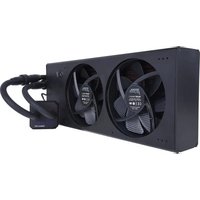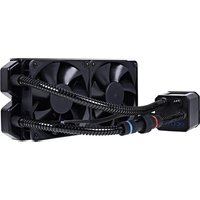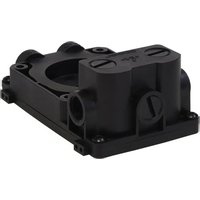
ES Reservoir 1U - Computer cooling system Alphacool - Free user manual and instructions
Find the device manual for free ES Reservoir 1U Alphacool in PDF.


User questions about ES Reservoir 1U Alphacool
0 question about this device. Answer the ones you know or ask your own.
Ask a new question about this device
Download the instructions for your Computer cooling system in PDF format for free! Find your manual ES Reservoir 1U - Alphacool and take your electronic device back in hand. On this page are published all the documents necessary for the use of your device. ES Reservoir 1U by Alphacool.
USER MANUAL ES Reservoir 1U Alphacool
natural_image
3D rendering of a black mechanical component with yellow and blue wires, no visible text or symbolsCCOOL
SAFETY INSTRUCTION....6
MOUNTING MATERIAL....7
TECHNICAL DETAILS....7
INSTALLATION....8
FIXING THE EXPANSION TANK 10
PUT INTO OPERATION....10
FRANÇAIS...... I
INSTRUCTIONS DE SECURITE ..... 11
MONTAGEMATÉRIAU 12
DÉTAILS TECHNIQUES ...... 12
MONTAGE....13
FIXATION DU VASE D'EXPANSION.... 15
MIS EN SERVICE....15
Deutsch
SICHERHEITSHINWEISE
AGB Alphacool ES Reservoir IU - DDC Version
natural_image
3D rendering of a black electronic device with screws and a coiled cable, no visible text or symbolsPUMPE ANSCHLIESSEN
natural_image
Two views of a black electronic device showing cable routing and a mechanical component with red directional arrows indicating motion (no text or symbols)MONTAGE OHNE RADIATOR
natural_image
3D rendering of a black mechanical component with multiple wires and connectors (no visible text or symbols)natural_image
3D renderings of two electronic components: a black plastic enclosure with blue and yellow wires, and a black rectangular device with gray pipes and connectors (no text or symbols visible)IN BETRIEB NEHMEN
natural_image
3D rendering of a mechanical device with a blue cylindrical component pouring liquid into a black connector (no text or symbols visible)
- Not suitable for children under 6 years. (contains small parts which could be swallowed).
- Do not run any cooling components without ensuring that cooling liquid is flowing through the cooling system. Coolers operated without coolant can become very hot. Caution: Burn Hazard!
- Coolers that have no coolant flowing through them can destroy the computer hardware. When switching on the hardware, always make sure that the pump is working.
- Please note when tightening the connectors or fittings, no tools such as screwdrivers, pliers, or wrenches should be used. All plastic products or metal threaded connections, which are linked with plastic parts, are easily over-loaded with tools. Cracking or other damages incurred in this way, as well as damage from leaking coolant, are not covered under the warranty!
- Use only connectors with a sealing o-ring. When using a sealing ring a firm tightening with the hand is enough. Your instruction manual will clearly refer to the use of tools in exceptional cases.
- If you have not done so yet, please check your hardware and cooling system (tightness, pump function and fans). This will minimize time spent searching for possible problems. ALPHACOOL INTERNATIONAL GMBH accepts no liability on the warranty of the manufacturer of the electronic components. The assembly of the cooling system takes place at your own risk.
- The screws should not be tightened too firmly. If you tighten the screws excessively, the knurled nuts can loosen and the cooler's uniform pressure is no longer guaranteed.
- Fasten the connections of your choice to the cooler. Do not use tools such as wrenches for fastening the connections. Connectors with 8mm long threads may stop the flow.
- We recommend a tightness test before assembling/installing the cooler. The water pressure in the water cooling loop can be at a maximum of 0.8 bar. DO NOT use tools on the connectors.
- Ensure that the cooler is touching all components to be cooled through thermal grease and thermal pads.
- Only use distilled water or ALPHACOOL CAPE KELVIN CATCHER in your cooling circuit. Damage caused by unsuitable coolant is not covered by the warranty!
Specified normal operation
All ALPHACOOL INTERNATIONAL GMBH cooling components are constructed and licensed for ALPHACOOL INTERNATIONAL GMBH computer construction parts. The warranty expires in case of misuse.
Warranty
- Data, designs, illustrations, technical data, weight, measurement and specifications, contained in folders, catalogues, circulars, announcements or price lists, have a purely informative character. We do not undertake warranty for the correctness of these data. As to the kind and the range of delivery, the data contained in the order and confirmation of order alone are decisive.
- If there is a lack of warrantor, you are entitled, on the basis of the legal regulations to require subsequent delivery, to withdraw from the contract or reduce the purchase price. If you are a consumer, the limitation period of warranty claims for the supplied commodity amounts to two years starting from receipt of goods (§ 13 BGB). If you are an entrepreneur, in accordance with legal conditions the limitation period amounts to only one year (§ 14 BGB).
- The warranty claim is valid only in combination with the original invoice, the sales slip or an ALPHACOOL confirmation on warranty claim.
- It is ALPHACOOL INTERNATIONAL GMBHs own discretionary authority to replace or repair the defective product or defective component. The replaced product or component changes into property of ALPHACOOL INTERNATIONAL GMBH.
- All warranty claims are accomplished by ALPHACOOL INTERNATIONAL GMBH or its authorized dealers. If the repair is carried out by a non-authorized or assigned person, ALPHACOOL INTERNATIONAL GMBH does not take over either costs or liability, unless the repair has been previously agreed upon with ALPHACOOL INTERNATIONAL GMBH.
- All costs resulting from refitting of the products are not taken over by ALPHACOOL INTERNATIONAL GMBH.
- ALPHACOOL INTERNATIONAL GMBHs warranty excludes the following points:
7.1. Regular controls maintenance and repair or the replacement of parts subject to regular wear and tear.
7.2. Improper manipulation or defects caused by Incorrect installation.
7.3. Damages caused by storm, water, fire, overvoltage, acts of God, war, incorrect connection to the net, insufficient or incorrect ventilation or other reasons over which ALPHACOOL INTERNATIONAL GMBH has no influence.
7.4. Damages resulting from transportation or improper packaging.
- Consumer's rights are valid in the respective country; demands made to the salesman, as explained and laid down in the sales contract, will not be covered by this warranty. ALPHACOOL INTERNATIONAL GMBH, its Branch Office and Distributors, are not responsible for direct or indirect damage or losses, as far as the
compelling legal regulations do not oppose it.
- ALPHACOOL INTERNATIONAL GMBH does not take over the warranty of the manufacturer of the electronic construction units and components. The assembly of the cooler takes place at your own risk.

Contact an authorized waste management company in your country. A waste removal with the municipal waste (unsorted garbage) or similar mechanisms for the collection of local wastes is not permissible!
MOUNTING MATERIAL
AGB Alphacool ES Reservoir IU - DDC Version
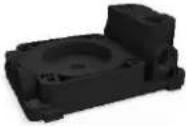 | 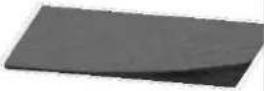 | 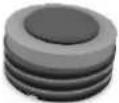 | 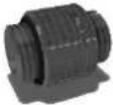 |
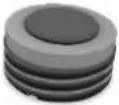
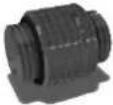
lxreservoir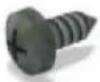 | lxvelcro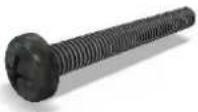 | 5xG1/4“ plugs | lxdouble ipple |
| 4x3x6 | 4xM4x35 | Ixscrew plug tool |
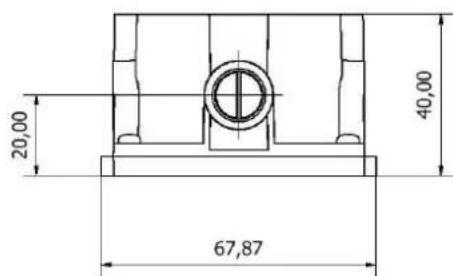
TECHNICAL DETAILS
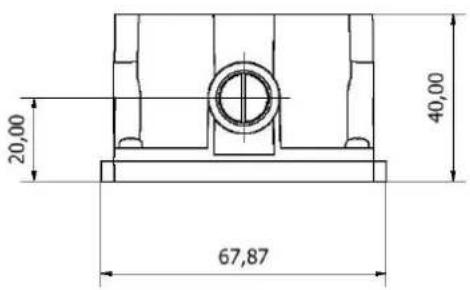
[Dimensions in mm]
text_image
20,00 40,00 67,87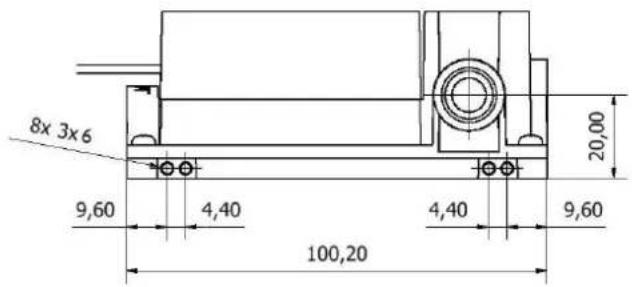
text_image
8x 3x6 9,60 4,40 100,20 4,40 9,60 20,00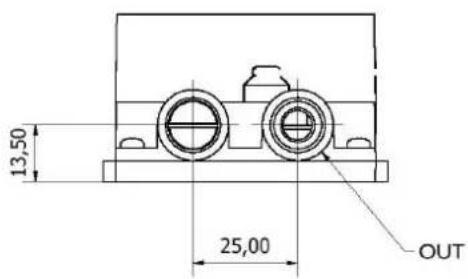
text_image
13,50 25,00 OUT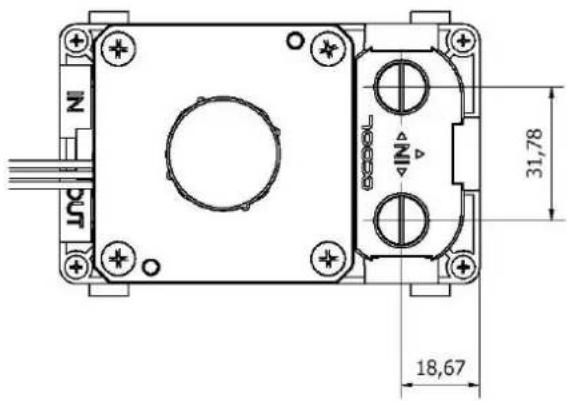
text_image
N 31,78 18,67INSTALLATION
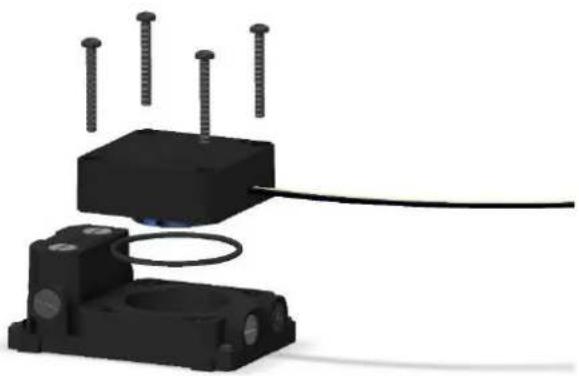
INSTALLATION OF THE PUMP
Screw your pump with an O-ring on the expansion tank:
natural_image
3D rendering of a black electronic device with screws and a coiled cable, no visible text or symbolsCONNECT PUMP
The installation of the DDC pump is described on the supplementary sheet.
MOUNTING ON A RADIATOR
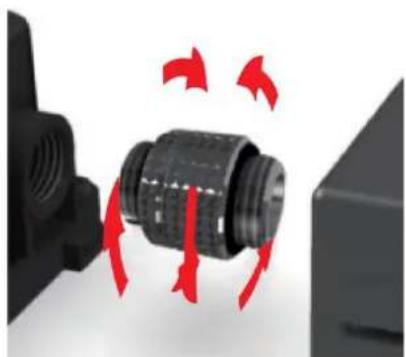
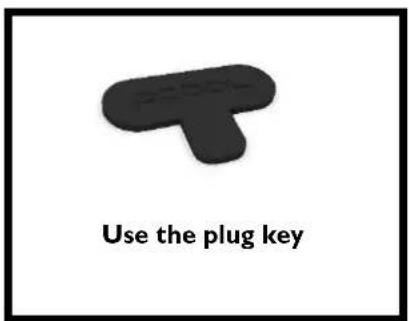
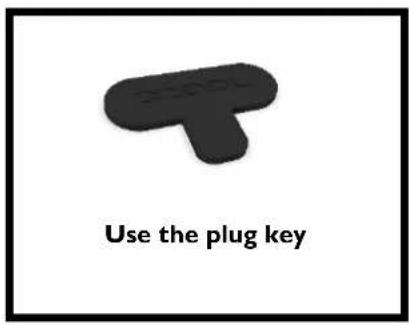
The double nipple consists of two rotatable side's. Screw one side into the radiator and the other side into the expansion tank.
text_image
Use the plug key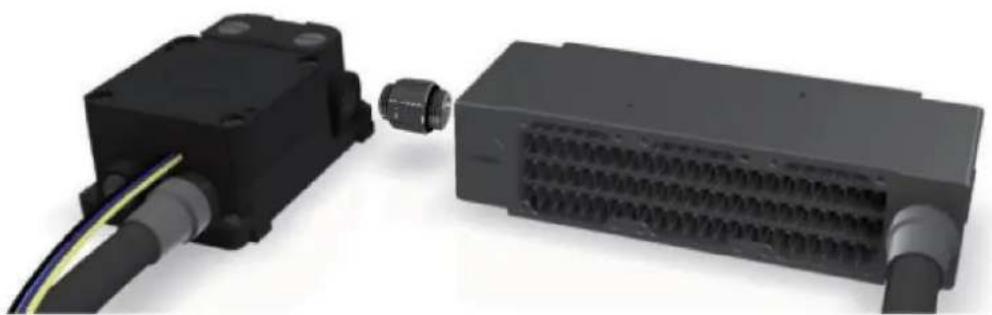
natural_image
3D rendering of two electronic device modules connected by cable (no text or symbols visible)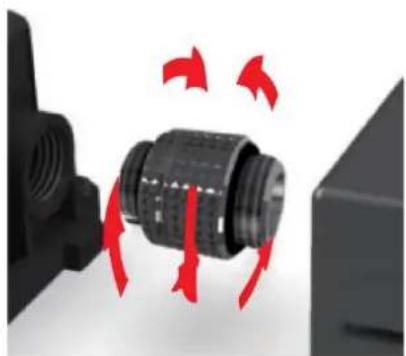
natural_image
Close-up of a black mechanical component with red arrows indicating motion or rotation, no visible text or symbolsMOUNTING WITHOUT RADIATOR
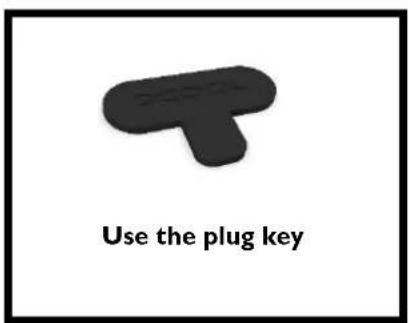
You can also use the reservoir individually without a radiator. Connect the hoses to the reservoir and close the unused inlets with the screw plugs. There are a large number of threads (shown here in transparent form).
text_image
Use the plug key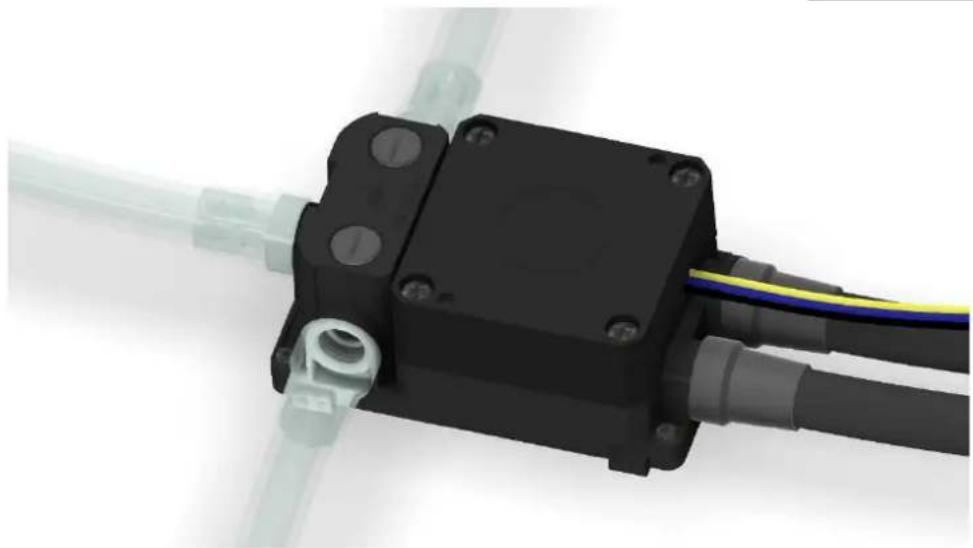
natural_image
3D rendering of a black mechanical component with multiple wires and connectors (no text or symbols visible)FIXING THE EXPANSION TANK
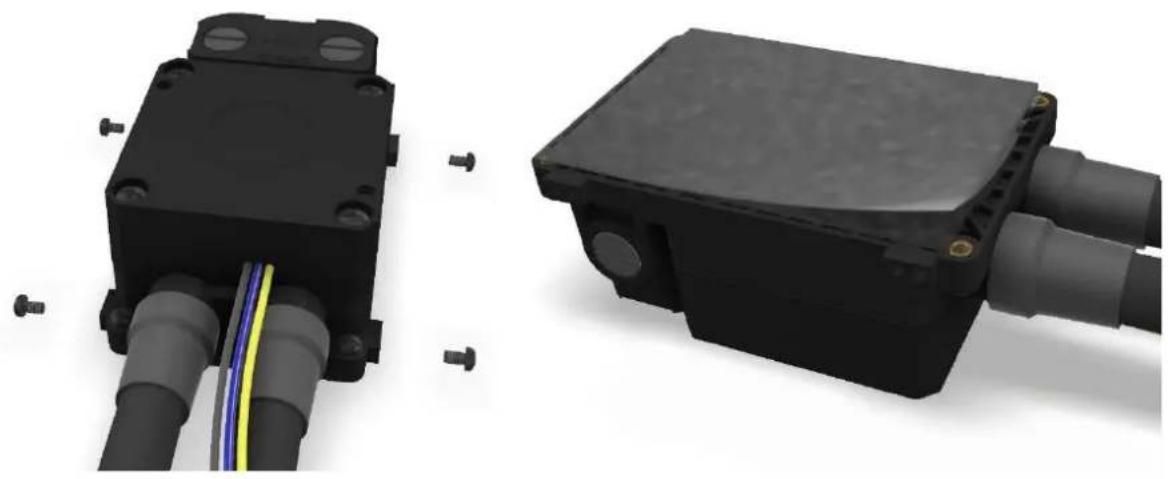
You can also mount the reservoir in a 2,5 Zoll SSD Mounting bracket. For the Installation direction are various M3 hole.
If it is not possible to screw the reservoir in place, you can use the double-sided velcro tape. It has adhesive strips on both sides to keep the reservoir securely in place.
natural_image
3D renderings of two electronic components: a black plastic enclosure with blue and yellow wires, and a black rectangular device with gray pipes and connectors (no text or symbols visible)PUT INTO OPERATION
Make sure all openings are closed. Now fill the reservoir through the upper fill port by using a funnel or beaker.
text_image
Use the plug key
natural_image
3D rendering of a mechanical device with blue and yellow components, no visible text or symbolsWe only recommend clear coolants from our own production (CKC or Eiswasser Crystal - no UV!) or pure distilled or osmosis filtered water.
After the pump has been put into operation for the first time, the water level drops because the water must first displace the air in the circuit. To prevent the pump from running dry, the expansion tank must be continuously filled until the water level in the expansion tank does not drop further.
français
INSTRUCTIONS DE SECURITE
LISEZ LES INSTRUCTIONS DE SECURITE AVANT DE COMMENCER L'INSTALLATION
AGB Alphacool ES Reservoir IU - DDC Version
 |  |  |  |
lxréservoir de dilatation | lxscratch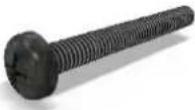 | 6xvis de blocage GI/4“ | lxdouble mamelon |
| 4xVis M3x6 | 4xVis M4x35 | lxoutil de vissage |
DÉTAILS TECHNIQUES
[dimensions en mm]
text_image
20,00 40,00 67,87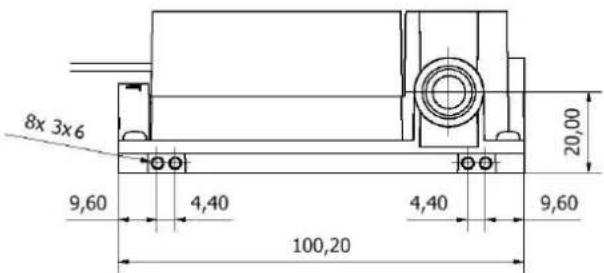
text_image
8x 3x6 9,60 4,40 4,40 9,60 100,20 20,00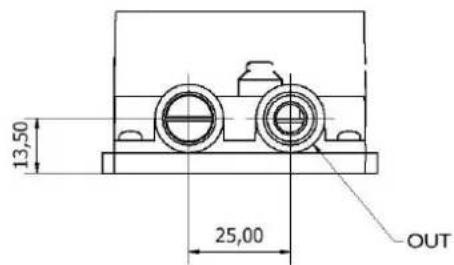
text_image
13,50 25,00 OUT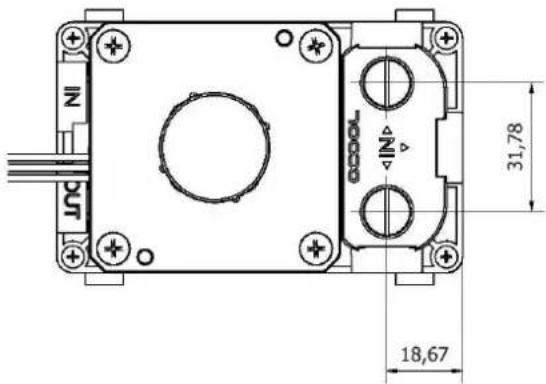
text_image
NI IN 31,78 18,67MONTAGE
MONTAGE DE LA POMPE
natural_image
3D rendering of a black mechanical device with four bolts and a coiled cable, no visible text or symbolsRACCORDER LA POMPE
natural_image
Two electronic components: a black rectangular device connected to a black rectangular block with visible wiring and connectors (no text or symbols)