
G27i - Monitor Xiaomi - Free user manual and instructions
Find the device manual for free G27i Xiaomi in PDF.
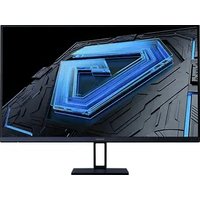


| Product Type | 27-inch Monitor |
| Brand | Xiaomi |
| Model | G27i (P27FBB-RGGL) |
| Screen Size | 27 inches (68.6 cm) |
| Aspect Ratio | 16:9 |
| Maximum Resolution | 1920 × 1080 (Full HD) |
| Refresh Rate | 165 Hz (HDMI/DP) |
| Tilt | -5° to +15° |
| Power Supply | External power adapter 12 V = 3.0 A, 36 W max |
| Input Voltage | 100-240 V AC, 50/60 Hz |
| Operating Temperature | 0 °C to +40 °C |
| Storage Temperature | -20 °C to +60 °C |
| Operating Humidity | 20% to 80% RH |
| Wall Mount Compatibility | VESA 75 × 75 mm |
| Wall Mount Screws | M4 × 10 mm, 4 screws |
| Low Blue Light Function | Yes, can be enabled via menu |
| Connectivity | HDMI, DisplayPort |
| Power Consumption | 36 W max |
| Maintenance and Cleaning | Unplug the adapter before cleaning. Use a soft, dry cloth. Do not use abrasive products. |
| Safety | Do not use in a humid environment. Do not block ventilation openings. Do not disassemble. Use on a stable surface. |
| Spare Parts and Repairability | Contact authorized after-sales service for any repairs. Do not attempt to repair yourself. |
Frequently Asked Questions - G27i Xiaomi
User questions about G27i Xiaomi
0 question about this device. Answer the ones you know or ask your own.
Ask a new question about this device
Download the instructions for your Monitor in PDF format for free! Find your manual G27i - Xiaomi and take your electronic device back in hand. On this page are published all the documents necessary for the use of your device. G27i by Xiaomi.
USER MANUAL G27i Xiaomi
| Model: P27FBB-RGGL | |
| Power Input: 12 V - 3.0 A HDMI Maximum Refresh Rate: 48-165Hz | |
| Rated Power*: 36 W Max. DP Maximum Refresh Rate: 48-165Hz | |
| Screen Size: 27" Tilt: -5° to +15° | |
| Aspect Ratio: 16:9 Storage Temperature: -20°C to 60°C | |
| Maximum Resolution: 1920 × 1080 Operating Temperature: 0°C to 40°C | |
| Recommended Resolution: 1920 × 1080 Operating Humidity: 20%-80% RH | |
| External AC Adapter Specifications | |
| Model Identifier: AD-0361200300EU | |
| Input Voltage: 100-240 V AC | |
| Input AC Frequency: 50/60 Hz | |
| Output Voltage: 12 V DC | |
| Output Current: 3.0 A | |
| Output Power: 36 W | |
| Manufacturer: Shenzhen AMC Technology Co., Ltd. | |
- The power adapter is not included.
- The product nameplate is located on the bottom of the monitor.
| Function Button Description | ||
| Button Operation | Result | |
| When menu is not displayed on the monitor. | When main menu is displayed on the monitor. | |
| Short press to right. Enter the main menu. Enter/select. | ||
| Short press to up/down. Open brightness settings. Switch Menu adjusting values. | ||
| Short press to left. Open signal source switching | ist. Return. | |
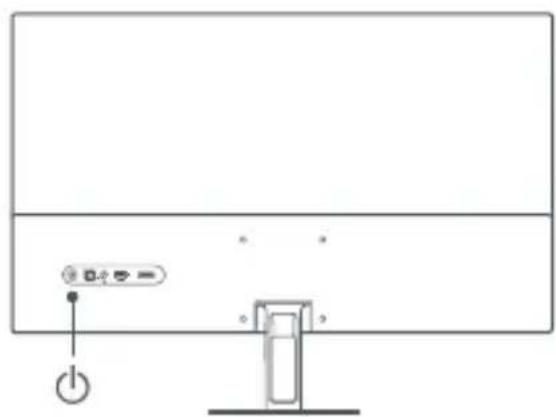
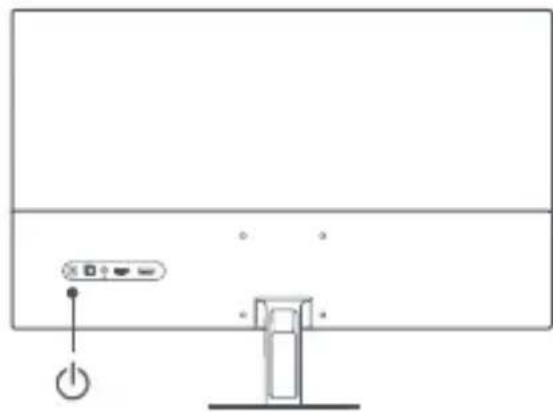
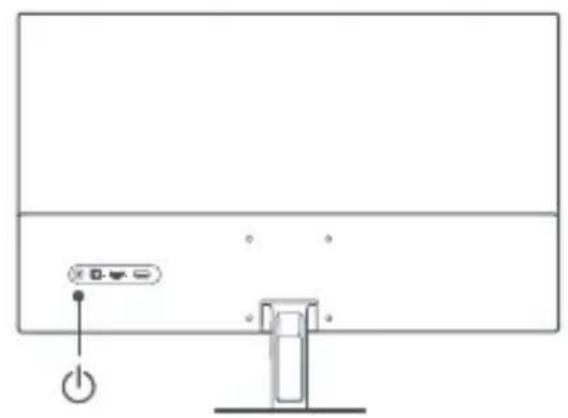
| Short press the middle. Turn the monitor on /Open the shortcut menu. Enter/select. | ||
| Press and hold for 3 seconds. | Shutdown. | |
Wall mounting
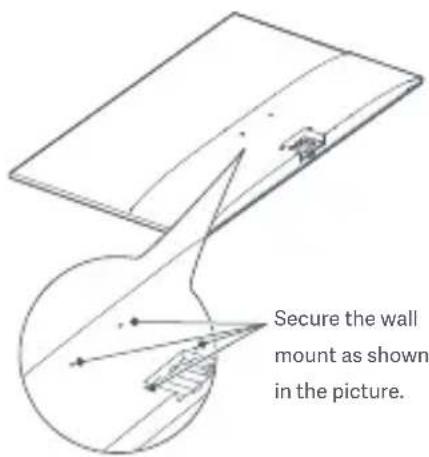
- For installation methods and precautions, please refer to the installation guide of the wall mount you purchased. The wall mount must be purchased separately.
- Tip: This product is compatible with wall mounts that have a hole spacing of 75 x 75 mm. The bolts used to secure the wall mount must meet the following requirements: Quantity: 4; Thread: M4; Length: 10 mm.
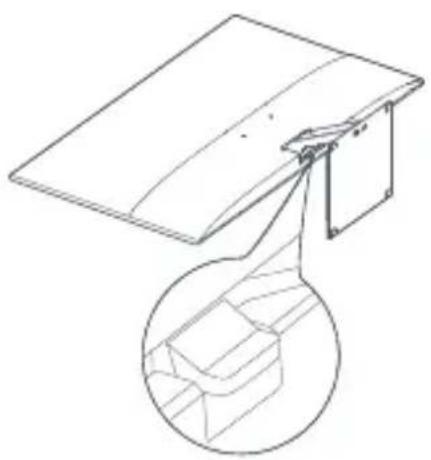
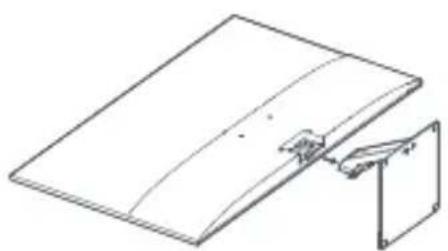
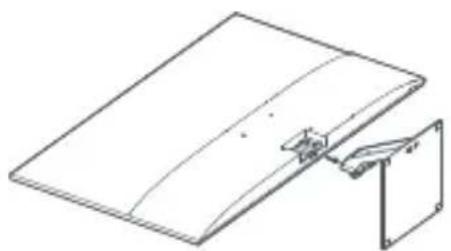
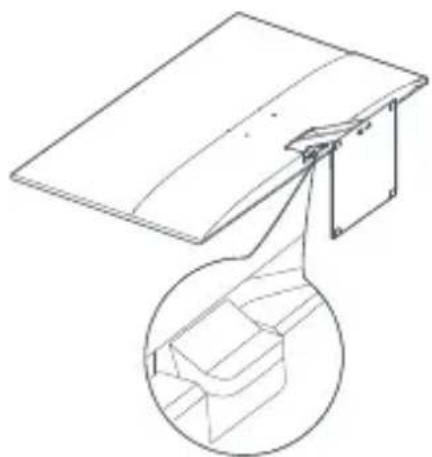
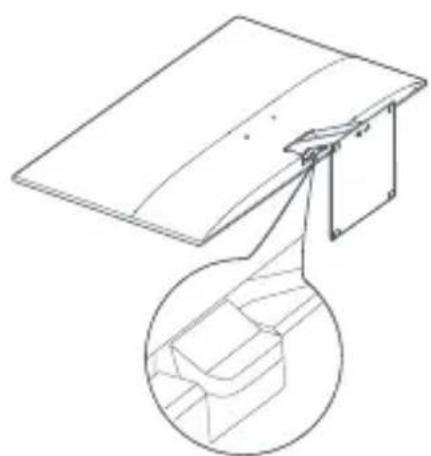
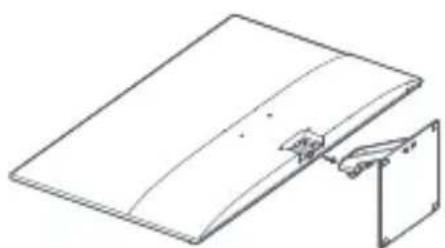
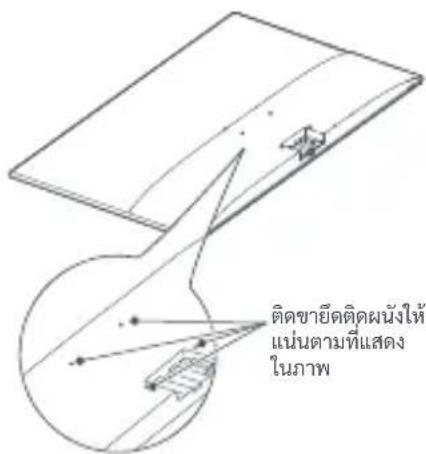
- Lay the monitor flat, with its back facing upwards. Use your finger to press the spring clip that joins the base to the monitor and remove the base.
- Note: When removing the base, be careful not to pinch your finger in the spring clip.
- Follow the wall mount user manual and install the wall mount onto the bolts that are built into the housing back.
| Troubleshooting | ||
| Issue Possible Cause Solutions | ||
| Unable to turn on No power Make sure the power adapter is plugged in properly. | ||
| Image is dark | Brightness/ Contrast not adjusted properly | Adjust the brightness and contrast. |
| Image is jittery or has ripples Interference | Keep the monitor away from electronic devices that may cause electrical Interference. | |
| No image on the screen. No signal, entering sleep mode | Turn on the computer. Make sure the computer's graphics card is working properly. Make sure the cable is plugged in properly. | |
| The monitor displays that the current resolution is not supported | Resolution is incorrect Use the specified recommended resolution settings. | |
Important precautions
- Do not use this monitor in damp or humid environments such as bathrooms, kitchens, basements, or near swimming pools.
- Make sure the monitor is placed on a stable surface. If the monitor falls down or is knocked over, it may cause personal injury or damage to the monitor.
- Store and use the monitor in a cool, dry, and ventilated place. Keep the monitor away from radiation and heat sources.
- Do not cover or block the heat dissipation vents on the back of the monitor. Do not place the monitor on a bed, sofa, blanket, etc.
- The monitor's operating voltage range is indicated on a label on the back of the monitor. If you are unsure what voltage your power supply is, please contact the monitor's distributor or local power company.
- If you do not plan to use the monitor for a long period of time, unplug it from the electrical outlet so as to prevent possible damage from power surges or lightning strikes.
- Do not overload electrical outlets, as this may cause a fire or an electric shock.
- Do not attempt to disassemble or repair the monitor by yourself to avoid the risk of an electric shock. If the monitor is not functioning properly, please contact the after-sales service department for help.
- Do not excessively pull, twist, or bend the power cord.
- The power plug is a means of disconnecting the equipment from the mains. No loose items should be placed around the power plug to make sure that it can be easily plugged or unplugged.
- For pluggable devices, the output socket should be easily accessible.
- Note: When adjusting the tilt angle of the monitor, it is recommended that you support the base with one hand and adjust the monitor with the other hand. The monitor can easily tip over if you adjust it with only one hand.
Eye Health
To avoid eye strain, or neck, arm, elbow, and shoulder pain caused by using the computer for a long time, please follow the suggestions listed below:
- Keep the monitor at a distance of 20–28 inches (approx. 50–70 cm) from your eyes.
- Blink more often to relieve eye fatigue when staring at the monitor.
- Give your eyes a 20-minute break after using the monitor for two hours.
- Take your eyes off the monitor and look at something a certain distance away for at least 20 seconds.
- Stretch your body to help relieve tension on the neck, arms, back, and shoulders.
Low Blue Light Description
In recent years, eye damage caused by blue light has attracted more and more attention. In general, the wavelength of blue light is 400 - 480 nm and the wavelength of harmful blue light is 415 - 455 nm. This monitor has a function to help reduce your exposure to the blue light emission. You can enable the low blue light mode via the settings menu.
WEEE Disposal and Recycling Information
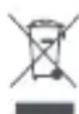
All products bearing this symbol are waste electrical and electronic equipment (WEEE as in directive 2012/19/EU) which should not be mixed with unsorted household waste. Instead, you should protect human health and the environment by
handing over your waste equipment to a designated collection point for the recycling of waste electrical and electronic equipment, appointed by the government or local authorities. Correct disposal and recycling will help prevent potential negative consequences to the environment and human health. Please contact the installer or local authorities for more information about the location as well as terms and conditions of such collection points.
EU Declaration of Conformity

We, Beijing Xiaomi Electronics Co., Ltd., hereby, declare that this equipment is in compliance with the applicable Directives and European Norms, and amendments. The full
text of the EU declaration of conformity is available at the following internet address:
http://www.mi.com/global/service/support/declaration.html
Technical Specifications
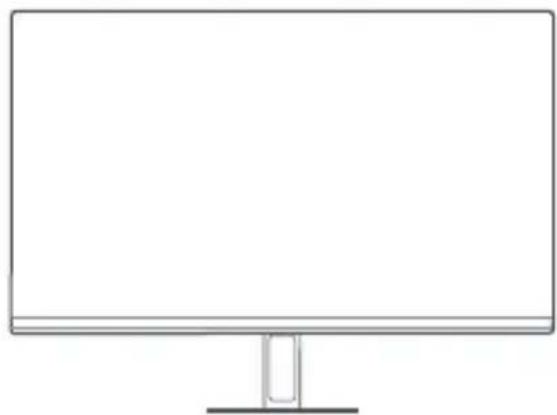
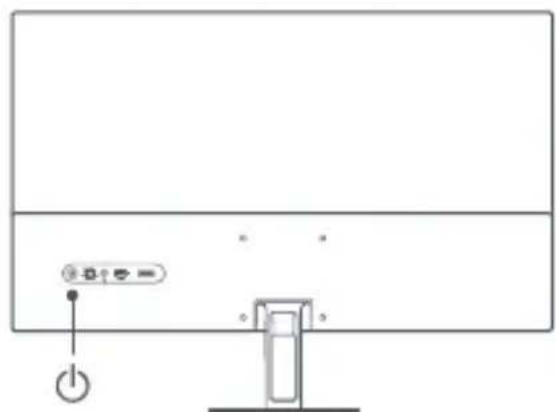
http://www.mi.com/global/service/support/declaration.html
http://www.mi.com/global/service/support/declaration.html
http://www.mi.com/global/service/support/declaration.html
German
Button Description
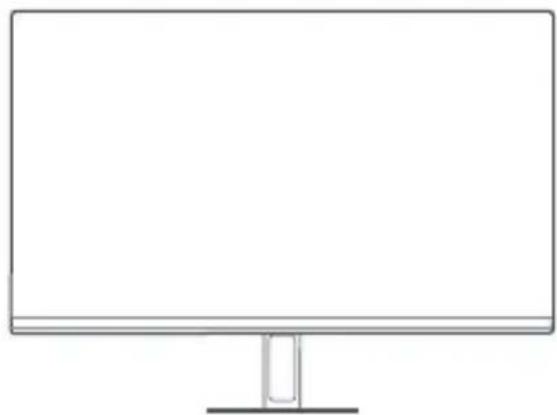
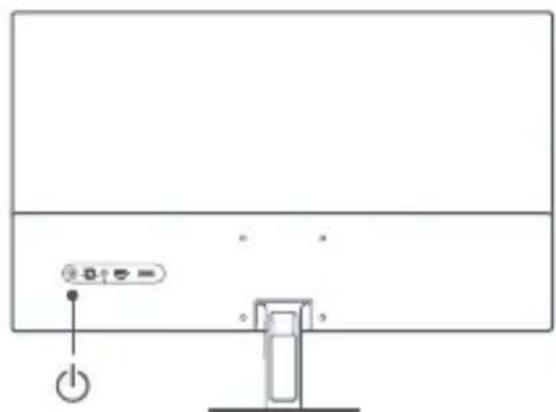
http://www.mi.com/global/service/support/declaration.html
Button Description
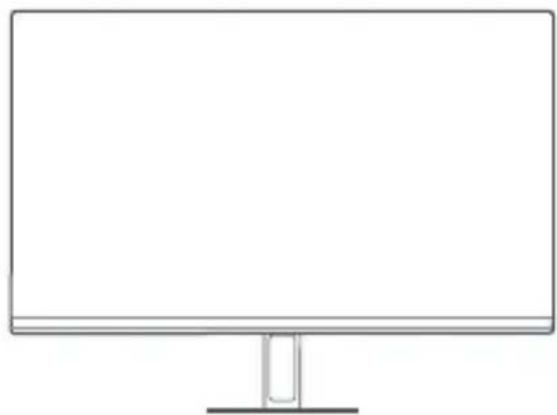
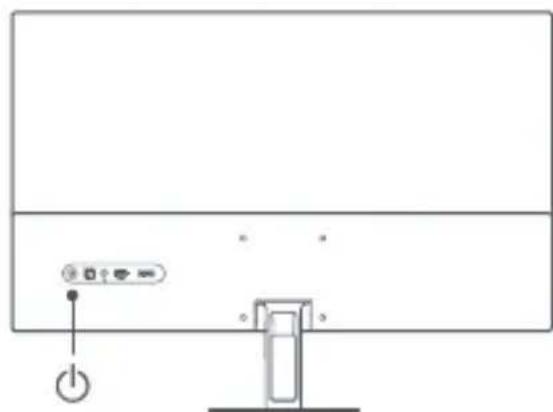
http://www.mi.com/global/service/support/declaration.html
Button Description
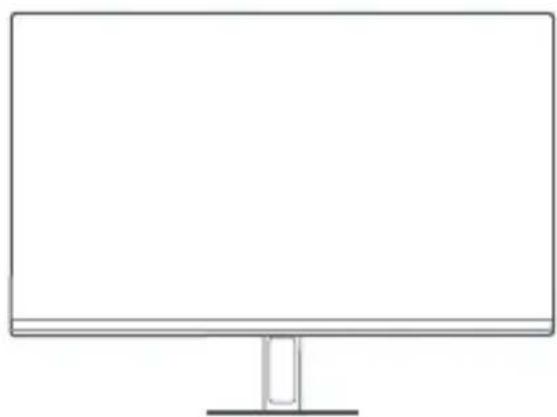
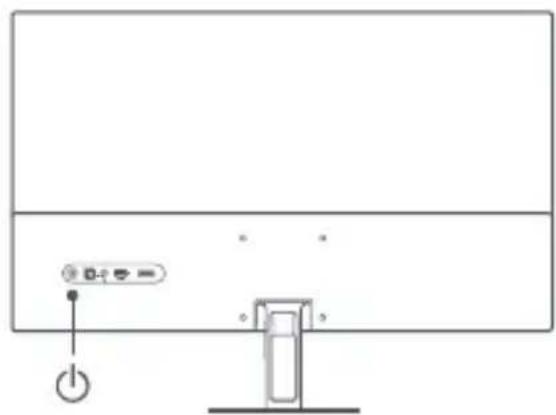
http://www.mi.com/global/service/support/declaration.html
http://www.mi.com/global/service/support/declaration.html
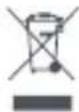
Beijing Xiaomi Electronics Co., Ltd. as a result of the

http://www.mi.com/global/service/support/declaration.html
Jia 1
VOxVogai jydyllgj yill baill jle Cuiill Jolgo gaiall lii gaiy:
plo1:JglllMEe:JglllE:aalil aJullulally bilallleololololololololololololololololololololololololololololololololololololololololololololololololololololololol
aell all jy pag aalwly oxell al by y gll syy jil claaal lgl cayb baleol, kallg ago galsl gjg jg jge.
yjll cllally jol ojpa dc jol ojol oal allj] c:ablo
aalallg jlll lgl aeggagol gailg billl al cunll lolo saspsg billl lclu wulll psswlll lgl gil

| الإستعمال الحرفية | ||
| الإستعمال الحرفية | ||
| . . . . . . . . . . . . . . . . . . . . . . . . . . . . . . . . . . . . . . . . . . . . . . . . . . . . . . . . . . . . . . . . . . . . . . . . . . . . . . . . . . . . . . . . . . . . . . . . . . . . . . . . . . . . . . . . . . . . . . . . . . . . . . . . . . . . . . . . . . . . . . . . . . . . . . . . . . . . . . . . . . . . . . . . . . . . . . . . . . . . . . . . . . . . . . . . . . . . . . . . . . ? . . . . . . . . . . . . . . . . . . . . . . . . . . . . . . . . . . . . . . . . . . . . . . . . . . . . . . . . . . . . . . . . . . . . . . . . . . . . . . . . . . . . . . . . . . . . . . . . . . . - . . . . . . . . . . . . . . . . . . . . . . . . . . . . . . . . . . . . . . . . . . . . . . . . . . . . . . . . . . . . . . . . . . . . . . . . . . . . . . . . . . . . . . . . . . . . . . . . . . . - - - - - - - - - - - - - - - - - - - - - - - - - - - - - - - - - - - - - - - - - - - - - - - - - - - - - - - - - - - - - - - - - - - - - - - - - - - - - - - - - - - - - - - - - - - - - - - - - - - - - - . . . . . . . . . . . . . . . . . . . . . . . . . . . . . . . . . . . . . . . . . . . . . . . . . . . . . . . . . . . . . . . . . . . . . . . . . . . . . . . . . . . . . . . . . . . . . . . . . . . ; . . . . . . . . . . . . . . . . . . . . . . . . . . . . . . . . . . . . . . . . . . . . . . . . . . . . . . . . . . . . . . . . . . . . . . . . . . . . . . . . . . . . . . . . . . . . . . . . . . . 25 25 25 25 25 25 25 25 25 25 25 25 25 25 25 25 25 25 25 25 25 25 25 25 25 25 25 25 25 25 25 25 25 25 10 10 10 10 10 10 10 10 10 10 10 10 10 10 10 10 10 10 10 10 10 10 10 10 10 10 10 10 10 10 10 10 10 10 | ||
1N NNNN NNNN NNNN NNNN
yynn n nn nn nn nn nn nn nn nn nn nn nn nn nn nn nn nn nn nn nn nn nn nn nn nn nn nn nn nn nn nn nn nn nn nn nn nn nn nn nn nn nn nn nn nn nn nn nn nn nn nn nn nn nn nn nn nn nn nn nn nn nn nn nn nn nn nn nn nn nn nn nn nn nn nn
∴ 2x + 2y = 4
Low Blue Light
nnnnn nnnn nn nnnn nn nnnn
WEEE 1
waste) nupn nn npn npn on n npnn

/2012/19 n pey n pey electrical and electronic equipment - WEEE
__SUPPIMER__
Beijing Xiaomi Electronics Co., Ltd.

http://www.mi.com/global/service/support/declaration.html
| eenth birthday | ||
| name of the party | ### | |
| ### | ### | |
| name of the party member(s) | ||
| name of the party leader(s) | ||
| name of the party leader(s) | ||
| name of the party leader(s) | ||
| name of the party leader(s) | ||
http://www.mi.com/global/service/support/declaration.html
Mô tânut

http://www.mi.com/global/service/support/declaration.html
| 모hd : P27FBB-RGGL |
| 선원일요 : 12V ~ 3.0A HDMI 峰價 : 48-165Hz |
| 성종류 => * : 채개 36W DP => 48-165Hz |
| 회면 썡가 : 27 inch 기재지 : -5° ~+15° |
| 회면 => 16:9 => 16:9 => -20°C ~60°C |
| 회면 => -20°C => -20°C |
| 회면 => -60°C => -60°C |
| 회면 => -40°C => -40°C |
| 회면 => 1920 × 1080 => 1920 × 1080 => 1920 × 1080 => 1920 × 1080 => 1920 × 1080 => 1920 × 1080 => 1920 × 1080 => 1920 × 1080 => 1920 × 1080 => 1 |
http://www.mi.com/global/service/support/declaration.html
Fiche:https://i02.appmifile.com/498_operatorx_operatorx_xm/15/09/2023/781e07362ac1d4e9b05c231a2b57ed0e.pdf EPREL product registration number is: 1771799
Cpok cnjx6bl
The service life of the product is 3 years, provided that the product is used in strict accordance with this instruction and applicable technical standards.
This device uses visual information from connected sources.
Rules for use conditions: no restrictions.
Information about the importer or the after-sales service department is indicated on the packaging.
Compliance with technical regulations:
Room 802, Floor 8, Building 5, No.15 KeChuang 10th Road, Beijing Economic and Technological Development Zone, Beijing City, China.
Model: P27FBB-RGGL
MKG # IMKG.1666.08.2023
Imported by:
PT. Xiaomi Communications Indonesia
One Pacific Place Suite 9-H,I,J,K JI. Jenderal Sudirman Kav. 52-53 Lot 3&5, Jakarta Selatan 12190, Indonesia.
Made by:
Beijing Xiaomi Electronics Co., Ltd.
Address: Room 802, Floor 8, Building 5, No.15 KeChuang 10th Road, Beijing Economic and Technological Development Zone, Beijing City, China.
Made in China
The Adopted Trademarks HDMI, HDMI High-Definition Multimedia Interface, and the HDMI Logo are trademarks or registered trademarks of HDMI Licensing Administrator, Inc. in the United States and other countries
UK EAC FCC C E PAP
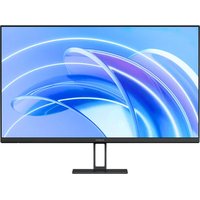
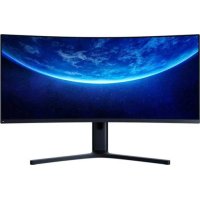
Brand : Xiaomi
Model : G27i
Category : Monitor