Monitor G Pro 27i - Monitor Xiaomi - Free user manual and instructions
Find the device manual for free Monitor G Pro 27i Xiaomi in PDF.


Pick your language and provide your email: we'll send you a specifically translated version.
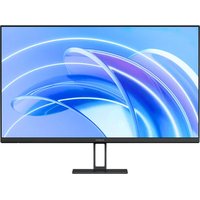
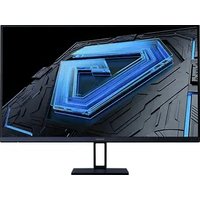
| Product Type | Gaming Monitor |
| Brand | Xiaomi |
| Model | Monitor G Pro 27i |
| Display Size | 27 inches |
| Resolution | 2560 x 1440 (QHD) |
| Refresh Rate | 165 Hz |
| Panel Type | IPS |
| Response Time | 1 ms (GTG) |
| Aspect Ratio | 16:9 |
| Brightness | 350 cd/m² |
| Contrast Ratio | 1000:1 (typical) |
| Viewing Angle | 178° horizontal / 178° vertical |
| Connectivity | HDMI 2.0 x 2, DisplayPort 1.4 x 1, USB-C x 1, Audio out |
| Power Consumption | Typical 30W, Standby <0.5W |
| VESA Mount | 75 x 75 mm |
| Adjustability | Tilt (-5° to 20°), Swivel (-20° to 20°), Height 130 mm, Pivot (90°) |
| Dimensions (with stand) | 613.5 x 228.8 x 525.5 mm |
| Weight (with stand) | 6.8 kg |
| Cleaning Instructions | Use a soft, dry cloth. Do not use alcohol or abrasive cleaners. |
| Safety Warnings | Avoid direct sunlight, keep away from heat sources, ensure proper ventilation. |
| Spare Parts | Contact Xiaomi support for power adapter or stand replacements. |
| Repairability | Not user-serviceable. Contact authorized service center for repairs. |
Frequently Asked Questions - Monitor G Pro 27i Xiaomi
How do I connect the monitor to my computer?
Use the provided HDMI or DisplayPort cable. Connect one end to the monitor and the other to your computer's graphics card. Turn on the monitor and select the correct input source using the joystick button.
What is the recommended resolution and refresh rate?
The native resolution is 2560x1440 at 165Hz. Ensure your graphics card supports this resolution and refresh rate. In Windows, go to Display Settings > Advanced Display Settings to set the refresh rate to 165Hz.
How do I clean the monitor screen?
Turn off the monitor and unplug it. Use a soft, lint-free cloth slightly dampened with water. Gently wipe the screen in a circular motion. Do not spray liquid directly on the screen.
Can I mount this monitor on a wall?
Yes, the monitor supports VESA 75x75 mm mounting. Use a compatible wall mount bracket. Remove the stand and follow the mount's instructions.
What should I do if the monitor has no display?
Check that the power cable is securely connected and the monitor is turned on. Verify the input source is correct. Try a different cable or port. If using a laptop, ensure it is not set to external display only mode via function keys.
How do I change the monitor's settings?
Press the joystick button on the back of the monitor to open the On-Screen Display (OSD) menu. Navigate using the joystick to adjust brightness, contrast, input source, and other settings.
Does the monitor have built-in speakers?
No, the Xiaomi Monitor G Pro 27i does not have built-in speakers. Use the audio out port to connect external speakers or headphones.
What is the warranty period for this monitor?
Typically, Xiaomi offers a 2-year warranty for monitors. Contact Xiaomi support or refer to your purchase documentation for exact warranty terms.
Can I use the monitor with a console like PlayStation or Xbox?
Yes, connect the console to the monitor using an HDMI cable. Resolution and refresh rate will depend on the console's capabilities. The monitor supports up to 1440p at 120Hz on compatible consoles.
Why is there flickering on the screen?
Flickering may be due to incorrect refresh rate settings, a loose cable, or interference. Set the refresh rate to 165Hz in display settings. Try a different cable. If persistent, adjust the monitor's overdrive setting in the OSD menu.
User questions about Monitor G Pro 27i Xiaomi
0 question about this device. Answer the ones you know or ask your own.
Ask a new question about this device
No questions yet. Be the first to ask one.
Download the instructions for your Monitor in PDF format for free! Find your manual Monitor G Pro 27i - Xiaomi and take your electronic device back in hand. On this page are published all the documents necessary for the use of your device. Monitor G Pro 27i by Xiaomi.
USER MANUAL Monitor G Pro 27i Xiaomi

Manual assistant
Powered by Anthropic
Waiting for your message
Product information
Brand : Xiaomi
Model : Monitor G Pro 27i
Category : Monitor