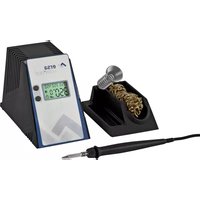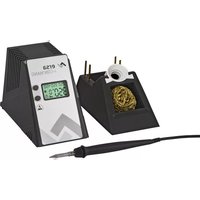
i-CON NANO - Welding machine Ersa - Free user manual and instructions
Find the device manual for free i-CON NANO Ersa in PDF.


| Product type | Professional soldering station |
| Brand | Ersa |
| Model | i-CON NANO |
| Power | 68 W |
| Power supply voltage | 220-240 V ~ 50/60 Hz or 110-120 V ~ 50/60 Hz |
| Temperature range | 150 °C - 450 °C (300 °F - 842 °F) |
| Default set temperature | 360 °C (680 °F) |
| Display | Digital (actual temperature and setpoint) |
| Temperature adjustment | Up/down buttons |
| Standby function | Yes, programmable from 0 to 60 minutes (0 = off) |
| Temperature calibration | Yes, adjustment from -70 °C to +50 °C (-126 °F to +90 °F) |
| Tip change | By screwing (tip mounted on the iron) |
| Station dimensions (W x H x D) | 145 mm x 80 mm x 103 mm |
| Station weight | 1050 g |
| Soldering iron dimensions (L x ø) | 175 mm x 12 mm |
| Soldering iron weight (without cord) | 30 g |
| Stand dimensions (W x H x D) | 140 mm x 80 mm x 80 mm |
| Stand weight | 200 g |
| MicroSD card compatibility | Yes (programming of additional functions) |
| Safety | Iron holder, automatic shutdown, hot surface (burn risk) |
| Maintenance | Clean the soldering tip regularly; replace if worn |
| Spare parts | Soldering tips, i-tool nano irons, heating elements |
| Environmental standards | WEEE directive (crossed-out wheelie bin) |
Frequently Asked Questions - i-CON NANO Ersa
User questions about i-CON NANO Ersa
0 question about this device. Answer the ones you know or ask your own.
Ask a new question about this device
Download the instructions for your Welding machine in PDF format for free! Find your manual i-CON NANO - Ersa and take your electronic device back in hand. On this page are published all the documents necessary for the use of your device. i-CON NANO by Ersa.
USER MANUAL i-CON NANO Ersa
natural_image
Exterior view of a ERSA I-CON nano soldering device with a test probe and wire (no visible text or symbols on main components)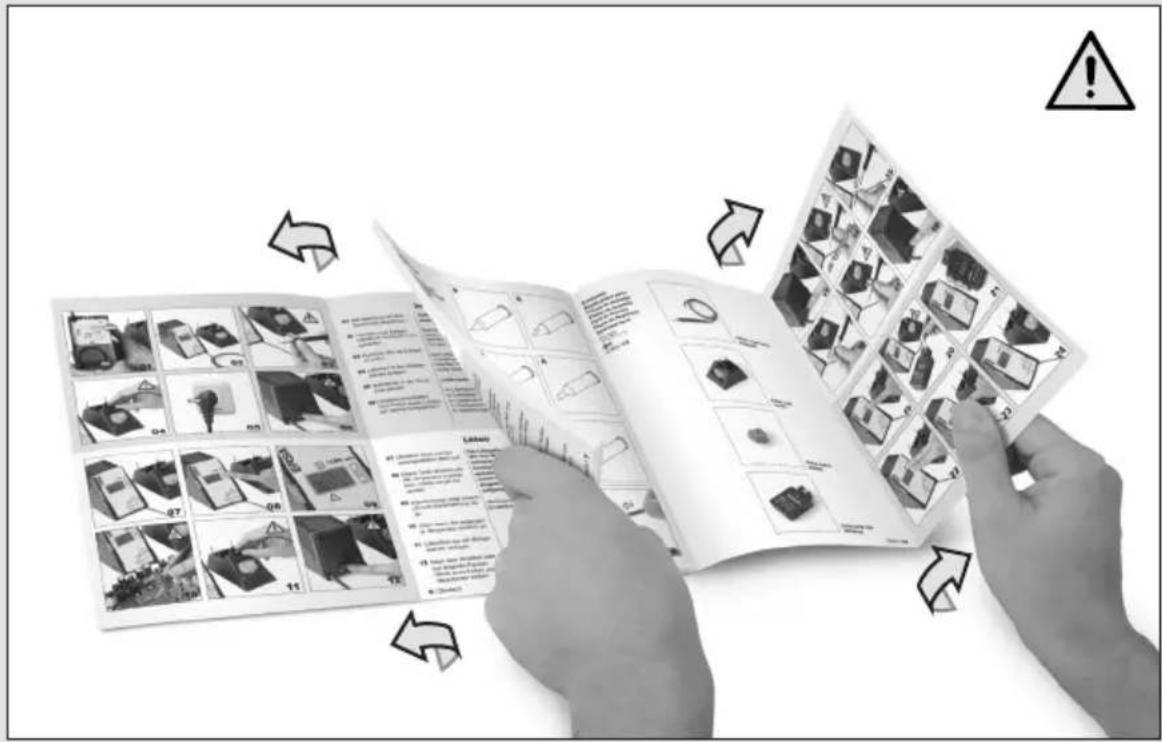
text_image
Black-and-white photo showing hands holding a printed product page with labeled images and warning symbols, illustrating safety or hazard management.English 8 User Manual
natural_image
Exterior view of an ERSA device and a microplate device (no visible text or symbols)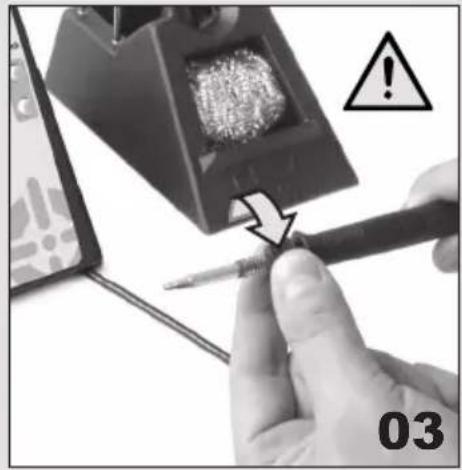
natural_image
Close-up of a hand using a screwdriver to work on a soldering tool, with warning symbol and label '03' (no text or symbols on the tool itself)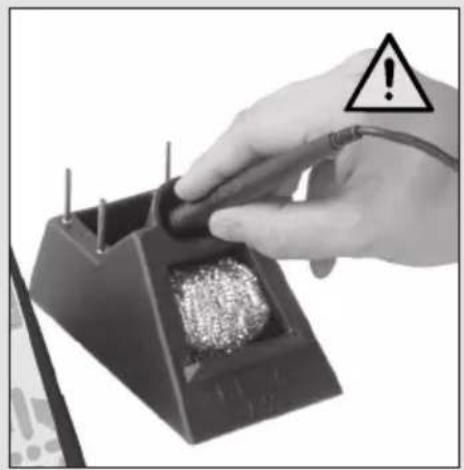
natural_image
Hand holding a test tube with a warning symbol (no text or labels on device)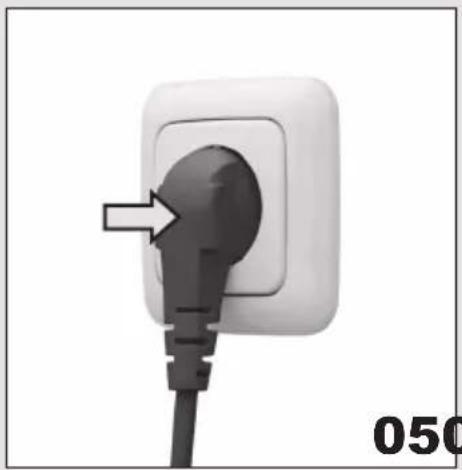
natural_image
Close-up of a white electrical outlet plug with a black plug inserted, showing a pointed tip and cable (no text or symbols visible)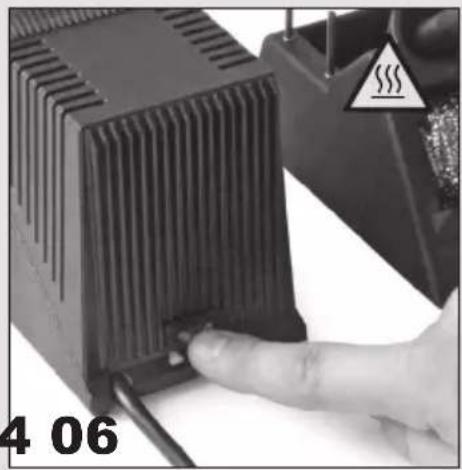
natural_image
Close-up of a hand pressing a component on a black electronic device, with warning symbol and label '4 06' (no readable text or symbols beyond labels)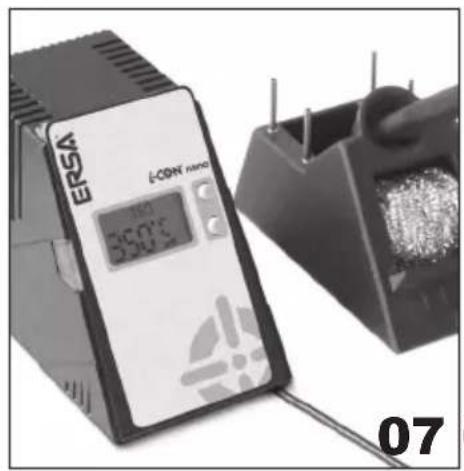
natural_image
Close-up of a E-CDN laser microcontroller and a small electronic component (no visible text or symbols)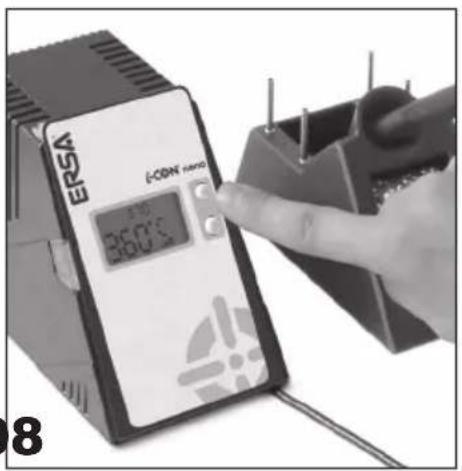
text_image
ERSA ECSA micro 36.0°C 8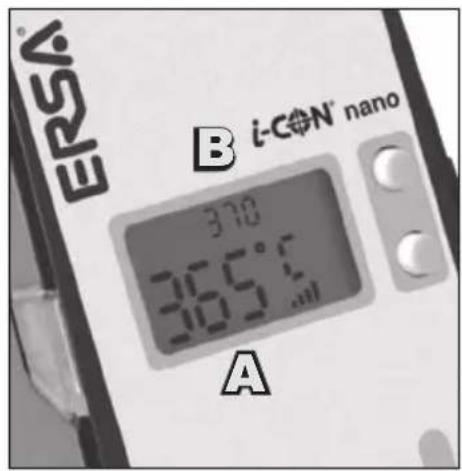
text_image
ERSA® B i-CN' nano 370 365°C 365°C A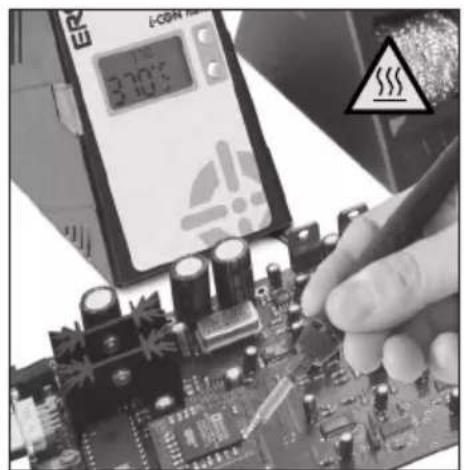
natural_image
Close-up of a hand adjusting electronic components on a circuit board with a digital display and warning symbol (no readable text)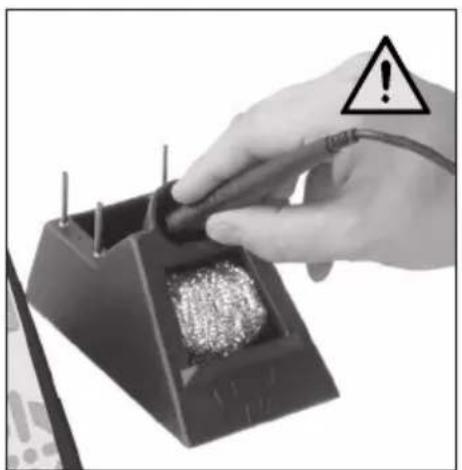
natural_image
Hand holding a device with a warning symbol (no text or labels on the device itself)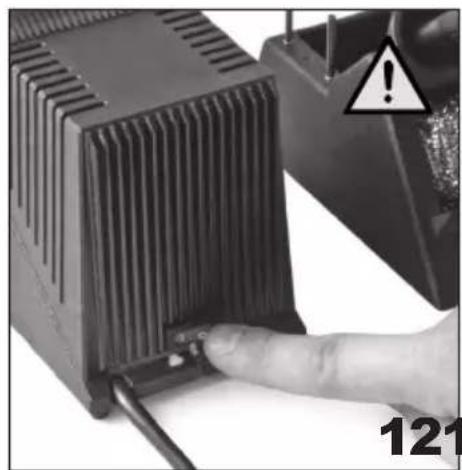
natural_image
Close-up of a hand inserting a small electronic component into a black heat sink, with warning symbol and page number 121 (no readable text or symbols on main subject)Inbetriebnahme
01 Adjust mains voltage in accordance with type plate.
02 Set up soldering station and stand in a dry place.
03 Check for correct fit of soldering tip.
04 Place soldering iron into holder stand.
05 Insert plug into socket.
06 Switch on soldering station.
ATTENTION! Soldering
tip is hot! Risk of burning
yourself!
Many thanks for purchasing an ERSA soldering station.
Read user manual and safety instructions carefully and keep in a safe place for future use.
Check contents of package to ensure that no components are missing. Contact dealer if a component is missing.
Scope of delivery:
1x i-CON nano soldering station
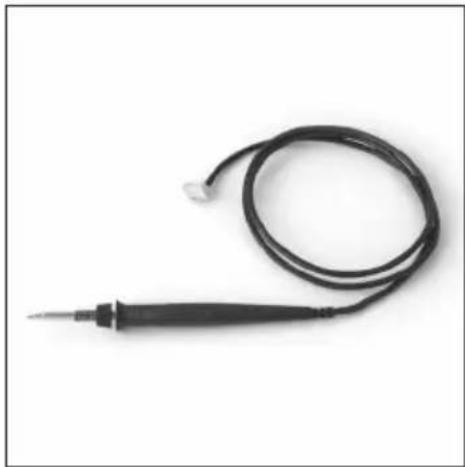
1x i-Tool nano soldering iron
1x soldering tip (fitted)
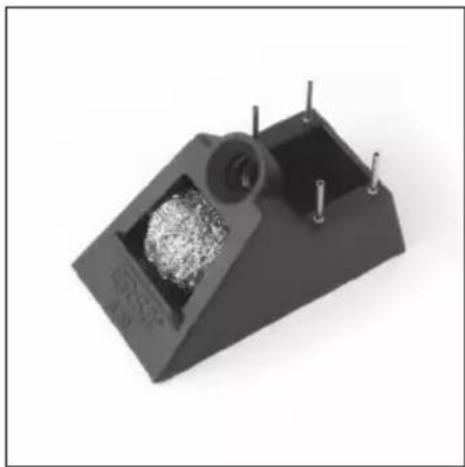
1x holder stand
1x user manual
1x set of safety instructions
Key to symbols:

Attention! Danger spot
Hot surface! Risk of burning yourself!
Soldering
07 Soldering station heats up to the default value.
08 Press top key to increase temperature, press bottom key to decrease temperature.
09 Digital display shows actual value (A) and default value (B).
10 Solder when the set temperature has been reached.
11 Place soldering iron only onto holder stand.
12 After work or during prolonged breaks, switch off appliance and remove plug.
The soldering station is designed for soft solder soldering at various temperatures. After appliance is switched on, the soldering tip is heated up automatically to the most recently set temperature.
The soldering results depend on how suitable the soldering tip is to the job. When soldering large-size jobs, our more powerful i-CON1 and i-CON2 soldering stations should be used.
Default value: 360 °C / 680 °F Value range: 150 to 450 °C 300 to 842 °F
Changing the soldering tip
Various soldering tips can be used with the i-CON nano soldering station. In this way, the soldering station can be adapted to various areas of operation. See page 48.
More soldering tips are available from the ERSA dealer. Downloadable overview of standard tips:
Downloadable overview of special tips:
13 Switch off soldering station and allow soldering tip to cool to approx. 40 °C / 104 °F.
14 Screw soldering tip onto the knurled section of the soldering iron.
15 Remove soldering tip from soldering iron.
16 Place desired soldering tip onto soldering iron.
17 Fit soldering tip with knurled section onto soldering iron and check for correct fit.
18 Switch on soldering station. ATTENTION! Soldering tip is hot! Risk of burning yourself!
Temperature calibration
If the set temperature and the actual temperature of the soldering tip do not concur, then the temperature can be calibrated in order to resume work at exact soldering temperatures.
Default value: 0 Value range: -70 to +50 °C -126 to +90 °F
19 Select reference value for calibration at the soldering station.
20 Determining actual temperature using a digital temperature-measuring instrument.
21 Calculating deviation between reference value and actual value.
22 Press both keys briefly to call up the calibration menu.
23 Setting temperature using the keys in accordance with the deviation.
24 Wait five seconds to save the value.
Standby time Soldering iron
SD card
After a certain time, the appliance reduces the soldering temperature to save power.
To quit stand-by, press key or cool the soldering tip by approx. 5 °C / 9 °F.
Default value: 5 Min.
Value range: 0 to 60 Min.
$$ 0 = \text { Off } $$
A Hold down both keys for a prolonged period to open the standby time menu.
B Adjust standby time by pressing the keys (0 = Off).
C Wait five seconds to save the value.
If required, the soldering iron can be changed or exchanged.
Use only soldering irons bearing the description ERSA i-tool nano.
Installation of the exchange iron is by analogy the reverse of the dismantling sequence.
A Turn appliance onto its side.
B Pull cable of soldering iron out of holders.
C Remove plug in the direction of the operating panel.
Using a micro SD card will permit further settings to be made via software:
- Stand-by temperature & time
- Shutdown time
- Keylock function
- Display in °C or °F
- Up to 3 fixed temperatures
- Power functions can be as-signed
For further information on using the micro SD (HC) card, please consult the software manual.
Both software and the manual can be downloaded free by going to the following link:
http://www.ersa.com/nano
Error codes
In the event of an error, an error code appears on the display. The number above the label ‘Err’ provides information about the error present.
Codes 7 und 8 indicate faults in the heating element in the soldering iron:
- Err7 Insert heating element and press key.
- Err8 Change heating element
For further information, go to the following link:
http://www.ersa.com/nano
Technical specifications
i-CON nano soldering station:
Power rating:
Operating voltage:
Temperature range:
Dimensions L x W x H:
Weight:
i-tool nano soldering iron:
Dimensions:
Weight:
Holder stand:
Dimensions L x W x H:
Weight:
Order No.: 0IC1200A
68 watts
220 - 240 V \~ 50/60 Hz
110 - 120 V \~ 50/60 Hz
150 - 450 °C
300 - 842 °F
145 mm x 80 mm x 103 mm
1050 g
Order No.: 0120CDK
L x handle-ø / 175 mm x 12 mm
30 g (without cable)
Order No.: 0A050
140 mm x 80 mm x 80 mm
200 g
Guarantee
Heating element, and soldering and desoldering tips constitute parts subject to wear that are not covered by the guarantee. Material defects or manufacturing defects must be stated in addition to providing proof of purchase prior to certified return of goods.
Statement of defects and proof of purchase must be returned along with the goods.
ERSA has created this manual with the utmost care. However, no guarantee is provided as regards content, completeness and quality of the details contained in this manual. Content is maintained and adapted to prevailing conditions.
All data published in this
manual and details on products and methods have been ascertained by using state-of-the-art aids according to the best of our knowledge. These details are not binding and do not relieve the user of personal responsibility to check the appliance prior to use. We accept no responsibility for infringements of third-party patent rights for applications and procedures without prior express and written acknowledgement. We reserve the right to undertake technical improvements for the purposes of product improvement.
As part of legal means, liability for direct damage, consequential damage and third-party
damage resulting from the acquisition of this product is excluded.
All rights reserved. Without written approval of ERSA GmbH, this instruction manual may not, even in extract form, be reproduced, transmitted or translated into another language.
Disposal
Should be done according to Directive 2002/96/EC of the European Parliament and of the
Council dated 27.01.2003 applicable to used electrical and electronic appliances. Products bearing the symbol of a strikethrough refuse bin must not be disposed of along with unsorted domestic refuse. The municipalities have set up collection points for this purpose. Please consult your municipal or local authority concerning facilities available for separate collection of used appliances.
In this way, you contribute to reuse or other forms of utili-
sation of used appliances in the interests of environmental protection and human health.
Mise en service
L x asa-ø / 175 mm x 12 mm 30 g (sin cable)
Nº pedido: 0A050
140 mm x 80 mm x 80 mm 200 g
Garantía
natural_image
Line drawing of a pointed pen or pipette with a tapered tip and flange (no text or symbols)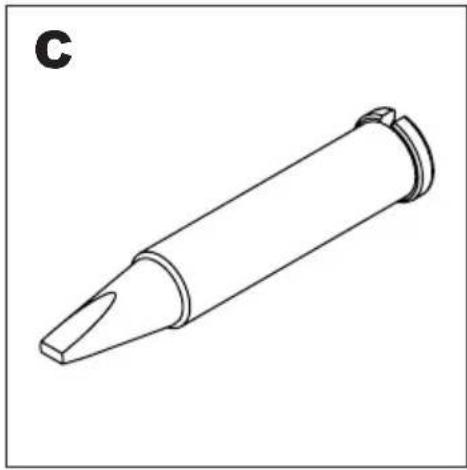
natural_image
Line drawing of a cylindrical object with a pointed tip and flange, labeled 'C' in the top-left corner (no other text or symbols)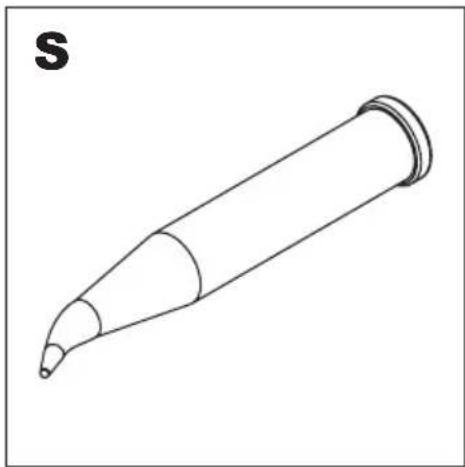
natural_image
Line drawing of a pen-like object with a pointed tip and curved ends, labeled 'S' in the top-left corner (no other text or symbols)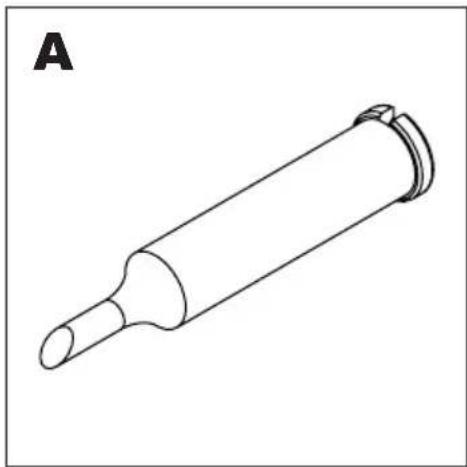
natural_image
Line drawing of a cylindrical mechanical component with a flanged end (no text or symbols)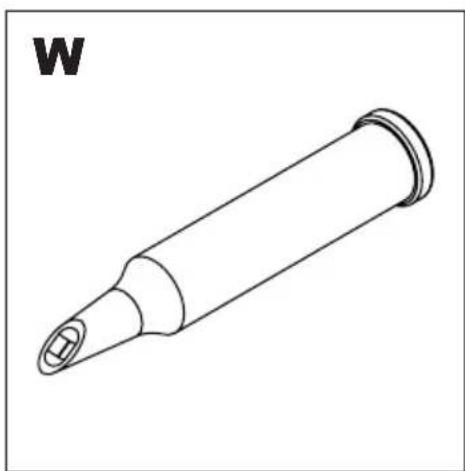
natural_image
Line drawing of a cylindrical mechanical component with a flanged tip and a small protruding end (no text or symbols)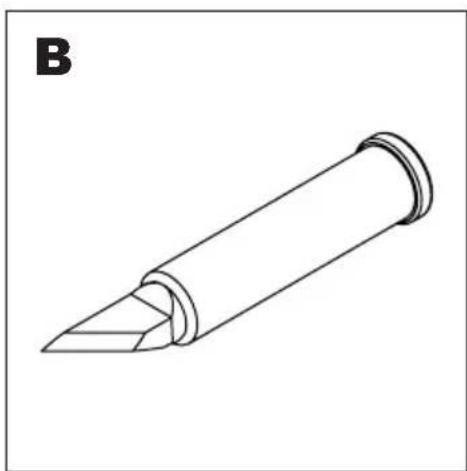
natural_image
Line drawing of a pen-like object with a pointed tip and flange, labeled 'B' in the top-left corner (no other text or symbols)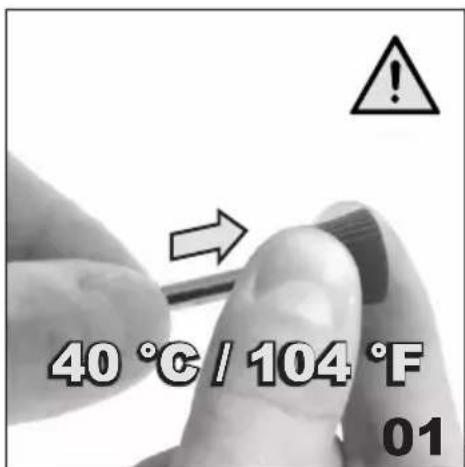
text_image
40 °C / 104 °F 01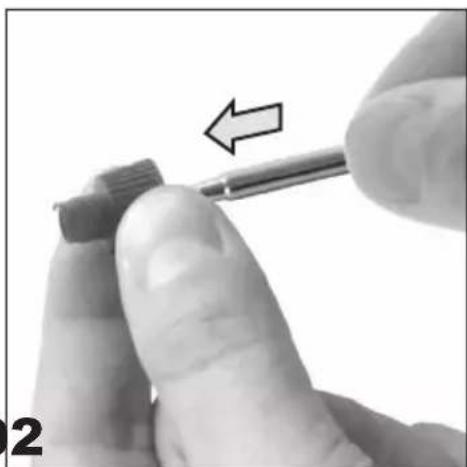
natural_image
Close-up of a finger using a screwdriver to adjust a small component (no text or symbols visible)Ersatzteile & Zubehör Replacement parts & Accessories Pièces de rechange et accessoires Piezas de repuesto y accesorios Parti di ricambio e accessori Peças sobressalentes e acessórios Запчасти и принадлежности قطع غيار واكسسوارات 予備部品 および 付属品 备件和配件 보충 부품과 부속품
natural_image
Close-up of a black electrical probe with a coiled cable and terminal connector (no text or symbols visible)ERSA i-tool nano 0120CDK
natural_image
3D rendering of a black mechanical device with internal components and mounting holes (no visible text or symbols)ERSA A50 0A050
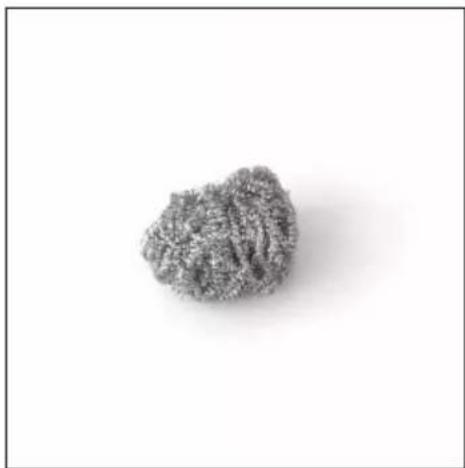
natural_image
Close-up of a textured, irregularly shaped gray object against a white background (no text or symbols)ERSA A50 S 0008M
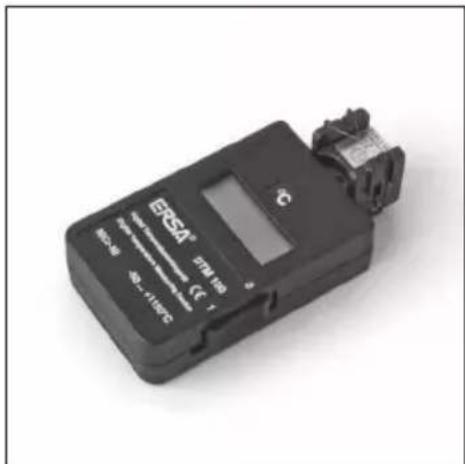
text_image
EASA® 574 lm CE 1 -25V -60 -1100°CERSA DTM 100 0DTM100
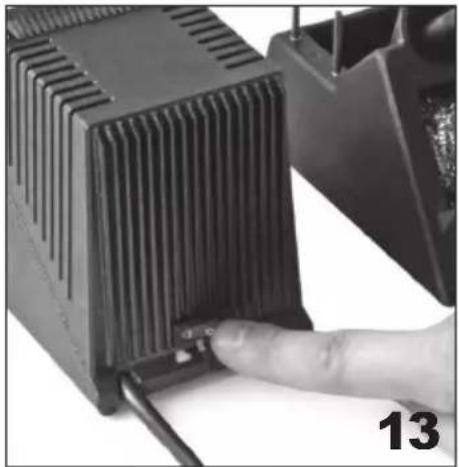
natural_image
Close-up of a hand inserting a small electronic component into a black heat sink (no text or symbols visible)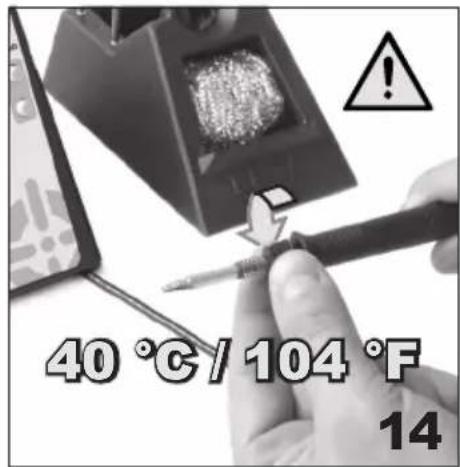
text_image
40 °C / 104 °F 14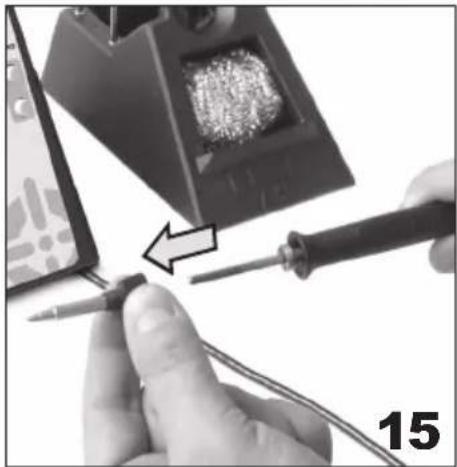
natural_image
Close-up of hands using a soldering iron to switch a component, with a magnified view showing internal soldering (no text or symbols visible)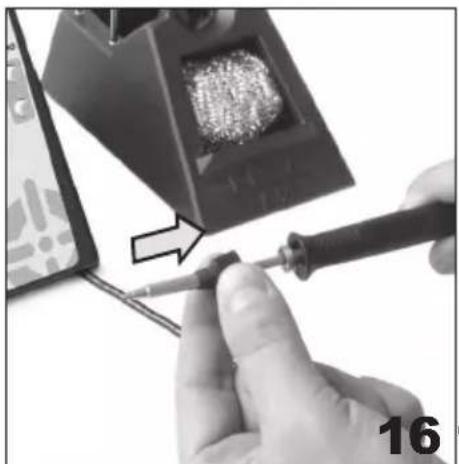
natural_image
Close-up of a hand using a screwdriver to work on a soldering machine component (no visible text or symbols)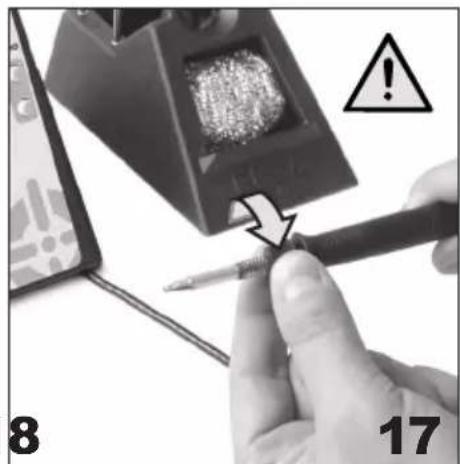
text_image
8 17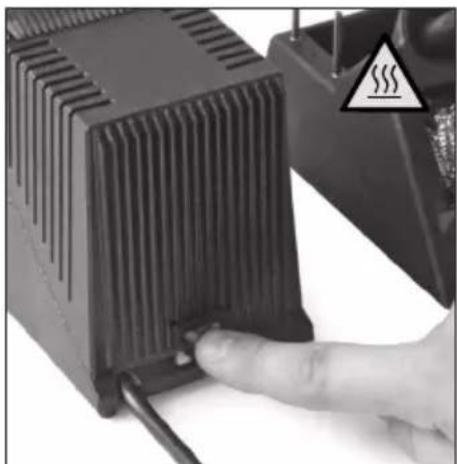
natural_image
Close-up of a hand inserting a heat sink into a black electronic device (no visible text or symbols)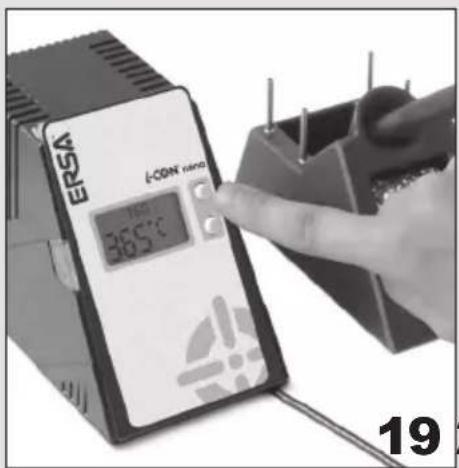
text_image
ERSA ECON micro 365°C 19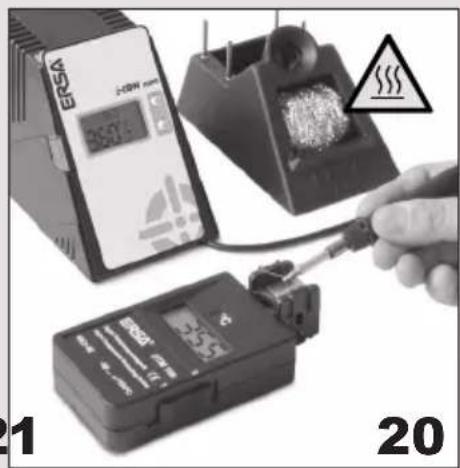
natural_image
Three electronic devices with a hand holding a tool, one connected to a battery pack and another displaying a digital display (no visible text or symbols)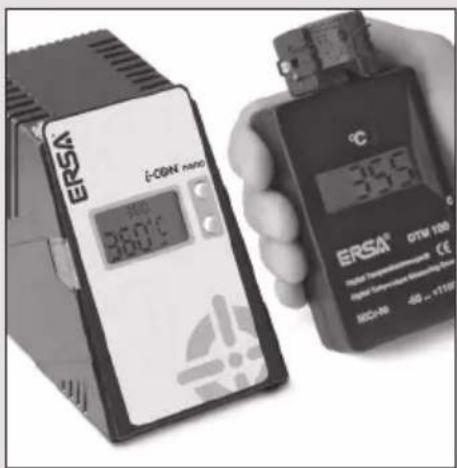
text_image
ERSA i-OSIN mini 35.0°C 35.5 ERSA® GTM 100 Digital Temperature Measurement Digital Security Measurement HCC-96 -48 ~ +1100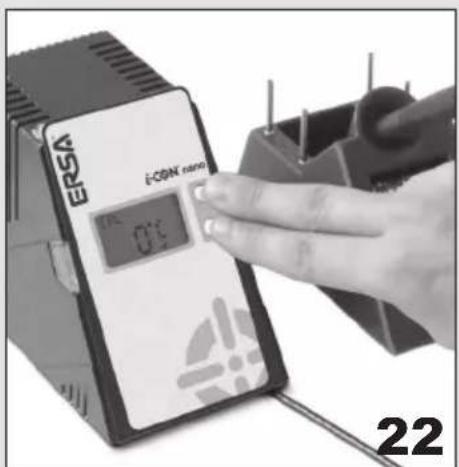
text_image
ERSA ECSN micro 0.5 22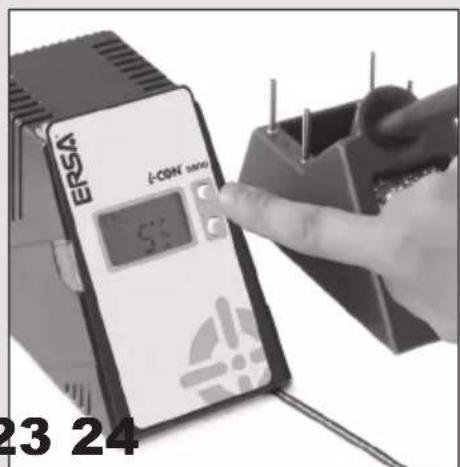
text_image
ERSA E-CON 5.0 23 24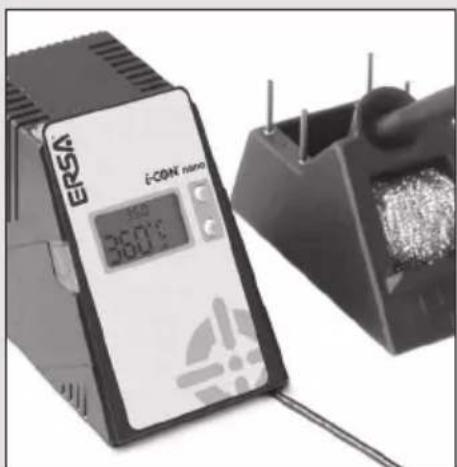
text_image
ERSA E-CON micro 温度 35.0℃ERSA®
i-CON ^® nano
Seite ausklappen
Fold out page
Afficher la page